
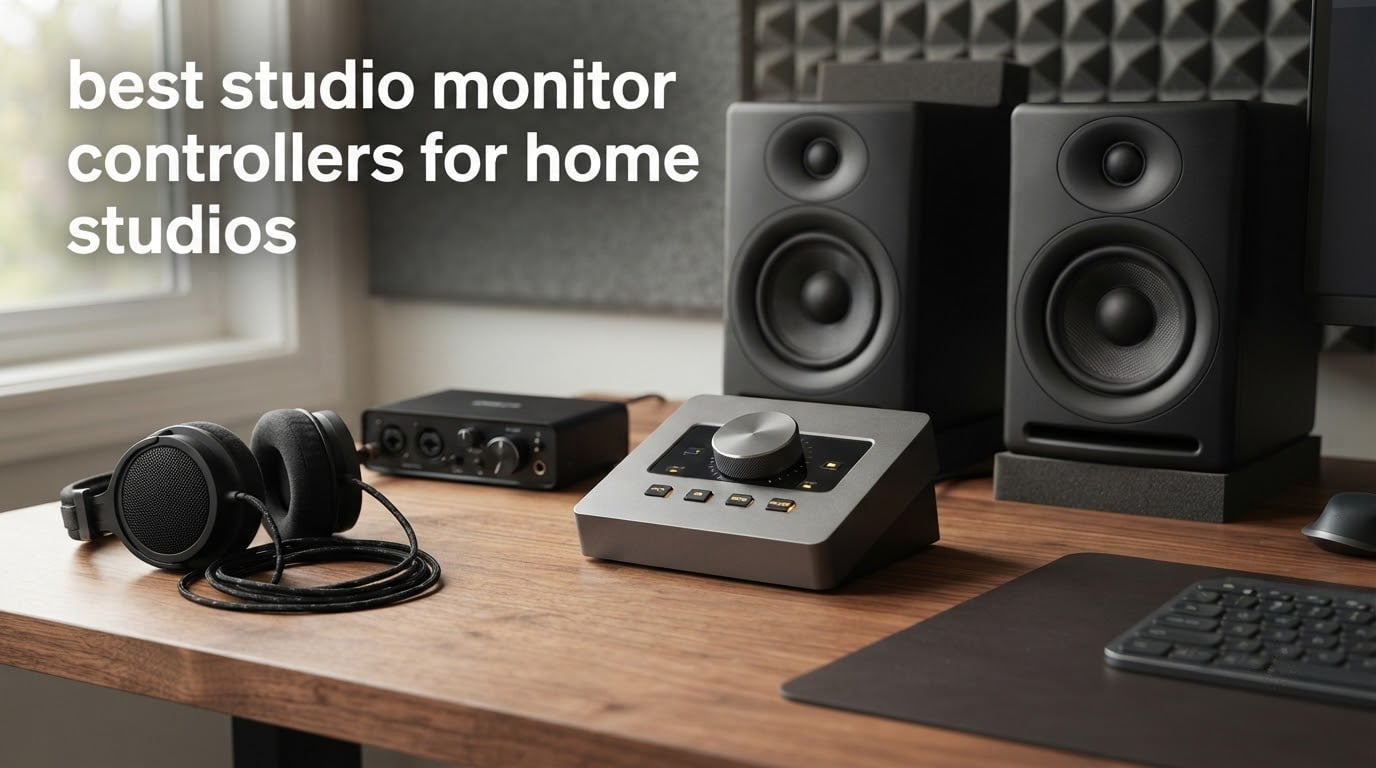
Looking for the best studio monitor controller for your home studio? The Mackie Big Knob Passive 2×2 is our top pick: it is a fully passive attenuator, so it adds no noise, needs no power, and switches between two sources and two monitor pairs with one large knob. For headroom and routing instead, the PreSonus Monitor Station V2 gives you four headphone amps and three speaker sets.
A monitor controller is the small box that sits between your audio interface and your studio monitors. It gives you one authoritative volume control at the right point in the signal chain, lets you flip between speaker pairs, adds a proper dim for late-night work, and usually carries a headphone amp so you can stop using a bare interface volume knob that nobody trusts.
Why does that matter in a bedroom or spare-room setup? Because the interface knob is often coarse, unbalanced between channels, or tied to a software window that changes when your DAW does. Users on r/audioengineering describe exactly this frustration, and the same forum keeps a short reference trio: the Audient Nero, the PreSonus Monitor Station V2, and the Mackie Big Knob Studio. You will find all three, plus seven other strong options, in this roundup.
We compared ten of the most widely reviewed monitor controllers currently shipping to home studios, weighing signal path, speaker switching, headphone capability, desk footprint and the durability complaints that show up in owner reviews. Every pick below carries a clear trade-off, because the honest truth in this category is that the best controller is the one that matches how many monitors you actually own and how late you actually work.
Updated for 2026, and written for home and bedroom studio musicians, producers, vocalists and engineers rather than commercial facilities. Prices and ratings move constantly, so use the check buttons for current listings.
Table of Contents
Top 3 Studio Monitor Controllers for Home Studios (October 2026)

Mackie Big Knob Passive
- Fully passive signal path
- Two sources and two monitor pairs
- Mono mute and dim buttons

PreSonus Monitor Station V2
- Four independent headphone amps
- Three selectable speaker pairs
- Talkback mic and cue section
Behringer CONTROL2USB
- Talkback mic with level control
- Three adjustable monitor outputs
- 192kHz USB audio interface
The 10 Best Studio Monitor Controllers for Home Studios at a Glance
| Product | Specs | Action |
|---|---|---|
| Mackie Big Knob Passive 2×2 |
|
Check Latest Price |
 PreSonus MicroStation BT 2.1 PreSonus MicroStation BT 2.1 |
|
Check Latest Price |
| Behringer CONTROL2USB |
|
Check Latest Price |
| PreSonus Monitor Station V2 |
|
Check Latest Price |
 ESI MoCo ESI MoCo |
|
Check Latest Price |
 Mackie Big Knob Studio 3×2 Mackie Big Knob Studio 3×2 |
|
Check Latest Price |
 Kali Audio MV-BT Kali Audio MV-BT |
|
Check Latest Price |
 Audient Nero Audient Nero |
|
Check Latest Price |
 Palmer Monicon XL Palmer Monicon XL |
|
Check Latest Price |
 Behringer MONITOR2USB Behringer MONITOR2USB |
|
Check Latest Price |
1. Mackie Big Knob Passive 2×2 – Best Overall Studio Monitor Controller for Home Studios
Mackie Big Knob Passive Monitor Controller (2×2), Source + Level Switch
Passive signal path
2 sources, 2 monitor pairs
Mono, mute, dim
1 year warranty
Pros
- No added noise or hiss
- Metal build with grabby jacks
- Smooth large knob
- Instant A/B switching of two speaker pairs
Cons
- Knob has very little rotational resistance
- Channel balance can drift with heavy attenuation
- No rack mount version
I have had this box on the front of my desk long enough to develop strong feelings about that knob. It is a genuinely passive design: a resistor-based attenuator between input and output, no power supply, no active gain stage and nothing to add hiss. For a single monitor pair in a home studio that is all the signal path you actually need.
It switches between two sources and two monitor pairs from the front panel, which is the core feature most people are buying a monitor controller for. Owners switching between a nearfield pair and a second set report the instant A/B is what makes mix decisions faster, not the audio quality, which they describe as pristine.
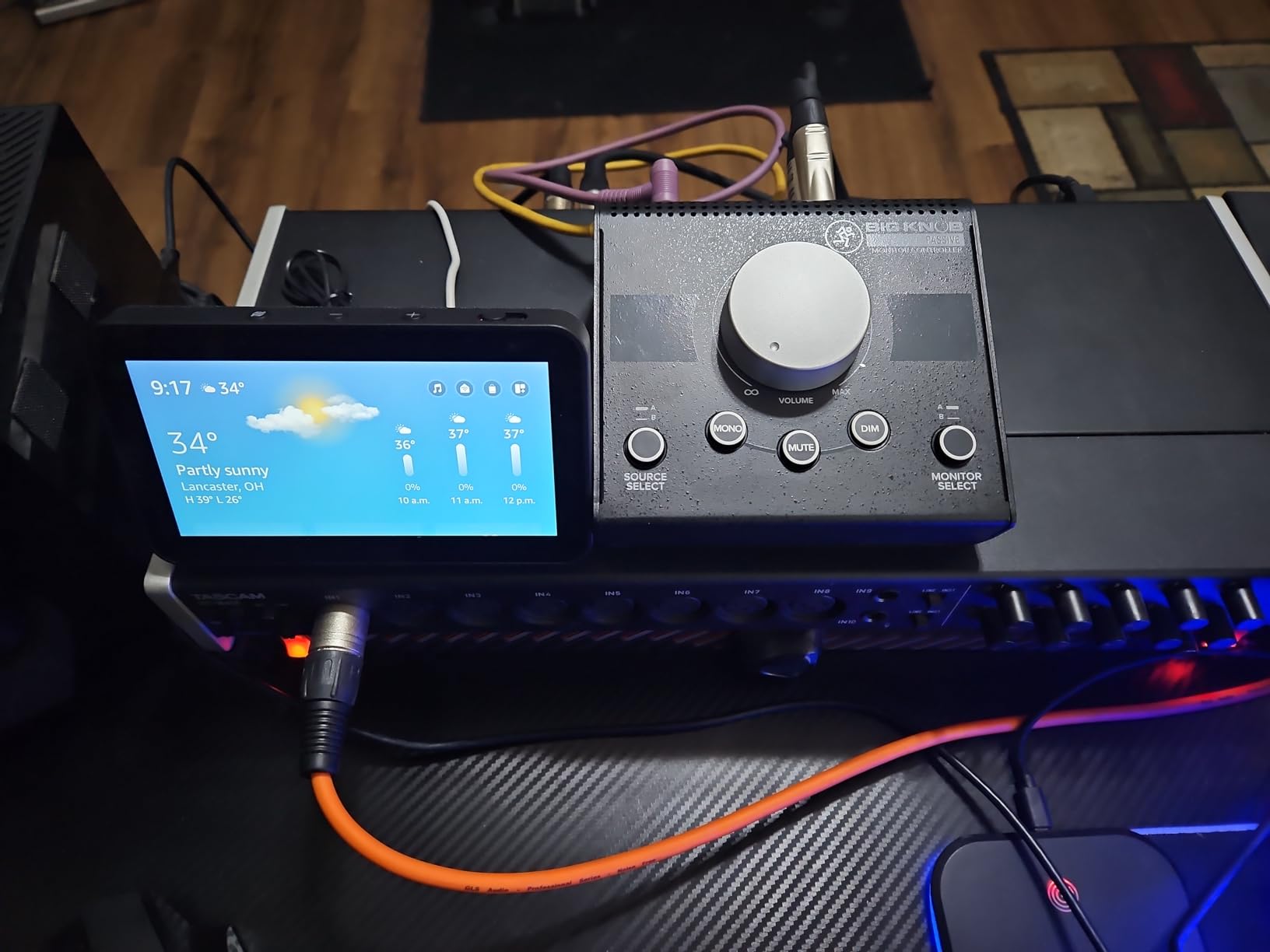
The build is the part that justifies the top spot. It is a metal chassis with solid switches and 1 kg of weight, so it stays put and does not feel like an accessory. The 7.8 inch by 8.3 inch footprint suits a small desk better than most rack-style units, and there is no power cable to route.
The honest weakness is durability feedback. Across reviews, owners report crackling or channel imbalance appearing somewhere between six and twelve months of daily use, and several describe the knob as too sensitive with almost no detent. It is also impedance-balanced only, so it offers modest noise rejection compared with a properly balanced active unit.
Why it suits a single-pair home studio
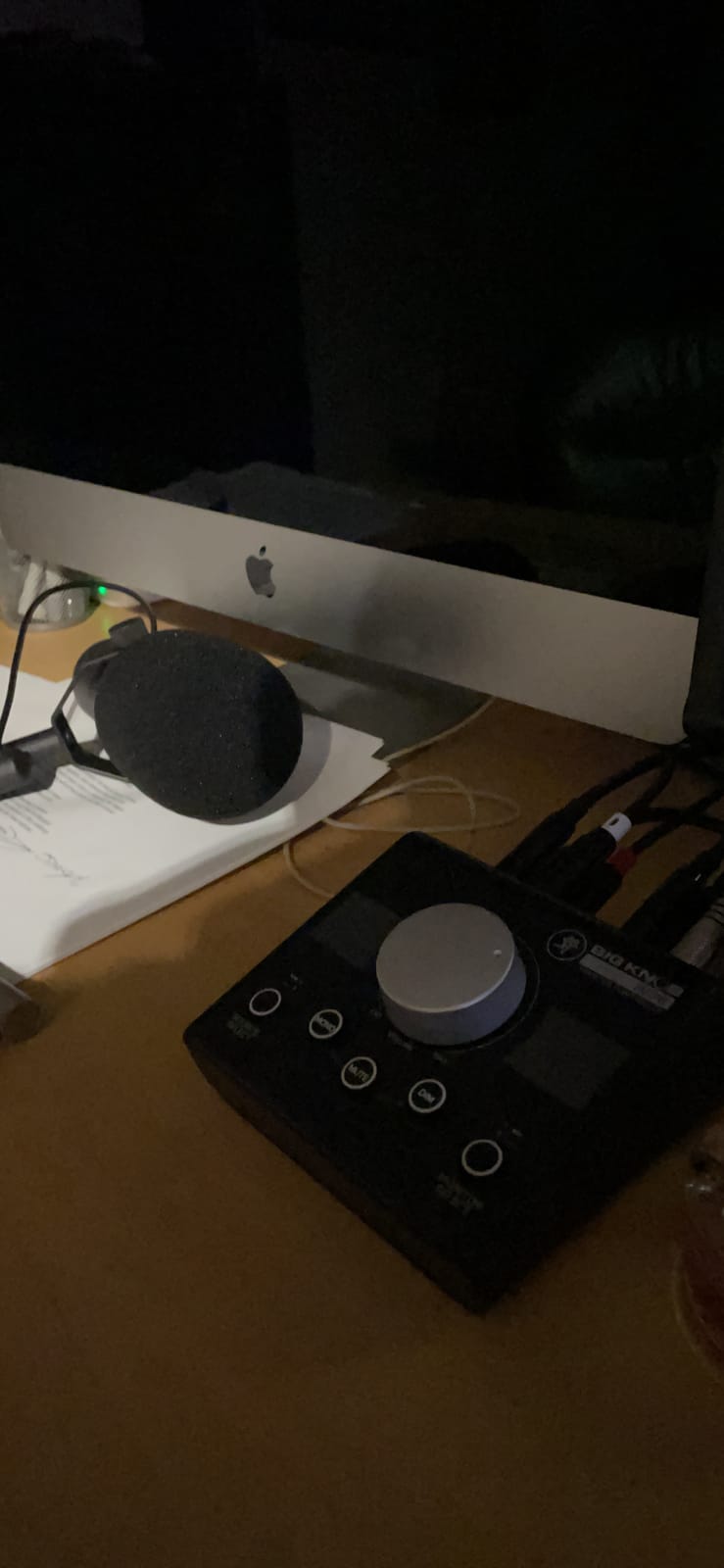
Because it does the one job that matters and stays out of the way. No firmware, no USB, no setup. You plug your interface into input A and your monitors into output A, and the level knob becomes the master control for every session. If you own one good pair of nearfields, this is the box that gets you there.
It also wins when you want a second pair. Flipping between two speaker sets takes one button, and the mono, mute and dim buttons are the ones you will use constantly at low volume, where a passive attenuator has no gain to give back.
Where it falls short
If your monitors are low-sensitivity powered speakers and you listen very quietly, a passive attenuator only attenuates. You cannot add gain back, so those setups are better served by an active controller. The reported crackling pots are also why we would not call it the longest-lasting option on this list.
There is no rack version, so a studio with a proper rack cannot mount it without a shelf. And the sensitivity of the knob means a careless nudge during tracking can be a level jump you did not intend.
2. PreSonus MicroStation BT 2.1 – Best Studio Monitor Controller for Compact Desks
PreSonus MicroStation BT 2.1 Monitor Controller with Bluetooth Connectivity
Bluetooth input
Balanced TRS and RCA
Subwoofer out
454 g steel box
Pros
- Adds Bluetooth streaming to any monitor pair
- Tiny desktop footprint
- Balanced and consumer inputs both supported
- Dedicated pairing and Bluetooth buttons
Cons
- Only one stereo monitor output pair
- No talkback or multi headphone section
- Limited routing options
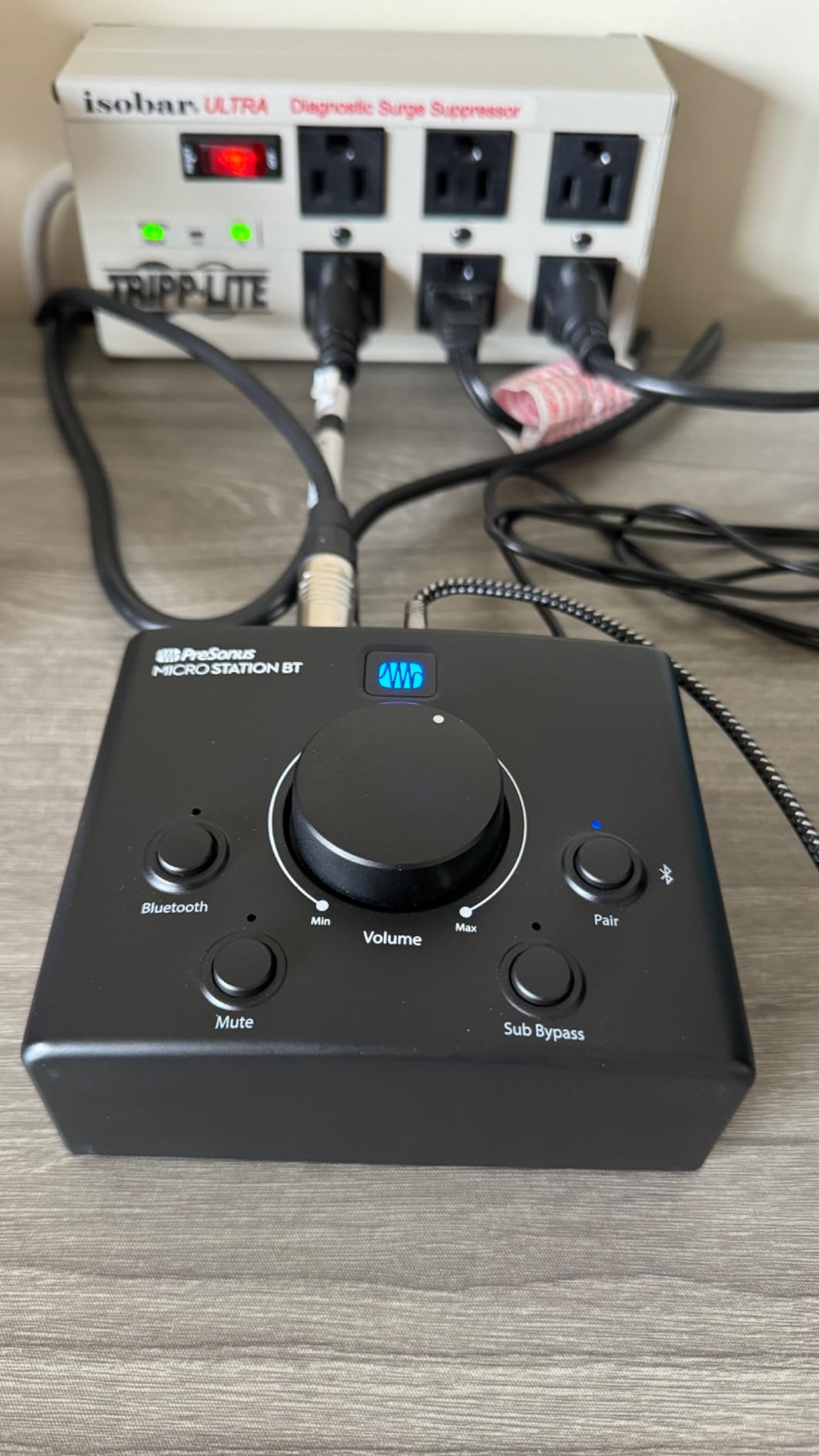
The MicroStation BT 2.1 is the pick when desk space is the binding constraint. At 4.75 inch square and 454 g in a stainless steel housing, it takes up almost no room at all, which matters a lot in a bedroom studio where the desk is also the keyboard stand.
The reason it is interesting is Bluetooth. A stereo Bluetooth input means you can stream from a phone or laptop to your studio monitors without a separate DAC, and the balanced 1/4 inch TRS plus stereo 1/8 inch TRS inputs accept pro and consumer gear without an adapter. Dedicated Bluetooth on and pairing buttons keep the switching obvious.
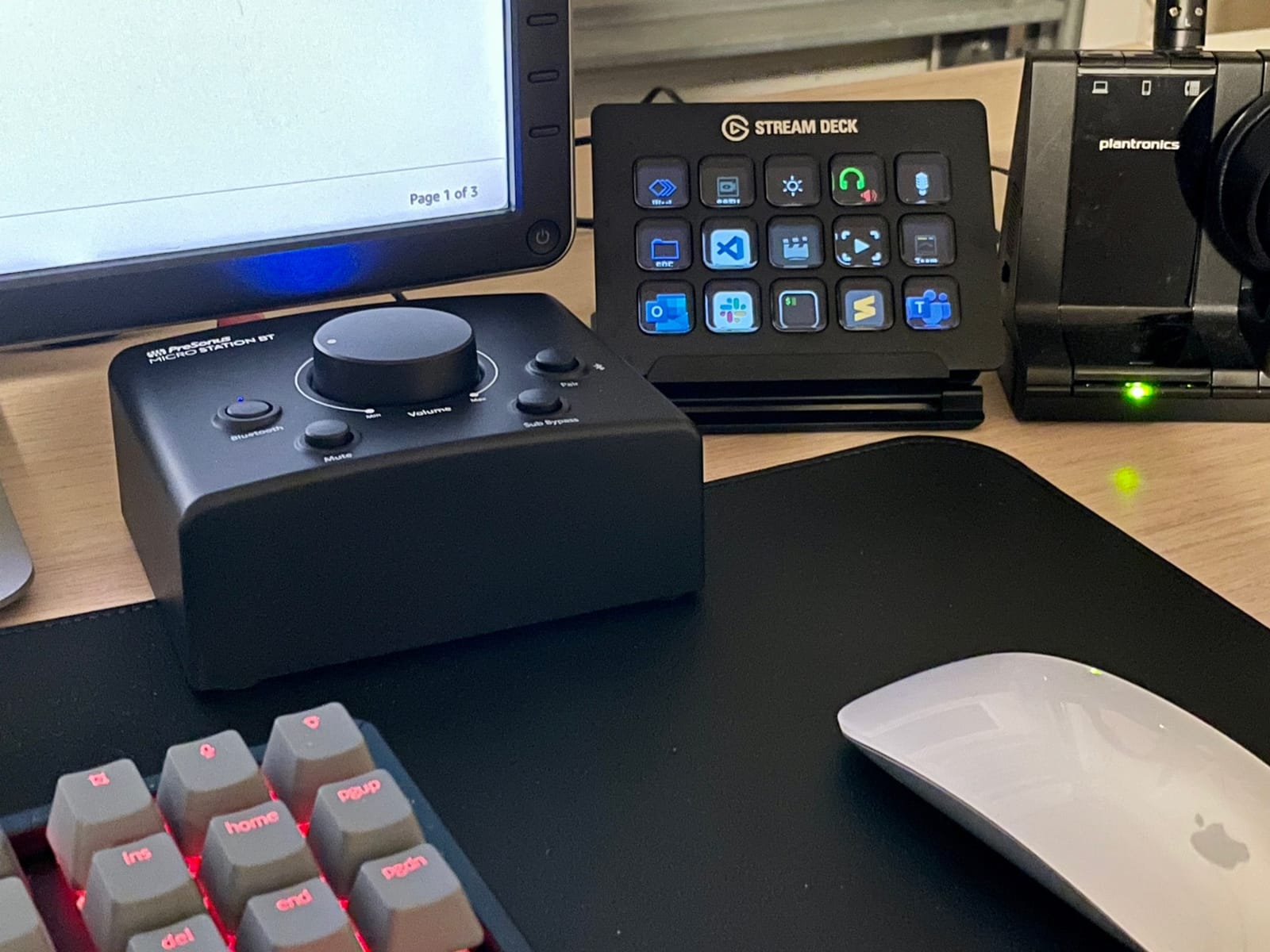
It also routes to a subwoofer, which is more than many similarly small controllers manage, and the stereo 1/8 inch TRS output doubles as a headphone or aux output for private monitoring. With a 4.5 star rating across 260 reviews and three quarters of those at five stars, owners are largely buying it as a plug-and-play entry point rather than a routing centre.
Be clear about the trade-off. There is one stereo monitor output pair, one subwoofer path, no talkback microphone, no cue bus and no independent multi-channel headphone amplification. If you track vocals or switch between two full monitor sets, this is the wrong shape of tool.
Why it suits a small bedroom desk
Because it adds a function rather than a feature list. Most home studio owners do not need three speaker pairs; they need their monitors to work with a phone, a laptop and an interface. Bluetooth covers the phone and laptop cases in one small box, and the subwoofer output covers the low end without a second device.
It is also a good travel and rehearsal-room companion, since it needs only a small power connection and a short cable run.
Where it falls short
This is not a switching controller. With a single stereo output pair, you cannot A/B between two speaker sets without rewiring, which removes the single most common reason people buy one. A passive attenuator like the Mackie would serve the volume and switching job for less, if Bluetooth were not the draw.
The 1/8 inch headphone output is a stereo jack, not a pro-grade multi-channel amp, so pairing it with high-impedance studio headphones is not its strongest suit. Bluetooth playback is also a convenience source, not a reference path for critical mix decisions.
3. Behringer CONTROL2USB – Best Value Studio Monitor Controller With Talkback
Behringer CONTROL2USB High-End Studio Control with VCA Control and USB Audio Interface
Monitor control plus USB interface
Talkback mic
3 monitor outputs
5.3 pounds
Pros
- Three independently adjustable monitor outputs
- Built-in talkback mic with level
- 192kHz 24 bit USB audio interface
- Quiet colourless signal path
Cons
- Large desktop footprint
- Illuminated VCA ring has no readable pointer
- Stepped VCA level is coarse
- Minor gain step in headphone pots
The CONTROL2USB is the one I recommend when someone asks what a monitor controller actually does, because it does all of it at once. It is a monitor control centre, a source selector, a three-set monitor switcher, a talkback box and a 192 kHz 24-bit USB audio interface in a single heavy chassis.
Owners repeatedly describe the signal path as quiet and colourless, and several compare it favourably to controllers costing several times more. Four stereo inputs carry independent level trims, and there is a dedicated monitor mix input so you can bring a DAW output in alongside a hardware source without fighting level matching.
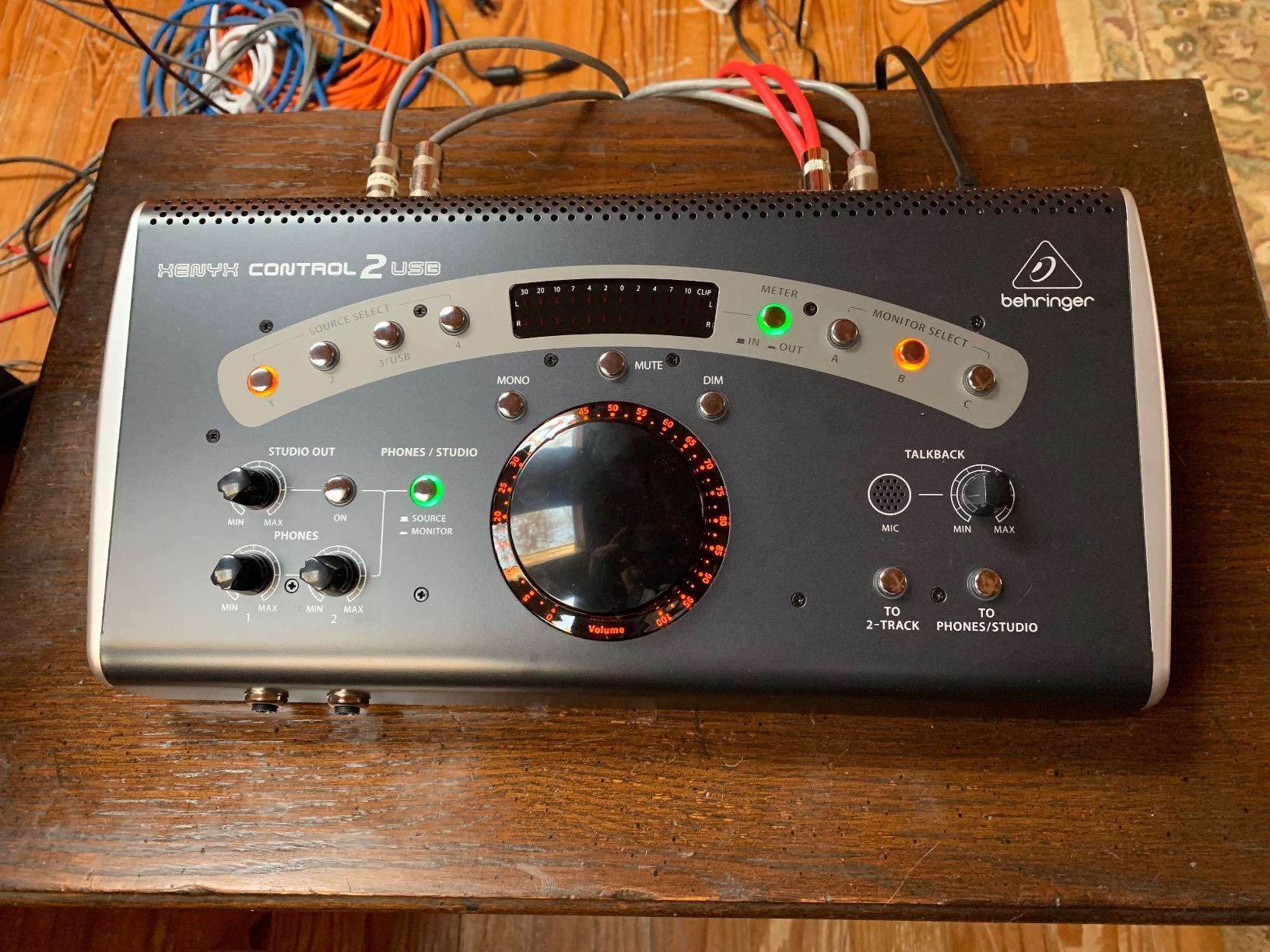
Three independently adjustable monitor outputs means two speaker pairs plus a sub or a third set, and the built-in talkback microphone has a level control and footswitch support. That combination is unusual in anything near this bracket, and it is why this earns the value badge rather than a novelty one.
The practical drawback is size. At 5.3 pounds and with a wide chassis, it is the biggest desktop unit here, and reviewers note it takes real desk space. The illuminated VCA ring also lacks a visible pointer, so reading the exact position in a bright room is harder than it should be.
Why it suits a project studio that records vocals
Because talkback with a real level control is a working feature, not a checkbox. You can talk to a singer over the monitors without unplugging anything, and the footswitch support means you can do it hands-free while playing. Add the third monitor output and you have main, nearfield and a reference set, all switched from the front.
The USB interface also means a setup without a separate interface still has one, at 192 kHz with two Onyx preamps on the sibling Big Knob Studio. For a home studio starting from zero, that is a lot of chain in one box.
Where it falls short
The VCA master is stepped rather than continuously variable, so fine level trims at low volume take a little practice. Some headphone pots have a noticeable gain step around the seven to eight o’clock position, which can surprise you mid-take.
Size is the honest limit. If your desk is already crowded, the footprint will bother you daily in a way that no spec sheet predicts. And with a full interface inside, you are carrying hardware you may already own twice.
4. PreSonus Monitor Station V2 – Best Studio Monitor Controller for Headphone-Heavy Tracking
PreSonus Monitor Station V2 Desktop Studio Control Center (MONITO STAT V2)
4 stereo inputs plus S/PDIF
3 speaker output pairs
4 headphone amps
Talkback mic
Pros
- Four independent headphone amplifiers
- Three selectable speaker pairs with level controls
- Electret talkback mic with gain
- Main mute mono and variable dim
Cons
- Backlit buttons hard to read in a bright room
- S/PDIF indicator often stays red
- Click or pop on power-down
- LED metering only approximate
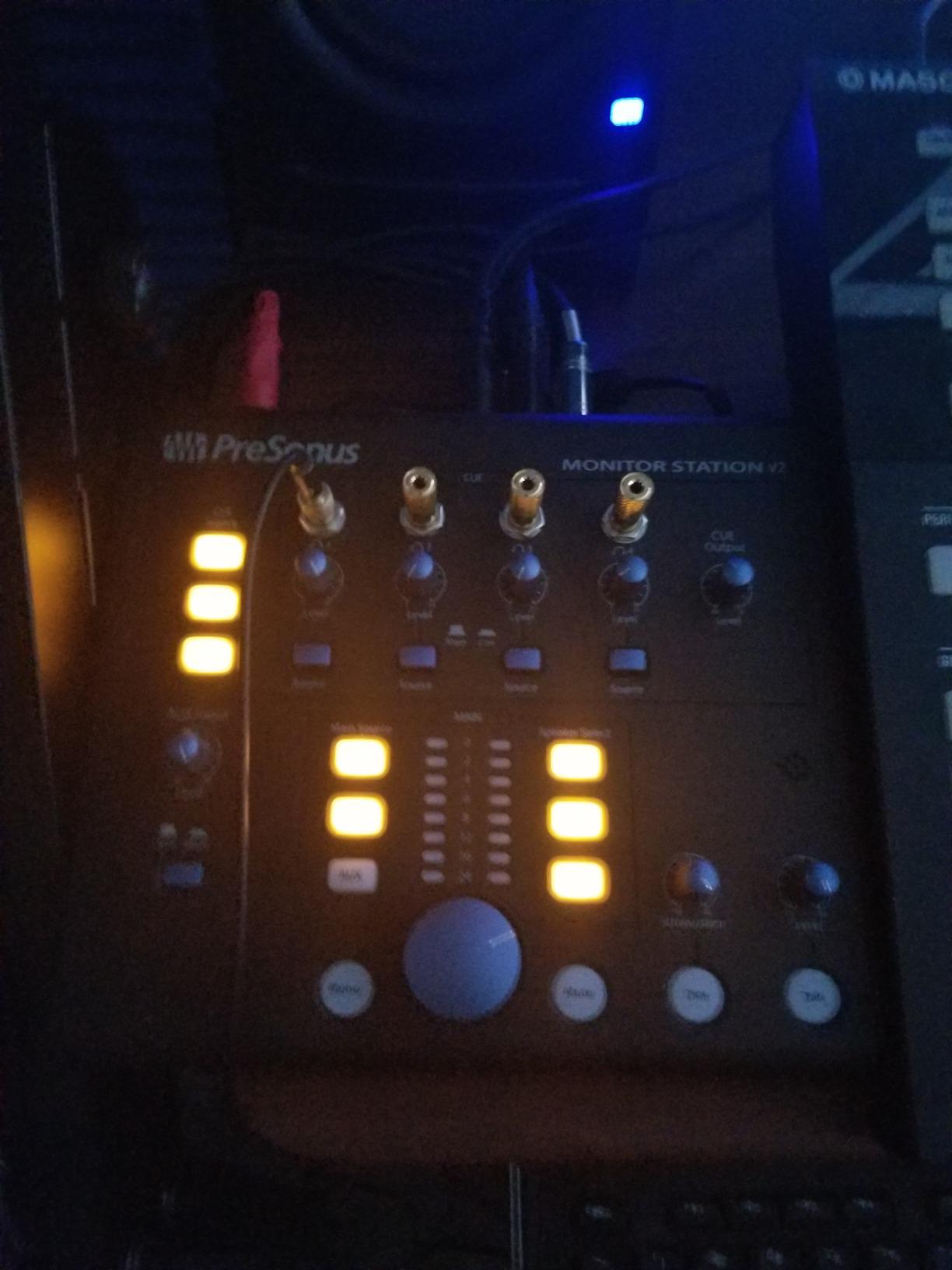
The Monitor Station V2 is the most-cited recommendation in the studio community threads I read, and the reason is the headphone section. Four stereo headphone amplifiers, each with its own volume control and independent source selection, plus a cue section with its own input and output level control.
Users who switched from a Mackie Big Knob describe the richer routing and the headphone amps as the decisive factor. Owners report the headphone amps are excellent and very powerful, which is what makes it work for tracking on demanding closed-back headphones rather than an occasional quiet listen.
On the speaker side, four stereo input pairs plus an S/PDIF digital input feed three selectable sources, and three individually selectable stereo output pairs each have their own level control. The main level knob adds mute, mono and a variable-attenuation dim, and there is a built-in electret talkback microphone with its own gain control.
It runs on Linux, Windows and macOS, which matters if you switch machines. Reviewers consistently describe the unit as audibly silent and tonally transparent in use, and 4.6 stars across 199 reviews reflects that.
Why it suits tracking and multi-machine setups
Because four headphone outputs let a second person monitor without splitting an amp, which is rare below the premium tier. Three speaker pairs with individual level trims mean you can keep your mixing nearfields, a tracking pair and a sub at their own settings instead of re-trimming every session.
For a home studio running a Windows laptop and a Mac, the digital input and the multiple analog paths let both machines reach the monitors with the interface knob untouched. The variable dim is the feature that keeps late-night work honest, since it drops level without losing relative balance.
Where it falls short
The interface is dated in one small way: the backlit button illumination is hard to read in a brightly lit room, so finding the right source can mean squinting. The S/PDIF indicator frequently stays lit red even with a valid digital signal, which sends new owners hunting for a fault that is not there.
Powering down before your amplifiers can produce a click or pop through the monitors, and the LED level metering is only approximately calibrated, so treat it as a rough indicator rather than a measurement. Some high-impedance headphone loads may not be driven linearly either.
5. ESI MoCo – Best Entry Passive Monitor Controller With Balanced XLR Output
ESI MoCo | Passive Monitor Controller with 2 Stereo I/O
Fully passive path
Balanced XLR TRS and RCA
Stereo in, stereo out
2 year warranty
Pros
- No external power needed
- Balanced XLR outputs cut low-level noise
- Smooth oversized knob
- Compact angled desktop enclosure
- Two year warranty
Cons
- Several owners report failure after 8 to 18 months
- Plastic housing feels less premium
- Some report one-channel sound that buttons do not fix
- Only two input and two output pairs
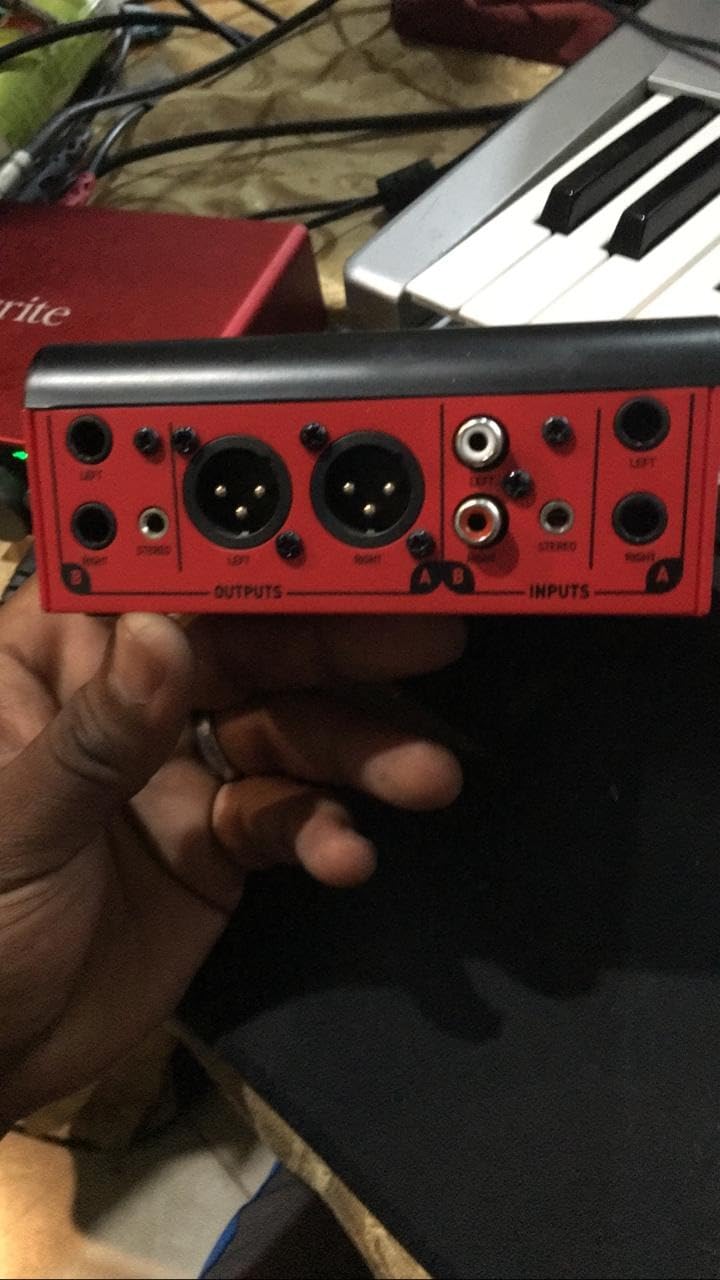
The ESI MoCo is a compact, fully passive box with an angled enclosure that sits neatly on a desk, and it is the cheapest route here to proper balanced connectivity. Inputs and outputs include XLR, quarter-inch TRS and RCA, so it fits a mixed signal chain without adapters.
The XLR balanced outputs are the reason to consider it. Owners note they can reduce low-level noise compared with unbalanced phono connections, and the large smooth knob is genuinely easy to grab and adjust quickly during tracking. There are dedicated buttons for input and output switching, mono, mute and an L/R flip.
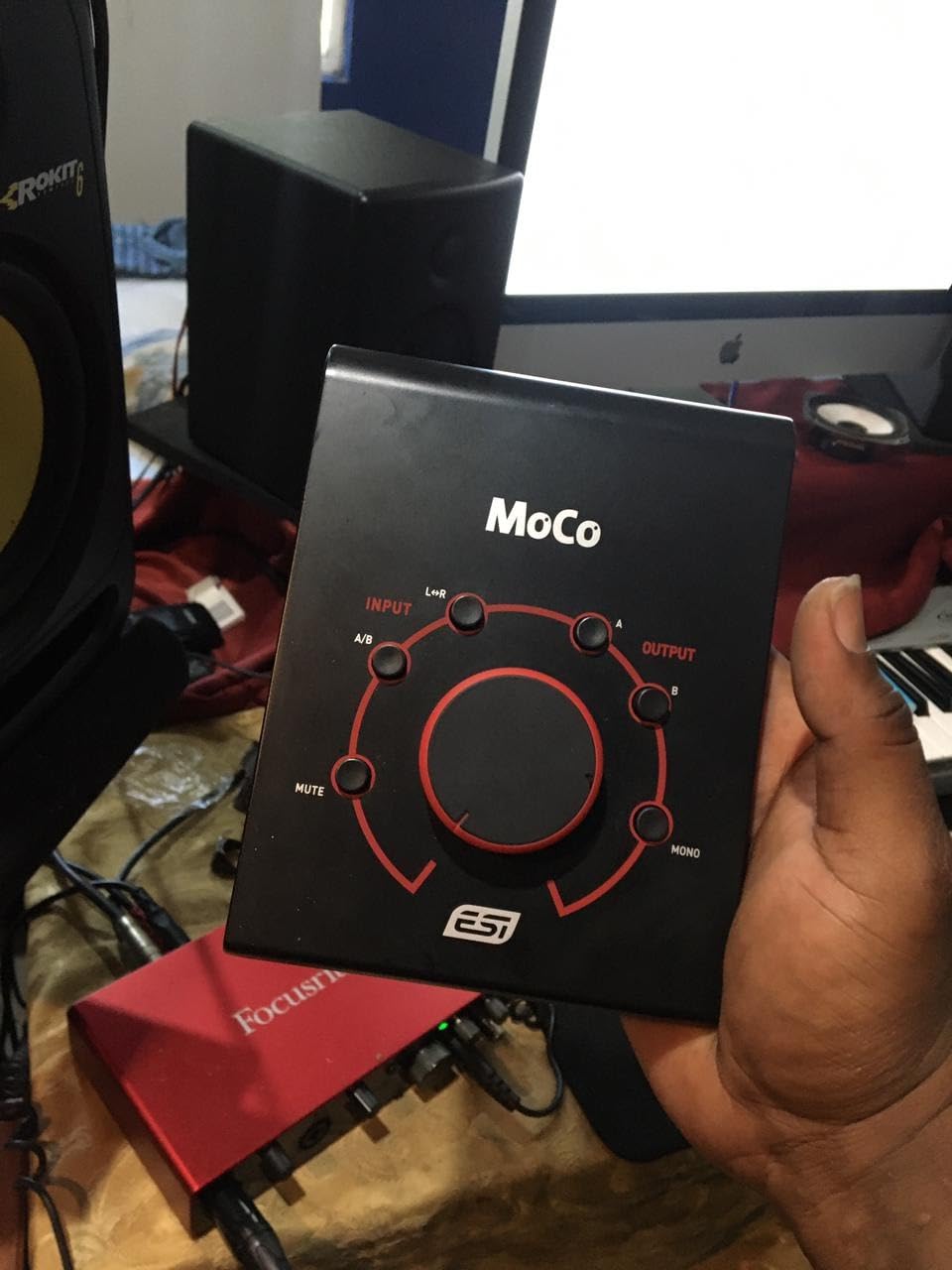
Because it needs no external power, setup is genuinely plug and play. At 450 g and 6.5 inch by 5 inch, it takes up very little room, and the two-year warranty is longer than the one-year cover on most metal competitors here.
The caution is the rating. At 4.2 stars it sits below the Mackie and PreSonus units, and the dominant theme across reviews is build longevity: several owners report total failure or channel imbalance within roughly eight to eighteen months of daily use, and a few describe the all-plastic housing as not intended for heavy professional use.
Why it suits a first home studio
Because it does the two things a beginner actually needs: one clean volume control and balanced output to the monitors. If your interface has noisy unbalanced outputs, moving the balanced path to this box is a real, audible improvement, and it costs less than a cable reel of XLR leads you will use every session.
The mono, mute and L/R flip buttons are more useful than they look. A flip button catches a miswired cable instantly, and mono tells you whether a mono fold-down collapses on you before a client does.
Where it falls short
Durability is the real concern, not sound quality. Multiple reviews describe units failing inside the first year and a half, and a few report the output defaulting to a single channel with the L/R and mono buttons not correcting it. That is a warranty conversation, not a setting you can fix.
There is also no headphone amp section and no talkback, so you are still using a separate headphone solution. And a handful of listeners feel it alters the top and bottom slightly compared with a truly transparent path.
6. Mackie Big Knob Studio 3×2 – Best Studio Monitor Controller for Recording and Monitoring in One Box
Mackie Big Knob Series, 3×2 Studio Monitor Controller 192kHz USB I/O (BIG KNOB STUDIO)
192kHz 24 bit USB I/O
2 Onyx preamps
3 sources, 2 pairs
Dual headphone outs
Pros
- Adds 192kHz 24 bit USB recording and playback
- Two Onyx mic preamps with phantom power
- Three sources and two monitor pairs
- Dual headphone outputs with independent level
Cons
- Lowest rating in this group at 3.9 stars
- Scratchy or crackling potentiometer is a repeated complaint
- Heavy and bulky for a desk
- Thinner routing than similarly priced active units
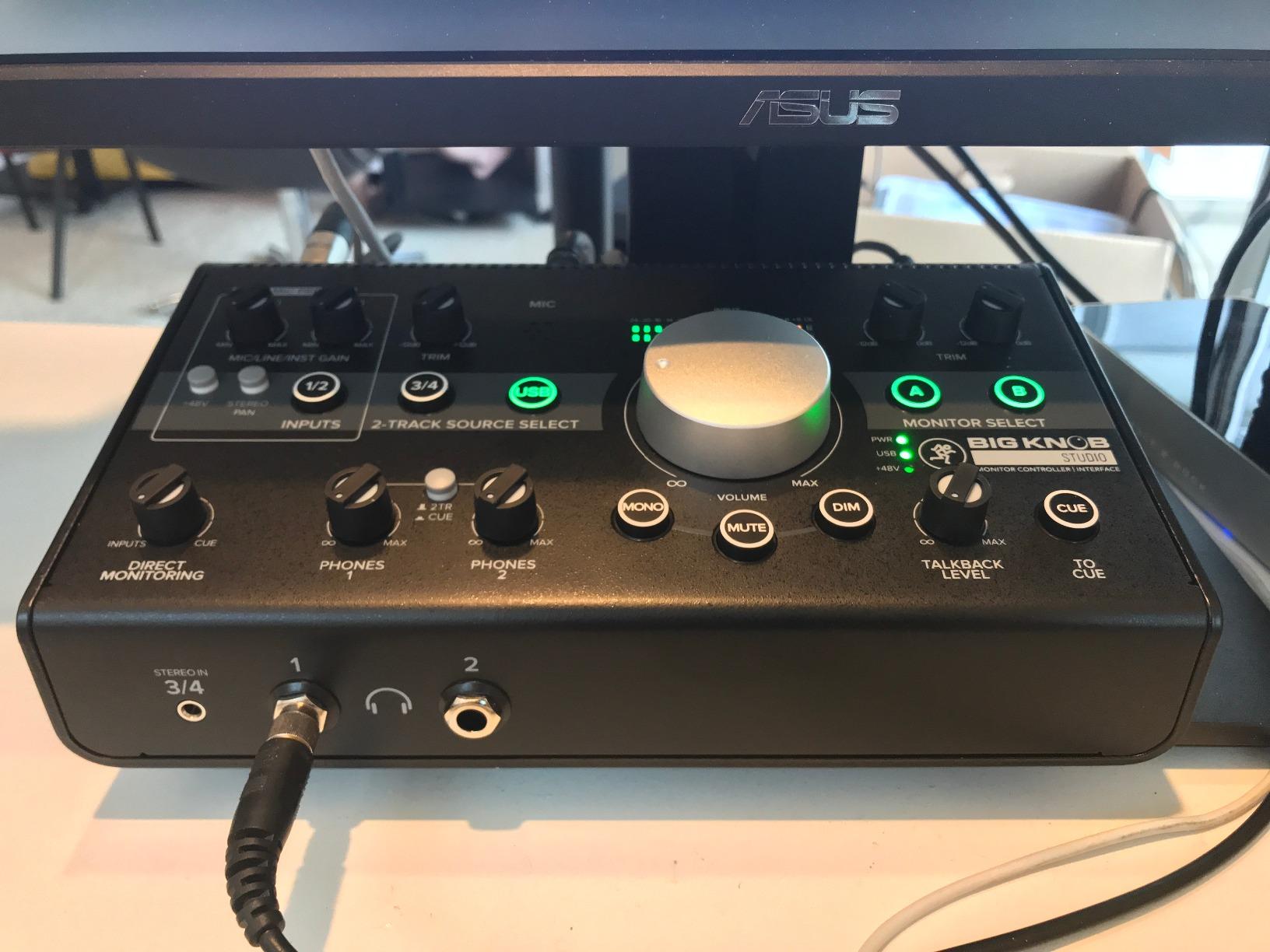
The Big Knob Studio adds what the passive model leaves out: a 192 kHz 24-bit USB recording and playback interface with two Onyx mic preamps and phantom power. It is the pick for someone setting up a home studio from a bare desk and does not want a separate interface on day one.
On the monitoring side it keeps the classic design intact, with three source selections, two monitor pair selections and the large Big knob volume control. There is a convenient 1/8 inch input for phone playback, and two headphone outputs with independent level control so two people can work without a splitter.
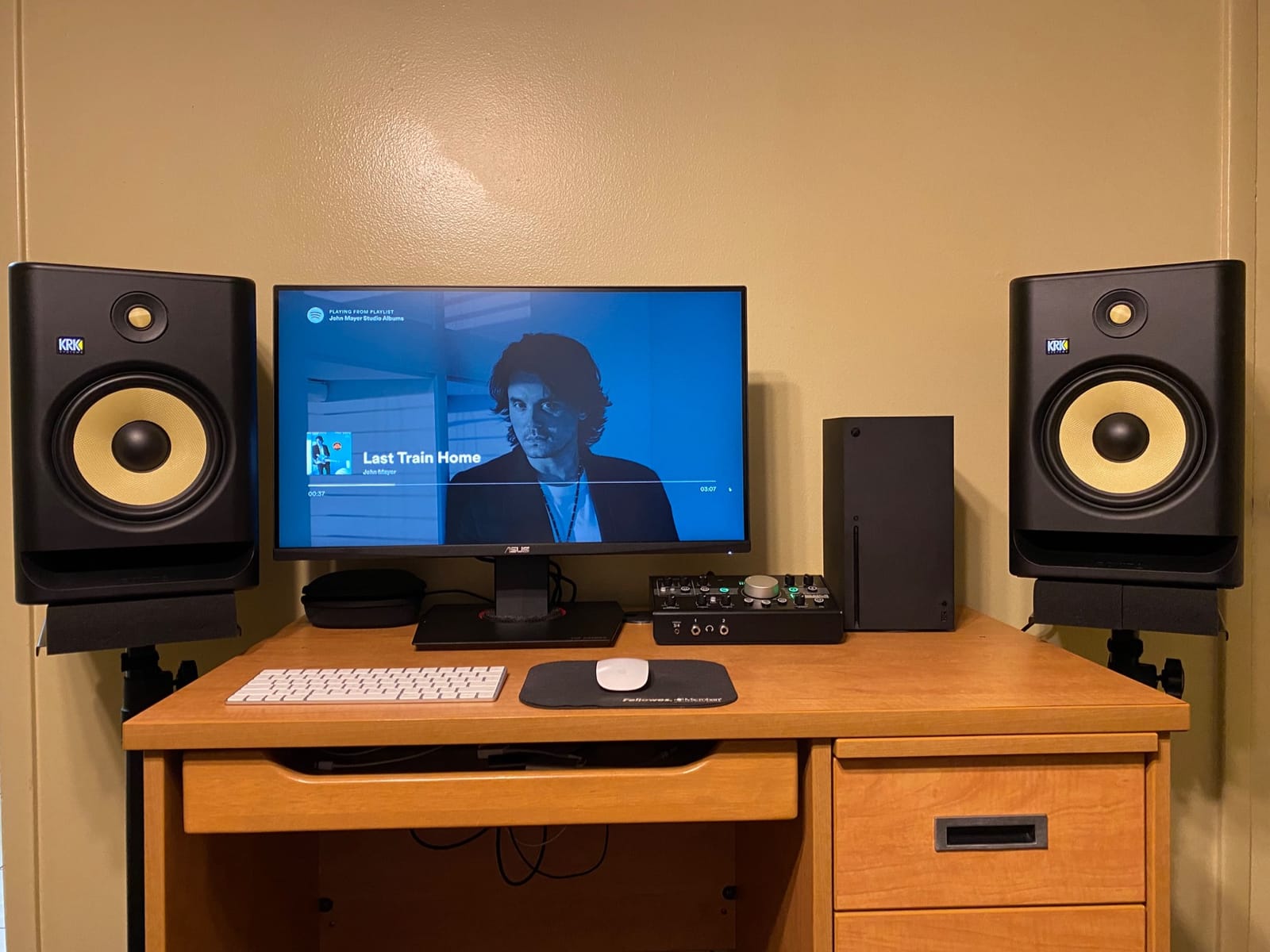
It works with all major DAWs on Mac and Windows, which is its real appeal. For a musician who records and mixes, having the controller and the interface in one signal chain removes a box and a set of cables from a crowded desk.
It is also the lowest rated product here at 3.9 stars, with 18 percent of reviews at one star. The recurring fault is a scratchy or cracking potentiometer over time, and owners also describe it as heavy and bulky for a desktop unit, at 5.1 pounds.
Why it suits a brand-new home studio
Because the cost of entry is one box rather than two. A condenser mic, two XLR cables, headphones and monitors is a complete recording chain when the interface is built in, and the phantom power means you do not need an outboard preamp to record vocals properly.
Two headphone outputs with independent level are unusual at this level, and the phone input is handy for checking a reference track. If your future plans involve adding monitors rather than an interface, this saves desk space and money.
Where it falls short
The pot complaints matter because this is the control you touch constantly. If the knob develops scratchiness, the main monitor level becomes unreliable at exactly the moment you need it, and the unit is covered by only a one-year warranty.
Routing is also thinner than rivals. Two monitor pairs means no third set, and there is no talkback microphone, no cue bus and no dim-attenuation stage, so a serious tracking session will outgrow it. Buy it as a starting point, not as a five-year control surface.
7. Kali Audio MV-BT – Best Bluetooth Monitor Controller With Balanced Outputs
Kali Audio MV-BT Bluetooth Monitor Controller
Bluetooth input module
Balanced XLR and TRS outputs
aptX codec
1.3 pounds
Pros
- Balanced XLR and TRS outputs from a Bluetooth source
- aptX codec for better wireless quality
- Compact and light at 1.3 pounds
- Two year warranty
Cons
- Feature set limited to Bluetooth input and volume
- No talkback dim or mono switching
- No multi headphone cue section
- 57 percent of reviews are five star
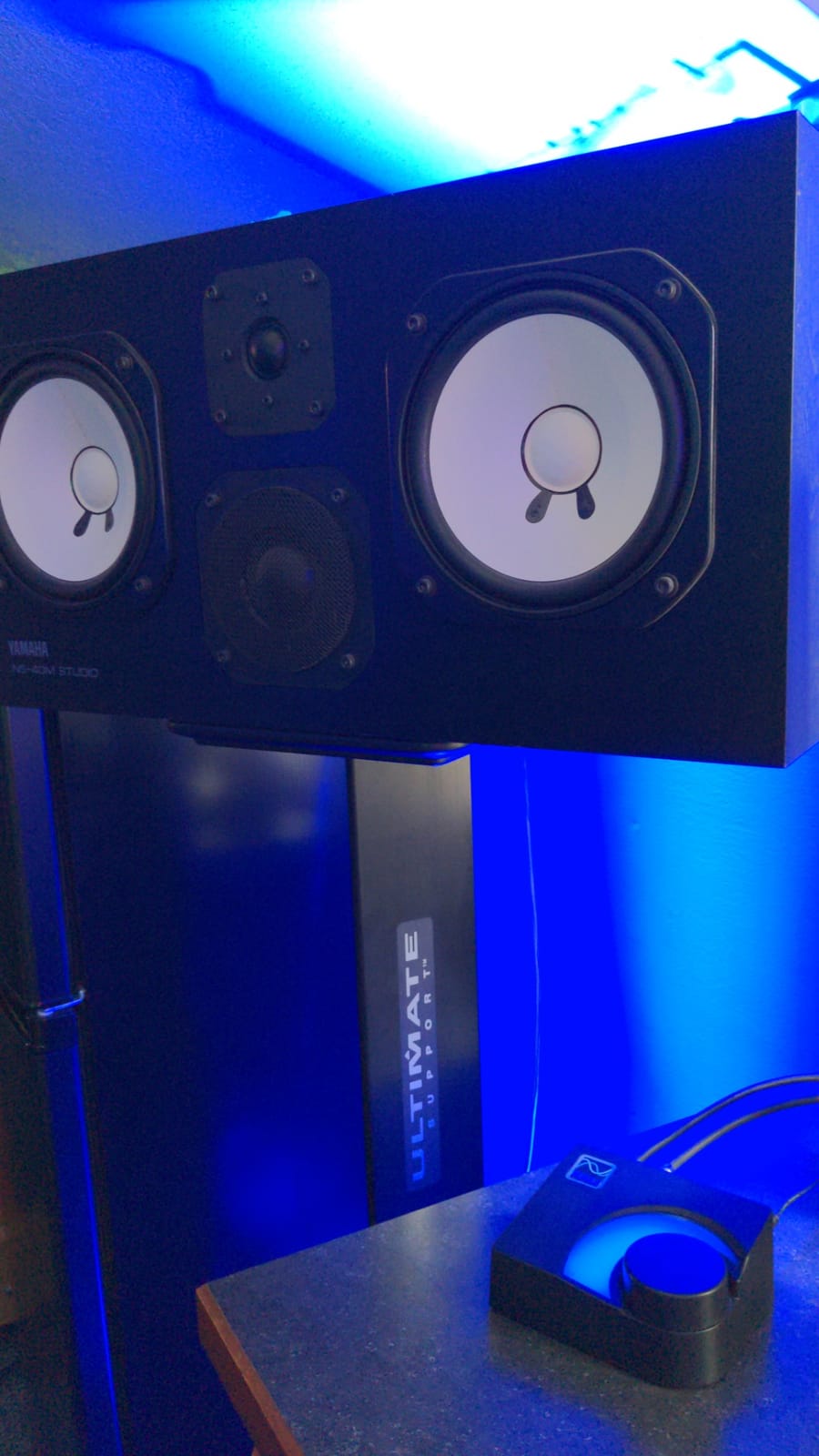
The MV-BT does one job with unusual care: it takes a Bluetooth signal and hands it to your monitors over balanced XLR or TRS outputs. That last detail is the whole point, since most Bluetooth receivers push unbalanced signals into a chain that was set up balanced.
It supports the aptX codec, which is a higher quality wireless codec than the baseline, and the large volume knob is a straightforward level control. At 1.3 pounds with a stainless steel enclosure, it is light and compact enough for a small desk or a mobile setup.
The rating tells you where the ceiling is. It sits at 4.0 stars across 97 reviews, with 57 percent at five stars and 14 percent at one star, which is a middling score consistent with a narrow feature set rather than a faulty product.
What it does not have is worth stating plainly: no talkback, no dim or mono switching, no multi-headphone cue section, and no source switching of any kind. It is a Bluetooth receiver with a volume knob and balanced outs, not a monitor controller in the full sense.
Why it suits a Kali monitor setup
Because it was designed to pair with Kali monitors and hand off a clean balanced signal instead of forcing a Bluetooth dongle into the chain. If you mostly stream reference tracks from a phone or laptop and mix at moderate levels, that is a genuinely useful gap to fill.
The two-year warranty and low weight also make it an easy first add-on, and aptX keeps the wireless quality closer to the wired result than a bare entry receiver.
Where it falls short
It is a converter, not a controller. There is no second speaker pair, no talkback and no dim stage, so the mix-check functions that motivate most purchases are simply absent. The 14 percent one-star share suggests some buyers expected a monitor controller and were disappointed.
Wireless is also the wrong basis for final judgement work. A Bluetooth source is convenient for reference playback, but critical mix decisions should still be made over a wired, balanced path.
8. Audient Nero – Best Premium Studio Monitor Controller for Reference-Level Routing
Audient Nero Desktop Monitor Controller
4 analogue sources
3 stereo speaker outputs
4 headphone outputs
Dim cut mono polarity
Pros
- Four analogue sources plus two line level inputs and a cue mix
- Four headphone outputs with flexible routing
- Dim cut mono and polarity controls
- Customisable Smart Touchpoints
- External talkback input
Cons
- Highest price point in this group
- Smallest review count at 44
- Analogue only with no USB interface
- Steep learning curve
The Audient Nero is the reference-style end of this list, and it is the model that surfaces most often in r/audioengineering discussions of this category. It is also the most expensive unit here by a wide margin, so it earns its place only if you use the routing it gives you.
Four stereo analogue sources, two line-level inputs, a dedicated cue mix input and three stereo speaker outputs is more routing than a home studio usually needs on day one. Where it pays off immediately is the four headphone outputs with flexible routing, which let a vocalist and an engineer monitor different sources at the same time.
The monitoring controls are the part engineers care about: dim, cut, mono and polarity. Polarity in particular is a fast check that costs nothing and saves an afternoon when a bass note seems to disappear. Customisable Smart Touchpoints let you map the functions you actually use to the front panel.
There is an external talkback input rather than a built-in microphone, which is a deliberate choice: you use the talkback mic you already own instead of a lesser one built into a desktop box. Reviewers on r/audioengineering praise the Nero repeatedly for workflow and dependable monitoring control.
Why it suits a serious home control room
Because everything you do between interface and monitor happens in one place with hardware you can touch. Three speaker outputs with per-set control, a cue bus for headphone tracking, and instant talkback remove the constant re-patching that eats mixing time.
For a hybrid work-and-mix room where someone else records vocals in the same space, the four headphone outputs and external talkback input are the features that change how the room is used rather than just how it sounds.
Where it falls short
The cost is the first barrier, and it is steep relative to the rest of this list. The second is the learning curve: the feature set is dense, and a home studio user who buys it to solve one problem may spend weeks not using most of it.
With 44 reviews it also has the smallest owner base here, so there is less long-term feedback than the Mackie or PreSonus units. And the signal path is analogue only, with no built-in USB audio interface, so you still need your own interface.
9. Palmer Monicon XL – Best Studio Monitor Controller for Mono and Correlation Checking
PALMER PRO MONICON XL US – Advanced Monitor Controller
Latency free analogue path
Correlation meter
2 headphone outputs
Mono summed sub out
Pros
- Fully analogue latency free signal path
- Correlation meter for mono compatibility
- Two headphone outputs with main and cue selection
- Three analogue inputs plus S/PDIF
- Switchable level calibration at +4 +10 +18 dBu
Cons
- Bulky desk footprint
- Level meter response described as sluggish
- Build not as rugged as premium metal units
- Smallest review count here at 32
- XLR only rear connectivity
The Monicon XL is built around measurement rather than convenience, and the correlation meter is the feature that sets it apart at this level. It shows phase relationship between channels, which turns mono compatibility from a guess into a visible check before you deliver a mix.
The signal path is fully analogue and latency free, and owners describe it as not colouring the sound. Several report it eliminated noise that was present with a previous controller, which is a common enough passive-controller complaint that it is worth hearing from a different design approach.
For headphone work there are two outputs with their own volume controls and main or cue selector switches, and the headphone amps are reported to drive high-impedance models such as the Beyerdynamic DT880 with headroom. On the back, three analogue inputs plus an S/PDIF input feed three loudspeaker outputs with level controls.
There is a mono summed output for a subwoofer or a mono monitor, plus main and cue direct outputs, and the level indicator can be switched between +4, +10 and +18 dBu calibration so it matches your gear. The 60-month warranty is the longest here.
Why it suits mix engineers who check compatibility
Because the correlation meter answers a question that usually gets answered too late. If your low end collapses in mono, you can see it on the meter while you fix it rather than hearing it on someone else’s system afterwards.
The switchable level calibration also means the metering is meaningful against your interface output rather than decorative, which matters more than it sounds when you are trying to catch clipping during a loud playback session.
Where it falls short
It is bulky at 8.46 inch by 10 inch, and the level meter response is described as sluggish, so it is not a precision instrument. Build quality is good but not tank-like according to owners, and the XLR-only rear connectivity means existing unbalanced cable runs may need replacing.
With 32 reviews it has the smallest owner base in this roundup, so you are trusting the design more than the installed base. For a purely passive, two-speaker home setup, much of this is capability you will not touch.
10. Behringer MONITOR2USB – Best Active Monitor Controller for Quiet Active Monitoring
Behringer MONITOR2USB High-End Speaker and Headphone Monitoring Controller with VCA Control and USB Audio Interface
VCA controlled master volume
Dedicated mono sub out
2 front headphone outs
48kHz USB playback
Pros
- Clean quiet path with no hiss or hum
- Illuminated push buttons show active states
- Large dial with a satisfying detent
- Dedicated mono channel for a subwoofer
- Two front headphone outputs
Cons
- USB side is playback only
- 48kHz maximum sample rate is modest
- Rear connections are XLR only
- Larger than expected
- Power switch sits behind the cables
The MONITOR2USB is the answer to a specific problem: passive attenuators that develop hiss or hum, and a home studio that does not want that problem. Several owners report it cleared ground-loop and interference noise they had with a passive Mackie Big Knob, which is exactly the failure mode that pushes people toward an active design.
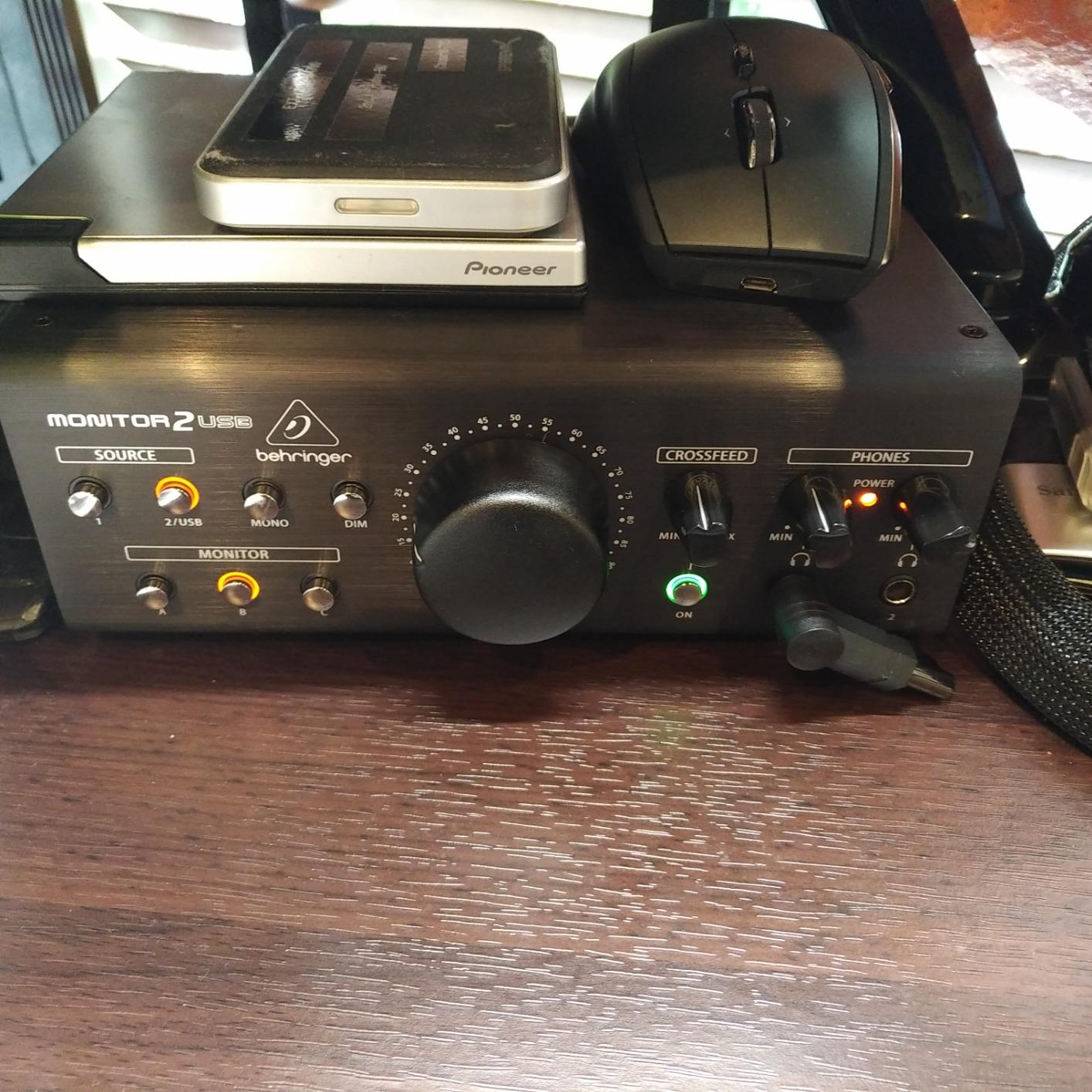
Control is via a VCA motor rather than a plain resistor pot, so the master volume is even across the rotation and holds its position. The large dial has a satisfying detent and real weight, and illuminated push buttons make the active state of each source obvious at a glance, which several cheaper units do not manage.
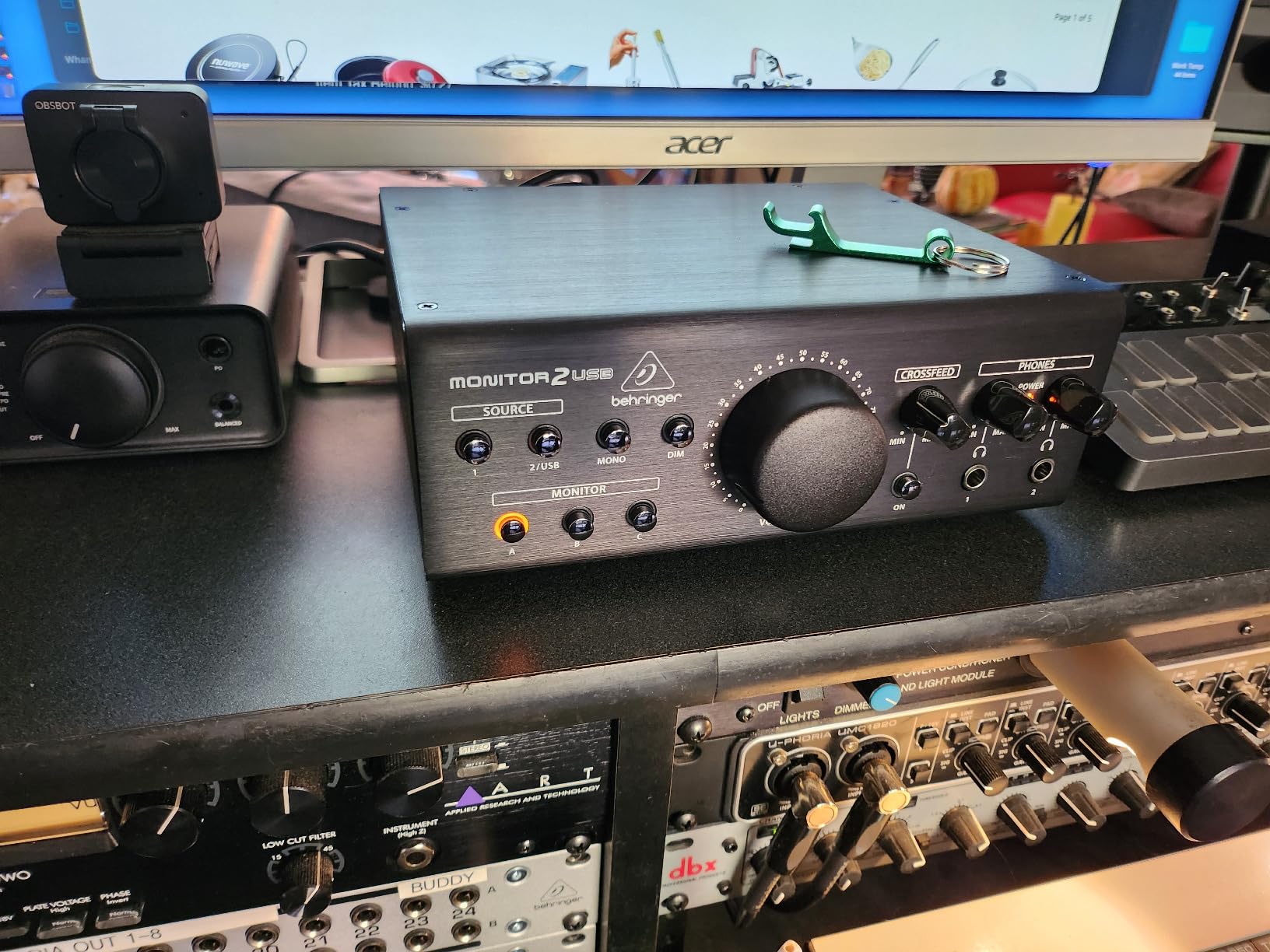
Routing covers dual stereo inputs and outputs, a dedicated mono channel for a subwoofer, and two headphone outputs on the front panel with convenient source selection. The USB side handles computer playback, so you can feed the box from a laptop without a separate interface for monitoring purposes.
The limits are honest ones. The USB audio interface is output-only, so it cannot accept a microphone or a headset mic, and its maximum sample rate is 48 kHz, which is modest for modern hi-res workflows. The rear is XLR only, so quarter-inch cables may need replacing.
Why it suits a noisy or shared room
Because a VCA motor keeps the level control clean and the illuminated buttons make state obvious without looking closely. In a room where someone else is working, or where a cheap power supply is introducing hum, an active path with a proper motor pot is the more predictable choice.
The dedicated mono channel is a quiet quality-of-life win: a subwoofer gets its own level trim instead of fighting the main control, which makes low-frequency balance far easier to judge on small desktop monitors.
Where it falls short
It is larger than expected, and the power switch is on the rear behind the cable bundle, so you will reach for it once and then never again. Two headphone outputs on the front panel is generous, but there is no cue bus, so both follow the same source selection.
At 48 kHz playback only, this is a monitoring tool rather than a recording interface. If you also need to record, you still need a separate interface, and 4.3 stars reflects a good but unremarkable feature set for the money.
What Is a Studio Monitor Controller?
A studio monitor controller is a small box that sits between your audio interface and your studio monitors, providing a proper volume control, switching between multiple monitor pairs, dimming for low-level listening, and usually a headphone amplifier.
It is not an audio interface. An interface converts between analogue and digital, gives you preamps, converters and clocking. A monitor controller does not record anything; it takes the line-level output your interface already produces, applies a clean level change, and routes it to whichever speakers and headphones you have selected.
Think of it as a gain stage and a switchboard in one. Your interface sends audio to the controller, the controller applies the volume change and routes the signal to the monitor outputs you chose, while feeding your headphones independently so headphone level is not tied to monitor level.
The feature glossary matters more than the price. Dim drops the level for late-night work while preserving relative balance. Talkback sends your voice to a performer through the monitors. Mono folds the signal to one channel to check compatibility. Polarity inverts a channel to reveal phase problems. A cue bus lets headphones follow a different source from the speakers.
Placed correctly, the chain is simple: interface to controller to monitors. The one rule is to set all software and interface volume to unity and leave the level change to the controller, so you always know which control is authoritative.
Passive vs Active Monitor Controllers: Which One Do You Need?
A passive controller only attenuates the signal and needs no power. An active controller adds gain and signal conditioning, which helps with low-output monitors and very low volume monitoring. Most single-pair home studios are fine with a good passive unit.
The passive argument is straightforward. A resistor-based attenuator adds no noise, needs no power supply, and introduces no conversion. For a pair of powered monitors with a healthy input sensitivity, the level is already right and you only need to turn it down.
The active argument is about headroom. If your monitors have low sensitivity, or if you work at very low volume in a shared house, an active unit can add gain so the controller pot operates in its most linear range rather than cranked near the bottom of its travel.
On build and durability the two categories split differently. The metal passive units here are praised for feeling built like a tank, yet the most common complaint across passive reviews is a pot that crackles after a year of use. Active units with VCA motors, such as the Behringer MONITOR2USB, hold their level without that fault and can also clear a hum problem.
So which should you buy? If you own one pair of reasonably sensitive powered monitors and work at ordinary levels, start passive and spend the difference on monitors. If your speakers are insensitive, your room is noisy, or you monitor very quietly for long stretches, an active unit is the better tool.
And to the recurring question of whether passive is a gimmick: it is not, as long as it is doing the job of a volume control and a switcher. It cannot fix a room, add gain, or extend your speakers, and it should not be sold as doing so.
How to Set Your Monitor Reference Level Without a Meter
Set a repeatable reference level and mark the knob. The goal is not loudness, it is consistency: the same knob position should mean the same physical level every session, so a mix balanced in March still sounds right in September.
Step one, gain stage. Set your operating system volume, DAW output and interface monitor knob to unity or close to it, and let the controller do the level change. If you adjust in three places, you will eventually lose track of which one is authoritative.
Step two, find a rough level. Play a dense, loud commercial track through your monitors and raise the controller until the balance matches what you hear on references you trust. Because your monitors are nearfield and the room is small, treat this as a repeatable working position, not a fixed number.
Step three, use the dim control for late work. Instead of turning the main knob down and losing your reference, use the dedicated dim or attenuation switch. You keep the knob position intact and get the low level you need, which is why the Monitor Station V2 and Audient Nero include variable dim.
Step four, mark the knob. A strip of tape or a dot on the panel at that position is the cheapest calibration tool in the studio. Owners of the Monicon XL go further and switch its level indicator between +4, +10 and +18 dBu so the metering means something.
A sound meter helps, but it is not required for a home studio. What a meter adds is a fixed SPL target, most often 85 dB for extended work, which protects your ears and makes sessions comparable. Without one, the tape mark delivers most of the benefit for almost nothing.
Do You Even Need a Monitor Controller?
Sometimes you do not. If your interface has a good hardware monitor knob, you own exactly one monitor pair, and you never A/B against a reference, a controller adds little. Disqualifiers first, specs second.
You probably do not need one if you have a single monitor pair with no subwoofer, a headphone jack on your interface that drives your headphones properly, and no vocalists who need talkback. In that case, a good interface is the whole answer.
You likely need one if any of these are true: you own two or more monitor pairs, you want a repeatable reference level marked on a knob, you work at very low or very high levels, your interface has no headphone amp or only a shared one, or you record vocals and need talkback.
Also worth asking whether the answer is a better interface rather than a controller. If your complaints are about headroom, preamp quality or channel noise, upgrading the interface solves the cause. A controller downstream cannot undo a noisy preamp or a cramped gain structure.
And be honest about the room. A monitor controller will not fix an untreated bedroom. No box corrects early reflections or bass build-up, and a passive unit does not even add gain to fight for headroom. Placement, decoupling and soft furnishings do more than any controller in this list.
How to Choose a Studio Monitor Controller
Count your monitor pairs first, because that single number removes most of the decision. One pair plus a sub, two full pairs, or three sets each point at a different controller, and paying for switching you will not use is the most common waste in this category.
Two pairs means you need a 2×2 switching unit, and the Mackie Big Knob Passive, ESI MoCo and Mackie Big Knob Studio cover it. Three pairs with individual level trims pushes you to the PreSonus Monitor Station V2 or the Audient Nero, both of which route three stereo outputs with per-output control.
Then count headphone needs. One headphone out is fine for solo work. Two independent outputs matter if anyone else monitors with you, and a cue bus that lets headphones follow a different source than the speakers is the feature that makes tracking easier rather than merely possible.
Check the dim and talkback features next. A fixed dim is fine for late-night work, a variable-attenuation dim is better, and talkback is close to essential the moment you record vocals. The Behringer CONTROL2USB and PreSonus Monitor Station V2 both include a talkback microphone with a level control.
Form factor is the filter most home studio buyers skip and should not. A half-rack chassis is fine in a commercial room and useless on a desk you cannot rack, while a wide desktop unit like the CONTROL2USB or the Monitor Station V2 needs real desk space. Measure before you buy, and check the depth as well as the width.
Connectivity decides the cabling bill. XLR-only rears, like the Palmer Monicon XL, mean unbalanced runs get replaced. Balanced TRS and RCA on the PreSonus MicroStation BT 2.1 and ESI MoCo let you keep what you own and add a subwoofer path.
Finally, weigh build quality and warranty against reviews rather than spec sheets. Metal passive units feel the most solid but draw the most pot complaints, and warranty length varies from one year to five years. Reading the durability themes in owner reviews tells you more about year three than the enclosure material does.
Frequently Asked Questions
Is a monitor controller the same as an audio interface?
No. An audio interface converts audio between analogue and digital and provides recording preamps, while a monitor controller sits after the interface and controls level, speaker switching, dimming, talkback and headphone amplification. A controller cannot record anything, and an interface volume knob is not a substitute for one once you own more than one monitor pair.
What is the best studio monitor controller?
The Mackie Big Knob Passive 2×2 is the best overall for home studios because it is fully passive, adds no noise, needs no power and switches two sources against two monitor pairs. For headphone-heavy tracking with more routing, the PreSonus Monitor Station V2 offers four independent headphone amps and three selectable speaker outputs.
Do I need a monitor controller for my home studio?
You need one if you own two or more monitor pairs, want a repeatable marked reference level, work at very low or high levels, lack a proper headphone amp, or record vocals and need talkback. You probably do not need one with a single monitor pair, no subwoofer and a good interface knob.
Should I buy a passive or an active monitor controller?
Buy passive if you own one pair of reasonably sensitive powered monitors and work at ordinary levels, since it adds no noise and needs no power. Buy active if your monitors have low sensitivity, your room is noisy, or you monitor very quietly, because an active unit can add gain and hold a VCA motor level cleanly.
How do I set my monitor level correctly without a sound meter?
Set your operating system, DAW and interface monitor level to unity, raise the controller until a dense track sounds balanced against references you trust, then use the dim control for late-night work instead of turning the main knob down. Mark that knob position with tape so every session starts from the same level.
What is talkback on a monitor controller?
Talkback sends your voice from a built-in or external microphone to a performer through the studio monitors so they can hear you between takes. The Behringer CONTROL2USB and PreSonus Monitor Station V2 include a talkback microphone with a level control, while the Audient Nero provides an external talkback input instead.
Can a monitor controller fix my room?
No. A monitor controller controls level, switching and routing, but it cannot correct early reflections or low-frequency build-up. Passive units do not even add gain. Speaker placement, decoupling from the desk and soft furnishings in the room have a far larger effect on what you hear.
The Best Studio Monitor Controllers for Home Studios in 2026: Final Verdict
The Mackie Big Knob Passive 2×2 is the best studio monitor controller for home studios because it solves the actual problem most people have, which is a volume control and a two-pair switch, in the simplest and least intrusive way possible. It adds no noise, draws no power and switches instantly, which is everything a single-pair or dual-pair setup asks of it.
Track your vocals and talk back while you play, and reach for the Behringer CONTROL2USB. Work on headphones, or route several machines to several speaker sets, and the PreSonus Monitor Station V2 is the pick. Want mono checking and a correlation meter, and the Palmer Monicon XL does it. Need reference-level routing and four headphone outputs, and the Audient Nero is there.
Whatever you choose, set your software and interface levels to unity, mark the knob with tape, and treat the controller as the single authoritative control in your chain. That habit alone is worth more than any feature on this list, and it is what turns these boxes into the best studio monitor controllers for home studios.