
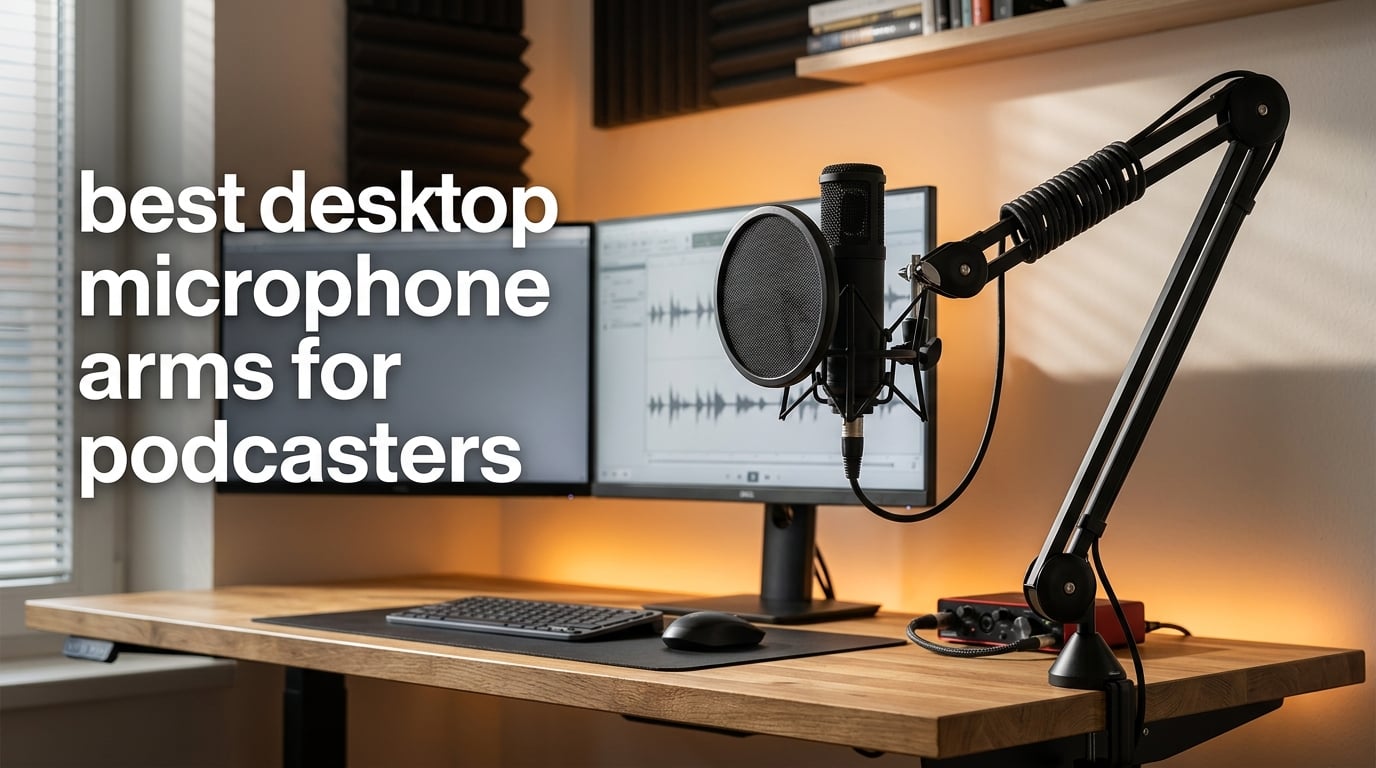
A desktop microphone arm does three jobs at once that a normal table stand cannot: it floats the microphone at a fixed distance from your mouth, it hides the cable, and it gives the desk back the space a weighted base was eating. For podcasters specifically, that combination matters more than it does for musicians. Your distance to the mic has to stay identical between the first warm-up take and the last one, otherwise your level rides up and down and you spend the edit pulling automation instead of tightening the story.
I have spent months moving arms between desks in this house, mounting them on thin laminate, thick solid wood and a sit-stand frame, and swapping them between a USB condenser and a heavy broadcast dynamic. The best desktop microphone arms for podcasters are not the ones with the longest spec sheet. They are the ones that hold position for a two-hour session, keep the mic out of your camera frame, and still let you get the XLR out of sight.
That is what this roundup covers. I went through 12 desktop arms, checked every published load rating, clamp range and thread size, and read what owners report after living with them. Each section tells you who an arm suits, where it falls short, and which microphone it can actually carry. If you want the short answer first, the Rode PSA1+ is the one I would put on a podcast desk today, and the Elgato Wave Mic Arm Low Profile if your desk is dominated by two monitors.
Table of Contents
Top 3 Desktop Microphone Arms for Podcasters (October 2026)
The best desktop microphone arm for podcasting overall is the Rode PSA1+, because it pairs a silent internal spring system with hidden cable routing and a clamp that fits desks up to 70mm thick. The Elgato Wave Mic Arm Low Profile wins the desk-real-estate battle, and the FIFINE BM88 gives you an all-metal low-profile build at an entry-level outlay. Here are the three I would shortlist before anything else.

Rode PSA1+ Studio Boom Arm
- Silent internal spring damping
- Holds 0.25kg to 1.2kg
- Integrated cable management

Elgato Wave Mic Arm LP
- Sits below shoulder line
- 740mm horizontal reach
- Magnetic cable covers

FIFINE BM88 Low Profile Arm
- All-metal low profile build
- 29 inch extension
- Thread adapters included
All 12 Arms Compared in 2026
Every arm below appears in this table with its load rating, reach and mount type so you can scan the whole field before reading individual reviews. The full reviews follow in order, starting with the Rode PSA1+.
| Product | Specs | Action |
|---|---|---|
| Rode PSA1+ Professional Studio Boom Arm |
|
Check Latest Price |
| Elgato Wave Mic Arm Low Profile |
|
Check Latest Price |
 Elgato Wave Mic Arm Pro Elgato Wave Mic Arm Pro |
|
Check Latest Price |
| FIFINE BM88 Low Profile Boom Arm |
|
Check Latest Price |
 NEEWER MS002 Low Profile Mic Arm NEEWER MS002 Low Profile Mic Arm |
|
Check Latest Price |
 Aokeo AK-58i Low Profile Mic Arm Aokeo AK-58i Low Profile Mic Arm |
|
Check Latest Price |
 Sensic SA-30 Boom Arm with Riser Sensic SA-30 Boom Arm with Riser |
|
Check Latest Price |
 FIFINE BM66 Heavy Metal Boom Arm FIFINE BM66 Heavy Metal Boom Arm |
|
Check Latest Price |
 AA AUDIO ACCESSORY Gear-Lock Mic Arm AA AUDIO ACCESSORY Gear-Lock Mic Arm |
|
Check Latest Price |
 InnoGear MU-PSA28 Cable Management Arm InnoGear MU-PSA28 Cable Management Arm |
|
Check Latest Price |
 MAONO BA20 Scissor Boom Arm MAONO BA20 Scissor Boom Arm |
|
Check Latest Price |
 InnoGear MU01 Scissor Mic Arm InnoGear MU01 Scissor Mic Arm |
|
Check Latest Price |
1. Rode PSA1+ Professional Studio Boom Arm – Best Overall Desktop Mic Arm
RØDE PSA1+ Professional Studio Boom Arm with Spring Damping, Black
Holds 0.25kg to 1.2kg
Clamp fits desks to 70mm
3/8 and 5/8 inch threads
Pros
- Silent internal spring damping you can move mid-sentence
- Integrated cable management hides a full XLR run
- 1.2kg load covers most podcast condensers and dynamics
- Two year warranty
Cons
- 1.2kg limit is lower than several rivals for the heaviest broadcast dynamics
- Full-extension reach is modest
- Can enter a camera frame in a video podcast setup
The PSA1+ is the arm I keep coming back to because the movement is quiet in a way that matters on tape. The internal spring damping lets me pull the mic in for a whispered line and push it back without the arm creaking, which means I do not have to stop talking while I reposition. It is an underrated feature on any microphone arm, because handling noise lands straight in the waveform.
On my desk it clamps to a thin laminate tabletop without a fuss, and the load range of 0.25kg to 1.2kg covers essentially every podcast microphone I have owned. The 1.2kg ceiling is the catch. A heavy broadcast dynamic in a full shock mount can fall outside that range, and that is the point where I start looking at the Wave Mic Arm Pro instead.
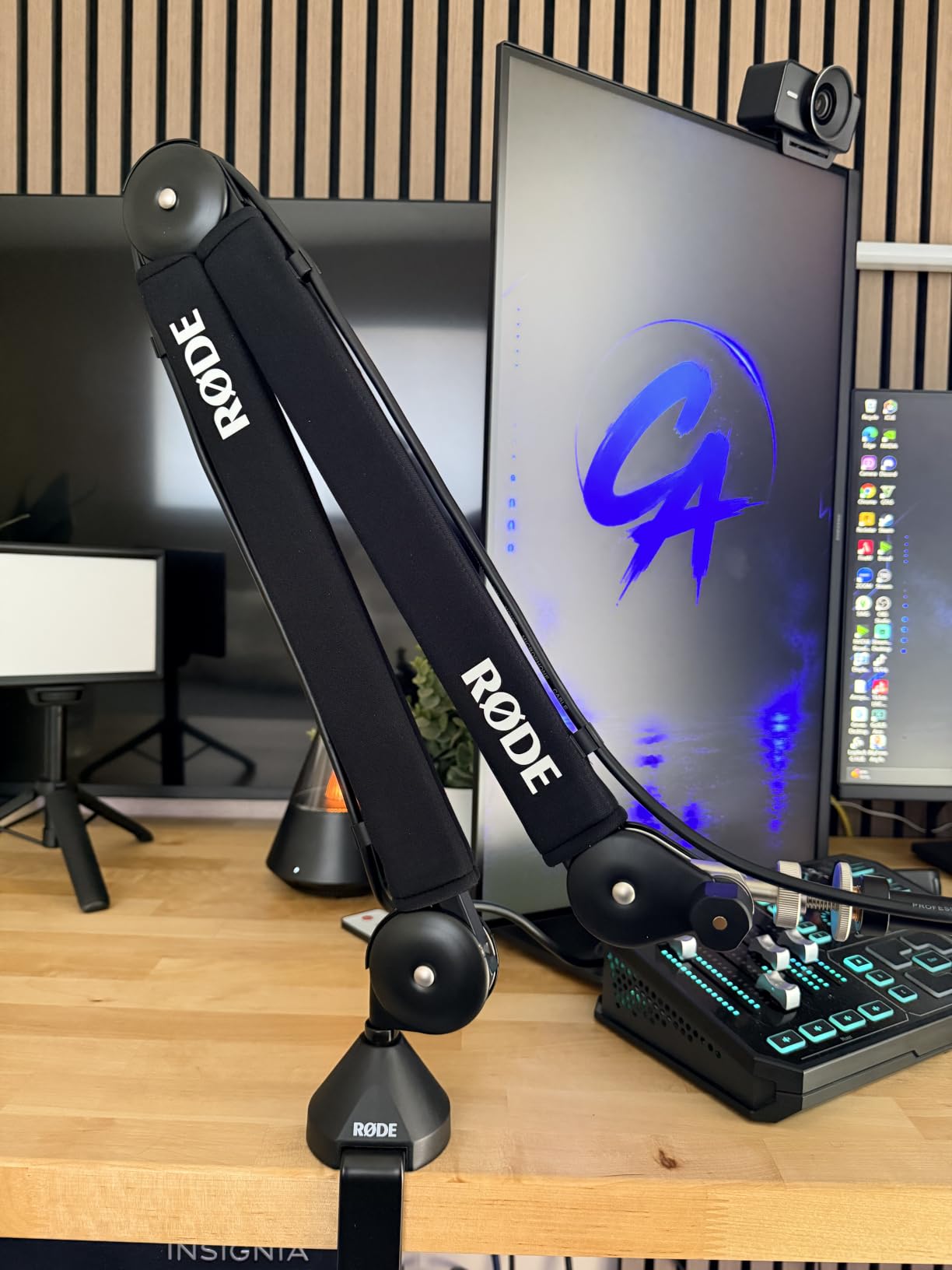
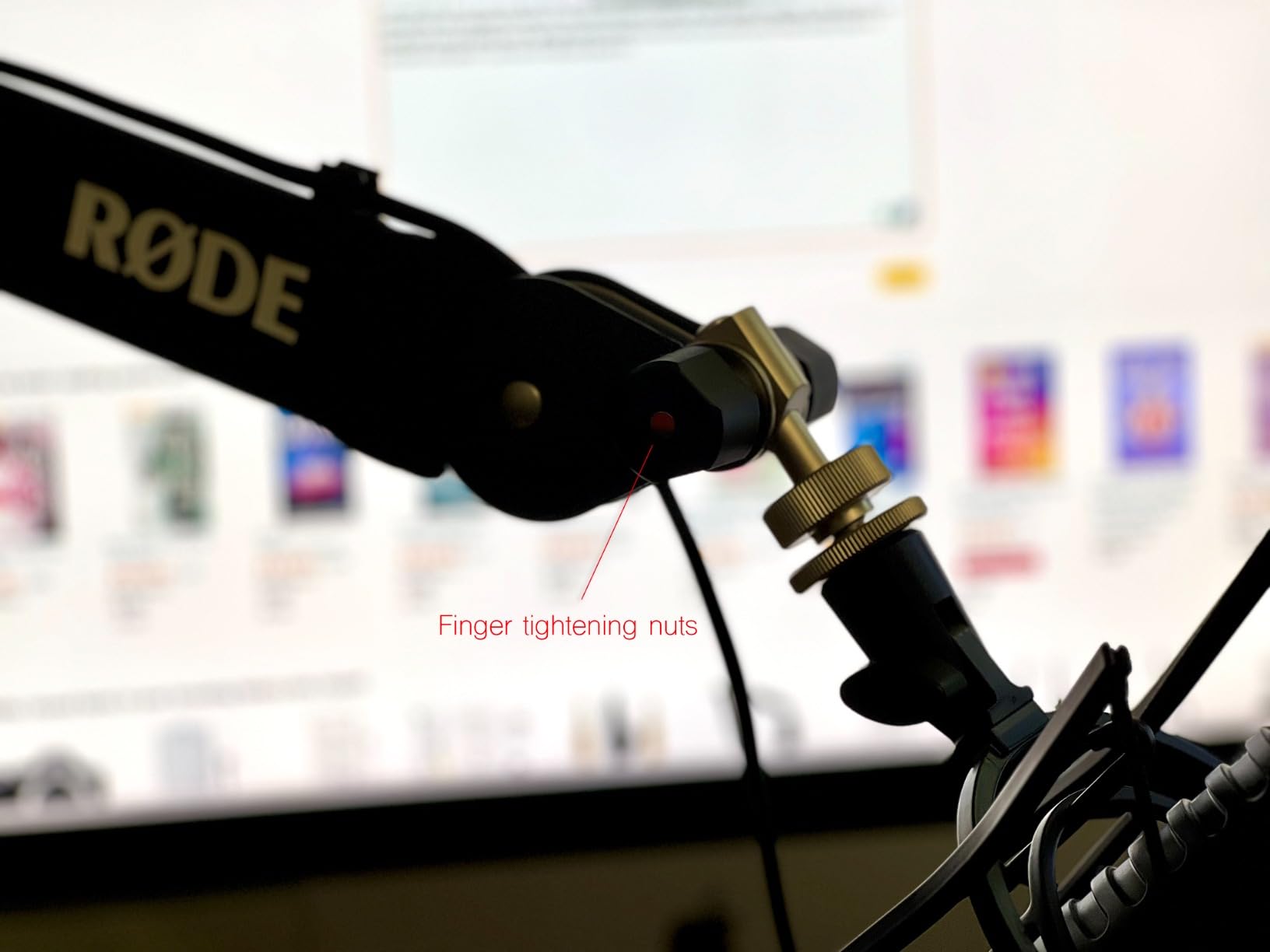
Cable management is the quieter story here and the reason this arm still feels current. Rather than a plastic clip, the PSA1+ routes the cable through the arm itself, so the XLR disappears on its way up to the interface. Owners also point to the 360 degree rotation as what lets them swing the mic out of frame for a camera check and back in without re-aiming anything.
Long-horizon feedback is where the reputation shows. Across 2.6k reviews averaging 4.7 stars, the recurring notes are steady movement, clean routing and a clamp that stays put. The complaints that do surface are cosmetic or load-related rather than failure-related, which is exactly the profile you want from a primary podcast arm.
Who the Rode PSA1+ suits best
It suits a solo podcaster or a two-person show with a mid-weight microphone, on a desk up to 70mm thick, who cares more about silent movement than about maximum reach. If your setup changes weekly and you reposition constantly, the damping pays for itself in the first week.
Where the PSA1+ falls short
It falls short on two things: load ceiling and reach. If you are running a heavy dynamic with a shock mount, add the mount’s weight to the mic’s before you assume you are inside the limit. And if your monitor is a large panel sitting far back, the modest extension means you may need a riser or a longer-reach arm.
2. Elgato Wave Mic Arm Low Profile – Best for Dual Monitor Desks
Elgato Wave Mic Arm Low Profile Microphone Boom Arm
2kg max load
740mm horizontal reach
Sits below shoulder line
Pros
- Stays out of a camera frame
- All-metal anti-torsion build with minimal flex
- 740mm reach covers wide desks
- Magnetic cable covers reviewers call excellent
Cons
- Can creep downward under a 500-600g dynamic
- No mounting plate for through-desk fitting
- Needs occasional re-tightening after long sessions
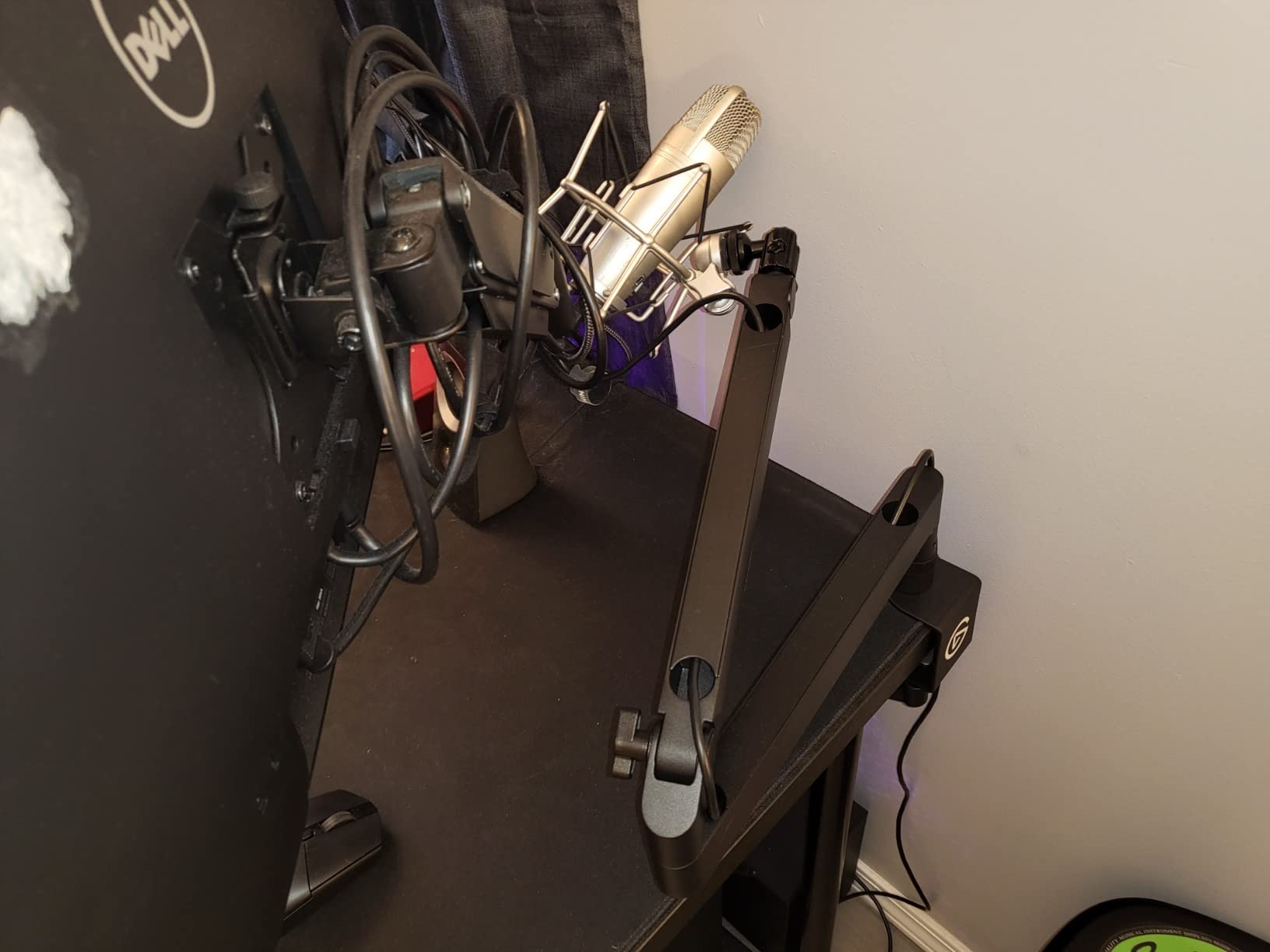
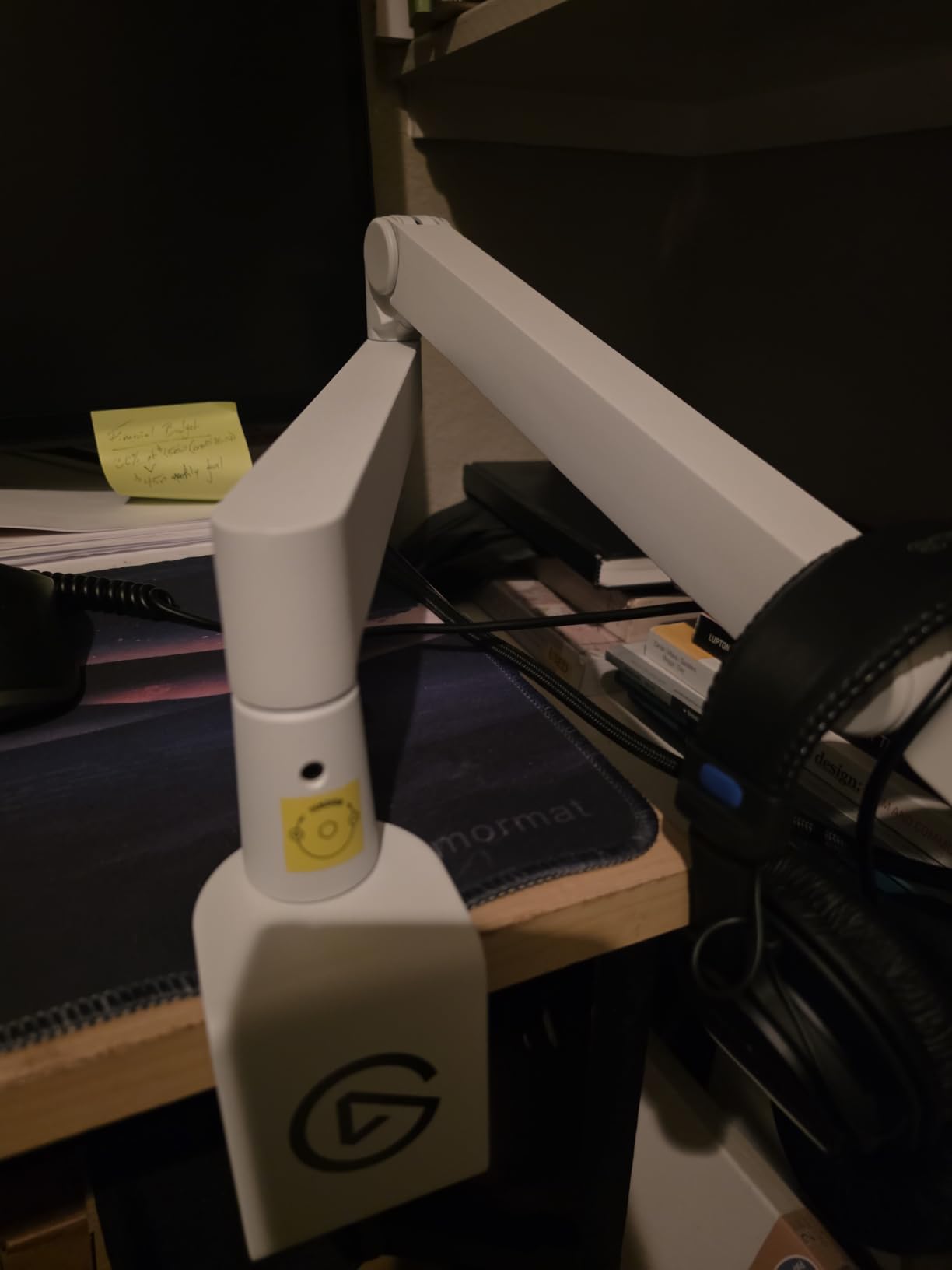
This is the arm to buy if your desk is mostly screens. Because the arm sits below shoulder line, the microphone never crosses your sightline and never appears in a webcam frame, which matters more for video podcasting than most spec sheets admit. My dual 27 inch setup went from cramped to spacious the day I fitted it.
The build is genuinely rigid. Across 5k reviews at 4.6 stars, owners describe a wide padded table clamp with a proper machine screw and an all-metal body with almost no flex, so the microphone does not visibly bounce when you bump the desk. The 740mm horizontal reach is long enough to cover a deep desk without an extender, and the arm clears the full width of a wide monitor setup.
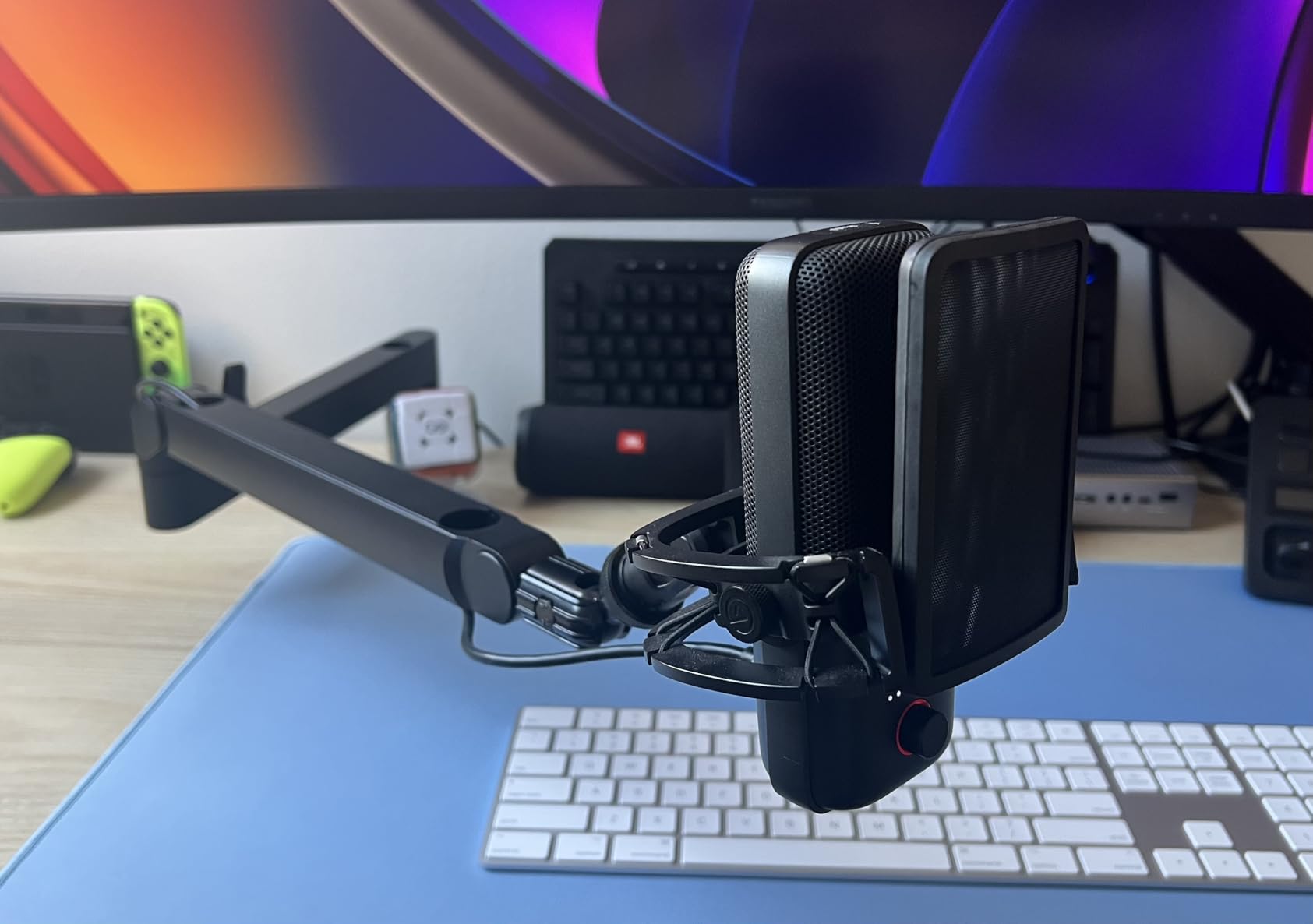
The honest limitation is load behaviour over time. With a lighter USB condenser it holds position indefinitely, but owners running a 500-600g dynamic report a slow downward creep, and the clamp padding can shift if the joint is worked hard. That is a spring-tension characteristic rather than a defect, and it is manageable with a monthly re-tighten.
Cable routing is where this arm pulls clear of the field in my testing. The magnetic covers snap over full channels, so an XLR and a USB cable both vanish, and you can pop a cover off in seconds when you re-route. Elgato does not include a through-desk mounting plate, so the clamp is the only mounting option out of the box.
Who the Wave Mic Arm LP suits best
It suits streamers and video podcasters on a wide desk with two monitors, running a condenser or a mid-weight dynamic. The 2kg rating and the low profile are a good match for a HyperX QuadCast, a Shure MV7 or an Audio-Technica AT2020 in a shock mount.
Where it falls short
It falls short for heavy broadcast dynamics and for anyone who wants a permanent through-desk install. Expect to check the joint tension every couple of months if you move the mic constantly, and do not assume 2kg means an SM7B plus a shock mount is comfortable, because the shock mount weight is not included in that number.
3. Elgato Wave Mic Arm Pro – Best for Heavy Broadcast Microphones
Elgato Wave Mic Arm Pro, Gas Spring Microphone Arm
3kg / 6.6lb max load
17.3 inch max height
Padded clamp to 60mm
Pros
- Gas spring gives one-finger silent repositioning
- 3kg capacity handles heavy broadcast dynamics
- Hidden magnetic cable channels
- Riser included for extra reach
Cons
- 2.04kg unit weight adds real mass to the desk
- Gas damping cannot be fully locked at every joint
- Not a low-profile design for camera framing
The Wave Mic Arm Pro is rated to 3kg, the highest load figure in this group, and that single number changes who can use it. A large-diaphragm dynamic in a full shock mount can weigh well past the 1.2kg ceiling of most arms on this list, and this one takes that without argument. If you have been quietly worried about your arm sagging under a heavy mic, this removes the problem rather than mitigating it.
The gas spring is the piece that makes it feel expensive. There is no knob to loosen, no lever to ratchet, and no screw to find when you want the mic an inch closer. You push or pull and it glides, and it does so quietly, which on a podcast desk with an untreated room means fewer handling artefacts in the take.
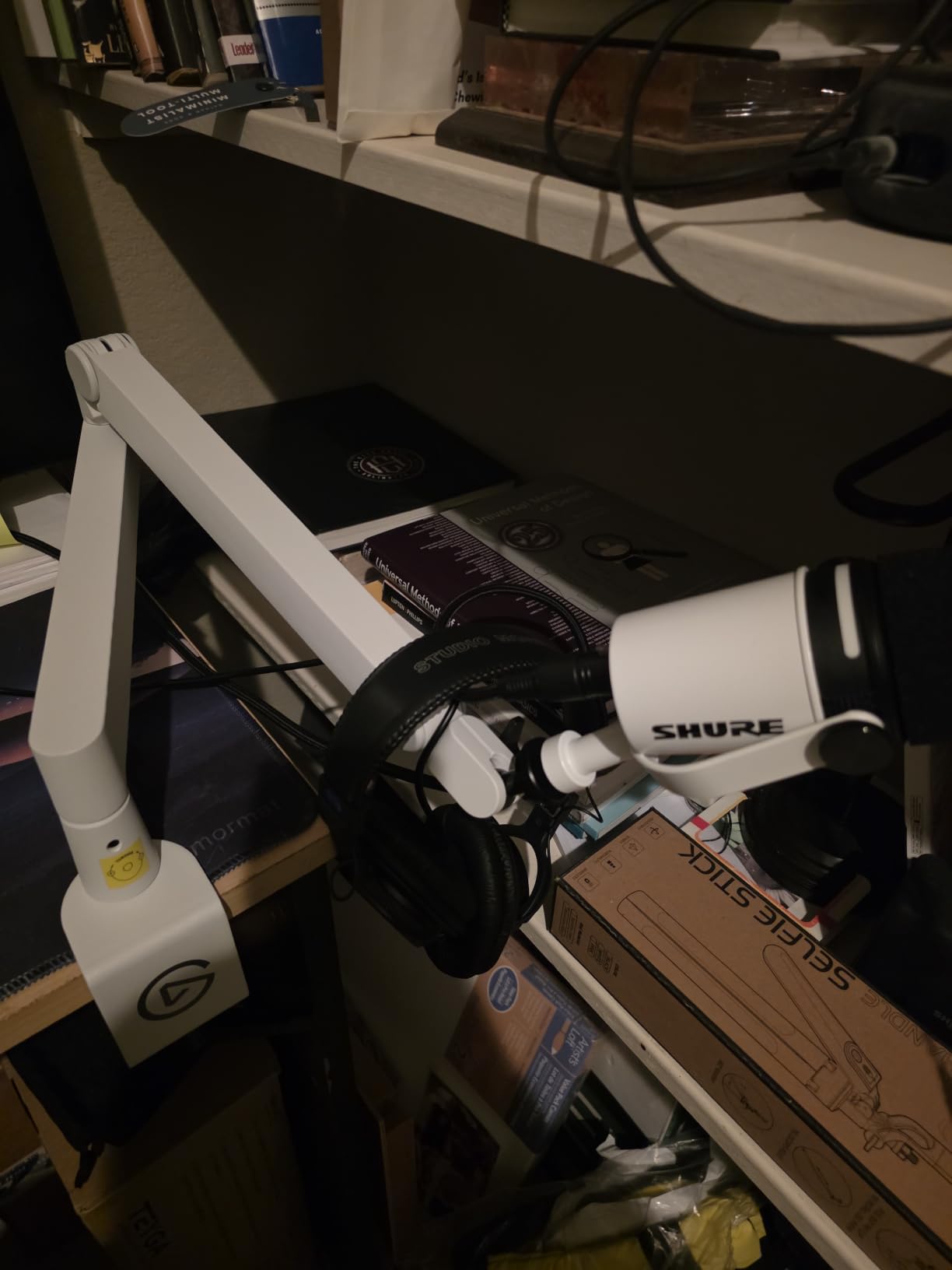
It fits 17.3 inches of vertical height and includes a riser, so it can clear a monitor and still land the mic near mouth height. The padded clamp fits desks up to 60mm, and the hidden magnetic cable channels keep an XLR out of sight along the same path as the low-profile arm.
The review pool is smaller at around 370 reviews, but the 4.6 average with 85 percent five-star feedback is consistent. The stated trade-offs are honest ones: the gas damping cannot be fully locked out at some joints, so a final nudge is occasionally needed, and the taller profile means it can sit inside a camera frame.
Who the Wave Mic Arm Pro suits best
It suits a home studio or broadcast desk carrying a heavy dynamic, and a two-person show where each host needs a strong, silent arm. The 3kg rating gives headroom for a microphone plus a shock mount plus a pop filter, which is the combination that strains lighter arms.
Where it falls short
It falls short on cost, on desk real estate and on final-position locking. The profile is vertical rather than low, so plan your camera angle before you commit. And if you need the mic to stay exactly where you put it with no drift, the gas spring needs a habit of re-checking.
4. FIFINE BM88 Low Profile Boom Arm – Best Value
FIFINE BM88 Low Profile Microphone Boom Arm Stand for Gaming Streaming
29 inch maximum height
All-metal construction
1/4, 3/8 and 5/8 inch threads
Pros
- Metal build owners describe as nearly indestructible
- Extends under the monitor without blocking the view
- Hidden cable channels for USB and XLR
- C-clamp bites tight without slipping
Cons
- Short reach on very wide desks
- Clamp screw hole faces away from the user
- Section nearest the clamp cannot adjust vertically
The BM88 is the one I recommend when someone asks what to buy first. It is all metal through the arm and the joints, and across 5.1k reviews at 4.5 stars owners repeatedly describe it as thicker and harder to break than arms several tiers above it. The low profile extends beneath the monitor, so it stays out of the shot.
Adjustment is generous for the category: 360 degrees horizontally and 220 degrees vertically, with a ball head that takes 1/4, 3/8 and 5/8 inch adapters out of the box. The clamp grips a flat desktop firmly and does not creep when the arm is extended, which is the first thing plastic scissor arms get wrong.
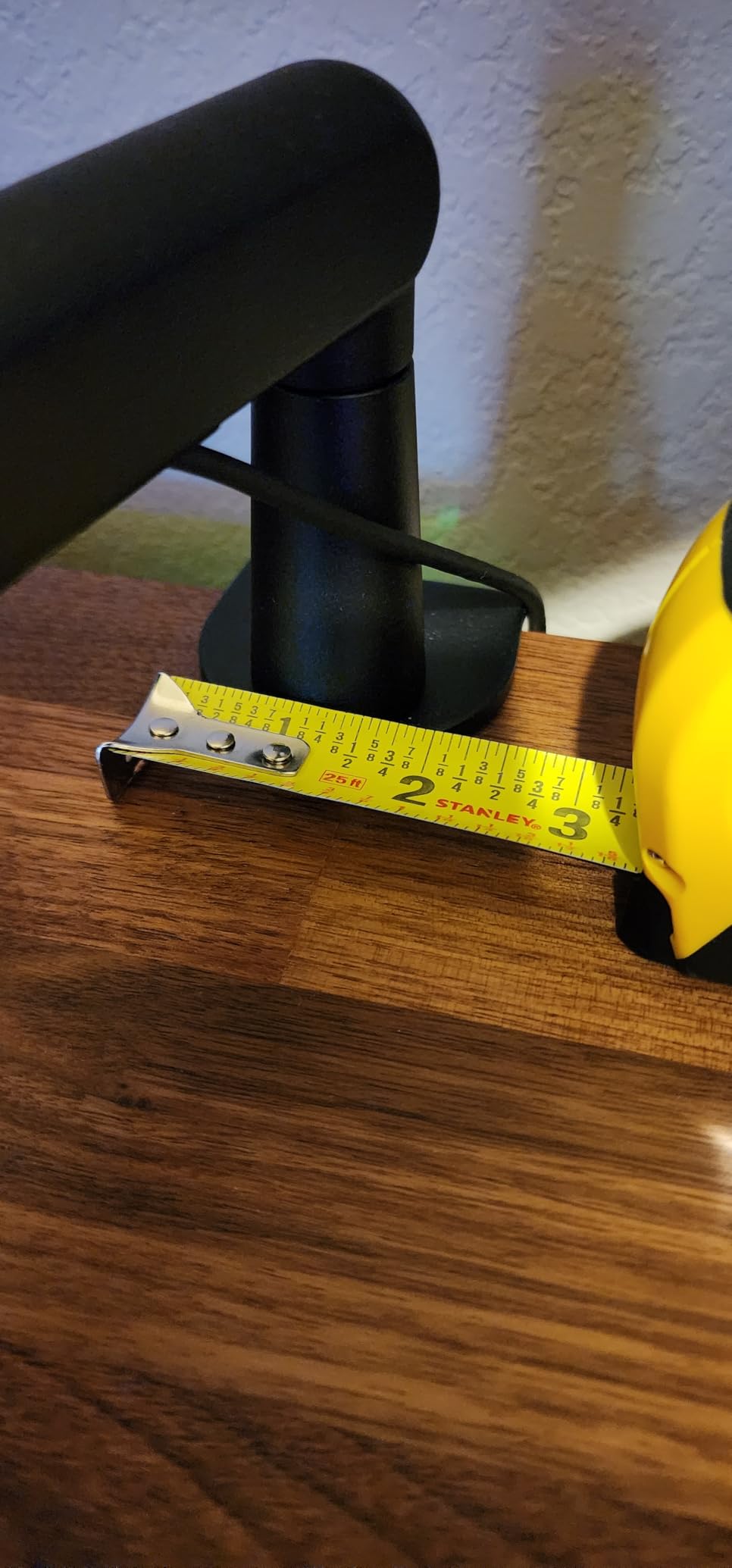
Two practical limits show up repeatedly. Reach is a little short on a very wide desk, and a 6 inch extender solves it. The clamp screw faces away from you, which is genuinely awkward if your desk is against a wall, so measure your clearance before ordering. The segment nearest the clamp also has no vertical adjustment, so the height range starts higher than you might expect.
For a podcast desk running a Blue Yeti, a QuadCast, an AT2020 or a mid-weight dynamic, this is the arm I would put on the desk without hesitating. The hidden cable channels take a USB cable and an XLR without drama, and the ball joint is stiff for the first few adjustments before it settles into a smooth glide.
Who the FIFINE BM88 suits best
It suits a beginner or intermediate podcaster who wants a metal build and a clean desk without paying for a premium badge. It is a strong match for USB condensers and entry-level XLR microphones on a desk no deeper than about 30 inches.
Where it falls short
It falls short on very wide desks, on desks pushed flush against a wall, and for anyone who needs the lowest possible position near the clamp. If you are chasing an overhead mic position, this is not the arm.
5. NEEWER MS002 Low Profile Mic Arm – Best Clamp Range for Thick Desks
NEEWER Low Profile Mic Arm Desk Mount, with Pneumatic Damping, 360°, MS002
Clamp grips 10mm to 80mm
Holds up to 2.5kg
30.2 inch horizontal reach
Pros
- Pneumatic damping with hex-key adjustable rebound
- CNC-machined aluminum and stainless steel
- 30.2 inch horizontal and 11.9 inch vertical reach
- Enlarged clamp with non-slip pads
Cons
- Heaviest unit here at 7.1lb
- Damping joints cannot be fully locked
- One year warranty is shorter than the two year rivals
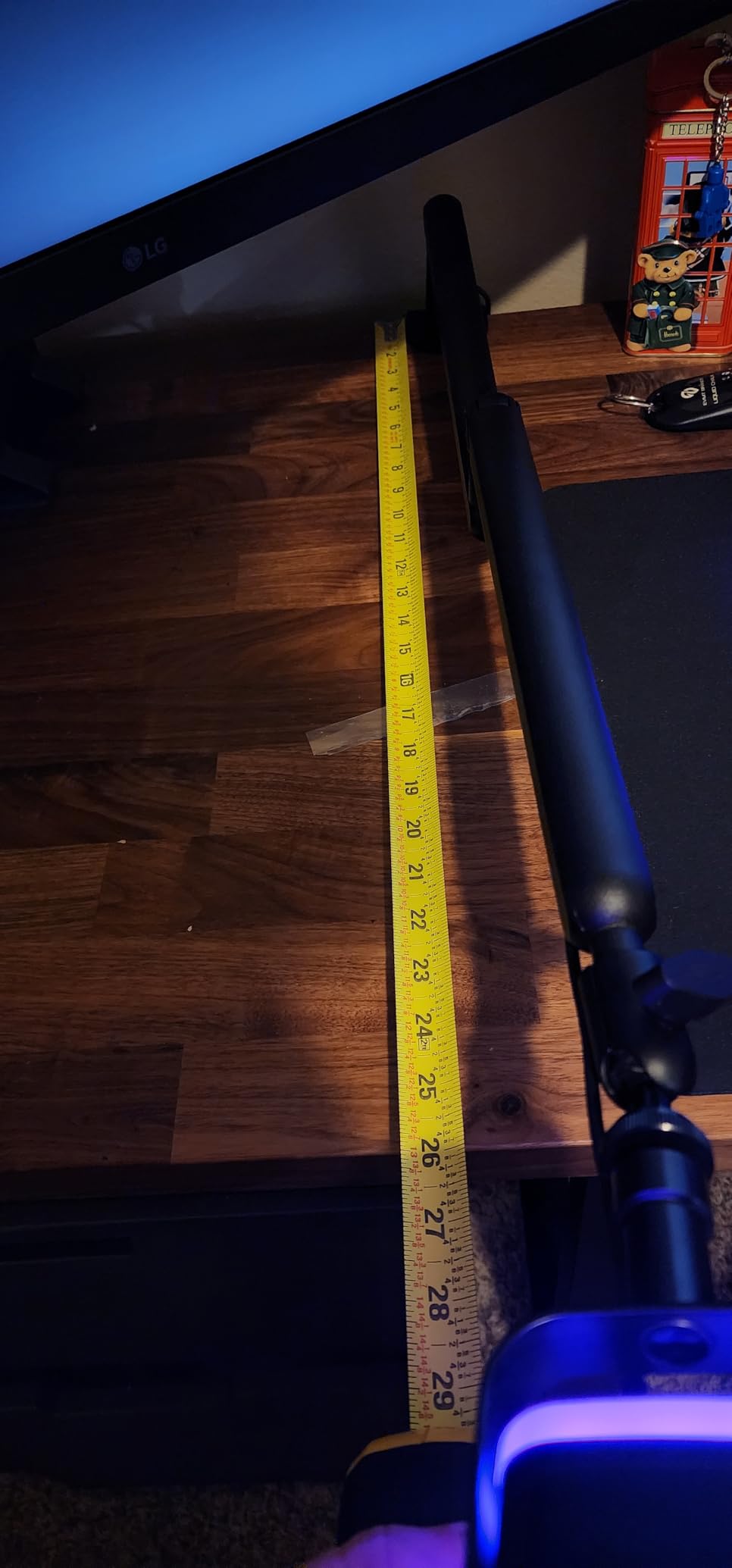
If you have a thick solid-wood desk and you are tired of clamps that will not close, this is the arm. The enlarged C-clamp with non-slip pads grips anywhere from 10mm to 80mm, which is the widest clamp range listed in this group and comfortably past the 70mm ceiling on the Rode. That alone solves a problem most listings never mention.
The pneumatic balancing system is adjustable with a hex key, so you tune the rebound to the weight of your microphone rather than living with a fixed spring. Owners describe the resulting movement as floating and quiet, and the CNC-machined aluminum and stainless steel body resists rust over a long humid room.
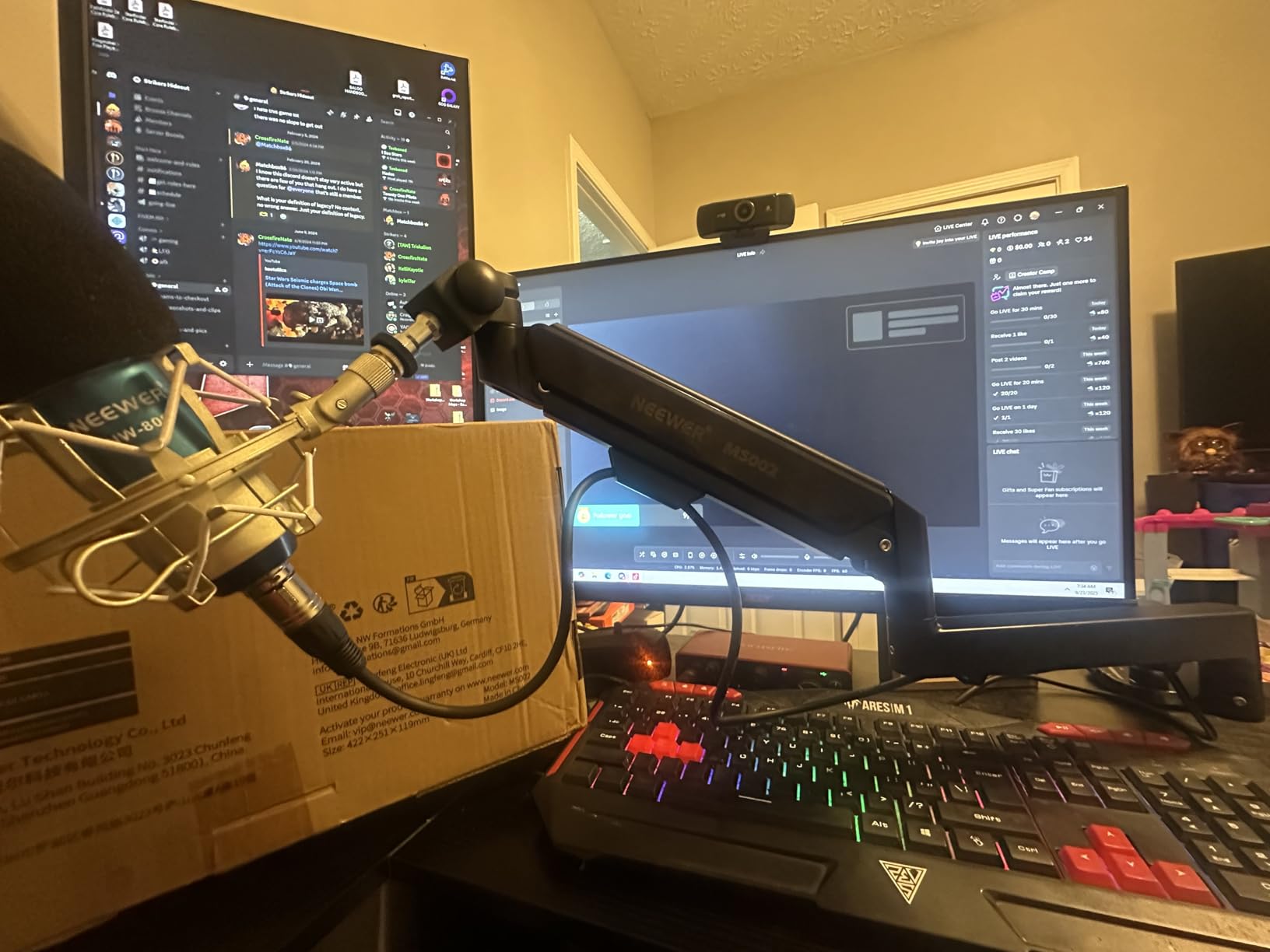
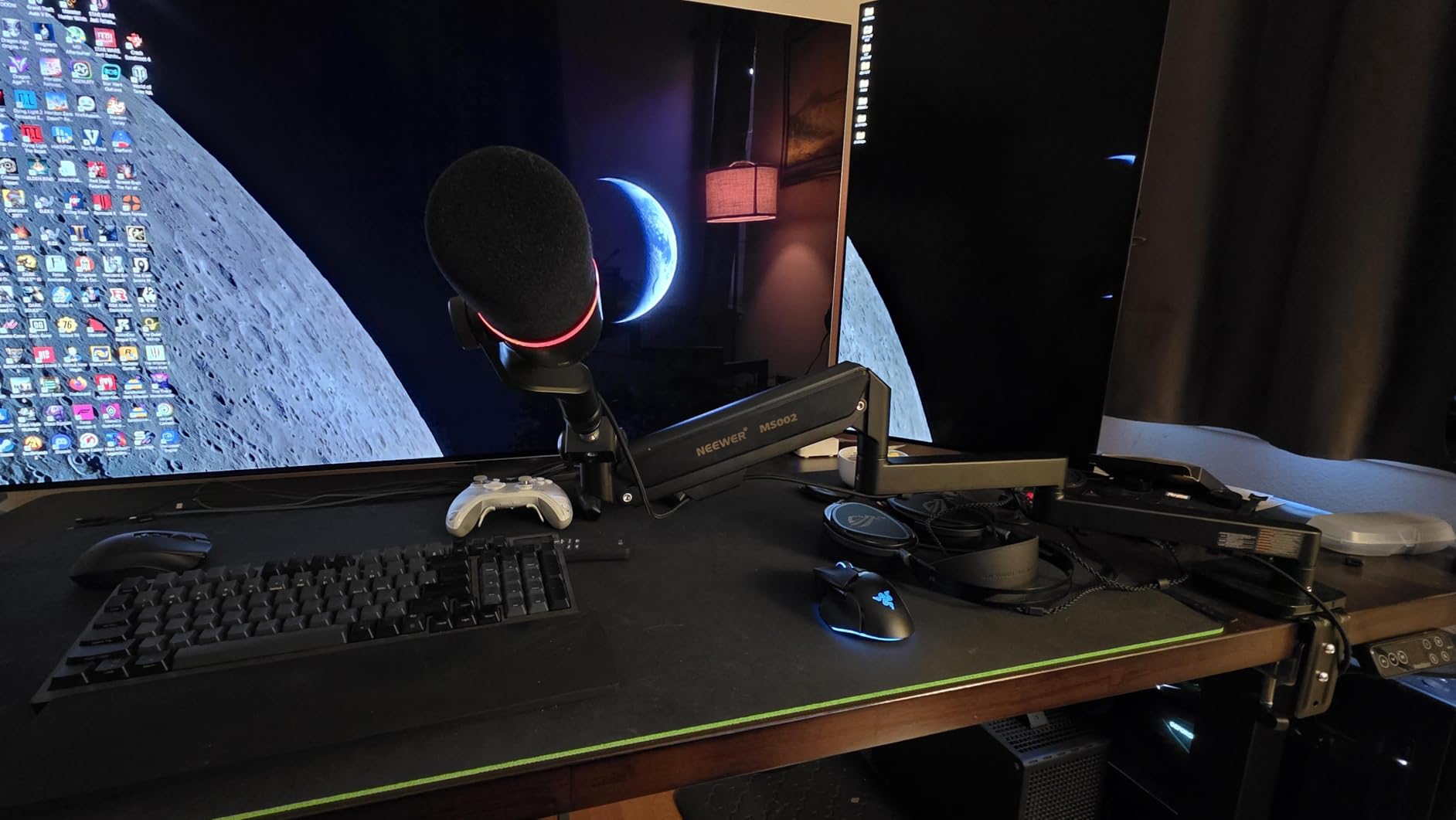
Reach is generous too, at 30.2 inch horizontal and 11.9 inch vertical, and the base pans 360 degrees while the mic mount swivels 360 and tilts 160. Cable channels run along the arm so a USB or XLR stays tidy. It takes a 1/4 inch mount plus adapters, and the published compatibility list covers Blue Yeti, HyperX QuadCast, Shure SM7B and MV7, and Audio-Technica AT2020.
The trade-offs are bulk and lock-off. At 7.1lb it is the heaviest arm here, which is a lot of mass for something that lives under a monitor, and the damping joints cannot be fully locked so some repositioning is always part of the process. The one-year warranty is also shorter than the two years on the Elgato arms.
Who the NEEWER MS002 suits best
It suits anyone on a thick wooden or composite desk, or on a sit-stand frame with a chunky edge. It also suits a heavy dynamic that needs 2.5kg of headroom without moving up to the premium tier.
Where it falls short
It falls short for a minimal desk, because 7.1lb of low-profile arm is a visible object. And for anyone who needs a mic to sit dead still without drift, the non-lockable joints require a re-check between sessions.
6. Aokeo AK-58i Low Profile Mic Arm – Best for Rock-Solid Stability
Microphone Arm,Aokeo AK-58i Desk Low Profile Mic Boom Arm Stand,Suitable For Blue Yeti,Snowball iCE,HyperX QuadCast,SoloCast,Elgato Wave,Etc
2kg max load
32.3 inch horizontal reach
Fits tables under 7cm thick
Pros
- Low centre of gravity stops the mic shifting
- Both arms rotate 360 degrees with 180 degree mic swing
- Extends under the monitor and hides the cable
- Steel forging described as resistant to deformation
Cons
- Clamp only fits desks under 7cm thick
- One year after-sales warranty
- No spring damping
- tension relies on pivot friction
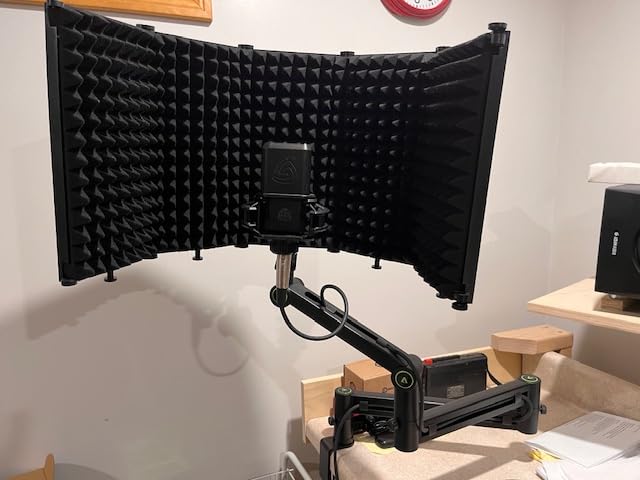
The thing I noticed immediately with the AK-58i is that it does not move unless I move it. The low-profile geometry keeps the centre of gravity down, so the microphone stays put while you reach across the desk, type, or nudge a keyboard. If you record on an untreated desk in a shared room, that stability is worth more than a spring system.
It also carries a 4.7 average, matching the highest rating in the group, with owners describing steel forging that resists deformation over long-term use. Both arm sections rotate 360 degrees and the mic section swings 180 degrees up and down, which is enough freedom for seated podcasting and standing voice-over.
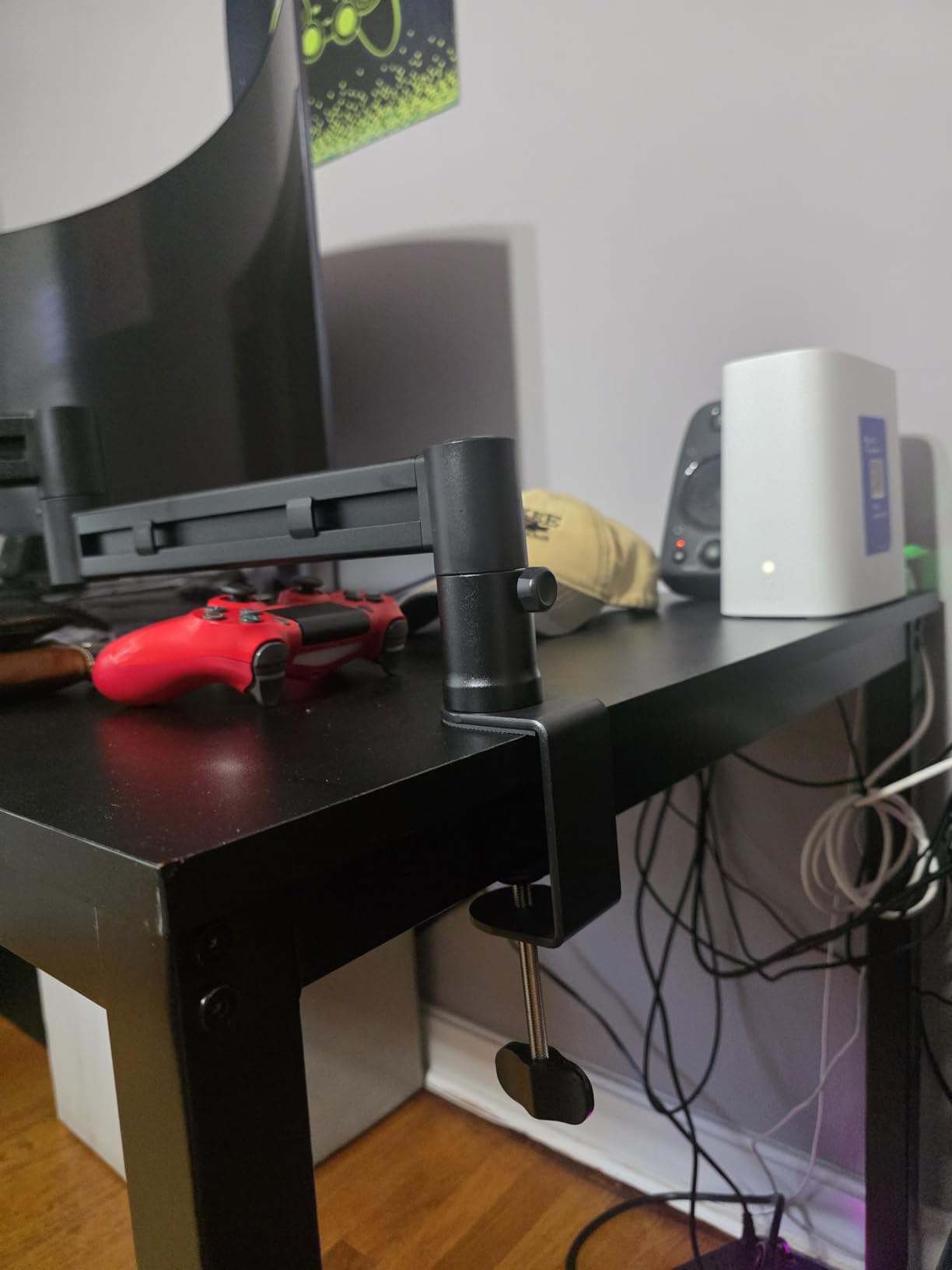
Because there is no spring or gas damping, position is held by friction at the pivots. That is a feature if you want a fixed mic distance and a compromise if you constantly pull the arm in for quiet lines. The 2kg load rating and included 3/8 to 1/4 and 3/8 to 5/8 inch adapters cover most podcast microphones.
The one real constraint is the clamp, which fits tables under 7cm thick. On a thick solid-wood top, look elsewhere. The cable runs along the underside of the arm so it stays out of view, and the whole arm extends across the bottom of the screen, which keeps the profile off your camera.
Who the Aokeo AK-58i suits best
It suits podcasters on a slim laminate or composite desk who want a fixed, unmovable mic position and do not need to reposition constantly. It also suits anyone who finds spring-loaded arms too twitchy in an unattended recording.
Where it falls short
It falls short on thick desks, on heavy microphones, and on workflows that need quick in-and-out mic movement. Without damping, every adjustment is friction against a pivot, which is fine once a minute and tedious five times an hour.
7. Sensic SA-30 Boom Arm with Riser – Best for Reaching Over a Monitor
Sensic SA-30 Microphone Boom Arm, 360° Rotatable Mic Stand with 6 inch riser, Microphone Holder with 1/4″, 3/8″ and 5/8″ Adapters, Professional Microphone Arm with Accessories, Mic Boom Arm Black
6 inch riser included
1kg max load
Clamp and grommet mount both included
Pros
- Riser puts a side-address mic at mouth height over a monitor
- Two-section arms with mid-joint adjustment screw hold heavy mics
- Cable hideaway fits an XLR with room to flex
- Clamp and grommet mount options in the box
Cons
- Spring force pulls the arm back toward extended
- Limited forward pull behind 24 inch monitors
- Base install is awkward in tight low-profile clearances
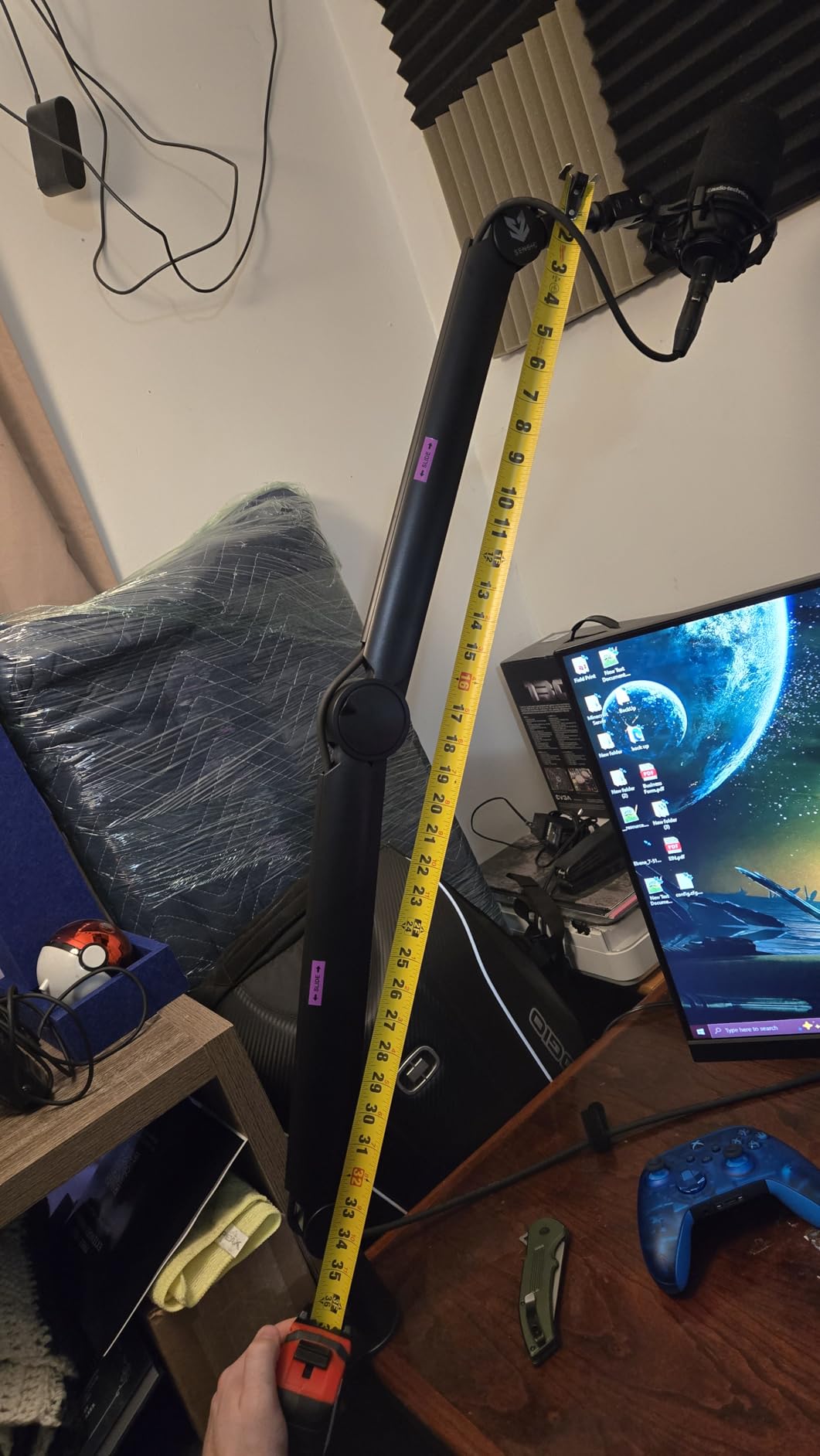
The riser is the reason to look at this arm. A 6 inch column lifts a side-address microphone from below the monitor to mouth height without you needing a second boom or a stand, and owners single it out as the feature that makes seated podcasting workable on a desk with a large display. The machining at the riser-to-arm joint is reported as tight and accurate.
Both mounting options are in the box, a table clamp and a grommet mount, which is unusual at this level and useful if you would rather drill a hole than clamp. The arm offers 360 degree rotation and long two-section arms, and a mid-joint adjustment screw that owners credit with holding heavier microphones without a slow fall.
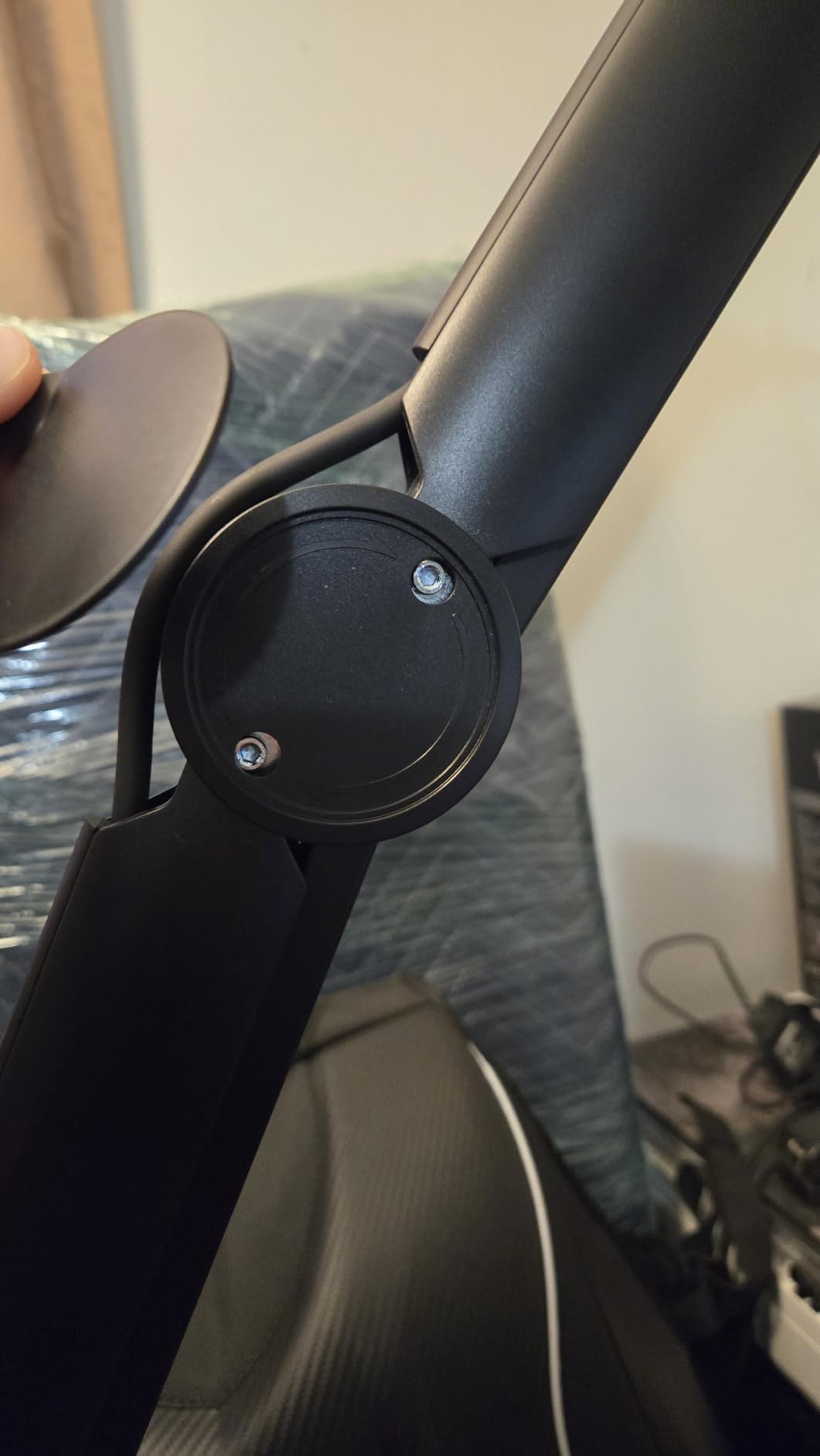
Spring behaviour is the recurring complaint. The spring tends to push the arm back toward its extended position rather than holding it vertical, so it wants tension tuning after setup and again if you change microphones. If you position the mic once and leave it, that stops being a problem. If you move it constantly, it will be.
Capacity is 1kg, which rules out a heavy dynamic with a shock mount and suits a condenser or a mid-weight broadcast mic. Forward pull is also limited if you sit behind 24 inch or larger monitors, and the base can be awkward to install where desk clearance under the arm is tight.
Who the Sensic SA-30 suits best
It suits podcasters with a large monitor who need the mic at true mouth height without a stand, and anyone who prefers a permanent grommet install to a clamp. It is a strong two-person desk solution when both mics need a predictable height.
Where it falls short
It falls short for heavy dynamics, for very wide monitor setups where forward pull runs out, and for a workflow that repositions the mic many times an hour. The spring is not a hands-off system.
8. FIFINE BM66 Heavy Metal Boom Arm – Best All-Metal Studio Build
FIFINE BM66 Heavy Metal Microphone Boom Arm Stand for Podcast Recording
Rated to 2kg
34.25 inch pull-up reach
180 degree extension, 360 degree base
Pros
- All-metal build holds a Shure SM7B or Yeti X plus a shock mount
- Internal spring tension glides silently one-handed
- Protective sleeve prevents pinched fingers
- Cable channels with snug rubber covers
Cons
- Bulkier profile that can block a side monitor
- Arm is stiff for users with limited lifting strength
- Mount joint has slight play
- Base swivel is not perfectly smooth
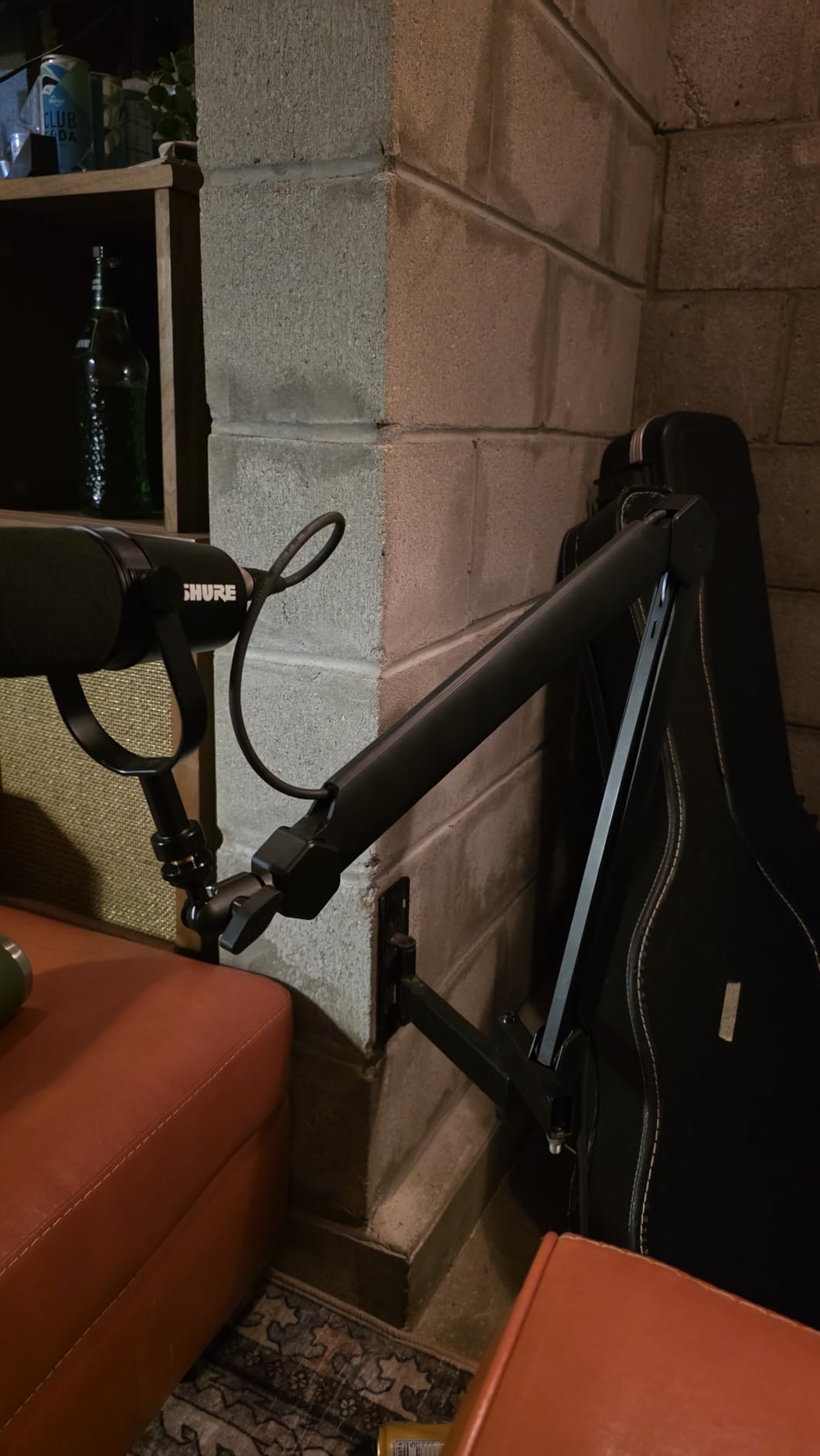
The BM66 is the step up from plastic scissor arms, and at 2kg rated load it is one of the arms here that owners describe as comfortably holding a Shure SM7B or a Yeti X with a shock mount attached. That combination is the real test of a podcast arm, and several low-profile designs in this group struggle with it.
Internal spring tension gives a silent one-handed glide with no knob to keep tightening, which is the behaviour you want when you are mid-sentence. The protective sleeve on the arm stops fingers getting pinched when you retract it, a small detail that shows up in reviews as a genuine quality-of-life improvement.
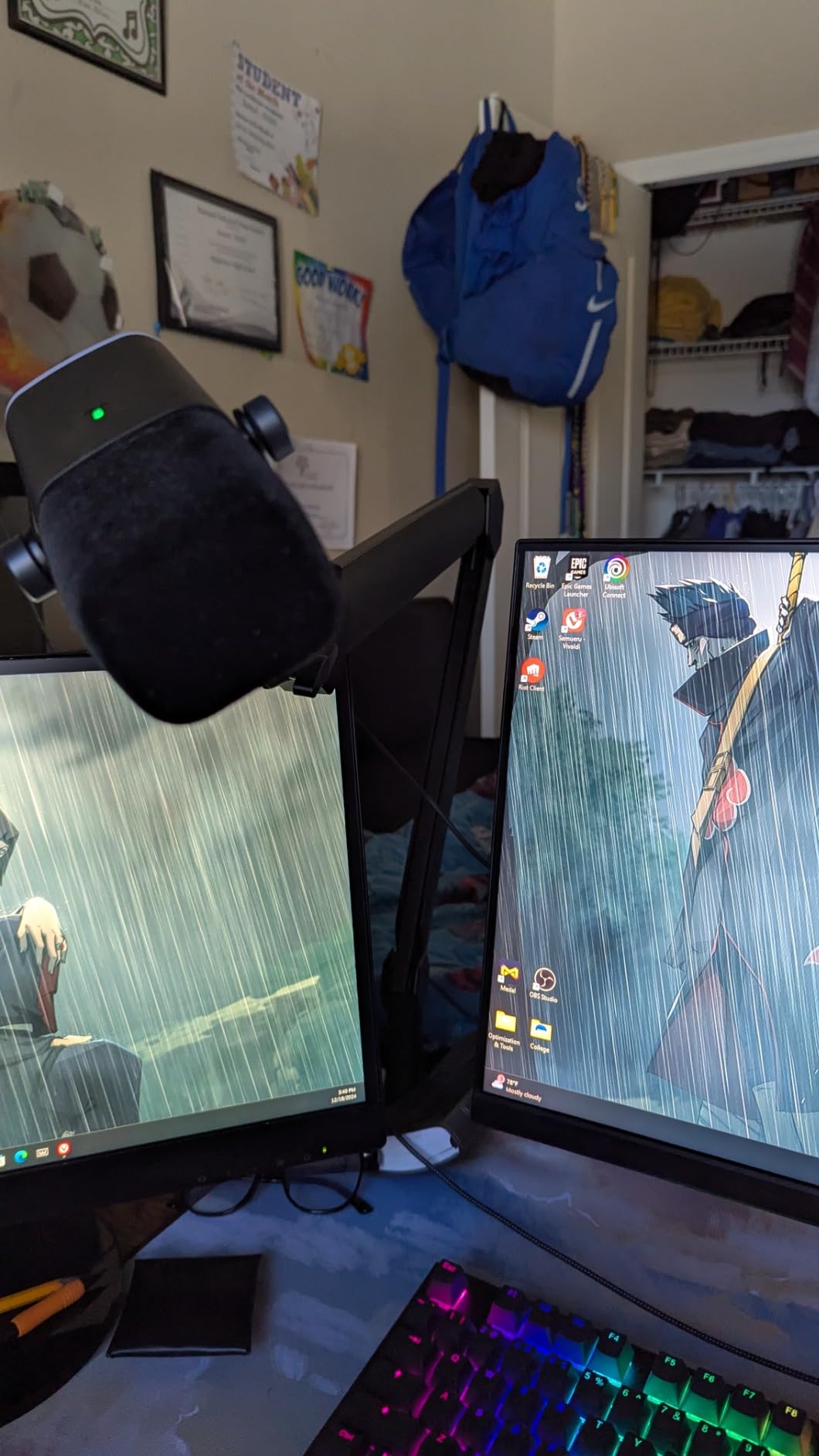
Reach is the other strength. A 34.25 inch pull-up with 180 degree extension and a 360 degree base hinge means the same arm works for a seated podcast and a standing voice-over session. Cable channels run along the arm with snug rubber covers, which keeps friction noise off the XLR as the mic moves.
Owners do flag the bulk. This is a tall profile, so on a dual monitor desk it can block a side screen, and the arm is stiff enough to be awkward if you have limited lifting strength. There is also a little play at the mount joint and a base swivel that is not perfectly smooth, even with the clamp fully tightened.
Who the FIFINE BM66 suits best
It suits a home studio that already owns a heavy dynamic, and anyone who wants one arm to cover both seated and standing recording. The all-metal build and internal springs suit a desk that gets handled a lot.
Where it falls short
It falls short on compact dual monitor desks because of its height, and for anyone who finds a stiff arm difficult to move. If the mic will sit still for hours, the stiffness stops mattering. If it moves constantly, it matters a lot.
9. AA AUDIO ACCESSORY Gear-Lock Mic Arm – Best No-Sag Design
AA AUDIO ACCESSORY Mic Arm Desk Mount (Design for Heavy Mic) 6.6lbs Load Capacity, Stable Gear Lock Never Sags, Metal Low Profile Microphone Boom Stand for Shure SM7B SM7dB MV7, Blue Yeti, Rode PodMic
6.6lb / 3kg load capacity
780mm reach
Gear-lock positioning
Pros
- Gear-lock holds position without the slow sag spring arms develop
- Reinforced 40 x 25mm aluminum arms take an SM7B or MV7
- Tool-free knob adjustments
- Deep cable channels tuck under a monitor
Cons
- Mic-end joint has limited tilt and will not go fully vertical
- Limited tilt can block an acoustic shield
- Some examples report sag within the stated load limit
- Knobs are plastic rather than metal
This arm exists because of a long-term complaint we kept seeing in this category: springs weaken, joints loosen, and a microphone that was level in month one is nose-down by month six. The gear-lock mechanism uses a mechanical detent rather than a spring to hold position, so there is nothing to fatigue and nothing to retension.
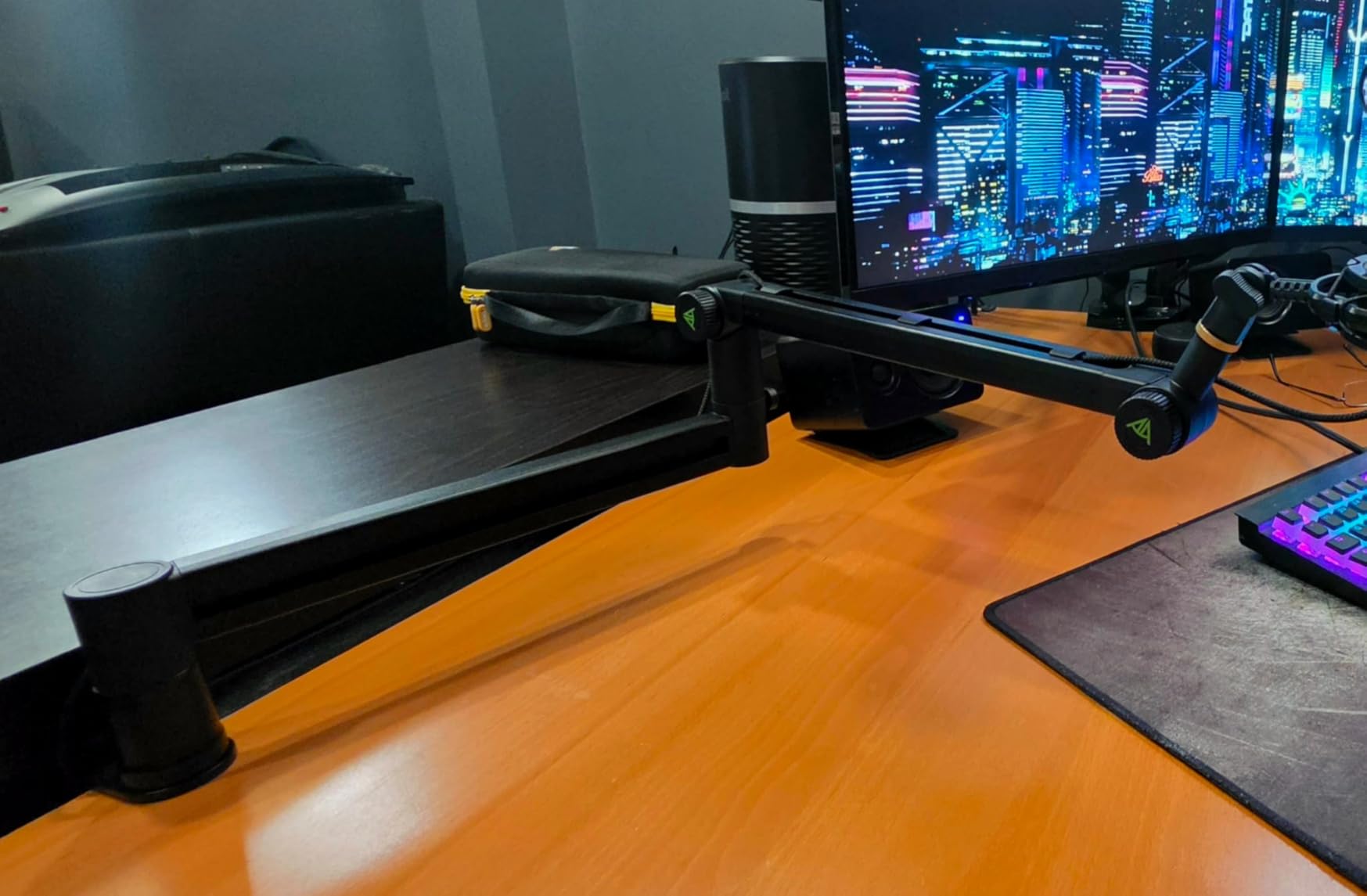
Load capacity is 6.6lb, or 3kg, on reinforced 40 x 25mm aluminum alloy arms, with a stated reach of 780mm, which is 40mm longer than a standard arm. Tool-free knobs make repositioning quick, and the low profile tucks under a monitor with deep cable channels taking multiple cables.
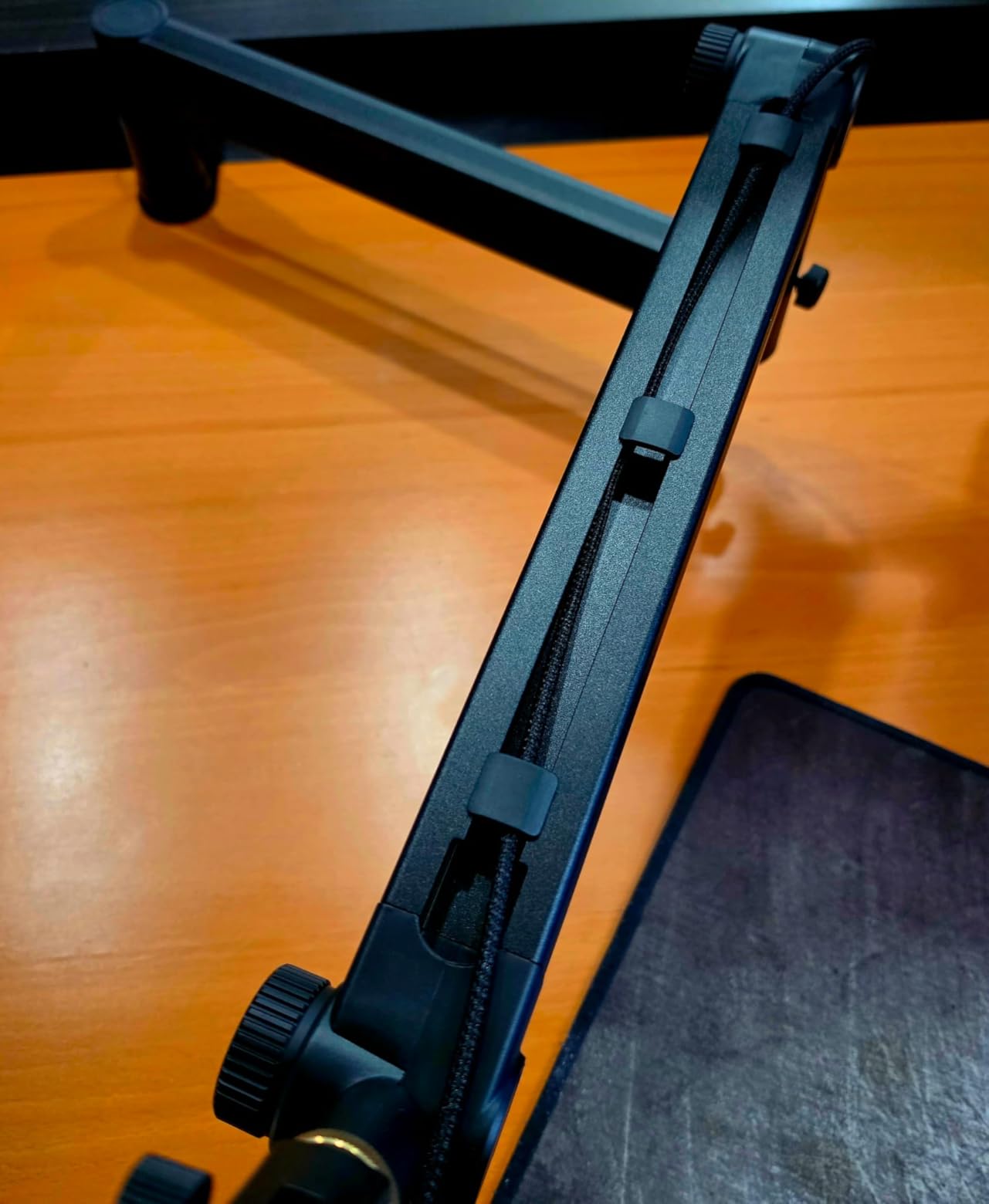
The trade-off is the mic-end joint, and it is a specific one rather than vague. The tilt range at the point where the microphone attaches is limited and will not go fully vertical, which is fine for a plain microphone but stops you fitting an acoustic shield or a similar accessory around it. Check your accessory before buying if you use one.
At 4.4 stars with 72 percent five-star feedback, this is among the lower-rated arms in the group, and the reason is consistency rather than quality. Some owners report sag even within the stated load limit, and the adjustment knobs are plastic, which is where a cheaper material shows. If sag is your main fear, a mechanical detent addresses it more reliably than a spring arm.
Who the gear-lock arm suits best
It suits owners of a heavy dynamic such as an SM7B, SM7dB or MV7 who have already been through arms that slowly drooped. It also suits anyone who sets a mic distance once and wants it to stay there for months without touching a knob.
Where it falls short
It falls short if you use an acoustic shield or need a full vertical mic angle, and the plastic knobs are a fair criticism. Verify the joint range against your accessory before you commit.
10. InnoGear MU-PSA28 Cable Management Arm – Best for Tidy Cabling
InnoGear Mic Arm Microphone Boom Arm Cable Management for Blue Yeti, Black
3.5lb load capacity
6.3 inch extension riser included
Clamp fits desks to 2 inches
Pros
- Built-in cable channels with removable rubber covers
- Thickened alloy steel with strong internal springs
- 6.3 inch riser gives 32.3 inch horizontal and 37.4 inch vertical reach
- Silent movement across 135 and 180 degree ranges
Cons
- Full-height profile can appear in a camera frame
- Shock mount not included
- Only a 5/8 inch connector is listed
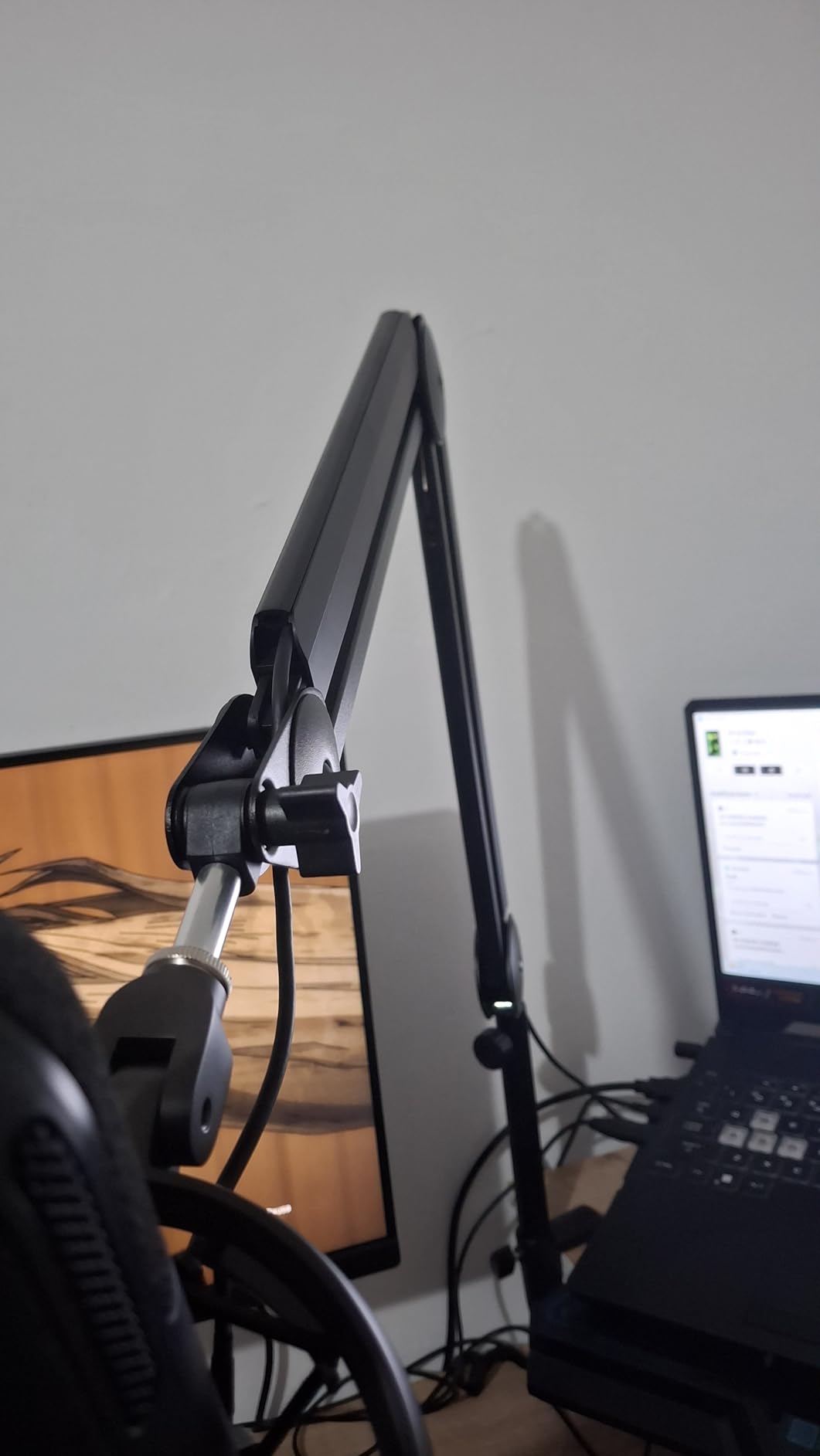
The defining feature is the cable system. Built-in channels with removable rubber covers let the XLR run down the inside of the arm instead of across the desk, and the covers are removable in seconds when you need to add or swap a cable. Across 1.4k reviews at 4.5 stars, that channel is the reason most owners cite for choosing this over a barebones arm.
Reach is the other argument. The 14 inch arm plus a 6.3 inch riser gives 32.3 inch horizontal and 37.4 inch vertical extension, enough to reach over most monitors and put a side-address mic at mouth height. Movement is silent across 135 degrees back and forth, 180 degrees vertically, and a 360 degree rotatable base.
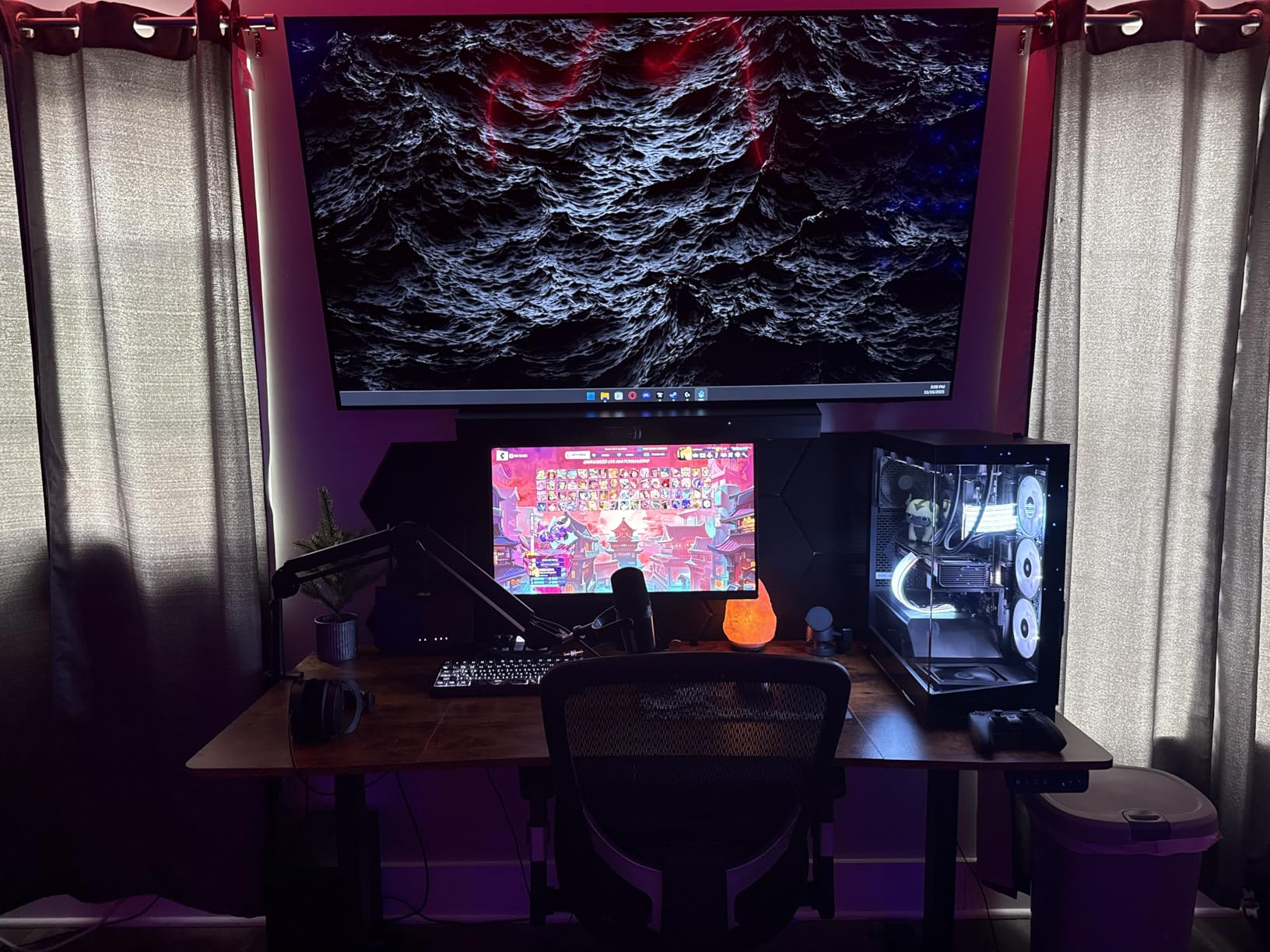
Construction is thickened alloy steel with strong internal springs rated to 3.5lb, which covers a Blue Yeti, a QuadCast, a SoloCast, an SM58 or an SM7B. The desk clamp grips any desk up to 2 inches thick, and the arm folds down to free desk space when idle.
The limitations are profile and completeness. This is a full-height traditional boom, so it can appear in a video podcast frame, and a shock mount is not included, which means condenser users buy one separately. Only a 5/8 inch connector is listed, so some microphones need an adapter.
Who the InnoGear MU-PSA28 suits best
It suits audio-first podcasters who record on a large monitor and want every cable off the desk. It is a good fit for one-person shows where a tidy desk matters more than an empty camera frame.
Where it falls short
It falls short for video-first setups because the height enters the frame, and for condenser users who would rather not buy a shock mount separately. Plan for the extra accessory cost if your microphone needs one.
11. MAONO BA20 Scissor Boom Arm – Most Versatile
MAONO Boom Arm Microphone Stand: Adjustable Metal Suspension Mic Boom Arm for Podcast Gaming Streaming Recording,with Desk Clamp and 3/8″ to 5/8″ Screw Adapter-Max Load 1KG BA20 Black
1kg / 2.2lb max load
450g build
Clamp fits desks to 2.2 inches
Pros
- Lightest arm here at 450g so it moves in and out of frame easily
- Spring design keeps repositioning quiet
- Includes 5/8 to 3/8 adapter plus a mic clip and cable straps
Cons
- 1kg limit leaves no headroom for a shock mount
- Will not work on a glass tabletop
- Some examples drift slowly and cannot be tightened back
- One year warranty
At 450g this is the lightest arm in the roundup, and that is not a gimmick. If you move your mic constantly, pull it in for a read, or push it aside to clear your desk between calls, the weight difference is obvious within a week. Most owners building a first podcast setup find it sturdy, quiet and easy to adjust.
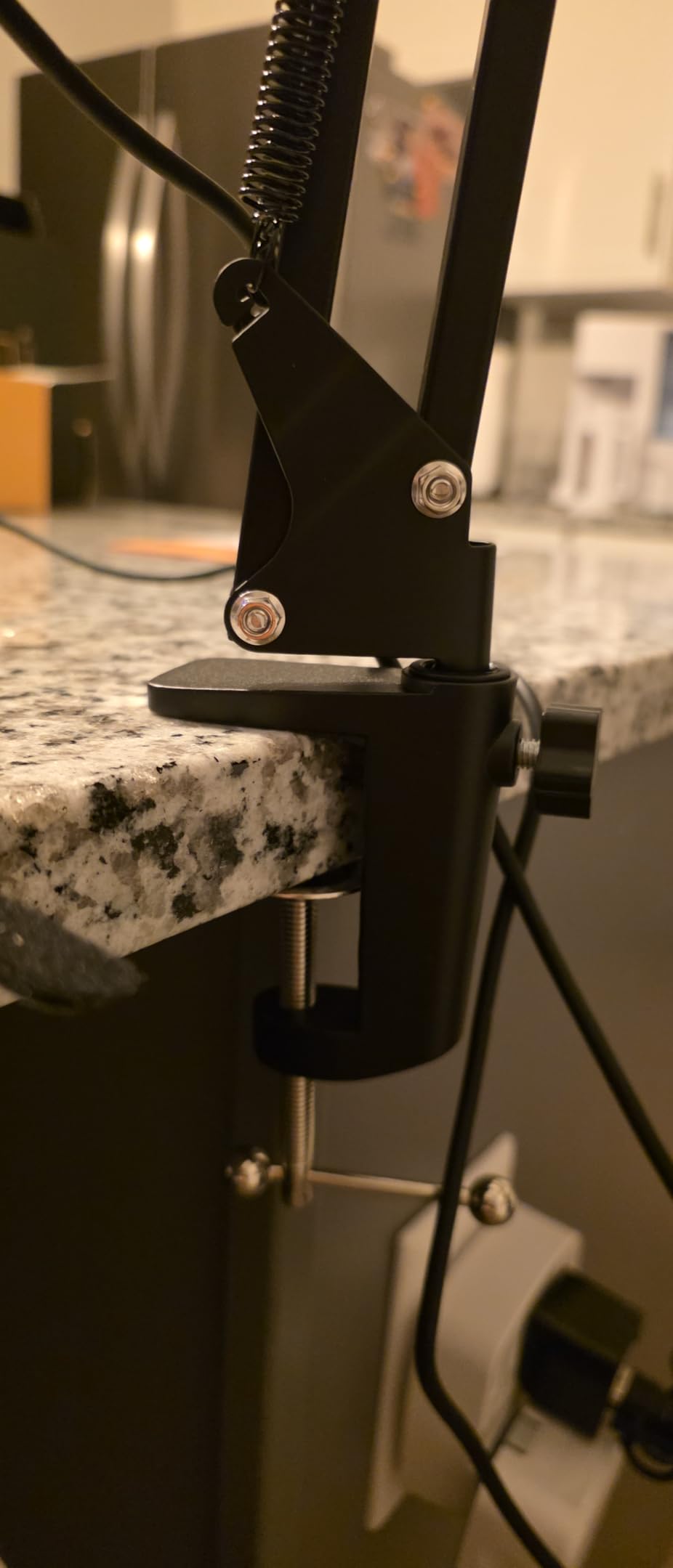
The wide C-frame clamp with a rubber pad fits desk thicknesses up to 2.2 inches and protects the surface, and the spring design keeps repositioning quiet so desk thumps stay out of the recording. The box includes a 5/8 to 3/8 screw adapter, a standard mic clip and two cable straps.
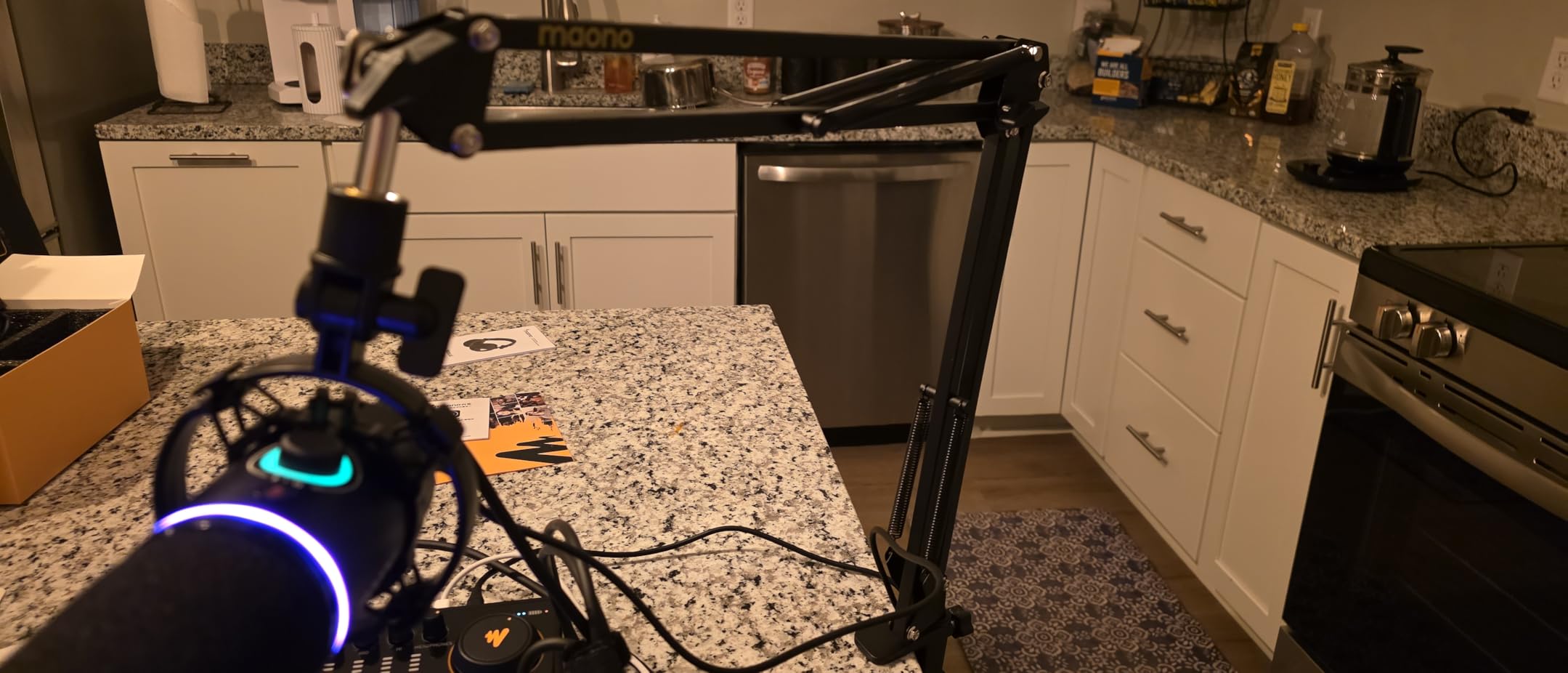
Where it runs out is load. The 1kg, or 2.2lb, maximum is at the bottom of this group’s capacity range, so heavy dynamics are out of range entirely and even a mid-weight dynamic plus a shock mount pushes it. It will also not grip a glass tabletop, which matters if your desk is one.
At 4.4 stars with 71 percent five-star feedback, the consistent minority complaint is drift: some arms slowly lower out of position and the tension cannot be tightened to compensate. The arm also folds compactly, which is a genuine plus for a shared desk, and a one-year warranty that is among the shortest on offer.
Who the MAONO BA20 suits best
It suits a first podcast setup, a shared or mobile desk, and anyone who wants a light arm they can move one-handed. It handles USB condensers and light mics comfortably.
Where it falls short
It falls short on load, on glass desks, and for anyone who cannot live with slow drift over a multi-hour session. Treat it as a light-duty arm rather than a studio one.
12. InnoGear MU01 Scissor Mic Arm – Most Proven Entry-Level Arm
InnoGear Boom Arm Microphone Mic Stand for Blue Yeti Fifine HyperX, Black
1.5kg / 3.3lb load capacity
27.6 inch maximum height
Clamp grips desks to 2 inches
Pros
- Spring design avoids the shaft-knob deformation common in budget arms
- All-steel build with super-strong springs rated to 3.3lb
- Silent repositioning with 360 degree base rotation
- Folds flat and includes a mic clip with an adapter and cable ties
Cons
- Wobbles noticeably when typing
- End adapter rotates in one direction only
- Arm can rub the clamp lock screw and needs a small spacer
With 24k reviews at 4.5 stars, this is the most proven arm in the roundup by a wide margin, and the long-horizon owner reports describing years of daily use are a strong durability signal in the group. The spring design deliberately avoids the shaft knob that deforms springs on cheaper scissor arms, which is exactly the failure mode that leads people to blame the microphone.
Load capacity is 1.5kg, or 3.3lb, which leaves real headroom above the 2.2lb that most arms in this bracket manage and comfortably covers a Blue Yeti, a HyperX QuadCast or a SoloCast with a shock mount. Movement is silent, with 360 degree base rotation, 135 degrees back and forth and 180 degrees vertically, and it folds flat to free desk space when idle.
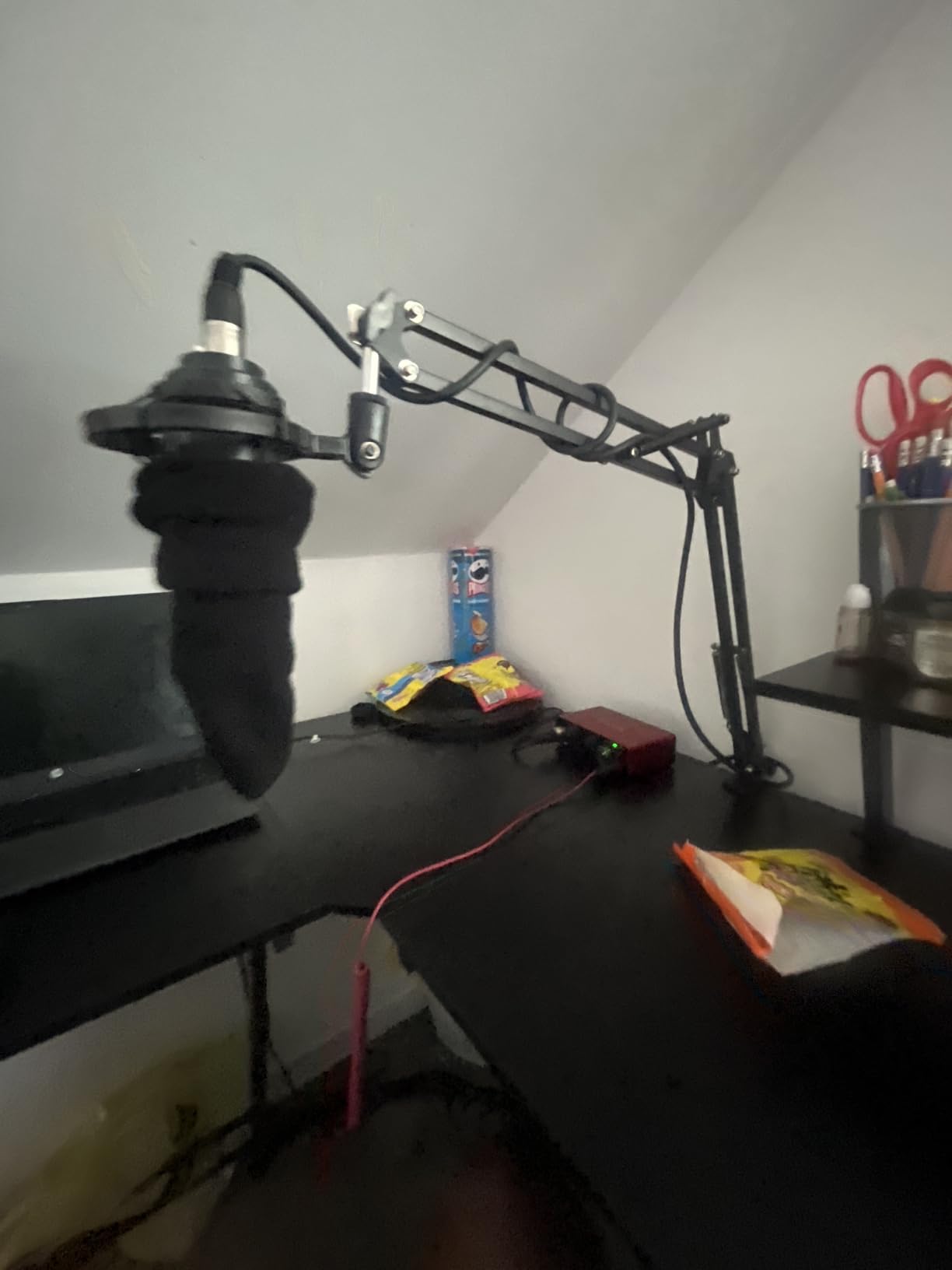
Two habits are worth knowing before you commit. It wobbles visibly when you type, because the spring design transmits desk vibration up into the microphone, so it wants a shock mount and a treated desk. And the end adapter rotates in one direction only, so tilting a mic upward needs a different mount.
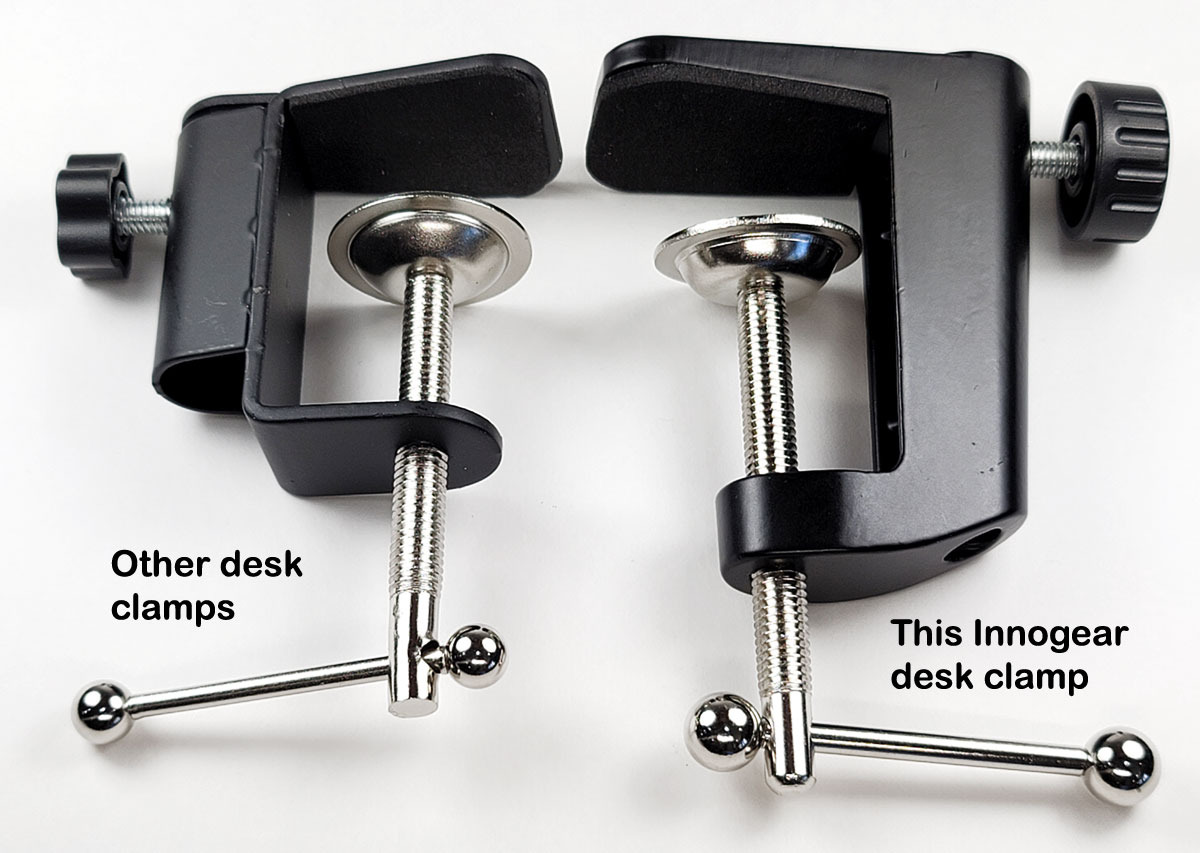
The clamp grips squared desk edges up to 2 inches thick, and the box includes a standard mic clip, a 5/8 to 3/8 adapter, thread tape and five hook-and-loop cable ties. A small share of orders have arrived with a cracked clamp tension dial, and the arm can rub the clamp lock screw at the socket without a small spacer to clear it.
Who the InnoGear MU01 suits best
It suits a first podcast desk, a streaming setup on a standard desk, and anyone who values a proven design with a huge installed base over the newest hardware on the market. The 3.3lb rating gives more headroom than most arms at this level.
Where it falls short
It falls short on vibration control, which matters on an untreated desk, and on mic angles that need upward tilt at the end adapter. A shock mount is the fix, but budget for one.
How to Choose a Desktop Microphone Arm for Podcasting
Get these decisions right and the rest is preference. Weight and desk thickness decide what will physically work, everything else decides whether you will still enjoy the setup in six months.
Check total load, not just microphone weight
Every load rating on a microphone arm is for the microphone plus anything else hanging off it. A shock mount, a pop filter and a dense grille add up, and a heavy broadcast dynamic in a shock mount can pass a 1.2kg rating without the maths working out. In this roundup, 1.2kg covers the Rode PSA1+, 1.5kg the InnoGear MU01, 2kg covers the Elgato Wave LP, the Aokeo AK-58i and the FIFINE BM66, 2.5kg the NEEWER MS002, and 3kg the Elgato Wave Mic Arm Pro and the gear-lock arm. Match that against your microphone, then add the mount.
Match the clamp to your desk thickness
This is the most common install failure and the one almost no listing mentions. The clamps here run from a 7cm ceiling on the Aokeo AK-58i, through 2 inch and 2.2 inch for the InnoGear, MAONO and Sensic, 60mm for the Elgato Wave Mic Arm Pro, 70mm for the Rode PSA1+, to 80mm for the NEEWER MS002. Measure your desktop thickness before you choose, and measure where the arm will sit rather than at the front edge where the panel is thinnest. A clamp that does not close fully will not hold, no matter what its rating says.
Low-profile, high-profile or scissor
A low-profile arm slides under the monitor and stays out of your camera frame, which is why the Elgato Wave LP, FIFINE BM88, NEEWER MS002 and Aokeo AK-58i all work this way. A high-profile or broadcast arm rises vertically, reaches further and carries more weight, but it can enter a video frame. A scissor arm is a traditional spring-loaded design that folds flat and moves smoothly but transfers desk vibration. Choose on camera framing and desk depth first, then on load.
Cable management for USB and XLR
USB and XLR behave differently inside an arm channel. A USB cable is thin, stiff and dislikes a tight bend, so it needs a channel with a gentle radius and ideally a cover that stops it chafing on the joint. An XLR is thicker and heavier, and it needs enough slack at the mic end that moving the arm does not pull the connector. The InnoGear MU-PSA28 and the FIFINE BM66 use removable rubber covers, the Elgato arms use magnetic covers, and the Rode PSA1+ routes internally. If you record on a laptop and move between locations, removable covers are worth more than hidden ones.
Spring systems, friction locks and long-term sag
Spring arms, like the Rode PSA1+ and Elgato Wave Mic Arm Pro, feel the best while you talk and need occasional tension checks. Gas springs, like the Wave Mic Arm Pro, are heavier and cannot be fully locked at every joint, so expect a final nudge. Friction pivots, like the Aokeo AK-58i, hold position perfectly but need effort to move. Mechanical gear locks, like the AA AUDIO ACCESSORY arm, never sag but restrict the final mic angle. Whatever you pick, re-check the joints every couple of months, because that single habit prevents most of the complaints people post about sagging.
Threads, adapters and shock mount fit
Microphones use 5/8 inch, 3/8 inch or 1/4 inch threads and there is no universal standard. Arms here ship with combinations of all three, with the InnoGear MU01 listing only a 5/8 inch connector and the Aokeo including 3/8 to 1/4 and 3/8 to 5/8 adapters. A cheap adapter solves almost any mismatch, but check before you buy. If you use a condenser, plan on buying a shock mount separately, since none of the arms in this roundup includes one.
Frequently Asked Questions
What is the best desk boom arm for podcasting?
The Rode PSA1+ is the best overall desktop boom arm for podcasting because its internal spring damping moves silently, it holds microphones from 0.25kg to 1.2kg including shock mounts, and it routes the cable inside the arm. For a desk dominated by two monitors, the Elgato Wave Mic Arm Low Profile keeps the microphone below shoulder line and out of your camera frame.
Does a boom arm make your microphone sound better?
A boom arm makes your microphone sound more consistent rather than fundamentally different. Fixing the microphone at one distance means your gain, tone and level stay the same from the first take to the last, which removes a lot of editing work. The arm itself is not a tone tool, but it also stops you knocking the microphone or leaving it at a different angle each session.
How much weight can a microphone arm hold?
It depends on the arm, and you must include your shock mount. In this roundup the ranges run from 1kg on the MAONO BA20 up to 3kg on the Elgato Wave Mic Arm Pro and the AA AUDIO ACCESSORY gear-lock arm. A heavy broadcast dynamic in a shock mount can weigh more than you expect, so add the mount weight to the microphone weight before you compare it against a rating.
Can a boom arm hold a Shure SM7B?
Yes, as long as you pick the right one. The Rode PSA1+ covers up to 1.2kg, and an SM7B without a heavy mount sits inside that range. With a full shock mount, go to an arm rated for 2kg or more, such as the FIFINE BM66, the Elgato Wave Mic Arm Low Profile, or 3kg for the Elgato Wave Mic Arm Pro and the gear-lock arm.
Should I use a C-clamp or a grommet mount?
Use a C-clamp if you want a reversible setup or your desk is already assembled, and check the clamp range against your desktop thickness first. Use a grommet mount if you will never move the arm, because it is lower, more rigid and frees up the space under the desk edge. The Sensic SA-30 includes both so you can decide later.
What is the difference between a low-profile and a high-profile boom arm?
A low-profile arm slides under the monitor and keeps the microphone below shoulder line, so it stays out of a camera frame and leaves desk space free. A high-profile arm rises vertically, reaches further and usually carries a higher load, which suits heavy broadcast microphones and standing recording, but it can appear in a video podcast frame.
How do I stop a microphone arm from squeaking or sagging?
Squeaking usually comes from an exposed spring or a joint that has dried out, and sag comes from spring tension that has weakened. Check the joint tension every couple of months rather than waiting for it to fail, and keep the pivots free of dust. If sag is a recurring problem, a friction or gear-lock design that never depends on a spring is a better long-term choice.
Final Verdict: Which Desktop Mic Arm Should You Buy in 2026?
For most podcast desks in 2026, the Rode PSA1+ is the arm I would buy. Silent movement, a sensible 1.2kg load range, internal cable routing and a clamp that handles desks up to 70mm make it the safest single recommendation in this roundup. If your desk is two monitors deep, choose the Elgato Wave Mic Arm Low Profile instead and accept that it prefers lighter microphones. If you are carrying a heavy dynamic, go straight to the Elgato Wave Mic Arm Pro for 3kg of capacity, or the AA AUDIO ACCESSORY gear-lock arm if sag is what frightens you most.
Measure your desk thickness before you order, add your shock mount weight to your microphone weight, and pick a low-profile arm if you record video. Those three checks prevent almost every complaint I read about desktop microphone arms for podcasters.