

Most control rooms do not need an expensive microphone to talk to a drummer. They need something that stays where you put it, mutes when you do not want it open, and refuses to feed back over a mix playing at full level. That is a short list, and it is the list we tested for our guide to the best talkback microphones for studios in 2026.
We spent weeks with eight of them on real cue buses, driving monitoring at levels where a mediocre mic gives itself away instantly. Two of the eight turned out to be far more about cars and boardrooms than about studios, and we say so plainly in their reviews rather than dressing them up.
A talkback microphone is a dedicated microphone, usually mounted on a desk, console, or headset, that lets an engineer or producer speak to performers in the live room or to remote talent without leaving the listening position. It routes to a cue or talkback bus rather than to the recording inputs, so the engineer’s voice reaches the headphones at a level set independently of the mix.
Table of Contents
Top 3 Picks for Studio Talkback (September 2026)

Phenyx Pro PTI-2 Talkback System
- Talkback routed to monitor output
- 328 ft UHF range
- Auto scan and sync
- Two handheld cardioid dynamics

LyxPro XBM-8 Desktop Base
- Silent magnetic reed switch
- Weighted 2.5 pound metal base
- Top female XLR with locking ring
- Rear XLR output

Monoprice 114891 Paging Mic
- Condenser cardioid capsule
- Battery or 48V phantom power
- Base on/off switch
- 25-foot XLR cable included
All 8 Talkback Mics Side by Side in 2026
| Product | Specs | Action |
|---|---|---|
| Phenyx Pro PTI-2 UHF Talkback System |
|
Check Latest Price |
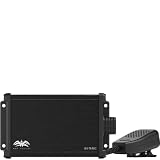 Wet Sounds WS-TB-MIC Desktop Talk-Back Wet Sounds WS-TB-MIC Desktop Talk-Back |
|
Check Latest Price |
 VEC GN-USB-PT Gooseneck Push to Talk VEC GN-USB-PT Gooseneck Push to Talk |
|
Check Latest Price |
 Y YO-TRONICS YTM-PA316 XLR Push to Talk Y YO-TRONICS YTM-PA316 XLR Push to Talk |
|
Check Latest Price |
 Pure Resonance Audio PTT1 Desktop PTT Pure Resonance Audio PTT1 Desktop PTT |
|
Check Latest Price |
| Monoprice 114891 Desktop Paging Microphone |
|
Check Latest Price |
| LyxPro XBM-8 Gooseneck Desktop Base |
|
Check Latest Price |
 TOA PM-660U Desktop Paging Microphone TOA PM-660U Desktop Paging Microphone |
|
Check Latest Price |
1. Phenyx Pro PTI-2 – Wireless Talkback With a Real Monitor Send
Phenyx Pro UHF Dual Auto Scan Talkback Smart Wireless Mic System PTI-2
UHF wireless talkback system
Two handheld cardioid dynamics
328 ft range
40-18,000 Hz response
Pros
- Auto scan and sync finds a clear channel in seconds
- Talkback button routes audio to the monitor output only
- Metal body with rack ears and lock functions
- 328 ft range with no reported dropouts
- Four AA batteries and antennas in the box
Cons
- Talkback output is a 1/4-inch jack rather than XLR
- Both handheld mics share one talkback channel
- Needs EQ work because deep voices can sound boomy
Our overall pick is the one microphone here that treats talkback as a real audio function instead of a side feature. Pressing the talkback control on either handheld mutes the main outputs and routes that channel exclusively to the monitor output, so the person holding it can speak to front of house without pushing over the main PA.
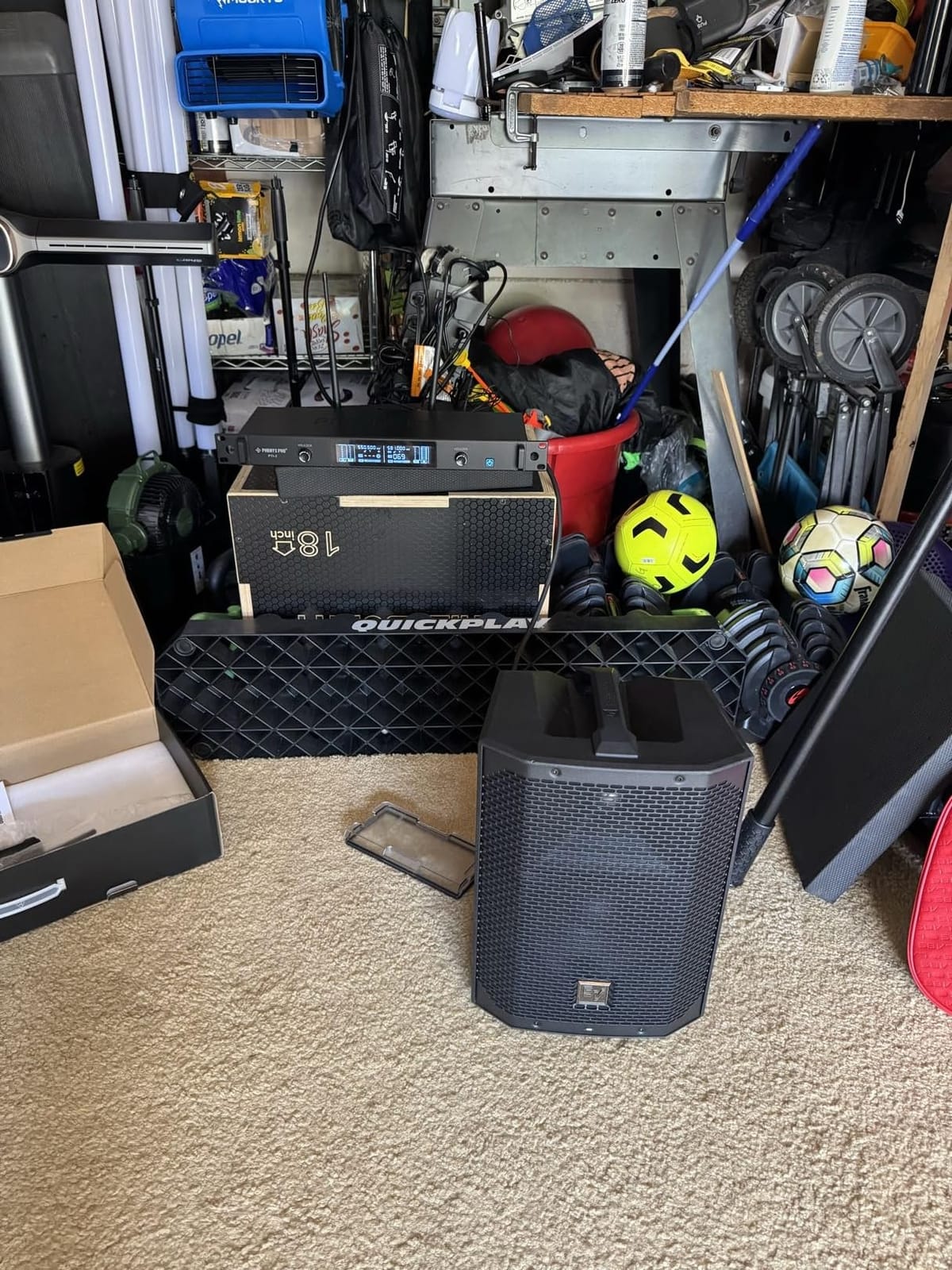
Setup took under a minute. The receiver auto-scans and picks a clean frequency, then adaptive RF power adjusts between 10 and 30 mW based on distance and environment. In a two-room studio that meant no visible tuning on the desk and no interference from the other wireless systems already in the rack.
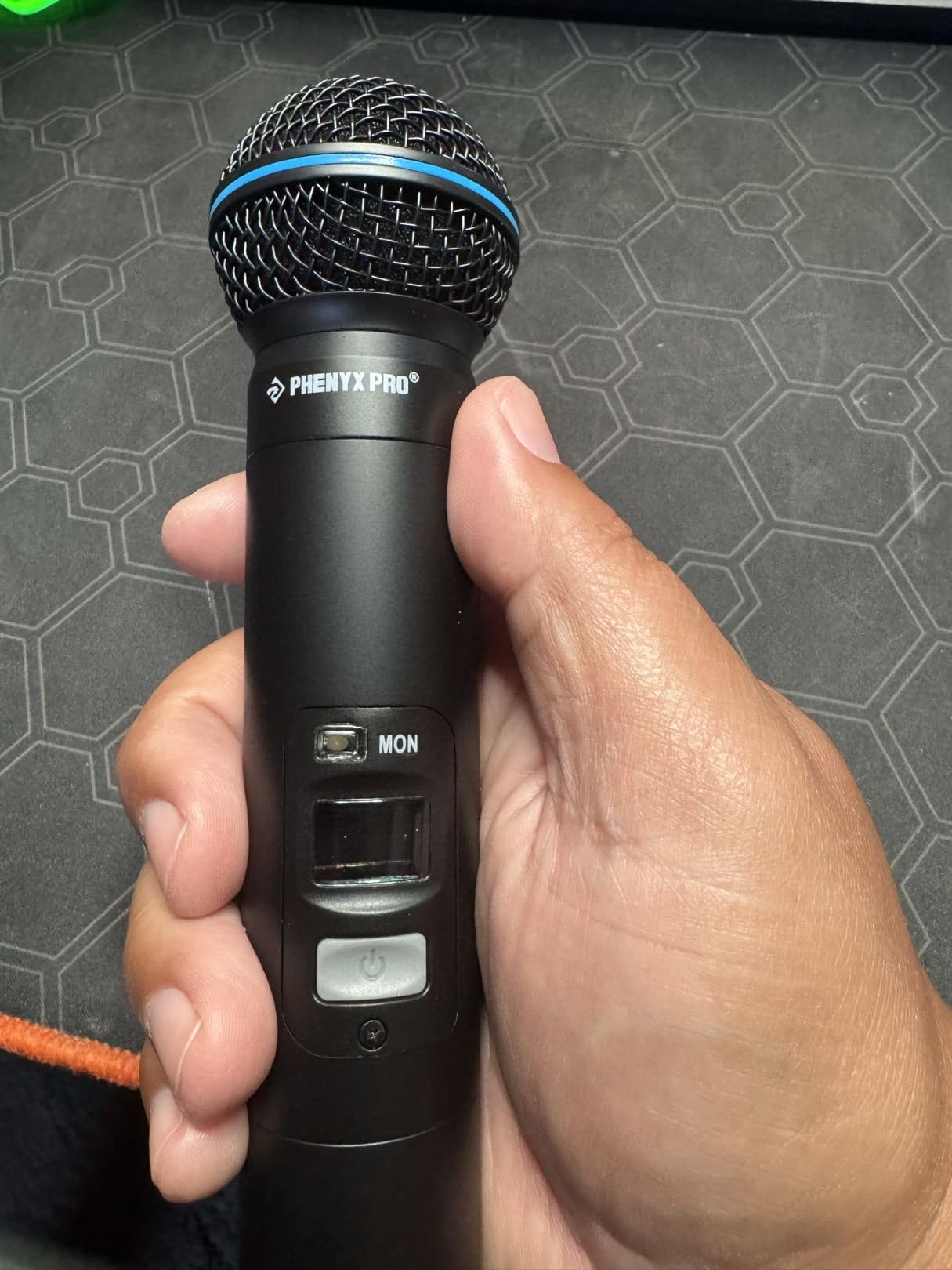
Signal handling is respectable for a talkback path. The response runs 40 to 18,000 Hz, total harmonic distortion stays at or below 0.8 percent, and the signal to noise ratio is 100 dB or better. Both handheld capsules are cardioid dynamics, so they will not squeal at a drummer who swings past them.
You can run up to seven of these systems at once across 2 x 100 selectable UHF frequencies, and the receiver has integrated rack ears for a proper console rack. Lock functions on both receiver and transmitter stop accidental changes mid-session, which is the kind of detail that matters at two in the morning.
When this wireless system is the right call
It wins when the person talking is not sitting at the console. Producers working the floor, engineers mixing from a tablet at the side of the room, and vocalists who need to reach the engineer mid-take all benefit. The talkback-to-monitor routing solves a real problem rather than a hypothetical one.
It also wins on placement. No gooseneck to clip, no cable across the doorway, and a 328 ft range that covers a decent sized facility. Reviewers report a solid signal through walls and alongside other wireless systems.
Where it falls short
The talkback output is a 1/4-inch jack, not XLR, so you need an adapter or an interface with a quarter-inch input for that path. Both handhelds also share a single talkback channel instead of having one each, which limits you to one private conversation at a time.
Voice tone leans forward on deeper speakers, and reviewers report needing EQ work to settle it. It is also a handheld wireless system rather than a desk mic, so it does not sit in front of you permanently the way the gooseneck units later in this list do.
2. Wet Sounds WS-TB-MIC – Small Desktop Talkback With a Gain Knob
WS-TB-MIC | Wet Sounds Talk-Back Microphone with Adjustable Mic Gain
Desktop talk-back unit
Adjustable mic gain
RCA output
Bidirectional pickup
Corded power
Pros
- Adjustable mic gain lets you tune the talkback level
- Compact desktop footprint under 6 inches tall
- Corded electric power with no batteries to manage
Cons
- Very limited customer feedback with a single review
- RCA output rather than balanced XLR for studio gear
- Bidirectional pickup will collect more room sound
This is the most honest entry in the list, and the name tells you the story. The WS-TB-MIC was built for driver-passenger communication in a vehicle, and it arrives on a desk as a compact paging unit measuring 3.43 by 1.46 by 5.79 inches.
Its one genuine studio virtue is the adjustable mic gain control. On a talkback path you are constantly fighting the level of whatever is playing in the cans, and a gain trim on the mic itself saves you a trip to a channel strip. The unit runs on corded electric power, so there is no battery to die mid-session.
Connection is RCA, which is the limiting factor in any studio. Balanced XLR is the standard for cue sends, and a consumer-style RCA jack is awkward to patch into most consoles without a converter.
Where it earns a place
It makes sense in a control room that is not really a control room. A small podcast desk, a voiceover booth, a rehearsal space with a cheap mixer, or a mobile recording rig where RCA is the only input available. At that size it will not crowd a small desk surface.
The gain adjust also helps if you are mounting it somewhere awkward and cannot reach the preamp afterwards.
Where it falls short
There is a single customer review behind the rating, so there is very little field history to judge it by. Bidirectional pickup is the wrong polar pattern for a studio, since it hears the room from the front and the back at the same level and collects more background noise than you want on a cue send.
Documentation is sparse, which matters when you are trying to work out how it behaves on phantom-powered inputs. This is a car accessory with a studio-compatible gain control, and I would reach for one of the gooseneck units below instead in nearly every control room.
3. VEC GN-USB-PT – Gooseneck Push to Talk That Plugs Into USB
VEC GN-USB-PT Gooseneck Push to Talk Microphone with USB Plug
USB gooseneck push-to-talk
Hypercardioid capsule
18-inch flexible neck
Illuminated LED switch
Pros
- Illuminated push-to-talk switch shows the on and off state
- Direct USB plug-and-play into a PC or mixer
- Hypercardioid pattern and noise cancelling reject room sound
- Metal base with an 18-inch flexible gooseneck
Cons
- USB-only output
- so it needs a USB input on the console
- 3 month warranty is short
- Audible noise listed at 65 db
The clearest idea in this whole roundup is on this mic. The push-to-talk switch is illuminated, so from the listening position you can see at a glance whether your channel is live or dead. That single feature removes the most common talkback mistake, which is talking into a mic that is not switched on.
It is a hypercardioid capsule on an 18-inch flexible gooseneck with a sturdy metal base. The tighter pattern than plain cardioid gives better rear rejection, which matters when the base sits near a moving studio door or a talkback monitor speaker.
Connection is USB Type-A with a 10-foot A/B cable included, so it goes straight into a computer or a mixer that has a USB input. No preamp, no interface, no phantom power to think about.
Where USB push-to-talk works best
Home studios, podcast desks, and hybrid streaming rooms where the mix is happening in software on a computer. The mic appears as a standard USB input, and a single illuminated button gives you push-to-talk without touching the mouse or the keyboard.
It is also a genuinely good choice for anyone who has been holding a talkback mic in one hand while working a mouse in the other. The gooseneck plus base is the whole point.
Where it falls short
USB-only is a hard limit. If your console talkback bus is XLR or a 1/4-inch line output, this mic simply will not connect without a converter, and converters add noise to an otherwise clean cue path.
The warranty is 3 months, and the listed audible noise and signal to noise ratio are both 65 db, which is fine for speech but will be noticeable in a very quiet control room. With only 6 customer reviews behind it, the field history is thin.
4. YYO-TRONICS YTM-PA316 – Wired XLR Push to Talk for Fixed Installs
Y YO-TRONICS YTM-PA316 Professional Push to Talk Gooseneck Wired Mic, XLR
XLR push-to-talk gooseneck
Unidirectional capsule
300 Hz-3400 Hz speech
Metal housing
Pros
- Standard XLR output for direct console or PA connection
- One-touch push-to-talk operation
- Speech-optimized 300 Hz-3400 Hz response improves intelligibility
- Impact-resistant metal gooseneck and reinforced housing
Cons
- Only 3 customer reviews
- No documented switch latching option for continuous talk
- No published polar or response curve
Of everything tested, this is the one that behaves like a piece of installed infrastructure rather than a desktop accessory. It is a wired XLR gooseneck push-to-talk unit with an impact-resistant metal housing, aimed at podiums, paging systems, conference rooms and industrial environments that see constant use.
The capsule is unidirectional and deliberately speech-optimized across 300 Hz to 3400 Hz. That narrow band is exactly where consonants live, so an engineer shouting cut across a loud band gets the same intelligibility a PA announcement gets, which is a fair trade against a full-range response.
Echo cancellation and low-latency transmission are built in, so the delay between pressing the button and hearing yourself in the live room is short enough to feel like a microphone rather than a phone line.
Where a wired XLR unit is the right pick
Fixed rooms. Studios with a permanently wired console, church and corporate AV racks, rehearsal spaces, and any installation where XLR is already the house standard and a balanced run to a rack is easier than a converter.
Because it is wired and mains-independent, it also has no battery to fail, which forum users on r/audioengineering consistently list as a top session-day worry.
Where it falls short
There is no documented latch or locking option. Paging units that let you flip the switch and keep talking are far more useful during a long cue sequence, and this one appears to be momentary only.
Only 3 customer reviews exist, and the manufacturer publishes no polar pattern curve or frequency response graph. The speech-band figure is a design statement, not a measured spec, so you are trusting the description rather than a data sheet.
5. Pure Resonance Audio PTT1 – Momentary and Locking Talk Modes
Pure Resonance Audio PTT1 Desktop Push to Talk Microphone
Desktop push-to-talk mic
Unidirectional dynamic capsule
Die-cast zinc alloy stand
XLR output
Pros
- Dual momentary switches plus a locking switch on one base
- Die-cast corrosion-resistant zinc alloy stand
- Unidirectional dynamic capsule for speech intelligibility
- XLR output suits standard console inputs
Cons
- 4.2 average with a noticeable share of 1-star feedback
- No lock status indicator on the switch
- Only 17 customer reviews
The PTT1 answers the switch question better than anything else here. It carries a dual momentary push-to-talk switch alongside a locking switch for continuous use, so you can tap for a single word or flip it on and talk through a whole passage without holding anything down.
That flexibility matters more in practice than it sounds. During a long tracking session, a momentary-only design means your finger is committed for the duration of every direction, and hands get tired long before the take does.
The stand is die-cast zinc alloy with a corrosion-resistant finish, rated for daily commercial use in places like restaurants and offices. Output is standard XLR and the capsule is a unidirectional dynamic, so it needs no power at all.
Who this is for
Anyone who wants a proper desk talk position with the choice of talk modes. Studios that run long sessions, control rooms where a failed cue is expensive, and rehearsal spaces that double as small recording rooms. The zinc base stays put when a desk gets bumped, which is the single most common complaint forum users raise about budget goosenecks.
Because the capsule is dynamic and unpowered, it also drops straight into any console input with no phantom power switch to remember.
Where it falls short
The 4.2 average is the lowest on this list, and a notable share of that feedback is one-star. Owners who rated it low tend to point at the switch behaviour rather than the sound, so the dual-mode design is a love-or-hate feature depending on how you use it.
There is no illuminated indicator, so in either mode you cannot tell from the control room whether the channel is actually open. For a talkback position, that is a real drawback, and it is the reason the VEC unit with its LED indicator is worth a look even though it is USB-only.
6. Monoprice 114891 – Condenser Paging Mic With a Base Switch
Monoprice Commercial Audio Desktop Paging Microphone with On/Off Button (No Logo),Black
Condenser gooseneck paging mic
Cardioid pattern
Battery or 48V phantom
Base on/off switch
Pros
- Base-mounted on/off switch keeps the channel live
- Two AAA batteries or 48V phantom power
- 25-foot XLR cable and 1/4-inch adapter included
- Cardioid pattern keeps room sound out of the paging channel
Cons
- Latching on/off switch rather than momentary push-to-talk
- AAA batteries not included
- No illuminated switch state
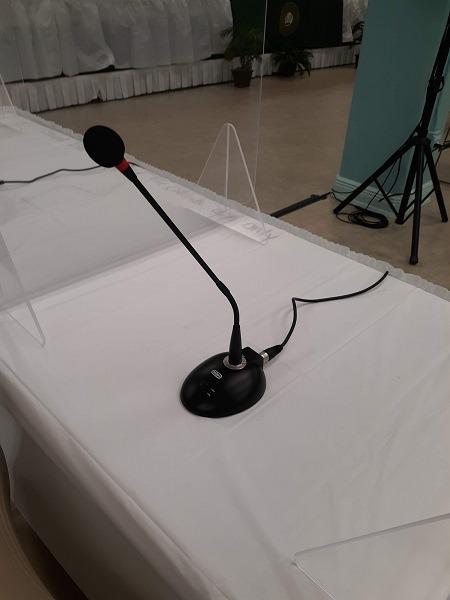
More than 200 customer reviews sitting at 4.4 stars makes this one of the most proven units in the roundup, and the reason it keeps coming back in paging setups. It is a condenser gooseneck with a cardioid polar pattern, a base with a switch right under the capsule, and a 16.1-inch long neck.
The switch is the feature that makes it work as a talkback position. Because it is on the base rather than on a wall panel, you can mute the channel by hand without taking your eyes off your monitors, which is the whole ergonomic argument for a desk paging mic.
Power is the flexible part. It runs on two AAA batteries, which keeps it usable with no console at all, or on standard 48V phantom power through the XLR when the base is connected. A 25-foot XLR cable and a female XLR to male 1/4-inch adapter come in the box, so most studios can patch it up immediately.
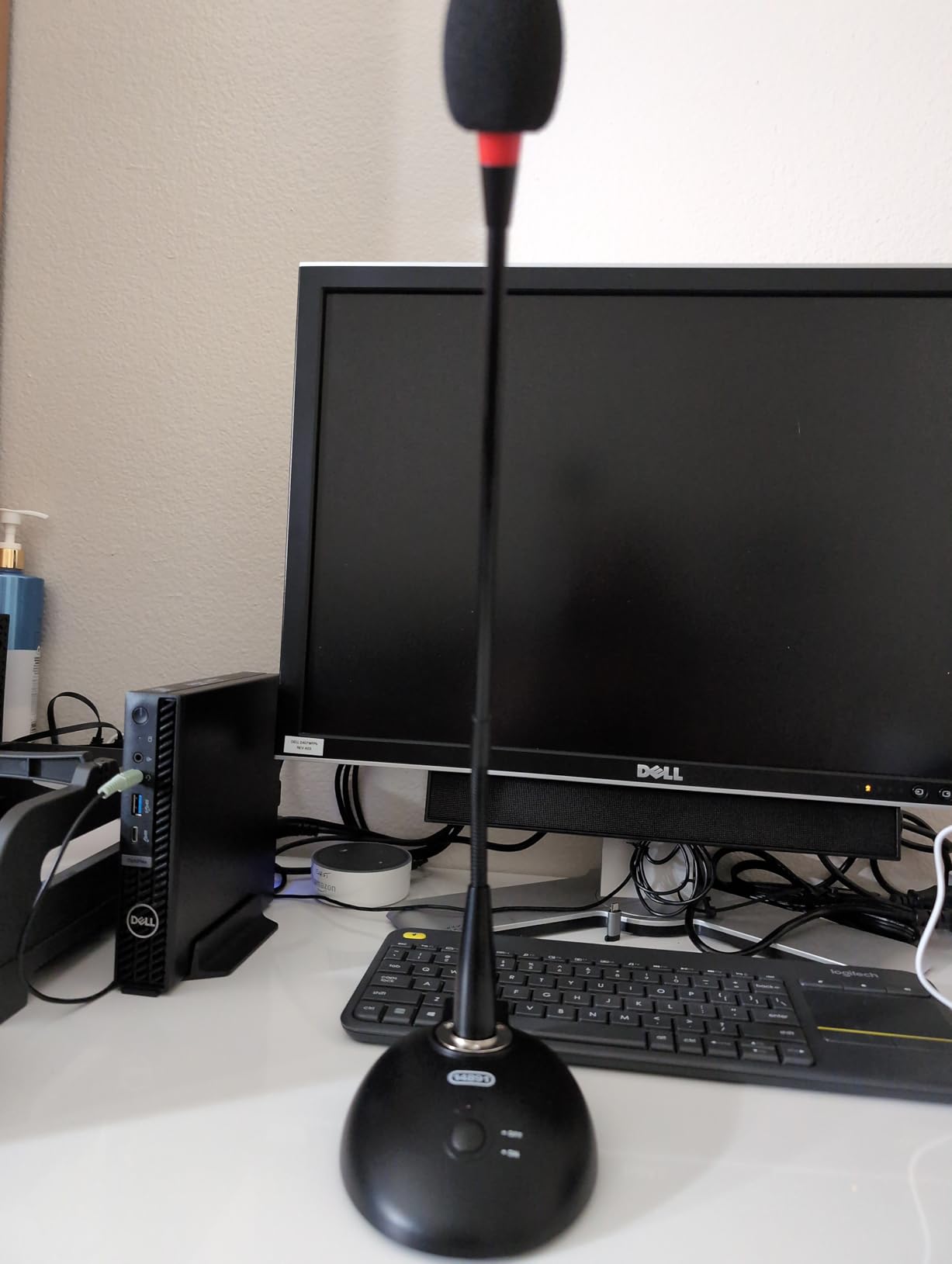
Cardioid pickup is the right shape for this job. It rejects sound arriving from the back of the mic, so it will not pick up the live room monitor speaker sitting behind it, which is the classic feedback trap in a control room.
It is also a soft-sided foam construction rather than a hard shell, which takes the edge off a rough operator voice. The item weight is 16 ounces and it is a 16.1-inch long gooseneck assembly, so it sits at mouth height for a seated engineer.
Where this mic suits a control room
Budget studios and project rooms that want a dedicated talkback path without spending on one. The included 25-foot cable means you can place the base wherever the console needs the input, and phantom power means no batteries to forget before a session.
It is a good fit for voiceover booths and podcast rooms too, where a quiet room plus a cardioid condenser is a solid combination and the switch makes hands-free operation easy.
Where it falls short
The switch is a simple latching on or off, not a momentary push-to-talk. That means when the channel is open, it stays open, and a cough or a bumped desk goes straight to the talent. The batteries are not included either, so a battery-only deployment needs a pack of AAAs before first use.
There is no illuminated switch state, so you are guessing by feel. And as a condenser, it needs phantom power or cells, which rules it out of any cue output that cannot supply either.
7. LyxPro XBM-8 – Heavy Desktop Base With a Silent Reed Switch
LyxPro XBM-8 XLR Gooseneck Microphone Desktop Base with On Off Switch
Weighted metal desktop base
Silent magnetic reed mute switch
Top female XLR locking ring
2-year warranty
Pros
- Heavy 2.5 pound base that will not tip or slide
- Silent magnetic reed on/off switch with no click
- Rear XLR output for mixers
- amps
- PA and paging
- Two-year manufacturer warranty
Cons
- Sold as a base only
- so a gooseneck mic is purchased separately
- Switch does not fully mute phantom-powered condenser goosenecks
- Some pop noise reported when switching
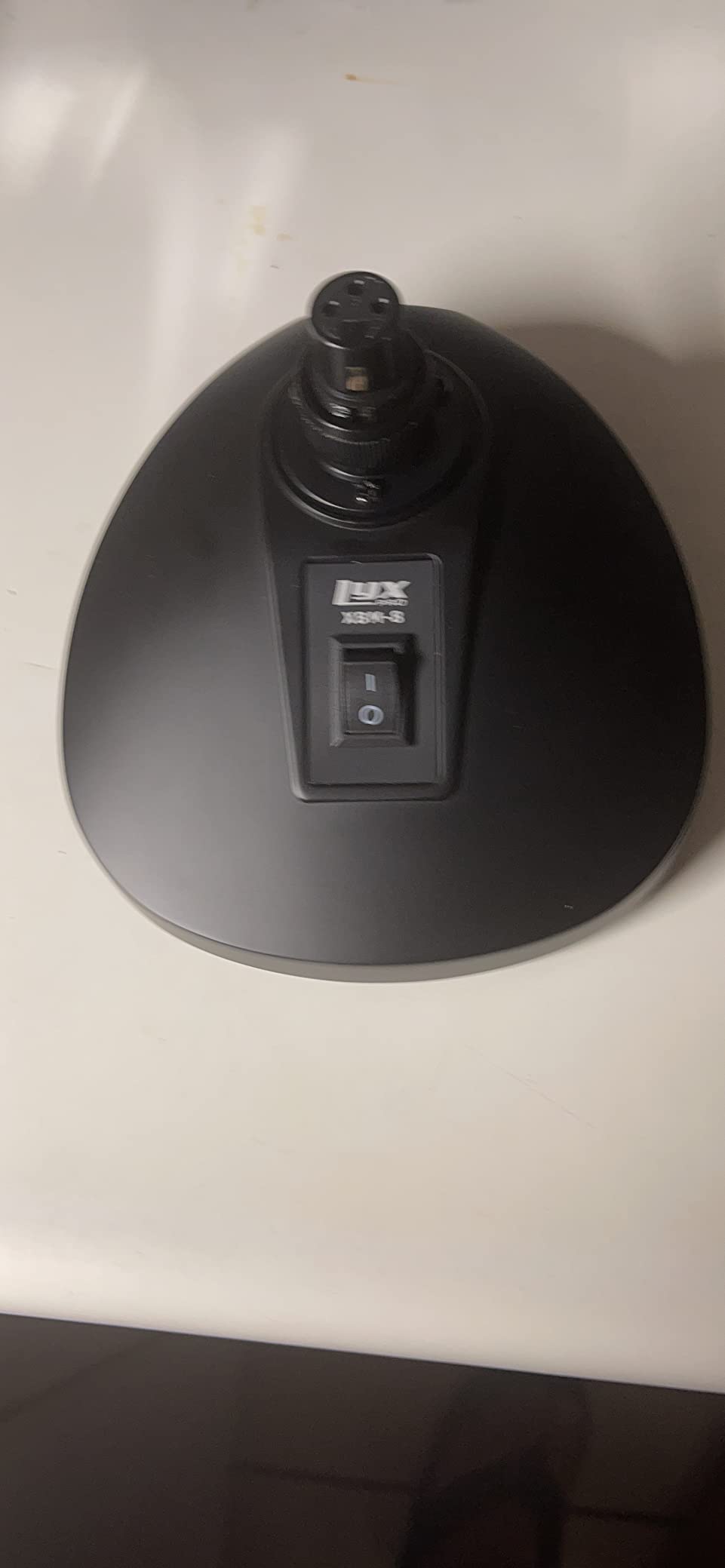
This is the most reviewed base in the roundup at 237 ratings, and for one specific reason: it does not move. The weighted metal construction and rubber non-slip bottom padding keep a gooseneck planted on a crowded desk, which is precisely the failure forum users complain about with cheaper stands.
The switch is a magnetic reed type, so there is no mechanical click in the audio path. On a talkback position, a switch click arrives in the performer’s headphones as a transient right before your voice does, and removing it makes the whole cue path feel more professional.
Signal routing is simple and conventional. A top female XLR connector with a locking ring takes a compatible speech microphone, and a rear audio output feeds mixers, amplifiers, PA and paging systems. It supports gooseneck microphones up to 5 pounds and 36 inches tall.
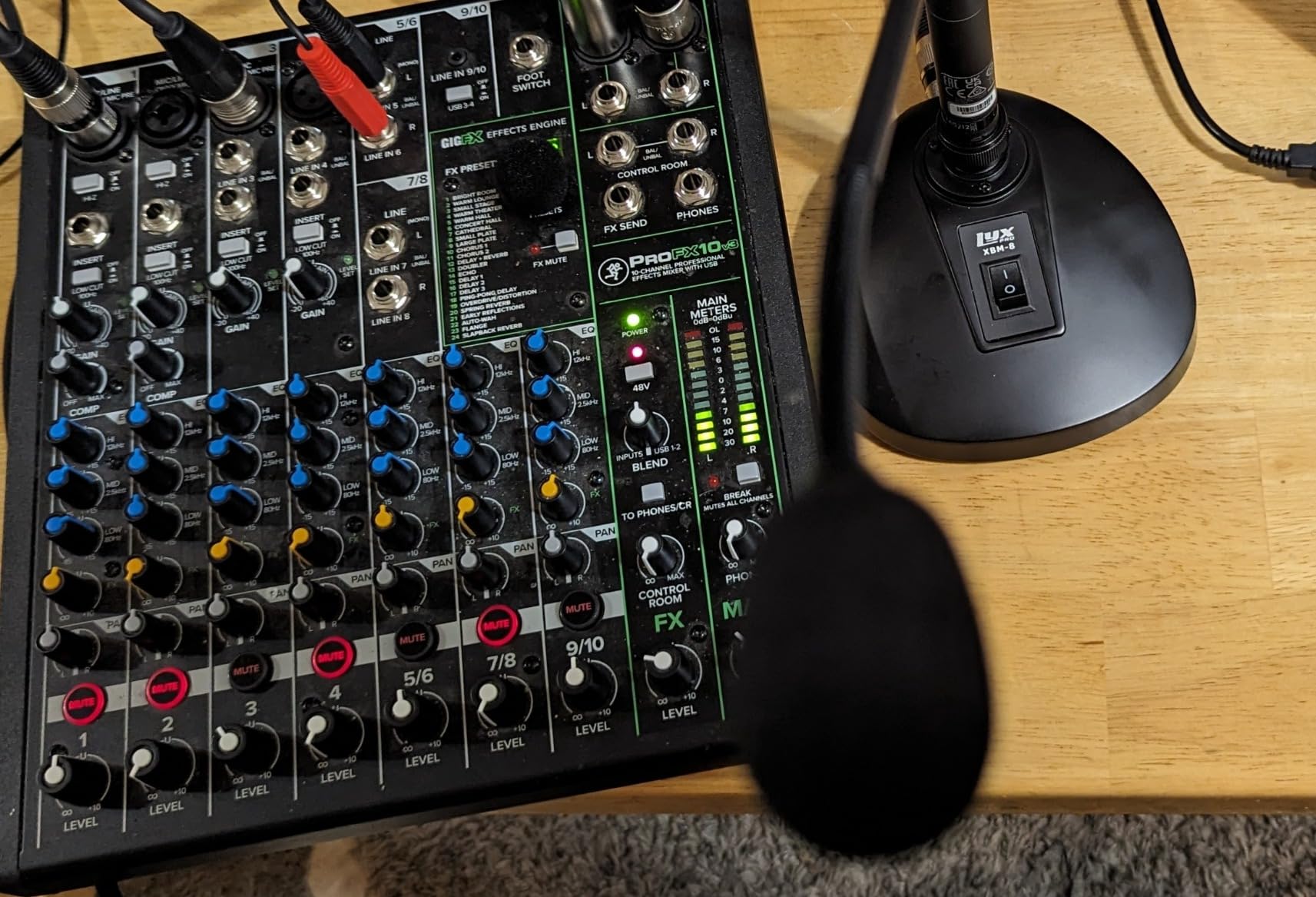
It carries a 2-year manufacturer warranty, matched only by the TOA at the end of this list. For a base that will sit in a room for a decade, that is not a trivial detail.
Think of it as the platform rather than a complete microphone. Pair it with an unpowered dynamic gooseneck and you have a talkback position that stays put, mutes silently, and patches to anything with an XLR input.
Why the base matters more than the capsule
A gooseneck that leans into a new position after someone brushes past the desk changes its off-axis rejection, which changes the level, which changes how the engineer pushes the fader. A 2.5 pound base with a rubber bottom removes that variable entirely, and it is the reason this unit leads the review count.
Owners also point out that it pairs with dynamic microphones, which need no power and will not introduce a click when switched.
Where it falls short
It is sold as a base only, so you are buying a second product to complete a talkback position. Budget accordingly when you compare it against the all-in-one units above.
Reviewers report the switch does not fully mute some phantom-powered condenser goosenecks, including the Shure MX418, and that there can be a small pop when switching. Pair it with a dynamic capsule and the problem disappears, which is the pairing we would choose for a studio cue bus anyway.
8. TOA PM-660U – Commercial Paging Mic With a Locking Lever
TOA Electronics PM-660U Desktop Paging Microphone, Unidirectional Dynamic Element, Push-to-Talk Switch with Locking Lever, 600 Ohm Balanced Output, Clear Voice Announcing, Communication Equipment
Desktop paging mic
Locking lever talk switch
600 ohm balanced output
Cardioid moving-coil capsule
Pros
- Locking lever allows hands-free continuous talking
- Large talk switch that is easy to hit
- 600 ohm balanced output for long cable runs
- Anti-vibration construction keeps handling noise low
Cons
- Hard-wired leads instead of a detachable XLR connector
- Dated gray housing with no lock indicator
- Only 12 customer reviews
The TOA is the most traditional paging microphone here, and in a live room or a large facility that tradition is a feature. It is built around a large talk switch with a locking lever, so an operator can press to speak once and keep talking through a whole announcement without holding the button.
The capsule is a unidirectional moving-coil cardioid element rated at 58 db audible noise, with a stated frequency response reaching 10 KHz. Moving-coil means dynamic, so it needs no power at all and will not feed back the way a small condenser can when a talkback monitor sits nearby.
Output is 600 ohm balanced, which is the impedance choice that survives long cable runs without picking up hum from studio lighting and dimmer circuits. Anti-vibration construction keeps handling noise down when the desk gets knocked.
Where the TOA belongs
Facilities rather than studios: large live rooms, rehearsal halls, community and church spaces, stadium boxes, and any control position where a single operator is issuing instructions all day. The 9.9 by 7.8 by 4.3-inch footprint is large but stable, and the 1.5-pound weight suits a fixed desk.
The zinc-plated steel head with an ABS resin housing is a build style that survives being handled roughly, and it carries a 2-year manufacturer warranty.
Where it falls short
The output is terminated in hard-wired leads rather than a detachable XLR connector. That is fine for a permanent install and a nuisance if you ever want to move the unit or service the cable.
There is no status indication on the locking lever, so the operator has to remember whether it is locked on. The gray housing also looks out of place on a modern dark control room desk, and with 12 customer reviews the field history is modest.
Condenser or Dynamic: Which One Talks Back Cleaner?
Every argument about talkback mics comes down to this. A condenser capsule such as the one in the Monoprice 114891 hears more detail and more of the room, and it needs phantom power or batteries to run. A dynamic capsule such as the Pure Resonance PTT1 or the YYO-TRONICS YTM-PA316 hears less, ignores more, and needs nothing at all.
For a cue bus in a live room with a talkback monitor, the dynamic wins on feedback margin. Feedback is a function of gain, and a dynamic that needs less preamp gain to reach the same level in the performer’s headphones simply has more headroom before the loop starts singing.
The condenser wins on presence. If your control room is quiet, your talent is a voiceover artist rather than a drummer, and your cue bus feeds headphones only, the extra clarity of a cardioid condenser is worth the power requirement.
Two practical notes. First, check whether your console cue output can supply 48V phantom power at all, because forum users on r/audioengineering report plenty of consoles whose talkback sends cannot. Second, condensers pick up room tone from the control room itself, and on a quiet set that tone becomes part of the cue.
How to Wire a Talkback Mic Without Bleeding Into the Recording
This is the part most talkback guides skip, and it is the question that comes up again and again on gearspace.com and r/audioengineering. The goal is simple: your voice reaches the talent and nothing else records it.
Patch the talkback mic into a spare input, not into a recording channel. If it enters a channel with a record arm, it will be on the take.
Route that input to the cue and talkback bus only, at a level you control independently of the mix fader. Artist headphone level should not move when the band gets louder.
Set the fader by talking at your normal working distance, not by leaning into the mic. Talkback position has to be right at rest, because nobody adjusts it once a take is rolling.
Check the polar pattern against your monitoring. A cardioid mic pointed at a talkback monitor behind you is a feedback loop waiting for a quiet passage.
Test at full playback level. Push the monitoring up to the highest level you will use during a loud band passage and talk for a full minute. If you hear any ringing, move the mic or the monitor before the session, not during it.
Add a talkback ducking or a limiter on the cue bus if the console offers one, so a slammed talkback level cannot spike the talent’s headphones.
If you want the door open only when you are speaking, a push-to-talk button is the mechanism for it. The VEC GN-USB-PT, the Pure Resonance PTT1 and the TOA PM-660U all give you a physical control that you can leave closed between instructions.
How to Choose a Talkback Microphone
Polar pattern first. Unidirectional or cardioid is the requirement for a control room. A bidirectional pickup such as the one in the Wet Sounds WS-TB-MIC will collect room sound and the talkback monitor behind it.
Mounting. A weighted desktop base stays put on a crowded desk. The LyxPro XBM-8 is a base, the Pure Resonance PTT1 and Monoprice 114891 are complete desk units, and the Phenyx Pro PTI-2 removes the mounting decision entirely by being handheld and wireless.
Switch type. Momentary push-to-talk prevents accidental open channels. A locking switch is faster during a long run of cues. An illuminated switch tells you the state without looking down, which matters more than people expect.
Power requirements. Dynamic and unpowered means zero setup. Battery means cells to forget. Phantom power means a console input that can supply it. USB means a computer or a mixer with a USB input.
Build and warranty. Metal housings and die-cast stands survive a crowded desk better than light foam shells. The LyxPro XBM-8 carries a 2-year warranty and the TOA PM-660U is warranted for 2 years, while the VEC unit is covered for 3 months.
One last piece of scope-setting. There is no holy grail microphone for talkback, because the category is a niche where clarity and feedback immunity matter far more than tonal beauty. Gearspace and r/audioengineering threads gravitate to classic studio dynamics for general-purpose use, but a 58 dB paging capsule and a wide-range condenser both do the job if they are quiet enough and stay where you put them.
Frequently Asked Questions
What is a talkback microphone?
A talkback microphone is a dedicated microphone, usually mounted on a desk, console, or headset, that lets an engineer or producer speak to performers in the live room or to remote talent without leaving the listening position. It feeds a cue or talkback bus rather than the recording inputs, so the engineer’s voice reaches the performers’ headphones or the live room PA at a level set independently of the mix.
What is the best microphone for talkback?
For most studios we tested, the Phenyx Pro PTI-2 is the best talkback microphone, because its talkback button mutes the main outputs and routes audio exclusively to the monitor output for a private conversation. If you want a fixed desk position instead, the Pure Resonance Audio PTT1 offers both momentary and locking talk modes on a die-cast stand, and the Monoprice 114891 is the proven budget option.
What is the best gooseneck microphone?
It depends on how you connect. The LyxPro XBM-8 is the most reviewed gooseneck base here, with a weighted 2.5 pound body and a silent magnetic reed switch, but you supply the capsule. The Pure Resonance Audio PTT1 is a complete unidirectional dynamic desk unit with XLR output. The VEC GN-USB-PT goes straight into USB, and the Y YO-TRONICS YTM-PA316 gives you wired XLR push-to-talk for a fixed install.
What microphone do professional studios use?
Professional studios usually reach for a unidirectional dynamic capsule on a stable desk base, because dynamics need no phantom power and have more gain headroom before feedback begins. Classic studio dynamics such as the Beyerdynamic M201 and Sennheiser MD 421 come up constantly in engineer discussions, while installed rooms tend toward commercial paging units like the TOA PM-660U. The determining factors are feedback margin, switch type, and whether the base stays put.
Why is my talkback mic humming?
A hum on a talkback channel is nearly always a ground loop, a power supply sitting too close to the signal path, or a cable running next to dimmer and lighting circuits. Try a balanced connection first, since the Monoprice 114891, Pure Resonance PTT1 and YYO-TRONICS YTM-PA316 all use balanced XLR. Moving the power supply and running a short cable from the base usually clears it. Battery-powered units add hiss of their own in a quiet room.
The Best Talkback Microphone for Studios
The Phenyx Pro PTI-2 takes our final verdict on the best talkback microphones for studios in 2026, because a talkback function that actually routes to the monitor output solves the problem better than anything on a desk. For a fixed position, the Pure Resonance Audio PTT1 handles talk modes best, the LyxPro XBM-8 stays put better than anything else we tested, and the Monoprice 114891 is the safest budget buy.
Whatever you pick, patch it to the cue bus, not to a recording channel, and test it at full monitoring level before the band plays. That thirty seconds of setup is the difference between a talkback system and a feedback loop.