
Logic Pro will happily open a project recorded through almost any audio interface. The difference between a good one and a great one is not whether Logic plays the file back, it is how the sound behaves while you are still performing. A clean preamp, tight monitoring and a driver that stays locked to the Mac decides whether your take feels live or feels like a rehearsal.
That is why the best audio interfaces for Logic Pro in 2026 are not simply the ones with the longest spec sheet. They are the ones where the analog-to-digital conversion stays quiet, the headphone monitor tracks your playing without lag, and the Core Audio path keeps running without dropping out after a macOS update. I have gone through twelve of them with the same question in mind: what does this box actually do to my session, take after take.
Everything below is written for Mac users, and most of it applies specifically inside Logic rather than in general DAW terms. You will find the usual spec breakdowns, but also the parts competitors skip: how buffer size changes what you hear, when to reach for Audio MIDI Setup, what an Aggregate Device actually does for you, and which of these boxes are class-compliant enough that macOS never asks you to think about drivers at all.
All twelve units here sit in the 24-bit recording range, and all twelve reach your Mac over a plain USB connection rather than a card or a proprietary box. Where a product ships a separate control app, I note it. Where it does not, that is worth knowing before you buy.
Table of Contents
Which Audio Interface Works Best with Logic Pro?
The interface that works best with Logic Pro is the one whose drivers stay stable on your Mac, whose preamps have enough headroom for your microphones, and whose monitoring path is tight enough that you can play along without fighting the delay. In practice, the Focusrite Scarlett Solo 4th Gen is the safest all-round answer for most people, the MOTU M2 adds hardware monitoring and a full 192 kHz ceiling at the same size, and the Audient iD14 MKII brings two Class-A preamps plus four inputs. If you record bigger sessions, step up to a six-channel or twelve-channel unit rather than buying a better-sounding two-channel box.
Top 3 Audio Interfaces for Logic Pro (September 2026)
These three cover the majority of Logic sessions on Mac right now. Each one has a specific reason to be on this list rather than a generic claim of quality.

Focusrite Scarlett Solo 4th Gen
- 120 dB dynamic range
- 24-bit/192 kHz
- One XLR preamp and Hi-Z input

All 12 Picks: Best Audio Interfaces for Logic Pro in 2026
The table below is the short version. Each row lists the interface and the handful of specs that actually change what you hear in a Logic session, from preamp count to converter resolution to monitoring options.
| Product | Specs | Action |
|---|---|---|
| Focusrite Scarlett Solo 4th Gen |
|
Check Latest Price |
 MOTU M2 MOTU M2 |
|
Check Latest Price |
| Audient iD14 MKII |
|
Check Latest Price |
 Universal Audio Volt 2 Universal Audio Volt 2 |
|
Check Latest Price |
 Solid State Logic SSL 2 MKII Plus Solid State Logic SSL 2 MKII Plus |
|
Check Latest Price |
 MOTU M4 MOTU M4 |
|
Check Latest Price |
 Audient iD4 MKII Audient iD4 MKII |
|
Check Latest Price |
 Behringer UMC404HD Behringer UMC404HD |
|
Check Latest Price |
 PreSonus ioStation 24c PreSonus ioStation 24c |
|
Check Latest Price |
 Solid State Logic SSL 12 Solid State Logic SSL 12 |
|
Check Latest Price |
 MOTU M6 MOTU M6 |
|
Check Latest Price |
 Behringer UMC22 Behringer UMC22 |
|
Check Latest Price |
1. Focusrite Scarlett Solo 4th Gen: The Best Overall Pick for Logic Pro
Focusrite Scarlett Solo 4th Gen USB-C Audio Interface
24-bit/192 kHz
120 dB dynamic range
1 XLR preamp plus Hi-Z input
Pros
- 120 dB dynamic range from Focusrite flagship converters
- Air mode adds presence and harmonic drive
- One XLR preamp and one Hi-Z input covers singer-songwriter work
- Bundled Pro Tools Intro+ Ableton Live Lite and Cubase LE
- Works with Mac Windows and iPad
Cons
- Single mic preamp means no stereo mic recording without an external preamp
- Only two channels of I/O for small projects
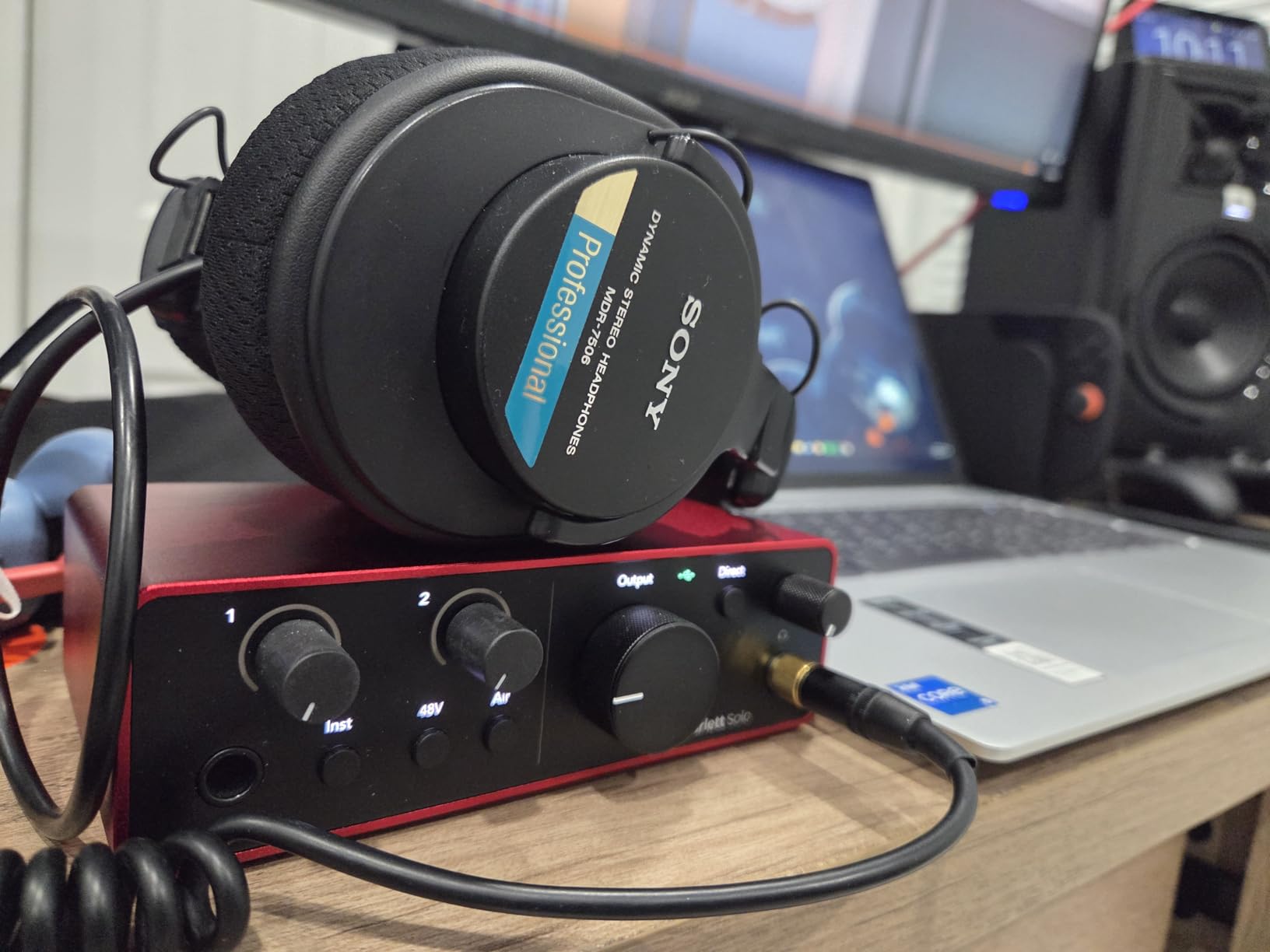
I keep coming back to the Scarlett Solo because it does the least and does it cleanly. One XLR preamp, one instrument input, 24-bit/192 kHz converters with 120 dB of dynamic range, and a chassis small enough to sit beside a laptop. For a Logic user writing songs with a condenser mic and a guitar, that is the whole signal chain.
The converters are the reason it punches above its size. Focusrite puts the same conversion quality in here that it uses on its flagship units, which means the noise floor sits far enough below your vocals that Logic’s noise gate and compressor behave the way you expect rather than pumping on every breath.
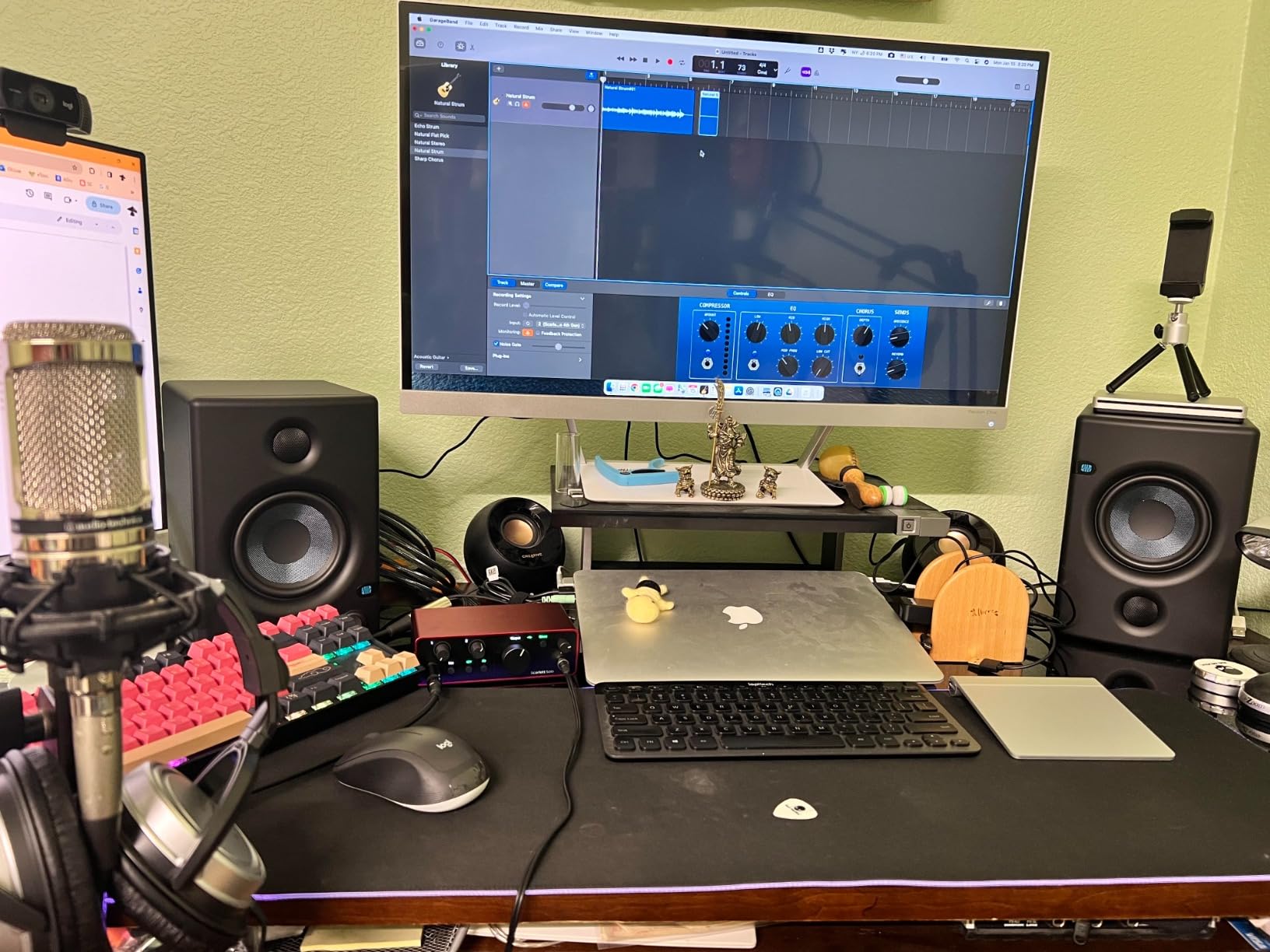
Air mode is the feature I use most. It is a single button on the front panel that shifts the input stage, adding upper-mid presence and a gentle harmonic edge to vocals and clean guitar. On a Logic track with a lot of compression already, that is often all the character a take needs before you reach for a plug-in.
The 192 kHz ceiling is worth noting even though most Logic sessions run at 48 kHz. Being able to open a project at a higher rate for capture and bounce it down later gives you real options when you are comping a vocal or re-amping.
How it behaves in a Logic session
Connect it, open Audio MIDI Setup, pick the Scarlett Solo, and Logic sees a two-in, two-out Core Audio device. The monitoring path is direct enough that tracking a vocal feels immediate at moderate buffer sizes, and the front-panel gain knob gives you a physical reference for level that the software meters do not quite match.
Because the input count is fixed at two, this is a one-person-at-a-time box. Track your vocal, then track your guitar, then move on. That is how most Logic projects are actually built, and it is why this interface suits so many people.
Where it falls short
A single preamp rules out the stereo microphone techniques that acoustic guitar players and drum overheads depend on. If you plan to record a stereo pair on day one, you will need an external preamp or a different interface.
Two channels of I/O also caps your workflow at one source plus one DI box at a time. When you outgrow that, the natural next step is a four-channel unit rather than buying a second Solo, and we get into exactly when that moment arrives further down.
2. MOTU M2: The Best Value Two-Channel Interface
MOTU M2 USB-C Audio Interface
2-in/2-out USB-C
Hardware monitoring
24-bit/192 kHz
Bus powered
Pros
- Two preamps with instrument inputs in a compact USB-C box
- Hardware monitoring for direct low-latency tracking
- 24-bit/192 kHz converters
- 6+ GB of free music content included
- Bus powered for a tidy portable desktop
Cons
- Only two channels in and two out limits larger sessions
- No MIDI I/O on this model
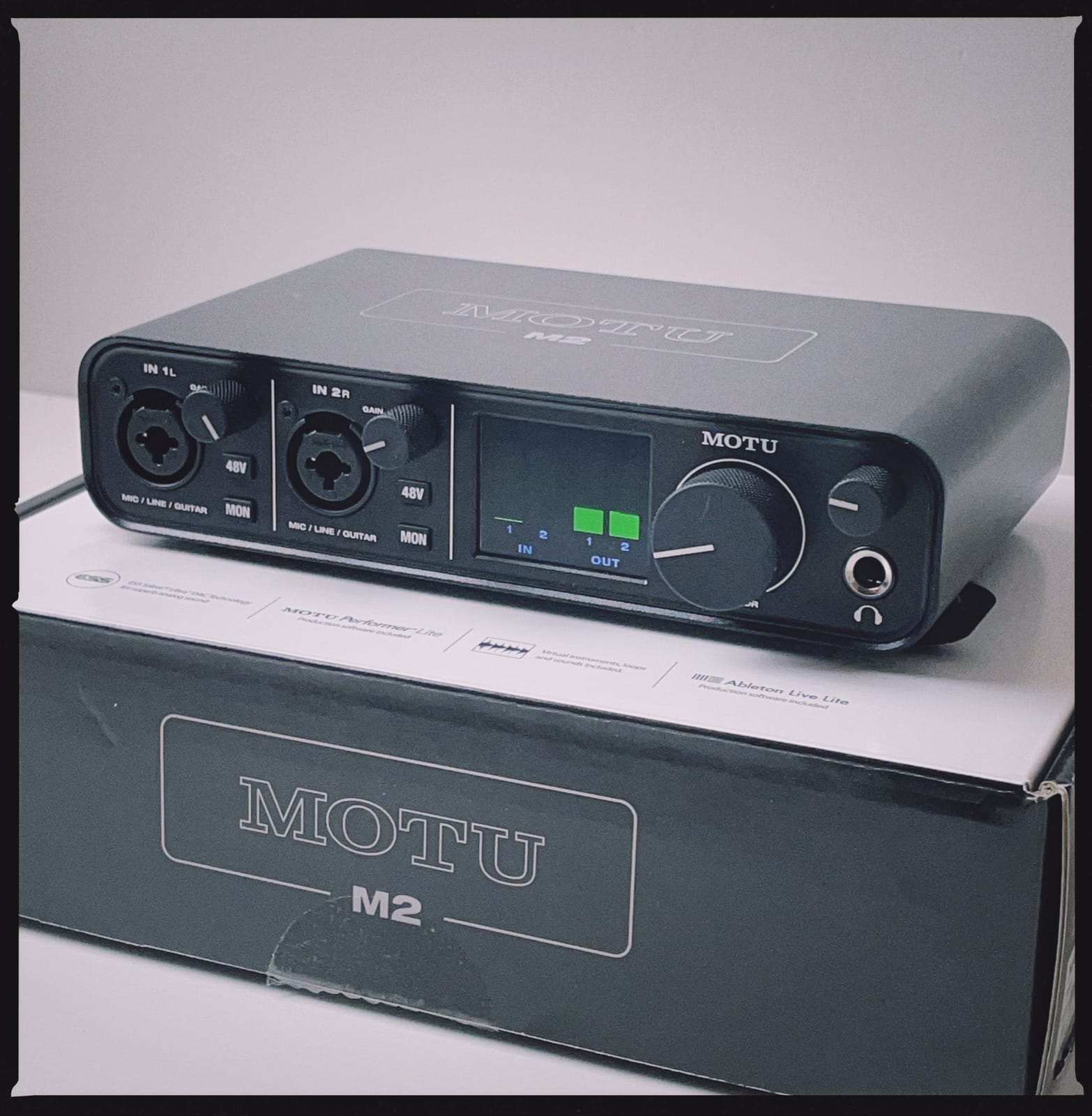
The MOTU M2 is the interface I recommend to people who already know they will outgrow two channels in a year but want a good one now. The hardware is a proper desktop box with two preamps, instrument inputs on the back, and hardware monitoring that bypasses the software path entirely.
That hardware monitoring matters more on a Mac than people expect. When you flip to direct monitoring, the signal going to your headphones never passes through the buffer, so the latency you hear is electrical rather than digital. On a fast Mac in Logic that difference is the difference between playing along comfortably and drifting behind your own take.
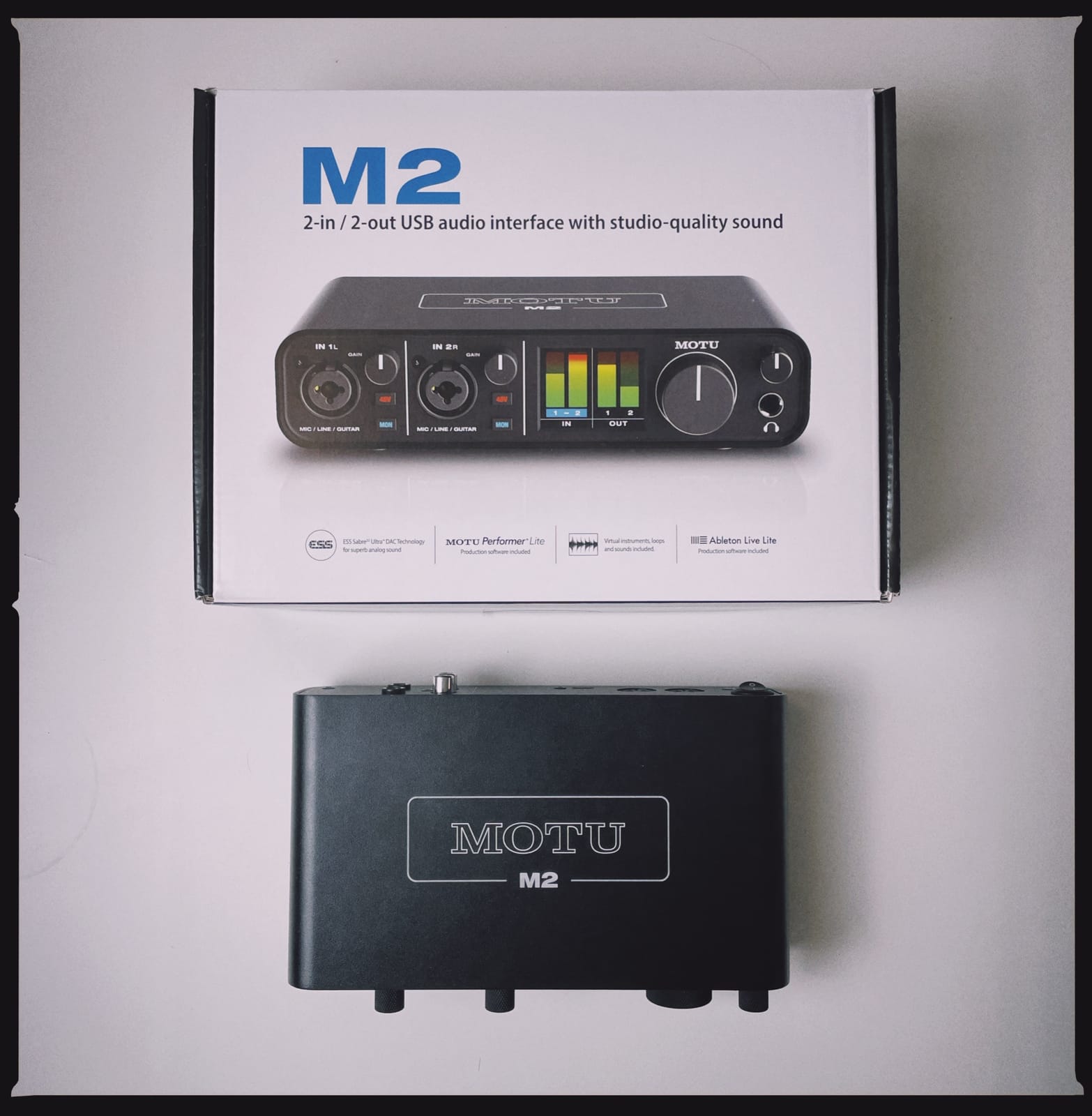
Converters run to 24-bit/192 kHz, so the resolution matches the Scarlett Solo, and the preamp takes a useful amount of gain before the noise floor becomes part of the recording. That matters with ribbon microphones and quiet condensers, which is exactly the pair of mics people buy an interface like this for.
The bundled music content is a genuine bonus rather than a checkbox. It loads as ordinary plug-ins and instruments, so it is usable inside Logic even if you never touch the DAW that came with it.
Why it suits a Logic workflow
The M2 shows up as a plain Core Audio device with no separate control app required, which makes setup close to frictionless. Plug it in, select it in Audio MIDI Setup, choose your input and output, and set the buffer size in Logic’s Audio menu to match your tracking needs.
At 24-bit/192 kHz you have the resolution headroom to record quiet sources without pushing gain, then let Logic’s Audio FX and compressor do the level work later. Gain staging stays clean, and the recorded file has real headroom in it.
Where it falls short
Two inputs and two outputs is the ceiling. The moment you want to record a vocalist and a guitarist at the same time with a DI box, you are out of channels, and there is no ADAT input on this model to expand.
There is also no MIDI I/O, so a keyboard controller needs to connect to the Mac directly. That is a cable rather than a cost, but it is one more thing to keep straight in a small setup.
3. Audient iD14 MKII: Two Class-A Preamps and ADAT Expansion
Audient Audio Interface iD14 MKII, 2 Class-A Microphone Preamps (High Performance USB Audio Interface, USB-C Connector, Monitor Mix and Monitor Panning Function, 2 Headphone Outputs), Black
Two Class-A preamps
ADAT optical input
Two headphone outputs
96 kHz max
Pros
- Two Class-A console preamps deliver very quiet transparent capture
- Drives high-impedance headphones such as the Sennheiser HD650 with headroom
- ADAT optical input adds eight more channels
- Two headphone outputs let a second artist record with their own pair
- Stable USB-C driver performance on Mac and Windows
Cons
- Loses USB connection when the host sleeps with no power switch to force a reconnection
- Audient software control is less intuitive than it could be
- 96 kHz maximum sample rate
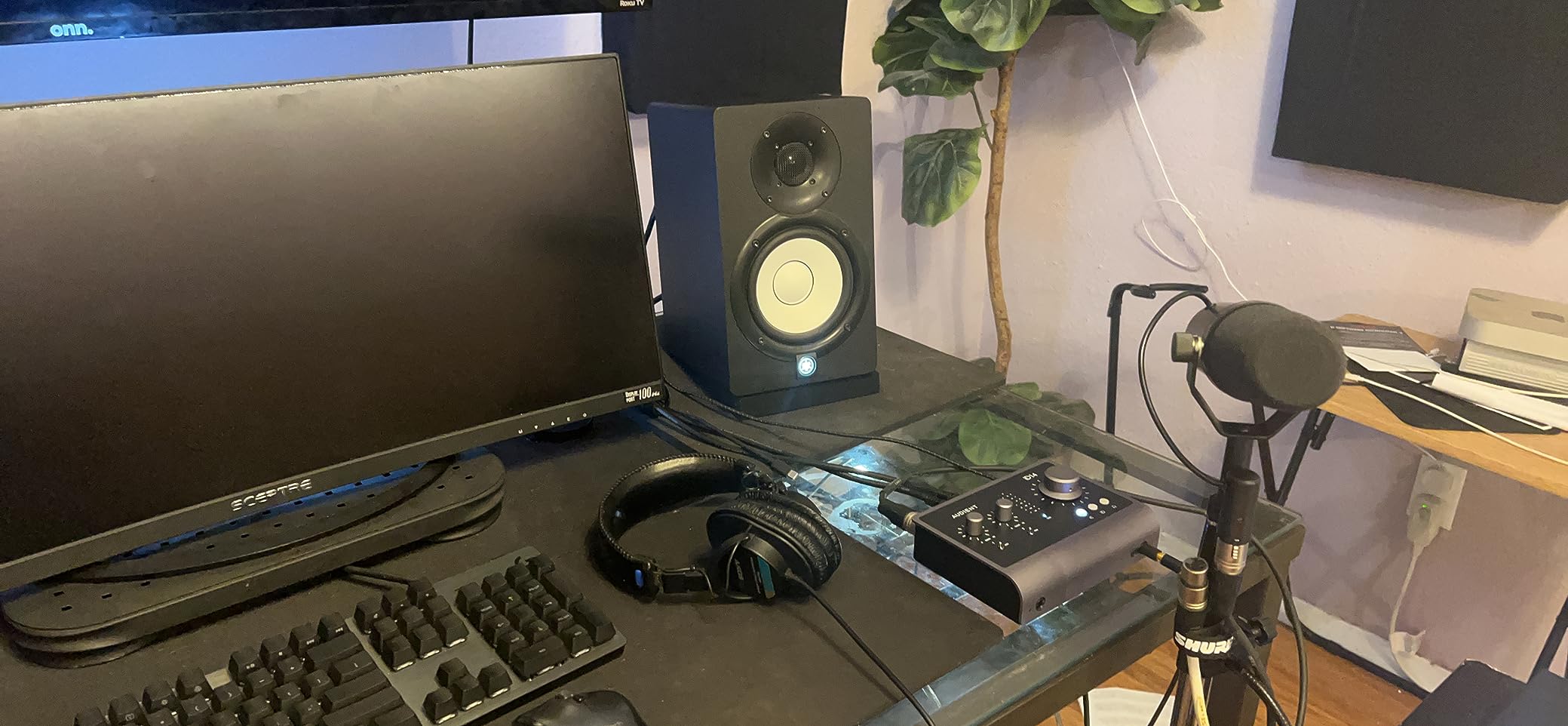
The iD14 MKII uses Audient’s ASP8024 HE Class-A preamp circuit, which is pulled from the company’s high-end console designs. In practice that shows up as a preamp you can push harder before the noise floor becomes part of the recording, which is the whole point of a Class-A stage.
It is also the first interface on this list with four inputs, two of them mic preamps. That means you can put a vocalist and a guitarist in at the same time, or track a DI bass alongside a mic’d amp, without needing anything else in the chain.
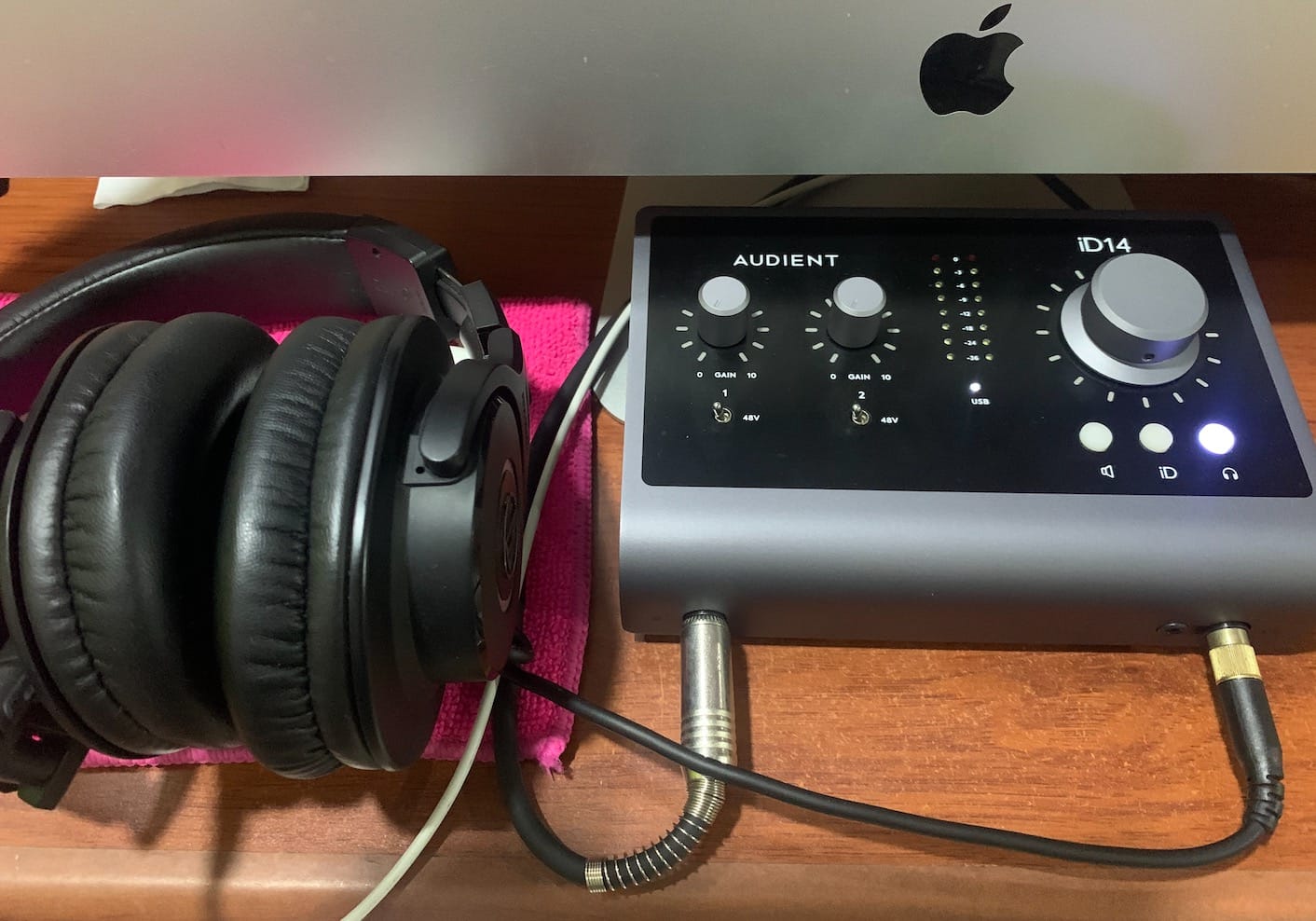
The headphone output is the quiet sleeper here. Owners of high-impedance studio headphones consistently single it out for the way it drives demanding cans with volume to spare, which is a differentiator when you are tracking through closed-back monitors at low volume.
The ADAT optical input is the feature that makes this box future-proof. Plug in an eight-channel ADAT converter and the iD14 turns into a twelve-input system, which is how most home studios end up tracking drums or a full band without replacing the interface they already own.
What this means for a quiet vocal chain
Low self-noise is the practical benefit. In Logic, a quiet preamp means your noise gate opens cleanly, your compressor ratio behaves predictably, and you can use a high-pass filter without wondering whether you are cutting into hiss rather than rumble.
With 96 kHz as the maximum sample rate, you cannot capture at 192 kHz. For most Logic projects that is not a limitation, since the overwhelming majority of sessions are built at 44.1 or 48 kHz, but it does remove an option you have on the SSL and MOTU units here.
Where it falls short
The most repeated complaint from owners is losing USB communication with the computer after the host goes to sleep, and there is no power switch on the unit to force a clean reconnection. If your Mac sleeps between sessions, you will be reaching for the cable more often than you would like.
Audient’s desktop control software is also the least intuitive of the group. Monitor mix and panning are useful once you understand them, but the learning curve is real compared with MOTU’s interface or a hardware-only box.
4. Universal Audio Volt 2: UA 610 Tube Color and UAD Plug-ins
Universal Audio Volt 2 USB Audio Interface
UA 610 preamp emulation
24-bit/192 kHz
LUNA and UAD plug-ins included
Pros
- Vintage mode emulates the classic UA 610 tube preamp for a warm tone
- 24-bit/192 kHz converters capture fine detail
- Bundles LUNA recording software and UAD plug-ins
- Works with MacOS Windows iPad and iPhone
- Bus powered and compact
Cons
- Mobile iOS use requires an external power supply and a Lightning to USB Camera Adapter
- Only two channels of I/O
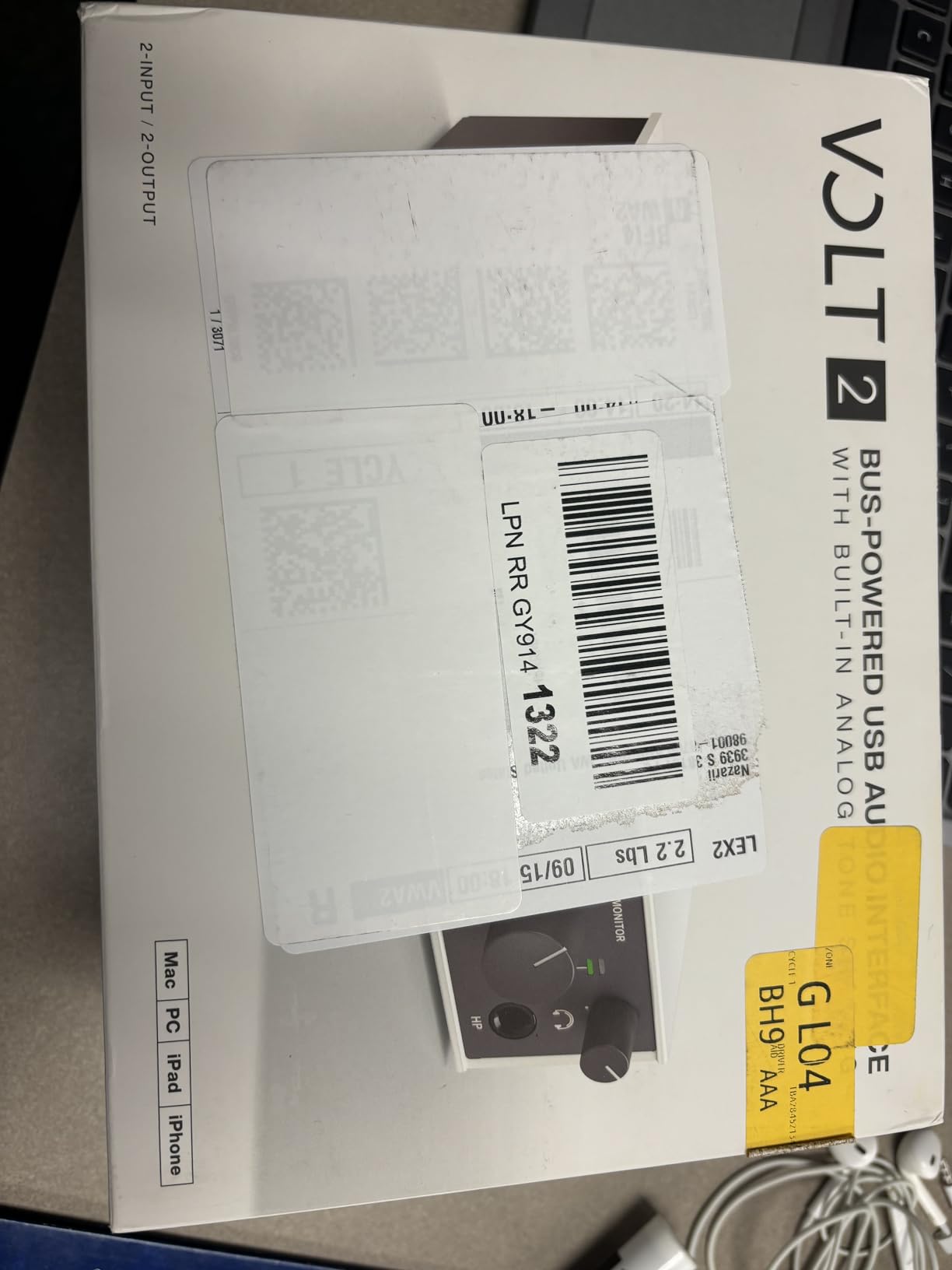
Everything else in this list converts audio accurately. The Volt 2 converts it accurately and then offers to make it sound like it passed through a piece of hardware from 1964. Vintage mode emulates Universal Audio’s 610 tube preamp, adding harmonic density and a softer top end that many vocalists find immediately flattering.
In Logic, that character is a starting point rather than an effect. A vocal tracked through Vintage mode arrives in your session with more density and less brittle high end, which often means less compression and fewer corrective plug-ins downstream.
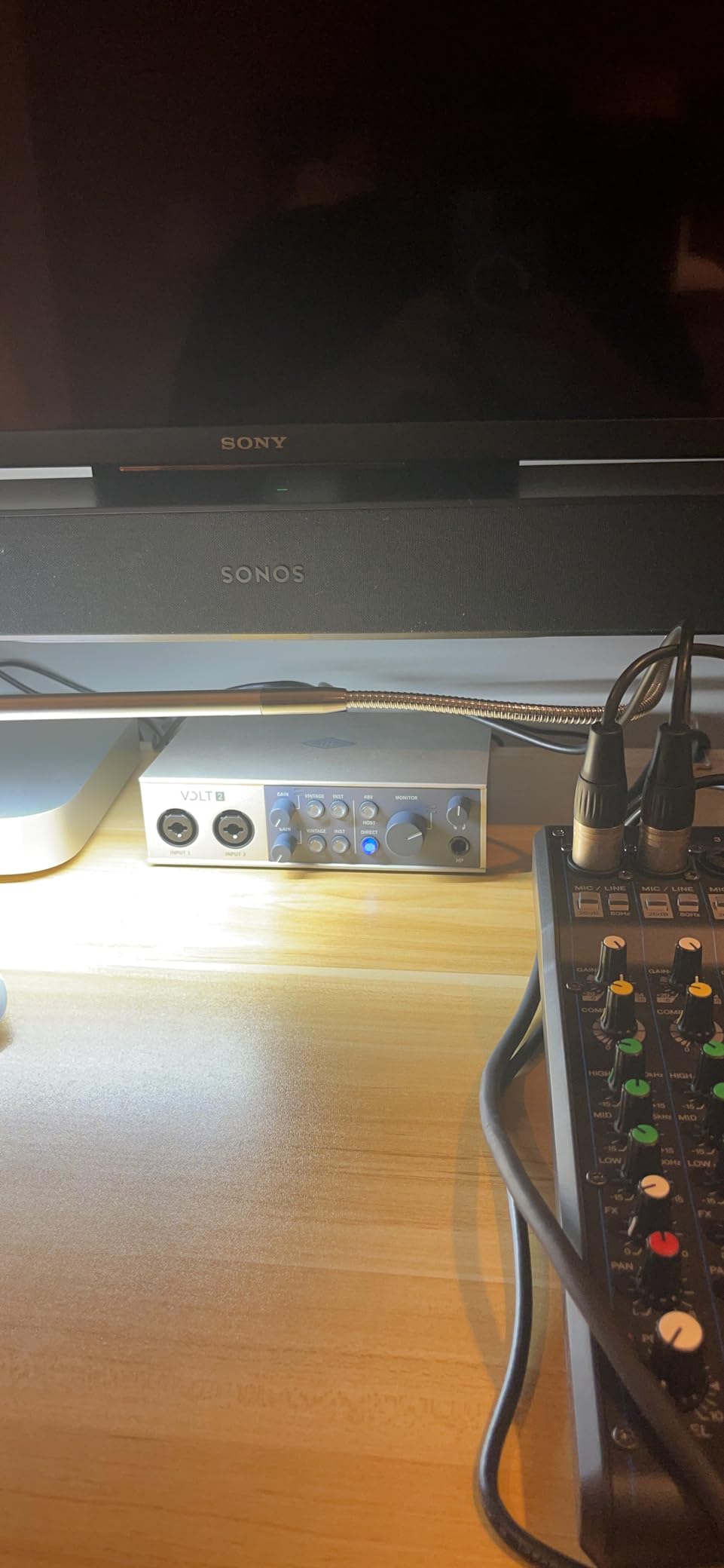
The converters run to 24-bit/192 kHz, so the resolution is not the compromise here. The two-channel limit is, and there is no ADAT input to add more, so this is a tracking one-source-at-a-time interface with a voice all its own.
The software bundle is the quiet headline. LUNA and the UAD plug-ins that ship with the interface are professional tools, and they load into Logic as Audio Units without a wrapper. That is unusual at this tier and gives you a usable channel strip before you buy anything else.
When the 610 emulation is worth reaching for
Reach for Vintage mode on vocals, on clean electric guitar, and on anything you plan to compress heavily. It flattens the top end and adds body, so your compressor has less extreme work to do to sound smooth.
Leave it off on acoustic instruments where you want to capture the room as it is, and on anything that already carries a lot of harmonic content, like a tube amp DI. Doubling up on color leaves you with less headroom and a muddier result.
Where it falls short
Two channels only, and no digital input for expansion. If you are already sure you will record two sources at once, the Audient iD14 or MOTU M4 gives you the extra inputs at a similar tier.
The mobile story is weaker than the box suggests. Running it on an iPad or iPhone means finding external power and a Lightning to USB Camera Adapter, which is a chain of things to carry that a desktop interface never asks of you.
5. SSL 2 MKII Plus: 32-Bit Converters and the Legacy 4K Voice
Solid State Logic 2 MKII Plus USB-C Audio Interface 2×4
32-bit/192 kHz converters
Legacy 4K analog voice
2-in/4-out
Bus powered
Pros
- Highest average rating in the set at 4.7 with 86% five-star reviews
- 32-bit/192 kHz converters with the SSL 4K voice for a warmer tone
- Four line outputs drive two monitor pairs without an extra box
- Two discrete headphone outputs and MIDI I/O on 5-pin DIN
- Bus powered so it needs only a USB-C cable
Cons
- 2x4 channel count suits small projects rather than full band tracking
- Bundled SSL Production Pack is limited compared with bundled full DAWs
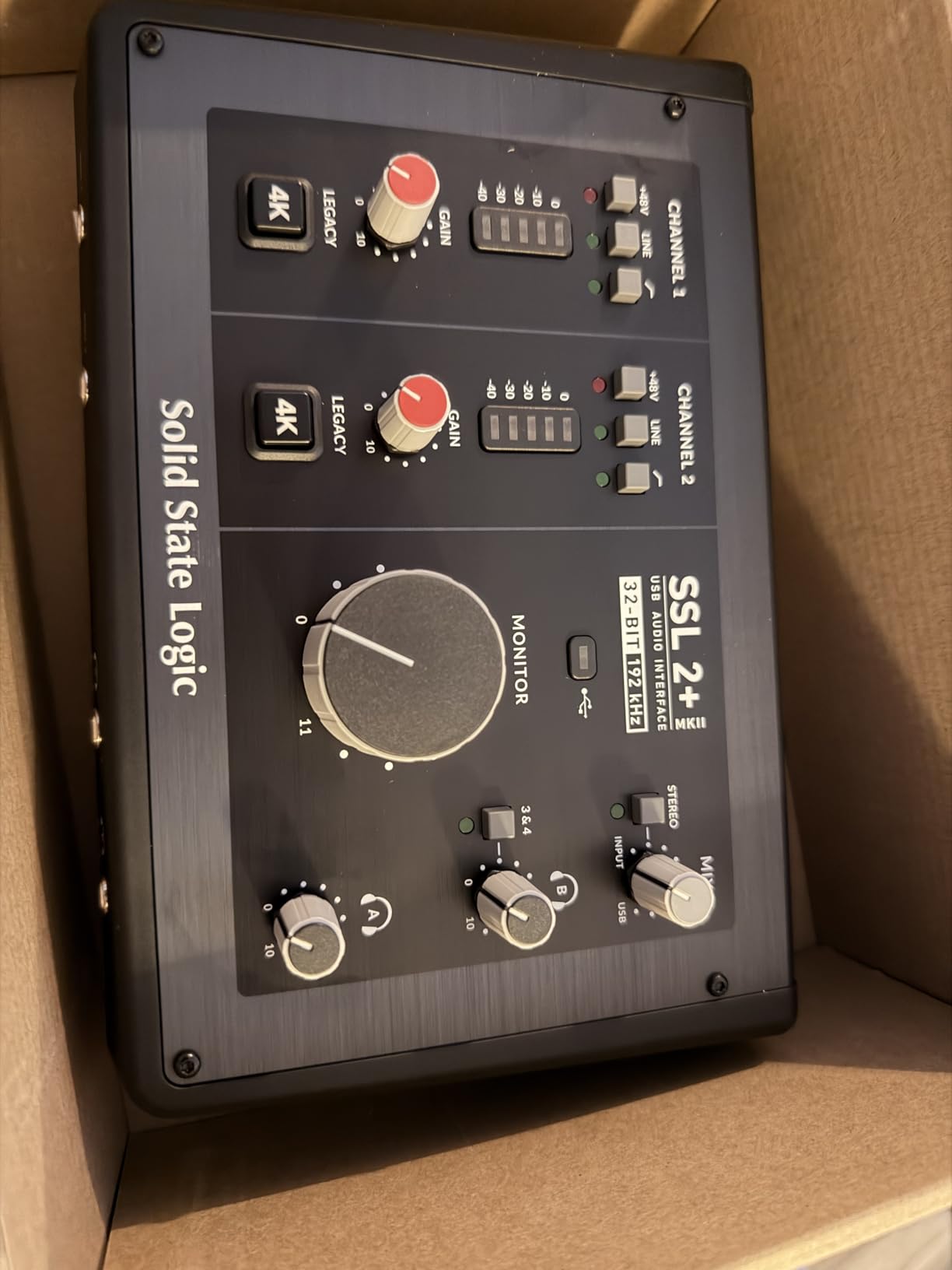
The SSL 2 MKII Plus is the highest-rated interface in this group at 4.7 across 173 reviews, and the reasons owners give are consistent. Two XLR preamps, two line or Hi-Z inputs, 32-bit/192 kHz converters, and an analog voice that leans toward the SSL console character rather than pure neutrality.
That 4K voice is a channel-strip color option, not a global switch, so you decide per track whether a mic or an instrument gets the thicker treatment. In Logic that maps neatly onto input inserts, where you can put a specific channel on 4K while the rest of your session stays clean.
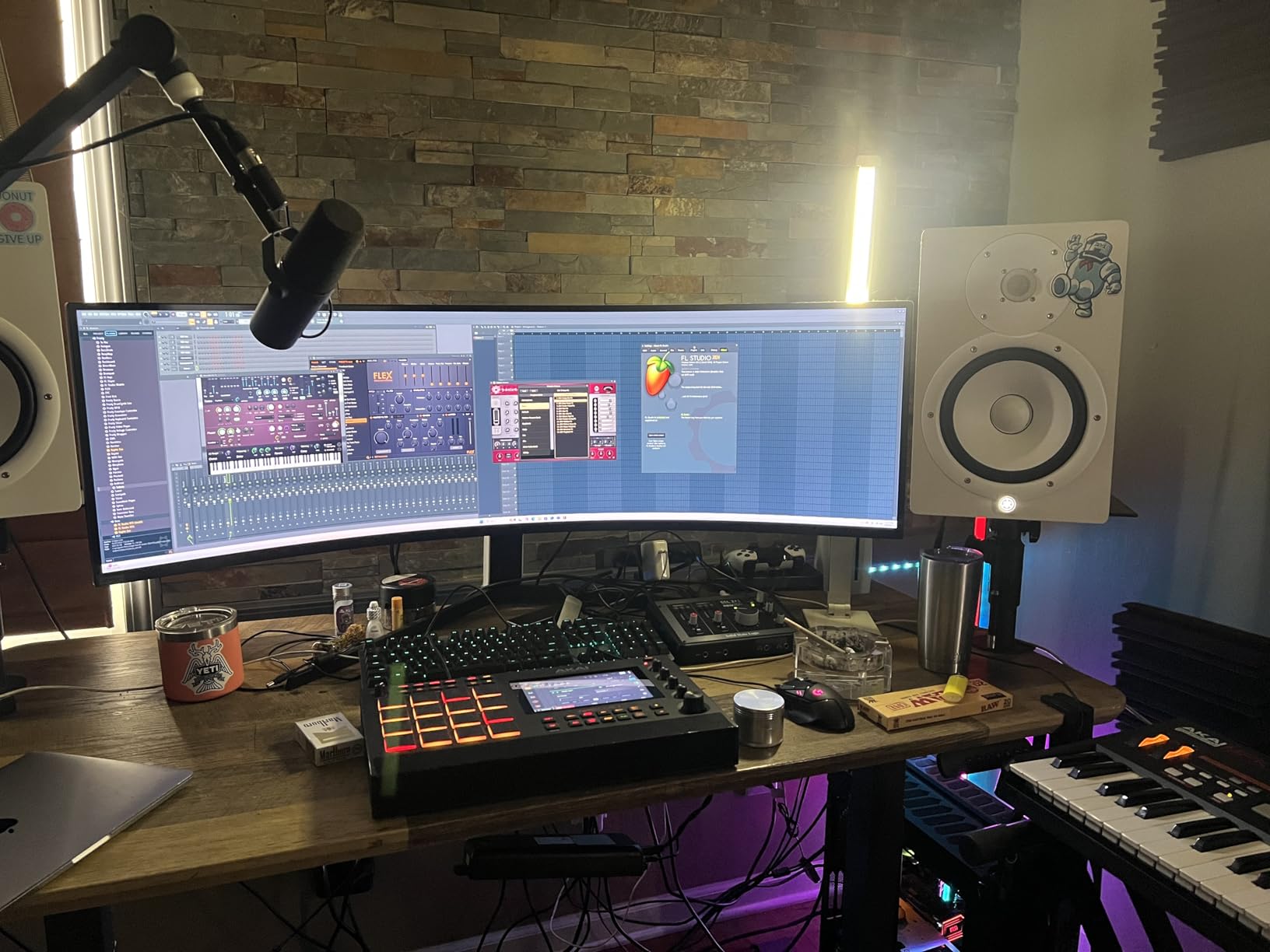
The four line outputs are the feature most people underrate. With two stereo pairs of outputs you can run your nearfields and your secondary reference monitors from one box, plus a headphone amp for tracking, with no extra hardware and no monitor controller.
It is bus powered over USB-C, so a MacBook setup is one cable and one power supply, or none at all. That makes it a good match for a laptop-based mobile rig where the Scarlett Solo and the UMC22 feel too small to operate.
How 32-bit conversion helps a Logic session
Recording at 32-bit float gives you a large amount of headroom before a take clips in the digital domain, which means you can record hot, back the gain off for comfort, and recover the quiet tail of the performance without fighting a distorted file.
That headroom is especially useful on quiet sources like ribbon microphones and distant ambience, where the natural level sits low and you would otherwise keep the preamp gain high and bring noise along for the ride.
Where it falls short
At two inputs and four outputs, this is a small-session interface. It will not record a drum kit with overheads, and there is no ADAT input here, so expanding means a different unit rather than adding one.
The bundled SSL Production Pack is thinner than the DAW bundles on the MOTU and PreSonus units. If you were counting on included software to get started, the value proposition looks different from what the converter and output count suggest.
6. MOTU M4: Loopback, MIDI I/O and On-Screen Metering
Motu M4 4×4 USB-C Audio Interface
4-in/4-out USB-C
Two mic preamps
LCD metering
Loopback and MIDI
Pros
- Four inputs and four outputs with MIDI I/O in one compact unit
- Loopback channel simplifies streaming and podcast mixing
- 24-bit/192 kHz operation with low-latency monitoring
- 6+ GB of bundled content for Mac PC and iOS
Cons
- Only two mic preamps for the four inputs
- Performer Lite and Live Lite are stripped-down software bundles
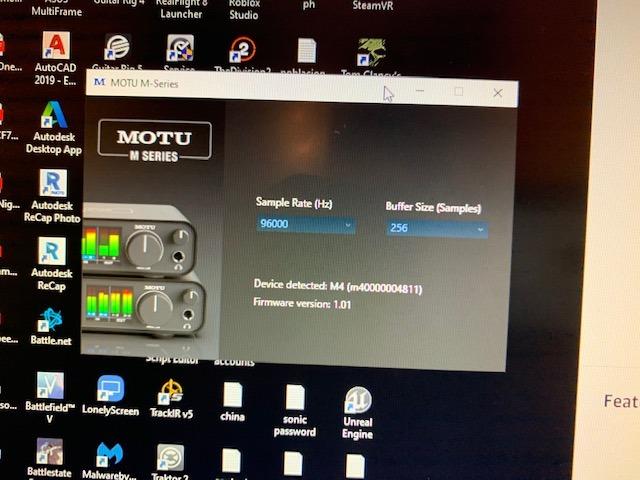
The M4 is where a two-channel interface stops being enough and a four-channel unit starts being sensible. Four inputs and four outputs, MIDI in and out, a loopback channel, and a front-panel LCD that shows you your levels without opening a single window.
That LCD is genuinely the reason to choose this over another four-channel box. During a tracking session you can glance down and see peak levels on every input and output, which means fewer Logic passes just to check whether the take you just played was actually recorded cleanly.
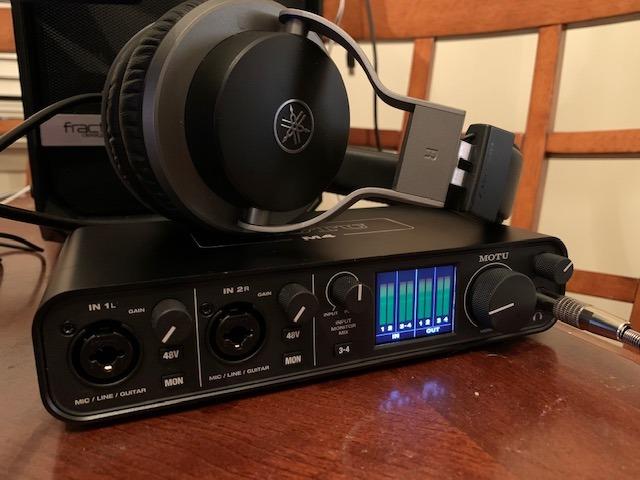
Loopback is the other standout. It returns playback audio from your Mac back into the recording inputs as a normal channel, so in Logic you can record a podcast with a remote caller, or capture a streaming mix alongside your mic, without a second piece of hardware.
At 24-bit/192 kHz with low-latency monitoring, this is a full working interface for a small room rather than a stepping stone to one. It weighs 16 ounces and stays powered over USB-C.
Where the four channels actually get used
The obvious case is two people recording at once. A vocalist and a guitarist with a DI box, or two podcasters with a guest, all fit without extras. The ADAT-sized headroom is not there, so four channels is genuinely the ceiling unless you add external preamps.
MIDI I/O means a controller or keyboard with a DIN connector plugs into the interface rather than the Mac, which matters if you are building a desk where every cable lands in one box.
Where it falls short
Two preamps across four inputs means the other two channels are line level. If your plan is to close-mic a four-piece band, this is not the box. Go to the UMC404HD or an Audient with ADAT expansion instead.
The bundled Performer Lite and Live Lite are cut-down versions of those DAWs. If you already run Logic, treat them as sampler content rather than a second production environment, because running two DAWs side by side solves nothing.
7. Audient iD4 MKII: Two Headphone Outputs in a Compact Box
Audient Audio Interface iD4 MKII, Class A Console Microphone Preamp (High Speed USB-C, Monitor Mix and Monitor Panning Function, 2 Headphone Outputs, Mac/PC/iOS Compatible), Black
ASP8024 HE Class-A preamp
Two headphone outputs
96 kHz maximum
All-metal chassis
Pros
- Class-A mic preamp circuit from Audient's ASP8024 HE console
- Two discrete headphone outputs let a second performer record with their own cans
- High-speed USB-C connection with bus power
- All-metal chassis that is durable yet portable
- Audient software with monitor mix and panning
Cons
- 96 kHz maximum sample rate rather than 192 kHz
- Only one mic preamp limiting stereo tracking
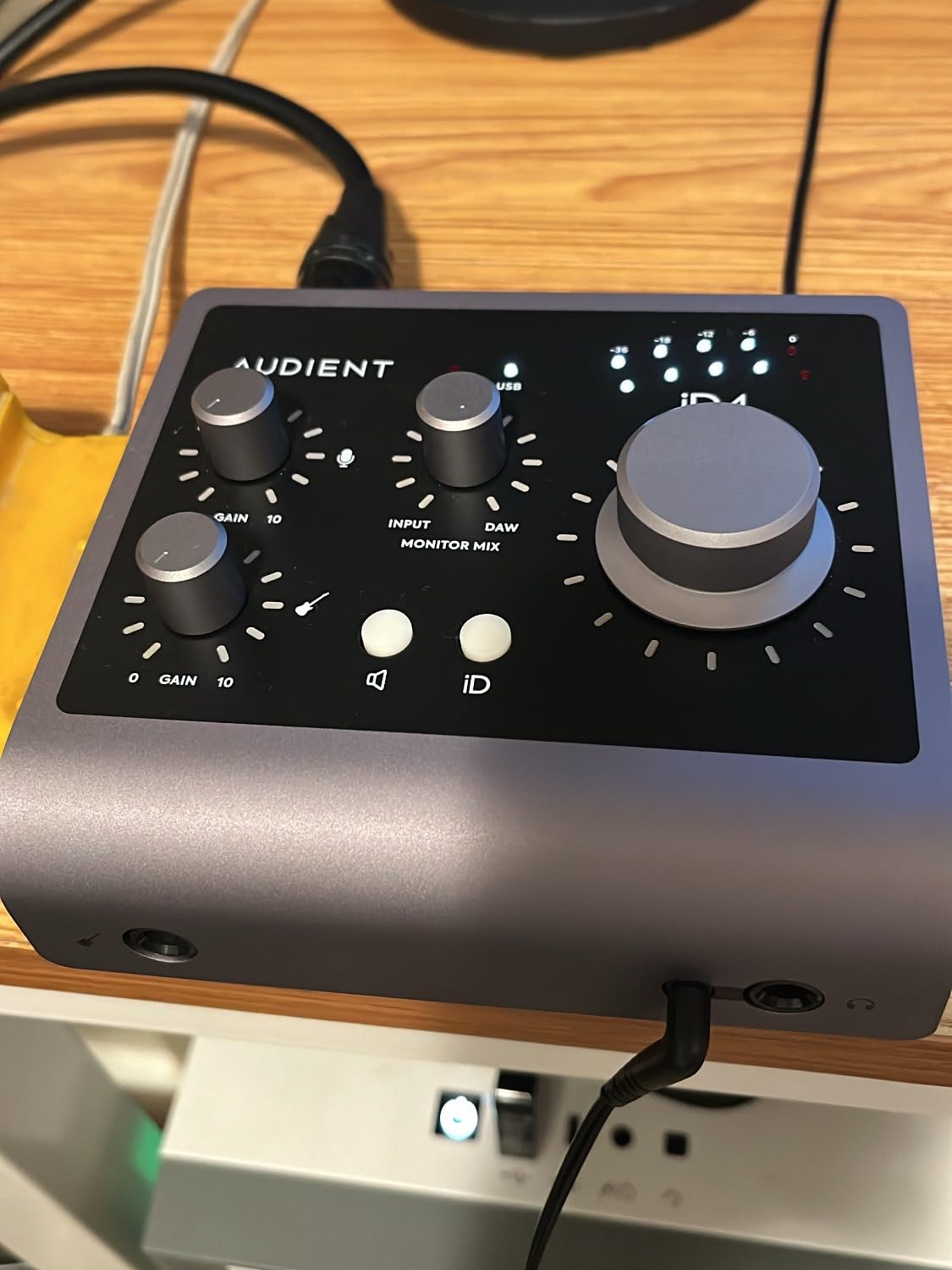
The iD4 MKII is one mic preamp and one instrument input, which on paper looks like less than the Scarlett Solo. In practice the Class-A preamp and the two separate headphone outputs make it the better box for a specific job: two people tracking at once.
With two discrete headphone outputs, a singer and a guitarist can each wear their own headphones and hear themselves cleanly. That removes the shared-cans compromise where one performer ends up with an unrealistic mix in their ears and ends up playing to compensate.
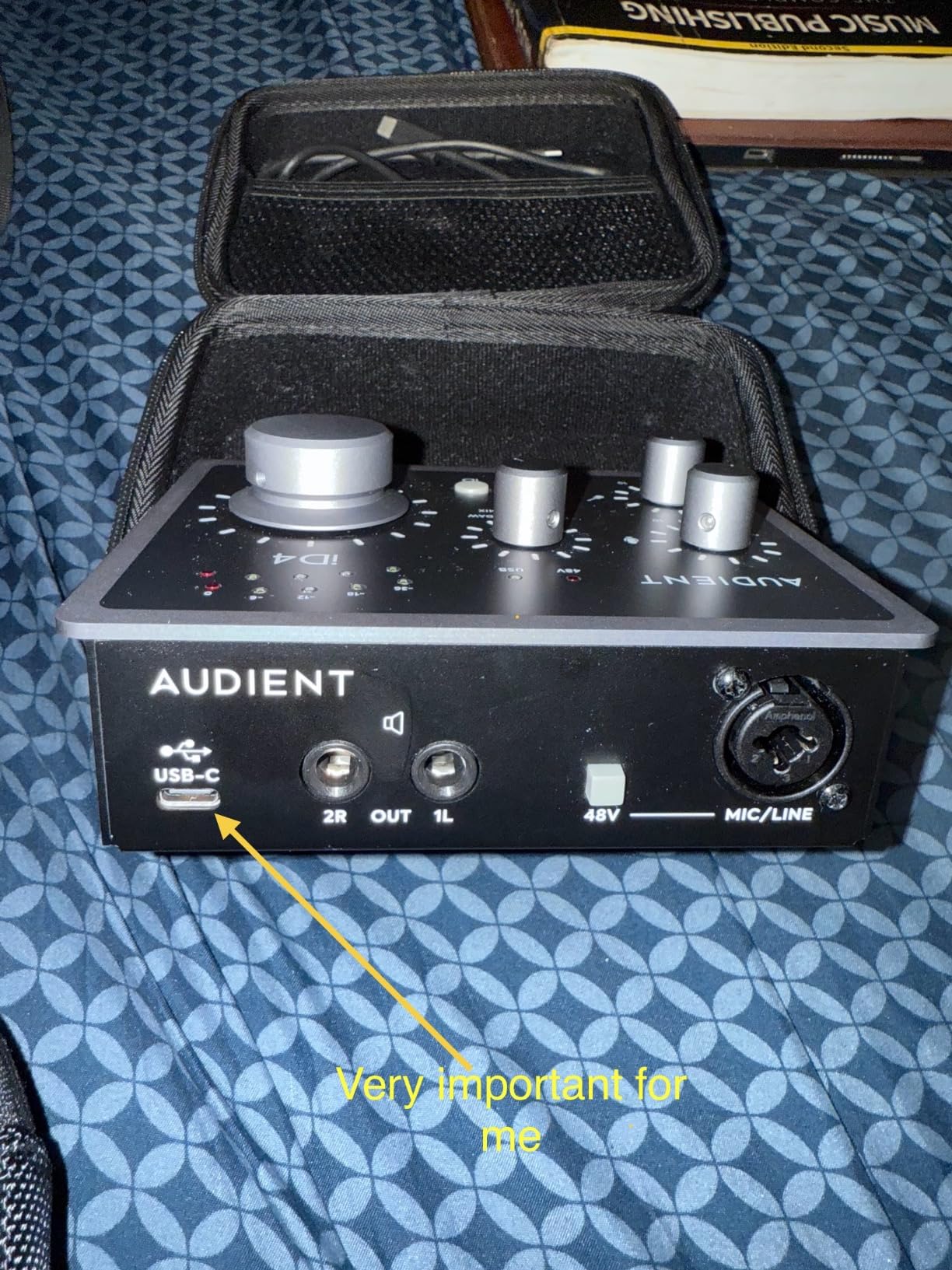
That makes it a natural companion to a small live room. One performer in a booth, one in the control room, both tracked into Logic on separate channels with their own monitoring. The all-metal chassis and 740 g weight mean it can live on a mic stand plate or a small shelf without being fragile.
Monitor mix and monitor panning in the Audient software give you a hardware-level balance between the input and the playback from your DAW, which is how you keep headphone latency usable while a vocalist is singing.
How the preamp behaves with real microphones
The ASP8024 HE circuit takes more gain before the noise floor becomes audible than most single-preamp boxes. That gives you room to record a quiet dynamic microphone like an SM7B or a ribbon without riding the gain into noise.
With 96 kHz as the maximum rate, the resolution is a step down from the 192 kHz units here. For 44.1 and 48 kHz Logic projects it makes no difference at all, and it is only relevant if you deliberately work above 48 kHz.
Where it falls short
One mic preamp means the interface cannot record a stereo pair of microphones, no matter how much you like the preamp. If you play acoustic guitar and want that wide sound from two mics, this is the wrong shape of box.
It also has no MIDI I/O, so controllers connect to the Mac directly. And the Audient control app still asks more of you than it should to get monitor mix behaving the way you want it to.
8. Behringer UMC404HD: Four Preamps for Band Tracking
Behringer U-PHORIA UMC404HD Audiophile 4×4, 24-Bit/192 kHz USB Audio/MIDI Interface with Midas Mic Preamplifiers
Four Midas-designed preamps
24-bit/192 kHz
4x4 I/O plus MIDI
USB 2.0
Pros
- Four Midas-designed mic preamps with phantom power for multi-tracking
- 24-bit/192 kHz resolution
- Four inputs and four outputs plus MIDI I/O
- Rugged metal chassis built to travel
- Compatible with Pro Tools Ableton Live and Cubase
Cons
- USB 2.0 interface rather than USB-C
- Bundled software is minimal
The UMC404HD exists to solve one problem: getting four microphones into your Mac at once without spending studio-console money. Four Midas-designed preamps with phantom power, four inputs, four outputs, and MIDI in and out in a 2.7 pound metal chassis.
For Logic, that is the difference between a home project and a band session. You can put a close mic on the kick, an overhead pair, a room mic and a vocal through the snare into four channels in one pass, with no external preamp and no additional boxes.
Resolution runs to 24-bit/192 kHz, which is more than most people at this tier use. The metal chassis and the mains-powered design mean it stays put and stays cool, which matters more than people expect during a long tracking day.
Compatibility is listed against Pro Tools, Ableton Live and Cubase, and as a standard USB audio device it is recognised by macOS through the Core Audio path, so Logic sees it as a plain four-channel input and output with no extra routing to configure.
Headroom and gain staging in practice
Four preamps with phantom power means you can use condenser microphones on every channel without an external supply. That is where the +48V switch matters, and it is standard on all four channels here.
In Logic, the four inputs map to channels one through four, and the gain structure stays simple. Set preamp gain so your peaks land around -12 dBFS, record 24-bit, and use Logic’s own Audio FX and Utility for any remaining level work rather than pushing the hardware further.
Where it falls short
This is a USB 2.0 design, not USB-C. That is not a speed problem for four channels of audio, but it does mean an older-style cable and no bus power, since the unit needs mains power to run.
The bundled software is minimal, so treat the box as hardware only. If you were hoping for a full DAW or plug-in library to come with it, look at the MOTU M4 or the PreSonus ioStation 24c instead.
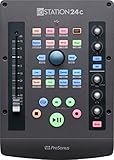
9. PreSonus ioStation 24c: An Interface With a Motorized Fader
PreSonus ioStation 24c 2×2, 192 kHz, USB Audio Interface and Production Controller with Studio One Artist and Ableton Live Lite DAW Recording Software
Two XMAX Class A preamps
Motorized 100 mm fader
MCU and HUI control
Pros
- Combines a two-channel interface and a DAW control surface in one unit
- Motorized 100 mm fader makes writing automation straightforward
- MCU and HUI control for Logic Pro along with Cubase Ableton Live and Pro Tools
- Includes Studio One Artist Ableton Live Lite and the Studio Magic suite
- Footswitch input for hands-free record start and stop
Cons
- Main outputs are unbalanced and there are no digital or secondary monitor outputs
- Requires the external power supply rather than running on USB-C power
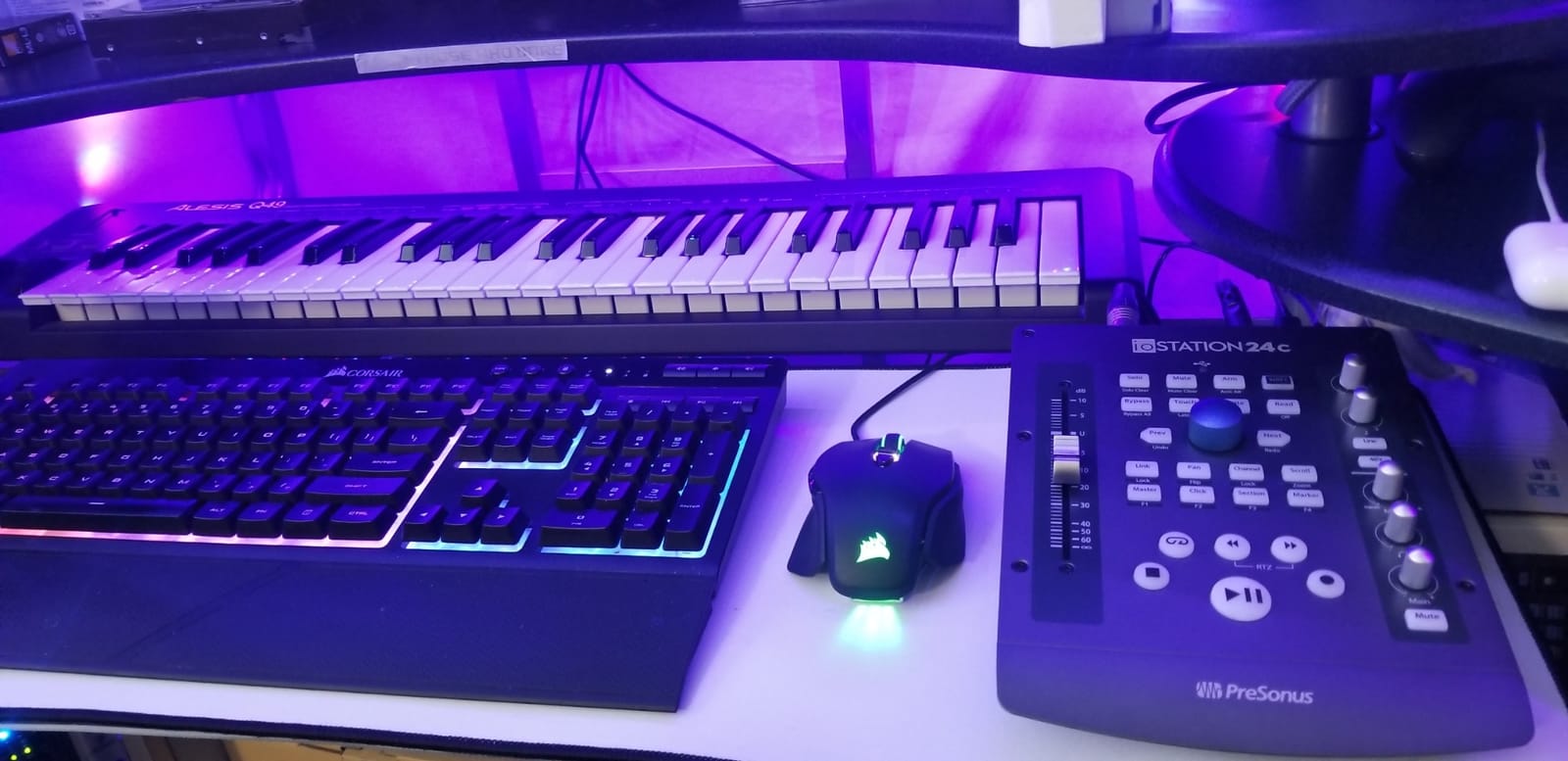
The ioStation 24c is the odd one out in this list because it is half control surface. Alongside two XMAX Class-A preamps and two high-headroom instrument and line inputs, you get a single 100 mm touch-sensitive motorized fader and a row of transport buttons.
A motorized fader is a small thing that changes how you work. Write it in Logic’s automation lanes, hit play, and the fader moves on its own. On a long mixing session that removes a surprising amount of repetitive clicking and makes level rides feel deliberate rather than manual.
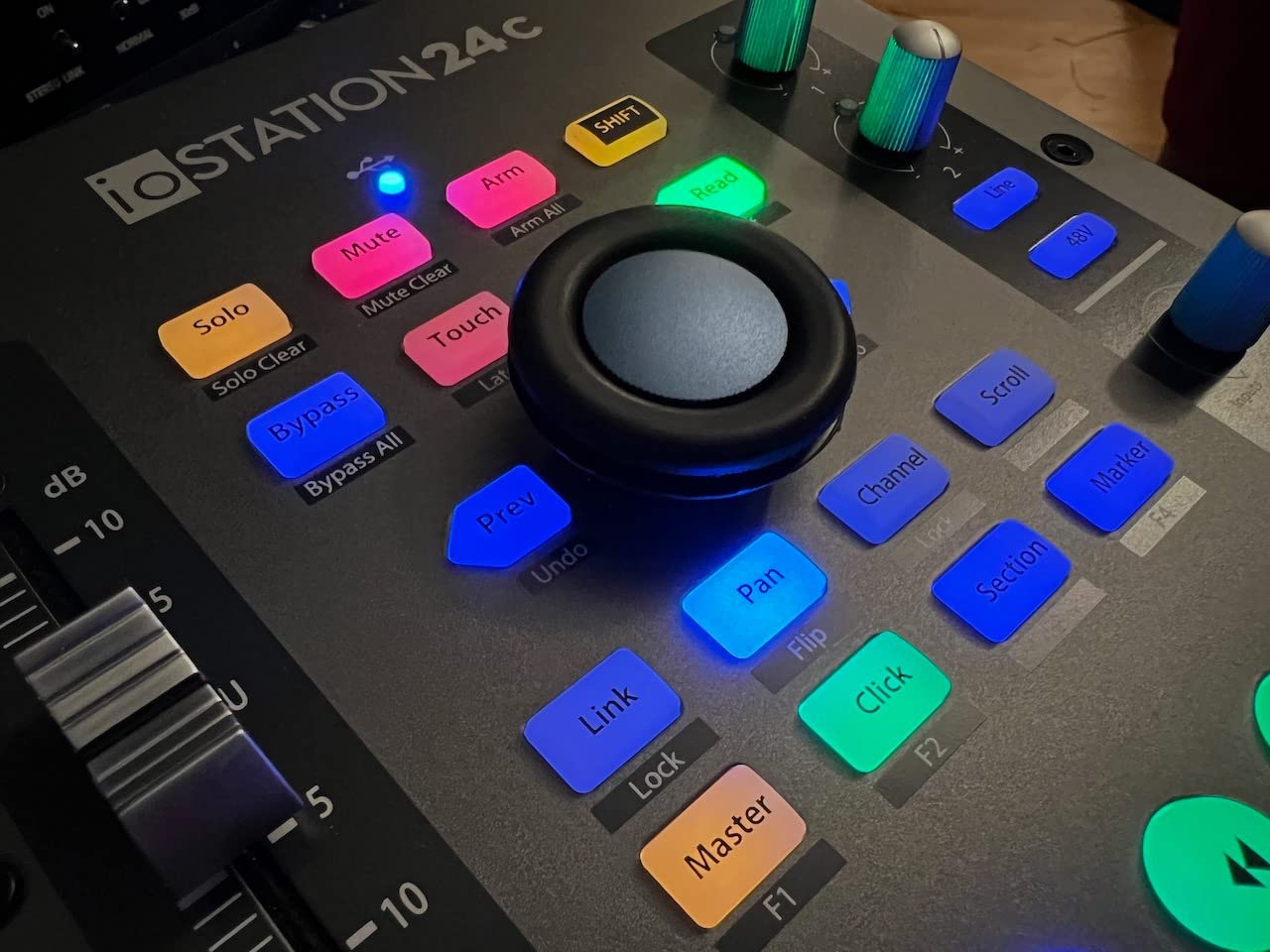
Control over Logic is via MCU and HUI, so it talks to Logic’s native control surface support rather than needing PreSonus software mapped by hand. Transport controls, the Session Navigator for jumping between Logic windows, and the footswitch for hands-free punch-in all work as expected once mapped.
Converters run to 24-bit/192 kHz, and the Studio Magic plug-in suite plus Studio One Artist and Ableton Live Lite give you a usable starting set of tools alongside Logic.
Who this control surface is really for
It suits someone who mixes for hours, writes automation heavily, or records live and wants a physical transport under their fingers rather than a keyboard shortcut. If you mostly track and bounce quickly, the fader matters much less to you.
It also works as a simple control surface for other DAWs, so if you ever switch away from Logic you are not left with an expensive paperweight. That is a different kind of future-proofing than converter quality, and it has real value.
Where it falls short
The main outputs are unbalanced and there are no digital or secondary monitor outputs, so adding a second monitor pair or a subwoofer means another box. Some owners also describe the ADCs as the weakest link and note that the knob encoders pick up handling noise.
It also needs the external power supply rather than USB-C power, which makes it one more box and one more plug in a portable Mac setup. The Universal Control software is considered dated by the people who use it daily.
10. SSL 12: Twelve Inputs and Four Foldback Mixes
Solid State Logic SSL 12 12-In and 8-Out USB Audio Interface
12-in/8-out
62 dB mic gain
-130.5 dBu EIN
Four foldback mixes
Pros
- 192 kHz/32-bit converters with more than 120 dB of dynamic range
- 62 dB of mic gain and -130.5 dBu EIN for very low noise
- Four independent near-zero-latency foldback headphone mixes for tracking multiple performers
- ADAT optical input for additional channels
- Built-in talk-back mic and comprehensive monitoring system
Cons
- 12-in/8-out configuration makes it overkill for solo or duo projects
- Shipped with three months access to the SSL Complete plug-in suite
The SSL 12 is for people who have already outgrown a small room. Twelve inputs and eight outputs, 32-bit/192 kHz converters with more than 120 dB of dynamic range, 62 dB of microphone gain and an equivalent input noise figure of -130.5 dBu.
That gain and noise pairing is the number to focus on. It means you can record quiet microphones and ribbons at a healthy level and still have a noise floor that sits well below the quietest part of your recording, which is what lets Logic’s dynamics processing behave.
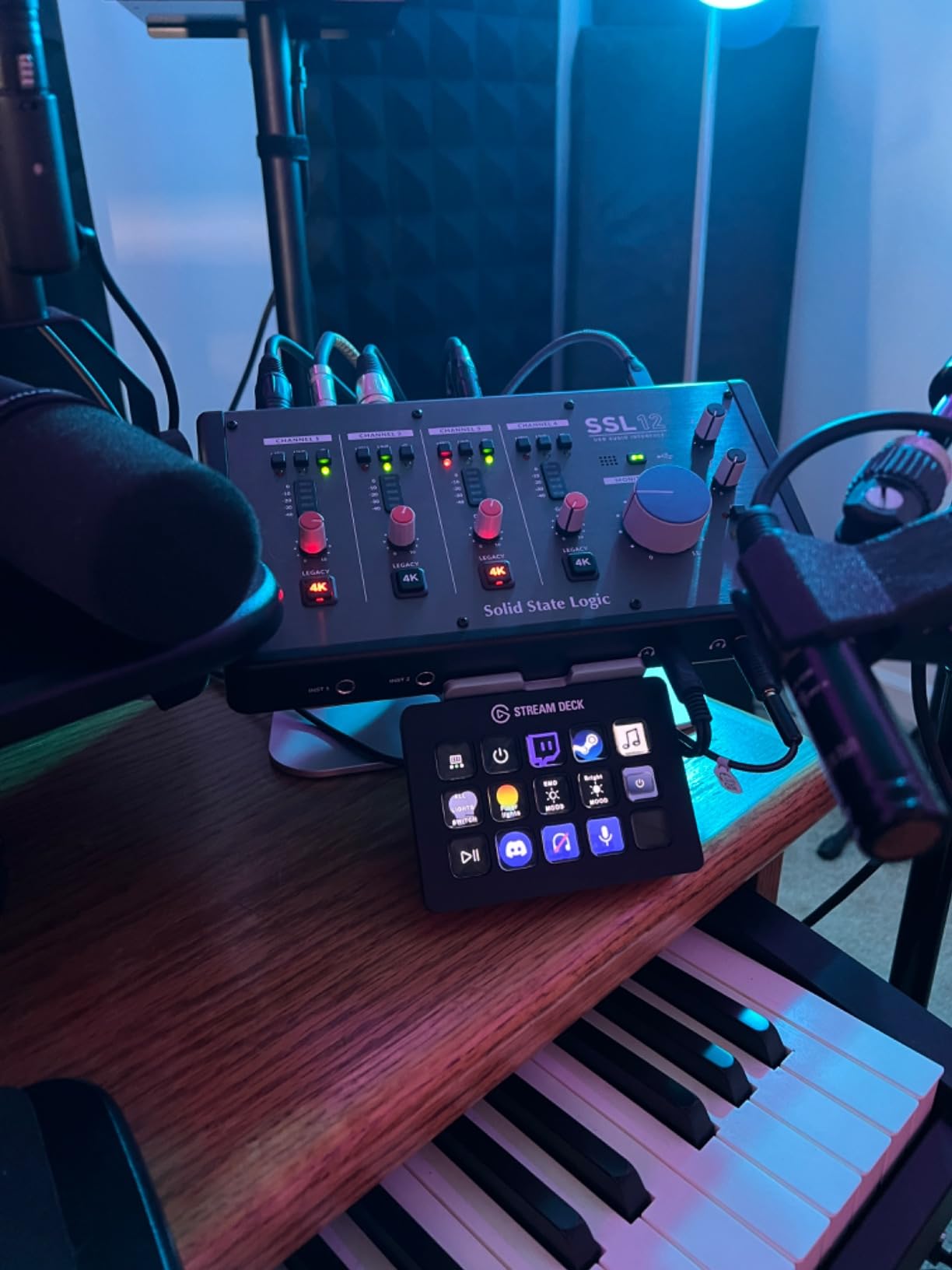
The four independent near-zero-latency foldback mixes are what justify the price for tracking. Each performer or engineer can have their own headphone mix, with their own levels for their own mic and the rest of the session, and the monitoring stays tight enough to play along with.
There is a built-in talk-back microphone as well, so you can speak to musicians over their headphones without a separate talkback unit taking up desk space.
When a twelve-channel interface is the right call
Drum recording is the obvious case. Close mics on kick, snare and toms, two overheads, room and ambience can exhaust a smaller interface. With twelve inputs you capture the whole kit in one pass and decide the balance later in Logic, which is a decision you never want to make in real time.
Large acoustic sessions work the same way. A stereo pair of spaced ambience mics, several instrument pairs, and a vocal or two, all live at once, with ADAT available if you need even more.
Where it falls short
For a solo artist or a duo, twelve inputs and eight outputs is a great deal of hardware you will never touch. The monitoring features that justify the size are wasted on a project recorded one source at a time.
The plug-in access included is limited to three months of the SSL Complete suite, so any ongoing value there ends fairly quickly. Treat the box as hardware and source the software separately if it matters to you.
11. MOTU M6: 2.5 ms Round-Trip Latency and Color LCD Metering
MOTU M6 6×4 USB-C Audio Interface with Studio-Quality Sound
ESS Sabre32 Ultra DACs
2.5 ms round-trip latency
Color LCD
A/B switching
Pros
- ESS Sabre32 Ultra DACs deliver 120 dB dynamic range on the line outputs
- 2.5 ms round-trip latency for responsive monitoring
- Full-color LCD with meters for all inputs and outputs
- A/B monitor switch for checking mixes on two monitor pairs
- Loopback channels and two headphone outputs with independent volume
- Stand-alone operation lets you monitor inputs with the computer off
Cons
- Larger and heavier than two-channel desktop interfaces
- Bundled Performer Lite and Live Lite 11 are limited editions of those DAWs
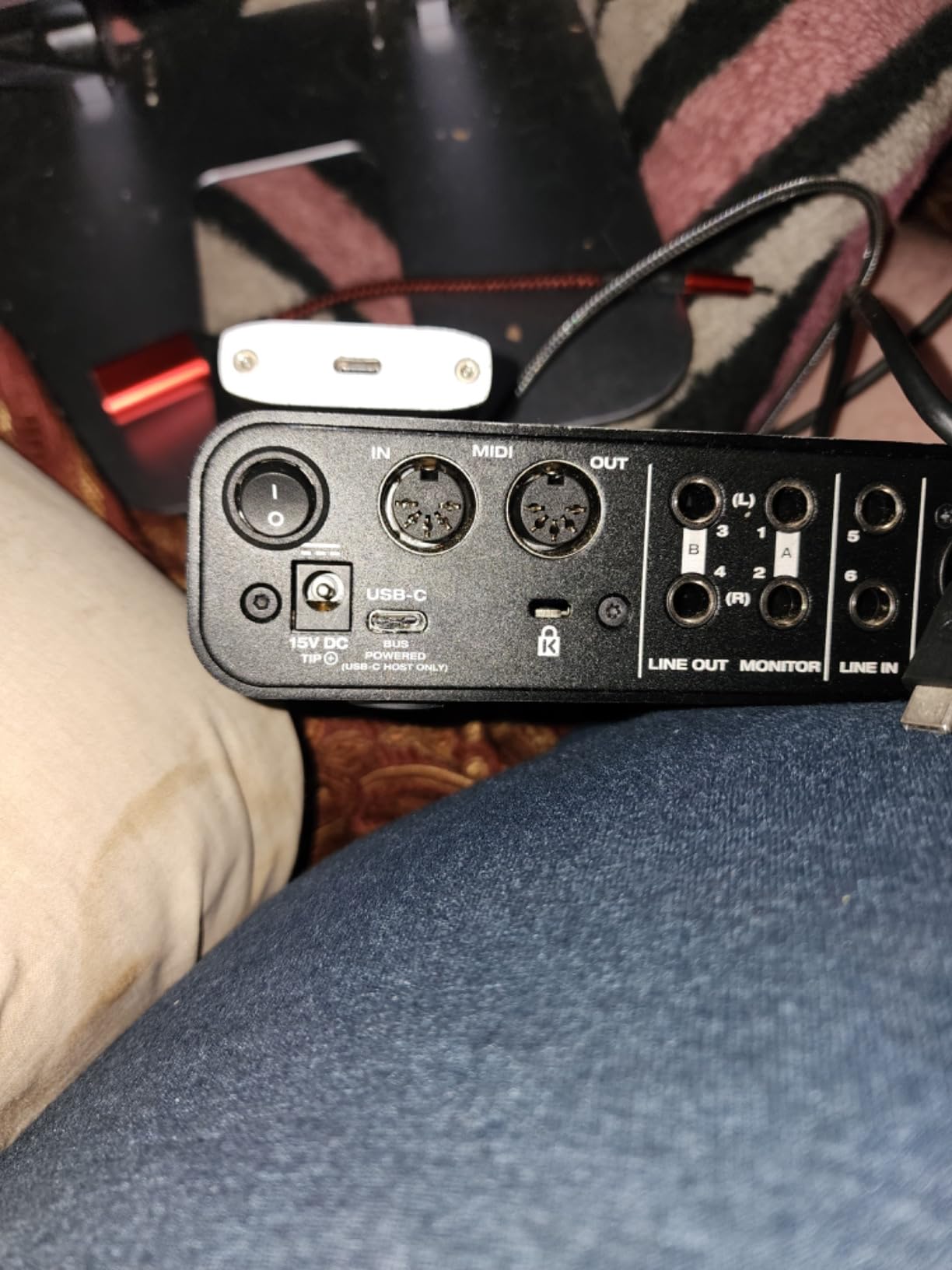
The M6 is the one interface in this list that publishes a round-trip latency figure, and it is the number worth knowing. The manufacturer rates it at 2.5 milliseconds round-trip at a 32-sample buffer at 96 kHz, which is genuinely responsive for tracking.
That figure comes from the DAC side. The line outputs use ESS Sabre32 Ultra converter technology with 120 dB of dynamic range, so the playback path in your Logic session is measured on the same terms as the recording path.
Microphone preamp circuits sit at -129 dBu equivalent input noise, which is competitive with the higher-priced models here. In practice that means you can record quiet sources without the preamp becoming the loudest thing in the session.
The 160 by 120 pixel color LCD shows meters for every input and output, and the A/B monitor switch lets you flip between two pairs of monitors without reaching behind them. Loopback channels and two headphone outputs with independent volume round out a monitoring section that covers most working setups.
What round-trip latency means while you track
Round-trip latency is the total delay from a sound entering your input to that same sound coming back out of your headphones. It includes the analog path, the A/D conversion, the buffer wait, the D/A conversion and the headphone amp.
At 2.5 milliseconds you are inside the range where most players stop noticing the delay. Below roughly 10 milliseconds the ear treats it as a direct acoustic path, which is why tracking feels comfortable rather than detached. Logic contributes to that number through the buffer size you choose.
Where it falls short
It is a six-channel box in a 2.2 pound aluminium chassis, so it is physically larger than the two-channel desktop models here. On a small desk next to a laptop that takes real space.
The bundled Performer Lite and Live Lite 11 are limited editions of those DAWs. If you are staying in Logic, the practical value is the sample content rather than a second production environment, and it is another interface where the software bundle is not the reason to buy.
12. Behringer UMC22: The Budget Starter With a Midas Preamp
Behringer UMC22 Audiophile 2×2, 48 kHz USB Audio Interface with Midas Mic Preamplifier | For Recording Microphones and Instruments
Midas-designed mic preamp
Combo XLR and TRS input
Direct monitor select
USB bus power
Pros
- Midas-designed mic preamp for high-quality audio capture
- Compact and simple to set up for solo musicians
- Direct monitor select with status and signal clip LEDs
- Works with Logic Pro Cubase and Ableton Live
- Combo jack accepts XLR 1/4 inch TRS and unbalanced TS plus a separate instrument input
Cons
- Entry-level 48 kHz workflow rather than 192 kHz
- Two-channel design limits tracking to a stereo pair or one source at a time
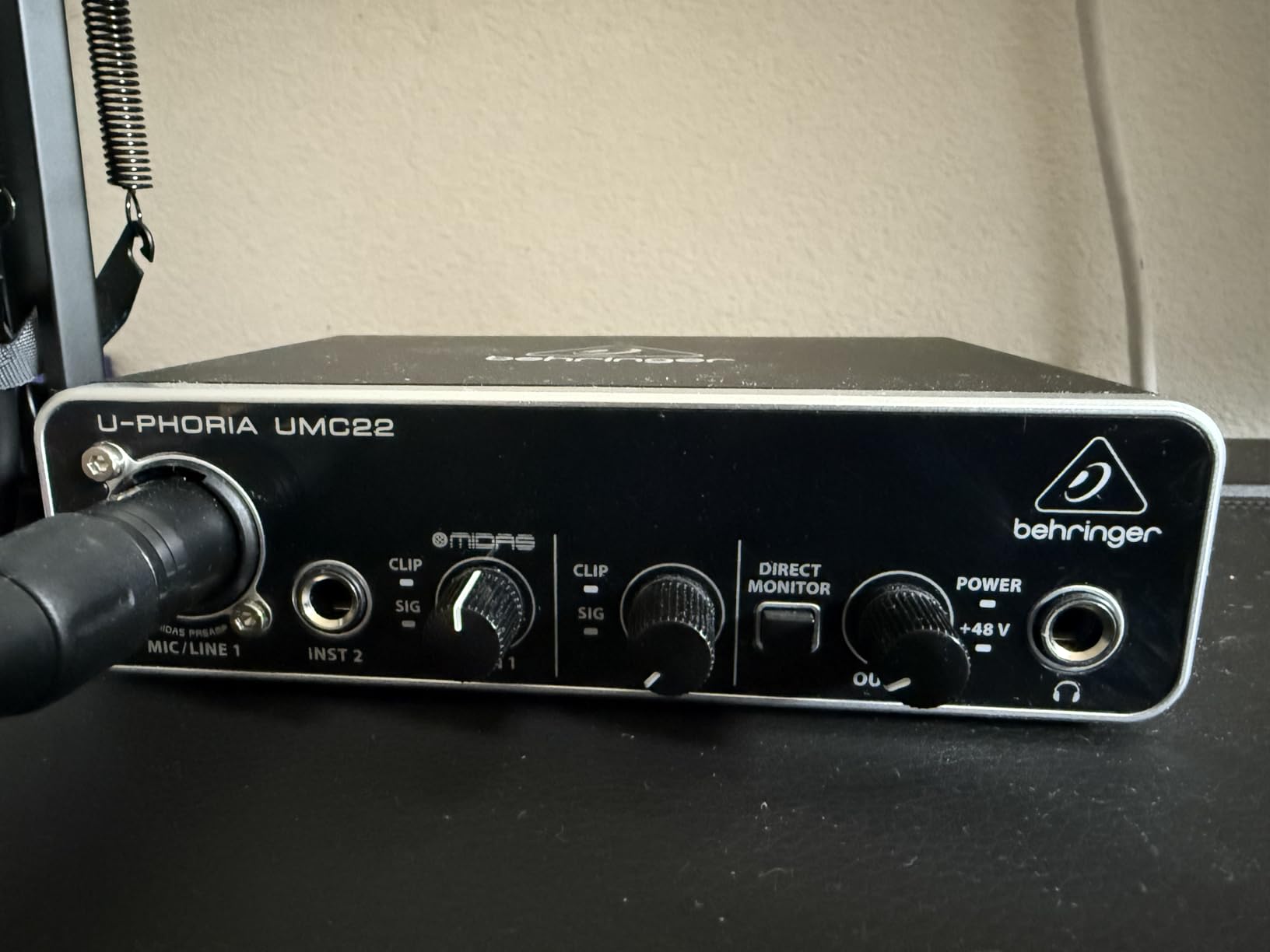
With more than twelve thousand reviews on record, the UMC22 is the most proven beginner interface in this group, and that is exactly why it belongs here. It does one thing simply: a Midas-designed microphone preamp, a direct monitor switch, and a single USB cable to the Mac.
Set-up is genuinely trivial. Plug in, select it in Audio MIDI Setup, choose your input, and Logic records. The direct monitor select with status and clip LEDs lets you check the hardware path before you record anything, which is the fastest way to rule out a bad take.
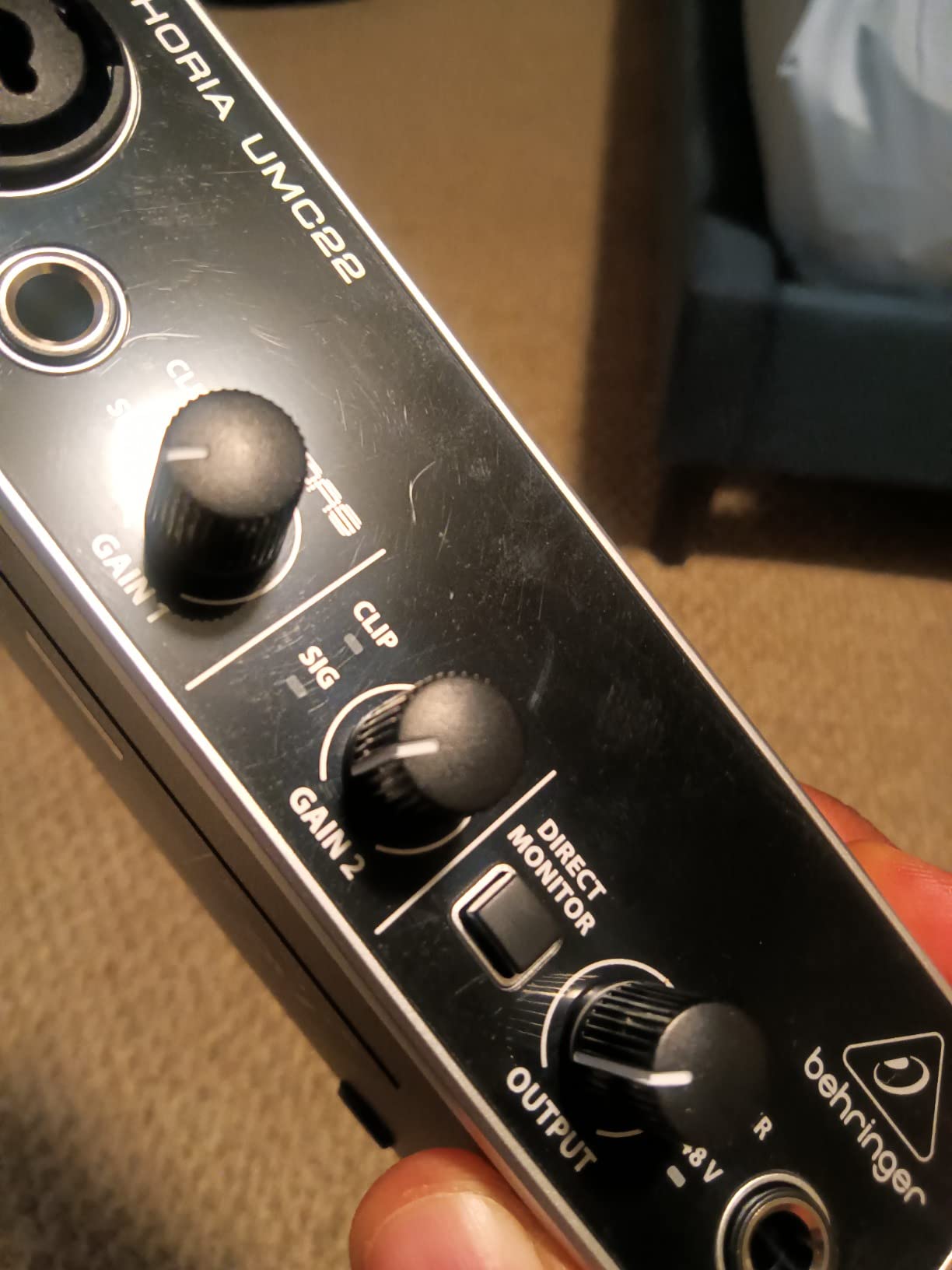
The combo input accepts XLR, quarter-inch TRS and unbalanced TS, so you can connect a microphone, a stereo pair, or a line source without an adapter. There is a separate instrument input for a guitar or bass, and the whole thing runs on USB bus power at 16 ounces.
Owners consistently point to the preamp as the reason the interface performs better than its simple specification suggests. It is the honest budget floor for Logic users, not a placeholder you will replace in a month.
Where the budget tier stops being enough
Two channels is the first limit. Once you want a microphone and a DI box recording at the same time, you have used both inputs, and the next take needs an adapter or a different interface. That is usually the moment people move to a four-channel unit.
The 48 kHz workflow is the second limit. It is fine for producing at 44.1 or 48 kHz, which is what most Logic projects use, but it removes the option of oversampling during capture and bouncing down later.
Who should start here
Anyone setting up their first Logic studio, anyone who records one source at a time, and anyone who wants a reliable interface to try the DAW before spending on hardware. Twelve thousand reviews and a 4.5 average is a track record for a reason.
It is also a reasonable second interface for a specific purpose, such as a headphone amp or a playback path for a second Mac, since the class-compliant USB path means Logic can see it as a separate device alongside another interface.
How to Choose an Audio Interface for Logic Pro
The right interface is the smallest one that covers how you actually record, with preamps quiet enough for your microphones and monitoring tight enough to perform against. Spec sheets flatter cheap boxes and undersell good ones, so here is how to think about the four decisions that matter.
Match input count to how you actually record
Count simultaneous sources, not total sources. A singer-songwriter working alone needs one mic and one instrument input, which is a two-channel box like the Scarlett Solo, the MOTU M2 or the UMC22. A duo recording together at the same time needs four channels, which is the Audient iD14 MKII, the MOTU M4 or the UMC404HD.
Drums and full bands need more. A four-piece kit with overheads and room mics will exhaust an eight-channel interface, which is where the SSL 12 comes in. Give yourself roughly two inputs per person for live playing, and add a spare for anything spontaneous.
Also check for expansion. An ADAT optical input, like the one on the Audient iD14 MKII and the SSL 12, lets you add channels later with a converter instead of replacing the interface you already own.
Preamp headroom decides whether the take survives
Equivalent input noise and maximum gain tell you how far you can push a preamp before its own noise becomes part of the recording. The SSL 12 lists 62 dB of gain at -130.5 dBu EIN, the MOTU M6 sits at -129 dBu EIN, and the Audient models use a Class-A stage that takes gain well before becoming noisy.
Match the preamp to the microphone. Dynamic microphones like an SM57 or an SM58 output very little signal and need plenty of gain, which is where consumer preamps run out first. Condensers need less gain and bring more of their own sensitivity. Ribbons need the most clean gain of all, and many entry-level boxes are not the place to find it.
Recording at 24-bit gives you digital headroom, so set the hardware gain so peaks land well below full scale and do the level work in Logic. Clipping in the analog stage cannot be undone, while a level that is simply too low is a problem no analog hardware ever had.
Latency, buffer size and the monitoring path
Round-trip latency is the total delay of a signal going into the interface and back out to your headphones. The M6 is the only unit here with a published figure, at 2.5 milliseconds round-trip at a 32-sample buffer and 96 kHz, which is responsive enough to track against comfortably.
You control part of that number inside Logic. The buffer size in Logic’s Audio menu sets how many samples the system waits before processing, and the driver adds its own buffer on top. Smaller buffers mean lower latency and a higher risk of dropouts on older machines; larger buffers mean stability and more delay.
Direct or hardware monitoring bypasses the buffer entirely for the monitored path. The MOTU M2, the UMC22, the SSL 2 MKII Plus and the M6 all offer a direct monitoring option, and on a Mac that switch is often the difference between tracking comfortably and fighting the delay.
USB-C or Thunderbolt on a Mac
Every interface in this list connects over USB, and every one of them works with Logic. USB-C on Apple Silicon is the norm now, and class-compliant devices need no separate driver, which removes an entire category of macOS update problems.
Thunderbolt becomes relevant when you need more than a handful of channels at low buffer sizes, or when you are running out of USB bandwidth. None of the twelve interfaces here require it, and none are held back by its absence for the kind of session they are built for.
On a modern M-series Mac, the question is not compatibility, it is stability. Native arm64 support and a clean Core Audio path are the things to check, along with whether the manufacturer still updates the control software when macOS ships a major version.
Driver stability is the real long-term cost
Ask any experienced Logic user what they regret about a cheap interface and the answer is almost never sound quality, it is a driver that stopped working after an OS update. The most repeated community complaint in the forums we studied was disconnects and lost USB communication rather than disappointing audio.
Class-compliant interfaces sidestep most of this because macOS handles them directly. Where a manufacturer ships a control app, the risk moves from the driver to the app, so check how recently it was updated before you buy.
The Audient iD14 MKII illustrates the pattern well enough: reviewers praise the stability of its USB-C performance and equally report losing the connection when the computer sleeps, with no power switch to force a clean reconnection. That is the kind of specific, testable detail worth looking for before you commit.
Upgrade path: when two channels is not enough
Most interfaces are bought too small. The common regret in the forums is buying a two-channel unit, filling both inputs immediately, and then needing a preamp or a second box to record two sources at once. If you record with anyone else, buy four channels now.
The second upgrade trigger is monitoring, not recording. When you move to a second pair of monitors, a subwoofer, or headphones that need real power, you want four line outputs rather than two. The SSL 2 MKII Plus and the MOTU M4 both give you that at a modest step up.
The third trigger is software bundles. The UMC22 and the UMC404HD include very little, while the MOTU units, the Volt 2 and the ioStation 24c bundle DAWs and plug-in libraries. If you are staying in Logic, the Audient and MOTU content loads as Audio Units and is directly usable.
How to Set Up an Audio Interface in Logic Pro
Most of what people call a Logic audio problem is a routing or buffer size problem that takes two minutes to fix. Here is the sequence that works, whether you have just unboxed a new interface or are troubleshooting one that has been working for years.
Choose the device in Audio MIDI Setup
Open Audio MIDI Setup from Applications, Utilities, or by holding Option and pressing the Audio MIDI Setup icon in the Launchpad. Your interface appears as a device with its sample rate and buffer size controls underneath.
Set the sample rate here first, usually 48 kHz, and make it match the sample rate of any project you intend to open. Logic will ask to convert if they differ, but agreeing from the start avoids resampling artifacts on your takes.
If the device does not appear, check the cable. A charge-only USB-C cable connects data-capable ports but not audio interfaces, and that single detail accounts for more failed setups than anything else.
Set the buffer size in the Audio menu
Inside Logic, open the Audio menu and you will find the sample rate and buffer size settings at the top. The buffer size options typically run from 32 samples upward, and the number you choose sets the size of the chunks Logic processes.
While tracking a performance, drop the buffer to 64 or 128 samples so the monitoring stays responsive. While mixing, with lots of plug-ins and automation reading, push it up to 512 or higher so the system has room to breathe and dropouts disappear.
Record at 24-bit. Higher bit depths and higher sample rates use more CPU and more drive bandwidth for a benefit most Logic sessions will never hear, so the practical resolution of your interface is not the deciding factor in how good the recording sounds.
Using two interfaces at once
If you own two interfaces, create an Aggregate Device in Audio MIDI Setup. The aggregate appears in Logic as a single device with the channels of both, which is how you record from a two-channel box and a four-channel box in the same pass.
For a different job, a Multi-Output Device in Logic lets you send different tracks to different outputs on the same interface, so one pair goes to your monitors and another pair goes to a recorder or a headphone amp. Both features are worth knowing, and neither is explained well elsewhere.
If you are just starting out, a single good interface is simpler than two that need routing. Add the second box when a session demands it, not before.
Mapping a control surface in Logic
If your interface has knobs, a fader, or transport buttons, open Logic’s Preferences, choose MIDI Control Surfaces, and pick the matching control protocol. The ioStation 24c and the PreSonus units present themselves as MCU or HUI devices and are recognised there.
After that, use the Learn function in the Control Surface preferences and move the physical control you want to assign. This is the standard fix for control surfaces that do not map correctly out of the box, and it takes about a minute per control.
Mapping the transport and one or two faders is enough for most sessions. Trying to assign every knob on a controller usually costs more time than it saves, and the on-screen meters in Logic are already accurate.
Frequently Asked Questions
Which audio interface works best with Logic Pro?
The Focusrite Scarlett Solo 4th Gen is the best all-round choice, offering 120 dB dynamic range, 24-bit/192 kHz converters and a single XLR preamp with a Hi-Z instrument input. The MOTU M2 is the best value pick with hardware monitoring, and the Audient iD14 MKII is the quietest option thanks to two Class-A preamps and an ADAT input for expansion.
What are the top 5 audio interfaces?
For Logic Pro in 2026 our top five are the Focusrite Scarlett Solo 4th Gen, the MOTU M2, the Audient iD14 MKII, the Universal Audio Volt 2 and the Solid State Logic SSL 2 MKII Plus. Together they cover solo tracking, two-source recording, quiet preamps, analog color and multi-output monitoring.
What is the best audio interface for Mac?
For a Mac, look for a class-compliant USB-C interface with a Core Audio driver, which is what every unit in this roundup uses. The Focusrite Scarlett Solo 4th Gen and the MOTU M2 are the safest starting points, and the Audient and MOTU units add ADAT or multi-output options for bigger sessions. Apple Silicon machines handle all of them natively.
Which audio interface has the best sound quality?
The SSL 12 posts the strongest conversion and preamp figures here, with 32-bit/192 kHz converters, more than 120 dB of dynamic range and 62 dB of mic gain at -130.5 dBu equivalent input noise. The MOTU M6 is close behind with ESS Sabre32 Ultra DACs at 120 dB, and the Audient models use a Class-A preamp stage.
Is RME better than Apollo?
Both RME and Universal Audio sit at the professional end and both are recommended repeatedly on Logic Pro forums for driver stability and conversion quality. Apollo pairs that stability with UAD plug-ins and a monitor mixer, while RME is generally associated with Thunderbolt channel counts and very low measured round-trip latency. Neither appears in this roundup, which covers USB-C interfaces available at more accessible tiers.
Is Apollo better than Scarlett?
The Apollo is a better choice for monitoring control and for running UAD plug-ins natively, and it has more inputs on higher models. The Scarlett Solo 4th Gen is the better choice for a single songwriter who wants high quality conversion, simple setup and a compact box, and it holds a 4.6 rating across 2733 reviews here.
What audio interface do professional studios use?
Professional studios tend to use Thunderbolt interfaces with high channel counts, ADAT expansion, word clocking and a DSP monitor mixer. Among the interfaces in this roundup, the SSL 12 comes closest with twelve inputs, eight outputs, 62 dB of gain and four independent foldback mixes, and the MOTU M6 is the strongest compact option at 2.5 ms round-trip latency.
What buffer size should I use in Logic Pro?
Use 64 or 128 samples while tracking so the monitoring stays responsive, then raise it to 512 samples or higher while mixing so heavy plug-in chains and automation do not cause dropouts. Logic exposes the setting in the Audio menu, and your interface driver adds its own buffer on top of it.
Final Verdict: The Best Audio Interfaces for Logic Pro in 2026
After working through all twelve, the Focusrite Scarlett Solo 4th Gen is the best audio interface for Logic Pro for most people, because 120 dB dynamic range, 24-bit/192 kHz conversion and a single preamp with a Hi-Z input cover a complete songwriting workflow in a box that disappears under a monitor. The MOTU M2 is the smarter buy if you want hardware monitoring and more generous gain, and the Audient iD14 MKII is the pick when quiet preamps and four inputs matter more than size.
Whichever you choose, set it up properly. Pick the device in Audio MIDI Setup, agree on 24-bit and a 48 kHz sample rate, drop the buffer to 64 or 128 samples while you perform, and raise it for mixing. Ten minutes of correct setup does more for a Logic session than any interface on this list.