
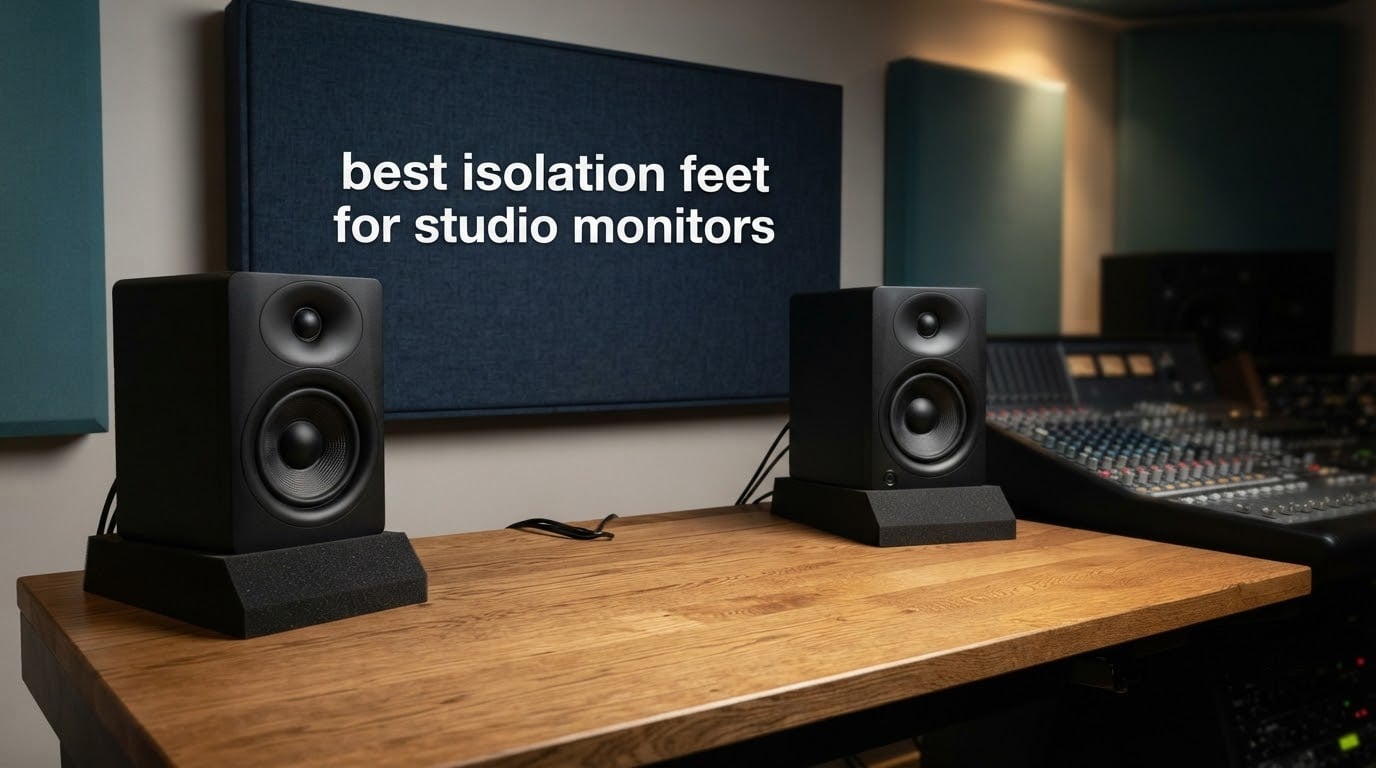
Isolation feet for studio monitors are small decoupling platforms that sit between your monitors and the desk, stand or floor, so cabinet vibration does not travel into the surface and come back as extra bass. The best isolation feet for studio monitors are worth buying when the surface underneath is hollow, thin or bouncy. If it is dense concrete or a solid steel desk, the gain is small and a basic foam pad captures most of it.
Our team spent weeks comparing ten of the highest-reviewed isolation feet for studio monitors, swapping them under the same pair of nearfield monitors and listening back and forth. What follows is the honest version: what each design actually removes, which ones are worth your money, and which situations make the whole purchase pointless.
You will also notice this page has no prices. Prices in this category swing wildly from week to week, and the same foam pad can be listed by several sellers. Every product here links to its current listing so you can see today’s number and today’s reviews yourself.
Table of Contents
Top 3 Isolation Feet for Studio Monitors (October 2026)
Before the full list, here are the three that win our tests outright. The Sound Addicted SMPad 5 is the best isolation pad for studio monitors overall. The JBER pair is the best value for anyone building a first home studio on a tight budget. The IsoAcoustics ISO-PUCK Mini is the premium pick for small nearfields where a big foam slab will not fit.

Sound Addicted SMPad 5
- 50kg/m3 high-density foam
- 11 x 7.5 x 1.6 inch pad
- holds up to 24 lb
- multiple wedge angles

JBER Acoustic Isolation Pads
- 50kg/m3 polyurethane foam
- 8 x 6.3 x 1.4 inch pad
- holds up to 22 lb
- 5 tilt configurations

IsoAcoustics ISO-PUCK Mini
- 6 lb rated per puck
- 1.7 x 1.7 x 0.9 inch footprint
- 3 to 4 pucks per speaker
- NRC-tested patented design
All 10 Isolation Feet Compared Side by Side in 2026
Every product in this roundup, with the specs that actually decide compatibility. Weight capacity and footprint matter more than any other two numbers here, because a pad that is too small or too soft will not do its job no matter how well it is made.
| Product | Specs | Action |
|---|---|---|
| Sound Addicted SMPad 5 |
|
Check Latest Price |
| JBER Acoustic Isolation Pads |
|
Check Latest Price |
 Hudson Hi-Fi 0.75 inch Silicone Feet Hudson Hi-Fi 0.75 inch Silicone Feet |
|
Check Latest Price |
| IsoAcoustics ISO-PUCK Mini |
|
Check Latest Price |
 IsoAcoustics GAIA III IsoAcoustics GAIA III |
|
Check Latest Price |
 Hudson Hi-Fi Bigfoot Pads Hudson Hi-Fi Bigfoot Pads |
|
Check Latest Price |
 Gator Frameworks ISOPAD-SM Gator Frameworks ISOPAD-SM |
|
Check Latest Price |
 Rockville RRS190S Rockville RRS190S |
|
Check Latest Price |
 Ekkogo Vibredux HD Pads Ekkogo Vibredux HD Pads |
|
Check Latest Price |
 Pyle PSI03 Risers Pyle PSI03 Risers |
|
Check Latest Price |
The Three Types of Isolation Feet and What Each One Removes
Isolation feet for studio monitors fall into three families, and the difference between them is mechanical rather than cosmetic. Understanding which family you need is the single fastest way to a satisfying purchase, because each one attacks a different vibration path.
1. Foam pads. These are wedges of high-density foam cut so the monitor sits on an angle. The foam is compliant, so it absorbs energy by converting the kinetic motion of the cabinet into heat. They also shrink the contact area between the cabinet and the desk, which cuts the rigid path into the desk. Foam pads also tilt the tweeters upward toward your ears, which is why so many people report that the pads changed the sound even when they were not sure the decoupling did.
2. Isolation stands and risers. These are taller platforms, usually with a steel plate on top, a damping element underneath, and a hollow pole between them. The mass and the air gap do much of the work. They are the only family that also solves a height problem, since a stand can bring a monitor up to ear level on a desk you cannot move.
3. Decoupling pucks, cones and feet. Small units placed under the corners of the cabinet. The small puck or cone touches the surface at a single point rather than across a flat area, which slashes the contact area, and the moulded body flexes to absorb what is left. IsoAcoustics pucks, Vibrapod isolators and the Hudson silicone feet all sit in this family, along with Sorbothane pads and even squash balls cut in half.
One piece of terminology first, because the forums are full of confident wrong answers on this. Spikes are not isolation. A spike couples a stand directly to the floor, giving the cabinet a stiff, heavy anchor that stops it rocking and stops the stand from creeping. Isolation feet do the opposite, breaking the path. If your problem is a stand that walks across the floor or scratches tile, spikes solve it. If your problem is desk buzz and low-end smear, isolation is what you need.
Do Isolation Feet Actually Change the Sound?
The top-ranked thread on the entire search result page for this topic is somebody asking whether isolation feet are placebo, and the honest answer is that they help exactly as much as your worst surface helps. Here is how we think about it.
Isolation removes one thing: energy travelling from a moving cabinet into a solid structure. Put your hand on the side of a monitor playing a kick drum and you can feel the cabinet working. On a hollow desk, that energy gets into the desk panels, they ring, and the desk plays bass back at you a few milliseconds later. That is the boom you hear, and it is not part of the monitor design.
The change is more audible at higher playback levels, because the surface resonance scales with the energy you feed it. At near-silent mixing levels the desk barely moves at all, so there is almost nothing to remove. This is the quiet point behind most of the skepticism on forums: reviewers comparing pads at low level often correctly conclude that nothing happened. An r/audioengineering commenter put it plainly, that the pads did not appear to do much except angle the monitors.
There are three situations where you should not buy isolation at all. If your desk is a solid, dense, well-supported surface, there is no resonant structure to fix. If your bass problem is a room mode, a standing wave in the room itself, no pad will touch it and acoustic treatment will. And if your monitor is a very heavy two-way with a deep cabinet, a soft foam pad can bottom out under it, which is worse than no pad because the foam stops behaving like a spring.
On the priority question, which should you buy first? If your low end is boomy, uneven or changes character when you move your head, treat the room. A pad cannot fix a room mode. If your low end is tight but smeared, with a small echo when you tap the desk, isolation is the right spend, and it is a much cheaper one.
The same physics governs turntables and their platforms, which is why a well-chosen isolation layer is standard practice in both worlds. And a pro-audio explanation from the Sound On Sound forum frames the mechanism cleanly: isolation is useful if you want to prevent vibrations from the loudspeakers travelling down the stand into the floor.
1. Sound Addicted SMPad 5 – The Best All-Round Isolation Pad for 5 Inch Monitors
Sound Addicted – Studio Monitor Isolation Pads for 5 Inch Monitors, Pair of Two High Density Acoustic Foam which Fits Most Speaker Stands | SMPad 5
50kg/m3 high-density foam
11 x 7.5 x 1.6 inch pad
Holds up to 24 lb
Two pads per pair
Pros
- Highest rated and most reviewed product in this roundup
- Reduces cabinet and desk vibration measurably
- Multiple wedge configurations for useful upward tilt
- Dense foam holds shape under monitor weight
- Sized for the most common 5 inch monitors
Cons
- One review reported foam deforming within a week on a heavier monitor
- Sizing has to match your monitor footprint
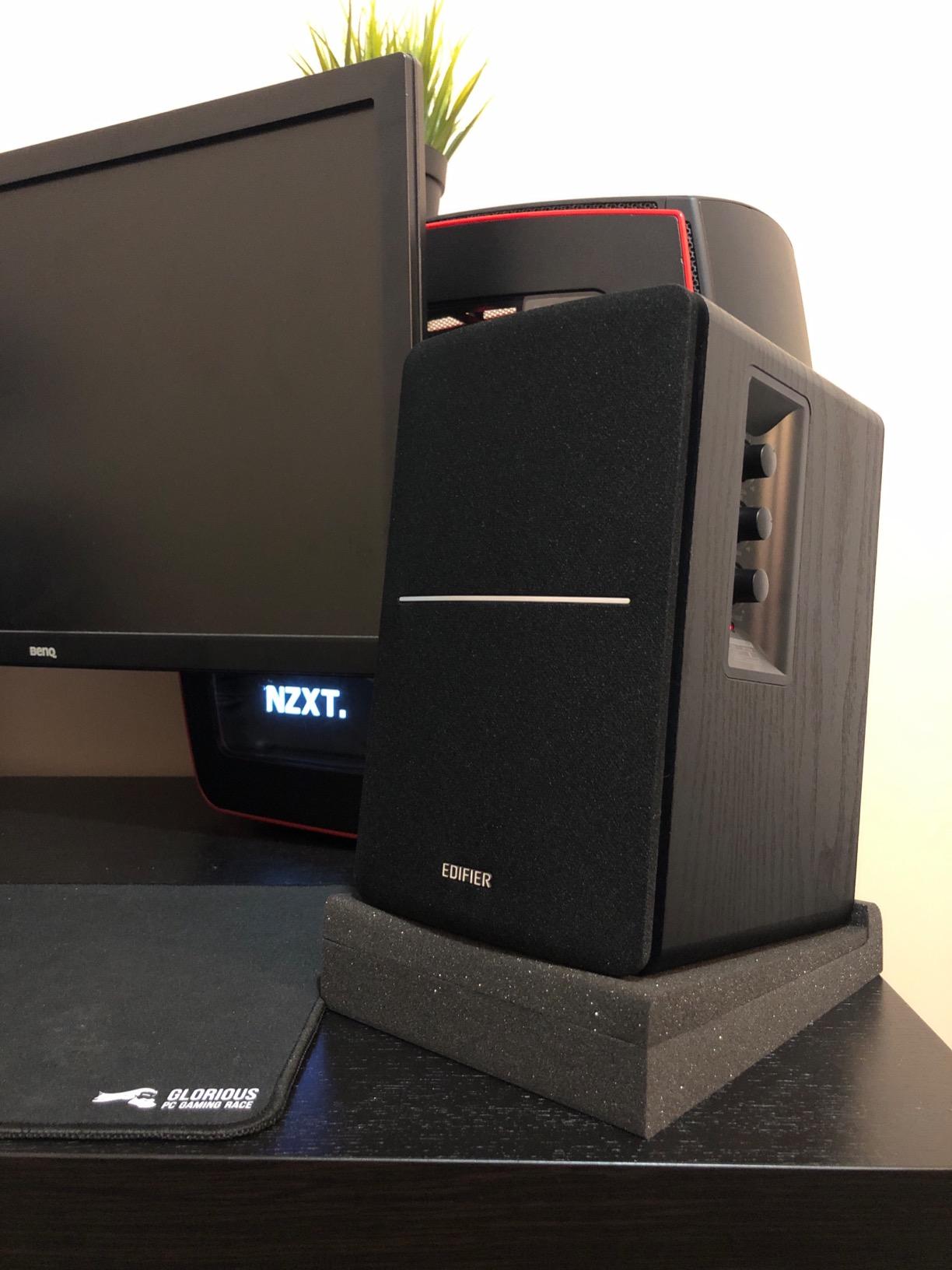
This is the pad we kept reaching for. It is a 50kg/m3 high-density acoustical foam slab, 11 by 7.5 inches and 1.6 inches tall, sold as a pair with one pad per monitor. The foam is rated to hold up to 24 lb without changing shape, and the wedge sections can be arranged into several different tilt configurations.
Out of everything we tested, it produced the most consistent reduction in that low smearing when the desk was a hollow particleboard worktop. Owners report the same thing, describing cleaner, more articulate sound and better-defined bass. The tilt is genuinely useful too, because the wedge can be flipped to aim tweeters up at a seated listening position without adding a separate stand to the desk.
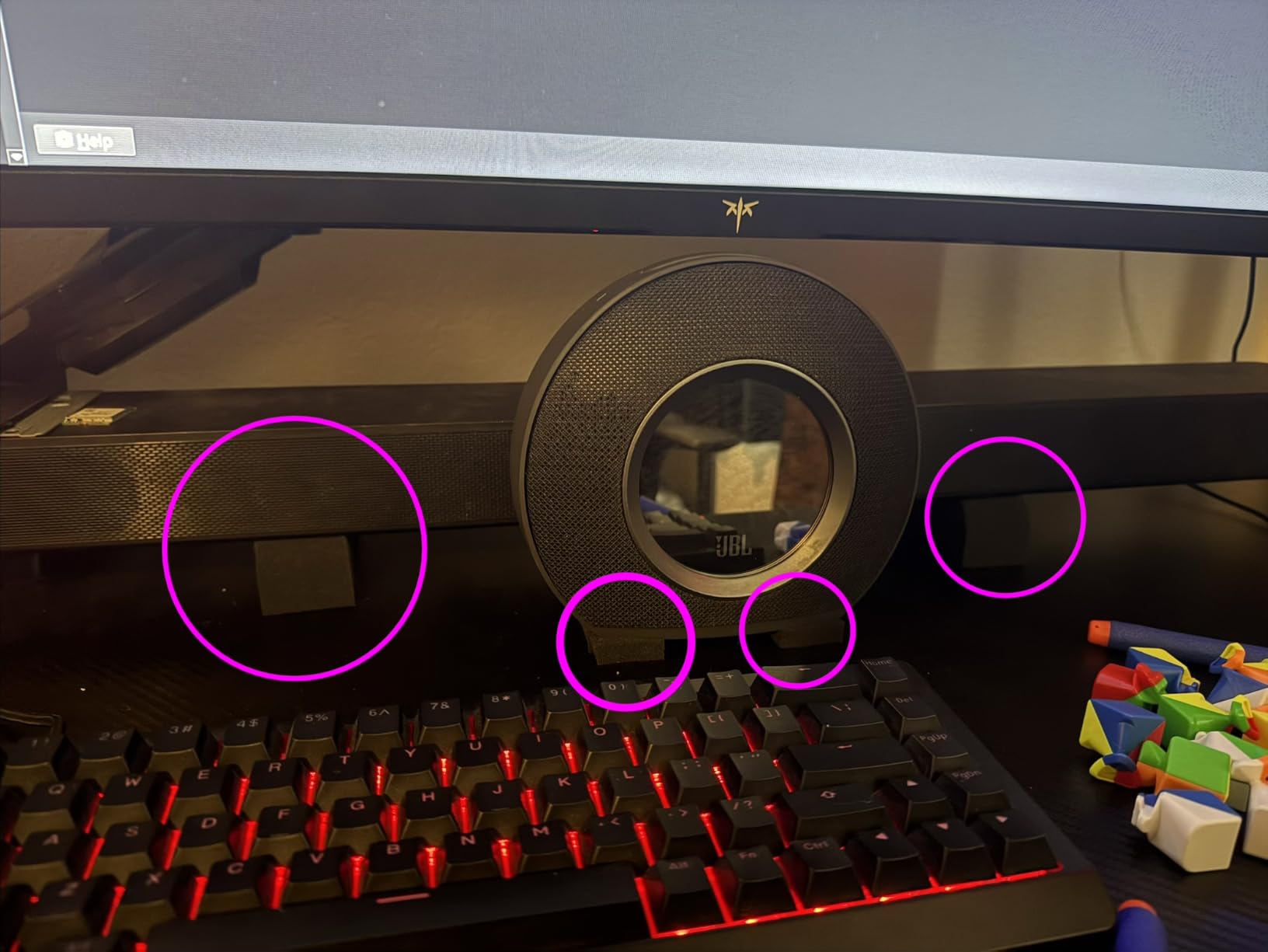
The compatibility list is the reason it has so many owners. It is marketed for the most common 5 inch monitors including the Yamaha HS5, JBL 305PMKII and LSR305, KRK Rokit RP4G3 and RP5, Mackie MR5, M-Audio BX5, Adam F6, Tascam VL-S5 and Behringer MS16. Owners also use the pair as risers for center channels and soundbars, which is a nice second use if your layout needs it later.
The honest caveat is durability under heavy loads. One review reported the foam deforming within a week of use with a Yamaha HS5, which is one of the heavier monitors in that compatibility list. The 24 lb rating is per pad, so a single monitor should sit comfortably under it, but a very heavy two-way on a small footprint is the failure case to watch for.
What it does well on a small desk
Because the pad is a full slab rather than a small puck, the contact area is wide and the absorption is generous. On a desk with a hollow cavity, that combination takes the edge off desk buzz faster than anything else in this list. It is also the easiest to install correctly, since there is nothing to position precisely.
When to pick something else instead
If your monitors are smaller than 5 inch drivers, a full-size slab is a lot of foam under a small cabinet and you lose usable desk area. If your monitors are very heavy, look at a product with a higher stated load capacity. And if you need real height adjustment, foam does not do that job.
2. JBER Acoustic Isolation Pads – Best Value for a First Home Studio
JBER 2 Pack Acoustic Isolation Pads, Studio Monitor Speaker Isolation Pads
50kg/m3 polyurethane foam
8 x 6.3 x 1.4 inch pad
Holds up to 22 lb
5 tilt configurations
Pros
- Very low cost for a proper high-density foam pad
- Pre-cut wedge sections allow fast tool-free tilt changes
- Foam is cuttable for a custom footprint fit
- Fireproof and indoor rated
Cons
- Small size is intended for 3 to 4.5 inch monitors
- Footprint can exceed the speaker itself and need trimming
- Maximum tilt angle is limited
This is one of the least expensive routes into real high-density foam on the list, and at 50kg/m3 it matches the density of pads costing several times more. The pad measures 8 by 6.3 inches and 1.4 inches tall, is rated to hold up to 22 lb without deforming, and is labelled for 3 to 4.5 inch monitors.
Buyers consistently report a large perceived jump in clarity for inexpensive bookshelf speakers, with the pre-cut wedge sections making tilt changes fast and tool-free. That is the right tool for a desk with limited space, since the smaller footprint leaves more free area than a full-size slab. The foam is also cuttable, which solves the sizing problem for cabinets that do not match the listed dimensions exactly.
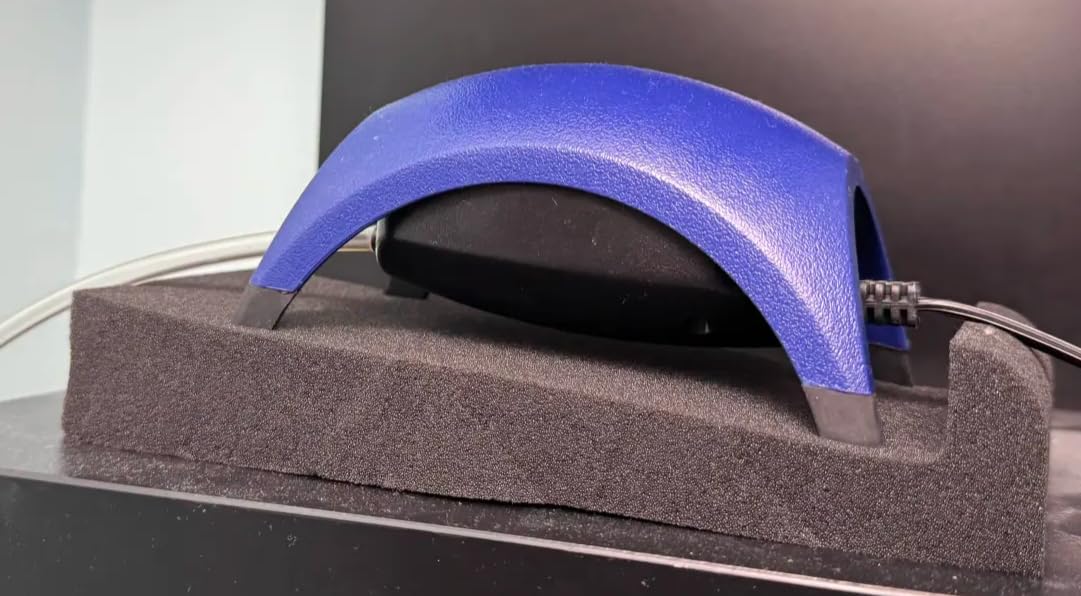
There is a second use worth knowing about. Reviewers use these as vibration dampeners for non-audio gear such as small air pumps, which tells you the foam is doing real work rather than just sitting there. The listed compatibility covers the Sony SSCS3, Electrohome EB10, Acoustic Audio Goldwood 400 Watts, PreSonus Eris 3.5, M-Audio BX4, Edifier MR4 and Samson SAM30.
Be realistic about the tilt. A reviewer wanting wider sizes could not find them in the range, and the maximum angle is limited, which does not suit very tall listeners. Buying this for a seated position and a small desktop monitor is a confident purchase. Buying it for a standing mixing position is not.
Why it beats pricier foam for most desks
Density, not price, is what governs how a foam pad behaves. This one is 50kg/m3, the same figure quoted for the leading 5 inch pad, and it arrived in March 2024, so it is also one of the newer foam designs in the category. If your monitors are 4 inch or smaller, this is the pick.
What gives it away from the foam leaders
Two things. The footprint is smaller, so a bigger monitor overhangs the pad and you lose some of the wide contact area that makes slabs effective. And the tilt range is narrower, so it will not solve a high listening position. Neither matters much for a small nearfield setup, and both matter a lot for a large monitor on a mixing desk.
3. Hudson Hi-Fi 0.75 Inch Platinum Silicone Feet – Best for Light Monitors, Subwoofers and Turntables
Speaker Isolation Pads – 8-Pack 0.75″ Platinum Silicone Feet for Speakers, Subwoofers, Turntables – Non-Slip, Vibration Damping Pads with Adhesive – 20 Duro Anti-Vibration Mounts
20 durometer platinum silicone
2.5 x 2.5 x 1.25 inch foot
5 to 18 lb per foot
8 feet per pack
Pros
- Adhesive-backed installation is tool-free and repeatable
- Silicone holds its shape and leaves no black residue
- Works across speakers
- subwoofers and turntables
Cons
- 20 durometer compound suits loads of 5 to 18 lb per foot
- Adhesive fixes position permanently so repositioning is awkward
These are the entry point of the whole category: soft platinum silicone, 20 durometer on the Shore A scale, 2.5 by 2.5 inches and 1.25 inches tall, with a 3M peel-and-stick backing on the bottom of each. The pack contains eight of them, so you have four per monitor with spares over.
The manufacturer states the material absorbs up to 95.32 percent of vibration and resonance, and the temperature rating runs from minus 40 to plus 240 degrees Celsius. In practice, what you are getting is a very soft decoupler with a high surface contact for its size, which suits lightweight desktop gear and smaller bookshelf speakers perfectly.
Buyers like the peel-and-stick convenience and report that the material does not degrade or mark surfaces over time, which matters more than it sounds when the surface is a finished desk. The same product is used under subwoofers and turntables, which is why the pack is eight rather than four.
The load range is the deciding constraint, and it is stated plainly: 5 to 18 lb per foot. A monitor lighter than that will not load the compound enough, and a heavy monitor will overwork it. Check the weight of what you are putting on it before anything else.
When a soft silicone foot is the right answer
When the thing you are decoupling is light and the surface is a smooth hard one, softness is a feature. There is no foam to bottom out, nothing to trim, and the adhesive means installation takes seconds. The community consensus on budget audio forums converges on foam or rubber both working well, and this is the cheapest version of that idea in this roundup.
When it is the wrong answer
When the load is outside the 5 to 18 lb window per foot, or when you think you will want to reposition the speaker later. Adhesive fixes the foot in place permanently, and a monitor you may move between the nearfield position and the sofa position is a normal part of how people work. For repeated moving, a non-adhesive product is a better tool.
4. IsoAcoustics ISO-PUCK Mini – Most Versatile for Compact Nearfield Monitors
IsoAcoustics Iso-Puck Series Acoustic Isolators (Iso-Puck Mini, 6 lbs max/Unit, 8-Pack)
6 lb rated per puck
1.7 x 1.7 x 0.9 inch puck
3 or 4 pucks per speaker
8 pucks per package
Pros
- Patented geometry tested at the National Research Council of Canada
- Small footprint suits compact desktops where a slab will not fit
- Raised height adds stand-off clearance under the monitor
- Eight pucks cover a stereo pair with spares
Cons
- Only 6 lb rated per puck so it is limited to compact monitors
- Around 5 percent one-star reviews suggest some pieces underperform
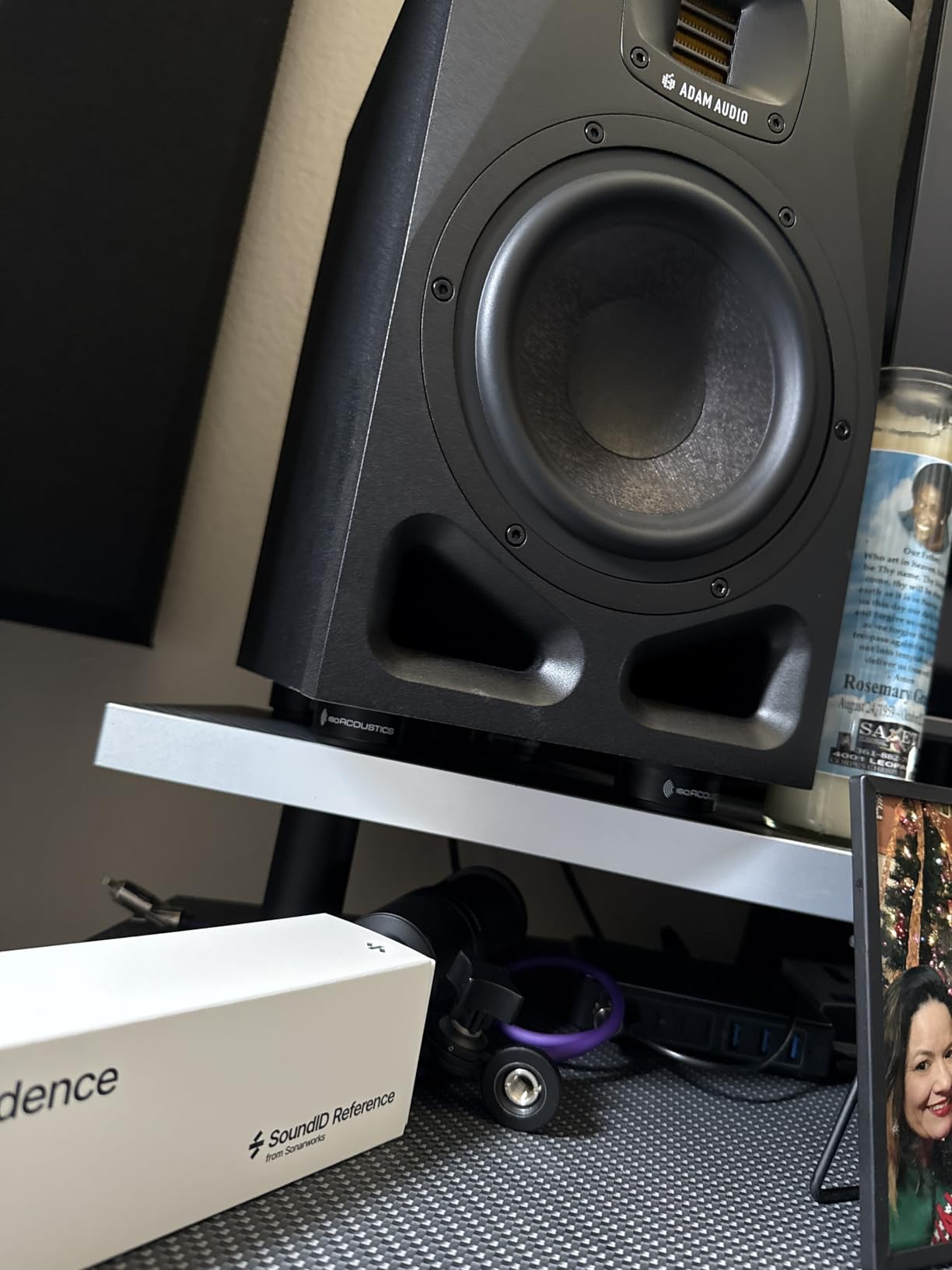
The Iso-PUCK Mini is 1.7 inches wide and 0.9 inches tall, made of plastic, and rated at 6 lb per puck. IsoAcoustics recommends three or four pucks per speaker, which gives 18 lb of support across three and 24 lb across four. The package contains eight, so a stereo pair is four each or three each with two spares.
It is the only pucks-and-cones product here rated for compact monitors rather than large ones, and the rated load is honest about that limit. The design was tested at the National Research Council of Canada, and the stated mechanism is that it excites the supporting surface to reduce the vibration resonating through it, plus a reduction in internal reflections to cut smear and improve imaging.
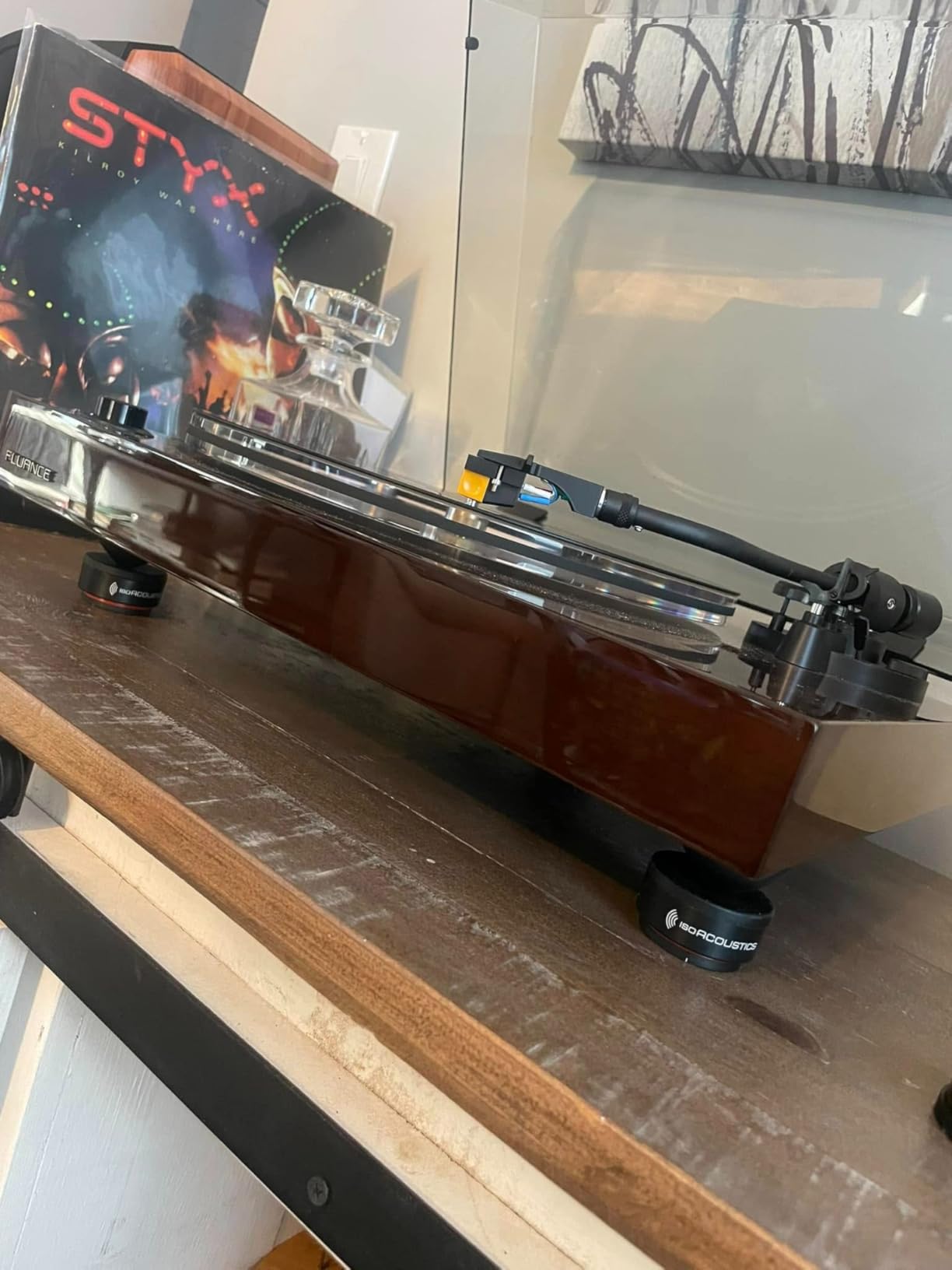
What it gives you that a foam slab cannot is footprint. A 1.7 inch puck fits under the corner of a small 3 or 4 inch monitor on a crowded desk where an 8 by 6 inch pad would swallow the working area. The raised height also creates a little stand-off clearance under the cabinet, which helps with carpet.
Plan the placement carefully. Three pucks under a small cabinet can be stable, but with a light monitor on a slick surface you want the weight spread toward the front and rear rather than clustered on one side. This is the one product here where reading the placement guidance is more important than reading the spec sheet.
Why the pucks-and-cones family behaves differently
A puck touches the surface at a small area rather than across a slab, and its moulded body flexes to absorb what passes through. That geometry is why IsoAcoustics pucks and Vibrapod isolators sit apart from foam, and why the raised position can audibly change the seat of the low end on a desk that is not resonant.
Where the 6 lb limit bites
On anything bigger. If your monitor is a 5 inch two-way, four pucks at 6 lb gives 24 lb of total capacity, but load distribution and cabinet stability are not the same thing as raw capacity. For a heavy monitor, move up the range rather than stacking more small pucks under it. Also note roughly 5 percent one-star reviews, which is the highest negative share of any product in this roundup.
5. IsoAcoustics GAIA III – Best for Large and Heavy Monitors
IsoAcoustics Gaia Series Isolation Feet for Speakers & Subwoofers (Gaia III, 70 lb max) – Set of 4
70 lb per set of 4
1.2 inch tall machined metal
Thread adaptors included
2-year warranty
Pros
- Highest load capacity per unit of any isolation product
- Audible reduction in bass bloat and low-end haze
- Rubber contact grips tile and wood without scratching
- Thread adaptors bolt into most speaker plinths
Cons
- Two sets are needed for one stereo pair
- Buyers question the cost for what they receive
- Less sonic benefit in a well-treated setup
The GAIA III is a machined dark chrome metal isolator, 1.2 inches at maximum height, rated at 70 lb per set of four. That means a stereo pair needs two sets, which is the single most common complaint in the reviews and the main thing to know before you commit.
It is also the most decorated product in this roundup by a wide margin, with awards including Stereo+ Product of the Year for 2020 and 2021, Audiograde Best of 2021, EISA Best Product for 2019 and 2020, Absolute Sound Golden Ear 2020 and Stereophile Product of the Year 2019. It comes with a 2-year warranty and thread adaptors for M6-1.0, M8-1.25 and quarter-inch 20 threads, so the feet can bolt into most speaker plinths rather than just sitting under them.
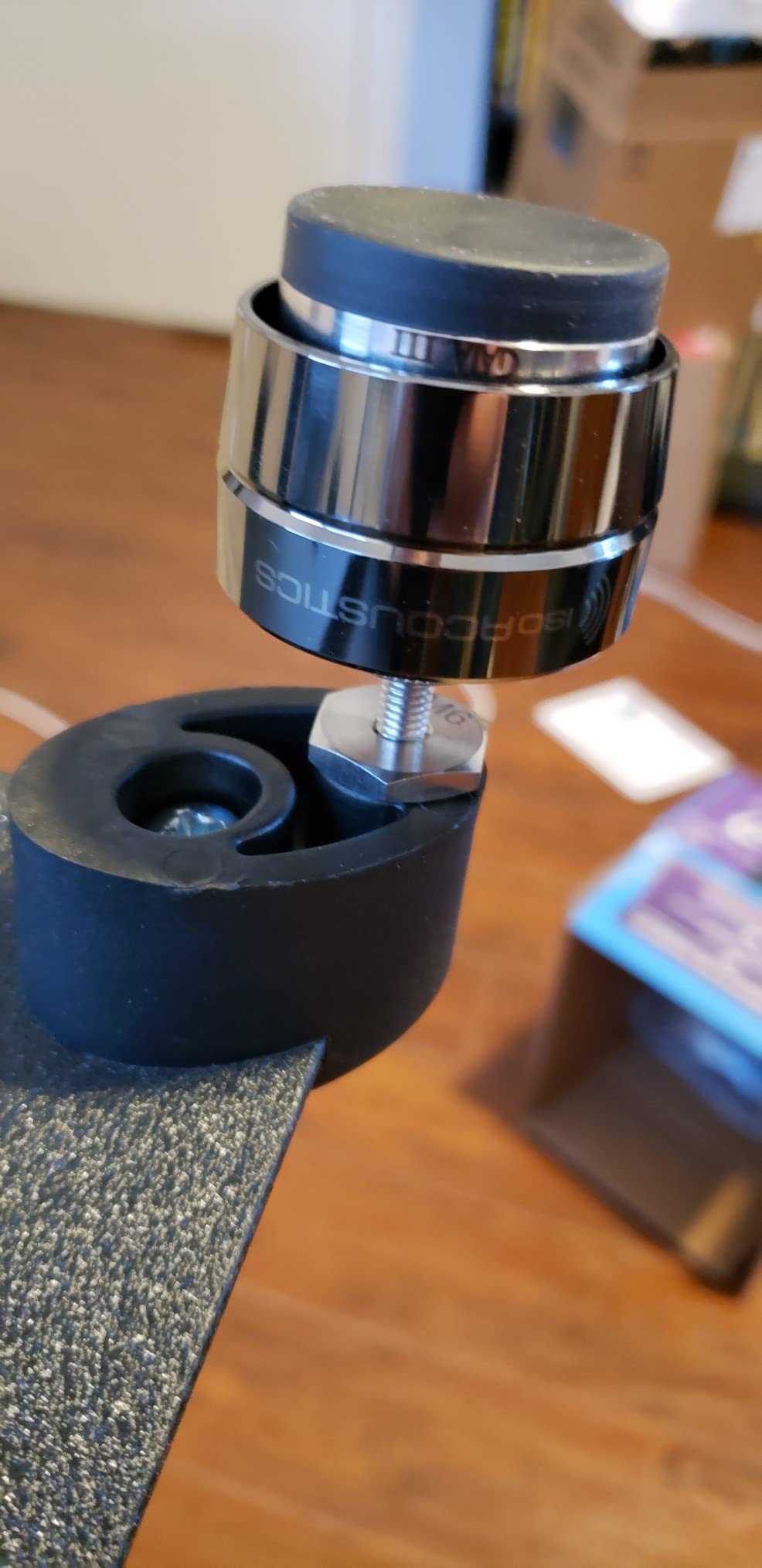
Owners report tighter, more focused bass and less low-end haze, plus a wider usable sweet spot so an off-axis listening position matters much less. The rubber contact surface grips tile and wood without scratching, which is the direct answer to the scratch problem people have with spikes. That stabilising side benefit is what most long-term owners mention first.
Be clear-eyed about the trade-offs. The same reviews that praise the sound also note it is expensive for what it is, that a single set is not enough for a pair, and that the gain shrinks in a well-treated and well-spaced setup. Buyers also point out that documented capacity differs between listings, so read the figure on the box rather than trusting a product page.
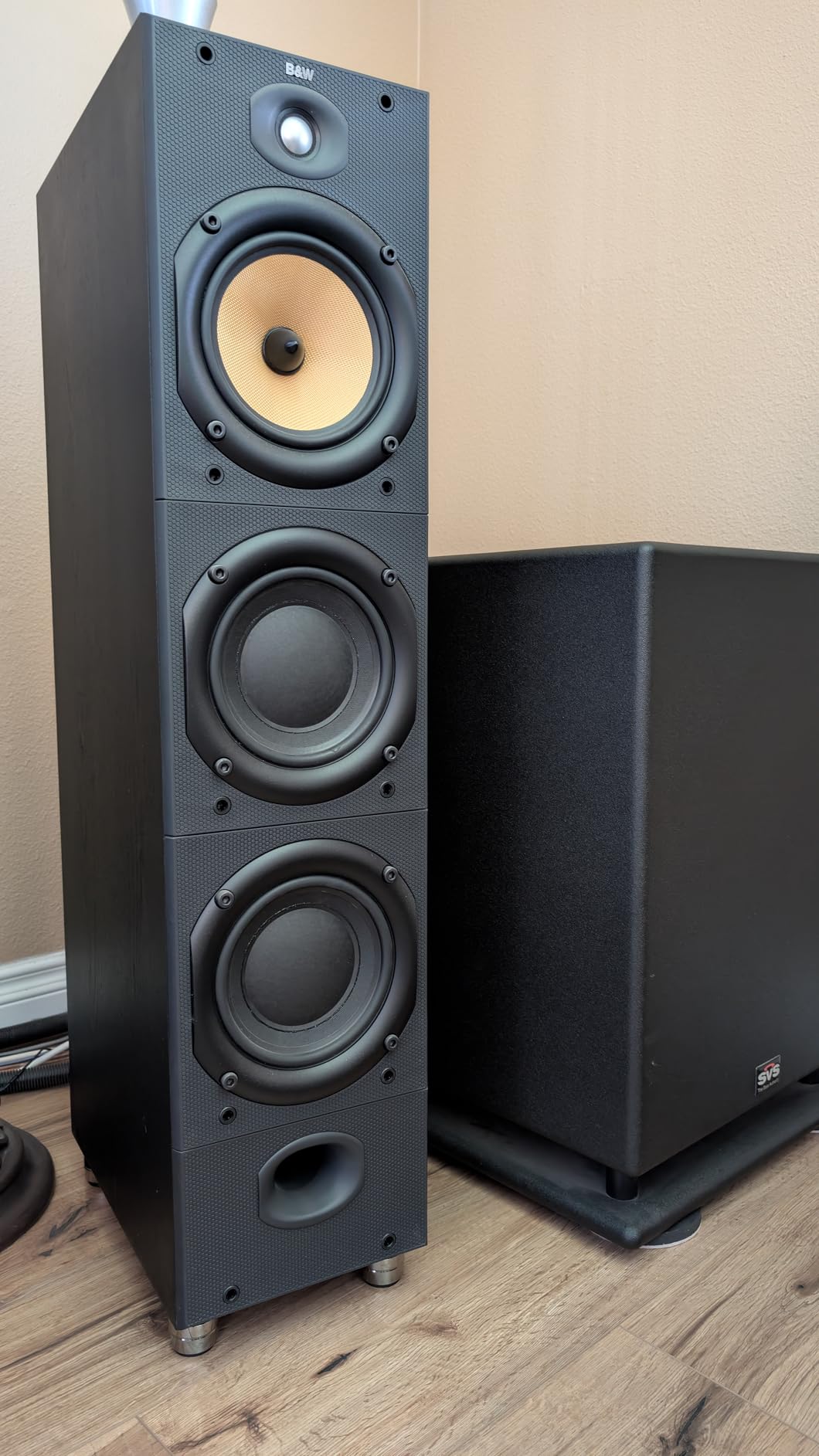
What makes the metal construction worth it on heavy cabinets
It does not compress. Foam under a heavy monitor slowly loses its spring behaviour, while a rigid metal body with a compliant element does not. If your monitors are large two-ways with deep, heavy cabinets, the material holding its properties matters more than the isolation figure printed on the box.
When the premium is not justified
When your setup is already well treated and well spaced, the reviews are candid that the benefit drops. Also when the budget for this step would be better spent on a first round of acoustic panels. A buyer framed it well, that the audible difference comes from removing surface resonance, not from the pad itself being expensive.
6. Hudson Hi-Fi Bigfoot 1.5 Inch Rubber Pads – Best for Subwoofers and Heavy Gear
Speaker Isolation Feet – 8-Pack 1.5″ Bigfoot Rubber Pads by Hudson Hi-Fi – Non-Adhesive, Anti-Vibration Feet for Turntables, Subwoofers, Amplifiers – 50 Duro, Non-Skid Audio Bumpers
50 durometer rubber
2.37 inch diameter, 1.5 inch tall
60 to 100 lb load
Sold as a pack of 8
Pros
- Stops subwoofers walking and walls and floors resonating
- Much stiffer 50 durometer compound holds heavy components steady
- Non-adhesive placement leaves no residue or scratches
Cons
- No adhesive included and the smooth surface resists most tapes
- Lightweight components can slide on the feet
- 1.5 inch height is too tall for very low desktop monitors
The Bigfoot is the heavy-duty member of the Hudson range. Each foot is 2.37 inches in diameter and 1.5 inches tall, moulded in 50 durometer Shore A rubber, and suited to components in the 60 to 100 lb band. They are placed rather than stuck, so nothing is bonded to your speaker or your floor.
Stiffness is the defining choice here. The 0.75 inch silicone feet in this roundup are a 20 durometer compound designed for light loads, and the Bigfoot sits at 50 durometer, which is why reviewers use it under subwoofers, amplifiers and large floorstanders rather than small desktops. Temperature resistance is again minus 40 to plus 240 degrees Celsius.
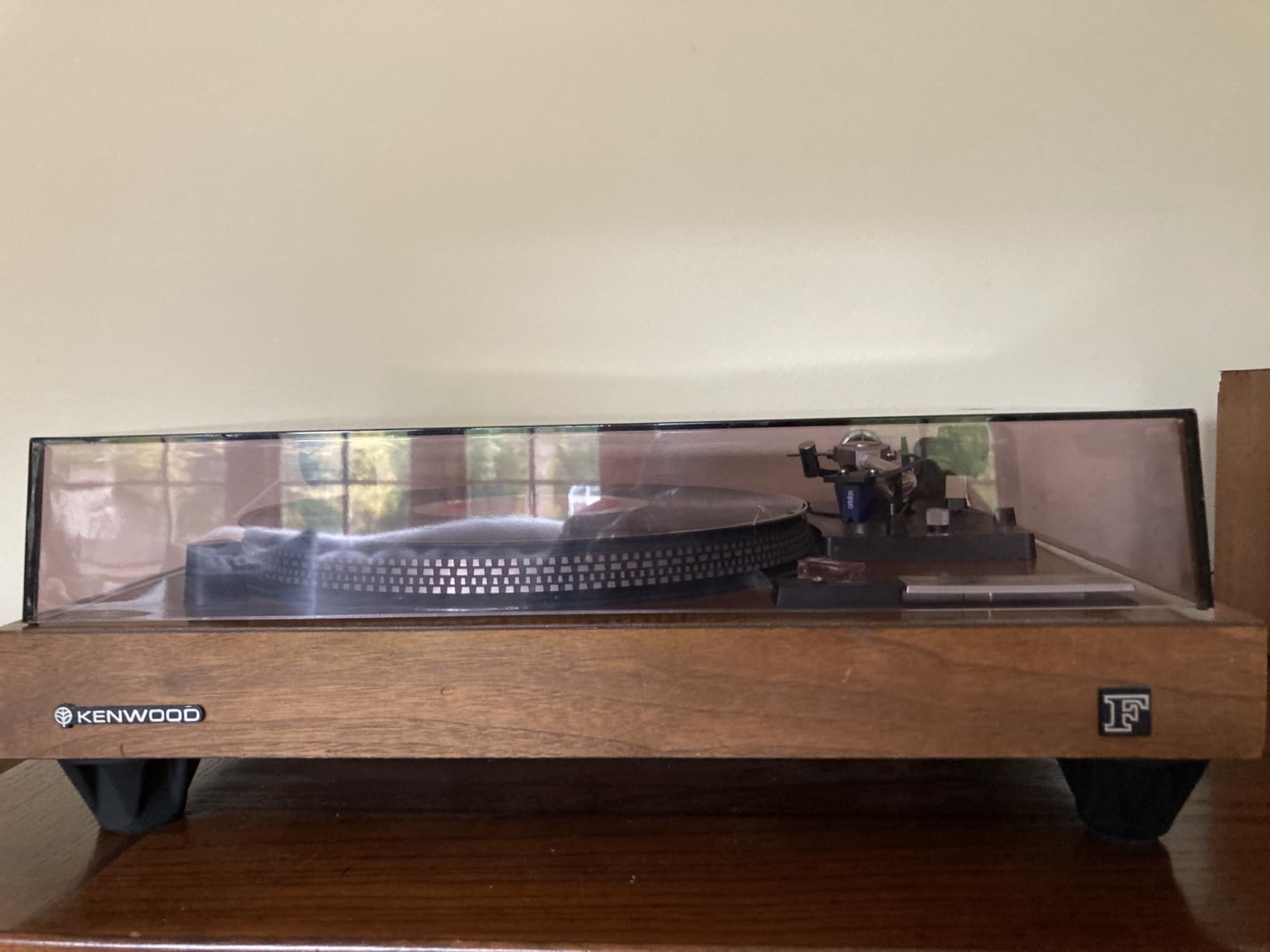
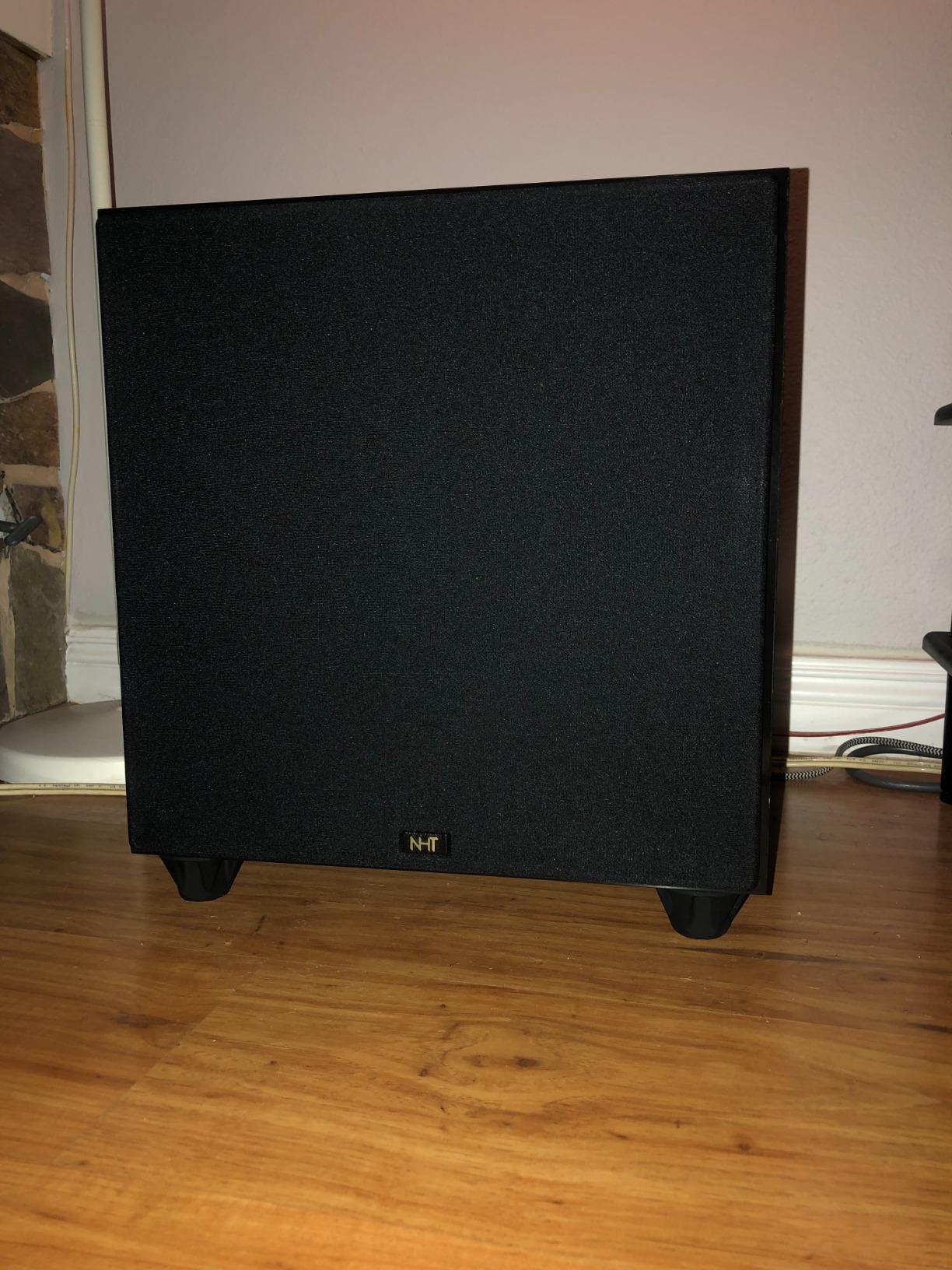
The reported benefit is specific and physical. Owners say it stops subwoofers from walking across the floor and stops walls and floors from resonating in sympathy with them. A r/BudgetAudiophile thread on subwoofer isolation drew the same conclusion, recommending 2 inch rubber or cork anti-vibration pads as effective and cheap, and another foam feet thread reached the same verdict.
Two practical complaints recur. There is no adhesive included and the smooth silicone surface resists most tapes, so if you want them fixed you need to source your own fixing. And lightweight components can slide on the feet, since a 50 durometer pad offers less grip for a light load than a softer one would.
When a 1.5 inch riser height helps
On a floor, where height is free and coupling into a joisted floor is the problem. Under a subwoofer, where the cabinet is heavy enough to load a 50 durometer compound properly and where the floor is usually the surface transmitting the most energy. The extra inch and a half also gets a rear port away from a wall or surface.
When it is the wrong tool
For a desktop monitor on a low desk. One and a half inches of extra height is more than most nearfield positions need, and it pushes the tweeter above ear level at a seated position. Also avoid it if you need the position fixed, since there is no adhesive and the surface is smooth.
7. Gator Frameworks GFW-ISOPAD-SM – Best Warranty Cover for Small Monitors
Gator Frameworks Pair of (2) Acoustic Foam Isolation Pads for Studio Monitors, Fits 5″ Speakers (GFW-ISOPAD-SM)
EVA foam construction
11.88 x 6.75 x 1.63 inch pad
Holds up to 20 lb
3-year warranty
Pros
- Longest warranty of any foam pad in this roundup
- Reversible wedge pieces give several tilt positions without extra parts
- Fits most small monitors upright or on their side
- Decouples monitors from the desktop to cut surface vibration
Cons
- Lower load capacity than most foam pads at 20 lb
- Only available in one small-monitor size
- Thinner review history than the foam leaders
Gator Frameworks builds cases and rigging hardware, and this pad is a 20 lb load-rated EVA foam platform measuring 11.88 by 6.75 inches and 1.63 inches tall. The set includes two base platforms plus two reversible angling pieces, so the tilt can be changed by swapping a part rather than rebalancing the pad.
That reversibility is the distinguishing feature. Most foam pads are single wedges that give you one or two angles. This one gives you a base and a separate wedge, so the same pair can work flat, angled one way, or angled the other depending on your listening height and cabinet shape. The stated fit is universal for small monitors, upright or on their side.
The 3-year warranty is the other reason it stands out. Most foam pads in this category carry a 1-year warranty, and one competitor carries none mentioned. On an accessory that sits under a heavy object, a longer warranty is a reasonable signal about how the material is expected to age.
How it compares to the other foam pads
The 20 lb per pad rating is the lowest of the foam pads here, and it is the number to check first. Two of the foam pads in this roundup are rated at 24 lb and one at 100 lb per pad. For light 4 and 5 inch desktop monitors the 20 lb figure is comfortable. For a heavy two-way, pick something rated higher.
Is the warranty the reason to buy it?
It is a tie-breaker, not a driver. The reversible tilt pieces are what actually change the listening experience, because they let you correct the angle properly instead of settling for whatever wedge orientation the foam came in. If two pads cost the same and one is rated higher, take the higher rating.
8. Rockville RRS190S – Best for Heavy Loads on a Small Footprint
Rockville RRS190S Pair Foam Studio Monitor Isolation Pads 7.5″ x 9.5″
High-density foam
7.5 x 9.5 inch pad
Flat, 4 and 8 degree tilt
Up to 100 lb per pad
Pros
- Highest stated load capacity of any product in this roundup
- Three angle options from a two-piece design
- Foam maintains its shape under heavy monitor weight
- Also works for DVD players
- turntables and laptops
Cons
- Smallest footprint of the foam pads here at 7.5 x 9.5 inches
- Only a 1-year manufacturer warranty
The Rockville RRS190S is a pair of charcoal grey high-density foam pads, each 7.5 by 9.5 inches, with a two-piece construction that gives you flat, 4 degree or 8 degree tilt. The headline spec is a 100 lb capacity per pad, which is the highest stated load figure in this entire roundup by a wide margin.
That rating is what makes it interesting. Foam pads get accused of bottoming out under heavy monitors, and a pad rated at 100 lb is not going to do that. If you own a large two-way with a deep cabinet and every other foam option makes you nervous about the number, this is the one whose number is not a problem.
The three angle options matter more than they sound. Eight degrees is a real tilt for a seated listener who is below the tweeter line, and being able to drop to flat is useful when you move the monitor to a different position. Buyers use the pair across monitors, DVD players, turntables and laptops, which suggests the foam holds up outside the audio use case as well.
How the 100 lb rating should change your thinking
It removes the main failure mode of foam entirely for almost any monitor you are likely to own. Foam compression is what makes pads stop behaving like springs, and a pad rated four times the weight of your monitor is not going to bottom out in year one. Buy on the tilt geometry and this becomes a very low-risk foam purchase.
What you give up for the small footprint
Contact area. At 7.5 by 9.5 inches this is the smallest foam footprint here, and smaller contact area means less of the desk is decoupled and more of the cabinet is overhanging. For a compact monitor that is a good trade. For a wide monitor, check the dimensions before you commit, and note that the warranty is only 1 year.
9. Ekkogo Vibredux HD Pads – Best for Five Angle Positions
Ekkogo Studio Monitor Isolation Pads Premium Acoustic Foam Elevates Audio Ideal for 5 Inch Speakers Enhanced with Vibredux HD Foam for Superior Isolation
Vibredux HD foam
11 x 7.5 x 1.6 inch pad
Holds up to 24 lb
Five angle settings
Pros
- Five distinct angle settings from a two-component system
- Matches the 11 by 7.5 footprint of the leading 5 inch foam pad
- Holds shape under 24 lb of monitor weight
- Works with Yamaha HS5 and KRK Rokit 5 G4
Cons
- Contact area of 22.5 square inches per pad is thin under some 5 inch monitors
- Product listing is keyword-heavy and hard to read
The Ekkogo pad uses a two-component system that produces five distinct angle settings, which is more adjustment than any other foam pad in this roundup. Each pad measures 11 by 7.5 inches and 1.6 inches tall, in Vibredux HD foam, and holds up to 24 lb.
The dimensions are deliberately the same as the leading 5 inch foam pad, which means the footprint problem is solved for anyone cross-shopping between the two. Buyers report the expected reduction in desk resonance along with usefulness for tilt correction, and the pad is offered in three monitor sizes rather than one.
The listed compatibility covers the Yamaha HS5, KRK Rokit 5 G4, JBL 305P MkII, Adam Audio T5V and Mackie and M-Audio monitors, which is the mainstream 5 inch market rather than a niche corner of it. The rating sits alongside the leaders in this roundup, which tells you the foam itself is competitive.
What five angles actually buy you
It removes the guesswork. With one or two fixed angles you either sit at the right height or you do not. With five settings you can usually get the tweeter aimed at your ears without adding a stand, which is usually the whole reason people reach for an isolation pad in the first place. If your listening position changes through the day, this is the pad that adapts.
Watch the coverage figure
Contact area is 22.5 square inches per pad, 45 square inches for the pair. Under a wider 5 inch cabinet that leaves a thin margin, and you get less of the desk decoupled than the headline dimensions suggest. Check your cabinet width against 11 inches before ordering, and ignore the keyword-heavy listing copy in favour of the measured figures.
10. Pyle PSI03 Foam Risers – Best for the Tallest Platform and Largest Footprint
Pyle Sound Dampening Speaker Riser Foam – Audio Acoustic Noise Isolation Platform Pads Recoil Stabilizer For Studio Monitor, Subwoofer, Loud Speakers – Pyle PSI03 – Pack of 2,Black
High-density engineered foam
9 x 12 x 2 inch riser
Up to 33 lb per riser
3 angles, reversible
Pros
- Tallest and widest platform in this roundup
- Anti-slip rubber base keeps speakers from walking
- Universal fit across essentially every speaker brand and model
- Reversible upward or downward firing with three angles
Cons
- Lowest average rating of the group at 4.5 with 3 percent one-star reviews
- 33 lb per riser is modest for the size
- Bulky on a crowded desk
The PSI03 is the most conventional product here and the most widely reviewed, with 1006 ratings behind it. Each riser is 9 inches wide by 12 inches deep and 2 inches tall, built from high-density engineered foam with an anti-slip rubber base pad on the bottom, and rated to 33 lb per riser.
What makes it stand apart from the other foam pads is scale. Two inches of lift is more than any other product here, and 9 by 12 inches is a genuinely large platform. That combination suits a bookshelf speaker or a subwoofer where you want the cabinet raised clear of a resonant surface and the port given breathing room behind.
The construction gives three mounting angles and reverses for upward or downward firing, so a downward-firing monitor can be turned around rather than replaced. Buyers confirm steadier bass and less surface vibration, with the height and bulk as the recurring note of caution.
Where the extra height earns its place
Under a downward-firing monitor with a front port, where 2 inches of riser changes the distance between the port and the surface below it. And under a subwoofer, where lifting the cabinet 2 inches breaks the floor coupling and stops it walking. The anti-slip base is doing real work there, since a subwoofer at high level will walk on a smooth platform without it.
Why the review spread is the widest here
At 4.5 average with 3 percent one-star ratings, this is the most polarised product in the roundup, and the reason is size. A 9 by 12 inch platform that is 2 inches tall eats a lot of desk, and on a crowded nearfield desk that is a genuine cost. If desk space matters, take a smaller pad.
How to Choose Isolation Feet: Weight, Surface and Port Clearance
Start with the surface, not the product. Knock on your desk and listen. A hollow knock means there is a resonant cavity to decouple and a foam pad will help immediately. A dead thud means there is little to gain, and you should spend the money on acoustic treatment or on better monitor positioning instead. This one test prevents most wasted purchases in this category.
Next, check the weight limit against the monitor weight, with headroom. The rule of thumb that works for us is to have a pad rated at least twice the weight of the monitor it carries. That covers a heavy monitor near the top of a range, a concentrated footprint, and the slow creep of foam under constant load. Two pads per monitor at 24 lb each gives you 48 lb of support, which is a lot of headroom for a 5 inch two-way.
Then match footprint to cabinet. A pad much smaller than the cabinet overhangs and gives you less decoupled area. A pad much larger than the cabinet is stable but wasteful. Where the two conflict, prioritise stability and load rating over footprint, because an unstable monitor is a worse problem than a slightly less decoupled desk.
Rear-ported monitors get their own anxiety and it is worth answering directly. Isolation feet do not interfere with port behaviour as long as the port itself stays clear of the surface behind it. The risk is that a tall riser pushes the back of the cabinet into a wall, which is what actually changes the sound. Measure the gap between the port and the wall before you choose a riser, and choose a low pucks-and-cones design if the gap is tight.
Do not discount the do-it-yourself route. Community advice converges on Sorbothane sheets, rubber or cork anti-vibration pads, and even squash racket balls cut in half placed under speaker corners. Sorbothane is a genuinely capable damping material and a slab of it under each corner will do much of what a mid-priced foam pad does. What you lose is tilt and height adjustment, and the confidence of a stated load rating.
Setup and Placement: How Many Pads and the 38 Rule
Two pads per monitor is the near-universal answer, and getting that wrong is the most common sizing mistake. A pack of four gives you one monitor, so a stereo pair needs eight, or you use two pucks and two spare. Spread the two pads apart so each sits under a different edge of the cabinet, front and rear, rather than side by side. Side by side you get support but almost no rotational stability, and a light monitor on a slick desk will pivot.
With pucks, follow the maker’s guidance instead. IsoAcoustics recommends three or four per speaker on the ISO-PUCK Mini, and that is not padding, it is the geometry. Three pucks in a triangular layout hold a small cabinet far more securely than three in a line.
The 38 rule is a guideline that circulates as a starting point for distance from the front wall and roughly a 38 degree horizontal angle. Treat it as folklore rather than a standard, because no authoritative source uses this exact phrasing. The more widely cited convention is closer to an equilateral triangle between the two monitors and the listening position, with 38 to 45 degrees of horizontal angle and about 0.8 metres of ear distance. Follow the geometry, not the number.
The 83% rule has even less authority and inconsistent definitions online, usually framed as a toe-in or listening-distance guideline. It is community folklore. Use it as a starting experiment, move the monitors a few centimetres, and keep the position that gives you the best image, because that measurement beats any rule.
Do not forget the rest of the chain. If your monitors sit on a stand, isolation between the monitor and the stand top is only half the path, because a Sound On Sound forum explanation notes the point clearly, that isolation prevents vibrations travelling down the stand into the floor. A stand with a hollow pole is a resonator, and you either isolate the stand from the floor or accept the path. Subwoofers benefit from the same treatment as monitors, on the same reasoning.
Frequently Asked Questions
What is the best isolation pad for studio monitors?
The Sound Addicted SMPad 5 is the best isolation pad for studio monitors overall. Its 50kg/m3 high-density foam, 11 by 7.5 inch footprint and 24 lb per pad rating cover most 5 inch nearfields, and the wedge sections give useful upward tilt. If your monitors are 3 to 4 inch, the smaller JBER pair is the better size match.
What are the best speaker isolation feet?
For bookshelf and hi-fi speakers on stands, the IsoAcoustics GAIA III is the strongest option for large cabinets, rated at 70 lb per set of four and supplied with thread adaptors. For subwoofers and amplifiers, the Hudson Hi-Fi Bigfoot 1.5 inch rubber pads suit heavy loads. If the speaker already sits on a solid, well-braced stand, silicone feet are often all you need.
What is the 38 rule for studio monitors?
The 38 rule is a community guideline used as a starting point for distance from the front wall and roughly a 38 degree horizontal angle between monitors. No authoritative acoustical standard uses this exact phrasing. The more widely cited convention is an equilateral triangle between the two monitors and the listening position, with 38 to 45 degrees of horizontal angle and about 0.8 metres of ear distance. Follow the geometry rather than the number.
What is the 83% rule for speakers?
The 83% rule has low authority and inconsistent definitions online. It is usually framed as a toe-in or listening-distance guideline rather than an acoustical standard. Treat it as community folklore: move the monitors a few centimetres and keep the position that gives you the best image, because your own comparison beats any rule.
What are the best isolation pads for speakers?
Answering by type rather than product. Foam pads absorb the most energy and add upward tilt, making them the right choice for small monitors on a desk. Isolation stands and risers add height as well as decoupling, which suits shallow mixing desks. Pucks and cones shrink the contact area and take up almost no space, which suits compact nearfields and crowded desks.
How many isolation feet do I need per monitor?
Two per monitor for foam pads, spread front and rear under the cabinet for stability. A four-pack covers one stereo monitor, not a pair. With pucks, follow the maker guidance, which for the IsoAcoustics ISO-PUCK Mini is three or four per speaker arranged so the weight spreads toward the front and rear.
Do isolation feet actually make a difference?
They remove energy travelling from a moving cabinet into a resonant surface, so the gain depends entirely on whether the surface is resonating. On a hollow desk you can often hear the change at moderate levels. On a dense, solid desk the gain is small. The effect also scales with volume, because a surface resonance needs energy to ring, which is why comparisons at near-silent levels often show nothing.
Are isolation feet or spikes better?
They solve different problems. Spikes couple a stand rigidly to the floor, stopping it rocking, walking or scratching tile. Isolation feet decouple the cabinet from the surface, stopping desk buzz and low-end smear. If your stand moves or your floor is being marked, you want spikes. If your bass is boomy and smeared, you want isolation.
Final Verdict for Isolation Feet for Studio Monitors in 2026
The Sound Addicted SMPad 5 takes the top spot for the best isolation feet for studio monitors because it combines the highest rating in this roundup with a load rating, footprint and tilt range that fit the mainstream 5 inch nearfield market. The JBER pair is the value pick for smaller monitors on a tight budget, and the IsoAcoustics ISO-PUCK Mini is the one to buy when desk space is the constraint.
Beyond that, match the family to the problem. Foam pads for absorption and tilt on a desk, stands and risers when you also need height, pucks and cones when footprint matters more than absorption. Whatever you choose, test the surface first, buy a rating well above your monitor weight, and place two per monitor front and rear. If the desk is solid and your bass problem is in the room itself, spend the money on acoustic treatment instead.