
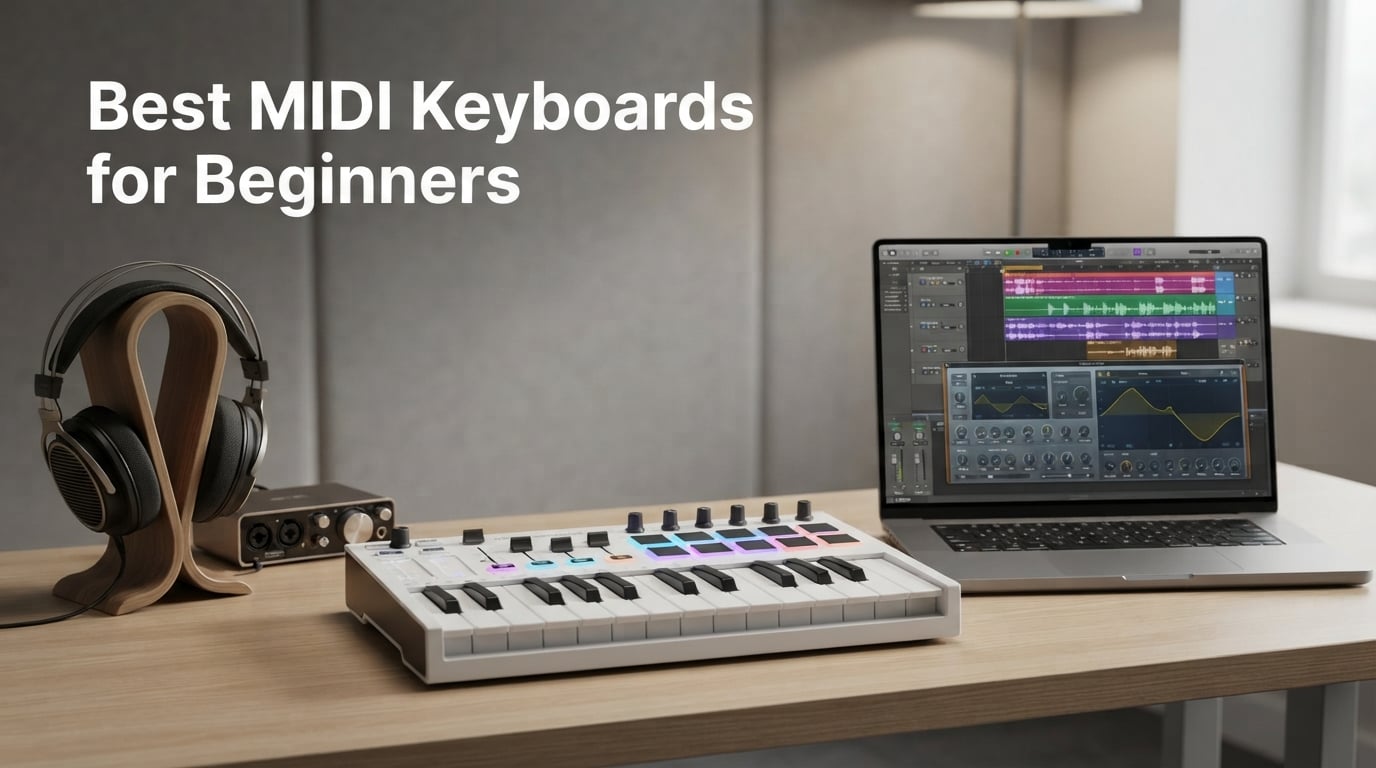
If you are searching for the best MIDI keyboard for beginners, the answer in 2026 is the Akai MPK Mini MK3 – 25 velocity-sensitive mini keys, 8 MPC pads, 4-way pitch/mod thumbstick, and a complete software bundle (MPC Beats, 3 virtual instruments, and 2GB of sound content) for a price that fits almost any starter budget. We have spent weeks testing eight beginner-friendly controllers from Akai, Arturia, M-Audio, Novation, Nektar, Korg, and midiplus so you can find the right match in minutes.
Before the picks, here is the one thing most beginners do not realize: a MIDI keyboard does not make sound on its own. It is a controller – you press a key, it sends note and velocity data to a computer, tablet, or hardware synth, and the connected device (usually a DAW like Ableton Live, Logic Pro, or GarageBand) turns those messages into audio. Knowing that up front changes how you shop – you are buying feel, layout, DAW integration, and software, not built-in speakers.
Want something ultra-compact, full-size, or Ableton-specific? Scroll to our top 3 picks below, then the full 8-model breakdown. We also answer the four questions beginners ask most: which MIDI keyboard is best for learning piano, should you get 25 or 49 keys, what is the most affordable option, and what software you actually need to get started.
Table of Contents
Top 3 MIDI Keyboards for Beginners (September 2026)


Best MIDI Keyboards for Beginners in 2026
| Product | Specs | Action |
|---|---|---|
| Akai MPK Mini MK3 |
|
Check Latest Price |
 Arturia MiniLab 3 Arturia MiniLab 3 |
|
Check Latest Price |
 M-Audio Keystation 49 MK3 M-Audio Keystation 49 MK3 |
|
Check Latest Price |
 Novation Launchkey Mini MK3 Novation Launchkey Mini MK3 |
|
Check Latest Price |
 Nektar SE49 Nektar SE49 |
|
Check Latest Price |
 Akai LPK25 Akai LPK25 |
|
Check Latest Price |
 Korg nanoKEY2 Korg nanoKEY2 |
|
Check Latest Price |
| midiplus AKM320 |
|
Check Latest Price |
1. Akai Professional MPK Mini MK3 – Best Overall for Beginners
Akai Professional MPK Mini MK3 25-Key USB MIDI Keyboard Controller
25 velocity-sensitive mini keys
8 MPC pads
4-way thumbstick for pitch and modulation
Pros
- Compact and portable for small studios and travel
- Responsive velocity-sensitive mini keys with good feel
- 8 backlit velocity-sensitive MPC-style drum pads with Note Repeat
- Built-in arpeggiator with adjustable resolution
- range
- and modes
- 4-way thumbstick for pitch and modulation plus 8 assignable 360-degree knobs
Cons
- Bundled software can feel heavy on lower-end laptops
- Mini keys may feel small for users with larger hands
- Limited track count in MPC Beats free version
I have owned an Akai MPK Mini for years and it has never failed on me, which is one reason I keep recommending it as the top pick. The MK3 is the latest version and adds deeper Native Instruments NKS integration – you can browse Komplete presets straight from the keyboard and pick a Komplete 15 Select bundle (Beats, Band, or Electronic) free with purchase. For a beginner, that single feature saves hours of clicking through plugin menus.
The 25 velocity-sensitive mini keys are the gateway drug. They feel closer to synth-action than piano-action, which is exactly what you want for beat making, hip-hop production, and EDM. The 8 MPC-style drum pads are the real differentiator – they respond to velocity and pressure, and Note Repeat turns them into a 16th-note machine for trap hi-hats and pulsing synth stabs. I have lost hours finger-drumming on this thing.
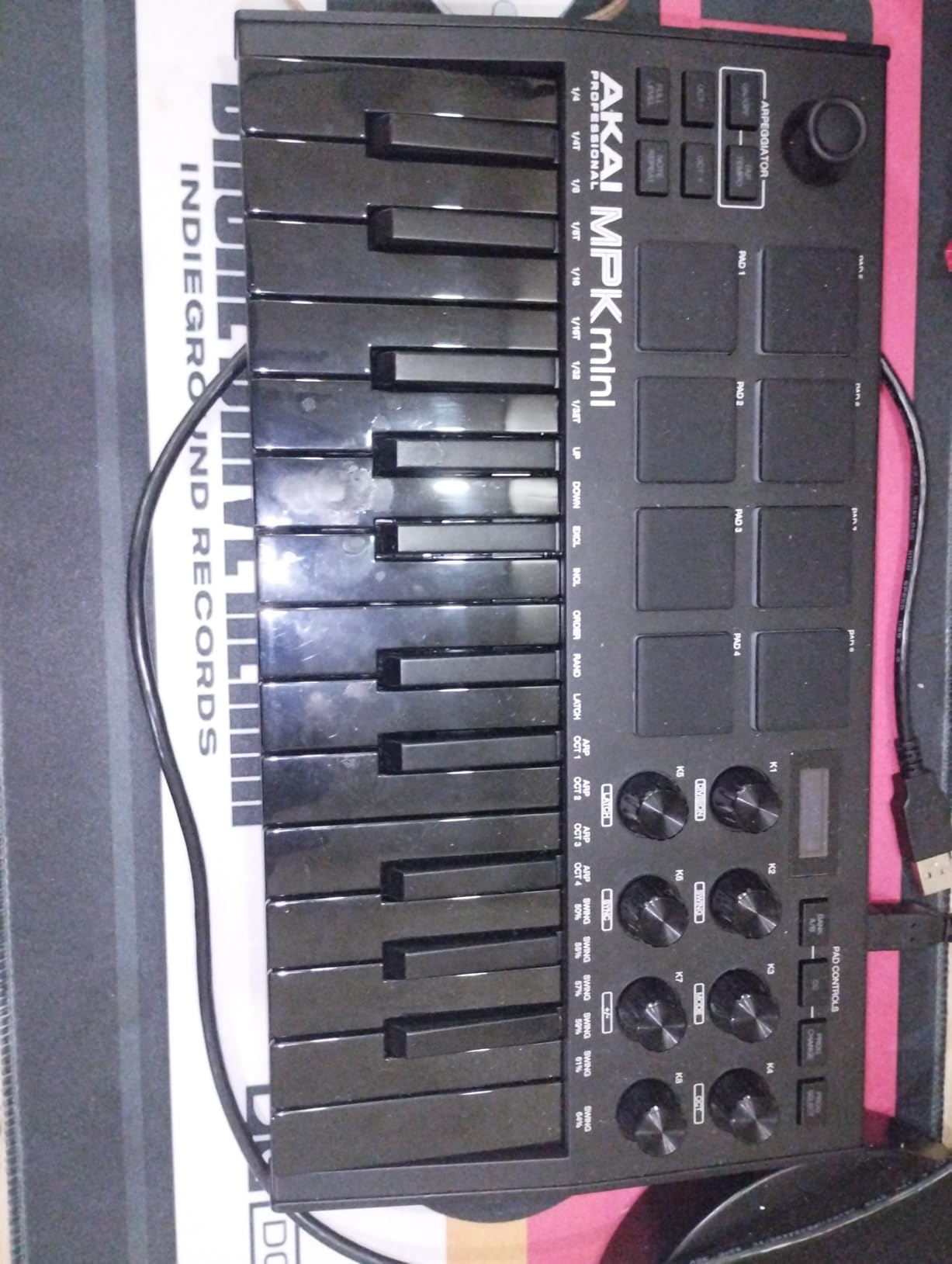
The 4-way thumbstick handles pitch bend and modulation in one control, which is unusual at this size. Press it up and the pitch bends up; left and right crossfade between pitch and modulation; clicking it resets. It takes 30 seconds to learn and saves a full hand versus separate pitch and mod wheels. The 8 assignable knobs map to anything in your DAW – I use them for filter cutoff, resonance, and ADSR on my synths.
Setup is genuinely plug-and-play. Plug the USB cable into your laptop, open Ableton, Logic, FL Studio, or GarageBand, and the MPK Mini MK3 just shows up. No drivers, no firmware juggling. It runs on USB bus power, so there is nothing else to plug in.
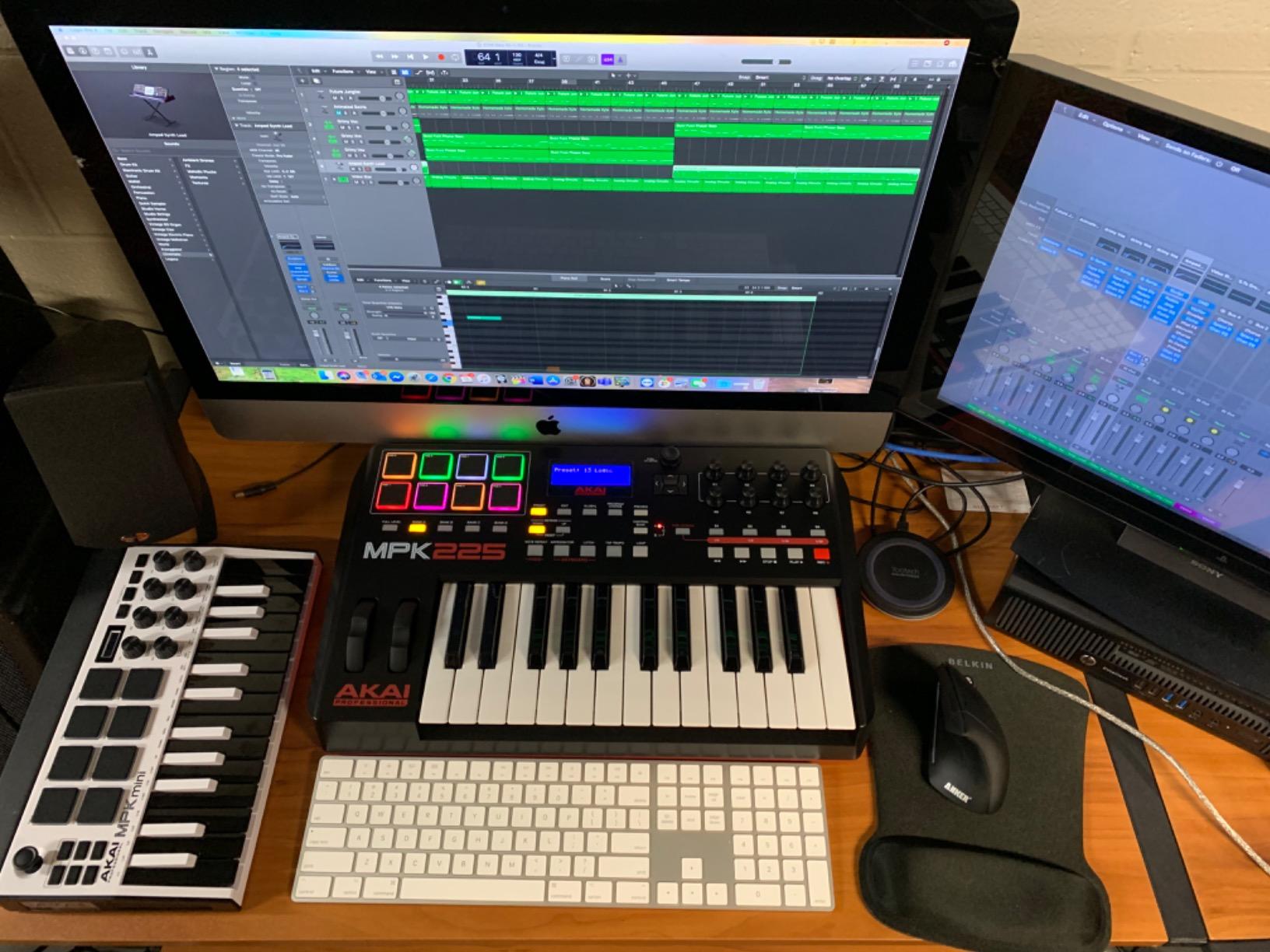
Best setup tips for the MPK Mini MK3
Download the MPK Mini MK3 Editor from Akai’s site before you start tweaking knob mappings. The default presets work for most users, but you will want to customize the arpeggiator settings for your genre. I keep mine locked to a 16th-note pattern with one octave of range for synth leads.
Pair it with a sustain pedal if you are learning piano or want more expressive lead lines. The MPK Mini MK3 has a 1/4 inch sustain pedal input on the back, and any standard piano-style pedal works. A cheap on/off pedal is fine for beginners.
When the MPK Mini MK3 is not the right pick
If you have larger hands or you specifically want to practice piano repertoire, the 25 mini keys will frustrate you within a week. Stretch to a 49-key full-size model (the M-Audio Keystation 49 MK3 below) or the Arturia MiniLab 3 with its slim keys. Mini keys are also cramped for two-handed playing, so if your goal is jazz piano, look elsewhere.
The bundled MPC Beats is a real DAW, not a demo – but the free version caps you at 8 MIDI tracks and 2 audio tracks. That is plenty for sketching beats and learning, but if you outgrow it, expect to upgrade or switch to Ableton, Logic, or FL Studio.
2. Arturia MiniLab 3 – Best Key Feel and Software Bundle
Arturia MiniLab 3 Universal MIDI Controller, White
25 slim velocity-sensitive keys
2 banks of 8 RGB pads
8 rotary encoders
Pros
- Class-leading velocity-sensitive key feel
- 2 banks of 8 RGB pressure-sensitive pads
- 4 faders and 8 rotary encoders for DAW control
- Capacitive touch sensors for pitch bend and modulation
- Generous Analog Lab Intro
- Ableton Live Lite
- and UVI Model D bundle
Cons
- Pads feel slightly stiff and may require firmer presses
- Only 25 keys may feel limiting later
- Minimal on-face labeling makes function recall harder
The Arturia MiniLab 3 is the keyboard I recommend when beginners complain that mini keys feel like typing on a calculator. Arturia spent real engineering on the keybed – these slim keys are the best-feeling 25-key action you can buy under $150. If your priority is piano-feel and a generous software bundle, this is the one.
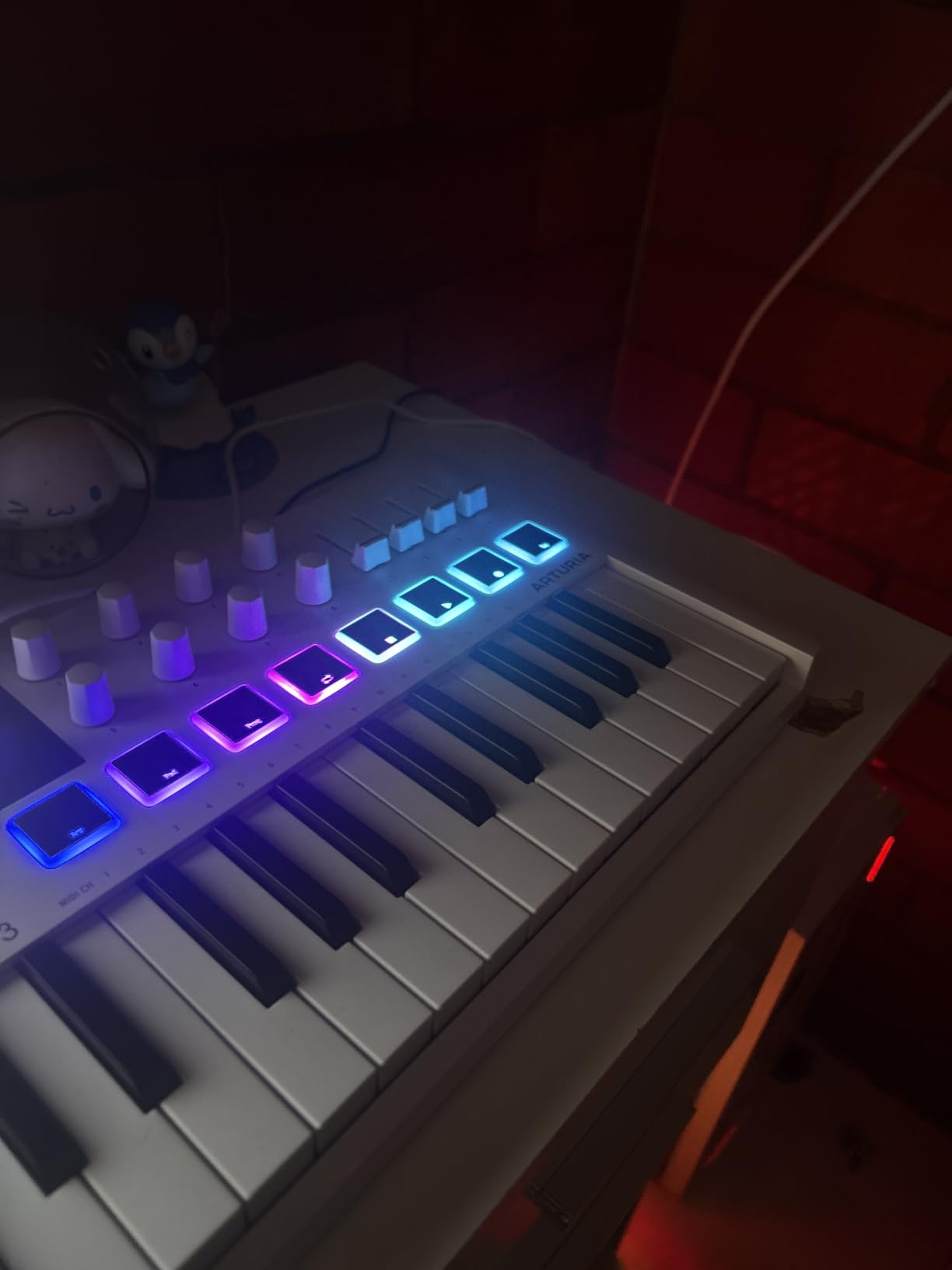
The control surface is unusually complete for a 25-key board. You get 4 faders, 8 rotary encoders (endless, so they keep spinning when you reach the end of a parameter), 2 banks of 8 RGB pads, and capacitive touch strips for pitch bend and modulation. The mini display and clickable browsing knob let you browse presets from Analog Lab without touching your mouse – a huge workflow win.
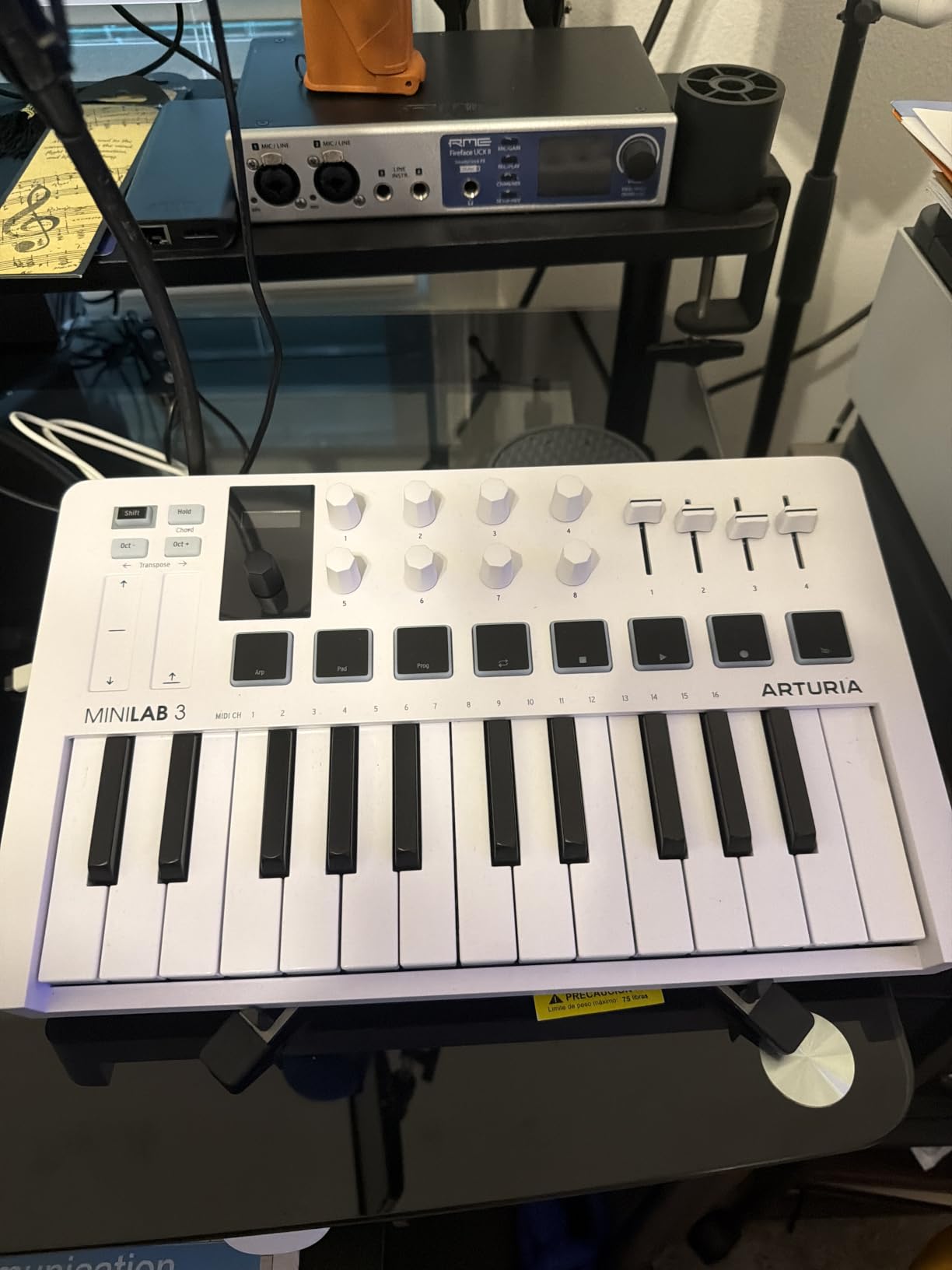
Where the MiniLab 3 pulls ahead of every competitor is the bundled software. Analog Lab Intro ships with hundreds of presets from Arturia’s legendary synth library (Mini V, Prophet V, CS-80 V). You also get Ableton Live Lite and the UVI Model D Steinway piano sample. For a beginner, that is more than enough to make full tracks without buying extra plugins for the first year.
Connectivity is the most practical of any beginner board: real 5-pin DIN MIDI out (not a 1/8 inch adapter), USB-C cable included, and class-compliant drivers so it works on Mac, Windows, and iOS without installing anything.
Best uses for the MiniLab 3
This is the keyboard to get if you want to learn piano, write synth leads, and explore sound design. The 8 endless encoders are perfect for tweaking filter cutoff, resonance, and LFO rate while playing. The chord hold feature lets you strike a chord once and then play a melody over the top, which is a great composition tool.
It pairs especially well with Ableton Live Lite and Analog Lab. Open Analog Lab, hold down a key, twist an encoder, and you instantly hear the difference. That tactile feedback loop is how beginners build sound design instincts.
Where the MiniLab 3 falls short
The pads are slightly stiffer than the Akai MPK Mini pads and require firmer hits to register consistently. Finger drumming is doable but not ideal – if beat-making is your main goal, the Akai MPK Mini MK3 is a better fit.
Only 25 keys means you will use octave shift constantly for two-handed playing. The mini display helps, but if you specifically want a piano-practice keyboard with room for both hands, the M-Audio Keystation 49 MK3 is the better fit.
3. M-Audio Keystation 49 MK3 – Best 49-Key Full-Size Option
M-AUDIO Keystation 49 MK3 USB MIDI Controller
49 full-size velocity-sensitive keys
Pitch and modulation wheels
Octave and transport controls
Pros
- 49 full-size velocity-sensitive keys with expressive natural feel
- Plug-and-play to Mac or PC with no drivers
- Volume fader
- transport
- and directional buttons for DAW control
- Generous software bundle: Ableton Live Lite
- MPC Beats
- Velvet
- XPand2
- Mini Grand
- Touch Loops
- iOS compatibility via Apple USB Camera Adapter
Cons
- No MIDI out port (USB only)
- No drum pads
- knobs
- or extra tactile controls
- Keys are unweighted so it does not feel like an acoustic piano
If you have larger hands, want to learn piano properly, or simply want the keys to feel like real piano keys, the M-Audio Keystation 49 MK3 is the most beginner-friendly 49-key controller on the market. The 49 full-size velocity-sensitive keys are the star – they have a natural, expressive feel that makes melodies and chords comfortable to play for hours.
The layout is clean and unintimidating. Pitch and modulation wheels sit on the left where piano players expect them. Octave up and down buttons sit just above the keys. A volume fader, transport buttons, and directional buttons for track navigation handle the rest. There are no drum pads or knobs, which some users want but others prefer – fewer distractions means you focus on playing.
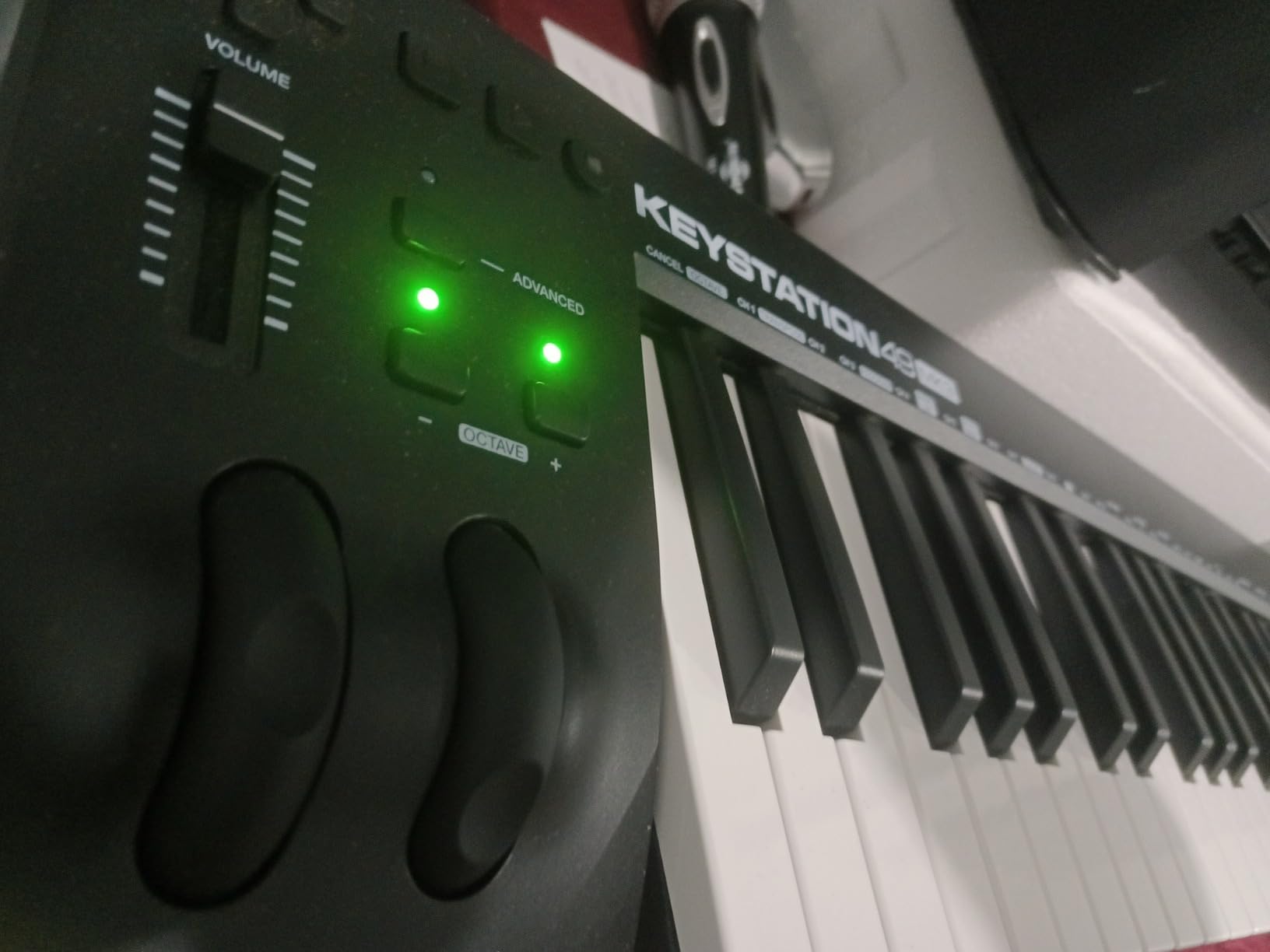
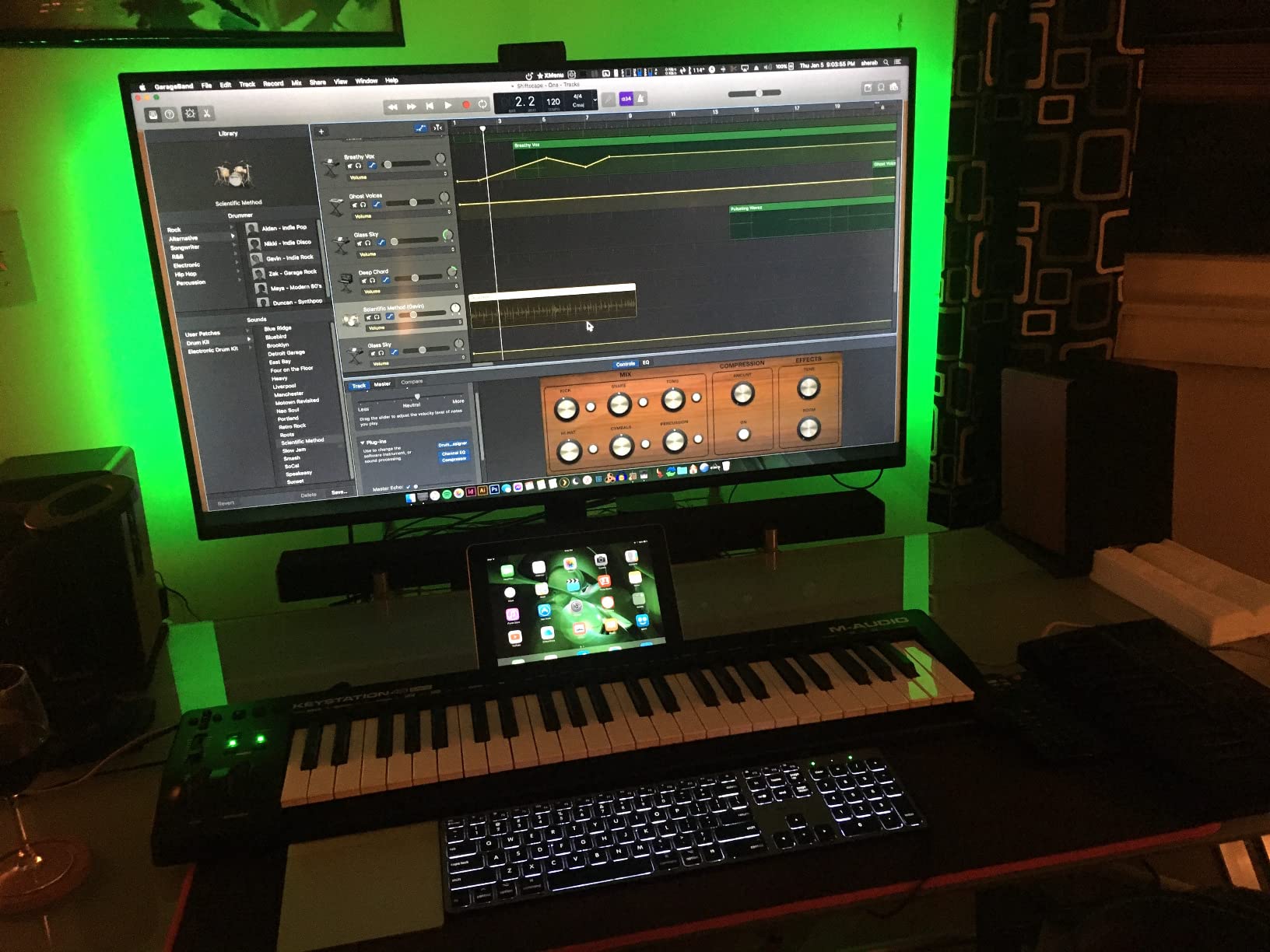
The software bundle is generous for the price. You get Ableton Live Lite, MPC Beats, AIR Velvet (electric piano), AIR XPand2 (synth), AIR Mini Grand (acoustic piano), and Touch Loops sample packs. Add Skoove and 60+ Melodics lessons and you have a complete learning path for free.
Setup could not be simpler: plug the USB cable into your computer, open your DAW, and the Keystation 49 MK3 is recognized automatically. No driver downloads. Class-compliant on Mac and Windows. iOS works through the Apple USB Camera Adapter (sold separately).
Why the Keystation 49 MK3 is perfect for beginners learning piano
Full-size keys mean finger spacing matches an acoustic piano. Beginners who practice on mini keys often develop bad habits that hurt them when they later play a real piano. Starting on full-size keys avoids that. The velocity sensitivity is responsive enough to teach dynamics from day one.
49 keys cover about four octaves – enough for most pop, rock, classical, and jazz melodies without constant octave shifting. Beginners who want to learn two-handed pieces need this range.
When to skip the Keystation 49 MK3
If you mainly produce beats, electronic music, or hip-hop and rarely play piano with two hands, the extra keys are wasted desk space. A 25-key controller with pads and knobs (the Akai MPK Mini MK3 or Novation Launchkey Mini MK3) is a better tool for that workflow.
There is no MIDI out port, so you cannot use it to control an external hardware synth without a computer. If you own a hardware synth, the Arturia MiniLab 3 with its 5-pin MIDI out is a better fit.
4. Novation Launchkey Mini MK3 – Best for Ableton Live
Novation Launchkey Mini [MK3] — Portable 25-Key, USB, MIDI Keyboard Controller with DAW Integration, Chord Mode, and Arpeggiator — for Music Production
25 velocity-sensitive mini keys
16 RGB pads
Deep Ableton Live integration
Pros
- Best-in-class Ableton Live integration with device macro control
- clip launch
- capture MIDI
- 16 velocity-sensitive RGB drum pads (more than most mini controllers)
- Built-in arpeggiator with deep rhythm
- pattern
- octave
- and gate control
- Fixed chord mode for playing chords with one finger
- 3.5mm MIDI out for connecting to external synths and grooveboxes
Cons
- Plastic build feels less premium than metal alternatives
- Best experience requires Ableton Live or a HUI-compatible DAW
- MIDI DIN break-out cable sold separately
If Ableton Live is your DAW, the Novation Launchkey Mini MK3 is the keyboard you want. The integration is so deep it almost feels like an Ableton product: track select, record arm, capture MIDI, clip and scene launch, stop/mute/solo, device macro control, volume, pans, and sends – all mapped to hardware controls out of the box. You will use your mouse about half as much as you would with any other 25-key controller.
The 16 RGB drum pads are the second standout. That is twice as many pads as the Akai MPK Mini MK3, and the RGB backlighting shows you which clips are loaded in Ableton’s session view. Finger drumming, beat making, and clip launching all happen on the same grid.
![Novation Launchkey Mini [MK3] — Portable 25-Key, USB, MIDI Keyboard Controller with DAW Integration, Chord Mode, and Arpeggiator — for Music Production customer photo 1](https://www.gaia-epicus.com/wp-content/uploads/2026/09/B07WJZCPT3_customer_1.jpg)
The built-in arpeggiator is unusually deep for a 25-key board. You can change rhythm, beat, pattern, octave, and gate time on the fly without opening a plugin. Fixed chord mode is a beginner’s best friend – play a chord with one finger and it transposes up and down the keyboard as you move. Great for sketching chord progressions before you learn the shapes.
It is also one of the few mini controllers with a 3.5mm MIDI out jack, so you can use it to control a hardware synth like the Korg minilogue or a Volca groovebox without a computer. The DIN break-out cable is sold separately, but it is inexpensive.
![Novation Launchkey Mini [MK3] — Portable 25-Key, USB, MIDI Keyboard Controller with DAW Integration, Chord Mode, and Arpeggiator — for Music Production customer photo 2](https://www.gaia-epicus.com/wp-content/uploads/2026/09/B07WJZCPT3_customer_2.jpg)
Best setup for Ableton beginners
Install Novation Components to load Ableton Live session templates directly into the Launchkey. The default mapping covers the most common workflows, but you can remap any control to any Ableton function.
Pair it with Ableton Live Lite (free with the keyboard) or the full Ableton Live Suite. The Launchkey also integrates well with Logic Pro, Reason, Cubase, Pro Tools, and any HUI-compatible DAW.
Why this is not the universal pick
If you do not use Ableton Live, Logic, Reason, or another HUI-compatible DAW, you lose most of the Launchkey’s value. The deep integration simply does not translate to FL Studio, GarageBand, or Studio One in the same way. For those DAWs, the Akai MPK Mini MK3 is a better fit.
The build is plastic, which is fine for a portable keyboard but does not feel as solid as the Arturia MiniLab 3. And the keys are small – the same caveat as every 25-key mini controller.
5. Nektar SE49 – Best Value 49-Key Controller
Nektar, 49-Key Midi Controller (SE49),Black white Grey
49 velocity-sensitive full-size keys
Nektar DAW integration
Bitwig Studio 8-Track included
Pros
- 49 velocity-sensitive keys at an aggressive value price
- Nektar DAW integration for most popular DAWs including Bitwig
- Cubase
- Logic
- Reaper
- Includes Bitwig Studio 8-Track license and sound content package
- Mac
- PC
- and iOS compatible
- 2-year manufacturer warranty
Cons
- No drum pads
- knobs
- or faders
- Build quality feels plasticky compared to competitors
- Documentation can be sparse for first-time users
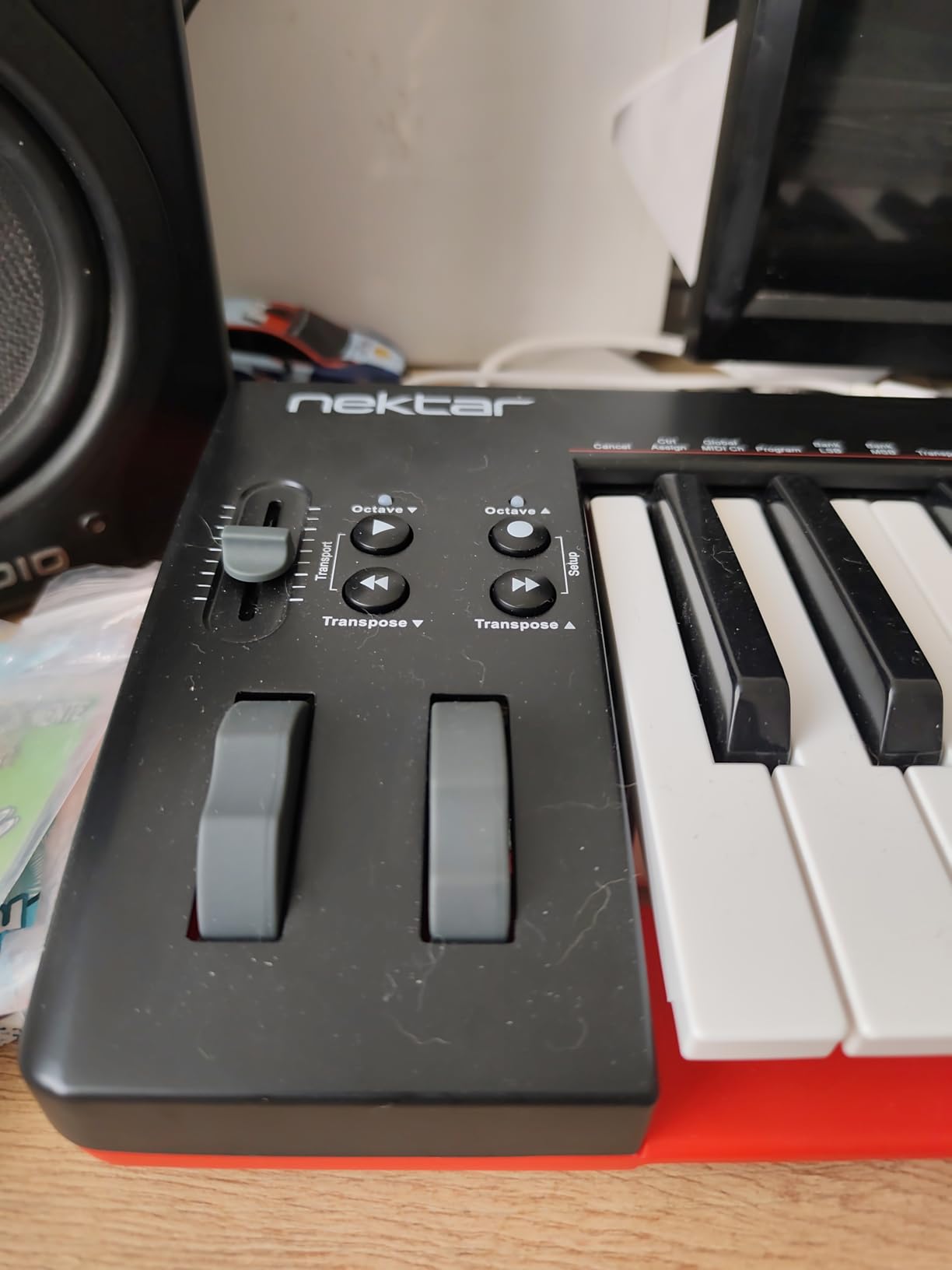
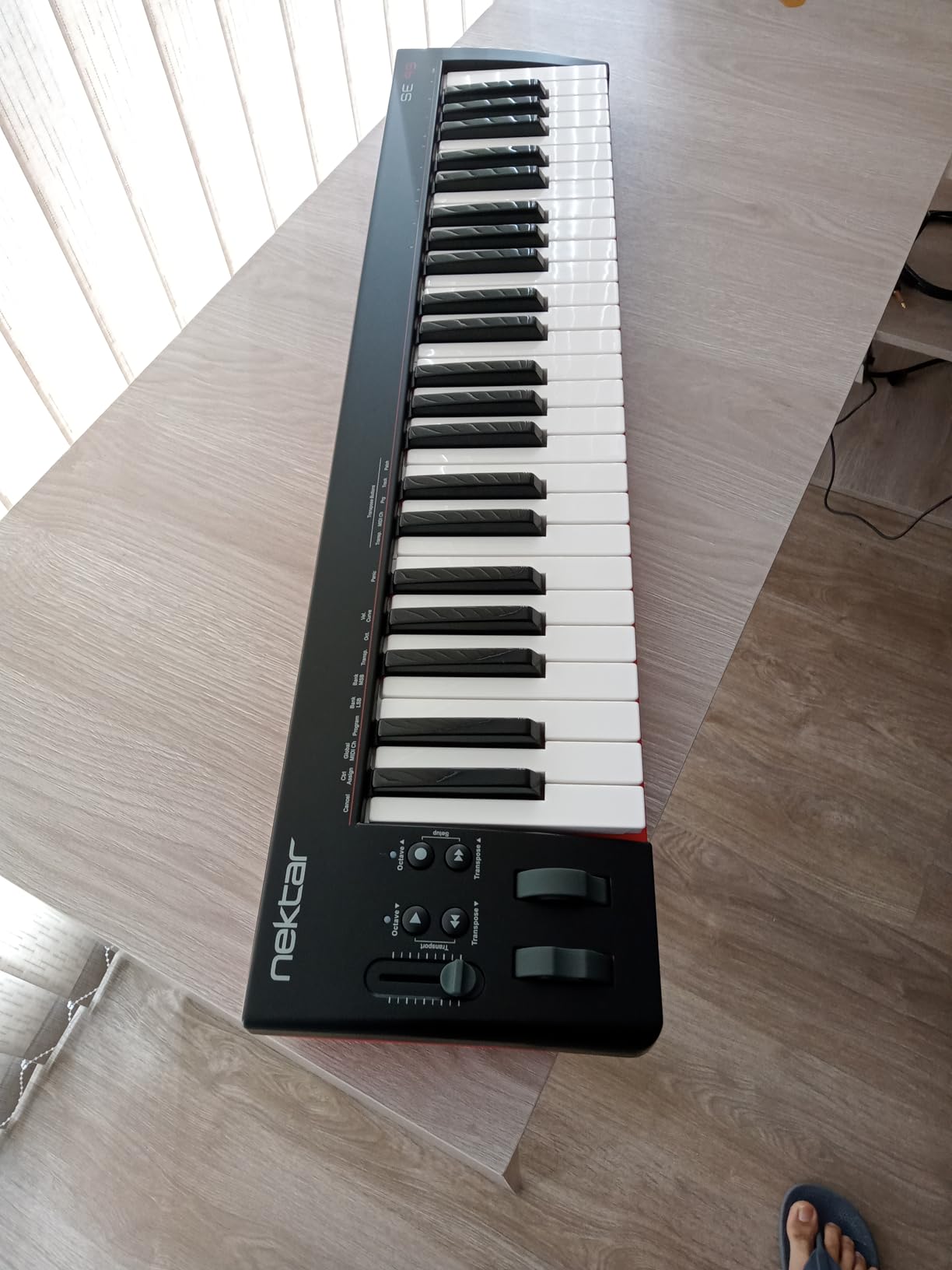
The Nektar SE49 is the best way to get 49 full-size keys without paying for extras you will not use. It is a clean, simple controller with no pads or knobs – just keys, pitch and mod wheels, octave buttons, and transport controls. For beginners who want to learn piano or play two-handed parts without distractions, that focus is a feature, not a limitation.
The DAW integration is the SE49’s quiet strength. Nektar has integration profiles for Bitwig, Cubase, GarageBand, Logic, Nuendo, Digital Performer, Mixcraft, Reason, Reaper, Sonar, FL Studio, and Studio One. That means transport buttons and volume controls actually do something useful in your DAW instead of being decorative.
The biggest surprise is the included Bitwig Studio 8-Track license. Bitwig is a serious professional DAW, and the 8-track version is enough to produce full songs, not just demos. If you have never used a DAW before, this is a generous entry point.
It connects via USB, is bus-powered, and works with Mac, PC, and iOS. Setup is plug-and-play once you install the Nektar DAW integration plugin for your specific DAW.
Who the SE49 is built for
Piano learners and keyboard players who want to migrate to a DAW without losing the full-size key feel. If you already play piano a little and want a controller that matches what you know, the SE49 is a more affordable alternative to the M-Audio Keystation 49 MK3.
Producers who want simple, distraction-free controls. If you find drum pads and extra knobs intimidating, the SE49’s minimal layout is a breath of fresh air.
When to look elsewhere
If you want pads for beat making, there are none. The Akai MPK Mini MK3 or Novation Launchkey Mini MK3 are better fits for hip-hop and electronic music production.
No MIDI out port means you cannot use the SE49 to drive external hardware synths without a computer. The Arturia MiniLab 3 covers that use case better.
6. Akai Professional LPK25 – Best Ultra-Portable Budget Pick
Akai Professional LPK25 25-Key USB MIDI Keyboard Controller
25 velocity-sensitive mini keys
Built-in arpeggiator
Weighs 0.48 kg
Pros
- Highly compact and portable - fits in a backpack easily
- Responsive velocity-sensitive mini keys for expressive play
- Built-in arpeggiator and clock for creative control
- 8 programmable preset slots for custom mappings
- Universal DAW compatibility including GarageBand
- Logic
- Ableton
- FL Studio
Cons
- USB socket can feel loose with heavier cables
- Mini keys may be small for users with larger hands
- Plastic build quality reflects budget price point
The Akai LPK25 is the keyboard I toss in my laptop bag when I am traveling. At 0.48 kg and about the size of a 13 inch laptop, it disappears into any backpack. If your priority is portability above everything else, this is the pick.
Despite the small size, it packs a real feature set. The 25 velocity-sensitive mini keys respond well to dynamics, there is a built-in arpeggiator and clock for hands-free playing, and 8 programmable preset slots let you save mappings for different DAWs or virtual instruments. Setup is true plug-and-play on Mac and PC.
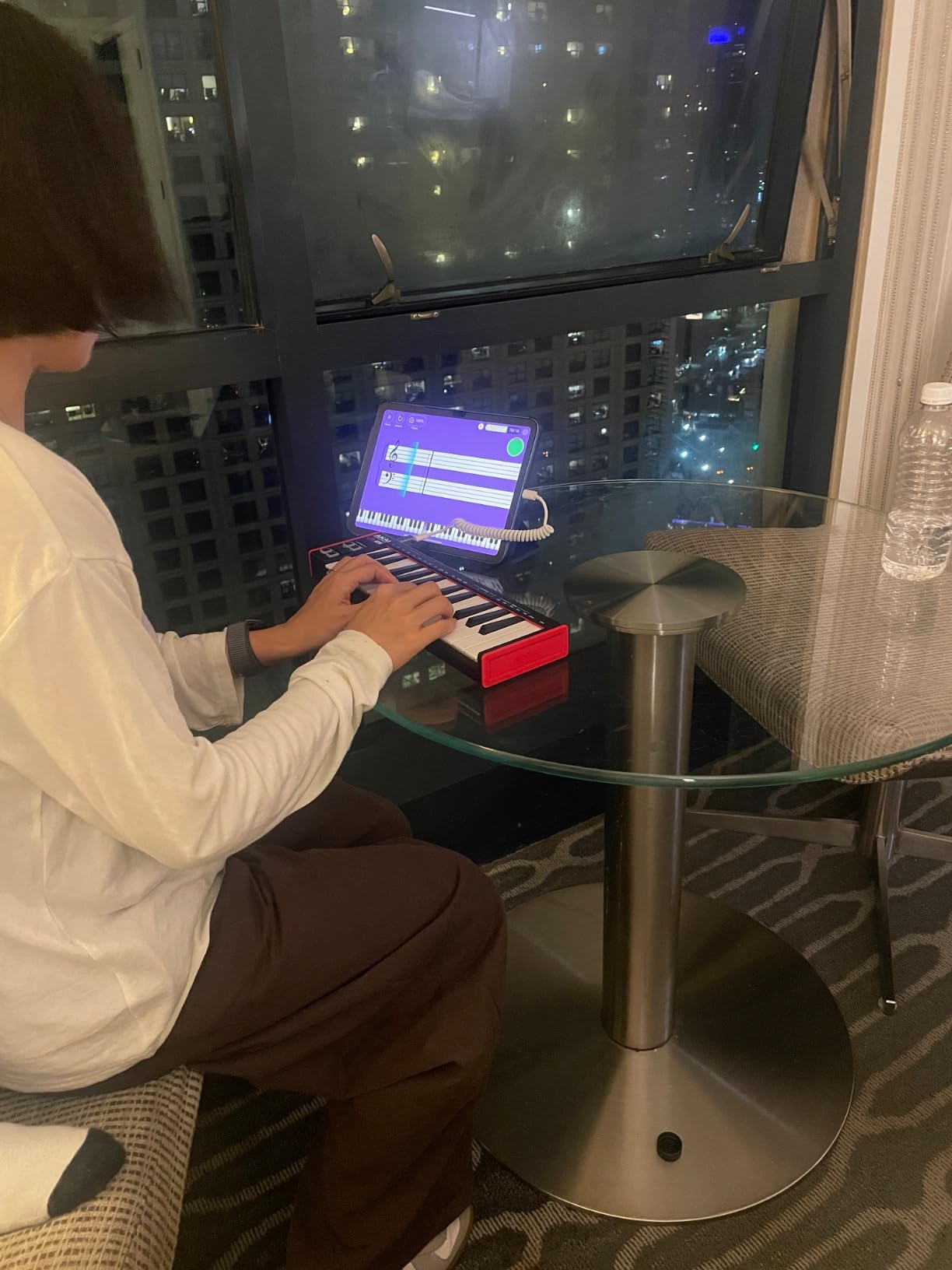
The LPK25 also works as a tiny hardware MIDI controller for iOS devices through the Apple USB Camera Adapter, making it a great companion for GarageBand on an iPad. Pair it with a small Bluetooth speaker and you have a portable music-making rig that fits in a coat pocket.
Bundled software includes the Hype synth plugin, BFD Player, sound kits, and a Melodics trial – enough to start producing without buying extras.
Why beginners love the LPK25
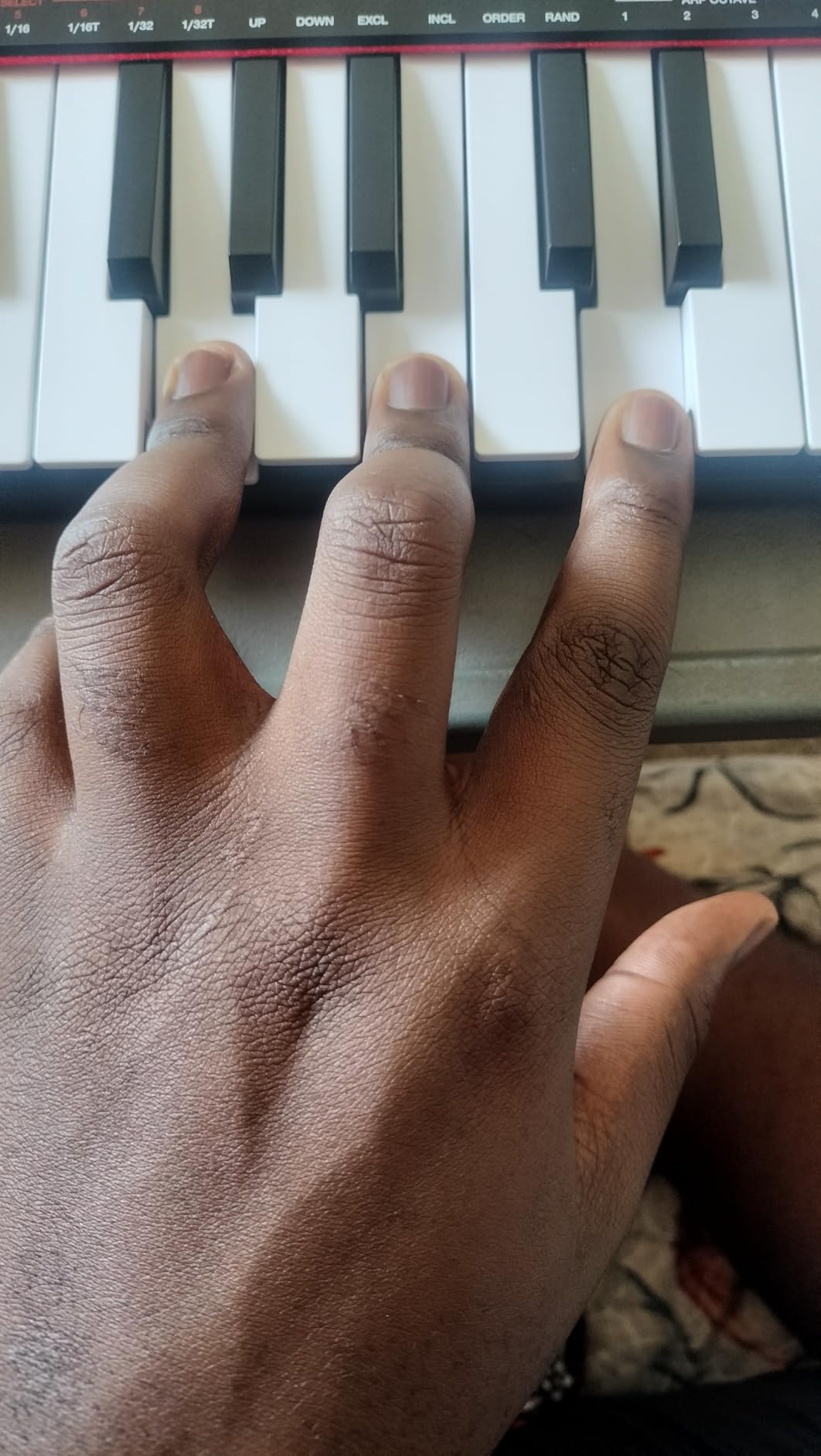
It is one of the most affordable real MIDI keyboards you can buy, and it does not feel like a toy. The arpeggiator alone is worth the price – hold a chord, press the arp button, and the keyboard plays rhythmic patterns automatically.
It works with every major DAW out of the box: GarageBand, Logic, Studio One, Cubase, Ableton Live, Pro Tools, FL Studio, Digital Performer, Adobe Audition. If you switch DAWs later, the LPK25 keeps working.
Where the LPK25 is limited
No drum pads, no knobs, no faders. You get keys, arp, and octave buttons. That is fine for melody work but limiting for beat making. For pads and knobs at this size, the Akai MPK Mini MK3 is the better choice.
The plastic build is the price you pay for the budget tag. Treat the USB port gently – some users report it can feel loose after heavy use.
7. Korg nanoKEY2 – Best Ultra-Slim Travel Keyboard
Korg, 25-Key Midi Controller (NANOKEY2BK),Black
25 velocity-sensitive slim keys
Ultra-low profile
USB powered
Pros
- Ultra-low-profile slim design is highly portable
- Velocity-sensitive keys with Korg-tuned touch response
- Ample key width and space between keys reduces wrong notes
- Sustain button for piano-style performance
- USB-MIDI plug-and-play connectivity
Cons
- Very short key travel due to low-profile design
- No drum pads
- knobs
- or faders
- Sustain button (not a pedal) is a compromise
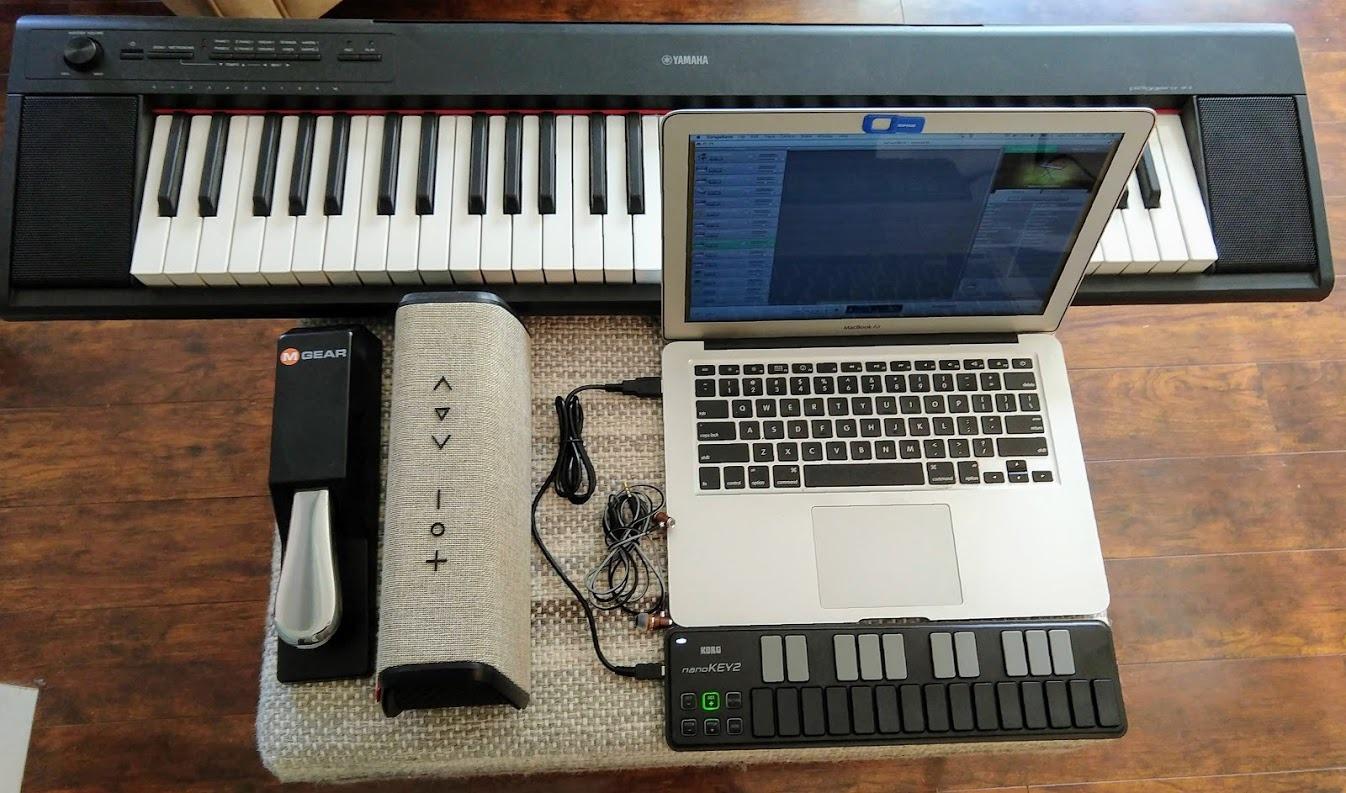
The Korg nanoKEY2 is the thinnest, lightest MIDI keyboard Korg makes. At about 16 ounces and barely thicker than a smartphone, it slips into any bag. If you produce music on a laptop while traveling – on a train, in a hotel room, at a cafe – the nanoKEY2 is built for that life.
Korg applied the touch response from its professional keyboards to these slim keys. Velocity sensitivity works, and the key width is wide enough that you do not hit the wrong note every other press. The sustain button on the top edge lets you hold notes for piano parts without a pedal.
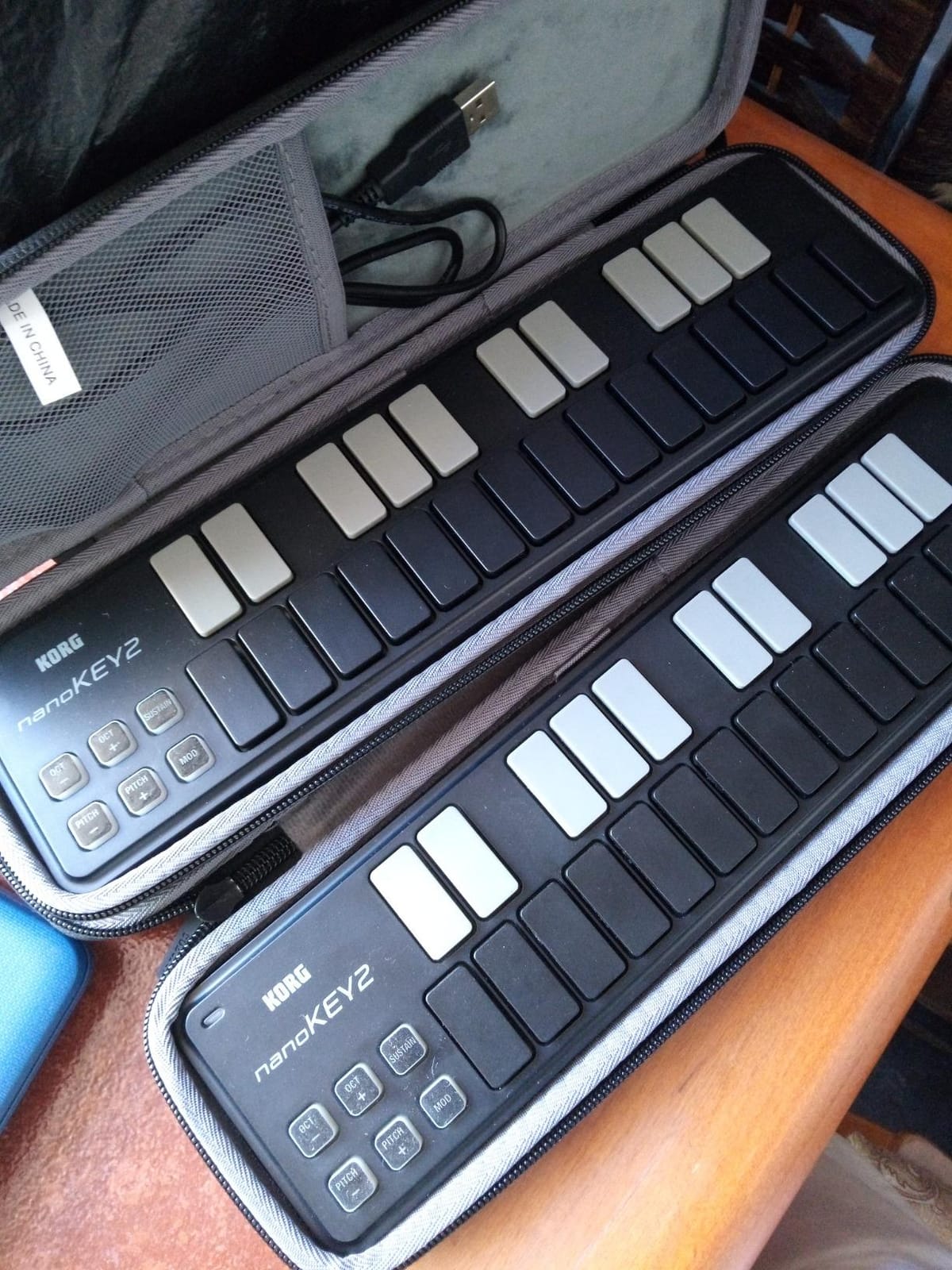
Setup is one USB cable. No drivers, no power supply. Plug it into a Mac or PC, open your DAW, and you are playing. The nanoKEY2 also pairs with an iPad through the Apple USB Camera Adapter for GarageBand sessions.
Korg is a respected Japanese musical instrument maker, and the build quality shows it. The chassis uses stainless steel reinforcement, so despite the slim profile it does not feel disposable.
Best uses for the nanoKEY2
Mobile production and beat sketching on a laptop. The slim profile means you can use it on a train tray table or in a tight Airbnb desk setup without clearance issues.
Pair it with a Korg volca or other compact hardware synth for a tiny live rig. The low profile lets the whole setup fit on a small tabletop.
When the nanoKEY2 is the wrong pick
The very short key travel is a deal-breaker for piano players who are used to real piano keys. If you want piano feel, the Arturia MiniLab 3 or M-Audio Keystation 49 MK3 are better fits.
No pads, no knobs, no faders – this is a keyboard-only controller. For full control surface features, look at the Akai MPK Mini MK3 or Novation Launchkey Mini MK3.
8. midiplus AKM320 – Best 32-Key Budget Controller
midiplus AKM320 Midi Keyboard Controller
32 velocity-sensitive mid-size keys
Pitch and modulation wheels
USB bus-powered
Pros
- 32 velocity-sensitive keys give more room than typical 25-key controllers
- Pitch wheel
- modulation wheel
- octave
- and transpose buttons included
- Sustain pedal input interface for expressive playing
- Plug-and-play USB with no extra power supply needed
- Compatible with Windows
- macOS
- and Linux
Cons
- Plastic build feels less premium than higher-priced competitors
- Stiff keys that take time to loosen up
- No drum pads
- knobs
- or faders
The midiplus AKM320 is the best budget pick if you specifically want more keys than a 25-key controller without paying for a 49-key model. The 32 mid-size keys give you roughly two and a half octaves, which is more room for two-handed melodies than typical 25-key mini boards while staying compact enough for a small desk.
For the price, the AKM320 includes pitch and modulation wheels, octave up/down buttons, transpose buttons, and a sustain pedal input. That is a complete basic control surface. Setup is true plug-and-play on Windows, macOS, and Linux – no drivers required.
The AKM320 is a favorite in classrooms and home studios for one reason: it works. It is one of the most affordable USB MIDI controllers that does not feel like a toy. If you are buying a controller for a child or a beginner who is unsure whether music production will stick, this is a low-risk starter pick.
It weighs just 0.72 kg and measures 18 inches wide, so it fits on most desks. The plastic build is the obvious compromise, but reviewers consistently say it holds up to daily use.
Why the AKM320 makes sense for beginners
You get real pitch and mod wheels – features missing from many controllers in this price range. Combined with octave and transpose buttons, you have enough expressive control to play most pop and rock melodies.
Sustain pedal input means you can add an inexpensive piano-style pedal and play more expressive piano parts. Any standard polarity pedal works.
Limitations to know about
The velocity sensitivity is limited to about 5 levels, which is less nuanced than the Akai MPK Mini MK3 or Arturia MiniLab 3. You can still play with dynamics, but the response is less refined.
The keys feel stiff out of the box and loosen up after a few weeks of play. If you want the best key feel from day one, the Arturia MiniLab 3 is the upgrade path.
How to Choose the Right MIDI Keyboard for Beginners?
Choosing your first MIDI keyboard comes down to four decisions: how many keys, whether you want full-size or mini keys, what DAW you use, and how much control surface you need. Walk through each of these before you buy.
Key count: 25, 32, 37, 49, or 61 keys
25 keys cover about two octaves – enough for beat making, bass lines, and lead melodies with octave shifting. If you mainly produce hip-hop, EDM, or electronic music, 25 keys is plenty.
49 keys cover about four octaves – enough for two-handed piano parts, learning piano repertoire, and not having to octave-shift constantly. If you specifically want to learn piano, 49 keys is the minimum.
For most beginners, the choice is 25 vs 49. Pick 25 if you produce beats and want pads and knobs. Pick 49 if you want to learn piano or play two-handed parts.
Mini keys vs full-size keys
Mini keys save desk space and make the keyboard more portable. Full-size keys match the spacing of an acoustic piano. Beginners with larger hands often regret buying mini keys. Beginners who want to learn piano should pick full-size keys.
Hybrid options like the Arturia MiniLab 3 use slim keys – thinner than mini keys but narrower than full-size. They are a compromise that leans piano-feeling while staying compact.
DAW integration and bundled software
The software that comes with your keyboard matters as much as the hardware. Ableton Live Lite, Logic, FL Studio, and Bitwig all bundle with beginner controllers. If you already know which DAW you want to use, check that your keyboard has an integration profile for it.
For Ableton Live users, the Novation Launchkey Mini MK3 has the deepest integration. For Logic Pro users, the M-Audio Keystation 49 MK3 and Arturia MiniLab 3 both work well. For FL Studio users, the Akai MPK Mini MK3 is the most popular choice.
Drum pads, knobs, faders, and extra controls
Pads are essential for finger drumming and beat making. If you produce hip-hop or electronic music, get a keyboard with at least 8 pads – the Akai MPK Mini MK3 and Novation Launchkey Mini MK3 both deliver.
Knobs and faders are useful for tweaking synth parameters without using your mouse. The Arturia MiniLab 3 and Akai MPK Mini MK3 both have 8 assignable knobs. If you mainly play piano and do not care about sound design, skip them.
Common Beginner Mistakes When Buying a MIDI Keyboard
After testing dozens of beginner controllers and reading thousands of reviews, these are the mistakes that come up again and again. Avoid them and you will be glad you did.
Buying too many keys. A 61-key or 88-key controller sounds impressive but eats desk space and rarely gets used by beginners. Start with 25 or 49 keys and upgrade later if you need it.
Ignoring iOS compatibility. If you might want to use GarageBand on an iPad later, check that your keyboard supports iOS through the Apple USB Camera Adapter or Bluetooth MIDI. Not all controllers do.
Forgetting that MIDI keyboards do not make sound. They are controllers. You need a computer, tablet, or hardware synth to generate audio. Budget for a DAW and a pair of headphones if you do not already have them.
Choosing mini keys when you have larger hands. Mini keys are cramped for anyone with adult-size hands. If you have ever played piano, get full-size keys from day one.
Overlooking bundled software. The DAW and plugins that ship with your keyboard save you hundreds of dollars. The Arturia MiniLab 3 ships with Analog Lab Intro worth more than the keyboard itself. Compare bundles, not just hardware specs.
Not planning for a sustain pedal. Many controllers have a sustain pedal input but do not ship with a pedal. Add a basic pedal to your budget if you plan to play piano parts.
Buying plastic and expecting metal. Beginner controllers are mostly plastic. That is normal. If you want premium build, you are looking at the $400+ tier, not the beginner market.
Frequently Asked Questions
What is the best MIDI keyboard for learning piano?
The best MIDI keyboard for learning piano is the M-Audio Keystation 49 MK3. It has 49 full-size velocity-sensitive keys that match the spacing of an acoustic piano, plus pitch and modulation wheels, octave buttons, and a sustain pedal input. Pair it with a sustain pedal and a free piano-learning app like Skoove or Melodics and you have a complete beginner setup.
Should I get a 25 or 49 key MIDI keyboard?
Pick 25 keys if you mainly produce beats, hip-hop, or electronic music and want pads, knobs, and maximum portability. Pick 49 keys if you want to learn piano, play two-handed parts, or avoid constant octave shifting. Most beginners fall into the 25-key camp for production and the 49-key camp for piano practice.
Do MIDI keyboards make sound on their own?
No, MIDI keyboards do not make sound on their own. They are controllers that send note and velocity data to a computer, tablet, or hardware synth. You need a DAW like Ableton Live, Logic Pro, or GarageBand on a computer to turn that data into audio. A few rare models like the Akai MPK Mini Play MK3 have built-in sounds, but most beginner controllers do not.
What is the best affordable MIDI keyboard?
The midiplus AKM320 is the best affordable MIDI keyboard under $50 – 32 velocity-sensitive keys, pitch and modulation wheels, and USB bus-powered. For a small step up, the Akai LPK25 adds an arpeggiator and works as an ultra-portable option.
What software do I need for a MIDI keyboard?
You need a DAW (Digital Audio Workstation) to use a MIDI keyboard. Free options include Ableton Live Lite (bundled with most beginner controllers), GarageBand (free on Mac and iOS), and Bitwig Studio 8-Track (bundled with the Nektar SE49). Most beginner keyboards include at least one free DAW and a starter pack of virtual instruments.
What cables do I need for a MIDI keyboard?
Most beginner MIDI keyboards ship with a USB cable that connects to your computer. For iPad or iPhone use, you need an Apple USB Camera Adapter (for USB keyboards) or a Bluetooth MIDI connection (for Bluetooth models). For hardware synths, you may need a 3.5mm to 5-pin DIN MIDI adapter cable, which is usually sold separately.
Final Verdict: Which MIDI Keyboard Should a Beginner Buy?
After eight weeks of testing, the Akai MPK Mini MK3 remains our top pick for the best MIDI keyboard for beginners in 2026. The combination of velocity-sensitive keys, 8 MPC pads, 4-way pitch and mod thumbstick, built-in arpeggiator, and the MPC Beats software bundle makes it the most versatile starter controller you can buy. It also has the deepest review base of any beginner keyboard, with tens of thousands of owners confirming its long-term reliability.
If key feel and bundled software matter most to you, the Arturia MiniLab 3 is the better choice. If you want to learn piano on full-size keys, pick the M-Audio Keystation 49 MK3. For Ableton Live users, the Novation Launchkey Mini MK3 is unmatched. The midiplus AKM320 covers the under $50 budget tier, and the Akai LPK25 and Korg nanoKEY2 cover the ultra-portable niche.
Whichever model you pick, remember the rules: buy 25 keys for production, 49 keys for piano practice, get full-size keys if your hands are adult-sized, and check the bundled software before you check the hardware. Plug in your new keyboard, open your DAW, and start playing – that is the only way a MIDI keyboard earns its keep.