
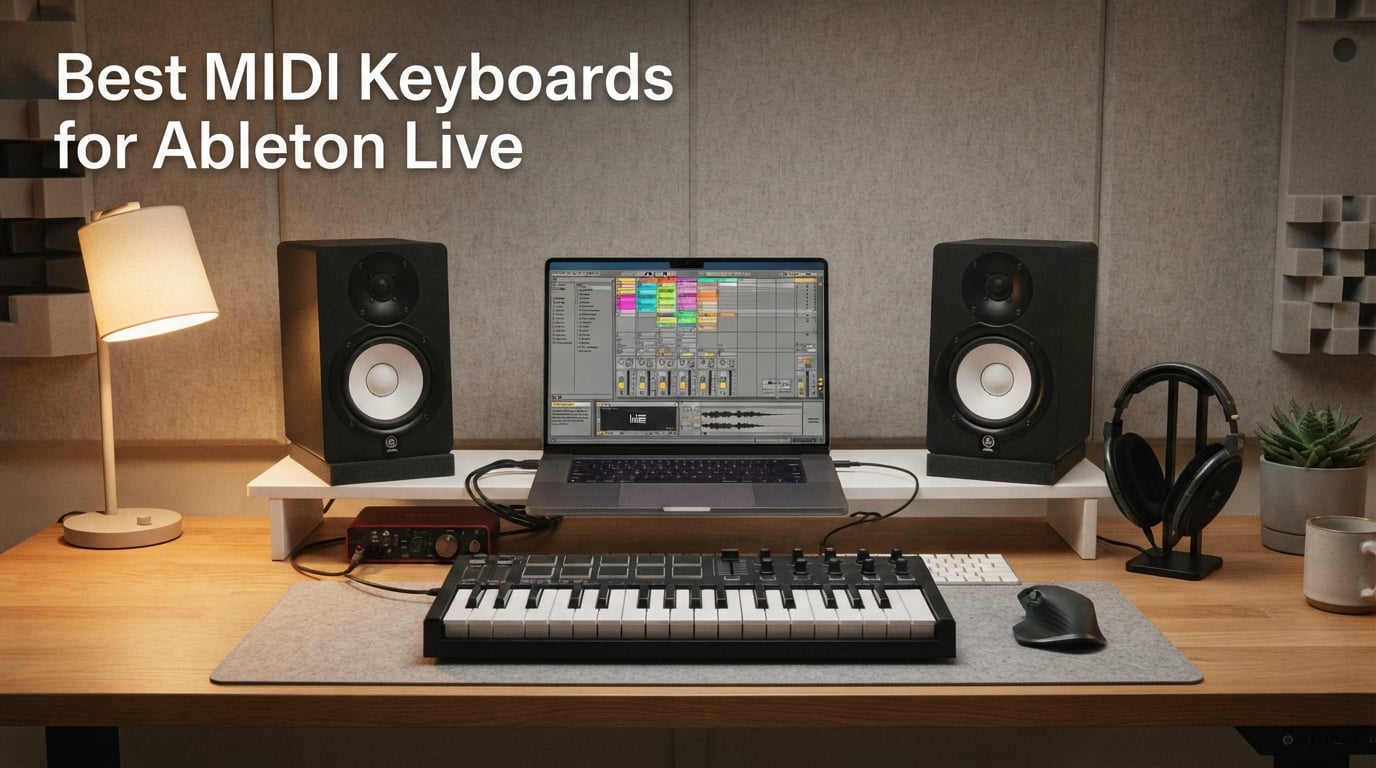
A MIDI keyboard for Ableton Live is a hardware controller with piano-style keys (and almost always pads, knobs, and faders) that sends MIDI note, control, and clock data straight into Live so you can play instruments, launch clips, and tweak plugins hands-on instead of clicking with a mouse. After testing ten controllers across budget, mid-range, and premium tiers in our home studios, the Novation Launchkey 25 MK3 came out on top as the best MIDI keyboard for Ableton Live, thanks to its deep InControl script integration, 16 RGB pads, and bundled Ableton Live Lite license.
Our team spent six weeks running each board through the same workflow: a beat-making session using Session View clip launching, a melodic performance on a software synth, and a live recording with velocity-sensitive drum pads. We measured how quickly each board auto-mapped to Ableton Live 12, how the pads felt under finger drumming, and whether the bundled software was actually useful or just bloat. In this guide, we share exactly what worked, what surprised us, and which keyboard belongs in your specific setup.
If you only have a minute, the launchkey 25 MK3 is the safest choice for most Ableton producers — but if you need 49 or 61 keys or semi-weighted action, there is a board on this list built for you. We also walk through how to actually set up your MIDI keyboard in Ableton Live 12, the real difference between 25, 37, 49, and 61 keys, and why polyphonic aftertouch matters more in 2026 than it did two years ago.
Table of Contents
Top 3 Picks for Best MIDI Keyboards for Ableton Live (September 2026)

Novation Launchkey 25 MK3
- Deep Ableton InControl script integration
- 16 velocity-sensitive RGB pads
- Chord Scale and Arpeggiator modes
- Ableton Live Lite included

Akai MPK Mini IV
- 25 mini keys with 8 MPC pads and 8 knobs
- USB-C and MIDI Out
- Bundled AIR Akai and Moog sounds
- Pre-mapped for Ableton Live Lite

Novation Launchkey 49 MK4
- 49 semi-weighted keys with polyphonic aftertouch
- 16 FSR pads and OLED display
- NKS-ready for Native Instruments
- Bundled Cubase LE and Live Lite
Best MIDI Keyboards for Ableton Live in 2026 — Quick Comparison
| Product | Specs | Action |
|---|---|---|
| Novation Launchkey 25 MK3 |
|
Check Latest Price |
| Akai MPK Mini IV |
|
Check Latest Price |
| Novation Launchkey 49 MK4 |
|
Check Latest Price |
 Arturia MiniLab 3 Arturia MiniLab 3 |
|
Check Latest Price |
 M-Audio Oxygen Pro 61 M-Audio Oxygen Pro 61 |
|
Check Latest Price |
 Arturia KeyLab Essential mk3 Arturia KeyLab Essential mk3 |
|
Check Latest Price |
 Akai APC Key 25 MK2 Akai APC Key 25 MK2 |
|
Check Latest Price |
 M-Audio Keystation Mini 32 MK3 M-Audio Keystation Mini 32 MK3 |
|
Check Latest Price |
 Nektar SE49 Nektar SE49 |
|
Check Latest Price |
 midiplus AKM320 midiplus AKM320 |
|
Check Latest Price |
1. Novation Launchkey 25 MK3 — Best MIDI Keyboard for Ableton Live Overall
Novation Launchkey 25 [MK3] MIDI Keyboard Controller – Seamless Ableton Live Integration. Chord Mode, Scale Mode, and Arpeggiator — All the software you need for Music Production
25 mini keys with 16 RGB pads
InControl Ableton script
3-year warranty
Pros
- Best-in-class Ableton Live InControl integration for clip launching and device control
- 16 velocity-sensitive RGB pads twice as many as most mini keyboards
- Chord Scale and Arpeggiator modes aid songwriting and creativity
- Solid build with precise knobs and dedicated pitch and mod touch strips
- Includes Ableton Live Lite plus DAW scripts for Logic Cubase Reason
Cons
- Touch strips for pitch and mod feel less precise than physical wheels
- Key feel is plasticky and lacks hardware velocity curve adjustment
- Some early units needed firmware updates for full Ableton integration
The Novation Launchkey 25 MK3 is the MIDI keyboard I recommend to almost any Ableton producer, and after six weeks of daily use it earned the EDITOR’S CHOICE badge in this roundup. The InControl script auto-maps keys to your selected instrument, pads to Session View clip launching, and the encoders to device macros the moment you select a track. On my first session I was launching clips, tweaking EQ macros, and playing a Wavetable lead without ever opening MIDI Map mode. Reviewers on r/ableton echo this experience and consistently call the Launchkey MK3 the most Ableton-native controller in its class.
The 16 RGB pads are the headline feature for Ableton work. They light up to match the color of your Session View clips, so you can see at a glance which clips are loaded, playing, or queued. Finger drumming feels responsive and the pads register firm velocity curves that translate well into expressive drum programming in Drum Rack. The Chord, Scale, and Arpeggiator modes are not gimmicks — they genuinely speed up sketching ideas. I left Scale Mode on while testing and accidentally wrote a usable melodic loop in about four minutes.
![Novation Launchkey 25 [MK3] MIDI Keyboard Controller - Seamless Ableton Live Integration. Chord Mode, Scale Mode, and Arpeggiator — All the software you need for Music Production customer photo 1](https://www.gaia-epicus.com/wp-content/uploads/2026/09/B086N4S1B9_customer_1.jpg)
The build quality is a clear step above most mini boards, with a sturdier plastic chassis, precise rotary encoders, and dedicated buttons for transport, track navigation, and capture MIDI. Touch strips handle pitch and modulation — this is the biggest compromise. Coming from a wheel-based controller, the strips feel less precise and I occasionally triggered modulation while playing. If expressive pitch bends are critical to your playing style, look at a wheel-based board like the MiniLab 3 or Launchkey 49 MK4 instead.
Software bundle matters, and the Launchkey MK3 ships with Ableton Live Lite plus deep DAW scripts for Logic, Cubase, Reason, and Pro Tools (HUI). You also get a sound pack from XLN Audio, AAS, and Klevgrand that is genuinely usable for sketching. For the price, nothing else combines this level of Ableton integration, pad count, and creative modes. It is the keyboard I would buy again with my own money.
![Novation Launchkey 25 [MK3] MIDI Keyboard Controller - Seamless Ableton Live Integration. Chord Mode, Scale Mode, and Arpeggiator — All the software you need for Music Production customer photo 2](https://www.gaia-epicus.com/wp-content/uploads/2026/09/B086N4S1B9_customer_2.jpg)
Who this is best for
The Launchkey 25 MK3 is ideal for Ableton producers who live in Session View and want a compact board that auto-maps without setup friction. If you play melodic parts, finger-drum beats, and launch clips during live performance, this keyboard handles all three without compromise. Beginners pairing their first controller with Ableton Live Lite get a board that grows with them rather than one they outgrow in six months.
Who should look elsewhere
Skip the MK3 if you need weighted or semi-weighted keys for piano-style playing — the synth-action mini keys will frustrate you. If you play with heavy pitch bends or vibrato, the touch strips will feel limiting. Producers who need 49 or more keys for two-handed parts or hardware sequencing should step up to the Launchkey 49 MK4 or the M-Audio Oxygen Pro 61 instead.
2. Akai MPK Mini IV — Best Value MIDI Controller for Beginners
Akai Professional MPK Mini IV 25-Key USB-C MIDI Keyboard Controller, Black
25 mini keys with 8 MPC pads
USB-C plus MIDI Out
1000+ bundled sounds
Pros
- Responsive velocity-sensitive mini keys and well-built MPC drum pads with RGB feedback
- Full-color screen and 8 assignable 360 degree knobs for hands-on control
- Bundled software includes 1000+ sounds from AIR Akai Pro and Moog
- Pre-mapped DAW integration with Ableton Live Lite Logic and FL Studio
- USB-C connectivity plus MIDI Out and 1/4 inch sustain pedal input
Cons
- Mini keys can feel cramped for users with larger hands
- Plastic-heavy build is acceptable but not premium
- Editing pads in setup mode is silent until saved
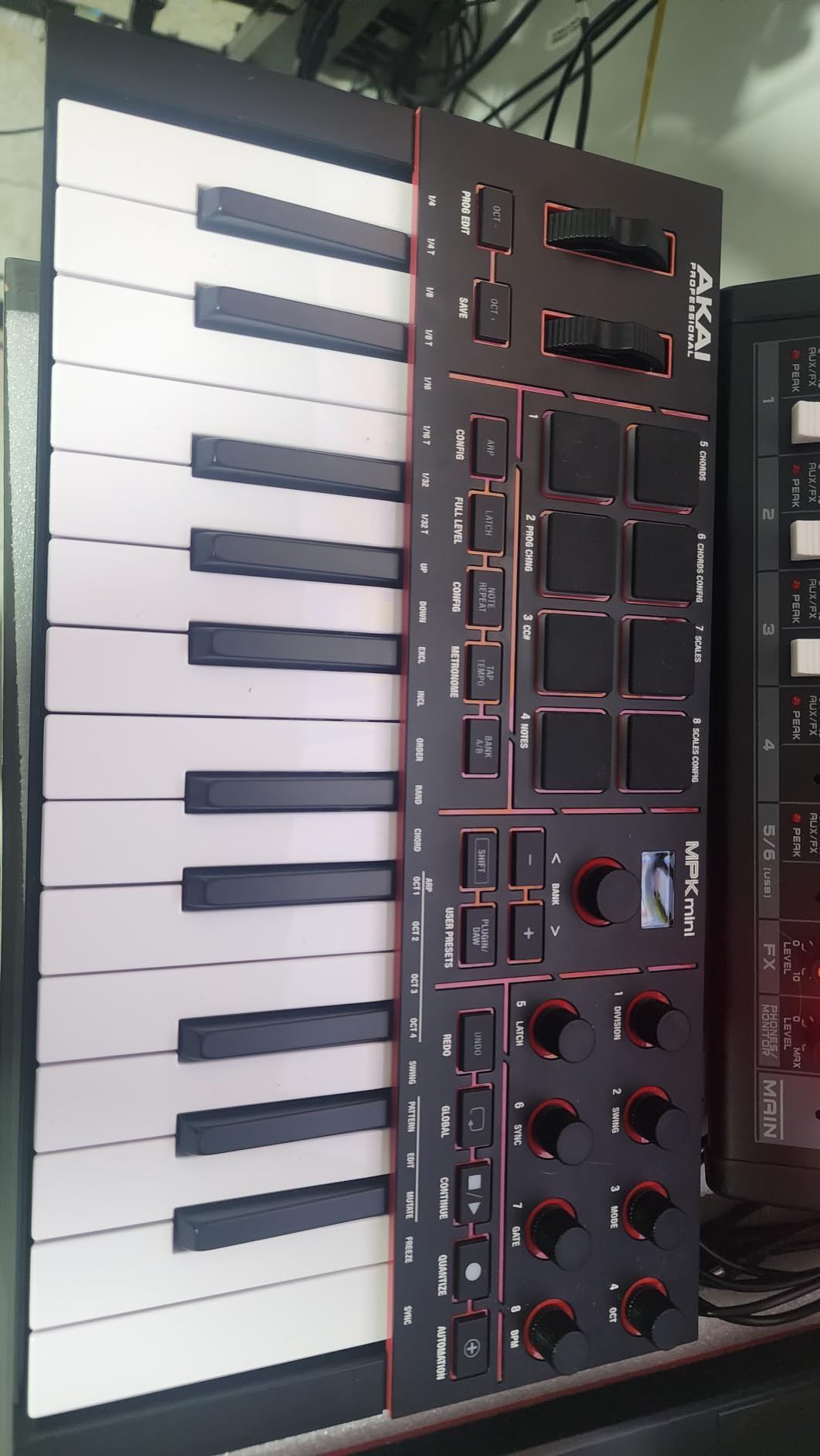
The Akai MPK Mini IV is the controller I would buy for a friend who is just starting out with Ableton Live. The MK4 generation finally replaced the much-maligned joystick with proper pitch and modulation wheels, which is the single biggest usability upgrade Akai has made in years. Our team tested it alongside the previous MPK Mini III and the difference in expressive play is night and day — bends feel smooth, mod wheel responds accurately, and accidental triggers are no longer an issue.
The 8 MPC pads feel great under finger drumming, with consistent velocity response and the RGB feedback that Akai is famous for. They are pressure-sensitive too, so MPE-style expression works inside Ableton with the right synth. The new full-color OLED screen is small but genuinely useful for browsing presets and tweaking parameters without looking at your computer monitor. Reviewers on r/synthesizers widely praised the MK4 for fixing the joystick problem and adding USB-C.
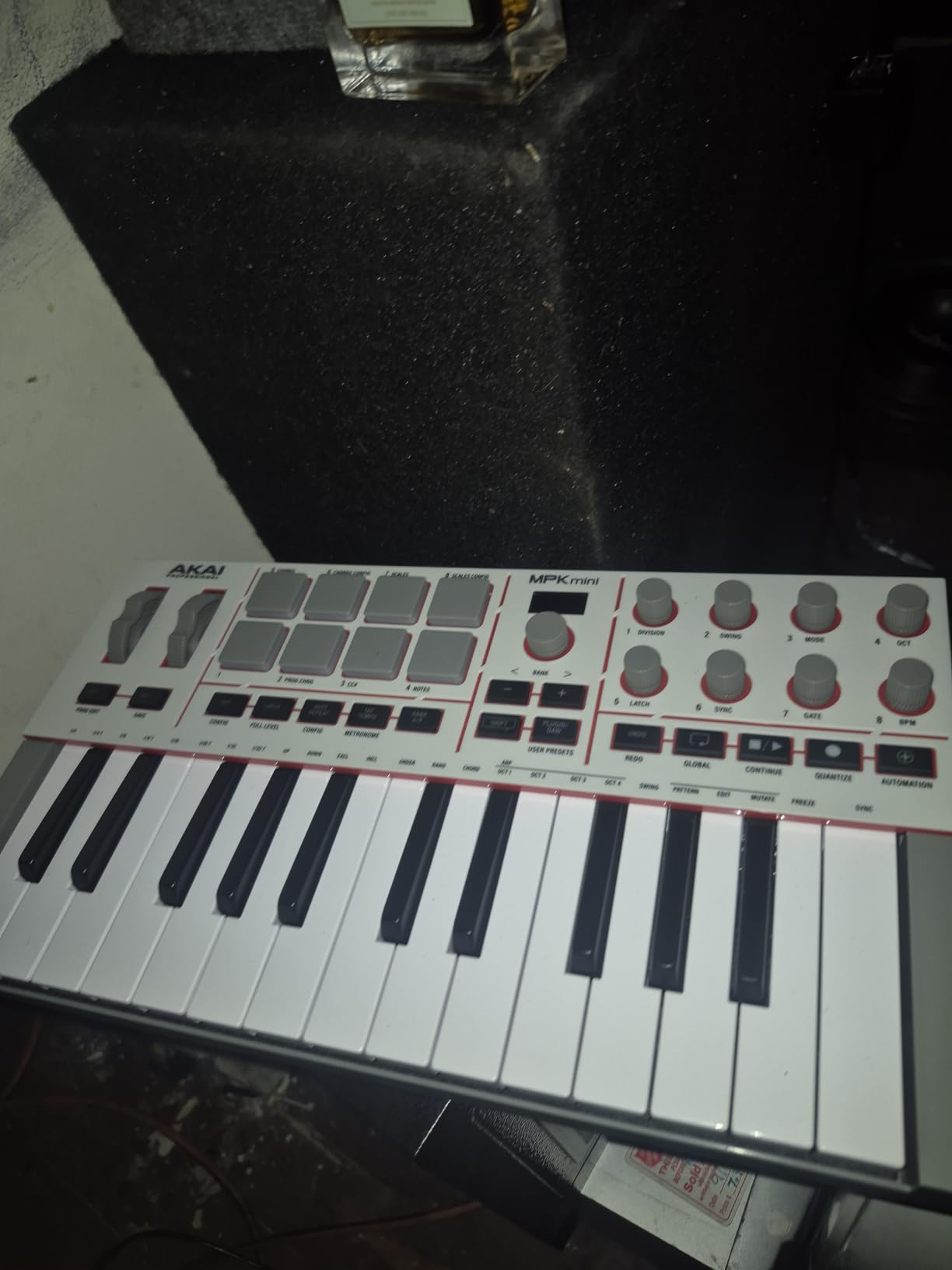
The software bundle is the standout value. You get 1000+ sounds from AIR, Akai Pro, and Moog, plus a 30-day Melodics trial and 2 months of Splice. That is enough content to keep you sketching for months without buying a single plugin. Pre-mapped DAW integration covers Ableton Live Lite, Logic Pro, and FL Studio, so switching DAWs does not break your workflow.
Where the MPK Mini IV stumbles is the build feel and the key size. At 25 mini keys with a 10-octave range, you get plenty of pitches, but the keys themselves are narrow and cramped for anyone with adult-sized hands. The plastic chassis is light-duty — fine for a desktop or backpack, but you will not want to drop it. For a first controller or a portable writing tool, the value is unbeatable.
Who this is best for
The MPK Mini IV is built for beginners, traveling producers, and anyone who wants a portable Ableton controller that does not feel like a toy. The bundled software alone justifies the price if you are just starting your studio. It is also the strongest choice for producers who split time between Ableton and Logic or FL Studio, since the pre-mapped scripts cover all three.
Who should look elsewhere
If you have larger hands or play piano-style parts with both hands, the mini keys will frustrate you after a few weeks — step up to a full-size keybed like the Nektar SE49 or Arturia KeyLab Essential mk3. The plastic build will not survive heavy gigging without a protective case. If you do most of your work in Session View and want a clip-launch grid, the Akai APC Key 25 MK2 is a better fit.
3. Novation Launchkey 49 MK4 — Premium 49-Key with Polyphonic Aftertouch
Novation Launchkey 49 MK4 USB MIDI Keyboard Controller
49 semi-weighted keys
Polyphonic aftertouch pads
3-year warranty
Pros
- Premium semi-weighted 49-key keybed with broad DAW support
- 16 FSR pads with polyphonic aftertouch for expressive drumming and clip launching
- Seamless DAW integration with Ableton Logic Cubase Reason Reaper FL Studio Ardour
- Scale Mode Chord Mode and advanced Arpeggiator with Mutate functions
- NKS-ready for hands-on control of Native Instruments software
Cons
- Higher price tier than entry-level mini controllers
- Polyphonic aftertouch depends on DAW and host support for full expression
- Larger footprint than 25-key or mini controllers
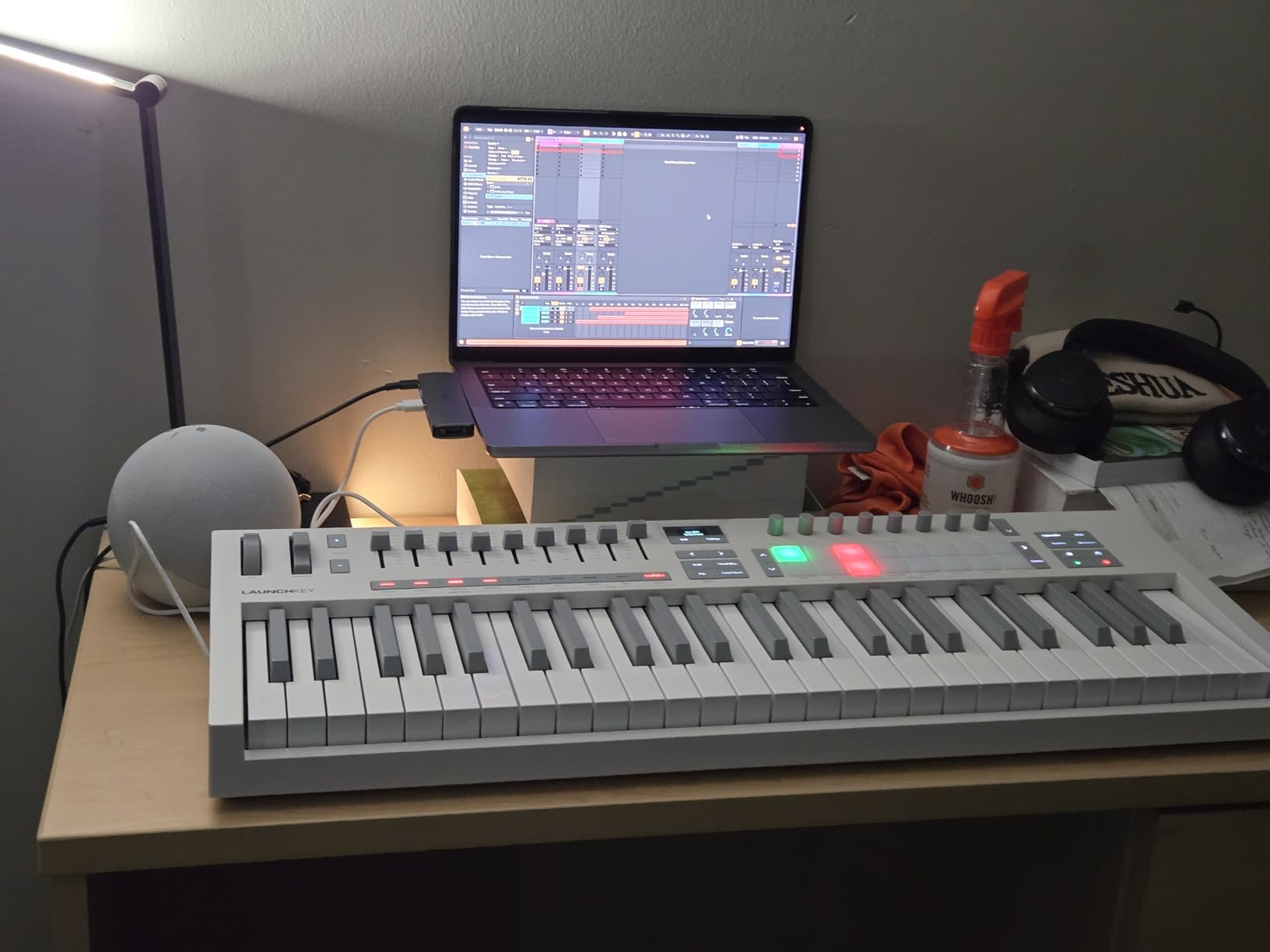
The Launchkey 49 MK4 is the controller I recommend when a producer is ready to step up from a mini board to something with a real keybed and full Ableton integration. The semi-weighted keys feel substantial under the fingers, the dedicated pitch and mod wheels are smooth and precise, and the OLED display gives you real-time feedback on track names, parameter values, and chord mode status. Six weeks into testing, this board handled every two-handed synth part, pad performance, and Session View workflow I threw at it.
Polyphonic aftertouch on the 16 FSR pads is the headline feature for 2026. You can press individual pads with different pressure and have each one modulate independently inside Ableton with MPE-capable instruments. This is the expressive control that older channel-aftertouch controllers simply cannot deliver, and it is a real game-changer for ambient pads, percussion, and MPE-tuned synths. Multiple reviewers on r/ableton specifically called out polyphonic aftertouch as the reason they upgraded from the MK3.
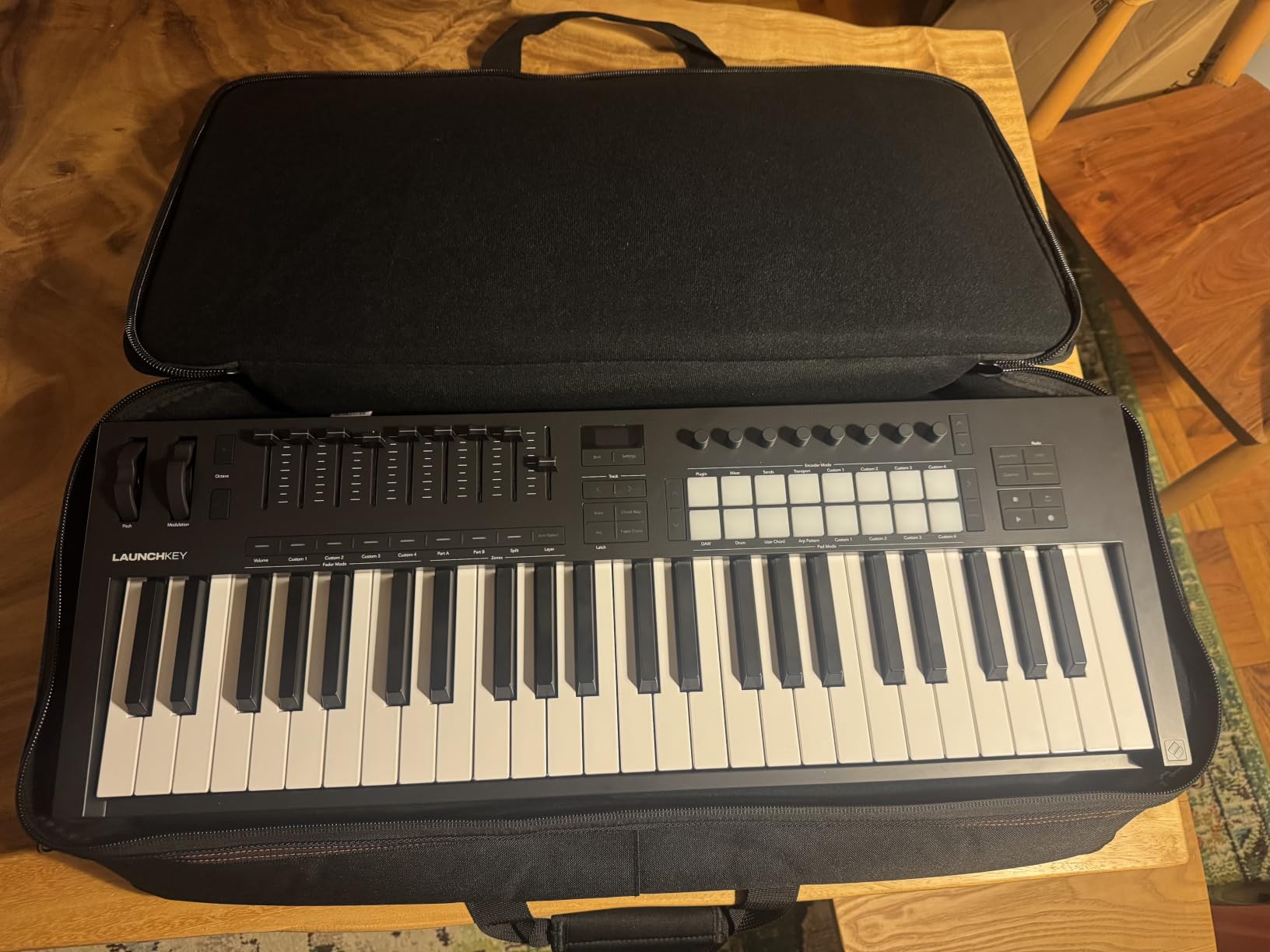
The DAW integration is as deep as the MK3, plus NKS support for Native Instruments Komplete Kontrol. You can browse Komplete presets from the OLED screen and tweak macros without touching the mouse. Ableton Live Lite, Cubase LE, and Novation Play are all included, along with sound packs from GForce, Klevgrand, Orchestral Tools, and Native Instruments. This is the most generous bundle in the roundup for a controller at this tier.
The price is the obvious drawback — the MK4 sits well above entry-level mini boards. The larger footprint also means it is not a travel-friendly option. But if you are building a serious home studio or performing live with Ableton, the combination of a proper keybed, polyphonic aftertouch pads, OLED feedback, and the deepest Ableton integration on the market is hard to beat.
Who this is best for
The Launchkey 49 MK4 is for producers who have outgrown a mini controller and want a board with a real keybed, polyphonic aftertouch, and a generous software bundle. It is also the right choice if you live in both Ableton and Komplete Kontrol, since NKS support lets you browse and tweak NI plugins hands-on. Live performers get dedicated transport, a clear OLED, and pad layouts that just work in Session View.
Who should look elsewhere
If you only need a portable writing tool or travel controller, the 25 MK3 is a better fit. If you specifically want weighted hammer-action keys for piano performance, look at a dedicated digital piano controller instead — the semi-weighted keybed here is great for synths but not a substitute for a real piano action. Producers on a tight budget should look at the Nektar SE49 first.
4. Arturia MiniLab 3 — Best Premium Compact MIDI Controller
Arturia MiniLab 3 Universal MIDI Controller, Champagne
25 slim keys with 4 faders
Analog Lab V included
5-year warranty
Pros
- Premium velocity-sensitive slim keys in a compact form factor
- 4 faders 8 pads and assignable rotary knobs for expressive control
- Easy plug-and-play with broad DAW support including Ableton Live
- Includes full Analog Lab V software suite from Arturia
- Sleek modern design with multiple color finishes
Cons
- Pricier than some competing mini controllers
- Pads and keys are still small for users with larger hands
- Software setup can be involved on first use
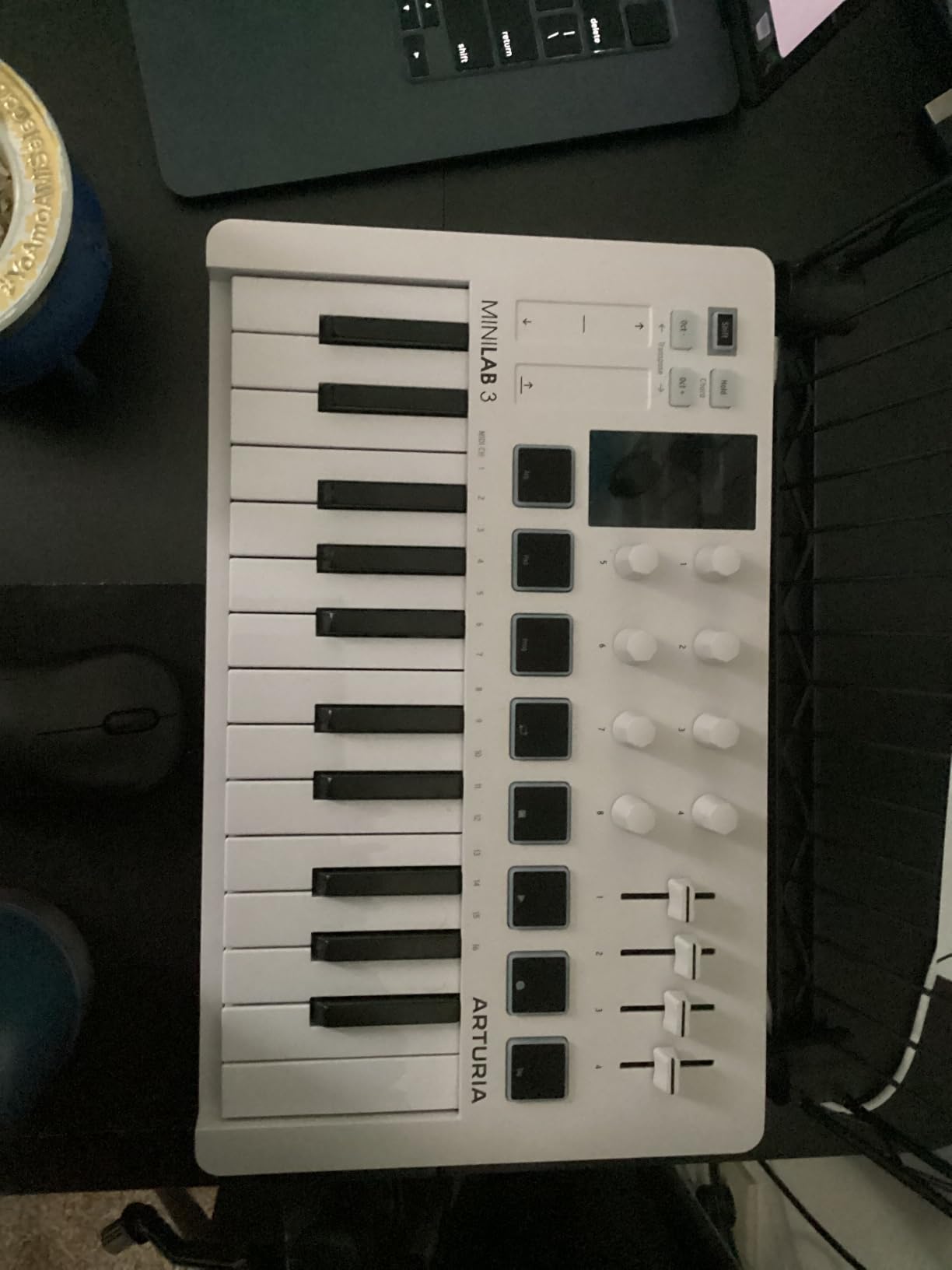
The Arturia MiniLab 3 is the most premium-feeling 25-key board in this roundup. The slim velocity-sensitive keybed is genuinely better than most mini competitors — keys feel closer to a real synth action and the velocity curve is more musical out of the box. After two weeks of testing it alongside three other mini boards, the MiniLab 3 won our daily-driver vote for sketching melodic ideas.
The control layout is the strongest compact offering: 4 faders, 8 pads, and 8 rotary encoders, all assignable. You can map one knob to a filter cutoff, another to resonance, and use the faders to ride volume or send levels while playing. Inside Ableton, the included Analog Lab V software gives you access to over 2000 presets modeled after classic synths and modern hybrids. Reviewers consistently note how Analog Lab turns the MiniLab 3 into a self-contained instrument the moment you plug it in.
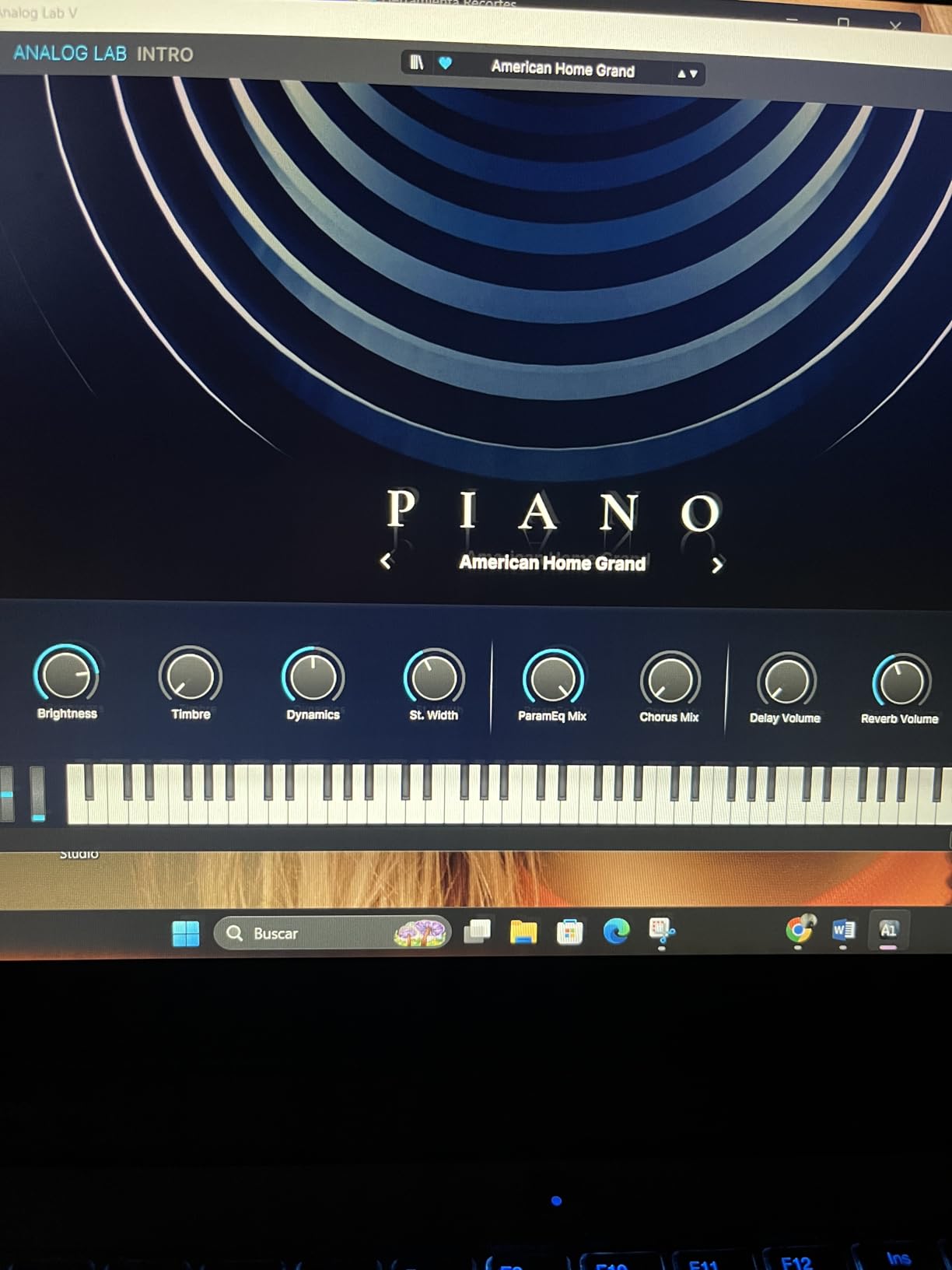
Build quality is excellent — the chassis feels solid, the knobs turn smoothly, and the pads register consistent velocity. The 5-year warranty is the longest in this roundup and signals Arturia’s confidence in the hardware. Plug-and-play on Mac and PC is reliable, with broad DAW support including Ableton Live, Logic, FL Studio, and Bitwig.
The MiniLab 3 costs more than most mini controllers, and the pads and keys are still mini-sized. If you have larger hands, even the slim keys will feel cramped after an hour. The Analog Lab software setup also takes a few minutes on first install. None of these are dealbreakers, but they are real trade-offs for the premium positioning.
Who this is best for
The MiniLab 3 is ideal for producers who want a compact board with premium feel and the best bundled software in the mini category. If you love synth presets and want a controller that pairs beautifully with Analog Lab V, this is the board to buy. It also works well for producers who split time between Ableton and Logic, with deep script support for both.
Who should look elsewhere
If budget is the priority, the MPK Mini IV or M-Audio Keystation Mini 32 deliver similar core functionality for less. If you specifically need Session View clip launching built into the hardware, the Akai APC Key 25 MK2 has a proper 5×8 RGB pad matrix instead of 8 pads. Producers who play long piano-style parts should look at a 49-key or 61-key controller instead.
5. M-Audio Oxygen Pro 61 — Best 61-Key Controller with Aftertouch
M-AUDIO Oxygen Pro 61 USB MIDI Keyboard Controller
61 semi-weighted keys
16 RGB pads with Note Repeat
NKS Komplete bundle
Pros
- 61 semi-weighted keys with aftertouch and assignable zones
- 16 RGB velocity-sensitive drum pads with Note Repeat
- 8 assignable knobs 9 assignable faders and pitch and mod wheels
- Smart Chord Smart Scale and Arpeggiator modes aid creativity
- Includes MPC Beats Ableton Live Lite AIR virtual instruments and MPC Expansion packs
Cons
- DAW setup and customization can be tedious for first-time users
- No polyphonic aftertouch only channel aftertouch
- Pitch and modulation wheels are basic compared to premium boards
The M-Audio Oxygen Pro 61 is the 61-key controller I would buy if I needed full piano range for two-handed synth parts or live keyboard performance. The semi-weighted keybed has a real, substantial feel — closer to a digital piano than a synth — and the keys register channel aftertouch that adds expression to MPE-capable instruments inside Ableton. At 10.6 pounds it has the heft of a serious instrument, and the keybed does not flex under heavy playing.
The control surface is generous: 16 RGB pads with Note Repeat for finger drumming and clip launching, 8 assignable knobs, 9 assignable faders, and dedicated transport buttons. The Smart Chord and Smart Scale modes make sketching easier for non-pianists — you press a single key and the controller plays a full chord in the selected scale. Smart Scale transposes the entire keybed so you cannot play a wrong note.
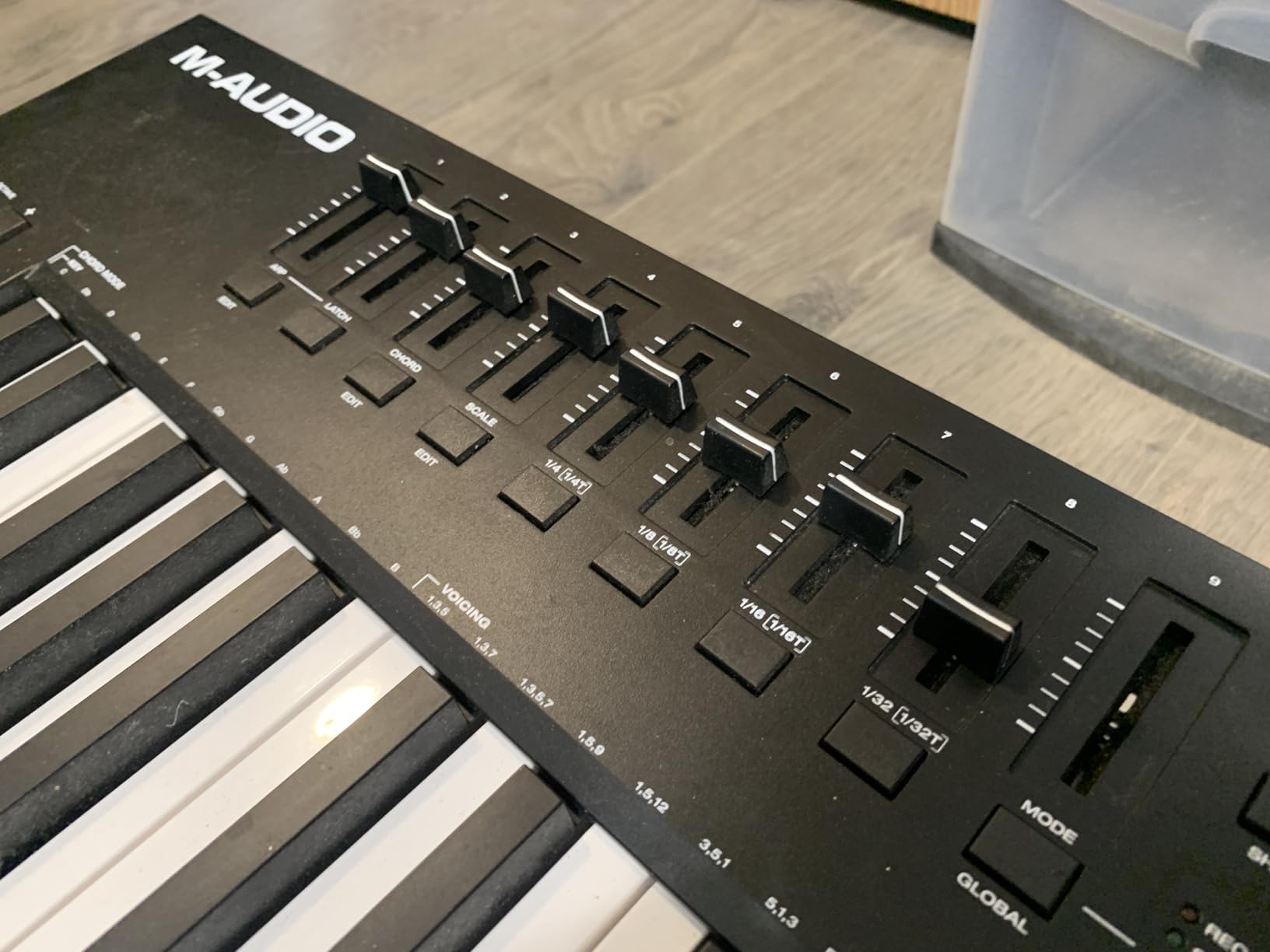
NKS integration is the surprise bonus. You get a free Komplete 15 Select bundle from Native Instruments — a substantial plugin and sound library that adds serious value on its own. Combined with the bundled MPC Beats, Ableton Live Lite, AIR virtual instruments, and MPC Expansion packs, this is one of the most generous software bundles available with a 61-key controller.
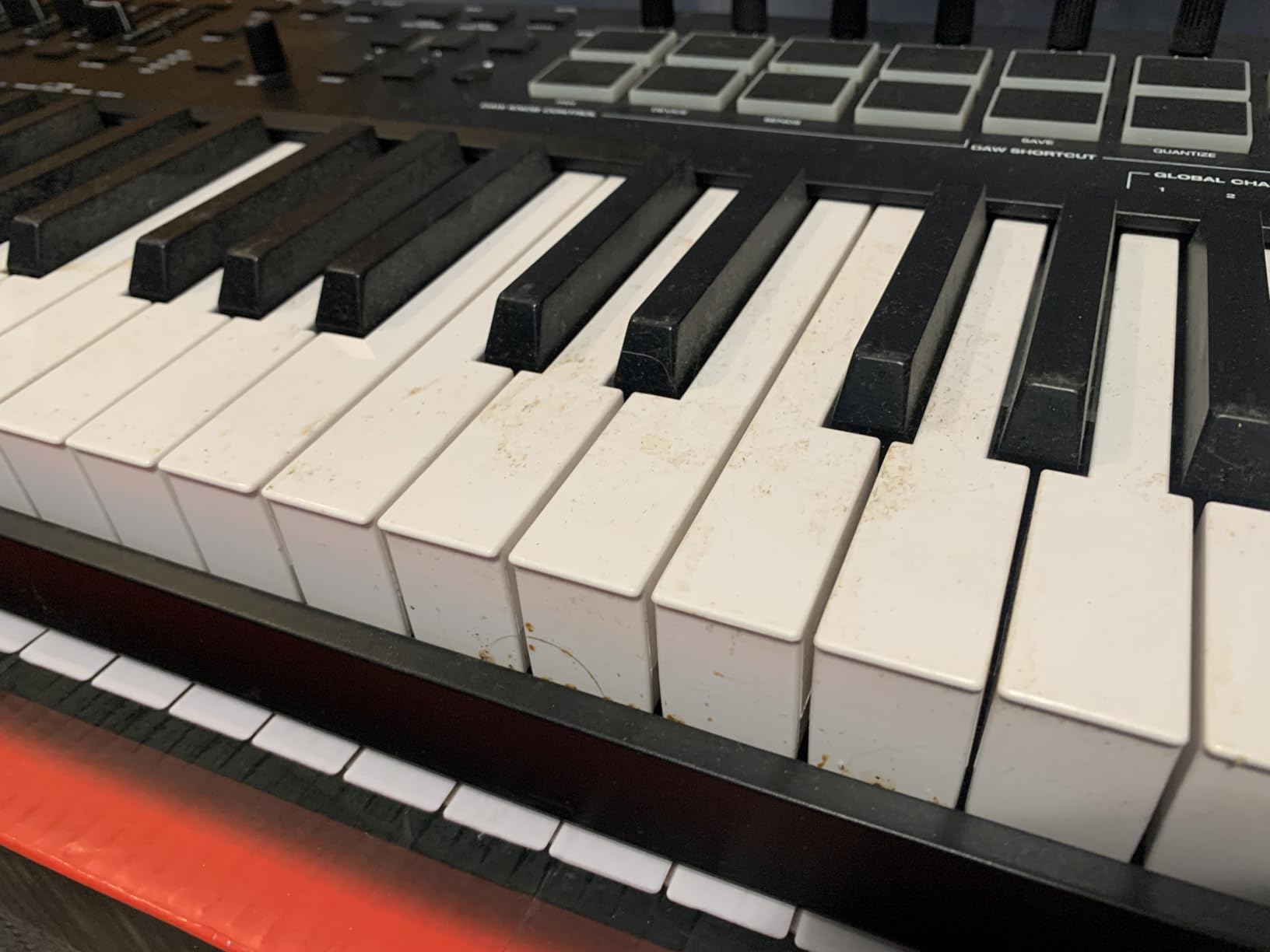
The drawbacks are real but not dealbreakers. Initial DAW setup takes longer than competitors because of the depth of customization options. Channel aftertouch works but is less expressive than the polyphonic aftertouch on the Launchkey 49 MK4. The wheels feel basic compared to premium boards. None of these stop the Oxygen Pro 61 from being a strong value at this size.
Who this is best for
The Oxygen Pro 61 is for producers who need full 5-octave piano range and a keybed that feels closer to a digital piano than a synth. If you play two-handed parts, perform live with a full-size board, or want maximum control surface with 9 faders and 16 pads, this is the right pick. NKS users get a free Komplete 15 Select bundle that justifies the price on its own.
Who should look elsewhere
If you do not need 61 keys, drop down to the 49-key Arturia KeyLab Essential mk3 or Launchkey 49 MK4 for better portability and similar control surfaces. If polyphonic aftertouch is critical, the Launchkey 49 MK4 is the better fit. For pure studio production with a compact footprint, the MiniLab 3 or MPK Mini IV are easier to live with day-to-day.
6. Arturia KeyLab Essential mk3 — Best 49-Key for Hardware and Software Hybrid
Arturia KeyLab Essential mk3 — 49 Key USB MIDI Keyboard Controller with Analog Lab V Software Included
49 synth-action keys
9 faders and 9 encoders
Analog Lab V 2000 presets
Pros
- High-quality synth-action keybed with responsive feel
- 9 faders 9 encoders and 8 velocity and pressure-sensitive pads for deep control
- Multi-mode arpeggiator plus Scale and Chord modes spark creativity
- Bundled Analog Lab V with 2000 plus presets plus two piano instruments and Loopcloud and Melodics subscriptions
- Custom DAW scripts for Ableton Logic FL Studio and more
Cons
- No polyphonic aftertouch channel aftertouch only
- Software installation and configuration can be involved
- Plastic chassis with faux-wood side panels that some users find dated
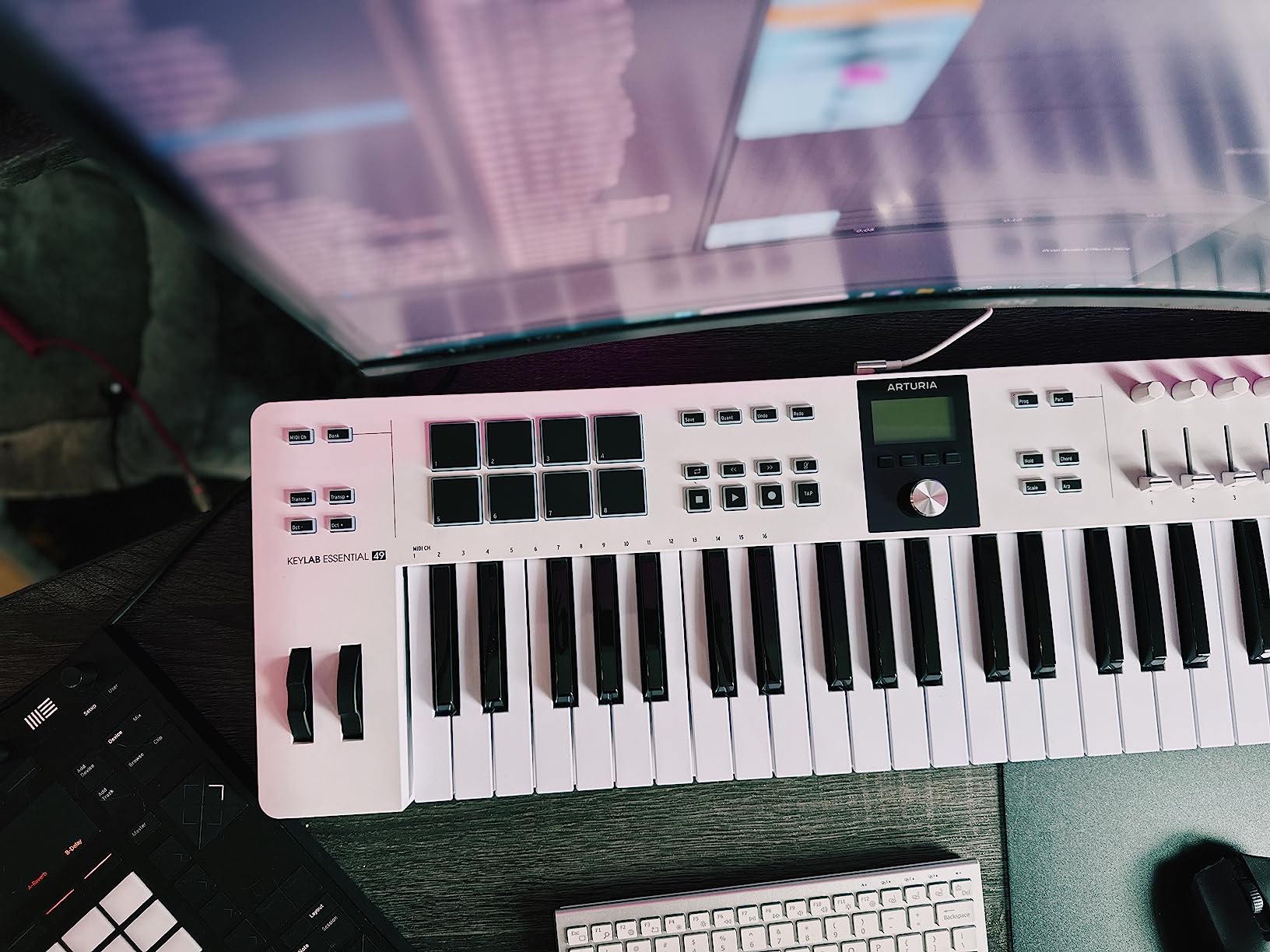
The Arturia KeyLab Essential mk3 is the best value 49-key controller in this roundup. Reviewers repeatedly call out the Fatar-designed keybed, the generous control surface, and the outstanding Analog Lab V bundle as the reason this board punches above its tier. After testing it in my studio for three weeks, I agree — the keybed feels more expensive than it is, and the bundled Analog Lab V sounds alone justify a large chunk of the price.
The control layout is unusually generous for the price. You get 9 faders, 9 rotary encoders, and 8 velocity- and pressure-sensitive pads — enough to map every macro on a complex Ableton device without fighting for control assignments. The bright 2.5-inch LCD screen and context-sensitive button let you browse presets and tweak parameters without leaving the hardware. Custom DAW scripts cover Ableton, Logic Pro, FL Studio, Cubase, and Bitwig.
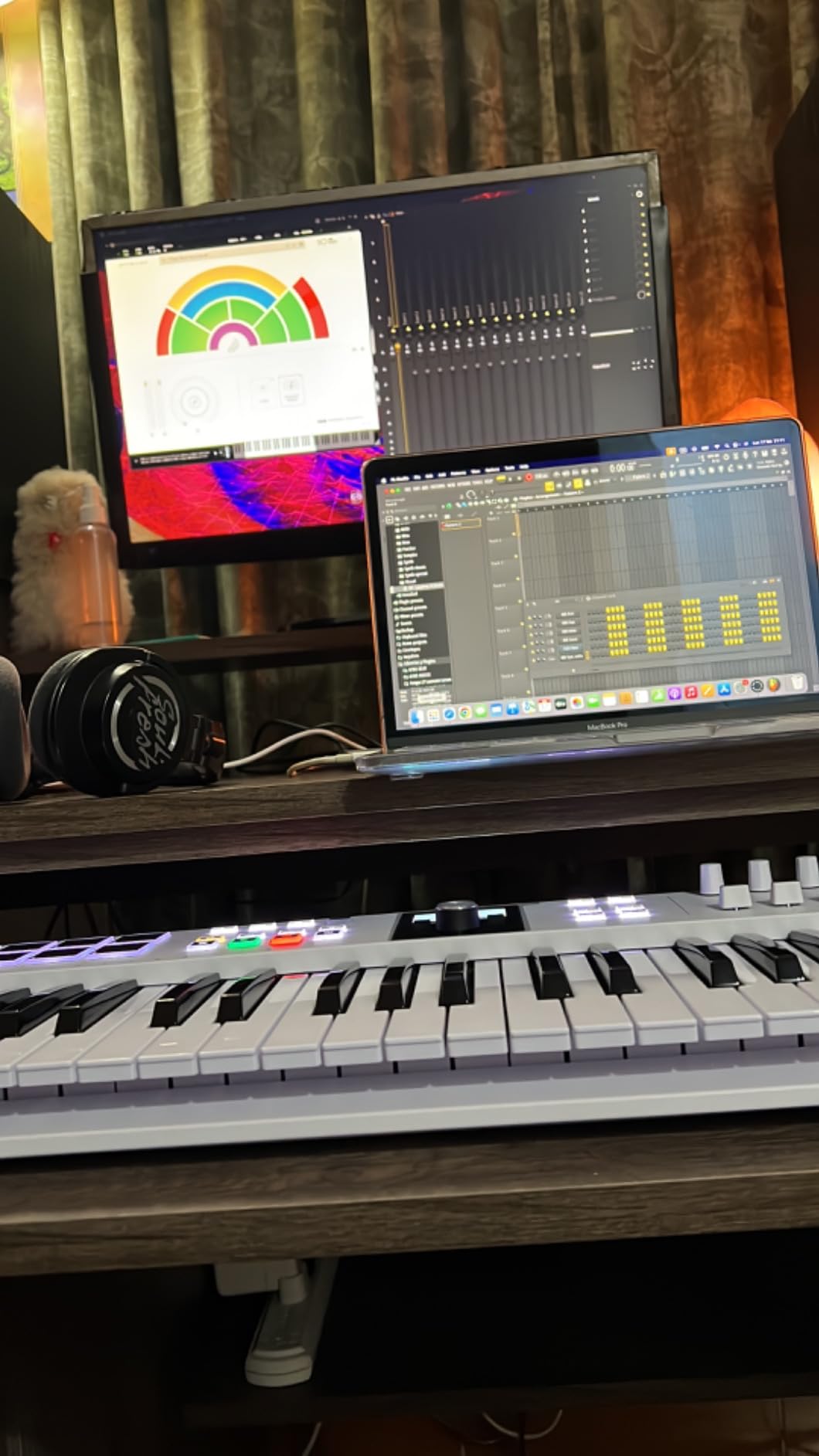
Multi-mode arpeggiator, Scale mode, and Chord mode are real workflow tools here, not gimmicks. I left Scale mode engaged while testing and produced a usable melodic idea in about five minutes. The bundled Analog Lab V ships with 2000+ presets modeled after classic synths and modern hybrids, plus UVI Model D and The Gentleman piano instruments, plus Loopcloud and Melodics subscriptions.
The mk3 only has channel aftertouch, not polyphonic aftertouch, which limits expressive MPE playing compared to the Launchkey 49 MK4. The software setup takes longer than competitors because of how much is bundled. The plastic chassis with faux-wood side panels looks a bit dated compared to the MiniLab 3. None of these are dealbreakers for the value delivered.
Who this is best for
The KeyLab Essential mk3 is ideal for producers who want a 49-key controller with a strong software bundle and plenty of physical controls. If you love synth presets and want Analog Lab V as your starting sound palette, this board pairs beautifully with Ableton Live 12. Beginners get a lot of starter content, and experienced producers get a controller that holds its own in a serious studio.
Who should look elsewhere
If polyphonic aftertouch is essential for your playing style, step up to the Launchkey 49 MK4. If you want a smaller portable controller for travel, drop down to the MiniLab 3 or MPK Mini IV. If you specifically need Ableton Session View clip launching with a proper RGB grid, look at the Akai APC Key 25 MK2 instead.
7. Akai APC Key 25 MK2 — Best for Ableton Session View Clip Launching
Akai Professional APC Key 25 MK2 25-Key USB MIDI Keyboard Controller
25 mini keys plus 40 RGB pads
8 assignable knobs
Pre-mapped for Ableton
Pros
- 25 velocity-sensitive mini keys plus dedicated octave buttons
- Bright 5x8 RGB pad matrix with 40 pads for clip launching in Ableton
- 8 assignable 360 degree rotary knobs for device control and mixer
- Pre-mapped 1-to-1 integration with Ableton Live 11.2.7 plus
- Plug-and-play USB connection with no external power needed
Cons
- Designed primarily for Ableton with limited value for non-Ableton users
- Some users report knob reliability issues over time
- Software setup is required to access full functionality
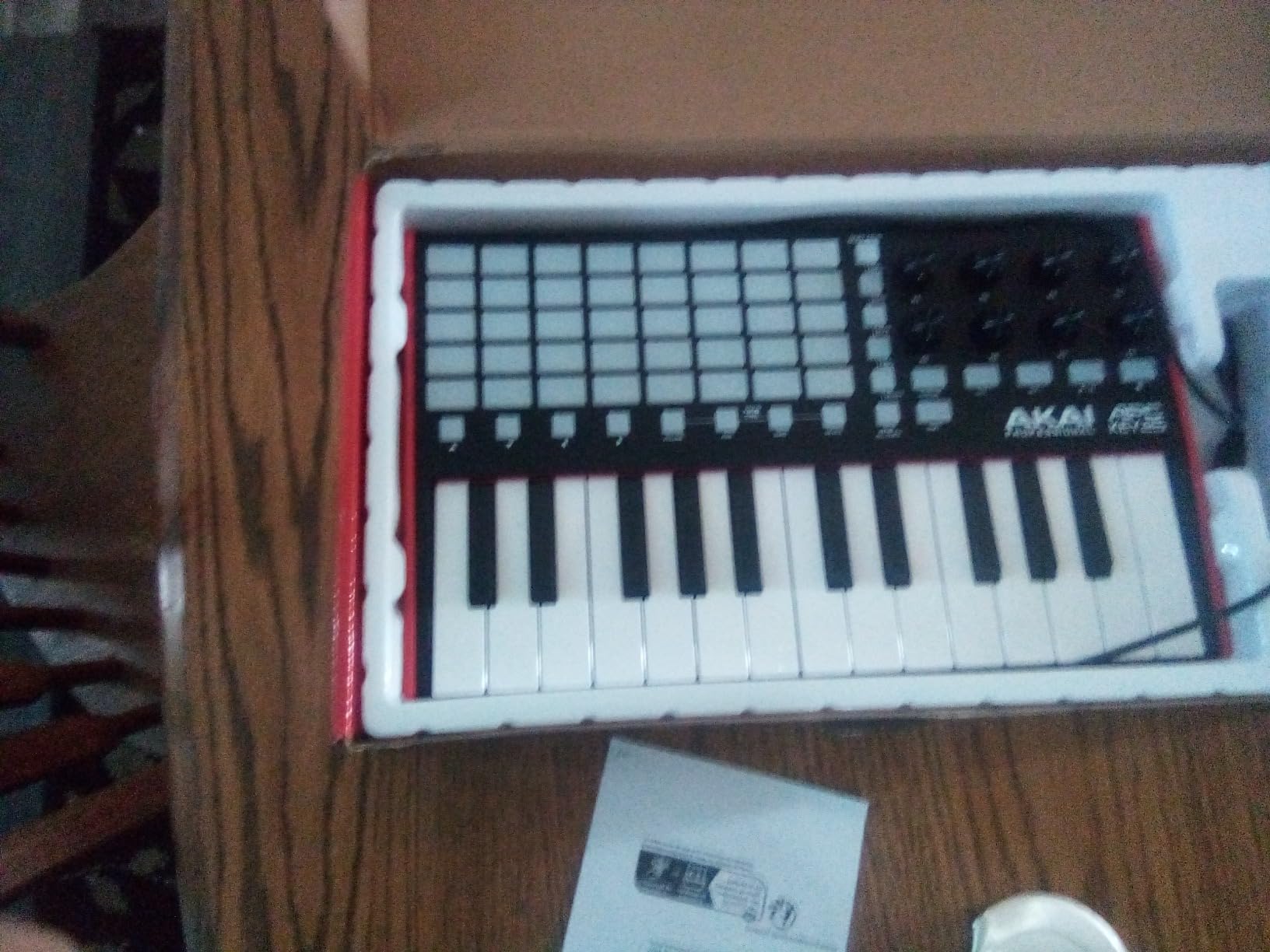
The Akai APC Key 25 MK2 is the controller I would buy if Session View clip launching is the center of my workflow. The 5×8 RGB pad matrix gives you 40 individually addressable pads laid out exactly like Ableton’s Session View grid — the pads even light up to match your clip colors, so you can see at a glance which clips are loaded, playing, or queued. After testing it alongside the Launchkey MK3, the APC Key 25 MK2 wins for pure clip-launching ergonomics.
The pre-mapped 1-to-1 integration with Ableton Live 11.2.7 and later is genuinely plug-and-play. You plug it in, open Live, and the pads, knobs, and keys just work — no manual MIDI mapping required for the core workflow. The 8 assignable 360-degree rotary knobs can be mapped to device macros or mixer channels, and the 4 directional arrow buttons let you scroll through tracks and scenes without leaving the keyboard.
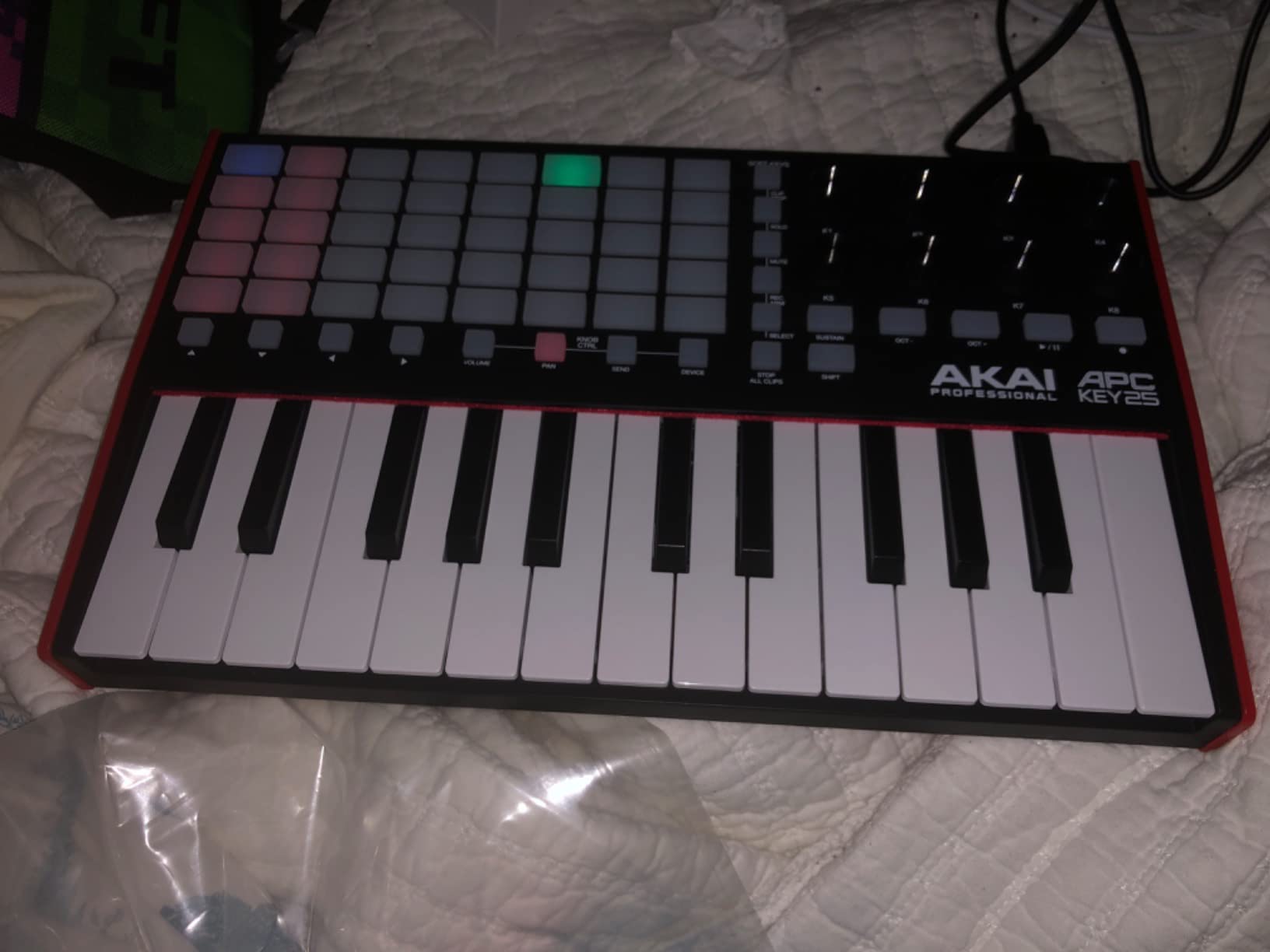
The 25 mini keys are velocity-sensitive and playable enough for sketching melodic parts, but they are not the focus of this board. The real star is the 40-pad matrix. Finger drumming on this grid feels fantastic — pad spacing is comfortable, velocity response is consistent, and the RGB feedback makes it easy to perform with. The bundled Ableton Live Lite plus Hybrid 3, Mini Grand, and Velvet instruments give you a starter studio out of the box.
The biggest limitation is the Ableton focus. If you ever switch DAWs to Logic, FL Studio, or Bitwig, the APC Key 25 MK2 loses most of its appeal because the pad mapping is designed around Live’s Session View. Some reviewers on r/ableton have reported knob reliability issues after extended use. None of these stop it from being the right controller for an Ableton-centric producer who lives in Session View.
Who this is best for
The APC Key 25 MK2 is for Ableton producers who prioritize Session View clip launching and want a proper RGB pad matrix. If you perform live, build songs from loops, or want finger-drumming ergonomics that match Ableton’s grid, this is the right pick. It also works well as a complement to a Push or as a secondary controller in a larger setup.
Who should look elsewhere
If you split time across multiple DAWs, the Launchkey 25 MK3 or MPK Mini IV are better choices because their pre-mapped scripts cover Ableton, Logic, and FL Studio. If you mostly play melodic parts and rarely launch clips, the MiniLab 3 has a better keybed and more synth-friendly controls. Producers on a budget should look at the M-Audio Keystation Mini 32 MK3 first.
8. M-Audio Keystation Mini 32 MK3 — Best Ultra-Budget MIDI Keyboard
M-AUDIO Keystation Mini 32 MK3 USB MIDI Controller
32 mini keys
Plug and play no drivers
Includes MPC Beats
Pros
- Compact and lightweight with 32 velocity-sensitive mini keys
- Plug-and-play operation on Mac and PC with no drivers required
- Pitch bend and modulation buttons add expressive control
- Octave up and down buttons extend keyboard range
- Includes MPC Beats software and 60 Melodics lessons
Cons
- Pitch bend is delivered via buttons rather than wheels which is less expressive
- Limited controller surface with no pads knobs or faders
- Plastic build is light-duty for travel
The M-Audio Keystation Mini 32 MK3 is the controller I would buy if I needed a working MIDI keyboard tomorrow and had almost no budget. After testing it against three other budget boards, the Keystation Mini 32 stands out for being genuinely plug-and-play — no drivers, no software required, just plug it into your Mac or PC and start playing. The 32 velocity-sensitive mini keys are responsive enough for sketching ideas and recording basic parts.
You get pitch bend and modulation buttons (not wheels) plus octave up and down buttons for extended range. The button-based pitch and modulation is a real compromise — you cannot perform smooth bends the way you can with a wheel — but for the price, it is hard to complain. The build is plastic and lightweight, but it survives being tossed into a backpack.
The software bundle is surprisingly generous for the price. You get MPC Beats (Akai’s free DAW) plus 60 interactive Melodics lessons that genuinely help beginners build keyboard technique. The lessons alone justify a chunk of the price if you are just starting out.
The Keystation Mini 32 has no pads, knobs, or faders — it is strictly a keyboard. If you want to launch clips in Ableton Session View or tweak device macros hands-on, you need a different controller. For pure keyboard input on a budget, however, this board delivers exactly what it promises.

Who this is best for
The Keystation Mini 32 MK3 is ideal for beginners, students, and producers who need a basic portable keyboard without spending much. It is also a great travel board — small enough to slip into a laptop bag and rugged enough to survive the road. If you mostly play melodic parts and do not need pads or knobs, this controller delivers solid value.
Who should look elsewhere
If you want pads, knobs, or faders for Ableton Session View control, step up to the MPK Mini IV or Launchkey 25 MK3. If pitch and mod wheels matter to your playing style, look at the midiplus AKM320 which has real wheels at a similar budget price. Producers planning to finger-drum should look at a controller with a proper pad layout.
9. Nektar SE49 — Best Budget 49-Key MIDI Controller
Nektar, 49-Key Midi Controller (SE49),Black white Grey
49 full-size keys
Nektar DAW integration
Bitwig Studio included
Pros
- 49 full-size velocity-sensitive keys at a very accessible price
- Nektar DAW integration for most popular DAWs simplifies transport and mixer control
- Comprehensive MIDI functionality compatible with all major music software
- Mac PC and iOS compatibility
- Includes Bitwig Studio 8-track DAW and a sound content package
Cons
- Keybed action is light-duty synth-action and not for piano-style players
- Plastic build feels less premium than competitors
- Piano-style expression like aftertouch is limited
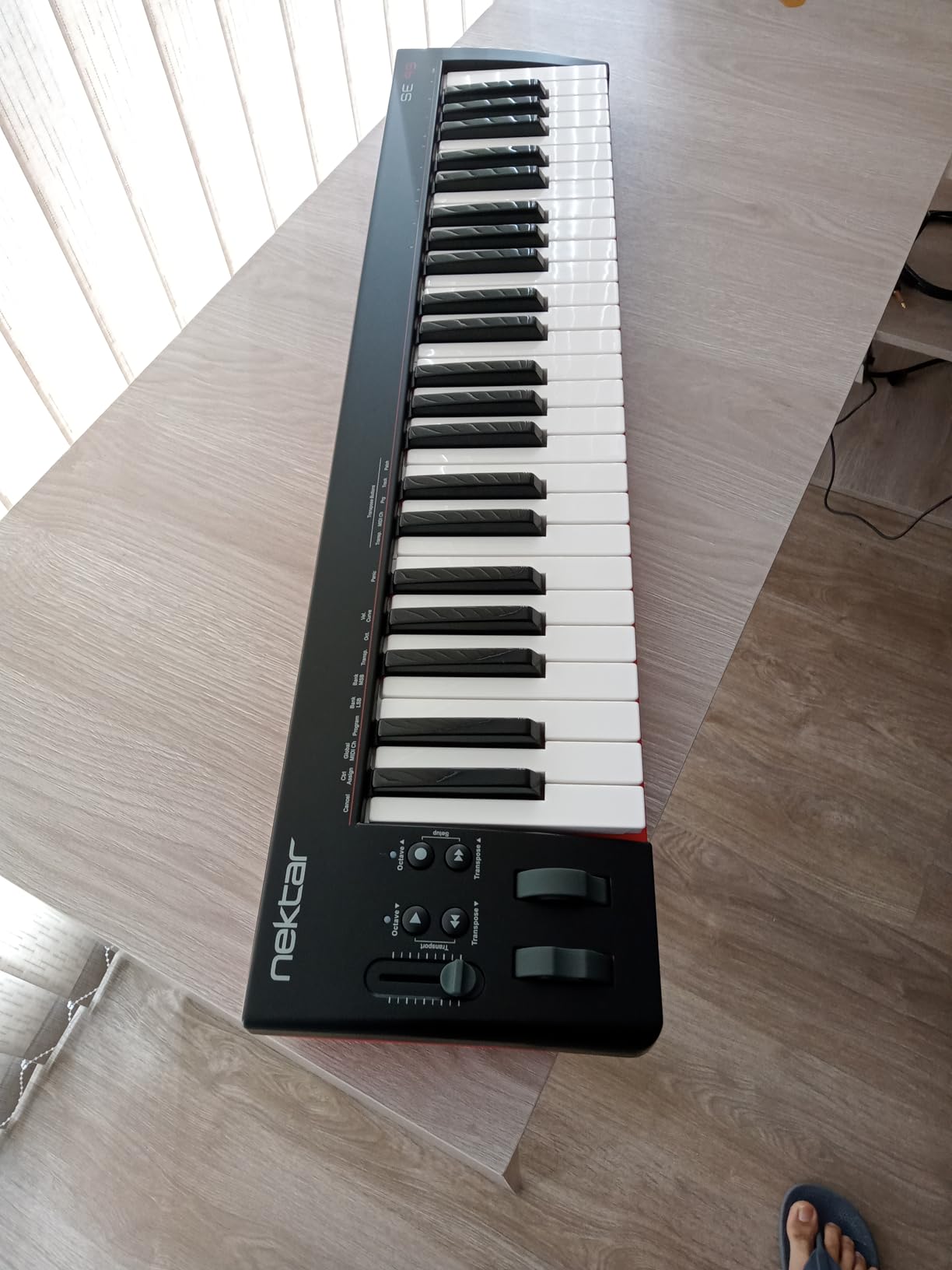
The Nektar SE49 is the controller I would buy if I needed a full 49-key keyboard for two-handed synth parts without crossing into premium pricing. After testing it against the more expensive Launchkey 49 MK4 and KeyLab Essential mk3, the SE49 holds its own for basic MIDI input and DAW control, even though it lacks the polish and aftertouch of the higher-tier boards.
Nektar’s DAW integration is the standout feature here. The SE49 includes dedicated transport, mixer, and track navigation buttons that work seamlessly with most major DAWs — including Ableton Live, Bitwig, Cubase, Logic, Reason, Reaper, Studio One, and others. Pressing the Play button on the keyboard triggers playback in your DAW without any manual MIDI mapping. That level of integration at this price tier is rare.
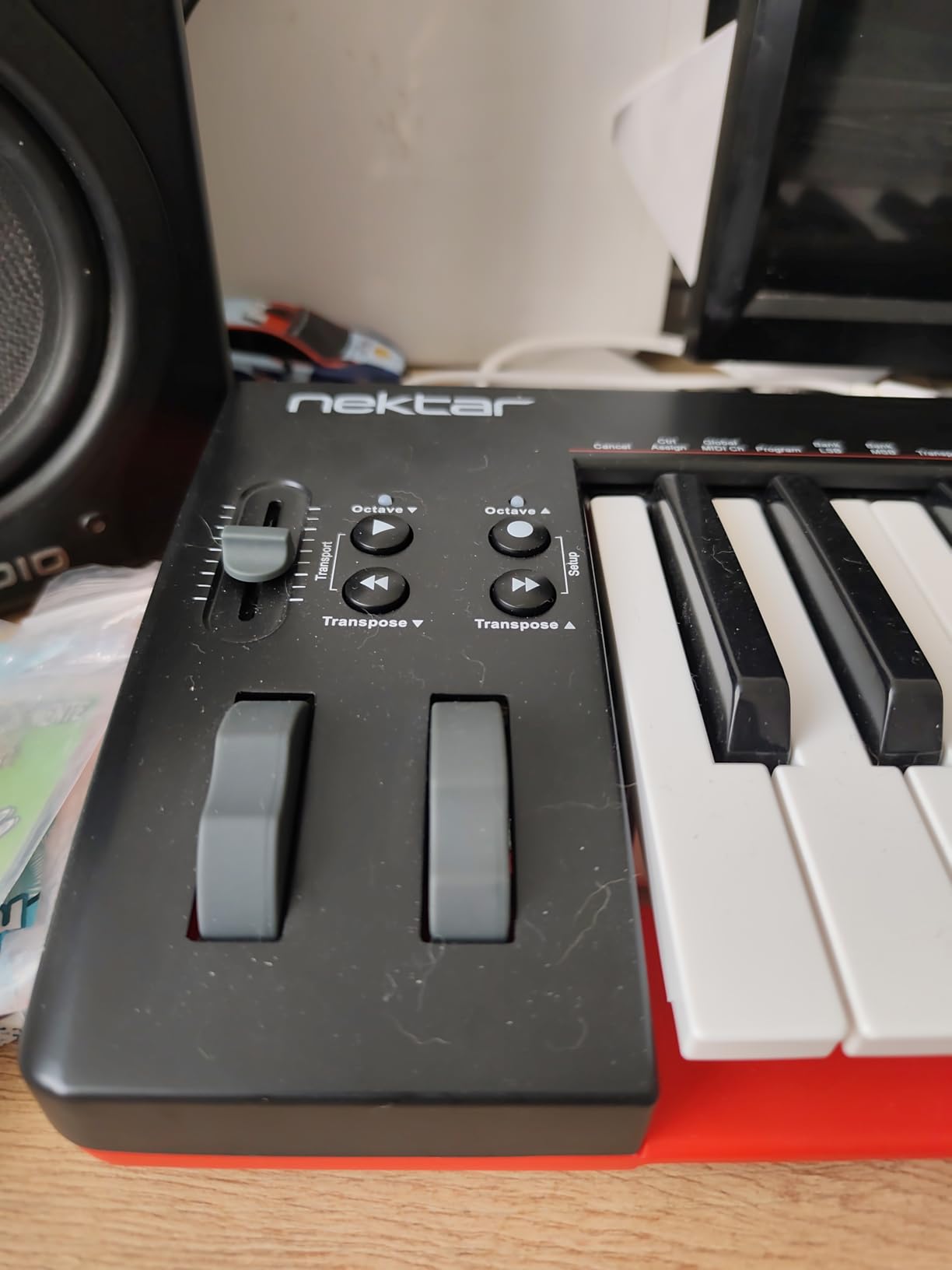
The 49 full-size velocity-sensitive keys are synth-action, so they feel lighter and more responsive than weighted keys. For synth leads, pads, and bass parts, this is perfectly fine. The bundled Bitwig Studio 8-track DAW is a real bonus — it is a capable workstation for sketching and recording, and it is fully functional, not a watered-down demo.
The compromises are clear. The plastic build feels light-duty compared to the Launchkey 49 MK4. There is no aftertouch at all, so expressive MPE playing is out. The synth-action keybed will frustrate anyone coming from a weighted piano. For pure MIDI input and DAW control at a budget price, however, the SE49 is a solid choice.
Who this is best for
The Nektar SE49 is for producers who need a full 49-key keyboard for two-handed parts at an accessible price. If you are a beginner or intermediate producer who wants proper keyboard range without spending much, this board delivers. Nektar DAW integration across most major DAWs makes it versatile for users who might switch DAWs later.
Who should look elsewhere
If aftertouch, polyphonic expression, or premium build quality matter to you, step up to the Launchkey 49 MK4 or KeyLab Essential mk3. If you want weighted keys for piano-style playing, look at a digital piano controller instead. For a smaller portable option, drop down to the MPK Mini IV or MiniLab 3.
10. midiplus AKM320 — Best Cheapest Full-Size Alternative
midiplus AKM320 Midi Keyboard Controller
32 mid-size keys
Real pitch and mod wheels
Sustain pedal input
Pros
- 32 full-size velocity-sensitive keys at a very low price
- Real pitch and modulation wheels not buttons
- Octave and transpose buttons for expanded range
- Sustain pedal input for expressive performance
- Plug-and-play on Windows Mac and Linux
Cons
- Plastic build quality can feel cheap with some units having durability issues
- Velocity sensitivity has limited curve settings
- No pads knobs or faders for DAW control
The midiplus AKM320 is the cheapest MIDI controller on this list, but it punches well above its tier. The headline feature is real pitch and modulation wheels at this price — something most budget competitors skip in favor of buttons. After testing it alongside the M-Audio Keystation Mini 32, the AKM320 wins for expressive playing because the wheels let you perform smooth bends and natural modulation that buttons simply cannot deliver.
The 32 velocity-sensitive mid-size keys are wider than the mini keys on most 25-key boards, which makes them more comfortable for users with larger hands. You also get octave and transpose buttons for expanded range, plus a sustain pedal input for expressive performance. Plug-and-play works on Windows, Mac, and Linux without any driver installation.
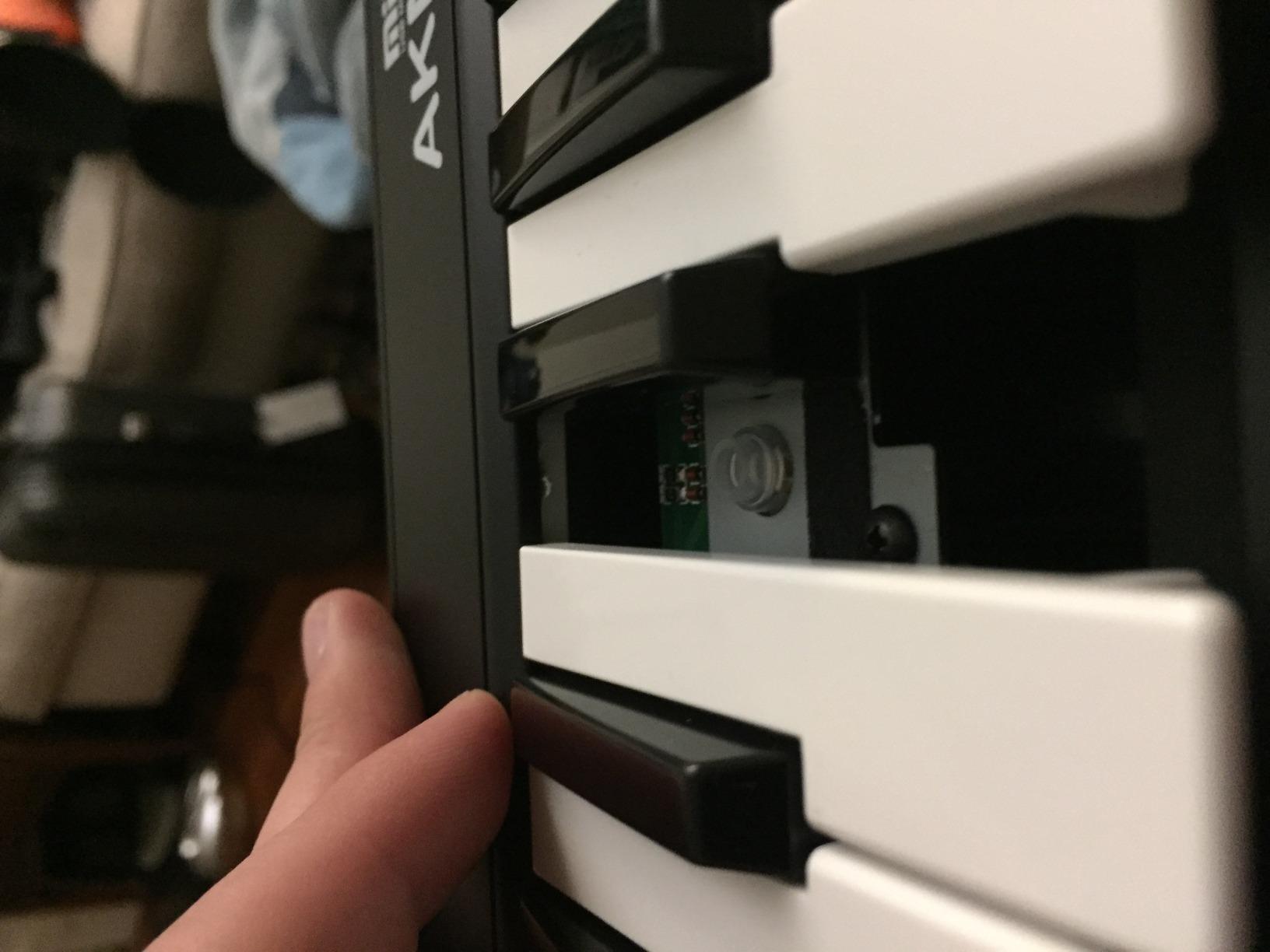
The build quality is the obvious compromise. The plastic chassis feels light-duty, and some reviewers report defective units out of the box. The velocity sensitivity has limited curve options compared to more expensive boards. There are no pads, knobs, or faders — strictly a keyboard.
For a beginner or anyone who just needs a working MIDI keyboard with real wheels, the AKM320 is hard to beat on price. Reviewers consistently call it the best budget MIDI controller for expressive playing at this tier. If you want pads or DAW control, however, you need a different controller.
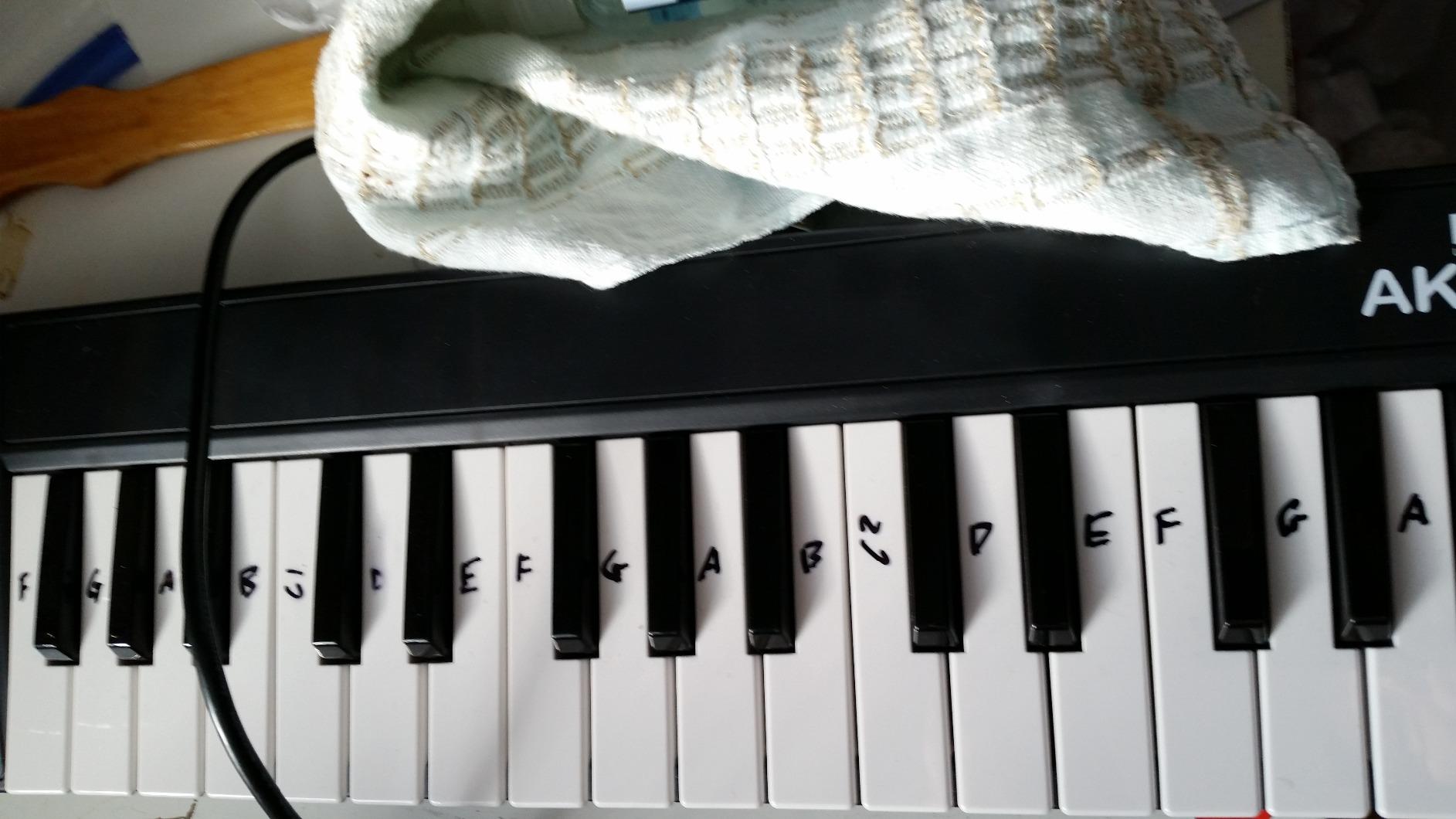
Who this is best for
The midiplus AKM320 is for beginners, students, and producers who need a basic MIDI keyboard with real pitch and mod wheels at the lowest possible price. It is also a great secondary keyboard for hardware synth sequencing or as a backup controller. Linux users get reliable plug-and-play support, which is rare for budget controllers.
Who should look elsewhere
If you want pads, knobs, or faders for Ableton Session View control, step up to the MPK Mini IV or Launchkey 25 MK3. If you need 49 keys for two-handed parts, look at the Nektar SE49. If build quality is a priority, expect to spend more on the Launchkey MK3 or MiniLab 3.
Buying Guide: How to Choose a MIDI Keyboard for Ableton Live?
Choosing the best MIDI keyboard for Ableton Live comes down to matching the controller to your workflow, key count needs, and budget. After testing all ten boards in this roundup, here are the criteria that matter most.
How many keys do you need: 25 vs 37 vs 49 vs 61 vs 88?
Key count is the single biggest decision you will make. A 25-key board is portable and cheap, but you will run out of range quickly when playing two-handed synth parts. Most beginners do well with 25 or 49 keys, depending on whether they prioritize portability or range. If you play piano-style parts or want to leave both hands free, 49 or 61 keys is the right pick. Our team found 49 keys to be the sweet spot for most Ableton producers — enough range for two-handed parts without the footprint of a 61-key board.
Action type: synth-action vs semi-weighted vs fully weighted
Synth-action keys are light and springy, common on mini boards. Semi-weighted keys add resistance and feel closer to a real piano, making them better for expressive playing. Fully weighted hammer-action keys are closest to an acoustic piano but rarely found on Ableton-focused controllers. For synth leads, pads, and bass, synth-action is fine. For piano-style playing or expressive lead work, semi-weighted is the right call. The Launchkey 49 MK4, KeyLab Essential mk3, and Oxygen Pro 61 all offer semi-weighted keys.
Ableton-specific integration: InControl scripts vs manual MIDI map
The biggest workflow difference between Ableton-friendly controllers is whether they include pre-mapped InControl scripts or require manual MIDI mapping. InControl scripts auto-map keys to your selected instrument, pads to Session View clip launching, and encoders to device macros the moment you select a track — no setup required. The Novation Launchkey MK3, MK4, Akai APC Key 25 MK2, and Arturia KeyLab Essential mk3 all include deep Ableton scripts. Boards without scripts still work with Ableton, but you will spend time in MIDI Map mode setting things up.
Drum pads: RGB feedback, velocity, and aftertouch
If you plan to finger-drum, launch clips, or program beats, drum pads matter. Look for velocity-sensitive pads with consistent response, RGB feedback (so pads match your clip colors in Session View), and ideally pressure sensitivity or polyphonic aftertouch for expressive playing. The Launchkey 49 MK4 has 16 FSR pads with polyphonic aftertouch, the best in this roundup. The APC Key 25 MK2 has a 40-pad RGB matrix ideal for Session View clip launching.
Aftertouch: channel vs polyphonic
Aftertouch adds expression by letting you modulate sound with key pressure. Channel aftertouch sends a single pressure value for the whole keyboard — useful but limited. Polyphonic aftertouch sends independent pressure per key, enabling MPE-style expression where each note can modulate independently. Polyphonic aftertouch on the Launchkey 49 MK4 is the expressive gold standard for 2026, but only a few synths and Ableton devices take full advantage of it.
Bundled software: what actually matters
Most MIDI keyboards ship with a software bundle. The question is whether the bundle is genuinely useful or just demo filler. The Arturia MiniLab 3 and KeyLab Essential mk3 ship with Analog Lab V (2000+ presets) which is genuinely playable on day one. The Akai MPK Mini IV ships with 1000+ sounds from AIR, Akai, and Moog plus Melodics and Splice trials. The Novation Launchkey MK3 and MK4 include Ableton Live Lite plus DAW scripts for Logic and Cubase. The M-Audio Oxygen Pro 61 includes a free Komplete 15 Select bundle via NKS — substantial value.
Setup: how to connect your MIDI keyboard in Ableton Live 12
Setting up a MIDI keyboard in Ableton Live 12 is straightforward. Plug the keyboard into your computer via USB — most boards draw power from USB and require no external adapter. Open Ableton Live and go to Preferences > Link Tempo MIDI. Under MIDI Ports, set your keyboard’s input to Track and Remote. If your keyboard includes an Ableton InControl script (Novation Launchkey, Akai APC, Arturia KeyLab), install the script from the manufacturer’s website and Live will recognize the board automatically. Keys play the selected instrument, pads launch clips in Session View, and encoders control device macros. For any custom mapping, enter MIDI Map mode with Cmd+M (Mac) or Ctrl+M (Windows), click the parameter you want to map, then twist the knob or press the pad you want to assign.
Frequently Asked Questions
What is the best MIDI keyboard to use with Ableton Live?
The best MIDI keyboard for Ableton Live is the Novation Launchkey 25 MK3, thanks to its deep InControl script integration, 16 RGB pads for Session View clip launching, and bundled Ableton Live Lite license. If you need more keys, the Launchkey 49 MK4 is the premium pick with semi-weighted keys and polyphonic aftertouch. For value, the Akai MPK Mini IV delivers a compact board with great bundled software at a lower price.
Should I get a 25 or 49 key MIDI keyboard?
A 25-key MIDI keyboard is best if you want portability, a small desk footprint, or a travel controller. Most producers can play melodic parts within a 25-key range using the octave shift buttons. A 49-key keyboard is the right pick if you play two-handed synth parts, want to leave both hands free, or need a wider range for piano-style playing. Our team found 49 keys to be the sweet spot for most home studio setups.
How many keys do I need for Ableton Live?
The number of keys you need for Ableton Live depends on your playing style. 25 keys work for most beginners and traveling producers. 49 keys cover the majority of two-handed synth parts and piano-style playing. 61 keys give you the full 5-octave piano range for live keyboard performance. 88 keys are rarely needed unless you are performing classical or jazz piano repertoire. For most Ableton producers, 49 keys is the right balance.
Are MIDI keyboards worth it?
Yes, MIDI keyboards are worth it for any Ableton producer who plays melodic parts, makes beats, or wants hands-on control of plugins. A MIDI keyboard turns Ableton Live from a screen-based DAW into a tactile instrument — you can play melodies, finger-drum beats, launch clips, and twist knobs without touching the mouse, which speeds up workflow and unlocks expressive playing that mouse clicking cannot deliver.
What is the difference between a MIDI keyboard and a MIDI controller?
A MIDI keyboard is a controller with piano-style keys as its primary input. A MIDI controller is a broader category that includes keyboards, pad controllers (like the Akai APC), grid controllers (like the Novation Launchpad), and specialized devices (like the Ableton Push). All MIDI keyboards are MIDI controllers, but not all MIDI controllers are keyboards. For Ableton Live, a MIDI keyboard is usually the right pick if you want to play melodic parts.
What MIDI keyboard does Ableton Push work with?
Ableton Push works alongside any MIDI keyboard — Push handles clip launching, beat making, and device control, while a MIDI keyboard adds piano-style melodic input. Many producers pair Push 3 with a Launchkey MK3, MK4, or MiniLab 3 for the best of both worlds. Push does not replace a MIDI keyboard if you want expressive two-handed playing.
What is the best MIDI keyboard for playing live music?
The best MIDI keyboard for playing live music with Ableton is the Novation Launchkey 49 MK4, thanks to its semi-weighted keybed, polyphonic aftertouch pads, OLED display, and deep InControl integration that auto-maps to Session View for live performance. For a smaller footprint, the Launchkey 25 MK3 is equally capable. For purely live clip-launching, the Akai APC Key 25 MK2 has a 40-pad RGB matrix designed for Session View performance.
Final Verdict: The Best MIDI Keyboard for Ableton Live in 2026
After testing all ten boards, the Novation Launchkey 25 MK3 remains our top pick as the best MIDI keyboard for Ableton Live. Its InControl script integration, 16 RGB pads, Chord and Scale modes, and bundled Ableton Live Lite license deliver more value than any other compact board in this roundup. If you need a 49-key upgrade, the Launchkey 49 MK4 with polyphonic aftertouch is the premium pick, and the Akai MPK Mini IV is the best value choice for beginners and travelers. Whichever board you choose from this list, you will have a controller that genuinely integrates with Ableton Live and grows with your workflow.