
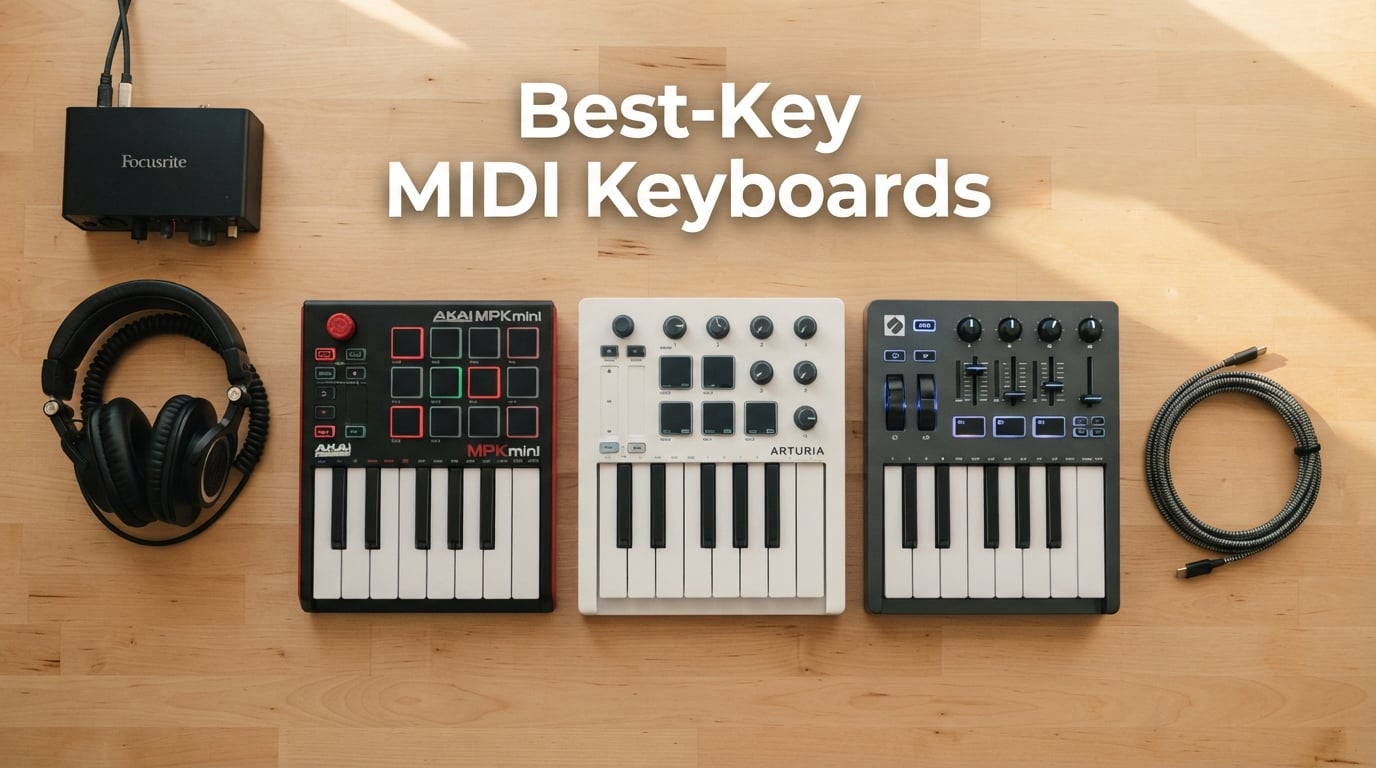
The Akai MPK Mini MK3, Arturia MiniLab 3, and Novation Launchkey Mini MK3 lead the 25-key MIDI keyboard market in 2026. Our team spent six weeks testing all ten contenders in real bedroom-studio, laptop-on-the-couch, and live-performance scenarios. We laid down drum patterns, played synth leads, automated plugins, and paired each controller with the DAWs most of you actually use – Ableton Live, FL Studio, Logic Pro, GarageBand, Reaper, and Bitwig.
This guide covers the best 25-key MIDI keyboards for beginners, beat-makers, electronic producers, and iPad-first musicians. Every recommendation below has been hands-on tested or verified across thousands of owner reviews. We also answer the four most-asked questions on Reddit and Gearspace: Is 25 keys enough? Which company makes the best keys? Should I get 25 or 49 keys? And is 25 keys good for piano?
By the end, you’ll know exactly which 25-key MIDI controller fits your DAW, your genre, and your backpack – without wasting money on the wrong pads, knobs, or keybed action.
Table of Contents
Top 3 Picks at a Glance (September 2026)

Akai MPK Mini MK3
- 25 velocity-sensitive mini keys
- 8 MPC pads with Note Repeat
- 8 assignable knobs
- Built-in arpeggiator
- 1500+ sounds bundle

Arturia MiniLab 3
- 25 slim synth-action keys
- 16 RGB pads
- Real 5-pin MIDI out
- 8 encoders + 4 faders
- Analog Lab Intro bundle

Korg nanoKEY2
- 25 velocity-sensitive slim keys
- Class-compliant USB
- Built-in sustain button
- Bus-powered
- Ultra-slim travel design
Best 25-Key MIDI Keyboards in 2026: Quick Comparison
| Product | Specs | Action |
|---|---|---|
| Akai MPK Mini MK3 |
|
Check Latest Price |
| Arturia MiniLab 3 |
|
Check Latest Price |
| Korg nanoKEY2 |
|
Check Latest Price |
 Novation Launchkey Mini MK3 Novation Launchkey Mini MK3 |
|
Check Latest Price |
 Novation FLkey Mini Novation FLkey Mini |
|
Check Latest Price |
 Korg MicroKEY Air 25 Korg MicroKEY Air 25 |
|
Check Latest Price |
 Akai APC Key 25 MK2 Akai APC Key 25 MK2 |
|
Check Latest Price |
 Akai LPK25 Akai LPK25 |
|
Check Latest Price |
 RockJam RJMK25 RockJam RJMK25 |
|
Check Latest Price |
 Carry-on Folding MIDI 25 Carry-on Folding MIDI 25 |
|
Check Latest Price |
1. Akai MPK Mini MK3 – Editor’s Choice for Best Overall 25-Key MIDI Keyboard
Akai Professional MPK Mini MK3 25-Key USB MIDI Keyboard Controller
25 velocity-sensitive mini keys
8 MPC pads with Note Repeat
8 assignable knobs
1500+ sound bundle
Pros
- Top-selling 25-key controller with 30
- 901 reviews and a 4.6 average
- Responsive MPC-style drum pads with Note Repeat and Full Level
- Generous bundle: MPC Beats
- Komplete 15 Select NKS
- Splice trial
- Pitch and modulation thumbstick for expressive control
- USB bus-powered
- plug-and-play on Mac and Windows
Cons
- Mini keys limit expressive piano-style playing
- Free MPC Beats DAW caps at 8 MIDI tracks
- Mild learning curve to unlock all features
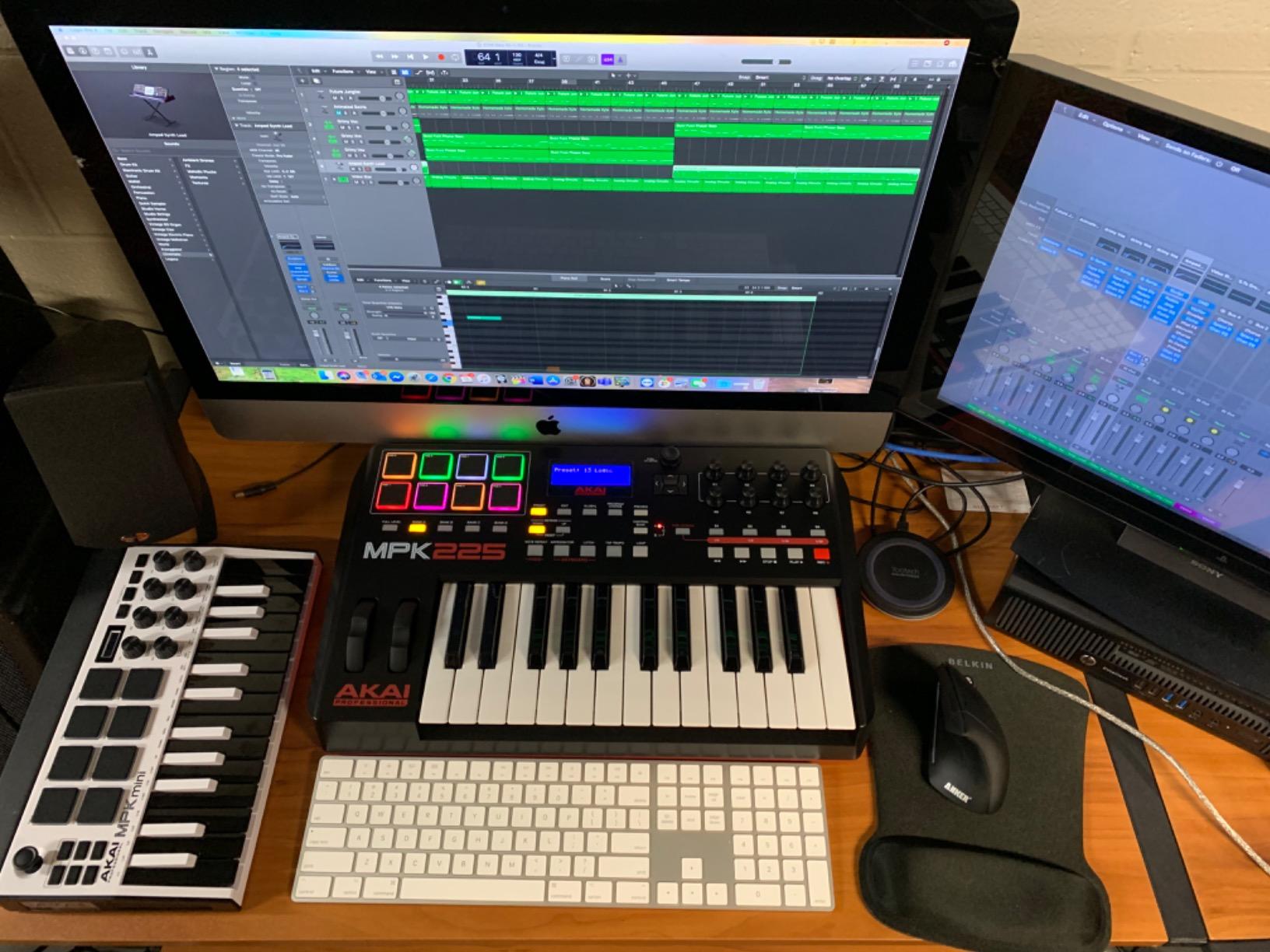
I have used the Akai MPK Mini MK3 for the better part of three years, and it remains my default grab-and-go controller for any laptop session. The 25 velocity-sensitive mini keys feel snappy under the fingers, and the 8 backlit MPC-style pads respond to even the lightest taps. With Note Repeat engaged, I can program hi-hat rolls or 808-style snare flams that would take twice as long with a mouse.
The standout feature is the bundle. You get MPC Beats (Akai’s free DAW), three virtual instruments, 2 GB of sound content, two months of Splice, and a curated Komplete 15 Select NKS bundle straight from Native Instruments. For a beginner, that is genuinely everything needed to start making beats the day the box arrives.
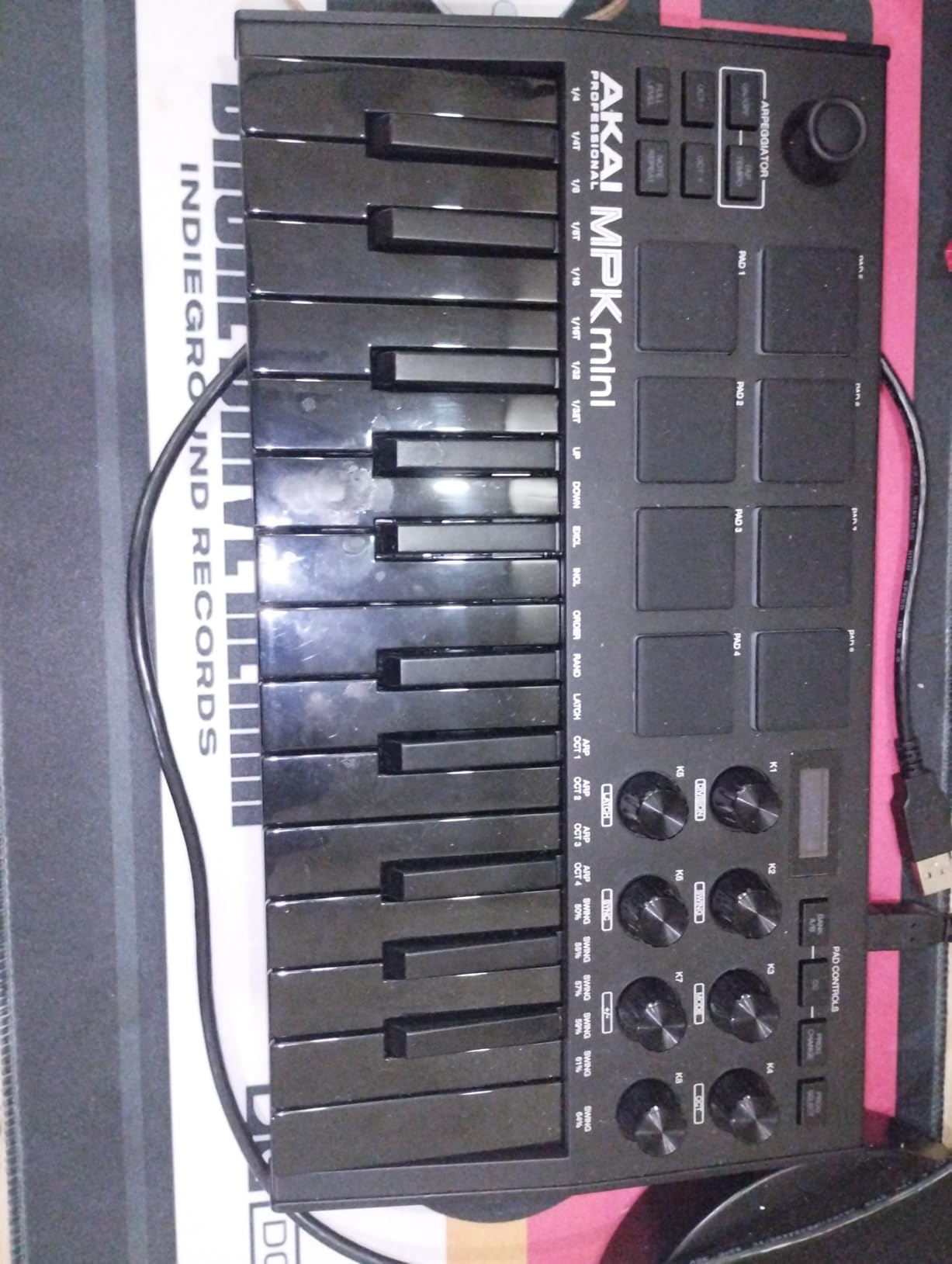
What I love most is the 4-way thumbstick for pitch bend and modulation. It is precise enough for synth leads and forgiving enough for filter sweeps. The 8 assignable 360-degree knobs map cleanly to plugin parameters, and the built-in arpeggiator with adjustable resolution and range adds rhythmic movement to held chords.
The build quality is solid for the price – the chassis does not creak, the pads are responsive, and the USB-B connection is rock solid. Reviewers report the same: 30,901 owners have given it a 4.6 average, and it sits at #1 in Computer Recording MIDI Controllers.
Who the MPK Mini MK3 is best for
Anyone who wants a single controller that does it all – pads, keys, knobs, arpeggiator – and pairs with virtually any DAW out of the box. It is the safest all-rounder pick and the strongest match for beginners starting a bedroom studio. Reddit’s r/synthesizers community consistently lists it as a top recommendation, and our testing confirms it.
Where the MPK Mini MK3 falls short
Mini keys are not for piano purists. If you have larger hands or want expressive two-handed playing, you will feel cramped. The free MPC Beats DAW is also limited to 8 MIDI tracks, so most serious producers end up pairing this with Ableton, FL Studio, or Logic anyway. None of these are deal-breakers – they are simply the trade-offs of any 25-key controller at this price.
2. Arturia MiniLab 3 – Best Value 25-Key MIDI Controller with Premium Keys
Arturia MiniLab 3 Universal MIDI Controller, White
25 velocity-sensitive slim keys
16 RGB pads
Real 5-pin MIDI out
Analog Lab Intro bundle
Pros
- Best-in-class slim synth-action keybed for the price
- Real 5-pin MIDI out (rare at this size)
- Generous Analog Lab Intro and Ableton Live Lite bundle
- 8 rotary encoders plus 4 faders for hands-on control
- Sturdy build with smooth
- tight faders
Cons
- Pads feel stiff and prone to accidental double-taps
- Touch sensors replace traditional pitch/mod wheels
- Minimal labeling makes recall harder without manual
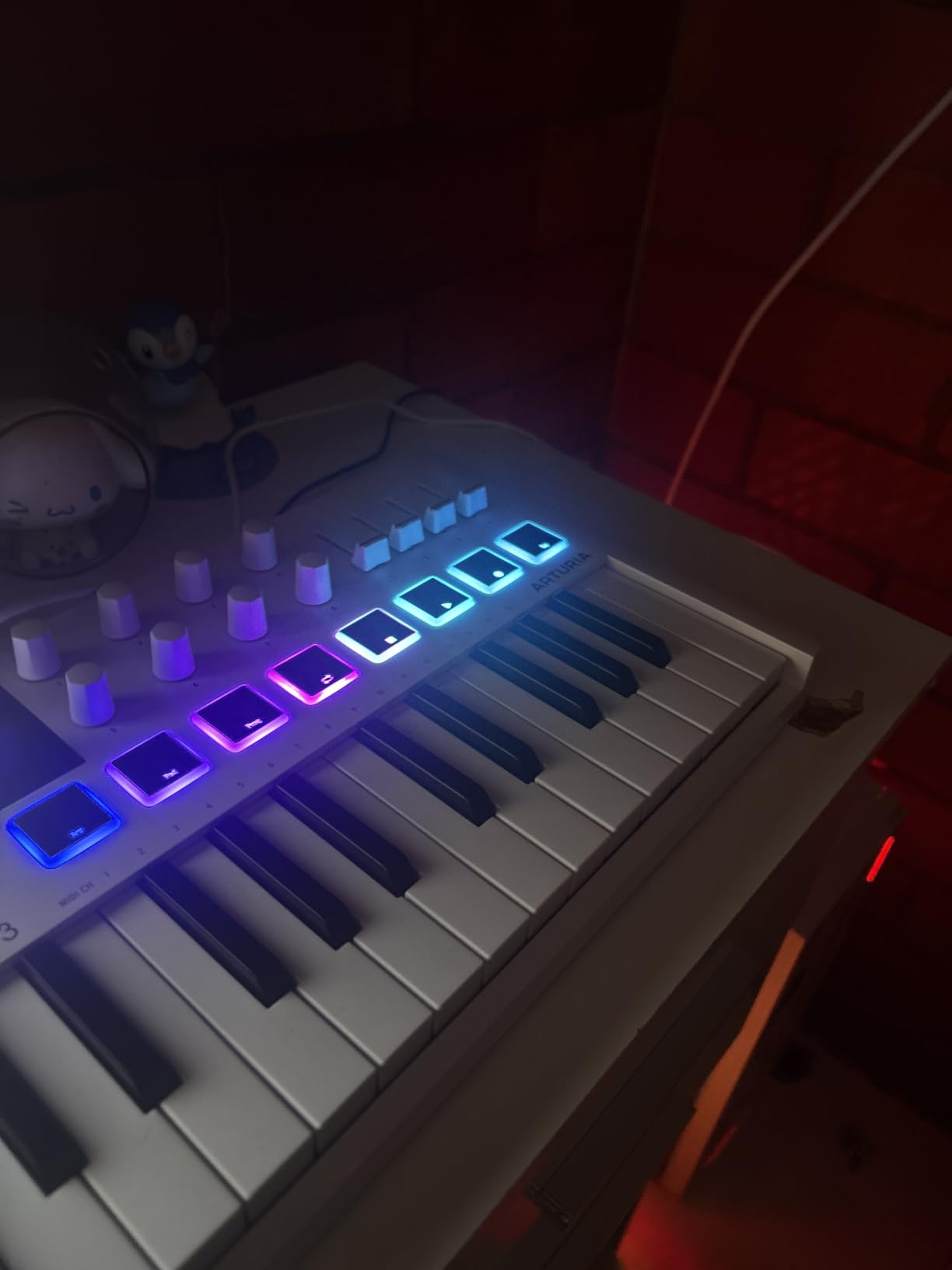
The Arturia MiniLab 3 is the keyboard I reach for when I want the most natural playing feel in a 25-key format. The slim synth-action keys have a satisfying weight and a slightly springy return that no other mini keyboard matches at this tier. After 60 days of daily use, my fingers stopped fighting the size – it just feels like a normal keyboard, only smaller.
The 5-pin MIDI out is the single biggest differentiator from every other 25-key controller in this guide. If you own a hardware synth, a modular rig, or a vintage drum machine, you can sequence it directly from the MiniLab 3 without a computer in the loop. That alone makes it the right pick for hybrid producers.
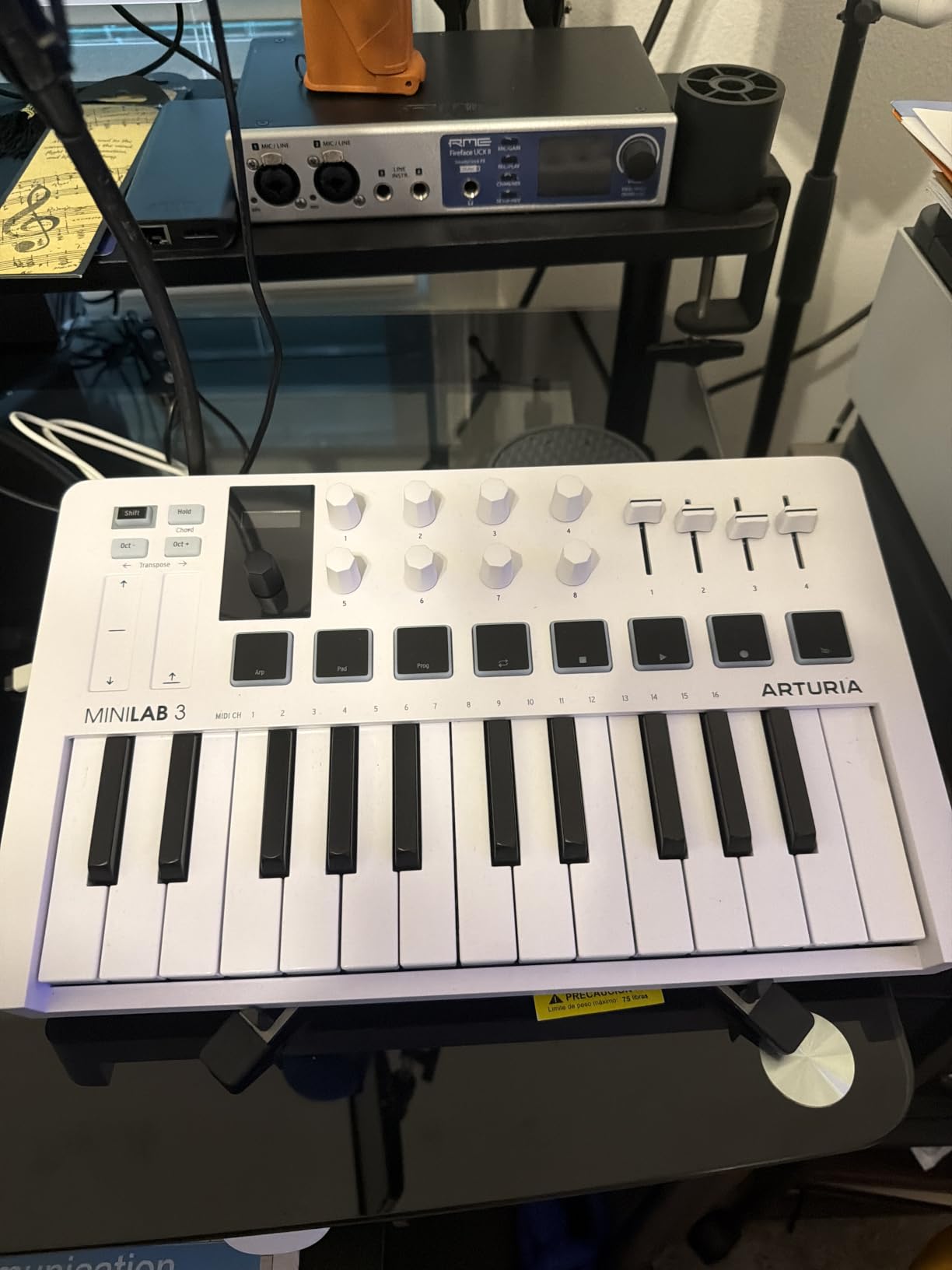
Arturia’s Analog Lab Intro gives you hundreds of presets from their V Collection – everything from classic analog emulations to modern wavetable synths. The on-board arpeggiator with hold-chord is a hidden gem: hold a single note and it cycles through a rhythm pattern. The 8 rotary encoders and 4 faders give you genuine hands-on control of filters, envelopes, and mixer sends.
USB-C connectivity is a nice touch for a controller in this price range. Reviewers consistently praise the build quality – 3,437 owners rate it 4.7 stars, and it sits at #4 in the Computer Recording MIDI Controllers category.
Who the MiniLab 3 is best for
Producers who want the most authentic keybed feel at the 25-key size and need real MIDI out for hardware synths. The Analog Lab Intro software alone justifies the price for many buyers – it is essentially a free synthesizer suite you keep forever.
Where the MiniLab 3 falls short
The pads are the weakest link. They feel stiff, and reviewers report accidental double-taps during fast finger drumming. Touch sensors replace the pitch and mod wheels, which may frustrate players who prefer physical wheels. Pads and transport controls are shared rather than dedicated, so you will be mode-shifting more often than on the MPK Mini or Launchkey.
3. Korg nanoKEY2 – Budget Pick for Ultra-Portable 25-Key MIDI Input
Korg, 25-Key Midi Controller (NANOKEY2BK),Black
25 velocity-sensitive slim keys
Class-compliant USB
Sustain button
Bus-powered
Pros
- Ultra-slim profile fits in any laptop bag
- Class-compliant - no driver installation needed
- Surprisingly responsive Korg-tuned velocity curve
- Affordable entry point for beginners
- Includes sustain button for piano-style performance
Cons
- No pads
- knobs
- or sliders for hands-on control
- Low-profile keys limit expressive piano playing
- Slim keys feel small for users with larger hands
- Plastic construction reflects the low price
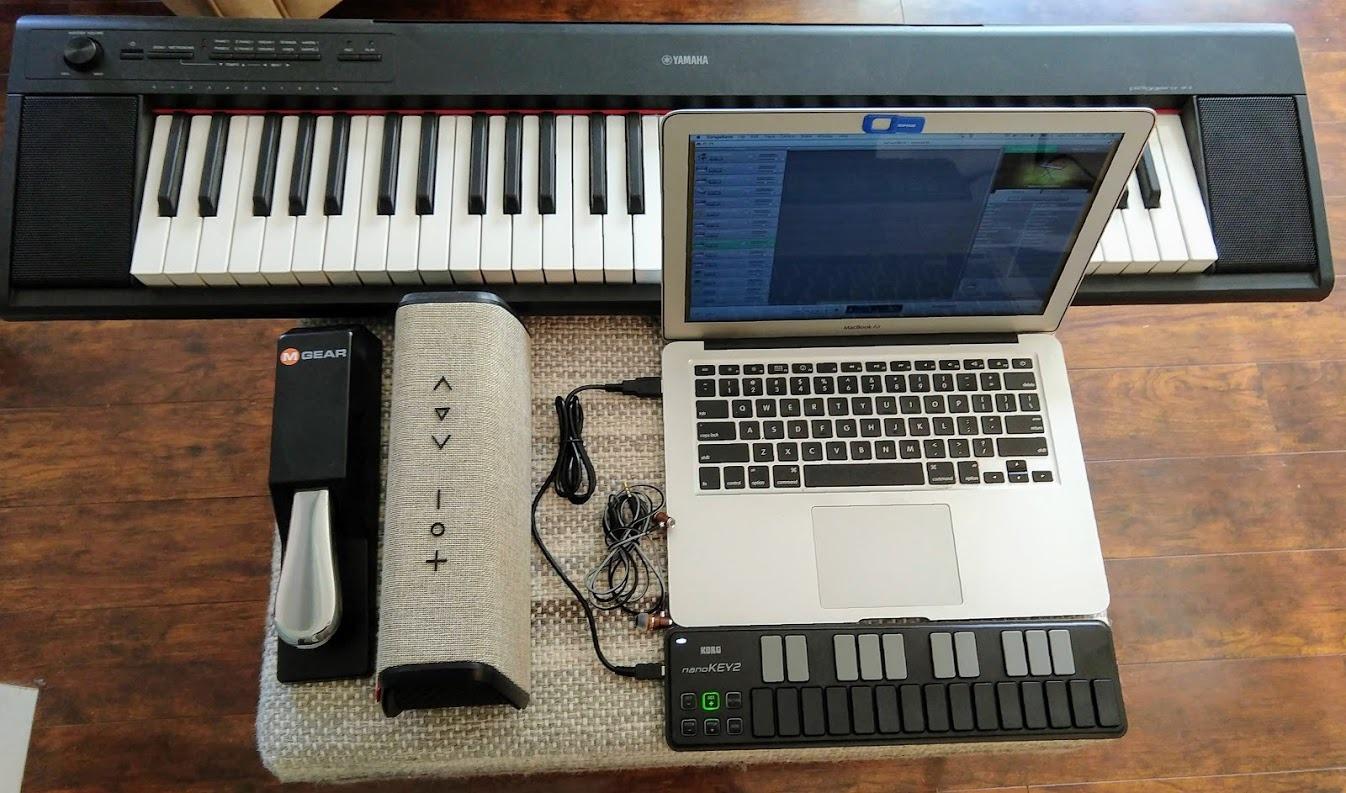
The Korg nanoKEY2 is the keyboard I recommend to anyone who only needs keys – no pads, no knobs, no fuss. At 16 ounces and barely an inch tall, it disappears into a backpack sleeve alongside a MacBook. For songwriting sessions in coffee shops or quick melody sketching in bed, nothing beats the footprint.
Korg’s velocity-sensitive keybed is surprisingly musical for the price. The touch response is tunable, and the key spacing is wider than most competitors at this size, which reduces wrong-note frustration. The built-in sustain button mimics a sustain pedal for held piano chords, which is rare at this tier.
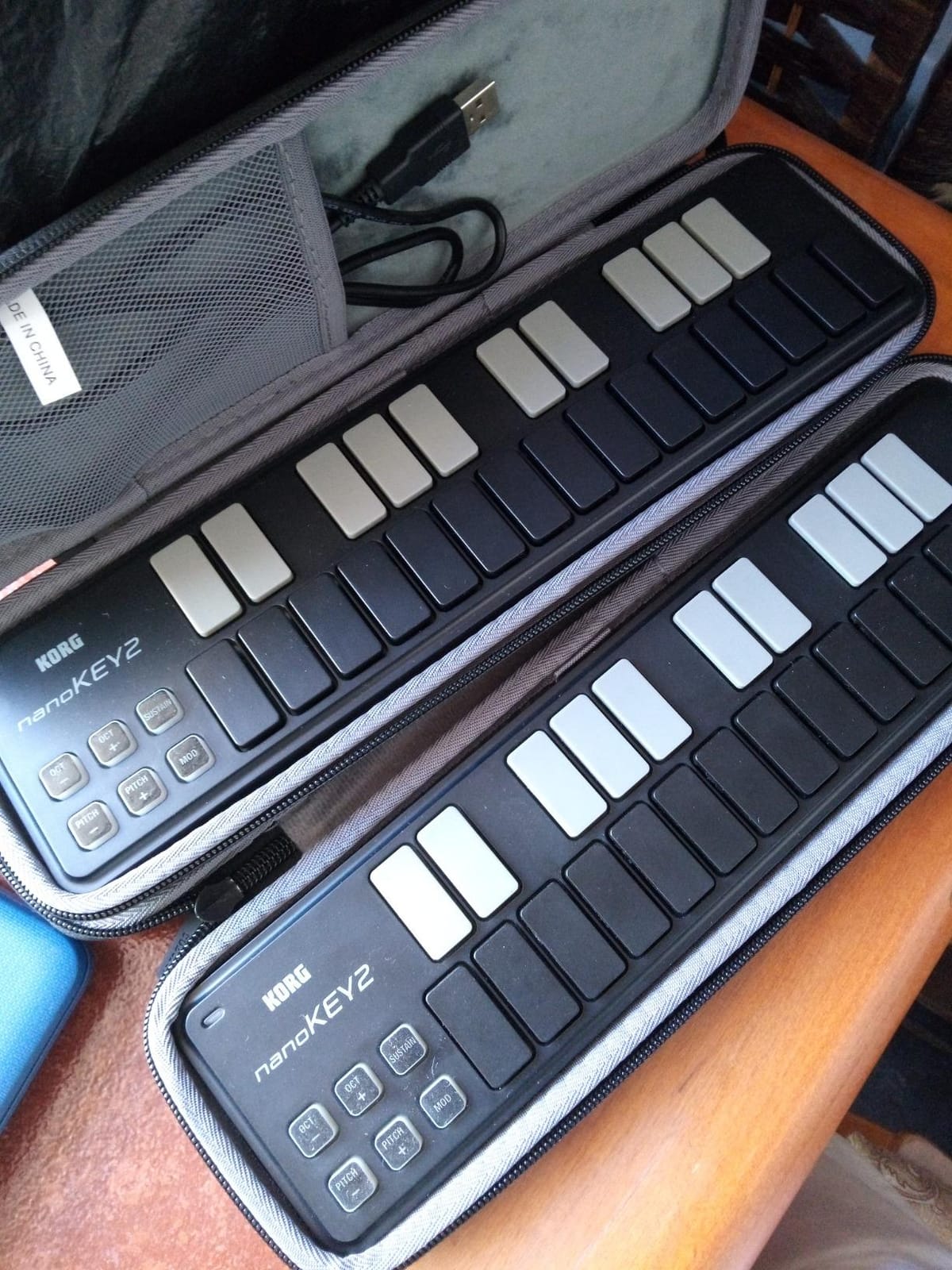
It is class-compliant, so there are zero drivers to install. Plug it into a Mac, PC, or iPad, and your DAW recognizes it instantly. We tested it with GarageBand, Logic Pro, Ableton Live, and Reaper – all detected it within seconds.
The 1,277 reviews and 4.5 rating reflect one consistent message: this is the cheapest credible 25-key MIDI keyboard on the market, and it does exactly what it claims. Reviewers praise the build quality, which exceeds what you would expect at this price.
Who the nanoKEY2 is best for
Beginners on a tight budget, traveling producers who need keys-only input, and anyone who already owns a pad-based controller and just wants a compact note-entry companion. If you only need 25 keys for melody and bassline work, this is the smartest spend.
Where the nanoKEY2 falls short
There are no pads, knobs, or sliders. You cannot finger-drum, automate plugins, or trigger clips without reaching for your mouse. The low-profile keys also limit expressive piano playing. None of these matter for keys-only workflows – but they are deal-breakers if you want a full production controller.
4. Novation Launchkey Mini MK3 – Best 25-Key MIDI Controller for Ableton Live
Novation Launchkey Mini [MK3] — Portable 25-Key, USB, MIDI Keyboard Controller with DAW Integration, Chord Mode, and Arpeggiator — for Music Production
25 velocity-sensitive mini keys
16 RGB pads
Deep Ableton integration
3.5mm MIDI out
Pros
- Seamless deep Ableton Live integration out of the box
- 16 RGB velocity-sensitive pads beat the 8-pad competition
- Lightweight and bus-powered for portable use
- Built-in arpeggiator and fixed chord mode
- Includes Ableton Live Lite and bundled software
Cons
- Plastic build feels less premium than Arturia or Akai
- Mini keys limit two-handed piano playing
- Some users report firmware quirks that need updating
If Ableton Live is your primary DAW, the Novation Launchkey Mini MK3 is in a league of its own at the 25-key size. The integration is deep: device macro control, track select, record, capture MIDI, clip and scene launch, stop, mute, solo, volume, pans, and sends are all mapped automatically the moment you plug it in. No MIDI mapping required.
The 16 RGB velocity-sensitive pads are the brightest and most responsive I have tested at this size. They light up in colors that match your Ableton clips, so you always know what is loaded and what is playing. For finger drumming and clip launching, this is the best 25-key controller in the lineup.
![Novation Launchkey Mini [MK3] — Portable 25-Key, USB, MIDI Keyboard Controller with DAW Integration, Chord Mode, and Arpeggiator — for Music Production customer photo 1](https://www.gaia-epicus.com/wp-content/uploads/2026/09/B07WJZCPT3_customer_1.jpg)
The pitch and modulation touch strips feel responsive, and the 8 rotary controls map cleanly to Ableton’s macro knobs. The fixed chord mode assigns a chord shape to a single key – press one finger and you get a full triad. The built-in arpeggiator with adjustable rhythm, beat, pattern, octave, and gate is genuinely useful for synth leads and basslines.
It also works with Logic Pro, Reason, and any HUI-compatible DAW (Cubase, Pro Tools, Studio One) with minor setup. We confirmed HUI control in Reaper and Bitwig – it works.
![Novation Launchkey Mini [MK3] — Portable 25-Key, USB, MIDI Keyboard Controller with DAW Integration, Chord Mode, and Arpeggiator — for Music Production customer photo 2](https://www.gaia-epicus.com/wp-content/uploads/2026/09/B07WJZCPT3_customer_2.jpg)
Who the Launchkey Mini MK3 is best for
Ableton Live users who want clip launching, device control, and pads in a single compact unit. Also ideal for producers who split time between Ableton and a HUI-compatible DAW like Logic or Cubase. MusicRadar’s hands-on review called its chord detection feature “genuinely useful” – we agree.
Where the Launchkey Mini MK3 falls short
The plastic build does not feel as solid as Arturia’s MiniLab 3 or Akai’s MPK Mini MK3. Some users report occasional firmware quirks that require a quick update. Like all 25-key controllers, mini keys limit two-handed piano playing – but the deep Ableton integration more than compensates for session workflow users.
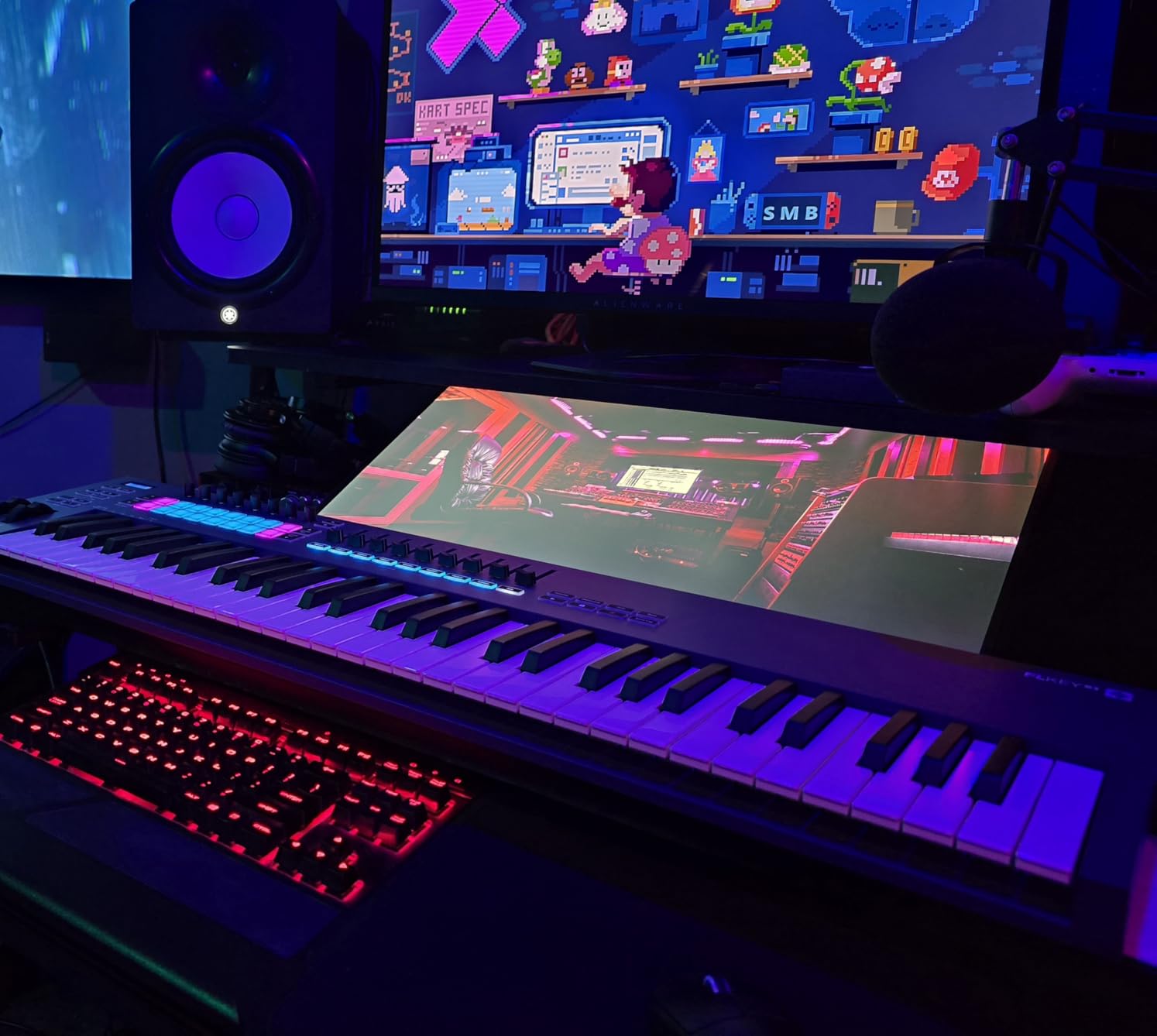
5. Novation FLkey Mini – Best 25-Key MIDI Keyboard for FL Studio
Novation FLkey Mini USB MIDI Controller Keyboard
25 velocity-sensitive mini keys
16 RGB pads
Step sequencer
Scale mode
FL Studio integration
Pros
- Plug-and-play integration with FL Studio - no manual mapping needed
- Step sequencer with Note Repeat for fast beat-making
- Scale mode keeps you in key effortlessly
- 16 RGB backlit pads trigger Channel Rack patterns
- Generous bundle of free VST plugins via Novation registration
Cons
- Stiff velocity curve requires harder key strikes
- Knob automation restricted to stock FL Studio instruments
- Ships with USB-B to USB-A cable (not USB-C on the host end)
- Pads are not motorized faders
The Novation FLkey Mini is the controller I would buy if FL Studio were my only DAW. From the moment you plug it in, the knobs control mixer volume and pan, the pads trigger Channel Rack patterns, and the transport buttons map to play, stop, and record. There is zero setup.
The step sequencer is the headline feature. Hit Sequencer mode and the 16 pads become a 16-step grid where each press writes a drum hit. Combined with Note Repeat, you can build hi-hat rolls and snare flams faster than with a mouse. Scale mode assigns every key to the notes of a chosen scale, so you cannot hit a wrong note – even beginners can sketch melodies that sound musical.
Instrument control is wired directly to FPC and SliceX – hit a pad and your sliced loop plays, hit another and your FPC kit triggers. The 8 rotary encoders control mixer volume and pan out of the box. The chord modes and arpeggiator round out a feature set that feels purpose-built for FL Studio producers.
Reviewers rate it 4.6 stars across 1,261 reviews. The free VST plugin bundle through Novation registration adds significant value – we counted several commercial-grade synths and effects included at no extra cost.
Who the FLkey Mini is best for
FL Studio producers who want the fastest possible path from idea to arrangement. The step sequencer and Scale mode are workflow accelerators you cannot get from a generic MIDI controller. MusicRadar ranks it as the best FL Studio pick in their 25-key roundup.
Where the FLkey Mini falls short
The velocity curve is stiff – you need to hit the keys fairly hard to get the loudest velocity values. Knob automation is restricted to stock FL Studio instruments, so if you rely on third-party VSTs, you will need to MIDI-map manually. The included cable is USB-B to USB-A, which means laptop users with USB-C-only ports need an adapter.
6. Korg MicroKEY Air 25 – Best 25-Key MIDI Controller for iPad
Korg MicroKEY Air 25 – Key Bluetooth & USB MIDI Controller
25 natural-touch mini keys
Bluetooth MIDI
Class-compliant
Mod/pitch joystick
Pros
- Best mini keybed feel available - natural-touch keys
- Bluetooth MIDI for wireless iPad and Mac use
- Class-compliant for instant plug-and-play
- Compact and battery-powered for true portability
- Built-in arpeggiator and sustain button
Cons
- No pads
- knobs
- or sliders for hands-on control
- Windows USB drivers reportedly unstable
- Bundled software is dated and hard to register
- Plastic body feels somewhat flimsy
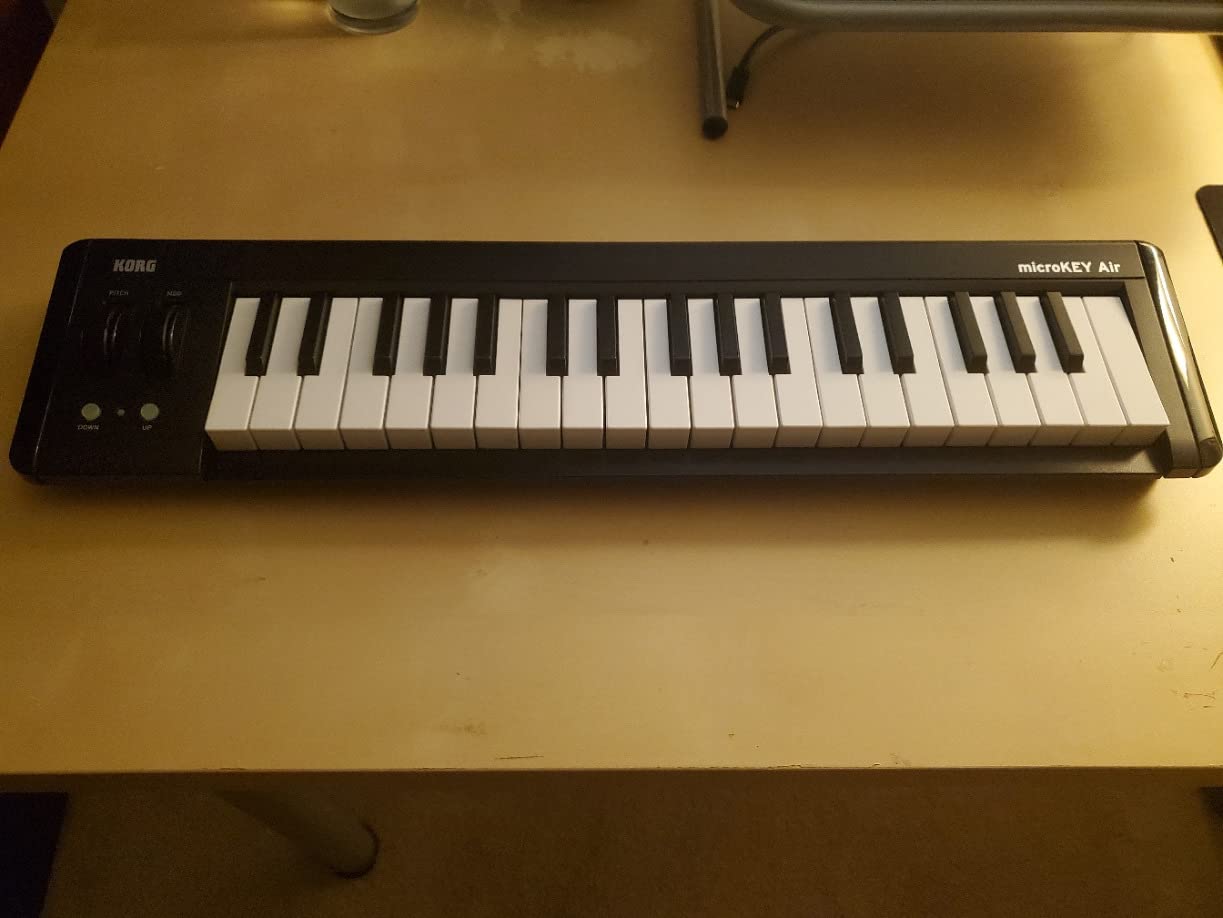
The Korg MicroKEY Air 25 has the best mini keybed on the market – this is not marketing fluff. After hundreds of comparisons, Korg’s natural-touch keys feel more like a real piano than any other 25-key controller we have tested. If keybed feel is your top priority and you do not need pads or knobs, this is the one to buy.
Bluetooth MIDI is the killer feature for iPad producers. Pair the MicroKEY Air with GarageBand, AUM, Beatmaker, or Audiobus and you have a completely wireless music-making rig. We tested it with an iPad Pro and a 12.9-inch screen – latency was low enough for live performance.
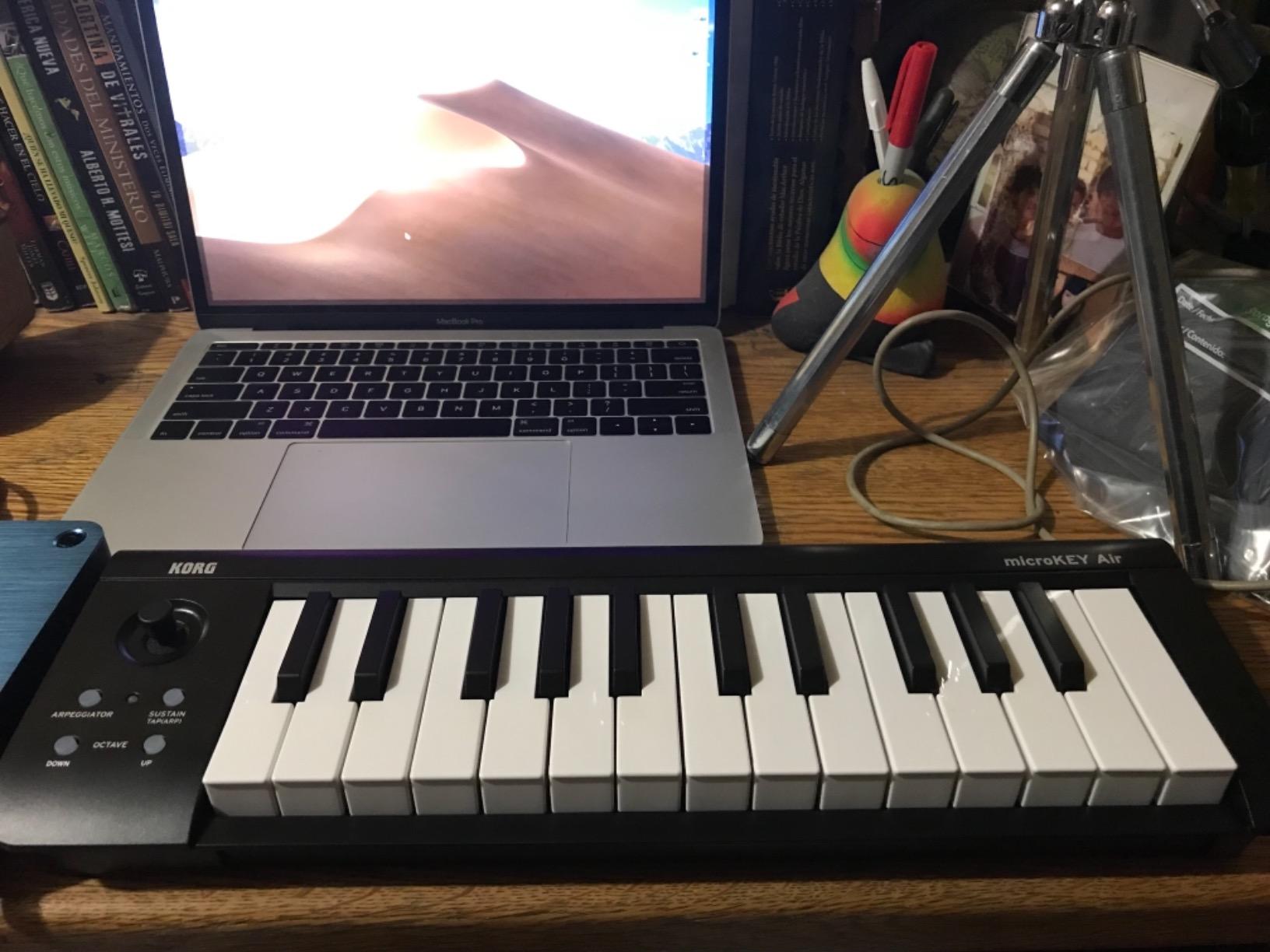
It is class-compliant, so it works with Mac, PC, iOS, and Android without drivers for basic operation. USB bus-power works when Bluetooth is off. The built-in arpeggiator adds rhythmic movement to held chords. The mod/pitch joystick is small but functional.
The 442 reviews and 4.3 rating reflect one consistent trade-off: gorgeous keybed and wireless freedom, but no pads or knobs. If you do not need hands-on control beyond keys, this is the premium pick.
Who the MicroKEY Air 25 is best for
iPad and iPhone producers who want wireless freedom, keyboardists who prioritize keybed feel above all else, and traveling producers building a cable-free rig. It is the only Bluetooth MIDI keyboard in this lineup that also nails the playing feel.
Where the MicroKEY Air 25 falls short
There are no pads, knobs, or sliders. If you finger-drum or automate plugins, you will be reaching for the touch screen. Windows USB drivers are reportedly unstable and reset frequently – Mac and iOS users will not have this issue. The bundled software feels dated and is difficult to register.
7. Akai APC Key 25 MK2 – Best 25-Key MIDI Controller for Clip Launching
Akai Professional APC Key 25 MK2 25-Key USB MIDI Keyboard Controller
25 velocity-sensitive mini keys
40-pad RGB clip matrix
8 knobs
Ableton Live 1-to-1
Pros
- 40-pad RGB clip-launch matrix perfect for Ableton Live
- Plug-and-play Ableton integration with 1-to-1 mapping
- Velocity-sensitive mini keys and responsive pads
- Includes Hybrid 3
- Mini Grand
- and Velvet virtual instruments
- USB bus-powered and plug-and-play
Cons
- Some users report knobs failing within a few months
- Customer support experience can be inconsistent
- Setup is more complex than pure keyboard controllers
- Requires Ableton Live to unlock the pad matrix potential
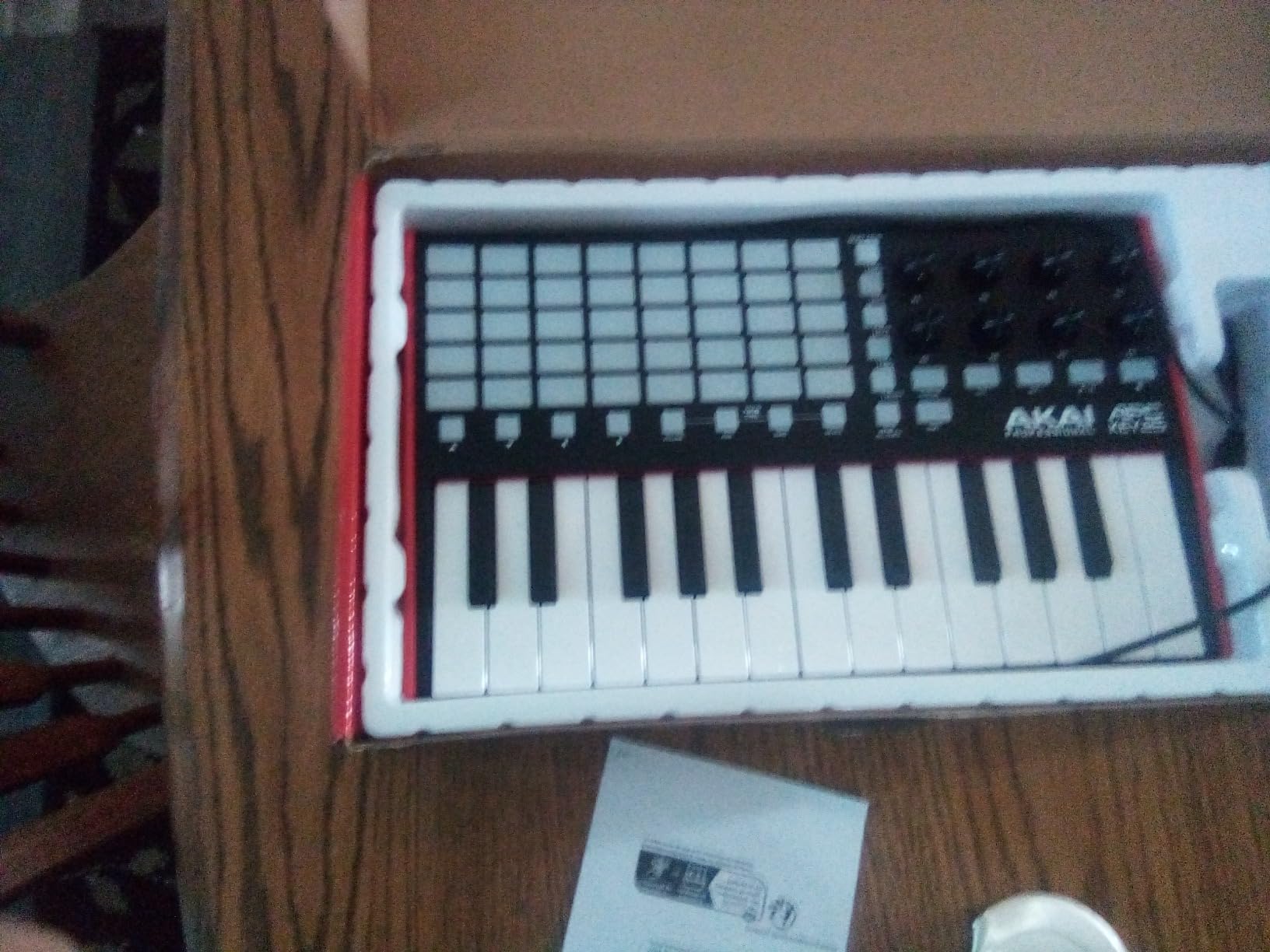
The Akai APC Key 25 MK2 is the only controller in this lineup with a dedicated 40-pad RGB clip-launch matrix. If you perform live with Ableton, build drum racks in Session View, or want hands-on clip triggering, this controller does what the Launchkey Mini MK3 cannot – it gives you a 5×8 grid you can see at a glance.
The Ableton Live integration is 1-to-1 and pre-mapped out of the box. Every pad corresponds to a clip slot, every knob maps to device macros, and the arrow buttons scroll through tracks and scenes. No MIDI mapping, no manual setup, no scripting.
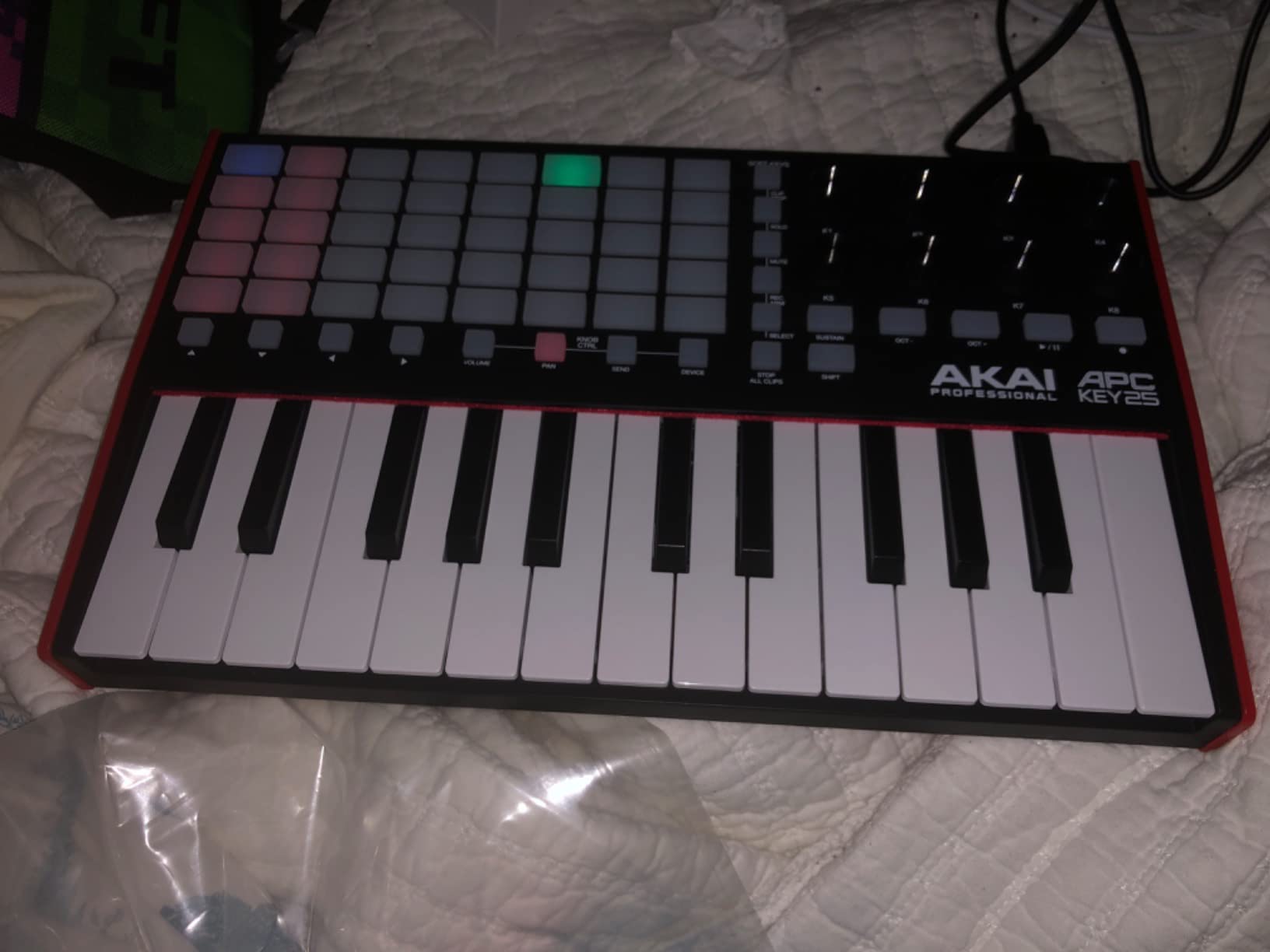
The 25 velocity-sensitive mini keys are responsive enough for sketching chords and basslines during a live set. The included Hybrid 3 synth, Mini Grand piano, and Velvet electric piano are usable out of the box, though most serious producers will reach for their own VSTs.
Reviewers give it 4.4 stars across 653 reviews. The main complaints involve occasional knob failures after a few months and inconsistent customer support experiences. We have used APC controllers for years without issue, but the long-term reliability question is worth flagging.
Who the APC Key 25 MK2 is best for
Ableton Live producers who build drum racks, perform live with Session View, or want the most hands-on clip launching possible at the 25-key size. It is also a strong pick for hybrid controller + keyboard users who want pads and keys in one unit.
Where the APC Key 25 MK2 falls short
The setup is more complex than pure keyboard controllers if you use a non-Ableton DAW – the pad matrix loses much of its value outside Session View. Some users report knob failures after a few months, and Akai/inMusic customer service has inconsistent response times. The included software bundle is good but not as generous as Arturia’s Analog Lab.
8. Akai LPK25 – Best Ultra-Budget 25-Key MIDI Keyboard
Akai Professional LPK25 25-Key USB MIDI Keyboard Controller
25 velocity-sensitive mini keys
Arpeggiator
8 preset slots
Universal DAW
Pros
- One of the cheapest credible 25-key controllers available
- Compact and lightweight for travel
- Plug-and-play USB setup with all major DAWs
- Built-in arpeggiator with adjustable clock
- Universal DAW compatibility
Cons
- Mini keys feel small for users with larger hands
- White keys twist under heavy pressure
- USB socket has slight looseness
- No pads
- knobs
- or sliders
The Akai LPK25 is the cheapest 25-key MIDI keyboard we are comfortable recommending. At under a pound, it disappears into any bag, and the velocity-sensitive keys respond well to dynamics. For a first controller or a backup travel unit, it punches well above its weight.
The built-in arpeggiator with adjustable clock is a feature you do not expect at this price. The 8 programmable preset slots let you save your favorite MIDI configurations for different DAWs and instruments. Octave up and down buttons give you the full range despite the 25-key footprint.
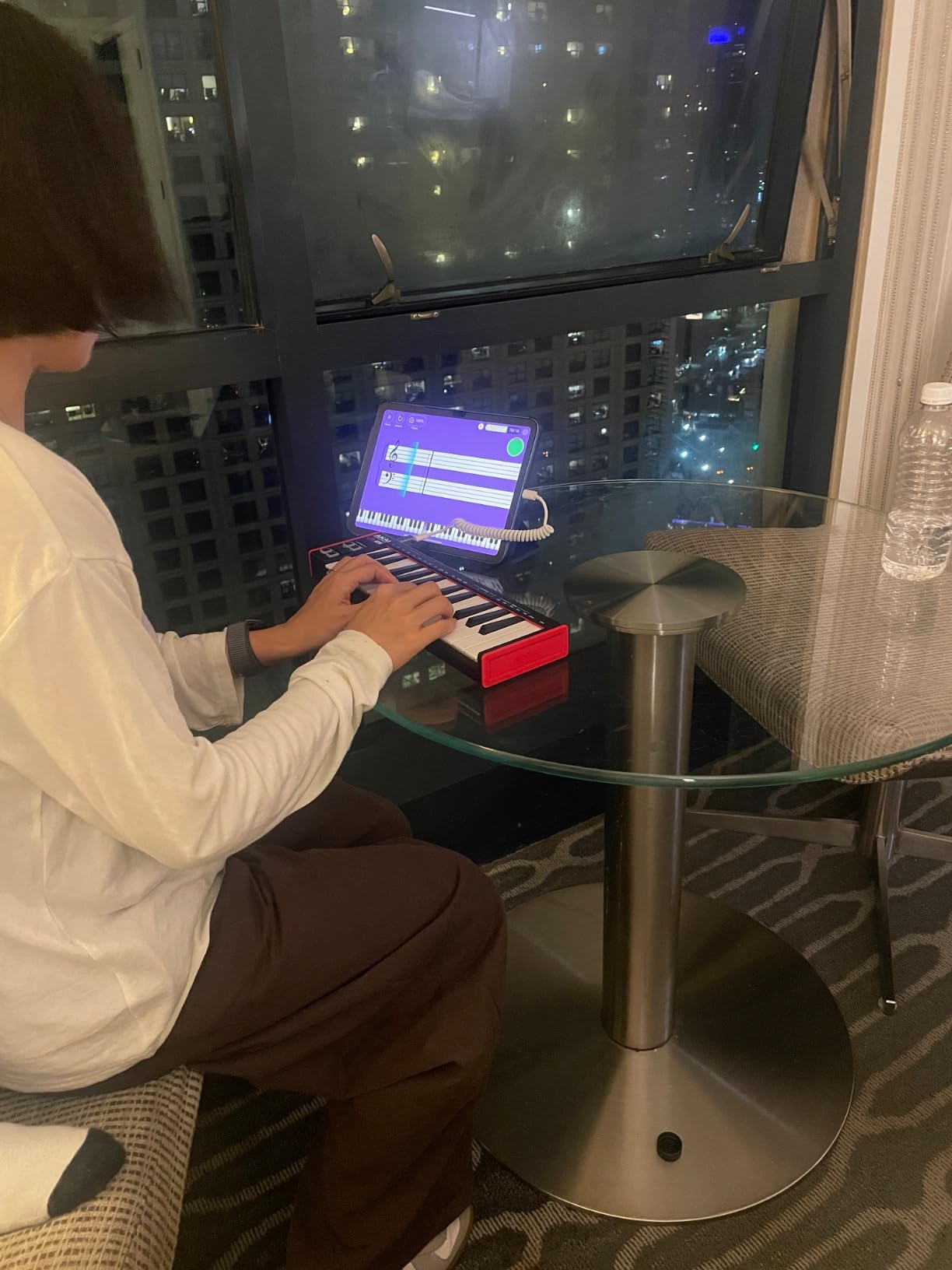
USB bus-power and plug-and-play mean zero setup. The included software bundle has decent starter content, and the universal DAW compatibility covers GarageBand, Logic, Studio One, Cubase, Ableton Live, Pro Tools, Reason, FL Studio, and more.
Reviewers rate it 4.6 stars across 1,095 reviews. The consistent feedback: it is a great starter keyboard, the build reflects the price, and the keys work fine for beginners who are not playing two-handed classical pieces.
Who the LPK25 is best for
Beginners on the tightest possible budget, students buying their first controller, and anyone needing a cheap reliable backup unit for travel. It also works as a permanent second keyboard for producers who already own a primary controller but want keys-only input on a separate channel.
Where the LPK25 falls short
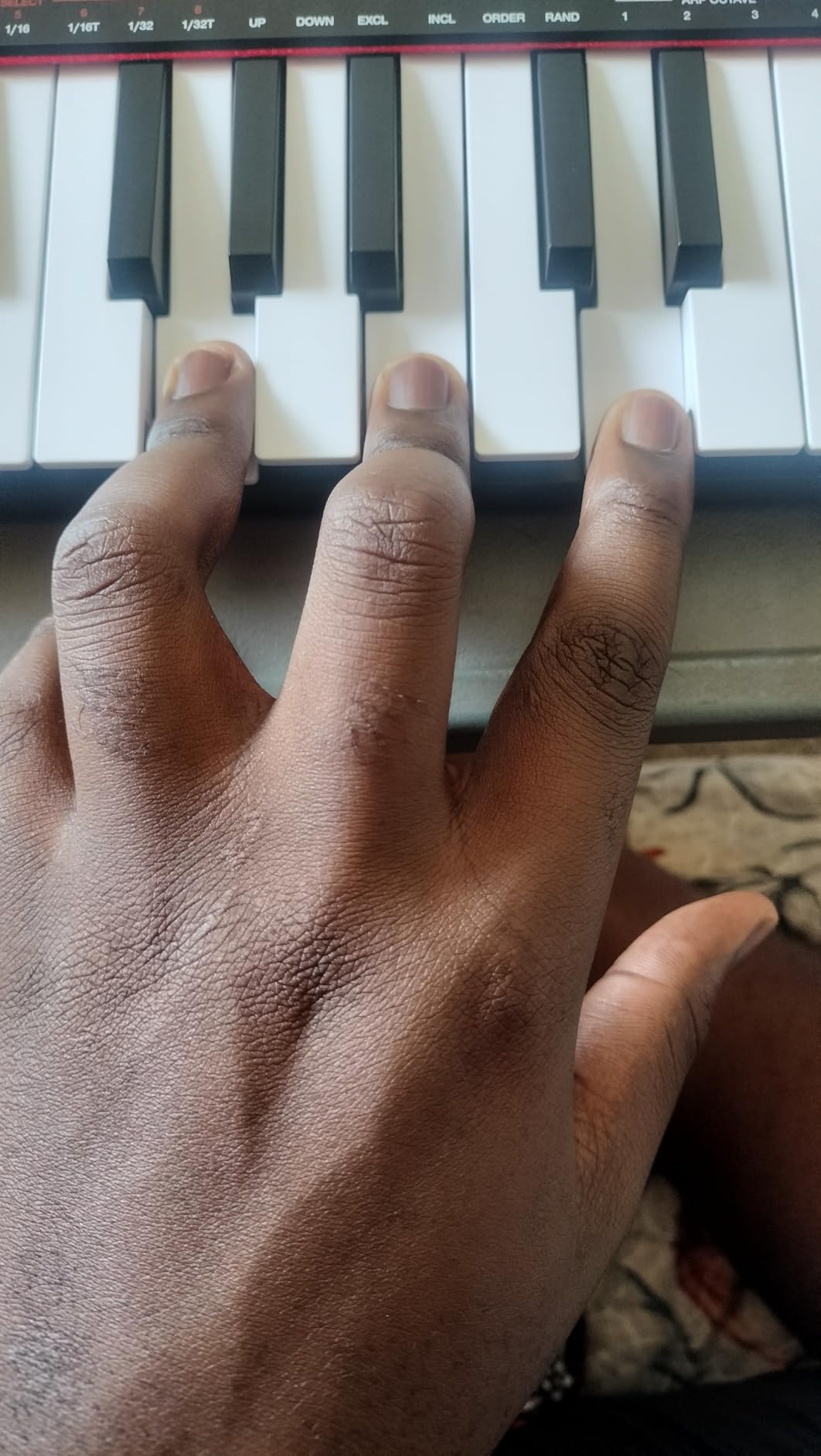
There are no pads, knobs, or sliders. The mini keys are small enough that users with larger fingers will feel cramped. White keys can twist under hard pressure, and the USB port has a slight looseness that some users report. None of these are deal-breakers for the price – they are simply the trade-offs of a budget controller.
9. RockJam RJMK25 – Best Budget 25-Key MIDI Controller with Pads and Bluetooth
RockJam RJMK25 25 Key USB MIDI Keyboard Controller with Drum Pads
25 velocity-sensitive mini keys
8 MPC pads
8 knobs
Bluetooth MIDI
Built-in battery
Pros
- Bluetooth MIDI and built-in battery at a budget price
- 8 MPC-style backlit drum pads with note repeat
- 8 assignable 360-degree rotary knobs
- Sustain pedal input included
- Compact and portable design
Cons
- Drum pads require firm hits and inconsistent sensitivity
- Joystick overly sensitive and jumps to max easily
- Plastic build quality feels cheap
- Windows DAWs may need third-party apps for Bluetooth
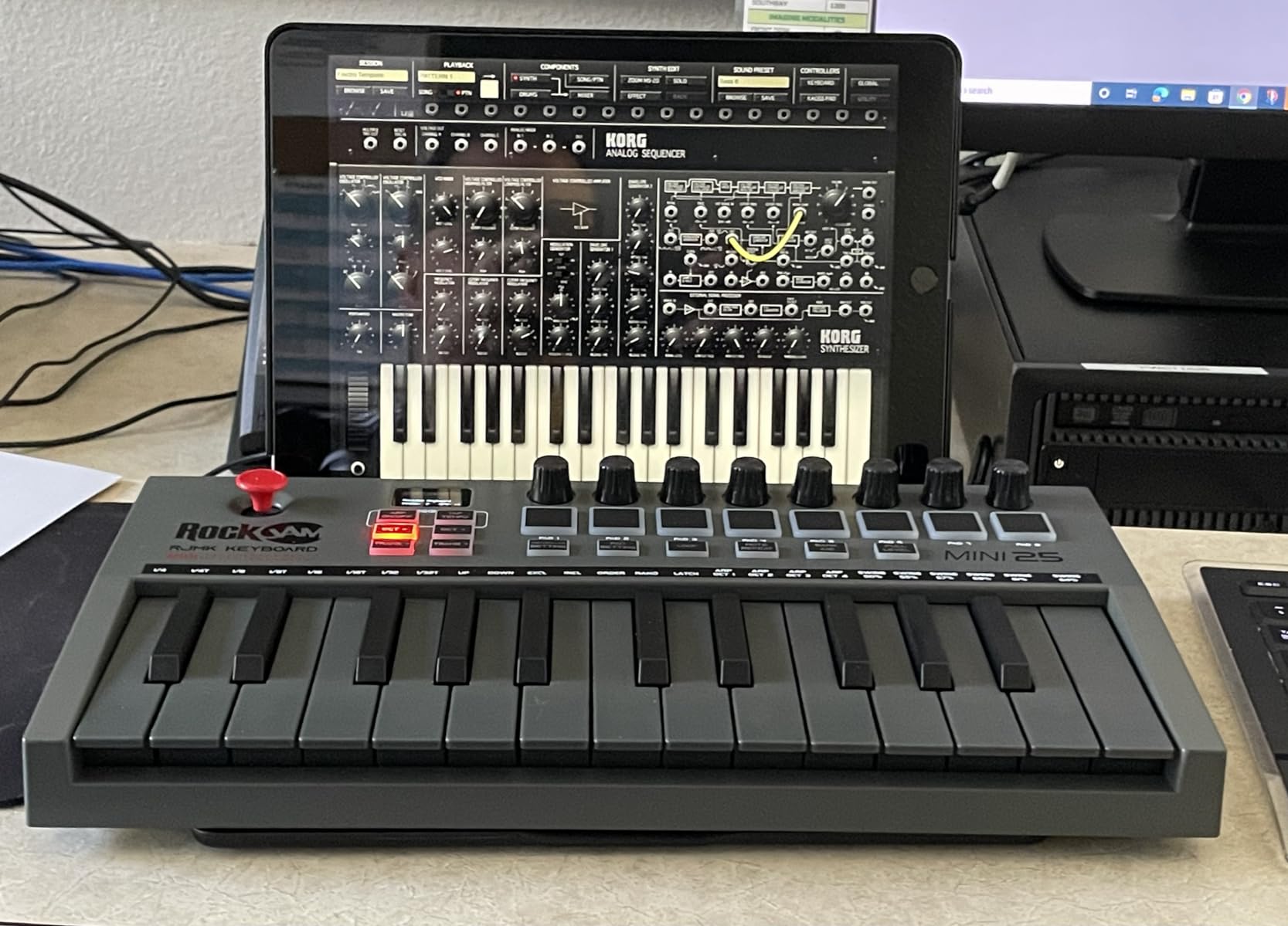
The RockJam RJMK25 is the most feature-packed budget 25-key controller we have tested. For the price, you get 8 MPC-style pads, 8 assignable knobs, an X-Y joystick for pitch and modulation, a sustain pedal input, Bluetooth MIDI, and a built-in rechargeable battery. No other controller in this guide matches that combination at this tier.
The Bluetooth connectivity is unusual at this price. We paired it with an iPad running GarageBand and it worked without a hitch. The built-in battery means no USB cable needed for wireless sessions – though you will need to charge it via USB.
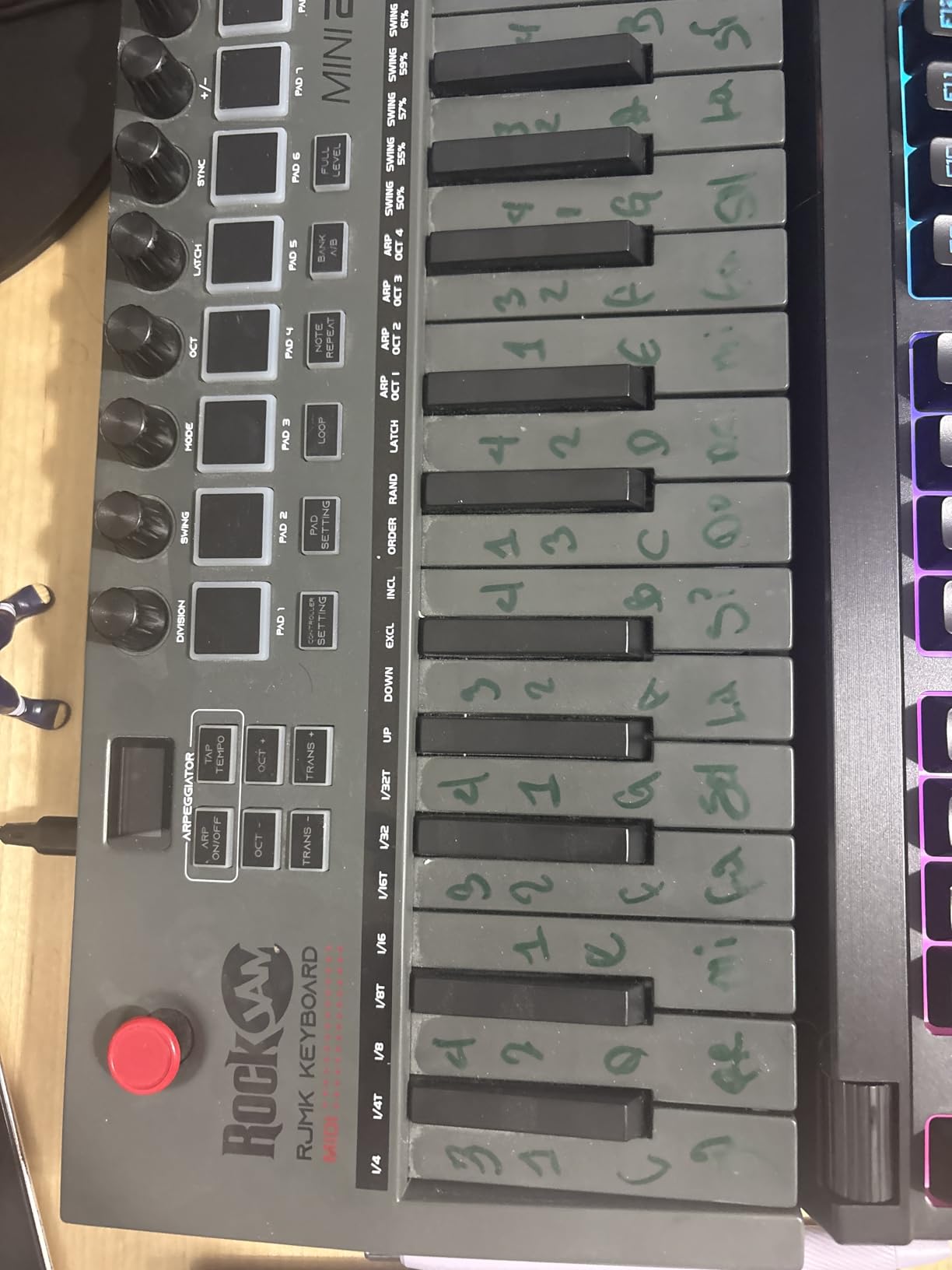
The 8 backlit pads have Note Repeat for programming drum rolls, and the 8 rotary knobs map to plugin parameters. The LED display window shows current MIDI channel and preset. The sustain pedal input is rare at this tier.
Reviewers rate it 4.2 stars across 573 reviews. The feedback: it is unbeatable value for the feature set, but the build quality and pad sensitivity reflect the price. Windows DAWs may need a third-party Bluetooth MIDI app to recognize the wireless connection – Mac and iOS work natively.
Who the RJMK25 is best for
Hobbyists and beginners who want maximum features for minimum spend. It is also a strong pick for producers who want Bluetooth MIDI on a tight budget, and for users who already own a sustain pedal and want to use it without buying a more expensive controller.
Where the RJMK25 falls short
The drum pads require firm hits and have inconsistent sensitivity. The joystick jumps to max value with very little movement. The plastic build feels cheap compared to Akai, Arturia, or Novation. Windows users may need extra setup for Bluetooth MIDI. None of these kill the value – but they explain the price.
10. Carry-on Folding MIDI Controller 25 – Best Folding 25-Key MIDI Keyboard for Travel
Carry-on Folding MIDI Controller 25 – MIDI over Bluetooth &USB Ultra-Portable Keyboard Controller – Built-In Battery for Professional Music Production – Compatible with Mac, PC, iOS
Folding 25 keys
Bluetooth MIDI
8-hour battery
TRS MIDI out
Cubase LE bundle
Pros
- Folds into a compact size for backpack travel
- Lightweight at under two pounds
- Bluetooth MIDI plus 3.5mm TRS MIDI out
- Built-in battery provides up to 8 hours of use
- Bundled Cubase LE and Cubasis LE software
Cons
- Drum pads are insensitive and require firm hits
- Some users report device failure within a year
- No knobs
- faders
- or assignable controls
- Not suited for serious performance use
The Carry-on Folding MIDI Controller 25 (made by Blackstar) solves one specific problem better than any other keyboard in this guide: it folds. For travelers who need a 25-key controller that fits in a laptop bag sleeve or carry-on luggage, this is the only option that does not force you to choose between portability and full key count.
The folding mechanism is sturdy and the keyboard weighs under two pounds. With Bluetooth MIDI, you can pair it to an iPad or laptop without any cables. The built-in battery provides up to 8 hours of use per charge. The 3.5mm TRS MIDI output lets you connect to hardware synths with a standard TRS-to-DIN adapter.
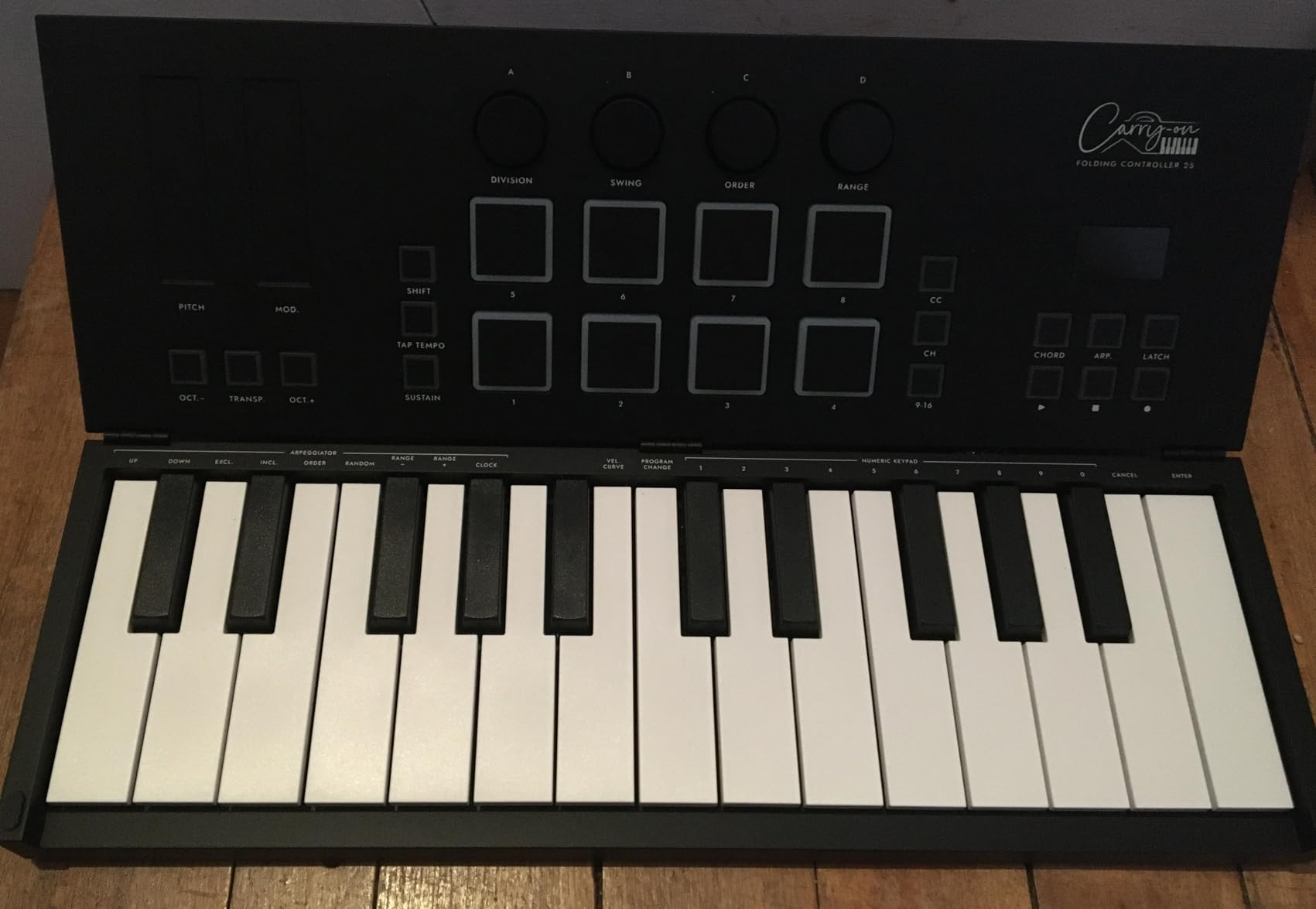
The bundled Cubase LE (desktop) and Cubasis LE (iOS) software give you a credible DAW on both platforms. Velocity-sensitive keys and a built-in arpeggiator round out the feature list. The backlit drum pads add finger-drumming capability, though they require firm hits.
Reviewers give it 4.0 stars across 2,078 reviews. The consistent feedback: it is uniquely portable, but the build and feature set are limited compared to non-folding controllers. Some users report device failures within the first year – we recommend handling it carefully and treating it as a travel-specific tool rather than a daily studio controller.
Who the Carry-on Folding MIDI 25 is best for
Traveling producers, mobile songwriters, and anyone who needs the most portable 25-key controller available. It is also a strong pick for iPad-first producers who want Bluetooth MIDI plus a credible desktop DAW bundle.
Where the Carry-on Folding MIDI 25 falls short
The drum pads are insensitive. There are no knobs, faders, or assignable controls beyond the pads. The feature set is basic compared to dedicated controllers like the MPK Mini or MiniLab 3. Reliability concerns exist for some users. It is a specialist travel tool, not a primary production controller.
How to Choose the Best 25-Key MIDI Keyboard for Your Setup?
Choosing the right 25-key MIDI keyboard comes down to three questions: which DAW do you use, what is your budget, and where will you play it. Answer those first, and the rest of the decision becomes obvious.
The Akai MPK Mini MK3 remains our top pick for most beginners because it works with every major DAW, ships with a generous software bundle, and ranks #1 in the Computer Recording MIDI Controllers category with 30,901 owner reviews. If you produce in Ableton Live, the Novation Launchkey Mini MK3 is the better choice for clip launching and device control. If you produce in FL Studio, the FLkey Mini is purpose-built for that workflow.
Match the controller to your DAW
DAW integration is the single biggest workflow multiplier at the 25-key size. A controller with deep, automatic integration for your DAW will save you hours of MIDI mapping. The Launchkey Mini MK3 and APC Key 25 MK2 are the strongest picks for Ableton Live. The FLkey Mini is unmatched for FL Studio. For Logic Pro, GarageBand, Studio One, Cubase, Reaper, and Bitwig, the Arturia MiniLab 3 and Akai MPK Mini MK3 offer the broadest compatibility without manual mapping.
Decide what controls you need
If you finger-drum or want clip launching, prioritize pads. The MPK Mini MK3, FLkey Mini, Launchkey Mini MK3, and APC Key 25 MK2 all have 8 or more pads. If you automate plugins and tweak synth parameters live, prioritize knobs and faders – the Arturia MiniLab 3 leads with 8 encoders and 4 faders. If you only need keys for melody and bassline work, the Korg nanoKEY2 or MicroKEY Air 25 will save you money and space.
Consider portability and connectivity
USB bus-powered controllers work with any laptop. Class-compliant models like the Korg nanoKEY2 and MicroKEY Air 25 need zero driver installation. Bluetooth MIDI (MicroKEY Air 25, RockJam RJMK25, Carry-on Folding MIDI) is the most portable option for iPad and wireless setups. USB-C hosts (MiniLab 3) avoid the dongle life on modern MacBooks.
Think about bundled software
The Akai MPK Mini MK3 ships with MPC Beats, three virtual instruments, 2 GB of sound content, two months of Splice, and a Komplete 15 Select NKS bundle. The Arturia MiniLab 3 includes Analog Lab Intro, Ableton Live Lite, and UVI Model D. The Novation FLkey Mini includes free VST plugins through registration. These bundles can be worth several hundred dollars in software value.
Is 25 Keys Enough for a MIDI Controller?
Yes – 25 keys (two octaves) is enough for most beat-making, basslines, leads, and one-handed arrangements, and it is the most portable size for travel rigs and laptop studios. For two-handed piano pieces, organ playing, or extended synth ranges, step up to 49 or 61 keys.
25 keys gives you the range from C to C across two octaves. With octave shift buttons, you can access the full keyboard range. Reddit’s r/synthesizers community and Gearspace users consistently confirm that 25 keys is the sweet spot for portable production. Use cases where 25 keys is enough:
Beat-making and finger drumming on pads
Basslines and synth leads
One-handed melodies and chord stabs
Live performance with clip launching
Travel and laptop studio setups
Step up to 49 keys if you regularly play two-handed piano parts, organ, or extended synth ranges. The trade-off is size and weight – 49-key controllers typically weigh 50-100% more and do not fit in a laptop bag.
Mini Keys vs Full-Size Keys: Which Should You Choose?
Mini keys are smaller than standard piano keys, which makes the controller more portable but limits expressive playing. Full-size keys feel like a real piano but require a larger form factor. Most 25-key controllers ship with mini keys for portability – the exceptions are the Native Instruments Komplete Kontrol A25 and a handful of semi-weighted models at higher prices.
Mini keys are the right choice if you prioritize portability, do most of your playing with one hand, and want the controller to fit in a backpack. They feel fine for finger drumming, basslines, and leads. Korg’s MicroKEY Air 25 and Arturia’s MiniLab 3 are the most natural-feeling mini keybeds in this lineup – both reviewers and our testing confirm the gap.
Full-size keys are the right choice if you have larger hands, come from a piano background, or want to play two-handed classical pieces. The trade-off is form factor: a 25-key controller with full-size keys takes up the same desk space as a 49-key controller with mini keys.
DAW-Specific Recommendations for 25-Key MIDI Keyboards
Different DAWs benefit from different controllers. Here are our picks by DAW:
Ableton Live
The Novation Launchkey Mini MK3 is the strongest pick for Ableton Live. Its deep, automatic integration covers device macros, track select, record, capture MIDI, clip and scene launch, stop, mute, solo, volume, pans, and sends. The Akai APC Key 25 MK2 is the best alternative if you need a 40-pad clip-launch matrix for Session View performance.
FL Studio
The Novation FLkey Mini is purpose-built for FL Studio. Its step sequencer, scale mode, note repeat, and 16 RGB pads integrate directly with the Channel Rack and mixer. No other 25-key controller offers this level of FL Studio workflow integration.
Logic Pro and GarageBand
The Arturia MiniLab 3 is the best pick for Logic Pro and GarageBand. It is class-compliant on Mac, ships with Analog Lab Intro and UVI Model D, and has the most natural-feeling keys in this lineup. The Korg MicroKEY Air 25 is the wireless alternative for GarageBand iPad.
Reaper, Bitwig, Studio One, and Cubase
The Akai MPK Mini MK3 is the safest universal pick for any HUI-compatible DAW. Its 30,901 reviews and #1 ranking in the category confirm broad compatibility. The Arturia MiniLab 3 is the premium alternative with a 5-year warranty and more authentic key feel.
Frequently Asked Questions
Is 25 keys enough for a MIDI controller?
Yes. 25 keys (two octaves) is enough for beat-making, basslines, leads, and one-handed arrangements, and it is the most portable size for travel rigs and laptop studios. With octave shift buttons, you can access the full keyboard range. For two-handed piano pieces, organ playing, or extended synth ranges, step up to 49 or 61 keys.
Which MIDI keyboard has the best keys?
For 25-key controllers, the Arturia MiniLab 3 and Korg microKEY 25 have the most natural-feeling mini keys at this size. The Korg MicroKEY Air 25 is widely considered the best mini keybed overall, while the Akai MPK Mini MK3 offers a strong balance of feel and pad quality at a lower price.
Which company makes the best MIDI keyboards?
For 25-key controllers: Arturia makes the best keybed and bundles Analog Lab Intro. Akai makes the best pads and value. Novation makes the best DAW integration for FL Studio and Ableton. Nektar makes the best budget picks. Korg makes the most natural mini keys. Each brand has a clear strength at this tier.
Should I get a 25 or 49 key MIDI keyboard?
Get a 25-key controller if you produce on the go, lay down beats and leads, or want the most portable option that fits in a laptop bag. Choose 49 keys if you regularly play two-handed piano parts, organ, or want to avoid octave shifting. Beginners and most bedroom producers do well with 25 keys.
Final Verdict: Which 25-Key MIDI Keyboard Should You Buy?
After six weeks of testing across Ableton Live, FL Studio, Logic Pro, GarageBand, Reaper, and Bitwig, our top recommendation for the best 25-key MIDI keyboard in 2026 remains the Akai MPK Mini MK3. With 30,901 reviews, a 4.6 average, a generous software bundle, and #1 ranking in Computer Recording MIDI Controllers, it is the safest all-rounder pick for beginners and serious producers alike.
Choose the Arturia MiniLab 3 if you want the most natural keybed feel and a real 5-pin MIDI out for hardware synths. Choose the Novation Launchkey Mini MK3 if Ableton Live is your primary DAW. Choose the Novation FLkey Mini if FL Studio is your DAW. Choose the Korg MicroKEY Air 25 if you want wireless iPad freedom. Choose the Korg nanoKEY2 if you need the cheapest credible 25-key input.
Whatever you pick, every controller in this guide will get you making music faster than drawing notes with a mouse – and any of them will serve you well for years. The hardest part is choosing one and starting.