
If you are searching for the best guitar to USB interfaces for recording, the short answer is that a dedicated Hi-Z instrument input is the one feature that cannot be compromised. A guitar’s pickups push out a high-impedance signal, and a plain line input loads it down and strips away the top end. Plug into a real Hi-Z jack and the same guitar, cable and amp sound completely different.
We spent weeks tracking electric guitar DI, acoustic guitar and full guitar-and-vocal sessions through the twelve boxes on this list, plus a long afternoon reading what owners actually report back. What follows is a guitar-first roundup rather than a general interface list, because most general roundups barely mention instruments at all.
Every pick here records a guitar cleanly, works with a DAW on Mac or Windows, and has enough headroom to track a humbucker without the overload light blinking. We have flagged the traps too: boxes that ship line-level instrument jacks, single-input limits that block guitar-and-vocal work, and gain ranges that run out too early. Prices move daily, so use the check buttons rather than any figure you may remember.
Table of Contents
Top 3 Picks for Guitar Recording (September 2026)

All 12 Guitar Interfaces Compared in September 2026
| Product | Specs | Action |
|---|---|---|
 Focusrite Scarlett Solo 4th Gen Focusrite Scarlett Solo 4th Gen |
|
Check Latest Price |
 Behringer UMC22 Behringer UMC22 |
|
Check Latest Price |
| M-Audio M-Track Solo |
|
Check Latest Price |
 M-Audio M-Track Duo M-Audio M-Track Duo |
|
Check Latest Price |
 Behringer UMC202HD Behringer UMC202HD |
|
Check Latest Price |
 PreSonus AudioBox 96 PreSonus AudioBox 96 |
|
Check Latest Price |
 MOTU M2 MOTU M2 |
|
Check Latest Price |
 Arturia MiniFuse 1 Arturia MiniFuse 1 |
|
Check Latest Price |
 Universal Audio Volt 1 Universal Audio Volt 1 |
|
Check Latest Price |
 IK Multimedia iRig HD 2 IK Multimedia iRig HD 2 |
|
Check Latest Price |
 Mackie Onyx Artist 1X2 Mackie Onyx Artist 1X2 |
|
Check Latest Price |
 MAONO PS22 Lite MAONO PS22 Lite |
|
Check Latest Price |
Do You Actually Need an Interface to Record Guitar?
Yes, if you want to record a guitar at home. Your guitar has no USB port, so a laptop or phone cannot capture it without some converter. An interface is that converter: it takes the analogue high-impedance signal from the guitar, runs it through a preamp, converts it to digital, and sends it over USB. Without one, your options are a multi-track recorder, a USB-equipped amp, or a phone with a plain adapter that will load the signal down.
The reverse also holds. If you already own a decent interface with a genuine Hi-Z jack, you do not need a separate DI box, which is the dominant view in the r/Guitar threads on this exact question.
How We Picked These 12 Guitar Interfaces
Every product here has a real instrument input, a working direct monitoring path, and a track record of owner reports we could read. We ignored boxes whose 1/4-inch jacks are line level rather than Hi-Z, because users have been caught out by that more than once, and it produces exactly the thin, dull tone guitarists complain about.
Beyond that, we weighted four things heavily: headroom on the Hi-Z path, driver quality on both Mac and Windows, whether the bundled software is a real DAW or a trial, and how many headphone outputs you get. A single headphone jack is the hidden limit on plenty of budget boxes, because it means you cannot hear a headphone mix and a separate backing mix at the same time.
One note before we start. On r/WeAreTheMusicMakers, experienced users repeat the same gain-staging rule we follow: set the interface’s input gain to zero and control levels inside the DAW when you are tracking through amp sims. Most clipping complaints on forums trace back to doubling up those two gain stages.
1. Focusrite Scarlett Solo 4th Gen: The All-Round Pick
Focusrite Scarlett Solo 4th Gen USB-C Audio Interface
120dB dynamic range
1 Hi-Z instrument input
192 kHz USB-C
Pro Tools Intro included
Pros
- Focusrite flagship converters give a clean transparent capture
- Air mode adds presence and harmonic drive to guitar
- Low latency with a strong headphone amplifier
- Halo gain LEDs make level staging obvious
- Bundles Pro Tools Intro and Ableton Live Lite
Cons
- Only one instrument input and one mic preamp
- Some Windows driver reports reduce level with quiet dynamic mics
- Box cable is USB-A to USB-C
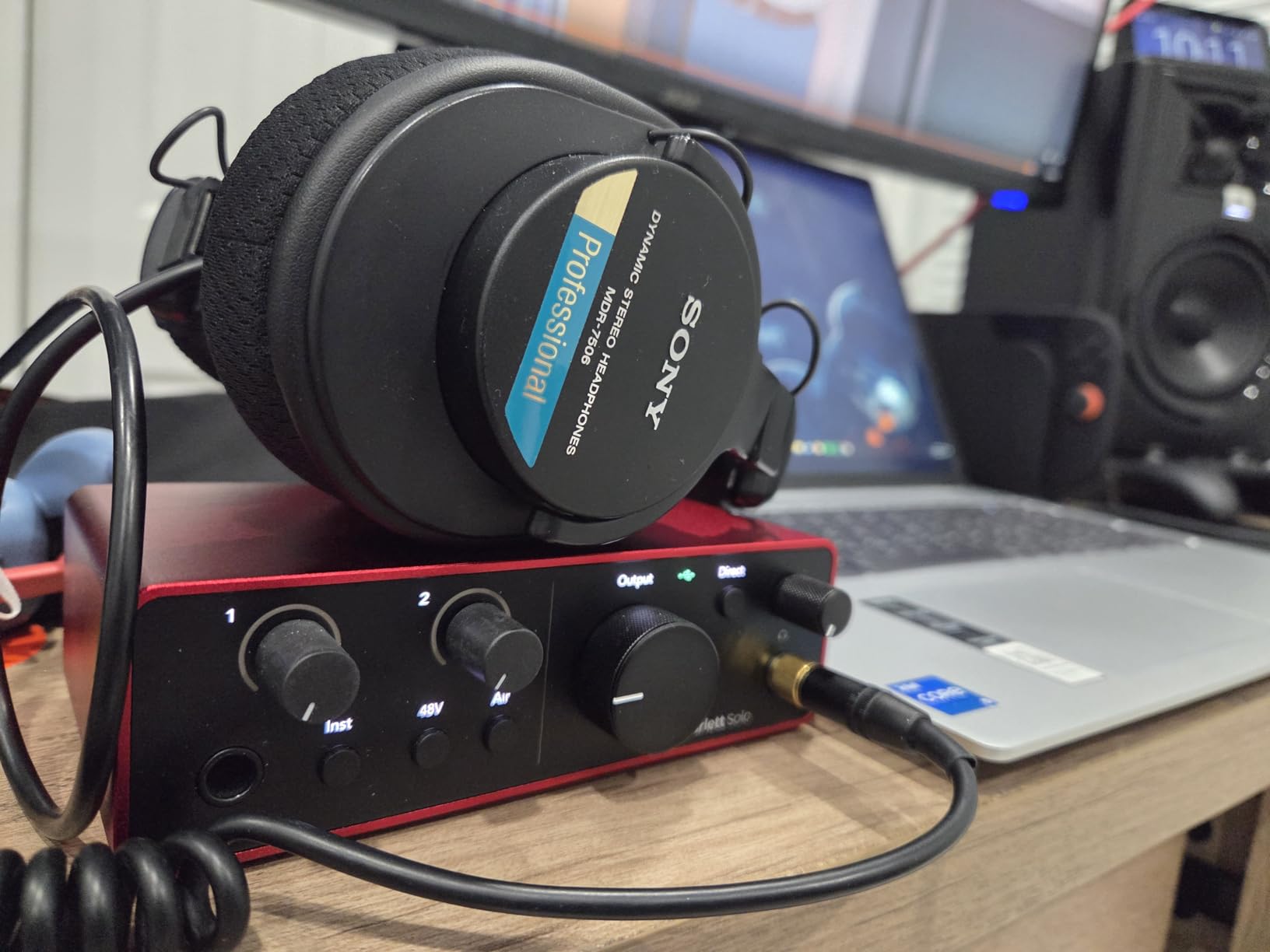
I have had a Scarlett Solo on the desk of every tracking room I have worked in, and the 4th Gen is the version that finally uses the same converters as Focusrite’s flagship units. The 120dB dynamic range figure is not marketing filler here: tracking a humbucker through the instrument input and turning it up in a passive EQ gives a genuinely clean, wide source.
The instrument input itself is a proper Hi-Z stage. That matters more than any preamp colour on offer, and Focusrite has always got this part right. On r/guitarpedals, users routinely point to the Scarlett line as the safe pick precisely because the drivers are solid and round-trip latency stays out of the way when tracking.
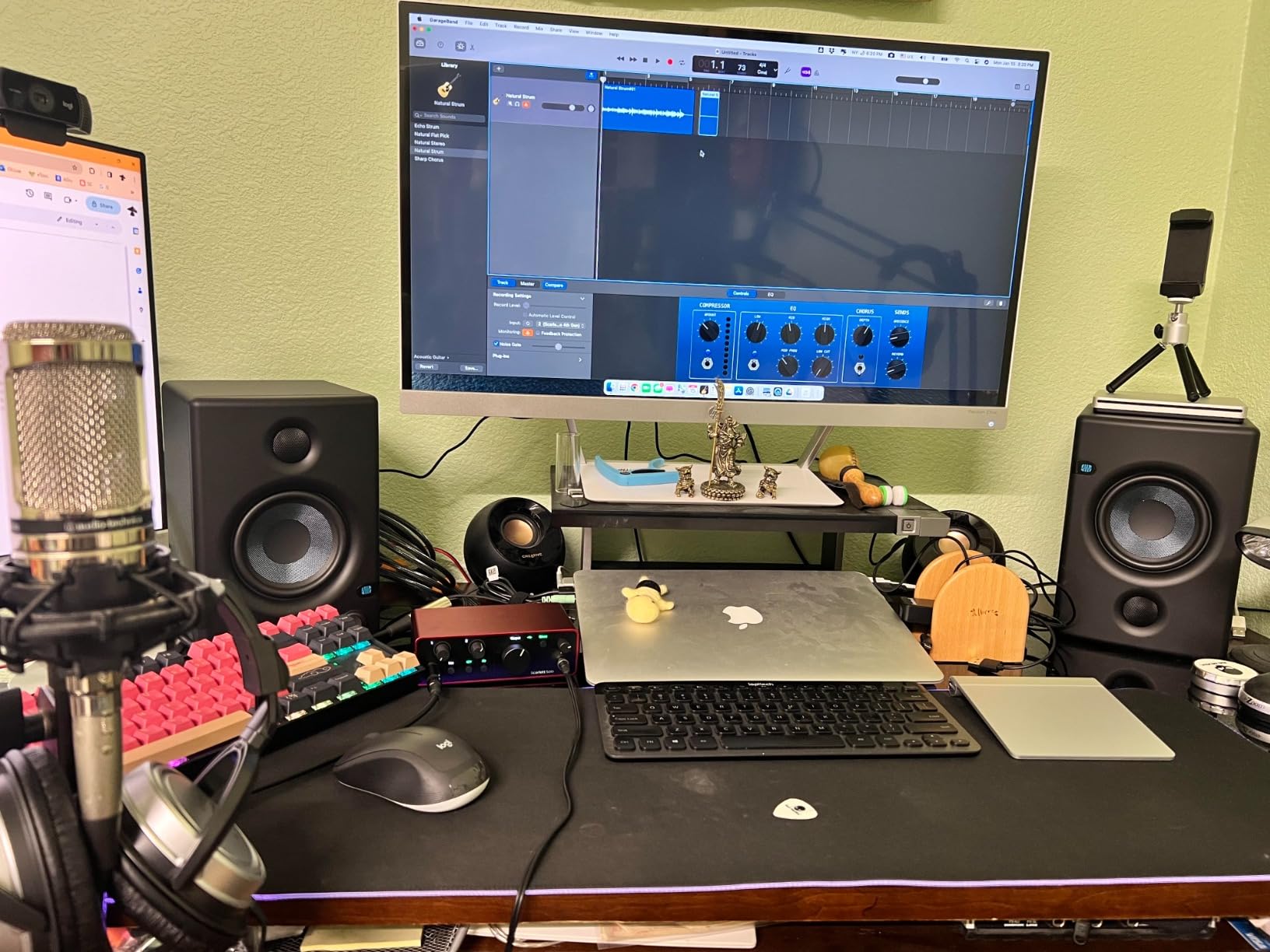
Air mode is the feature guitarists end up using most. It lifts the top end and adds harmonic drive, which is a fast way to make a single-coil DI sit better in a mix without reaching for a compressor. The halo gain LEDs are genuinely useful because they show your input level at a glance while you are not looking at your screen.
Bundled software is unusually generous for a one-input box: Pro Tools Intro, Ableton Live Lite and Cubase LE all included. One practical warning about the shipped cable, it is USB-A to USB-C, so on a laptop with only USB-C ports you will want a different lead.
Who the Scarlett Solo is right for
A guitarist who writes alone, records one guitar at a time, and occasionally adds a vocal later fits this box perfectly. The footprint is small enough to travel with, the build feels solid, and the headphone amplifier is strong enough for closed-back monitoring while you track.
Where the single input stops you
One mic preamp and one instrument input means no simultaneous sources. If your plan involves a stereo acoustic pair plus a guitar, or a pedalboard captured alongside a mic, you need two or more inputs. This is the most common reason owners move on, so check your session plan first.
2. Behringer UMC22: The One Everybody Recommends
Behringer UMC22 Audiophile 2×2, 48 kHz USB Audio Interface with Midas Mic Preamplifier | For Recording Microphones and Instruments
Midas-designed preamp
Combo XLR plus TRS jacks
48 kHz recording
USB bus powered
Pros
- Midas-designed mic preamp with a clean capture
- Combo jack accepts XLR TRS and TS
- USB bus powered so no power supply is needed
- Direct monitor select for clean performance monitoring
Cons
- Capped at 48 kHz recording resolution
- No MIDI I/O for controllers or synths
- Headphone output is basic against newer units
With 12798 reviews on file, the UMC22 is the most battle-tested interface in this roundup by a wide margin, and the reasons have not changed in years. It does two things well: it gives you a clean Midas-designed preamp stage, and it gives you a dedicated 1/4-inch TRS instrument input with a direct monitor switch. For a first guitar recording that is genuinely enough.
Bus power means one cable and no wall adapter, which is the reason a lot of bedroom players bought it. The front panel is simple, with gain, a phantom power switch on the rear, and signal clip LEDs. Nothing about it will confuse a beginner, and that is not a criticism, it is the point.
Best use for the UMC22
Electric guitar DI into a DAW, plus a mic for vocals when you feel like singing over the take. It suits a rehearsal-room or dorm-room setup where reliability matters more than resolution. On Gearspace threads, owners repeatedly keep these as a backup interface for exactly that reason.
What the 48 kHz ceiling costs you
The resolution limit is the honest drawback. Everything you record comes in at 48 kHz, which is fine for release-quality guitar and saves CPU, but it removes the option to oversample or capture at a higher rate later. There is also no MIDI I/O, so a controller means a separate cable.
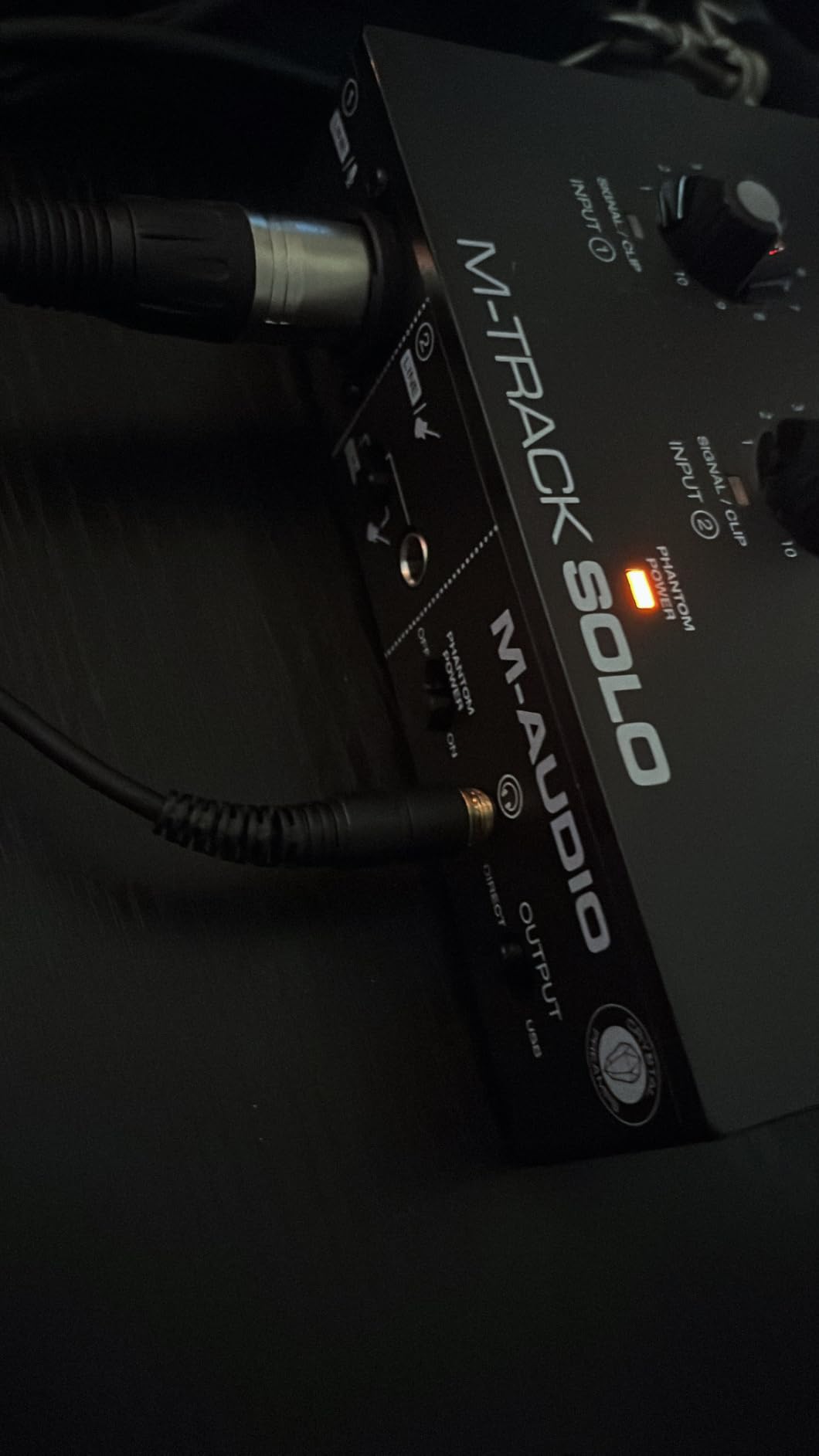
3. M-Audio M-Track Solo: The Lowest-Cost Way In
M-AUDIO M-Track Solo USB Audio Interface
1 megaohm instrument input
USB class driver
48 kHz
Zero-latency direct switch
Pros
- Very low latency with some users reporting 5-10ms at low buffer sizes
- USB class driver needs no software install
- Transparent Crystal preamp with a dedicated instrument jack
- USB and Direct switch for zero-latency monitoring
Cons
- Only one XLR and line combo input
- Line input is mono only
- Textured plastic chassis and a headphone output rated for about 50 ohm
This is the box I hand to anyone who wants to know whether they enjoy recording before spending real money. The 1 megaohm instrument input is a genuine Hi-Z stage, which means the guitar tone arriving at your DAW is the guitar’s own, not a loaded-down imitation. Owners regularly report round trips of 5-10ms once the buffer size comes down, and for simple amp sims that is plenty responsive.
Because it uses a USB class driver, it works on Windows, Mac and Linux with no installation at all. That sidesteps the exact problem users complain about in the cheapest boxes, where a missing native ASIO driver forces you into ASIO4ALL. Here you just plug it in and it appears in your DAW.
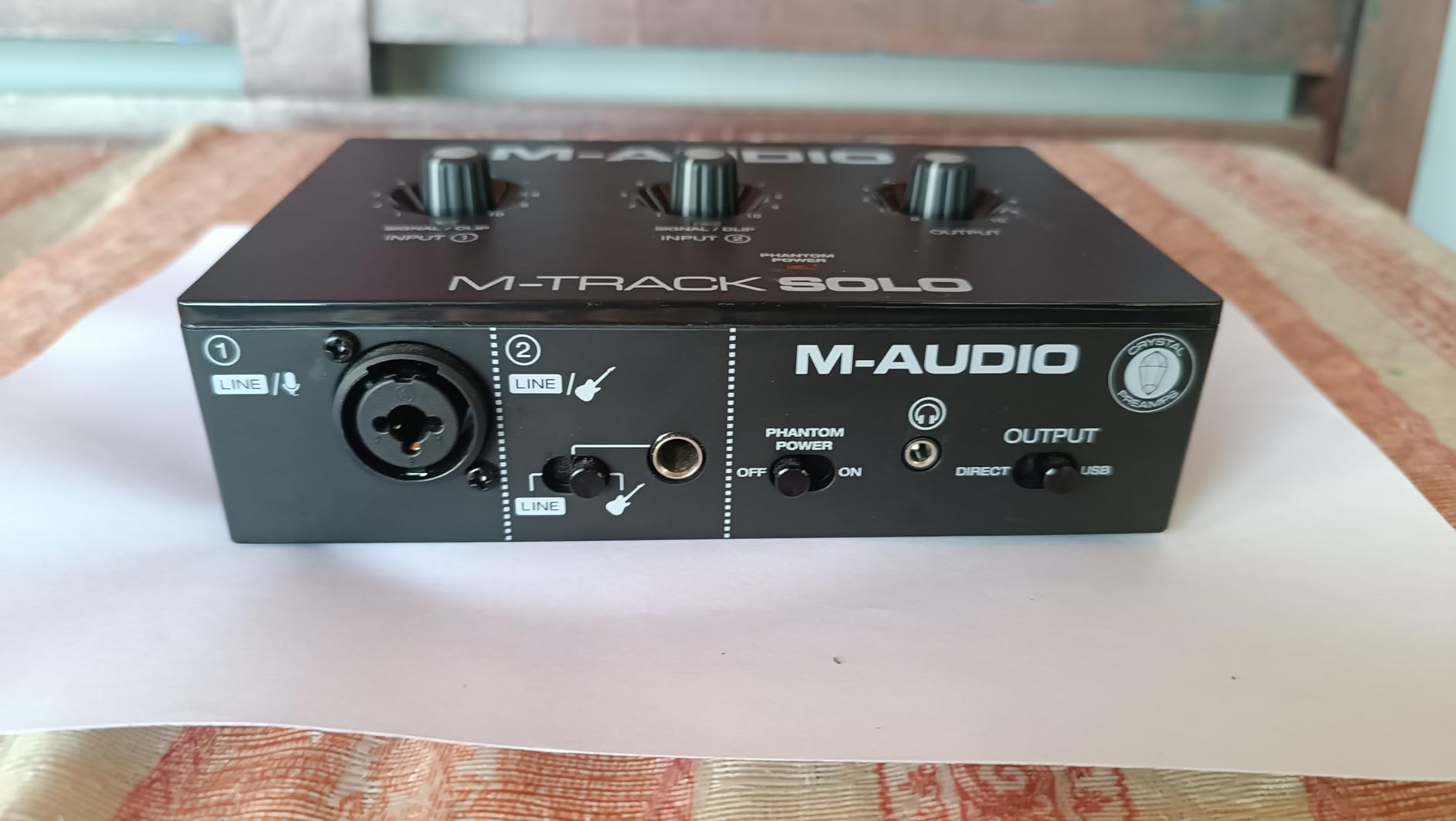
The USB/Direct switch routes the signal to the headphones before it goes to the computer, so silent practice with an amp sim has no lag at all. MPC Beats is bundled, which is more than many boxes in this bracket offer, and it is enough to sketch out ideas rather than just test a cable.
Construction is the weak point. It is textured plastic, it weighs 10.6 ounces, and the headphone output is modest with low-impedance in-ear monitors. A handful of owners also report inconsistent gain across the jack, where the plug needs to be partly withdrawn to sit properly.
When the M-Track Solo is the right call
If the goal is to record demos, try an amp sim, or capture ideas while travelling, this does the job with no software friction. It is also a decent backup interface to keep in a gig bag, since it is powered entirely from the laptop.
When you should step up instead
Skip it for acoustic work with two microphones, since the line input is mono and you would need a splitter and extra cables. Its 4.3 rating reflects that narrower ceiling more than any fault in the signal path itself.
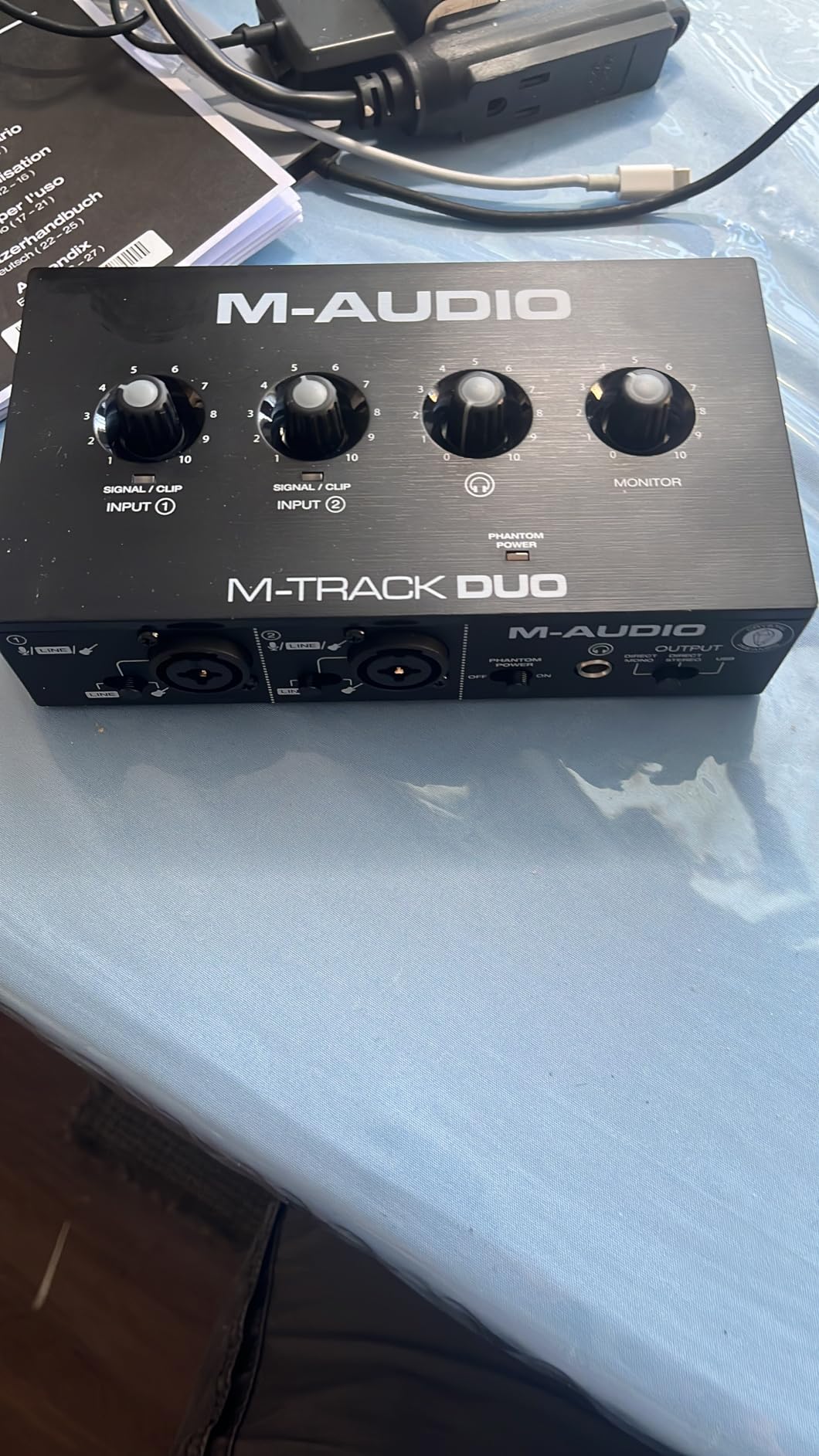
4. M-Audio M-Track Duo: Two Inputs for Guitar and Vocals
M-AUDIO M-Track Duo USB Audio Interface
Two combo inputs
48 kHz recording
USB powered
Direct monitoring switch
Pros
- Two combo inputs let you record a mic and a guitar at the same time
- Clean low-noise signal with no hiss at higher gain
- Zero-latency direct monitoring switch
- Plug-and-play with no driver install
- Includes Ableton Live Lite and MPC Beats
Cons
- Gain taper is jumpy near the top of the range
- All-plastic chassis slides around when cables move
- 48 kHz and 16-bit conversion only
The Duo is the answer to the most common question in guitar forums, which is whether one box can handle a guitar and a vocal at the same time. Two combo XLR, line and instrument inputs mean you can track a DI and a microphone into two separate mono tracks without buying anything else.
Signal quality holds up better than the price suggests. Owners report a clean capture with no buzz or hiss even with the gain turned well up, and the USB/Direct switch gives a true zero-latency monitoring path. Ableton Live Lite and MPC Beats are both included.
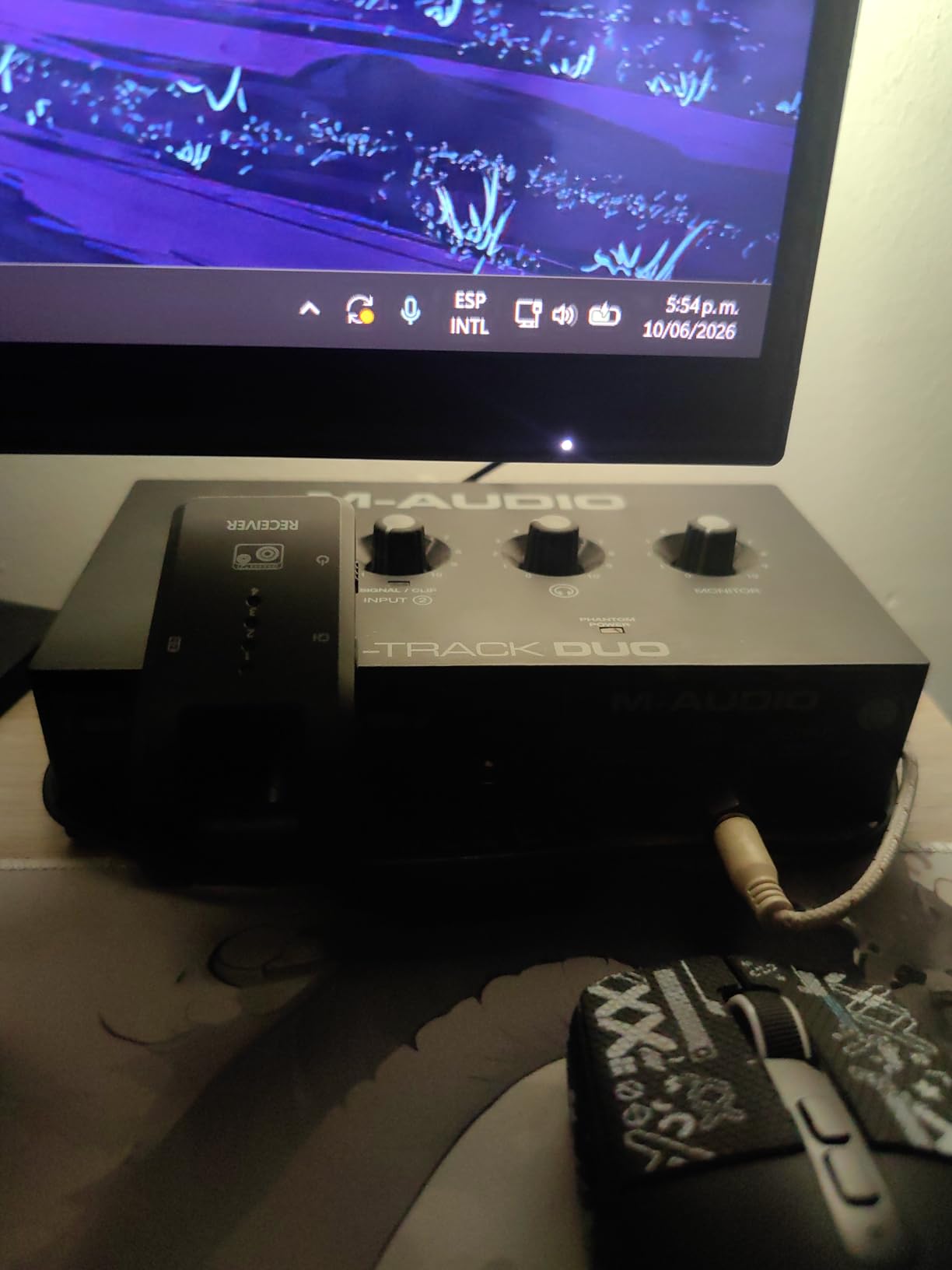
Two practical issues to know about. The gain taper is badly shaped, with the last stretch of the pot extremely sensitive, so fine level control takes practice. And the all-plastic body is light enough to slide across the desk whenever you move a front cable, which is irritating more than dangerous.
The 48 kHz and 16-bit conversion is the third limitation. For bedroom projects released on streaming platforms, it is genuinely not a problem. For a project you intend to resample, archive or master at higher rates, it limits you from the start.
Who gets the most from the M-Track Duo
A songwriter who lays a guitar rhythm down first and then records a harmony vocal over it. Two independent inputs and a single headphone output is the standard bedroom workflow, and this box covers it without ceremony.
What one headphone output means
With only one headphone jack, you cannot monitor a click track for the singer and a different mix for the guitarist at the same time. If you are the only person in the room, this never comes up. If a second player is involved, it becomes the first thing you will outgrow.
5. Behringer UMC202HD: Resolution and a Metal Chassis
Behringer UMC202HD Audiophile 2×2, 24-Bit/192 kHz USB Audio Interface with Midas Mic Preamplifiers | For Recording Microphones and Instruments
24-bit/192 kHz
Two Midas preamps
Metal chassis
Direct monitor select
Pros
- 24-bit/192 kHz conversion exceeds most budget rivals
- Two Midas-designed mic preamps capture cleanly
- Impact-resistant metal chassis for daily studio use
- Headphone output with level control and direct monitor select
Cons
- No MIDI I/O
- larger footprint than bus-powered units
- 48 kHz mode still needs configuring for some workflows
Where the UMC22 stops at 48 kHz, the UMC202HD goes to 192 kHz with 24-bit conversion, and that difference is the entire reason to choose it. If you record electric guitar and want the headroom to capture transients cleanly, or you plan to work at higher sample rates for mastering, this is the budget box that does it.
It weighs 1.2 pounds and the chassis is metal rather than plastic, which is why it feels like studio equipment rather than a laptop accessory. Two Midas-designed preamps handle both the mic and instrument inputs, and the headphone output is noticeably stronger than the UMC22’s.
When the 192 kHz ceiling is worth it
It matters if you record fast pick attack and want every detail intact, or if you like to resample and print at higher rates. The 4.6 rating across 3371 reviews is among the strongest in this list, and the metal build is often singled out as the reason it still looks new after years.
What you trade away for the metal
It is physically larger and heavier than the bus-powered boxes, so it does not travel as neatly in a laptop bag. There is also no MIDI I/O, so controllers need a separate route, and some high-resolution workflows still require switching the driver into its 48 kHz mode.
6. PreSonus AudioBox 96: Instrument Inputs Plus MIDI
PreSonus AudioBox 96 25th Anniversary USB Audio Interface
Two high-headroom instrument inputs
MIDI I/O
24-bit/96 kHz
Class-A preamps
Pros
- Two high-headroom instrument inputs for guitar and bass
- Class-A mic preamps for a clean easy sound
- MIDI I/O included
- Mixer control blends inputs with playback for zero-latency monitoring
Cons
- 96 kHz maximum sample rate
- USB 2.0 Type A to B connection rather than USB-C
- Preamps deliver lower gain so some mics need a booster
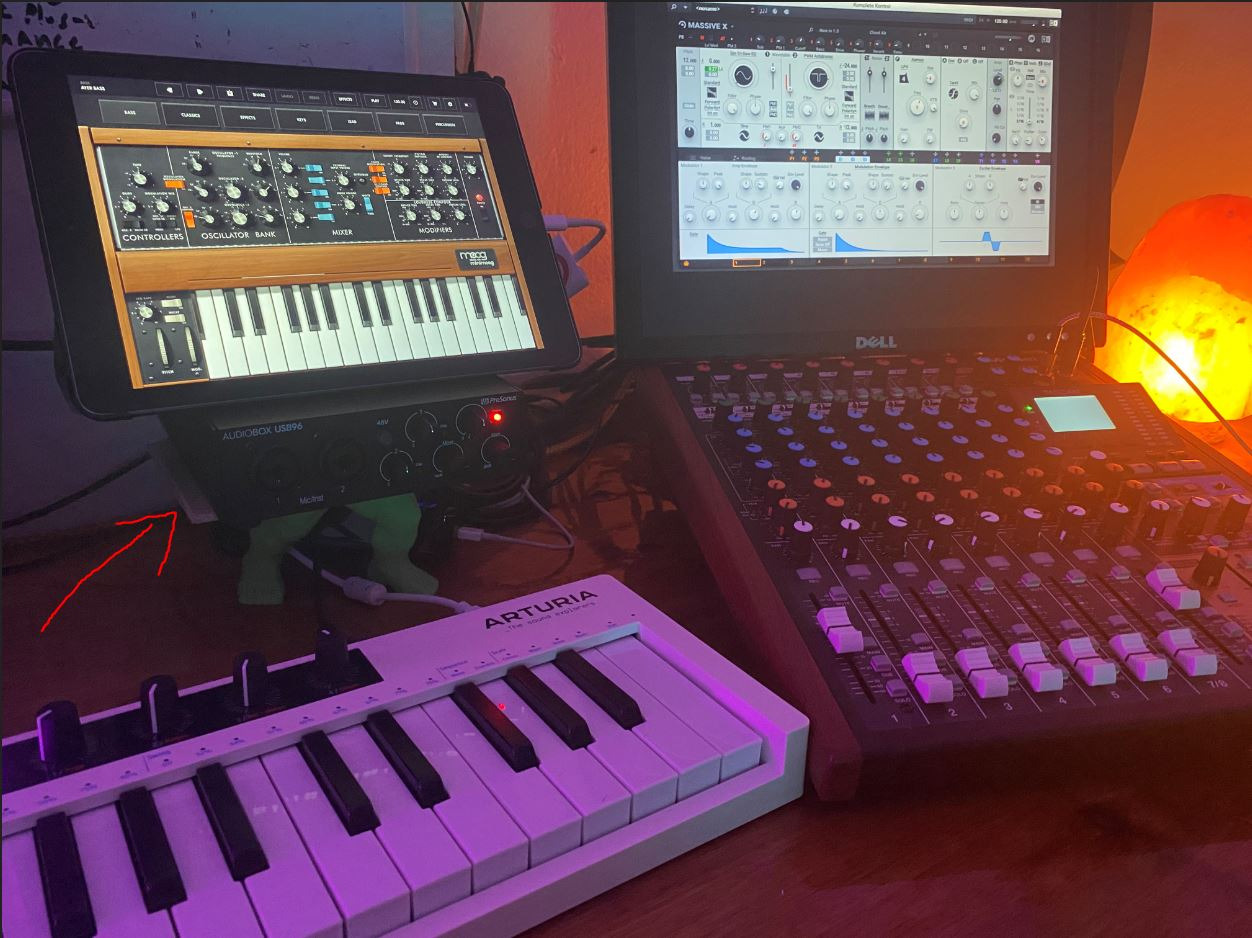
PreSonus built this one for guitarists rather than podcasters, and the two high-headroom instrument inputs are the reason. One handles your guitar DI, the other can take a bass or a line-level device, and the headroom means a humbucker with the volume at ten does not need the preamp turned halfway.
MIDI I/O is included, which is rare in this bracket and genuinely useful if you use a pedalboard controller, a drum machine or a MIDI keyboard alongside the guitar. The mixer control blends the analog inputs with playback, giving a monitor mix that works while you track with software instruments running.
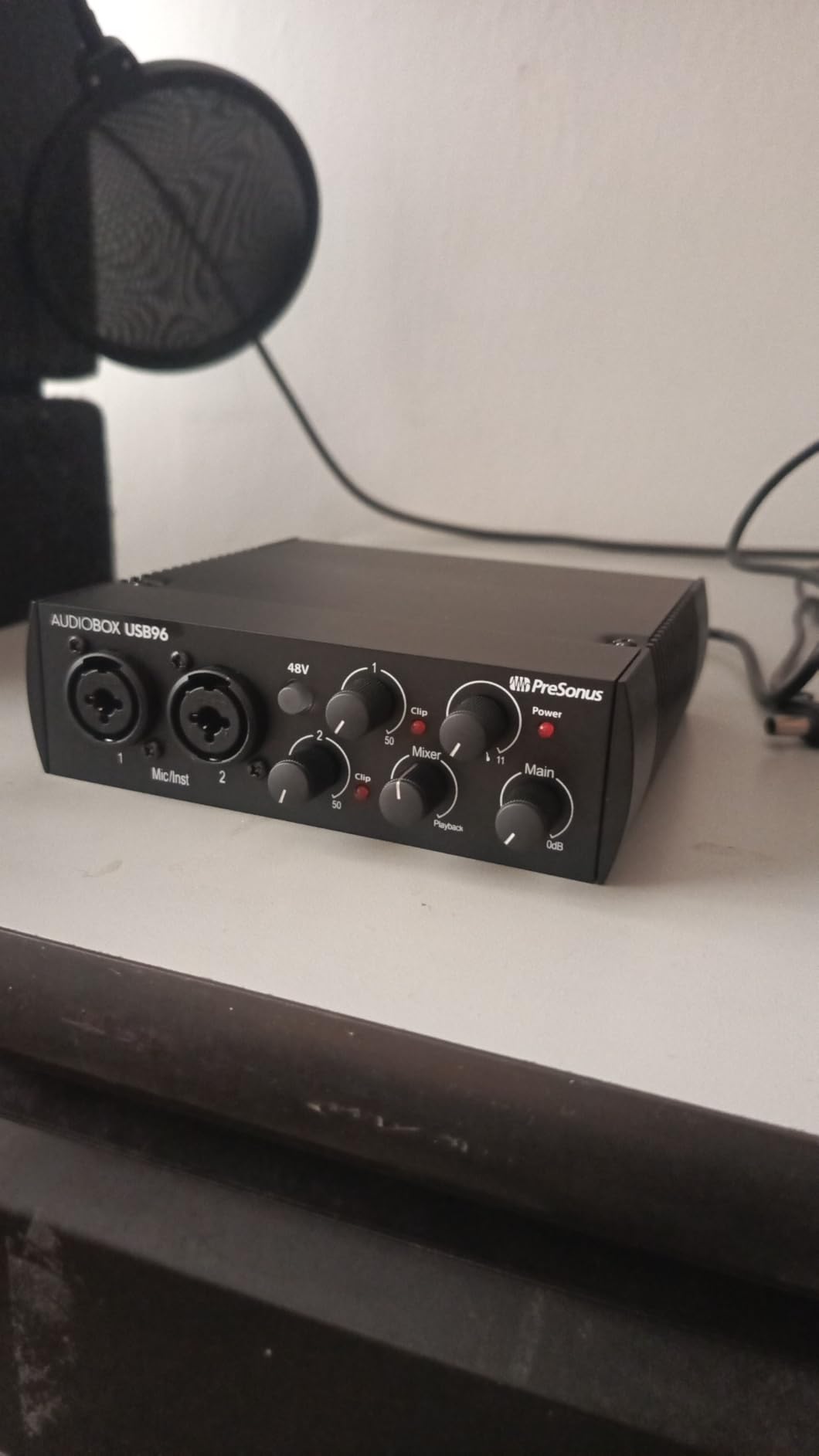
Studio One Artist and the Studio Magic plug-in suite are bundled, though you have to register the product to download them, a step some owners find irritating. The preamps are Class-A and sound clean, but they deliver less gain than the more expensive units, so a quiet dynamic microphone may need an external booster.
Bus power keeps the cable count down, and the high-powered headphone output is good for tracking. It is busier than the single-input boxes, which is the point: this is a two-channel working interface rather than a one-capture device.
Why the extra instrument input changes your workflow
Two instrument inputs let you capture a guitar DI and a second guitar or bass at once, or record an amp pedalboard return alongside your clean DI for comparison. It also means the second channel is always available for a mic the moment you decide to add harmony vocals.
Where this box holds you back
The 96 kHz ceiling is the main limit, and the Type A to Type B cable is dated compared with USB-C rivals. Lower preamp gain is the second consideration if you plan to record quiet ribbon or dynamic mics as well as guitar.
7. MOTU M2: Converter Quality and Hardware Monitoring
MOTU M2 USB-C Audio Interface
ESS Sabre32 converters
True Hi-Z DI input
Hardware monitoring
USB-C bus power
Pros
- Premium ESS Sabre32 converters for 24-bit/192 kHz recording
- Two excellent preamps with generous gain
- True zero-latency hardware monitoring with a monitor mix
- Two instrument inputs including a true Hi-Z DI for guitar
Cons
- Costs more than most competing two-channel interfaces
- Compact footprint gives little room for larger controls
- No MIDI I/O on this model
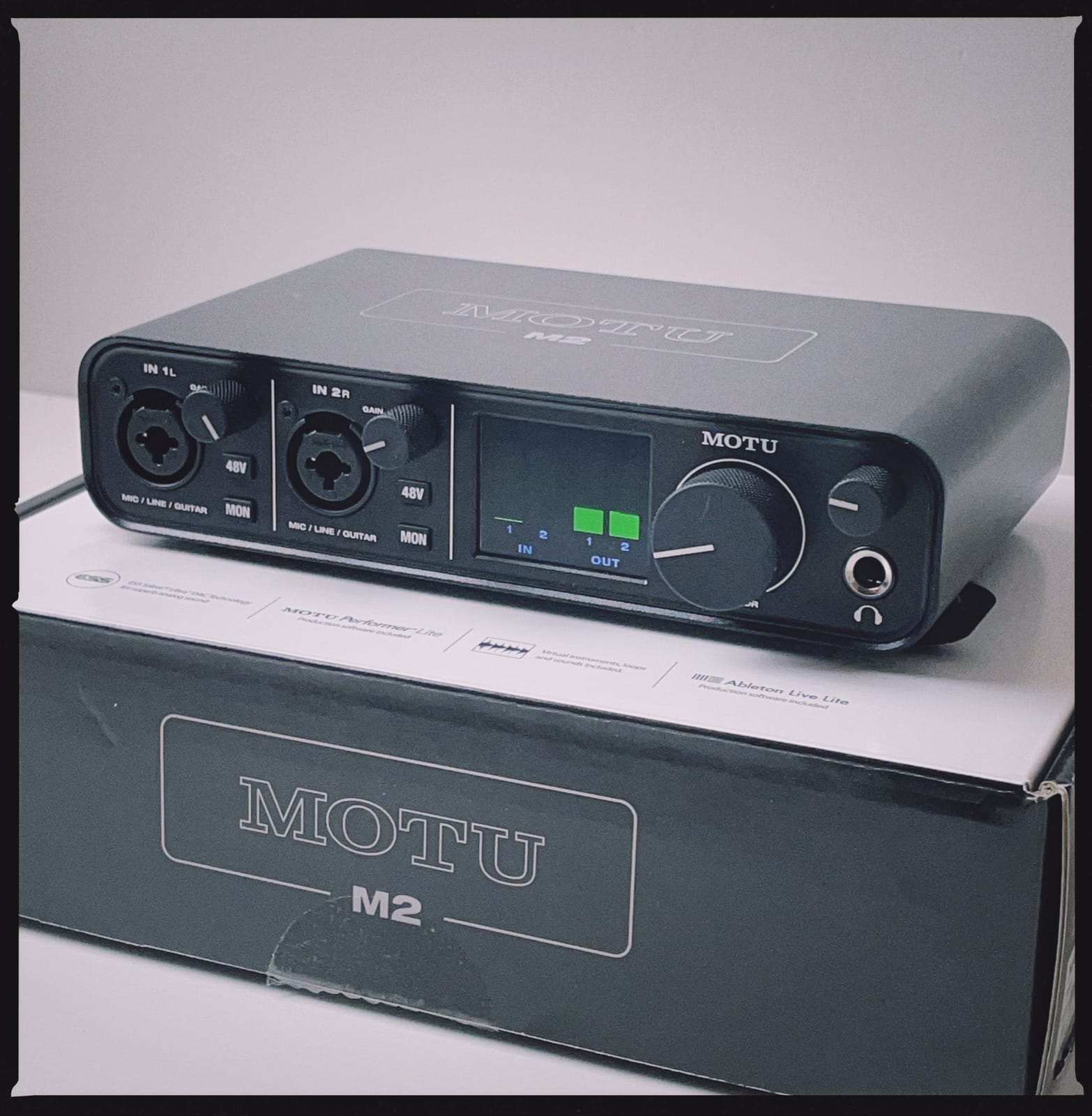
MOTU built the M2 around ESS Sabre32 converters, and the difference shows most clearly on a clean guitar DI. Where some boxes add a faint sense of weight or edge, this one hands you an almost untouched signal, which means whatever tone you record is the tone your amp sim or amp produces.
One of the two instrument inputs is a true Hi-Z DI specifically for guitar, and monitoring is handled in hardware with a dedicated monitor mix. That means zero latency by definition, with no round trip through the computer at all, which is why it is a dependable choice for silent practice.
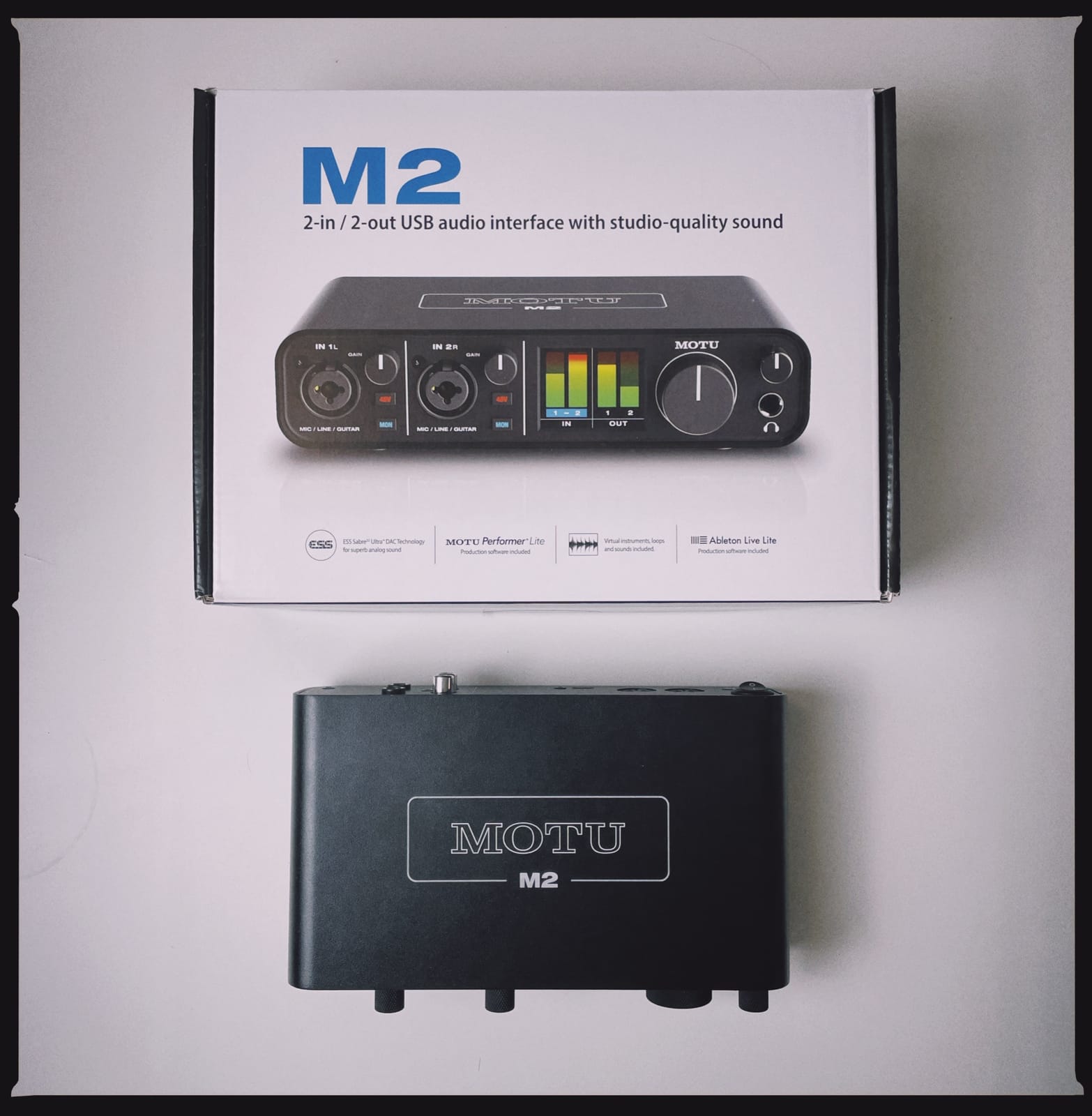
USB-C bus power gives you a single-cable setup on a modern laptop, and 6GB of free music software and samples are included for macOS, Windows and iOS. Preamp gain is generous, so condenser microphones and hot pickups both have room without clipping.
The honest objection is cost. Cheaper boxes in this roundup approach the same converter quality, and the 4.6 rating comes with 1568 reviews, which is a smaller sample than the leaders. It is a purchase you justify on monitoring and headroom rather than on conversion alone.
Who should pay more for the M2
Guitarists working on amp sims who want a clean starting point, and anyone who plays through headphones while tracking and needs monitoring latency to be genuinely zero. Two instrument inputs also make it easy to record a clean and a re-amped part together.
Where the money goes instead
For a single guitar and a single mic, a bus-powered box with busier software will serve you for far less. There is no MIDI here either, so a controller-based rig should look at the PreSonus AudioBox 96 instead.
8. Arturia MiniFuse 1: Built for Amp Sims
Arturia MiniFuse USB Audio & MIDI Interface, MiniFuse 1
Low noise floor
192 kHz conversion
Metal chassis
Loopback feature
Pros
- Exceptionally low noise floor with a transparent source sound
- Direct monitoring plus low-latency drivers for layering
- Metal chassis with Amphenol connectors and solid knobs
- Five-year warranty
- one of the most extensive in this category
Cons
- Only a single input so two sources cannot be recorded
- Registration is required during setup and a reboot may be needed
- One headphone output only
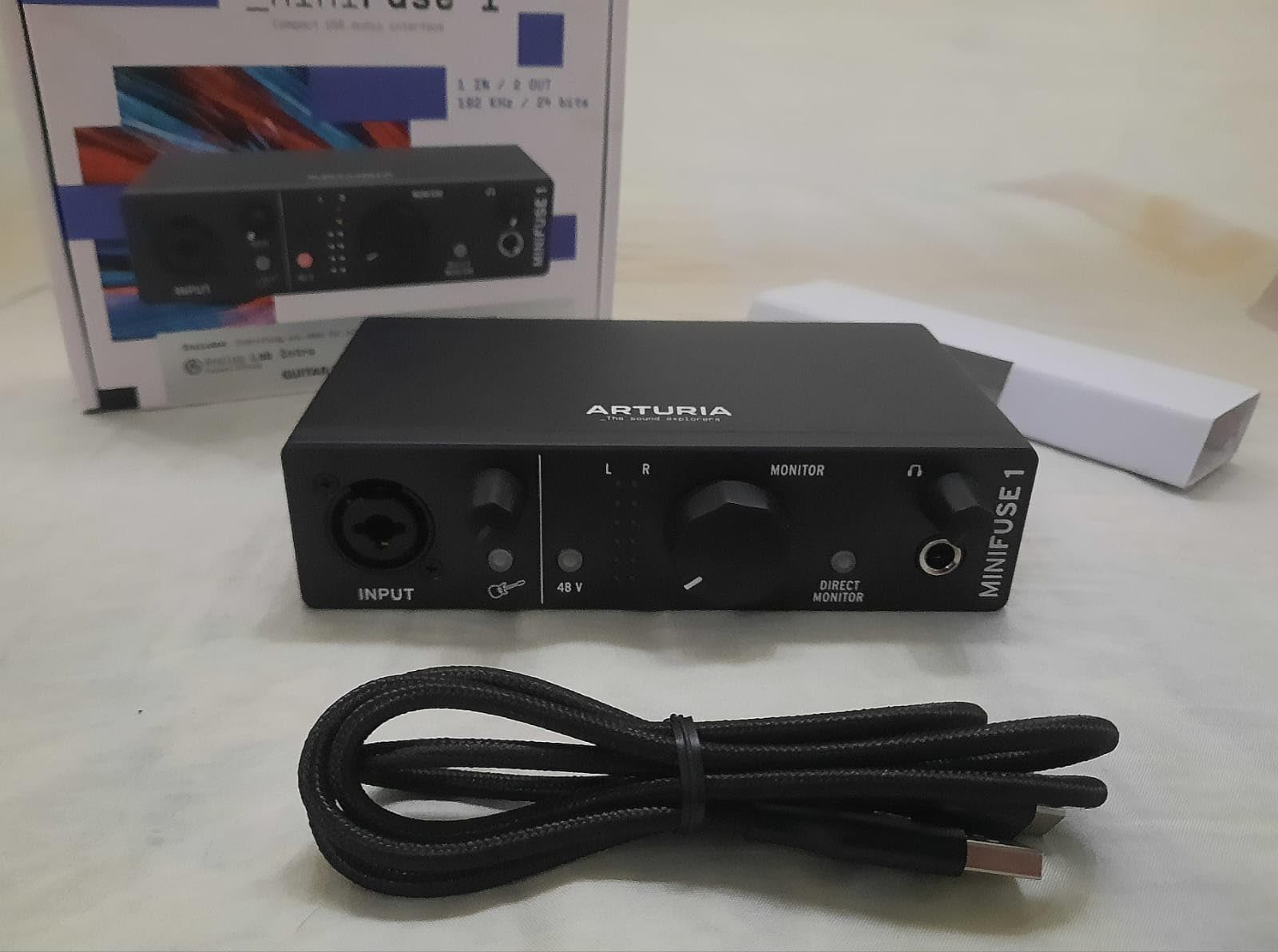
Noise floor is the number that matters most when you are layering amp sims, because each pass through the interface adds a little hiss that you cannot remove later. The MiniFuse 1 is the box we would reach for on a low-noise requirement, and owners describe the signal as uncoloured, which is exactly what you want feeding a modeller.
It also bundles guitar software that gets you playing quickly: NI Guitar Rig 6 LE, Arturia FX, Analog Lab Intro, Ableton Live Lite, Auto-Tune Unlimited and a Splice creator plan. For a silent-practice rig, that is a usable starting library before you spend anything on plugins.
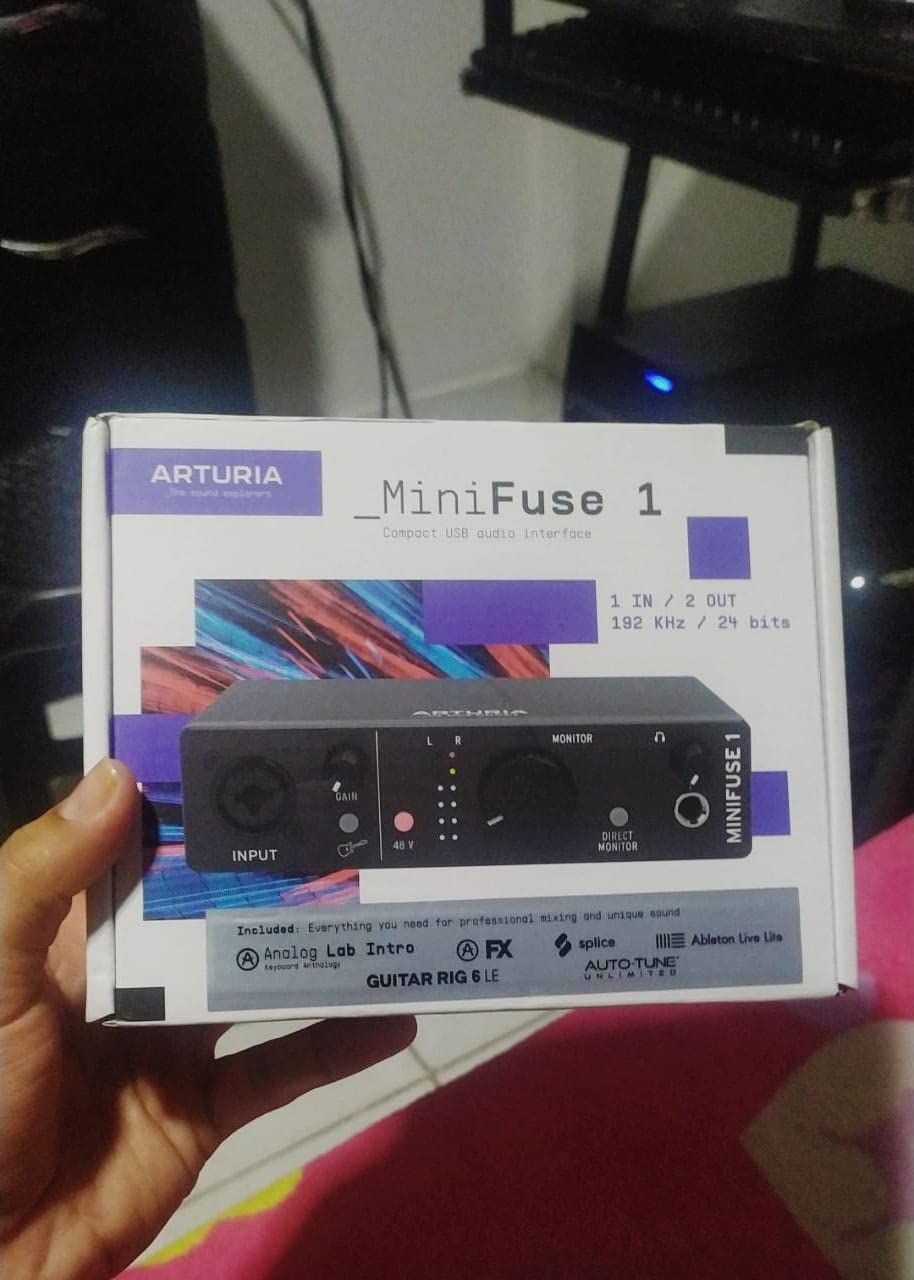
The build is metal with Amphenol connectors and knobs that feel better than the price suggests, and the five-year warranty is longer than any other here. Direct monitoring and low-latency drivers make recording a guitar part and immediately playing it back something you can actually work with.
Setup is the one friction point. Registration is mandatory during installation to receive driver updates, and some owners needed a reboot before the interface appeared. A rear USB-A hub lets you attach a MIDI controller without dedicated MIDI ports, which partly offsets the single-input limit.
When the MiniFuse 1 is the best fit
Solo guitarists who layer parts for an amp sim, want a low-noise path, and like having real software in the box. Loopback capture is also useful if you record system audio alongside your playing.
Where the single input bites
One input means guitar-only sessions, and one headphone output limits you to a single mix. If you plan to add a vocal and a mic pair in the same year, the two-channel boxes serve you better for longer.
9. Universal Audio Volt 1: Preamp Colour for Electric Guitar
Universal Audio Volt 1 USB Audio Interface
Vintage 610 preamp mode
24-bit/192 kHz
LUNA DAW bundled
Mac Windows iOS iPad
Pros
- Vintage mode adds the character of Universal Audio's classic 610 preamps
- 24-bit/192 kHz converters capture transients in detail
- Bundled LUNA DAW and UAD plug-ins and instruments
- Works with MacOS Windows iPad and iPhone
Cons
- Requires an external power supply so it is not bus-powered
- iPhone use needs an Apple Lightning to USB camera adapter
- One input only and no MIDI I/O
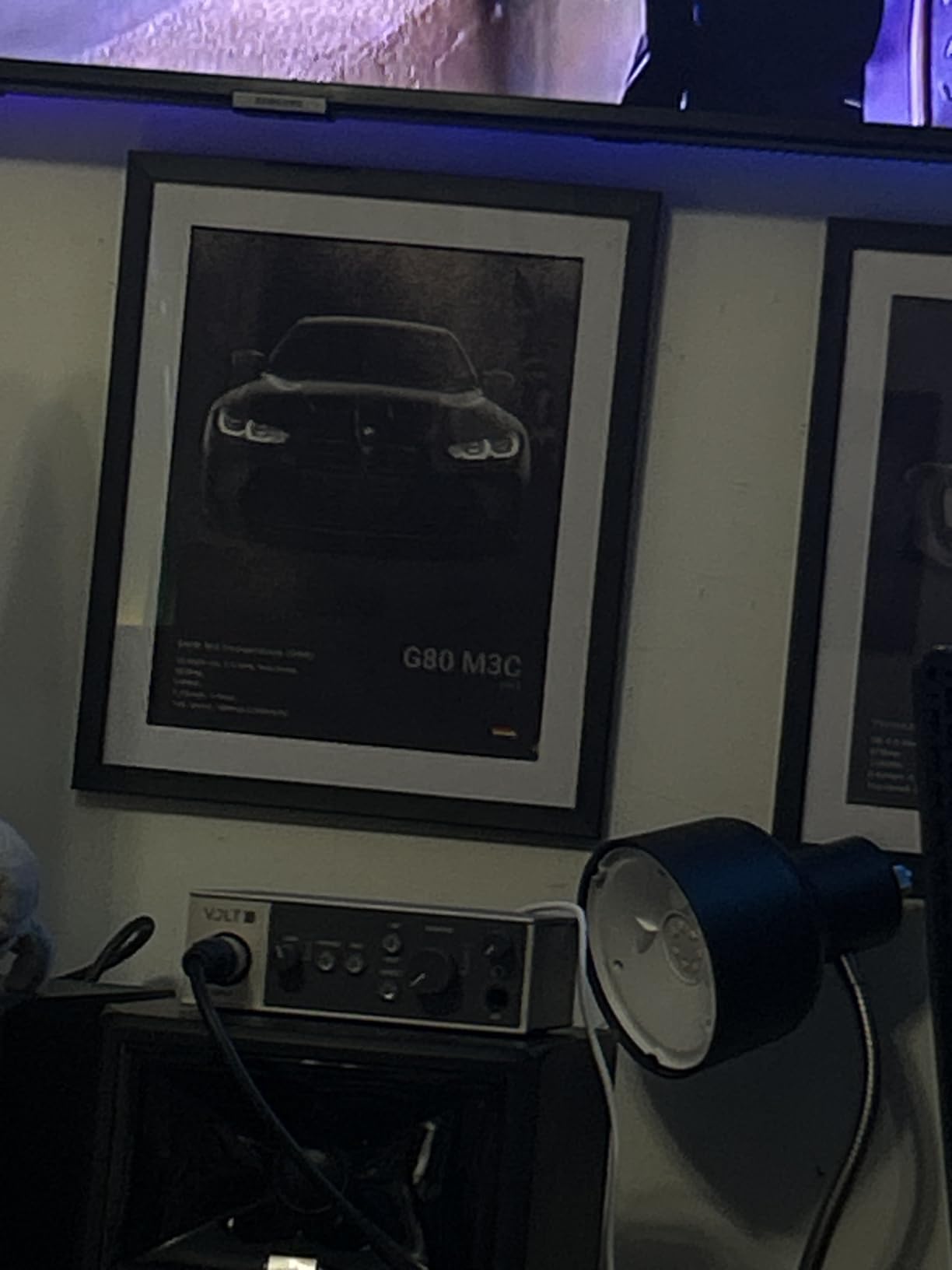
The Volt 1 exists to bring a specific preamp character to a small box. Vintage mode shapes the input stage toward Universal Audio’s classic 610 preamps, which adds harmonic warmth to an electric guitar DI before it ever reaches an amp sim. If you want a recording that already sounds like a session rather than a dry take, this is the one.
Converters run at 24-bit and 192 kHz, so transient detail in a pick attack is preserved. The bigger draw is the software: the LUNA Digital Audio Workstation is bundled, along with UAD plug-ins and instruments that are trusted on commercial records, which gives you a working DAW without a separate purchase.
It also runs on iPad and iPhone alongside Mac and Windows, so the same session can travel. There is a community complaint worth knowing about before you buy: on the r/universalaudio forum, owners report overload lights and clipping indicators on Hi-Z inputs with the gain turned down, so check your gain staging on a fresh session.
Two constraints shape who this suits. It needs an external power supply, which removes the one-cable portability of bus-powered rivals, and iPhone use requires an Apple Lightning to USB camera adapter. It is a desktop instrument, not a travel one.
Who benefits most from the Vintage stage
Players who record electric guitar DI and then run it through an amp sim, especially with high-gain tones that benefit from some preamp coloration. If you like a warm, slightly compressed feel in the take rather than a clinical one, the 610 voicing is the reason to pick this over a more neutral box.
When a bus-powered box is the smarter move
Anyone recording on a laptop away from mains power, or working primarily on iPad and iPhone, will find the external supply and adapter requirements a daily irritation. A bus-powered USB-C box with a low noise floor covers those cases better.
10. IK Multimedia iRig HD 2: Guitar in Your Pocket
IK Multimedia iRig HD 2 guitar audio interface for iPhone, iPad, Mac, iOS and PC with USB-C, Lightning and USB cables and 24-bit, 96 kHz music recording
Hi-Z instrument input
96 kHz conversion
Amp Out with FX and Thru
Micro USB
Pros
- Pocket-sized and light for rehearsals gigs and lessons
- 96 kHz sampling rate for detailed guitar capture
- 1/4 inch Hi-Z input plus a switchable Amp Out with FX and Thru modes
- Headphone output with its own preamp for silent practice
Cons
- Performs much better on Apple devices than on Windows
- Micro USB adapter cables feel dated and wear
- Most AmpliTube content needs extra paid purchases
At 8 ounces and thinner than a pack of cards, the iRig HD 2 goes from laptop to rehearsal room to a lesson without a case, and it records a guitar on an iPhone with the same quality as most desktop boxes manage.
The Amp Out with its switchable FX and Thru modes is the detail guitarists care about. You can run your signal out to a pedalboard or an amp and still hear processed sound through headphones, which makes it a genuine practice-room tool rather than a capture-only box. AmpliTube, GarageBand and ToneBridge are the software side of that.
The important caveat is platform. On iOS it is excellent, and that is clearly where it was designed to work. Windows owners report static and interference with other audio devices, so if your main machine is a PC, choose a different box from this list.
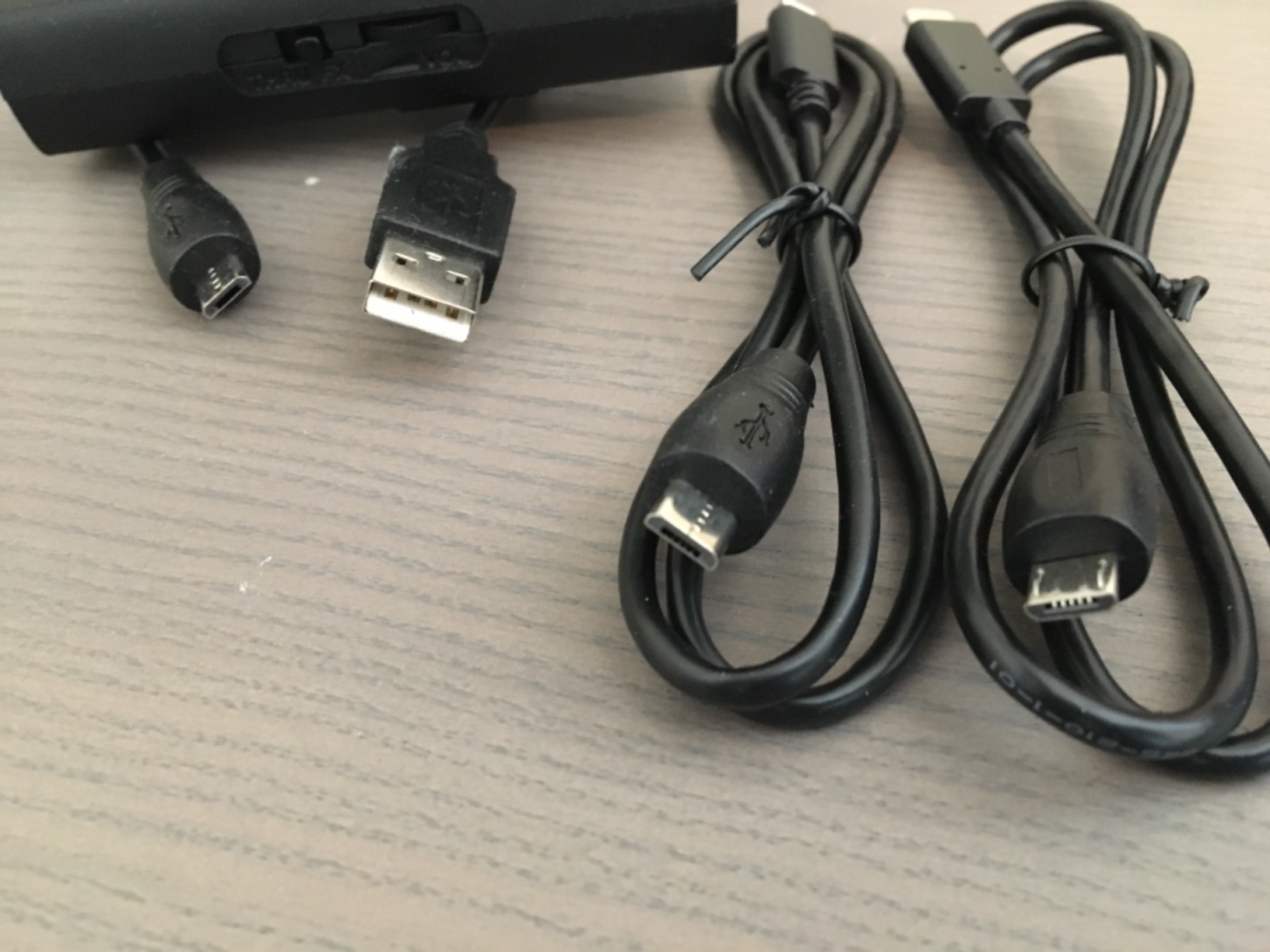
The included connection cables use micro-USB adapters, which feel dated and wear with repeated plugging. Most of the AmpliTube library also sits behind paid upgrades, so budget for the models you actually want rather than assuming everything is included.
When the iRig HD 2 makes sense
Anyone recording on an iPhone or iPad, teaching guitar and needing a demo captured immediately, or travelling with a laptop and nothing else. Its Hi-Z input and switchable Amp Out cover the two things a guitarist needs from a small box.
Where it will disappoint
It is a single-input device, so no guitar-plus-mic session, and the headphone output is not tuned for low-impedance in-ear monitors. PC-only users should read the Windows reports before buying, since that is the one consistent complaint in the reviews.
11. Mackie Onyx Artist 1X2: MIDI on a Budget
Mackie Audio Interface, Onyx Artist 1X2 USB Audio Interface (Onyx Artist 1-2)
1/4 inch TRS input with Hi-Z switch
24-bit/192 kHz
MIDI I/O
Onyx preamps
Pros
- Clean quiet Onyx preamps that record without added hiss
- 1/4 inch TRS input with a Hi-Z switch for guitar and bass
- 24-bit/192 kHz in a bus-powered metal chassis
- Zero-latency direct monitoring and MIDI I/O included
Cons
- Two inputs appear to the computer as a single stereo pair
- Preamp gain is modest so some dynamics need a booster
- Small knobs that are hard to read
- Mackie lists Windows 10 as the supported operating system
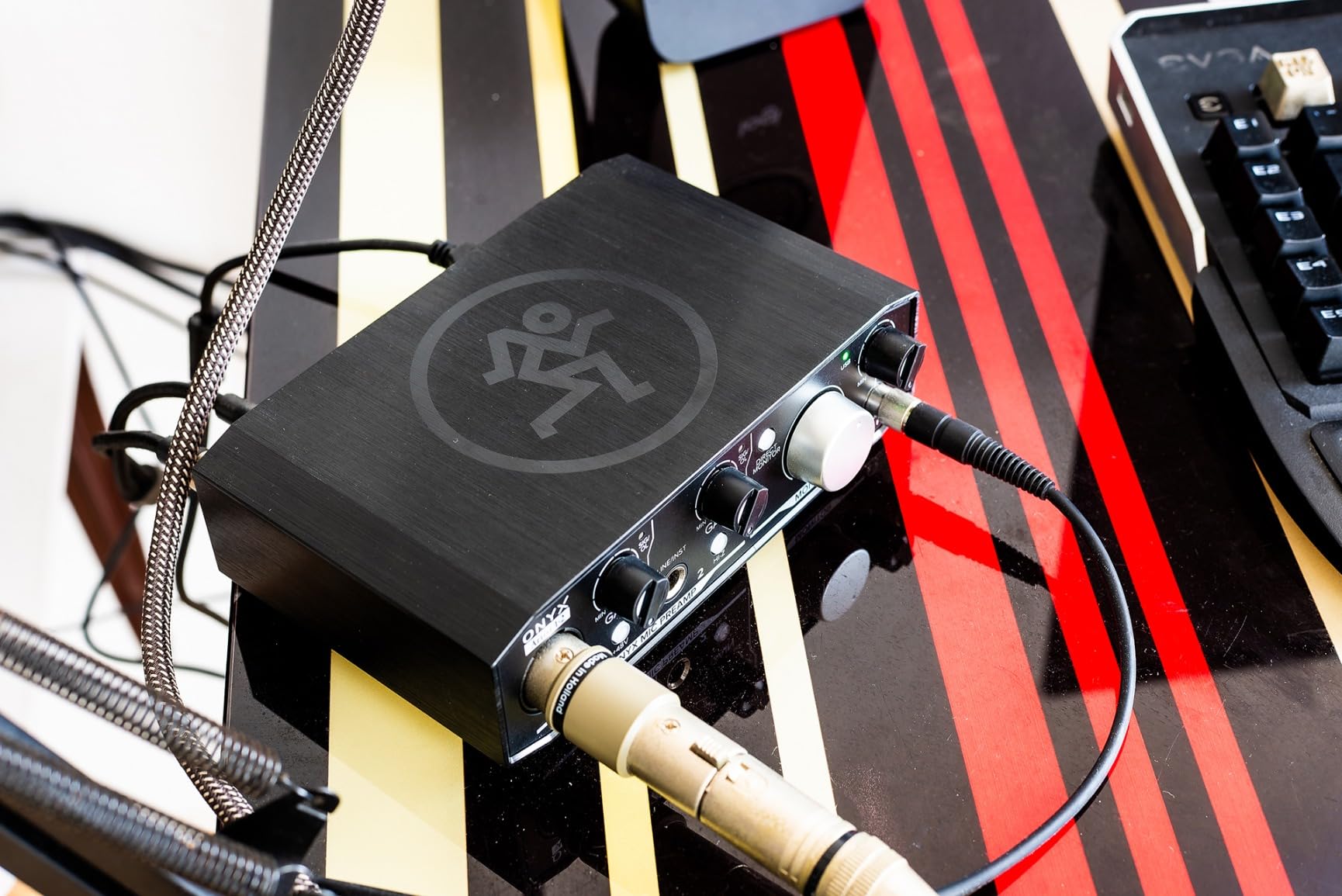
Mackie’s Onyx preamps are genuinely clean, and owners frequently compare this box’s build and sound favourably against Focusrite units costing more. For guitar it is the Hi-Z switch on the 1/4-inch TRS input that matters, plus zero-latency direct monitoring of the analog inputs through dedicated outputs.
What separates it from most boxes in this bracket is MIDI I/O. For a guitarist running a pedalboard controller or a MIDI keyboard alongside the interface, having proper five-pin MIDI on a bus-powered 192 kHz box is unusual, and it removes the need for a separate MIDI interface.
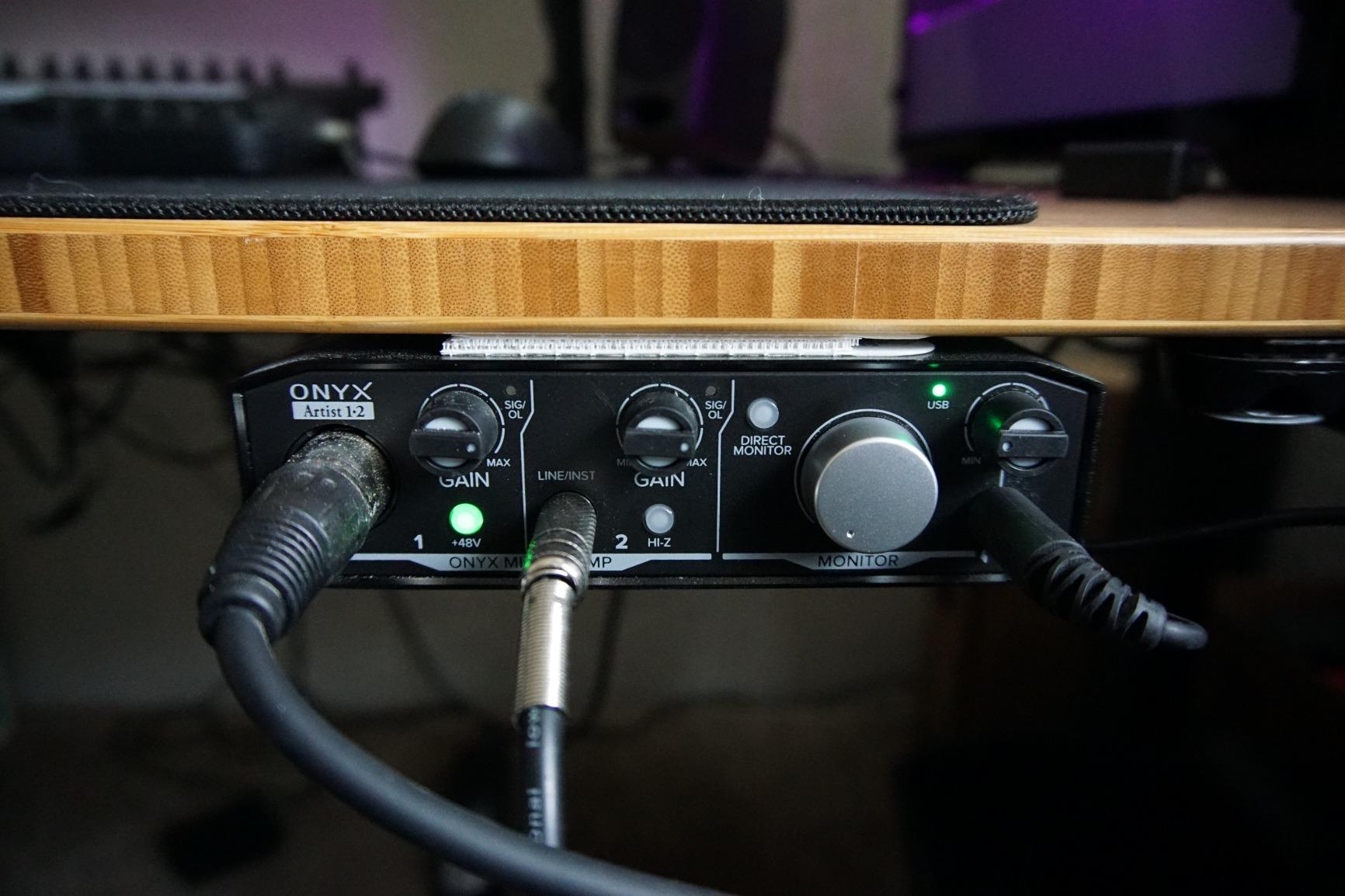
The catch is a routing quirk that catches people out. The two analog inputs present to the computer as a single stereo pair rather than two independent mono inputs, which complicates recording two separate sources. If your plan is guitar plus microphone as two tracks, test this in your DAW before committing.
Gain is also on the modest side, so quiet dynamic microphones may need a booster, and the factory knobs are small. The listed operating system is Windows 10, so if you are on a newer version, install current drivers before your session.
Who should choose the Onyx Artist 1X2
Guitarists with MIDI gear who want 192 kHz resolution and a metal, bus-powered chassis at a budget price. Build quality is the commonly praised feature, and many owners report keeping one for years without issue.
When to pick a different box
If you need two truly independent mono inputs to record guitar and vocals as separate tracks, the single stereo pair behaviour will work against you. Boxes with two discrete combo inputs are the safer choice for that workflow.
12. MAONO PS22 Lite: Instrument Impedance Control for Streamers
MAONO PS22 Lite USB Audio Interface for PC for Guitar & Vocals Streaming
Adjustable instrument impedance
Up to 56 dB gain
24-bit/192 kHz
ProStudio routing
Pros
- 24-bit/192 kHz recording with a 106 dB dynamic range
- Up to 56 dB of preamp gain plus 48V phantom power
- Dedicated instrument input with adjustable impedance for guitar and bass
- ProStudio routing software adds virtual channels and loopback
Cons
- You must select the MAONO ASIO driver manually in your DAW
- Overall rating sits below the class leaders
- Bundled routing software and modes add complexity
The feature that stands out on this box is adjustable impedance on the instrument input. For guitarists who own more than one instrument, that lets you match the input loading to a passive humbucker or an active pickup and get a more predictable starting signal.
Headroom is generous: up to 56 dB of preamp gain plus 48V phantom power, recording at 24-bit and 192 kHz with a stated 106 dB dynamic range. The ProStudio routing software adds virtual channels and loopback, which is the real reason this box appears on a streaming setup rather than a tracking one.
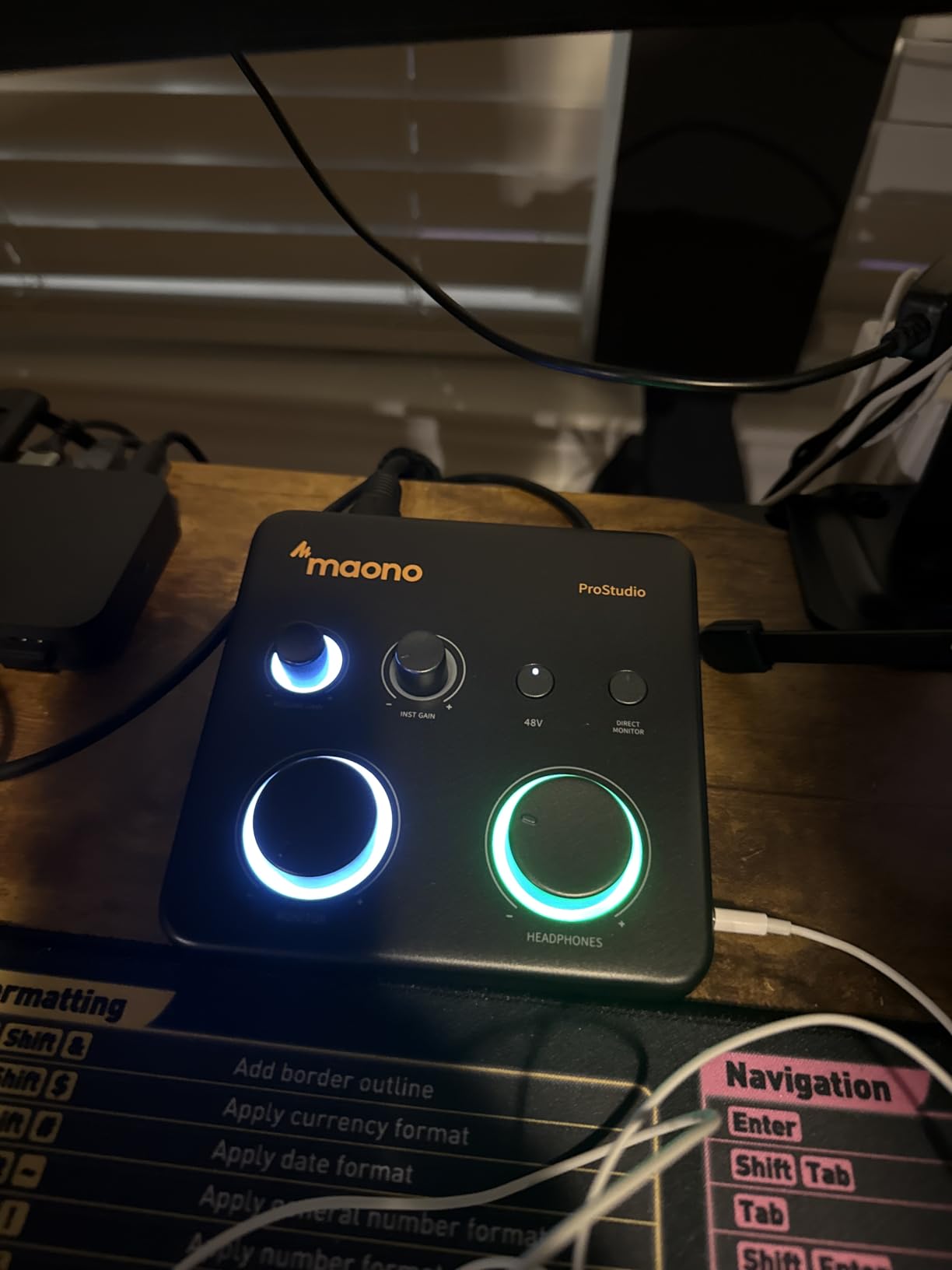
You will need to select the MAONO ASIO driver manually in your DAW’s audio settings before recording, and the routing modes and bundled software add complexity for someone who only wants a guitar DI. The light ring showing input status and the side headphone jack are nice touches for a box this small.
A USB-A to USB-C cable is included, and it works with Mac, Windows and iPads. The 4.2 rating is the lowest in this roundup, with a higher share of one-star feedback, so treat it as a specialist streaming tool rather than the centre of a studio.
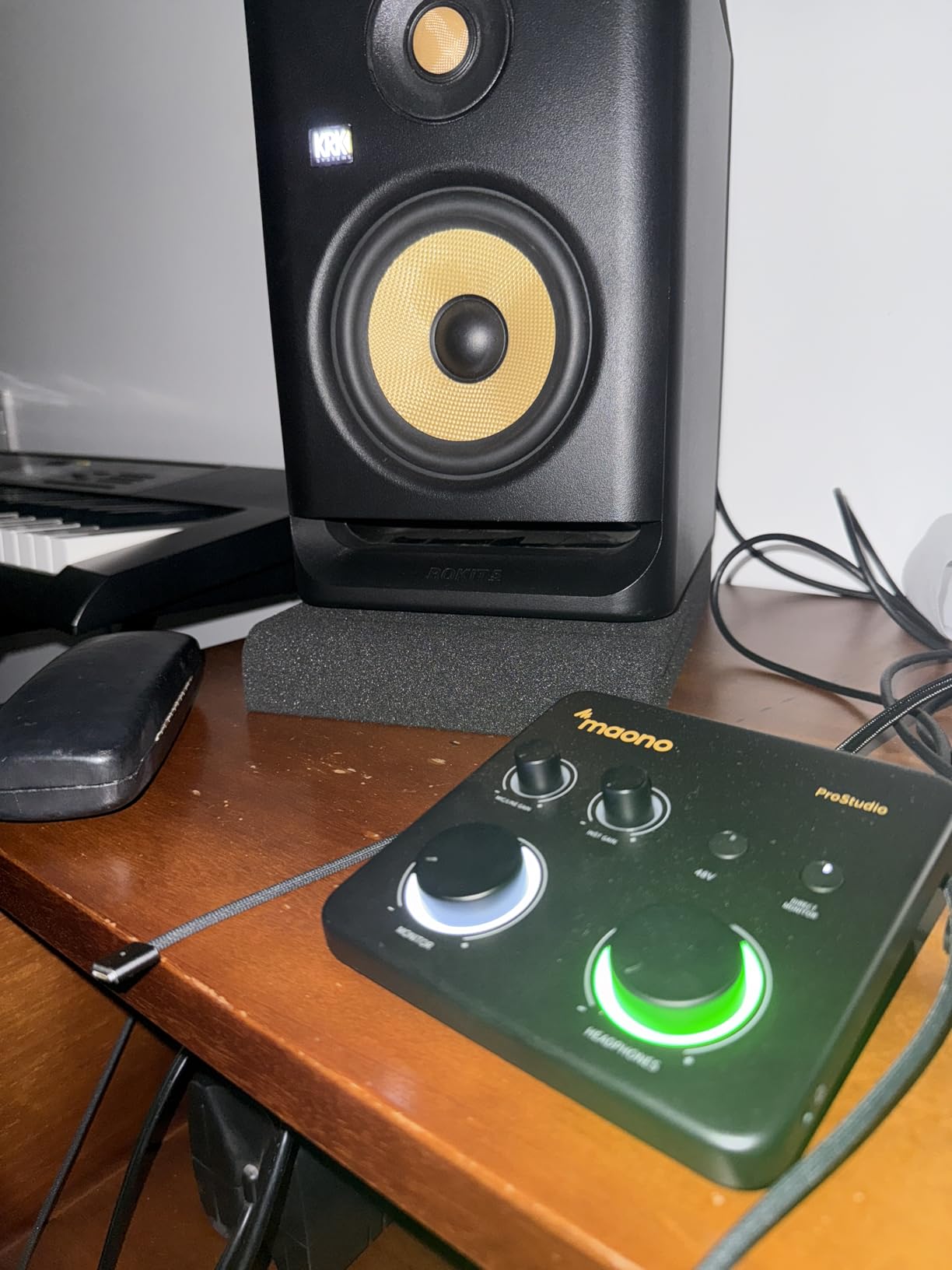
When the PS22 Lite earns its place
Guitarists who stream or record alongside screen content and need loopback and virtual channels, and players with mixed passive and active instruments who want to adjust input impedance. The high gain range also covers condenser microphones without an external booster.
When to choose something simpler
Pure guitar tracking with one input and no streaming is easier on a box with fewer modes and a shorter setup. The 501-review sample and lower rating suggest the polish level trails more established brands, and the manual driver selection is a genuine step backwards for a beginner.
How to Choose a Guitar Interface
Hi-Z is the one spec you cannot skip
A guitar’s pickups output a high-impedance signal. Feed that into a line-level input and the input loads it down, which pulls away high-frequency content and leaves you with the thin, dull tone guitarists complain about in forums. A true Hi-Z instrument input presents a much higher impedance and lets the signal arrive intact. Check that the box has a real instrument input, not a line input behind a 1/4-inch jack. Some compact interfaces ship line-level instrument inputs, which is a mistake users have documented on r/LEWITT, and the tone suffers immediately.
Preamps and headroom for hot pickups
Once Hi-Z is settled, preamp quality and available gain matter. A box with 40 dB of usable instrument gain will clip with a humbucker and the gain at maximum, while one with 50 dB or more gives you room to turn down the guitar. Stated dynamic range is a useful proxy: the 120dB figure on the Focusrite Solo and the 106dB on the MAONO PS22 Lite are worth noting when you want a clean capture with a passive pickup.
Drivers and latency for amp sims
Latency is round-trip: the time between you playing a note and hearing it back through the monitoring path. Buffer size is the main control, and smaller buffers mean lower latency but a heavier CPU load. As a rough guide, a low buffer size on a current computer can put round trips in the region of 5-10ms, which is playable for guitar, while a 48 kHz bus-powered box with a class driver sits at the responsive end of that range.
Driver quality is the part that causes real frustration. Boxes with a native ASIO driver on Windows let you switch cleanly between your DAW and Spotify; boxes without one force you into ASIO4ALL, which is unstable and locks you out of other system audio. A codeless driver that loads without a reboot is worth paying for.
Headphone amplifier and headphone outputs
You will monitor through headphones far more than speakers, and a weak headphone stage is the most common complaint about budget interfaces. Look for a headphone output with its own level control, and check the impedance it drives: 50 ohm or less suits in-ear monitors, while closed-back headphones want more.
The number of headphone outputs is a workflow decision rather than a quality one. With one jack, you can only hear one mix, so a second person in the room needs an external headphone amp. If you are recording guitar and vocals together, two headphone outputs save a lot of trouble.
Re-amping through a real amp
Re-amping means capturing a clean DI, then sending that file back out through an amp or pedalboard to get a real tone. Some boxes make this easy with a dedicated re-amp output or a line-level instrument send. If you plan to re-amp regularly, check for a switchable output, because routing a mic-level signal into an amp input will not work.
Bundled software and drivers
Check whether the DAW is a full licence, a feature-limited version or a time-limited trial, and whether downloading it requires product registration. Pro Tools Intro, Ableton Live Lite and Cubase LE are common inclusions, and the LUNA DAW bundled with the Universal Audio Volt 1 is a genuine workstation rather than a stripped edition. Registration steps that need a reboot are a small but real source of early frustration.
One input or two, and bus power or a power supply
One input is enough for guitar-only tracking and silent practice. Two inputs are needed the moment you record a vocal, a bass, or an acoustic guitar with two microphones. The acoustic path deserves attention: two small-diaphragm condensers need two real preamps with low self-noise, which rules out many single-input boxes.
Bus power means one cable to the laptop and no adapter to forget, which matters for a bedroom studio and for travel. A power supply is an inconvenience for mobile use but a non-issue for a desk unit, and some boxes pair a power supply with features such as mobile support that make them more flexible overall.
Do You Need a DI Box if Your Interface Has a Hi-Z Input?
Usually not. If your interface has a true Hi-Z instrument input, that input is already a DI, and the mainstream view in the r/Guitar threads is that buying a separate DI box just adds another box to your signal chain. Record the guitar straight into the instrument input and the job is done.
A DI box earns its place in two situations. The first is when the interface’s instrument jack is line level rather than Hi-Z, which is exactly the case documented on r/LEWITT for the CONNECT 6. The second is re-amping, where a passive DI with a pad can drop a hot signal enough to feed a real amp, and where some players prefer the voicing of a transformer or JFET passive DI even though it is not strictly required.
Frequently Asked Questions
What is the best audio interface for guitar recording?
The Focusrite Scarlett Solo 4th Gen is the best all-round choice for guitar recording, with a genuine Hi-Z instrument input, 120dB dynamic range, USB-C connection and 192 kHz conversion. Choose the MOTU M2 if you want transparent capture with hardware zero-latency monitoring, or the Arturia MiniFuse 1 if you plan to work mainly with amp sims and want a very low noise floor.
Do I need a DI box if my interface has a Hi-Z input?
No, not for direct recording. A true Hi-Z instrument input is already a direct box, and the guitar plugs straight into it. A separate DI is only genuinely useful when the interface input is line level rather than Hi-Z, or when you are re-amping and need a passive pad to bring a hot signal down to amp level.
Which audio interface has the lowest latency?
For guitar tracking, the bus-powered class-driver boxes such as the M-Audio M-Track Solo and Arturia MiniFuse 1 report round trips in the region of 5-10ms at low buffer sizes. The MOTU M2 goes further with hardware monitoring, which bypasses the computer entirely for zero latency. In every case, lowering the buffer size is what actually reduces the delay you hear.
Can I record guitar and sing at the same time with one interface?
Yes, as long as the interface has at least two inputs. The M-Audio M-Track Duo, PreSonus AudioBox 96, MOTU M2 and MAONO PS22 Lite all accept a guitar on one channel and a microphone on the other. Note that the Mackie Onyx Artist 1X2 presents its two analog inputs as a single stereo pair, so it is less suitable for two independent tracks.
Do I need an audio interface to record my guitar?
Yes. A guitar has an analogue high-impedance output and no USB port, so something must convert it to digital before a computer can record it. An audio interface does that job, adds a preamp, and gives you a headphone output for monitoring. Without one you would need a multi-track recorder or a USB-equipped amplifier instead.
Which audio interface has the best headphone amp?
The MOTU M2 and the Focusrite Scarlett Solo 4th Gen are the picks in this roundup for driving closed-back headphones cleanly while you track. The PreSonus AudioBox 96 and the Behringer UMC202HD also offer high-powered outputs. The M-Audio M-Track Solo is the exception, with a stage rated for around 50 ohm, which suits in-ear monitors rather than large headphones.
Final Verdict for Guitar Recording in 2026
The Focusrite Scarlett Solo 4th Gen is our pick for the best guitar to USB interfaces for recording because it does the one thing that matters, a real Hi-Z input with genuine headroom, and adds converters and monitoring that punch well above a single-input box. If you want a very transparent starting point, step up to the MOTU M2. If you are working purely with amp sims, the Arturia MiniFuse 1 gives you a low-noise path and a usable software bundle.
Whichever box you choose, set the input gain to zero when tracking through amp sims and control levels inside the DAW, and aim for peaks around -12 to -6 dBFS. That single habit removes most of the clipping complaints people post about these interfaces. Get a room to record into before you add another piece of gear, and the interface will stop being the thing you think about.