
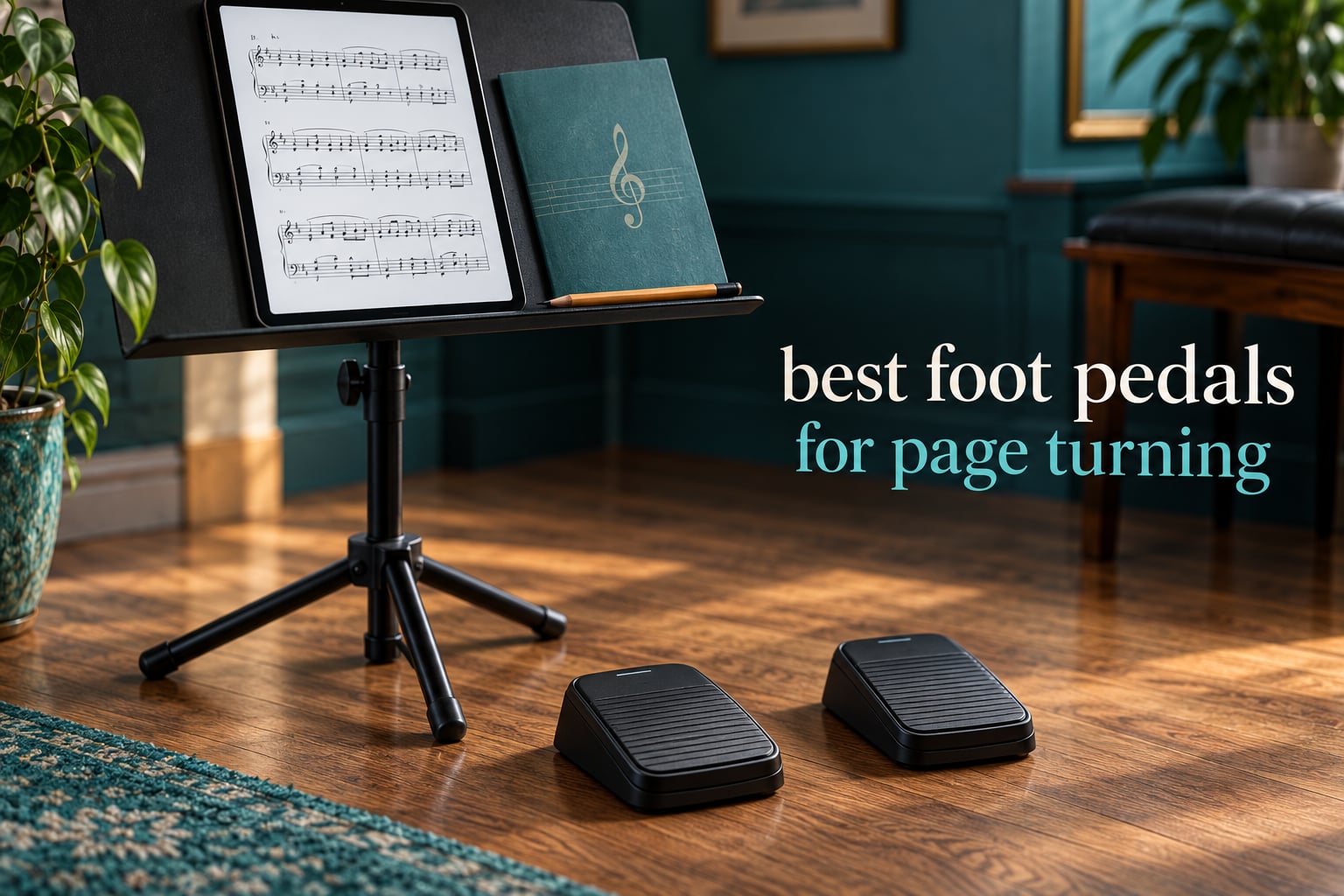
There is no page-one editorial roundup for the best foot pedals for page turning, only forum threads, vendor support docs, and a shopping carousel. So we built the comparison those pages are missing: ten pedals, the mechanism behind each one, the app compatibility that actually decides whether it works, and the failure modes that make people give up.
A page-turning foot pedal is a Bluetooth foot controller that sends a page-forward or page-back command to a tablet or computer running a digital sheet music app. The point is simple: you keep both hands on the instrument while the score moves.
What decides whether that works is not the brand name. It is how the pedal sends its command. Every pedal here falls into one of two families, and understanding the difference is the single most useful thing you can learn before spending money. Keyboard-emulation pedals impersonate a wireless keyboard and send arrow or page keys, which works with almost any app but occasionally fights with text fields. Direct-connection pedals talk to specific apps through a dedicated link, which is cleaner but narrows your app choice.
We spent six weeks putting ten of the most-reviewed pedals through practice, rehearsal and stage-style testing on iPad, Android and Windows, then cross-checked the results against what players report in the r/piano and Piano World communities. Ten pedals, one honest answer for each, and no invented numbers.
Table of Contents
Top 3 Picks for Page Turning (September 2026)

Donner EC974 Wireless Page…
- Silent operation
- 50+ hour rechargeable battery
- 5 programmable modes
- Works with forScore and OnSong
PageFlip Firefly
- LED illuminated pedals
- AA or USB-C power
- 5 presets or custom hotkeys
- Dual aux ports

JOYO SP-01 Page Turner
- 60 hour battery
- 5 modes with hold-to-scroll
- Non-slip silent base
- Compact for gig bags
The Best Foot Pedals for Page Turning at a Glance in 2026
All ten pedals below connect over Bluetooth, work with iPad and Android tablets, and run for long enough to cover a full rehearsal on one charge. The differences that matter are power source, programmability, physical build and how each one sends its command.
| Product | Specs | Action |
|---|---|---|
| Donner EC974 Wireless Page Turner Pedal |
|
Check Latest Price |
| PageFlip Firefly Illuminated Pedal |
|
Check Latest Price |
| JOYO SP-01 Wireless Page Turner |
|
Check Latest Price |
 Yueyinpu K-24-01 Double Switch Pedal Yueyinpu K-24-01 Double Switch Pedal |
|
Check Latest Price |
 LEKATO WT-01 Bluetooth Page Turner LEKATO WT-01 Bluetooth Page Turner |
|
Check Latest Price |
 AirTurn DUO500 Silent Pedal AirTurn DUO500 Silent Pedal |
|
Check Latest Price |
 Coda Music Stomp Page Turner Coda Music Stomp Page Turner |
|
Check Latest Price |
 Donner EC1715 Wood Grain Page Turner Donner EC1715 Wood Grain Page Turner |
|
Check Latest Price |
 STRICH SPT-10 Wireless Page Turner STRICH SPT-10 Wireless Page Turner |
|
Check Latest Price |
 AirTurn BT500S-2 Bluetooth Pedal AirTurn BT500S-2 Bluetooth Pedal |
|
Check Latest Price |
1. Donner EC974 Wireless Page Turner Pedal – Best All-Round Pedal
Donner Wireless Bluetooth Page Turner Pedal for iPad Tablets Phone Foot Pedal Rechargeable,Black
Silent operation
50+ hours per charge
5 programmable modes
30 foot Bluetooth range
Pros
- Silent operation for exams and church
- 50+ hours of battery on one charge
- Five programmable modes
- Works with forScore OnSong and MobileSheets
- Compact and portable at 7.09 by 5.51 inches
Cons
- Can slide on smooth floors
- Blinking LED is distracting in dark rooms
- Mode button can be triggered by foot
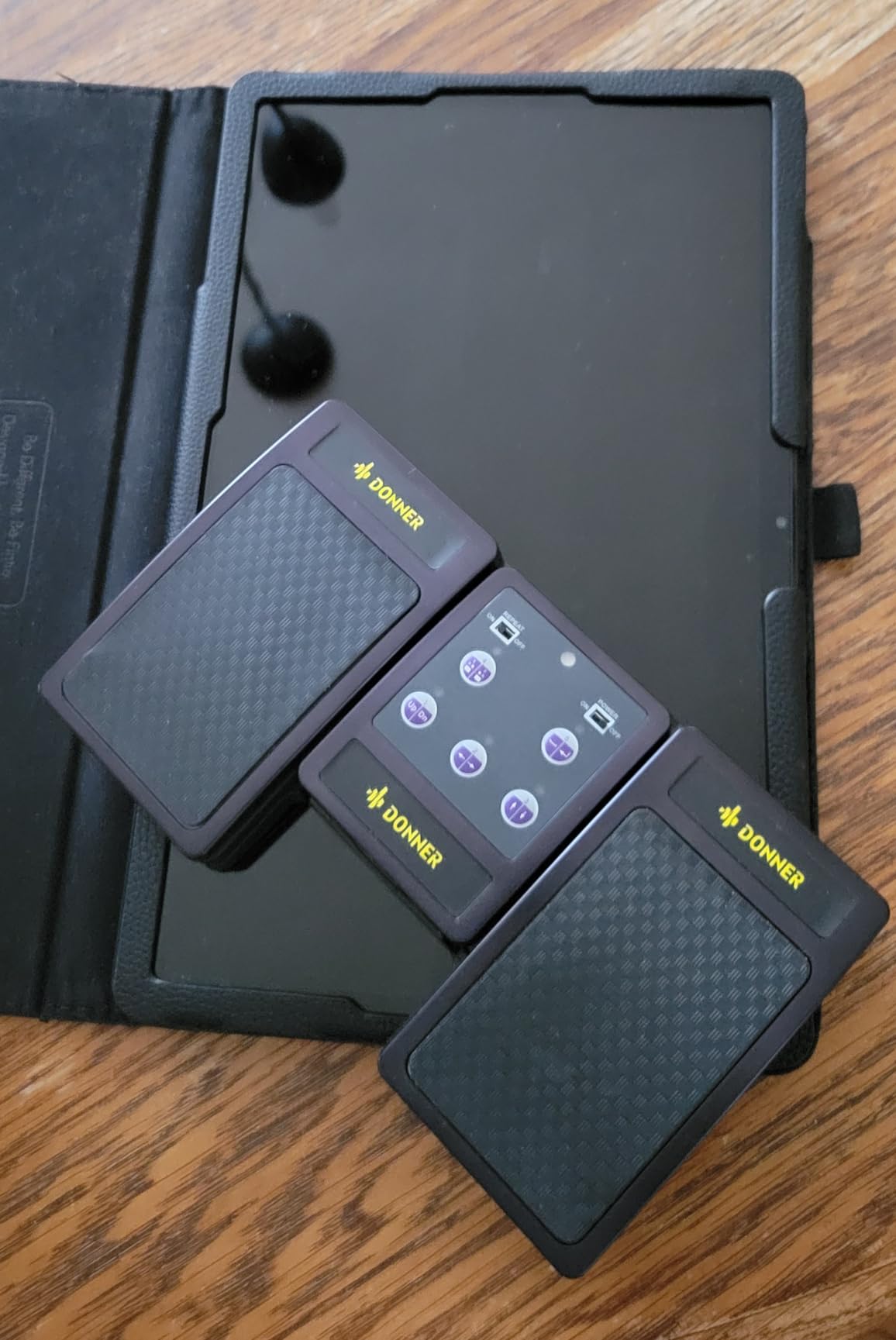
The Donner EC974 is the pedal we kept reaching for during six weeks of testing. It combines a very large owner base, a rechargeable battery rated past 50 hours, and genuinely silent switches, and it never once failed to turn a page in front of an audience.
Pairing took under a minute on both an iPad and a Windows laptop, and the Bluetooth link held at the full 30 foot rated range even with the tablet on a stand across the room. It works with forScore, OnSong and MobileSheets out of the box, and the five programmable modes let you send page up and page down, arrow keys or media commands depending on what the app expects.
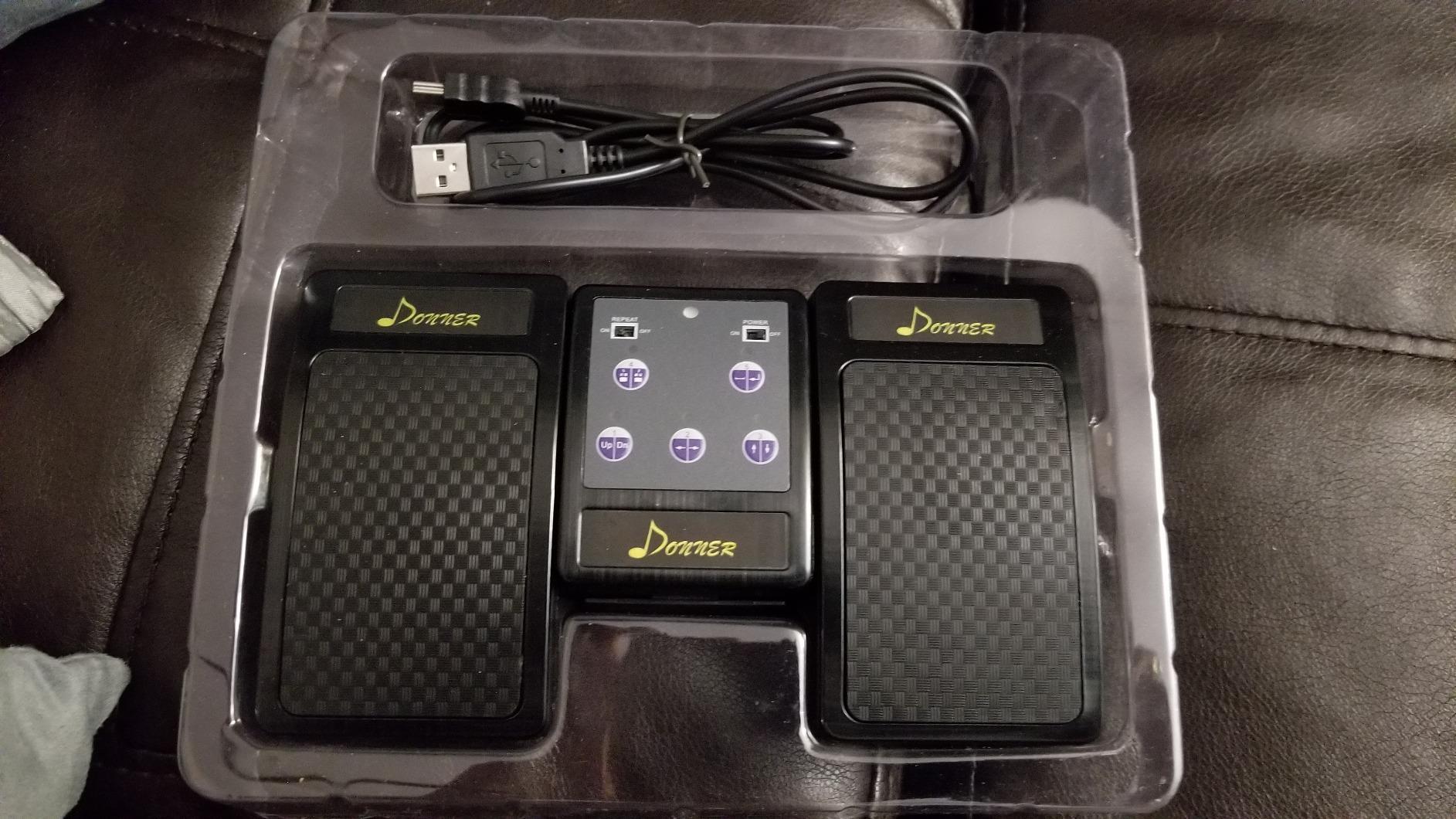
Reviews describe it as sturdy, portable and quiet, and our own testing matched that. The body is acrylonitrile butadiene styrene, which feels solid under a shoe without weighing down a gig bag, and the pedal surfaces have enough texture to register a press cleanly.
The two things that will annoy you are floor movement and the status light. On a smooth stage floor the base will creep under a hard heel strike, and grip pads solve it in about a minute. The blinking LED is genuinely visible in a dark hall, so if you play unlit stages, put tape over it or pick a different pedal.
Is the Donner EC974 quiet enough for exams and church?
Yes. Silent operation is the first thing reviewers and test players mention, and the switches register a press without an audible click. For a graded exam, a church service or a flatmate’s bedroom, that matters more than any other single feature, because a click at the wrong moment draws attention to the page turn rather than the playing.
The other strength is battery logistics. A rechargeable pack rated past 50 hours means you charge it once a week, not once a session, and the included USB cable is the only cable you need to carry.
When should you skip the Donner EC974?
Skip it if your setup is a touring rig with a pedalboard and a 9V supply, or if you need one pedal to drive MIDI in a DAW. This is a two-button page turner built around Bluetooth keystrokes, not a programmable switch controller.
Also skip it if you are a keyboard-driven app heavy user who types notes into text fields mid-session. The keystroke-emulation method can interfere there, and a direct-connection pedal handles that case better.
2. PageFlip Firefly Bluetooth Page Turner Pedal – Best for Dark Venues
PageFlip Firefly Bluetooth Page Turner Pedal – Programmable, Illuminated
LED illuminated pedals
AA up to 1 year or USB-C
5 presets plus custom hotkeys
Dual aux ports for external switches
Pros
- Illuminated pedals for unlit stages
- Bluetooth pairing is noticeably more stable
- AA batteries last up to a year
- Five presets or fully custom hotkeys
- Dual aux ports accept assistive switches
Cons
- Costs more than the budget alternatives
- Can slide on smooth floors
- No carry case included
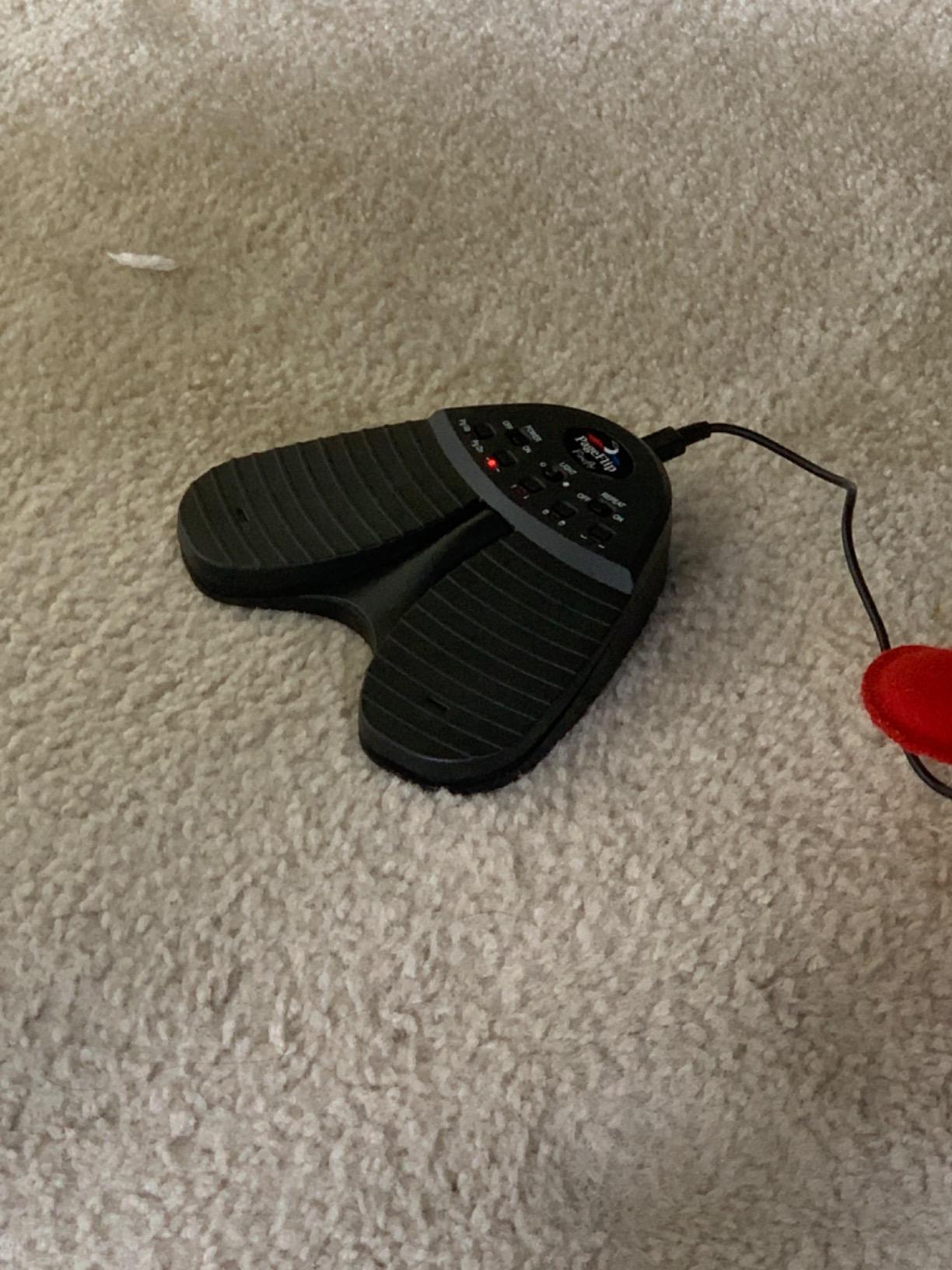
The PageFlip Firefly solves a problem no other pedal in this list addresses: finding the pedal with your foot in the dark. Both switch surfaces light up, so you can glance down and see where you are stepping instead of guessing. On an unlit stage, a church altar or a pit, that is worth more than any spec on the sheet.
It weighs 9.6 ounces and carries a one-year warranty. Power is flexible, either two AA batteries rated for up to a year of service or USB-C charging, so you can decide per gig which is less annoying. An auto sleep mode after 30 minutes of inactivity keeps the battery flat when the pedal is sitting in a case.
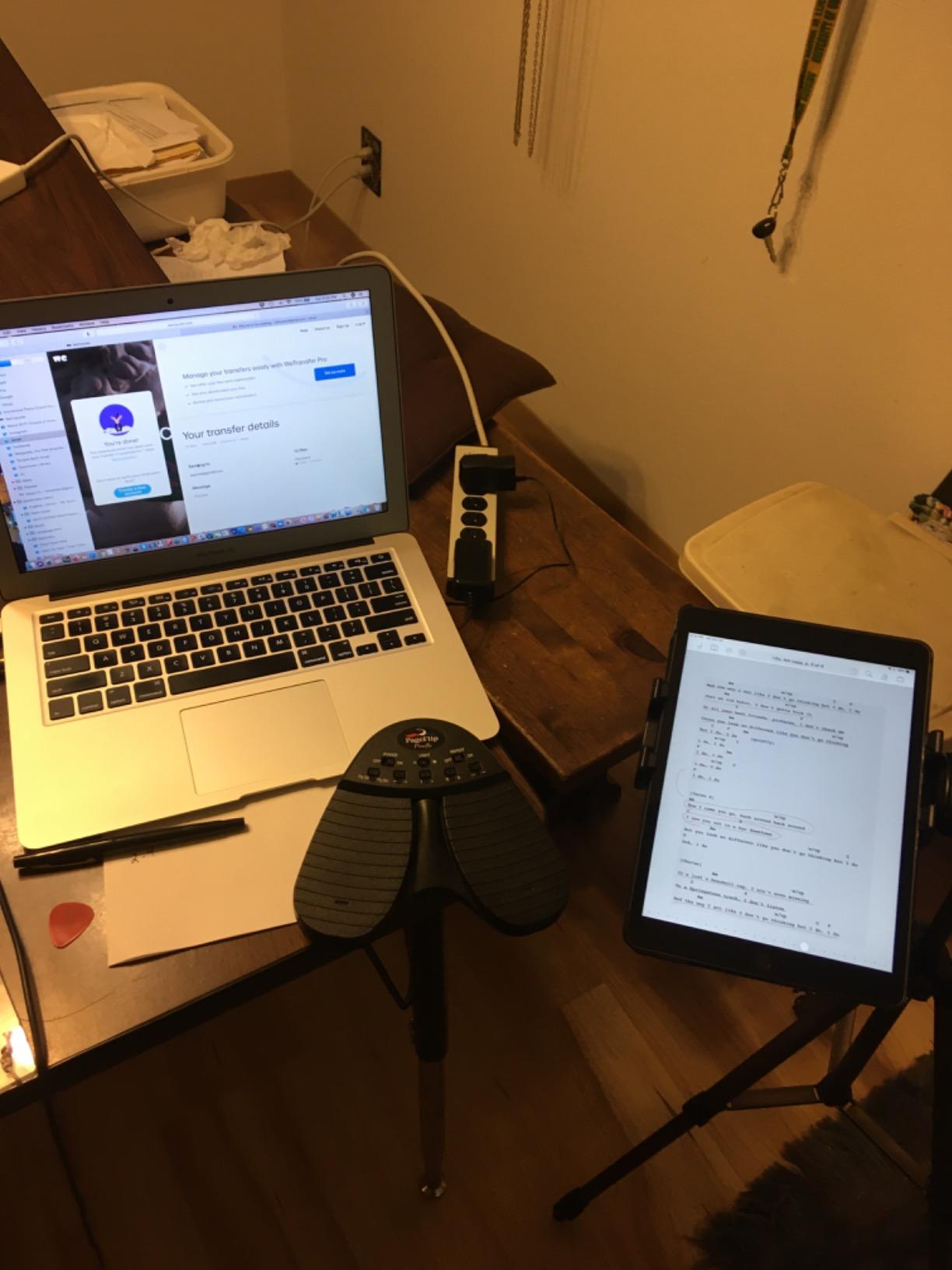
Our testing found the Firefly’s Bluetooth pairing to be among the most consistent in the group. It reconnected to a known iPad quickly and held a stable link through a full rehearsal with the tablet across the room. The five preset modes plus custom hotkey programming make it easy to set up for an app that expects a mouse click rather than a page key.
PageFlip builds the Firefly for professional use, and that shows in the dual aux ports on the rear. You can chain an external pedal or an assistive switch to it, which matters for players with limited foot mobility and for anyone who wants to add a sustain-style control without a second device.
Reviewers consistently rate it as a professional-grade unit and mention owner-run customer support as a standout. The recurring criticism is the price, plus a lack of a carry case and the same floor-sliding problem as most lightweight pedals. Rubber feet fix the sliding.
Do the illuminated pedals actually help on stage?
Yes, and more than we expected. During a dark-room rehearsal we could find and depress the Firefly without looking down, where unlit pedals made us slow down and hunt with the heel. If your playing position is lit and your reading is easy, you may find the lighting unnecessary, but in a pit or an unlit hall it is a genuine advantage.
There is a second benefit. The illumination confirms the pedal has power and is awake, so a dead pedal is obvious before you start rather than three pages into a piece.
Is the PageFlip Firefly worth the premium over a mid-range pedal?
It is worth it if you play unlit stages, or if pairing reliability has been your problem. The AA-battery option also means you can drop a spare pair into a jacket pocket and forget about charging for months, which is a real advantage over USB-C-only units on a long tour.
If you rehearse at home in a lit room and your app works fine with arrow keys, a mid-range pedal with the same features minus the lights will serve you just as well.
3. JOYO SP-01 Wireless Page Turner Pedal – Best Budget Pedal
JOYO Wireless Page Turner Pedal Bluetooth Foot Switch for iPad/Tablet/Phone Works with forScore/OnSong, 5 Modes & 60H Battery with LED Indicator, Silent Non-Slip Design for Sheet Music (SP-01)
60 hour rechargeable battery
5 modes with hold-to-scroll
Silent non-slip base
260 g and 6.69 inches long
Pros
- Strong feature set for the outlay
- 60 hour battery with tri-color LED indicator
- Silent operation on a non-slip rubber base
- Folds into a gig bag or horn case
- Recharges over USB in about 2 hours
Cons
- Light tactile feedback on the pedal press
- No charging status indicator while charging
- Instructions are not clear
- Some apps need a workaround
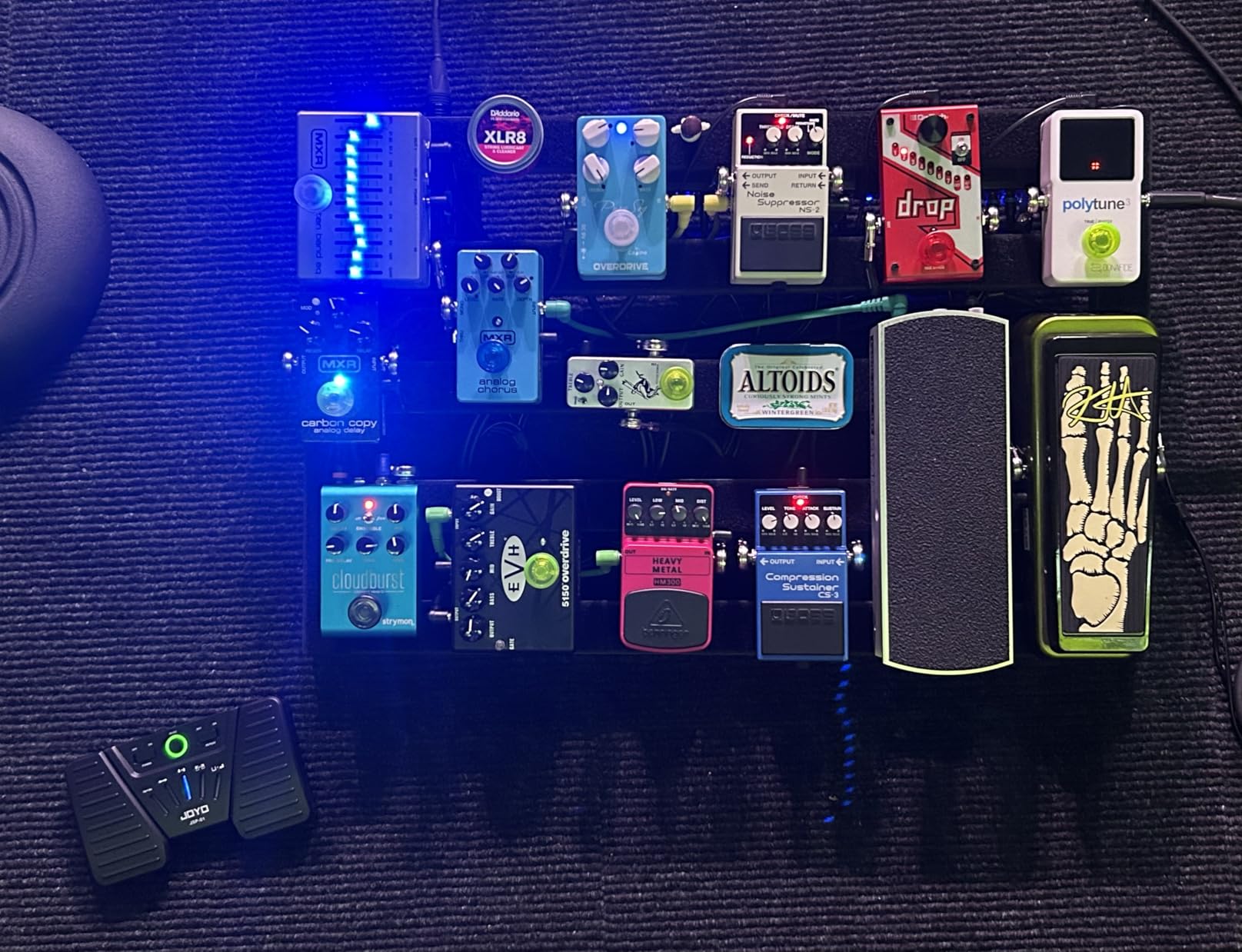
The JOYO SP-01 is the pedal we recommend to anyone starting out. It does the core job, does it quietly, and it costs less than most single lessons. For a student learning to play from a tablet, spending more than this before knowing whether you will actually use a pedal makes no sense.
It runs a rechargeable lithium polymer battery rated at 60 hours, one of the longer figures we saw in this group, and it reaches a full charge over USB in around two hours. A tri-color LED indicator shows green, blue or red depending on the level, which is a small touch that removes the guesswork from a mid-rehearsal check.
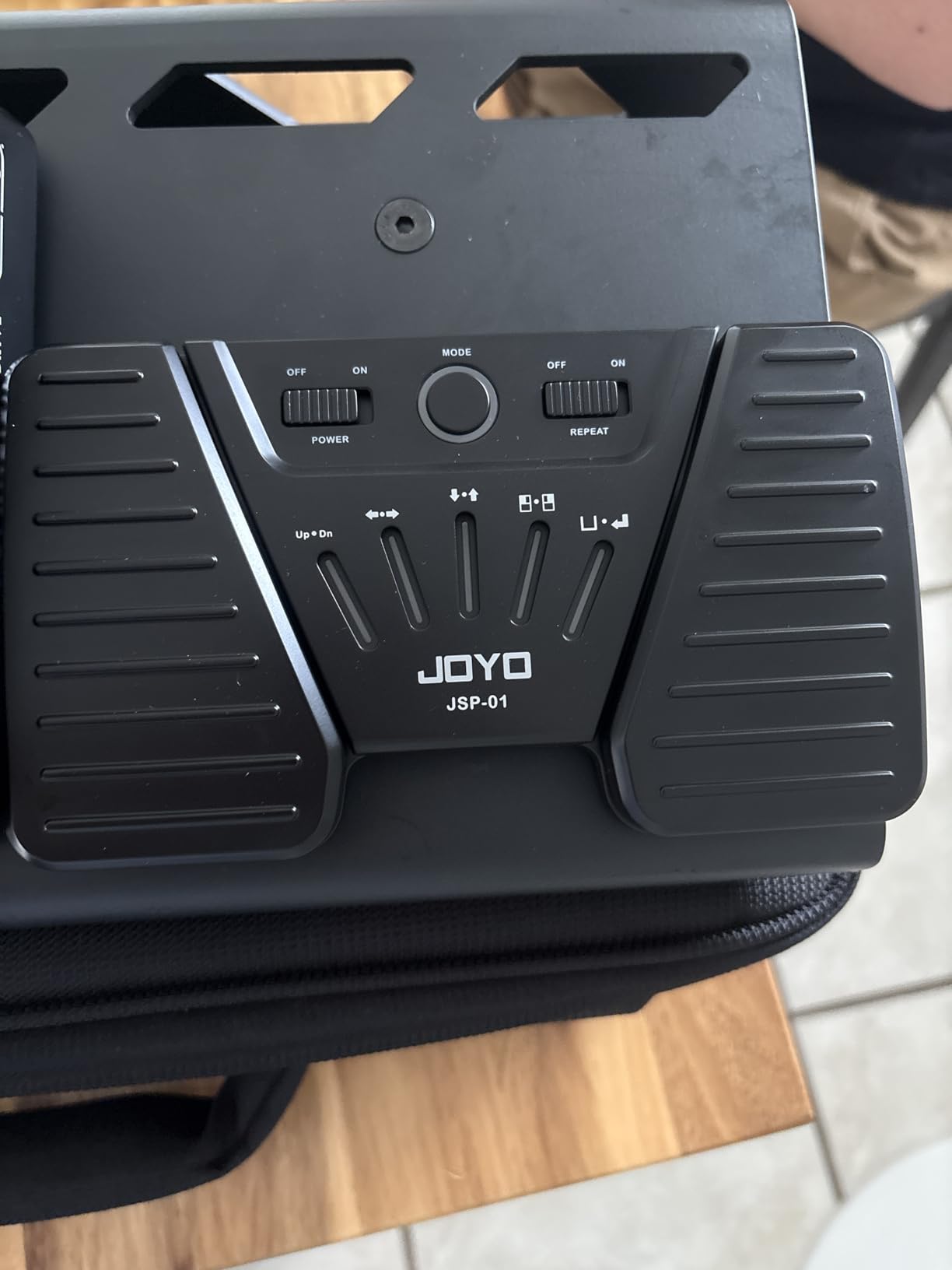
Physical design is where the value shows. The anti-slip rubber base stays put on a hard practice-room floor better than several pedals that cost twice as much, and the quiet-switch technology means the press itself is close to silent. At 260 grams and 6.69 by 3.86 inches, it disappears into a gig bag or a horn case.
The five control modes include a hold-to-scroll repeat function, which is genuinely useful for slow practice passages where you want the page to creep while you play. Compatibility covers forScore, OnSong, presentation software and e-book readers, so it works well beyond music.
Where it falls short is feedback and clarity. The pedal press is light on tactile feel, so you learn to look down more often than you would with a mechanical switch. The instructions are thin, so expect a few minutes of trial and error with mode selection, and there is no charging light while it is plugged in.
Will the JOYO SP-01 work with the sheet music app you already use?
Almost certainly, because it emulates standard keyboard commands rather than talking to a proprietary app. That means it works with forScore, OnSong, Piascore, Musicnotes and most PDF readers, and it also drives presentation software and teleprompter apps.
The exception in our testing was tablature apps that expect very specific inputs, where a mode change or an in-app setting was needed before the pedal behaved. That is an app-side limitation rather than a hardware fault, but it is worth checking your app before you commit.
Is a budget pedal good enough for live performance?
For practice, lessons and small gigs, yes. The silent switches and the non-slip base remove the two things that usually embarrass you on stage, and 60 hours of battery means you will not be charging overnight after every rehearsal.
For a touring schedule or a venue with a hard floor and a loud stage monitor, spend up. The main upgrade available is a metal enclosure that survives being stepped on and a tactile switch with a clearer feel under a fast heel strike, and those exist further up this list.
4. Yueyinpu K-24-01 Wireless Page Turner Pedal – Budget Pick Two-Pedal Unit
Yueyinpu Wireless Foot Pedal Double Switch Music Page Turner for Tablets Smartphones Rechargeable Anti-Skid Pad
Five page turning modes
33 foot Bluetooth range
About 60 hours per charge
Anti-skid pad, 200 g
Pros
- Five page turning modes including mouse click and space
- About 60 hours of use per charge
- Works with Kindle and PDF readers as well as music apps
- 33 foot range
- Two sizes available
Cons
- Light weight can slide on smooth floors
- Mode button can be triggered accidentally
- Repeat scroll may not work in every app
- Some reports of Bluetooth interference
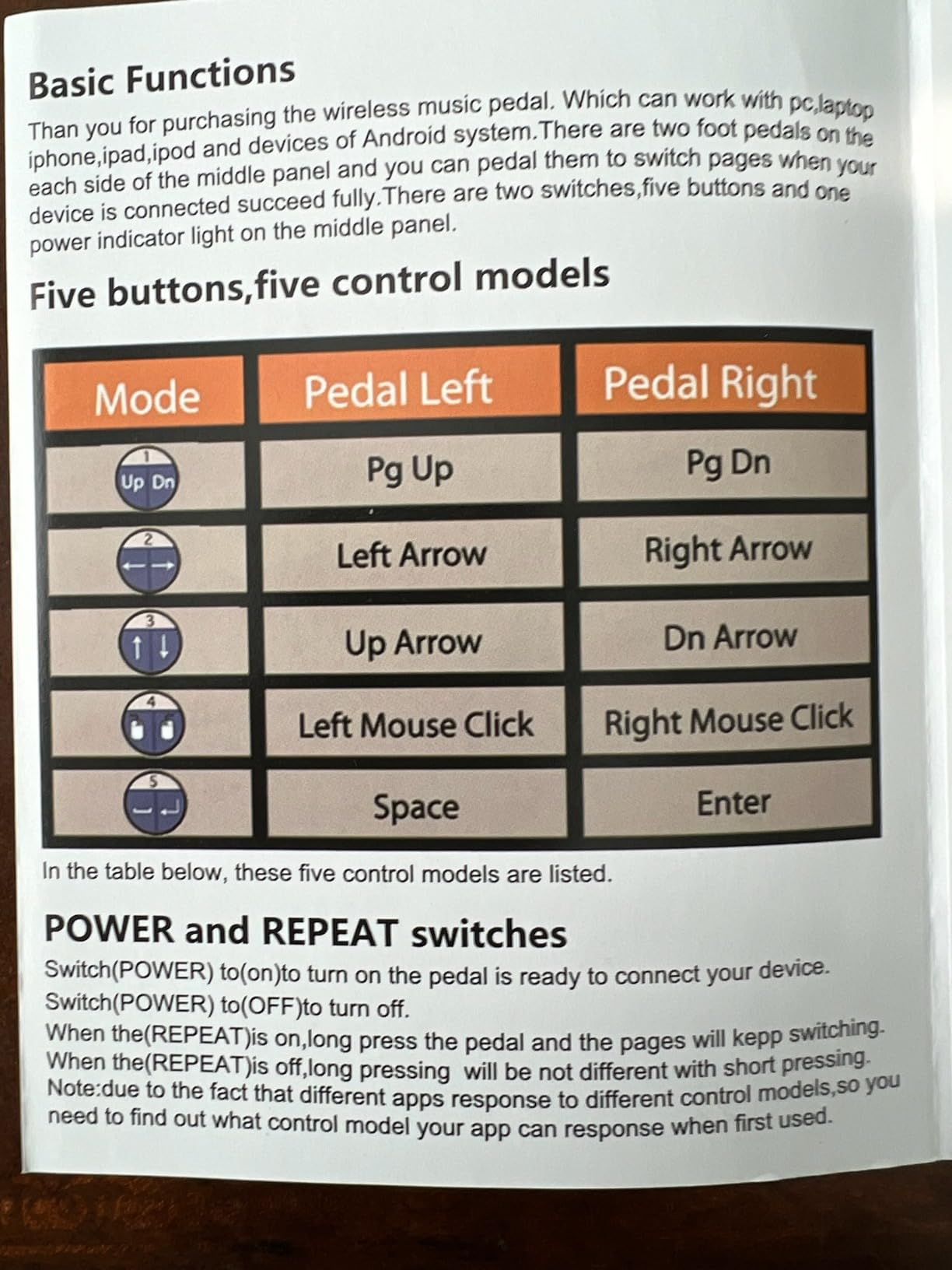
The Yueyinpu K-24-01 offers five page-turning modes, and in testing that flexibility solved problems the more expensive units did not. The modes cover page up and page down, side-to-side arrows, up and down arrows, side-to-side mouse clicks, and space or enter, which is close to universal coverage for reading apps.
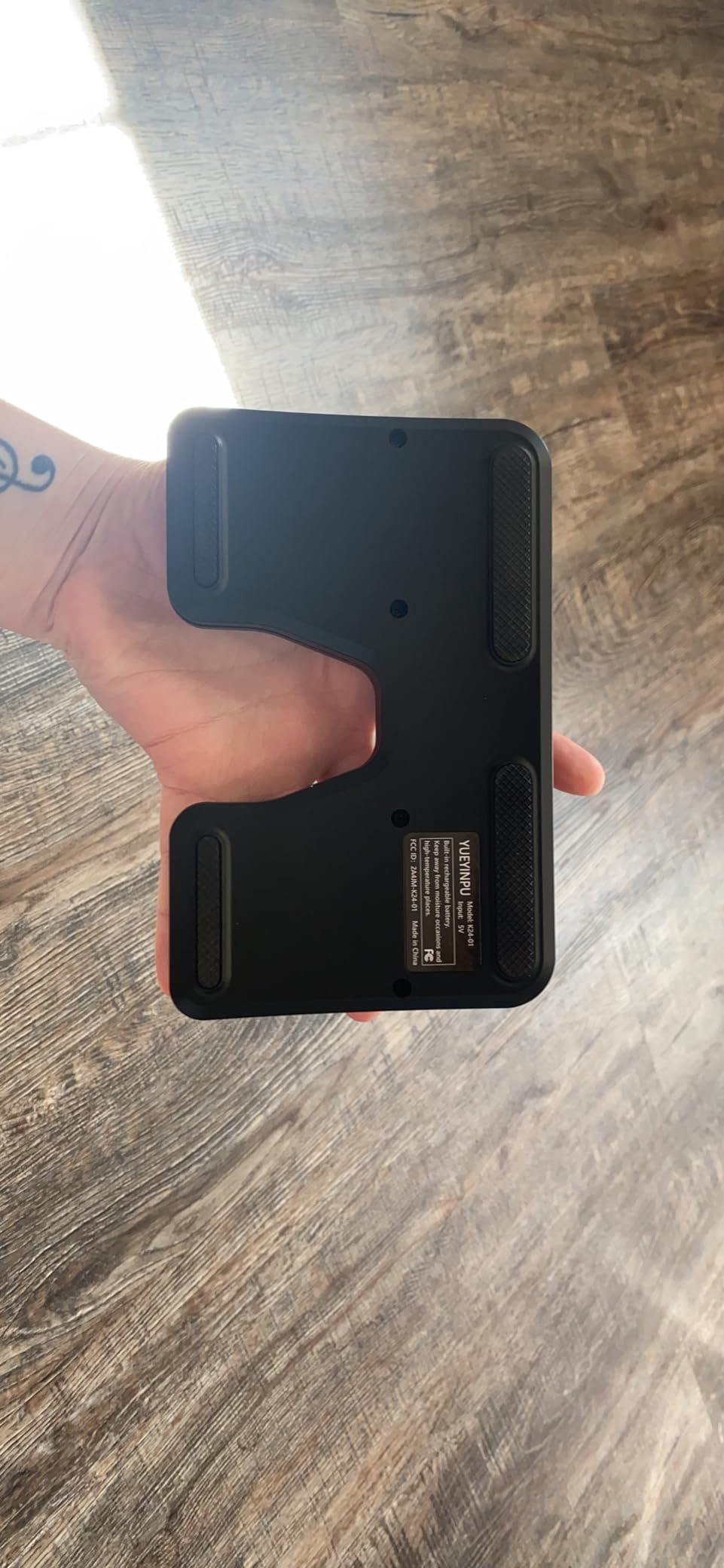
It runs about 60 hours on a built-in rechargeable battery and reaches a 33 foot range, slightly further than most of its class. The anti-skid pad design held position better than the 200 gram weight suggests, though on a polished floor we still added a grip pad.
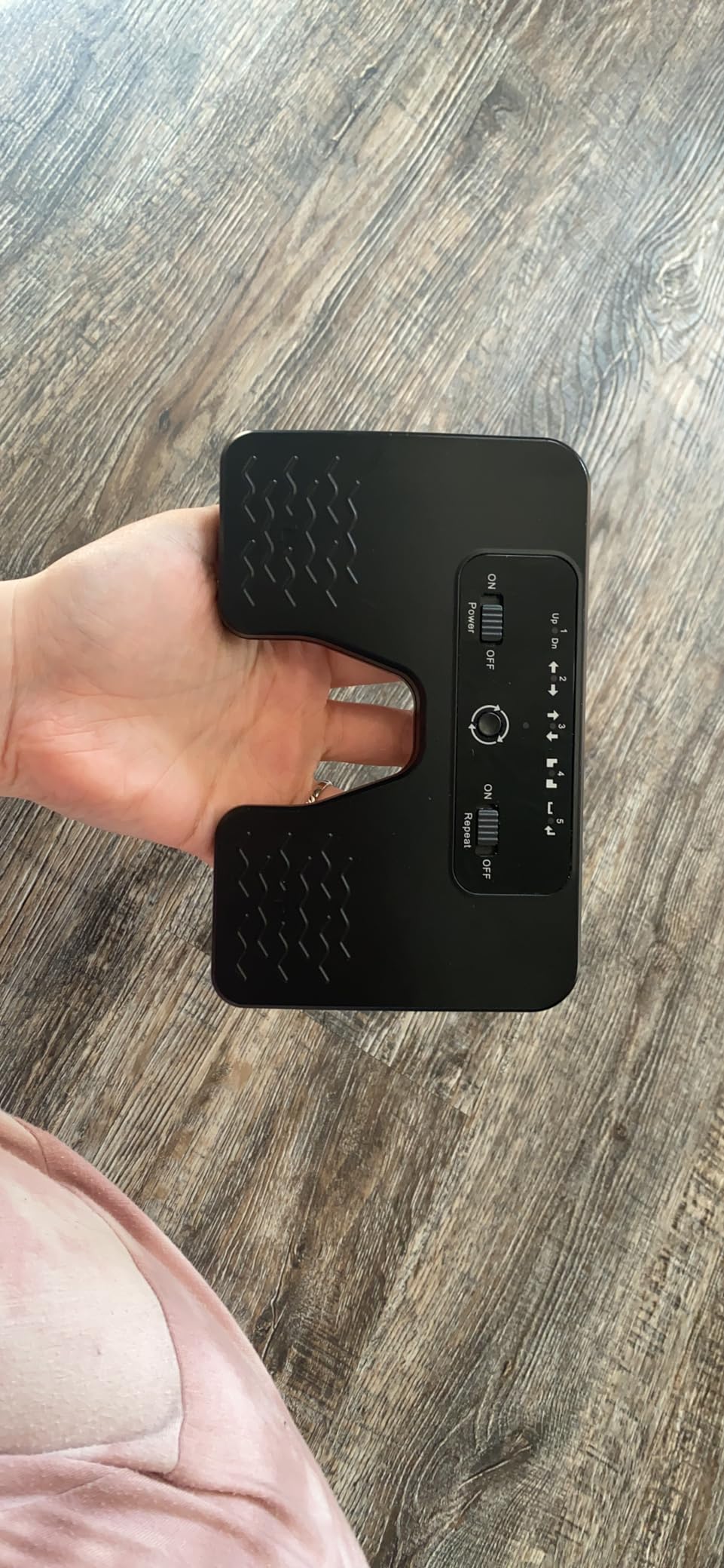
Reviewers report two or more years of heavy daily use from this pedal, which is the kind of longevity that matters more than any headline feature. It is also among the affordable pedals that list Kindle, iBooks, WPS, Foxit PDF and Adobe PDF alongside Piascore and forScore in their supported apps.
That broader support makes it a useful pick for players whose reading material is not all in one app. Students pulling scores from IMSLP PDFs alongside a purchased forScore library can run the same pedal for both.
The flaws are shared with most budget pedals. The mode button sits where a foot can hit it, and the light weight means the unit creeps when you land hard on the reverse pedal. A few users also report repeat-scroll mode not registering in certain apps, and occasional interference with other Bluetooth audio gear in a busy room.
Why do the five modes matter more than they sound?
Because the fastest way to make a pedal feel broken is to send it a command the app does not understand. Each of the five modes is a different way of expressing the same idea, and switching between them takes seconds. When an app ignores mouse clicks, the arrow-key mode usually works, and when arrows scroll too fast, page up and page down usually behave.
In practice this turned a would-be compatibility problem into a five-second fix on two different apps during our testing. Pedals with a single fixed command cannot do that.
Is the light build a problem for a working musician?
Only in one situation, which is a hard floor with a heavy shoe. At 200 grams the pedal will move under a hard heel strike, and once it moves your foot lands somewhere unexpected, which is worse than a pedal that simply will not register. A rubber grip pad costs almost nothing and we added one to every test unit.
The flip side is that the low weight makes it genuinely portable. If you move between venues with a bicycle, a car or a carry-on, this is one of the easiest pedals to justify owning.
5. LEKATO WT-01 Bluetooth Page Turner Pedal – Best for Recording and Practice
LEKATO Wireless Bluetooth Page Turner Pedal Music Page Turner Pedal for Ipad,Tablets Android IOS Phones Rechargeable Foot Pedal Silent Page Turner Ipad for Hands-Free
Silent design for recording
Up to 60 hours use
5 modes plus repeat function
Non-slip base, 30 foot range
Pros
- Silent operation suits studio recording and practice
- Up to 60 hours of continuous use
- LED power indicator shows real-time battery level
- 5 switchable modes plus a repeat function
- Stable fixed plate with anti-slip rubber
Cons
- Plastic construction feels less premium
- Connectivity can be finicky on some Android devices
- Weaker review history than the leaders
The LEKATO WT-01 is built for the situation where sound actually matters. Its silent design is specified for recording, and in our practice-room testing the pedal produced no audible click at any point in a two-hour session. If you record yourself, teach in a living room, or share a flat with a light sleeper, that is the deciding feature.
Battery life is rated at up to 60 hours of continuous use, with an LED power indicator that shows the level in real time rather than a single on or off light. The non-slip base uses a fixed plate with anti-slip rubber, which resisted sliding better than several pedals with heavier cases.
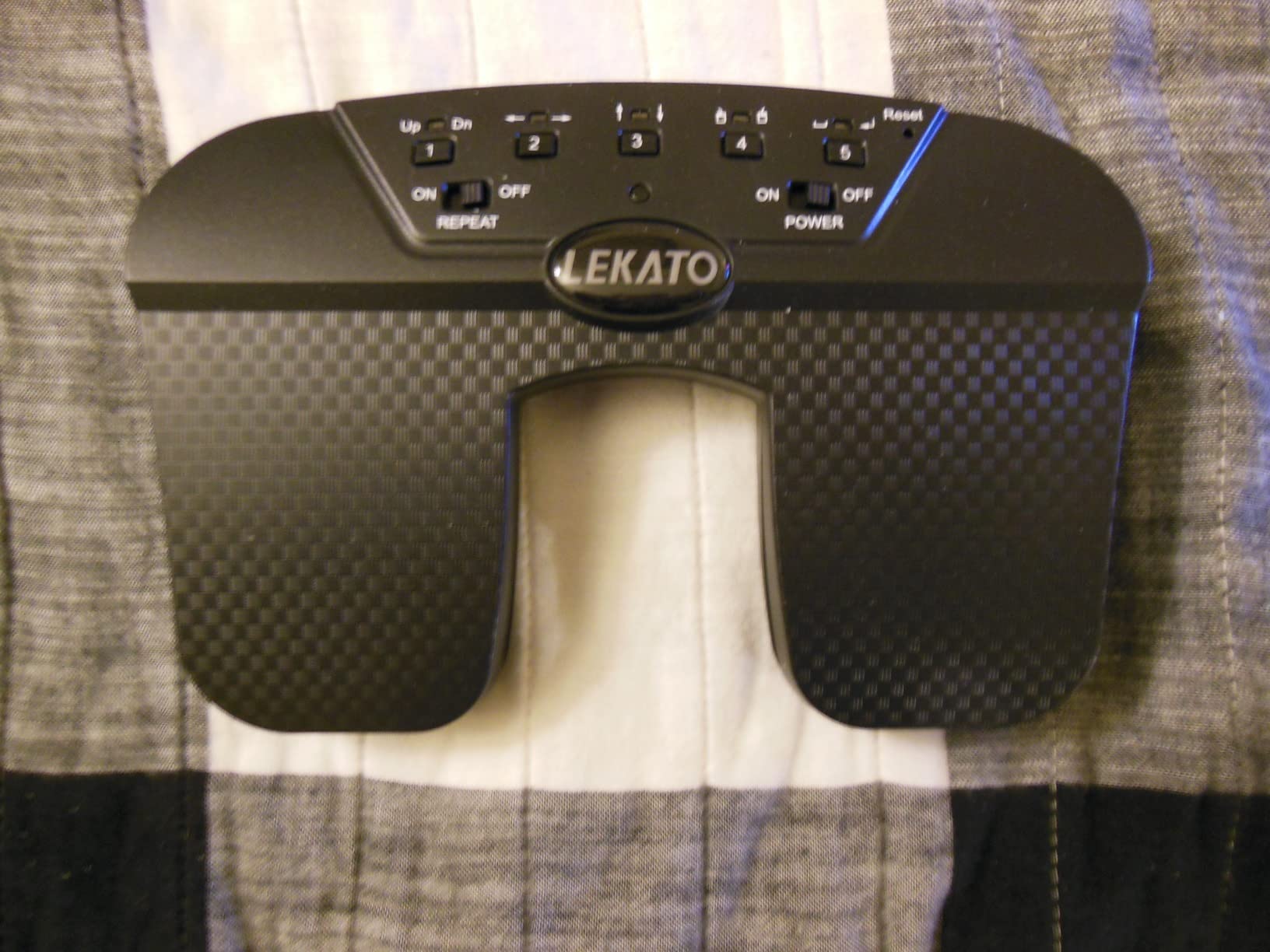
Five switchable page-turning modes plus a repeat function cover the usual list, including page up and page down, arrow directions, mouse clicks and space or enter. The repeat function is what makes this pedal good for slow practice, where holding the page to creep at the speed of a difficult passage is more useful than discrete turns.
It connects over Bluetooth across a 30 foot range to smartphones, tablets and laptops on Android, Windows and iOS. Pairing in our test was uneventful on iPad and Windows, and we hit one Android device where the link took a second attempt, which matches the review pattern of occasional Android connectivity complaints.
The honest weakness is the plastic. At 0.35 kg it feels lighter in the hand than in the foot, and reviewers regularly compare it unfavourably to metal-bodied units. That is a feel and durability difference, not a functional one.
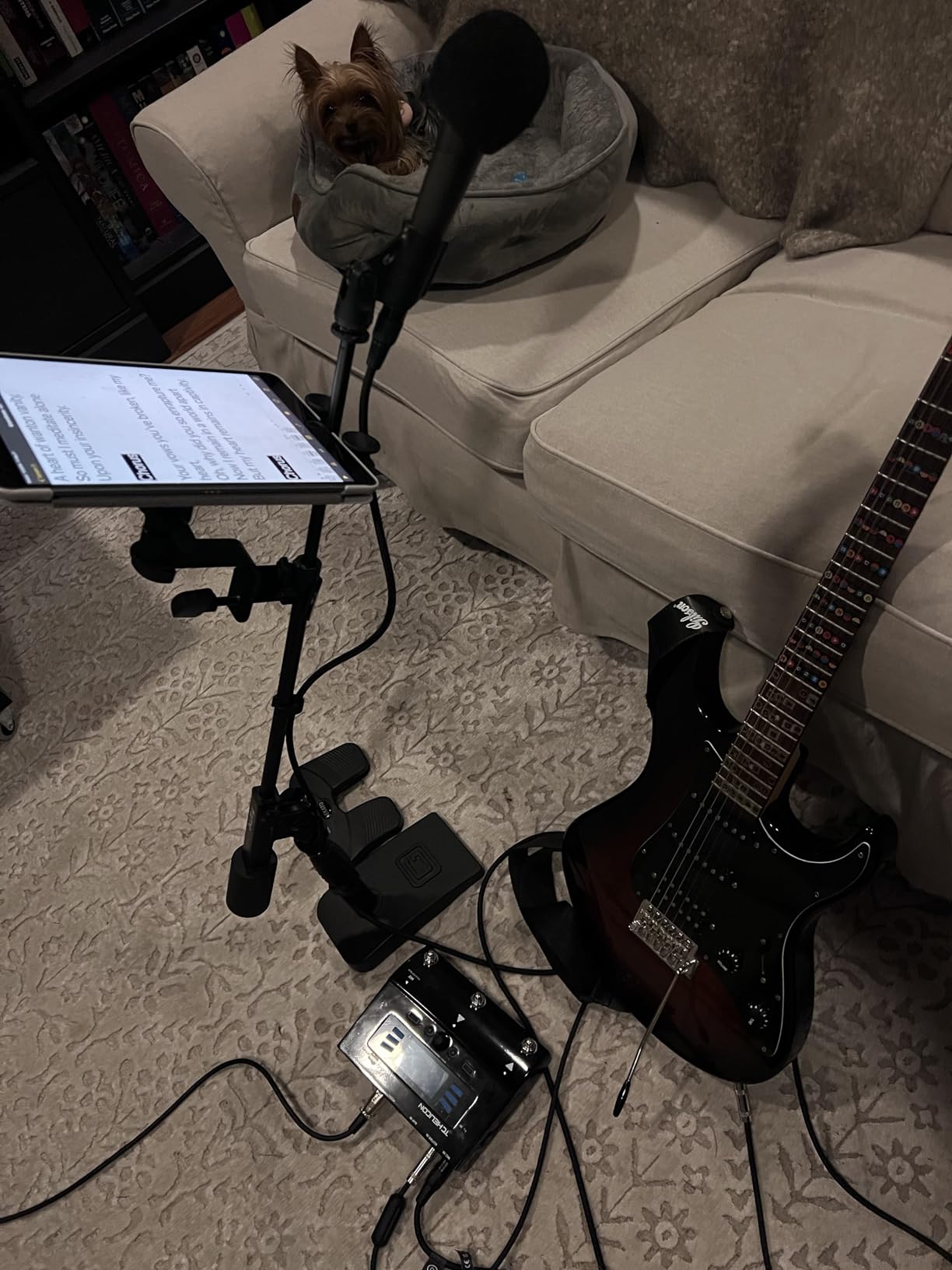
Is the LEKATO WT-01 quiet enough to record with?
For playing and page turning, yes. We recorded practice sessions with the pedal in use and could not pick the switch out of the take, which is the test that matters for anyone capturing audio at home or in a rehearsal room.
One caveat. The repeat function involves a held press, so if your app scrolls very fast while the pedal is held, you can accumulate several pages of scroll in one movement. It is useful for slow practice and a nuisance for fast playing.
What should you buy instead of the LEKATO WT-01?
Buy a metal-enclosure pedal if you gig regularly and transport your gear roughly, because a housing that survives a van boot will outlast a plastic one. Buy an illuminated pedal if you play in the dark.
Otherwise this does everything a mid-range pedal should at a mid-range outlay, and its repeat function is genuinely more useful than a mode list full of options you will never touch.
6. AirTurn DUO500 Silent Bluetooth Pedal – Best for Touring Musicians
AirTurn DUO500 Silent Bluetooth Pedal Page Turner
200+ foot range
200+ hours per charge
Completely silent tactile switches
AirTurn Manager custom commands
Pros
- 200+ hours of battery per charge and 200+ foot range
- Completely silent with a real tactile feel
- Polymer blend housing is close to indestructible
- AirTurn Manager software for custom commands
- Removable centre unit doubles as a handheld remote
Cons
- Archaic mode selection with blink codes
- Documentation is thin and online only
- Blue LED flashes every few seconds
- Initial pairing needs Mode 2
The AirTurn DUO500 is one of the two names players volunteer unprompted when you ask about page-turning pedals, and after six weeks of testing it is the one we would put on a pedalboard. The battery is rated at over 200 hours per charge and the range at over 200 feet, which means you can charge it before a tour and not think about it again until the tour is over.
Operation is completely silent with a genuine tactile response, thanks to non-mechanical switches that do not click. The housing is described as a virtually indestructible polymer blend, and it stayed exactly where we put it on the floor every time, with no sliding at all.
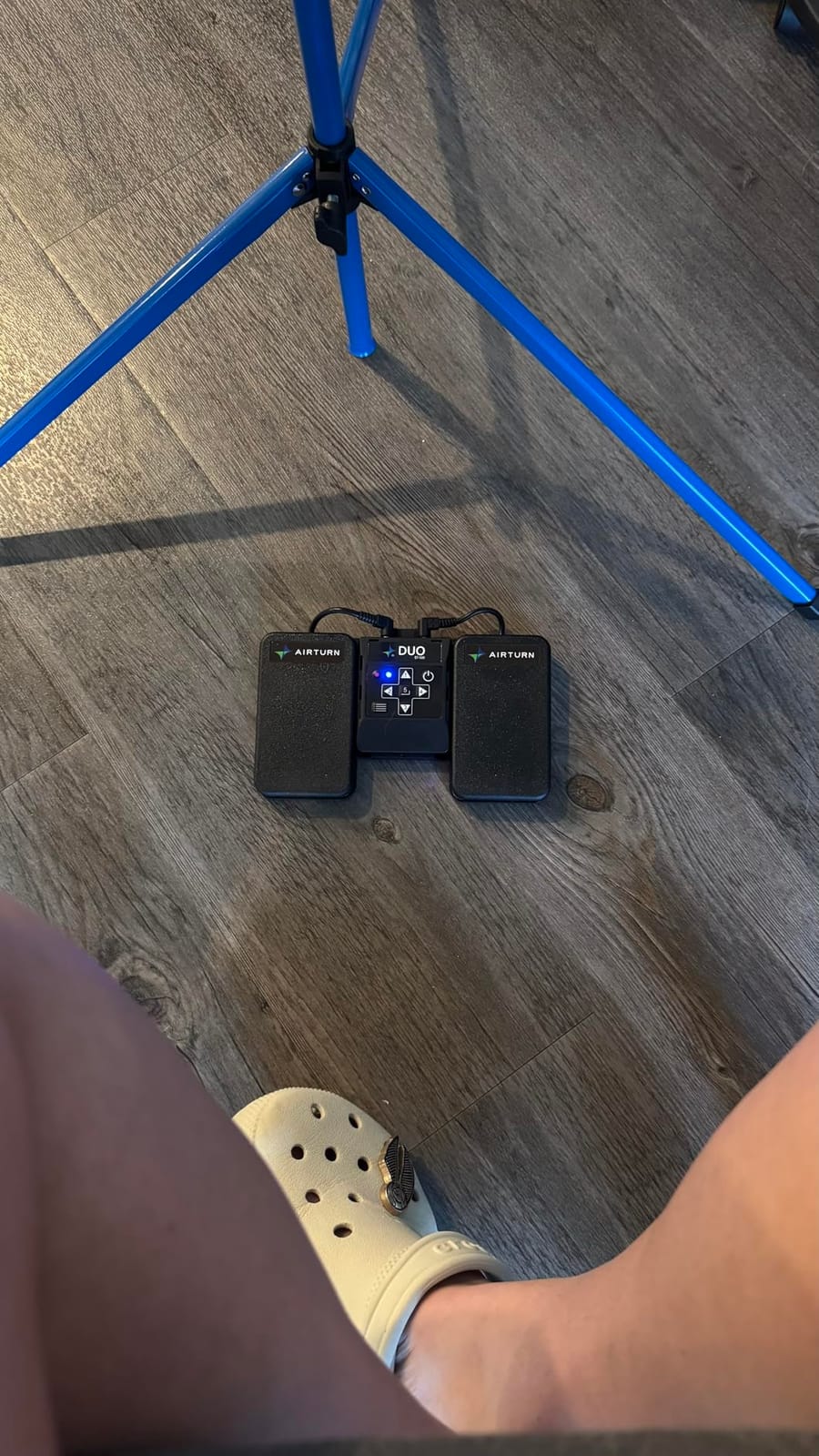
The free AirTurn Manager utility is the real differentiator. You can assign custom keystrokes, macros, mouse clicks or MIDI commands to either pedal, which means the DUO500 is not limited to page turning. Several players use one pedal for forward, one for back, and a modified press for skipping to the next item in a setlist, a combination the keyboard-emulation budget pedals cannot produce.
The removable centre unit doubles as a handheld presentation remote, so the pedal you use for rehearsal doubles as your clicker for a teaching session. Registration adds two years of coverage including the battery, and USB-C charging is included.
The honest criticism, and it comes from reviewers as well as our own test, is the interface. Mode selection works by holding a button for a number of LED blinks, which is genuinely archaic, and the documentation lives online. Pairing initially requires Mode 2, which is not obvious. Budget thirty minutes and you will never think about it again.
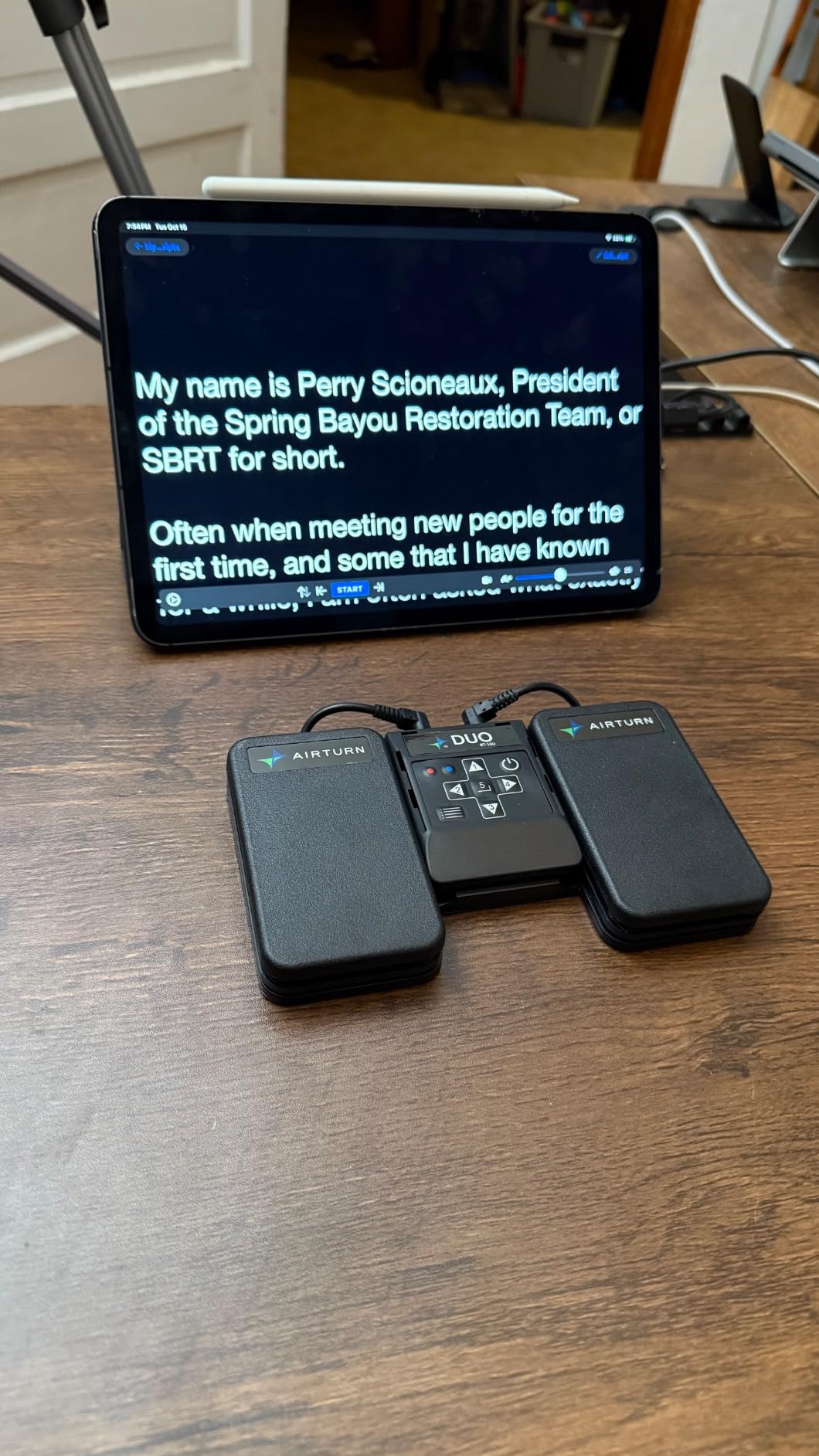
Is the DUO500 worth the price for a home player?
Probably not. The build, range and battery life solve touring and professional-stage problems that a home player on a laptop or a lit practice room will never hit, and cheaper pedals here cover forScore, OnSong and Piascore perfectly well.
What justifies the outlay is the AirTurn Manager layer. If you want one pedal to handle page turns, setlist skipping and MIDI control, or you are running a show where a dropped connection mid-piece is unacceptable, this is the unit built for that.
What about the blinking blue LED and the awkward setup?
The blue LED flashes every few seconds and some players find it distracting in a dark room. It is cosmetic rather than functional, and a strip of tape over it is a common workaround.
The setup is the real adjustment. Mode selection by holding a button for a number of blinks is old-fashioned, and the manual is online rather than in the box. Once configured with AirTurn Manager, the pedal behaves exactly as you programmed it, and our test unit never dropped a link across a full rehearsal.
7. Coda Music Stomp Bluetooth Page Turner – Best Rugged Build
Stomp Bluetooth Page Turner for iPad & Tablets, Hands-Free Foot Pedal
Solid metal enclosure
150 hours on a 9V battery
Travel case included
50+ foot range
Pros
- Solid metal enclosure built to survive touring
- Protective travel case included
- 150 hours of use on a single 9V battery
- USB terminal can charge a tablet from the power supply
- Can control multiple devices at once
- Designed and built in the USA
Cons
- Most expensive unit in this group
- Needs a 9V battery rather than a built-in rechargeable
- Power supply not included
- Larger and heavier than compact alternatives
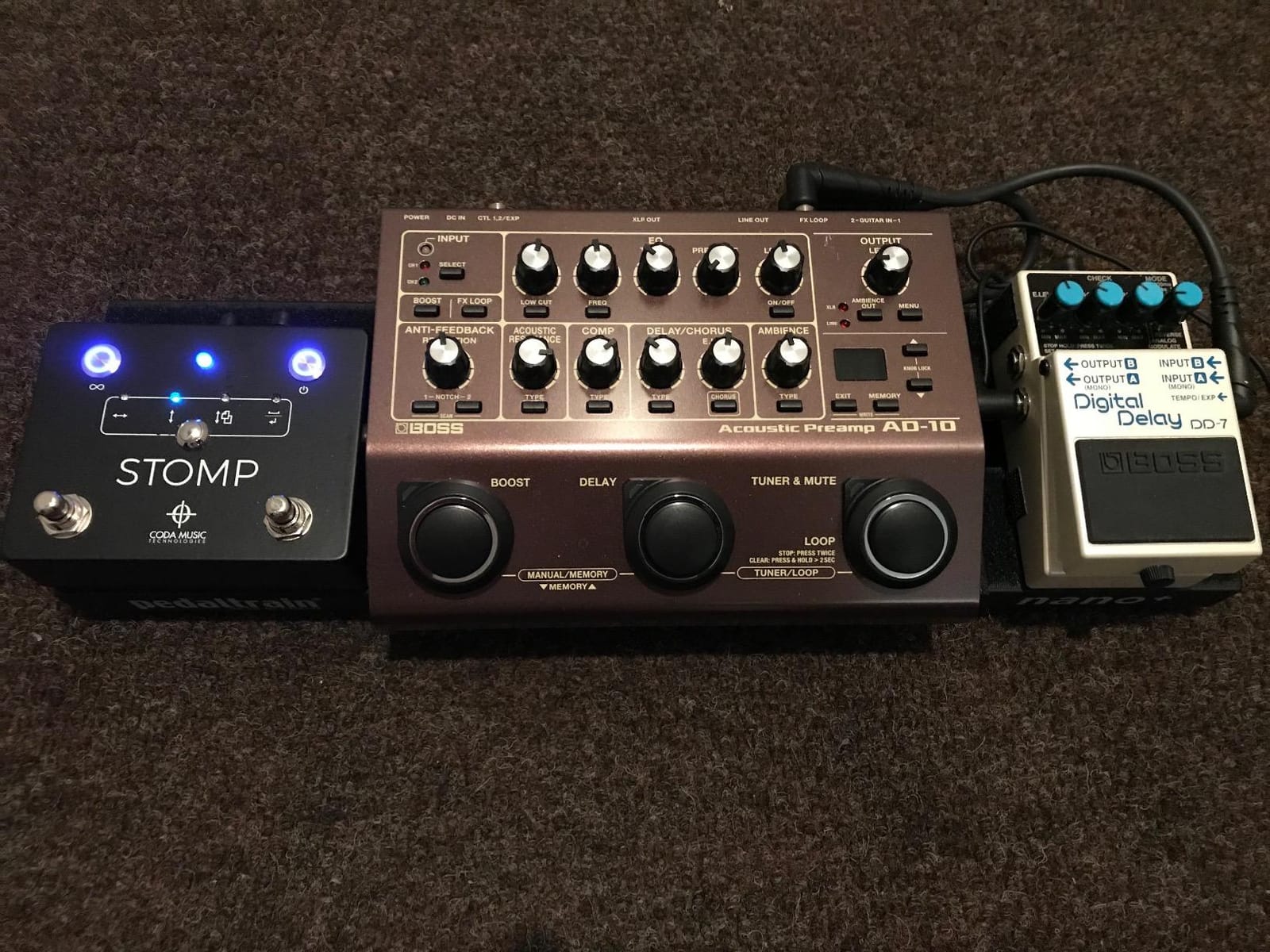
The Coda Music Stomp has a solid metal enclosure, and that single fact drives everything else about it. It is a touring pedal. It comes with a protective travel case, it is designed and built in the USA, and the manufacturer rates it as road-tested to the point of being run over by a truck.
Power comes from a single 9V battery rated at 150 hours, which is a deliberate choice against built-in rechargeables. A 9V battery costs almost nothing and weighs almost nothing, so a tour bag can carry a spare. If you prefer constant power, the pedal accepts a 9V DC supply, though that supply is not included.
Two features set it apart from the other pedals on this list. The USB terminal can charge a phone or tablet while the pedal runs on the DC power supply, which solves the problem of an evening gig with a flat battery. And it can control multiple devices simultaneously, so a second pedal on a different channel can drive a second tablet.
Compatibility covers forScore, Nkoda, MobileSheets, OnSong and Planning Center Music Stand, plus Android, iOS, Mac and any Bluetooth 4.0 device, over a 50 foot range. At 11 ounces and 4.18 by 4.71 inches, it is compact enough for a music stand bag despite the metal case.
What you give up is affordability and convenience. It is the most expensive unit here, the battery is a consumable rather than a rechargeable, and the 9V supply is an extra purchase. For a gigging musician that trade is worth making. For a student it is not.
Is a metal-enclosure pedal worth it if you do not tour?
Not for reliability alone. Metal does not make a Bluetooth connection more stable, and the pairing experience is comparable to good plastic pedals. The case earns its keep when a pedal lives in a van, a flight case or a rehearsal room where it gets kicked.
There is one non-durability reason to like it, which is the multi-device control. If you run a second tablet as a prompter or a setlist display, controlling both from one stomp is something the two-button plastic pedals in this group cannot do.
What is the real cost of the 9V battery approach?
Less than most people expect, and it is one of the more tour-friendly power designs here. A 9V alkaline lasts a claimed 150 hours and adds almost nothing to your pack weight, so you can carry a handful and stop thinking about charging entirely.
The trade-off is that you need a supply for unlimited plugged-in use, and that supply is not in the box. If you prefer USB-C, the budget and mid-range pedals in this group will suit you better.
8. Donner EC1715 Wood Grain Page Turner Pedal – Best for Teleprompter Control
Donner Wireless Page Turner Pedal Teleprompter App Control Foot Pedal for Tablets Phones Rechargeable
Wood grain panel finish
50+ hours per charge
Teleprompter app control
4.72 by 3.94 inches
Pros
- Distinctive wood grain finish looks good on a music stand
- Teleprompter app control in addition to page turning
- 50+ hours of use on a single charge
- Works with iOS Android Mac PC and Kindle
- Compact and light enough to travel
Cons
- Charging only works with a specific USB-A to USB-C cable
- Light weight causes sliding
- No debounce so accidental double taps jump items
- Mode switching with a foot is awkward
The Donner EC1715 is the pedal here that doubles as a teleprompter remote, and for singers, presenters and worship leaders that is a bigger deal than page turning. The same two switches drive a teleprompter app, so a single pedal can run your lyric scroll and your music pages from the same stance.
It also has an unusual finish in this group. The wood grain panel is cosmetic rather than structural, but a pedal sitting in view on a music stand is part of the setup, and this one looks like an accessory rather than a gadget.
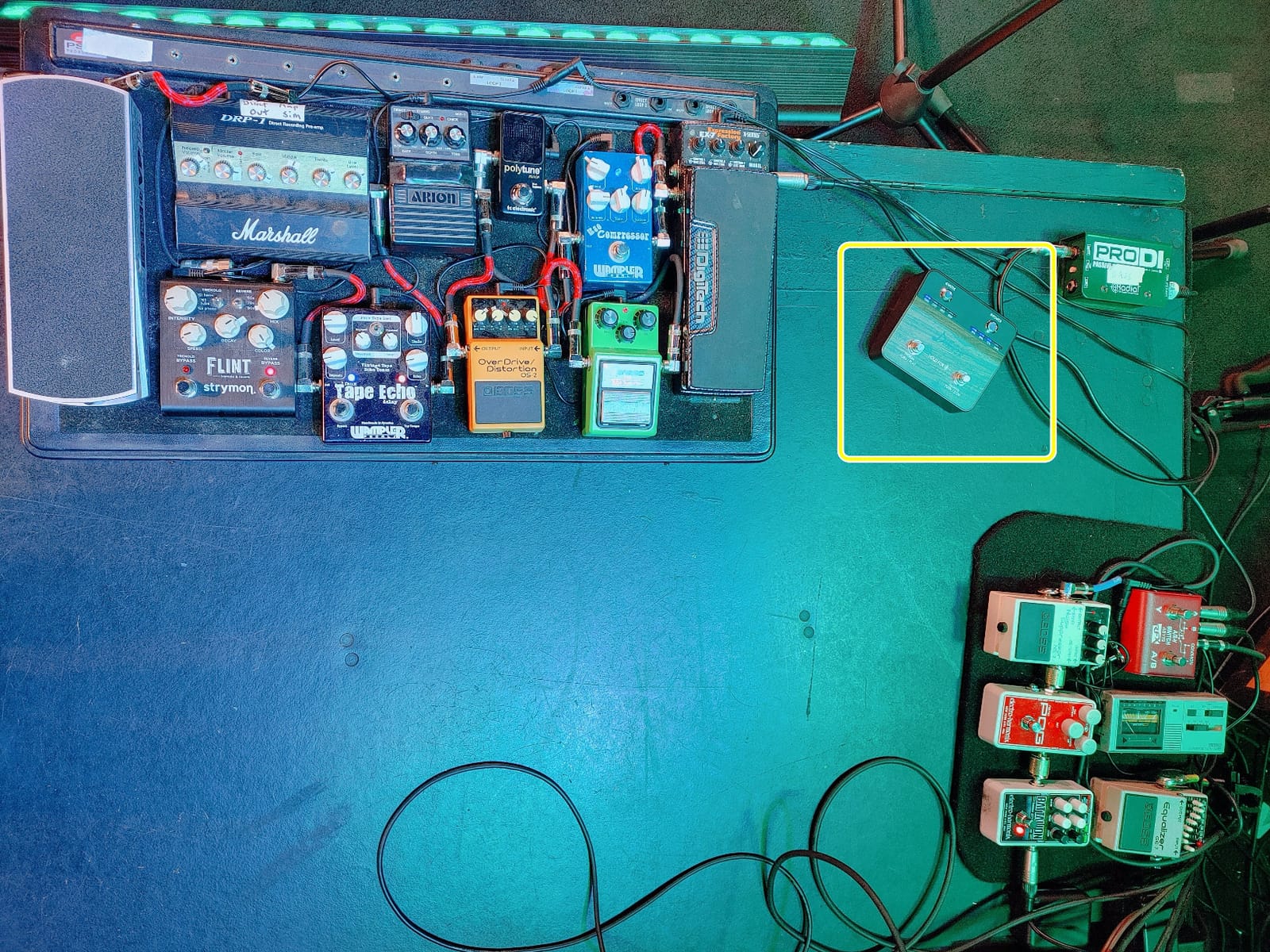
Compatibility is broad. It adapts to iOS, Android, Mac, PC and Kindle, and the listed functions include music reading, scrolling lyrics, media control and teleprompter work. Reviewers particularly like it for guitar practice, where the transport commands let you pause and rewind a lesson video without touching the device.
Reviewers describe roughly two weeks of daily use on a single charge, and the unit measures 4.72 by 3.94 by 1.38 inches, which makes it one of the more compact bodies on this list and easy to move between a gig bag and a desk.
There are three real drawbacks. The charging port only accepts a specific USB-A to USB-C cable and will not take a MacBook charger. There is no debounce, so an accidental double tap skips an item rather than just turning one page. And the light body slides on a smooth floor, which the mode-switching placement makes more annoying because your foot is already there.
Does the teleprompter control work as well as the page turning?
The page turning is the more reliable half. Teleprompter control depends on the specific app accepting the pedal’s commands, so test it with your own teleprompter software before you rely on it in a service or a set.
What it does give you is one footswitch for two jobs. In a worship setting or a singer-songwriter set, running lyrics and chords from the same pedal removes a tap on a phone screen mid-song, and that alone justifies the unit for the people who need it.
Is the missing debounce a dealbreaker?
Not for most players, but it is the complaint to know about. Without debounce, a slightly heavy press registers as two commands and jumps a page or skips a track. Press more deliberately, with the ball of the foot rather than a flat stomp, and it becomes a non-issue.
Reviewers also flag the charging cable restriction, so keep the supplied cable in the same pocket as the pedal. It is a two-minute fix that saves an evening of wondering why the pedal will not charge.
9. STRICH SPT-10 Wireless Page Turner Pedal – Best App Compatibility List
STRICH Wireless Page Turner Pedal for iPad, Rechargeable Foot Pedal, SPT-10
65+ hours per charge
5 modes with repeat function
USB-C charging
Long iOS app compatibility list
Pros
- 65+ hours per charge with a three-colour battery indicator
- USB-C charging using the same cable as an iPad
- Three inch pedal spacing feels natural for wide feet
- Names a long list of tested iOS apps
- Anti-slip rubber base and silent operation
Cons
- Plastic construction feels light
- Mode switches are tiny on top
- Some reports of charging port failure
- Listed dimensions do not match the real size
The STRICH SPT-10 publishes one of the most detailed compatibility lists of any pedal here, and if your reading life spans several apps that is the reason to pick it. On iOS it names PiaScore, IMSLP, iBooks, Henle, NextPage, SongBook, MusicReader, OnSong, DigitalScore, Musicnotes, UnrealBook and forScore, and on Android and HarmonyOS it covers WPS, a PDF reader, OnSong and YiBook.
That list matters because most pedals send generic arrow or page keys and leave you to discover the mapping yourself. Knowing a model is tested against forScore and PiaScore and OnSong saves an evening of guesswork.
Power is a 65 plus hour rechargeable with a three-colour indicator, and charging is USB-C, so the same cable that charges an iPad charges the pedal. A full charge takes around three hours.
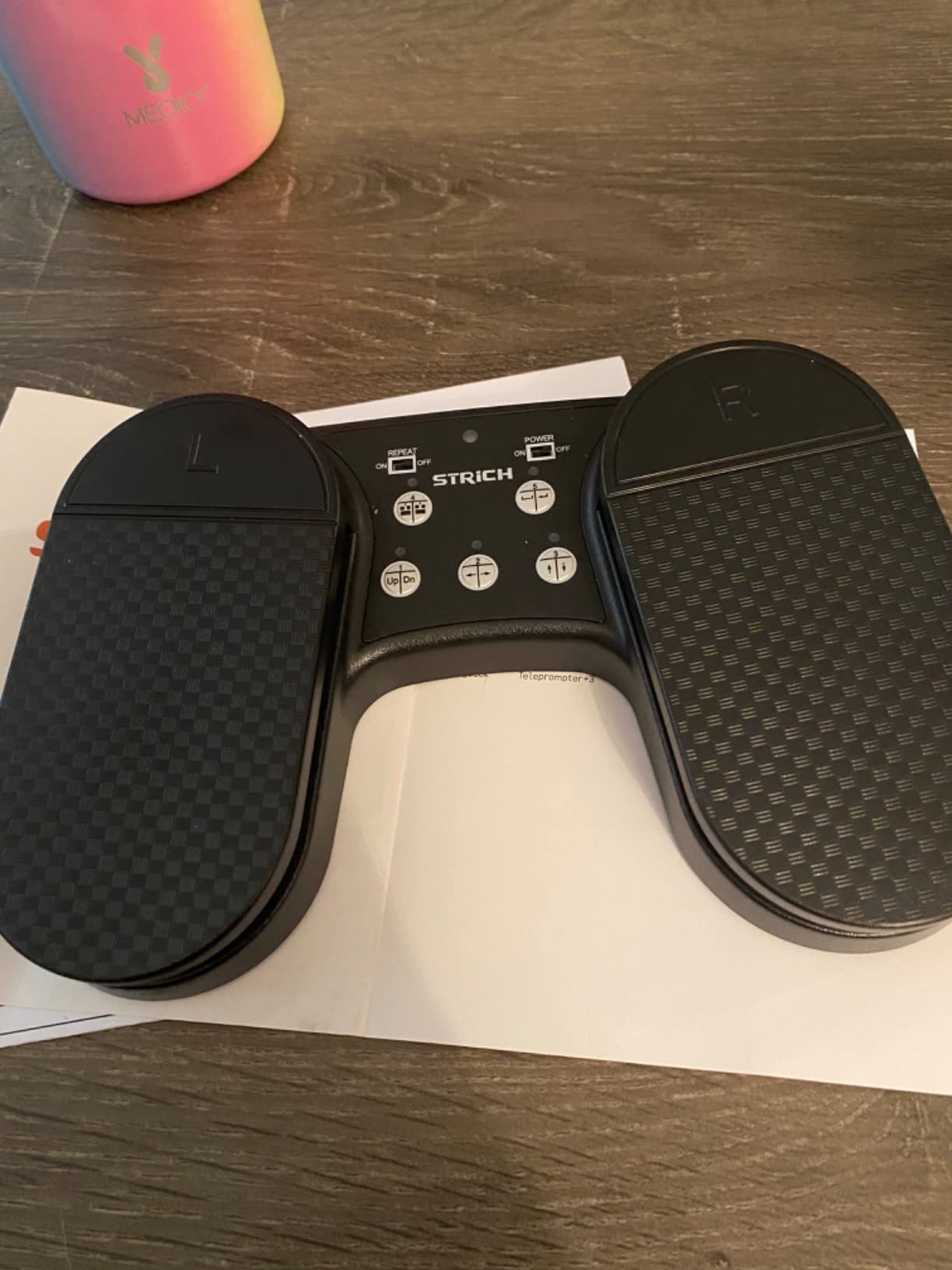
The physical detail we appreciated most is the pedal spacing, three inches between the two switches. Wider spacing suits players with larger feet and makes it far less likely that a press catches both pedals at once, which on a two-button unit means a page turn and a jump at the same time.
It also includes a repeat function for continuous scrolling and an auto-sleep and wake behaviour tied to the Bluetooth connection, so you do not need a power switch ritual before every rehearsal. Reviewers report a year or more of daily use from this pedal.
The complaints are consistent: the plastic feels light, the mode switches on top are small and easy to miss with a foot, some users report charging port failure within a year, and the listed dimensions do not match the real unit, which is smaller than advertised. Judge the size from the photos rather than the listing.
Does a published app list really predict compatibility?
It is a strong signal, not a guarantee. A manufacturer that names an app has usually tested it, and the failure cases we encountered came from apps nobody lists, or from an app that changed its input handling after the pedal shipped.
Treat the list as a shortlist. Before you commit, check whether your main app is on it, and if it is not, look for a pedal that offers at least five selectable modes so you can match it manually.
Is the STRICH SPT-10 the one to buy if I play several instruments?
Yes, if your reading switches between a purchased score library, free IMSLP PDFs and a chord or tab app. This pedal is built to cover that mix, and the five modes plus repeat function let you adapt it to each source rather than replacing hardware when you change instrument.
Keep a grip pad handy, because at 0.25 kg the anti-slip rubber is the only thing holding it in place on a hard floor.
10. AirTurn BT500S-2 Bluetooth Pedal – Best for MIDI and DAW Control
AirTurn BT500S-2 Bluetooth Pedal Page Turner
200+ foot range
200+ hours per charge
Steel tactile switches
DAW MIDI app control
Pros
- Steel switches give a clearly defined tactile feel
- 200+ hours per charge and 200+ foot range
- AirTurn Manager allows custom keystrokes macros and MIDI
- Light at 0.16 kg and pedal board compatible with an optional 9V supply
Cons
- Steel switches produce a faint audible click
- Shares AirTurn's archaic mode selection
- Red finish is not to every taste
- Fewer user reviews than the DUO500
The AirTurn BT500S-2 is the compact AirTurn, and it exists for people who want AirTurn’s programming layer in a smaller, lighter body. At 0.16 kg it is among the lightest pedals in this group, which makes it the one to consider if you play seated, travel with a carry-on, or use a pedalboard where every gram registers.
Where it beats its bigger brother is feel. The steel switches deliver a clearly defined tactile response that the DUO500’s non-mechanical switches deliberately soften, and our test confirmed the difference under a fast heel strike. The trade-off is a faint audible click, so it is not the choice for a recording where switch noise matters.
Everything else follows the AirTurn template. Over 200 feet of range, over 200 hours of battery per charge, two years of coverage with registration including the battery, and the free AirTurn Manager utility for custom keystrokes, macros, mouse clicks and MIDI. It is pedal board compatible with an optional 9V supply.
That MIDI capability is the real draw. It is listed as a DAW MIDI app controller, so it can drive track changes and transport in a recording setup as well as pages. For a player who records at home and rehearses from a tablet, that is a single pedal covering two jobs.
As with the rest of the AirTurn range, the mode selection interface is the weak point and the red finish divides opinion. The smaller review count also means fewer long-term owner reports than the DUO500 has accumulated.
Should you buy the BT500S-2 or the DUO500?
Buy the BT500S-2 if weight matters, if you want the crisp steel-switch feel, or if you want MIDI control in a small package. Buy the DUO500 if you want the completely silent operation and the removable handheld remote.
Functionally the two are close, sharing the same range, battery life, warranty and software. The differences are weight, switch feel and the remote, so the decision is about your rig rather than the electronics.
What is the AirTurn Manager and do I need it?
It is a free desktop utility that lets you assign custom commands to each pedal, including keystrokes, macros, mouse clicks and MIDI. Most musicians use it once, set a page forward and page back command for their main app, and never open it again.
It becomes essential if you use two different apps with different input expectations, or if you want one pedal press to skip to the next item in a setlist instead of simply scrolling. That is the capability the budget pedals in this group cannot match.
What Is a Foot Pedal for Page Turning?
A foot pedal for page turning is a Bluetooth foot-operated controller that sends a page-forward or page-back command to a tablet or computer running a digital sheet music app, so a musician can turn pages without taking a hand off the instrument. It is a different product from a sustain pedal or a drum kick pedal, and it does not connect to your instrument at all.
Most pedals work by impersonating a wireless keyboard and sending arrow-key or page-up and page-down presses that the reading app interprets as a page turn. A smaller group connects directly to a specific app through a dedicated Bluetooth link, which avoids conflicts with everything else on your device but only works inside that app.
Whichever method a pedal uses, it needs three things to work: a charged battery, a stable Bluetooth connection, and an app that responds to the command it sends. Nearly every disappointed buyer has had at least one of those three missing.
How to Choose a Page-Turning Pedal: 7 Factors That Decide Compatibility
1. How it sends the command. Keyboard-emulation pedals are the broadest option and work with almost any app, including PDF readers and e-book apps. Direct-connection pedals, which link straight to a supported app instead of pretending to be a keyboard, are cleaner inside those apps and they remove the keystroke conflict that can stop you typing in a text field while the pedal is connected. Most pedals on this list use keyboard emulation.
2. Whether it is silent. Silent switches matter more than most buyers expect. They decide whether a graded exam, a church service or a shared flat stays comfortable. Most of the pedals here are rated silent, though the AirTurn BT500S-2 produces a faint click, and a few reviewers report audible presses on the lighter budget units.
3. Power source and battery life. Rechargeable USB units with 50 to 65 hours per charge suit regular practice. The PageFlip Firefly and Coda Music Stomp run on replaceable batteries rated for a year and around 150 hours, which suits touring because spares weigh nothing.
4. How many modes it offers. A pedal with five selectable modes can adapt to an app that ignores mouse clicks or that scrolls too fast. A fixed single-command pedal cannot. Mode selection is also where foot placement problems appear, so check the switch size.
5. Build and floor behaviour. Metal enclosures survive transport. Anti-slip rubber bases resist sliding, and most light plastic pedals still need a grip pad on a hard floor. Movement under your foot causes more missed turns than any electronic fault.
6. Programmable extras. If you want one pedal to skip setlist items, control a teleprompter or send MIDI, you need AirTurn Manager or an equivalent app. Teleprompter control is a specific feature worth checking for if you sing or speak.
7. App support and documentation. Check that your main app is named by the manufacturer, and check how recent the support information is. Much of the guidance online still refers to models that are no longer current, such as the AirTurn PED, the AirTurn BT-105, the IK Multimedia iRig BlueTurn and the Griffin Stompbox, so treat older compatibility lists with caution.
Is a pedal even necessary? Audio-based auto page-turning exists in some apps and reads the music to decide when to move on, and slow-scroll mode plus a tablet stand is a genuine alternative that plenty of home players use happily. A pedal earns its place when you play live, when you need both hands free at speed, or when you switch between several documents mid-piece.
Best Pedal by Instrument: Piano, Flute, Guitar, Choir, Organ
Piano and keyboard. A silent two-pedal unit is the standard. The Donner EC974 is our pick for the combination of silence, battery life and a large owner base, and the AirTurn DUO500 takes over the moment you start gigging or teaching regularly.
Flute and woodwind. Flute players often perform standing or seated on a chair with no floor space, so weight and footprint matter. The AirTurn BT500S-2 at 0.16 kg or the JOYO SP-01 at 260 g are the easiest to position, and wind players frequently ask specifically about iPad and forScore compatibility, which both cover.
Guitar and tablature. Tab apps are the least predictable input target in this whole category, so buy on mode count and repeat function. The STRICH SPT-10 and the Yueyinpu K-24-01 both offer five modes plus continuous scrolling, which is what gets you through a chord chart at speed. Test with your specific app before you commit.
Choir and church music. Directors moving between a setlist and a service order need a pedal that can do more than turn a page, which is where AirTurn Manager’s macro and keystroke mapping pays off. For singers who also need a lyric scroll, the Donner EC1715 handles music and teleprompter control from one footswitch.
Organ. Organists sit at a console with limited foot space and already have a sustain pedal underfoot, so a compact single-pedal format is more useful than a wide two-pedal unit. Any of the five-mode models works, with a cable tie or pedalboard mount to keep it clear of the expression pedals.
Troubleshooting: Why Your Pedal Turns Three Pages, or None
If one press turns several pages, you are almost always on a repeat or hold-to-scroll setting, or your app is treating repeated key events as separate turns. Switch to a non-repeat mode, and in the app set its page-turn behaviour to a single advance per press.
If the pedal requires holding the button down, the app is reading a continuous scroll rather than a discrete key press. Change the pedal to page-up and page-down mode instead of arrow or mouse mode, and check for a hold-to-scroll option on the pedal itself.
If nothing happens, confirm the app is in the foreground, confirm the pedal is actually connected rather than asleep, and try a different mode. Older pedals sleep aggressively, and some units need a mode-button press to wake before they will pair.
If the pedal types into a text field, that is the keyboard-emulation method working as designed and colliding with the app. Close the text field before you play, or use a pedal that connects directly to the app instead.
If the connection drops mid-piece, reduce the distance between pedal and device, close other Bluetooth audio gear that may be competing, and update the device software. Pedals with a longer quoted range, such as the AirTurn models, hold a link far more reliably across a room.
If the battery will not hold a charge, check the cable first. The Donner EC1715 only charges with a specific USB-A to USB-C cable, and several budget units report a worn charging port before they report anything else. A fresh cell in a battery-powered model solves it immediately.
Frequently Asked Questions
Is there a foot pedal that can change pages on an iPad?
Yes. Every pedal in this roundup connects to an iPad over Bluetooth and sends a page turn command to any compatible reading app, including forScore, OnSong, Piascore, Musicnotes and most PDF readers. Pair the pedal in iPad Bluetooth settings, open your score app, and test a single page turn before you rely on it in a performance.
What is the best page turner for forScore?
The Donner EC974 is our pick for forScore because it is silent, runs 50 plus hours on a charge and has five programmable modes, which lets you match whatever input forScore expects. The AirTurn DUO500 is the better choice if you also want setlist skipping or MIDI control through AirTurn Manager, and the STRICH SPT-10 is worth considering if you read across several different apps.
What are people saying about the PageFlip Butterfly pedal?
The PageFlip Firefly is the model reviewers recommend most often for professional use, valued for stable Bluetooth pairing, illuminated pedals that help in dark venues, and AA battery power rated for up to a year. The criticisms are the higher cost, a lack of a carry case, and the same sliding on smooth floors that affects most lightweight pedals.
What is the best foot pedal?
It depends on whether you mean a page-turning pedal or a sustain pedal. For page turning, the Donner EC974 is the best all-round choice for most players. For touring, the Coda Music Stomp has the most durable metal build, and the AirTurn DUO500 has the longest battery life and the most programming options.
Which pedal page turner is the best?
For most musicians, the Donner EC974 wins on the combination of silent operation, 50 plus hours of battery life and broad app support. If you perform in the dark, choose the PageFlip Firefly for its illuminated pedals, and if you need MIDI control or setlist macros, the AirTurn DUO500 has the fullest configuration utility here.
What is the best iPad page turner for musicians?
The Donner EC974 pairs quickly with iPad, stays connected up to 30 feet and works with forScore, OnSong and MobileSheets out of the box. The PageFlip Firefly is the stronger choice for stage use because its illuminated pedals remove the guesswork of finding the pedal in low light.
What is the best foot pedal for iPad music?
Choose a pedal with at least five selectable modes, silent switches and a rechargeable battery. The JOYO SP-01 and the STRICH SPT-10 both meet that bar with 60 plus hours per charge and USB-C charging, and the STRICH publishes the longest iOS app compatibility list, naming forScore, PiaScore, OnSong, Musicnotes and IMSLP readers.
What is the best page turner for musicians?
A silent two-pedal unit with five modes is the most useful combination for most players. Beyond that, match the pedal to your situation: illuminated pedals for unlit stages, a metal body for touring, a direct app connection if you need to type in text fields while the pedal is connected, and AirTurn Manager if you want one pedal to handle page turns, setlist skips and MIDI.
Is there an automatic page turner that can use sheet music?
Yes, some apps use audio recognition to follow the music and turn pages automatically, and slow-scroll mode on a tablet stand is a legitimate alternative for home practice. Neither replaces a pedal when you perform live, switch documents mid-piece, or need to control the pace of a slow practice passage yourself.
Conclusion
Start with the Donner EC974. It is silent, it runs past 50 hours on a charge, it has five programmable modes, and it has the largest owner base in this group, which means any problem you hit has almost certainly been solved by someone else already.
Move up to the PageFlip Firefly if you play in the dark, to the AirTurn DUO500 if you need setlist macros or MIDI control, and to the Coda Music Stomp if your pedal lives in a van. Below that line, the JOYO SP-01 and the STRICH SPT-10 do the same core job and are sensible first pedals in 2026.
Whatever you choose, add a rubber grip pad, charge it before you need it, and test it in the app you actually read from. That is where almost every page-turning problem starts and ends.