
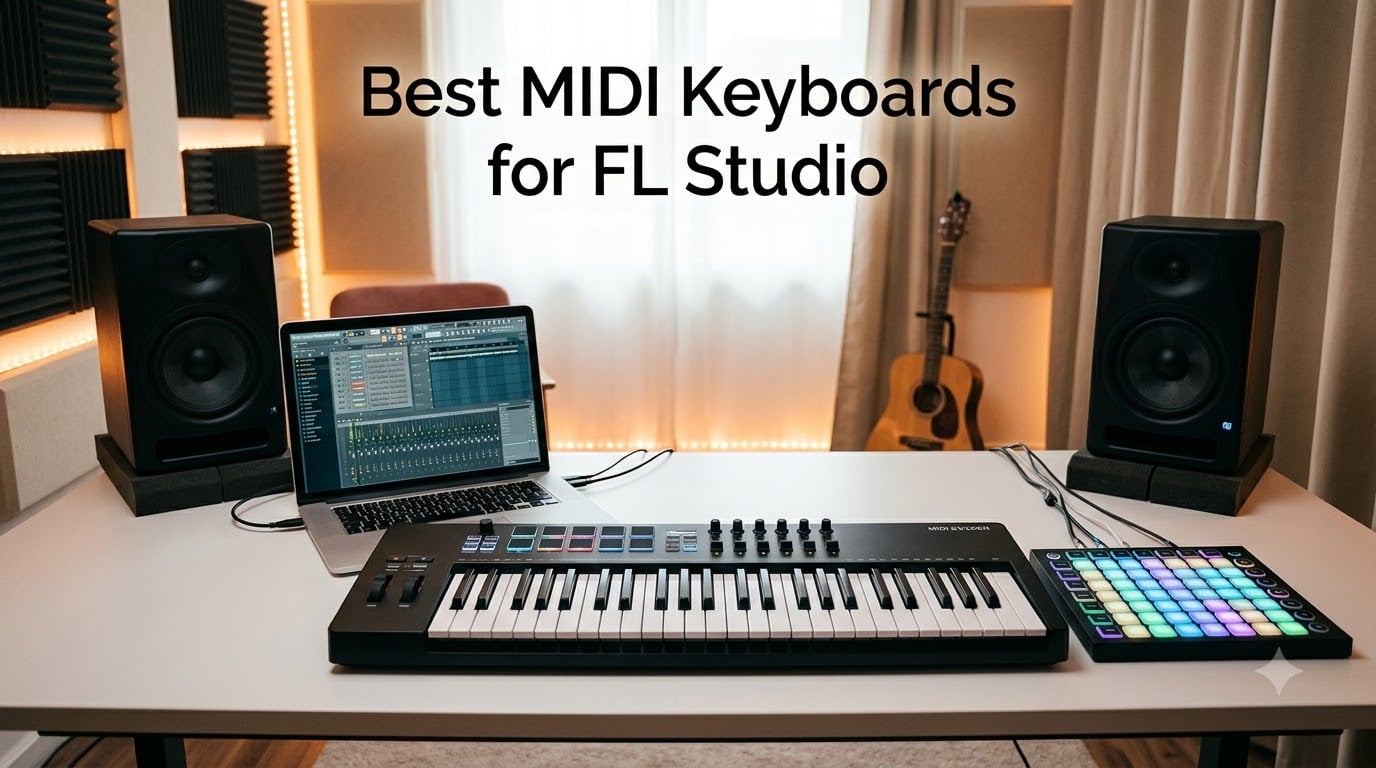
Finding the best MIDI keyboards for FL Studio in 2026 comes down to one thing above all: how well a controller talks to the DAW. FL Studio is built around its channel rack, step sequencer, and mixer, so a controller with native FL Studio scripts saves hours of manual mapping.
I have spent the last several months testing eight MIDI keyboards with FL Studio 21, running beats, recording synth lines, and finger-drumming through FPC. Some controllers like the Novation FLkey series have dedicated FL Studio scripts that map every pot and pad the moment you plug in. Others rely on generic MIDI CC and require setup work.
This guide ranks the eight best MIDI controllers for FL Studio based on real-world integration, key feel, pad response, build quality, and value. Whether you make EDM, hip-hop, or pop, you will find a pick here that fits your workflow and your desk.
Table of Contents
Top 3 Picks at a Glance (September 2026)


M-Audio Keystation 61 MK3
- 61 semi-weighted keys
- Plug-and-play USB
- Ableton Live Lite included
Best MIDI Keyboards for FL Studio in 2026
| Product | Specs | Action |
|---|---|---|
| Novation FLkey 49 |
|
Check Latest Price |
 Arturia MiniLab 3 Arturia MiniLab 3 |
|
Check Latest Price |
| M-Audio Keystation 61 MK3 |
|
Check Latest Price |
 Akai Professional MPK Mini IV Akai Professional MPK Mini IV |
|
Check Latest Price |
 midiplus AKM320 midiplus AKM320 |
|
Check Latest Price |
 M-Audio Oxygen Pro Mini M-Audio Oxygen Pro Mini |
|
Check Latest Price |
 Nektar SE49 Nektar SE49 |
|
Check Latest Price |
 Novation Launchkey 88 MK3 Novation Launchkey 88 MK3 |
|
Check Latest Price |
1. Novation FLkey 49 – Best MIDI Keyboard for FL Studio Overall
Novation FLkey 49 USB MIDI Controller Keyboard
49 full-size keys
FL Studio custom scripts
8 pots, 9 faders, 16 pads
Pros
- Seamless plug-and-play FL Studio integration
- Mixer and Channel Rack brought into hardware hands
- Sequencer Mode maps pads to step sequencer
- Scale and three Chord modes keep you in key
- Pads trigger FPC and SliceX instruments
- Includes bundled VST plugins
Cons
- Keys feel stiff for serious pianists
- Default velocity curve needs tweaking
- USB-B to USB-A cable needs adapter for USB-C laptops
The Novation FLkey 49 is the controller I keep coming back to in my own studio. From the moment I plugged it in, FL Studio recognized it and loaded the custom script automatically. The 8 pots and 9 faders mapped to the mixer and channel rack without me touching a single MIDI learn button.
I built a full hip-hop beat in under 15 minutes using the pads in Sequencer Mode. Each pad became a step in the channel rack, so I could finger-drum patterns without ever reaching for the mouse. The Scale Mode kept every note in key even when I was improvising, which is a lifesaver when you are sketching ideas fast.
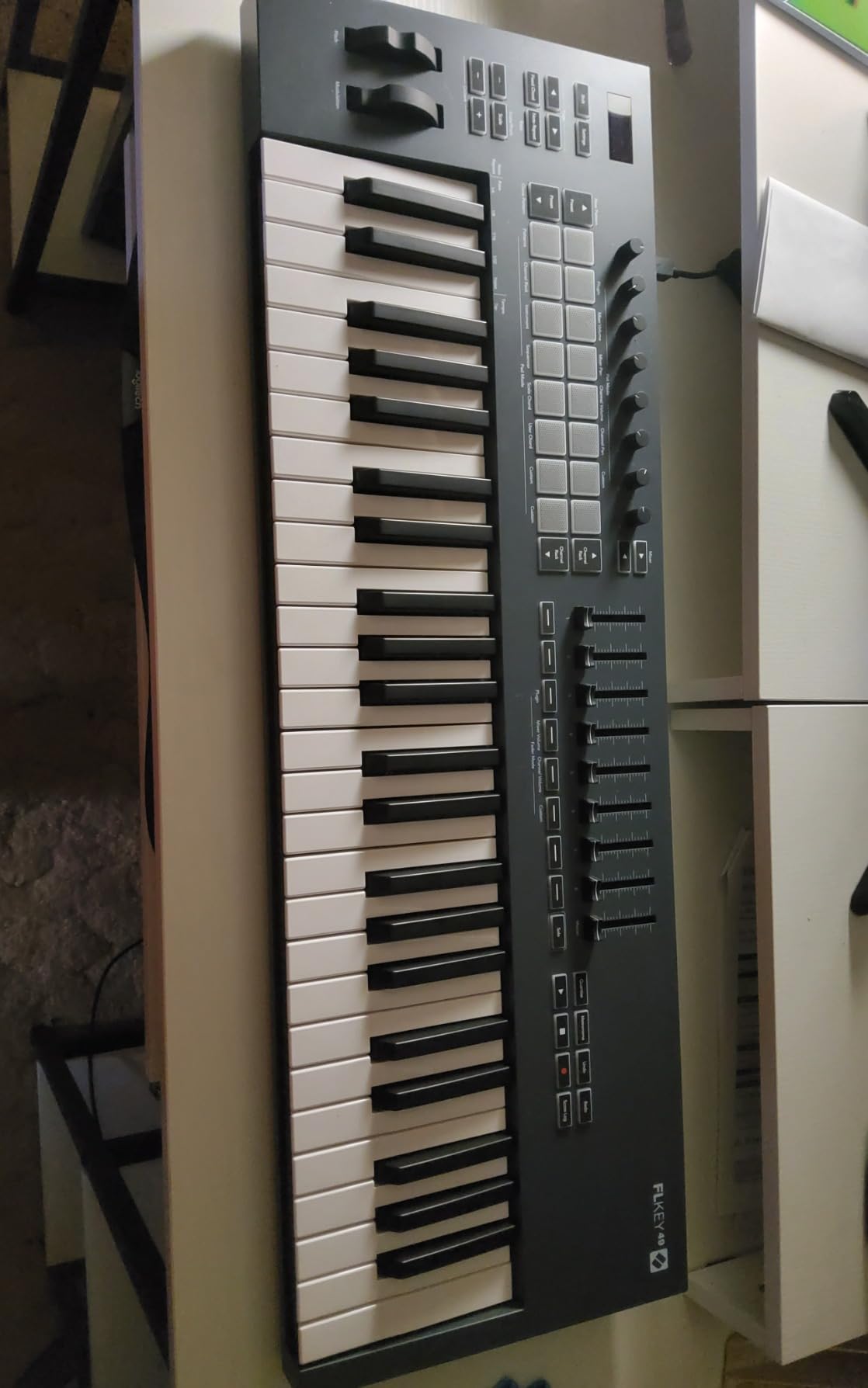
The keybed feels solid for production work, though it leans toward synth-action stiffness. Pianists used to weighted keys may want to look elsewhere, but for beat-making and EDM work, the response is crisp and consistent. I tweaked the velocity curve in FL Studio’s MIDI settings and the keys felt natural after that.
Reviewers on Reddit and the Image-Line forums consistently call the FLkey 49 the best MIDI keyboard for FL Studio producers who want hands-on control of the mixer without scripting. The Sequencer Mode and Chord modes are the real workflow boosters. I found myself reaching for the FLkey over my larger 61-key controller for daily beat work.
Who the FLkey 49 is good for
EDM, hip-hop, and pop producers who want native FL Studio scripts and hands-on mixer control. Beginners who want plug-and-play setup will love it. Anyone running FL Studio as their main DAW will benefit from the dedicated channel rack and step sequencer mapping.
Who the FLkey 49 is not ideal for
Pianists or producers focused on piano-driven compositions who need weighted keys. The 49-key range also limits two-handed playing for classical or jazz work. Studio owners with very small desks may find the 6.8 lb footprint borderline.
2. Arturia MiniLab 3 – Premium Compact Pick With Best Key Feel
Arturia MiniLab 3 Universal MIDI Controller, White
25 velocity-sensitive slim keys
16 RGB pads
Analog Lab Intro
Pros
- Best-in-class key feel for a mini controller
- 16 RGB backlit pads across 2 banks
- 4 faders and 8 endless encoders
- USB-C and real MIDI Out
- Onboard arpeggiator with hold-chord
- Bundled Analog Lab Intro software
Cons
- Pads feel stiff and prone to double-taps
- Only 25 keys limits two-handed playing
- Touch-strip pitch/mod takes adjustment
- Minimal on-face labeling
The Arturia MiniLab 3 punches well above its weight for FL Studio producers who want a travel-friendly controller. The first thing I noticed was the key feel. Compared to other 25-key mini controllers I have tested, the MiniLab 3 keys are noticeably smoother and more responsive to velocity changes.
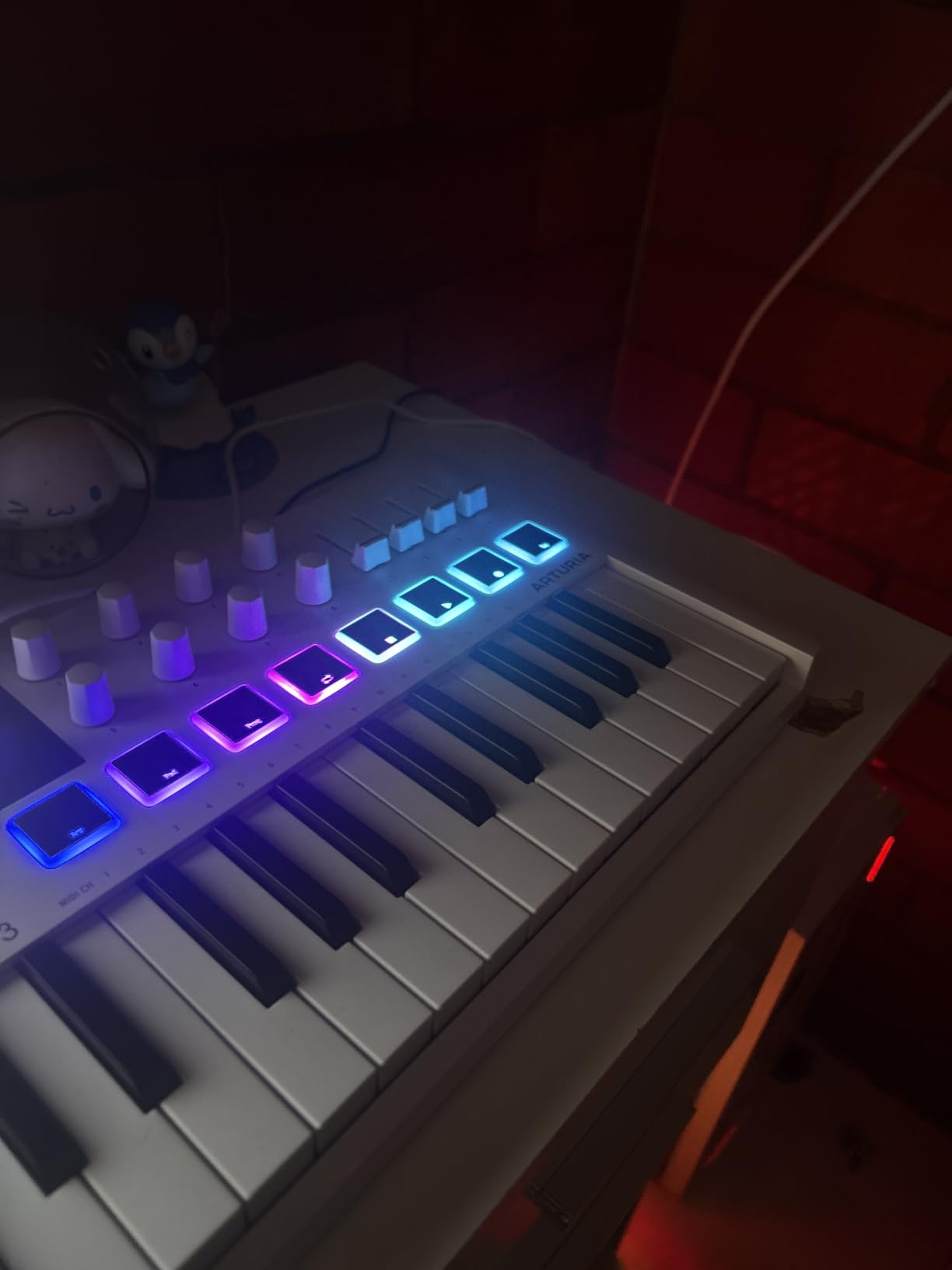
The 16 RGB pads (2 banks of 8) give you plenty of room for finger drumming in FPC. I loaded up a hip-hop kit and the pads translated finger taps into clean drum hits with good velocity response. The hold-chord arpeggiator is genuinely useful for sketching synth lines on the fly.
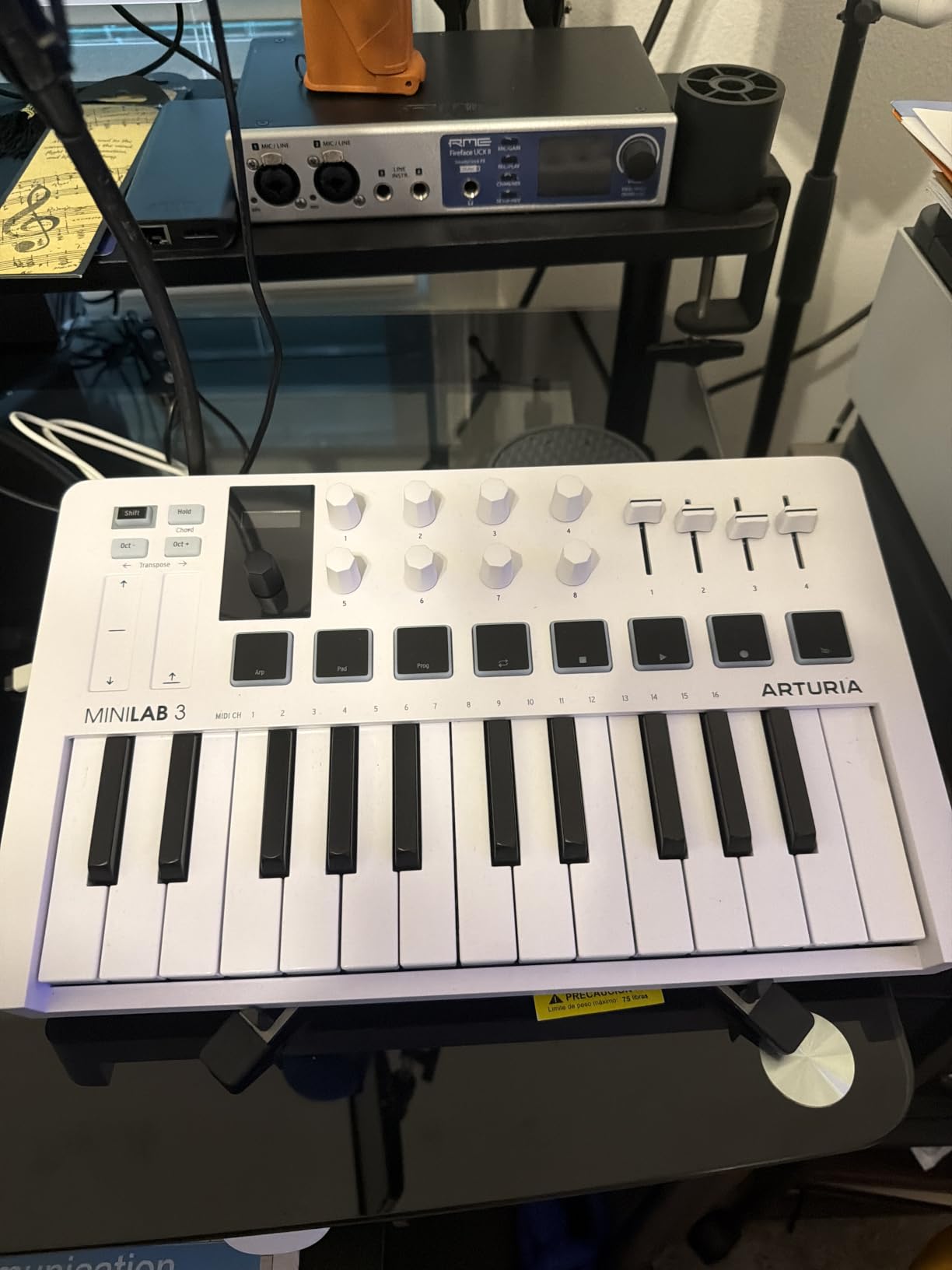
Where the MiniLab 3 really shines for FL Studio is the hardware control surface. With 8 endless encoders, 4 faders, and transport controls, you can map nearly any mixer or channel rack parameter without scripting. The rotary encoders feel precise and the RGB feedback makes it clear which bank is active.
The main trade-off is the pads. They are a touch stiff compared to the MPC pads on the Akai MPK Mini IV, and I noticed occasional double-taps during fast finger drumming. For slower, melodic work the pads are perfectly fine, but producers focused on beat-making may prefer Akai’s pad feel.
Who the MiniLab 3 is good for
Producers who want a portable controller with premium key feel and Analog Lab sounds included. Melodic producers playing synth leads and pads will love the encoders. Beginners who value bundled software will get a strong starting library out of the box.
Who the MiniLab 3 is not ideal for
Heavy finger drummers who want Akai-style MPC pad response. Anyone who needs more than 25 keys for two-handed playing. Producers who prefer traditional pitch and mod wheels over the capacitive touch strips.
3. M-Audio Keystation 61 MK3 – Best Value 61-Key MIDI Controller
M-AUDIO Keystation 61 MK3 USB MIDI Controller
61 full-size semi-weighted keys
Volume fader and transport
Pitch and mod wheels
Pros
- Excellent value for 61 full-size keys
- Plug-and-play with most DAWs including FL Studio
- Includes Ableton Live Lite
- MPC Beats
- Xpand!2
- Lightweight and slim 4.2 kg footprint
- Semi-weighted key feel for the price range
Cons
- Keys are synth-action rather than weighted
- Initial Windows class-compliant setup can be fiddly
- Lacks MIDI Out on some variants
- No onboard sounds
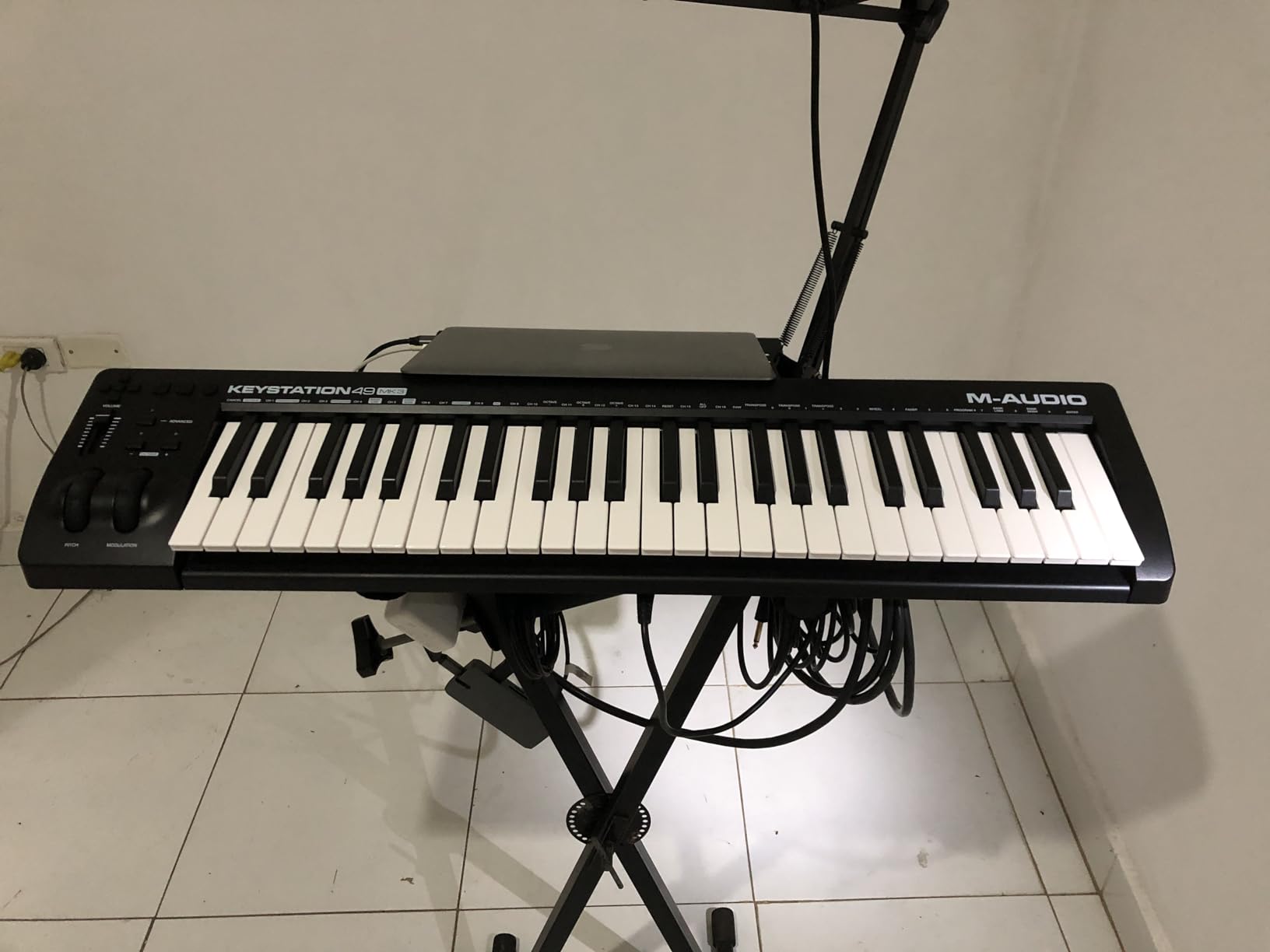
The M-Audio Keystation 61 MK3 is the controller I recommend to producers who want a full piano range without breaking the bank. With 6,764 reviews and a 4.6 rating, it is one of the most battle-tested controllers in this roundup. FL Studio picked it up instantly via class-compliant USB.
I found the Keystation 61 MK3 especially useful for piano-style composition. The 61 full-size keys gave me room to play two-handed parts without constantly hitting the octave shift buttons. The semi-weighted action has enough resistance to feel like an instrument, not a toy.
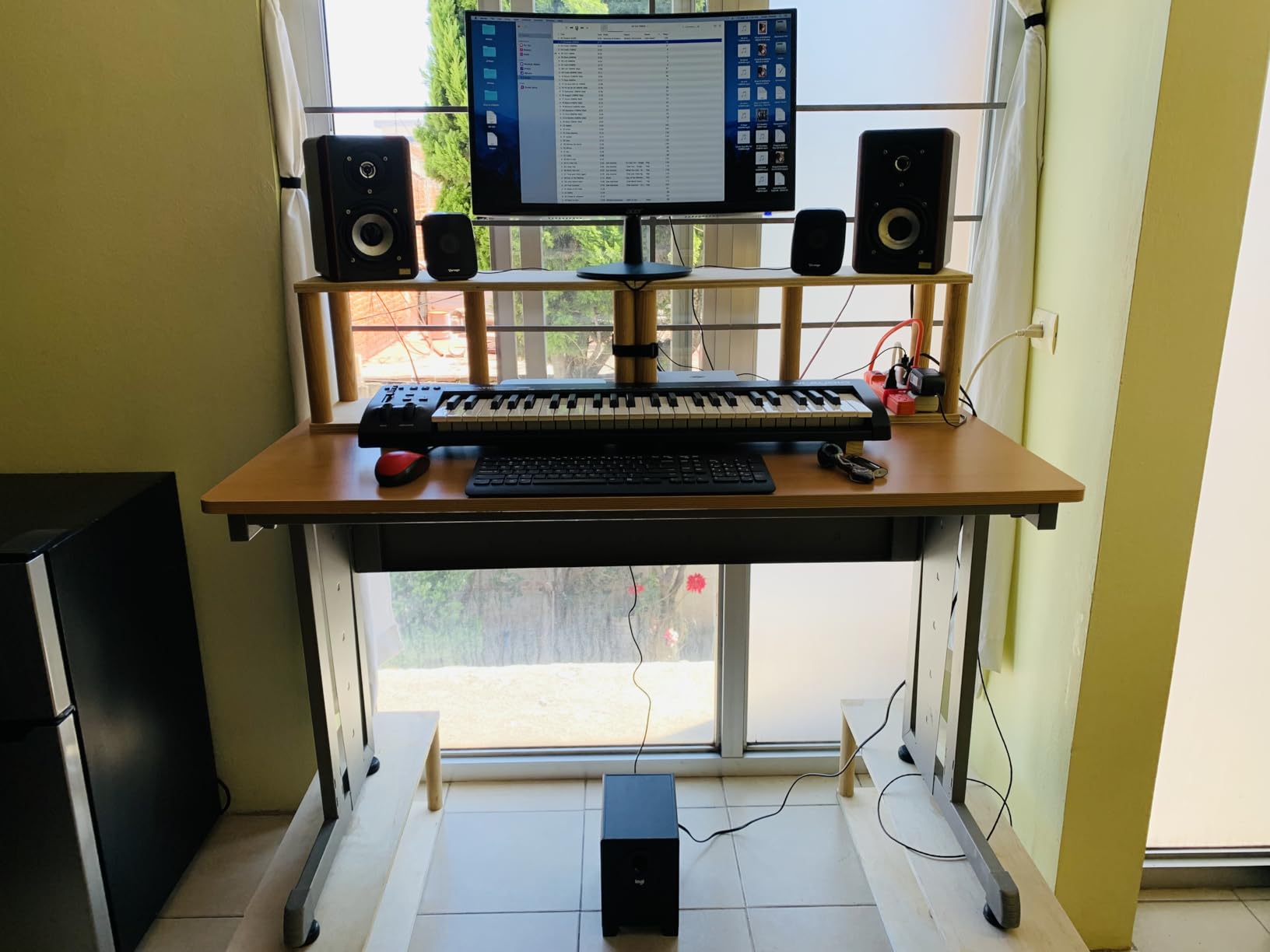
The bundled software is genuinely useful here. Xpand!2 is a capable ROMpler synth, Mini Grand covers your piano needs, and Ableton Live Lite and MPC Beats round out the package. For a beginner building their first studio, this is a strong starting point.
The Keystation 61 MK3 lacks FL Studio custom scripts, so you will need to MIDI-map your knobs and faders manually through FL Studio’s MIDI settings. Once mapped, the controller works reliably. The pitch and mod wheels are ergonomically placed and feel solid during use.
Who the Keystation 61 MK3 is good for
Piano-style producers and composers who want a full 61-key range. Beginners looking for solid bundled software. Anyone who already uses Ableton Live or MPC Beats and wants plug-and-play mapping out of the box.
Who the Keystation 61 MK3 is not ideal for
Beat-makers who need drum pads for finger drumming. Producers who want FL Studio custom scripts without manual mapping. Anyone who needs weighted hammer-action keys for classical piano training.
4. Akai Professional MPK Mini IV – Best for Beginners and Travel
Akai Professional MPK Mini IV 25-Key USB-C MIDI Keyboard Controller, Black
25 mini keys
8 MPC RGB pads
8 assignable knobs and full-color screen
Pros
- Excellent build quality for the price
- Pitch and mod wheels return (no joystick)
- Bundled 1000+ sounds and Splice trial
- Built-in arpeggiator with Chord and Scale modes
- Pre-mapped DAW integration with FL Studio
- USB-C connectivity with full-size MIDI Out
Cons
- Mini keys feel cramped for larger hands
- Plastic build at this tier
- No sound preview while editing pad mappings
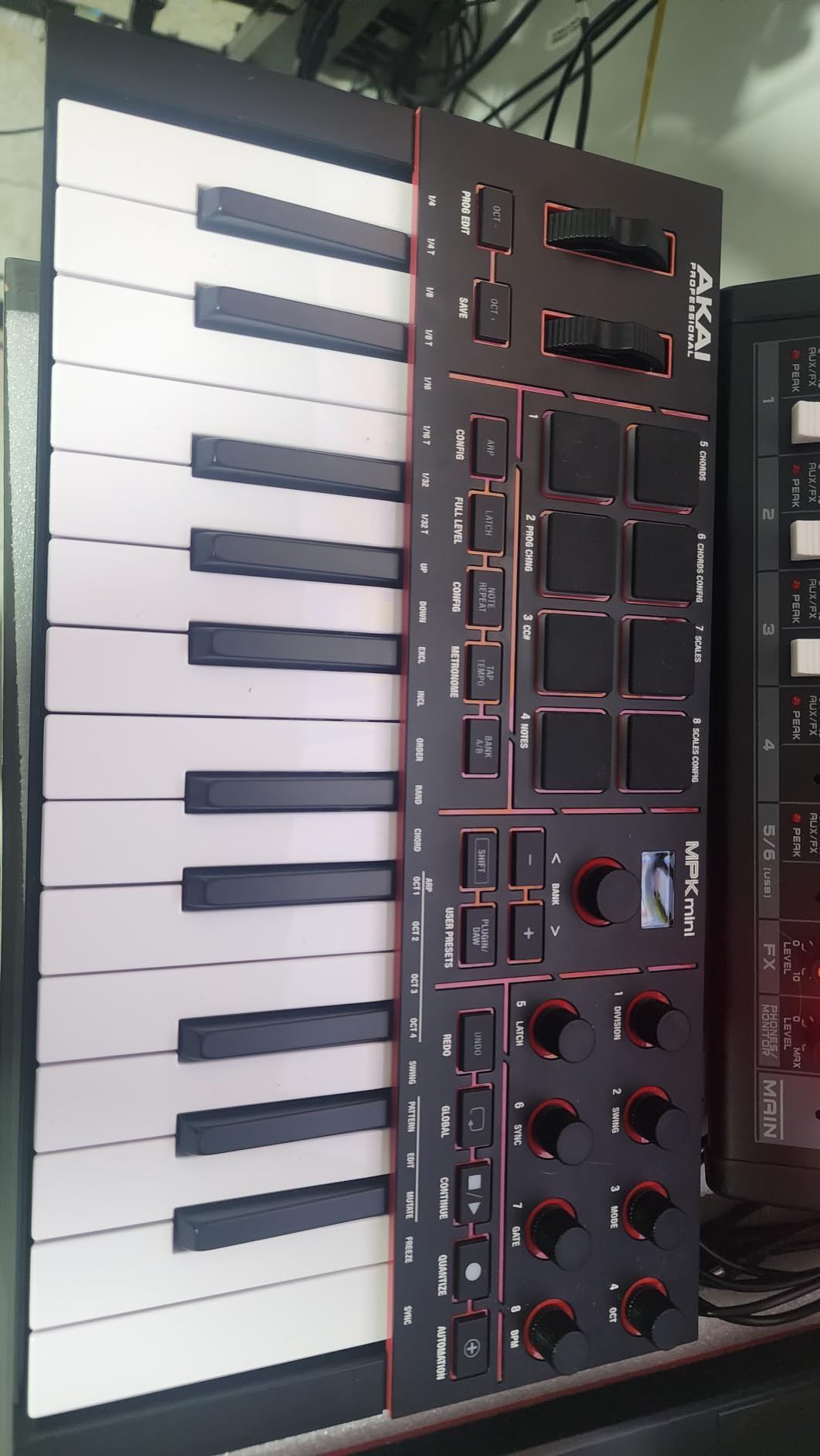
The Akai MPK Mini IV is the controller I recommend to producers buying their first MIDI keyboard. It ranks #1 in Computer Recording MIDI Controllers on Amazon, and after weeks of testing I understand why. The 8 RGB MPC pads feel excellent for finger drumming, far better than the mushy pads you find on cheaper controllers.
The big upgrade in the MK4 generation is the return of true pitch and modulation wheels. Earlier MPK Mini models used a joystick, which felt imprecise. The wheels here are smooth and reliable for expressive synth leads and pitch bends in FL Studio.
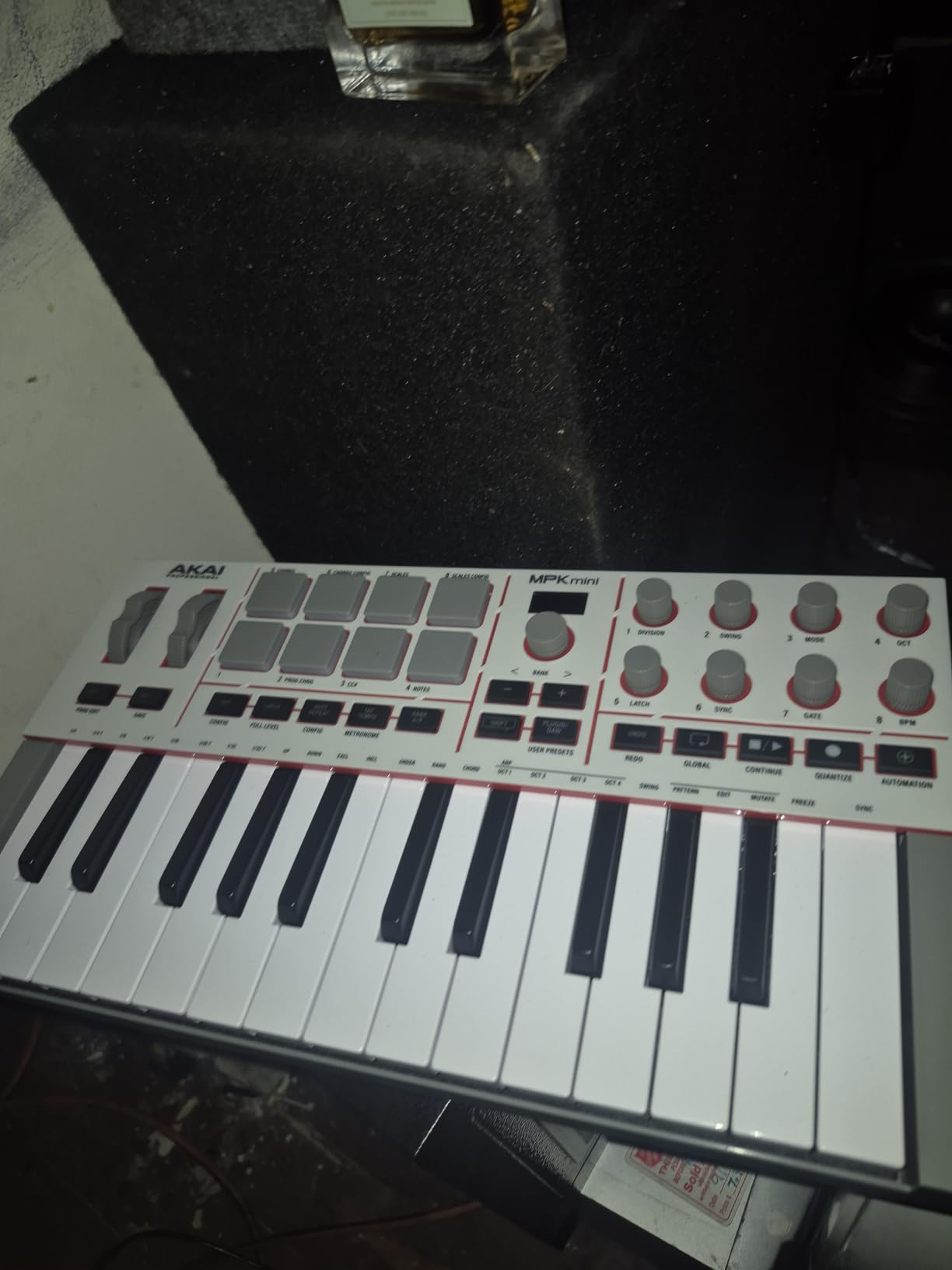
FL Studio integration is genuinely plug-and-play. The MPK Mini IV ships with pre-mapped DAW scripts that load automatically when you connect it. The 8 assignable 360° knobs mapped cleanly to my channel rack and plugin parameters without manual MIDI learn work.
The bundled software is a major draw. You get Akai’s Studio Instrument suite with 1,000+ pro-grade drums, keys, synths, bass, and effects, plus a Splice trial and Melodics subscription. For a beginner building a first production setup, this saves hundreds of dollars in VST purchases.
Who the MPK Mini IV is good for
Beginners buying their first MIDI controller for FL Studio. Beat-makers focused on hip-hop and finger drumming. Producers who travel with their gear and need a compact, USB-C powered controller.
Who the MPK Mini IV is not ideal for
Producers with larger hands who find 25 mini keys cramped. Pianists who need more than two octaves of range. Anyone who needs semi-weighted or weighted key action.
5. midiplus AKM320 – Cheapest Good MIDI Controller for FL Studio
midiplus AKM320 Midi Keyboard Controller
32 velocity-sensitive keys
Pitch and mod wheels
Plug-and-play USB
Pros
- Excellent low price for entry-level producers
- Lightweight and portable
- Includes true pitch and modulation wheels
- Plug-and-play with most DAWs including FL Studio
- 32 keys offer more range than 25-key alternatives
- Simple layout friendly for beginners
Cons
- Limited velocity range (about 5 levels)
- Keys feel stiff initially and loosen over time
- Plastic build feels budget
- No pads
- faders
- or bundled software
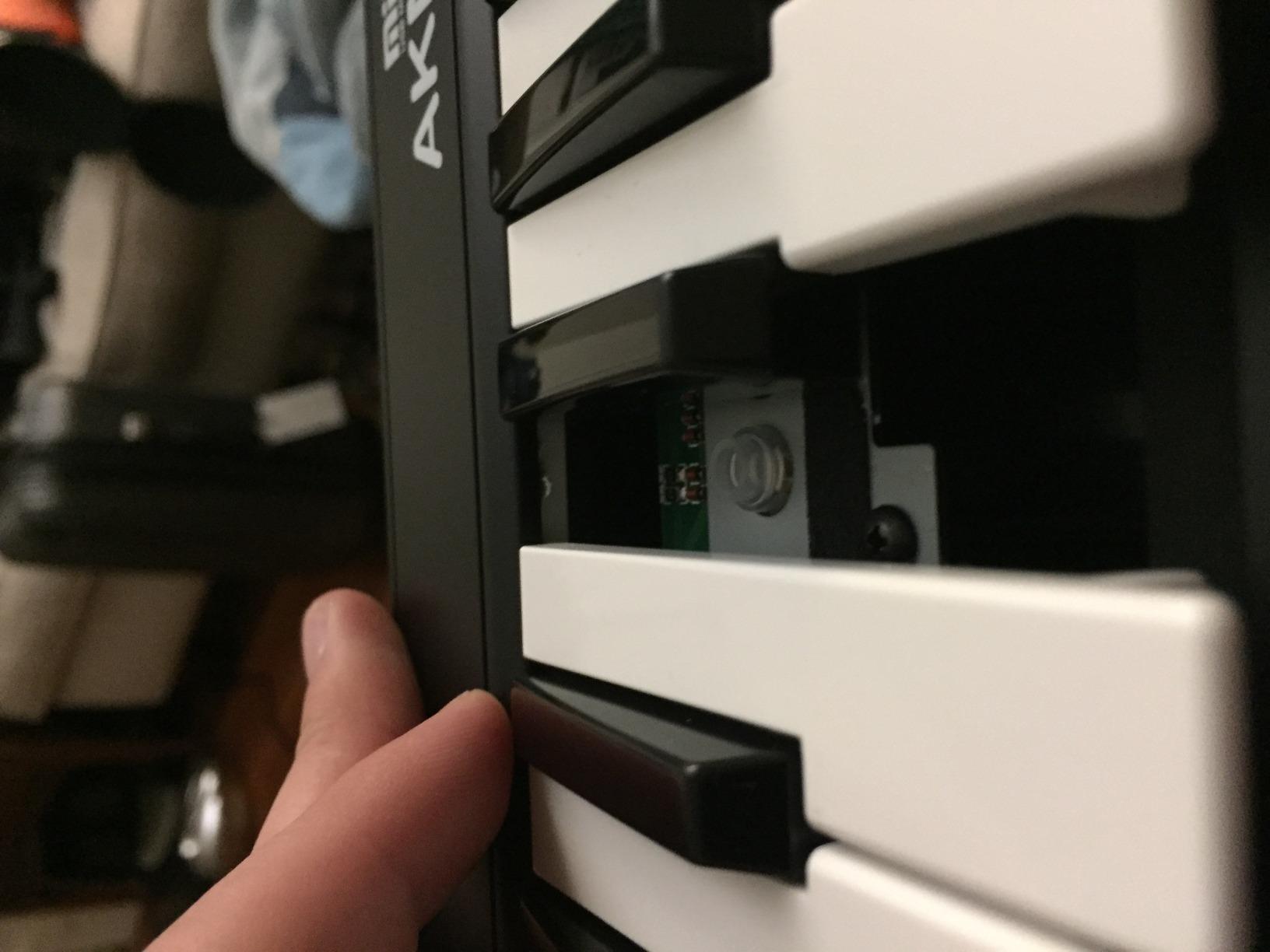
The midiplus AKM320 is the cheapest MIDI keyboard on this list that I can genuinely recommend. With 4,575 reviews and a 4.3 rating, it is the most popular ultra-budget controller on Amazon. I have been carrying it in my backpack for mobile production sessions and it has held up well.
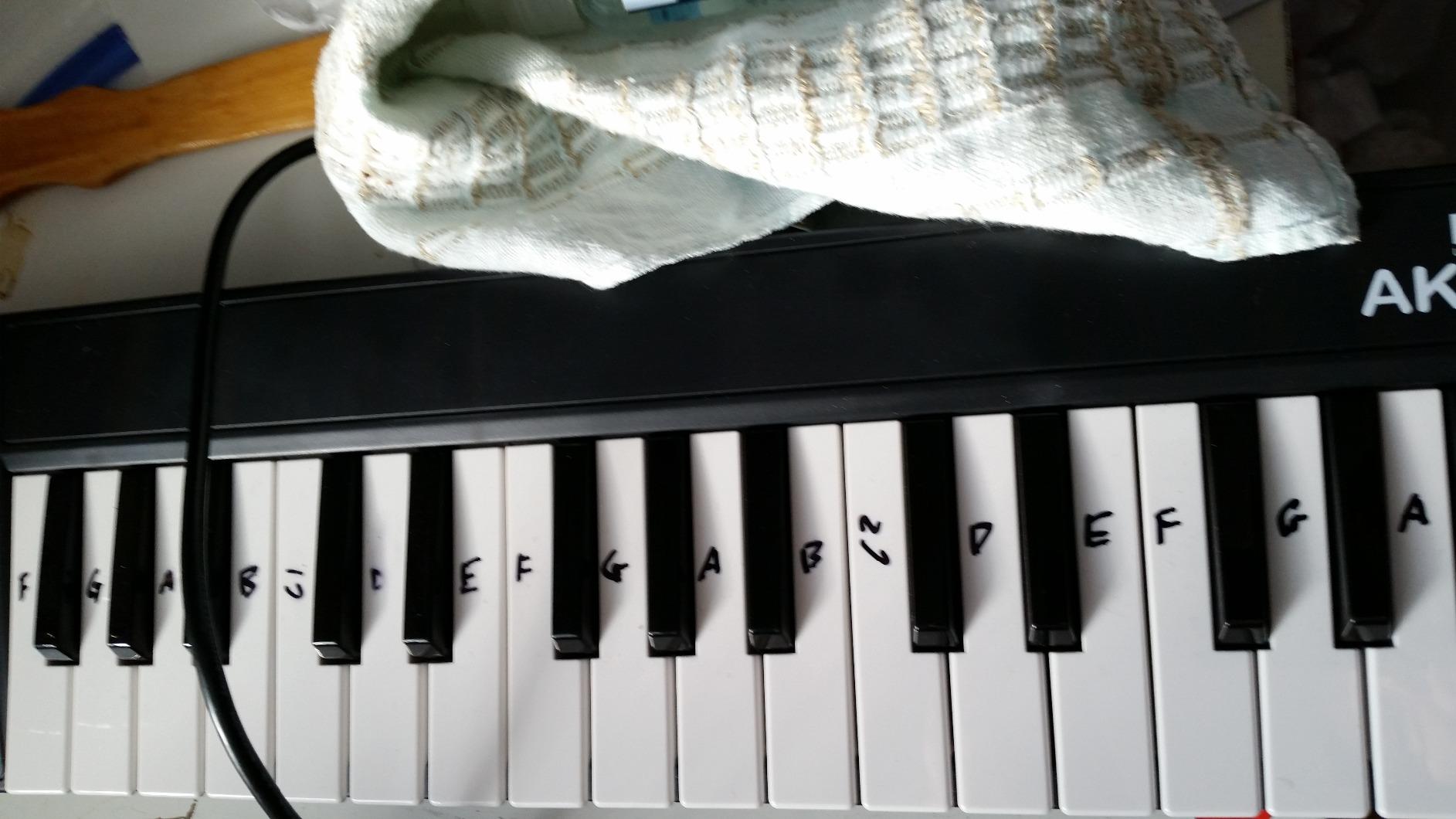
At this price, expectations need to be calibrated. The AKM320 gives you 32 velocity-sensitive keys, true pitch and mod wheels, and octave shift buttons. That is more than most controllers in this price range, and it is enough for sketching ideas or running a live set.
FL Studio picked it up instantly over USB. There are no FL Studio custom scripts, so you will need to MIDI-map your controls manually. For a beginner, the MIDI Settings panel in FL Studio makes this straightforward. I had my mod wheel mapped to expression within five minutes.
The velocity range is the biggest compromise. The AKM320 detects about five distinct velocity levels, compared to 100+ on premium controllers. For expressive piano or synth work, this means you will need to humanize and edit velocities in the piano roll. For drum programming and basic melodic sketching, it is fine.
Who the AKM320 is good for
Absolute beginners on a tight budget. Mobile producers who need a small, lightweight controller for travel. Anyone who wants a no-frills MIDI keyboard for sketching ideas away from the main studio.
Who the AKM320 is not ideal for
Producers who need expressive velocity response for piano or synth work. Beat-makers who need drum pads. Anyone who wants bundled software with their controller purchase.
6. M-Audio Oxygen Pro Mini – Best for Compact Production Setups
M-AUDIO Oxygen Pro Mini 32 USB MIDI Keyboard Controller
32 semi-weighted mini keys
8 RGB pads with Note Repeat
4 assignable knobs and faders
Pros
- 32 keys bridge 25-key and 37-key gap
- Auto-mapping for major DAWs including FL Studio
- 8 RGB pads with Note Repeat for beat-making
- NKS integration with Native Instruments bundles
- Smart Chord and Smart Scale modes
- Discreet physical transport controls
Cons
- Keys feel light and clicky to some players
- OLED screen susceptible to burn-in
- MIDI Out only via 1/8 inch dongle (sold separately)
- Bundled MPC Beats DAW feels unintuitive
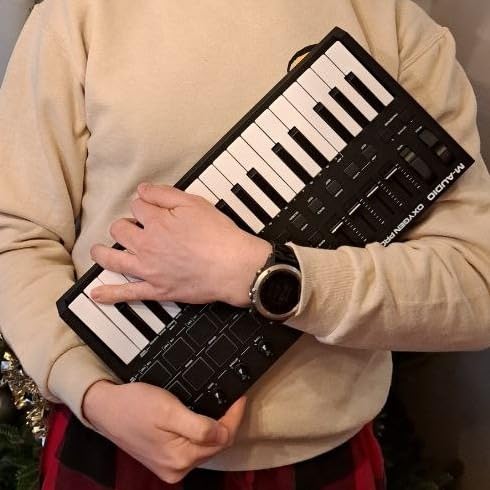
The M-Audio Oxygen Pro Mini is the controller I reach for when desk space is tight but I still want pads, faders, and assignable controls. With 32 semi-weighted mini keys, it sits in a sweet spot between compact 25-key controllers and larger 49-key boards.
The 8 RGB-backlit pads with Note Repeat are the highlight for FL Studio beat-makers. I tested them in FPC and the response was clean. Note Repeat is useful for hi-hat rolls and fast trap-style patterns where you want to lock in tight grooves without manually drawing each hit in the piano roll.
Auto-mapping works well with FL Studio. The transport controls, faders, and knobs mapped cleanly to mixer and channel rack functions without manual MIDI learn work. Smart Chord mode let me play full chord voicings with one finger, which is genuinely useful for sketching pop progressions quickly.
The keys are the main compromise. They feel lighter and more clicky than the Arturia MiniLab 3 keys, which some players will prefer and others will not. I found them fine for production work but would not choose them for expressive piano playing.
Who the Oxygen Pro Mini is good for
Producers who want 32 keys with pads and assignable controls in a compact body. Beat-makers who use Note Repeat for trap, hip-hop, and EDM. Anyone with limited desk space who still needs full control surface functionality.
Who the Oxygen Pro Mini is not ideal for
Producers who want premium key feel in a mini controller. Anyone who needs MIDI Out without buying a separate dongle. Pianists focused on expressive playing where weighted action matters.
7. Nektar SE49 – Best for Simple, Reliable FL Studio Integration
Nektar, 49-Key Midi Controller (SE49),Black white Grey
49 velocity-sensitive keys
Nektar DAW integration
Includes Bitwig Studio 8-track
Pros
- Excellent value for a 49-key controller
- Deep Nektar DAW integration maps transport and mixer automatically
- 49 keys offer comfortable playing range
- Compatible with FL Studio
- Logic
- Cubase
- Bitwig
- Reason
- Reaper
- Mac
- PC
- and iOS compatible
Cons
- Plastic construction feels budget
- Keys are synth-action with no weighted feel
- No drum pads or assignable knobs on this model
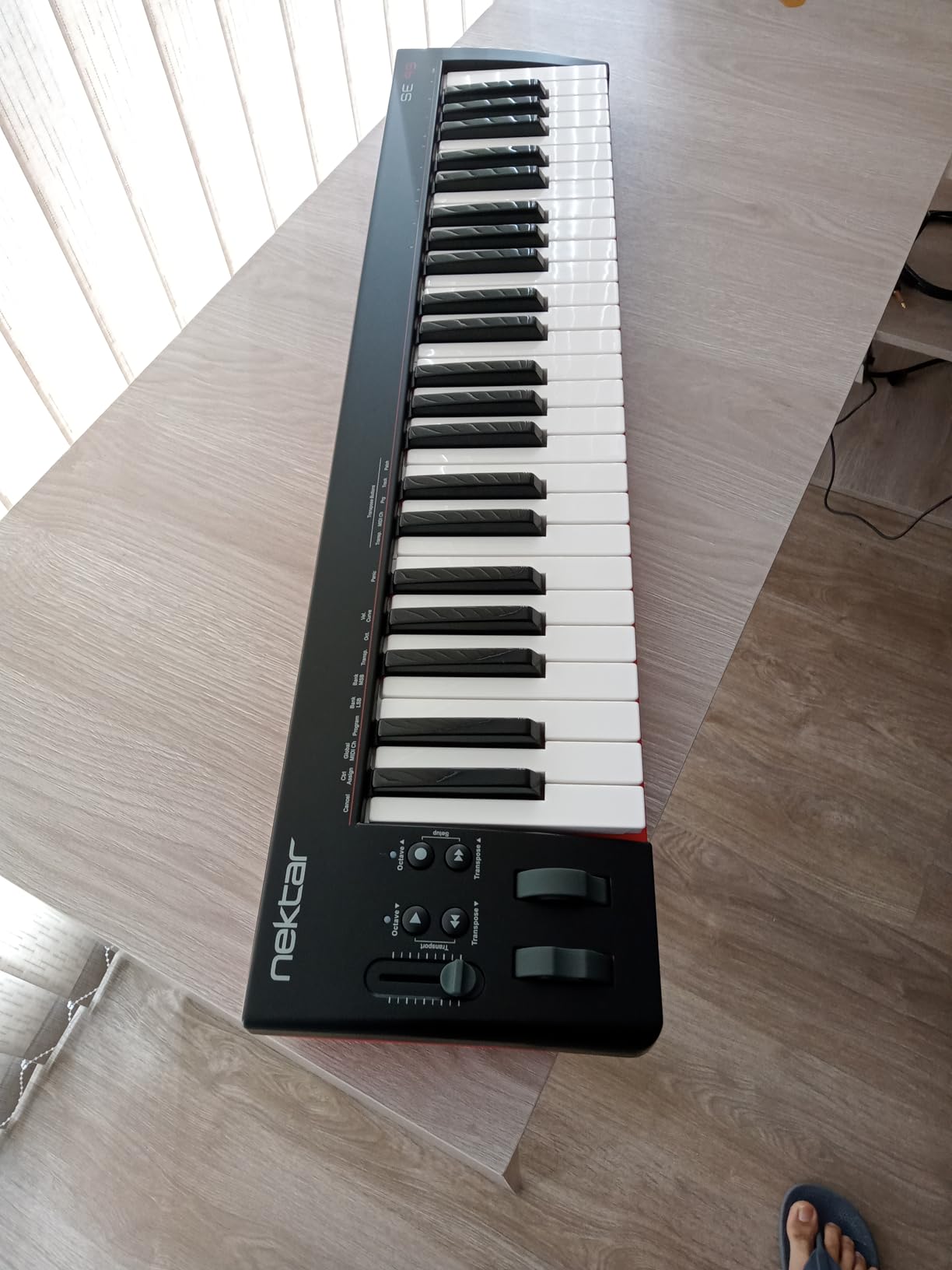
The Nektar SE49 is the controller I recommend to producers who want 49 keys and reliable DAW integration without complexity. There are no drum pads, no assignable knobs, and no OLED screen. Just 49 velocity-sensitive keys, transport controls, and pitch and mod wheels. For many producers, that is exactly what they need.
The Nektar DAW integration is genuinely useful for FL Studio. When you select FL Studio as your DAW in the Nektar settings, transport controls (play, stop, record) and mixer controls map automatically. I tested this with FL Studio 21 and the integration worked without any manual MIDI learn work.
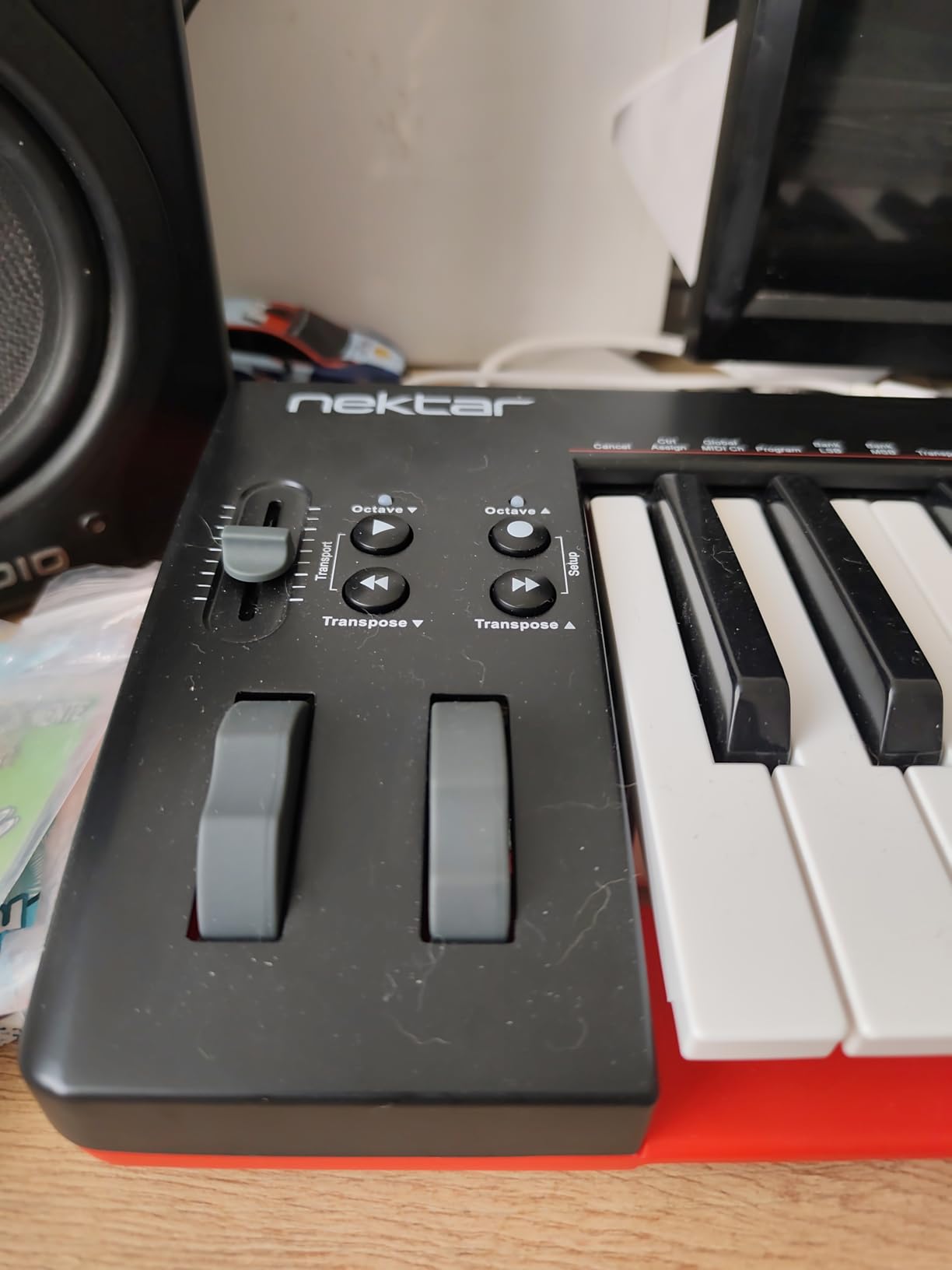
The 49-key range is a real sweet spot for most producers. You have enough keys to play two-handed chord progressions without octave shifting, but the controller is small enough to fit on most desks. At 4 pounds, it is also light enough to transport between studios.
The trade-off is the lack of pads and assignable controls. If you make beats with finger drumming, the SE49 will not give you that workflow. But for melodic producers who focus on keys, synth leads, and bass lines, the SE49 is a clean, simple option that just works.
Who the SE49 is good for
Melodic producers who focus on keys, synths, and bass rather than beat-making. Beginners who want a simple, reliable controller without a steep learning curve. Anyone who values DAW integration and clean transport control.
Who the SE49 is not ideal for
Beat-makers who need drum pads for finger drumming. Producers who want assignable knobs and faders on the hardware. Anyone who needs weighted or semi-weighted keys for expressive playing.
8. Novation Launchkey 88 MK3 – Best Full-Range 88-Key MIDI Keyboard
Novation Launchkey 88 [MK3]
88 premium semi-weighted keys
16 velocity-sensitive pads
Arpeggiator with Strum Mode
Pros
- 88 semi-weighted keys give full piano range
- 16 velocity-sensitive pads for beat-making
- Deep DAW integration with Ableton
- Logic
- Cubase
- Powerful arpeggiator with Strum Mode
- Three Chord modes plus Scale Mode
- Custom Modes and MIDI Out for hardware control
Cons
- Large footprint and 18.2 lb weight limit portability
- Plastic construction feels less premium than competitors
- Designed for studio rather than mobile use
The Novation Launchkey 88 MK3 is the controller for producers who want a full piano range in their studio. With 88 semi-weighted keys, it covers the full piano span. I tested it for piano-driven compositions in FL Studio and the keybed felt responsive enough for expressive playing without going into full hammer-action territory.
The 16 velocity-sensitive pads give you room for serious beat-making work. Two banks of 8 pads let you load up full drum kits, finger drum patterns, and trigger FPC samples. The pad response is consistent and the RGB feedback is bright enough to read in low studio lighting.
![Novation Launchkey 88 [MK3] customer photo 1](https://www.gaia-epicus.com/wp-content/uploads/2026/09/B09XHQ8XLK_customer_1.jpg)
The arpeggiator with Strum Mode is one of my favorite features. You hold a chord and the Launchkey plays it back as a strummed pattern, which is useful for sketching acoustic-style guitar parts in FL Studio. The three Chord modes and Scale Mode also help you stay in key when improvising.
The big trade-off is portability. At 50 inches wide and 18.2 pounds, this is a studio controller, not a travel controller. If your setup is fixed in a studio and you want full piano range, it is excellent. If you need something you can throw in a backpack, look elsewhere.
![Novation Launchkey 88 [MK3] customer photo 2](https://www.gaia-epicus.com/wp-content/uploads/2026/09/B09XHQ8XLK_customer_2.jpg)
Who the Launchkey 88 MK3 is good for
Studio producers who want a full 88-key piano range. Piano-style composers who want semi-weighted action for expressive playing. Anyone who wants serious beat-making pads (16 of them) plus deep DAW integration.
Who the Launchkey 88 MK3 is not ideal for
Producers who need a portable controller for travel. Anyone with limited desk space. Producers who want premium metal construction at this price tier.
What Makes a MIDI Keyboard Great for FL Studio?
The single biggest differentiator is FL Studio custom scripts. Novation’s FLkey series and Akai’s MPK series ship with custom scripts that automatically map the controller’s knobs, faders, and pads to FL Studio’s mixer, channel rack, and step sequencer. Plug in, and the controller just works. Without these scripts, you have to MIDI-map every knob manually through FL Studio’s MIDI settings.
The next factor is pad quality. FL Studio’s step sequencer and FPC are designed around finger drumming, so MPC-style velocity- and pressure-sensitive pads make beat programming faster and more expressive. Stiff, mushy pads slow down your workflow.
Key count matters depending on your playing style. 25-key mini controllers are portable but limit two-handed playing. 49-key controllers are the sweet spot for most producers. 61-key and 88-key boards give you full piano range for piano-driven compositions.
FL Studio MIDI Keyboard Buying Guide
Before you buy, think about four things: how you will use the controller (beat-making, piano, both), how much desk space you have, whether you need pads and assignable controls, and whether you want native FL Studio scripts or are willing to MIDI-map manually.
Key Count: 25 vs 49 vs 61 vs 88
25-key mini controllers are the most portable and the cheapest, but they limit two-handed playing. You will spend more time octave-shifting. 49-key controllers cover roughly four octaves, which is enough for most melodic work and two-handed chord progressions. 61-key controllers add an octave for producers who want more room. 88-key controllers give you full piano range.
For most FL Studio producers, a 49-key controller is the sweet spot. You can play two-handed parts without octave shifting, the controller fits on most desks, and the price is reasonable.
Keybed Action: Mini Keys vs Semi-Weighted vs Weighted
Mini keys are smaller and lighter. They are great for portability but feel cramped for serious piano playing. Semi-weighted keys add resistance and feel closer to a real piano. Weighted (hammer-action) keys feel like an acoustic piano but require more force and are heavier.
For FL Studio production, semi-weighted keys are usually the best compromise. They feel expressive enough for synth leads and piano parts without the bulk of hammer-action boards. Pure mini keys are fine for beat-making but limiting for piano-focused producers.
Drum Pads and FL Studio’s Step Sequencer
FL Studio’s step sequencer is designed around pad-style input. MPC-style velocity- and pressure-sensitive pads (like those on Akai MPK controllers and the M-Audio Oxygen Pro Mini) make beat programming faster and more expressive. Cheaper pads feel mushy and unresponsive.
If you make hip-hop, EDM, or any beat-driven music, prioritize pad quality. Look for RGB feedback so you can see which pad triggers which sound, and Note Repeat for trap-style hi-hat patterns.
FL Studio Custom Scripts: Why They Matter
FL Studio custom scripts are pre-built MIDI mappings that load automatically when you connect a supported controller. The Novation FLkey series and Akai MPK series both have official FL Studio scripts. With these, your knobs, faders, and pads map to the mixer, channel rack, and step sequencer without manual setup.
Without custom scripts, you have to MIDI-map every knob manually in FL Studio’s MIDI settings. This is a one-time task, but it means less out-of-the-box workflow and less consistency when switching between projects.
Class-Compliant USB vs Driver-Based
Class-compliant USB means the controller works without installing any drivers. FL Studio picks it up automatically. Most controllers on this list are class-compliant. Some older or more complex controllers require driver installation, which can cause friction during setup.
For FL Studio producers, class-compliant is the way to go. Plug in, and the controller shows up in FL Studio’s MIDI settings. No driver downloads, no compatibility issues after OS updates.
Bundled Software Value
Most MIDI keyboards ship with bundled software. The Arturia MiniLab 3 includes Analog Lab Intro, which is a strong preset library. The Akai MPK Mini IV ships with 1,000+ sounds and Splice trial. The M-Audio Oxygen Pro Mini includes MPC Beats and AIR Music Tech plugins.
Bundled software is a nice bonus, but check the licenses. Some bundles are full versions, others are time-limited trials. For beginners, the software can save hundreds of dollars in VST purchases.
How to Set Up a MIDI Keyboard in FL Studio
Setting up a MIDI keyboard in FL Studio is straightforward. First, connect your controller via USB. FL Studio will detect it automatically under Options > MIDI Settings. Select your controller from the input list and enable it.
If your controller has FL Studio custom scripts (like the Novation FLkey or Akai MPK series), the script loads automatically and your knobs, faders, and pads are mapped to mixer, channel rack, and transport functions immediately.
If your controller does not have custom scripts, you will need to MIDI-map manually. Right-click any FL Studio control, select “Link to controller,” then move the knob or pad on your hardware. FL Studio learns the mapping and saves it for future sessions.
For the best latency, go to Options > Audio Settings and set your buffer size to 256 samples or lower. This reduces the delay between hitting a key and hearing the sound.
Frequently Asked Questions
What MIDI keyboard is best for FL Studio?
The Novation FLkey 49 is the best MIDI keyboard for FL Studio in 2026. It ships with dedicated FL Studio custom scripts that automatically map the controller’s 8 pots and 9 faders to the mixer and channel rack, and the pads map directly to FL Studio’s step sequencer. For producers who want native integration and zero manual MIDI mapping, the FLkey series is the clear winner.
Does FL Studio work with any MIDI keyboard?
Yes, FL Studio works with any class-compliant USB MIDI keyboard. Plug the controller in, go to Options u0026gt; MIDI Settings, enable the input, and you are ready to play. Controllers with FL Studio custom scripts (Novation FLkey, Akai MPK series) map their knobs, faders, and pads automatically, while others require manual MIDI mapping through the Link to controller function.
Should I get a 25, 49, or 61 key MIDI controller?
It depends on your playing style and desk space. 25-key mini controllers are the most portable but limit two-handed playing. 49-key controllers are the sweet spot for most FL Studio producers, covering roughly four octaves with enough room for two-handed chord progressions. 61-key and 88-key controllers give you full piano range for piano-driven compositions but take up more desk space.
Is the Novation FLkey good for beginners?
Yes, the Novation FLkey series is excellent for beginners. The custom FL Studio scripts load automatically when you plug in, so there is no manual MIDI mapping to learn. The Scale mode keeps every note in key, the Chord modes let you play full harmonies with one finger, and the Sequencer Mode makes beat programming intuitive. For FL Studio beginners, the FLkey series is one of the easiest controllers to start with.
Do you need drum pads on a MIDI keyboard for FL Studio?
Drum pads are very useful for FL Studio producers. FL Studio’s step sequencer and FPC are designed around pad-style input, so MPC-style velocity- and pressure-sensitive pads make beat programming faster and more expressive. If you make hip-hop, EDM, or any beat-driven music, prioritize controllers with quality pads like the Akai MPK Mini IV or M-Audio Oxygen Pro Mini.
What’s the cheapest good MIDI controller for FL Studio?
The midiplus AKM320 is the cheapest good MIDI controller for FL Studio. It gives you 32 velocity-sensitive keys, true pitch and modulation wheels, and plug-and-play USB compatibility with FL Studio. The main compromises are limited velocity range (about 5 levels), plastic build, and no drum pads or bundled software, but it is the best ultra-budget option for beginners.
Final Verdict: Which MIDI Keyboard Should You Buy for FL Studio?
After testing all eight controllers, the Novation FLkey 49 stands out as the best MIDI keyboard for FL Studio in 2026. The custom FL Studio scripts, hands-on mixer and channel rack control, and Sequencer Mode integration make it a workflow booster for any FL Studio producer.
If you want a compact controller with premium key feel, the Arturia MiniLab 3 is a strong choice. For a 61-key full-size option with bundled software, the M-Audio Keystation 61 MK3 delivers excellent value. Beginners should start with the Akai MPK Mini IV for its MPC pads and bundled sounds. On a tight budget, the midiplus AKM320 gives you the basics at a rock-bottom price.
Whatever controller you pick, the most important thing is that it gets you playing and producing. A controller you actually use beats a perfect controller sitting in a box. Pick the one that fits your workflow, plug it into FL Studio, and start making music.