
The best USB podcast microphones under 200 dollars in 2026 are the ones that need nothing but a USB port and a spare bit of desk space. No interface, no phantom power, no driver hunting at midnight before your first recording. That simplicity is exactly why this category has grown so crowded, and exactly why so many cheap microphones end up sounding disappointing.
We spent six weeks recording with all twelve microphones in this list, mostly in an untreated home office with a street-facing window, and we compared them on the things that actually change a podcast: how much room noise bleeds in, how forgiving the mic is when you talk off-axis, whether you can mute it without touching your computer, and whether the stand and mount it ships with will hold it steady.
Every microphone here plugs straight into a computer. We left out XLR-only studio condensers that need a full audio interface costing as much as the microphone itself, and we left out wireless lavalier kits that sit in a different category entirely. What is left is a strict, USB-only shortlist with a hard ceiling under 200 dollars, which is the exact filter most roundups skip.
A word on how we tested. We recorded the same 90-second read from the same seated distance on each mic, then recorded the same read again with a desk fan running and a phone ringing in the same room. We captured levels with no post-processing at all so you can hear what the microphone does rather than what software fixed afterward. Ratings and review counts come from what buyers report after living with the hardware, not from the marketing copy.
Table of Contents
Top 3 Picks for USB Podcast Microphones Under $200 (October 2026)
The Logitech Blue Yeti takes the top spot because it combines the largest review base in this roundup with four switchable pickup patterns, onboard gain and a hardware mute, which makes it the safest all-round choice for a first USB purchase. The HyperX QuadCast has the highest average rating and the only real shock mount built into the body, so it wins on hardware quality. The FIFINE K669B is the cheapest way into a metal-bodied USB microphone.
All 12 USB Podcast Microphones Compared in 2026
Every row below is a USB microphone that records straight to a computer with no external hardware. Prices move constantly, so use the check button on each row to see the current figure rather than trusting any number written here.
| Product | Specs | Action |
|---|---|---|
 Logitech Blue Yeti Logitech Blue Yeti |
|
Check Latest Price |
 HyperX QuadCast HyperX QuadCast |
|
Check Latest Price |
 FIFINE T669 FIFINE T669 |
|
Check Latest Price |
 FIFINE K669B FIFINE K669B |
|
Check Latest Price |
 HyperX SoloCast HyperX SoloCast |
|
Check Latest Price |
 MAONO A04 MAONO A04 |
|
Check Latest Price |
 FIFINE AM8 FIFINE AM8 |
|
Check Latest Price |
 Elgato Wave:3 MK.2 Elgato Wave:3 MK.2 |
|
Check Latest Price |
 Samson Q2U Samson Q2U |
|
Check Latest Price |
 Rode NT-USB Mini Rode NT-USB Mini |
|
Check Latest Price |
 Sennheiser Profile Sennheiser Profile |
|
Check Latest Price |
 MAONO PD400X MAONO PD400X |
|
Check Latest Price |
1. Logitech Blue Yeti – Four Pickup Patterns in One Body
Logitech Creators Blue Yeti USB Microphone for PC, Mac, Gaming, Recording, Streaming, Podcasting, Studio and Computer Condenser Mic with Blue VO!CE effects, 4 Pickup Patterns, Plug and Play – Blackout
USB
20 Hz to 20 kHz
Metal body
3.5 lb
Four pickup patterns
Pros
- Four switchable pickup patterns
- Onboard gain mute and headphone volume
- Metal build with boom arm threading
- 57k+ reviews from real owners
Cons
- Large heavy body that can block your face on camera
- Condenser sensitivity picks up room noise
- Aging mini-USB port instead of USB-C
The Blue Yeti is the microphone most people picture when they hear USB podcast microphone, and after six weeks of testing I still understand why. It weighs 3.5 pounds, the body is metal rather than plastic, and it will not slide off a desk if you bump the edge. Owners have left long, detailed reviews of it in the tens of thousands, which means almost every common failure mode is already documented.
What separates it from cheaper desktop condensers is control. Gain, headphone volume, pattern selection and mute all live on the body, so you can adjust levels without alt-tabbing to a mixer window mid-take. In our tests that mattered more than we expected, because the biggest mistake new podcasters make is recording too hot and only noticing during playback.
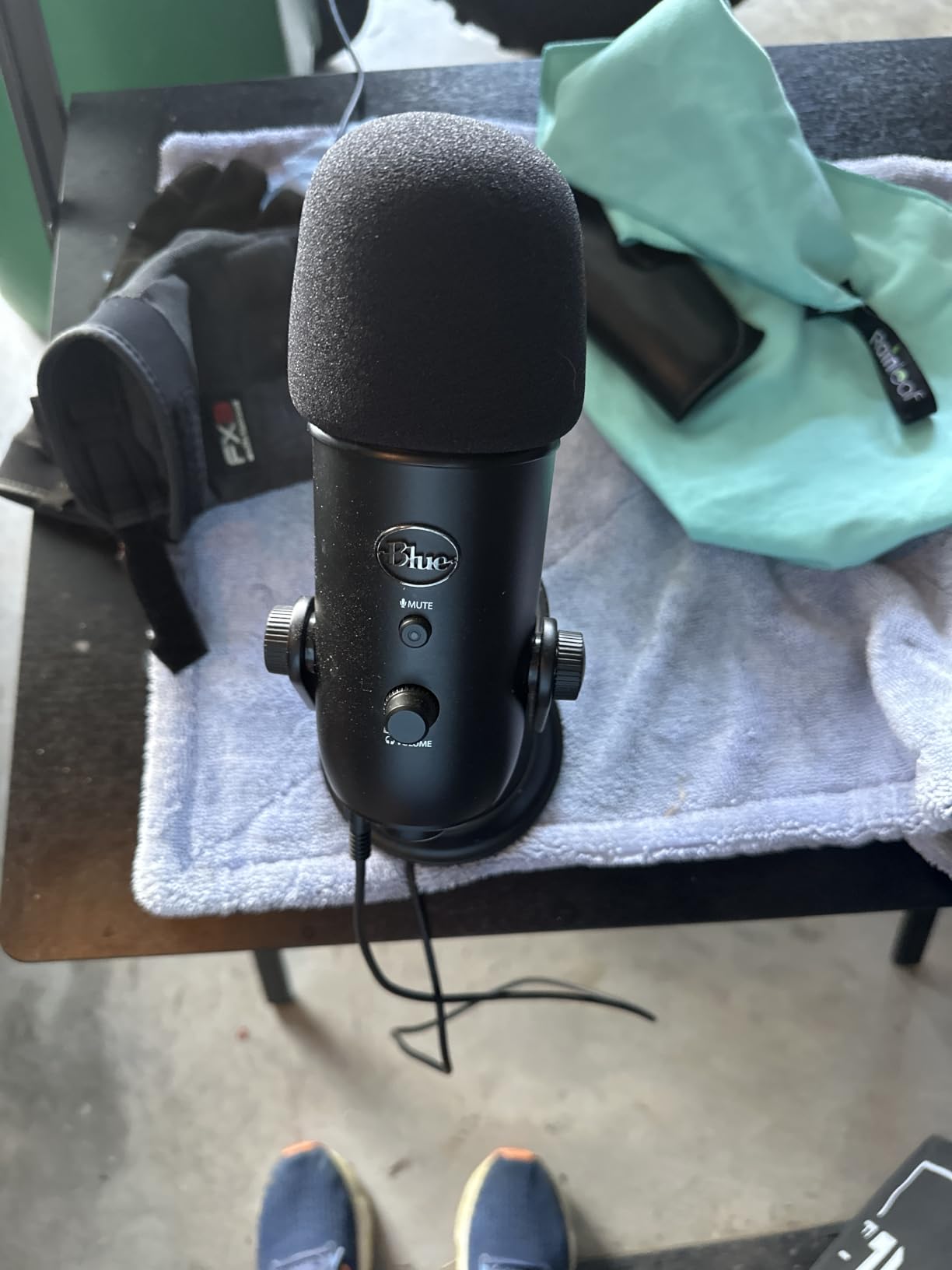
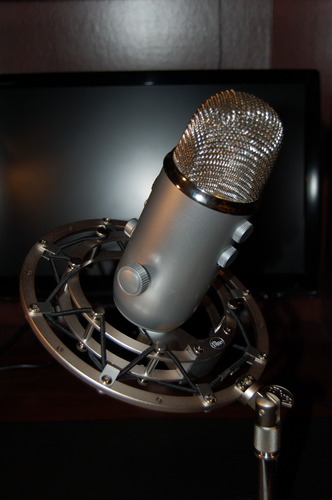
The pattern switch is the real reason to pick this one over a similar-price microphone. Cardioid works for a solo host, omnidirectional captures a round table evenly, bidirectional puts two guests face to face without bleeding across, and stereo covers instruments. For a two-person remote interview recorded in the same room, bidirectional is the correct choice and almost no sub-200 USB microphone offers it alongside three others.
The compromise is size and sensitivity. This is a large condenser, so with the window open behind you it will pick up traffic and keyboard noise with total honesty. The supplied desktop stand is serviceable but tall, and owners regularly report that it sits in shot during video podcasting. A boom arm fixes both problems and there is standard threading underneath for exactly that reason.
What works about it in a real recording room
Pattern flexibility is the headline, but the practical benefit showed up in our fan-and-phone test. Switched to cardioid and turned a good 20 degrees off axis, the street noise dropped noticeably while voice level barely moved. That headroom matters for anyone who cannot control where the air conditioner runs.
The monitoring jack also carries your own voice with no delay, so you can check your distance without the doubled-echo effect that makes cheap USB mics tiring to monitor. There is no software requirement at all, which is a genuine relief on a locked-down work laptop.
Where it disappoints
The mini-USB port is the specification that ages worst. Newer machines increasingly ship without that connector, so you are relying on the included cable or an adapter for the life of the microphone. It records perfectly when connected, but it is an avoidable friction point in 2026.
Reviewers also report that the volume knob and mute button feel imprecise compared with the clickier controls on newer bodies. And because it is a condenser with no low-cut option, rumble from traffic and building HVAC does need software or a gate to tame. None of that is fatal for speech, but it is why a dynamic alternative may suit a noisy flat better.
2. HyperX QuadCast – Best Rated With a Shock Mount Built In
HyperX QuadCast – USB Condenser Gaming Microphone, for PC, PS4, PS5 and Mac, Anti-Vibration Shock Mount, Four Polar Patterns, Pop Filter, Gain Control, Podcasts, Twitch, YouTube, Discord, Red LED
USB
20 Hz to 20 kHz
90 dB SNR
Four polar patterns
1.6 lb
Pros
- Highest average rating in this list at 4.8
- Built-in elastic suspension shock mount
- Tap-to-mute with LED status
- Gain dial and headphone jack for monitoring
Cons
- Thin internal pop filter
- Bright fixed red LED ring
- Rubberised surfaces age with use
- USB only with no XLR path
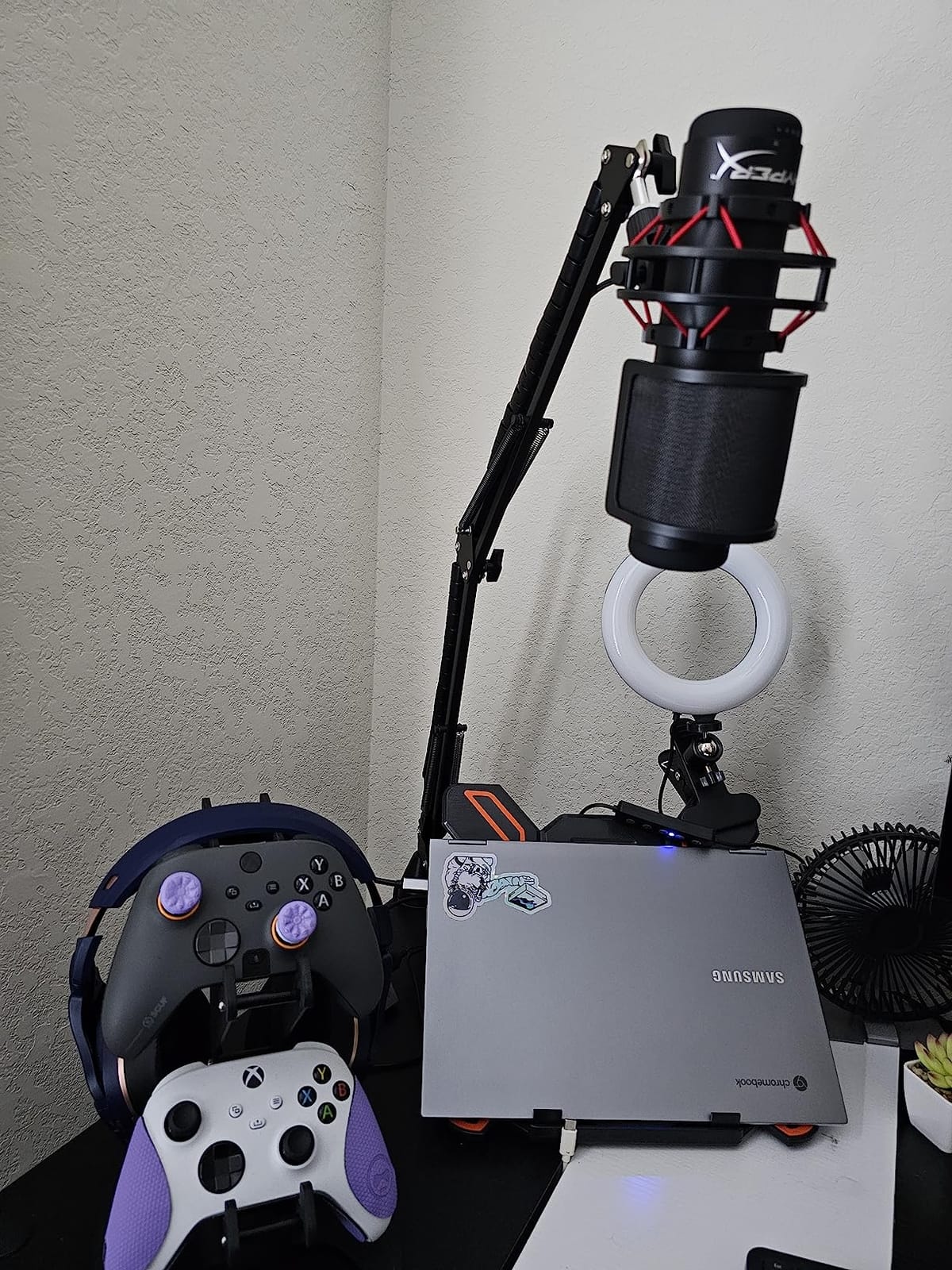
The QuadCast has the highest average rating of any microphone in this roundup, sitting at 4.8 across more than 35,000 owner reviews. It is also the one microphone here where I did not need to add a shock mount to get a usable recording, because the anti-vibration suspension is built into the body on an elastic rope frame.
That single design choice solved the problem that made me wince during the first test on several other condensers. Knocking the desk with a coffee cup sent an audible thump straight into the track on most models. On the QuadCast it disappeared entirely, which matters for anyone who gestures while they talk.
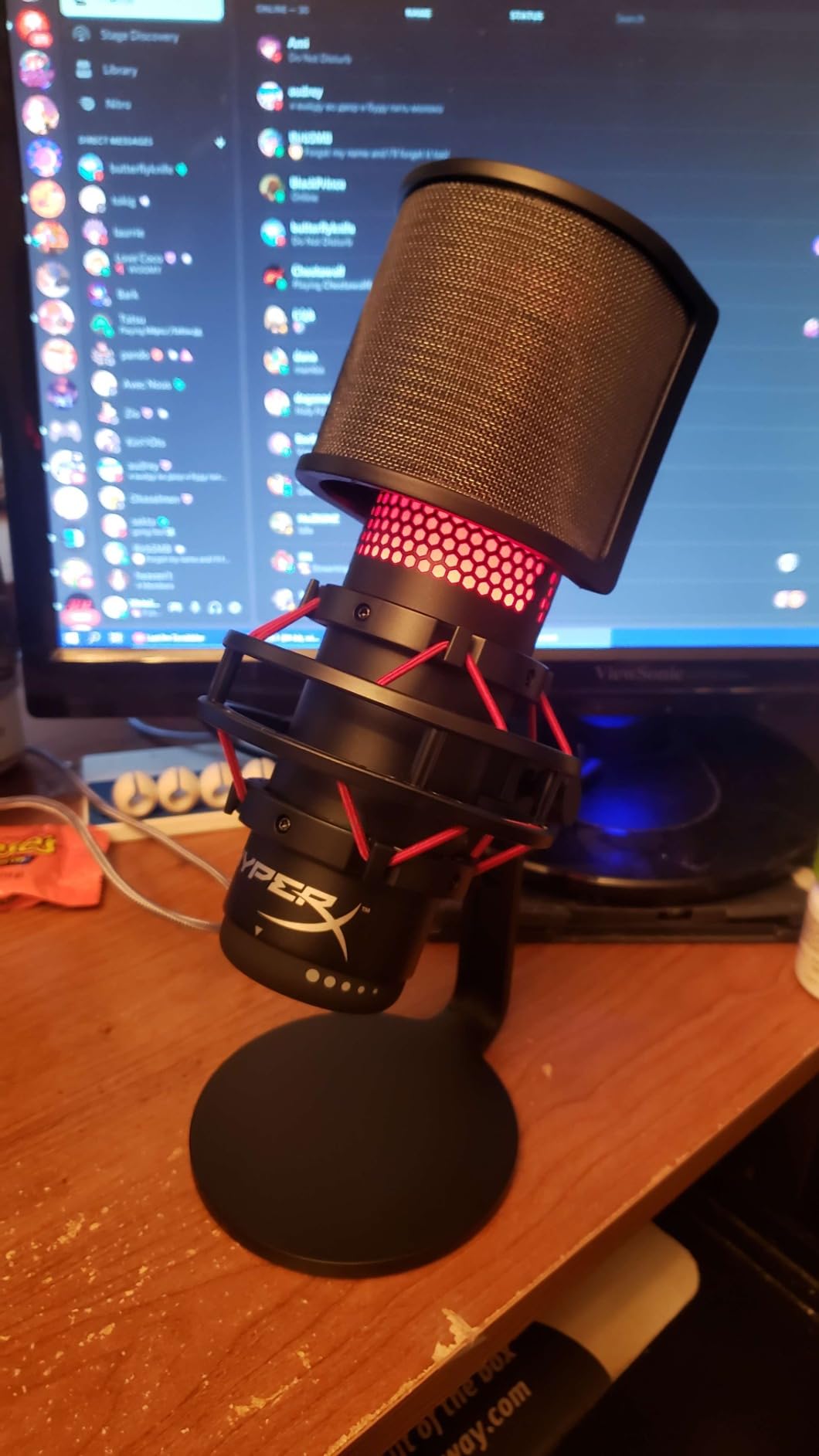
The tap-to-mute sensor on the top surface is genuinely useful and the LED ring gives you a clear state indicator without opening any software. A gain dial and headphone jack on the body cover the two controls that matter most, and the 3/8-inch plus 5/8-inch threading means it drops onto almost any boom arm. It is certified for Discord and TeamSpeak and works with OBS and Streamlabs without configuration.
All four polar patterns are selectable, including bidirectional, which makes this a genuine two-person interview microphone rather than a solo-only tool. In the street-noise test, the cardioid pattern behaved like a good mid-range condenser should: clear voice, noticeably reduced keyboard and fan noise from off-axis positions.
Why it earns the top rating
Owners consistently describe it as the microphone that finally made their sound usable without a second purchase. The bundled shock mount and included hardware controls mean the box contains everything needed for a clean recording, which removes the most common beginner mistake of hanging a mic off a wobbly desk stand.
At 1.6 pounds it is also far easier to reposition than the Blue Yeti, and the narrower body sits lower on a boom arm so it does not dominate a camera frame. For a home studio shared between podcasting and streaming, that combination of rating, hardware and footprint is hard to argue with.
What to plan around
The internal pop filter is thin. It takes the edge off plosives at normal speaking distance but not at enthusiastic ones, and owners who record close with an untreated room frequently add an external filter. Budget for a basic pop filter and a boom arm as the first two accessories.
The red LED ring is bright, fixed, and cannot be dimmed, which owners on tidy desk setups mention as a genuine annoyance. The rubberised top and bottom surfaces also get tacky with years of handling. And this is a USB-only body with no XLR output, so there is no upgrade path later without changing microphones entirely.
3. FIFINE T669 – Everything Mounted in the Box
FIFINE T669 Studio Condenser USB Microphone for Recording Podcasting
USB and USB-C
20 Hz to 20 kHz
78 dB SNR
Boom arm kit included
Pros
- All-steel scissor boom arm included
- Shock mount and double pop filter included
- Detachable desktop mount and C-clamp
- Warm clear voice capture
Cons
- Pop filter and stand padding glued weakly
- No dedicated mute button
- Limited scissor arm reach
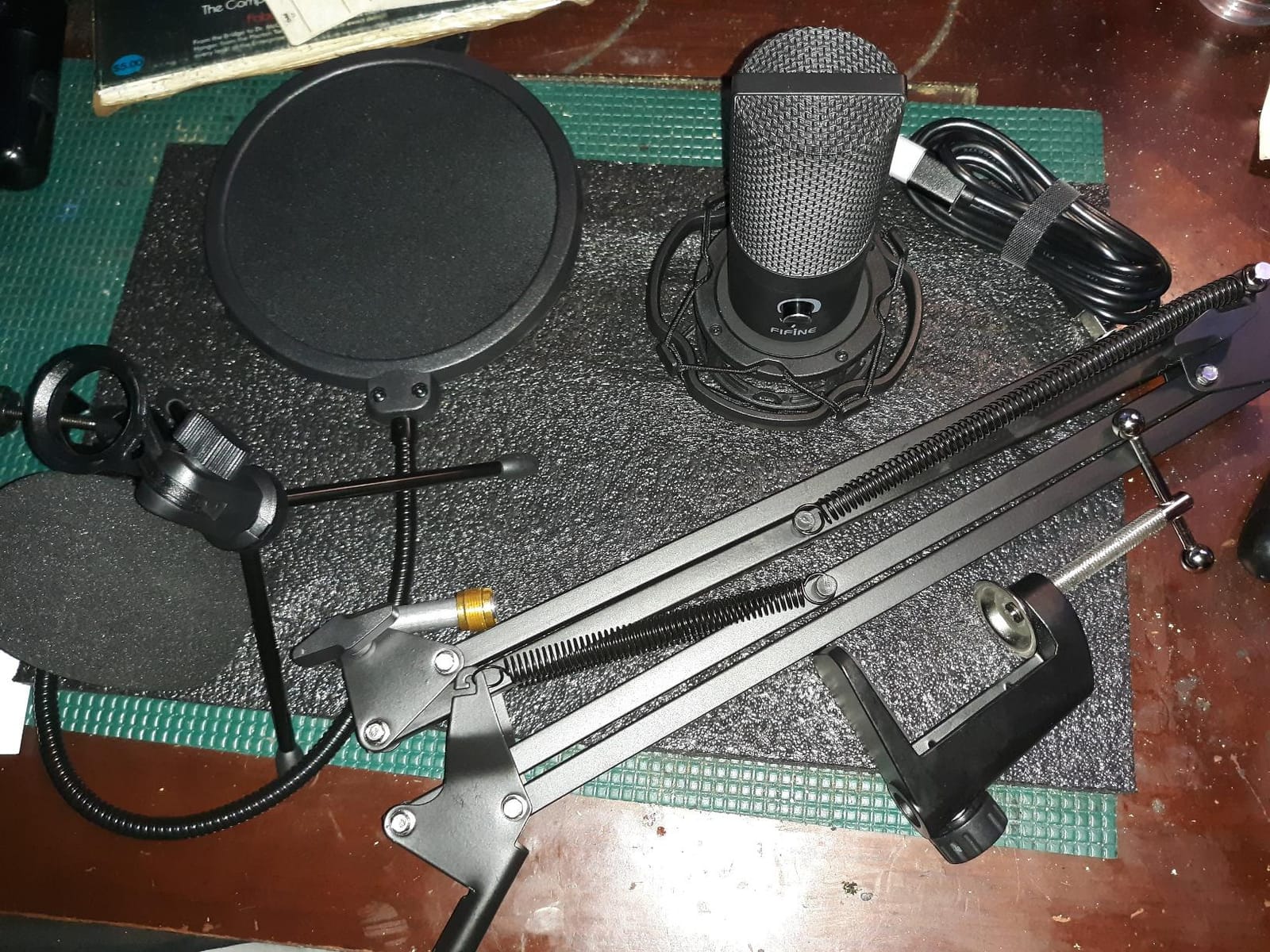
The T669 answers a question buyers ask constantly: what else do I need to buy? The answer here is a scissor boom arm, a shock mount, a double pop filter, a desktop mount, a C-clamp and an 8.2-foot USB cable. Out of the box it is a complete recording setup rather than a microphone with a stand.
That matters most for first-time podcasters, who otherwise end up with a laptop microphone, a tablet holder and a mic balanced on a stack of books. Our test recording sat at a consistent distance for the whole read because the arm held its position, and the included pop filter took care of plosives without a separate purchase.
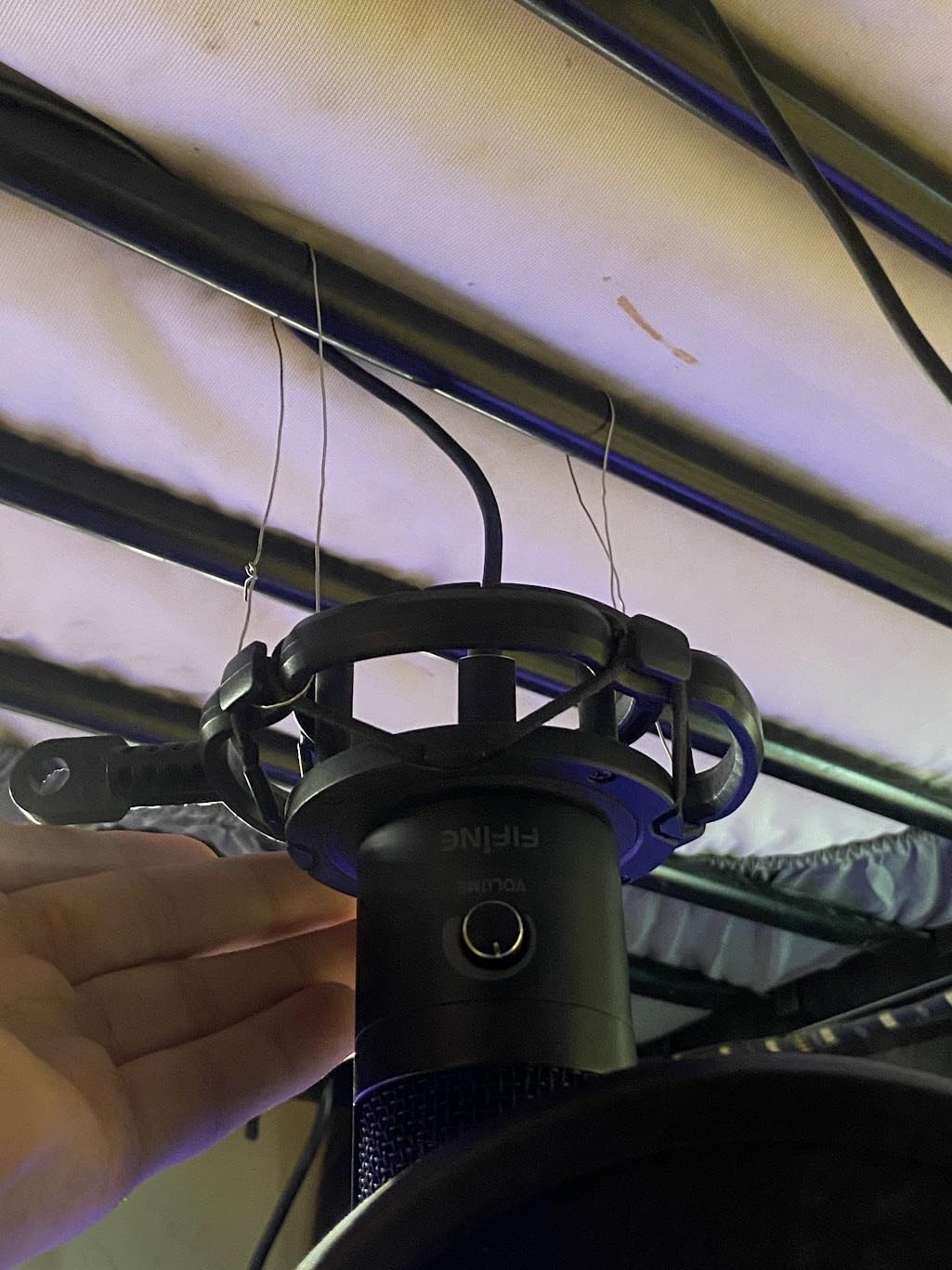
The capture itself is a unidirectional cardioid condenser with a wide frequency response, and it produced a warm, clear voice that sat well next to a laptop mic in blind comparisons. Signal-to-noise ratio is listed at 78 dB, which is normal for this price band and adequate for speech in a reasonably quiet room.
It works the same on Windows, macOS, Linux and consoles without drivers, and FIFINE support has a track record of replacing damaged stands outside the warranty window. That kind of response matters more for an accessory-heavy kit than the warranty length alone suggests.
Best fit for a first recording
If you have never recorded a podcast before, the value calculation here is simple. The arm, mount and filters represent most of what a starter setup would cost on their own, so the effective price of a usable studio is well below what buying a microphone and then discovering you need a mount would leave you.
The arm rotates 180 degrees vertically and 135 degrees horizontally, which covers most desk and boom-mount positions. The combo C-clamp and detachable desktop mount means you can clamp to a desk edge or a shelf bracket without tools, and swap to the desktop base when you travel.
Where the kit falls short
Owners most often complain about the included accessories rather than the microphone. Glue on the pop filter grip and the stand padding is weak, and a few reviewers report the volume knob failing after a few months of use. Treat the arm and filter as consumable parts that may need replacing within a few years.
The scissor arm reach is also limited compared with a proper spring arm, which can leave it short for a desk where the microphone needs to sit in front of the user rather than beside them. And because the volume knob doubles as the mute, there is no instant hardware silence for a cough or a doorbell.
4. FIFINE K669B – Metal Build at the Cheapest Entry Point
FIFINE K669B USB Microphone, Condenser Recording Mic for Vocals, Meeting
USB-A and USB-C
20 Hz to 20 kHz
78 dB SNR
5.6 oz
Pros
- Very low entry price with all-metal construction
- Compact and light at 5.6 ounces
- On-body volume knob
- Cardioid pattern focuses on the voice
Cons
- No dedicated mute button
- No noise-cancellation processing
- Single cardioid pattern only
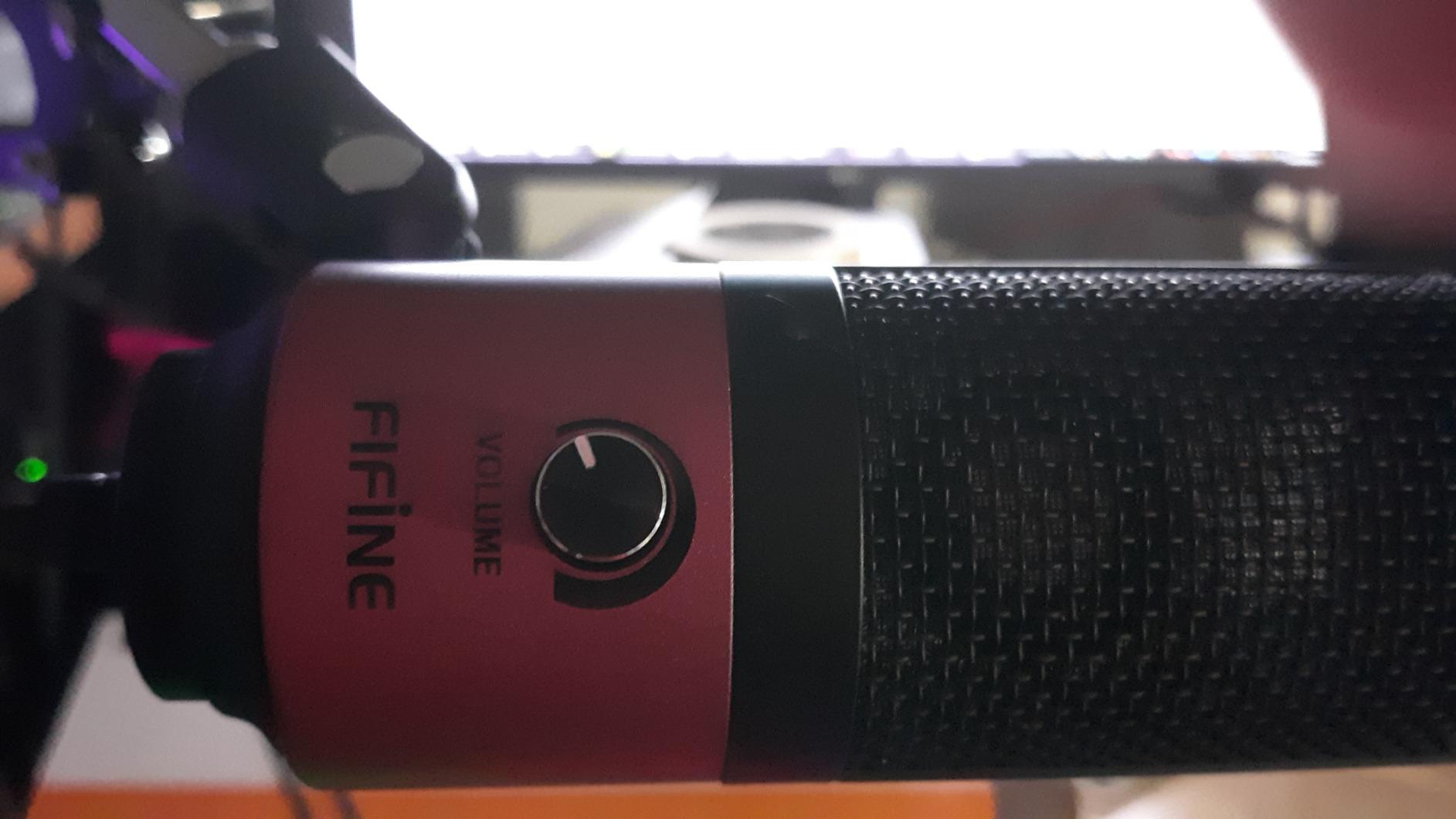
The K669B is the microphone to buy when the budget is the main constraint and the goal is to sound clearly better than a laptop. At 5.6 ounces with a metal body and a metal tripod, it feels like a step up in build quality the moment you pick it up, and it is roughly a quarter the size of a full-size desktop condenser.
Recording quality surprised me for the tier. Speech came out clear and present with a cardioid focus that keeps the pickup aimed at the speaker. In the noise test it held up acceptably, and owners frequently note that it compares favourably with desktop microphones costing several times more once you keep it close to your mouth.
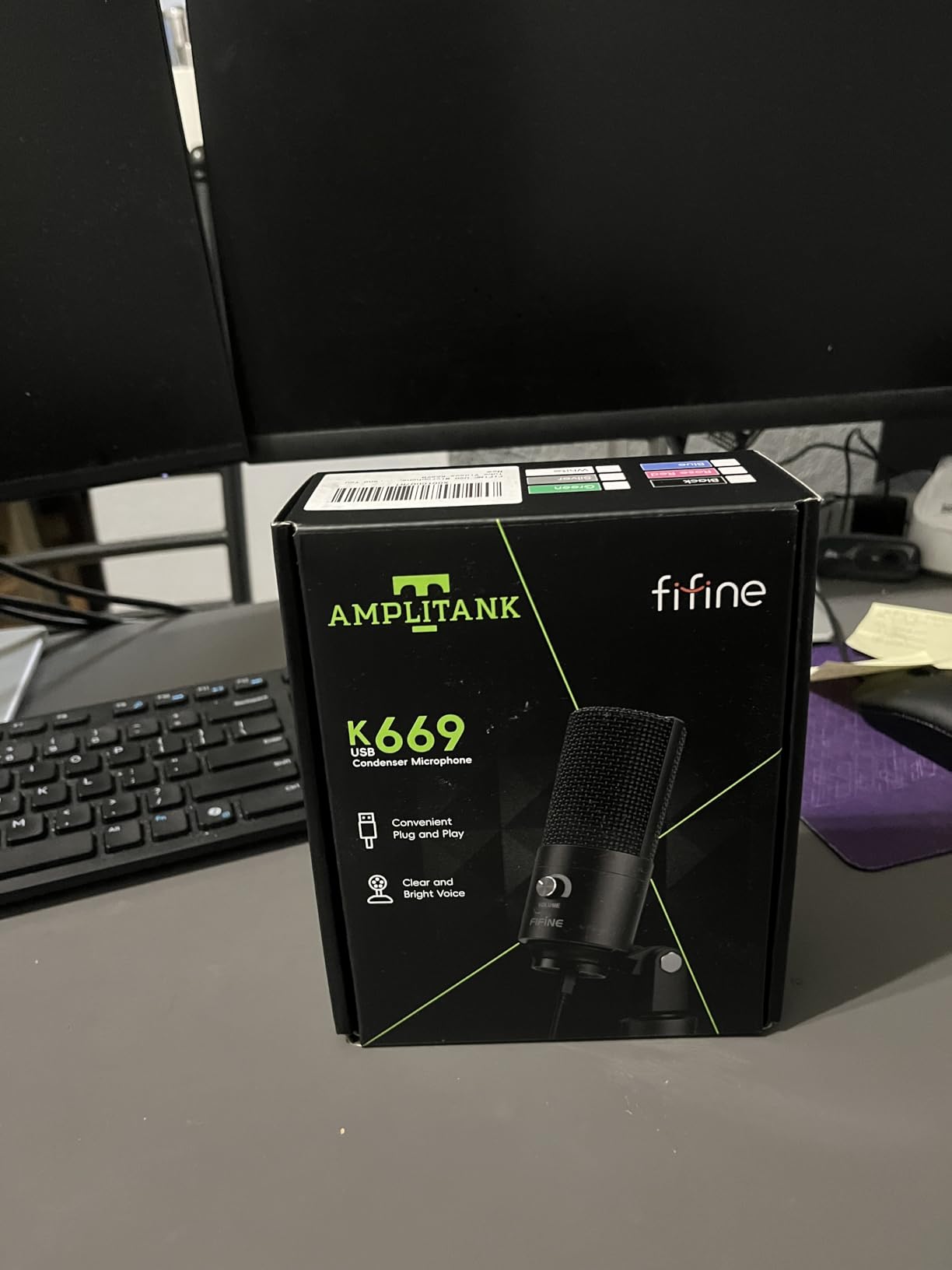
Operation is genuinely plug and play with a 5.9-foot USB-B to USB-A or USB-C cable and no drivers at all. It draws power over USB so no phantom power or external supply is involved, and it works on desktops, laptops and recent consoles without configuration.
The on-body volume knob handles level, which is more control than most microphones at this entry point provide. Turning it fully down functions as a manual mute, which is imperfect but workable when you remember it exists.
Why budget buyers gravitate to it
The reviews tell a consistent story: people buy this expecting little, get a clear and warm voice for voiceover work, calls and a first podcast, and end up keeping it. The metal construction holds up to being moved between a home desk and a laptop bag, which plastic bodies at this tier often do not.
Its single cardioid pattern is also a genuine strength for a solo creator. It points where you face it and ignores most of what is behind the microphone, which is the behaviour you want when a partner or a television is behind you.
What you give up
The largest limitation is distance. Sound quality improves noticeably only when the microphone sits close, and because the tripod stand is short and fixed-height, you will need a boom arm or a mic arm clip to bring it to mouth level. That is the one accessory worth budgeting for.
There is no noise-cancellation processing and no low-cut filter, so it can capture sound from several rooms away in a quiet house. There is no hardware mute button, and a single pattern rules out any two-person or roundtable recording from one unit.
5. HyperX SoloCast – Compact Body for Tight Desks
HyperX SoloCast – USB Condenser Gaming Microphone, for PC, PS4, PS5 and Mac, Tap-to-Mute Sensor, Cardioid Polar Pattern, great for Streaming, Podcasts, Twitch, YouTube, Discord,Black
USB-C
24-bit 96 kHz
95 dB SNR
261 g
Cardioid
Pros
- 24-bit 96 kHz hi-res capture in a small body
- Swivel stand tucks under a monitor
- Tap-to-mute with LED status
- USB-C with 3/8 and 5/8 inch threading
Cons
- No gain control or headphone jack
- No shock mount or pop filter included
- Low stand requires effort to get close
The SoloCast exists because the full-size desktop condenser is the wrong shape for a lot of desks. At 261 grams and less than seven inches tall, it sits low and out of the way, and the swivel stand slides underneath a monitor so it takes almost no desk footprint at all.
The technical headline is the 24-bit 96 kHz capture, which is higher resolution than most condenser microphones in this price band offer. On paper that matters more for music than for speech, but reviewers note the resulting recordings have plenty of headroom for editing and noise reduction without artefacts.
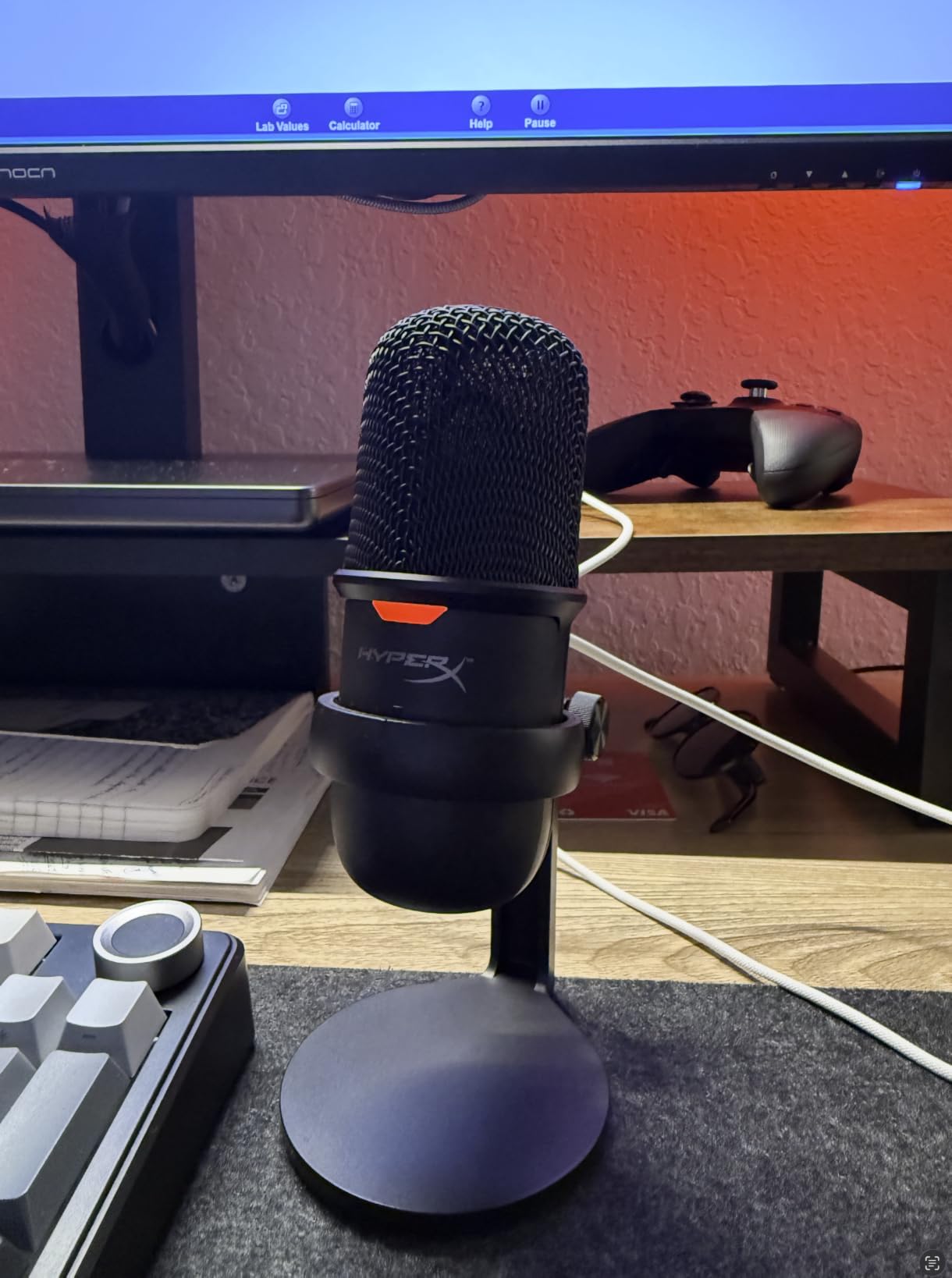
Tap-to-mute on the top surface with a visible LED works reliably and needs no software or configuration. USB-C connection means no adapter hunt on a modern laptop, and the built-in 3/8-inch and 5/8-inch adapter threads mean a boom arm or a mic arm clip is a straightforward addition.
The cardioid pattern is the only one available, and in our noise test that limitation showed: the pickup is focused but with no bidirectional option, so it is built for one speaker at a time. It records on PC, Mac, PS4 and PS5 without drivers, which owners of small gaming and streaming desks appreciate.
Where it beats bigger bodies
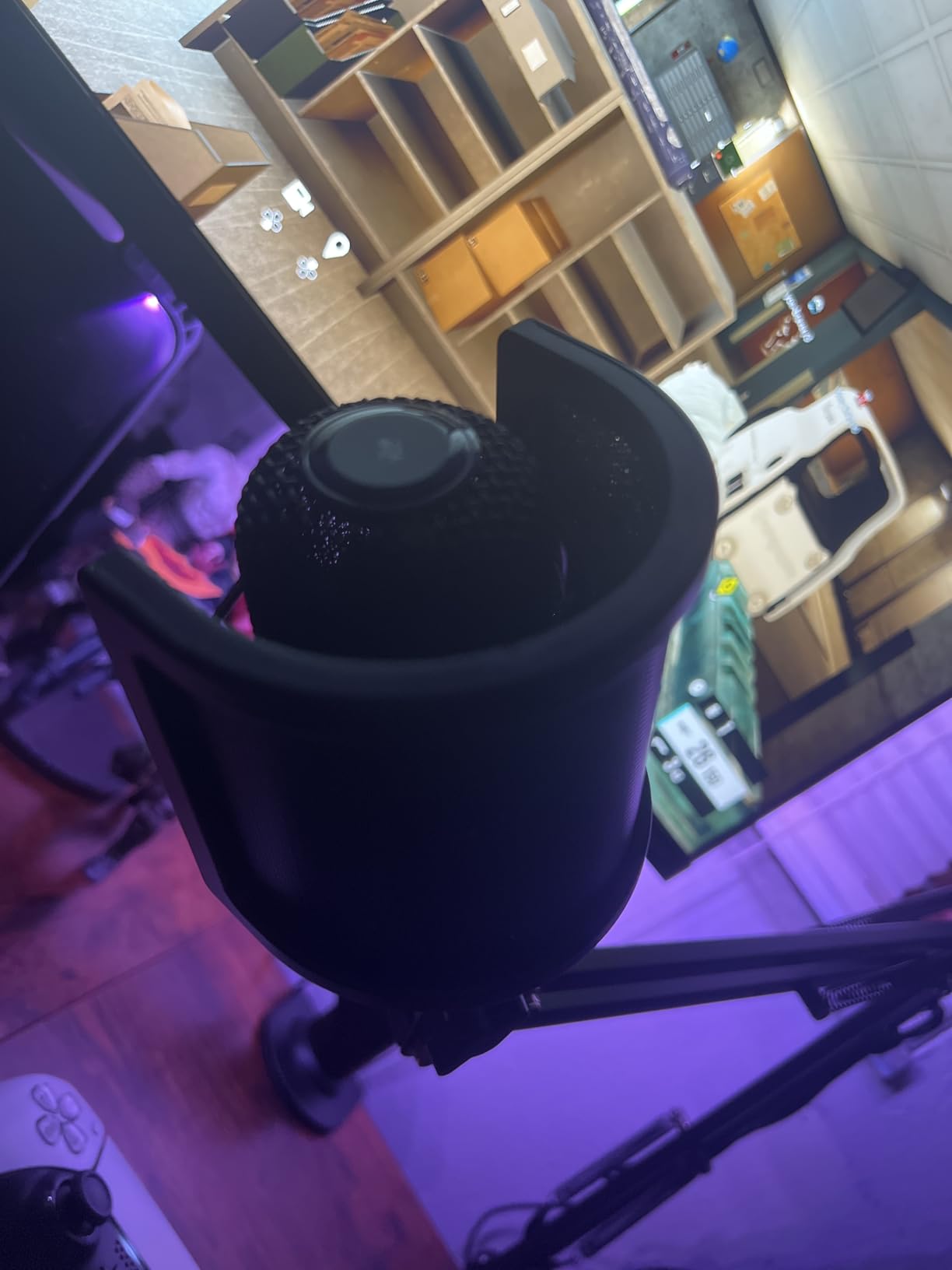
Video recording is the clear case. The small body never blocks a monitor or enters the camera frame, so a talking-head creator gets a clean shot without repositioning the microphone every take. Several owners switch from a full-size condenser specifically for this reason.
It also needs no pop filter at close speaking distance for casual content, and the tap-to-mute LED gives a clear state indicator at a glance, which is useful when you are sharing a desk with other gear and lights.
What you have to add yourself
There is no gain control and no headphone jack on the body. That means no direct monitoring and no hardware level adjustment, so all input gain has to be handled in software, which is a real loss for anyone used to physical controls.
No shock mount or pop filter ships in the box, and the low fixed stand means getting close enough for warmth takes deliberate effort. With more than 21,000 reviews averaging 4.6, this is a well-regarded compact starter that shows its limits the moment you move beyond solo voice work.
6. MAONO A04 – 192kHz Capture in a Full Kit
MAONO A04 USB Microphone, 192kHz/24Bit Condenser Mic Kit for PC Podcast
USB and USB-C
192 kHz 24-bit
30 Hz to 16 kHz
70 dB SNR
Cardioid
Pros
- 192 kHz 24-bit chipset for detailed capture
- Scissor arm shock mount pop filter and windscreen included
- All-metal build
- Cardioid pattern with anti-interference cable ring
Cons
- No mute button on the mic
- Very hot output with no in-app gain adjustment
- Boom arm joint and windscreen gooseneck can break
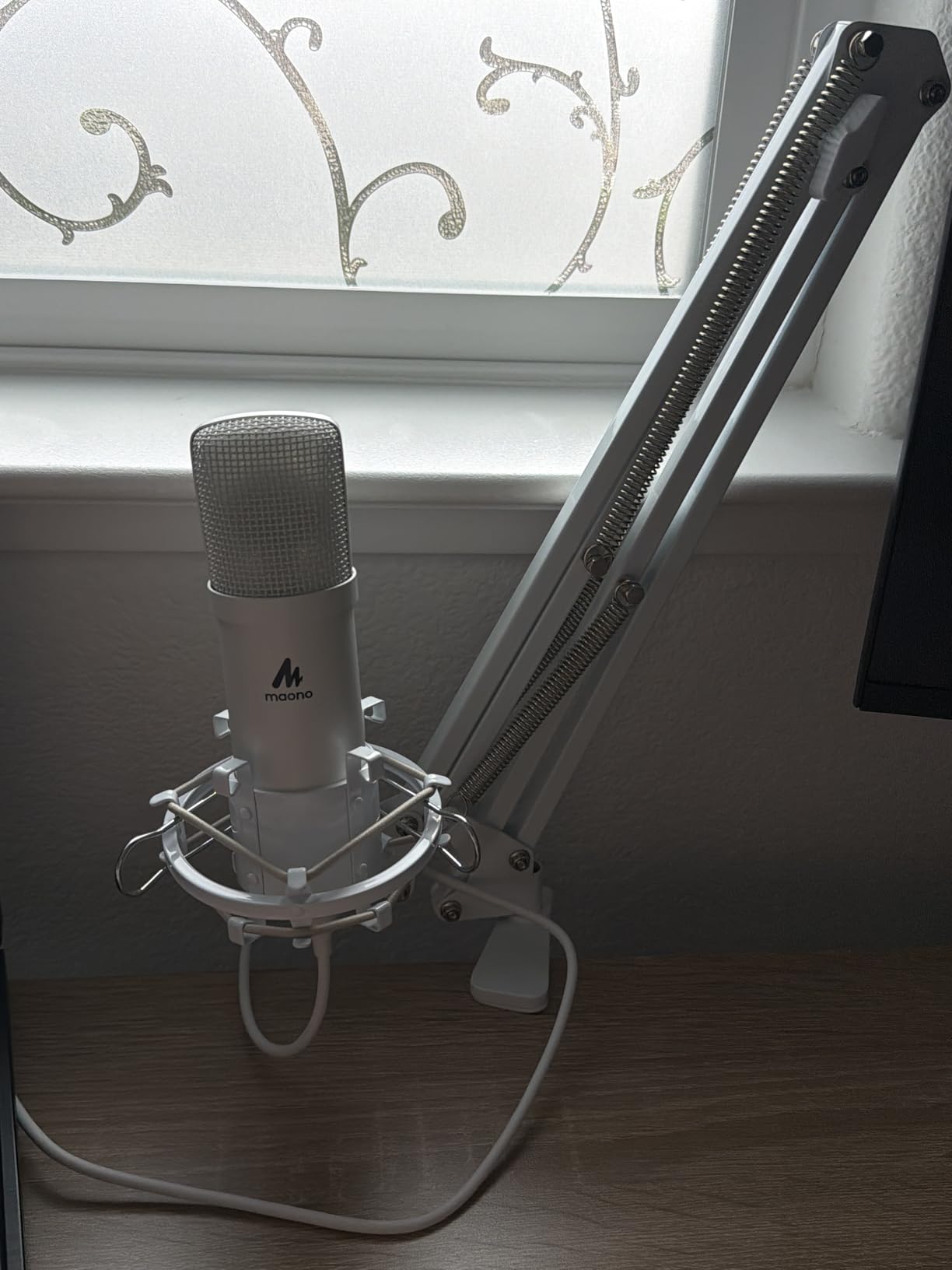
The A04 is the most generously bundled microphone in this roundup. The kit includes a scissor boom arm, shock mount, pop filter, foam windscreen and clamp, so again nothing needs buying to start, and the 16mm large-diaphragm electret capsule gives it a fuller low end than the small capsules used in the cheapest desktop microphones.
Its 192 kHz 24-bit chipset is the highest stated resolution of anything on this list. For spoken word the practical benefit is modest, but it means the recording has plenty of unused headroom, and owners editing in a DAW report clean results with aggressive noise reduction applied afterwards.
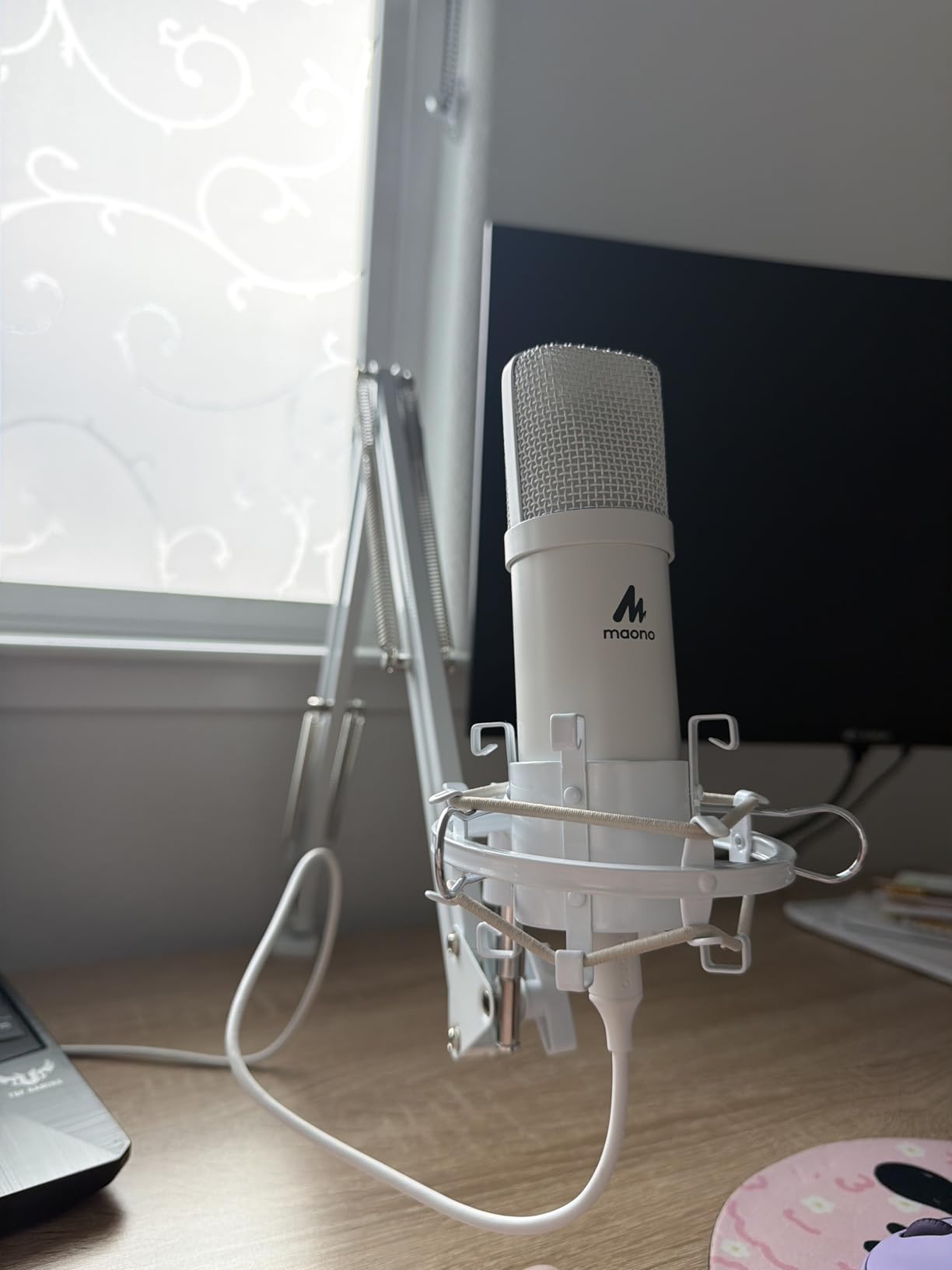
Setup took under five minutes with no drivers on Windows, Mac, consoles and phones, and it is compatible with the usual streaming and calling software. The cardioid pattern plus the supplied pop filter and shock mount produced a clean, low-noise take in our tests even with the desk fan running.
The magnet ring built into the cable is a small detail that reduces the interference that cheap USB cables pick up from nearby power sources. On a desk with a computer, a monitor and a lamp, that is a real source of hum and hiss in cheaper microphones.
Best for a treated corner
The all-metal kit feels more substantial than the entry price suggests, and the included accessories mean the total setup reads like a mid-tier package. If you have one corner of a room where you can reduce reflections, this microphone captures detail cleanly and the windscreen adds a second layer of plosive protection.
Owners doing voiceover and audiobook work frequently pick it because the capsule and included pop filter handle close-mic narration well. The low 30 Hz figure also gives voices with body some warmth that thin small-capsule microphones cannot match.
Where the kit disappoints
There is no mute button on the microphone. You can mute in software, but there is no hardware way to cut the signal instantly if something interrupts you mid-sentence.
The output is very hot with no gain adjustment available in any companion app, which means the recording often sits close to clipping and needs pulling down in post. The boom arm wrist joint and the foam windscreen gooseneck are the two components owners report breaking, typically after a year of use. It is also not supported by the MAONO Link app, so the processing features on the brand’s other microphone are unavailable here.
7. FIFINE AM8 – Dynamic Cardioid With USB and XLR
FIFINE AmpliGame AM8 USB/XLR Dynamic Microphone for Gaming Streaming
USB and XLR
50 Hz to 16 kHz
80 dB SNR
600 g
Dynamic cardioid
Pros
- Dynamic cardioid rejects room noise and keyboard clicks
- Dual USB and XLR output for a future interface
- Tap-to-mute with LED reminder works without software
- Headphone jack with monitoring volume and gain
Cons
- RGB ring dims or fails when the cable moves
- Touch-style mute button rather than a press switch
- RGB and function key inactive in XLR mode
The AM8 is one of two microphones here with both USB and XLR outputs on the same body, and that single feature answers the most common long-term question from beginners: will this microphone be wasted if I outgrow it? Plug it into a computer today, move it to an audio interface in three years, and it still works.
More immediately useful is the dynamic cardioid capsule. Dynamic microphones have a much lower self-noise floor than condensers and ignore a lot more of what is behind them, which in our street-noise test meant this one held voice clarity while the condenser models picked up traffic and fan hum clearly in the waveform.
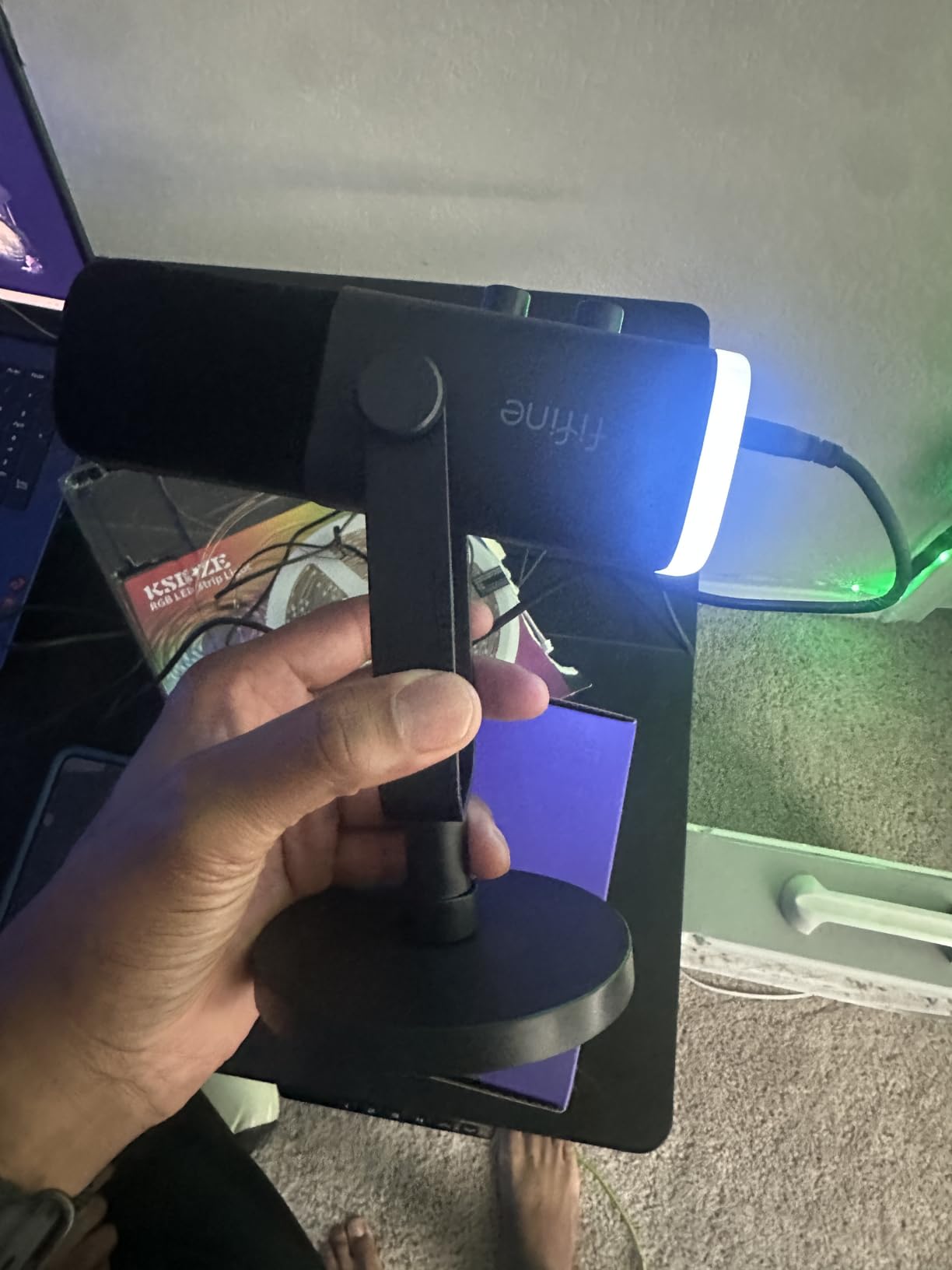
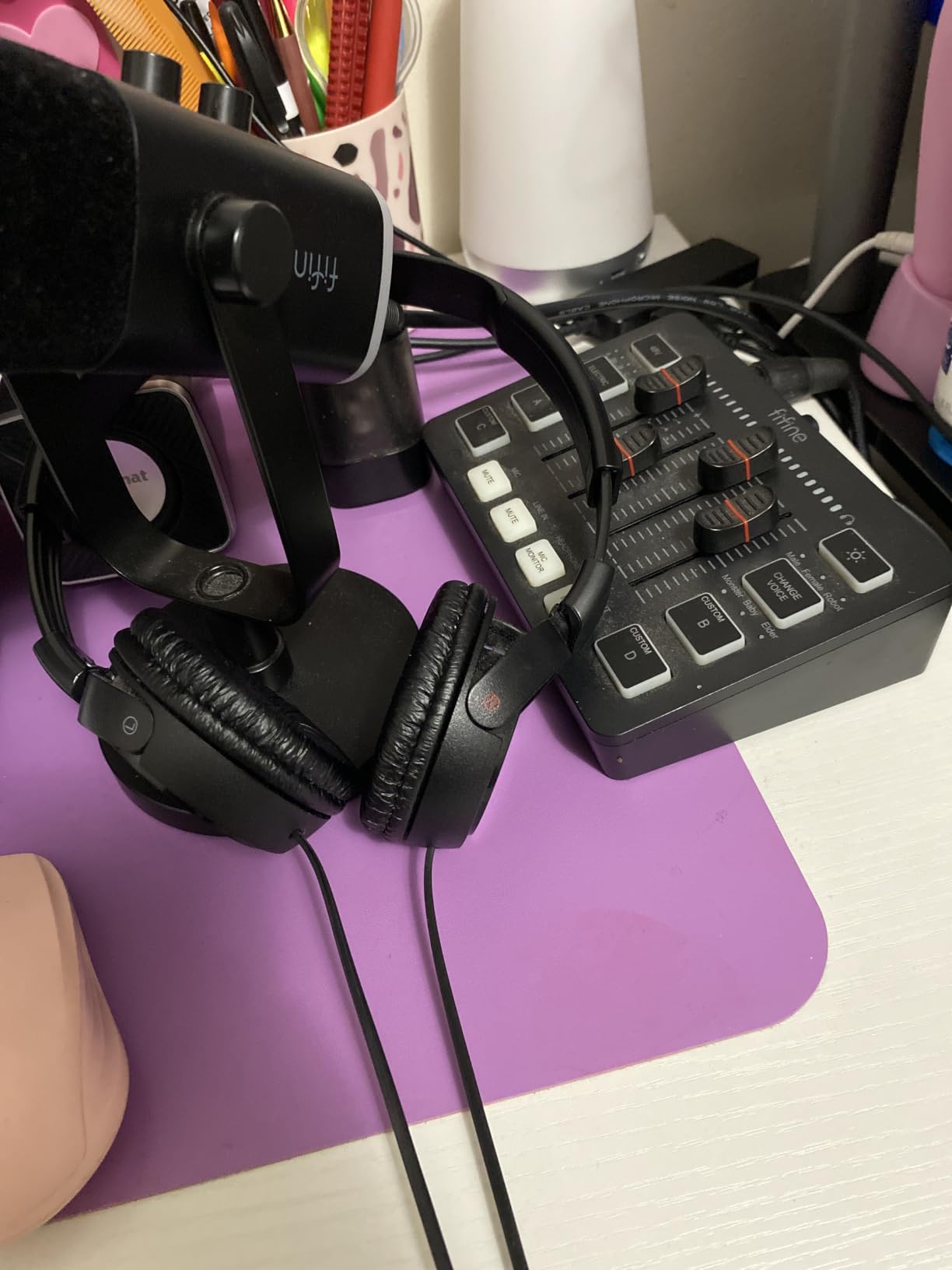
Headphone jack, monitoring volume control and a gain knob cover the full monitoring chain in hardware, and the tap-to-mute operates independently of your computer software in USB mode, which we found dependable in testing. The included desk stand is stable and the built-in 3/8-inch and 5/8-inch threads accept almost any arm.
Frequency response runs 50 Hz to 16 kHz, which is narrower than a condenser but entirely appropriate for speech. Signal-to-noise ratio is listed at 80 dB. The RGB ring adds a gaming-desk look with colour memory, though we treat that as cosmetic rather than functional.
Why a dynamic helps in an untreated room
Condensers treat every sound in the room as content. Dynamics mostly treat the sound arriving from the direction the capsule faces as content, so the practical difference shows up on tracks recorded near a window, an air conditioner or a busy kitchen. In our fan-and-phone test the AM8 produced the cleanest speech of any microphone on this list.
The trade-off is sensitivity. Dynamic capsules need you closer and louder, and they roll off the airy top end that makes a voice sound open. Speaking a normal distance away from a USB condenser means speaking closely into this one, which is good technique anyway.
Where it falls short
The RGB ring is the most-cited problem in reviews. It dims or switches off when the cable is moved, the lighting is weak, and the RGB controls plus the function key go inactive entirely once you switch to XLR mode. Owners who buy it for the lighting are disappointed; owners who ignore the lighting rarely mention it.
The mute is a capacitive touch button rather than a physical press switch, so it can trigger from a wet or accidental touch. The body is largely plastic despite a metal-looking finish, no XLR cable or boom arm is included, and the rubber base collects dust and pet hair quickly.
8. Elgato Wave:3 MK.2 – On-Mic DSP and a Virtual Mixer
Elgato Wave:3 MK.2 USB Condenser Microphone, DSP Effects
USB-C
Super cardioid
110 dB SNR
7.5 oz
Clipguard 2.0
Pros
- Auto Gain and Clipguard make setup nearly automatic
- Onboard voice enhancer compressor and EQ
- Headphone jack with direct monitoring
- Free Wave Link virtual mixer
Cons
- Shock mount pop filter and arm sold separately
- Wave Link software has a learning curve
- Slight bass thinness
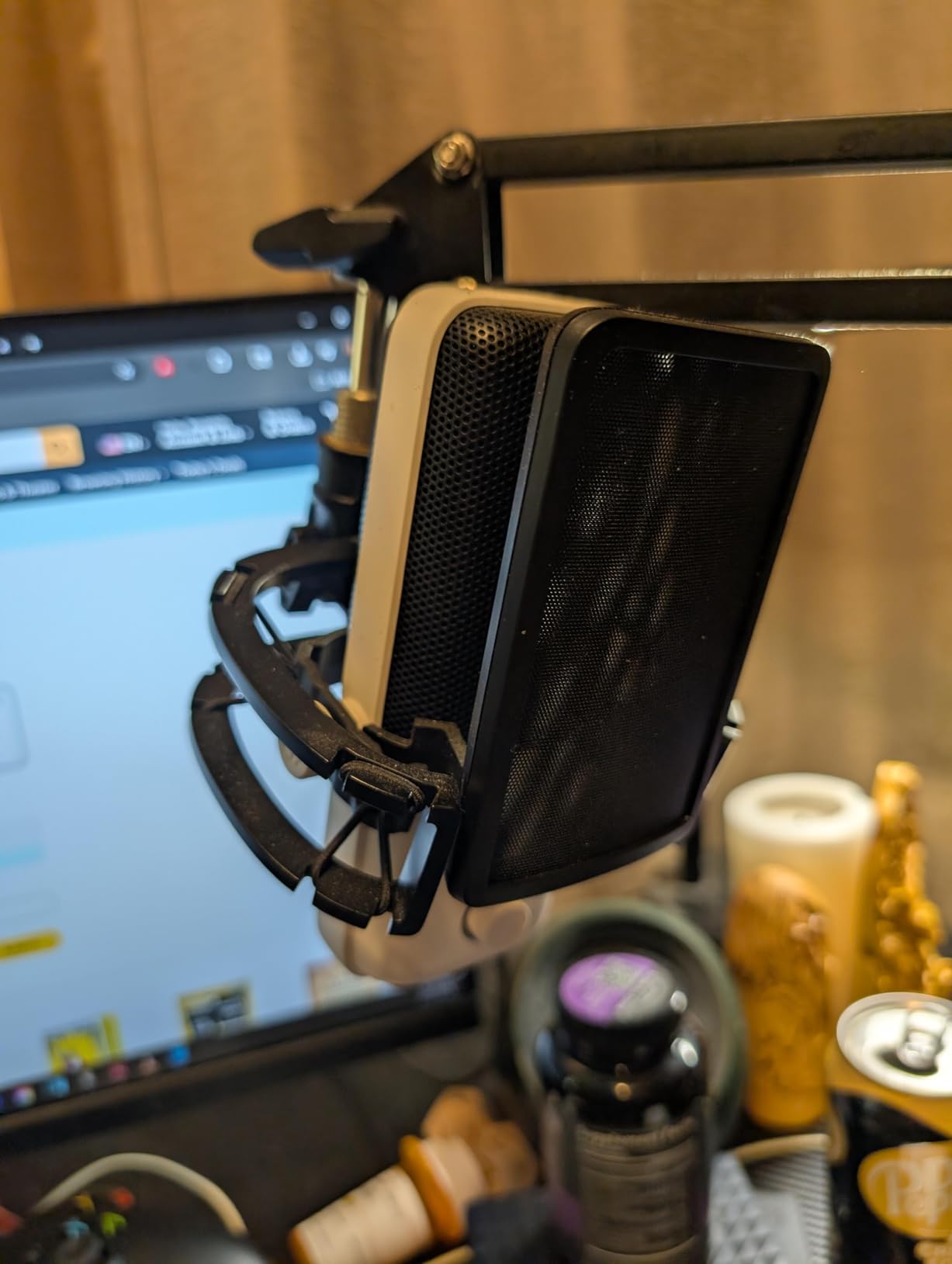
The Wave:3 MK.2 is the most processed microphone in this roundup, and for creators who also stream or record video, that processing is the point. Clipguard 2.0 distortion protection and Auto Gain calibration handle input level automatically, so the microphone sets itself rather than leaving a new user guessing at gain staging.
On the body you get a voice enhancer, a compressor and EQ running through the Wave FX Processor without opening any software. Tap-to-mute with a multifunction dial for volume and gain and an integrated headphone jack for direct monitoring complete the hardware. Signal-to-noise ratio is listed at 110 dB, the highest figure on this list.
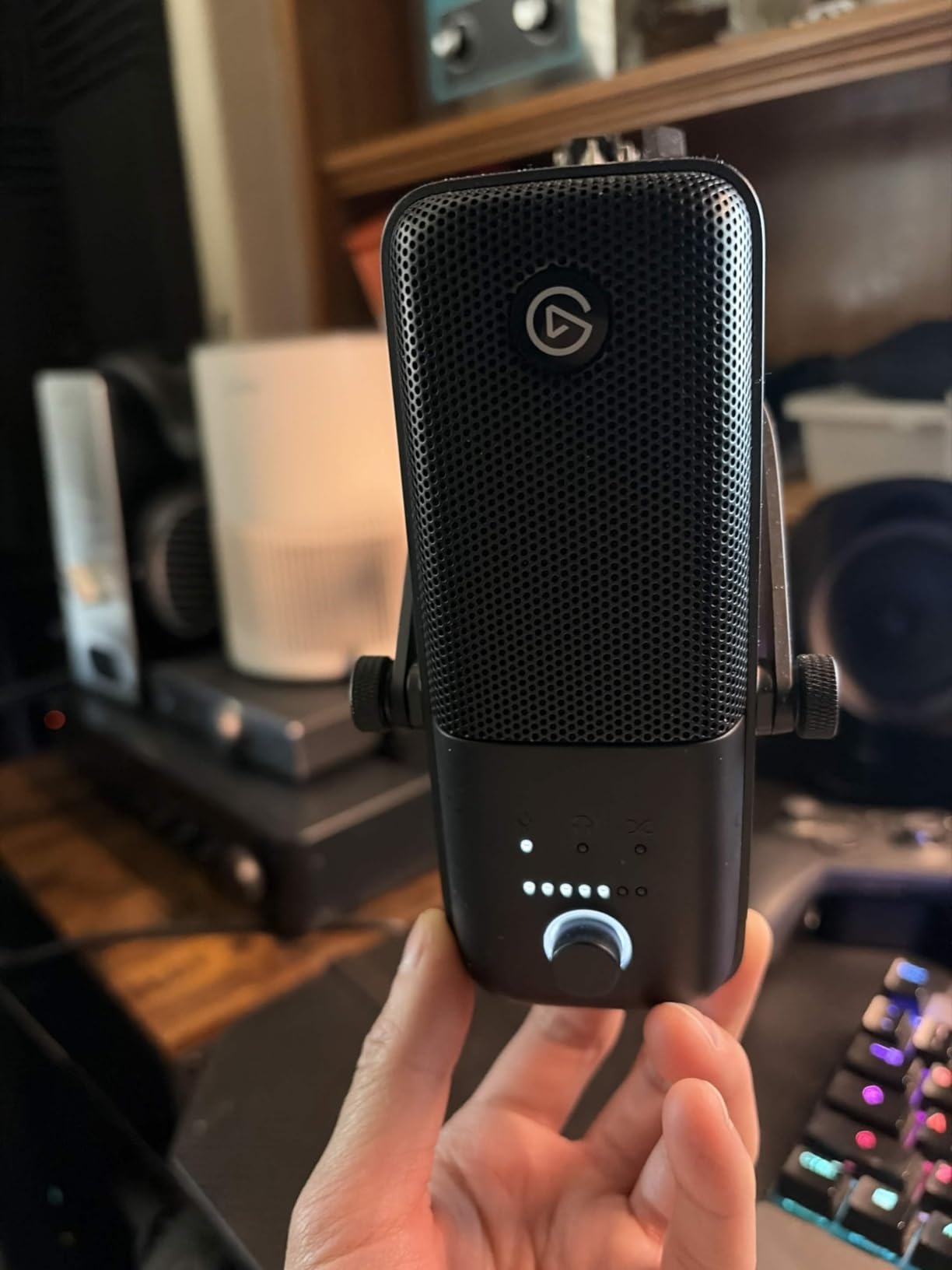
The free Wave Link software is the differentiator most people underestimate. It acts as a virtual mixer inside macOS and Windows, letting you route system audio, game sound and microphone levels independently, plus it hosts VST plugins. For a streamer recording a podcast track and a gaming session in the same session, that removes a lot of routing headaches.
The capsule itself is a super-cardioid condenser, so it is more focused off-axis than a plain cardioid and did well in our noise test. In practice the voice came out present and clear with less rumble than the other condensers we tested.
Best for creators who publish in several formats
The onboard processing means a raw track is usable before any post-production, which shortens the edit for someone publishing a weekly episode alongside video. Auto Gain removes a whole category of beginner frustration, since you no longer clip the first minute of a take by speaking too close.
Owners consistently rate it highly for streaming value and for virtual meetings, and the free software does not expire or require a subscription. At 7.5 ounces it is one of the lightest bodies here and mounts on a boom arm without sagging.
What it costs you
The shock mount, pop filter and Elgato arm are all sold separately, so the real outlay is meaningfully higher than the microphone alone. The Wave Link software also has a genuine learning curve, and owners report an audio-loop bug that occasionally requires a reinstall.
Reviewers note the bass response is somewhat under-emphasised, giving a slightly thin sound on deeper voices, and there is no low-cut filter and only a single polar pattern. As a condenser it still picks up background noise in an untreated room, so the processing is correcting for a signal that already contains the room.
9. Samson Q2U – The One for Untreated Rooms
Samson Q2U USB/XLR Dynamic Microphone Recording and Podcasting Pack
USB-C and XLR
50 Hz to 15 kHz
70 dB SNR
11.2 oz
Dynamic unidirectional
Pros
- Dynamic form rejects background noise at this price
- Dual USB-C and XLR output for a future interface
- Metal build has survived repeated drops
- Stand clip windscreen and both cables included
Cons
- Weak bundled tripod stand
- Flimsy on plosives without a filter
- Some PCs need the cable re-seated on boot
The Q2U has been a podcast standard for years, and the reason is the dynamic capsule in a handheld body. That combination is forgiving in a way no condenser here is: it wants you close and centred, and once you are there it ignores most of the room. In our fan-and-phone test it produced clean voice with very low background pickup.
It is also one of only two microphones on this list with a genuine XLR output alongside USB-C. The USB side runs off laptop power with no external supply, so you can record today with nothing else, and the XLR side means the same microphone works into an interface or mixer later.
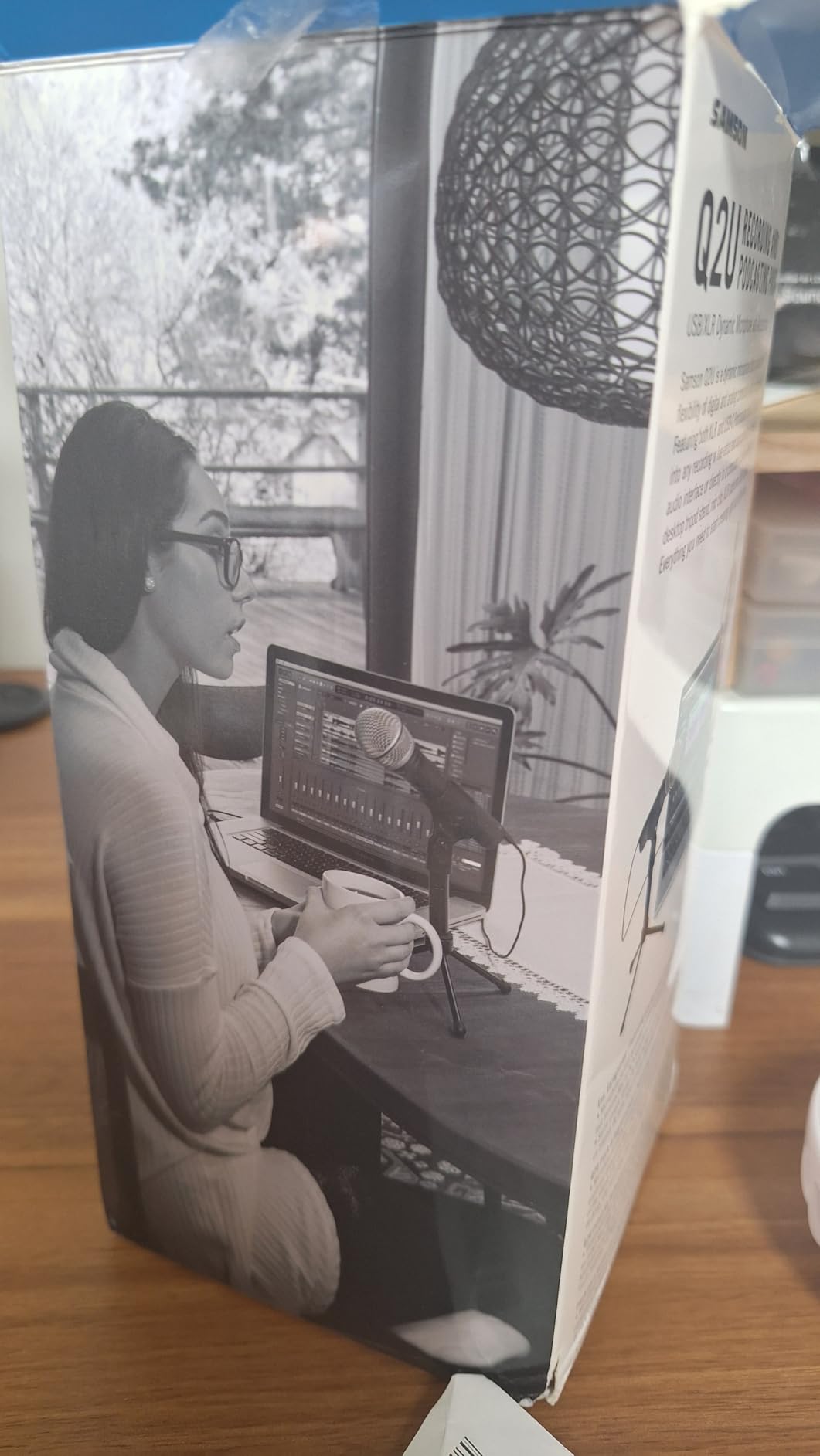
The pack is generous for the money. You get a tripod desktop stand with extension, a mic clip, a windscreen, and both USB-C and XLR cables. At 11.2 ounces with a metal body, it is portable enough for on-location interviews, and owners with long careers report it still going after years of drops.
The unidirectional cardioid pattern gives strong off-axis rejection, and the 50 Hz to 15 kHz range is narrower than a condenser but perfectly suited to speech. It is also the easiest microphone here to aim correctly, which matters more than raw specifications when you are new to this.
The honest test for a noisy flat
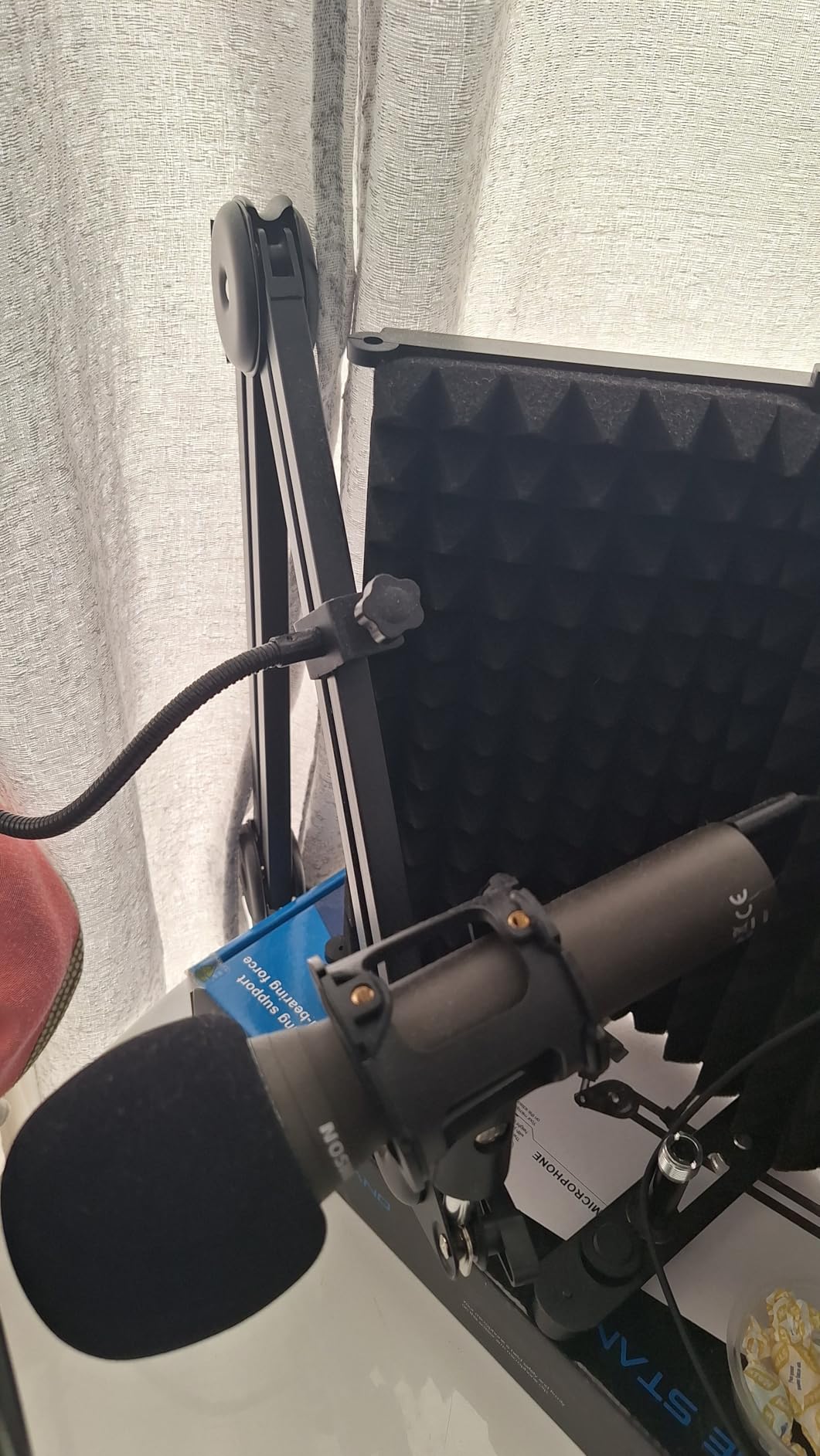
We recorded with a window open, a desk fan on high and a phone ringing in the same room. Of the twelve microphones, the two dynamics handled it best by a clear margin. If your podcast is recorded in an apartment, a shared house or anywhere with unpredictable street noise, this is the shape of microphone you want.
Because the mic is handheld and directional, off-axis sound drops away rather than sitting under your voice as it does with an omnidirectional condenser. Reviewers with broadcasting backgrounds rate it as the best value USB microphone for speech specifically, and that matches what we heard.
Where it needs help
Maximum SPL is low, so it is unsuitable for loud sources like singing or instruments. Do not use it as a vocal performance microphone. It is also weak on plosives, which means the included windscreen is not optional in practice and a pop filter is worth adding for close speech.
The bundled desktop tripod droops under the body, so treat it as a travel stand rather than a recording stand. Some PCs also fail to detect the microphone on boot until the USB cable is re-seated, which a firmware update from the manufacturer resolves, but you should know it exists before your first scheduled recording.
10. Rode NT-USB Mini – Studio Capsule With Monitoring
RØDE NT-USB Mini Studio-Quality USB Condenser Microphone
USB
20 Hz to 20 kHz
82 dB SNR
585 g
All-metal
Pros
- Studio-grade capsule with built-in pop filter
- Zero-latency headphone monitoring with on-body volume
- Heavy all-metal build in a compact size
- Magnetic stand detaches to fit any standard arm
Cons
- No gain control on the body
- Included desk stand sits low and picks up noise
- No low-cut filter and a slightly high noise floor
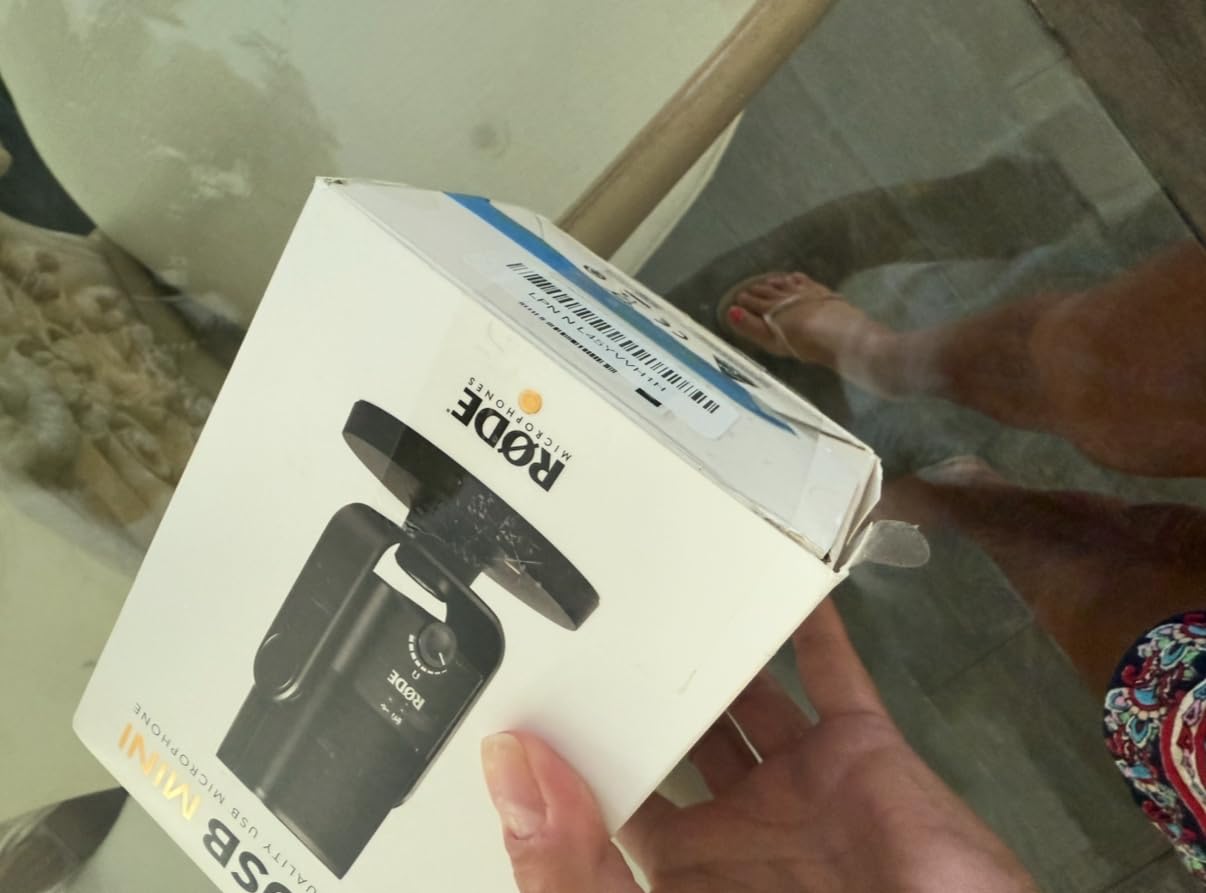
The NT-USB Mini is a studio condenser in a deliberately small body, and that is its argument. At 585 grams of all-metal construction it feels heavy enough to stay put on a desk, and the capsule is designed for voice, which is why it ships with a pop filter built into the body.
Zero-latency headphone monitoring with hardware volume control on the mic is the feature experienced podcasters notice first. You hear yourself in real time, which makes mic technique much easier to learn, and the headphone output is powerful enough to drive higher-impedance headphones without an external amplifier.
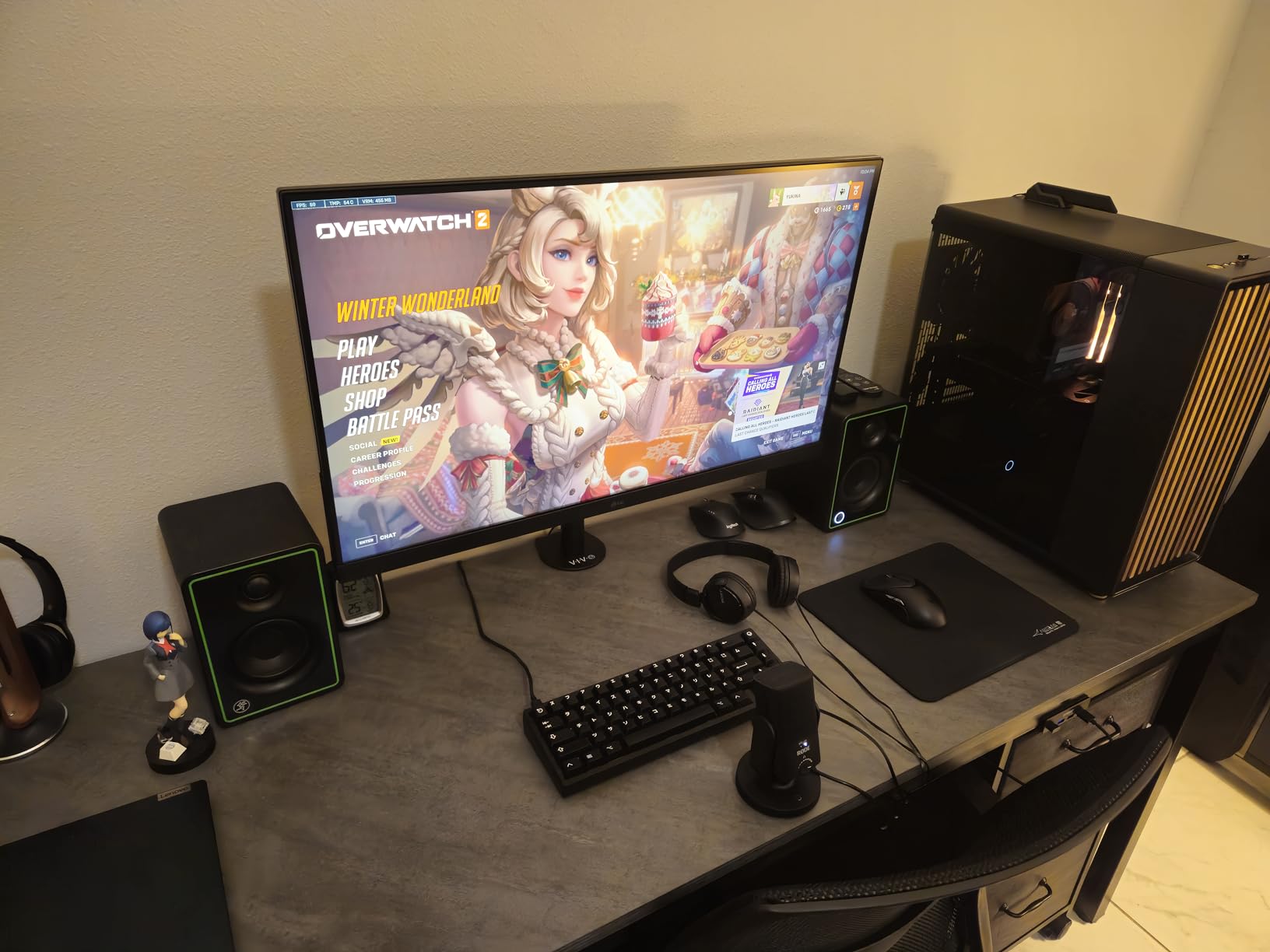
The magnetic desk stand detaches instantly and exposes standard mic-arm threading, so the microphone moves to a boom arm in seconds. It plugs into Mac, PC or iPad over USB with no drivers or interface, and owners report it ready to record in under a minute from opening the box.
Frequency response is a full 20 Hz to 20 kHz, which is wider than most of the dynamic microphones here, with a signal-to-noise ratio of 82 dB. In our tests the voice came out studio-clear and the built-in pop filter handled plosives without a separate accessory.
Where it outshines its size
The monitoring output is genuinely better than most competitors at this tier, and owners moving from a laptop microphone describe the difference in confidence when speaking as a significant upgrade. Because the body is compact, it also blocks far less of a monitor or camera frame than a full-size desktop condenser.
The built-in pop filter removes a required accessory for most users, and the detachable magnetic stand makes it one of the easiest microphones here to reposition between a desk and a boom arm. It works well for solo voice work, calls and voiceover sessions.
Where it disappoints
There is no gain control, so input sensitivity is fixed and you have no hardware way to trim the signal. The included desk stand also sits low enough to pick up background noise and desk vibration, which effectively means an arm is required for the sound quality to justify the microphone.
There is no low-cut filter on the body, the noise floor is slightly high enough to sound sizzly on quiet passages, and some owners find the sound flat depending on vocal timbre. The pattern is cardioid only, so it stays a single-speaker tool.
11. Sennheiser Profile – Warm Tone Without Software
SENNHEISER Professional Profile – USB Cardioid Condenser Microphone & Table Stand, 1.2 m USB-C Cable – Mute Button, Built-in Headphone Jack, Gain, Mix & Volume Control, for PC & Mac,Black
USB-C
Unidirectional
60 dB SNR
717 g
Metal body
Pros
- Warm natural tone avoids thin tinny USB sound
- Works with no software using standard USB audio class
- Hardware mute plus gain mix and headphone dials
- Compact body mounts on an arm without blocking a monitor
Cons
- Single cardioid pattern only
- Included table stand is basic
- Some computers need sound settings configured
The Profile is the smallest reviewed microphone by owner count here, with just over a thousand reviews, but the reports are unusually consistent. Owners switching from a Blue Yeti tend to mention the same two things immediately: the body is far smaller, and the voice sounds warm rather than thin.
It runs on the standard USB audio class with no software at all, which is a real advantage on managed work laptops where installing drivers or apps is a hassle. The hardware controls cover the useful set: a mute button, gain, mix and headphone volume dials, all on the body.
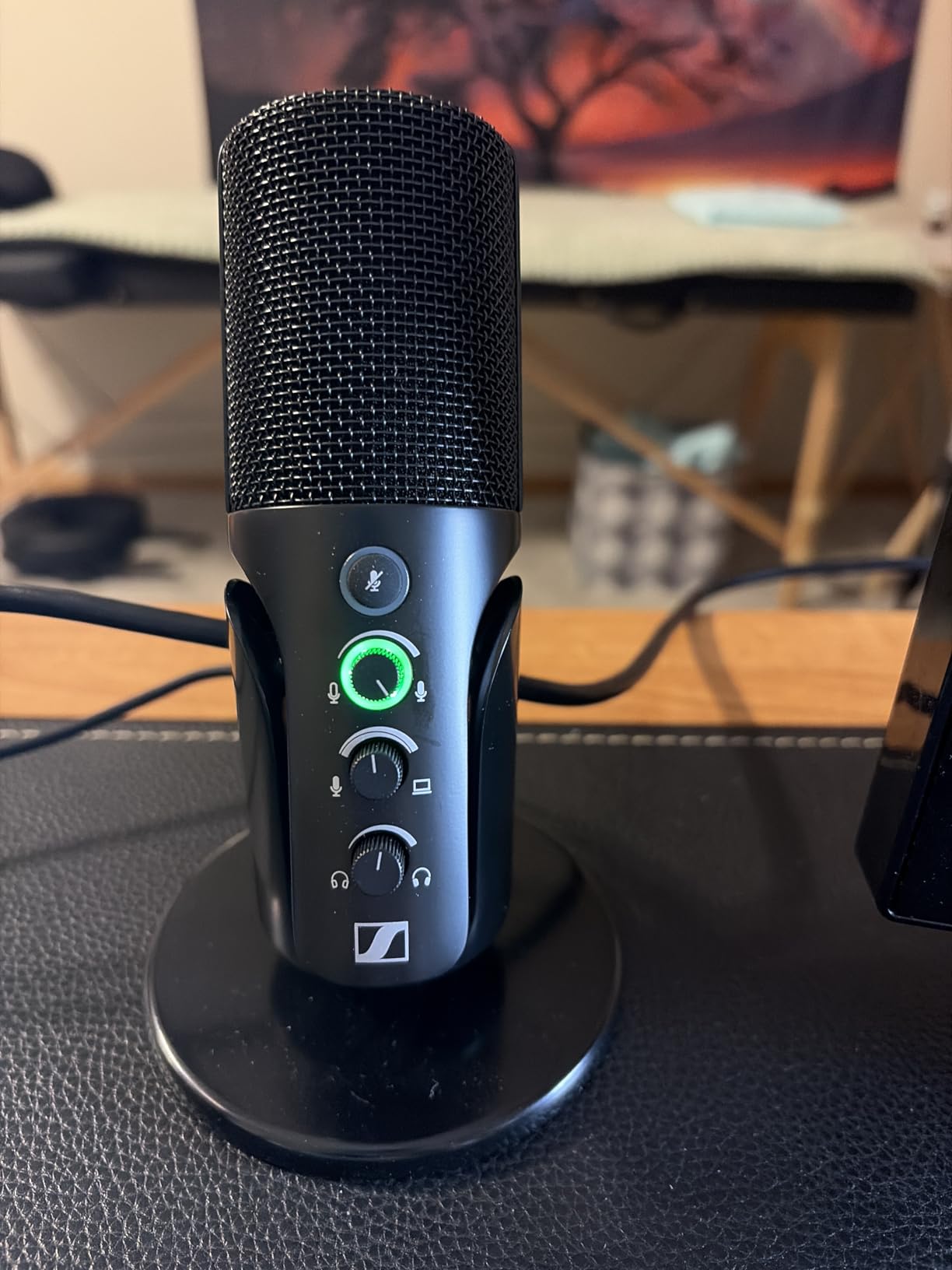
The unidirectional cardioid condenser capsule is German-engineered and the tone is the story here. In blind listening the Profile sat closer to broadcast vocal references than the brighter budget condensers, with less harshness on sibilant consonants without any processing.
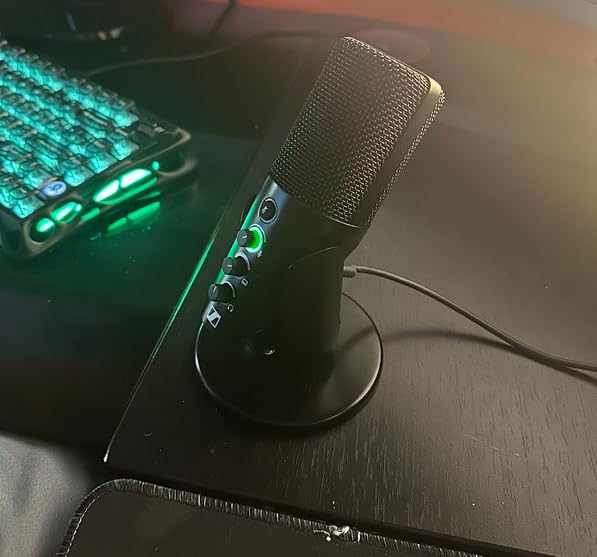
At 717 grams with a metal body and a 4.37-inch footprint, it mounts on a boom arm without blocking a monitor, and the included 1.2-meter USB-C cable reaches most desk setups. It works with PC, Mac, tablet and phone over USB.
Best for a smaller physical setup
The compact body is the practical winner for anyone on a small desk or recording video, since it disappears from the frame where larger condensers dominate the shot. Owners doing video calls and meetings praise the hardware mute button, which gives instant silence with a click rather than a software round trip.
Because there is no companion software, there is nothing to configure, nothing to update and nothing that stops working when a company changes an API. For a straightforward recording task, that simplicity is genuinely valuable rather than merely convenient.
Where it falls behind
The signal-to-noise ratio is listed at 60 dB, the lowest figure in this roundup, so expect a slightly more audible floor in a very quiet room than the best-rated competitors. It is still perfectly usable for speech, particularly with the gain dial set carefully.
There is a single cardioid pattern, so no stereo or bidirectional capture, and the included table stand is basic enough that an arm is worth adding. Some computers also need the input enabled in sound settings before it appears, which catches out first-time users. The smaller review base means fewer long-term reliability reports than the other picks have.
12. MAONO PD400X – Dynamic With App Processing
MAONO PD400X Dynamic Microphone, USB/XLR Podcast PC Mic with Software
USB and XLR
40 Hz to 16 kHz
78 dB SNR
Cardioid dynamic
Pros
- Dynamic cardioid handles imperfect rooms
- USB and XLR output covers beginner and pro use
- 3-in-1 digital knob for gain volume and monitor mix
- Tap-to-mute with LED and no handling noise
Cons
- Boom arm sold separately despite listing imagery
- Weight can sag a lighter boom arm
- Background noise needs careful positioning
The PD400X is the newest and least reviewed microphone in this roundup, with 586 reviews, so treat the owner feedback as early rather than settled. What it does offer is a combination nobody else here matches at this tier: a dynamic cardioid capsule, USB and XLR outputs, and genuine software processing with EQ, a limiter and a compressor.
The 3-in-1 digital knob is the control centre, switching between mic gain, headphone volume and monitor mix on a single control. Tap-to-mute with an LED indicator produces no handling noise, which is a small thing that matters when the microphone sits on a boom arm you touch.
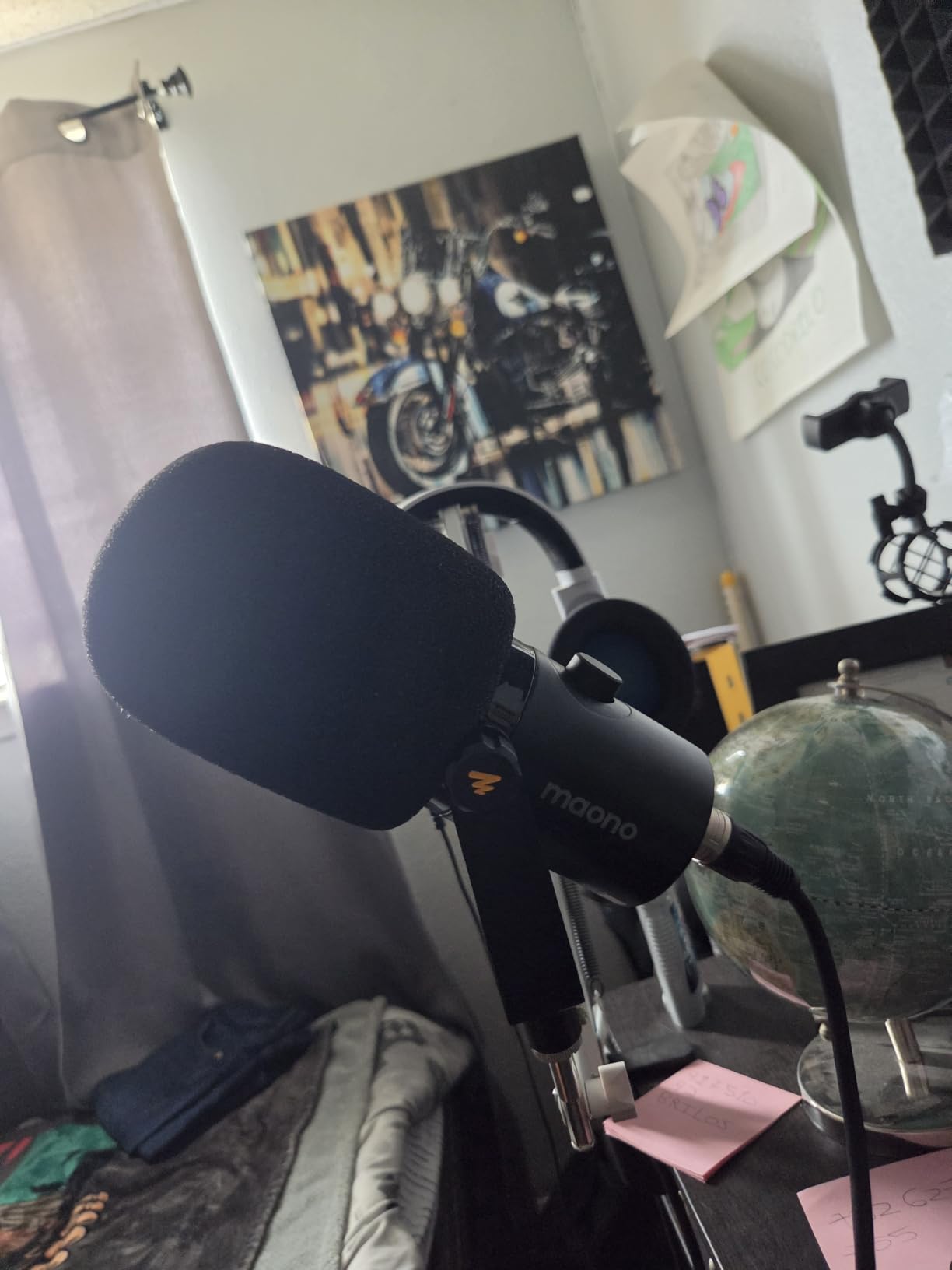
The MAONO Link app provides vocal tone presets plus EQ, limiter and compressor in an Advanced mode, giving a dynamic microphone some of the control a condenser would normally need. Broadcast-experienced owners compare its richness and depth favourably against Shure and Rode PodMic units.
Frequency response is 40 Hz to 16 kHz with a 78 dB signal-to-noise ratio, and the weighted all-metal body and included windscreen keep it stable. The dynamic cardioid pattern handled our noise test well once positioned properly, giving clean voice with reduced room pickup.
Best for a raw room plus processing
A dynamic capsule plus a limiter and compressor in software is a combination that gets you closer to broadcast consistency in a room you cannot treat. The limiter in particular stops plosive peaks from clipping, which is the main reason dynamic microphones need careful gain.
Having both USB and XLR on one body means the microphone travels with you from a laptop setup to an interface or mixer, and the dual mode also lets it work with portable PA equipment for live events. That flexibility is the reason to consider it at a smaller review count.
What to watch
The boom arm is sold separately even though listing imagery suggests it is included, so budget for it. At its weight, the microphone can also sag a lighter arm, and several owners report needing a sturdier mount or a counterweight.
Positioning needs care, with occasional reports of background noise leaking in when the mic sits too far back or off-axis. One owner reported a failed real-time monitor port after a fall. With the smallest review base on this list, the signal-to-noise figure and long-term reliability are the two things to watch as more owners report in.
How to Choose a USB Podcast Microphone Under 200
Deciding between twelve microphones that all plug into the same port comes down to four questions: what type of capsule do you need, what pattern do you need for your format, what controls do you want on the body, and how much do you want to spend on accessories. Here is how each one narrows the list.
USB or XLR, and does it matter under 200
A USB microphone contains its own preamp and analog-to-digital converter, so the computer treats it as a sound card. That is the entire appeal: no interface, no phantom power, no extra cables, and your recording software sees an input the moment you plug in. For a beginner, that removes almost every setup obstacle between owning a microphone and recording an episode.
The limitation is upgrade path and multi-channel recording. An XLR microphone outputs an analogue signal that needs an interface to become digital, which means more money, more setup and a gain structure to understand. The benefit is that one interface can take several microphones, run them into a mixer, and give you hardware metering and monitoring control.
Two microphones here bridge both worlds: the Samson Q2U and the MAONO PD400X both carry USB and XLR on the same body, and the FIFINE AM8 does as well. If you might want an interface in two or three years, start with one of those three. Otherwise, spend the difference on a boom arm and a pop filter, which improves the sound far more than an XLR socket ever will.
Dynamic or condenser for a home studio
A condenser microphone is sensitive and captures detail, air and room tone. That is why the small desktop condensers on this list can sound excellent in a quiet treated space and disappointing in a flat with traffic outside. A dynamic microphone needs more gain but treats background sound as something to ignore, which is why the Samson Q2U, the FIFINE AM8 and the MAONO PD400X handled our noise test best.
A rough rule: if you can record somewhere with soft furnishings, a heavy curtain and a closed door, a condenser gives you the richest, most detailed voice. If you cannot control the room, a dynamic will carry your voice cleanly while the condenser records your street. In a genuinely untreated home studio, most of the difference between a good condenser recording and a great one is the room, not the microphone.
Proximity effect is worth understanding too. Speaking close to a dynamic mic adds bass and warmth, which is the classic broadcast sound. Going too close makes it muddy. The manual on each of these dynamics is the starting point, and adjusting from there takes a few minutes.
Cardioid, bidirectional or omnidirectional
Cardioid picks up mostly from the front and rejects the sides and rear. It is the right default for one speaker and works well when a second person sits on the other side of a table facing you.
Omnidirectional captures equally from every direction, which sounds natural for a roundtable where people sit around one table, but also captures everything else in the room including traffic and household noise. Bidirectional picks up front and back while rejecting the sides, so two speakers can sit opposite each other and each get a clean feed from a single microphone without the audio crossing over.
Only four microphones here offer more than cardioid: the Blue Yeti, the HyperX QuadCast and the Elgato Wave:3 MK.2 offer four patterns, and the SAMSON and MAONO units give you cardioid with a dynamic capsule. If your format is anything other than solo or one-on-one across a table, that narrows the list considerably before you consider price.
Matching the microphone to your podcast format
Solo and voiceover work is the easiest case. Any microphone on this list will do it, and the choice comes down to your room and your budget. The FIFINE K669B and HyperX SoloCast cover the low end of the range, while the Blue Yeti, HyperX QuadCast and Elgato Wave:3 MK.2 cover the top.
Two-person interviews recorded in the same room are where bidirectional and dual output pay off. The HyperX QuadCast and Blue Yeti both give you a bidirectional pattern for two people facing each other, and the Blue Yeti also offers stereo for instruments. The FIFINE AM8 and MAONO PD400X reach the same result by using two separate microphones in USB and XLR mode.
Roundtable recordings with three or more people need a plan, not a microphone. Recording each participant on a separate USB microphone is the only reliable method, and your computer has to see them as separate inputs. That is where the multi-USB limitation below becomes a real problem rather than a footnote.
Recording more than one USB microphone at once
This is the most misunderstood limitation in this category. Most computers have one built-in audio input, so plugging in two USB microphones does not give you two recording tracks. Some operating systems will aggregate them into one stereo input, which is not the same thing at all: each microphone records both halves of the room and both voices.
On Windows, aggregation and multi-input routing are handled through the Sound control panel and depend on how the drivers expose the devices. On macOS, the Audio MIDI Setup utility shows Aggregate and Multi-Output devices, but multi-input recording generally requires an aggregate device plus third-party software such as a virtual audio driver. Expect to read documentation and test before your first episode rather than at 9pm the night before publishing.
The practical workaround is to record each microphone on separate machines or phones and sync the audio in editing, which is what many remote interview shows already do. The FIFINE AM8 and MAONO PD400X both solve part of this problem by offering XLR alongside USB, since two XLR microphones into a small two-channel interface record as genuinely separate tracks.
Four setup steps that improve the sound more than the microphone
Position first. Most microphones here are designed for a mouth-to-capsule distance of 15 to 25 cm. Closer is warmer and quieter in the room, further is thinner and louder in the room. Move closer before you buy anything else.
Add a pop filter and a shock mount next. Every plosive in your first ten episodes comes from an unprotected capsule, and desk bumps transmit straight into the body of any microphone without suspension. The HyperX QuadCast and the two FIFINE and MAONO kits include both; the rest need them bought.
Get the microphone off the desk. A boom arm or a mic arm clamp moves the capsule away from the desk surface and away from your hands, keyboard and mouse. It also stops the body transmitting vibration from every tap and keystroke. This single accessory does more for perceived audio quality than any microphone swap we made during testing.
Record in the right format and fix the room third. Capture uncompressed WAV rather than a compressed call format so nothing is thrown away before editing, and if noise is your biggest problem, treat the room with a thick duvet over the door, heavy curtains on the window and soft furnishings behind the microphone. Microphone choice matters, but it does not outrank the acoustics of the room you record in.
Frequently Asked Questions
What is the best USB microphone for podcasting?
The Logitech Blue Yeti takes our top spot because it combines four switchable pickup patterns with onboard gain, mute and headphone controls, and it has the largest owner review base in this roundup. The HyperX QuadCast has the highest average rating at 4.8 and the only shock mount built into the body. For an untreated room, the Samson Q2U dynamic rejects more background noise than any condenser on this list.
What is the best budget microphone for podcasting?
The FIFINE K669B is the cheapest route to a clear voice recording, with a metal body, cardioid focus and an on-body volume knob. The FIFINE T669 and MAONO A04 cost a little more but include a full boom arm, shock mount and pop filter, which is often the better value if you need to buy those anyway. The HyperX SoloCast is the smallest option for a cramped desk.
What mics do most podcasters use?
Among USB microphones in this price band, the Blue Yeti has by far the largest number of owner reviews, followed by the HyperX QuadCast and the two FIFINE desktop condensers. Forum discussions frequently describe the Samson Q2U as the one people keep for years after buying a more expensive microphone, and the Rode NT-USB Mini is common in home studios that want studio monitoring from a compact body.
Should I use a dynamic or condenser microphone for podcasting?
Use a condenser in a room you can control, because it captures more detail and air. Use a dynamic in an untreated room, because it treats background sound as something to ignore and keeps your voice clear. The Samson Q2U, FIFINE AM8 and MAONO PD400X are the dynamic options here, all of which also handle loud room noise far better than the condensers.
Do I need an audio interface for a USB microphone?
No. A USB microphone has its own preamp and analog-to-digital converter built in, so it connects directly to a computer with no interface, no phantom power and usually no drivers. You only need an interface for an XLR microphone, or for two or more microphones at once. If you want a future upgrade path, the Samson Q2U, FIFINE AM8 and MAONO PD400X each carry both USB and XLR on one body.
Can you use multiple USB microphones at once?
Usually not cleanly. Most computers expose a single built-in input, and plugging in two USB microphones either fails or aggregates them into one stereo track where each microphone hears both voices. Windows aggregation depends on how drivers expose the devices, and macOS needs an aggregate device plus virtual audio software. Recording each person on a separate machine, or using two XLR microphones into a two-channel interface, is the reliable approach.
Conclusion
After six weeks and roughly a hundred recordings, the best USB podcast microphones under 200 dollars come down to what your room demands. The Logitech Blue Yeti is the safest all-round buy, the HyperX QuadCast is the highest rated with the best built-in hardware, and the Samson Q2U wins outright if your space is noisy.
Whatever you choose, spend your remaining budget on a boom arm and a pop filter, keep the microphone close to your mouth, and move it off the desk. Those three changes will improve your podcast more in 2026 than swapping between the twelve microphones on this list.