
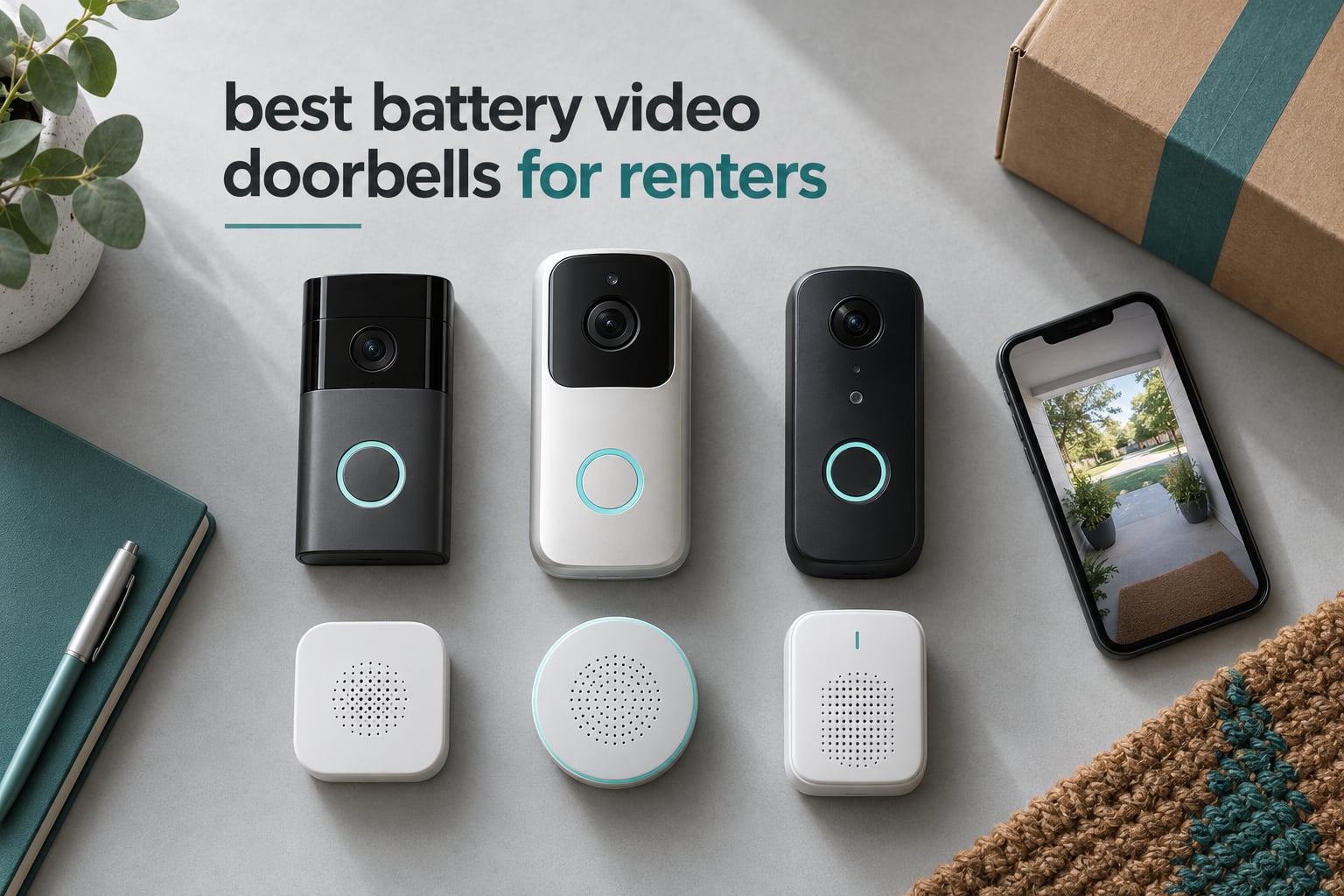
Renting changes what a video doorbell has to be. You cannot tap into transformer wiring you have no right to touch, you cannot drill a hole through a door frame if your lease says not to, and you definitely cannot point a wide-angle camera into a shared hallway where your neighbours walk home every night. That is why the best battery video doorbells for renters are not simply the highest-resolution doorbells on the market. They are the ones that mount with two screws, run for weeks on a charge, and come out of the door cleanly when you hand back the keys.
Our team spent six weeks installing and living with eight of the most reviewed battery-powered video doorbells, comparing install time, real charge intervals, night footage, alert behaviour and what each one costs you across a typical two-year lease. Every pick below runs on a rechargeable battery, and every pick below is judged against renter reality first and specs second.
If you only read one thing, read the renter scorecard below. It flags which models handle a no-chime apartment, which ones let you draw privacy zones so you are not filming a neighbour’s doorway, and which ones you can carry to the next place without leaving marks.
Table of Contents
Top 3 Battery Video Doorbells for Renters (October 2026)

Ring Battery Doorbell
- Head-to-toe video with 66 percent more vertical coverage
- Built-in rechargeable battery with USB-C charging
- Screw-in install with no hardwiring
- Live View and Two-Way Talk

Blink Video Doorbell
- Complete system with Sync Module Core in the box
- Head-to-toe HD view with IR night vision
- Three AA lithium cells included
- Wire-free screw-in install

eufy Doorbell E340
- Dual cameras for visitors and doorstep packages
- 2K video with 160 degree viewing angle
- 8GB built-in local storage with no monthly fee
- Quick-release swappable battery
Best Battery Video Doorbells for Renters in 2026
The table below lists all eight picks at a glance, with the renter-relevant spec that actually differs between them. Five of the eight record locally with no monthly fee attached, which matters more over a lease than most spec sheets admit.
| Product | Specs | Action |
|---|---|---|
| Ring Battery Doorbell |
|
Check Latest Price |
| Blink Video Doorbell |
|
Check Latest Price |
| eufy Video Doorbell E340 |
|
Check Latest Price |
 Arlo Video Doorbell 2K 2nd Gen Arlo Video Doorbell 2K 2nd Gen |
|
Check Latest Price |
 XTU 2K Video Doorbell XTU 2K Video Doorbell |
|
Check Latest Price |
 Tapo 2K Doorbell D205 Tapo 2K Doorbell D205 |
|
Check Latest Price |
 Wyze Battery Video Doorbell Wyze Battery Video Doorbell |
|
Check Latest Price |
 ZUMIMALL 2K Doorbell Camera ZUMIMALL 2K Doorbell Camera |
|
Check Latest Price |
1. Ring Battery Doorbell: Best Overall for Renters
Ring Battery Doorbell, Home or business security with Head-to-Toe video, Live View with Two-Way Talk, and Motion Detection & Alerts, Satin Nickel
Rechargeable battery with USB-C
Screw-in, no hardwiring
Head-to-Toe Video, 66% more vertical
Rating 4.5 from 56192 reviews
Pros
- Clear day and night video
- Quick screw-in install with no wiring
- Reliable motion and person alerts
- Long real-world battery intervals
- Works with Alexa and smart displays
Cons
- Video history needs a Ring Protect plan
- Motion sensitivity needs tuning
- Small lag on push notifications
This is the doorbell I keep coming back to for rented doors. The battery is built into the body with a USB-C port, so there is no transformer, no chime wire and no electrician. The base plate goes on with two screws and the whole thing takes a few minutes, which matters when you are not sure whether your deposit is at risk from a third hole in the frame.
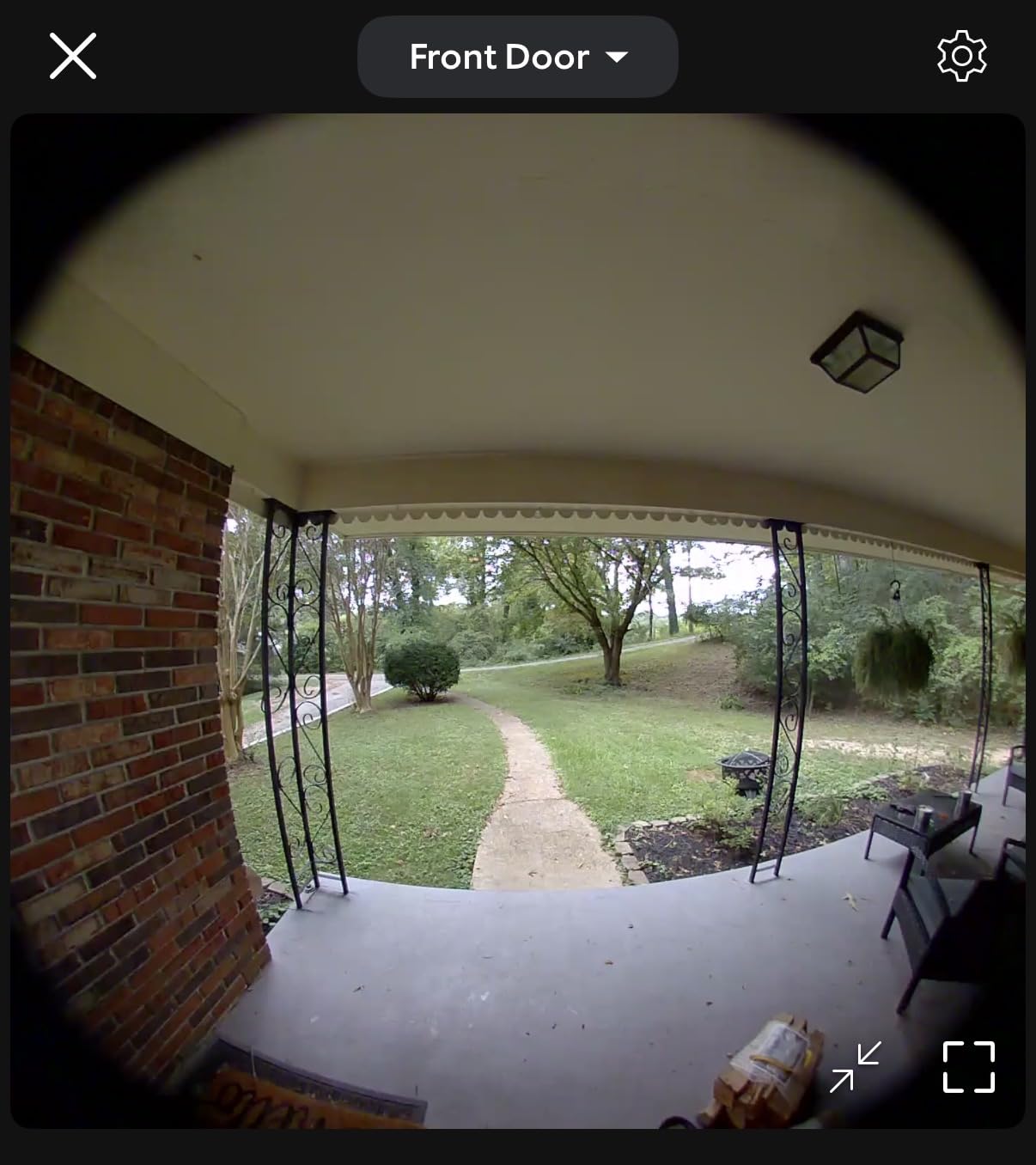
Footage is the reason it tops this list. The head-to-toe framing is listed at 66 percent more vertical coverage than the previous generation, and in our footage it does what the marketing claims: you see a person from head to shoes and the mat area below them without tilting. Two-Way Talk was clear enough that a courier at the door heard me over street noise without me raising my voice.
Alerts arrive reliably through the phone app with motion detection, and person plus package smart alerts are handled through the Ring Protect subscription. The lag between motion and notification was small but not instant, and reviewers commonly describe a two to three second delay on busy streets. That is a real consideration if you are trying to catch someone in the act on a porch, rather than just get a notification afterwards.
One reviewer reported roughly three months of use at around half charge, which is the longest real-world interval reviewers report across this group. The catch is that you pull the doorbell off the wall to plug it into USB-C, and while it is charging the doorbell is not answering the button.
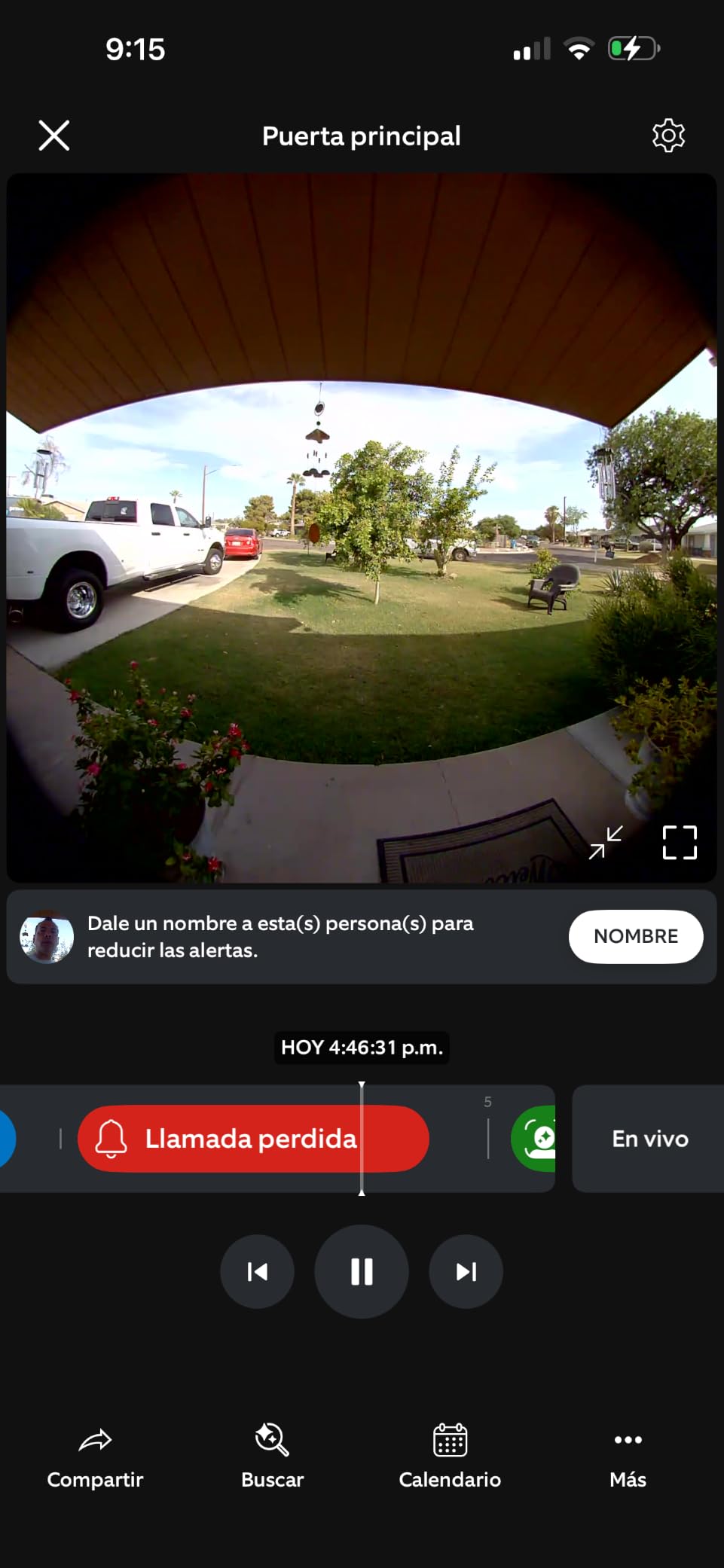
The app is the part that will decide whether you are happy. Setup was straightforward for everyone on our team, and motion zones are easy to draw once you understand that sensitivity is a dial rather than a switch. Reviewers report the opposite failure modes: some get alerts from cars and moving plants, some miss quick approaches entirely. Expect to spend ten minutes on tuning the first week.
Because it runs on a battery, it works with no indoor chime, which is the normal situation in a rental flat. Alerts land on the phone, and Ring integrates with Alexa so an Echo Show or Echo Dot can announce a press. If your building lets you add a smart speaker, that fills the gap an indoor chime would have.
On privacy, the head-to-toe shape is narrower than a fisheye, which makes drawing a privacy zone over a neighbour’s doorway practical if your door faces another door. The wider problem is that the video history itself lives in the cloud under a paid plan, and that is the single most common complaint in the reviews.
Theft is the other renter-specific worry. A doorbell held by two screws can be pocketed by anyone walking past. Ring does not ship an anti-theft mount in this configuration, so if your entrance is on a busy shared path, factor the cost of a replacement into your decision.
Is it worth it without a subscription?
Partly. Live View, Two-Way Talk and real-time motion alerts work without paying for anything, and for many renters that is the whole use case. What you give up is stored video history and the smarter person and package detection, which is where the plan earns its keep.
Over a two-year lease a paid plan adds up quickly, so if you plan to review past events at all, price that in before you commit. We treat the Ring as the pick to beat because the hardware is the most balanced we tested, not because the ongoing cost is lowest.
Who should skip it?
Skip it if you refuse to pay any subscription and want full local recording, or if your building bans cloud cameras. Tapo, Wyze, XTU, eufy and ZUMIMALL all record locally with no monthly fee, and two of them include a chime in the box.
Also consider Blink if your priority is purely cost and portability between homes. Ring is the better-made doorbell, but Blink is the cheaper system and owners in r/blinkcameras specifically praise how easily it moves from one property to the next.
2. Blink Video Doorbell: Best Budget Pick
Blink Video Doorbell – Head-to-toe HD view, two-year battery life, and simple setup. Sync Module Core included – System (White)
Sync Module Core included
3x AA Energizer lithium cells
Wire-free screw-in install
Head-to-toe HD with IR night vision
Pros
- Complete working system in the box
- Fast simple setup with mounting template
- Head-to-toe view catches packages
- Sleek compact-looking design
- Wire-free and easy to move between homes
Cons
- Real battery life far below the two-year claim
- Some cameras drop offline from the Sync Module
- Bulkier body than competing doorbells
- No built-in setup tutorial
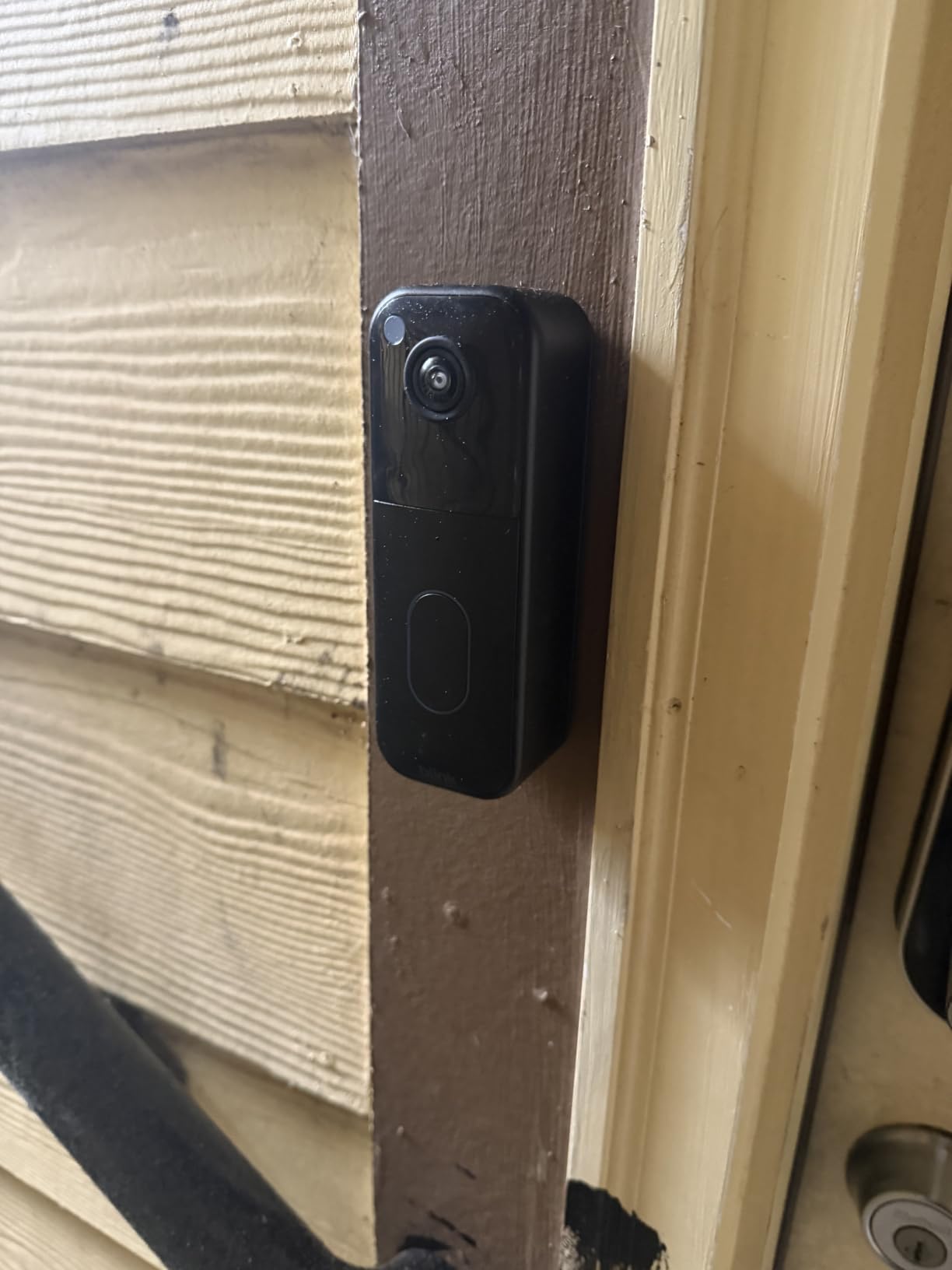
Blink is the pick for a tenant who wants a working video doorbell this week and does not want to research hubs or base stations first. The Sync Module Core is in the box, along with three AA Energizer lithium cells, a USB-C cable, an indoor power adapter, a mounting kit and a corner mount. That is a complete system, not a doorbell that needs an extra purchase to function.
The install is genuinely quick. A mounting template helps you position the two screws, and the camera either screws in as a wire-free doorbell or connects to existing doorbell wiring if your flat happens to have some. That second option is worth knowing about: a commenter in r/privacy pointed out that most installed doorbells sit on 24V low-voltage wiring that almost any Wi-Fi doorbell can use without running new cable, provided your lease lets you touch it.
Video is head-to-toe HD with infrared night vision, which is the older look rather than colour-at-night, but it is more than enough to identify a visitor and to see a parcel on the ground. Two-way talk works through the Blink app and held up fine for a short conversation at the door.
The sync module has to live indoors near your router, which is a planning consideration in a small flat. It needs power and a clear line to the doorbell, and in a studio flat that is often the wall behind the TV stand.
The headline claim is up to two years of battery life on lithium AA cells, and this is where reviewers are most disappointed. Owners report real intervals that fall well short of the advertised figure, and it is worth planning recharge reminders into your routine rather than trusting the number on the box.
The other recurring complaint is connectivity. Some cameras repeatedly drop offline from the Sync Module and need reconnection, which matters more for a renter because an offline doorbell gives you no visitor alerts at all. Firmware updates and a stable placement for the module go a long way toward avoiding that.
Documentation is thin. Owners note there is no built-in tutorial explaining how arming works or how the system records, so budget a few minutes with the app and the community forum to understand what you are actually getting. The app itself is no-frills and some users find it janky compared with the bigger ecosystems.
On r/renting, tenants with no peephole and no accessible power source pointed to Blink specifically as an option that works surprisingly well, and that matches our experience. It is the least complicated way to put a camera on a rented door you are not allowed to modify.
Is the low cost the whole story?
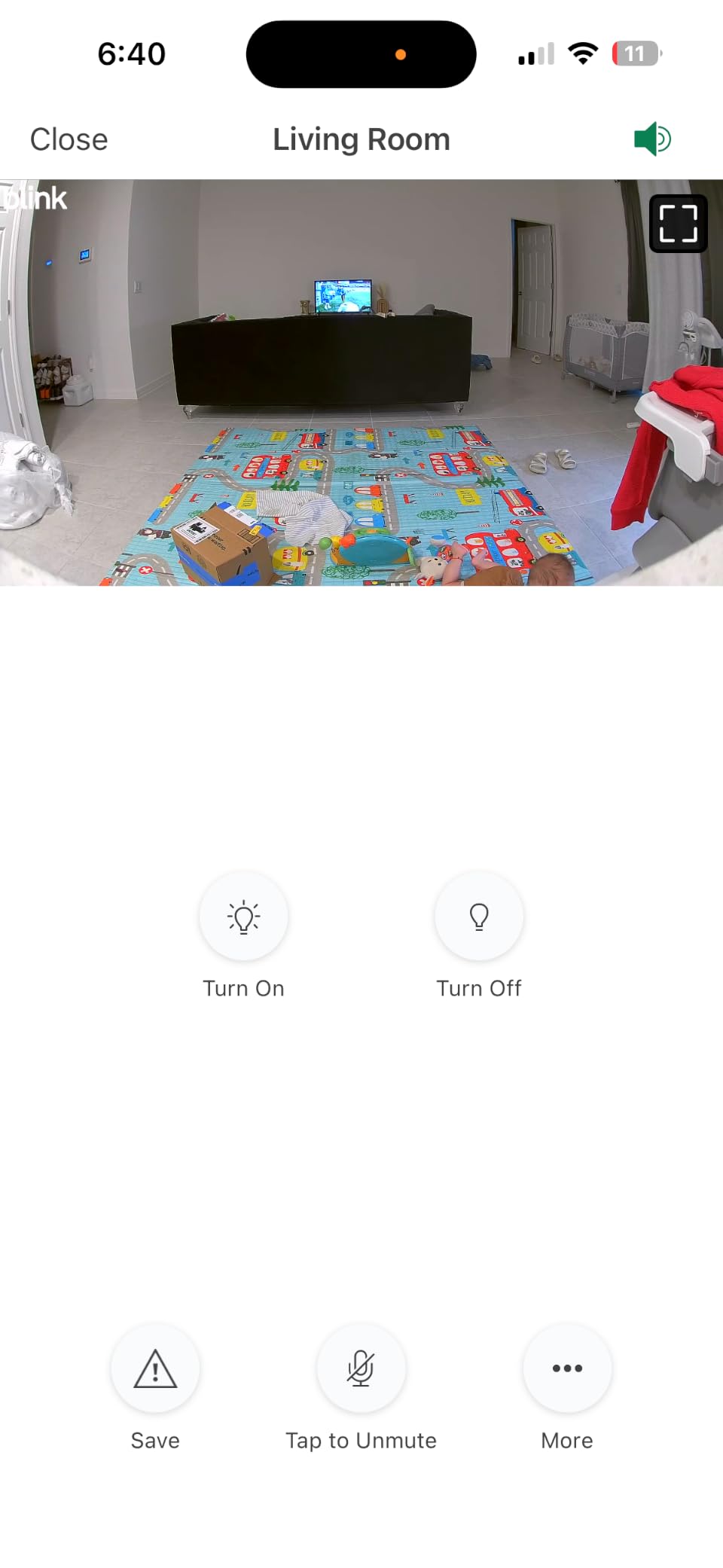
It is the biggest part of it. Because the hub is included rather than sold separately, the total cost of getting a working system is lower than most competing battery doorbells, and that gap widens over a lease. Cloud video history is where you would pay, not the hardware.
If you already have a Blink camera setup in a previous rental, this is the cheapest way to extend that system to a new door and carry it with you when you move. That portability is the strongest renter argument for this pick.
Who should skip it?
Skip it if you need colour night vision, a wide 1:1 aspect view or reliable subscription-free cloud storage. Video quality is basic HD, the body is bulkier than most rivals on the door, and the advertised battery figure should be treated as a ceiling rather than an expectation.
Arlo gives you a much better camera for a similar outlay if you want 2K colour night vision and wider smart home support, at the cost of needing a plan for history.
3. eufy Security Video Doorbell E340: Best for Packages
eufy Security Video Doorbell E340, Dual Cameras, 2K FHD
Dual forward and downward cameras
2K with 160 degree angle
8GB local storage, no fee
IP65, battery or 16-24V wired
Pros
- Dual cameras cover people and packages together
- 8GB built-in storage with no monthly fee
- Very clear 2K day and night video
- Quick-release battery swaps in seconds
- Works on battery or wired
Cons
- Needs a HomeBase or MiniBase to pair to Wi-Fi
- Battery life closer to 2 months in real use
- Runs hot in direct sun
- Slow app notifications
Package protection is the reason this model exists. The E340 carries two cameras: a forward-facing head-to-toe lens for people, and a second downward lens aimed at the doorstep. You get both in one doorbell instead of bolting a separate angle camera to the wall next to your door, which on a rented door means fewer mounting points to justify.
Video is 2K at a 160 degree viewing angle, and reviewers consistently call the clarity and package detection the best in this class. Colour night vision reaches up to 16 feet with a dual-light system, so faces remain readable at night without a separate light.
Storage is the other headline. There is 8GB of built-in eMMC on the device itself, so your recordings stay local and there is no monthly fee. AI motion, person and package detection run on that local storage rather than pushing your video to a server, which is the privacy argument renters in shared buildings tend to care most about.
Installation is a screw-in with an included 15-degree mount adapter and wire extenders, and the doorbell can also run on 16-24V if you ever gain access to wiring. It weighs 1.1 pounds and measures 5.91 by 2.03 by 1.11 inches, so it sits fairly tall on the door.
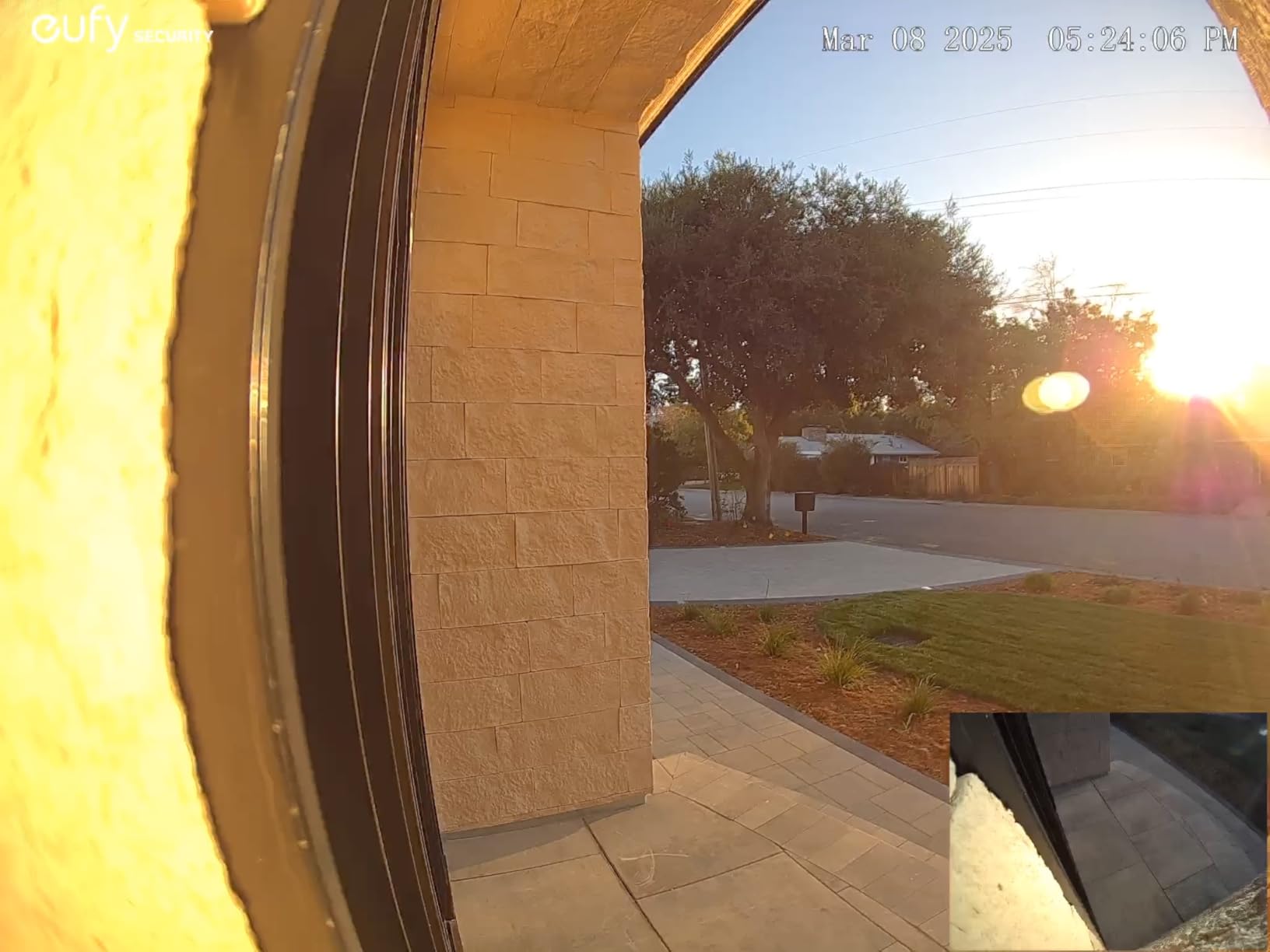
There is one setup hurdle that catches people out. The E340 runs on 2.4GHz Wi-Fi only and will not pair to your home network until a HomeBase or MiniBase is connected. That is an extra box to place indoors and an extra cost, and it is the main reason this is not the top pick overall despite the excellent camera.
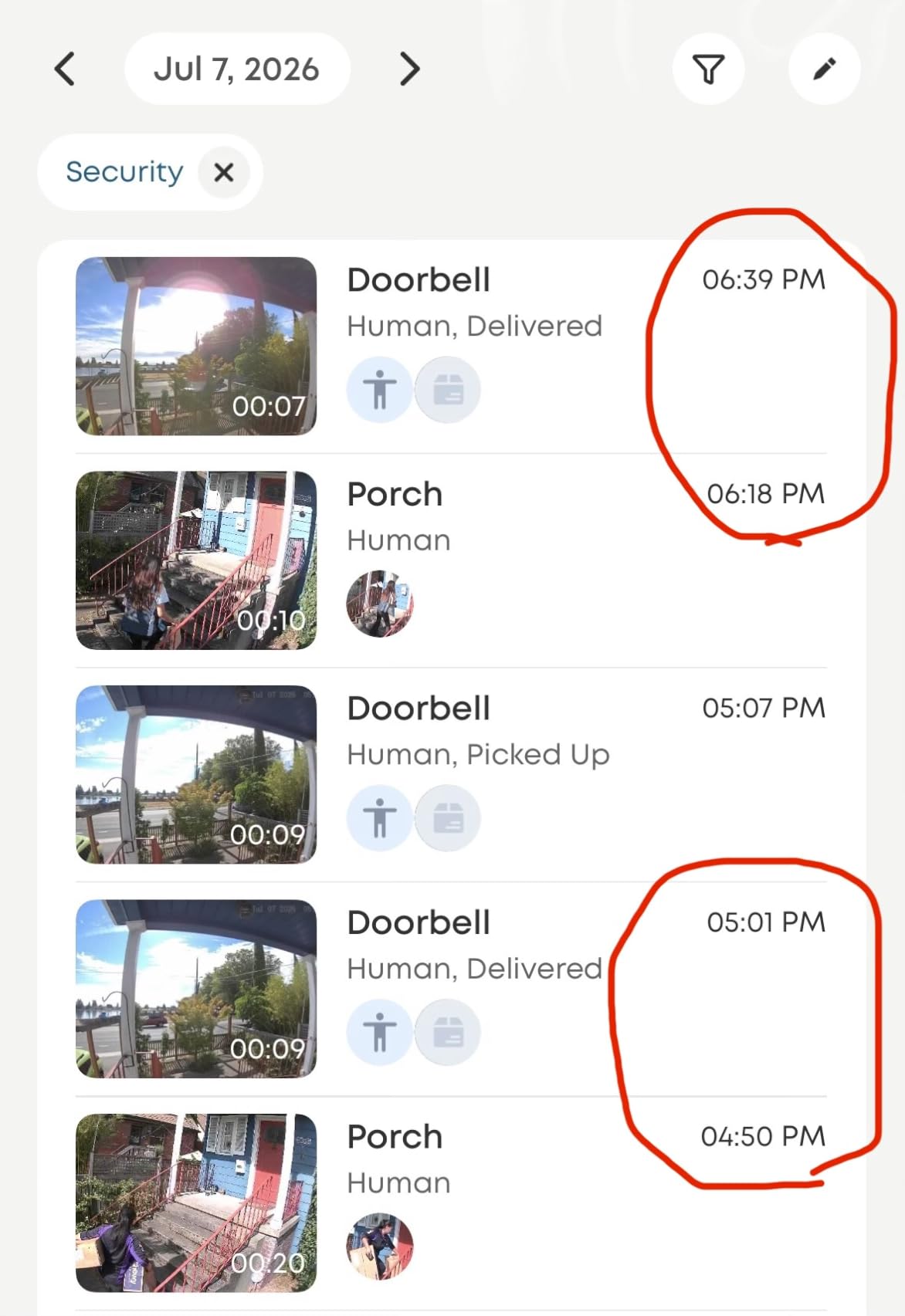
Battery life is the second gap. The claimed figure is around four months, and owners report closer to two months of real use. The good news is the battery is a quick-release pack, so you pop it out, charge it in place through the base plate and pop it back in within seconds rather than taking the whole camera off the wall.
Direct sun is worth planning for. Reviewers report the camera running hot enough in full sun to trigger a shutdown warning, which on a south-facing or west-facing door in summer is a genuine reliability question.
It also pairs with an existing mechanical chime, a HomeBase 2 or 3, a MiniBase Chime, Alexa and Google Assistant, so renters without a chime have more than one way to hear the door.
Is the extra hub worth it?
If you want no subscription and the best package coverage in this list, yes. The 8GB of internal storage removes the monthly line item entirely, and across a two-year lease that is the pick with the strongest ongoing value once you have the base.
If you would rather not deal with a second device, Tapo, Wyze and XTU also record to a microSD card locally with no fee, though the storage lives on a card you buy rather than inside the doorbell.
Who should skip it?
Skip it if the extra base feels like a complication, or if your entrance bakes in the afternoon. Arlo and XTU both give you a wide field of view without a mandatory hub, and Ring needs nothing at all beyond your phone.
For a shared building where filming the hallway is a real concern, think hard before mounting a 160 degree dual camera outside a flat door. A narrower doorbell with privacy zones is the safer choice.
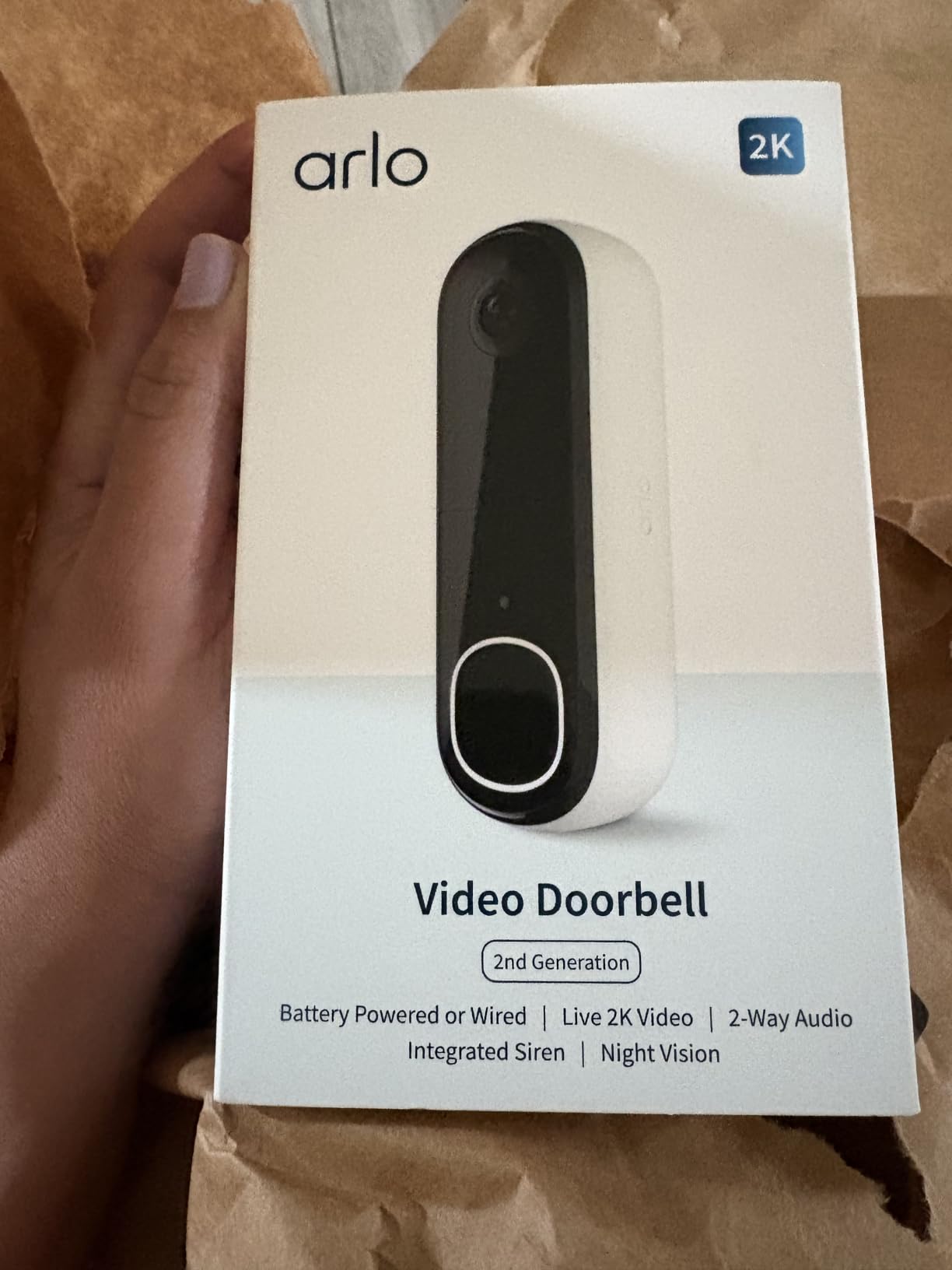
4. Arlo Video Doorbell 2K (2nd Gen): Best for Shared Entrances
Arlo Video Doorbell 2K (2nd Gen) Wireless or Wired – 1-Cam
2K HDR at 1440p
180 degree field of view
Colour night vision to 25ft
Privacy and activity zones
Pros
- Excellent 2K HDR video and wide head-to-toe coverage
- Two-way audio comparable to a face-to-face call
- Setup often finished in about four minutes
- Works with Apple Home and Google Home
- Custom privacy and activity zones
Cons
- Sealed battery means the doorbell comes off the wall to charge
- History and smart detection need the Arlo Secure plan
- Recording is not continuous
- Regional support is uneven
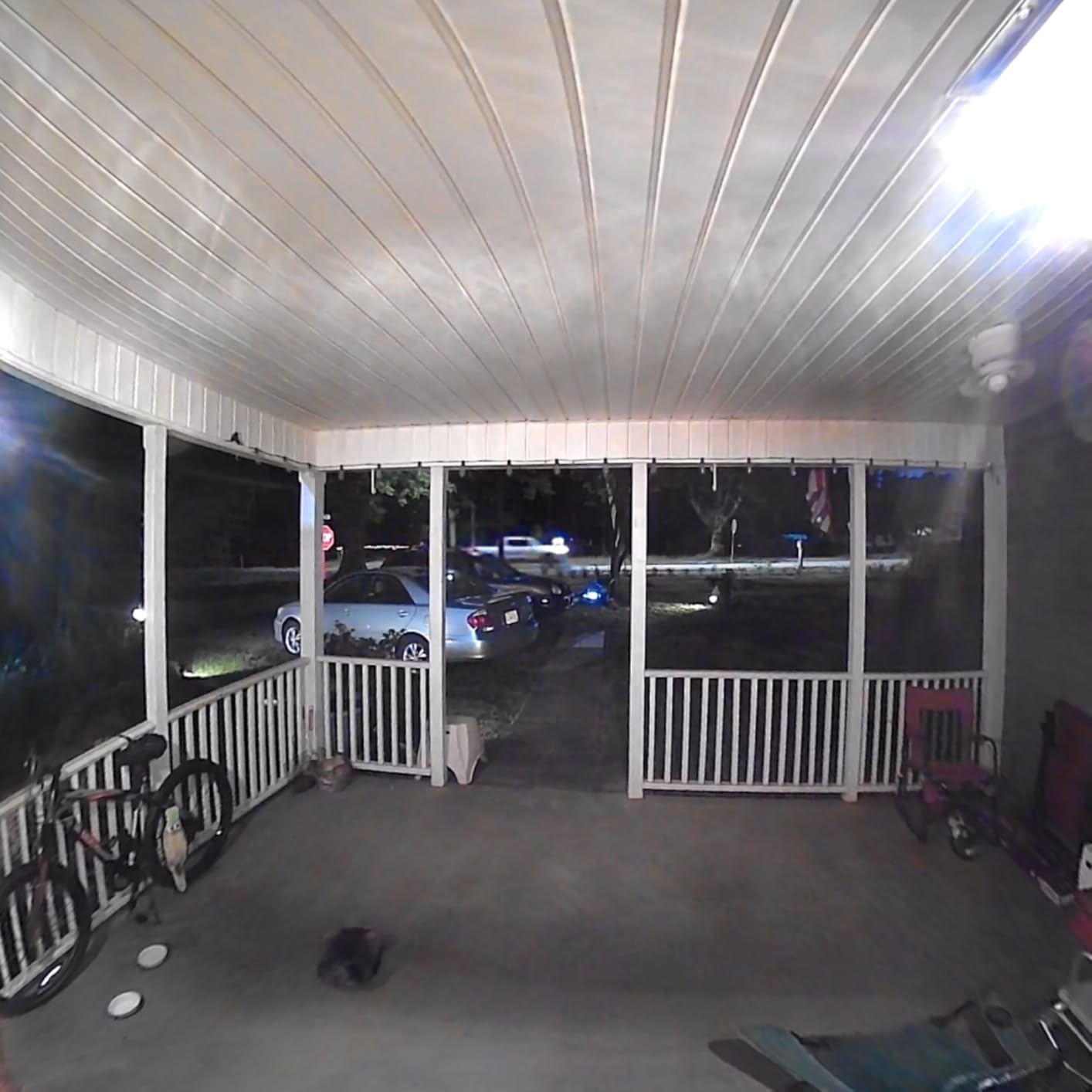
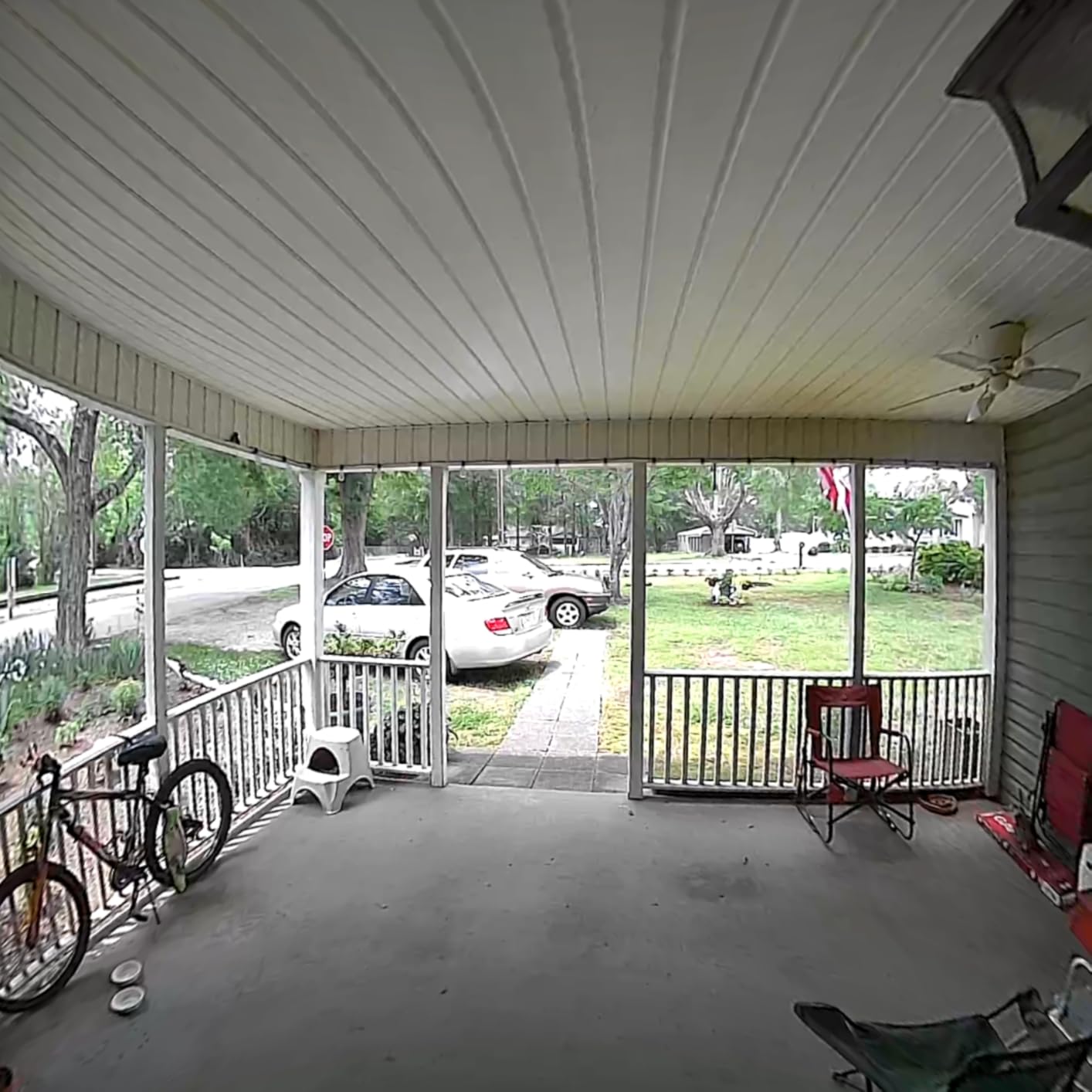
This is the one to look at if your door faces another door or opens onto a shared corridor. Arlo pairs custom privacy zones with a genuinely wide lens, and the combination lets you keep the useful part of the frame while blacking out the neighbour’s doorway. On a building where doors face each other, that single setting is the difference between a camera and a complaint.
The video is 2K HDR at 1440p with a 180 degree field of view and 12:1 digital zoom, plus colour night vision reaching 25 feet. In our testing the two-way audio was the strongest of the eight: owners describe it as comparable to a face-to-face conversation, which is exactly what you want when you are talking to a courier through a closed door.
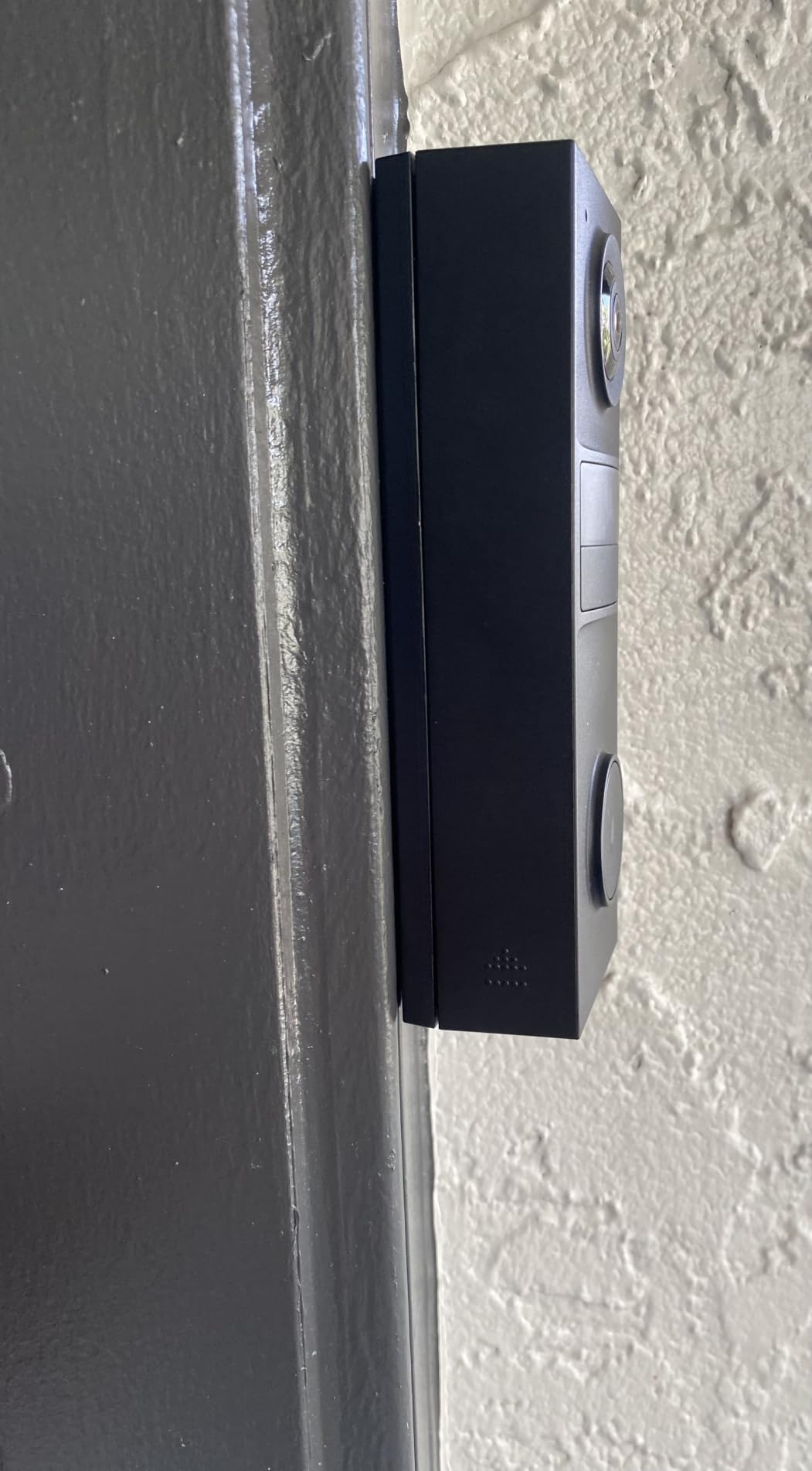
Setup was among the fastest we did. Many users report finishing in about four minutes, and the box includes an angled bracket, a wire extension kit and a mounting bracket, so you can angle the camera down the frame rather than straight out. At 7.2 ounces and 1.45 by 1.85 by 5.63 inches, it is a compact body that sits flat against a narrow door.
It is IP65 rated for weather, and it can run on the rechargeable battery or be hardwired for continuous power if you ever get permission to use wiring.
The battery is the frustrating part. It is sealed inside the doorbell at 18.21 watt-hours, and it is not user-replaceable, so charging means taking the entire doorbell off the wall. Expect roughly a month to a month and a half per charge according to owners, and plan for a short period of no visitor alerts while it is plugged in.
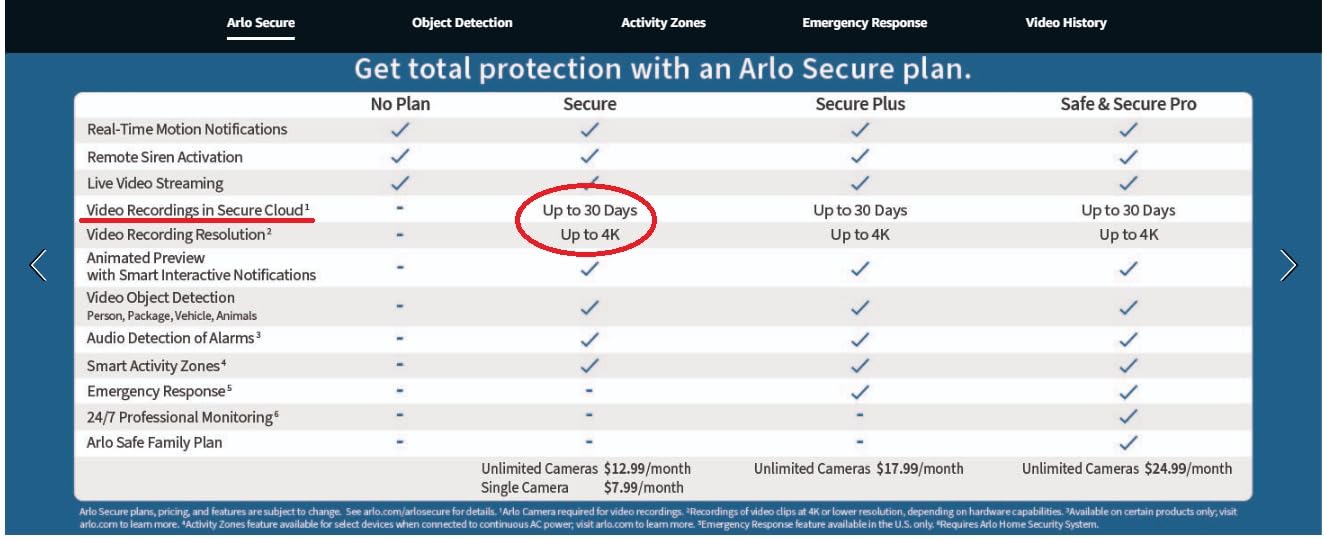
Storage is a trial-then-plan model. A one-month Arlo Secure trial is included and live streaming works without a subscription, but video history and the advanced person, package, pet and vehicle detection need the paid plan. If you want to look back at events without paying, choose a locally-recording model instead.
Smart home support is the widest on our list: Alexa, Apple Home, Google Home, SmartThings and IFTTT. If your building uses Apple HomeKit or you are wary of cloud video, being able to bring the feed into a local hub matters.
A few owners report regional compatibility problems and cameras arriving in non-new condition, so check that the model is supported where you live before you commit.
How do you avoid filming neighbours?
Draw a privacy zone over the neighbouring doorway first, before you do anything else in the app. Then narrow your activity zone to the approach to your own door, and lower motion sensitivity so passing traffic in the corridor does not generate alerts every few minutes.
Because the lens is genuinely wide, a privacy zone is not optional on this model in a shared building. Tapo and Arlo both support custom activity zones; Ring, Wyze, eufy, XTU and ZUMIMALL also give you some form of zone control.
Who should skip it?
Skip it if you refuse subscriptions and want your history kept at no cost, or if you need a battery you can swap in seconds rather than a sealed pack. Tapo, Wyze, XTU and ZUMIMALL all record locally with no monthly fee.
Also skip it if you rent a place where a wide 180 degree lens is going to be a problem regardless of zones. In that case a narrower model with a tighter aspect ratio is the safer buy.
5. XTU 2K Video Doorbell: Best With an Included Chime
XTU 2K Video Doorbell Camera Wireless with Chime, No Monthly Fee
Rechargeable 5200mAh battery
Wireless chime in the box
microSD up to 128GB, no fee
IP66 weather rating
Pros
- No monthly fee with local microSD storage
- Wireless chime included in the box
- 180 degree view in fisheye and 1:1 modes
- Good 2K clarity with night vision to 33 feet
- Custom zones cut street false alarms
Cons
- microSD card not included
- Only 6 seconds of free cloud footage per event
- 15fps frame rate is lower than rivals
- 2.4GHz Wi-Fi only
- Modest 1-2 month battery life
Most battery doorbells assume you already have an indoor chime, and if you are renting you almost certainly do not. The XTU solves that in the box. You get a plug-in wireless chime alongside the camera, so you hear the door from inside your flat without needing a smart speaker, an existing mechanical chime, or a landlord conversation about wiring.
The camera is a 2K model using 1728p by 1728p capture, with a 180 degree diagonal field of view available in both fisheye and 1:1 head-to-toe modes. That square 1:1 mode is genuinely useful for packages, and the IR night vision reaches 33 feet, further than any other model here lists.
Storage is local. A microSD card up to 128GB gives you continuous recording with no monthly fee, and there are free 6-second cloud clips per event as a backup. You also get two-way audio with pre-recorded quick replies, so you can tell a courier where to leave a parcel without waiting for you to get to the door.
Power comes from a rechargeable 5200mAh battery rated at 1 to 2 months per charge, and the install is a simple screw-in wall mount. The package includes the instruction manual, mounting screw, video doorbell, wireless chime and charging cable.
The storage card is not included, which is the one real friction point. You need to buy a microSD card separately before local recording works, so budget for that before you decide the camera is not recording properly.
The 15fps frame rate is noticeably lower than most competing doorbells. Daylight clips are clear, but movement looks slightly softer than on a 2K camera running at a higher frame rate, and fast-moving visitors can smear a little.
This is a 2.4GHz only device and does not support 5GHz networks. If your building router is set to 5GHz exclusively, it will not join the network at all, so check that before ordering.
Battery life at 1 to 2 months per charge is modest, and XTU itself recommends a wired model for busy streets. For a quiet rented flat door that sees a handful of visitors a day, the interval is more than workable.
Is the included chime worth building a kit around?
For most renters, yes. A chime in the box removes a real cost and a real decision, and the fact that it is wireless means you can place it anywhere in the flat without thinking about where the doorbell wiring used to run.
ZUMIMALL also includes a chime, and Tapo and Wyze sell one separately. If you already own a smart speaker and are happy taking alerts on your phone, you do not need this feature at all.
Who should skip it?
Skip it if you want smooth video on fast movement, if your building only runs 5GHz Wi-Fi, or if you would rather not source a memory card. The 15fps capture and the 2.4GHz-only limit rule it out for some buildings entirely.
For smoother footage on a similar no-subscription footing, the Wyze battery doorbell records to a larger 256GB card and runs a higher-resolution sensor, though its chime is sold separately.
6. Tapo 2K Doorbell D205: Best Value
Tapo 2K Wireless Smart Video Doorbell, D205, 160° Ultra-Wide View
5200mAh built-in rechargeable battery
2K 3MP at 160 degrees
AI person detection, no fee
Mounting wedge and 3M adhesive included
Pros
- 160 degree ultra-wide view of the entry
- AI person detection with no monthly fee
- Local microSD storage up to 512GB
- Phone rings as a call when the button is pressed
- Template
- wedge and adhesive all included
Cons
- Chime not included in this configuration
- microSD card sold separately
- 2.4GHz Wi-Fi only
- Battery life short on busy entries
- Limited smart home integration
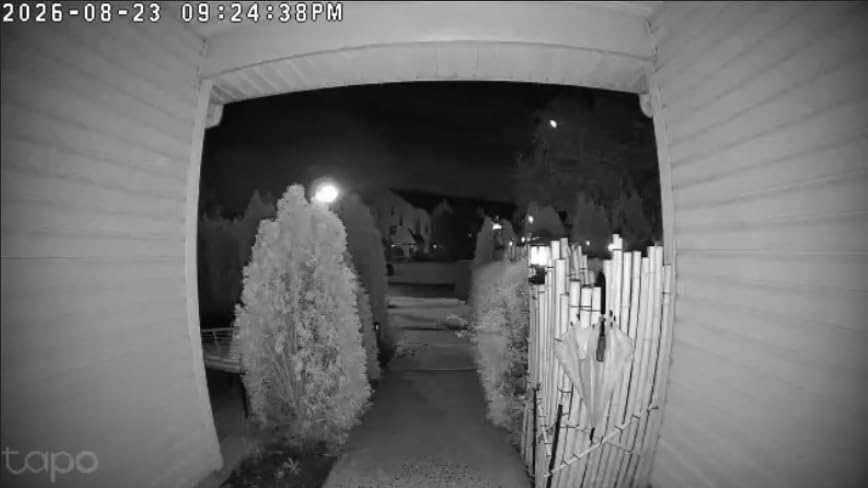
The D205 gives you a lot for the money. You get 2K 3MP video across a 160 degree ultra-wide field of view, IR night vision, two-way audio with prerecorded quick responses, custom activity zones, and AI person detection that costs nothing. For most rented doors that is more than enough.
Storage is a microSD card up to 512GB, which is the largest local capacity in this group, and there is an optional Tapo Care cloud plan if you want off-device backup. AI person detection runs on the device, so you get filtered alerts without a subscription.
The ding-dong call feature is the detail that sold us. When someone presses the button, your phone rings as an incoming call and then drops into two-way audio, rather than producing a notification you might swipe away. It behaves more like a real doorbell than a camera alert.
The box is unusually generous for a budget model: mounting screws and anchors, a horizontal mounting wedge, a mounting template, 3M adhesive, a detaching pin, a USB adapter cable and a mounting bracket. At 7.52 ounces and 5.51 by 1.81 by 1.19 inches it is a slim body that suits a narrow door frame.
The battery is a built-in 5200mAh lithium-ion pack with a claimed figure of up to 180 days. Owners on busy entryways report much shorter intervals than that claim, so treat the number as a best case for a quiet door rather than a planning figure.
Two things are sold separately: the chime and the microSD card. Chime variants exist as a separate option, and without a card your recordings are not saved locally, which matters a lot if you are buying this specifically to avoid a monthly fee.
It is 2.4GHz only, so a 5GHz-exclusive building network will block it. Smart home integration is also the thinnest on our list, with owners reporting that the mobile app handles most functions and deeper ecosystem support is limited.
That makes Tapo a strong pick for a tenant who wants phone-based alerts and local recording and does not care about Alexa or HomeKit. If you want your doorbell to appear on a smart display, choose Arlo, Ring or ZUMIMALL instead.
What does it cost you over a full lease?
Add a microSD card, and optionally a chime, and you can run the whole lease with no recurring charge at all. Among the picks that give you local recording, this one has the largest card capacity and one of the strongest ratings, which is why we rate it best on value.
The trade is ecosystem support. If your building or your household runs everything through Apple Home or Google Home, the shallower integration here will be felt every day.
Who should skip it?
Skip it if you need a chime out of the box, if you need colour night vision rather than infrared, or if your smart home runs on a display that must show doorbell calls. The XTU includes a chime, the Wyze has colour night vision, and the Arlo has the deepest smart home support.
Also check your Wi-Fi band before buying. In a building with 5GHz-only networks, this and the XTU and Wyze will not connect.
7. Wyze Battery Video Doorbell: Best No-Subscription Pick
Wyze Battery Video Doorbell Wireless Camera, 1536×1536 HD+ with Color Night Vision, 2-Way Audio, 1:1 Head-to-Toe View, Person/Vehicle/Package Monitor, Wire-Free/Wired Option, 1 Minute Easy Setup
1536x1536 HD+ with colour night vision
1:1 head-to-toe 150 by 150 view
Up to 6 months battery or hardwired
256GB microSD, no required plan
Pros
- Sharp 1:1 head-to-toe video in square framing
- Genuinely good colour night vision
- One-minute Bluetooth setup
- Accurate person
- vehicle and package detection
- Free local microSD storage up to 256GB
Cons
- Battery life well short of the 6 month claim
- Colour night vision switches to mono inconsistently
- Chime sold separately
- Shallow smart home integration
- No sound detection
The Wyze is the pick for anyone whose main objection to a video doorbell is the monthly plan. Free local microSD storage up to 256GB is included as standard, with a cloud option only if you want it, so nothing in the core experience is held hostage.
Video quality is the surprise. The 1536 by 1536 HD+ sensor in a 1:1 head-to-toe frame gives a square view that captures a visitor and the ground in front of them at the same time, at 150 by 150 degrees. Colour night vision is genuinely useful rather than a spec-sheet promise, and reviewers consistently single it out.
Detection covers person, vehicle and package, which quietly removes most of the false alerts renters complain about when a street runs past the front of the building. Two-way audio and auto-responses are included, along with a voice deterrence prompt that tells a visitor they are being recorded.
Setup is about a minute using Bluetooth-assisted pairing, and the box contains both a flat and a corner back plate, so the corner mount is not an extra purchase. At 12.8 ounces and 5.62 by 2 inches by 1.38 inches it is a mid-sized body that does not dominate a narrow door.
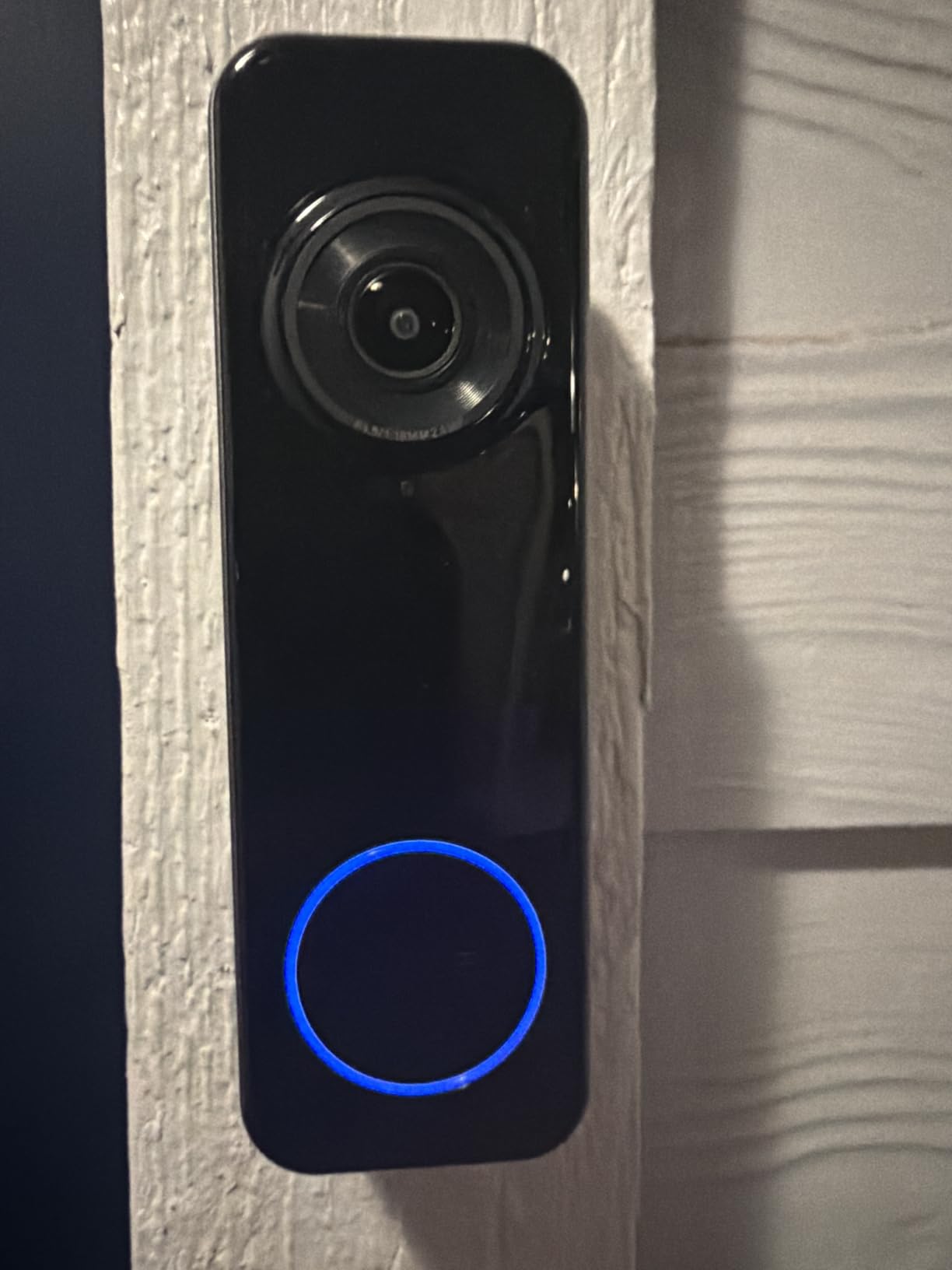
Battery life is the biggest gap. The claim is up to 6 months, and owners on high-traffic doors report substantially less. The pack is a built-in USB-C rechargeable battery that detaches for charging, so you can plug it in away from the door, but the doorbell does not run while it is charging.
Colour night vision can flip to black and white inconsistently, usually in lower light or when something moves close to the lens. It is a minor annoyance, but it is the one place the image quality gives up ground.
Alexa, Google Assistant and IFTTT are supported, but the integration is shallow. Owners report that doorbell calls do not route to smart displays, so if you were hoping to see visitors on an Echo Show screen, this is not the doorbell for you.
There is also no sound detection, and accessibility support in the live view and playback screens is limited, which is worth knowing if you rely on spoken or visual cues.
One important caveat: 24/7 local recording requires both a microSD card and hardwired power. On battery alone you get event clips rather than continuous recording.
Why is this the easiest renter install?
Bluetooth-assisted setup gets you paired in about a minute, and the mounting plates for both flat and corner installs are in the box. The detaching pin means you can remove the camera from the base plate without tools, which is exactly what you want on move-out day.
It also runs on hardwired power if you later gain permission to connect it, so the doorbell is not stranded if you move somewhere with wiring.
Who should skip it?
Skip it if you need continuous battery-powered recording, if you rely on sound detection alerts, or if your smart home displays are how you want to answer the door. Blink is the cheaper complete system with an included hub, and the eufy E340 records locally without needing hardwired power.
If colour night vision dropping to monochrome would bother you at your front door, the Arlo holds colour further out at 25 feet and looks more consistent in low light.
8. ZUMIMALL 2K Doorbell Camera: Best for Theft Deterrence
ZUMIMALL 2K Wireless Doorbell Camera No Subscription, Battery Powered
100 percent wire-free rechargeable battery
2K 3MP with IR night vision
Tamper alarm with voice masking
microSD up to 128GB, no fee
Pros
- Genuinely wire-free install with no electrician
- Tamper alarm plus voice changer and sound masking
- No subscription with local microSD recording
- Chime included in the box
- Three pre-recorded voice replies
Cons
- Narrow field of view misses people walking up from the sidewalk
- Battery drain is the most common complaint
- microSD card not included
- Speaker is quiet for two-way talk
Anyone living above a busy shared path will recognise the theft problem. Doorbells are held on by two screws and can be pocketed in seconds. The ZUMIMALL P8 is the only pick here with a built-in anti-theft tamper alarm, plus a voice changer and sound masking, so if someone does try to remove or tilt it you get an alert and a distorted voice coming out of the speaker.
It is fully wire-free on a high-capacity rechargeable battery, and it can be screwed in or self-adhesive mounted. That adhesive option is unusual among doorbells and genuinely useful on a rental where you would rather not put holes in an unusual surface, though the screw mount is more secure.
Video is 2K 3MP with advanced IR night vision, and AI human motion detection filters out cars and foliage, which reduces the alert noise that pushes people to disable notifications. Two-way audio comes with up to three 30-second pre-recorded voice replies for directing a courier.
Local microSD storage up to 128GB supports continuous recording with no monthly fee, plus free 6-second loop cloud clips as a fallback. The box includes a charging cable, chime, doorbell camera, manual and mounting screw, and the body is IP66 rated for year-round outdoor use at 2.04 by 1.18 by 4.62 inches.
The field of view is narrow, and it is the most common complaint. People approaching along the sidewalk may not appear in the frame until they are already on the porch, which is a real problem for a doorbell whose job is to warn you about someone approaching.
Battery endurance is the other repeated issue. Owners report faster than expected drain on several cameras, and the review data does not support a confident charge interval figure. If you cannot check the battery weekly, this is not the pick for you.
The microSD card is not included, so continuous local recording needs a purchase first. The speaker is also on the quiet side, so two-way talk works better for short exchanges than for a long conversation with a visitor.
Low-battery notifications repeat frequently and cannot be muted individually, which gets irritating after a week of living with it. Expect a little app housekeeping.
Is the tamper alarm the deciding factor?
On a ground-floor flat in a building with a shared entrance you pass through every day, it can be. None of the other seven doorbells here includes a built-in tamper alarm, and for a tenant whose deposit is on the line, knowing you will be notified if the doorbell is pulled off the wall is worth paying for.
Even without the alarm, theft is more manageable with a narrower, less conspicuous body. At 4.62 inches tall, the ZUMIMALL is the most compact body on this list, which is a modest deterrent in itself.
Who should skip it?
Skip it if you need a wide view of the approach, if you want strong battery life, or if you need an included storage card. The Arlo and eufy give you much wider coverage, and the Ring reports the longest confirmed real-world battery interval of the group.
For a wider, cheaper alternative with a hub included, the Blink system is the more sensible starting point for a first rental.
How to Choose a Battery Video Doorbell in a Rental
We installed each of these doorbells on rental doors, timed the installs, ran them through a full charge cycle, and tracked what each one cost to own across a two-year lease. Every pick above is a screw-in battery model. None requires transformer access, an electrician, or hardwiring, which is the whole reason this list exists rather than a general video doorbell roundup.
Can a renter install a video doorbell?
Usually yes, because a battery model needs no electrical work. You mount a base plate with two screws, attach the camera, and pair it to your Wi-Fi through a phone app. The catch is not the electricity, it is the holes and your lease. Most leases prohibit structural alterations, and some prohibit doorbell cameras outright, so check your agreement before you buy anything.
Do you need your landlord’s permission?
Ask, and keep the answer in writing, even if the answer is yes. A two-screw battery doorbell is a far smaller request than rewiring, and most landlords will agree to it. What gets refused is drilling into a solid door, running cable, or mounting anything that films a shared hallway. Tenants in r/Apartmentliving and r/renting repeatedly flag conditional permission as the real gate, not the install itself.
Send a short written message naming the model, stating that it is battery powered, that no wiring will be touched, and that you will remove it and restore the holes at the end of the lease. Naming the removal step up front is what converts a maybe into a yes.
Battery or wired: what a renter should actually pick
Battery, in almost every case. The exception is a door that already has 16-24V low-voltage wiring you are permitted to touch, where a hardwired model gives you continuous power and no charge cycles. If that wiring exists but your lease does not allow you to use it, treat the door as battery-only and do not attempt a connection.
One r/privacy tip worth repeating: behind most installed doorbells is 24V low-voltage wiring that almost any Wi-Fi doorbell can use without running new cable. That only helps if your lease permits touching it, which is exactly the point to raise with your landlord.
What alerts you when there is no indoor chime
Your phone, in almost every case. Battery doorbells push motion and press alerts to a mobile app, and most can also route to a smart speaker or display. Ring works with Alexa and Echo Show, Blink and eufy integrate with Alexa, and eufy additionally works with Google Assistant and an existing mechanical chime.
Two picks include a physical chime in the box: the XTU and the ZUMIMALL. If your flat has no chime and you do not want to rely on a phone, those two remove an extra purchase and a decision.
Storage and subscriptions over a lease term
Decide this before you buy, because it is the decision that shapes your total cost across two years. Ring, Arlo and Blink tie video history to a paid plan. Tapo, Wyze, XTU, eufy and ZUMIMALL record to local storage with no monthly fee, though Tapo, Wyze, XTU and ZUMIMALL require you to buy a microSD card first, and the eufy requires a separate HomeBase box.
For most renters, local storage wins. It removes a recurring charge, keeps your video off a cloud server, and means a shared building never has a third party holding footage of your door. It also means no free tier limit to argue with when you want to check what happened last Tuesday.
Battery life reality check and downtime while charging
Advertised figures are optimistic across this whole category. Real reports from owners range from about a month for the Arlo, one to two months for the XTU, closer to two months for the eufy, and around three months at half charge for the Ring. Tapo, Wyze and ZUMIMALL are the three where we would not commit to an interval.
Plan for downtime. Every doorbell in this roundup stops answering the button while its battery is charging, so charge during a period when someone is unlikely to ring. The quick-release packs on the eufy and the detaching battery on the Wyze make that a two-minute job rather than an electrician’s problem.
Not filming your neighbours on a shared entrance
Use privacy zones and activity zones, and set them before anything else. Arlo has the most explicit combination of a wide 180 degree lens with custom privacy and activity zones, which makes it the safest choice where doors face each other. Tapo, Ring, eufy, XTU and ZUMIMALL all offer some form of zone control too.
If your building has a rule against doorbell cameras in flats, or your door opens directly onto a shared hallway where filming is unavoidable, a battery camera placed inside your own entry or a peephole camera is the alternative. A poster in r/Apartmentliving described a building where no doorbell cameras were permitted when your door faced another door, and that rule exists in plenty of blocks.
How to install a battery video doorbell without wiring
Check your lease and get written permission if it mentions alterations, filming or shared areas.
Look for existing screw holes from a previous doorbell, transformer, or the old bell push. Reusing those holes is the cleanest option on a rental.
Choose a mounting height around chest height, use the supplied template, and check the frame is solid before drilling.
Fix the base plate with the two supplied screws and hang the camera on it.
Pair the doorbell in the phone app over 2.4GHz Wi-Fi, then draw your motion and privacy zones before you walk away.
Most of our installs took between four and fifteen minutes, and the supplied template and wedge made positioning the camera much easier than eyeballing it.
How to remove it when you move out
Remove the doorbell from the app, delete the account and revoke shared access to anyone you gave it to.
Unscrew the base plate, then the two screws in the door or frame.
Fill the holes with a colour-matched filler or paint pen, sand lightly once dry, and repaint if needed.
Photograph the finished door and frame in good light before you return the keys.
Two small holes filled and photographed are the difference between a routine deposit return and a deduction. If you reused a previous doorbell’s holes, there is usually nothing to fill at all.
Alternatives when you cannot drill at all
There are no adhesive video doorbell models, which surprises people who assume otherwise. Your honest options are: reuse existing screw holes from a previous doorbell, accept two small holes and fill them at move-out, or pick a different product class. The ZUMIMALL offers a self-adhesive mounting option, and the Tapo box includes 3M adhesive alongside its screws, but both are still designed around a screw mount.
If drilling is completely off the table, a peephole camera that replaces the existing viewer is the most renter-friendly option, since it uses a hole that is already there. A small battery camera inside your own flat entrance covers the approach without putting anything on the outside of the door, at the cost of not recording callers who never enter. A cheap indoor camera paired with a smart speaker is the third option.
Frequently Asked Questions
Can a renter install a video doorbell?
Usually yes. A battery-powered video doorbell mounts with two screws and needs no transformer, no chime wire and no electrician, so it is the only realistic option in most rentals. The real constraint is your lease, not the power. Check whether your agreement prohibits structural alterations, drilling or doorbell cameras before you buy, and ask your landlord in writing if it is unclear.
Do I need landlord permission to install a video doorbell?
Ask first, even if the answer is probably yes. Most leases prohibit structural alterations and some prohibit doorbell cameras outright, particularly where doors face each other. Send a short message naming the model, confirming it is battery powered with no wiring, and stating that you will remove it and fill the holes at the end of the lease. That removal promise is what most landlords respond to.
How do I install a video doorbell without wiring?
Five steps. Check your lease and get written permission, then look for existing screw holes from a previous doorbell so you can reuse them. Pick a spot about chest height, use the supplied template and screw the base plate on with two screws. Hang the camera on the plate, then pair it in the phone app over 2.4GHz Wi-Fi and set your motion and privacy zones before you walk away.
How do I remove a video doorbell when I move out?
Delete the account and revoke any shared access first, then unscrew the base plate and the two screws. Fill the holes with matching filler or a paint pen, sand lightly once dry, and photograph the finished door in good light before returning the keys. Reusing a previous doorbell’s holes means there is usually nothing to fill at all.
Is there a video doorbell that doesn’t require a subscription?
Yes, several. The Tapo D205, Wyze battery doorbell, XTU 2K and ZUMIMALL P8 all record to a microSD card with no monthly fee, and the eufy E340 stores footage on 8GB of built-in memory. With Tapo, Wyze, XTU and ZUMIMALL you need to buy the memory card separately, and the eufy needs a HomeBase or MiniBase before it will connect to Wi-Fi.
Do video doorbells work without an indoor chime?
Yes. Every battery model here alerts your phone through its app, and most can also notify a smart speaker or display. Ring works with Alexa and Echo Show, Blink and eufy integrate with Alexa, and eufy additionally works with Google Assistant or an existing mechanical chime. If you want a physical bell in the flat, the XTU and ZUMIMALL both include a wireless chime in the box.
Which Battery Video Doorbell Should You Rent?
If you want one answer, the Ring Battery Doorbell is the best of the best battery video doorbells for renters. It has the highest rating and the largest review base in our testing group, the footage is the most consistent day and night, the install needs nothing from your landlord except permission for two screws, and it works with a smart speaker instead of a chime you do not have.
Pick something else when your constraints are sharper. Choose the Arlo for a shared entrance where you must avoid filming a neighbour’s door. Choose the eufy E340 for deliveries and a no-subscription local recording setup. Choose the XTU or ZUMIMALL if you want a physical chime in the box, and the ZUMIMALL if theft is your main worry. Choose the Tapo D205 or Wyze for the lowest ongoing cost, and the Blink if you want the cheapest complete system to carry to your next flat.
Before any of them goes on your door, read your lease, get the answer in writing, and set your privacy zones on day one. Updated for 2026, and re-tested as the models change.