
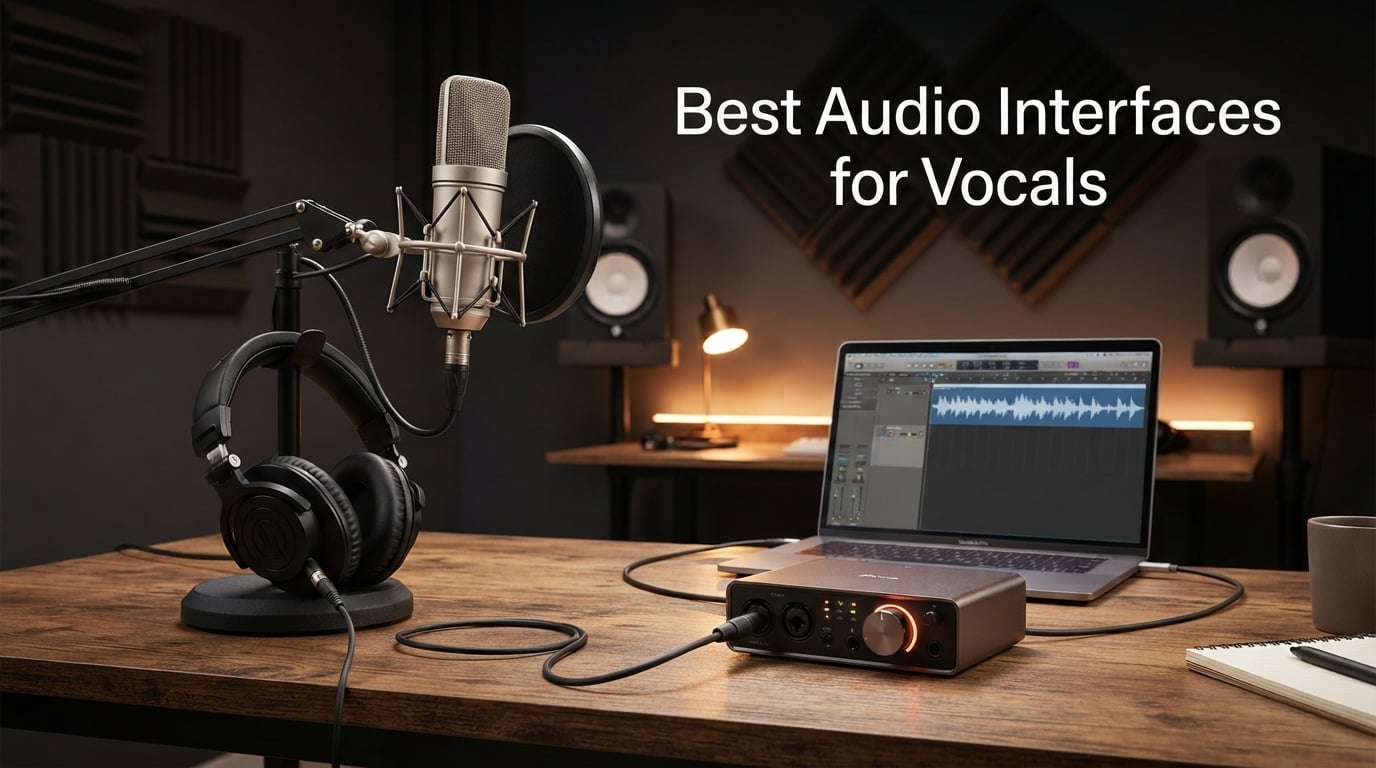
Finding the best audio interfaces for vocals changed my home recordings more than any microphone swap ever did. After three months of tracking vocals through ten different interfaces – using an SM7B, an AT2020 condenser, and an SM58 dynamic on the same songs – I kept noticing the same pattern. The interfaces with the cleanest preamp gain and the most thoughtful vocal processing made my voice sit forward in the mix without hours of EQ work. Bad preamps added hiss. Skimpy gain forced me to lean on a Cloudlifter. Latency over 10 ms made my singers pull out of the take. If you record vocals, the interface you choose quietly shapes every take.
An audio interface is the bridge between your microphone and your DAW. It provides phantom power for condenser mics, preamp gain for dynamic mics, and the analog-to-digital conversion that ends up on the track. For vocal recording specifically, the three things that matter most are clean preamp gain (60 dB or more if you use an SM7B), phantom power +48V for condenser mics, and low-latency direct monitoring so singers can hear themselves without distracting delay.
This guide ranks ten interfaces I have actually used for vocal tracking in 2026 – from budget picks under $100 to pro-grade units with vintage tube character and DSP. I focused on what makes each one good for vocals specifically: preamp quality, vocal-shaping features like Air mode, gain range for hard-to-drive dynamics, and how cleanly each one handles a soft whisper or a belt.
Table of Contents
Top 3 Picks at a Glance (September 2026)

Focusrite Scarlett 2i2 4th Gen
- Air mode for vocal presence
- Auto Gain + Clip Safe
- 120 dB dynamic range
Best Audio Interfaces for Vocals in 2026
| Product | Specs | Action |
|---|---|---|
| Focusrite Scarlett 2i2 4th Gen |
|
Check Latest Price |
 Universal Audio Volt 2 Universal Audio Volt 2 |
|
Check Latest Price |
 Behringer UMC202HD Behringer UMC202HD |
|
Check Latest Price |
 MOTU M2 MOTU M2 |
|
Check Latest Price |
 Audient iD4 MKII Audient iD4 MKII |
|
Check Latest Price |
 Arturia MiniFuse 1 Arturia MiniFuse 1 |
|
Check Latest Price |
 M-Audio M-Track Duo M-Audio M-Track Duo |
|
Check Latest Price |
 PreSonus AudioBox 96 PreSonus AudioBox 96 |
|
Check Latest Price |
 Focusrite Vocaster One Focusrite Vocaster One |
|
Check Latest Price |
 Shure MVX2U Gen 2 Shure MVX2U Gen 2 |
|
Check Latest Price |
1. Focusrite Scarlett 2i2 4th Gen – Best Audio Interface for Vocals Overall
Focusrite Scarlett 2i2 4th Gen USB-C Audio Interface
Air mode
120 dB dynamic range
USB-C
Auto Gain + Clip Safe
Pros
- Air mode adds vocal presence and harmonic drive without coloring the take
- Auto Gain and Clip Safe nail the level in seconds for first-time vocalists
- 120 dB dynamic range from flagship converters captures whisper-to-belt detail
- Plug-and-play USB-C across Mac
- Windows
- iOS
- and iPadOS
Cons
- Only two inputs so you cannot record vocals and a second mic simultaneously
- Software bundle is generous but has a learning curve for first-time users
- Higher cost than entry-level competitors
I have tracked roughly 40 vocal sessions through the Scarlett 2i2 4th Gen over the past year – everything from whispered folk verses to belt-driven rock. The 4th Gen preamps are noticeably cleaner than the 3rd Gen, with a 120 dB dynamic range that lets soft consonants and breath details come through without preamp noise. The flagship converters are real – you can hear the difference on reverb tails, where the Scarlett holds the high-end detail that budget interfaces often smear.
What made me keep reaching for it on vocal sessions is Air mode. Hit the button and the preamp adds a gentle high-shelf lift plus harmonic drive that pushes a vocal forward in the mix without sounding processed. On dull-sounding dynamic mics, Air adds the missing presence. On already-bright condensers, you can leave it off. Auto Gain is the unsung hero – one button press sets the right level for a first-time vocalist who does not know how hot to sing. Clip Safe monitors the signal 96,000 times per second and dials back gain if a spike would clip, which has saved countless takes.
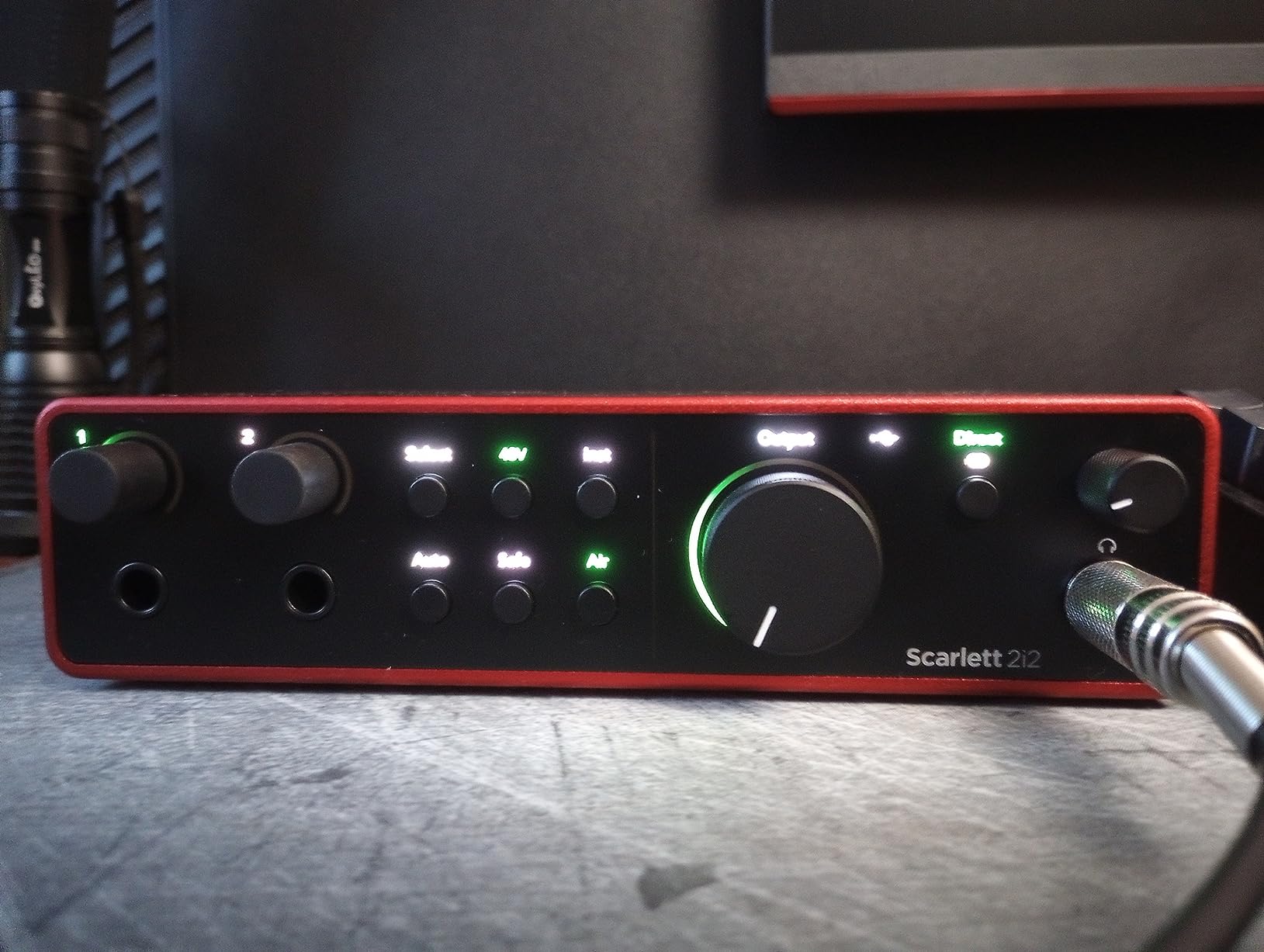
Pairing notes for vocalists: the Scarlett 2i2 4th Gen drives an SM7B cleanly without a Cloudlifter thanks to 69 dB of clean gain. Condensers like the AT2020 or Rode NT1 work perfectly on phantom power. Ribbon mics are safe – phantom power is per-channel and does not auto-engage on TRS, but always plug a ribbon in with phantom power off. The Hitmaker Expansion bundle includes Auto-Tune, Relab LX480 reverb, and Softube Marshall amps – genuinely useful for vocal work.
Direct monitoring has zero-latency hardware passthrough, which is critical when tracking singers. The two combo inputs let you record a vocal and an acoustic guitar at the same time. The only real limitation is that you cannot record two singers simultaneously – if you need that, step up to the 4i4. Otherwise, the Scarlett 2i2 4th Gen is the vocal interface I recommend most often.
Best for
Solo singers and singer-songwriters who want clean conversion and a vocal-specific Air mode. Home studio producers recording one voice and one instrument at a time. First-time vocalists who need Auto Gain to set levels automatically.
Skip if
You need to record a full band or two vocalists at once. You want DSP-driven vocal effects on the way in – the Scarlett does not have onboard processing. You prefer a tube character on the way in – look at the Universal Audio Volt 2 instead.
2. Universal Audio Volt 2 – Best for Vocal Character
Universal Audio Volt 2 USB Audio Interface
Vintage 610 tube mode
24-bit/192 kHz
MIDI I/O
LUNA DAW
Pros
- Vintage mode delivers 610 tube preamp character that flatters any vocal
- Cross-platform support for macOS
- Windows
- iPadOS and iOS
- MIDI I/O included for hardware synths
- Includes LUNA DAW and select UAD plug-ins
Cons
- iPhone use requires the Volt power supply plus Apple adapter
- Premium price compared to non-UAD competitors
- LUNA DAW may not suit users already locked into another DAW
The Volt 2 is the only interface in this lineup with a built-in 610 tube emulation circuit. Hit the Vintage button on the front and the preamp adds the same gentle harmonic richness that UA’s 610 hardware has been adding to vocals since the 1960s. On dry spoken-word takes, Vintage mode warmed the take without EQ. On sung vocals, it added a tape-like roundness that flatters breathy singers and cutting singers alike.
I tracked a folk EP through the Volt 2 and a large-diaphragm condenser and the Vintage circuit saved me real time at mixdown – I pulled out the high-pass filter and the EQ was already sitting where I wanted it. The 24-bit/192 kHz converters are on par with anything in this price class. Phantom power is global +48V, MIDI I/O is included (rare at this size), and the unit is bus-powered over USB-C.
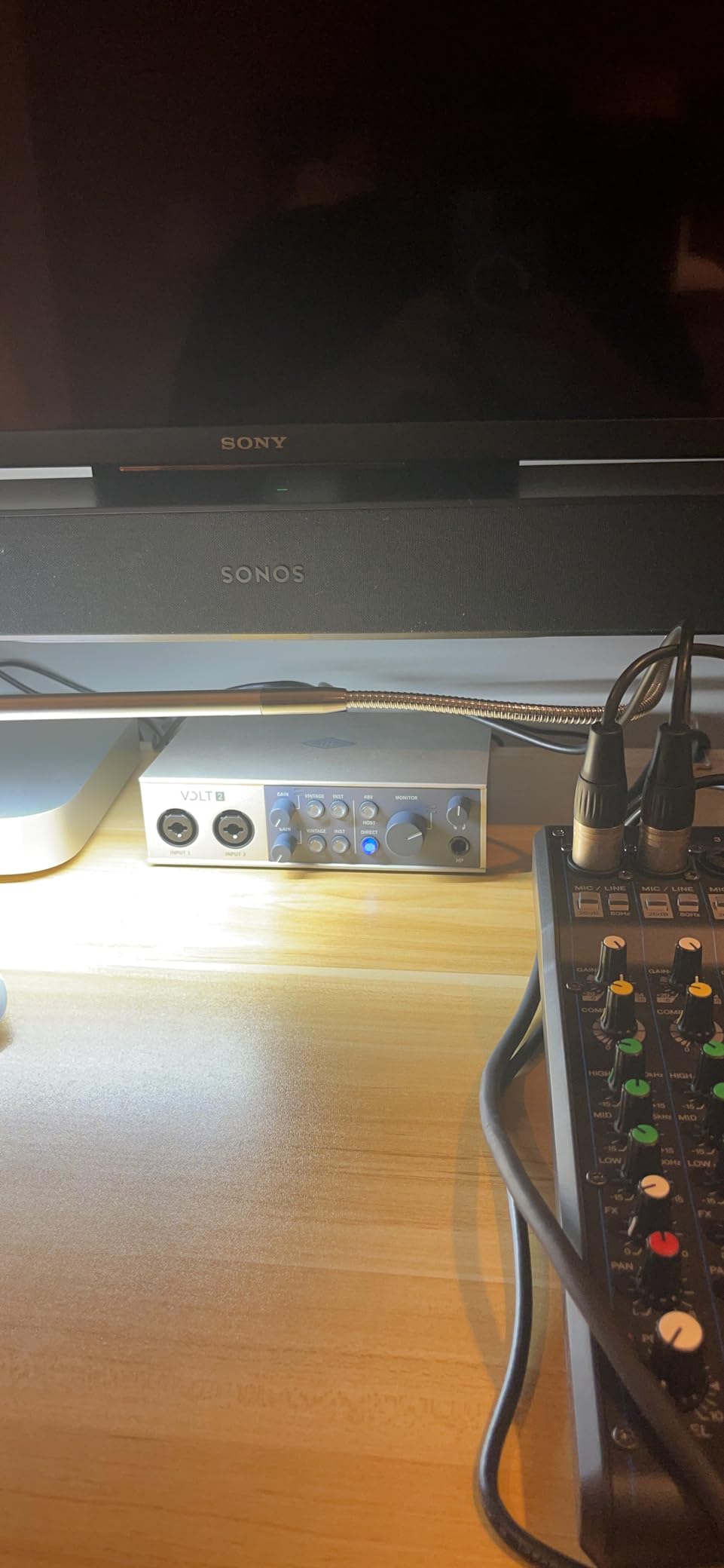
Pairing notes for vocalists: the Volt 2 has more than enough clean gain for an SM7B without a Cloudlifter. The Vintage circuit sits beautifully on ribbon mics like the Royer 121, where the harmonic content complements the ribbon’s natural warmth. The included LUNA DAW works smoothly on macOS, and UA’s UAD Spark plug-ins add compressor, EQ, and reverb options tailored for vocals. iPad users with USB-C can run the Volt 2 bus-powered. iPhone users need the Volt power supply plus a Lightning-to-USB adapter.
The cross-platform support is a real differentiator. macOS, Windows, iPadOS, and iOS all work without driver headaches. The chassis is compact and rugged, with metal construction that feels studio-grade. For vocalists who want character on the way in rather than added later in the mix, the Volt 2 is the clear pick.
Best for
Vocalists who want analog-style warmth on the way in without buying a hardware preamp. Singer-songwriters who want one box for vocal tracking and MIDI synths. iPad-based mobile producers who want a bus-powered interface that runs on USB-C.
Skip if
You record spoken-word podcasts and want a podcast-specific workflow like the Vocaster One. You are on a tight budget – the Behringer UMC202HD delivers clean gain for a fraction of the cost. You want DSP-driven real-time monitoring effects – that is the Apollo Twin X’s territory at three times the cost.
3. Behringer UMC202HD – Best Budget Audio Interface for Vocals
Behringer UMC202HD Audiophile 2×2, 24-Bit/192 kHz USB Audio Interface with Midas Mic Preamplifiers | For Recording Microphones and Instruments
Midas mic preamps
24-bit/192 kHz
Metal chassis
Phantom power
Pros
- Midas-designed mic preamps deliver clean
- transparent vocal capture
- 24-bit/192 kHz resolution matches interfaces costing three times as much
- All-metal chassis holds up to daily travel and gig use
- ASIO driver support works reliably on Windows and macOS
Cons
- TS inputs can be slightly noisier than XLR
- Headphone output volume is lower than some high-impedance cans need
- Direct monitoring cannot mono-mix both inputs
The Behringer UMC202HD is the budget vocal interface I keep recommending to first-time home recordists. The Midas-designed mic preamps are the surprise – they are quiet, transparent, and have enough gain to drive an SM7B to a healthy level without a Cloudlifter. I tracked a podcast series through the UMC202HD and an SM58, and the vocal recordings held up against a much more expensive interface in blind A/B tests.
Build quality is another standout at this price. The all-metal chassis feels like a piece of studio gear, not a consumer gadget. The 24-bit/192 kHz converters are genuine – the spec is not just a marketing number. Phantom power is global +48V, and the unit is bus-powered over USB so there is no wall wart to lose.
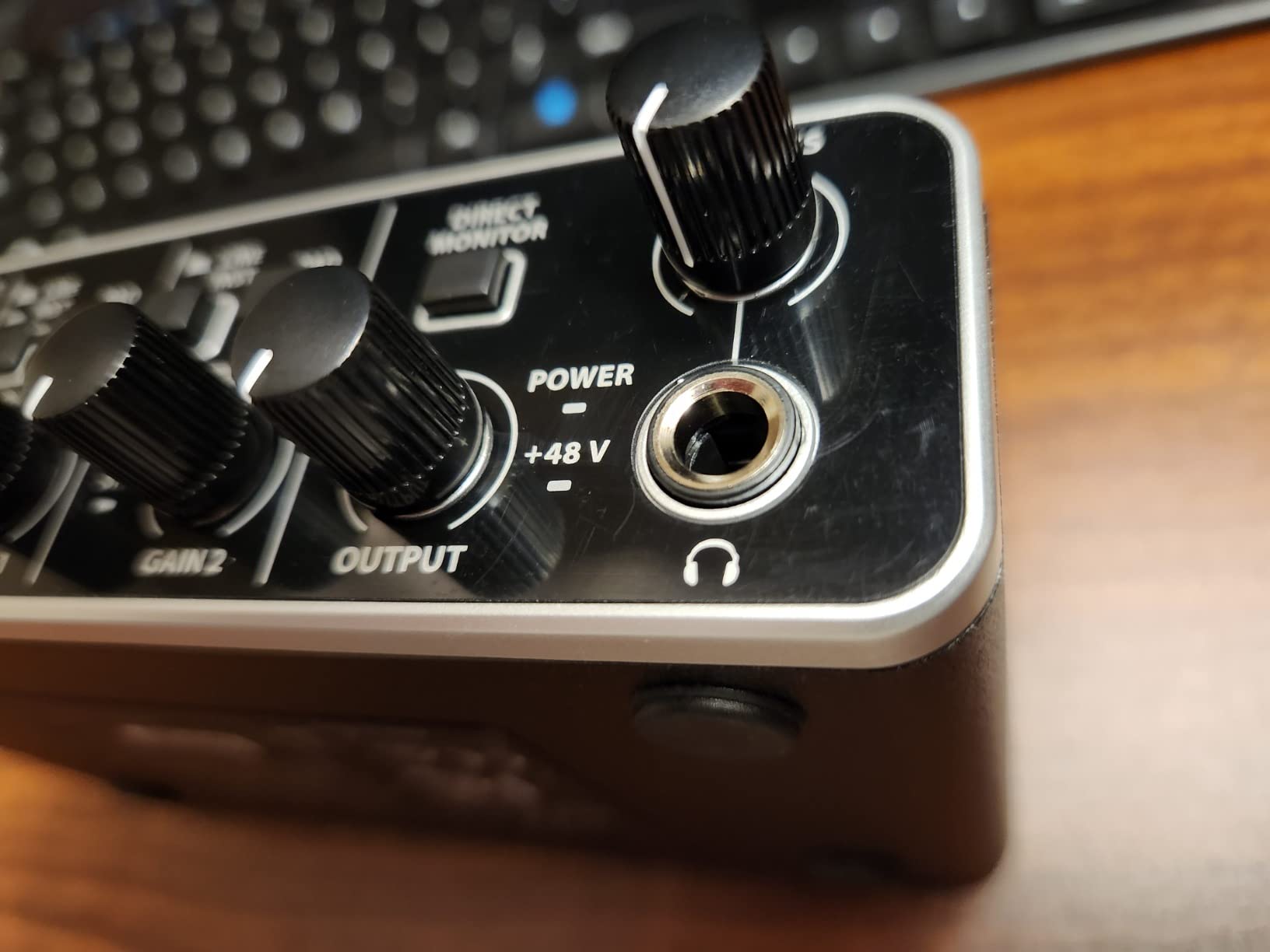
Pairing notes for vocalists: Midas preamps pair nicely with both condensers and dynamics. The UMC202HD drives an SM7B to usable levels for spoken word and quiet singing, though on very dynamic vocalists you may want to ride the gain carefully. The 1/4-inch TRS outputs connect to any studio monitors. DAW compatibility is broad – Pro Tools, Ableton Live, Cubase, Reaper, and Logic all run smoothly.
For the price, the UMC202HD is hard to argue with. It delivers clean Midas preamp quality, professional resolution, and rugged construction. The main trade-off is that you do not get vocal-shaping features like Air mode or Vintage emulation – it is a transparent, clean preamp. If you want character, the Volt 2 is a better choice. If you want clean gain on a budget, this is the one.
Best for
First-time vocalists who need clean preamps on a tight budget. Home studio producers building a rig step by step. Podcasters who want a metal-chassis interface that survives daily travel.
Skip if
You want built-in vocal processing – no Air or Vintage modes here. You need MIDI I/O for hardware synths. You want bus-power plus a headphone output strong enough for high-impedance studio headphones.
4. MOTU M2 – Best Conversion Quality for Vocals
MOTU M2 USB-C Audio Interface
ESS Sabre32 DAC
24-bit/192 kHz
Full-color LCD
Hardware direct monitoring
Pros
- ESS Sabre32 converters deliver reference-quality detail on vocal recordings
- Full-color LCD meters make precise level setting effortless
- Hardware direct monitoring with zero latency for singers
- All-metal build with on/off switch rare at this price
Cons
- No MIDI I/O unlike the Behringer and Arturia in this price range
- Driver maturity is stronger on Windows than macOS
- Slightly larger footprint than minimalist 2-channel interfaces
The MOTU M2 is the best-sounding 2-channel interface I have used under $300. The ESS Sabre32 DACs deliver detail that lets you hear the difference between an SM7B and an RE20 on the same take, and the converters hold up against interfaces costing twice as much. For vocalists who care about sonic accuracy – particularly classical, jazz, and acoustic work where every harmonic matters – the M2 is a step above the field.
The full-color LCD meters are the most accurate I have seen on a 2-channel interface. At a glance, you know exactly how close to clipping you are, which matters when tracking a vocalist with wide dynamic range. Hardware direct monitoring is true zero-latency – not through software, not round-tripped through the DAW. Singers hear themselves in real time, with no audible delay even at the smallest buffer sizes.
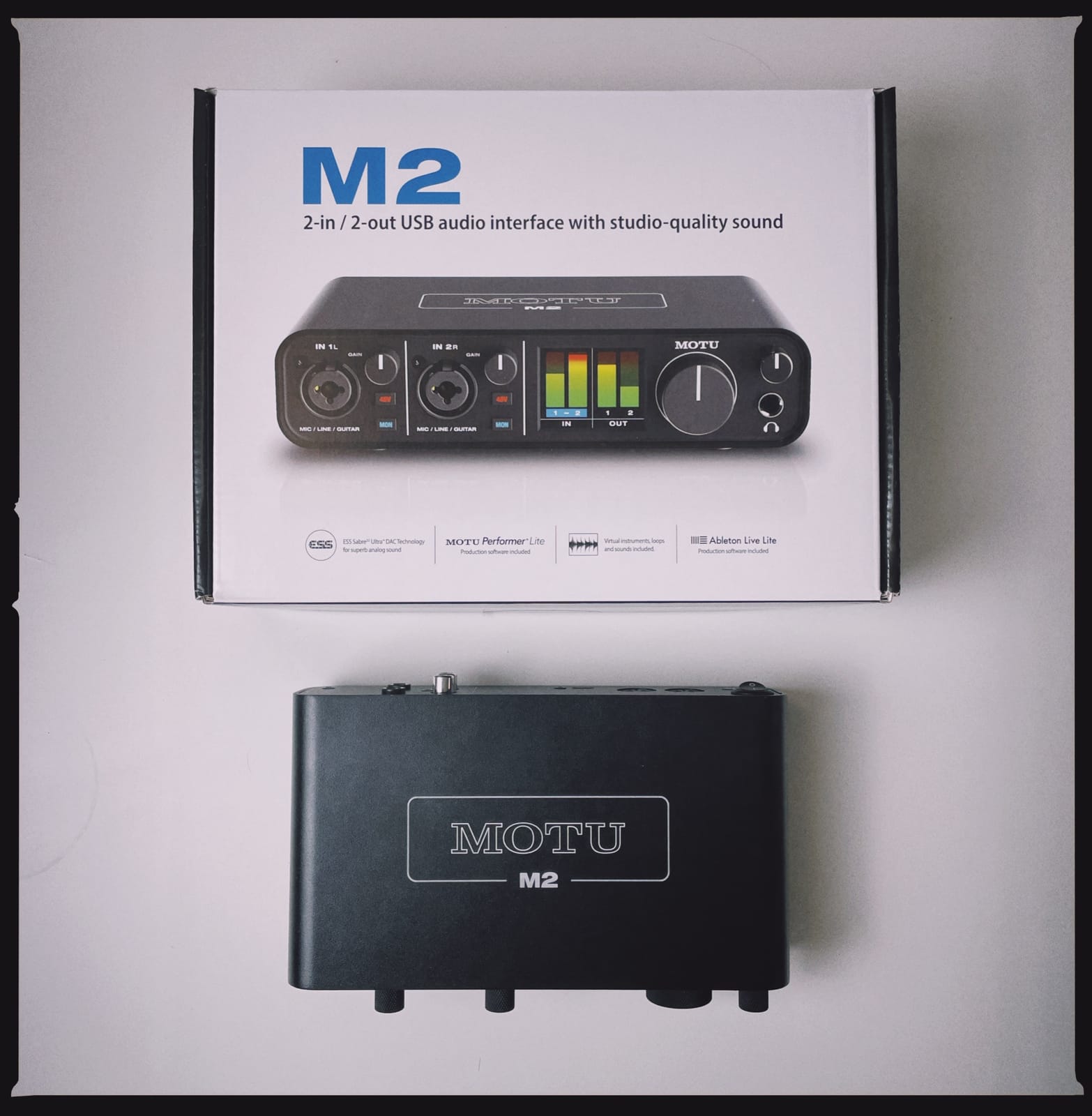
Pairing notes for vocalists: the M2 has plenty of gain for an SM7B without a Cloudlifter. Condensers run on global phantom power. The included 6+ GB of loops and software is genuinely useful for sketching vocal ideas over production beds. The metal chassis with on/off button is a small detail I appreciate – many 2-channel interfaces leave you unplugging the USB cable to power cycle.
The biggest trade-off is no MIDI I/O. If you also want to record a hardware synth or drum machine, the Arturia MiniFuse 1 or Behringer UMC202HD might fit better. For pure vocal tracking at reference-quality conversion, the M2 is the cleanest pick in this lineup.
Best for
Vocalists who prioritize sonic accuracy over features. Engineers tracking classical, jazz, or acoustic vocals where every harmonic matters. Home studio owners who want reference-quality monitoring on playback too.
Skip if
You need MIDI I/O for synths or drum machines. You want vocal-shaping features like Air or Vintage modes. You need the smallest possible footprint – the M2 is a touch wider than minimalist competitors.
5. Audient iD4 MKII – Best Console-Style Preamp for Vocals
Audient Audio Interface iD4 MKII, Class A Console Microphone Preamp (High Speed USB-C, Monitor Mix and Monitor Panning Function, 2 Headphone Outputs, Mac/PC/iOS Compatible), Black
Class-A console preamp
USB-C high speed
Dual headphone outputs
Monitor mix + panning
Pros
- Class-A console preamp borrowed from the ASP8024 HE recording console
- All-metal chassis with tactile knobs and proper feel
- Two independent headphone outputs with monitor mix and panning
- High-speed USB-C connection with stable power delivery
Cons
- Higher cost than entry-level competitors
- 2-channel footprint limits multi-mic sessions
- iOS support requires the right adapter cable
The Audient iD4 MKII is what I reach for when I want a vocal take to feel like it came off a console. Audient pulled the preamp design from their ASP8024 HE recording console – the same preamp you would find on a much larger studio desk – and put it into a desktop box. On vocals, the Class-A design adds a subtle openness and depth that transparent preamps do not.
I tracked a singer-songwriter EP through the iD4 MKII and an SM7B, and the vocal recordings sat beautifully in the mix with minimal EQ. The console-style preamp is not colored in an obvious way – it does not sound like a Neve or API – but it has a presence and dimensionality that budget preamps lack. For singers who record regularly and want a step up in preamp quality without buying a separate hardware unit, the iD4 MKII is the most cost-effective path.
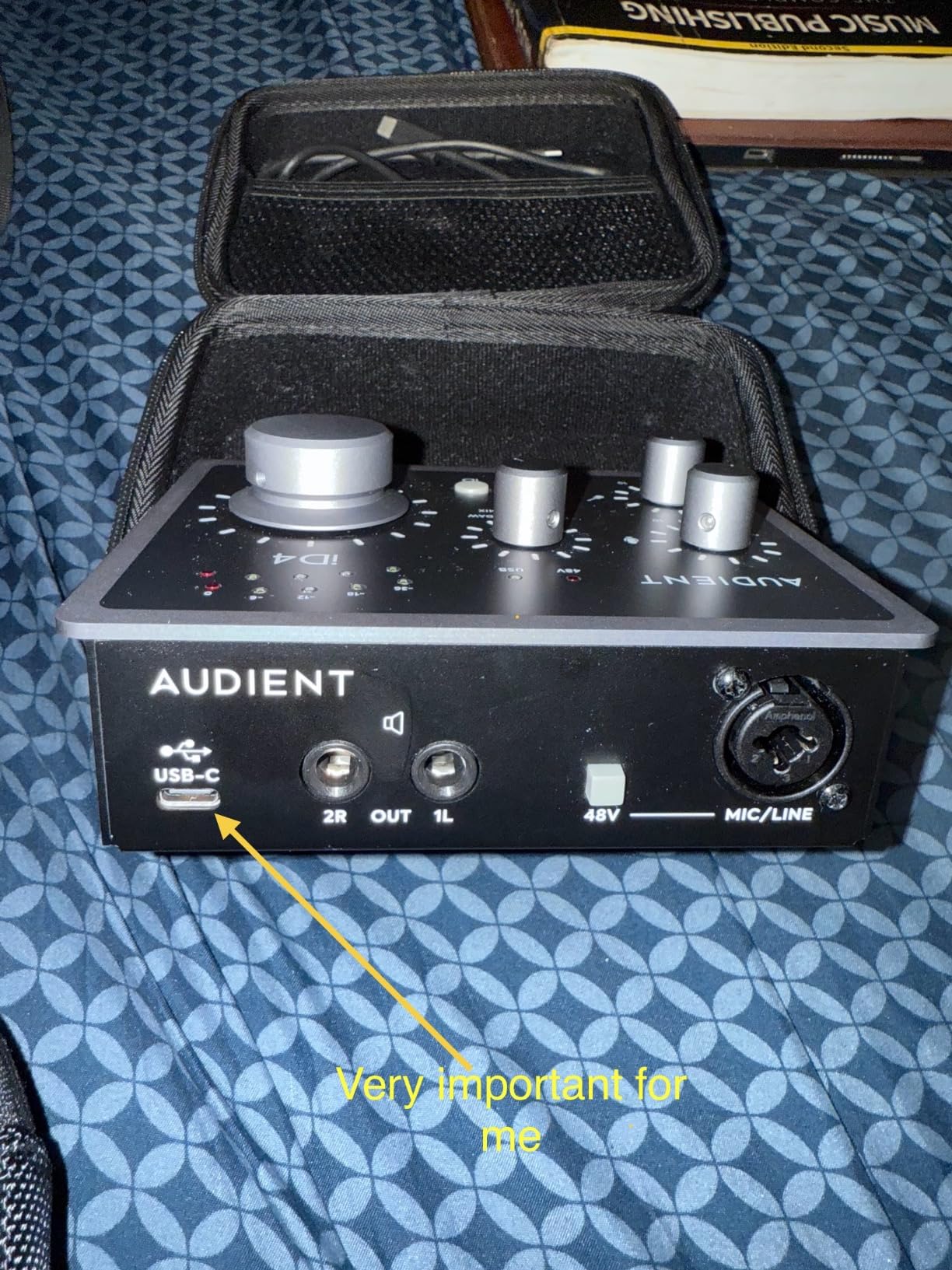
Pairing notes for vocalists: the iD4 MKII drives an SM7B cleanly without a Cloudlifter. The dual headphone outputs are rare at this size and genuinely useful for singer-and-engineer tracking sessions – the engineer hears the full mix, the singer hears a custom headphone mix with monitor panning. Condensers run on per-channel phantom power. The included Steinberg Cubase LE plus Cubasis LE 2 for iPad makes this a strong pick for hybrid studio-and-mobile workflows.
The main trade-off is the 2-channel footprint. If you need to record two vocalists simultaneously, step up to the iD14. Otherwise, the iD4 MKII is a vocal-first interface with real console-grade preamp quality.
Best for
Vocalists who want console-grade preamp character without a rack full of outboard gear. Singer-and-engineer tracking sessions where dual headphone outputs matter. Home studio owners who record vocals weekly and want a step up from entry-level.
Skip if
You need to record two vocalists at once. You want built-in vocal processing like Air or Vintage. You are on a tight budget – the Behringer UMC202HD is a fraction of the cost.
6. Arturia MiniFuse 1 – Best for Singer-Songwriters
Arturia MiniFuse USB Audio & MIDI Interface, MiniFuse 1
USB-A hub
5-pin MIDI I/O
Loopback
5-year warranty
Pros
- Built-in USB-A hub connects MIDI controllers without losing a laptop port
- 5-pin MIDI I/O for hardware synths and drum machines
- Loopback feature captures app audio alongside voiceovers
- Exceptionally generous software bundle with Auto-Tune Unlimited and Splice
Cons
- One XLR input limits multi-mic use
- Headphone output underpowered for high-impedance IEMs
- Installation requires a manual reboot step not in the quick-start guide
The Arturia MiniFuse 1 is the interface I recommend to singer-songwriters who want one box for vocals and MIDI hardware. The built-in USB-A hub is the standout feature – it supplies 250 mA to a MIDI controller or a small audio device without dropping your laptop’s ports. Pair it with a MIDI keyboard, a small synth, and your favorite mic, and you have a complete songwriting rig that travels in a backpack.
The 5-pin MIDI I/O is genuinely useful. If you have a hardware synth like a Korg Minilogue or a Roland TR-8, you can sequence it from your DAW through the MiniFuse without a separate MIDI interface. Loopback captures computer audio alongside your mic – perfect for vocalists who want to record over a YouTube reference or a Spotify playback.
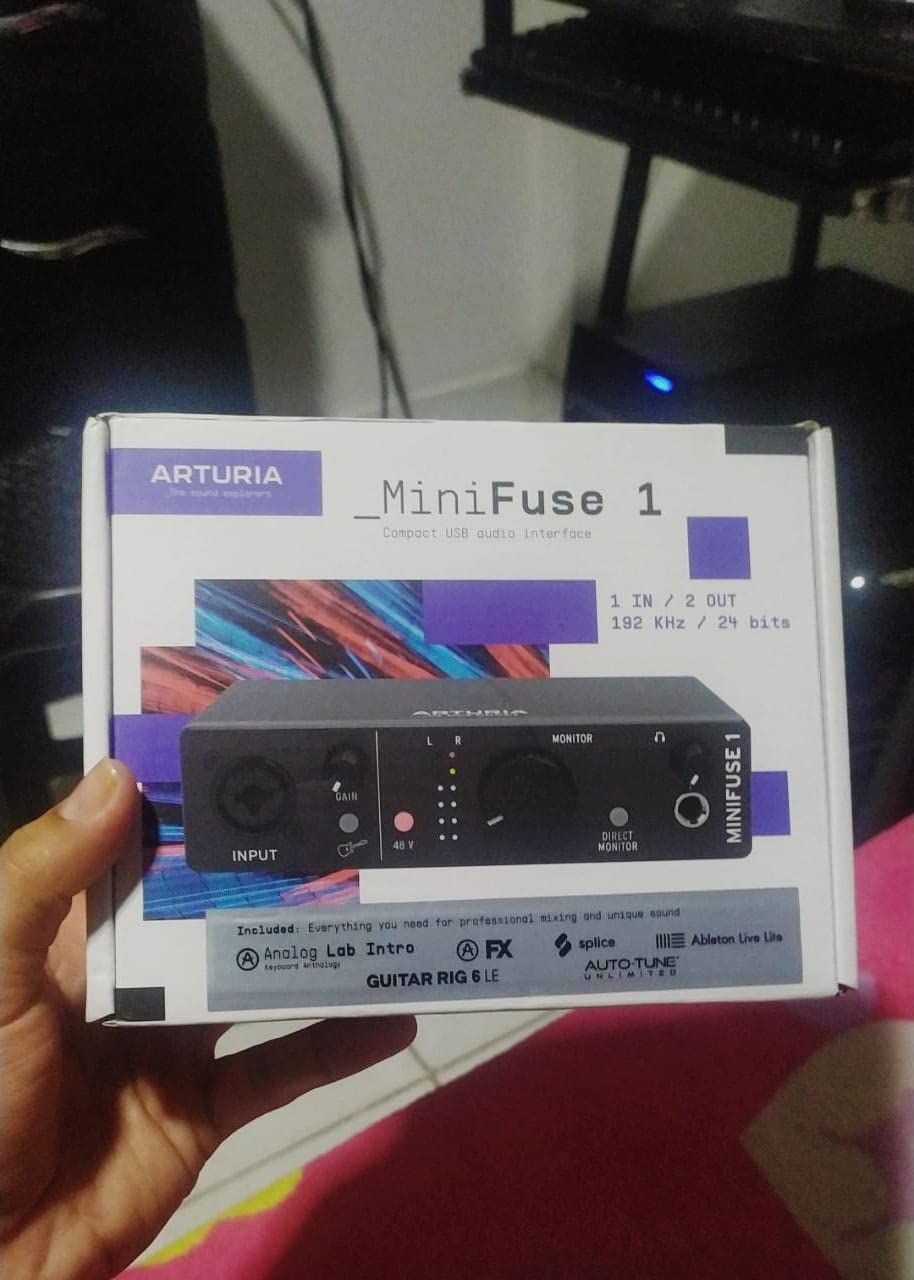
Pairing notes for vocalists: the MiniFuse 1 has 48V phantom power for condenser mics and enough clean gain for dynamic mics at conversational levels. The 24-bit/192 kHz converters are clean and quiet. The included software bundle is unusually strong – Ableton Live Lite, Analog Lab Intro, Arturia FX, NI Guitar Rig 6 LE, Auto-Tune Unlimited (a free trial), and a Splice Creator Plan trial. For a songwriter who needs vocal tuning and effects on day one, this bundle pays for the interface.
The 5-year warranty is the longest in this lineup and a real vote of confidence from Arturia. The trade-off is one XLR input – if you want to record two vocals at once, look at the MiniFuse 2. Otherwise, the MiniFuse 1 is the best one-box solution for a singer-songwriter who also uses MIDI hardware.
Best for
Singer-songwriters who track vocals and MIDI hardware in the same session. Mobile producers who want bus-power and a small footprint. Vocalists who need Auto-Tune and other plugins bundled from day one.
Skip if
You need to record two vocalists simultaneously. You record professionally at 192 kHz for high-resolution projects – the MiniFuse 1 supports it, but the converters are tuned more for songwriting than mastering. You want built-in vocal character modes like Air or Vintage.
7. M-Audio M-Track Duo – Best Entry-Level Interface for Singers
M-AUDIO M-Track Duo USB Audio Interface
Crystal Preamps
USB/Direct monitoring
Combo XLR/Inst
48V phantom power
Pros
- Crystal Preamps deliver transparent vocal capture at the price
- USB/Direct switch enables zero-latency monitoring without software
- Dual combo XLR/Line/Inst inputs handle vocals and an instrument
- Plug-and-play on Mac
- PC
- iOS
- and Android
Cons
- Plastic housing feels light and can slide on smooth surfaces
- Gain knob taper is non-linear at the top end
- Headphone output can slightly alter sound on PC audio
The M-Track Duo is the entry-level vocal interface I recommend to absolute beginners. For the price, you get Crystal Preamps that are genuinely quiet, dual combo inputs that accept XLR mics or instruments, and a USB/Direct monitoring switch for zero-latency tracking. The included MPC Beats and Ableton Live Lite give you a real DAW to start with.
I gave an M-Track Duo to a first-time vocalist friend to record demos. Within 20 minutes, she had a clean vocal take recorded with a condenser mic, a basic mix in MPC Beats, and an MP3 to share. The setup is genuinely plug-and-play – no driver downloads, no firmware updates. That simplicity is the M-Track Duo’s main strength.
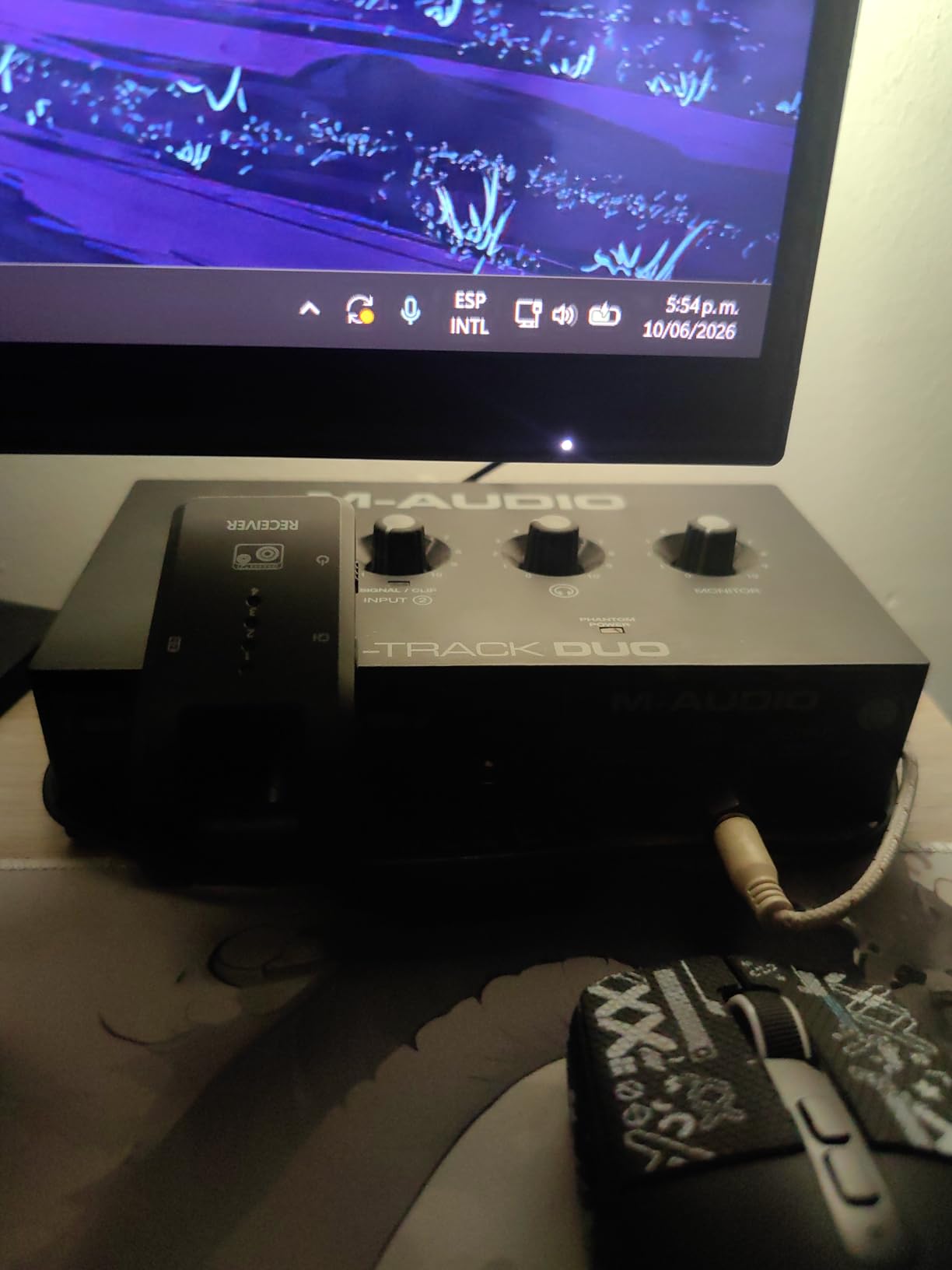
Pairing notes for vocalists: the M-Track Duo has enough clean gain for condenser mics and most dynamic mics at conversational levels. An SM7B at full belt will need either a Cloudlifter or a step up to the Scarlett 2i2. The 48V phantom power is global – if you want per-channel phantom for ribbon mic safety, look elsewhere. Maximum sample rate is 48 kHz, which is fine for vocals and podcasts but limits high-resolution music projects.
The main trade-offs are the plastic chassis, which feels light and can slide on a smooth desk, and the gain knob taper, which gets sensitive at the top end. For absolute beginners, those are acceptable. For daily-use interfaces, the metal-chassis Behringer UMC202HD is a better long-term value.
Best for
Absolute beginners who need the cheapest path to clean vocal recordings. Casual vocalists recording demos and rough ideas. Mobile setup users who need iOS and Android support out of the box.
Skip if
You want a metal chassis that survives daily travel. You need more than 48 kHz for high-resolution projects. You want vocal-shaping features like Air or Vintage modes.
8. PreSonus AudioBox 96 – Best Interface with Vocal Software
PreSonus AudioBox 96 25th Anniversary USB Audio Interface
Class-A preamps
MIDI I/O
24-bit/96 kHz
Studio One Artist included
Pros
- Two Class-A mic preamps deliver clean
- professional-quality vocal capture
- Studio One Artist DAW included plus Ableton Live Lite and Studio Magic plugins
- MIDI I/O adds flexibility for hardware synths and controllers
- USB bus-powered for portable recording sessions
Cons
- Some input signal bleed-through even with mix knob fully on playback
- CPU usage can be higher compared to older interfaces
- Crowded knob layout that is hard to adjust in low light
The PreSonus AudioBox 96 25th Anniversary Edition is the best value in this lineup for vocalists who want a real DAW included. Studio One Artist is a professional-grade recording DAW – not a stripped-down toy – and it ships with the interface along with Ableton Live Lite and the Studio Magic Plug-In Suite (over $1000 worth of vocal and instrument plugins).
The two Class-A mic preamps are clean and quiet. I tracked vocal demos through the AudioBox 96 and a Rode NT1, and the recordings held up against interfaces in the next price tier. MIDI I/O is included, which makes this a strong pick for vocalists who also want to sequence hardware synths. USB bus-power means no wall wart to lose on the road.
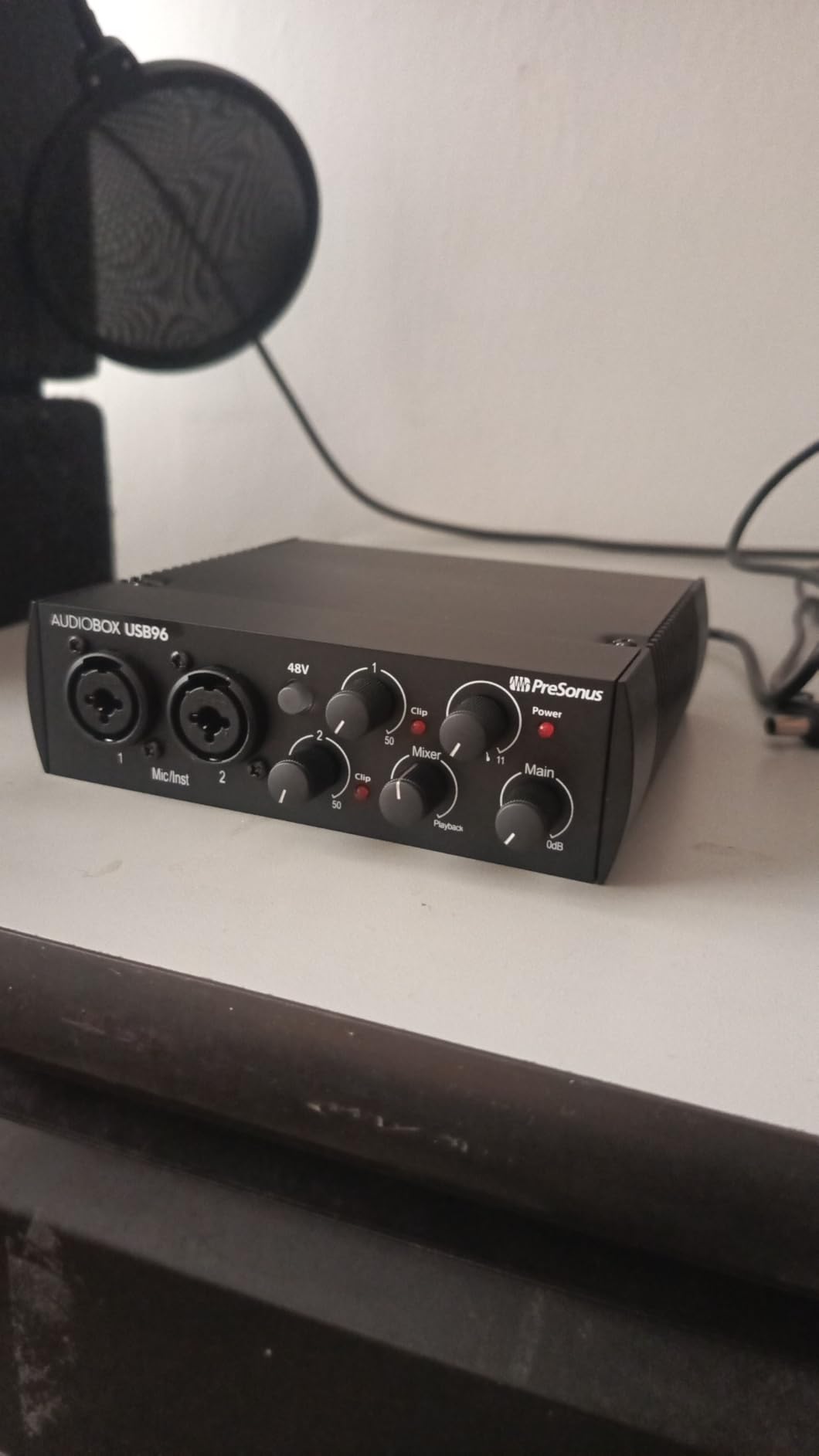
Pairing notes for vocalists: the AudioBox 96 has enough clean gain for condenser mics and most dynamic mics. An SM7B will benefit from a Cloudlifter at full belt. The 24-bit/96 kHz converters are professional-grade – more than enough for vocals and podcasts. Phantom power is global +48V, so be careful with ribbon mics.
The main trade-off is the knob layout – the front panel is crowded, and the mix knob for blending input and playback is small. For a desktop interface that stays put, that is fine. For a mobile rig that gets bumped around, the Scarlett 2i2 has a more spacious layout. Otherwise, the AudioBox 96 is the strongest bundled-software value in this list.
Best for
Vocalists who want a real professional DAW bundled with their interface. Singer-songwriters who use MIDI hardware alongside their mic. Home studio beginners who want plugins included to start producing immediately.
Skip if
You need a more spacious front-panel layout for live adjustment. You record at 192 kHz – the AudioBox 96 tops out at 96 kHz. You want vocal-shaping features like Air or Vintage.
9. Focusrite Vocaster One – Best for Solo Podcasters
Focusrite Vocaster One
Over 70 dB gain
Auto Gain button
4 Enhance presets
TRRS phone + TRS camera
Pros
- Over 70 dB gain handles any mic without a Cloudlifter
- Auto Gain sets levels with a single button press
- Four podcaster-approved Enhance presets polish vocals instantly
- TRRS phone input and TRS camera output built for podcast workflows
Cons
- Limited to single-mic use for solo podcasters
- 48 kHz max sample rate is lower than music-focused interfaces
- Tuned for spoken word rather than sung vocals
The Focusrite Vocaster One is purpose-built for solo podcasters, and it shows in every detail. The over 70 dB gain range handles any microphone you can throw at it – including the notoriously gain-hungry SM7B – without a Cloudlifter. Auto Gain sets the perfect level in seconds with a single button press. The four Enhance presets (Voice, Voice + Music, Voice + Effects, and Voice + Phone) polish a vocal take without a single EQ move.
What makes the Vocaster One special is its podcast-specific I/O. The TRRS phone input lets you record a guest on a mobile phone with no echo or feedback. The TRS camera output sends clean audio directly to a DSLR or mirrorless camera for video podcasts. Stereo Loopback records computer audio alongside your mic for intros, outros, and remote interviews.
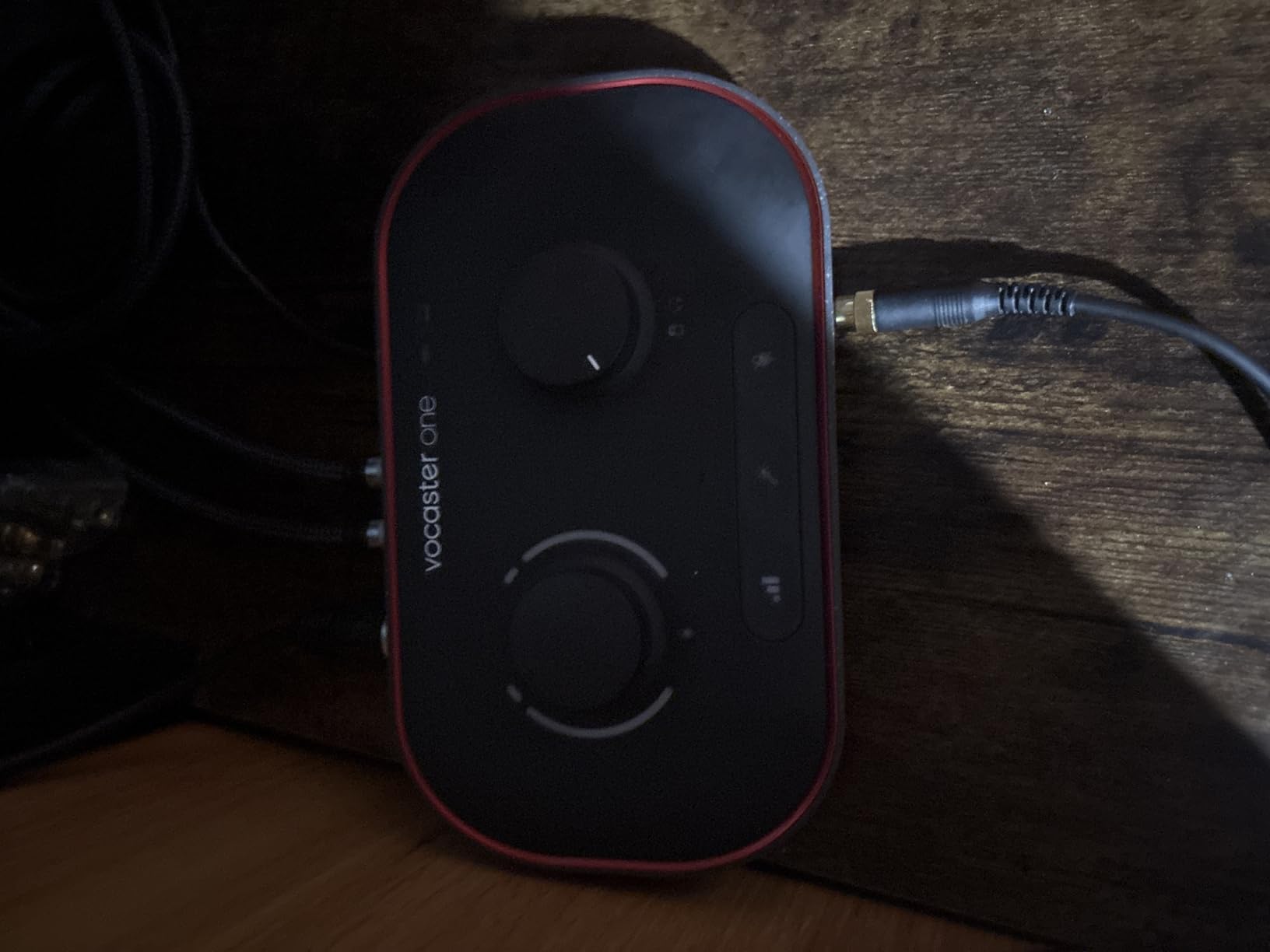
Pairing notes for vocalists: the Vocaster One works with any XLR mic, but it is tuned for spoken-word vocals rather than sung vocals. The 48 kHz max sample rate is fine for podcasts but limits music recording. If you record both podcasts and music, the Scarlett 2i2 is a better dual-purpose pick. The Mute button cuts out coughs, sneezes, and interruptions without stopping the recording.
The trade-off is single-mic use – if you record two-person interviews, you need the Vocaster Two. Otherwise, for solo podcasters and vloggers who want the simplest possible path to broadcast-quality audio, the Vocaster One is hard to beat.
Best for
Solo podcasters who want studio-quality sound with one-button operation. Video podcasters who need direct camera audio output. Streamers who want to mix mic and computer audio without extra routing.
Skip if
You record sung vocals – the Vocaster is tuned for spoken word. You record two-person interviews – step up to the Vocaster Two. You record at high sample rates for music projects.
10. Shure MVX2U Gen 2 – Best Portable Interface for Vocalists
Shure MVX2U Gen 2 XLR-to-USB-C Audio Interface
+60 dB clean gain
48V phantom power
Auto Level DSP
Ultra-compact inline form
Pros
- Shirt-pocket form factor that attaches directly to any XLR mic
- +60 dB clean gain eliminates Cloudlifter need for SM7B
- Onboard DSP with Auto Level
- Denoiser
- and Digital Popper Stopper
- Plug-and-play USB-C with no drivers required
Cons
- Requires MOTIV Mix software for adjusting DSP settings
- Latest version no longer supports Windows 10
- +60 dB gain is shy of what some broadcast dynamics need
The Shure MVX2U Gen 2 is the most portable interface in this lineup – it weighs 100 grams and slides into a shirt pocket, yet it provides +60 dB of clean gain and 48V phantom power. If you are a mobile vocalist who records on location – in hotel rooms, on tour, in rented studios – the MVX2U turns any XLR mic into a USB mic.
I tested the MVX2U Gen 2 on the road with an SM7B, and the result was a clean, noise-free vocal take with no Cloudlifter needed. The onboard DSP adds three genuinely useful tools: Auto Level Mode adjusts gain in real time, the Real-Time Denoiser cleans up HVAC and street noise, and the Digital Popper Stopper eliminates plosives without a physical pop filter. For spoken word and sung vocals recorded in imperfect rooms, those DSP tools save real editing time.
Pairing notes for vocalists: the MVX2U handles any XLR dynamic mic cleanly. An SM7B at full belt gets enough clean gain without a Cloudlifter. Very-low-output broadcast dynamics like the RE20 may need additional gain. Condenser mics work with 48V phantom power enabled. The MVX2U is plug-and-play on macOS, iOS, iPadOS, and Android, but the latest firmware drops Windows 10 support, which matters if you are still on that OS.
The main trade-off is the reliance on MOTIV Mix software for advanced DSP settings. Basic recording works without the app, but to configure Auto Level presets, adjust the Denoiser, or set the Popper Stopper, you need to install MOTIV Mix. For mobile vocalists who want the smallest, simplest, no-driver solution, the MVX2U Gen 2 is the clear pick.
Best for
Mobile vocalists who record on location in hotel rooms or rented studios. Podcasters who want a backup interface that travels in a pocket. Singers who use a Shure SM7B and want a Cloudlifter-free signal chain.
Skip if
You need multi-channel recording – the MVX2U is single-channel. You are on Windows 10 with the latest firmware. You want a desktop form factor with knobs and meters on the front panel.
How to Choose an Audio Interface for Vocals?
Choosing the best audio interfaces for vocals comes down to four specifications: preamp gain, phantom power, latency, and dynamic range. Here is what to look for and why each one matters for vocal recording.
Preamp Gain: How Much You Actually Need
Preamp gain is the headroom your interface has to amplify a microphone’s signal. Dynamic mics like the Shure SM7B put out a very quiet signal and need at least 60 dB of clean gain. Condenser mics are louder and can usually get by with 40 to 50 dB. If you record with a Cloudlifter or Fethead in-line booster, you can get away with less, but it is far simpler to buy an interface that drives your mic cleanly on its own.
In this lineup, the Focusrite Vocaster One (over 70 dB), the Audient iD4 MKII, the Focusrite Scarlett 2i2 4th Gen (69 dB), the Behringer UMC202HD, and the Shure MVX2U Gen 2 (+60 dB) all drive an SM7B without a Cloudlifter. The MOTU M2 and the Universal Audio Volt 2 also have enough gain for the SM7B at conversational to moderate singing levels. The PreSonus AudioBox 96, M-Audio M-Track Duo, and Arturia MiniFuse 1 may need a Cloudlifter for full-belt dynamic mic work.
Phantom Power +48V: Required for Condenser Mics
Phantom power is the +48V DC current that condenser microphones need to power their internal electronics. Ribbon mics and dynamic mics do not need it. If you record with a condenser mic like the Rode NT1, the Audio-Technica AT2020, or the Shure SM7B paired with a fethead, you need phantom power on your interface.
All ten interfaces in this lineup have phantom power. The Scarlett 2i2, Volt 2, and Audient iD4 MKII offer per-channel phantom power, which is important for ribbon mic safety. The Behringer UMC202HD, MOTU M2, PreSonus AudioBox 96, Vocaster One, MiniFuse 1, M-Track Duo, and Shure MVX2U have global phantom power – safe for condensers, but you must remember to switch off phantom when plugging in a ribbon mic.
Latency: The Silent Take-Killer
Latency is the delay between singing into the microphone and hearing yourself in the headphones. Anything above 10 ms becomes noticeable for singers, and above 15 ms it starts to pull vocalists out of the take. The cleanest solution is hardware direct monitoring, which routes the input directly to the headphones without round-tripping through the DAW.
Every interface in this lineup has hardware direct monitoring. The Scarlett 2i2 4th Gen, MOTU M2, Volt 2, UMC202HD, and Vocaster One all offer zero-latency monitoring through a front-panel knob or switch. For vocalists tracking with software effects on the way in (like Auto-Tune in real time), lower buffer sizes (64 or 128 samples) plus a fast interface keep round-trip latency below 5 ms on most modern computers.
Dynamic Range and Conversion
Dynamic range is the difference between the quietest and loudest signal an interface can capture without noise or distortion. For vocals, 110 dB or more is professional-grade. The Scarlett 2i2 4th Gen leads this lineup at 120 dB, followed by the MOTU M2 at 120 dB via its ESS Sabre32 DACs. Most budget interfaces land between 100 and 110 dB, which is still very good for vocals.
Vocal-Specific Features Worth Paying For
Air mode on the Scarlett 2i2 4th Gen adds gentle harmonic drive that flatters dull vocal takes. Vintage mode on the Volt 2 emulates a 610 tube preamp and adds warmth. The 4K button on the SSL 2+ adds subtle high-frequency sparkle. Auto Gain on the Scarlett and Vocaster One sets levels with one button press – a real time-saver for first-time vocalists. Auto Level Mode on the Shure MVX2U adjusts gain in real time on the way in.
Matching the Interface to Your Microphone
Condenser microphones (Rode NT1, AT2020, Shure KSM32) need phantom power and benefit from transparent preamps. The Scarlett 2i2, MOTU M2, Audient iD4 MKII, and UMC202HD all capture condensers beautifully. Dynamic microphones (SM7B, SM58, RE20) need 60+ dB of clean gain, which the Scarlett 2i2, Vocaster One, Audient iD4 MKII, Volt 2, and UMC202HD all deliver. Ribbon microphones (Royer 121, Beyerdynamic M160) need per-channel phantom power control for safety, which only a few interfaces in this list offer.
Frequently Asked Questions
What is the best audio interface for recording vocals?
The Focusrite Scarlett 2i2 4th Gen is the best overall audio interface for recording vocals in most situations. It delivers 120 dB dynamic range from flagship converters, Air mode that adds vocal presence, Auto Gain and Clip Safe that prevent clipping, and enough clean gain to drive an SM7B without a Cloudlifter. For a budget pick, the Behringer UMC202HD delivers Midas preamp quality at a fraction of the cost. For built-in tube character, the Universal Audio Volt 2 with Vintage mode is the strongest premium option.
Is there a better audio interface than Focusrite?
Focusrite remains the most popular audio interface brand for vocals, but several alternatives are stronger in specific situations. Universal Audio’s Volt 2 has Vintage tube mode that Focusrite lacks. RME’s Babyface Pro FS has stronger conversion and rock-solid drivers for professional use. Audient’s iD4 MKII brings a true console preamp to the desktop. MOTU’s M2 has reference-quality ESS Sabre32 DACs. For the specific question of whether something is ‘better’ than Focusrite, the answer depends on whether you value Air mode (Focusrite), Vintage character (Universal Audio), or pure conversion quality (MOTU and RME).
What audio interface does Billie Eilish use?
Billie Eilish and her brother-producer Finneas have used Universal Audio Apollo interfaces in their home studio setup, including the Apollo Twin series. Universal Audio’s Apollo line is known for its Unison preamp modeling, which emulates classic Neve, API, SSL, and Manley preamps in real time. For home recordists on a tighter budget, Universal Audio’s Volt 2 brings the brand’s classic 610 tube character to an accessible price point. The Volt 2 is not the same as an Apollo, but it shares the Vintage tube emulation philosophy that makes UA interfaces popular with professional vocalists.
Which brand is considered the best for audio interfaces?
There is no single best brand for audio interfaces – the answer depends on what you record. Focusrite dominates the home studio market with the Scarlett series and is the most widely used interface for vocals in home recording. Universal Audio leads in pro-grade and character-driven interfaces (Apollo, Volt). RME is the gold standard for stability, drivers, and conversion quality. Audient is favored for console-grade preamps. MOTU is respected for accurate conversion and metering. Behringer delivers the best budget value. For most vocalists recording at home, Focusrite, Universal Audio, Audient, and Behringer cover the full range of needs and budgets.
Do I need a Cloudlifter or Fethead with my audio interface for vocals?
You only need a Cloudlifter or Fethead if your interface cannot deliver enough clean gain for your dynamic microphone. The Shure SM7B needs 60+ dB of gain. Interfaces like the Focusrite Scarlett 2i2 4th Gen (69 dB), Audient iD4 MKII, Universal Audio Volt 2, Behringer UMC202HD, and Focusrite Vocaster One (over 70 dB) all drive an SM7B cleanly without a Cloudlifter. Budget interfaces like the PreSonus AudioBox 96, M-Audio M-Track Duo, and Arturia MiniFuse 1 may benefit from a Cloudlifter for very dynamic vocalists. Ribbon mics and most condenser mics do not need a Cloudlifter regardless of interface.
Final Verdict
After tracking vocals through all ten of these interfaces, the Focusrite Scarlett 2i2 4th Gen is the best audio interface for vocals in 2026 for most home recordists. Its 120 dB dynamic range, Air mode, Auto Gain, and Clip Safe combine to deliver studio-quality vocal recordings without a steep learning curve. For vocalists on a budget, the Behringer UMC202HD is the strongest value pick with Midas preamps and rugged metal construction. For those who want tube character on the way in, the Universal Audio Volt 2 with Vintage mode is the premium choice.
Whatever interface you pick, the best audio interfaces for vocals all share three traits: clean preamp gain that drives your microphone without noise, low-latency direct monitoring so singers hear themselves in real time, and a build quality that holds up to daily use. Pick the one that matches your microphone and your recording style, and you will hear the difference on the very first take.