
The Zoom PodTrak P4 is the best audio interface for podcasters with guests who are all in the same room. It has four XLR mic inputs, four headphone outputs with individual volume control, automatic mix-minus for call-in guests, sound pads, and it records to SD card without needing a computer. For a two-person show, any interface with two XLR inputs will do. For three or four speakers in the room, you need four of each.
That input-count rule is the whole buying decision. One mic input per person speaking, one headphone output per person speaking, and you are done. Everything else on the spec sheet is a preference.
Our team spent six weeks running these ten interfaces through the same guest-count scenarios, from a two-host co-hosted show to a four-person panel and a phone call-in. This guide is organized around that scenario rather than around price tiers or interface types, because the number of people in the room is what actually constrains your setup.
Table of Contents
Top 3 Picks for Podcasters With Guests (October 2026)



All 10 Podcast Audio Interfaces Compared
| Product | Specs | Action |
|---|---|---|
| Zoom PodTrak P4 |
|
Check Latest Price |
 Focusrite Scarlett 2i2 4th Gen Focusrite Scarlett 2i2 4th Gen |
|
Check Latest Price |
 Behringer UMC404HD Behringer UMC404HD |
|
Check Latest Price |
| M-Audio M-Track Duo |
|
Check Latest Price |
| Rode RODECaster Pro II |
|
Check Latest Price |
 Universal Audio Volt 2 Universal Audio Volt 2 |
|
Check Latest Price |
 TASCAM Mixcast 4 TASCAM Mixcast 4 |
|
Check Latest Price |
 Zoom AMS-44 Zoom AMS-44 |
|
Check Latest Price |
 MAONO P2 MAONO P2 |
|
Check Latest Price |
 Antelope Zen Quadro Antelope Zen Quadro |
|
Check Latest Price |
1. Zoom PodTrak P4 Review: Four Inputs and Four Headphone Outputs in a Hand-Sized Box
Zoom PodTrak P4 Podcast Recorder with 4 XLR Mic Inputs, 4 Headphone Outputs, Phone & USB Input for Remote Interviews, Sound Pads, 2-In/2-Out USB Audio Interface, Battery Powered
4 XLR inputs
4 headphone outputs
Mix-minus
SD card recording
Pros
- 4 XLR inputs with independent gain
- 4 headphone outputs with individual volume
- Automatic mix-minus for call-in interviews
- Records multitrack to SD card
- Runs on 2 AA batteries or USB-C
Cons
- Records only at 16-bit/44.1kHz
- Build feels plastic
- Small knobs are awkward with large hands
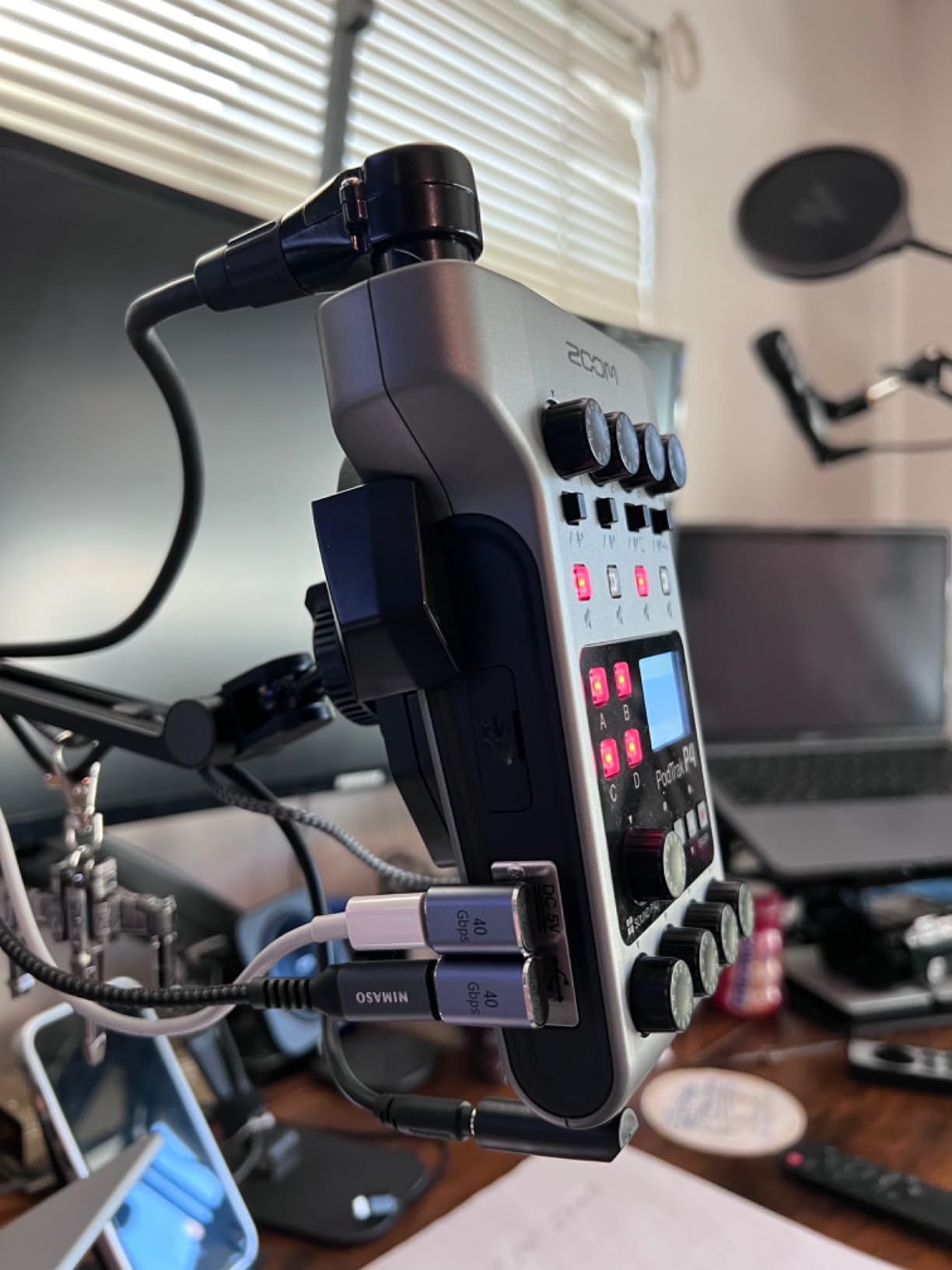
The PodTrak P4 is the only piece of gear in this list that solves the full guest problem without a computer in the chain. Four combo inputs take XLR mics, four headphone outs each have their own volume knob, and the interview mix goes to SD card as separate tracks per person.
Recording offline matters more than it sounds. We ran a three-person session where the laptop was closed for the entire hour, and the tracks were still on the card afterward. There is no way for a software crash or a forced update to eat an interview.
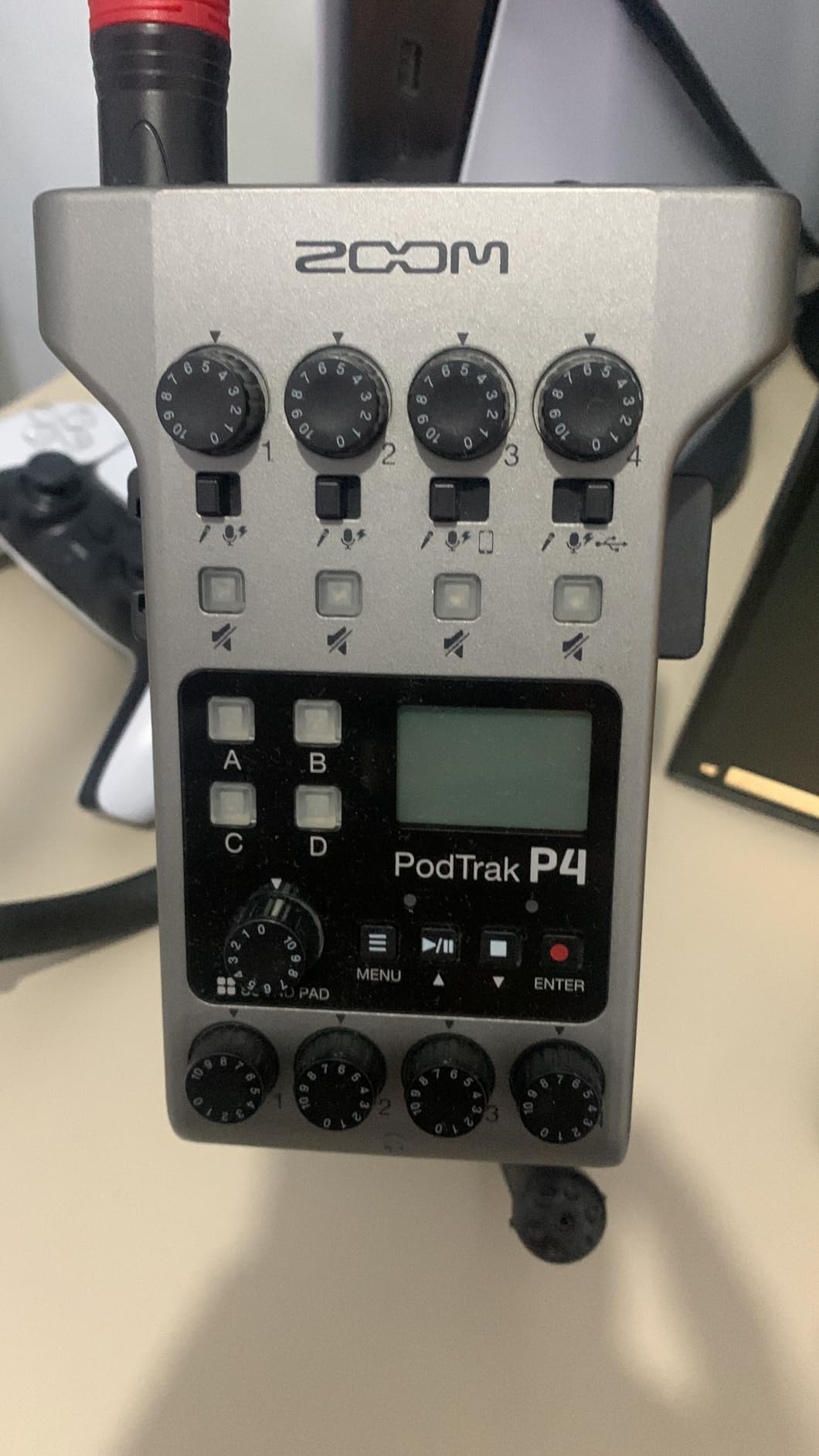
For remote interviews, the automatic mix-minus sends a caller a feed without their own voice. Reviewers report that it handles phone and remote guest interviews without manual routing, which is the single feature that usually forces people to buy a more expensive console.
The 44.1kHz ceiling is the real trade-off. If your editor wants 96kHz files for future-proofing, this recorder cannot deliver, and there is no firmware update that changes it.
When the P4 is the right guest setup
It suits any show where three or four people speak in the same room and the host wants to run the session without a laptop open on the table. Four independently monitored headphone outputs means every guest hears themselves at a comfortable level and nobody is craning to reach a single shared jack.
The four sound pads take intro music, stingers and ad reads, so you do not need a second mixer to trigger them.
When the P4 disappoints
Build quality feels thin in the hand, and owners with larger hands report the small top-panel knobs are fiddly. Battery life is around 3.5 hours on two AA cells, so plan on a USB power bank for a long interview session.
The screen backlight dims on battery power, which makes it harder to read levels in a dim room.
2. Focusrite Scarlett 2i2 Review: The Clean Two-Host Setup With Excellent Converters
Focusrite Scarlett 2i2 4th Gen USB-C Audio Interface
2 XLR inputs
120dB dynamic range
Auto Gain
24-bit/192kHz
Pros
- 120dB dynamic range from flagship converters
- Auto Gain and Clip Safe remove guesswork
- Air mode adds presence to vocals
- Ships with Pro Tools and Ableton Live Lite
- 3-year warranty
Cons
- Two inputs only
- so no third guest
- Single headphone output
- Some Windows driver complaints
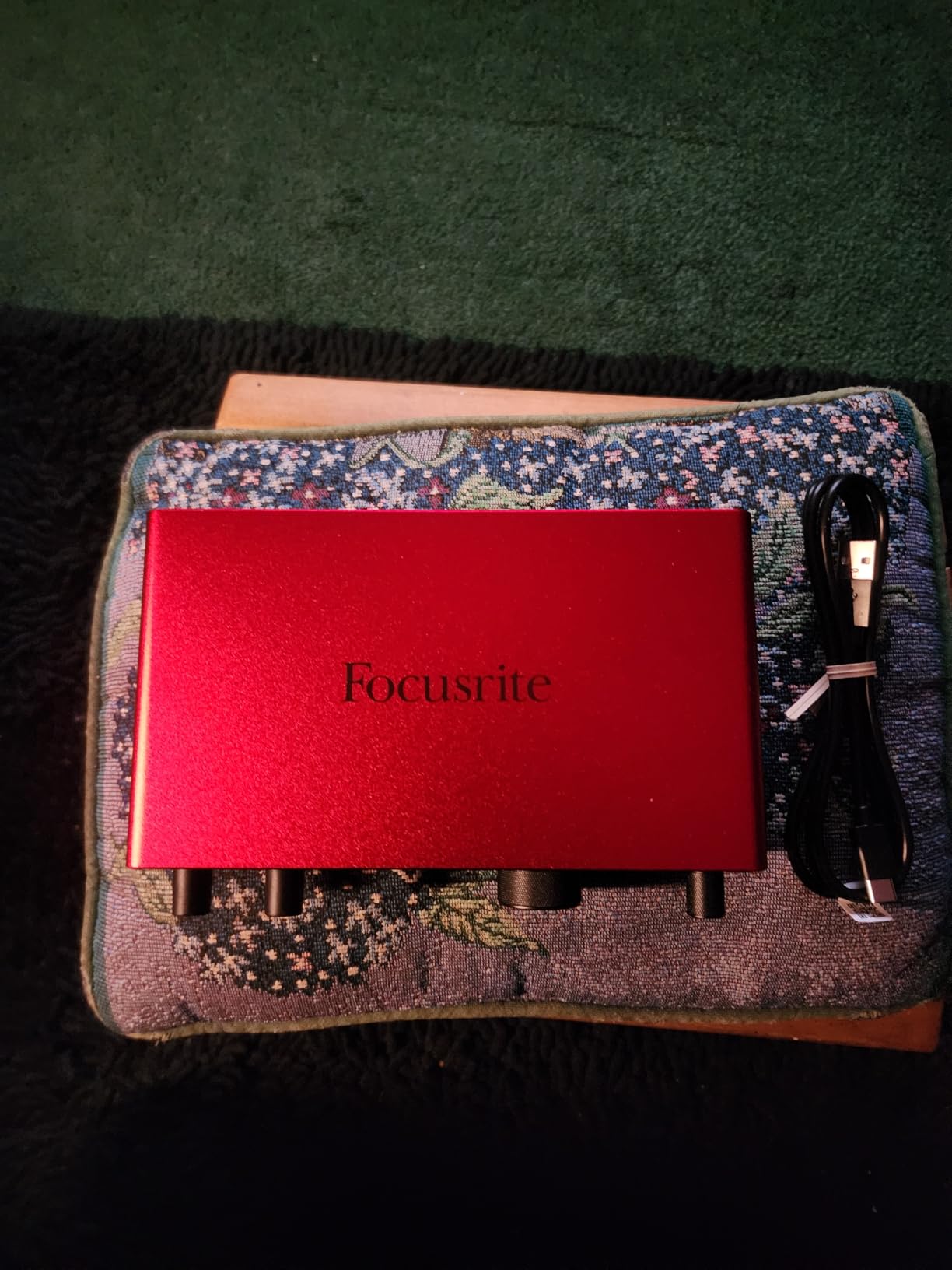
The Scarlett 2i2 4th Gen is the interface most podcasters already know, and for a host plus one guest in the same room it does the job cleanly. Two mic preamps with 120dB dynamic range mean the noise floor never becomes the story in a quiet room.
Auto Gain sets the level for each channel on its own, and Clip Safe catches a hot mic before it distorts. For a two-host show where neither person is a recording engineer, those two features remove most of the setup risk.
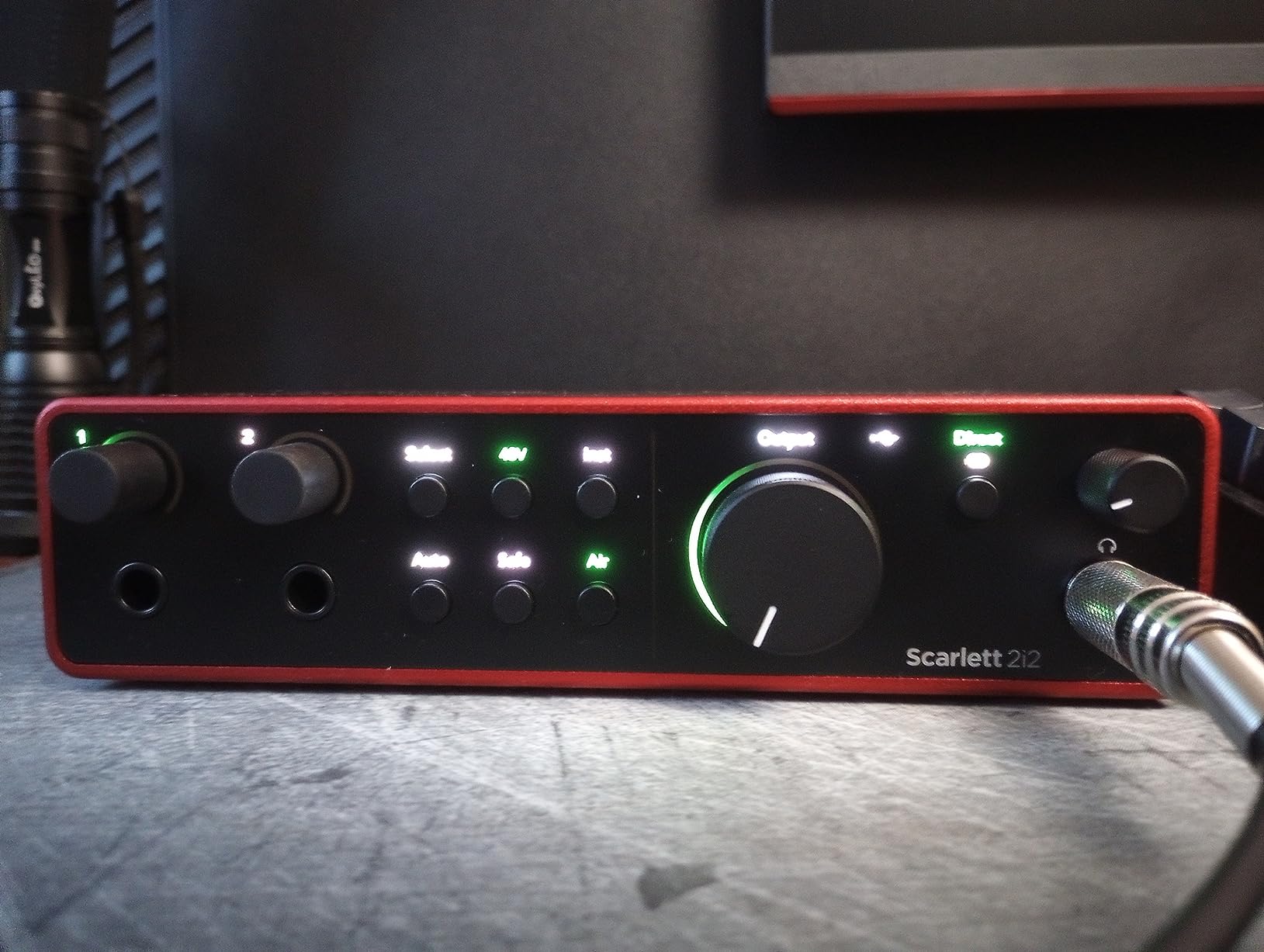
Air mode is an unexpected help for spoken word. It shifts the signal in a way that reviewers describe as added presence, and on a podcast voice it cuts through without sounding processed.
Resolution runs to 24-bit/192kHz, and Pro Tools Intro, Ableton Live Lite, Cubase LE and Hitmaker Expansion come in the box, so the software bill is effectively zero.
When the 2i2 is the right guest setup
It is the strongest choice for a fixed two-person co-hosted show where both mics are dynamic and both speakers sit in the same room. Two XLR inputs, clean gain, and a driver package that most people never have to think about.
It also works as a stereo capture pair for two condenser mics on a podcast that adds music beds.
When the 2i2 disappoints
The two-input ceiling is absolute. If a third person joins the conversation, you are unplugging someone, and that is the moment to step up to a four-input box instead.
There is one headphone output, so only the host can monitor directly. Your guest either listens through a speaker, which risks bleed into their own mic, or through a cheap splitter sharing one level.
3. Behringer UMC404HD Review: Four Solid Preamps for a Four-Person Panel
Behringer U-PHORIA UMC404HD Audiophile 4×4, 24-Bit/192 kHz USB Audio/MIDI Interface with Midas Mic Preamplifiers
4 MIDAS preamps
+48V phantom
4 in and 4 out
MIDI I/O
Pros
- 4 MIDAS-designed preamps with +48V on every channel
- Metal chassis that handles travel
- 24-bit/192kHz conversion
- MIDI I/O for later
- Four outputs for flexible monitoring routing
Cons
- No per-channel headphone monitoring
- USB 2.0 instead of USB-C
- Driver complaints on newer macOS
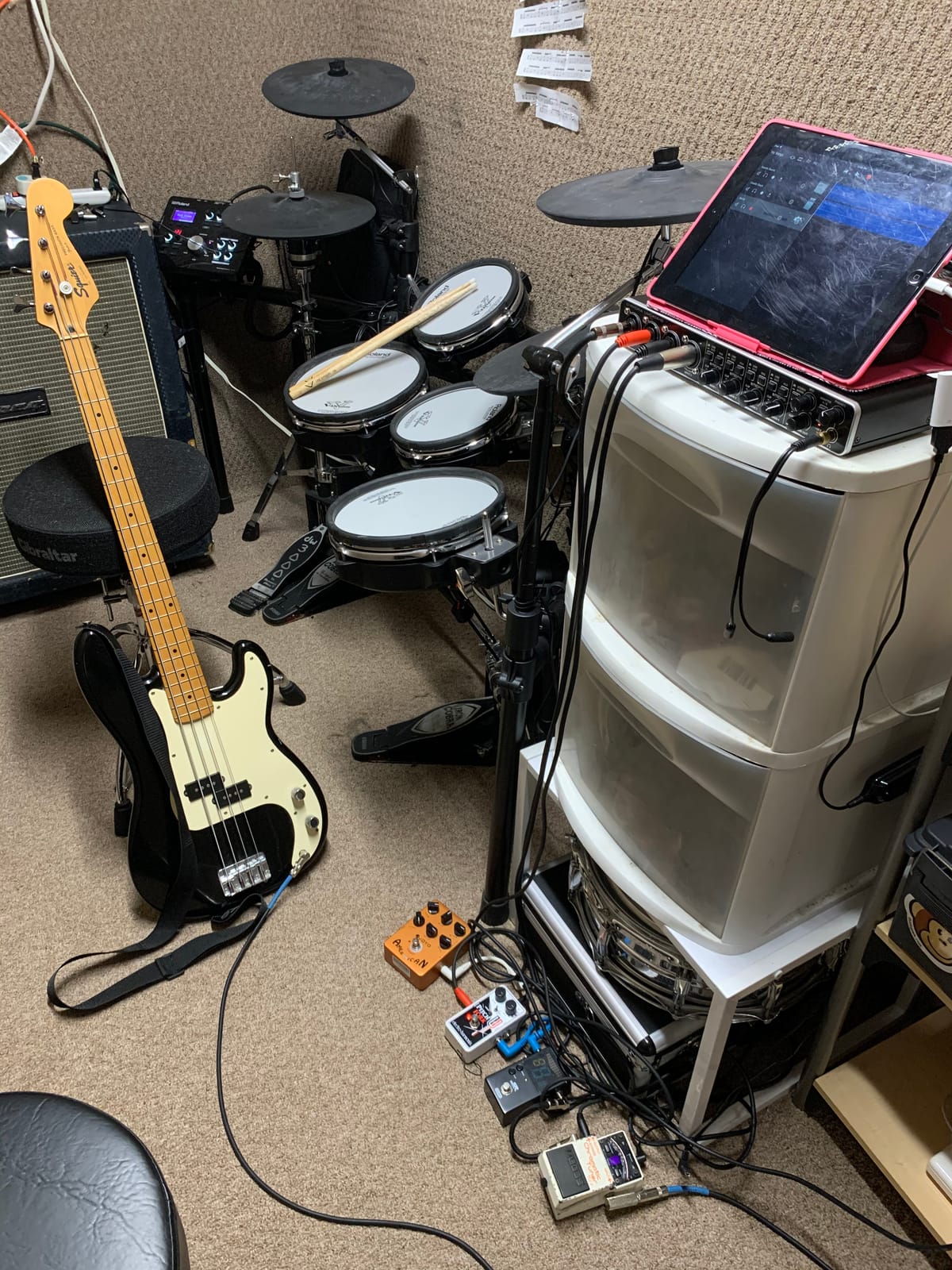
The UMC404HD is the plainest box in this roundup and one of the most practical. Four MIDAS-designed preamps, four inputs, four outputs, phantom power on every channel, and a metal chassis that shrugs off being moved between rooms.
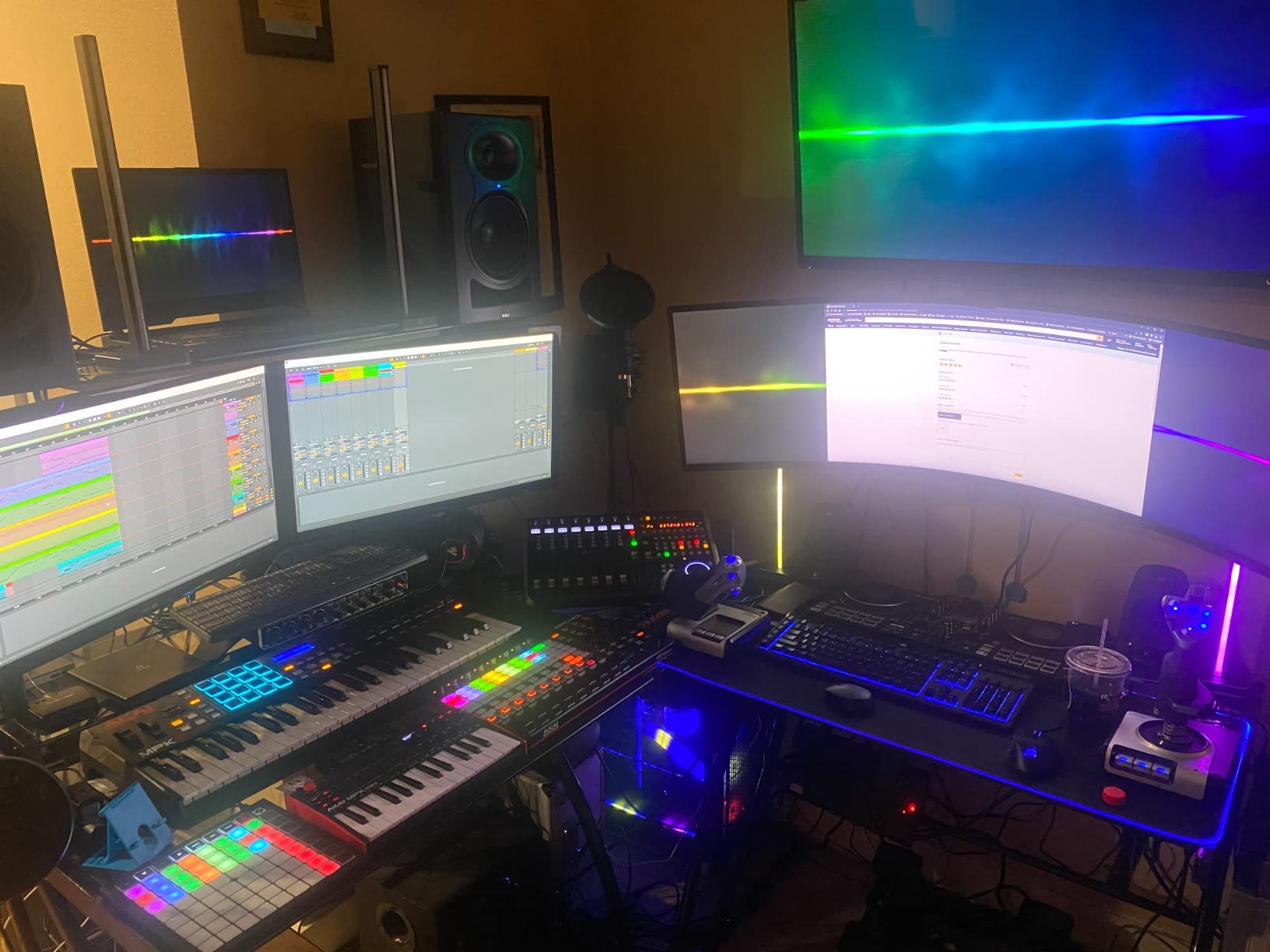
For a panel show with four speakers, this is the simplest way to get four clean XLR inputs into a computer. There are no menus, no pads, no touchscreen, and nothing to learn beyond gain staging.
Reviewers consistently highlight the preamp quality for the tier. A four-channel box with this much clean gain headroom means an SM7B or SM58 sits comfortably without a booster, which matters because those are the most common podcast microphones.
MIDI I/O is irrelevant to a podcast and very useful the day the host adds a MIDI keyboard for a theme tune, which is a rarer event than people expect.
When the UMC404HD is the right guest setup
Choose it when four people speak in the room, the show is recorded in a DAW rather than standalone, and nobody needs call-in guests. You get one independent mic channel per person and simple monitoring.
It is also the pick for a home studio that doubles as a rehearsal room, since the chassis tolerates being packed away.
When the UMC404HD disappoints
Monitoring is the weakness. There is one main headphone output, so four speakers share one level and you cannot give each guest an independent monitor feed, which is exactly what prevents headphone bleed from one person reaching another person microphone.
It uses USB 2.0, and some owners report driver installation trouble on recent macOS versions.
4. M-Audio M-Track Duo Review: The Budget Starting Point for Two Mics
M-AUDIO M-Track Duo USB Audio Interface
2 XLR combo inputs
Crystal preamps
48kHz
Zero-latency monitoring
Pros
- Dual XLR/line/instrument combo inputs with phantom power
- Crystal preamps run clean
- Zero-latency direct monitoring switch
- Works on Mac
- Windows
- iOS and Android
- Largest review base in the group
Cons
- 48kHz maximum sample rate
- Light plastic body slides on a desk
- Gain knob is very sensitive near the top
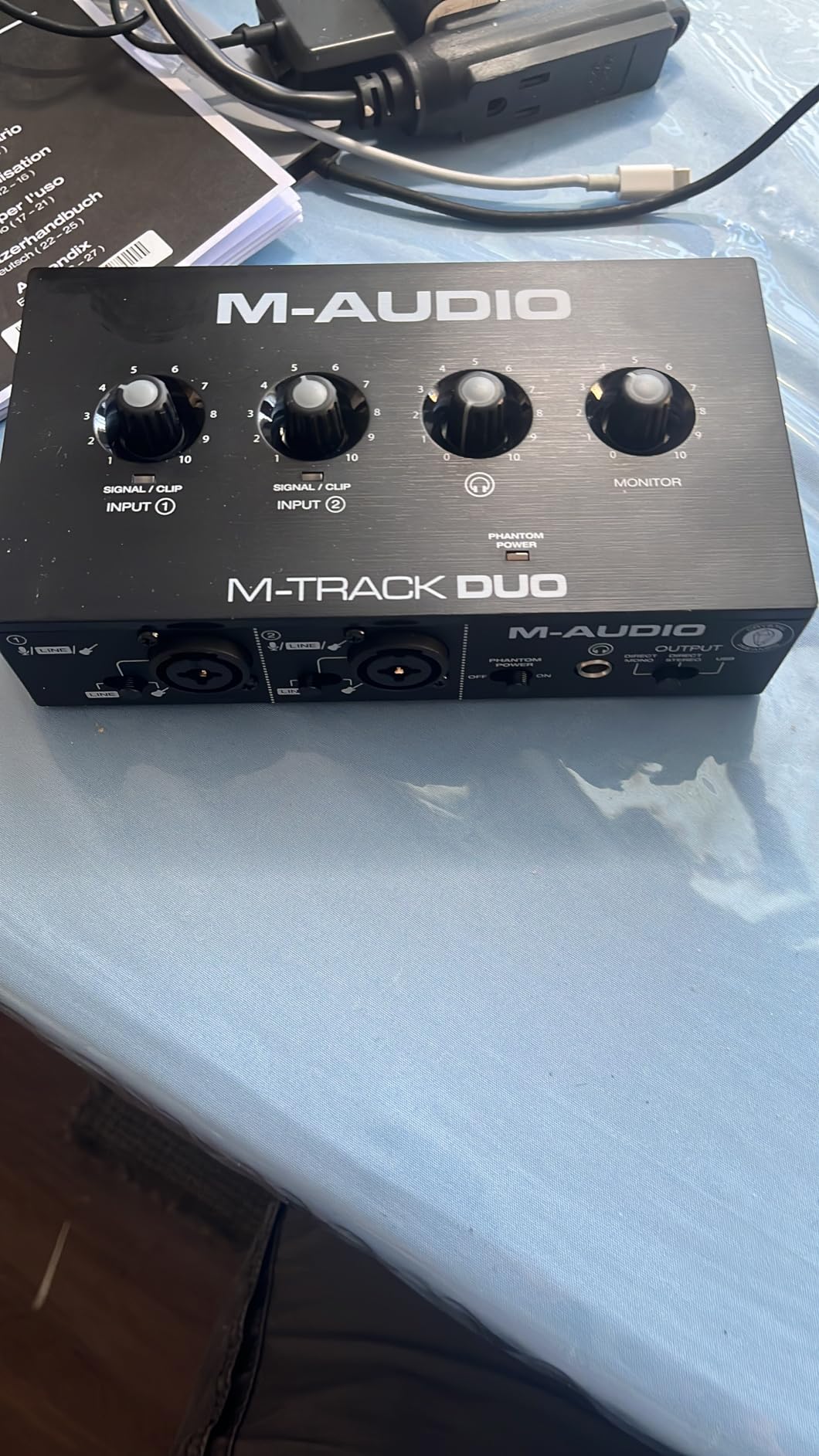
The M-Track Duo is the cheapest way to get two XLR mic inputs into a computer, and after several weeks with it, that is genuinely all it needs to do. Two combo inputs take XLR mics, line sources or instruments, with phantom power for condensers.
Over 6500 reviews reflect how many first-time podcasters started here. The Crystal preamps are quieter than the price suggests, which is the thing that actually matters on a voice recording.
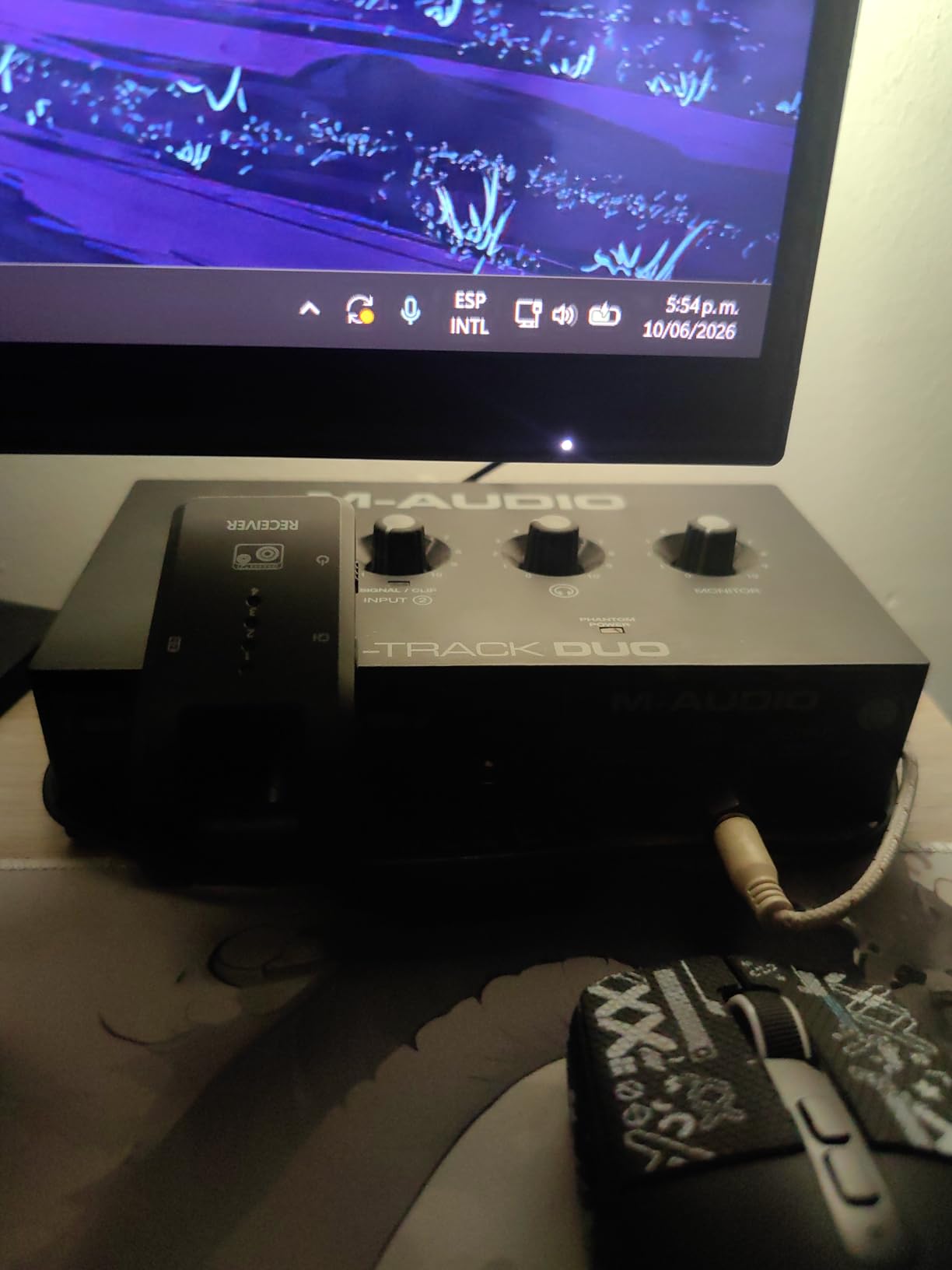
The USB/Direct switch gives true zero-latency monitoring without going through the computer. On a two-person show, hearing yourself without delay makes it far easier to speak at a natural pace instead of leaning back from the mic.
It runs on Windows, Mac, iOS and Android, which makes it a safe pick for someone who records on a laptop now and a tablet later.
When the M-Track Duo is the right guest setup
It fits a host plus one guest on a budget, both using dynamic microphones, recorded in a DAW. Nothing about the workflow fights you, and a USB cable plus a printed checklist is the entire setup.
It is also a clean second interface for a band member recording instruments in another room, since the combo inputs accept instruments too.
When the M-Track Duo disappoints
48kHz is the maximum sample rate. That is fine for a spoken word show publishing to podcast platforms, but it closes off headroom for projects where you want 96kHz source files.
The body is light and the foam feet have little grip, so the box slides when a cable tugs it. The gain knob also has a tight taper near the top, which makes fine level matching fussy.
5. RØDE RØDECaster Pro II Review: Everything a Podcast Studio Needs in One Enclosure
RØDE RØDECaster Pro II All-in-One Audio Production Studio
4 Revolution preamps
8 SMART pads
APHEX processing
Standalone
Pros
- 4 studio-grade preamps with high clean gain
- APHEX EQ
- compression
- gate and de-esser in one tap
- 8 customizable SMART pads
- Records to microSD
- USB drive or computer
- Works with no computer connected
Cons
- Large desk footprint
- Steep learning curve for beginners
- Bluetooth audio latency is noticeable
The RODECaster Pro II is a different category of object from the other nine. It is not an interface you plug into a computer; it is a production console that happens to include four preamps, USB, Bluetooth and Wi-Fi.
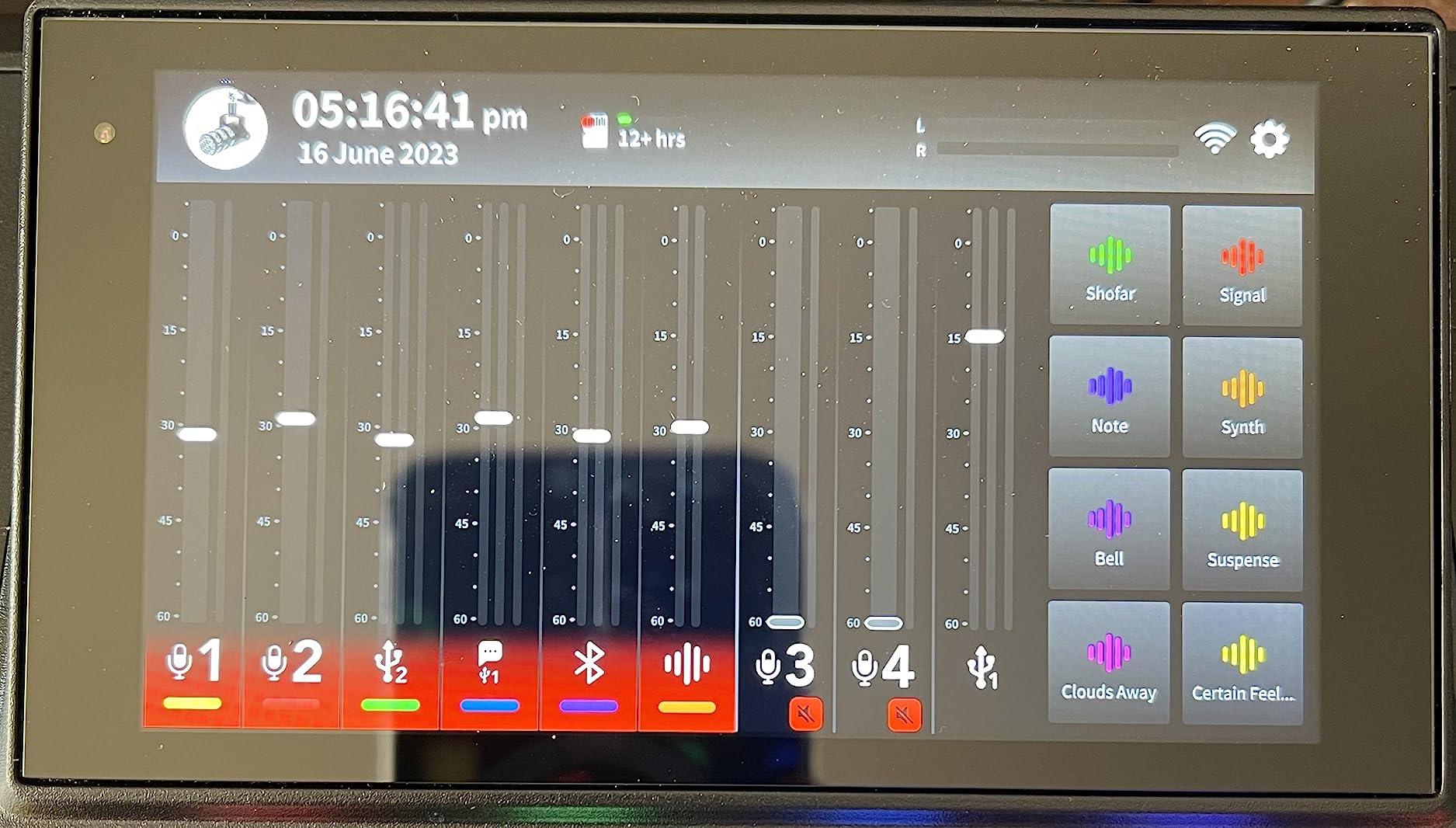
APHEX processing is the reason most people buy it. One tap applies EQ, compression, noise gate and de-esser to a channel, and a first-time host gets a broadcast-ready voice without opening a plugin.
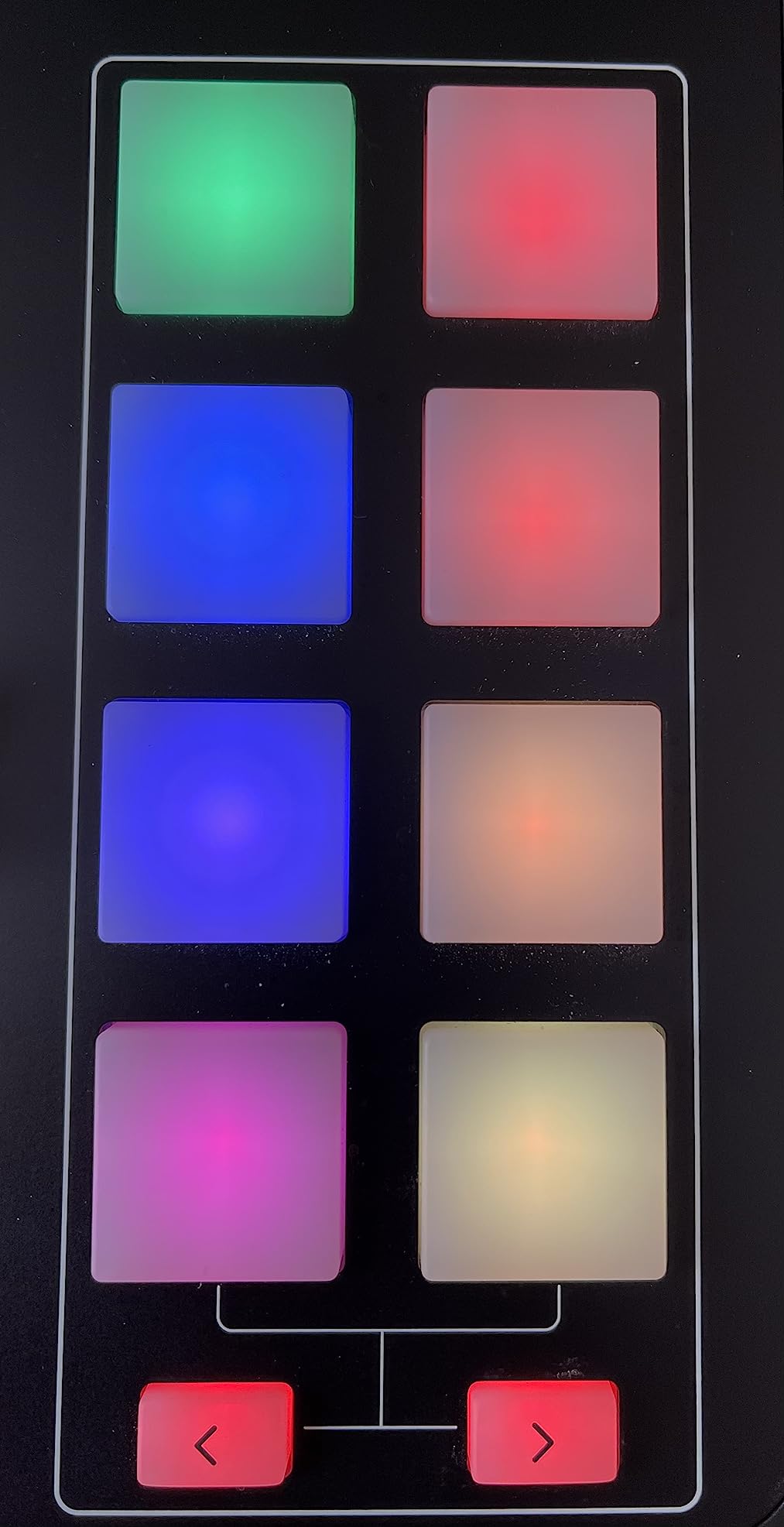
Eight SMART pads handle intro music, sound effects and ad reads, and the unit records multitrack to microSD or a USB drive. Four studio preamps give enough clean gain for demanding dynamics without an external booster.
Owners who moved from expensive broadcast hardware describe it as just working, and RØDE support including out-of-warranty replacement comes up repeatedly in reviews.
When the RODECaster Pro II is the right guest setup
It suits a show with a mix of in-room and remote guests, because mix-minus, Bluetooth and Wi-Fi call-in sit alongside four real mic inputs. It also suits anyone who records without a computer in the room.
For a paid professional show where the host wants full control of levels on a touchscreen rather than in a DAW, it removes a whole category of work.
When the RODECaster Pro II disappoints
It measures 12.01 inches deep by 10.63 inches wide and needs its own space on the desk. There are no motorized faders, so level changes are on the touchscreen.
The learning curve is real for a first-timer, and syncing a multitrack session to a DAW afterwards can be confusing if your editor expects a plain multitrack file layout.
6. Universal Audio Volt 2 Review: Warm Tube Character for a Two-Person Show
Universal Audio Volt 2 USB Audio Interface
2 XLR inputs
610 tube emulation
MIDI I/O
LUNA DAW
Pros
- Vintage mode emulates the UA 610 tube preamp
- Clean 24-bit/192kHz converters
- LUNA DAW and UAD plug-ins included
- Bus powered over USB-C
- Works with iPad and iPhone
Cons
- Two inputs only
- Gain metering is just two LEDs
- Monitoring blend cannot be adjusted
The Volt 2 is a two-input interface built for voices. If you are a host plus one guest and you want the recording to sound less clinical, its Vintage mode emulates the classic UA 610 tube preamp.
Reviewers like the converters and the plug-and-play setup, since it is bus powered over USB-C and works with Mac, Windows, iPad and iPhone without a driver fight.
LUNA and the UAD plug-ins are a genuine part of the value here. For someone who will never buy another interface, the bundled DAW and effects mean the software side costs nothing extra.
One headphone output means the guest monitors the way the host does, or not at all.
When the Volt 2 is the right guest setup
It suits a two-host show where the priority is a warm, present vocal sound and clean headroom rather than headcount. The tube emulation adds character that a purely flat interface does not.
It also works as a small standalone setup for a host who records interviews on an iPad.
When the Volt 2 disappoints
Two inputs means host plus one guest, and no third microphone. There is no per-channel metering beyond two LEDs, so setting precise levels takes by ear.
The direct monitoring blend between the input and computer playback cannot be adjusted, so you cannot dial the input down relative to playback, and some owners find the gain stage a little soft for demanding dynamics.
7. TASCAM Mixcast 4 Review: Four Inputs With Call-In Handling Built In
TASCAM Mixcast 4 Podcast Streaming Mixer, Recorder, and USB Audio Interface — Four XLR/TRS Mic Inputs, Touch Screen and Editing Software Included
4 XLR/TRS inputs
4 headphone outputs
Bluetooth input
14-track SD
Pros
- 4 XLR/TRS inputs with 4 individual headphone outputs
- Bluetooth input for a phone guest
- Mix-minus through the Aux input
- 14-track direct SD card recording
- Tascam Podcast Editor included
Cons
- Large footprint at 14.76 inches wide
- 1-year warranty
- Touchscreen is less tactile during live use
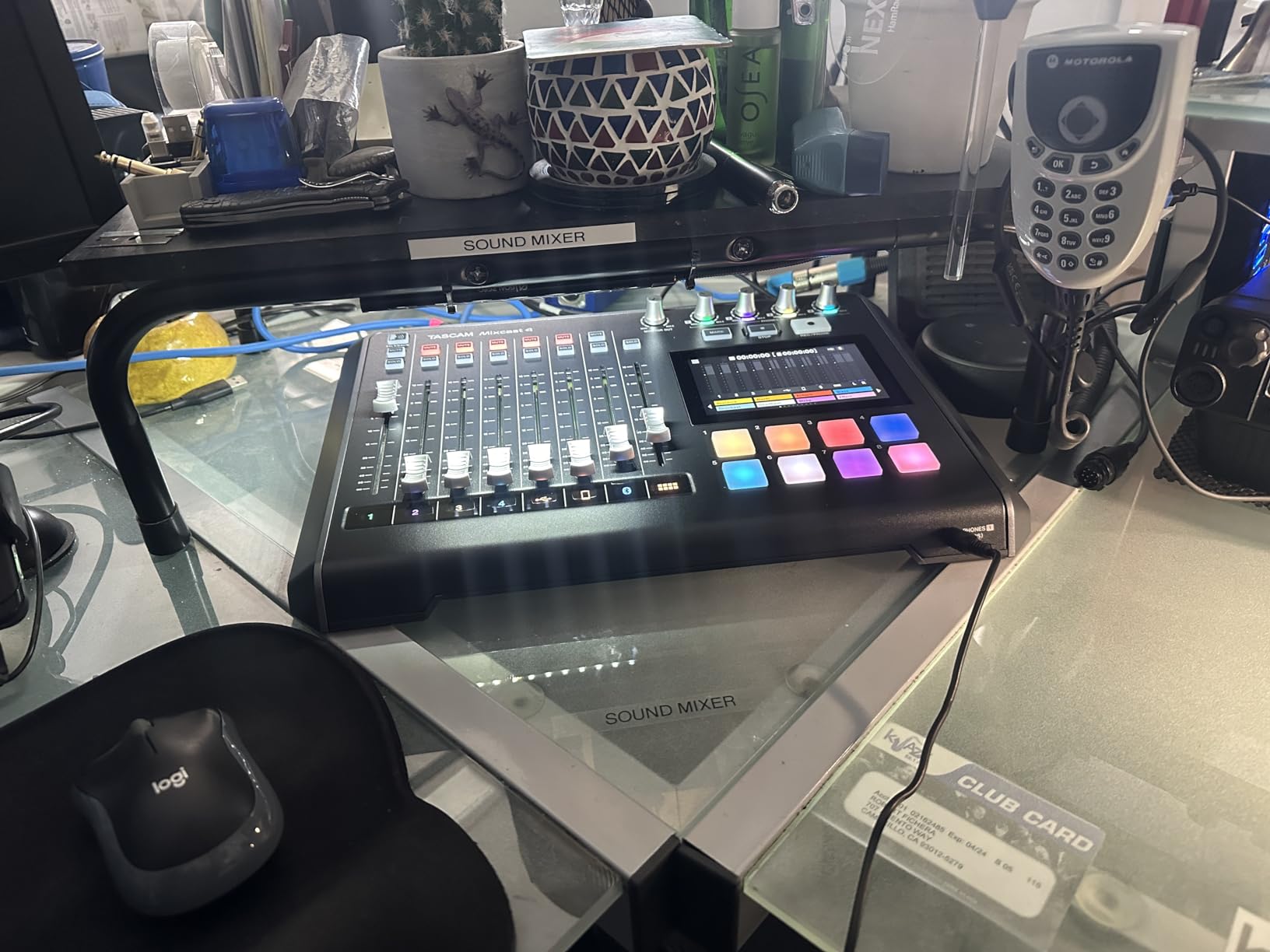
The Mixcast 4 does the four-person panel properly. Four XLR/TRS inputs, four headphone outputs each with their own level, and a touchscreen for control without hunting through a DAW.
Bluetooth input is for a guest joining from a phone, and the Aux input carries mix-minus so a caller does not hear themselves echoed back. That combination covers in-room and remote guests in one box.
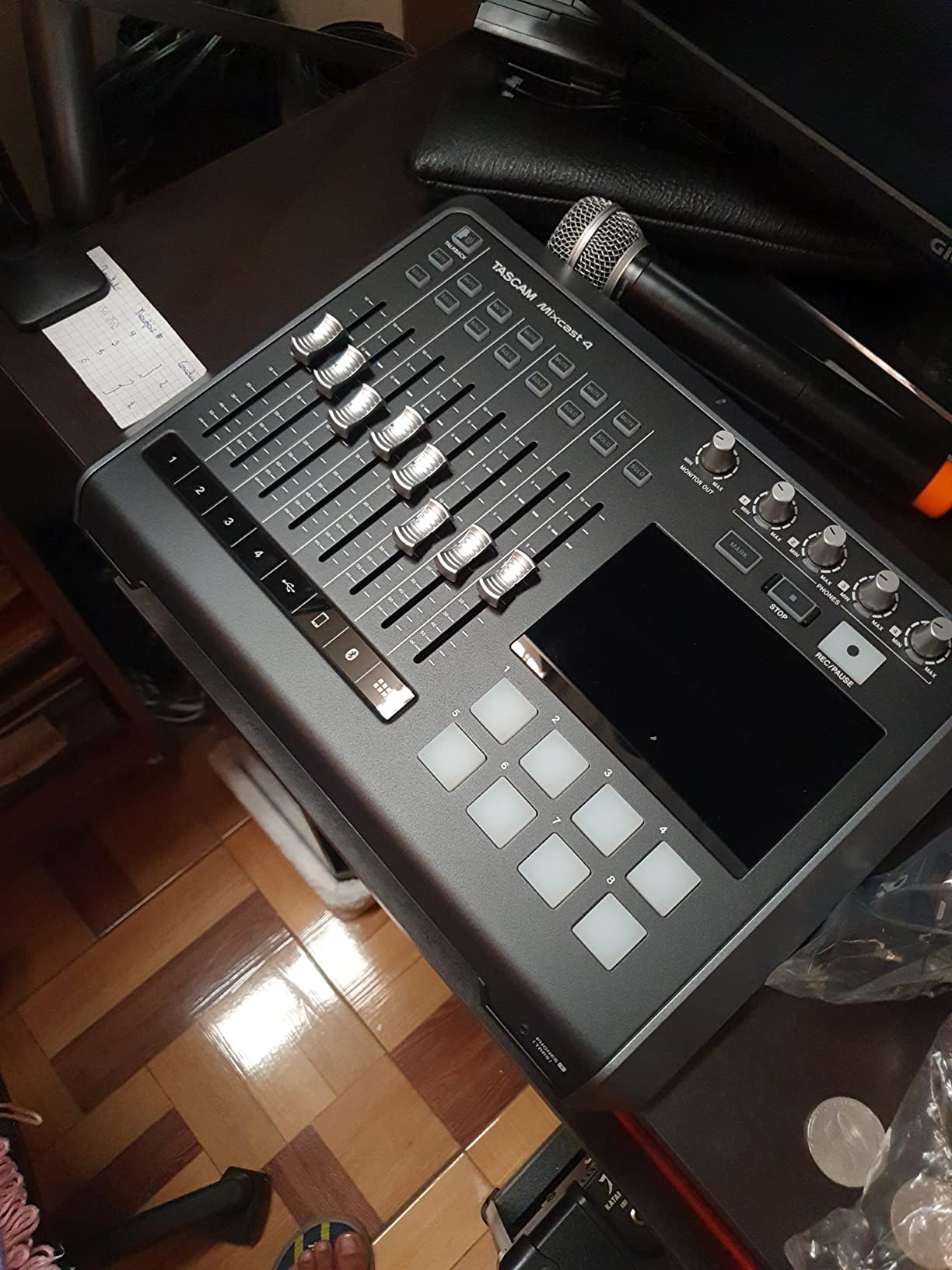
Eight banks of customizable sound pads give more triggering depth than most consoles at this level, and the unit records 14 tracks straight to SD card while working standalone.
Tascam Podcast Editor covers post-production if the host does not already have a DAW.
When the Mixcast 4 is the right guest setup
It fits a four-person panel that also takes the occasional phone guest, because the Bluetooth input and Aux mix-minus handle the remote voice without extra hardware.
It is also a good fit for a show where the host wants physical headphone control per speaker and does not want to open a computer at all.
When the Mixcast 4 disappoints
At 14.76 inches wide and 10.5 inches deep it needs a dedicated part of the desk, and it runs on mains power so it is not portable.
The warranty is one year, shorter than several interfaces here, and the touchscreen is less precise than physical controls when you are adjusting a level mid-sentence.
8. Zoom AMS-44 Review: Four Inputs in a Pocket-Sized Box
Zoom AMS-44 USB Audio Interface for Musicians & Podcasters, 4 In / 4 Out
4 XLR/TRS inputs
48V on all channels
Loopback
Battery or USB-C
Pros
- 4 XLR/TRS combo inputs with +48V on every channel
- Studio and Stream mode toggle
- Direct monitoring and loopback without extra software
- Runs on USB-C or two AA batteries
- Roughly iPhone-sized
Cons
- Small review base limits long-term track record
- Channels 3 and 4 are not independent in Music mode with OBS
- Plastic construction
The AMS-44 does something no other four-input box here does. It fits in a jacket pocket, runs on two AA batteries, and still gives you four XLR/TRS combo inputs with phantom power on every channel.
That makes it the one to take to a guest house, a hotel room or a remote location where a panel is recording away from a studio.
The Studio and Stream mode switch changes how the unit behaves for recording versus streaming, and direct monitoring plus loopback work without extra software. Owners report no floor noise and clean preamps at the price.
With only 65 reviews, the long-term record is thinner than the rest of this list, and that is worth weighing before a long-term purchase.
When the AMS-44 is the right guest setup
It suits a four-person interview recorded on location, or a two-person show that travels. Battery or USB-C power means it works in places with no mains outlet nearby.
Loopback also makes it a compact bridge for streaming a remote call alongside a local host.
When the AMS-44 disappoints
Several owners report that channels 3 and 4 do not behave as independent channels in Music mode with OBS, which matters if you plan to run the extra inputs through streaming software.
Streaming mode also combines the inputs rather than keeping them separate, and the small LEDs are hard to read at a glance.
9. MAONO P2 Review: Recording a Computer and a Phone Guest at the Same Time
MAONO P2 Hybrid USB Audio Interface Dual XLR for PC Phone iPad Guitar
Dual XLR
56dB gain
Dual USB-C
Loopback
Pros
- 56dB gain handles demanding dynamics without a booster
- Dual USB-C connects a computer and a phone or iPad simultaneously
- MFi certified for iOS
- ProStudio 2 routing software with VST effects
- Aluminum housing with a 15-degree tilt
Cons
- Two XLR inputs only
- Small review base
- Routing software takes time to learn
The MAONO P2 answers a question most interfaces ignore. It has two USB-C ports, so one computer and one phone or iPad can be connected at the same time, with the MFi certification that makes an iPhone actually recognise the device.
For a show with one in-room guest and one phone guest, that dual connection is the feature. The computer handles editing while the phone carries the call.
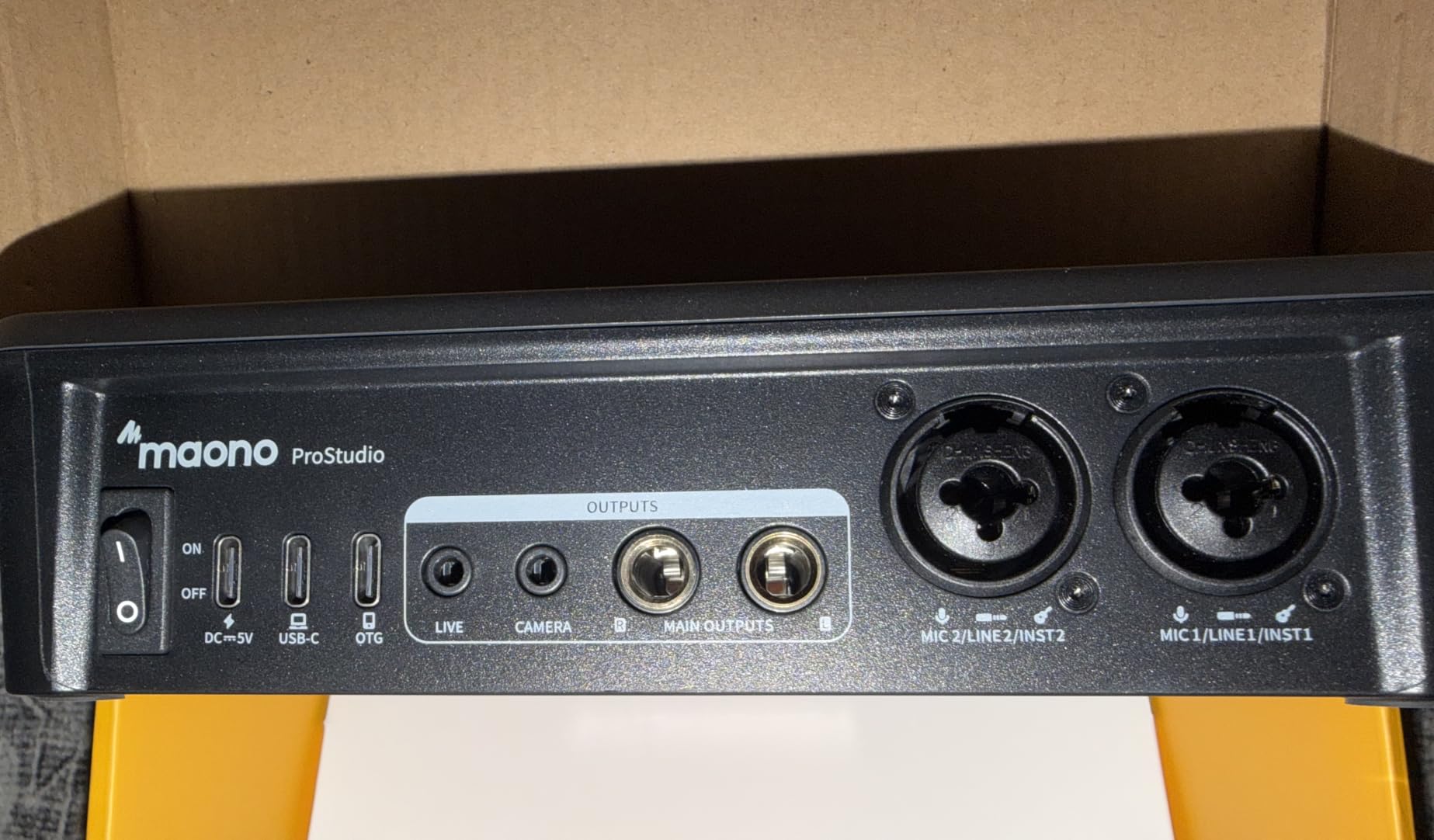
The 56dB gain per channel is the number that matters for podcast work. It is enough for a demanding dynamic microphone without an inline booster, which also removes the ground loop buzz some boosters introduce.
Independent mute for mic, headphone and monitor outputs, plus ASIO support, keep the routing simple when a call drops in mid-session.
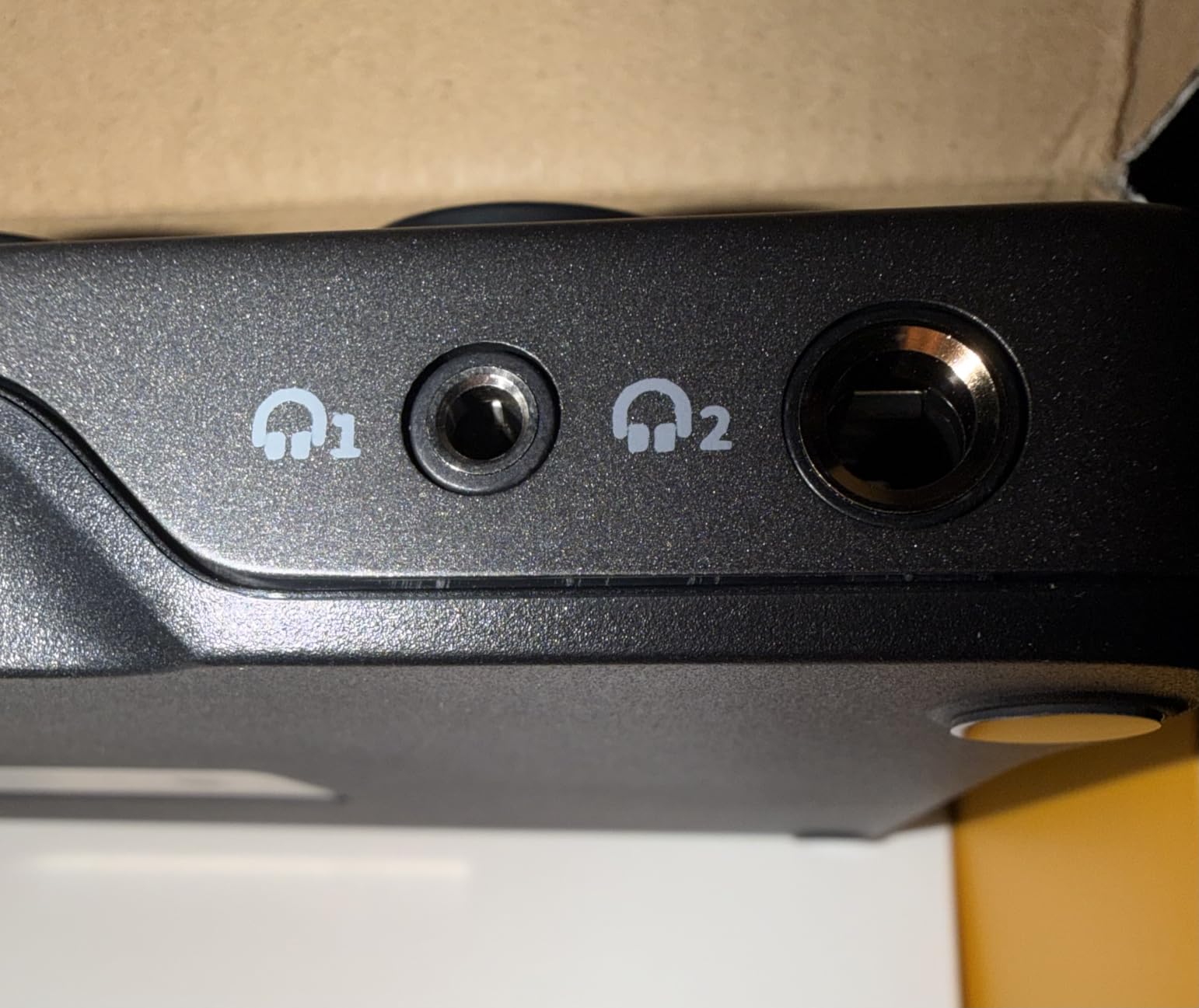
When the MAONO P2 is the right guest setup
It suits a two-person in-room show that also takes remote callers from a phone or tablet, and it is a good companion interface for a mobile streaming setup.
The aluminum housing and tilt angle make it more stable on a desk than the very light plastic budget boxes, which matters with two mics attached.
When the MAONO P2 disappoints
Two XLR inputs means one host plus one guest in the room. Any panel format needs a four-input box.
The routing software takes time to learn and owners report occasional driver and routing bugs, and the review base of 114 is small compared with the established brands.
10. Antelope Zen Quadro Review: Conversion Quality and 75dB of Gain for Demanding Mics
Antelope Audio Zen Quadro Audio Interface with Synergy Core Real-Time FX
4 preamps at 75dB
130dB range
Dual USB-C
37 DSP effects
Pros
- 4 discrete preamps with up to 75dB of clean gain
- 130dB AD/DA dynamic range with 64-bit AFC clocking
- Dual USB-C for a computer plus an iPad or two computers
- 37 Synergy Core DSP effects at near-zero latency
- S/PDIF I/O
Cons
- Online device registration required before use
- Plastic chassis and a light encoder wheel
- No ADAT
- so channel expansion is limited
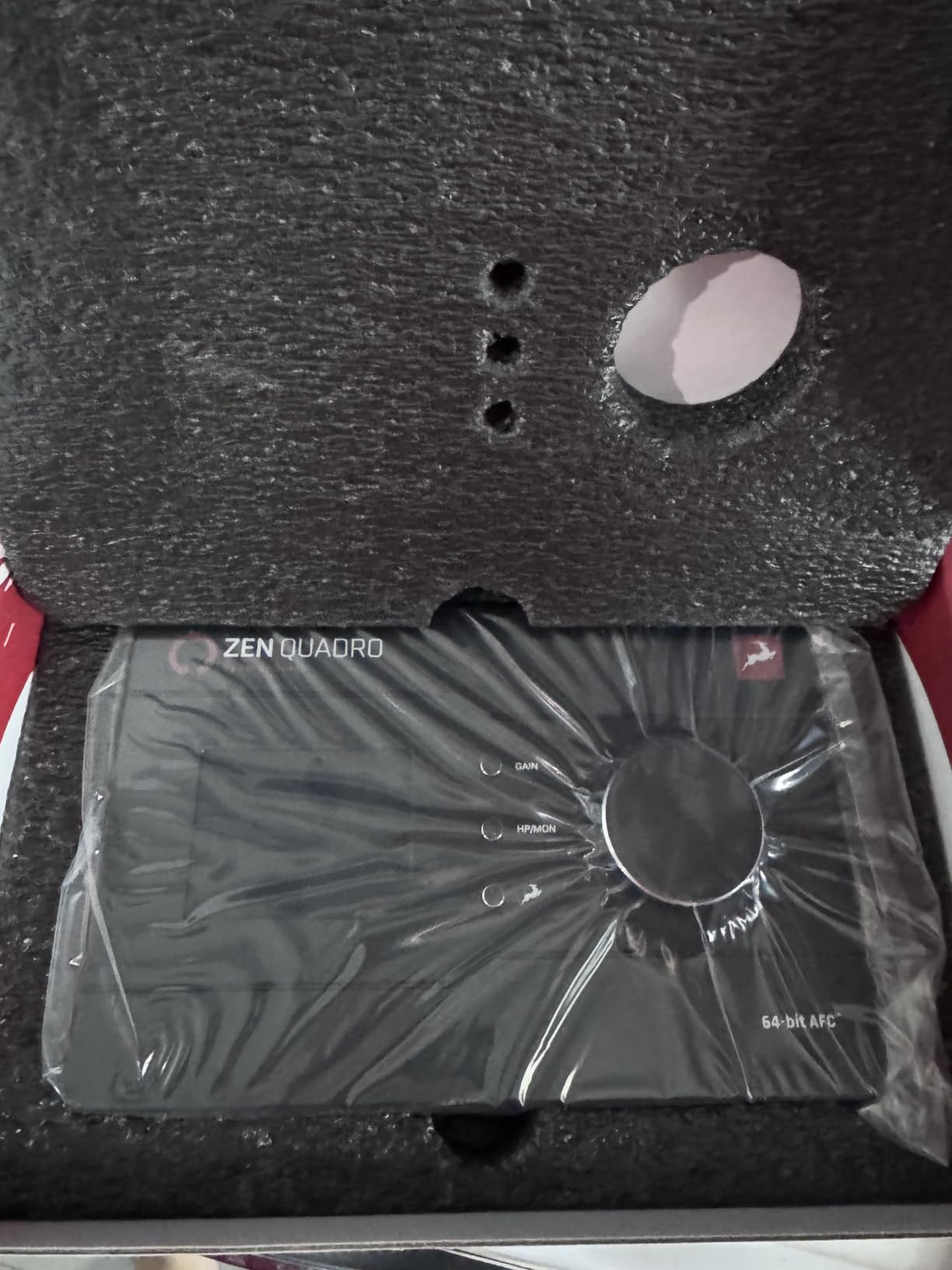
The Zen Quadro is the converter-first option. Four discrete six-transistor preamps with up to 75dB of gain and 130dB dynamic range put it at the top of this list on measured audio performance, and 64-bit AFC clocking keeps the timing tight across a multi-device session.
With 75dB of clean gain, an SM7B or similar low-output dynamic microphone runs without an inline booster. That avoids the ground loop hum that some boosters add.
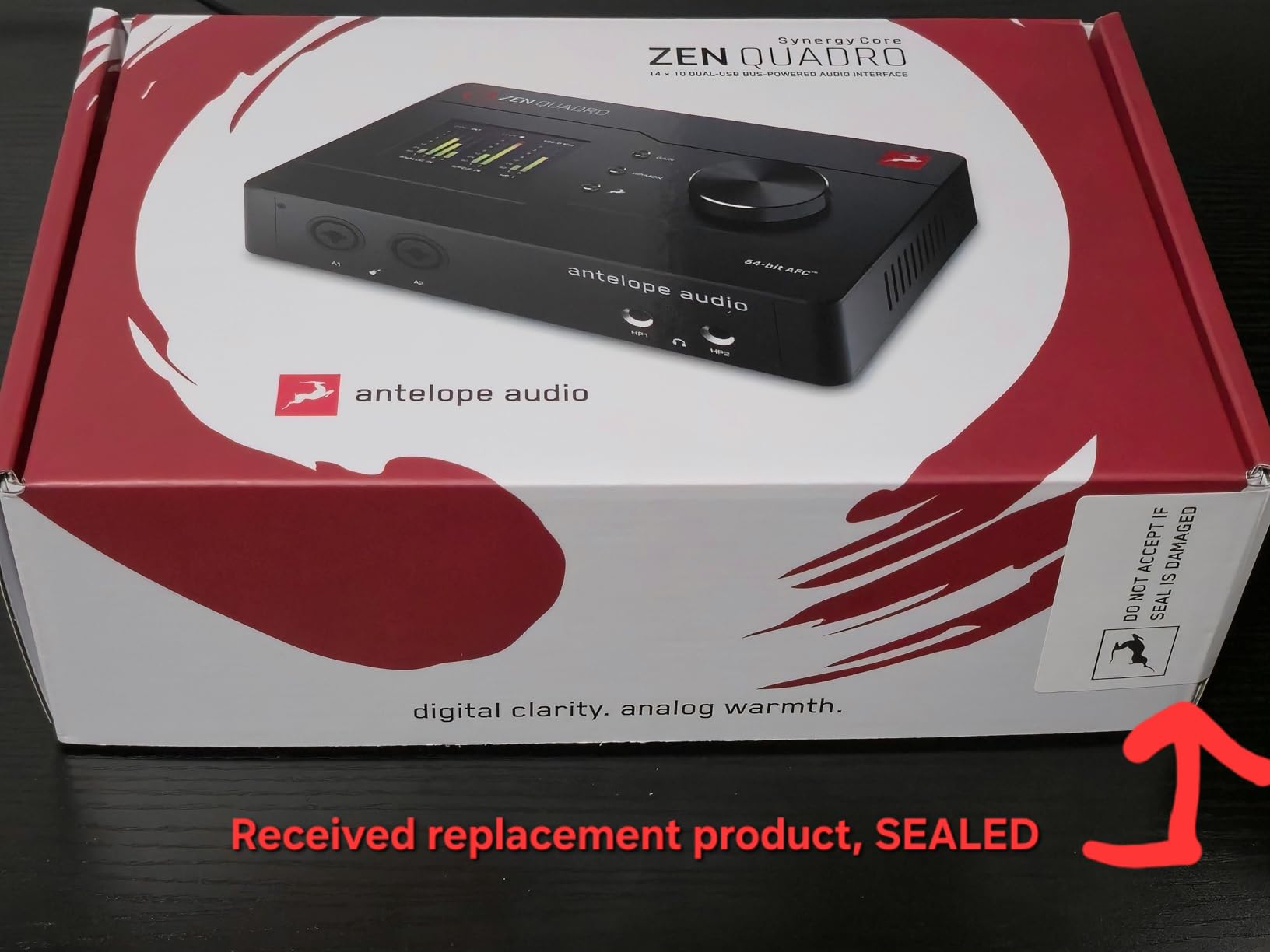
The second USB-C port means a computer plus an iPad, or two computers, which suits a host recording locally while a remote guest joins from a second machine.
Two independent headphone outputs and 37 bundled Synergy Core DSP effects running on dedicated hardware at near-zero latency cover monitoring and onboard processing without software.
When the Zen Quadro is the right guest setup
It suits a show where audio quality is the priority, the guest microphone is a demanding low-output dynamic, and the budget stretches to a premium four-channel interface.
It also suits a two-computer workflow where the host and a remote guest each run their own machine and the interface carries both.
When the Zen Quadro disappoints
Online device registration is required before you can use it, which adds a step at setup. The plastic chassis and encoder wheel feel less refined than the price suggests.
There is no ADAT, only S/PDIF, so expanding beyond four mic channels is harder, and with 53 reviews the long-term user history is still short.
How Many Inputs Do You Need for Your Guest Count?
Count the people who speak, not the microphones you own. One XLR input per speaker, one headphone output per speaker, and you avoid the most common regret in this category: buying a beautiful two-channel interface and then sharing one headphone jack between two people.
One host alone needs one input. Two speakers in the room need two inputs and two headphone outputs, so the host and guest both hear themselves without a split. Three or four speakers need four inputs and four headphone outputs, which means a four-channel box such as the Zoom PodTrak P4, the Behringer UMC404HD, the TASCAM Mixcast 4 or the Antelope Zen Quadro.
Headphone output count is the number people miss. If a guest cannot hear themselves clearly, they lean back from the microphone, talk quieter, and the recording suffers more than the interface price ever would.
A practical spacing rule: keep microphones roughly 20 cm apart and place them closer to the host than to the guest. Spacing and position do more to control room echo than any preamp, and a cheaper interface in a treated room beats an expensive one in an untreated one.
Standalone Interface or All-in-One Podcast Mixer?
A standalone interface is a bridge. It converts microphone signals to digital and hands them to your computer, and you handle levels, effects and mixing in recording software.
An all-in-one podcast mixer does the same job with onboard controls, processing and recording, usually to SD card, and often without a computer at all. In this list the RØDE RODECaster Pro II and the TASCAM Mixcast 4 sit in that second group, while the Zoom PodTrak P4 sits between the two, offering SD card recording and USB interface mode.
Choose standalone when your editor works in a DAW, your guests are all in the room, and you want raw tracks for post-production. Choose all-in-one when you want to run the show yourself, take call-in guests, and have the recording survive without a laptop.
One caution applies to both: check whether phantom power switches per channel. Many entry-level boxes apply +48V to every mic input at once, which is a problem the moment one speaker uses a ribbon or a passive instrument.
In-Room Guests or Remote Call-In Guests?
Remote guests change the requirement list. Mix-minus sends the caller a feed that excludes their own voice, which is what stops an echo loop on a phone interview, and Bluetooth call-in handles a phone joining over a call.
The Zoom PodTrak P4, the RØDE RODECaster Pro II and the TASCAM Mixcast 4 all include mix-minus, and the Mixcast 4 and RODECaster add Bluetooth input for a phone guest. The MAONO P2 takes a different route with dual USB-C ports so a computer and a phone can connect together.
For in-room guests, skip mix-minus and spend the attention on independent headphone outputs instead. For remote guests, mix-minus matters more than another preamp.
What Else You Need to Buy With the Interface
Cables are the most common complaint from first-time podcasters. Most interfaces ship without XLR cables, and only the Focusrite Scarlett 2i2 includes a USB cable in the box, so budget for one XLR cable per microphone.
Buy one set of closed-back headphones per person. Closed-back matters more than price here, because open-back headphones leak into an adjacent microphone.
You also need a mic stand per person, and a desk arm if anyone is going to move around. Add an inline booster only if you use a very low-output dynamic microphone and your interface cannot give enough clean gain, since boosters introduce ground loop buzz in some setups.
Finally, plug the interface directly into the computer rather than through a USB hub. Cheap hubs are a recurring source of routing problems and audio degradation.
Frequently Asked Questions
How many inputs do I need for a podcast?
Count the people who speak. One host alone needs one XLR input, a host plus one guest needs two, and a three or four person panel needs four. Each speaker also needs their own headphone output, so a four-person panel requires four mic inputs and four headphone outputs.
Can I use an audio interface for a two-person podcast?
Yes. Any interface with two XLR inputs works for a host and one guest, such as the Focusrite Scarlett 2i2, the M-Audio M-Track Duo or the Universal Audio Volt 2. The guest can monitor through the single headphone output or a simple splitter, though a shared jack limits volume control.
Do I need an audio interface for podcasting?
You need one if you are recording more than one XLR microphone into a single computer, because a computer input cannot accept two microphones at the same time. A single USB microphone plugs straight in and needs no interface. With two or more XLR microphones, an interface is the only clean route.
What is the difference between an audio interface and a podcast mixer?
An audio interface converts microphone signals to digital and sends them to your computer, leaving mixing to software. A podcast mixer adds physical controls, onboard voice processing, sound pads, and usually direct SD card recording so you can work without a computer at all.
What audio interfaces have 4 XLR inputs?
Four XLR input options in this guide include the Zoom PodTrak P4 with four headphone outputs and mix-minus, the Behringer UMC404HD with four MIDAS preamps, the TASCAM Mixcast 4 with four headphone outputs and Bluetooth input, the Zoom AMS-44 in a portable body, and the Antelope Zen Quadro with 75dB preamps.
What is the best audio interface for XLR microphones?
For a panel of three or four guests in one room, the Zoom PodTrak P4 is the strongest choice because it has four XLR inputs, four headphone outputs with individual volume, automatic mix-minus for call-in guests, and multitrack SD card recording that works without a computer. For a host plus one guest, the Focusrite Scarlett 2i2 is the cleaner fit.
How to have multiple mics for a podcast?
Count one XLR input and one headphone output per speaker, buy an interface with enough channels, connect each microphone to its own input, then plug the interface directly into the computer and set each channel as a separate track in your recording software. Check that phantom power is not applied to a ribbon or passive microphone.
The Bottom Line
For a host plus one guest, the Focusrite Scarlett 2i2 is the smoothest choice and the M-Audio M-Track Duo is the cheapest. For three or four guests in the room, the Zoom PodTrak P4 is our pick of the best audio interfaces for podcasters with guests, because four XLR inputs, four headphone outputs and mix-minus cover almost every format without a computer.
The RØDE RODECaster Pro II takes over when you want onboard processing and standalone recording, and the Behringer UMC404HD covers a four-person panel on a tighter budget. Whatever you pick, buy XLR cables, headphones per speaker, and connect straight to the computer.
We update this roundup through 2026 as new models land and prices shift, so check back before you buy.