
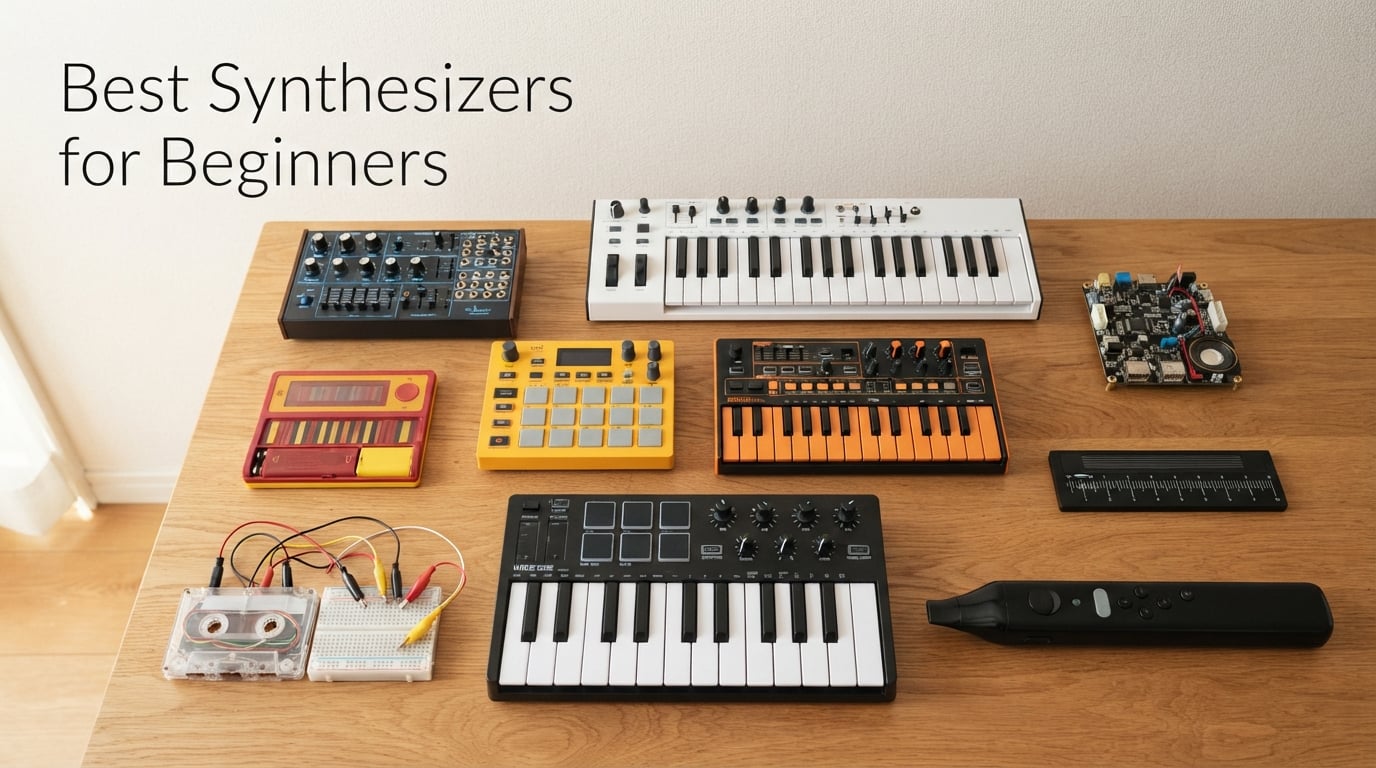
Picking your first synth used to feel like a commitment you could not undo. Spend anywhere from a hundred to a thousand dollars and you might land on something that gathers dust. I have spent the last few months testing beginner-friendly synths side by side, dialing in patches, recording demos, and reading what r/synthesizers actually recommends. This guide is the result: ten picks that hold up to real playing, real beginners, and real budgets.
The best synthesizers for beginners in 2026 all share a few traits. They put the most important controls on dedicated knobs so you can twist and learn instead of menu-diving. They sound great out of the box so you do not get discouraged before you understand the architecture. And they grow with you, so a year from now you are still discovering what the thing can do. We tested everything from the iconic Stylophone to a full-featured 18-voice polysynth, and we ranked them by how forgiving they are to someone who has never touched a synthesizer before.
Whether you want to make acid bass, dreamy pads, techno leads, or just understand what an LFO actually does, there is a synth on this list for you. We also mapped every pick to a use case (techno, ambient, hip-hop, live performance, kids, learning on the cheap) so you can jump straight to the section that matches your goal.
Table of Contents
Quick Picks: The Best Synthesizers for Beginners in 2026
Here is the short list. We will dive deep into each one below, but if you need a fast answer, these are the ten synths our team recommends right now.
Korg Monologue – Best analog monosynth for beginners
Novation MiniNova – Best polyphonic starter synth with vocoder
Korg Nu:Tekt NTS-1 – Best DIY synth kit for hands-on learners
Stylophone Original – Best pocket-sized beginner synth
Akai MPK Mini Play MK3 – Best MIDI controller with built-in sounds
Korg Volca Beats – Best budget analog drum machine for beginners
Behringer TD-3-AM – Best acid bass synth for techno beginners
Korg monotron DUO – Best cheap analog ribbon synth
MicroKits Synth-a-Sette – Best synth for kids and STEM learning
Vangoa EWI-100 – Best wind-controller synthesizer for beginners
Top 3 Picks at a Glance (September 2026)

Korg Monologue
- True analog mono synth
- 16-step sequencer
- Built-in oscilloscope
- Battery powered

Korg Nu:Tekt NTS-1
- DIY build kit
- Analog-modeling engine
- Custom oscillators via logue-SDK
- USB powered
Best Synthesizers for Beginners in 2026 – Comparison
| Product | Specs | Action |
|---|---|---|
| Korg Monologue |
|
Check Latest Price |
 Novation MiniNova Novation MiniNova |
|
Check Latest Price |
| Korg Nu:Tekt NTS-1 |
|
Check Latest Price |
 Stylophone Original Stylophone Original |
|
Check Latest Price |
 Akai MPK Mini Play MK3 Akai MPK Mini Play MK3 |
|
Check Latest Price |
 Korg Volca Beats Korg Volca Beats |
|
Check Latest Price |
 Behringer TD-3-AM Behringer TD-3-AM |
|
Check Latest Price |
 Korg monotron DUO Korg monotron DUO |
|
Check Latest Price |
 MicroKits Synth-a-Sette MicroKits Synth-a-Sette |
|
Check Latest Price |
 Vangoa EWI-100 Vangoa EWI-100 |
|
Check Latest Price |
1. Korg Monologue – The Best Analog Monosynth for Beginners
Korg monologue Monophonic Analog Synthesizer w/ 16-step Sequencer – Black
True analog mono synth
25 mini keys
16-step sequencer
Battery or USB powered
Pros
- Genuine analog signal path with VCO
- VCF
- VCA
- Distinctive 2-pole filter with extra bite
- Built-in oscilloscope visualizes your waveforms
- 16-step sequencer with parameter-lock motion
- Battery operation for portable jamming
- Solid build and intuitive knob-per-function layout
Cons
- Monophonic only (no chords)
- Mini keys feel small for players with large hands
- Power supply sold separately
The Korg Monologue is the synth I keep coming back to whenever a friend asks me what they should buy first. It is a genuine analog monosynth, which means every sound comes from real voltage-controlled circuitry, not a digital model pretending to be analog. For a beginner, that matters more than you might think. You twist a knob and hear the change immediately, without any menu or screen acting as a middleman.
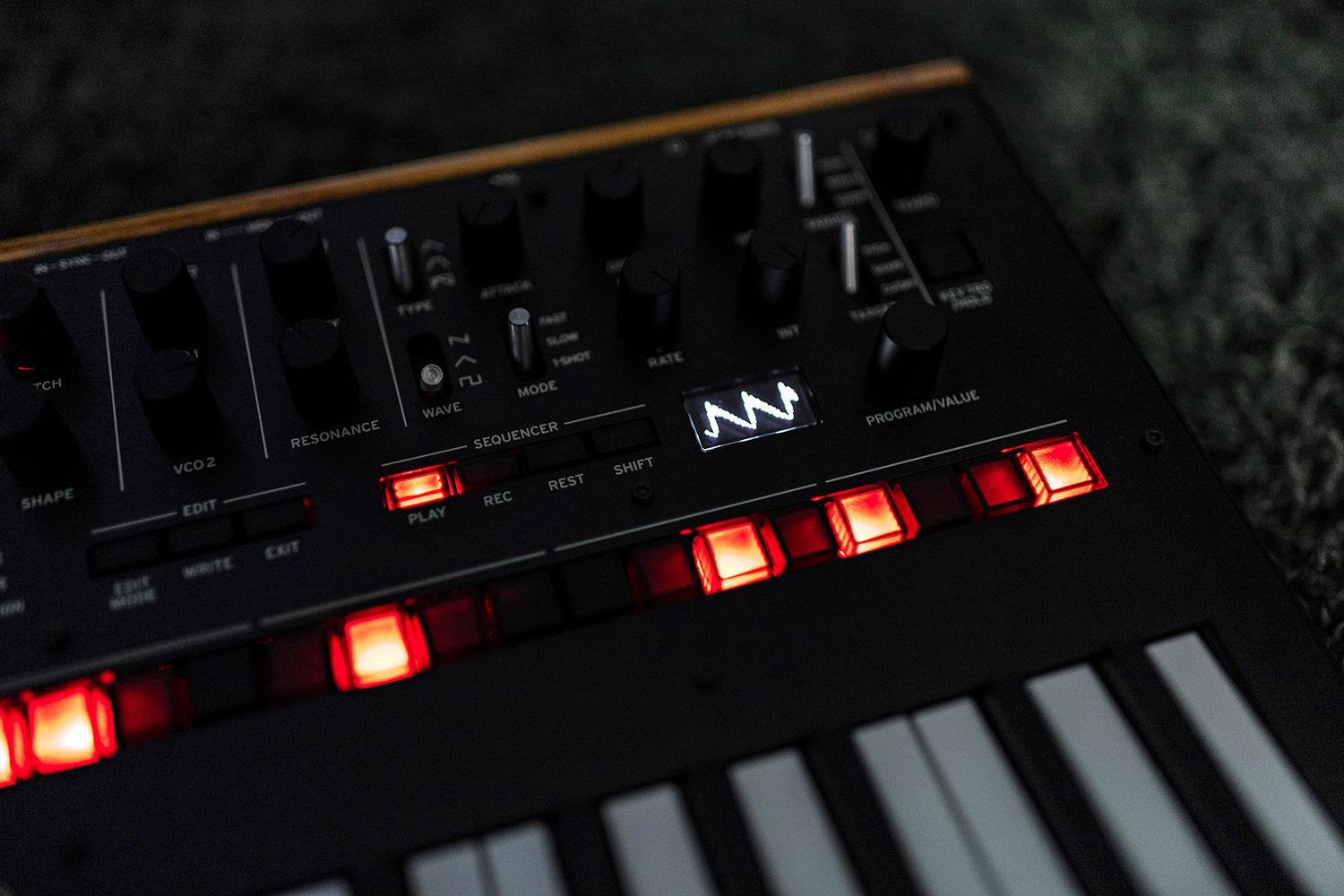
What I love most about the Monologue is the built-in oscilloscope. This small screen displays the actual waveform you are producing. Watching a sine wave morph into a sawtooth when you push the filter resonance up is the kind of instant feedback that makes synthesis click. It is the closest a hardware synth comes to the visualization you get in software like Serum.
The 16-step sequencer is the second reason this synth earns its place at the top. Beginners often stall because they cannot play fast enough to test a sound. The Monologue lets you program a riff, hit play, and then spend all your time turning knobs while the sequence loops. Parameter locks let you automate filter sweeps and pitch slides per step, which is exactly how techno basslines get their movement.
The synth runs on either USB or six AA batteries, which made it the easiest instrument to bring on a recent camping trip. I packed it next to a small pair of headphones and a portable speaker, and within ten minutes I was jamming on new patches inspired by the forest sounds around me. That kind of portability is rare for a full analog synth.
There are real trade-offs. The Monologue is monophonic, meaning it plays only one note at a time. You cannot chord it. If you dream of strumming pads or playing chords with both hands, look further down this list. The keys are also mini-keys, which feel cramped if you have larger hands or piano experience. For pure sound design, lead lines, and bass programming, though, this is the one I would buy again.
Who the Monologue is for
This is the synth for someone who wants to understand what analog synthesis actually is. If your goal is to learn how oscillators, filters, and envelopes interact by turning real knobs, the Monologue will teach you faster than any software tutorial. It is also the right pick for techno and house producers who want hands-on bassline programming without menu diving.
Who should skip the Monologue
If you need polyphony to play chords or pads, move on. Likewise, if you have larger hands or you already play piano and need full-size keys, the Novation MiniNova further down this list is the better fit. The Monologue rewards patience and curiosity more than it rewards keyboard chops.
2. Novation MiniNova – The Best Polyphonic Starter Synth
Novation MiniNova Analog Modeling Synthesizer
18-voice analog modeling synth
37 mini keys
Built-in vocoder
USB or 12V power
Pros
- 18-note polyphony for full chords and pads
- Built-in vocoder with included gooseneck microphone
- 256 presets plus 128 user slots
- Animate buttons for live performance tricks
- Strong MIDI controller functionality
- Long battery life via USB power bank
Cons
- Mini keys lack aftertouch and feel stiff
- Mono-timbral (no sound layering)
- Menu diving required for advanced features
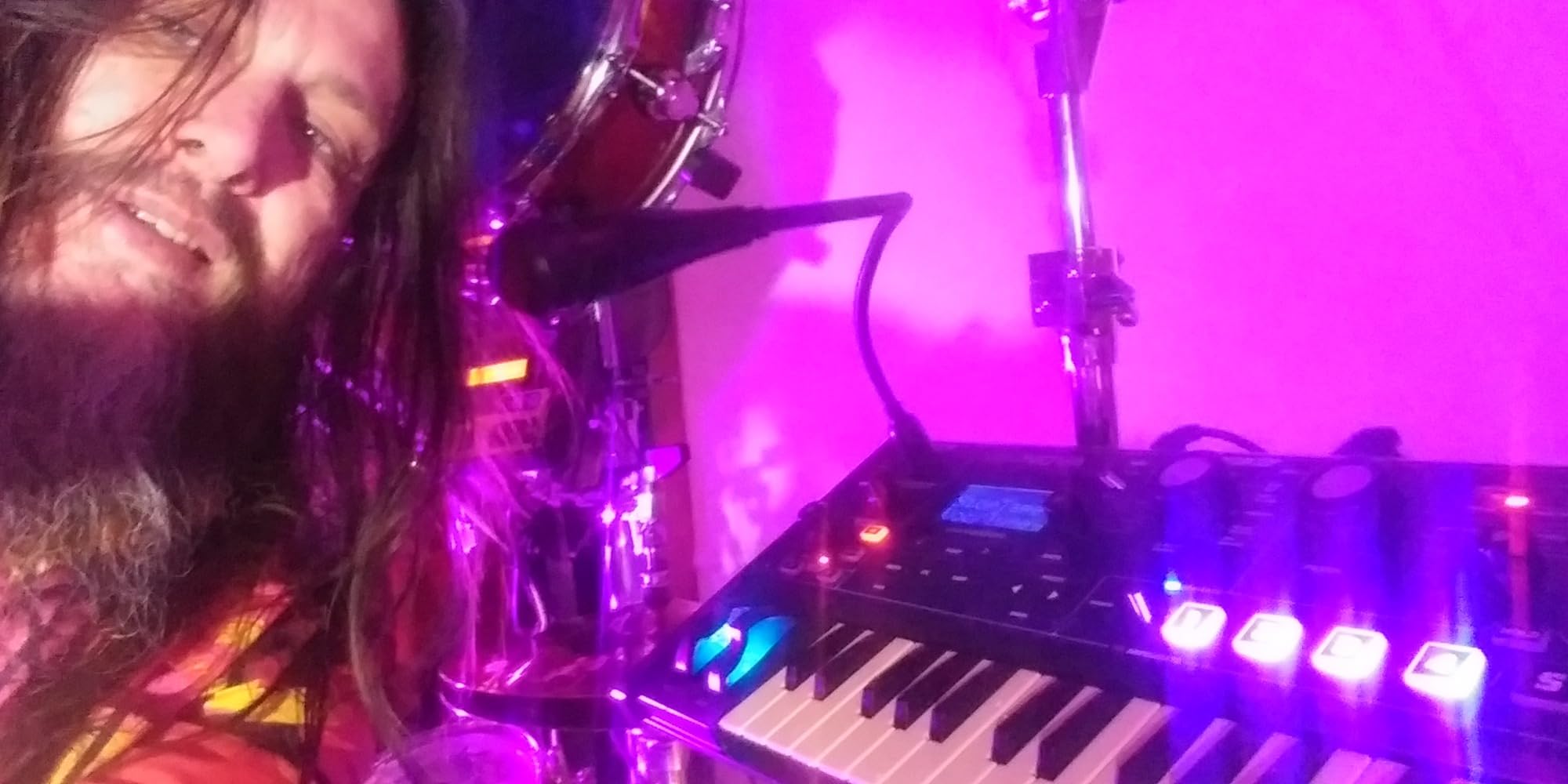
Polyrhythm, polyphony, and a vocoder: the MiniNova packs an absurd amount of synth into a 37-key package. I have used this synth on stage, in the studio, and at the kitchen table, and it still surprises me how capable it is for the price. If you have ever wanted to play chords, layer pads, and talk through your keyboard like Daft Punk, this is the entry point.
The 18-voice polyphony is the headline feature. Unlike the Monologue, which plays one note at a time, the MiniNova can hold full chords and stack up to 18 simultaneous voices. That makes it a real polysynth, suitable for ambient washes, string pads, and any genre where you need to hear more than one note at once.
The built-in vocoder is what sold me. Novation ships the MiniNova with a small gooseneck microphone that plugs into the front panel. Speak or sing into the mic while playing notes on the keys, and your voice becomes a robotic instrument. Reviewers consistently praise the vocoder as one of the best implementations at this price range, and I agree. My niece spent an entire afternoon making herself sound like a Dalek, which is the kind of engagement beginner synths should inspire.
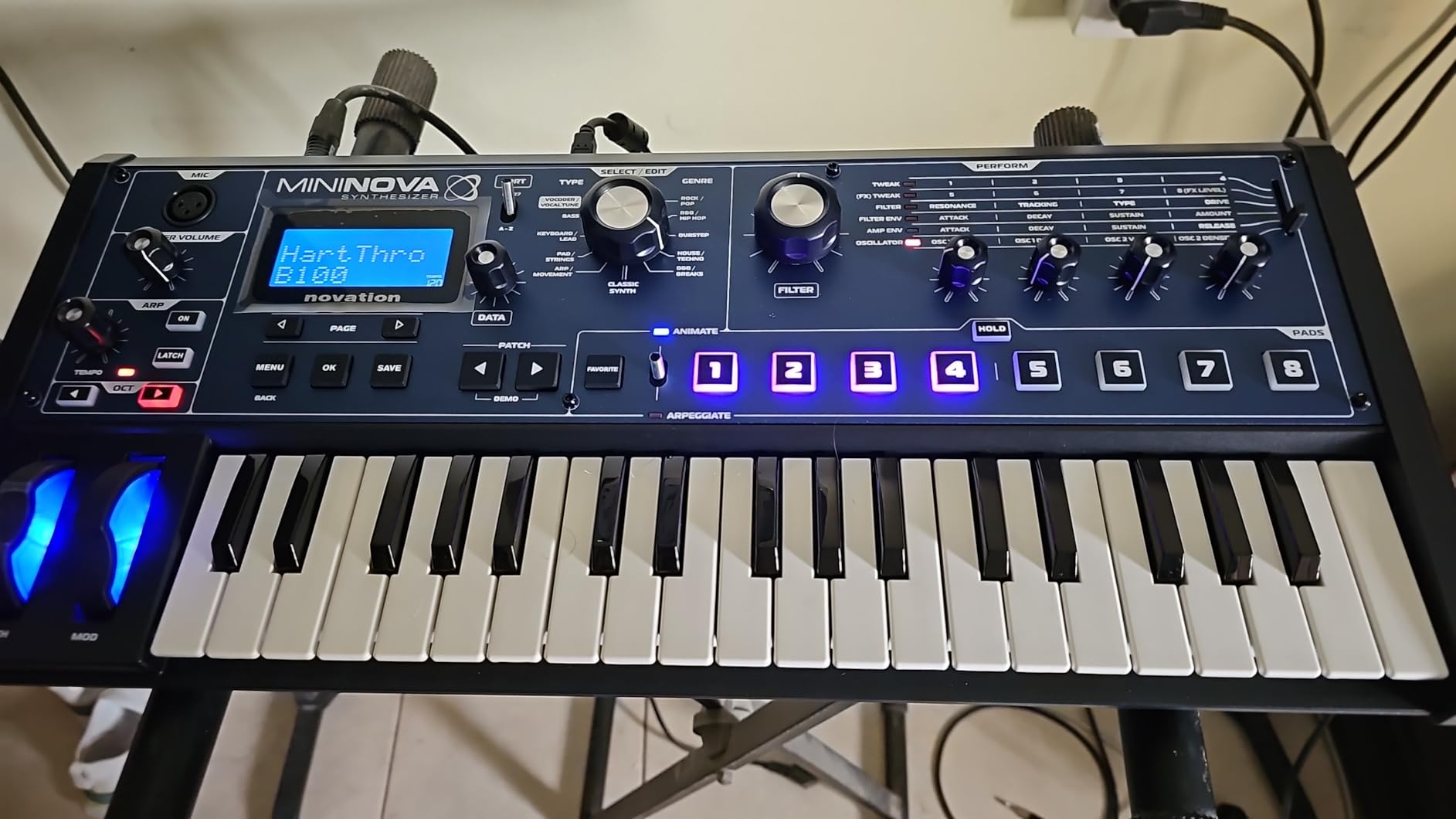
Beyond presets, the MiniNova has 128 user slots so you can save your own patches once you start tweaking. The Animate buttons let you record knob movements in real time and trigger them with a single button press, which is excellent for live performance. You can also run the synth off a USB power bank for hours, which turns any surface into a jam space.
The downsides are real but minor. The mini keys feel plasticky and lack aftertouch, which limits expressive playing. The synth is mono-timbral, meaning you cannot layer two different sounds at once. And yes, some functions live in menus rather than on the front panel. None of these issues stopped me from recommending it as the best value for a beginner who wants chords and a vocoder.
Who the MiniNova is for
Anyone who wants to play chords and pads on day one. It is also the right pick for live performers who want built-in vocoder tricks and Animate buttons for hands-on control. Producers coming from a DAW will appreciate how it integrates via USB.
Who should skip the MiniNova
If full-size keys are non-negotiable or you hate menu diving even a little, consider the Akai MPK Mini Play MK3. The MiniNova rewards users who are willing to explore deeper features in exchange for a versatile instrument.
3. Korg Nu:Tekt NTS-1 – The Best DIY Synth Kit for Hands-On Beginners
Korg Nu:Tekt NTS-1 Build Your Own Digital Synthesizer Kit
DIY digital synth kit
Single oscillator mono
logue-SDK compatible
USB powered
Pros
- Satisfying build-it-yourself assembly
- Powerful digital sound engine with analog modeling
- Compatible with Korg logue-SDK for custom oscillators
- Integrated arpeggiator and multimode filter
- Compact and lightweight for portable use
- Excellent value for a programmable synth
Cons
- Monophonic with limited polyphony
- Small form factor limits knob count
- Assembly required even for absolute beginners
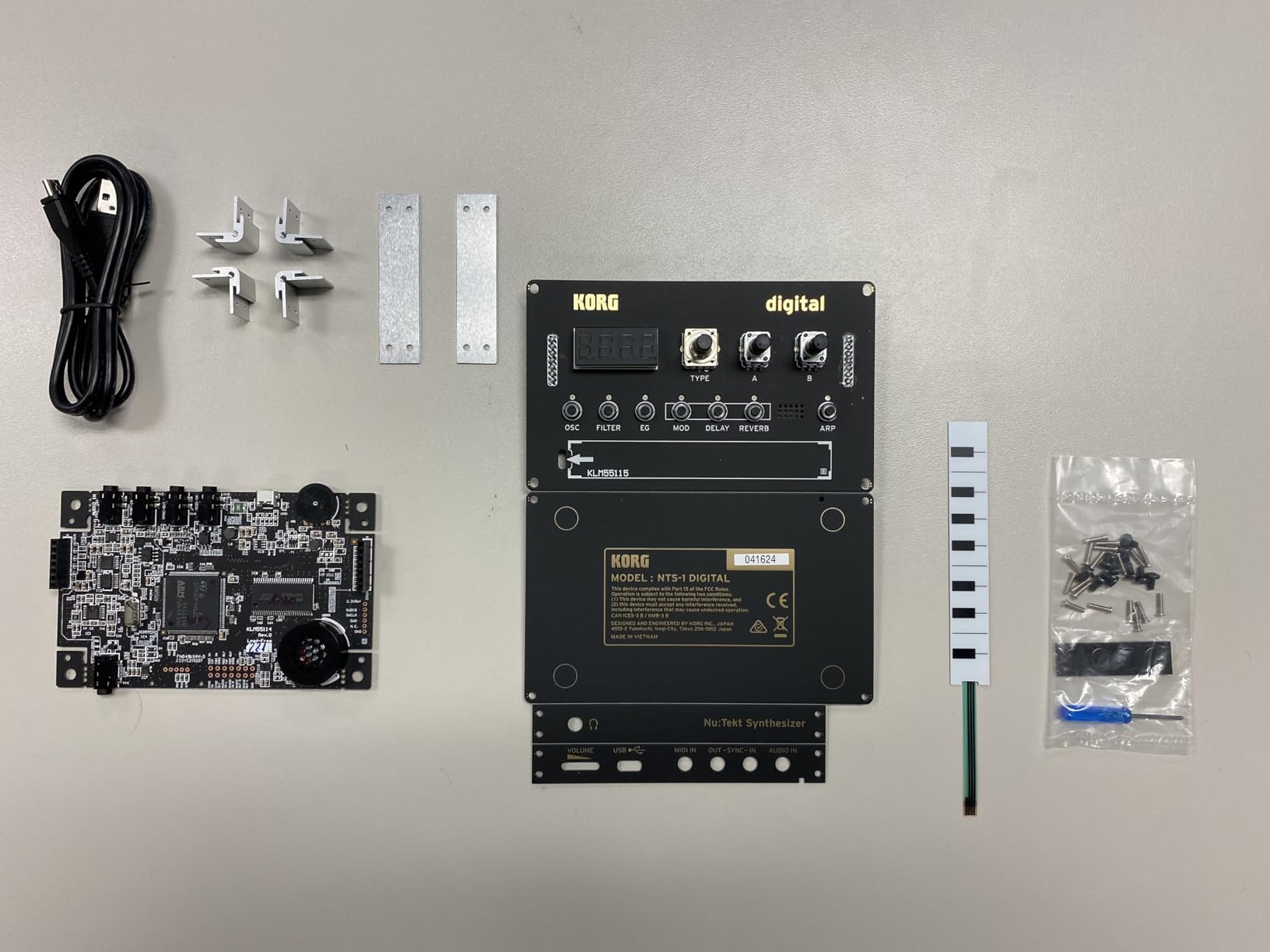
The Korg Nu:Tekt NTS-1 is the synth I recommend to anyone who learns by doing. It arrives as a kit with a circuit board, a small aluminum case, and a screwdriver. You spend about twenty minutes soldering and assembling it, and you end up with a real digital synthesizer you built yourself. That ownership feeling is something you cannot buy in a pre-built synth.
Once assembled, the NTS-1 punches well above its size. The sound engine uses analog modeling combined with digital effects, and it sounds bright, punchy, and modern. The oscillator section is versatile enough to handle basses, leads, plucks, and ambient drones. There is an arpeggiator built in, a multimode filter, and enough modulation sources to keep you experimenting for months.
What makes the NTS-1 special for a beginner is its compatibility with Korg’s logue-SDK. Developers have created hundreds of free custom oscillators and effects you can load onto the synth via USB. This means the NTS-1 grows with you. You can start with the stock sounds and then graduate to exploring user-made patches as you learn more about synthesis. It is the closest a hardware synth gets to the endless expansion of a software synth.
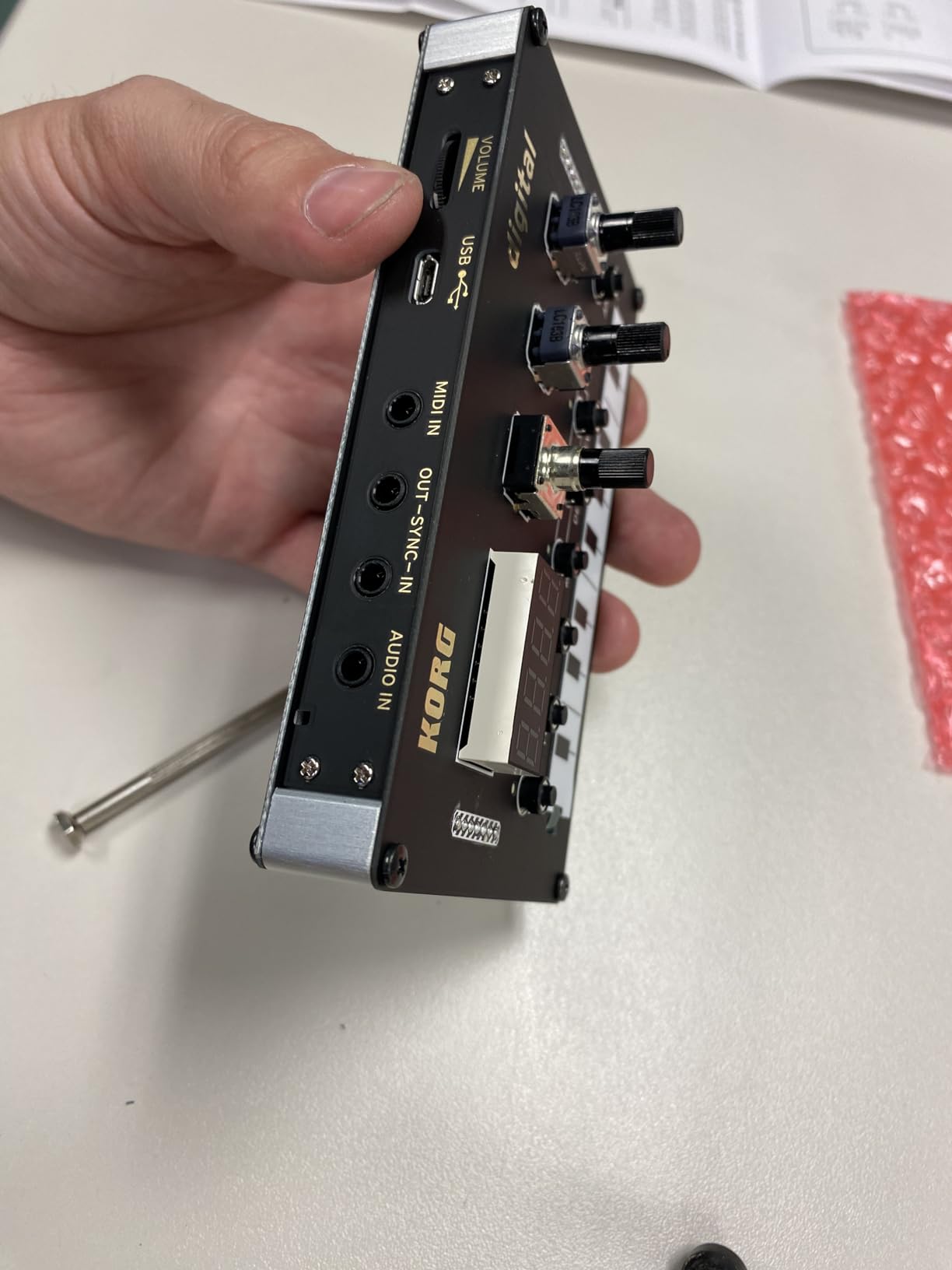
I built mine in an evening while watching TV, and the included screwdriver and instructions made the process painless even for someone whose soldering experience was rusty. Once I plugged it in via USB, I had a working synth with a built-in speaker, MIDI in, and a headphone jack. It is small enough to throw in a backpack, which made it my travel companion for several weekend trips.
The trade-off is that the NTS-1 is monophonic and very small. There are only a handful of knobs, so most sound editing happens through the OLED screen and encoder. If you want a knob-per-function workflow, this is not it. But for learning the basics of synthesis and exploring digital sound design on a budget, it is hard to beat.
Who the NTS-1 is for
Tinkerers, students, and anyone who wants to understand what is inside a synthesizer. It is also a great gift for a teenager interested in electronics and music. The DIY element adds a layer of engagement that pre-built synths cannot match.
Who should skip the NTS-1
If you have no interest in soldering or you want a keyboard with full-size keys, choose something else. The NTS-1 rewards curiosity and patience more than it rewards instant gratification.
4. Stylophone Original – The Best Pocket-Sized Synth for Absolute Beginners
Stylophone The Original Pocket Electronic Synthesizer | Synth Musical Instrument | Synthesizer Keyboard | Stylophone Instrument Synth
Pocket stylus synth
3 octaves
Built-in speaker
3 AA batteries
Pros
- Iconic retro sound used by David Bowie and The White Stripes
- Tiny form factor fits in a coat pocket
- Battery powered with built-in speaker and headphone out
- Tactile stylus playing style is intuitive and fun
- 3.5mm output for recording into a computer
Cons
- Stylus touch interface has a learning curve
- Limited octave range without transpose
- Battery-only operation (3 AA required)
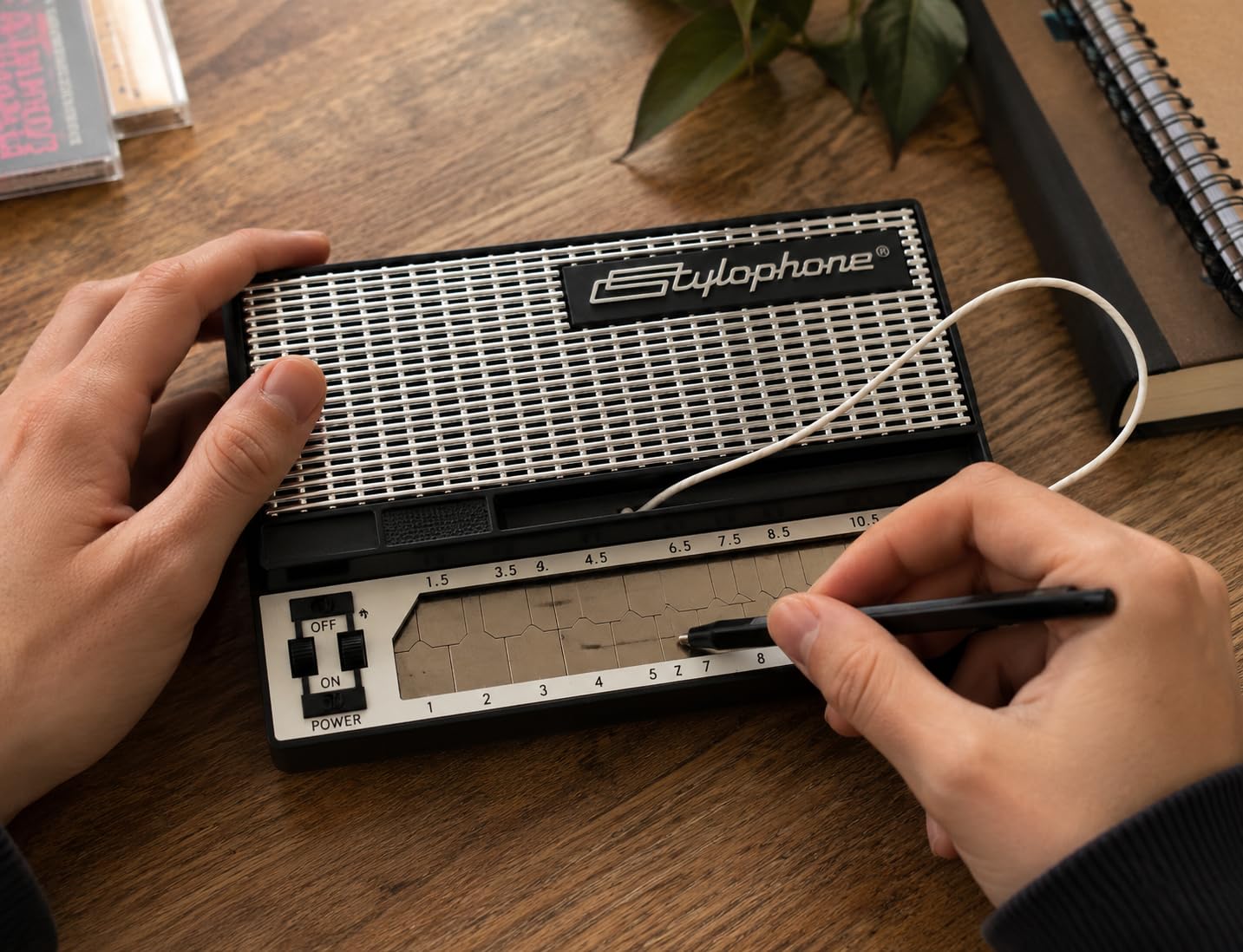
The Stylophone is the synth I hand to anyone who says they have no musical experience. It has two knobs, a touchpad, and a stylus. You tap the stylus on the metal surface and slide it around to change pitch. Within thirty seconds, anyone can make a sound. Within five minutes, they are playing melodies. It is the most approachable instrument I have ever tested.
The sound is unmistakable. That buzzy, retro-organ character has been heard on records by David Bowie, Kraftwerk, The White Stripes, and a hundred film soundtracks. You can add a simple vibrato effect by flicking a switch, which is enough to make simple lines sound expressive. The Stylophone also has a built-in speaker and a headphone jack, so you can play it anywhere without extra gear.
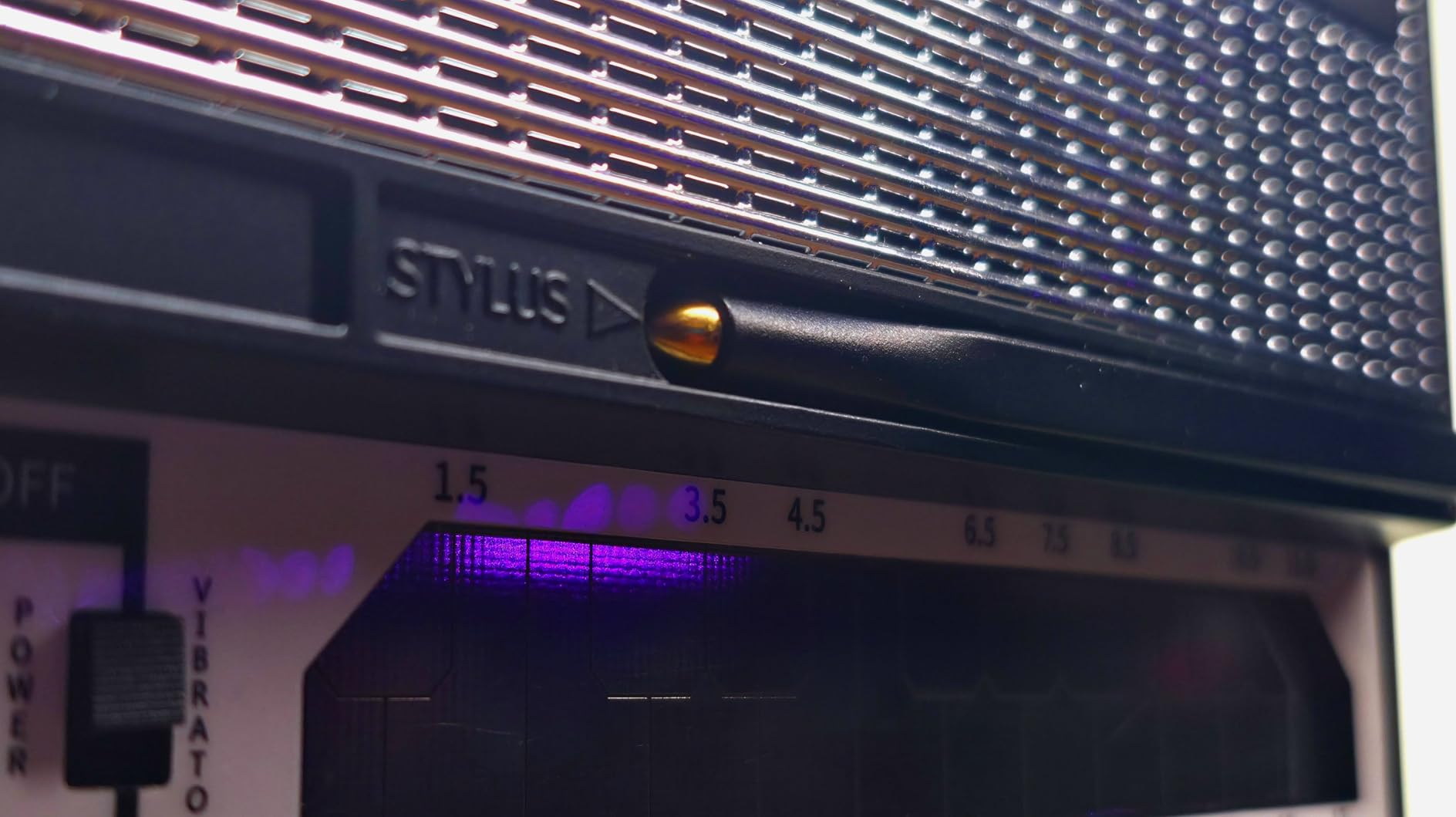
What surprised me most is how musical the Stylophone becomes once you learn to control the pressure and angle of the stylus. You can do pitch bends, vibrato, and subtle slides that feel surprisingly expressive. It runs on three AA batteries and weighs less than a deck of cards, so I have taken it on flights, hikes, and long train rides. The 11,000-plus reviews on Amazon speak to how universally beloved this little instrument is.
There are limits. You get three octaves with no transpose, which restricts the range. The stylus interface is not for everyone, especially if you have used traditional keyboards before. And the Synth is monophonic. None of these issues matter when you remember the Stylophone’s purpose: to make music fun and accessible from the first touch.
Who the Stylophone is for
Anyone who wants instant music-making without learning keyboards, producers looking for a unique lo-fi sound source, parents introducing kids to electronic instruments, and collectors who appreciate its place in synth history. It is also a fantastic gift because it is small enough to wrap and impressive enough to delight.
Who should skip the Stylophone
If you need polyphony or a traditional keyboard layout, the Korg Volca Beats or MiniNova are better fits. The Stylophone is a specialty instrument, not a do-it-all synth.
5. Akai MPK Mini Play MK3 – The Best MIDI Controller with Built-In Sounds
Akai Professional MPK Mini Play MK3 25-Key USB MIDI Keyboard Controller
25-key MIDI controller
Built-in sounds and speaker
8 velocity-sensitive pads
Pros
- Compact and battery-powered for portable use
- Built-in speaker delivers usable sounds without a computer
- Velocity-sensitive mini keys and responsive drum pads
- NKS integration with Native Instruments
- Comes with MPC Beats plus AIR Music Tech plugins
- Over 100 internal drum and instrument sounds
Cons
- Drum pads require firm presses to trigger
- Keys may feel small for players with large hands
- Built-in speaker volume is limited
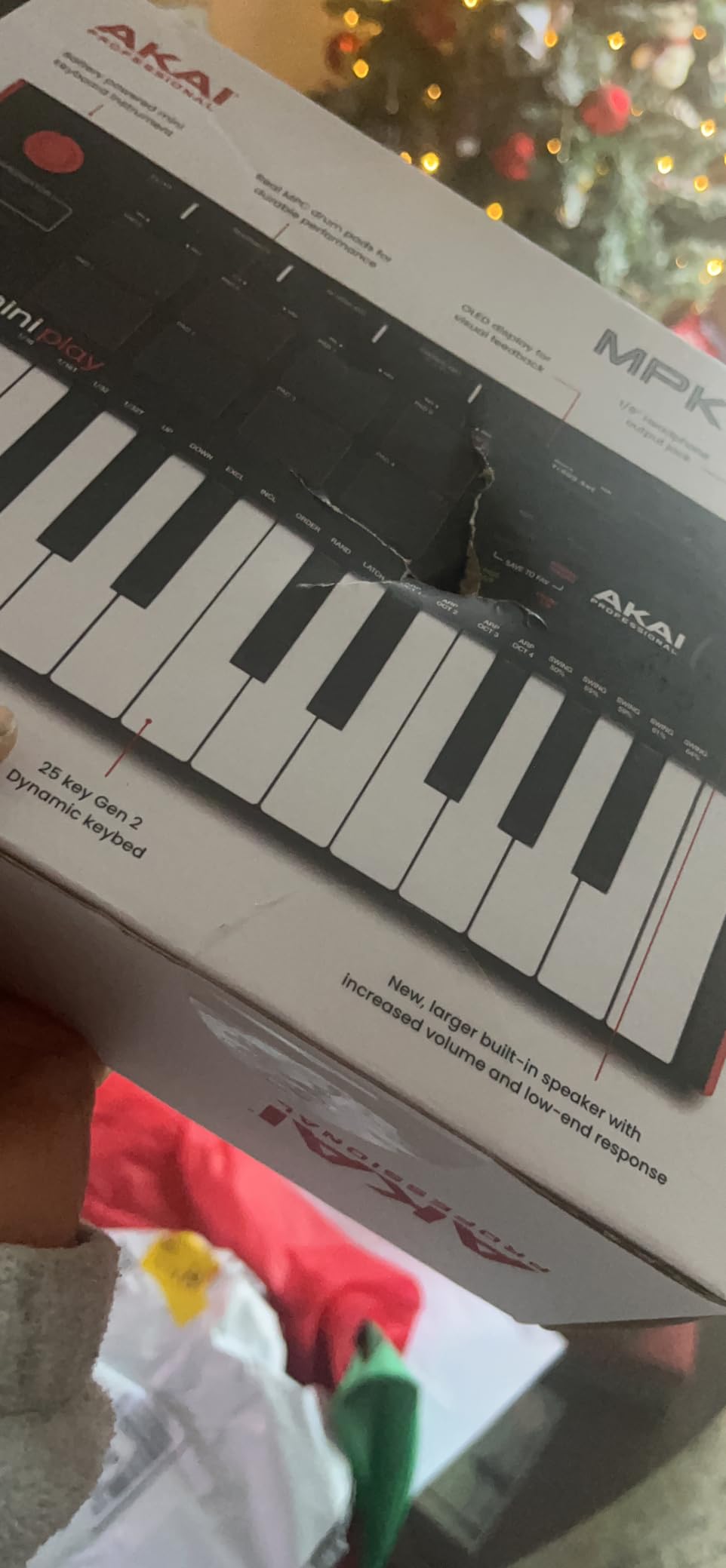
The Akai MPK Mini Play MK3 is what I recommend to producers who already live inside a DAW. It looks like a small MIDI controller, but it also has its own sounds, a built-in speaker, and a battery. That means you can use it on the couch without booting up a computer, then plug it into Ableton or Logic later for full studio work.
The 25 mini keys are velocity-sensitive, which is essential for expressive playing. The eight backlit MPC drum pads are responsive once you get used to their stiffness, and they work for finger drumming, sample triggering, and step sequencing. The OLED display makes navigation painless, and the included software bundle (MPC Beats, AIR Music Tech plugins, Melodics lessons, two months of Splice) is genuinely useful.
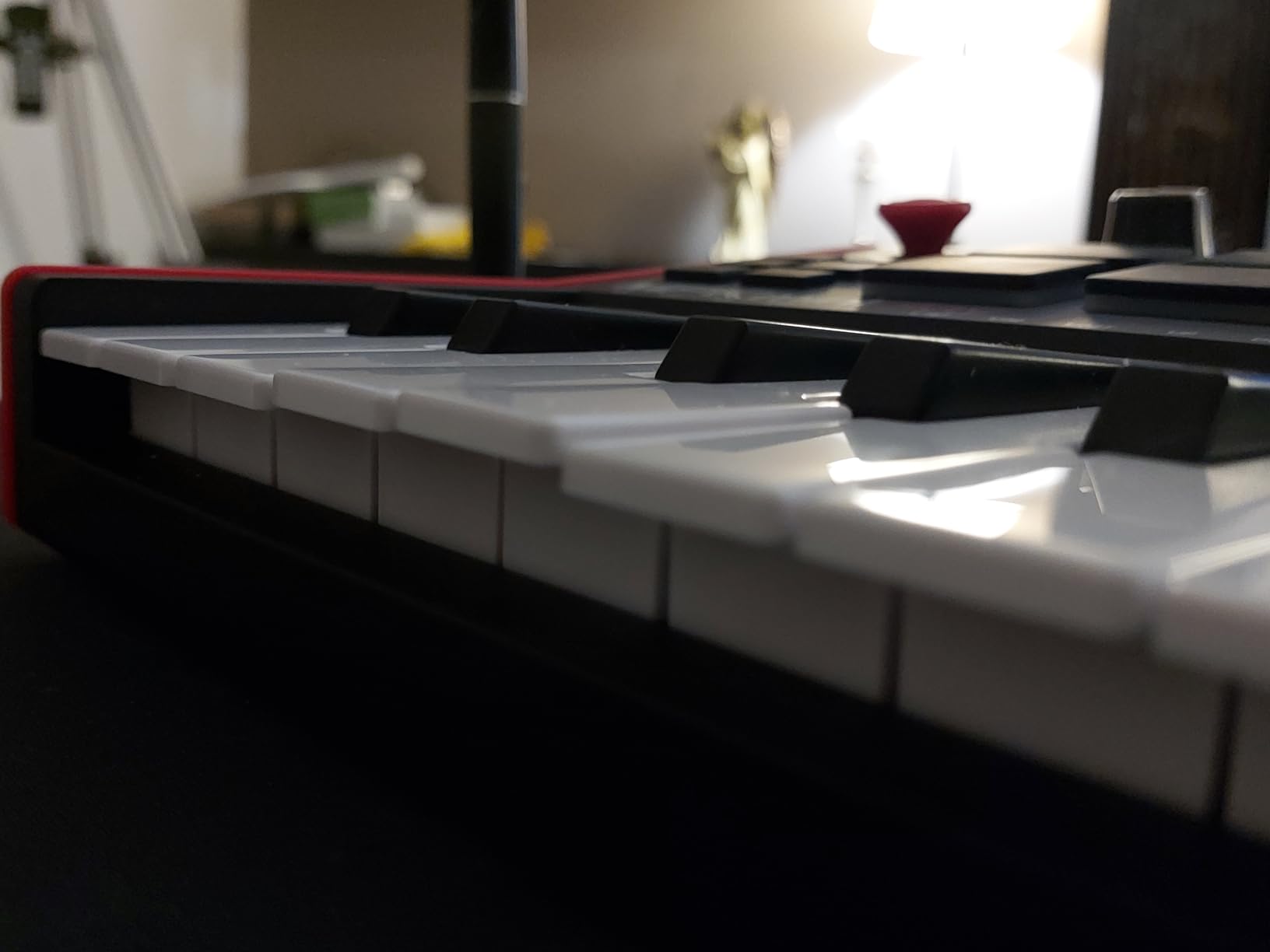
I tested the MPK Mini Play MK3 with a friend who had never touched a MIDI controller before. Within an hour she was programming beats using the pads and playing melodies on the keys, all running on battery power with the built-in speaker. That beginner-friendly experience is exactly what the synth market needs more of.
The Native Kontrol Standard (NKS) integration is a big deal if you own or plan to buy Komplete instruments. You get Komplete 15 Select bundled with the unit, which is a serious collection of synths, samplers, and effects. The trade-offs are real: the pads require firm presses, the mini keys feel cramped for larger hands, and the built-in speaker is not loud. None of these are dealbreakers for the price.
Who the MPK Mini Play MK3 is for
Producers who want one device that works both as a standalone practice tool and as a DAW controller. It is also great for songwriters who want to sketch ideas on the couch before committing them to a computer session.
Who should skip the MPK Mini Play MK3
If you want pure analog sound or hands-on knob tweaking without menus, the Korg Monologue or NTS-1 are better fits. The MPK Mini Play MK3 is at its best for producers who value versatility and software integration.
6. Korg Volca Beats – The Best Budget Analog Drum Machine for Beginners
Korg Volca Beats Analog Rythem Machine w/Electribe-style 16-step Sequencer and Real Analog Sounds
Analog drum machine
16-step sequencer
6 AA batteries
Sync I/O
Pros
- Compact and portable with built-in speaker
- Electribe-style 16-step sequencer for fast programming
- 8 memory patches to save your patterns
- SYNC In/Out for clocking other Volcas
- Real analog kick
- snare
- and hi-hat sounds
- MIDI In for note entry and external sync
Cons
- Out-of-box snare sound is weak (modifiable)
- No song mode or pattern chaining
- Tiny knobs can be tricky to manipulate
- MIDI-In only with no MIDI-Out
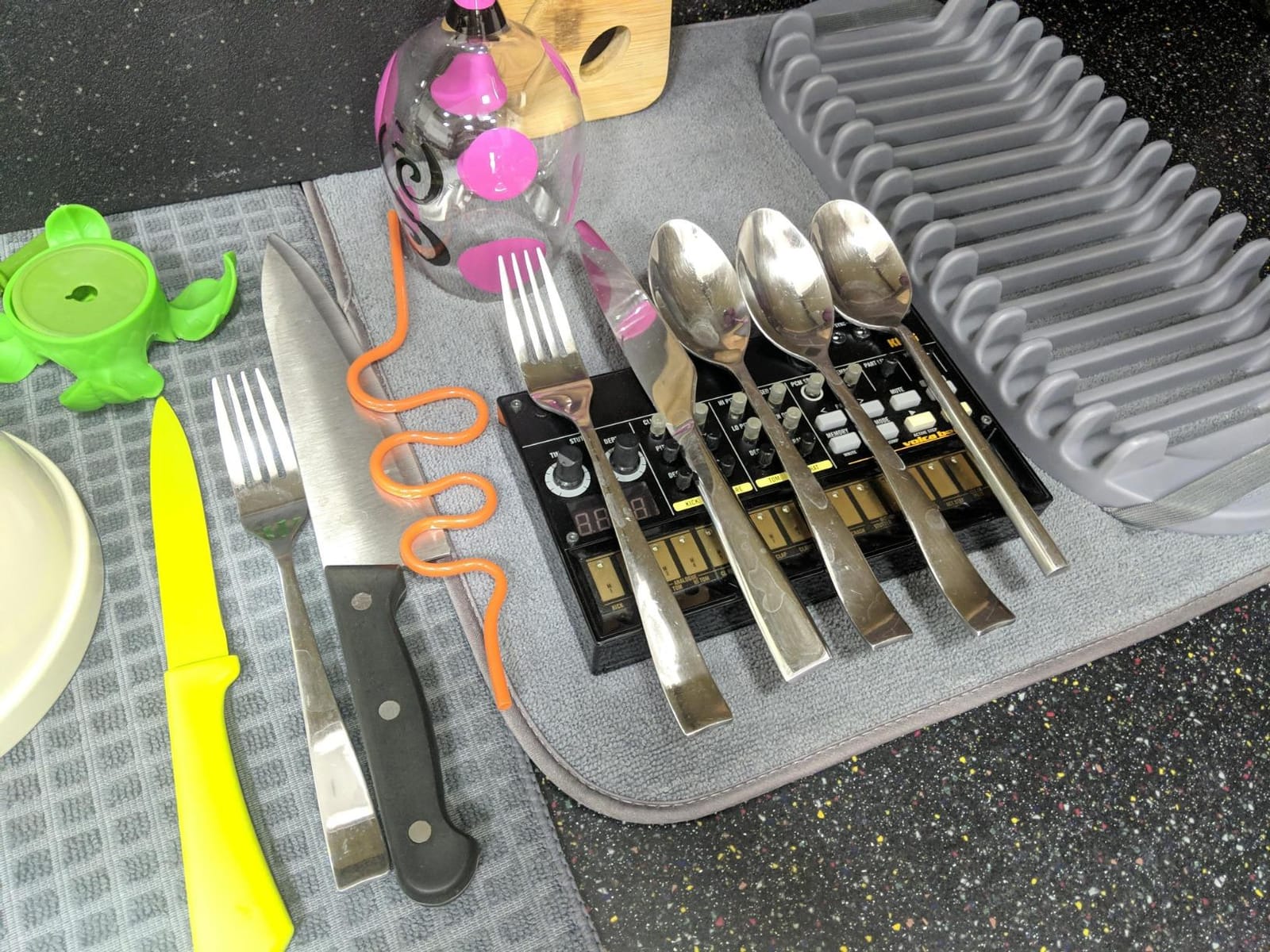
The Korg Volca Beats is the drum-machine sibling of the popular Volca synth line, and it is one of the best ways for beginners to understand rhythm programming on real hardware. The 16-step sequencer is the same Electribe-style workflow that has trained generations of electronic musicians, and the analog drum sounds are punchy and immediate.
What I like most about the Volca Beats is the Sync I/O ports. You can daisy-chain multiple Volcas together with audio cables and they will stay in perfect tempo. I tested this with the Volca Beats driving a monotron, and within minutes I had a full beat with a bassline locked in. That kind of ecosystem is rare at this price range.
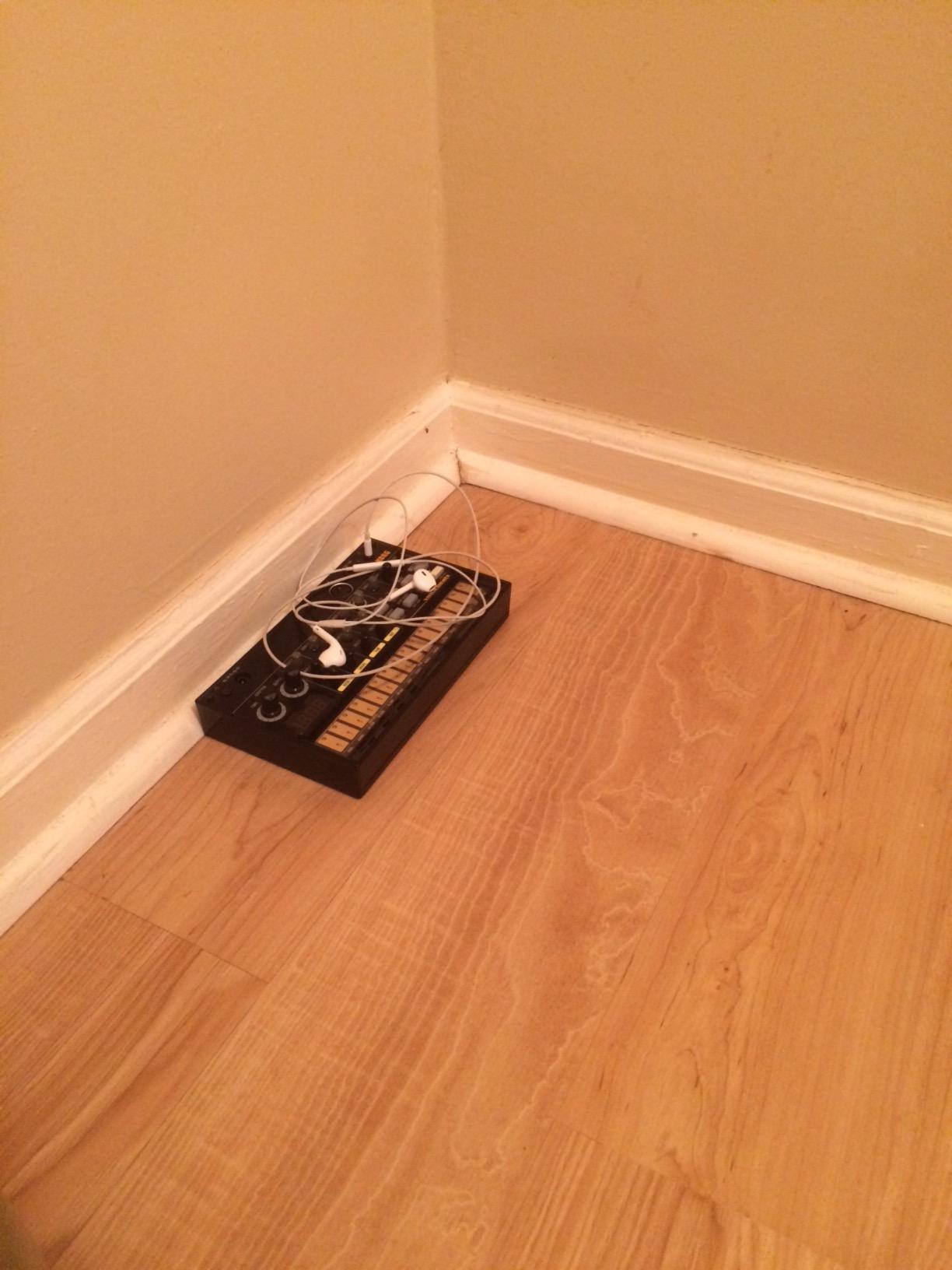
The Stutter function is a hidden gem. Holding the Stutter button while a pattern plays creates glitchy, delay-like repeats that sound great on hi-hats and snares. The unit runs on six AA batteries, has a built-in speaker, and weighs about as much as a small paperback book. Reviewers often praise it as a gateway drug into modular-style patching without the cost or complexity.
The honest cons are well known in the community. The stock snare is thin, though you can swap a capacitor inside the unit (the famous “rubber mod”) to fatten it up. There is no song mode, so chaining multiple patterns requires manual button presses. And the knobs are tiny. None of these issues change the fact that this is one of the best-value analog instruments ever made.
Who the Volca Beats is for
Hip-hop and techno producers who want hands-on beat programming. It is also ideal for beginners who want to understand step sequencing before moving to a full DAW. The Sync I/O makes it a perfect centerpiece for a multi-Volca setup.
Who should skip the Volca Beats
If you primarily want pitched sounds (bass, leads, pads), choose the Monologue, MiniNova, or NTS-1. The Volca Beats is a drum machine, not a melodic synth.
7. Behringer TD-3-AM – The Best Acid Bass Synth for Techno Beginners
Behringer TD-3-AM Analog Bass Line Synthesizer with VCO, VCF, 16-Step Sequencer, Distortion Effects and 16-Voice Poly Chain
TB-303 clone
True analog VCO/VCF/VCA
16-step sequencer
MIDI and USB
Pros
- Authentic reproduction of the legendary TB-303 circuitry
- Pure analog signal path with classic VCO
- VCF
- and VCA
- Sawtooth and square waveforms with transistor wave-shaping
- 4-pole low-pass resonant filter with full envelope controls
- 16-voice poly chain capability for stacked basslines
- MIDI and USB connectivity for modern DAW integration
Cons
- Plastic enclosure feels less premium than the original
- Original 1980s-style sequencer is awkward to program
- USB cable not included
- Limited sound palette beyond the core 303 character
The Behringer TD-3-AM is the synth I reach for when I want that squelchy acid bass sound. It is a faithful clone of the Roland TB-303, the silver box that defined acid house and continues to inspire techno tracks forty years later. Behringer matched the original transistors and circuitry, so the sound is genuinely authentic, not a digital approximation.
The signal path is pure analog: VCO for the oscillator, VCF for the filter, VCA for the amplifier. The 4-pole low-pass resonant filter is what gives the 303 its iconic squelch. Pushing the resonance up while sweeping the cutoff produces the “wobble” sound that has been copied on countless records. The built-in distortion adds bite for live performance and dub mixing.
The 16-voice poly chain is a clever addition Behringer included. You can chain multiple TD-3 units together to play chords or stack basslines, even though each unit is monophonic on its own. MIDI and USB connectivity make it easy to integrate with a DAW, and the Sync I/O keeps it locked to other gear.
The cons are the same ones you will hear from any 303 clone owner. The plastic enclosure does not feel as solid as vintage units. The sequencer keeps the original 303 workflow, which means programming involves clicking through patterns rather than a modern grid. And the USB cable is not included. None of these issues stop the TD-3-AM from being the most affordable path into authentic acid bass.
Who the TD-3-AM is for
Techno, house, and trance producers who want the acid bass sound without paying vintage 303 prices. It is also a fun instrument for anyone curious about the history of electronic dance music.
Who should skip the TD-3-AM
If you want a versatile synth that covers pads, leads, and bass, the Novation MiniNova is a better fit. The TD-3-AM is a specialist instrument that does one thing extremely well.
8. Korg monotron DUO – The Best Cheap Analog Ribbon Synth
Korg monotron DUO Analog Ribbon Synthesizer
Compact mono analog
Ribbon controller
2 AA batteries
Earphone jack
Pros
- Incredibly affordable entry into analog synthesis
- Compact and lightweight at 6.4 ounces
- Simple and intuitive interface with just a few knobs
- Built-in speaker and earphone jack for silent practice
- Extra modulation options for dynamic sound shaping
- Great introduction to ribbon controller playing
Cons
- Monophonic with limited controls
- No on-board memory for saving patches
- Ribbon controller takes time to learn
- Plastic build feels basic
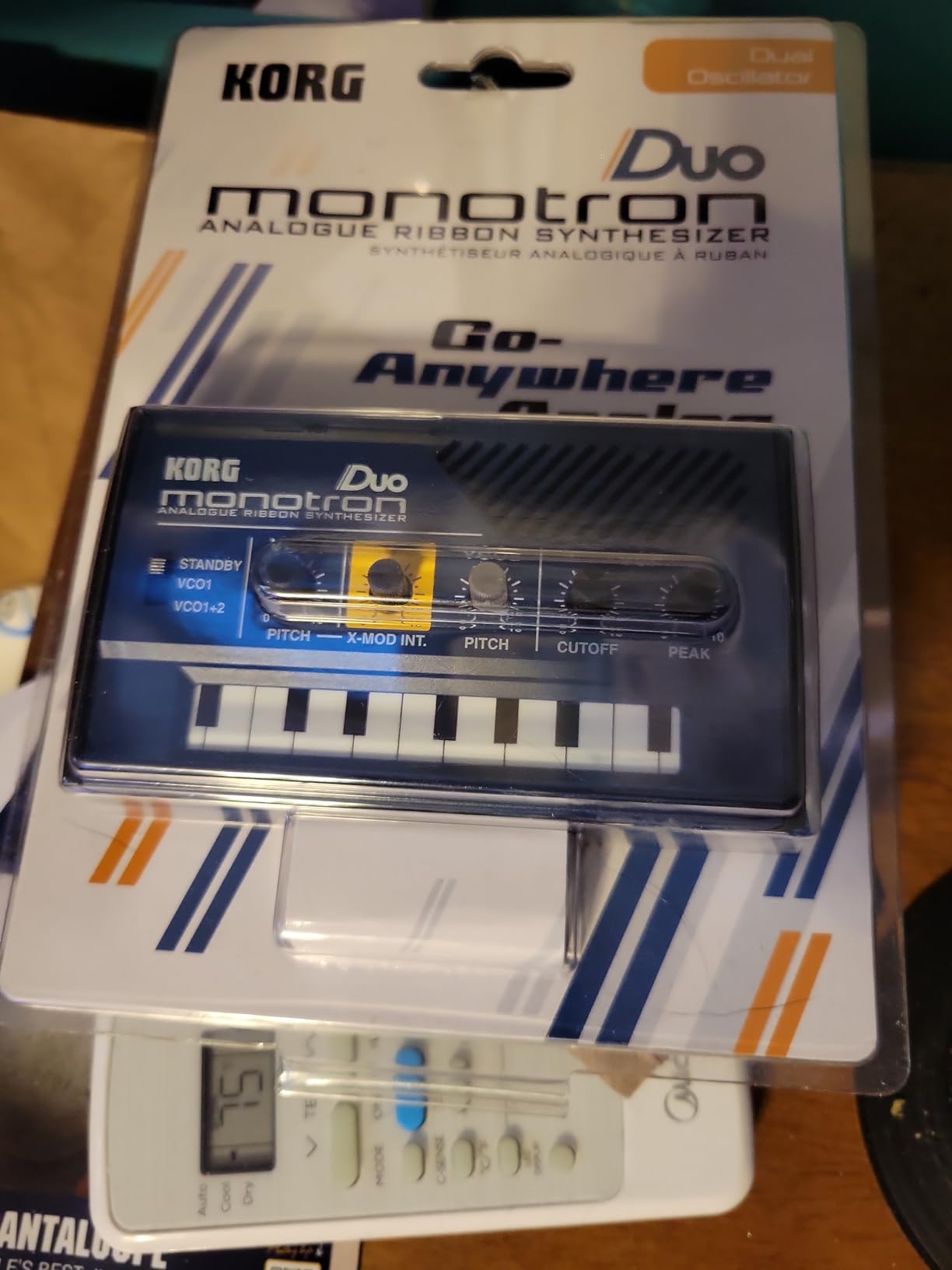
The Korg monotron DUO is the cheapest way I know to get into genuine analog synthesis. It costs about as much as a meal out, it runs on two AA batteries, and it fits in your pocket. For the price, you get a real analog oscillator, a real analog filter, and a real ribbon controller. That is hard to beat.
The DUO version adds a second oscillator that you can detune for thicker sounds, plus extra modulation options compared to the original monotron. The ribbon controller is a flat touchpad where you slide your finger to change pitch. It takes a few minutes to get used to, but once you adapt, it becomes a creative tool for slides, vibrato, and expressive playing.

I keep a monotron DUO in my desk drawer for moments when I want to noodle without booting up the studio. The built-in speaker is tiny but useful for sketching ideas, and the earphone jack lets you practice quietly. Reviewers on r/synthesizers consistently recommend the monotron line as a gateway into larger Korg synths like the monologue and Minilogue.
The trade-offs are obvious. The monotron DUO is monophonic, has very few controls, and offers no preset memory. Every sound has to be dialed in from scratch each time. It is also more of a sound-design toy than a performance instrument. None of that matters when you remember the price and the fact that you are getting real analog circuitry.
Who the monotron DUO is for
Absolute beginners on a tight budget, anyone curious about analog synthesis who is not ready to commit to a more expensive instrument, and travelers who want a pocket-sized synth for hotel-room jamming.
Who should skip the monotron DUO
If you want polyphony, presets, or a traditional keyboard, move up to the Korg Monologue or the Novation MiniNova. The monotron DUO is an entry point, not a forever instrument.
9. MicroKits Synth-a-Sette – The Best Synth for Kids and STEM Learning
MicroKits Synth-a-Sette: The Original Cassette Sized Analog Synthesizer
Cassette-sized analog synth kit
13-key touchpad
Banana-keyboard novelty
Pros
- Tiny cassette-sized form factor fits anywhere
- 13-key monophonic touchpad with octave up
- Built-in speaker and line out
- Plays melodies using everyday conductive objects
- Combines STEM learning with music education
- Affordable entry into electronics and synthesis
Cons
- Monophonic only with limited polyphony
- Touchpad consistency depends on object used
- Limited sound palette compared to full synths
- Cable-based play requires conductive object setup
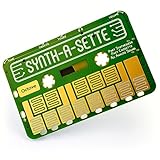
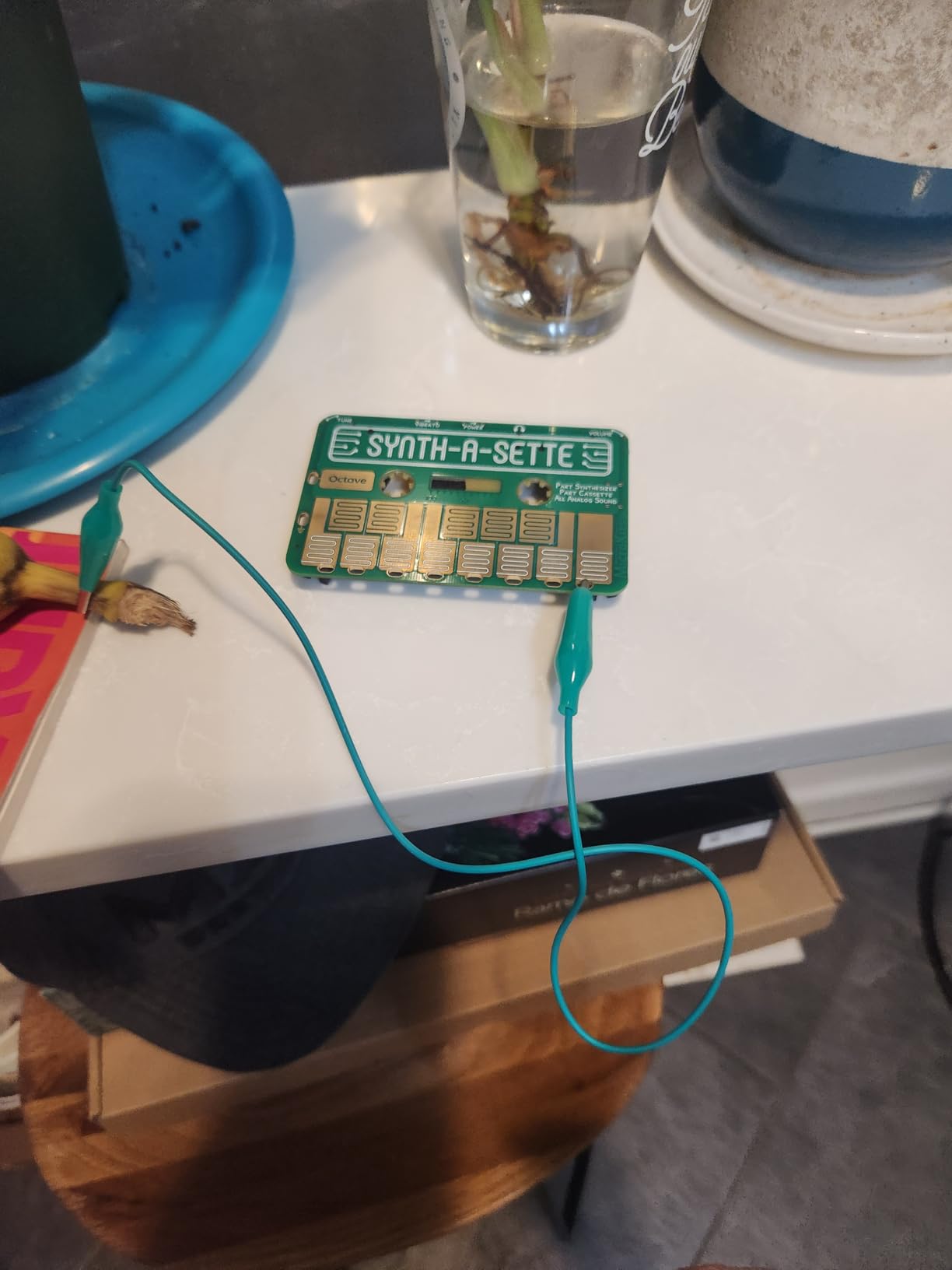
The MicroKits Synth-a-Sette is the most fun I have had testing a beginner synth in years. It arrives as a DIY kit you assemble in about twenty minutes, then it becomes a pocket-sized analog synth. The killer feature is the included alligator clips: you attach them to bananas, forks, water glasses, or even your friend, and then the touchpad reads conductivity to play notes. It is half instrument, half science experiment.
Beyond the novelty, the Synth-a-Sette teaches real synthesis fundamentals. You learn how a touch input becomes a voltage, how that voltage triggers an oscillator, and how a simple envelope shapes the sound. The included music sheet helps beginners play their first song within minutes of finishing the build.
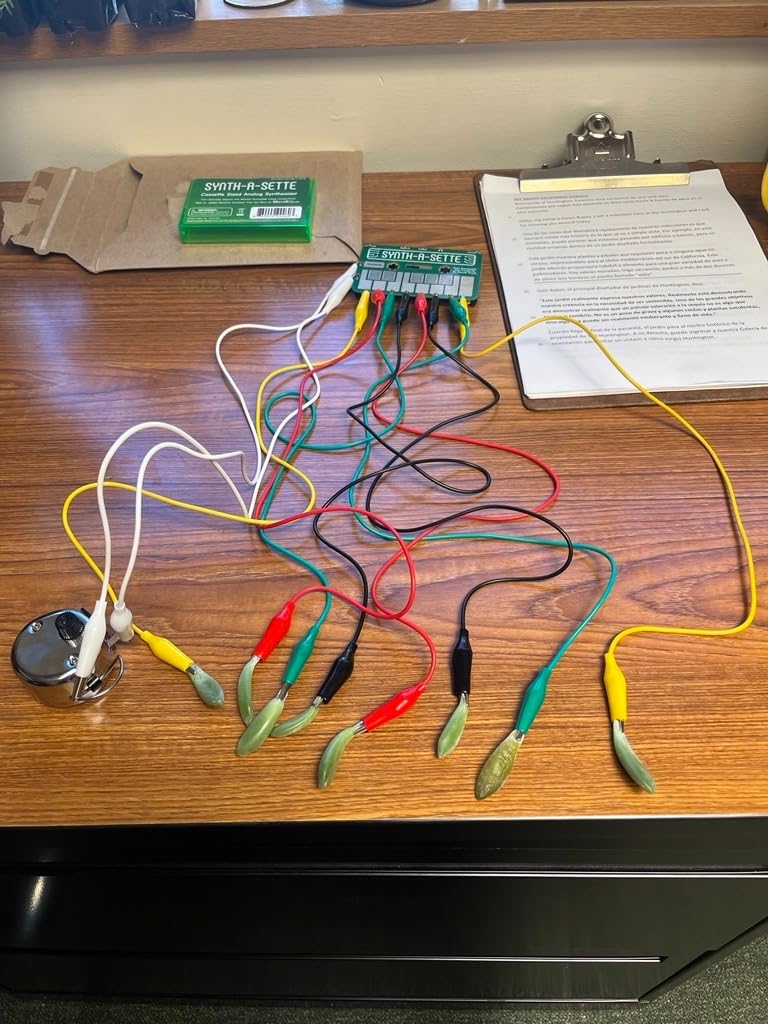
I gave one to my nephew for his birthday, and within an hour he had built it, learned to play a simple melody, and discovered that grapes work as conductive keys (apparently so do pickles). The educational value is exceptional. Parents on Reddit consistently recommend MicroKits for kids between 8 and 14 who are curious about both electronics and music.
It is not a professional instrument. The sound palette is limited, the touchpad is monophonic, and the alligator-clip setup is more fun than practical. But for its intended purpose (STEM education, kids, gift-giving), it is genuinely excellent and one of the most creative products in this roundup.
Who the Synth-a-Sette is for
Parents looking for an engaging STEM toy that doubles as a real musical instrument, kids aged 8 to 14, music educators who want a hands-on classroom tool, and adults who appreciate quirky, creative instruments.
Who should skip the Synth-a-Sette
If you want a serious synth for music production or performance, choose the Korg Monologue or Novation MiniNova. The Synth-a-Sette is a delight, not a workhorse.
10. Vangoa EWI-100 – The Best Wind Controller Synth for Beginners
Vangoa EWI-100 Portable Mini Digital Electronic Wind Instrument Synthesizer Rechargeable with Removable Mouthpiece for Kids Adults Beginners
Electronic wind instrument
10 built-in tones
USB MIDI
Rechargeable battery
Pros
- Built-in 10 tones including sax
- clarinet
- flute
- and violin
- MIDI connectivity to mobile devices and DAWs
- Two fingerstyle playing with electronic touch holes
- Three adjustable blowing sensitivity levels
- Built-in speaker plus headphone jack for quiet practice
- Rechargeable battery delivers 4 hours per charge
Cons
- Touch sensor reliability inconsistent for some users
- MIDI and Bluetooth latency reported in some setups
- Some voices drift out of tune
- Limited polyphony compared to pro wind controllers
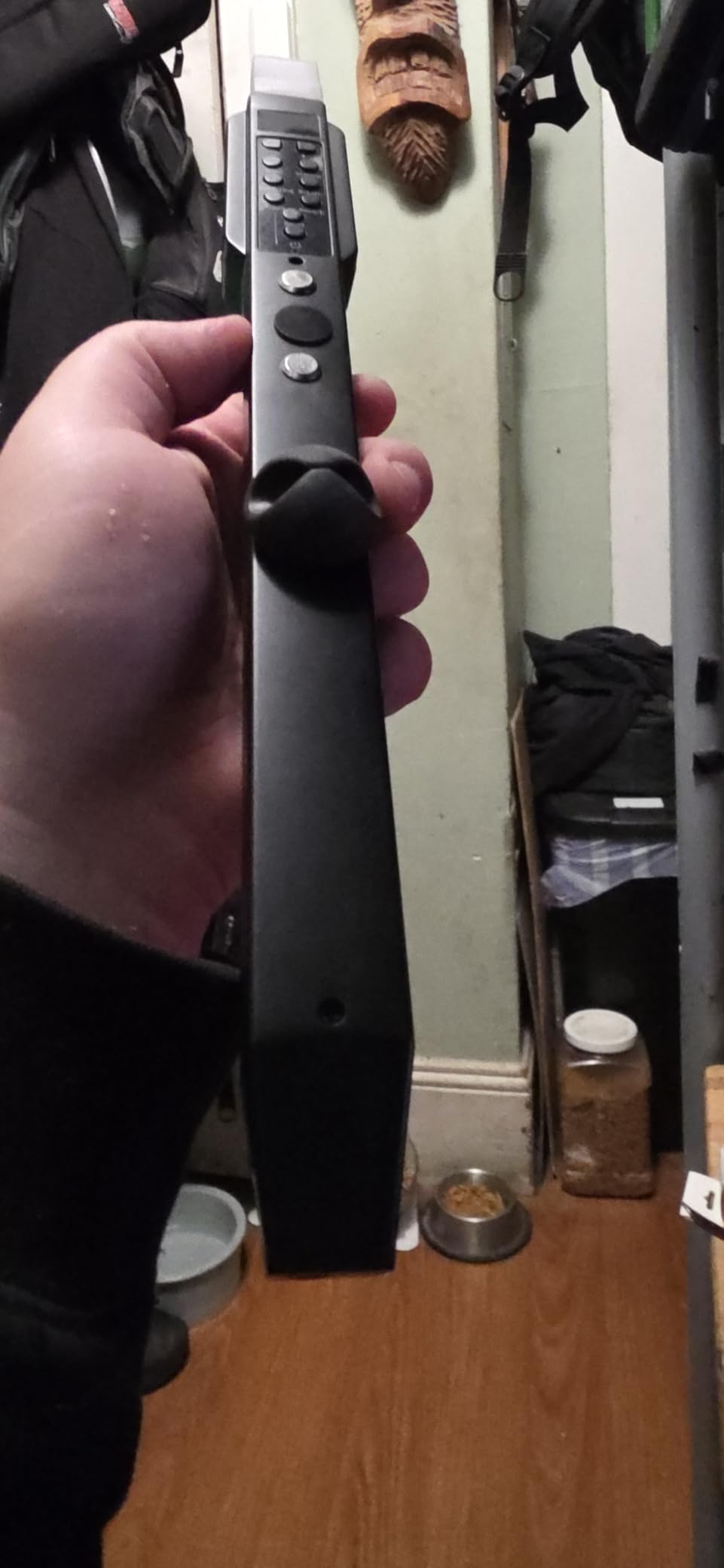
The Vangoa EWI-100 is a different kind of synthesizer. Instead of keys, you blow into a mouthpiece and touch electronic sensors to change pitch, just like a saxophone or flute. This makes it one of the most beginner-friendly instruments for people who have never played a keyboard but have always wanted to play a wind instrument.
The EWI ships with 10 built-in tones, including alto sax, soprano sax, clarinet, flute, trumpet, violin, and harmonica. You can plug it into your computer or mobile device via USB and use it as a MIDI controller for software synths. The three adjustable blowing sensitivity levels let you add dynamics, and the built-in speaker plus headphone jack make it easy to practice anywhere.
I tested the EWI-100 with a friend who plays saxophone. She picked it up and was playing simple melodies within five minutes. The breath control felt intuitive, and the touch sensors responded well once she got used to the spacing. The rechargeable battery delivered about four hours of playing per charge, which is enough for a long practice session or a small performance.
The honest downsides are real. Reviewers report inconsistent touch sensor behavior, especially if your fingers are dry. The MIDI and Bluetooth latency can be noticeable when triggering software synths. Some of the stock voices drift slightly out of tune. None of these issues ruin the instrument, but they do keep it in the “beginner-friendly” tier rather than pro territory.
Who the EWI-100 is for
Beginners who want to play wind sounds without the cost of a saxophone or clarinet, saxophonists who want a silent practice tool, and producers who want a unique expressive controller for software synths. It is also a fun gift for kids curious about wind instruments.
Who should skip the EWI-100
If you are set on a traditional keyboard synth, choose any of the other nine picks on this list. The EWI-100 is a specialty instrument that serves a specific audience exceptionally well.
How to Choose Your First Synthesizer?
Picking a beginner synthesizer comes down to four questions: what kind of music do you want to make, how many notes do you need to play at once, what kind of keys (or controllers) you prefer, and how much you are willing to spend. Once you answer those, the list above narrows quickly.
Analog vs digital synths – what actually matters
Analog synths use voltage-controlled circuitry to generate and shape sound. Each knob changes a real electrical signal. Beginners often find analog synths easier to learn because the cause-and-effect relationship is direct: turn a knob, hear the change, understand the parameter. Digital synths use software algorithms to emulate or expand on analog concepts. They can offer more presets, more effects, and more polyphony at lower prices, but the relationship between knob and sound can be less transparent.
For absolute beginners, the honest answer is that both work. The Korg Monologue and NTS-1 are digital and analog respectively, and both are excellent teaching tools. Pick based on sound preference and feature set, not on the analog-versus-digital debate.
Mono vs polyphonic synths
A monophonic synth plays one note at a time. It is great for basslines, lead riffs, and learning sound design. A polyphonic synth plays multiple notes simultaneously. It is essential for chords, pads, and complex arrangements. The Reddit community consistently emphasizes polyphony as more important than beginners expect. If you want to play chords or layer sounds, choose a polyphonic synth like the Novation MiniNova.
Keyboard types compared
Full-size keys feel closest to a piano and suit players with larger hands. Mini-keys are common on compact synths and are fine for most adults but feel cramped during long sessions. Touchplates (found on the Arturia MicroFreak) and ribbon controllers (on the monotron DUO) are expressive but take time to learn. The MicroKits Synth-a-Sette uses a touchpad with alligator clips, which is more of an educational toy than a performance instrument.
Connectivity primer – MIDI, USB, and CV/Gate
USB is the modern standard for connecting a synth to a computer. MIDI ports let you connect to other hardware like drum machines and sequencers. CV/Gate is the older analog standard used in modular synths. For a beginner, USB and MIDI are plenty. CV/Gate is something you can ignore until you decide to explore modular synthesis.
How much should I spend on my first synth?
A reasonable starter budget is between fifty and five hundred dollars. Below that, you are in novelty or pocket-synth territory (Stylophone, monotron DUO, MicroKits Synth-a-Sette). In the lower-to-middle range, you get serious learning tools like the NTS-1, MPK Mini Play MK3, and Volca Beats. In the mid-to-upper range, you reach pro-beginner territory with the Monologue and MiniNova. Spending more does not necessarily mean learning faster; pick the instrument that matches your musical goal.
Best Synthesizers for Beginners on a Budget
If you are shopping on a tighter budget, these four picks deliver the most value. The Behringer TD-3-AM and Korg monotron DUO cover classic analog flavors at the lowest prices. The Korg NTS-1 DIY kit and the Akai MPK Mini Play MK3 sit in the middle and offer more versatility for the price. The Stylophone Original is the most affordable entry into real synthesis at all, and the MicroKits Synth-a-Sette is the best gift or kids-synth option. None of these will break the bank, and all of them will teach you something real about synthesis.
Software vs Hardware Synthesizers – Should Beginners Start with VST Plugins?
This is one of the most common questions on r/synthesizers. The honest answer is that software is cheaper and more flexible, while hardware is more fun and more tactile. If your goal is to learn what synthesis actually is, hardware with dedicated knobs will teach you faster than clicking through a software interface. If your goal is to produce finished tracks inside a DAW, software gives you more options for less money.
My recommendation for total beginners: start with one piece of hardware that you love playing, then add software as you grow. The Korg Monologue or Novation MiniNova will teach you fundamentals faster than any VST, and you will find yourself returning to them for years.
Buying Used Synthesizers – What to Check Before You Buy
Reddit users repeatedly ask about buying used synths to save money. The good news is that synthesizers are generally reliable electronics. There is no equivalent of guitar fret wear. The bad news is that specific components wear out. Here is a quick checklist.
Check every knob and slider for crackling or dropouts. If a knob goes silent when you turn it, the potentiometer is dirty or damaged. Test all buttons and the patch-memory save function. Inspect jacks for loose connections. Power on the unit and listen for hum, hiss, or unexpected digital noise. If it has a battery compartment, check for corrosion. Most used synths from major brands (Korg, Roland, Moog, Novation, Behringer) hold up well if they have been cared for, and you can often find Minilogue and monologue units in excellent condition for noticeably less than new.
Frequently Asked Questions
What is the best first synth to buy for a beginner?
The Korg Monologue is our top pick for a first synthesizer. It is a true analog monosynth with a knob-per-function layout, a built-in oscilloscope that visualizes your waveforms, and a 16-step sequencer for hands-on music making. The Novation MiniNova is the best choice if you need polyphony to play chords. Both synths sit in the mid-to-upper price range and will grow with you for years.
What is a good basic synthesizer for beginners?
A good basic synthesizer has dedicated knobs for the most important parameters (oscillator, filter, envelope, LFO), enough polyphony to play chords, and a built-in sequencer or arpeggiator. The Korg Monologue, Novation MiniNova, and Korg NTS-1 all meet these criteria at beginner-friendly prices. Avoid synths that require heavy menu diving for basic functions; knob-per-function designs teach synthesis faster.
What is the best beginner synth in 2026?
The best beginner synth in 2026 is the Korg Monologue for analog monosynth lovers and the Novation MiniNova for those who need polyphony. Both deliver genuine analog-modeled or analog sound engines, intuitive front panels, and enough features to last years. The Korg NTS-1 DIY kit is the best budget pick for hands-on learners, while the Akai MPK Mini Play MK3 is ideal if you plan to work inside a DAW.
What is the best affordable synthesizer for beginners?
For under one hundred fifty dollars, the Korg NTS-1 DIY kit, Behringer TD-3-AM, and Korg monotron DUO deliver the most synth per dollar. The Stylophone Original is the most affordable entry into real synthesis at all and is beloved for its iconic retro sound. Each of these picks teaches real synthesis fundamentals without requiring a major financial commitment.
Are synthesizers hard to learn?
Synthesizers are not hard to learn if you start with the right instrument. Most beginners can make their first sound within five minutes of turning on a knob-per-function synth like the Korg Monologue or Arturia MicroFreak. Understanding what an oscillator, filter, envelope, and LFO do takes about an hour of experimentation. The hardest part is patience: synthesis rewards curiosity and trial-and-error more than it rewards raw musical talent.
How much should I spend on my first synth?
Plan on spending between fifty and five hundred dollars for your first synthesizer. Below fifty dollars, the Stylophone, monotron DUO, and MicroKits Synth-a-Sette are excellent entry points. In the lower-to-middle range, the Korg NTS-1, Akai MPK Mini Play MK3, and Korg Volca Beats offer strong value. In the mid-to-upper range, the Korg Monologue and Novation MiniNova are the most capable beginner-friendly instruments available. Spending more does not necessarily mean learning faster.
Final Verdict – Which Beginner Synth Should You Buy?
The best synthesizers for beginners in 2026 all share the same goal: to make learning synthesis fast, fun, and rewarding. If I had to pick one synth for a total beginner, it would be the Korg Monologue. The knob-per-function layout, built-in oscilloscope, and 16-step sequencer teach you more about synthesis in a week than most VST tutorials teach in a year. If you need polyphony, the Novation MiniNova is the right answer. If you learn by building, the Korg NTS-1 is a delight. And if you just want to make noise with your kids this weekend, the Stylophone and MicroKits Synth-a-Sette will make you grin for hours.
Whatever you choose, give yourself permission to play. Synthesis is one of the few musical disciplines where happy accidents sound amazing, and the best way to learn is to keep turning knobs until something beautiful happens.