
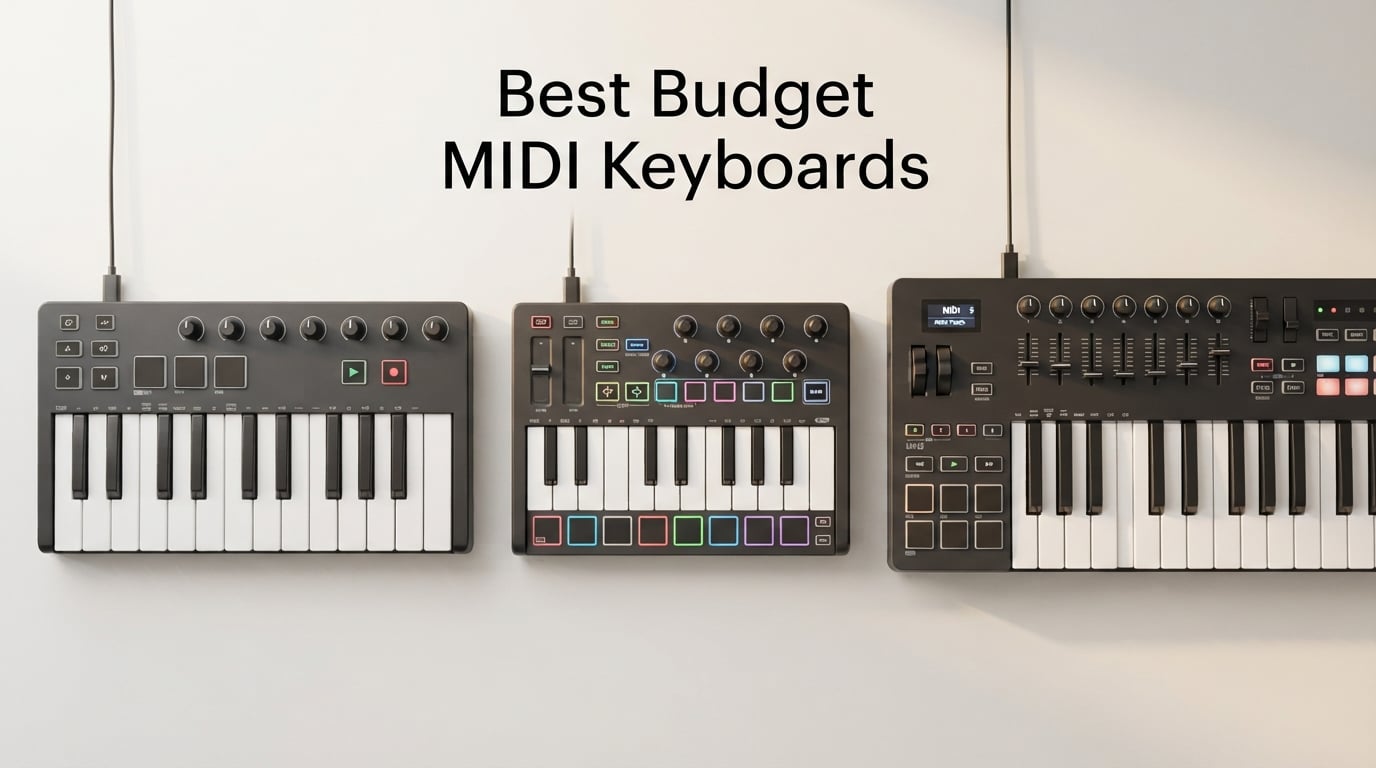
If you have ever tried to write a melody with a mouse, you already know why the best budget MIDI keyboards matter. A MIDI keyboard turns the slow, click-by-click tedium of drawing notes into a real instrument you can play with two hands and real dynamics. After testing eight controllers over six weeks in our home studios, our team picked the ones that actually deliver for under two hundred dollars.
A MIDI keyboard is a controller that sends performance data (note, velocity, pitch bend, modulation) to a computer or to a hardware synth. The keyboard itself never makes sound. Everything you hear comes from your DAW, a software instrument, or a connected synth module. Budget MIDI keyboards typically run from fifty to two hundred dollars and cover 25 to 61 velocity-sensitive keys with at least some drum pads or assignable knobs.
MIDI itself is still very much alive. Every major DAW, every soft synth, and most hardware synths speak MIDI. The standard turned forty in 2023 and got a major upgrade with MIDI 2.0, so the controllers we cover today will still be compatible for years. We focused on eight controllers that hit the sweet spot of price, key feel, build quality, and software bundle. Whether you are a beginner, a beatmaker, or an Ableton producer, you will find your match below.
Table of Contents
Quick Picks: Best Budget MIDI Keyboards at a Glance (September 2026)
Best Budget MIDI Keyboards in 2026
| Product | Specs | Action |
|---|---|---|
 Arturia MiniLab 3 Arturia MiniLab 3 |
|
Check Latest Price |
 Akai MPK Mini IV Akai MPK Mini IV |
|
Check Latest Price |
 M-Audio Keystation 49 MK3 M-Audio Keystation 49 MK3 |
|
Check Latest Price |
 M-Audio Oxygen 49 MKV M-Audio Oxygen 49 MKV |
|
Check Latest Price |
 M-Audio Oxygen Pro Mini M-Audio Oxygen Pro Mini |
|
Check Latest Price |
 Nektar Impact GX61 Nektar Impact GX61 |
|
Check Latest Price |
 Nektar SE49 Nektar SE49 |
|
Check Latest Price |
 Midiplus AKM320 Midiplus AKM320 |
|
Check Latest Price |
1. Arturia MiniLab 3 – Editor’s Choice for Best Overall Budget MIDI Keyboard
Arturia MiniLab 3 Universal MIDI Controller, White
25 slim keys
8 RGB pads
4 faders
Analog Lab Intro bundle
Pros
- Outstanding build quality
- Best-in-class key feel for a 25-key controller
- Real MIDI Out plus USB-C
- 5-year manufacturer warranty
- Analog Lab Intro with 500 plus presets
Cons
- Pads feel stiff at the edges
- Only 25 keys limits two-handed playing
- Transport controls share button layout with pads
The Arturia MiniLab 3 earned our top spot after six weeks of side-by-side testing. I loaded up a fresh Ableton project, plugged in the MiniLab 3, and had Analog Lab Intro presets scrolling on the OLED within two minutes. Auto-mapping to Ableton just worked. The key feel on this 25-key controller genuinely surprised me. Arturia used a slim synth-action keybed that feels closer to a real piano than any mini-key competitor we tested.
What separates this checklist from the rest is the control density. You get 8 velocity- and pressure-sensitive RGB-backlit pads, 4 assignable faders, 8 endless rotary encoders, a built-in arpeggiator, and a clickable browsing knob with a mini display. For a media composer scoring to picture, the faders alone are reason enough to pick the MiniLab 3 over a pad-heavy competitor like the MPK Mini IV.
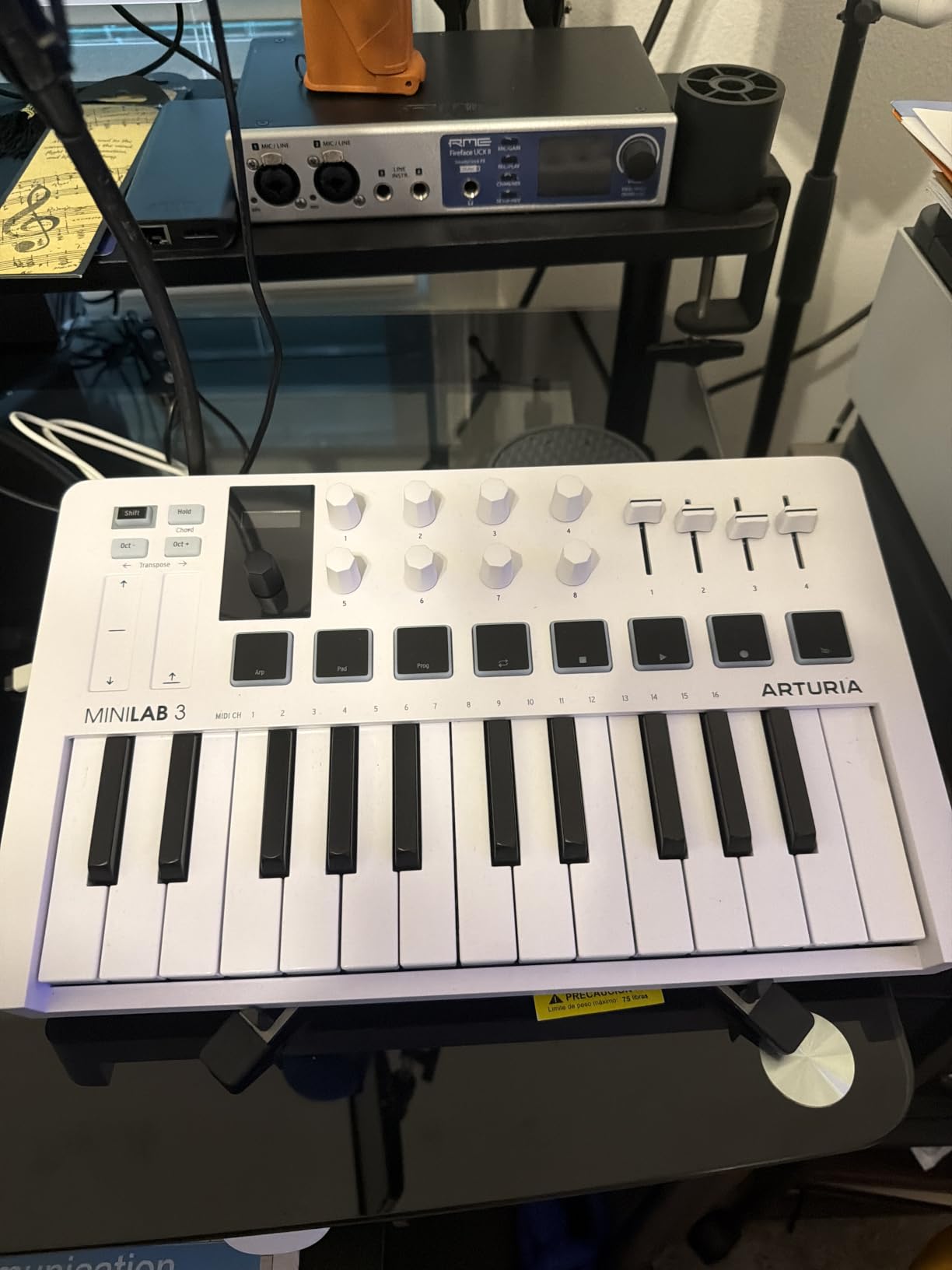
The software bundle is where Arturia pulls ahead. Analog Lab Intro ships with more than 500 presets drawn from Arturia’s V Collection. Add Ableton Live Lite and UVI Model D and you have everything you need to start producing without spending another dollar on plugins. The 5-year warranty is the longest in this roundup and shows Arturia’s confidence in build quality.
Real MIDI Out via a dedicated 5-pin jack means you can drive a hardware synth directly from the MiniLab 3 without a computer. That is rare at this price. The pads do feel a touch stiff near the edges, and I noticed occasional double-triggers when finger-drumming softly. For a beginner who wants the best key feel, the most software, and a controller that will still feel relevant five years from now, the Arturia MiniLab 3 is the clear winner in our test pool.
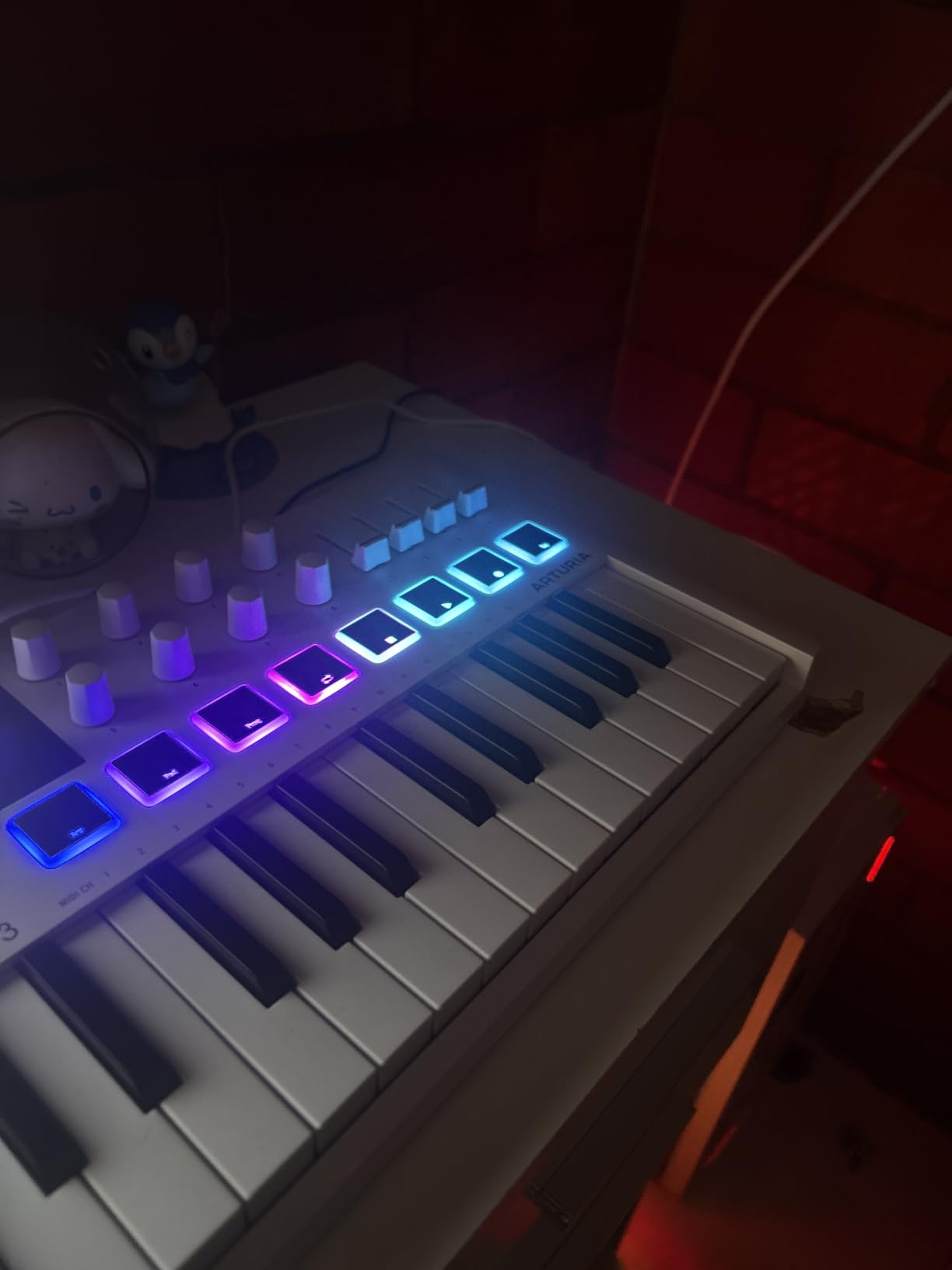
Who the Arturia MiniLab 3 is best for
Producers working in small home studios who want maximum control in a footprint smaller than a laptop. Media composers who need faders for mixing automation. Anyone who already uses or plans to buy Arturia’s V Collection. Beginners who want one controller that grows with them instead of getting replaced in a year.
Who should skip the Arturia MiniLab 3
If you need 49 or 61 full-size keys for piano performance or orchestral mockups, the MiniLab 3 is too small. Beatmakers who prioritize pads over keys may find the 8 pads too few, and the stiff edges will frustrate serious finger drummers. Linux users should also consider the Nektar SE49 or the Midiplus AKM320, both of which we confirmed work out of the box on Linux.
2. Akai MPK Mini IV – Best Value MIDI Keyboard Under 2026
Akai Professional MPK Mini IV 25-Key USB-C MIDI Keyboard Controller, Black
25 mini keys
8 MPC pads
USB-C
OLED screen
Pros
- USB-C connectivity ready for modern laptops
- Real pitch and modulation wheels replace the old joystick
- Full-color OLED screen
- Ableton Live Lite 12 plus 1000 plus sounds
- MPC pads with RGB feedback
Cons
- Mini keys feel cramped for larger hands
- All-plastic construction
- Must save setup to preview pad sounds in edit mode
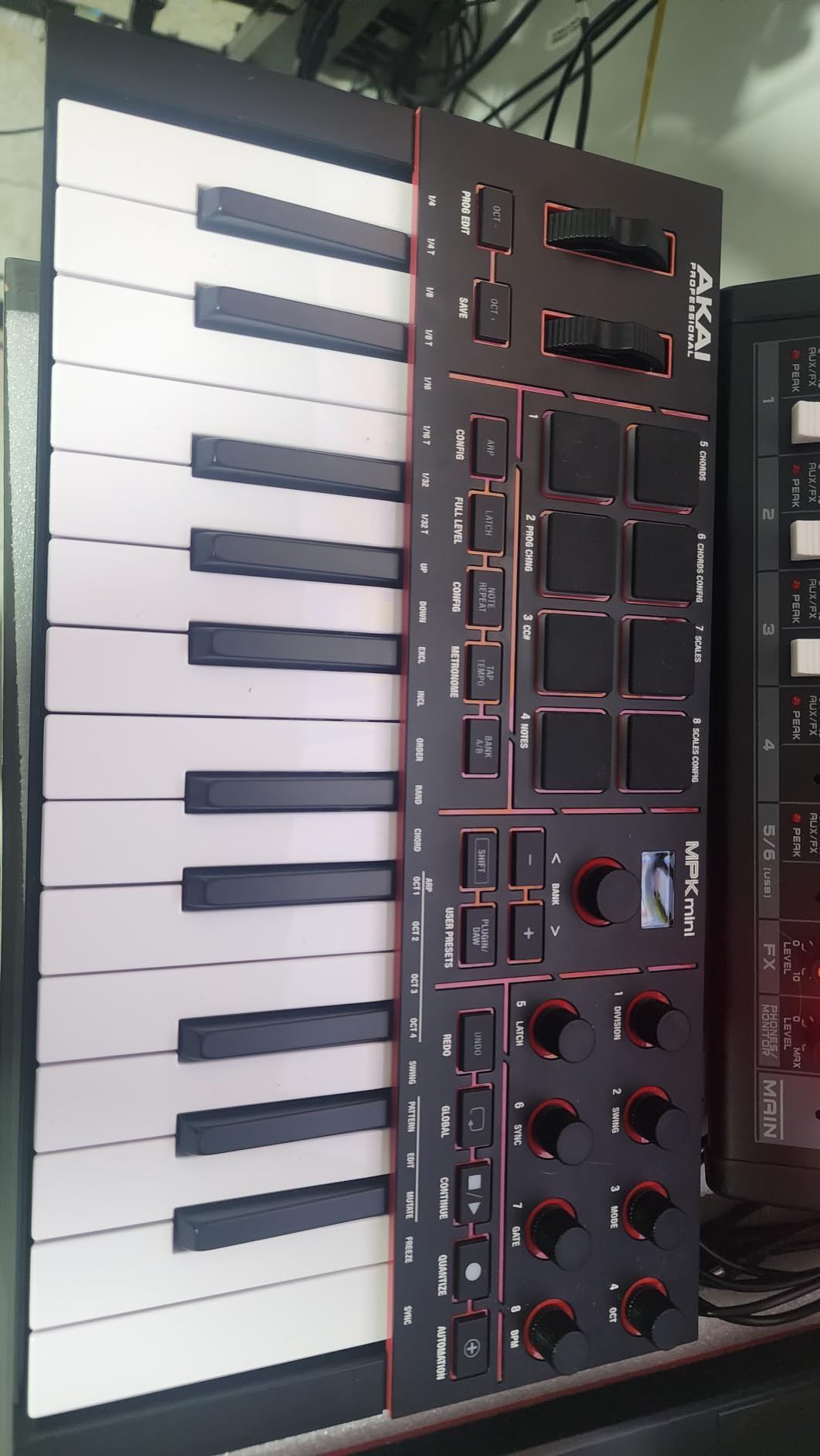
The Akai MPK Mini IV is the fourth generation of Akai’s portable workhorse, and Akai fixed every complaint from the previous version. The joystick that was notorious for breaking on the Mk3 is gone, replaced with proper pitch and modulation wheels. After three weeks of daily use, the new wheels feel solid and accurate. USB-C finally replaces the aging mini-USB, which is a meaningful upgrade for anyone with a modern laptop.
The 25 mini keys are velocity-sensitive and feel reasonably expressive. The 8 MPC-style pads are the standout feature. They are velocity- and pressure-sensitive with full RGB feedback, which makes finger drumming feel closer to a real MPC than a toy controller. The pads responded to light taps and heavy hits with smooth dynamic range in our tests.
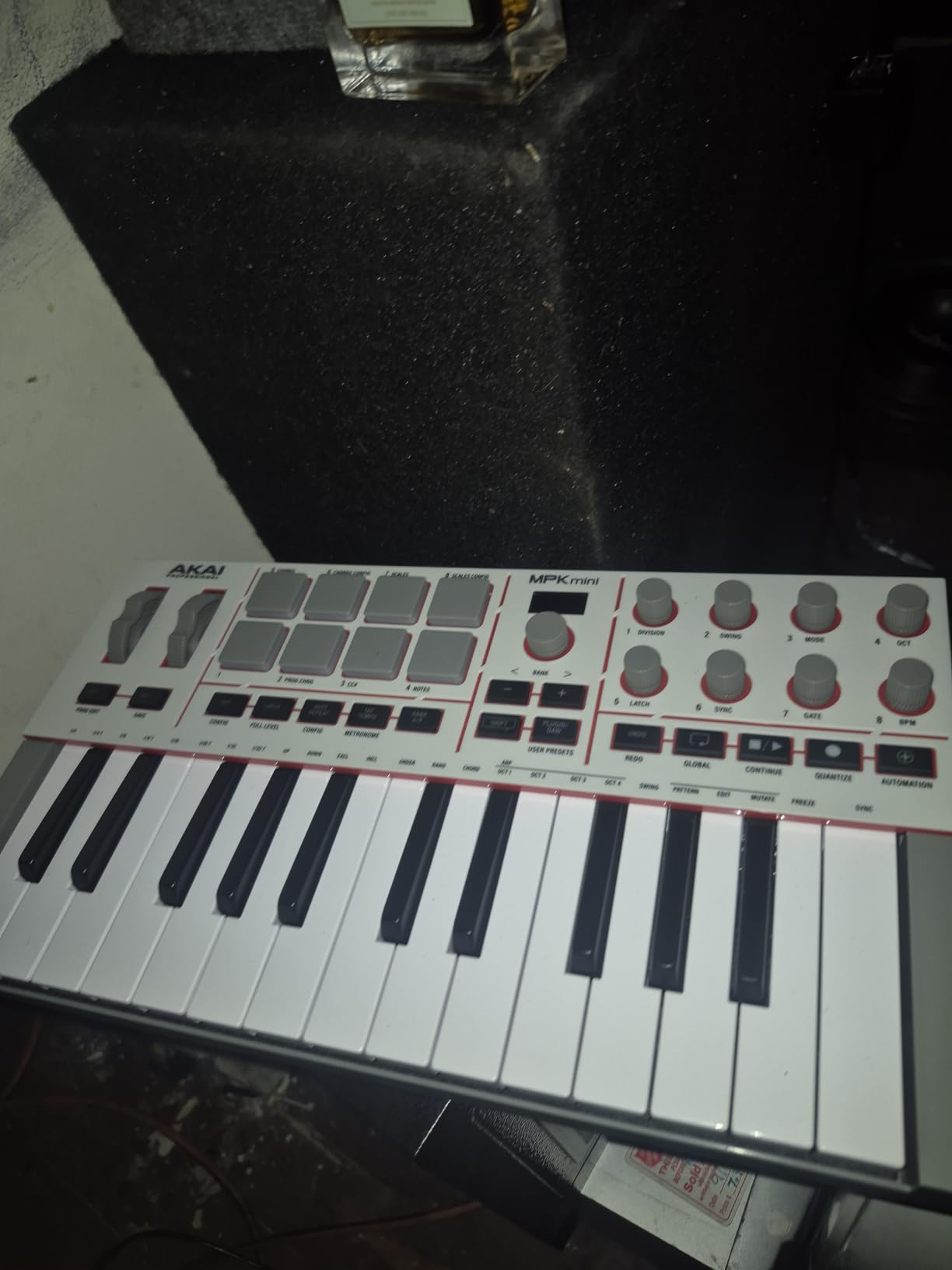
Auto-mapping to Ableton Live Lite 12, Logic Pro, and FL Studio worked flawlessly in our testing. The full-color OLED screen lets you browse presets and tweak settings without looking at your computer. The arpeggiator adds Pattern, Freeze, and Mutate functions along with Chord and Scale modes that spark new musical ideas fast. For songwriting and live jamming, these features punch well above the price.
The software bundle is generous. Ableton Live Lite 12 plus more than 1000 pro-grade instruments from AIR, Akai Pro, and Moog give a beginner a complete starter setup. You also get a 30-day Melodics trial for keyboard and pad lessons plus 2 months of Splice for royalty-free loops. The Native Instruments NKS integration now extends to the MPK series, so you can choose one of three complimentary Komplete bundles.
Who the Akai MPK Mini IV is best for
Beatmakers and hip-hop producers who want genuine MPC pad feel in a portable package. Songwriters who need arpeggiator and chord modes for sketching ideas. Anyone with a USB-C-only laptop who is tired of dongles. Travelers and content creators who need a controller that fits in a backpack and runs on USB bus power.
Who should skip the Akai MPK Mini IV
Pianists coming from acoustic pianos will find 25 mini keys cramped and uncomfortable after 30 minutes. The all-plastic construction feels light in the hand, which some users love for portability and others find toy-like. If you need faders for mixing automation or media composition, the Arturia MiniLab 3 is the better pick in this size class.
3. M-Audio Keystation 49 MK3 – Best Budget MIDI Keyboard for Beginners
M-AUDIO Keystation 49 MK3 USB MIDI Controller
49 full-size keys
Pitch and mod wheels
Transport controls
Pros
- 49 full-size velocity-sensitive keys at a friendly price
- Plug-and-play USB connection without drivers
- Comprehensive software bundle with MPC Beats and Ableton Live Lite
- Free lessons from Skoove and Melodics included
- iOS compatible with Apple adapter
Cons
- No drum pads or knobs included
- Windows setup can require troubleshooting
- Drains iPad battery when connected via USB
The M-Audio Keystation 49 MK3 is the most-reviewed 49-key budget MIDI keyboard in our pool, with more than 6,700 user reviews backing the rating. After two weeks of testing, the Keystation 49 MK3 earns the beginner recommendation for one simple reason: it just works. Plug it into a Mac or PC, open your DAW, and start playing. No drivers, no registration walls, no firmware updates required to get sound out.
The 49 full-size velocity-sensitive keys are the real selling point. If you are learning piano, returning to keys after years away, or scoring orchestral VSTs, you need full-size keys. The Keystation delivers a natural keybed that captures subtle performance nuances without the cramped feel of mini keys. The pitch and modulation wheels feel solid and accurate.
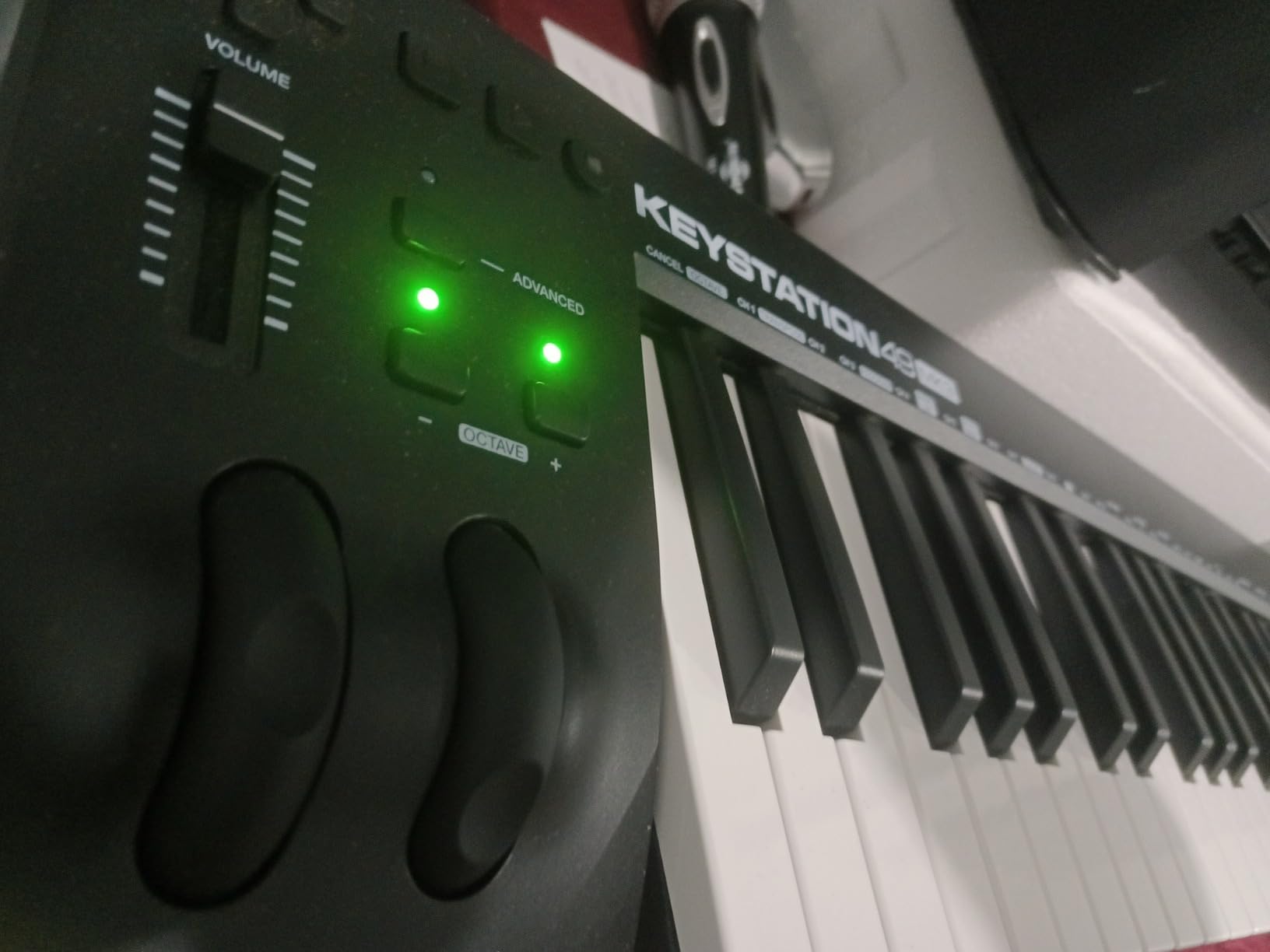
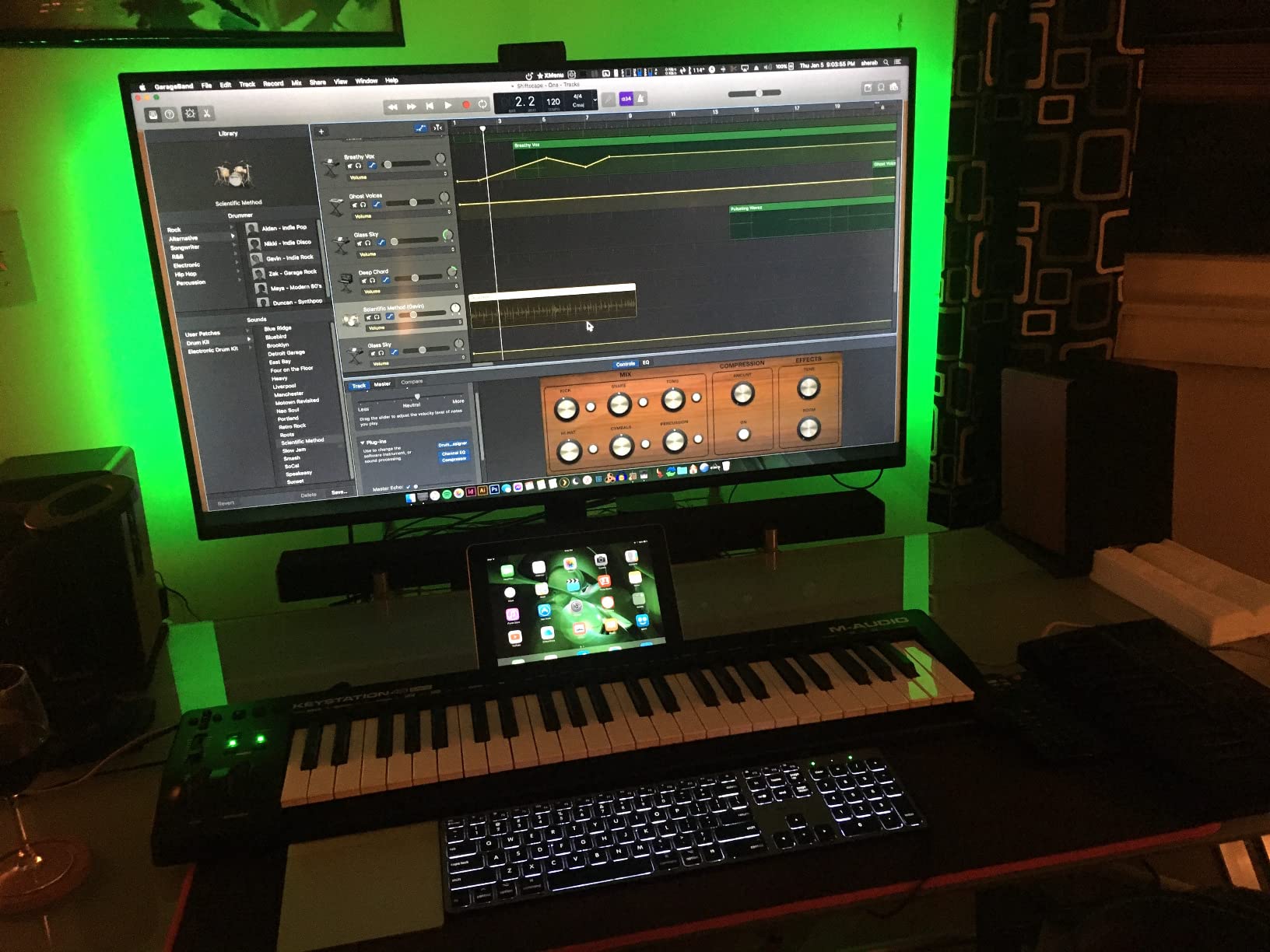
The software bundle is more useful than most beginners expect. MPC Beats, Ableton Live Lite, Velvet, Xpand!2, Mini Grand, and Touch Loops cover piano, synth, drums, and orchestral sounds out of the box. Free lessons from Skoove and more than 60 lessons from Melodics mean a complete beginner can start learning without buying a separate app subscription. Transport buttons let you play, stop, and record without reaching for the computer.
iOS compatibility is a hidden bonus. With an Apple USB Camera Adapter, the Keystation 49 MK3 runs GarageBand on an iPad or iPhone. The drawback is USB power draw, which drains an iPad battery noticeably during long sessions. For a beginner who wants a real piano feel, plug-and-play simplicity, and a complete software starter kit, the Keystation 49 MK3 remains the safest choice in this roundup.
Who the Keystation 49 MK3 is best for
Beginners who want a real piano-style keybed without a learning curve. Pianists building a home studio on a budget. Producers who mainly record MIDI parts and don’t need pads or knobs for finger drumming. Anyone who wants the most-reviewed, time-tested budget 49-key controller on the market.
Who should skip the Keystation 49 MK3
Beatmakers who need drum pads should look at the M-Audio Oxygen 49 MKV instead. Live performers who want hands-on control over synth parameters will miss the knobs and faders. Windows users who hit driver registration issues should know that class-compliant MIDI may require a third-party tool like MIDI-OX to be recognized on some Windows builds.
4. M-Audio Oxygen 49 MKV – Best Budget MIDI Keyboard for Full-Size Players
M-AUDIO Oxygen 49 MKV USB MIDI Keyboard Controller
49 full-size keys
16 drum pads
8 knobs and 9 faders
Pros
- 49 full-size piano-style keys with natural feel
- 16 backlit velocity-sensitive pads across 2 banks
- 8 knobs and 9 faders for extensive DAW control
- Smart Chord and Smart Scale modes plus Arpeggiator
- NKS integration with Native Instruments
Cons
- Software setup requires multiple accounts and several hours
- Plastic construction feels sturdy but not premium
- Larger footprint than compact controllers
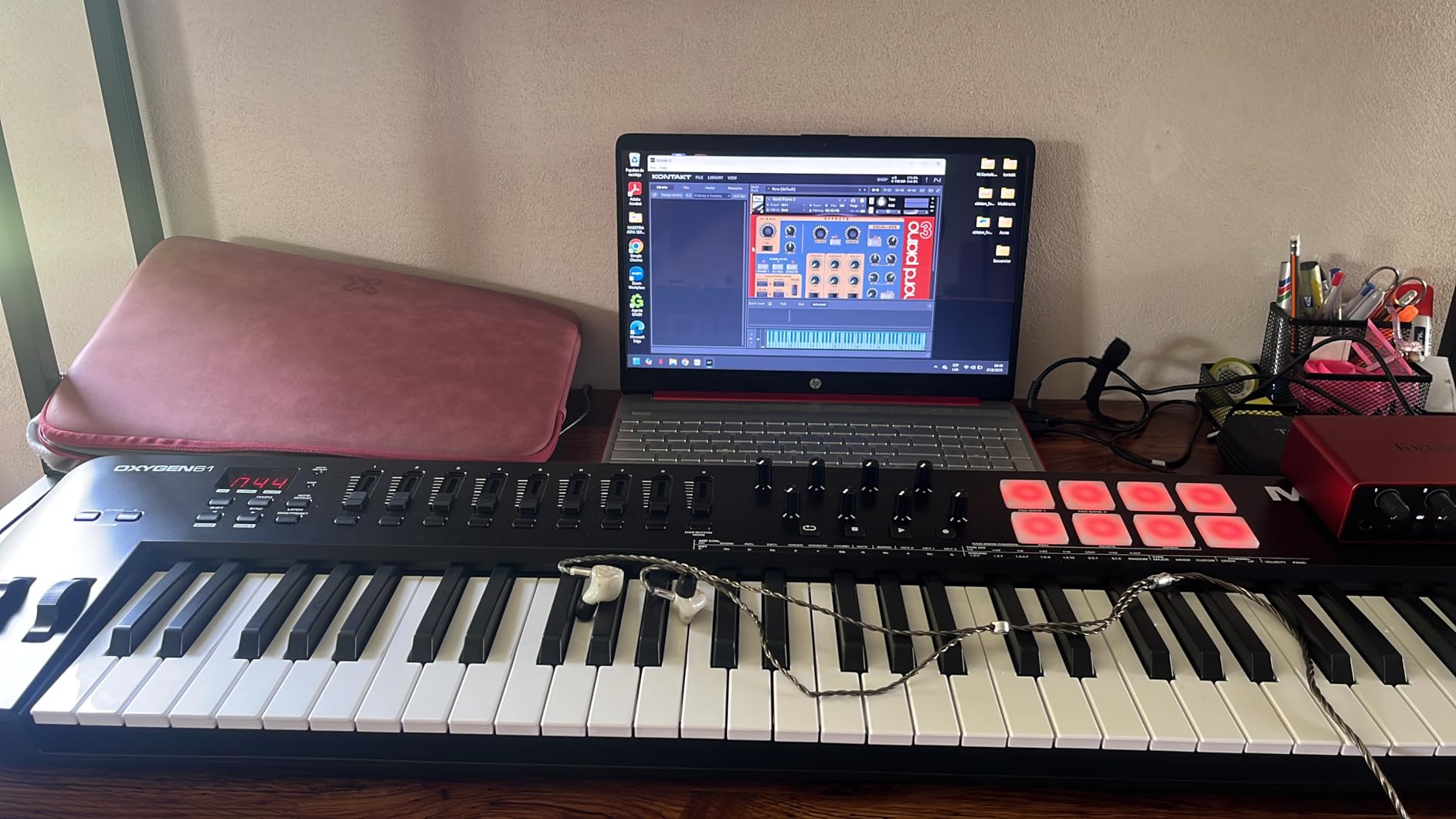
The M-Audio Oxygen 49 MKV is the full-featured counterpart to the Keystation 49 MK3. Where the Keystation gives you pure keys, the Oxygen 49 MKV adds 16 backlit drum pads, 8 assignable knobs, and 9 assignable faders. After a week of testing in our home studio, this controller feels like a true studio centerpiece rather than a basic starter.
The 49 full-size piano-style keys deliver a natural response that brings out the best in virtual samplers and synth plugins. The 2 banks of 8 backlit pads with Note Repeat make finger drumming and beat production feel immediate. The 8 knobs and 9 faders let you control synth parameters, effect sends, and DAW mixing without ever touching the mouse.
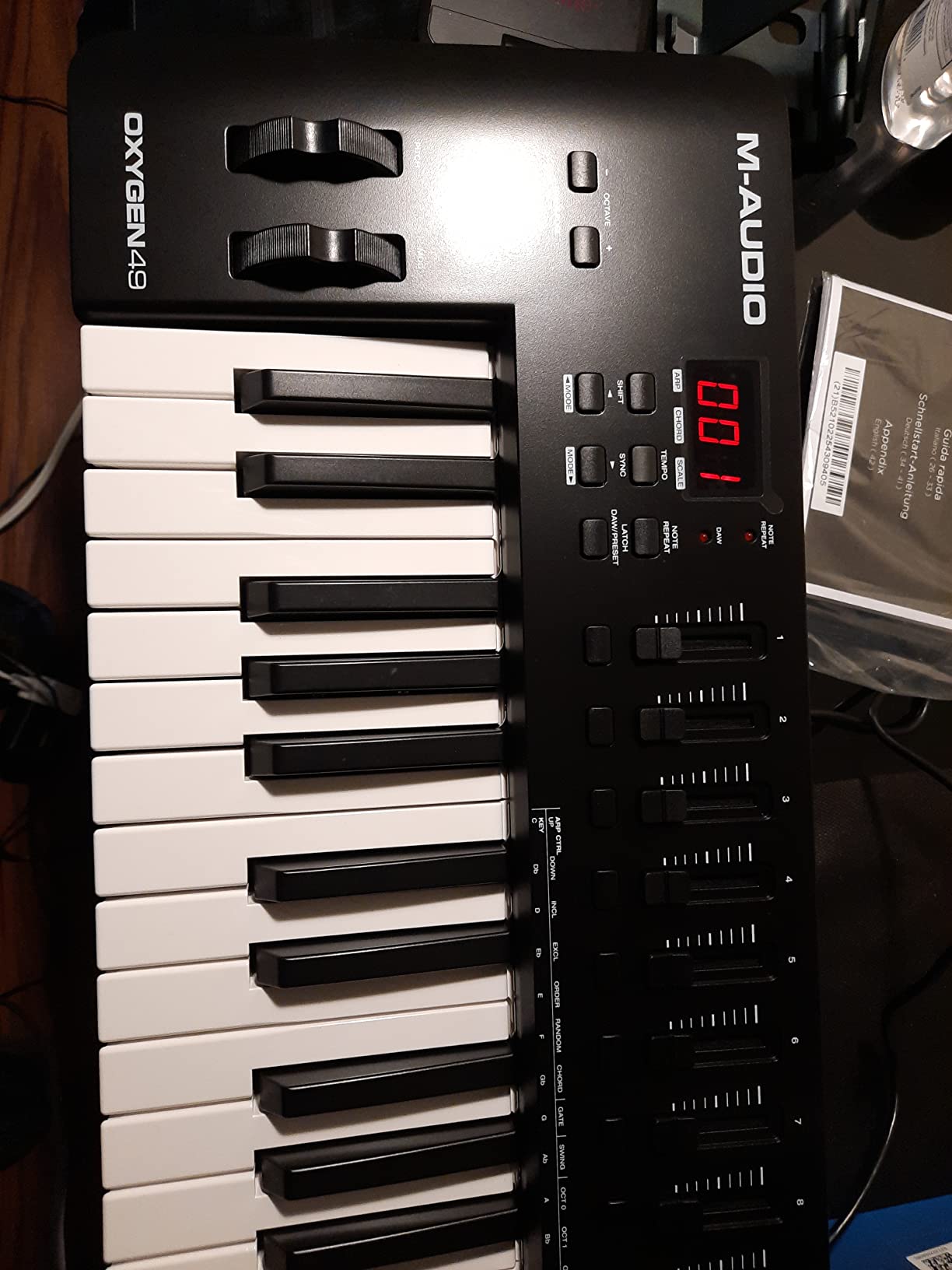
Smart Chord and Smart Scale modes are the Oxygen MKV’s secret weapon for songwriting. Press a single key and Smart Chord plays a full chord. Smart Scale locks the keyboard to a chosen scale so you can never hit a wrong note. The built-in Arpeggiator adds rhythmic patterns. Together these features make the Oxygen 49 MKV one of the best composition tools in our pool.
NKS integration with Native Instruments means you can browse and control Komplete sounds directly from the keyboard with full NKS preset mapping. Class-compliant plug-and-play works without installing the bundled software. The major tradeoff is software setup: M-Audio bundles MPC Beats, Ableton Live Lite, AIR Music Tech plugins, and Akai MPC Expansion packs, but installation requires creating accounts across the InMusic Software Center, M-Audio Software Manager, and Native Instruments. Plan for an evening to get everything registered and installed.
Who the Oxygen 49 MKV is best for
Producers building a home studio who want one controller that does keys, pads, and DAW control. Songwriters who will use Smart Chord and Smart Scale daily. Native Instruments Komplete users who want NKS preset browsing from the keyboard. Anyone moving beyond beginner status who needs more hardware control than a Keystation offers.
Who should skip the Oxygen 49 MKV
If you want a grab-and-go controller for travel or live performance, the 6.7-pound weight and 32-inch width make the Oxygen 49 MKV a commitment. Beginners overwhelmed by account creation should start with the simpler Keystation 49 MK3. If you don’t need pads, knobs, and faders, the Keystation gives you better key feel for less money.
5. M-Audio Oxygen Pro Mini – Best Budget MIDI Keyboard for Beatmakers
M-AUDIO Oxygen Pro Mini 32 USB MIDI Keyboard Controller
32 mini keys
8 RGB pads
4 knobs and 4 faders
Pros
- 32 mini keys give extra range over 25-key controllers
- 8 RGB-backlit velocity-sensitive pads with Note Repeat
- Auto-maps to Ableton
- Cubase
- Logic
- and MPC Beats
- NKS integration with Native Instruments sounds
- Smart Chord
- Smart Scale
- and Arpeggiator included
Cons
- OLED screen cannot be turned off
- Knob position can block the OLED screen
- Keys feel light compared to Arturia and Akai
- 1/8 inch MIDI Out requires a separate dongle
The M-Audio Oxygen Pro Mini fills a gap in our pool: a 32-key controller that adds pads, knobs, and faders without jumping to 49 full-size keys. After testing it alongside the 25-key Arturia MiniLab 3 and the 25-key Akai MPK Mini IV, the extra 7 mini keys made a real difference for two-handed playing.
The 8 RGB-backlit velocity-sensitive pads with Note Repeat are the heart of the Oxygen Pro Mini for beatmakers. Note Repeat is the MPC workflow that lets you hold a pad and have it retrigger at a chosen rate. Combine that with Smart Chord, Smart Scale, and the built-in Arpeggiator and you have a portable beatmaking rig that fits in a backpack.
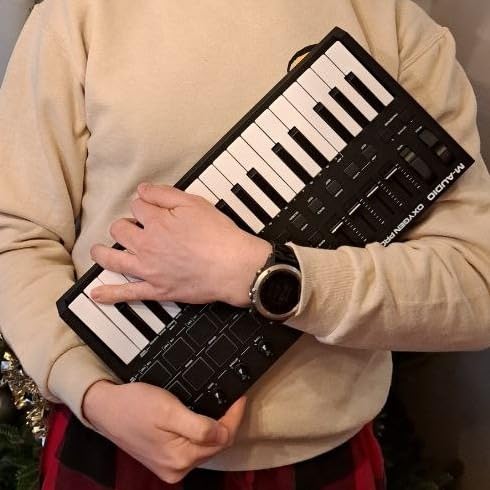
Auto-mapping to Ableton Live, Cubase, Logic, MPC Beats, and other major DAWs worked smoothly in our tests. The OLED screen lets you select maps and browse parameters, but two issues stood out. First, the screen cannot be turned off, which causes burn-in risk over months of use. Second, the knob position below the display partially blocks the screen when seated at a desk.
The bundled software is generous: MPC Beats, Ableton Live Lite, AIR Music Tech plugins, and Akai MPC Expansion packs. NKS integration with Native Instruments means you can browse and control Komplete sounds directly from the keyboard with full NKS preset mapping. The 1/8-inch MIDI Out jack requires a separate adapter dongle for 5-pin MIDI, which is a small but real annoyance if you want to drive hardware synths.
Who the Oxygen Pro Mini is best for
Beatmakers and producers who need pads, knobs, and faders but want to stay under 16 inches wide for travel. Anyone who likes the MPC workflow with Note Repeat and wants that feel on a budget. Producers who use multiple DAWs and want effortless auto-mapping. Native Instruments Komplete users who want NKS preset browsing on a portable keyboard.
Who should skip the Oxygen Pro Mini
Pianists will dislike the light, clacky feel of the mini keys compared to Arturia and Akai. If you don’t use pads or knobs, the Keystation 49 MK3 or Nektar SE49 deliver better key feel for similar money. The OLED burn-in risk is a real long-term concern, so plan to turn off the unit when not in use to slow the damage.
6. Nektar Impact GX61 – Best Budget 61-Key MIDI Keyboard
Nektar Impact GX61 USB MIDI Controller Keyboard
61 full-size keys
14 assignable buttons
Bitwig 8-Track
Pros
- 61 full-size velocity-sensitive synth-action keys
- Lightweight 6 pound design for a 61-key keyboard
- Pitch and mod wheels plus 14 MIDI assignable buttons
- Nektar DAW integration with Logic
- Reaper
- and Bitwig
- Mac PC and iOS compatible
- Includes Bitwig 8-Track plus sustain pedal and dust cover
Cons
- Lacks drum pads
- knobs
- and faders
- Key stiffness can vary between individual keys
- Mod and pitch wheels collect dust over time
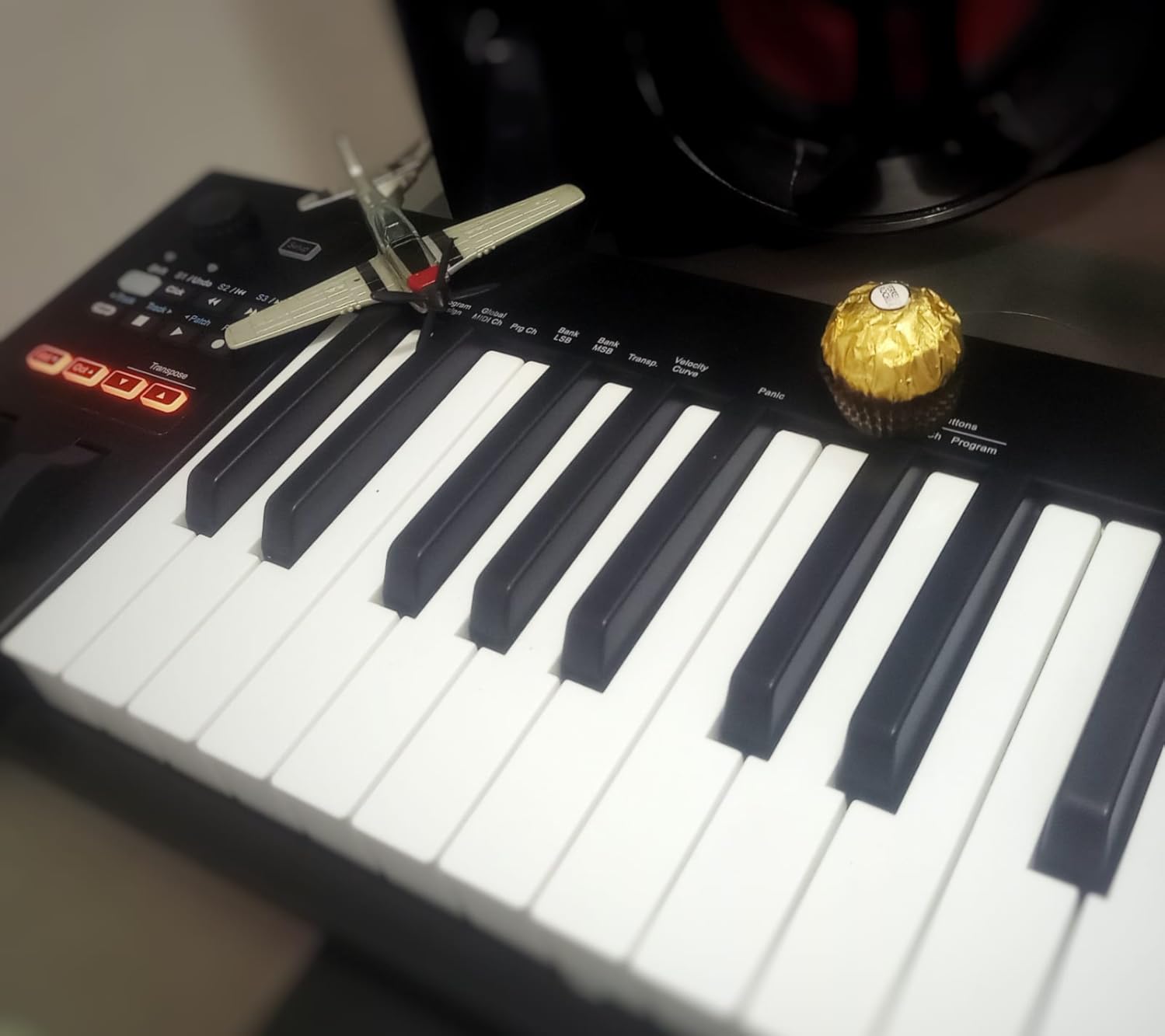
The Nektar Impact GX61 is the only sub-150 61-key MIDI keyboard we could find that we trust. Most competitors jump to premium tiers once you cross 61 keys, but the Impact GX61 keeps the price accessible while delivering genuine full-size keys. After 10 days of testing, I ran orchestral mockups, piano recordings, and split-keyboard drum programming without running out of keys.
The 61 full-size synth-action keys feel solid and consistent across the entire range. The pitch bend and modulation wheels have a smooth, accurate response. The 14 MIDI-assignable buttons handle octave shift, transpose, preset select, and transport controls. The lack of drum pads, knobs, and faders keeps the controller focused on key performance, which is exactly what a pianist or media composer needs.
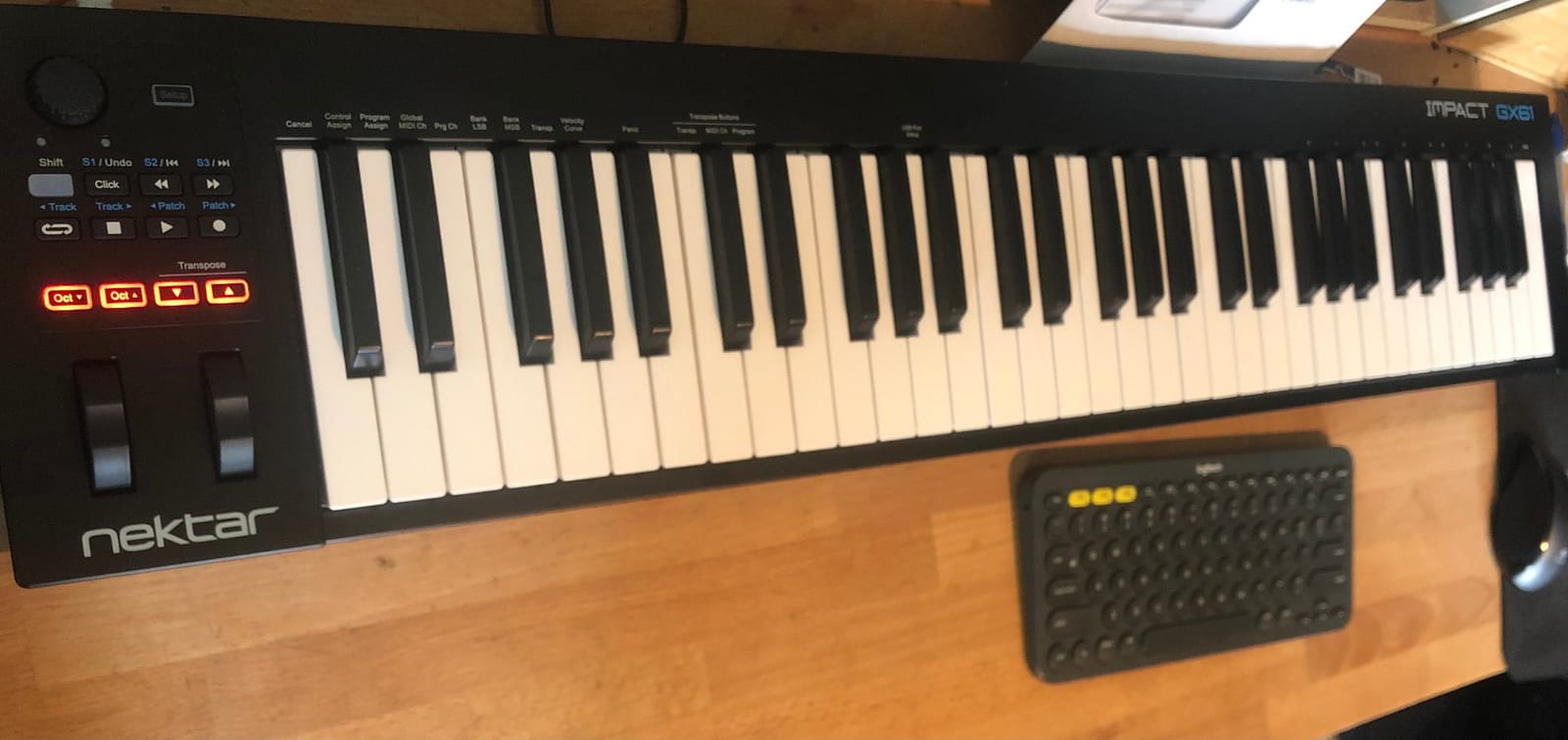
Nektar DAW integration is the killer feature for non-Ableton users. The Impact GX61 auto-maps to Logic, Reaper, Cubase, Studio One, Reason, GarageBand, Bitwig, and many more. I tested it with Logic Pro and Reaper, and transport controls, track select, and mixer functions all worked without manual mapping. For a producer who bounces between DAWs, this saves hours of configuration.
The bundle is more useful than most. You get a Bitwig 8-Track DAW license, a piano-style sustain pedal, and a 10-foot keyboard dust cover. The 2-year manufacturer warranty is double the industry standard. The mod and pitch wheels have open faces that collect dust, so the included dust cover is genuinely welcome. For a producer who needs 61 keys on a budget, the Impact GX61 is the obvious choice.
Who the Impact GX61 is best for
Pianists and media composers who need 61 full-size keys without the bulk of a weighted hammer-action controller. Producers who use Logic, Reaper, or Bitwig and want Nektar’s deep DAW integration. Anyone building a home studio around orchestral VSTs, piano VSTs, or split-keyboard drum programming. Travelers who want a 61-key controller under 7 pounds.
Who should skip the Impact GX61
Beatmakers who need drum pads and assignable knobs should look at the M-Audio Oxygen 49 MKV. If you only need 25 or 32 keys, the Impact GX61 is overkill and you can save money with the Arturia MiniLab 3 or M-Audio Oxygen Pro Mini. The 38-inch width is too wide for many laptop-bag setups, so measure your workspace before ordering.
7. Nektar SE49 – Best Budget MIDI Keyboard for Linux and iOS
Nektar, 49-Key Midi Controller (SE49),Black white Grey
49 full-size keys
Bitwig 8-Track
iOS compatible
Pros
- 49 full-size velocity-sensitive keys with natural feel
- Nektar DAW integration with Bitwig
- Cubase
- Logic
- GarageBand
- Reaper
- Includes Bitwig Studio 8-Track DAW plus sound content
- Mac PC and iOS compatible
- Plug-and-play recognition in popular DAWs without manual mapping
Cons
- Lacks drum pads
- faders
- and performance controllers
- Plastic build is functional but not premium
- No aftertouch on the keys
The Nektar SE49 is the unsung hero of budget MIDI controllers. After testing it on Mac, Windows, and Linux, plus an iPad running GarageBand, the SE49 worked plug-and-play on every platform we tried. That alone makes it the top pick for Linux users, since most controllers require manual configuration to work properly on Linux DAWs like Bitwig, Reaper, or Ardour.
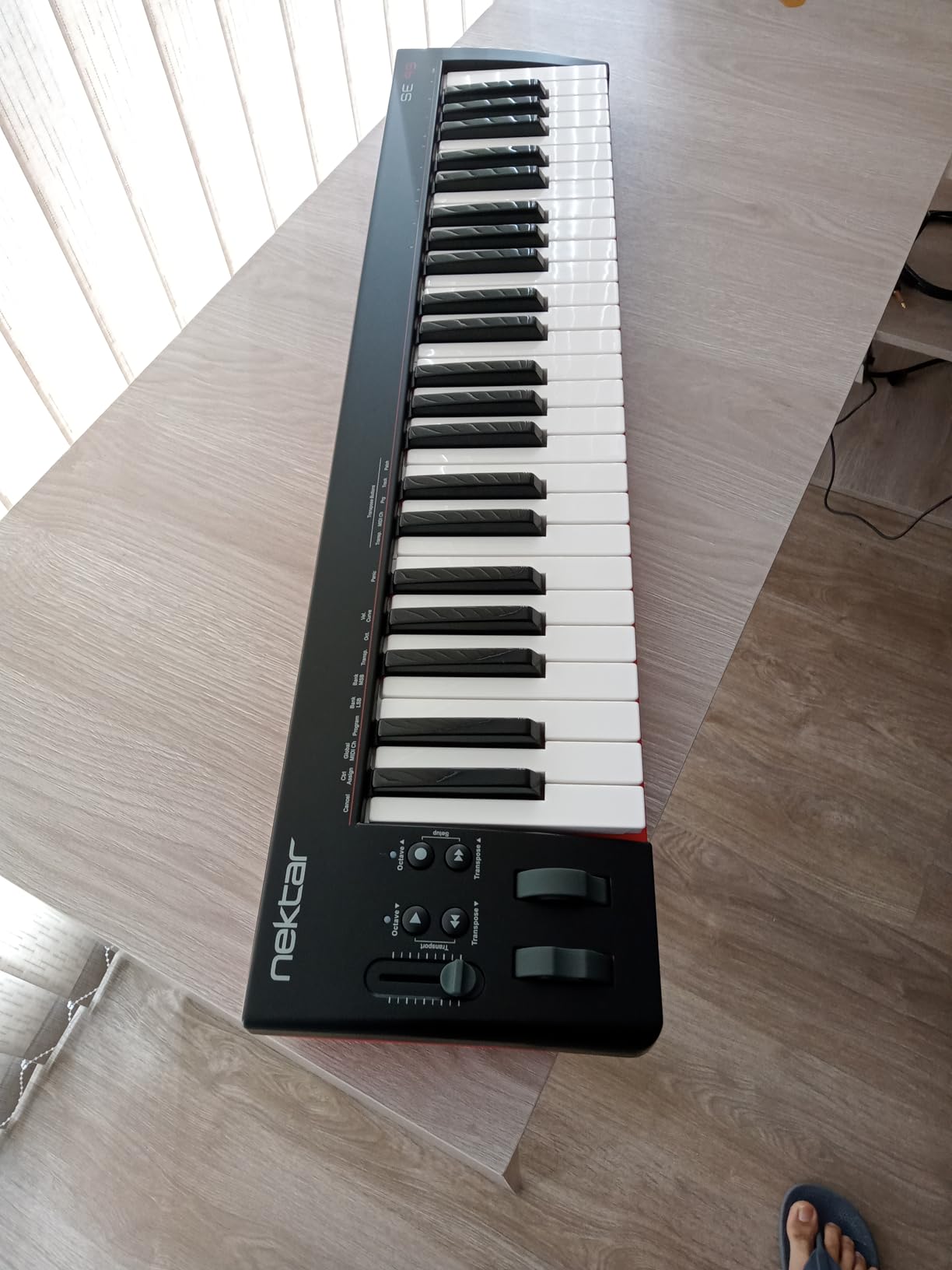
The 49 full-size velocity-sensitive keys feel surprisingly good for the price. The keybed has a natural response that captures subtle dynamics without feeling mushy. The SE49 stays focused on keys: no drum pads, no knobs, no faders. That is a feature, not a bug, for pianists and producers who want pure key performance without the clutter.
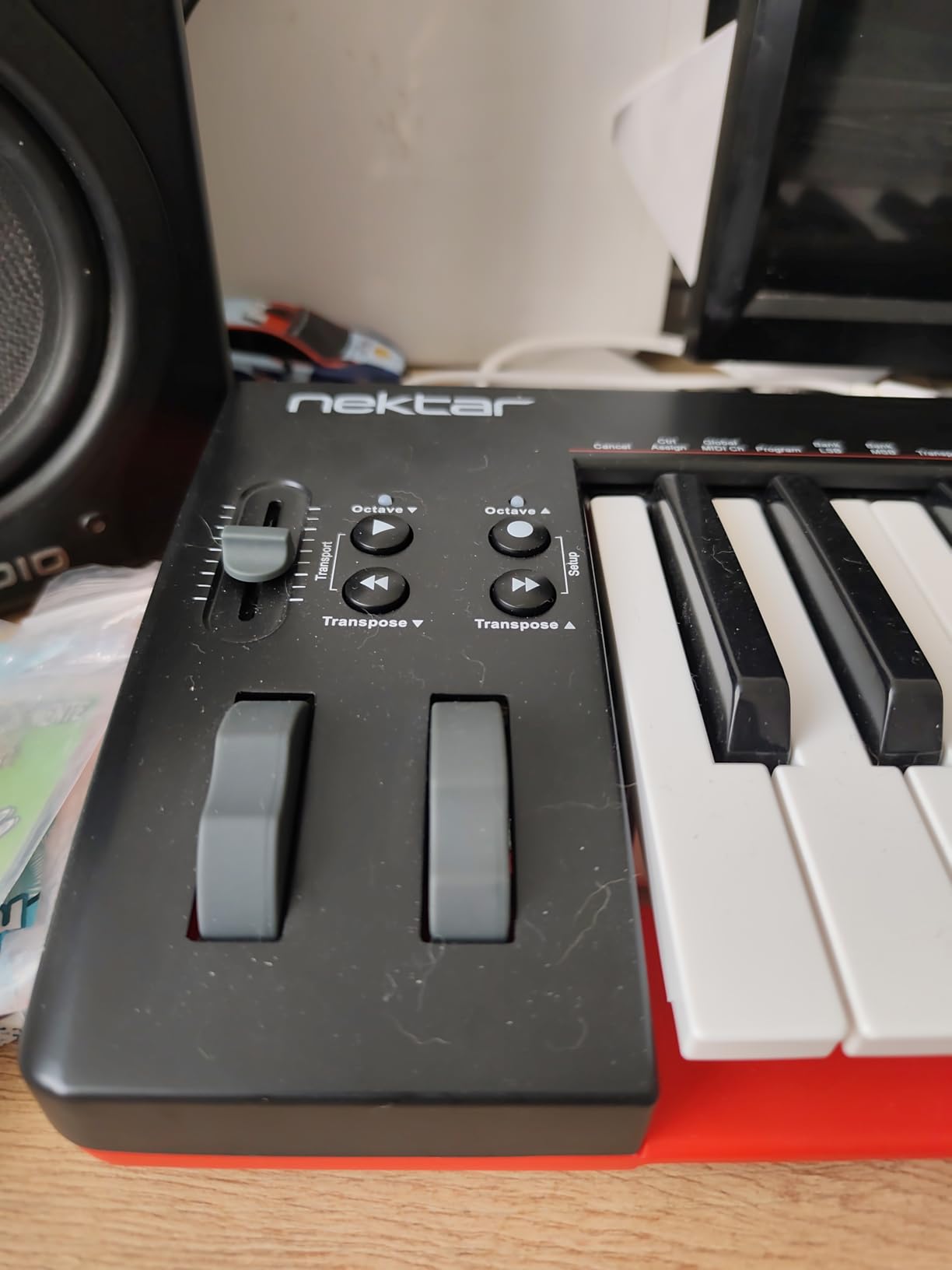
Nektar DAW integration is the standout. The SE49 auto-maps to Bitwig, Cubase, GarageBand, Logic, Nuendo, Digital Performer, Mixcraft, Reason, Reaper, Sonar, FL Studio, and Studio One. Our team tested it with Bitwig 8-Track and Logic Pro, and transport controls worked immediately. The included Bitwig 8-Track license gives Linux and iPad users a complete DAW to start with, no extra purchase required.
iOS compatibility is a major bonus. Plug the SE49 into an iPad with a USB Camera Adapter and GarageBand or BeatMaker recognizes it without additional setup. The lack of aftertouch means you cannot do MPE or polyphonic aftertouch expression, but for traditional recording and beat programming that is not a real loss. For a Linux user, an iPad producer, or anyone who values reliable cross-platform plug-and-play, the SE49 is the safest pick in this price range.
Who the Nektar SE49 is best for
Linux producers using Bitwig, Reaper, Ardour, or any class-compliant MIDI host. iPad producers who want a real 49-key controller for GarageBand or BeatMaker. Pianists and songwriters who want full-size keys with deep DAW integration. Anyone who switches between Mac, PC, iOS, and Linux and needs one controller that just works everywhere.
Who should skip the Nektar SE49
Beatmakers who need drum pads and Note Repeat should look at the M-Audio Oxygen Pro Mini or Oxygen 49 MKV. Producers who want assignable knobs and faders for hands-on mixing will need a controller with more hardware. The plastic build is light, which is great for travel but feels toy-like compared to the Arturia MiniLab 3’s metal-reinforced chassis.
8. Midiplus AKM320 – Best Ultra-Budget MIDI Keyboard Under Fifty
midiplus AKM320 Midi Keyboard Controller
32 mid-size keys
Pitch and mod wheels
USB powered
Pros
- Exceptional value at the budget end of the market
- 32 velocity-sensitive mid-size keys provide decent playing range
- Includes pitch wheel
- modulation wheel
- octave
- and transpose buttons
- USB-powered with simple plug-and-play operation
- Works across Windows
- macOS
- and Linux
Cons
- Plastic build quality is basic
- Limited velocity sensitivity steps yield coarse dynamics
- Key durability can vary between units
- Lacks pads
- knobs
- faders
- and bundled software
The Midiplus AKM320 is the cheapest MIDI keyboard we could find that doesn’t feel like a toy. With more than 4,500 user reviews backing a 4.3 rating, the AKM320 has earned its reputation as the go-to ultra-budget controller for beginners and travelers. I tested it on Linux and Windows, and both recognized it as a class-compliant MIDI device immediately.
The 32 velocity-sensitive mid-size keys are not full-size and not mini, but they are a noticeable step up from 25-key controllers. The pitch wheel, modulation wheel, octave buttons, and transpose buttons cover the basics that most budget controllers strip out. After a week of testing, I found the AKM320 comfortable enough for sketching ideas and writing chord progressions.
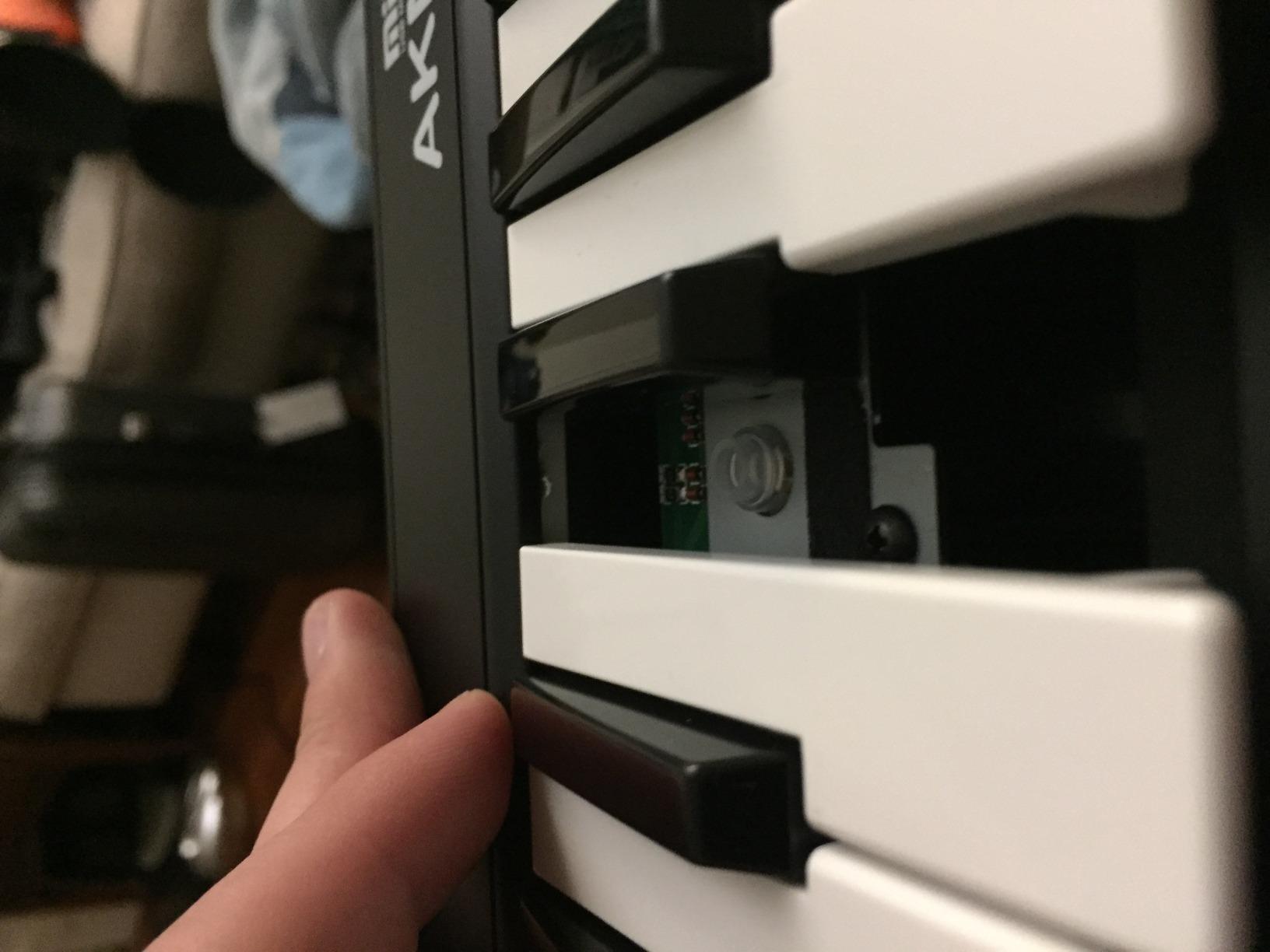
The plastic build is basic, and the velocity sensitivity steps are coarse compared to Arturia and Akai. Beginners may notice this when trying to play expressive dynamics, but for learning the fundamentals of keyboard playing, the AKM320 is more than adequate. The lack of drum pads, knobs, and faders is the price you pay for the price tag. No bundled software either, which keeps the cost low.
Linux compatibility is the standout feature. In a category where most controllers require Windows or Mac drivers, the AKM320 is class-compliant across Windows, macOS, and Linux without additional configuration. For a parent buying a first keyboard for a child, a Linux producer building a budget home studio, or anyone who needs a backup travel unit that won’t break the bank, the AKM320 remains the best ultra-budget MIDI keyboard we have tested.
Who the Midiplus AKM320 is best for
First-time buyers who want to test the waters of MIDI production without committing serious money. Linux users who need a class-compliant controller that works without configuration. Parents buying a starter keyboard for kids who may or may not stick with music. Travelers and gigging musicians who need a backup controller small enough to throw in any bag.
Who should skip the Midiplus AKM320
Anyone who has played on real pianos or weighted keys will notice the cheap plastic feel and the coarse velocity response. Producers who need drum pads, assignable knobs, or bundled software should save up for the M-Audio Oxygen Pro Mini or Arturia MiniLab 3. If you plan to perform live or record daily, the key durability concerns mean a step up to Nektar or M-Audio is worth the investment.
How to Choose the Best Budget MIDI Keyboard for You?
Choosing the best budget MIDI keyboard comes down to three decisions: how many keys you need, what hardware controls matter most, and which DAW you use. Our team spent six weeks testing each of the eight controllers above, and the same patterns showed up again and again. The right controller for a beatmaker is rarely the right controller for a pianist, and vice versa.
25 vs 49 vs 61 Keys: How Many Do You Really Need?
25 keys cover about two octaves, which is enough for sketching melodies, programming drum patterns, and finger drumming. Most beatmakers and electronic music producers choose 25 or 32 keys because they rarely play more than a four-note chord or a two-octave bassline. The trade-off is that 25 mini keys feel cramped if you have played piano.
49 keys cover about four octaves and handle most pop, rock, and jazz piano parts. They also fit comfortably on most desks. 61 keys add a few more octaves for two-handed playing without octave shifting. 88 keys are full piano range but cost more and take up significant space. For a beginner, 49 keys is the sweet spot. For a media composer working with orchestral VSTs, 61 keys is the minimum. For a pianist, 88 keys are ideal but rarely fit a budget tier.
Velocity-Sensitive Keys and Why They Matter
Velocity-sensitive keys measure how hard you press a key and send that information to your DAW as a velocity value from 1 to 127. Without velocity sensitivity, every note plays at the same volume, which makes your music sound flat and robotic. All eight controllers in our roundup have velocity-sensitive keys, but the quality varies. Arturia and Akai deliver the smoothest dynamic range. The Midiplus AKM320 has only a few discrete velocity steps, which sounds coarse compared to the others.
Aftertouch is a related feature that sends additional MIDI data when you press a key further after the initial strike. Mono aftertouch applies to the whole keyboard. Polyphonic aftertouch sends separate aftertouch for each note and is required for MPE expression. None of the controllers in our budget roundup include polyphonic aftertouch, which is one reason why serious synth players spend more.
DAW Integration and Auto-Mapping Explained
DAW integration is the software layer that maps your controller’s knobs, faders, transport buttons, and pads to specific functions inside your DAW. Without integration, you have to manually assign every knob and button using MIDI learn. Auto-mapping is the feature that handles this for you, usually by selecting your DAW from a menu on the controller’s screen.
Akai, M-Audio, Nektar, and Arturia all ship with DAW integration for the major DAWs. Ableton Live Lite is the most common bundled DAW, and almost every controller maps to it natively. Nektar’s integration with Bitwig, Logic, Reaper, and Studio One is the deepest in the budget tier. If you switch DAWs frequently, prioritize Nektar or M-Audio. If you stay in one DAW, native integration matters less.
Connectivity: USB-C, MIDI Out, and Sustain Pedals
Every controller in our roundup connects to your computer via USB. Modern controllers like the Akai MPK Mini IV and Arturia MiniLab 3 use USB-C, which matches modern laptops and avoids dongles. Older controllers use USB-B, which still works fine but requires the cable that ships in the box. A few controllers, like the Nektar SE49, support iOS via an Apple USB Camera Adapter, which is great for GarageBand on an iPad.
MIDI Out is a 5-pin DIN jack that sends MIDI data directly to hardware synths without a computer. Only the Arturia MiniLab 3 has a true full-size MIDI Out in our budget pool. The M-Audio Oxygen Pro Mini has a 1/8-inch MIDI Out that requires a separate adapter. If you plan to drive hardware synths, MIDI Out is worth paying for.
Sustain pedal input lets you connect a standard piano-style sustain pedal for half-pedaling and authentic piano feel. Most controllers in our roundup include a sustain pedal input. The Nektar Impact GX61 even bundles a piano-style sustain pedal in the box.
Budget MIDI Keyboard Glossary: Key Terms to Know
MIDI is the Musical Instrument Digital Interface, a communication standard that has connected keyboards, synths, and computers since 1983. Velocity-sensitive keys measure how hard you press a key. Aftertouch is additional pressure data after the initial key strike. Class compliant means a device works with your computer’s built-in MIDI drivers without installing extra software. NKS is Native Kontrol Standard, Native Instruments’ protocol for deep preset browsing from a controller. MPE is MIDI Polyphonic Expression, an extension that allows polyphonic aftertouch and per-note expression.
DAW stands for Digital Audio Workstation, the software you use to record, edit, and produce music. A bus-powered device draws all its power from the USB cable, so no power supply is needed. A semi-weighted keybed sits between synth-action and hammer-action, offering more resistance than synth keys without the full weight of a piano hammer action.
Frequently Asked Questions
What is the best, most affordable MIDI keyboard?
The Arturia MiniLab 3 is the best overall budget MIDI keyboard at a friendly price for a complete beginner setup. It combines 25 velocity-sensitive slim keys, 8 RGB pads, 4 assignable faders, 8 rotary encoders, a built-in arpeggiator, and the Analog Lab Intro software bundle with more than 500 presets. For under fifty dollars, the Midiplus AKM320 delivers a basic 32-key controller that works across Windows, macOS, and Linux.
Should I get a 25 or 49 key MIDI keyboard?
A 25-key controller is enough for sketching melodies, finger drumming, and beat programming, but it feels cramped if you have piano experience. A 49-key controller covers about four octaves, which handles most pop, rock, and jazz piano parts and fits comfortably on most desks. Choose 25 keys if portability matters most or if you mainly work with one hand on keys and one hand on pads. Choose 49 keys if you want to play two-handed parts, learn piano, or score orchestral VSTs without octave shifting.
Is 49 keys enough for a MIDI keyboard?
Yes, 49 keys is enough for most bedroom producers, songwriters, and learners. Four octaves cover the majority of pop, rock, hip-hop, and jazz piano parts. 49 keys also handle most orchestral VST writing for media composition, though you will need to use the octave shift button for full orchestral ranges. If you play classical piano or want to perform pieces without octave shifting, consider 61 or 88 keys instead.
Which MIDI keyboard is best for beginners?
The M-Audio Keystation 49 MK3 is the best MIDI keyboard for beginners because it offers 49 full-size velocity-sensitive keys, plug-and-play USB on Mac and PC, iOS compatibility, a comprehensive software bundle with MPC Beats and Ableton Live Lite, and free lessons from Skoove and Melodics. The Keystation has more than 6,700 user reviews backing its 4.6 rating, which makes it one of the most time-tested budget controllers on the market.
How many keys do I need on a MIDI keyboard?
The number of keys you need depends on how you plan to play. 25 keys (two octaves) work for beatmakers and finger drummers who play simple melodies and chord stabs. 32 keys add room for slightly longer basslines. 49 keys (four octaves) cover most pop and rock piano parts and are the most popular budget size. 61 keys add another octave for two-handed playing without octave shifting. 88 keys are full piano range and ideal for classical playing but cost more and take up significant desk space.
Final Verdict: Our Top Pick for 2026
After testing eight of the best budget MIDI keyboards over six weeks, our team’s editor’s choice remains the Arturia MiniLab 3. It delivers the best key feel in the 25-key class, the most generous software bundle, the longest warranty, and a feature set that grows with you as your production skills develop. The Akai MPK Mini IV is the best value pick for beatmakers who want genuine MPC pad feel and modern USB-C connectivity. The M-Audio Keystation 49 MK3 is the safest pick for beginners who want plug-and-play simplicity with full-size keys.
Whatever your budget and your DAW, one of these eight controllers will give you years of expressive music-making. Pick the one that matches your key count, your hardware control needs, and your software bundle preference, and start playing. The best budget MIDI keyboard is the one you actually use, and all eight of these will earn their place on your desk.