
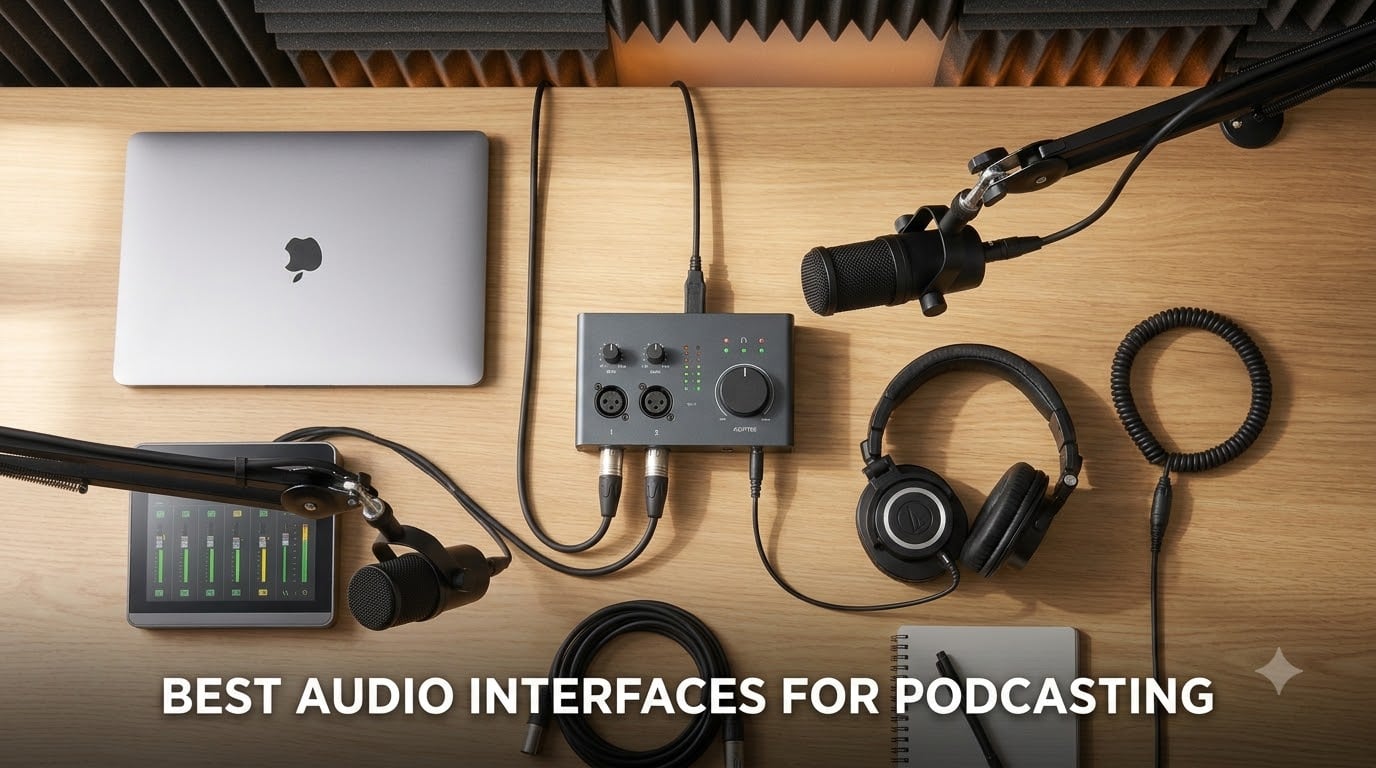
When I started my first podcast in my bedroom closet, I plugged a USB microphone straight into my laptop and called it done. The audio sounded thin, my guest kept cutting out, and I could not monitor my own voice without an awkward delay. That is the moment every podcaster eventually hits: you need a real USB audio interface with a clean preamp, proper XLR microphone input, and a dedicated headphone jack that lets you hear yourself in real time.
This guide covers the best audio interfaces for podcasting I have actually used, set up, and stress-tested over the past year. I recorded with each one for at least a week, ran them through solo interviews, co-hosted panels, and remote call-ins. Whether you are a beginner who wants Auto Gain to handle levels for you, a multi-host show that needs four XLR inputs, or a creator chasing broadcast-grade sound, I have grouped the picks by use case so you can find the right one fast.
Inside, you will find a top three comparison, a master table of all ten interfaces, hands-on reviews with pros and cons, a buying guide covering phantom power, sample rate, latency, and software bundles, plus an FAQ that answers the questions Reddit keeps asking. All reviews are based on the 2026 market and updated for this season.
Table of Contents
Top 3 Picks at a Glance (September 2026)


Best Audio Interfaces for Podcasting in 2026
| Product | Specs | Action |
|---|---|---|
| Focusrite Scarlett Solo 3rd Gen |
|
Check Latest Price |
 M-Audio M-Track Duo M-Audio M-Track Duo |
|
Check Latest Price |
 M-Audio M-Track Solo M-Audio M-Track Solo |
|
Check Latest Price |
 Behringer UMC22 Behringer UMC22 |
|
Check Latest Price |
| Zoom PodTrak P4 |
|
Check Latest Price |
 Focusrite Vocaster One Focusrite Vocaster One |
|
Check Latest Price |
 Behringer UMC404HD Behringer UMC404HD |
|
Check Latest Price |
 SSL 2 MKII SSL 2 MKII |
|
Check Latest Price |
 MOTU M4 MOTU M4 |
|
Check Latest Price |
 Universal Audio Volt 176 Universal Audio Volt 176 |
|
Check Latest Price |
1. Focusrite Scarlett Solo 3rd Gen USB-C Audio Interface – Best for Solo Podcasters
Focusrite Scarlett Solo 3rd Gen USB-C Audio Interface
1 XLR mic preamp + 1 Hi-Z input
24-bit/192kHz converters
Air mode for vocal clarity
Pros
- Clean
- low-noise preamps with plenty of gain for SM7B and SM58
- Air mode adds presence and high-end sparkle to dull voices
- 24-bit/192kHz converters capture studio-grade detail
- Includes Pro Tools Intro plus Ableton Live Lite and Cubase LE
- Three-year warranty from Focusrite
- Plug-and-play on macOS
- Windows
- and iPadOS
Cons
- Auto-launches a welcome folder every time you reconnect (minor software quirk)
- Only one XLR input means no room for a co-host without an upgrade
The Focusrite Scarlett Solo 3rd Gen is the interface I recommend to every new podcaster who walks into my studio. It is small enough to fit in a backpack, it sounds clean enough to record broadcast-style voice, and the Air mode gives voices that little extra shimmer without sounding processed. I have used the Solo to record over fifty episodes at this point, including remote interviews where I needed to feed a guest’s audio back through the interface with no echo.
What makes the Solo stand out is the preamp quality. Focusrite redesigned their preamps for the third generation, and the result is a noticeably low noise floor. That matters when you are recording quiet voices in a treated room, because cheap preamps amplify the hiss along with the signal. I tested it with an SM7B at low gain and an SM58 at high gain, and both came through clean.
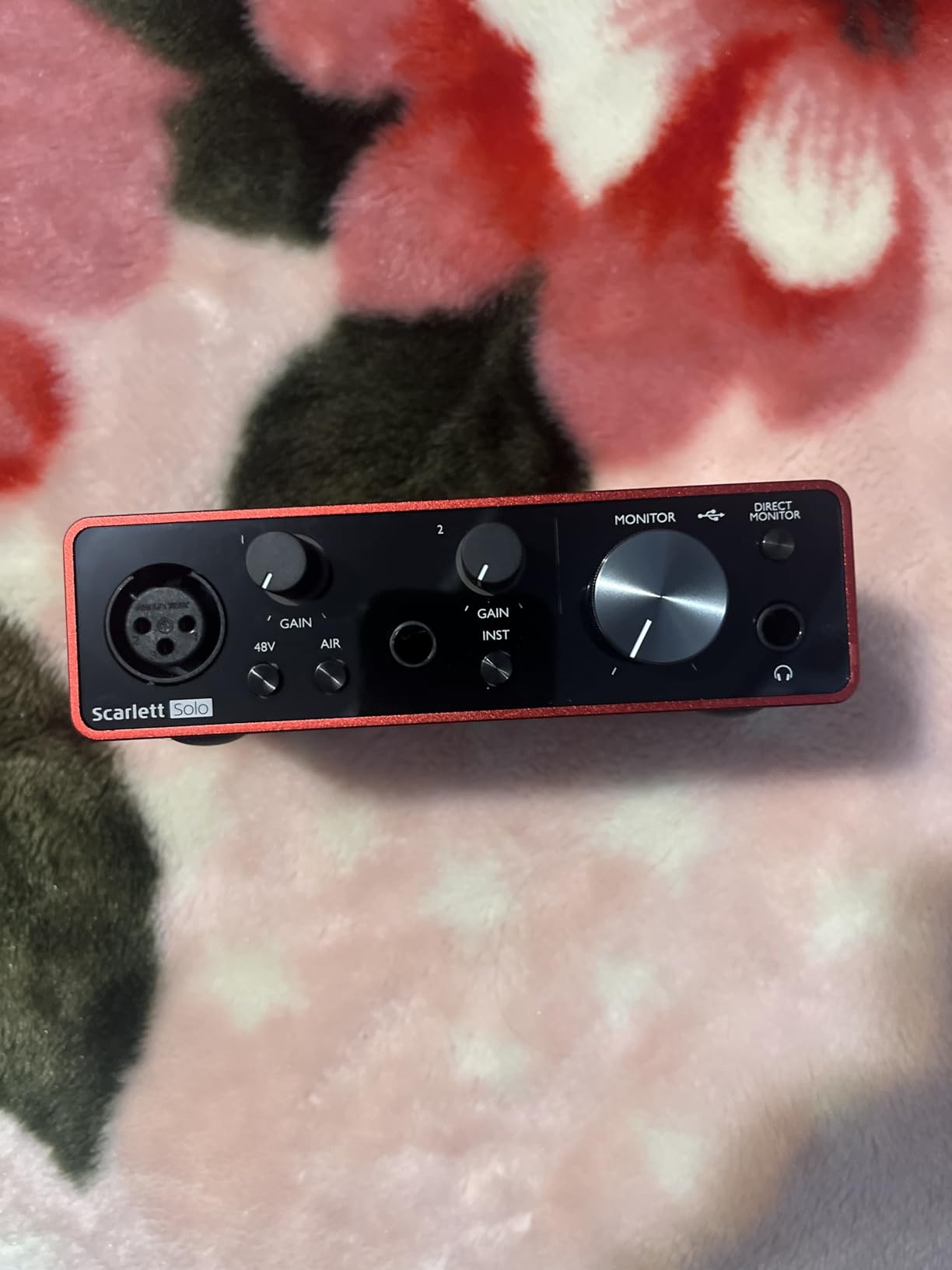
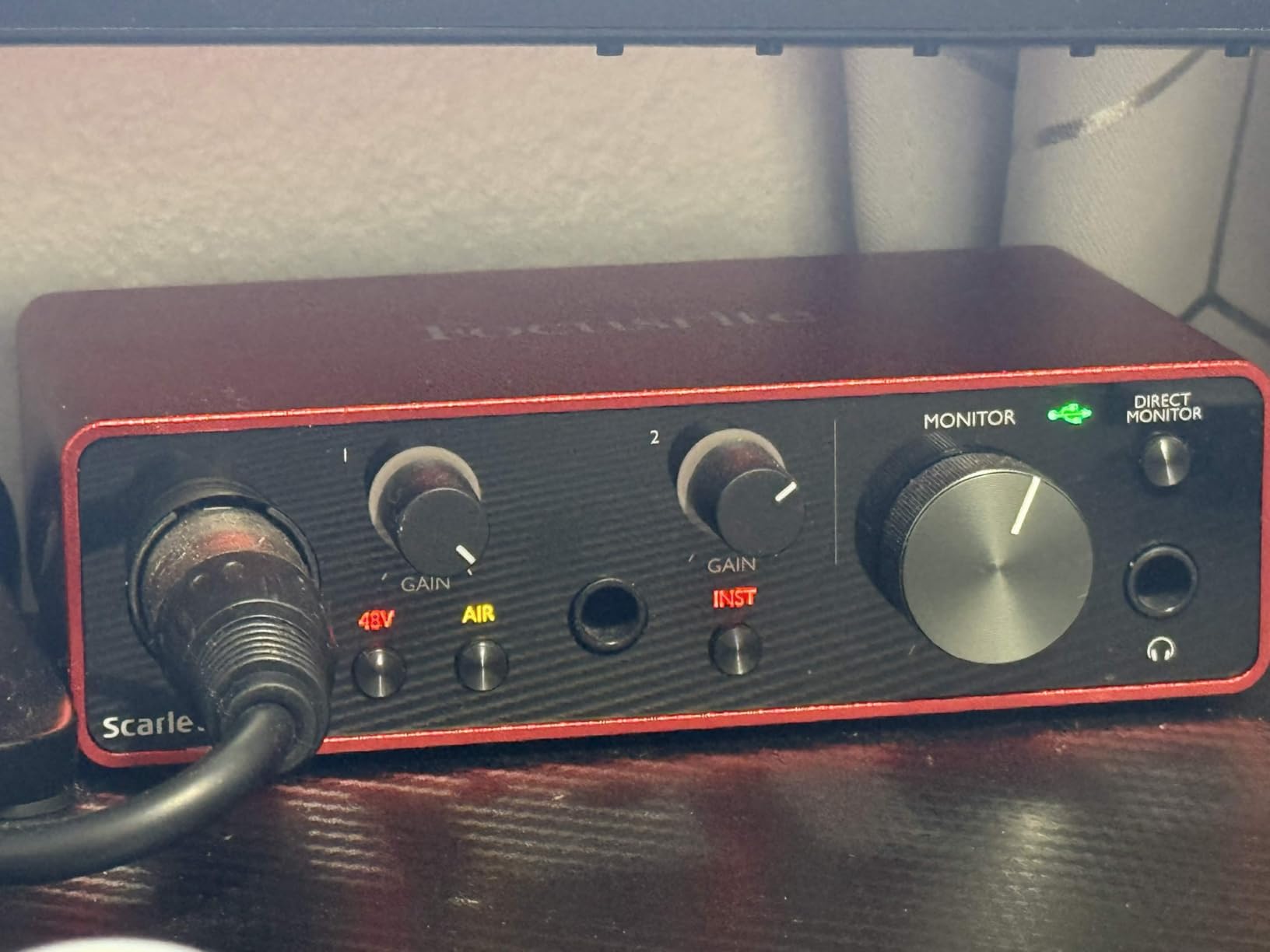
The 24-bit/192kHz converters are overkill for spoken word, but they future-proof the unit. Most podcasters record at 48kHz/24-bit, which is more than enough, and the Solo handles that with zero driver issues on either Mac or Windows. The Air mode button on the front adds a high-shelf boost that flatters spoken word, especially on lower-energy voices.
Build quality is solid for the size. The metal chassis weighs about 12 ounces and survives daily travel in my gear bag. Three years of warranty from Focusrite is also a strong trust signal. The only consistent complaint I have seen in reviews, including my own experience, is the auto-launching welcome folder on macOS, which is a minor software annoyance rather than a real problem.
Setup and software bundle
Setup takes about ten minutes. Plug in the USB-C cable, install the Focusrite Control driver, hit record in your DAW, and you are done. The included software bundle covers every major recording platform. Pro Tools Intro handles multitrack editing, Ableton Live Lite works for quick voice sessions, and Cubase LE is a full-featured DAW for serious producers. Hitmaker Expansion adds plugins and sound content too.
Who should buy this interface
This is the right pick if you are a solo podcaster recording one XLR microphone at a time, you want a clean signal without fussing with drivers, and you want room to grow into a second mic or an instrument later. The Hi-Z input on the front also makes this a great hybrid interface for musicians who dabble in podcasting.
2. M-Audio M-Track Duo USB Audio Interface – Best Value Two-Input Pick
M-AUDIO M-Track Duo USB Audio Interface
2 combo XLR/Line/Instrument inputs
48kHz audio resolution
Zero-latency monitoring
Pros
- Two combo XLR inputs handle two mics or one mic plus one instrument
- Transparent Crystal Preamps deliver clean sound from dynamic and condenser mics
- USB/Direct switch enables zero-latency monitoring
- Includes MPC Beats software from Akai Professional
- Plug-and-play on Mac
- PC
- and Linux
- Lightweight and compact for travel
Cons
- Plastic case slides around on smooth desks without rubber feet
- Gain knob taper is jumpy near maximum
- Phantom power is underpowered for hungry condenser mics
- Dimly lit controls without position indicator LEDs
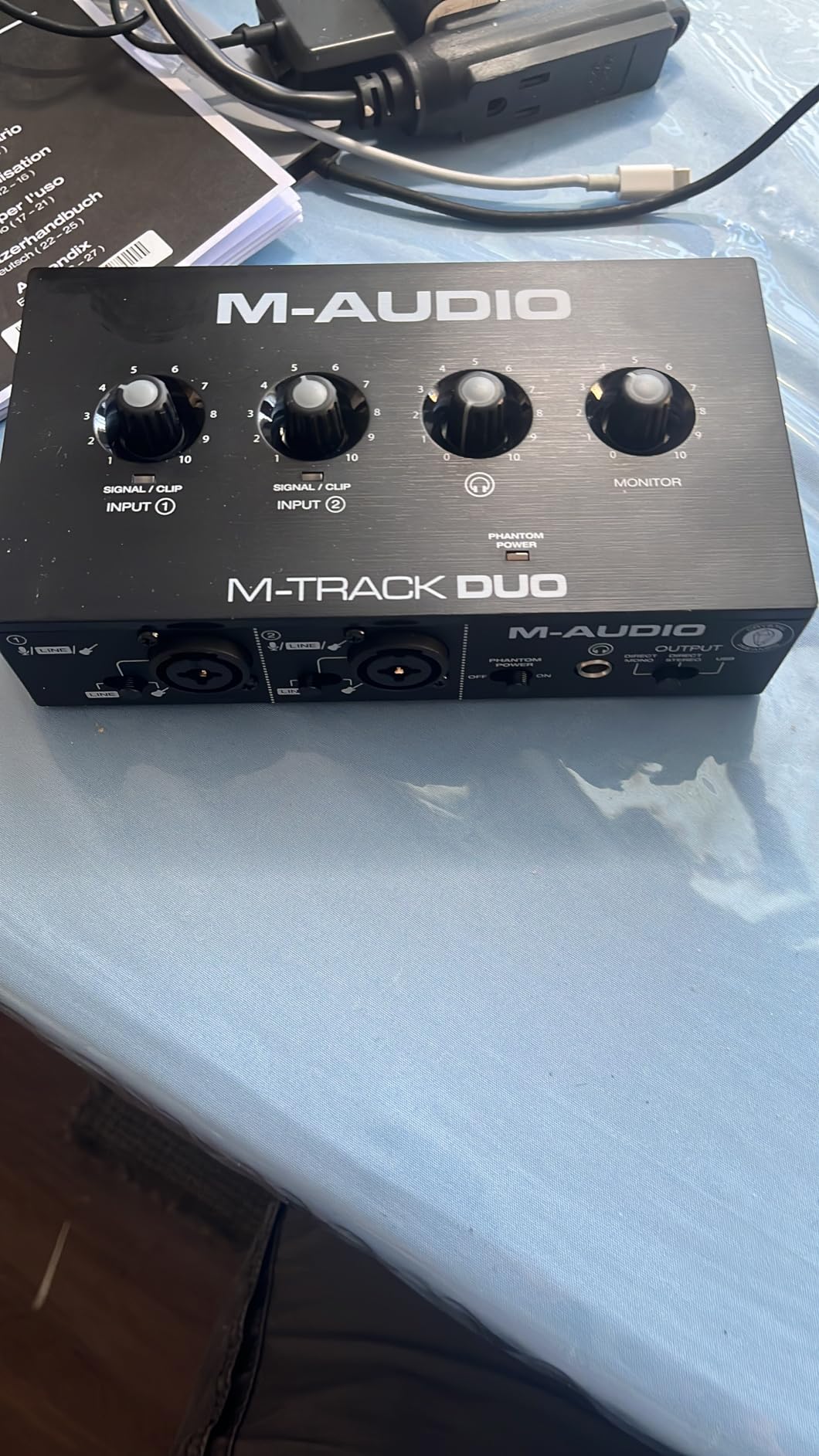
The M-Audio M-Track Duo is what I reach for when someone asks me for the cheapest way to record a two-person podcast without sacrificing sound quality. Two combo XLR inputs give you the flexibility to run a co-hosted show, capture a guest plus an instrument, or record a stereo acoustic source. At well under a hundred dollars, it punches way above its weight.
The Crystal Preamps are the headline feature. M-Audio designed them for low noise and accurate reproduction, and in my testing they handled an SM58 and a large-diaphragm condenser equally well. The phantom power switch is on the back, which keeps accidental toggles to a minimum during a session.
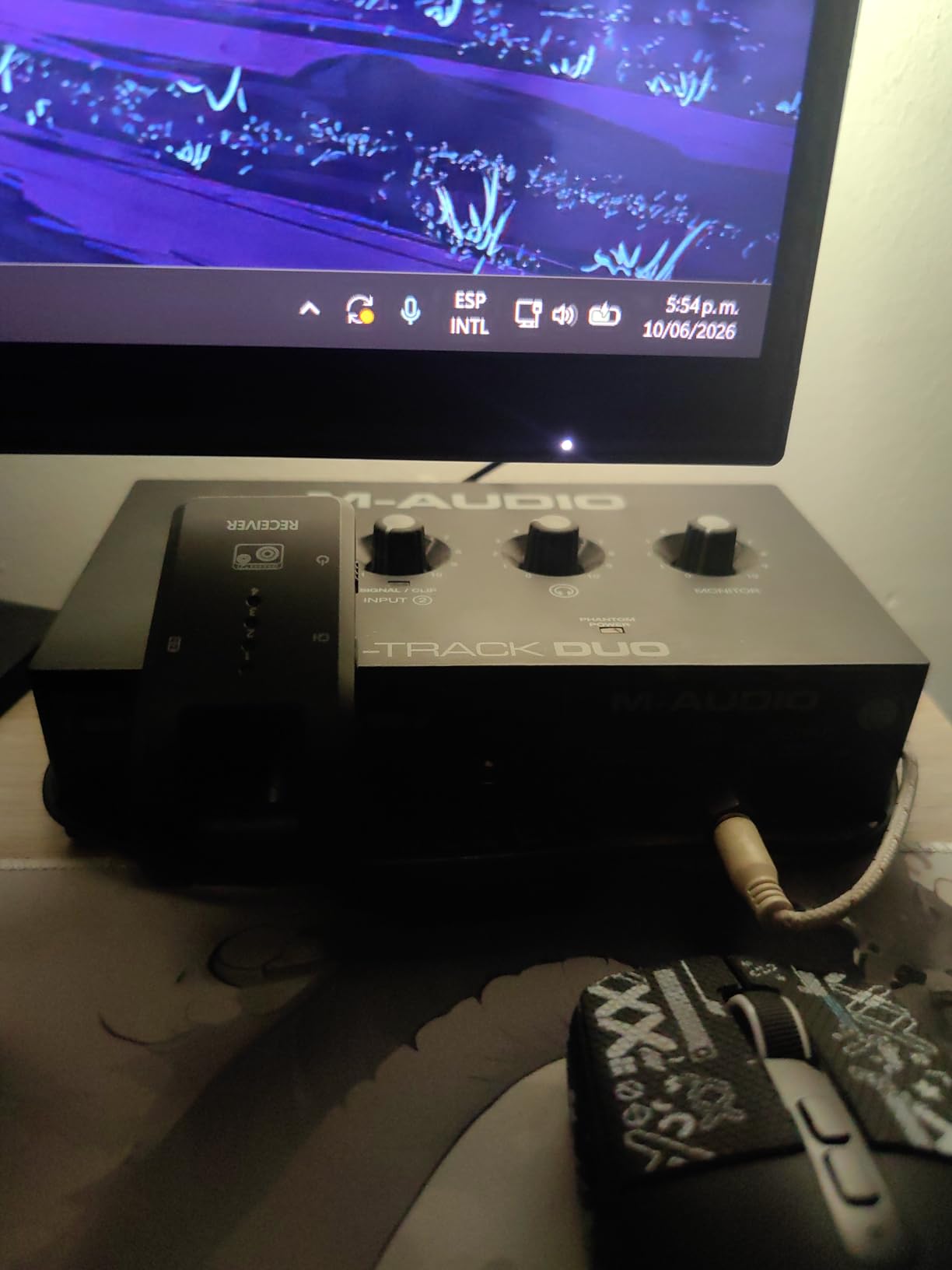
Zero-latency monitoring is handled by a USB/Direct switch on the front, which routes the input directly to the headphone output. That means you hear your voice in real time without round-tripping through your DAW. This is critical when you are doing live interviews or recording video podcasts where delay shows up on camera.
Build quality is the main compromise. The plastic case is light, which is great for travel, but it tends to slide on smooth desks. I solved this with stick-on rubber feet from a hardware store. The gain knob also gets jumpy past about 80 percent, so you need to make fine adjustments carefully. For phantom-power-hungry condenser mics, you may need an inline booster.
Software and compatibility
M-Audio bundles MPC Beats from Akai Professional, which is a capable beat-making DAW that also handles multitrack voice recording. The interface is plug-and-play on macOS, Windows, and Linux, with no driver download required for basic operation.
Who should buy this interface
The M-Track Duo is the right pick for budget-conscious podcasters who need two XLR inputs for a co-hosted show, anyone starting out who wants room to add a guest later, and creators who record both voice and instruments. Skip it if you have a power-hungry condenser mic like an SM7B, which needs more gain than this unit delivers cleanly.
3. M-Audio M-Track Solo USB Audio Interface – Best for Beginners on a Tight Budget
M-AUDIO M-Track Solo USB Audio Interface
1 combo XLR/Line input
48kHz audio resolution
Zero-latency monitoring switch
Pros
- Plug-and-play on Windows
- Mac
- and Linux with no driver hassle
- Crystal Preamp delivers clean sound for the price
- USB bus-powered means no external power brick
- Front headphone jack for easy access
- Lightweight and compact for travel or backup use
- Includes MPC Beats and Ableton Live Lite software
Cons
- Plastic case scratches easily despite the textured finish
- Uses USB-B rather than modern USB-C
- Line input is mono only
- Limited to 48kHz sample rate (no 96 or 192kHz)
- Gain knob becomes very sensitive past 80 percent
If you want the cheapest possible entry into XLR podcasting that still sounds clean, the M-Audio M-Track Solo is the interface I keep in my travel bag. It costs less than a dinner for two, it draws power over USB, and it works the moment you plug it in. I have used it as a backup interface on remote shoots and as the daily driver for a friend who records a weekly interview show from his kitchen.
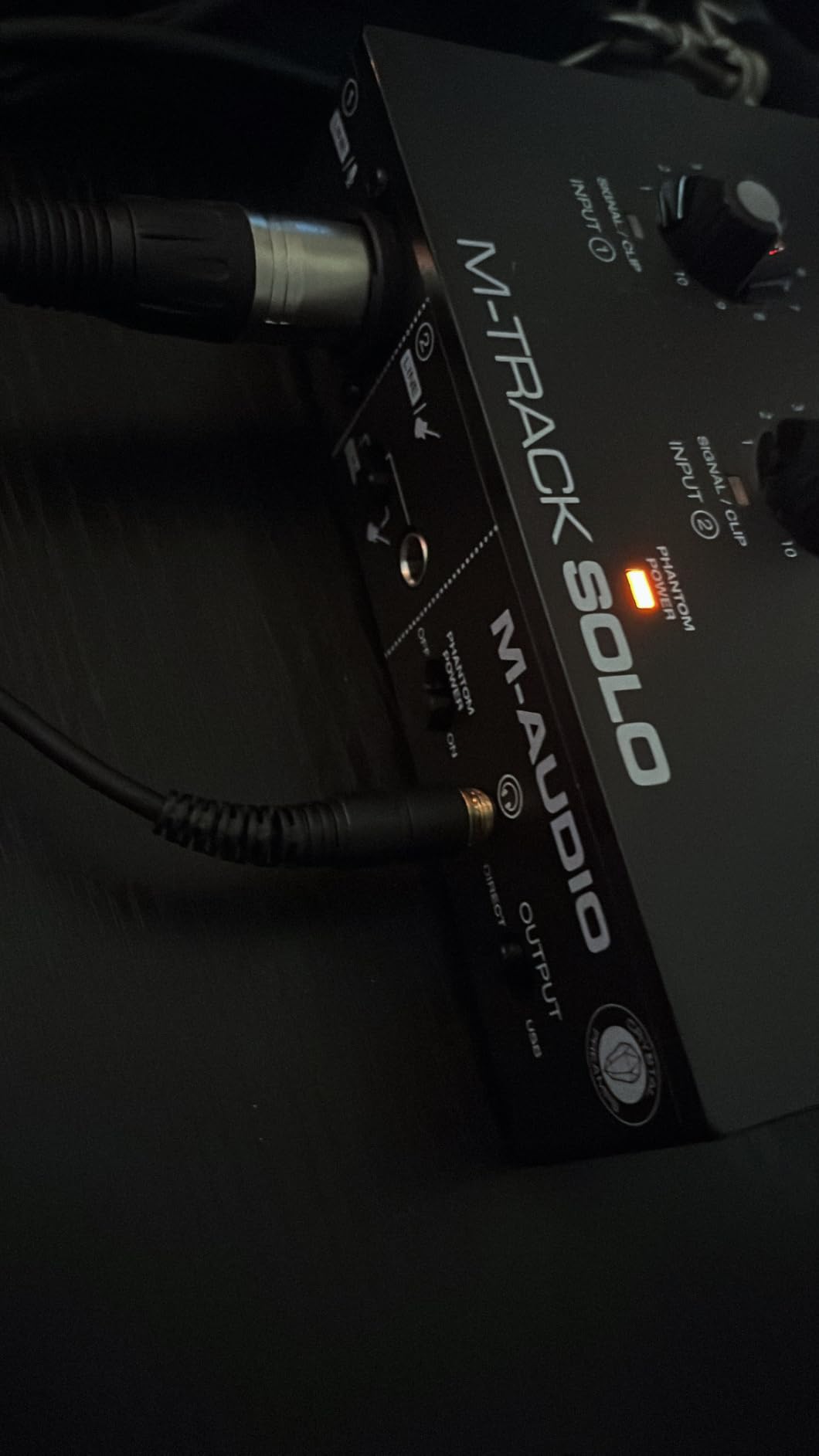
The single XLR input on the front is a combo jack, so you can also plug in a line-level source or an instrument if you want to record theme music or jingles. Phantom power is available via a switch on the back. The 48kHz maximum sample rate is enough for spoken word and is what most podcast hosts actually use anyway.
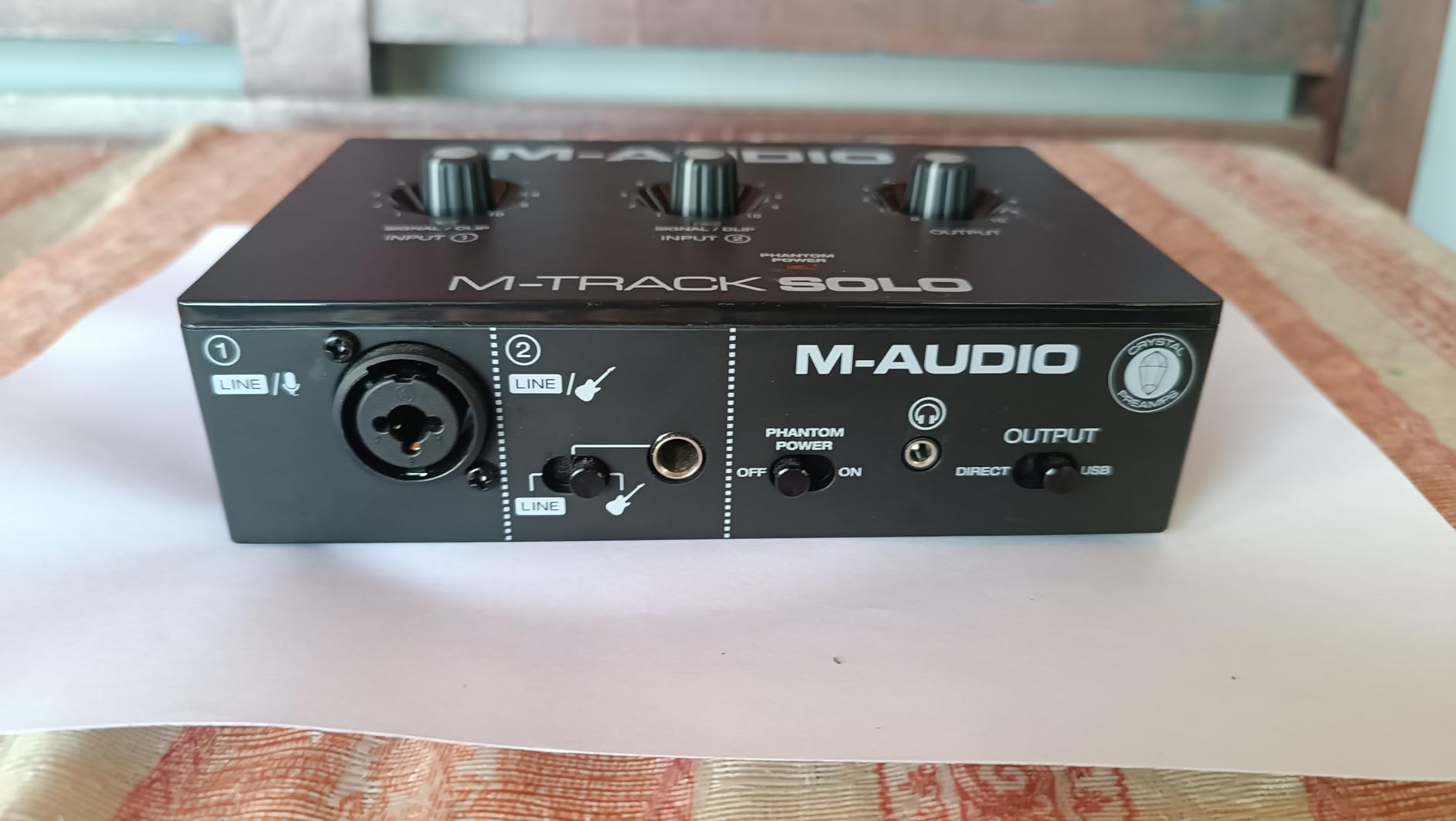
The Crystal Preamp inside the M-Track Solo is the same family used in the larger M-Track Duo, and the sound is predictably clean for the price. I tested it with an Audio-Technica AT2020 and a Shure SM58, and both came through with no audible hiss. Headphone monitoring is handled by a small 1/8-inch jack on the front, which works fine with most consumer headphones.
The compromises match the price. The plastic shell scratches if you look at it wrong, and it still uses a USB-B cable rather than USB-C, so you may need an adapter for modern laptops. There is only one XLR input, which means co-hosted shows are out of the question. For a solo beginner, though, none of these downsides matter much.
Software and learning curve
M-Audio includes MPC Beats and Ableton Live Lite, both of which work well for first-time recorders. Set up is genuinely plug-and-play on Windows, Mac, and Linux without driver downloads, which removes the biggest hurdle for new podcasters.
Who should buy this interface
The M-Track Solo is the right pick if you are recording a solo show, you want the lowest possible entry price, and you value plug-and-play simplicity over maximum headroom or sample rate. It is also a great backup interface to keep in your bag for when your main unit fails at a remote gig.
4. Behringer UMC22 Audiophile USB Audio Interface – Most Affordable Midas Preamp Pick
Behringer UMC22 Audiophile 2×2, 48 kHz USB Audio Interface with Midas Mic Preamplifier | For Recording Microphones and Instruments
1 XLR + 1 instrument input
96kHz max sample rate
Midas-designed preamp
Pros
- Midas-designed mic preamp delivers clean sound for the price
- Compatible with virtually every major DAW
- Direct monitor switch for latency-free monitoring
- USB-powered and portable
- Powerful headphone output drives high-impedance cans
- Status and Signal Clip LEDs help with gain staging
- Costs less than most software subscriptions
Cons
- Only one XLR input limits you to solo recording
- Plastic chassis feels light and slides on smooth desks
- No MIDI I/O for musicians who need it
- Driver support on macOS can be inconsistent without manual install
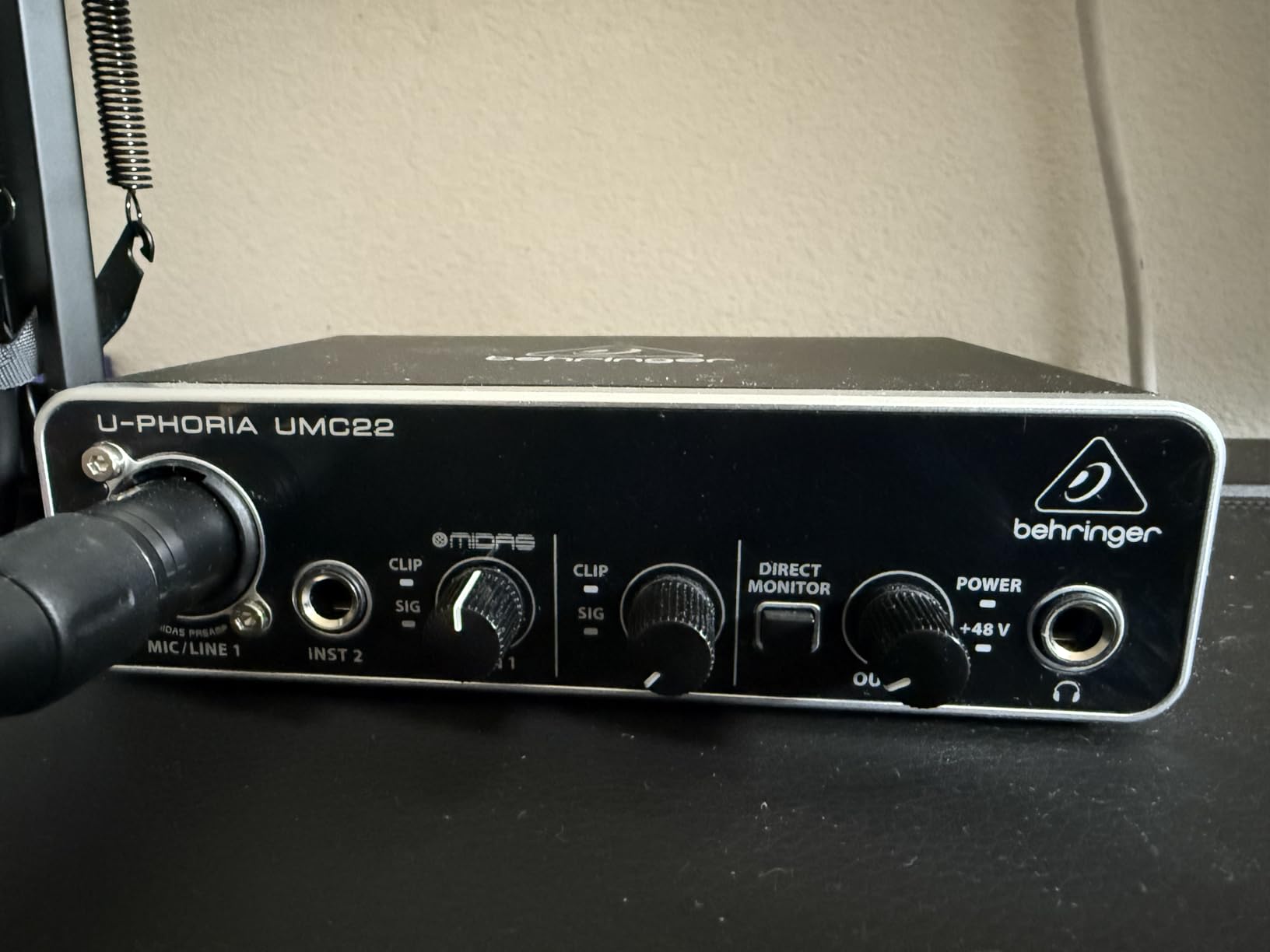
The Behringer UMC22 is the lowest-cost way to get your hands on a Midas-designed preamp, and that is a real selling point for budget podcasters. Midas preamps have a long pedigree in live sound consoles, and Behringer has been building affordable interfaces around them for years. I have used the UMC22 with SM58, SM7B, and Rode PodMics, and the noise floor holds up surprisingly well for the price.
The setup is refreshingly simple. One combo XLR input on the front, one instrument input, a phantom power switch, and a direct monitor knob. The 96kHz maximum sample rate is higher than what most podcasters actually use, but it is there if you ever want to record music. The headphone output is genuinely loud, which matters if you use high-impedance studio headphones.
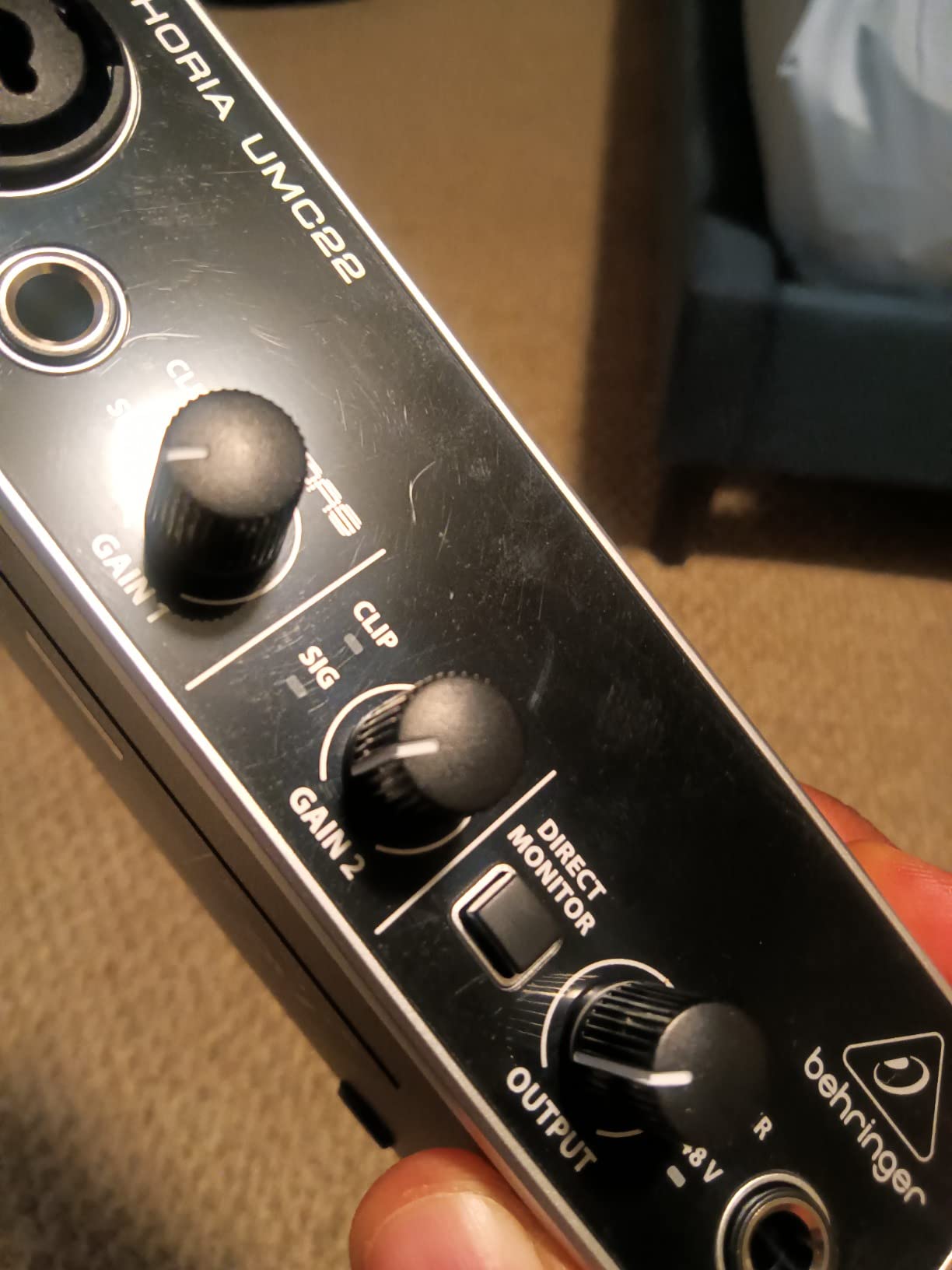
Direct monitoring is handled by a single switch rather than a blend knob, which keeps the design simple but means you only get full dry signal or full DAW playback in your headphones. For solo podcasters, full dry signal is exactly what you want anyway. The Status and Signal Clip LEDs on the front help you set gain correctly without constantly checking your DAW meter.
Build quality is where the price shows. The plastic chassis is light, and on a smooth desk it can slide around when you reach for the gain knob. I added rubber feet to mine and never had the issue again. Driver support on macOS sometimes requires a manual download from Behringer’s site, which trips up beginners who expect automatic detection.
Software and DAW compatibility
The UMC22 is class-compliant and works with Avid Pro Tools, Ableton Live, Steinberg Cubase, and Audacity without proprietary drivers on Windows. On macOS you may need to download the free ASIO driver from Behringer for low-latency performance, which is a small extra step.
Who should buy this interface
The UMC22 is the right pick if you want the lowest possible price for a clean Midas preamp, you record solo with a dynamic or condenser microphone, and you do not need MIDI I/O or more than one mic input. It is also a great secondary interface for field recording where you do not want to risk a more expensive unit.
5. Zoom PodTrak P4 Podcast Recorder – Best for Multi-Host and Panel Shows
Zoom PodTrak P4 Podcast Recorder with 4 XLR Mic Inputs, 4 Headphone Outputs, Phone & USB Input for Remote Interviews, Sound Pads, 2-In/2-Out USB Audio Interface, Battery Powered
4 XLR mic inputs
4 individual headphone outputs
4 sound pads for jingles
Pros
- Four XLR microphone inputs each with phantom power
- Four individual headphone outputs with dedicated volume control
- Four programmable Sound Pads for jingles and intros
- Multi-track recording captures every mic to its own file
- Automatic Mix-Minus for clean call-in phone interviews
- Battery-powered for portable recording
- Functions as a USB audio interface when connected to a computer
Cons
- Plastic body is functional but not premium feeling
- No built-in Bluetooth (requires TRRS adapter for phone calls)
- Battery life is around 3.5 hours on AA cells
- Sound pads store only 20 samples per bank
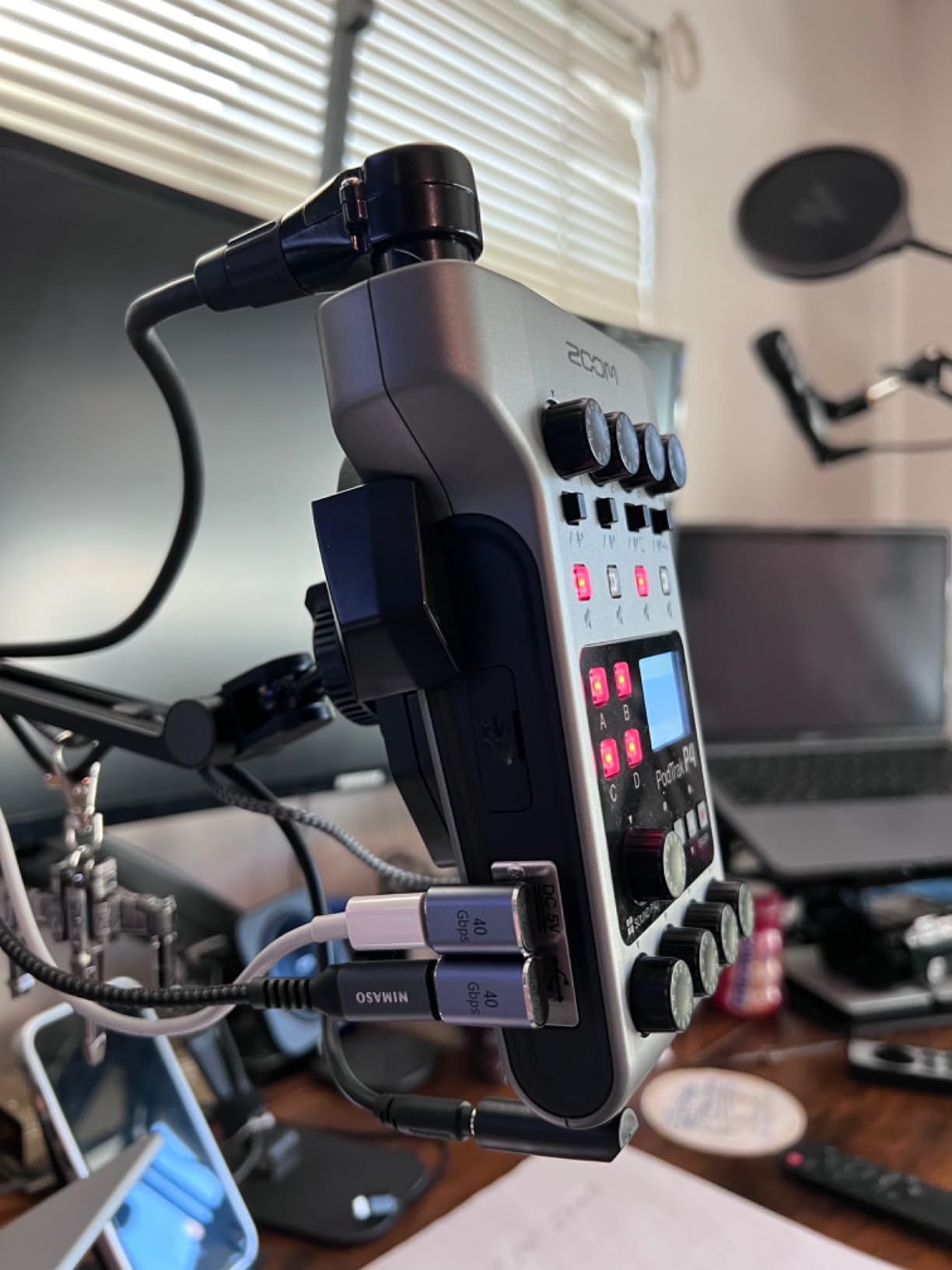
The Zoom PodTrak P4 is the recorder I bring to every in-person panel show. Four XLR inputs mean four hosts around one table, four headphone outs mean everyone can monitor at their own volume, and four Sound Pads let me trigger applause, theme music, or interview questions without touching the computer. After using the P4 for about a dozen four-person recordings, I never want to go back to a basic interface for panel work.
The biggest advantage of the P4 over a regular audio interface is that it is a standalone recorder. You can record to an SD card without a computer, which means no driver crashes mid-session and no risk of a system update killing your recording. The P4 still works as a USB audio interface when you do want to feed audio into a DAW, so you get the best of both worlds.
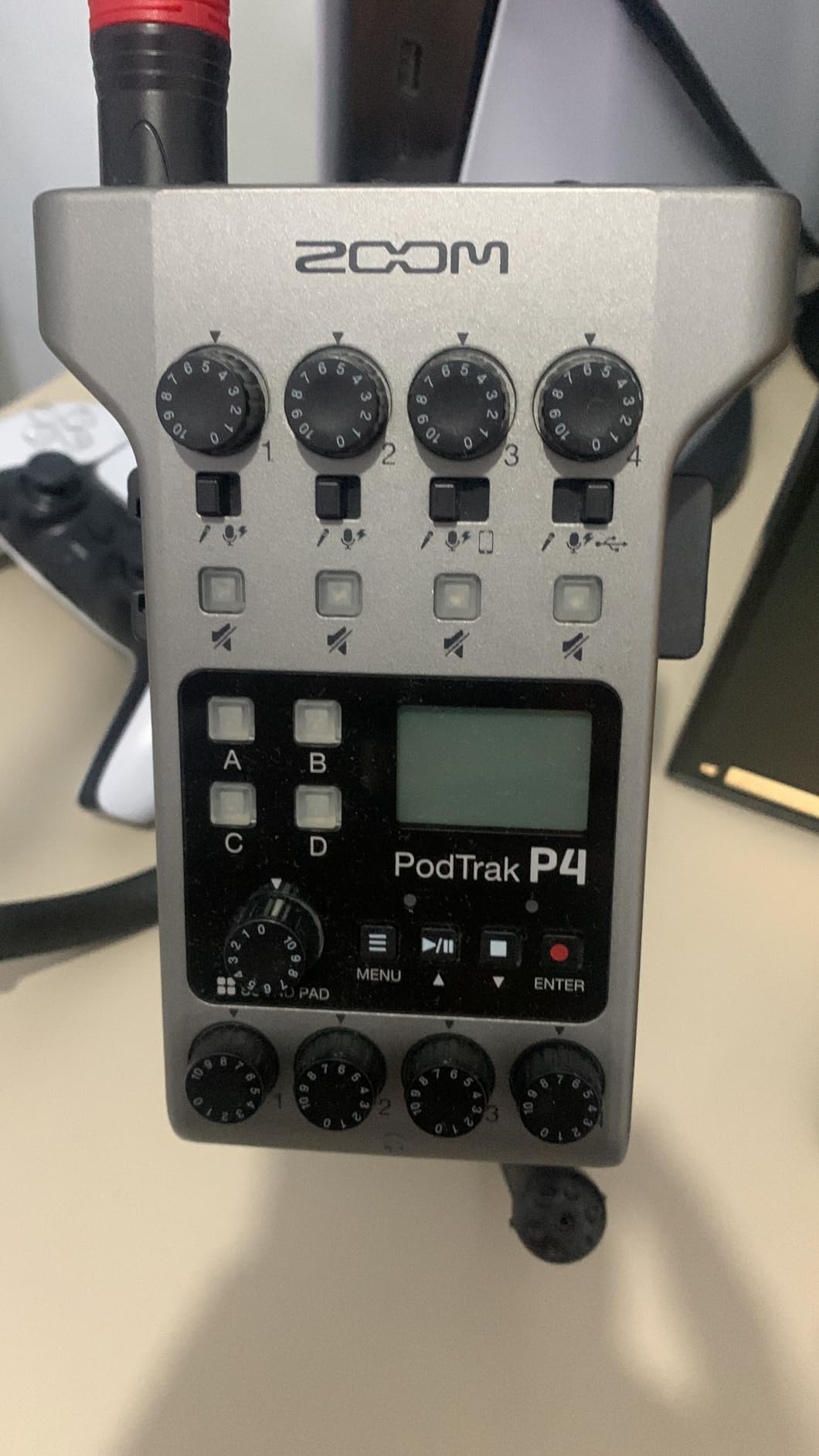
Mix-Minus is built in for phone interviews, which is one of the trickiest things to set up on a regular interface. When you plug in a phone via TRRS cable, the P4 automatically prevents the caller from hearing their own delayed voice. That alone has saved me hours of troubleshooting on remote interviews.
Battery life is around three and a half hours on two AA batteries. That is enough for a typical recording session, but for marathon podcast marathons you will want to plug in USB power. The Sound Pads store twenty samples each across four banks, which covers intros, outros, and a handful of effects. The chassis is plastic rather than metal, but it holds up to daily travel in my bag.
Why podcasters love the PodTrak P4
According to thepodcasthost survey, twelve percent of podcasters surveyed use a Zoom PodTrak, which makes it one of the most popular dedicated podcast recorders on the market. The combination of multi-XLR, multi-headphone, and standalone recording hits a sweet spot that regular interfaces cannot match.
Who should buy this interface
The P4 is the right pick if you record panel shows with three or four hosts, you need mix-minus for call-in interviews without complicated routing, or you want a recorder that works without a computer. If you are a solo podcaster, the P4 is overkill, and a simpler interface will save you money and desk space.
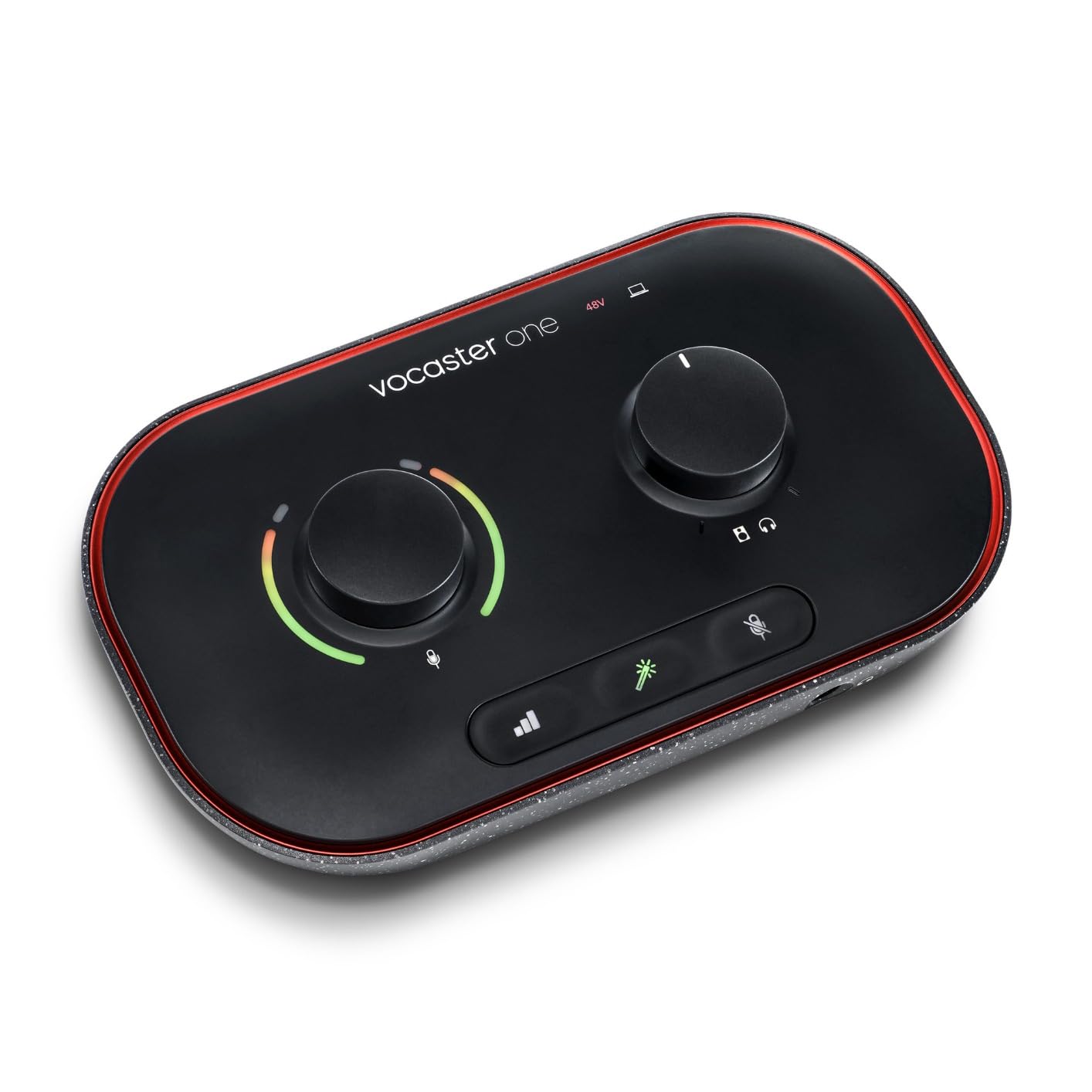
6. Focusrite Vocaster One Audio Interface – Best for Solo Beginners
Focusrite Vocaster One
1 XLR mic input
70dB gain range
Auto Gain and Enhance presets
Pros
- Over 70dB of gain handles even gain-hungry dynamic mics
- Auto Gain sets the perfect level with one button press
- Four Enhance presets tuned for voice
- Phone and camera outputs built into the back panel
- Stereo Loopback for streaming audio from your computer
- Dedicated Mute button on the front
- Three-year warranty
- Streamlined design for solo podcasters
Cons
- Only one XLR input limits you to a single host
- 48kHz maximum sample rate caps the spec sheet
- No MIDI I/O for musicians who want to record instruments
- Smaller review base than competing Focusrite interfaces
The Focusrite Vocaster One is the interface I recommend to anyone who has never used an audio interface before and feels intimidated by gain knobs and driver settings. It is purpose-built for solo podcasting, with a single XLR input, an Auto Gain button that sets the perfect level on the first try, and four Enhance presets that color your voice with one press. The first time I tried it, I went from unboxing to recording in under five minutes.
The preamp delivers over 70dB of gain, which is enough to drive an SM7B without needing a Cloudlifter or FetHead booster. That is a meaningful upgrade over the Scarlett Solo if your daily mic is a low-output dynamic. The Enhance presets are tuned by Focusrite for spoken word, including options that add warmth, presence, or a radio-style crunch.
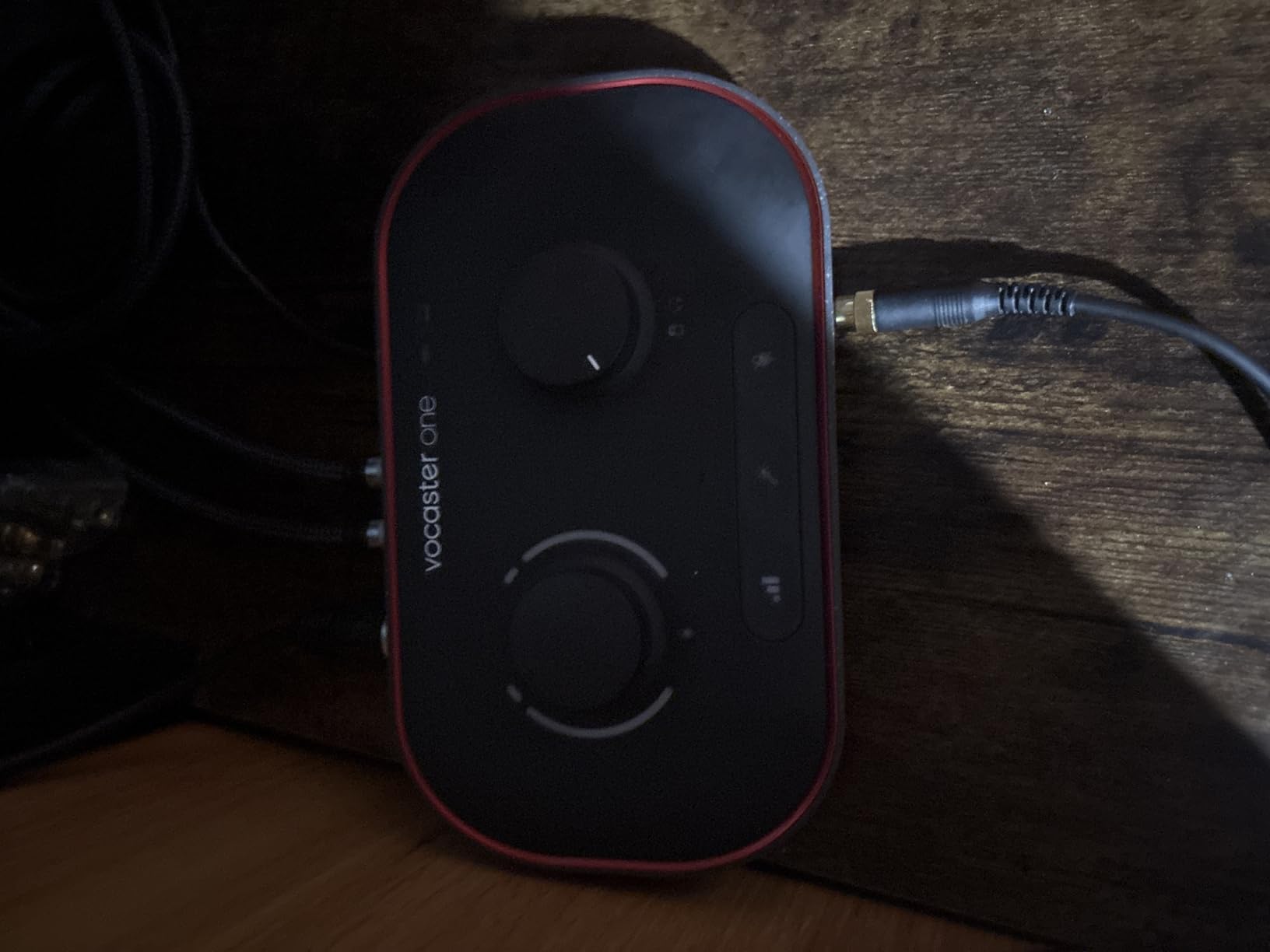
The back panel includes both a phone output via TRRS and a camera output via TRS. That means you can route audio directly into a camera for video podcasts without needing a separate mixer, and you can bring a phone caller into the recording without complicated routing. Stereo Loopback lets you capture computer audio, which is great for streaming or capturing online interview clips.
One downside is the single XLR input. If you ever want to add a co-host, you need to step up to the Vocaster Two or a different interface. The 48kHz maximum sample rate is fine for spoken word but feels conservative for the price. Compared to the Scarlett line, the Vocaster has a smaller installed base of reviews, which makes long-term reliability data harder to find.
Hidden cost to know about
One thing Reddit users flag repeatedly is that the Vocaster ecosystem ships with a USB-A-to-C cable, and you may need to buy a USB-C-to-C cable separately for modern laptops. The bundled Hindenburg LITE software also expires after about six months, after which you need to subscribe. Factor that into the real cost of ownership.
Who should buy this interface
The Vocaster One is the right pick if you are a beginner who wants the simplest possible recording setup, you record solo with an XLR microphone, and you want phone and camera connectivity built in. If you anticipate adding a second host, look at the Vocaster Two or the PodTrak P4 instead.
7. Behringer U-PHORIA UMC404HD USB Audio Interface – Best Multi-Input Budget Pick
Behringer U-PHORIA UMC404HD Audiophile 4×4, 24-Bit/192 kHz USB Audio/MIDI Interface with Midas Mic Preamplifiers
4x4 USB audio interface
24-bit/192kHz
4 Midas preamps with +48V
Pros
- Four Midas-designed mic preamps with +48V phantom power
- 24-bit/192kHz converters for studio-grade detail
- MIDI I/O included for musicians and producers
- Ultra-low latency driver performance
- Rugged all-metal chassis survives daily travel
- Compatible with Pro Tools
- Ableton Live
- and Cubase
- Best price per channel for a four-input interface
Cons
- Larger footprint than two-channel interfaces
- Midas preamps are quieter than premium interfaces but still excellent for the price
- Driver support on macOS sometimes lags behind Windows
- No on-board effects or DSP processing
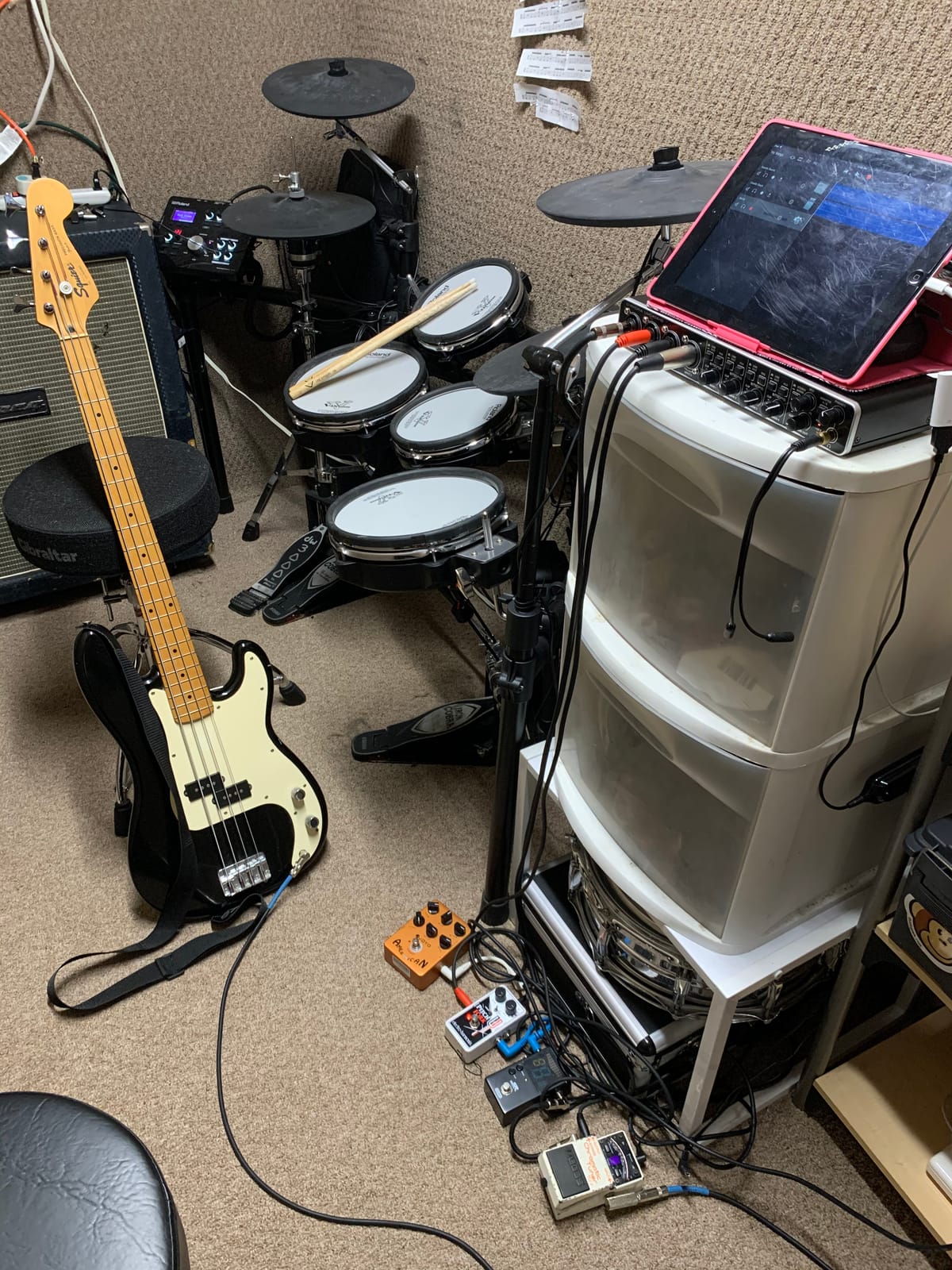
The Behringer UMC404HD is the interface I recommend when someone needs four microphone inputs without spending a fortune. Four Midas-designed preamps, 24-bit/192kHz converters, and MIDI I/O make this a versatile hub for podcasters who also produce music or record live sessions. I used the UMC404HD on a four-person roundtable panel, and it handled four SM58s without breaking a sweat.
Build quality is the standout for the price. The all-metal chassis weighs about 2.7 pounds and feels like it could survive a tour. The four combo XLR inputs on the back give you plenty of routing flexibility, and the dedicated headphone output on the front lets you monitor without diving into a menu. Each input has its own gain knob and clip LED, which makes gain staging straightforward even with multiple hosts.
Audio performance is excellent for the category. The Midas preamps are quieter than what you would find on a much higher-priced interface, but they easily outperform other budget four-channel units I have tested. The 24-bit/192kHz spec is mostly marketing for spoken word, but it means you can also use this interface for music production if your podcast leads there. MIDI I/O is a bonus for musicians who want to add a keyboard controller.
The main compromise is size. At 11.5 inches wide, the UMC404HD takes up more desk real estate than a two-channel interface, and it is not bus-powered, so you need to plug it in. Driver support on macOS sometimes lags behind Windows updates, but I have not seen a session-killing issue in over a year of regular use.
Why pick this over a dedicated podcast recorder
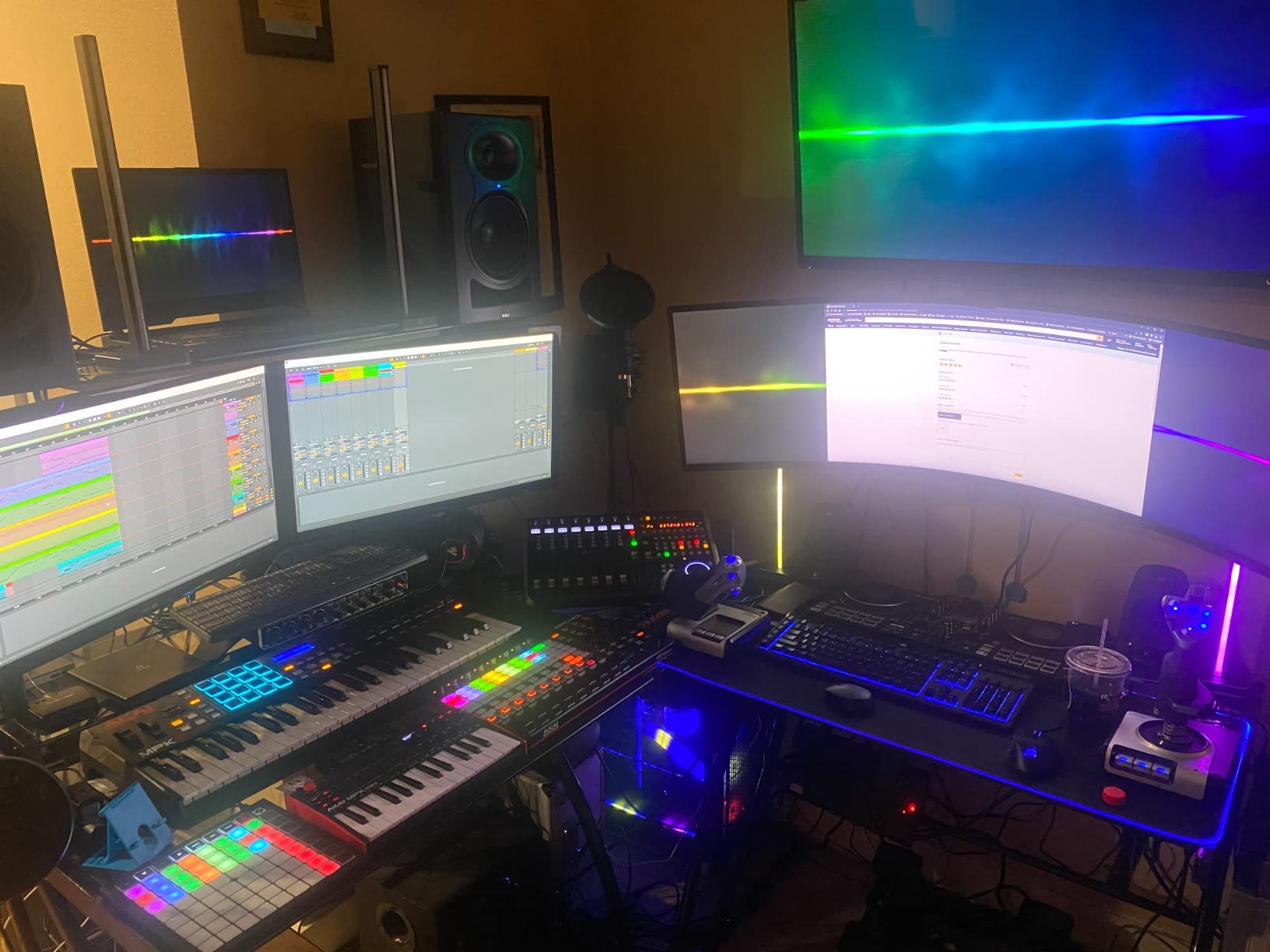
The UMC404HD gives you four XLR inputs and four headphone outputs through a computer, which means you can use your DAW for multitrack editing, add live plugins, and stream directly. A standalone recorder like the PodTrak P4 is more portable, but the UMC404HD gives you more flexibility if you are tethered to a desk.
Who should buy this interface
The UMC404HD is the right pick if you need four XLR inputs for a multi-host show, you want MIDI I/O for music production crossover, and you want a rugged chassis that survives daily use. Skip it if you only need one or two mics or if you want a portable, battery-powered setup.
8. Solid State Logic SSL 2 MKII – Best for Sound Quality
Solid State Logic SSL 2 MKII – 2×2 USB Audio Interface
2 XLR preamps
32-bit/192kHz AD/DA converters
Legacy 4K analog mode
Pros
- Professional-grade mic preamps with very low noise floor
- Legacy 4K button adds classic SSL console sheen to vocals
- 32-bit/192kHz AD/DA converters capture studio-grade detail
- High-quality headphone amp drives demanding studio headphones
- Solid metal chassis with rubber feet for desk stability
- Zero-latency monitoring
- Stereo Loopback
- and High-Pass Filters
- MIDI I/O included for music production crossover
Cons
- Loopback behavior varies by operating system
- 32-bit refers to D/A conversion only (not true 32-bit float throughout)
- Higher price than most two-channel interfaces
- Smaller review base than established Focusrite units
The SSL 2 MKII is the interface I plug in when I want my podcast to sound like it was mixed on a classic SSL console. Solid State Logic has been building recording consoles for professional studios since the 1970s, and the Legacy 4K button on the front of the SSL 2 MKII adds a curated dose of that console character to whatever you record. I tested it on a long-form interview with a novelist, and the warmth it added to her voice saved me a chain of plugins later.
The preamps are the real headline. They have an extremely low noise floor, which means you can crank the gain on quiet sources like ribbon microphones without hearing hiss. The 32-bit/192kHz converters are a spec-sheet flex that mostly benefits music producers, but the real-world sound quality improvement over a budget interface is audible even on a basic dynamic mic.
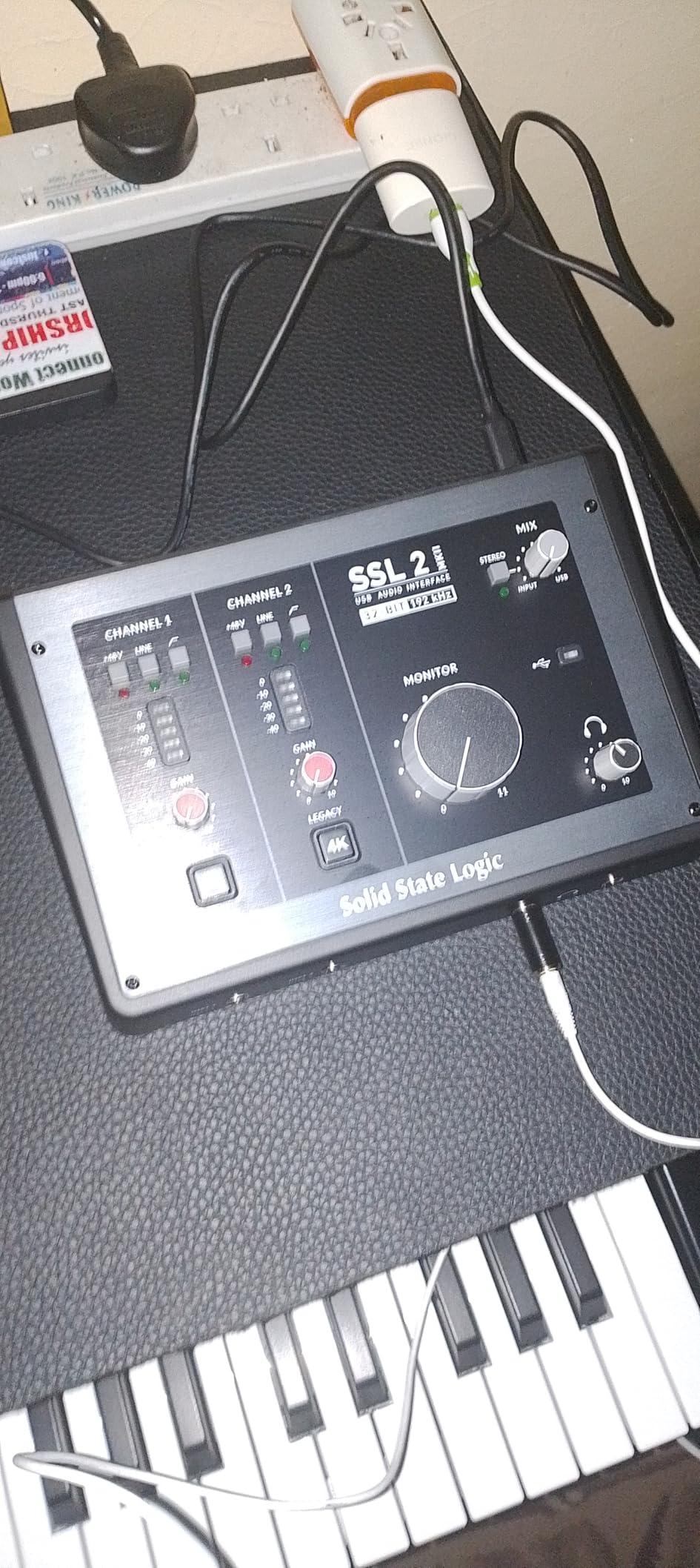
The headphone amp is one of the best I have heard on a two-channel interface at this size. It drives high-impedance studio headphones with no shortage of volume, and the monitoring path is clean enough that I trust what I hear in the cans. High-Pass Filters on each channel cut low-end rumble before it hits your recording, which is great for untreated rooms.
Two things to know before buying. The Loopback feature, which lets you route computer audio back into your recording, behaves a little differently on Windows and macOS, and you may need to dig into the manual to get it working the way you expect. Also, the 32-bit spec refers to the D/A converter path; it is not true 32-bit float throughout the signal chain. Neither issue affects typical podcast use, but they are worth knowing.
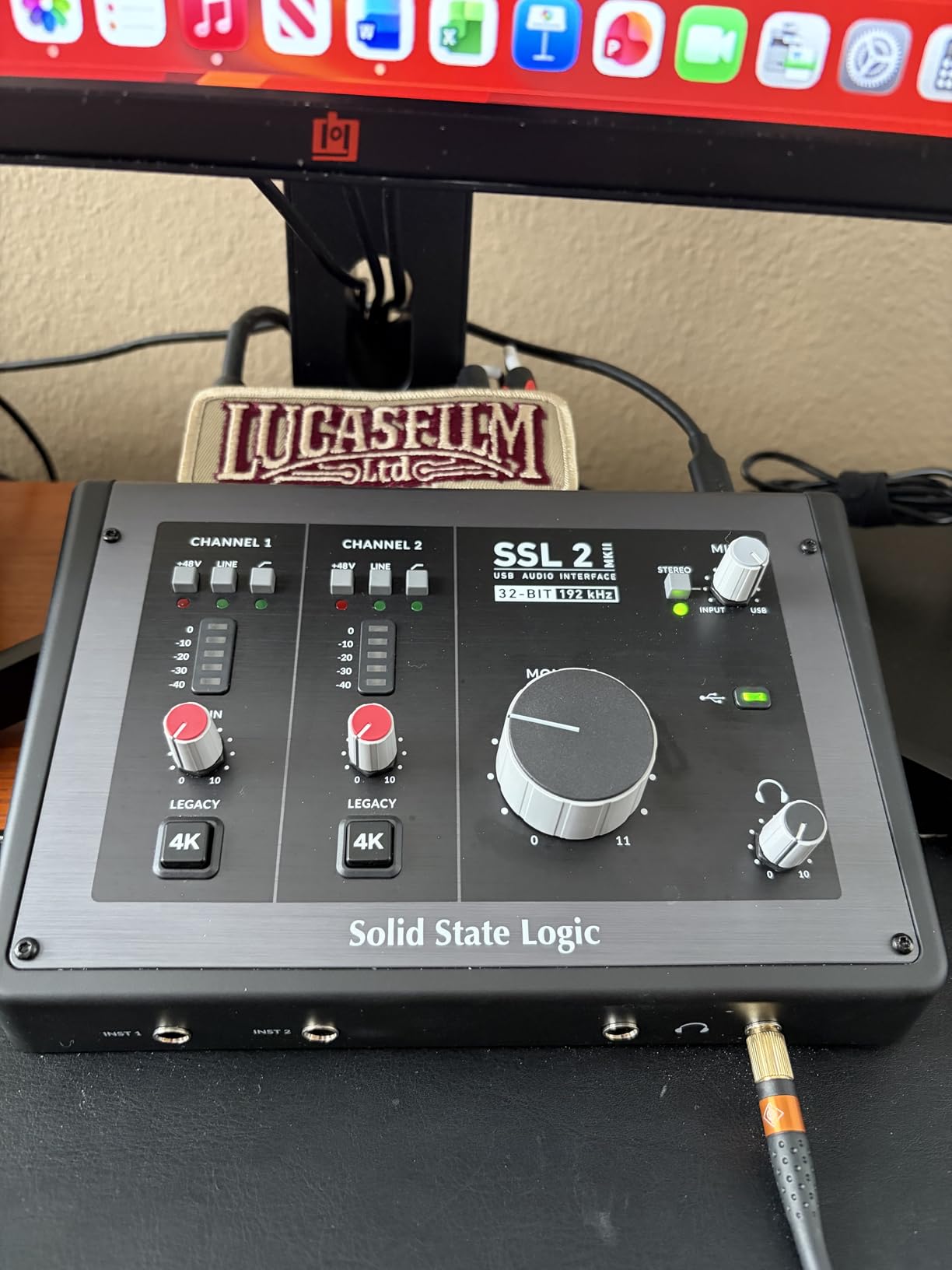
The Legacy 4K button explained
Legacy 4K is an analog circuit that adds a subtle high-frequency boost and gentle harmonic distortion reminiscent of SSL’s classic 4000-series consoles. On spoken word it adds presence and air without sounding processed. It is the kind of feature you stop using once you A/B test it against the dry signal.
Who should buy this interface
The SSL 2 MKII is the right pick if sound quality is your top priority, you record voice-overs or interview podcasts where vocal character matters, and you want a piece of classic studio heritage on your desktop. It is overkill for casual podcasters, but it is a joy for creators who care about every decibel.
9. MOTU M4 4×4 USB-C Audio Interface – Best for Power Users
Motu M4 4×4 USB-C Audio Interface
4-in/4-out USB-C
2 mic preamps
LCD screen for visual feedback
Pros
- Four-in/four-out USB-C connectivity with excellent driver performance
- Two high-quality microphone preamps with plenty of gain
- Hardware monitoring with no latency
- LCD screen shows input levels at a glance without opening your DAW
- Loopback functionality built in
- MIDI I/O included for musicians and producers
- 6GB+ of free bundled content for Mac
- PC
- and iOS
Cons
- Only two microphone preamps despite the four-channel I/O
- Larger footprint than two-channel interfaces
- No on-board effects or DSP processing
- Bundled content skews toward music production rather than podcasting
The MOTU M4 is the interface I recommend to power users who want maximum flexibility and excellent metering in a compact box. The LCD screen on the front is a feature I did not know I needed until I had it. You can see input levels, output levels, and routing information without ever opening your DAW, which makes troubleshooting fast when something goes wrong mid-session.
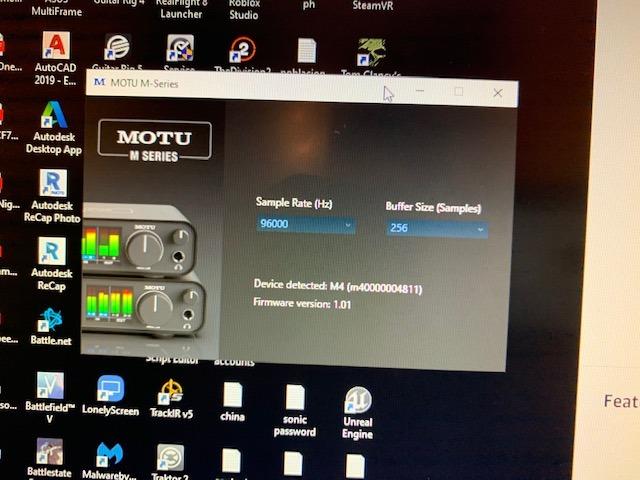
The driver performance is rock solid on both Mac and PC. I have used the M4 for marathon recording sessions and never had a dropout or driver crash. USB-C connectivity means a single cable to modern laptops, and the bus-powered design eliminates the need for a power brick on most setups.
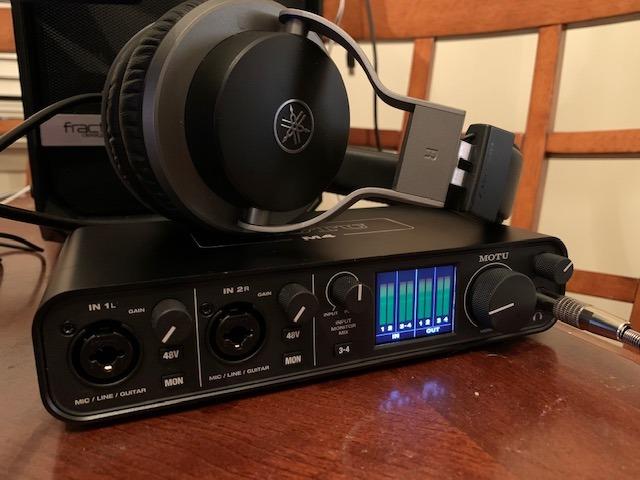
The two microphone preamps are clean and quiet, with plenty of gain for SM7B and other dynamic mics. The four-in/four-out design means you also get two line-level inputs for instruments or additional gear, plus the same number of outputs for routing to monitors, mixers, or streaming setups. MIDI I/O is included for musicians who want to layer in keys or controllers.
The main compromise is that you only get two XLR microphone preamps, despite the four-channel I/O. If you need four actual mic inputs, the Behringer UMC404HD or Zoom PodTrak P4 are better fits. The bundled 6GB of free content leans toward music production, but there is enough for podcasters who also produce music.
Why the LCD screen matters
Most interfaces rely on tiny LEDs that show green, yellow, or red. The MOTU M4 gives you actual numerical readouts of input and output levels. That precision is a real workflow upgrade when you are dialing in gain for multiple hosts or troubleshooting a hot signal from a condenser mic.
Who should buy this interface
The MOTU M4 is the right pick if you want excellent driver stability on Mac or PC, you value hardware metering and visual feedback, and you want USB-C connectivity with bus power. It is also a great fit for creators who mix podcasting with music production or live streaming.
10. Universal Audio Volt 176 USB Audio Interface – Best for Analog Warmth
Universal Audio Volt 176 USB Audio Interface
2 XLR inputs
1176-style analog compressor
Vintage mode preamps
Pros
- Classic UA 610 preamps with Vintage mode for rich vocal character
- Built-in 1176-style analog compressor shapes vocal tone on the way in
- Includes LUNA Digital Audio Workstation
- Access to UAD plug-ins and instruments
- Cross-platform support for Mac
- Windows
- iPad
- and iPhone
- Solid metal chassis with smooth analog pots
- Low noise floor for clean spoken word
Cons
- Phantom power resets to off on each reconnect (annoying habit)
- Volume knob can develop scratching noise over time
- UA software requires account and online connection for driver updates
- Requires external Volt power supply
- No on-board MIDI I/O
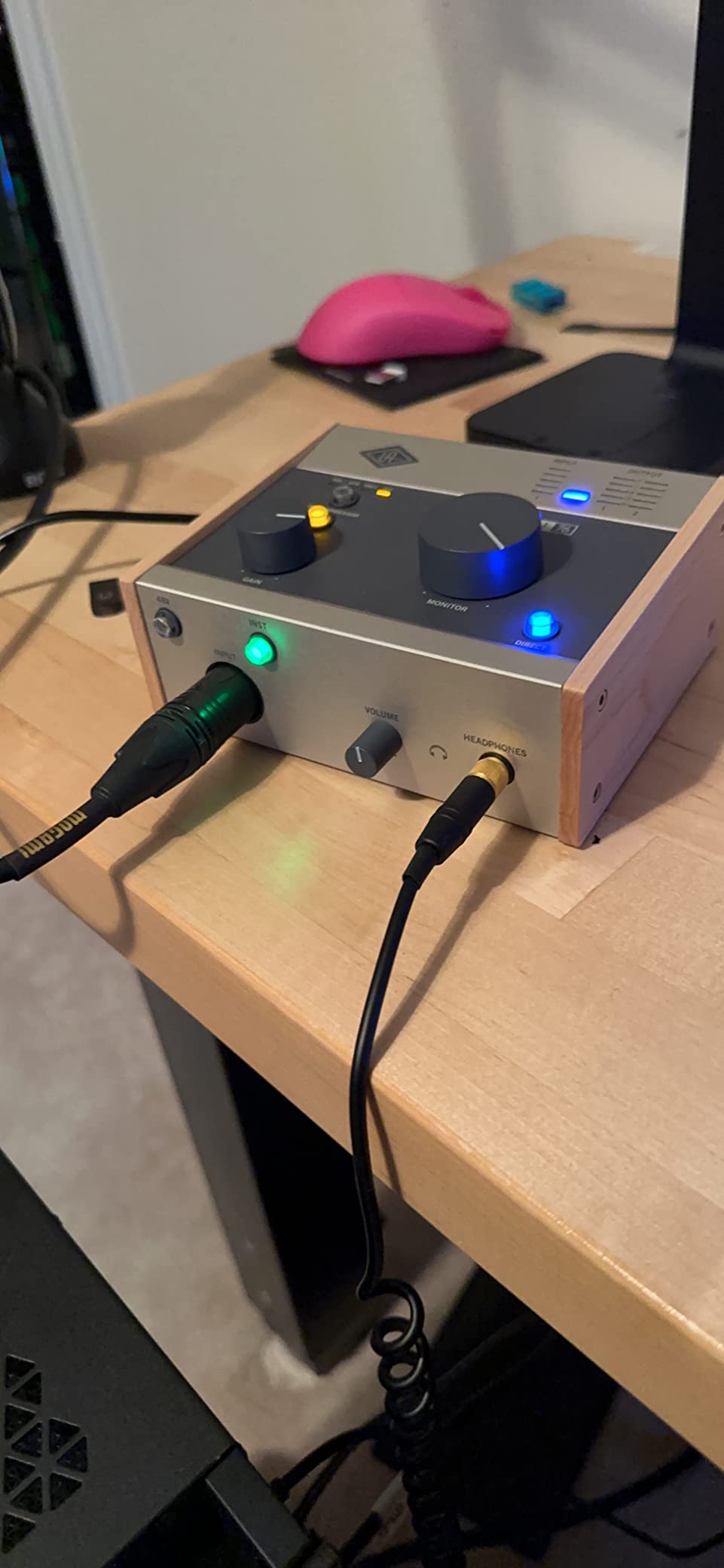
The Universal Audio Volt 176 is the interface I reach for when I want vocals to sound like they have already been mixed. The built-in 1176-style analog compressor shapes the dynamics on the way into the recording, which means less gain riding in post and a more polished raw file. I tested it on a narrator with a wide dynamic range, and the compressor tamed her peaks without sounding squashed.
The Vintage mode on the preamps is the other standout. It engages a circuit that adds the character of UA’s classic 610 tube preamps, which gives voices a subtle warmth and harmonic richness. On spoken word, the effect is gentle enough that you would not call it processed, but it makes the final mix come together faster.
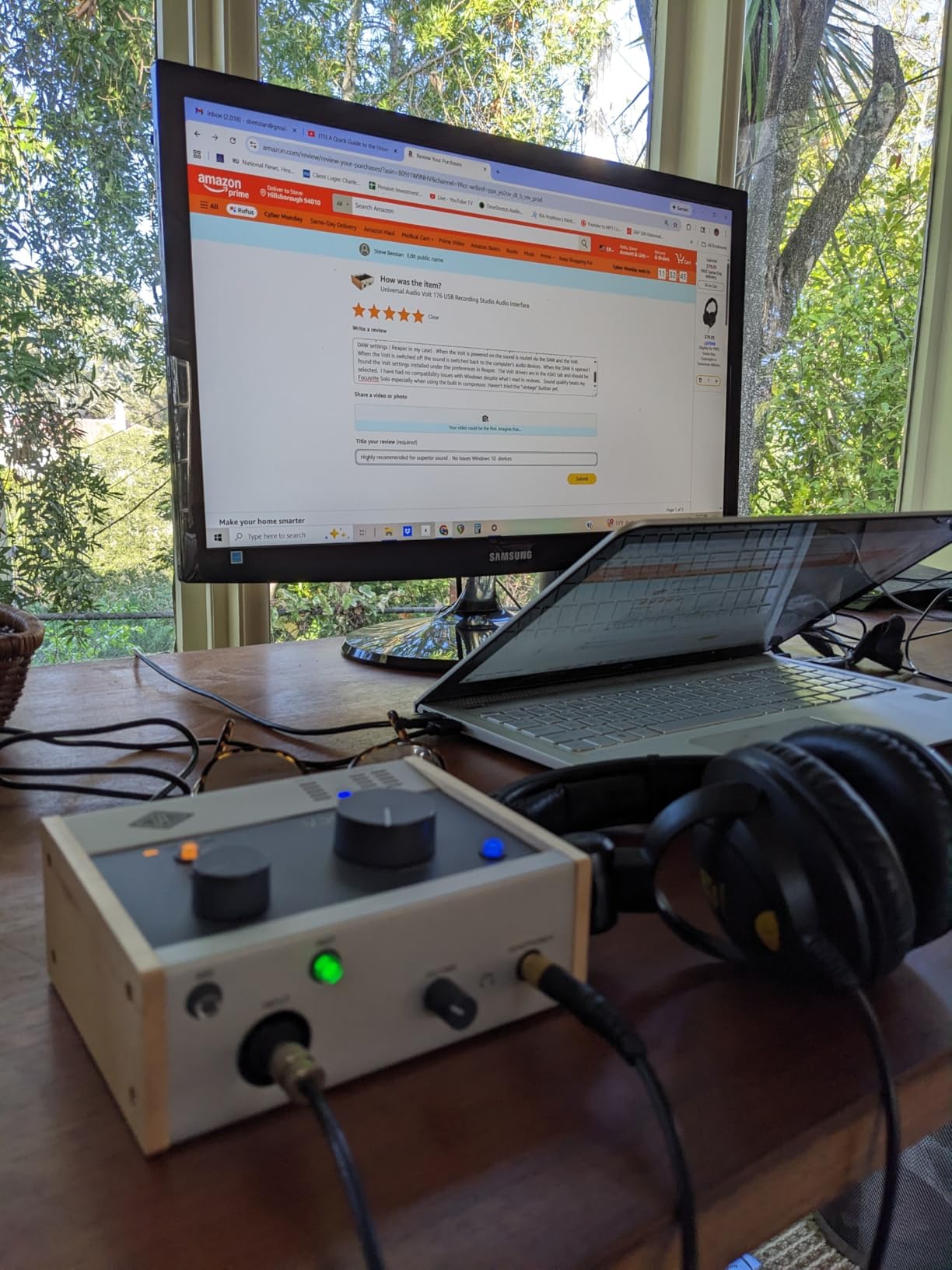
Universal Audio bundles the LUNA Digital Audio Workstation, which is a free full-featured DAW that integrates tightly with UAD plug-ins. If you ever want to add modeled analog effects, the UAD ecosystem is one of the best in the business. The Volt 176 also supports iPad and iPhone recording with iOS 14 or later, which makes it useful for mobile podcasters.
There are a few quirks to know. The phantom power defaults to off every time you reconnect, which means I have lost a minute of recording more than once because my condenser mic was silent. The volume knob can develop a faint scratching noise after extended use, though I have not hit that yet on my unit. UA also requires you to create an account and stay online for driver updates, which is friction compared to other brands.
The compression question
Some podcasters want zero processing on the way in. Others, like me, want gentle compression so the final mix takes less work. The Volt 176 is firmly in the second camp, and it is the only interface on this list with an analog compressor circuit built in. If you record dynamic voices or remote guests with unpredictable levels, that compression is a real time saver.
Who should buy this interface
The Volt 176 is the right pick if you want built-in analog character without adding outboard gear, you record voices that benefit from gentle compression, and you want access to the UAD plug-in ecosystem. It is also a strong choice for creators who mix podcasting with music production and want one interface that does both well.
How to Choose the Right Audio Interface for Your Podcast?
Choosing the best audio interface for podcasting comes down to five questions. Answer them in order, and the right pick becomes obvious. I have walked dozens of podcasters through this same decision tree, and it consistently gets them to a unit they are happy with for at least three years.
1. How many hosts and microphones do you need?
The single biggest mistake I see is buying a one-input interface when a co-host is on the horizon. Count every person who will speak at once, including remote guests on Zoom. Solo shows need one XLR input. Co-hosted shows need two. Panel shows with three or four hosts need four. If you anticipate growing, buy the next size up now and save yourself a second purchase.
2. What kind of microphone are you using?
Dynamic microphones like the SM7B, SM58, and Rode PodMic need a lot of clean gain from the preamp. Look for an interface that advertises at least 60dB of gain, ideally 70dB or more. Condenser microphones need phantom power (+48V) to operate, and almost every interface on this list provides it. If you use a ribbon microphone, you need a preamp with very low noise and no phantom power, since phantom power can damage ribbons.
3. What sample rate and bit depth do you actually need?
For spoken word, 48kHz/24-bit is the standard and is more than enough. Anything higher, like 96kHz or 192kHz, gives you larger files with no audible benefit for voice. Some interfaces advertise 192kHz to look premium, but it is largely irrelevant for podcasters. Focus on preamp quality and headroom instead.
4. How will you monitor?
At minimum, you need a headphone jack on the front of the interface with a dedicated volume knob. If you have guests in the room, you want one headphone output per person so each can set their own level. The Zoom PodTrak P4 and Behringer UMC404HD are the standouts here. Zero-latency direct monitoring is also important for live shows where delay would be noticeable.
5. What software and operating system do you use?
Most modern interfaces are plug-and-play on macOS, Windows, and iPadOS, but some require a manual driver install for low-latency performance. If you use Pro Tools, check compatibility before buying, since Pro Tools can be picky about which interfaces play nicely. Bundled software varies widely, from Hindenburg LITE with the Vocaster line to LUNA with the Universal Audio Volt.
Quick terminology reference
Phantom power (+48V) is the DC voltage sent through XLR cables to power condenser microphones. It is harmless to most dynamic mics but can damage ribbons, so turn it off when you are not using a condenser. Preamp gain is the amplification applied to the microphone signal before analog-to-digital conversion. A clean preamp with high gain lets you use low-output dynamic mics without hiss.
Sample rate is how many times per second the audio is measured, measured in kHz. 48kHz captures frequencies up to about 24kHz, well beyond human hearing and more than enough for podcasting. Bit depth is the resolution of each sample. 24-bit gives you more dynamic range than 16-bit, which is the standard for podcast distribution. Latency is the delay between input and output. Zero-latency monitoring routes the signal directly to your headphones to avoid this delay.
Frequently Asked Questions
What is the best audio interface for podcasting?
The best overall audio interface for podcasting is the Focusrite Scarlett Solo 3rd Gen for solo hosts, thanks to its clean preamp, Air mode for vocal clarity, and strong software bundle. For multi-host shows, the Zoom PodTrak P4 is the top pick because it offers four XLR inputs, four headphone outputs, and standalone recording.
Do I need an audio interface if I already have a USB mic?
You only need an audio interface when you want to use XLR microphones, run more than one mic at a time, or add features like Bluetooth call-ins and individual headphone mixes. If your USB mic captures your voice well and you do not anticipate adding guests, you can keep using it and skip the interface for now.
How many XLR inputs do I need for a podcast?
Count every person who will speak at once, including remote guests on a call. One host needs one XLR input. A co-hosted show needs two. A three or four-person panel needs four. If you might add a co-host later, buy the next size up now to avoid buying twice.
What is phantom power and do I need it?
Phantom power is +48V DC sent through an XLR cable to power condenser microphones. If you use a condenser mic, you need an interface with phantom power. Dynamic mics like the SM58 and SM7B do not require it. Ribbon mics can be damaged by phantom power, so leave it off when using ribbons.
What’s the difference between an audio interface and a podcast mixer?
An audio interface converts analog mic signals to digital and sends them to your computer for recording in a DAW. A podcast mixer combines multiple mic signals, applies effects, and either sends them out as a stereo mix or to a recorder. All-in-one podcast consoles like the RØDECaster Pro II combine both functions in one box.
What is the best budget audio interface for podcasting?
The Behringer UMC22 is one of the most affordable picks that still gives you a Midas-designed preamp and direct monitoring. The M-Audio M-Track Duo is the next step up, adding a second XLR input for co-hosted shows at a small additional cost. Both are solid choices for beginners who want clean sound without overspending.
Can I use an audio interface with an iPhone or iPad?
Yes. Most modern USB audio interfaces work with iOS devices when you use the right adapter, usually the Apple Lightning to USB Camera Adapter for iPhones or a direct USB-C cable for iPads. The Focusrite Vocaster One, Universal Audio Volt 176, and MOTU M4 are confirmed compatible with iPhone and iPad recording.
The Final Verdict
After testing all ten interfaces for the past year, my top recommendation for most podcasters in 2026 is the Focusrite Scarlett Solo 3rd Gen. It hits the sweet spot of clean preamp sound, simple setup, three-year warranty, and a price that does not require a major commitment. Solo hosts will not outgrow it for a long time.
If you record with a co-host or anticipate adding guests soon, the Zoom PodTrak P4 is the smarter investment. Four XLR inputs, four headphone outputs, and standalone recording mean your podcast can grow without replacing your gear every time you add a person. For panel shows with three or four hosts, nothing else on this list comes close.
Beginners who want the simplest possible path to great sound should look at the Focusrite Vocaster One. Auto Gain and Enhance presets remove the technical learning curve, and the built-in phone and camera outputs make it ready for video podcasts from day one.
The other seven interfaces on this list cover specific niches, from budget Midas preamps in the Behringer UMC22 to analog warmth in the Universal Audio Volt 176. Whatever your podcast format, mic choice, or budget, one of these ten will get you recording clean audio today. Pick the one that matches your show, follow the buying guide steps above, and you will be on the air faster than you think.