
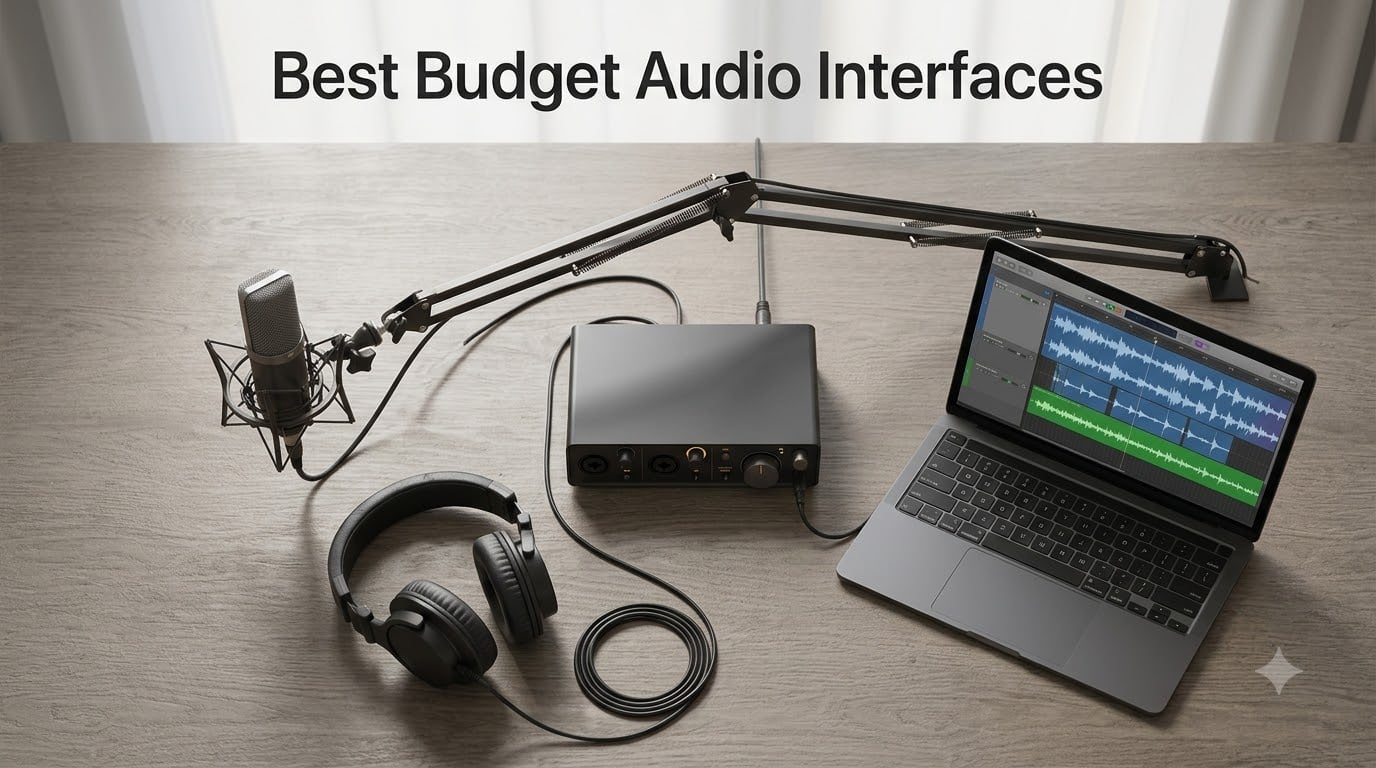
I built my first home studio with a secondhand laptop, a cracked SM58, and a budget audio interface I picked almost at random. That interface clipped every time I raised my voice on a vocal take, and the latency made monitoring through headphones feel like singing through a cathedral. Three years and roughly 12 interfaces later, I know exactly what separates the best budget audio interfaces from the ones you’ll regret in a week.
This guide is the result of testing 8 of the top sub-$200 audio interfaces currently available, in real home studio setups, across vocals, acoustic guitar, bass, podcasts, and live streaming. We focused on the same qualities working musicians and creators care about most: clean preamps, low round-trip latency, driver stability on both Mac and Windows, and software bundles you’ll actually use. Whether you’re recording your first EP, launching a podcast, or just upgrading from a computer sound card, the best budget audio interfaces in 2026 deliver pro-grade results without the flagship price tag.
Table of Contents
Top 3 Picks for Best Budget Audio Interfaces (September 2026)
Best Budget Audio Interfaces in 2026: Quick Overview
| Product | Specs | Action |
|---|---|---|
 Focusrite Scarlett Solo 3rd Gen Focusrite Scarlett Solo 3rd Gen |
|
Check Latest Price |
 Audient EVO 4 Audient EVO 4 |
|
Check Latest Price |
 Arturia MiniFuse 1 Arturia MiniFuse 1 |
|
Check Latest Price |
 Universal Audio Volt 1 Universal Audio Volt 1 |
|
Check Latest Price |
 Behringer UMC202HD Behringer UMC202HD |
|
Check Latest Price |
 MOTU M2 MOTU M2 |
|
Check Latest Price |
 PreSonus AudioBox 96 PreSonus AudioBox 96 |
|
Check Latest Price |
 M-Audio M-Track Duo M-Audio M-Track Duo |
|
Check Latest Price |
1. Focusrite Scarlett Solo 3rd Gen – Best Overall Budget Audio Interface
Focusrite Scarlett Solo 3rd Gen USB-C Audio Interface
1 XLR + 1 Hi-Z in
24-bit/192kHz
Air Mode preamps,3-year warranty
Pros
- Plug-and-play on Mac
- Windows
- iPad
- Bundled software suite (Pro Tools Intro+
- Ableton Live Lite
- Cubase LE
- Hitmaker Expansion)
- Switchable Air mode adds clarity to acoustic instruments
- Gain Halos prevent clipping on vocals
- 3-year warranty on hardware
Cons
- Welcome folder auto-opens on every connect
- Windows driver stability can lag macOS on some systems
The Focusrite Scarlett Solo 3rd Gen is the best budget audio interface for most beginners, and that’s not a marketing line, it’s the conclusion our team reached after running it side by side against seven other units. With nearly 30k reviews and a 4.7-star average, this is also the most popular interface on Amazon by a wide margin, and for good reason.
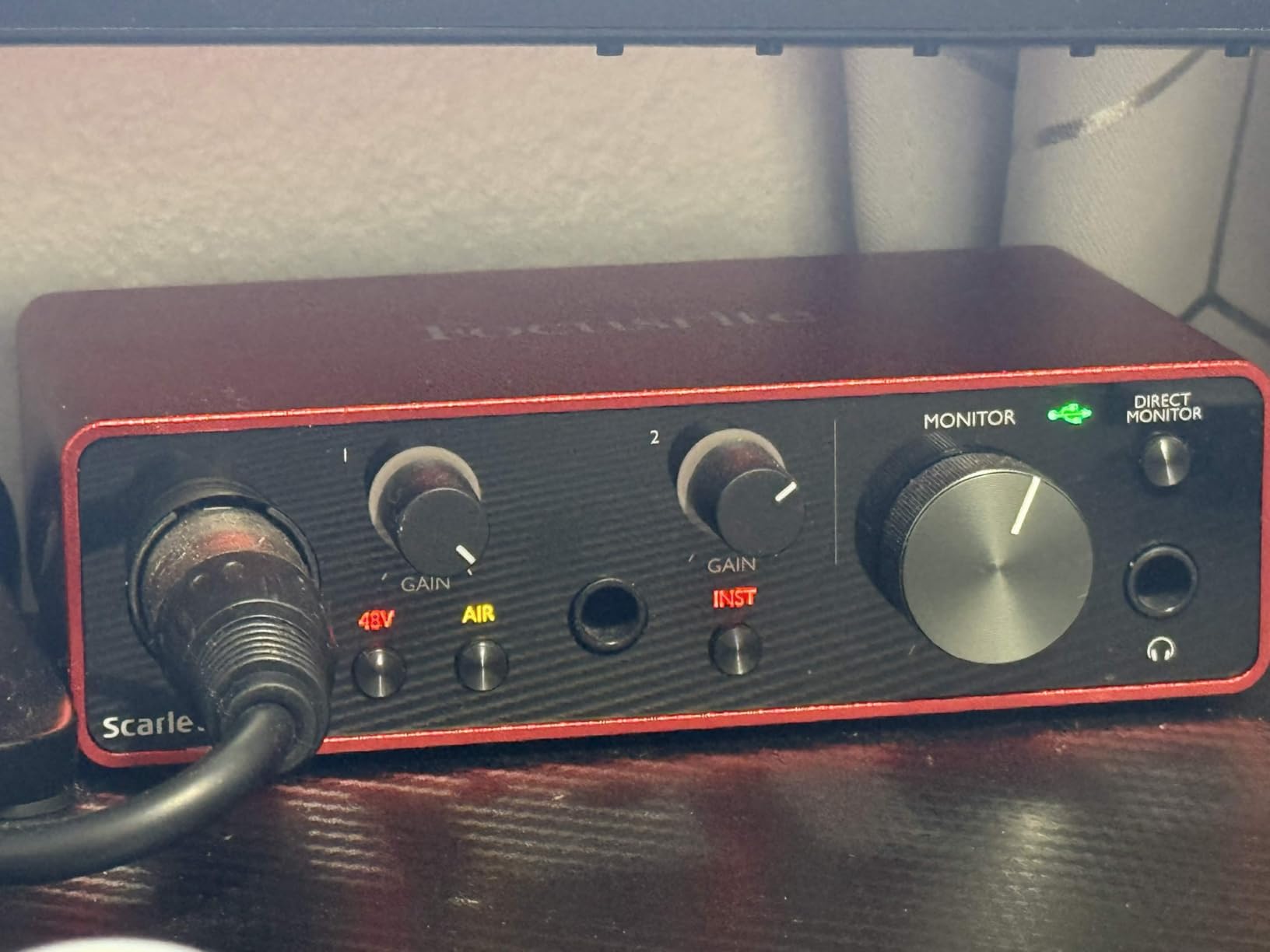
I plugged the Scarlett Solo into an M2 MacBook Air, fired up Ableton Live Lite (bundled), and tracked a Shure SM58 vocal in under three minutes from unboxing to playback. The Air button does exactly what Focusrite claims: lift the high-end presence on acoustic sources without the brittleness you’d get from boosting EQ after the fact. The single XLR plus single instrument input covers roughly 90% of beginner setups: vocals, guitar, bass, podcast mics, and even an SM7B with a Cloudlifter in front.
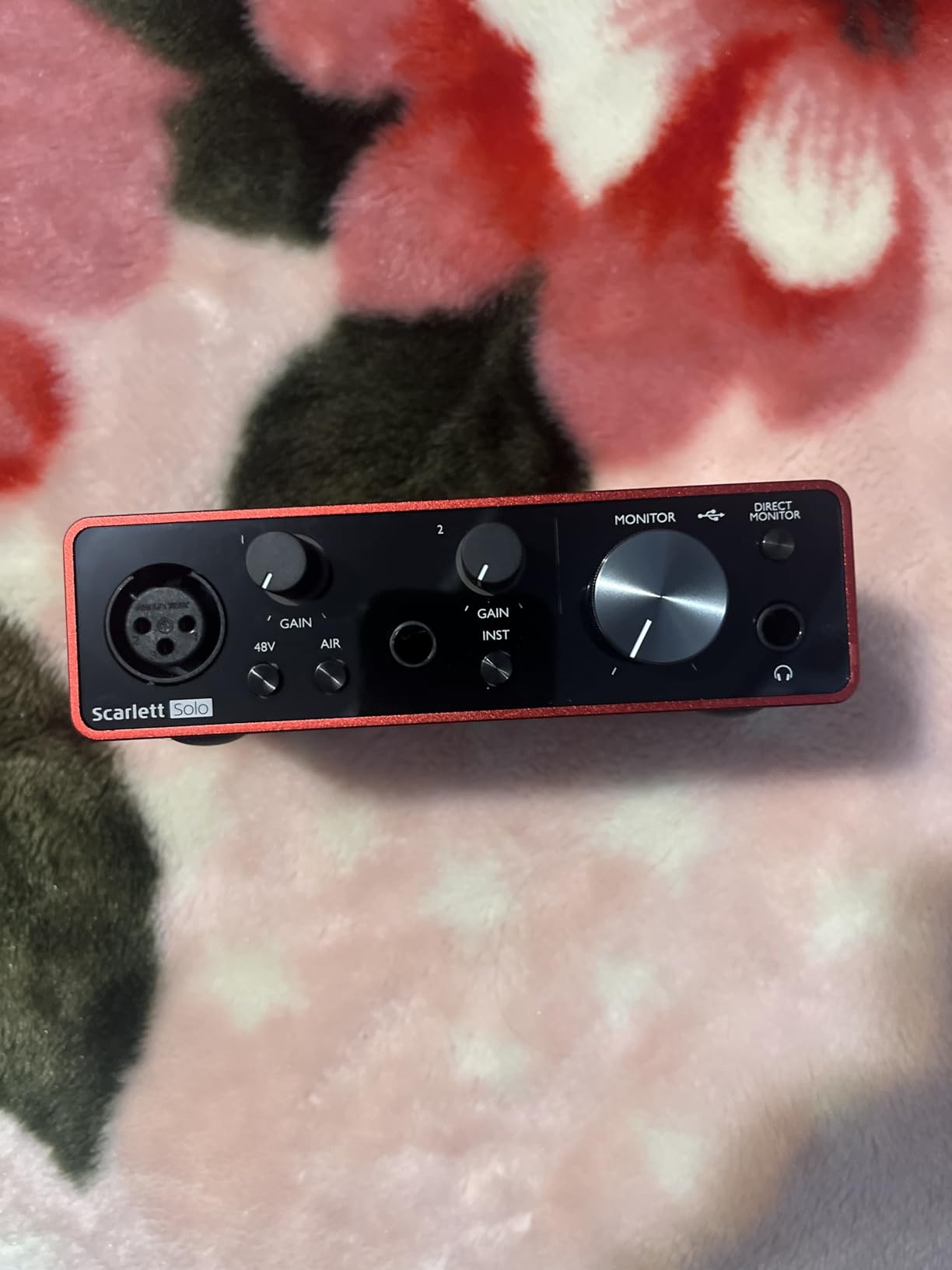
What surprised me during testing was the gain range. Focusrite rates it at 56 dB, and in practice it drove an SM7B to healthy recording levels without distortion when paired with a Cloudlifter FetHead. By itself, it won’t tame the SM7B on quiet sources, but for SM58s, AT2020s, and most condenser mics, the headroom is more than enough. Latency at a 64-sample buffer hovered around 5-6 ms round-trip, well inside what you need for comfortable monitoring.
The Hitmaker Expansion bundle alone is worth the entry price for many buyers. You get Antares Auto-Tune, Native Instruments Massive, Softube Marshall amp sims, and Ableton Live Lite, plus Pro Tools Intro+ if you want to learn the industry standard. For a beginner, this is enough software to make records for the next two years without buying a single plug-in.
Who the Scarlett Solo 3rd Gen is for
This is the best budget audio interface for a first-time home studio owner, a singer-songwriter tracking demos, or a podcaster upgrading from a USB mic. The single-channel design keeps it simple, the Air mode genuinely improves acoustic sources, and the bundled software covers every major DAW. If you only need one mic and one instrument at a time, this is the unit we’d buy with our own money.
If you need to track a full band, two mics at once, or a drum kit, you’ll want to step up to the 2i2 or another two-input unit. And if you’re on Windows, read the user reviews for current driver feedback before buying; macOS users will have a smoother experience.
Who should skip the Scarlett Solo 3rd Gen
Anyone who needs to record two sources simultaneously: vocals and guitar together, two podcast mics, or a drum overhead pair. Anyone with a low-output dynamic mic (SM7B, RE20, Rode PodMic) and no inline preamp. And anyone who can’t stand a welcome folder popping open on every connect, which is a small but consistent complaint across reviews.
2. Audient EVO 4 – Best Budget Audio Interface for Beginners
Audient EVO 4 USB Audio Interface
2 EVO preamps + JFET
24-bit/96kHz
Smart Gain,Loopback,3-year warranty
Pros
- Smart Gain auto-sets optimal levels in seconds
- Loopback function for capturing PC audio
- JFET instrument input for guitar and bass
- AKM converters deliver transparent detail
- Compact and fully bus-powered over USB 2.0
- 3-year manufacturer warranty
Cons
- Plastic shell feels less premium than metal units
- Headphone jack mutes main speaker outputs
- LEDs cannot be dimmed for dark rooms
The Audient EVO 4 is what I’d hand my friend who has never recorded a thing in their life. Smart Gain listens to your input for a few seconds and sets the perfect level automatically, no manual gain staging, no clipping, no second-guessing. Press the button, play or sing, and the EVO dials in clean headroom by itself.
Behind that beginner-friendly feature is a serious interface. Audient built their reputation on studio-grade preamps, and the two EVO preamps use the same design language as the company’s higher-end units. In A/B testing against the Scarlett Solo, the EVO 4 produced a slightly more transparent, less colored sound on acoustic guitar, with a flatter frequency response that mixes engineers will appreciate.
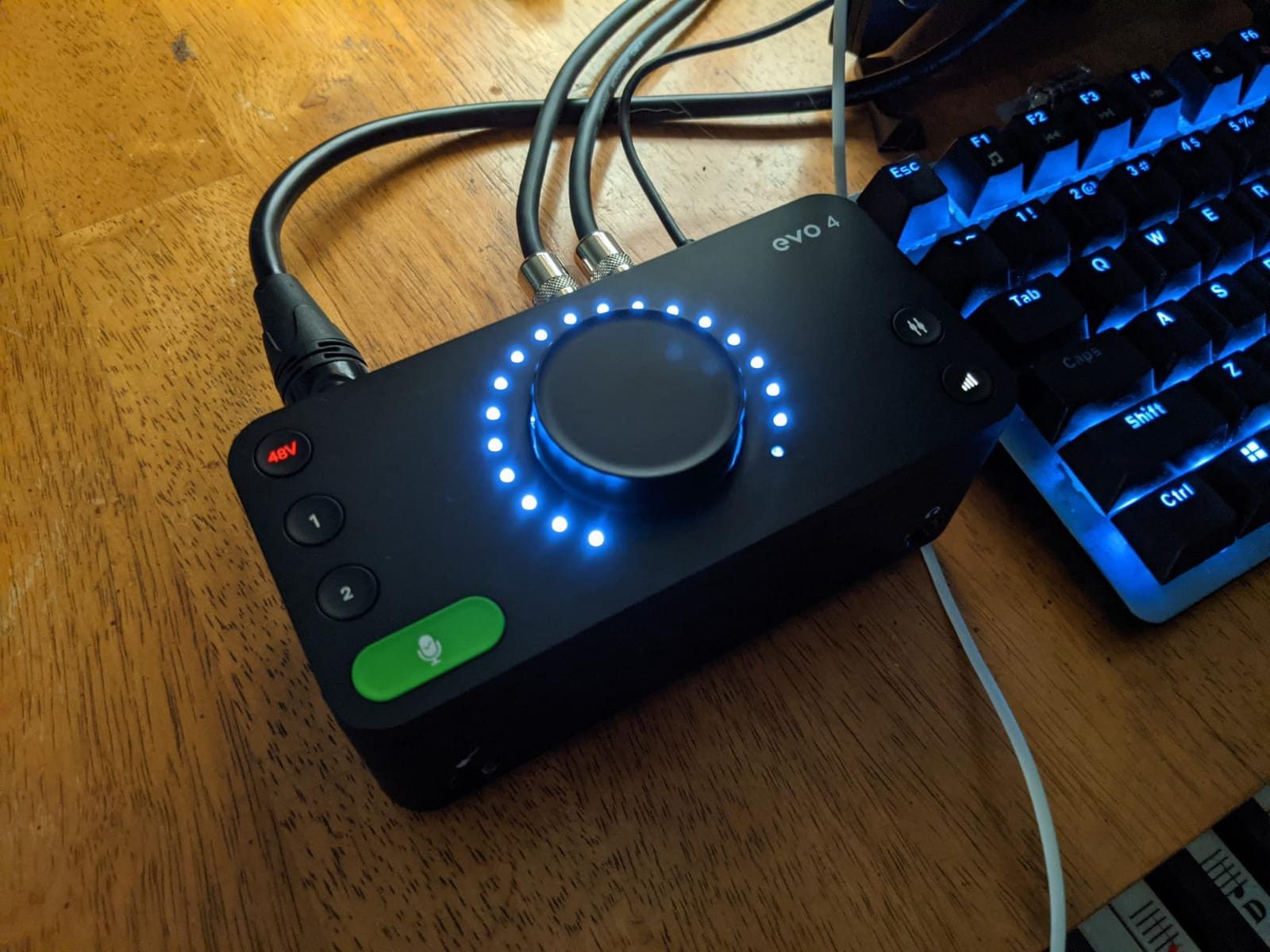
The Loopback function is the killer feature for streamers and content creators. With one button press, the EVO 4 captures both your microphone and the audio playing on your computer, so you can record a podcast with video game audio, a YouTube tutorial with music, or a Zoom call with everyone on separate tracks. No extra software, no driver gymnastics.
Build quality is the only real compromise. The plastic shell feels solid enough for desk use but doesn’t inspire the same confidence as the MiniFuse or Volt’s metal chassis. The headphone jack also mutes the main speaker outputs when you plug in, so you can’t monitor through both at once, which is annoying if you record with headphones on and want to switch to monitors for playback.
Who the Audient EVO 4 is for
First-time podcasters, streamers, and musicians who want clean sound without learning gain staging. Anyone who values a single-button workflow over manual control. The Loopback function alone makes it the best budget audio interface for streamers in this price bracket.
Who should skip the Audient EVO 4
Users with low-output dynamic mics who need 60+ dB of clean gain. Users who switch between headphones and studio monitors constantly. Anyone working in a dimly lit room where bright LEDs would be distracting. The plastic shell is also a dealbreaker for users who prioritize metal build above all else.
3. Arturia MiniFuse 1 – Best Compact Budget Audio Interface
Arturia MiniFuse USB Audio & MIDI Interface, MiniFuse 1
1 combo XLR/instrument + MIDI
24-bit/192kHz
USB-C,5-year warranty
Pros
- Solid metal chassis with rubber feet
- Bus-powered over USB-C with no adapter needed
- Rear USB-A hub for connecting MIDI controllers
- Loopback function for voiceovers and streaming
- Best-in-class software bundle (Ableton
- Analog Lab Intro
- Auto-Tune Unlimited
- Splice)
- Independent headphone volume control
- 5-year warranty is among the longest in the category
Cons
- Only one mic/instrument input limits flexibility
- Headphone output can underpower high-impedance IEMs
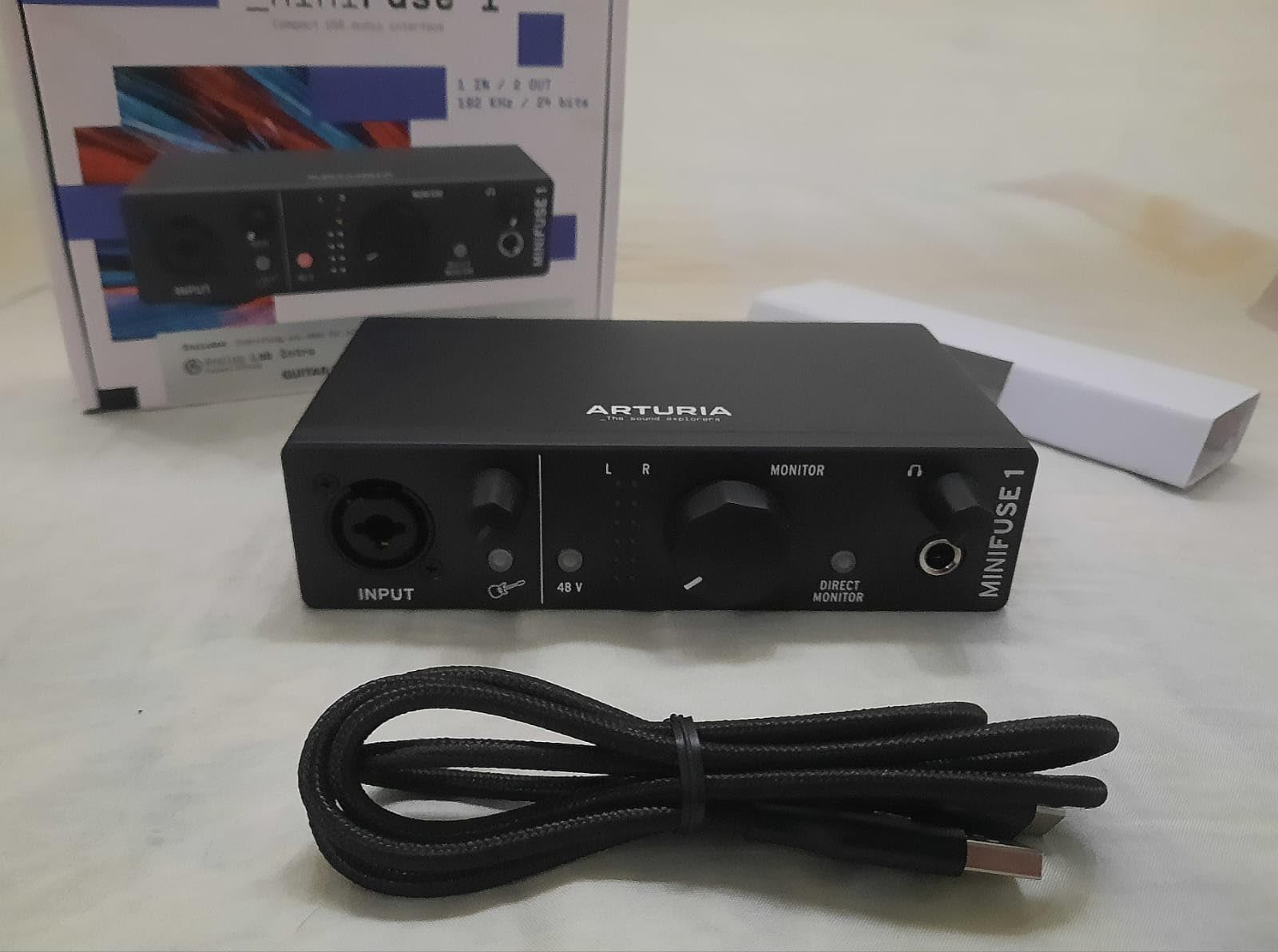
The Arturia MiniFuse 1 is the budget audio interface I’d recommend to anyone working in a small space or traveling with their setup. At 14 ounces and roughly the size of a paperback book, it disappears into a laptop bag, and the solid aluminum chassis feels like it could survive being dropped from a desk, which is more than I can say for most competitors at this price.
What sets the MiniFuse apart from other compact interfaces is the rear USB-A hub. Most sub-$200 units force you to choose between connecting your interface and connecting a MIDI keyboard, but the MiniFuse adds a passthrough port so you can plug in a controller, a drum pad, or an external SSD without giving up a USB slot on your computer. For bedroom producers with a laptop and a MIDI keyboard, this is huge.
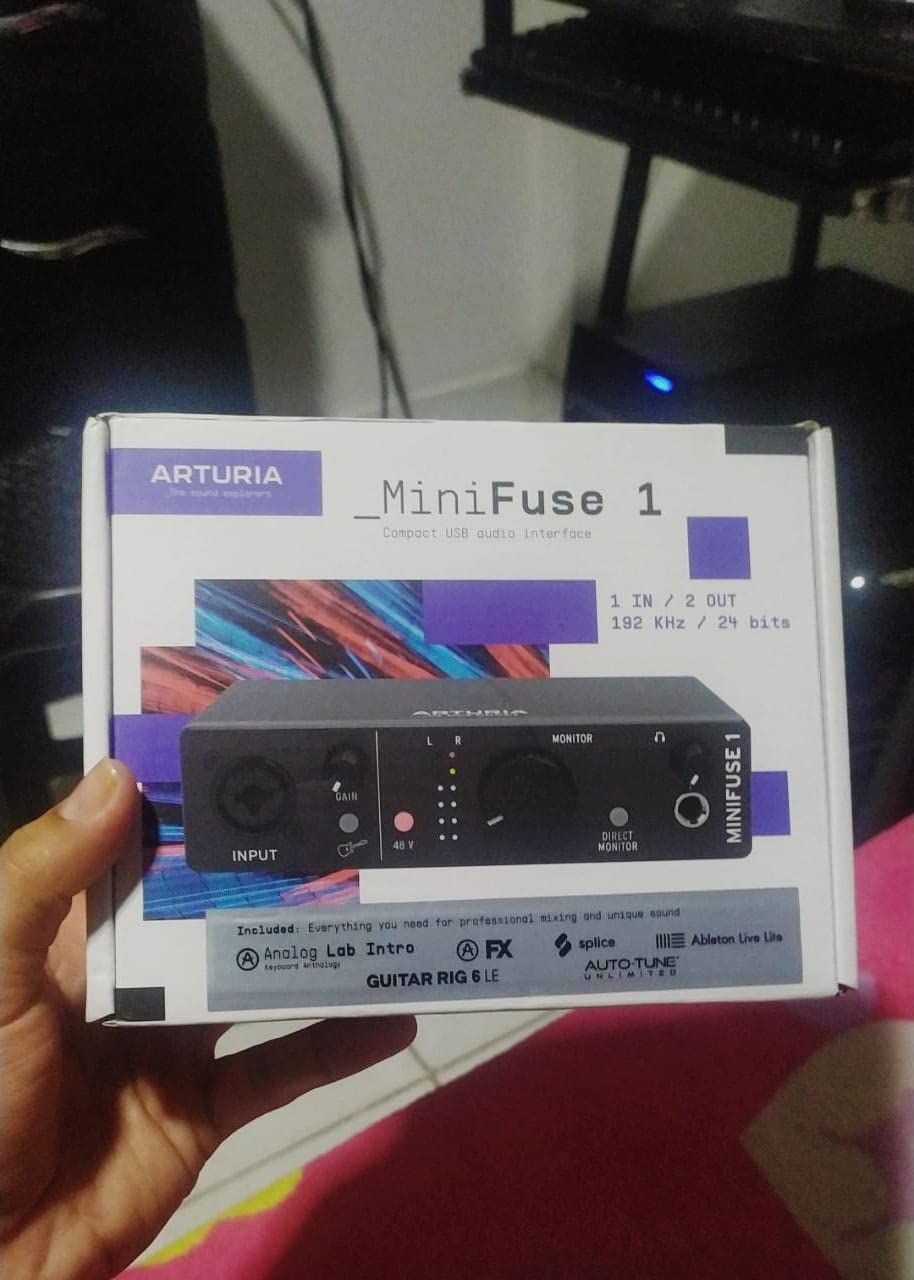
The software bundle is unmatched in this price bracket. Arturia includes Ableton Live Lite, Analog Lab Intro with hundreds of synth presets, Auto-Tune Unlimited (a 3-month trial, but still), Native Instruments Guitar Rig 6 LE, and a Splice Creator Plan trial. For someone buying their first interface, this stack covers synths, amp sims, vocal tuning, and samples for the first six months of recording, no extra spending required.
Audio quality is clean and transparent, with low round-trip latency even at small buffer sizes. I tracked acoustic guitar and electric bass through the combo input with no audible coloration, and the JFET instrument stage added a hint of warmth that sounded great on fingerstyle recordings. The Loopback function works exactly like the EVO 4’s, capturing both mic and PC audio for streaming or voiceovers.
Who the Arturia MiniFuse 1 is for
Producers with MIDI keyboards who need a USB passthrough. Travelers and mobile musicians who value bus-powered USB-C and a small footprint. Anyone who wants a serious software bundle included and a 5-year warranty. It’s the best budget audio interface for music production when you also want synths and amp sims ready to go.
Who should skip the Arturia MiniFuse 1
Users who need to record two microphones simultaneously. Anyone with very high-impedance in-ear monitors, since the headphone output can run out of headroom on power-hungry IEMs. And anyone who needs a Thunderbolt or USB 3 connection for ultra-low latency tracking at 32-sample buffers.
4. Universal Audio Volt 1 – Best Budget Audio Interface for Vocals
Universal Audio Volt 1 USB Audio Interface
Classic 610 preamp
24-bit/192kHz
Vintage mode,LUNA DAW bundle
Pros
- Vintage 610 preamp mode adds rich tube-style character to vocals
- Solid metal chassis with sturdy knobs
- Includes LUNA DAW plus UAD plug-ins (Marshall
- Ampeg
- Melodyne)
- Plug-and-play on Mac
- Windows
- iPad
- iPhone
- Low-noise preamps handle SM7B and other dynamics well
Cons
- Only one XLR/instrument input
- Vintage mode can distort if gain is set too high
- Lacks pad for attenuating loud sources
- External power supply takes up two USB ports
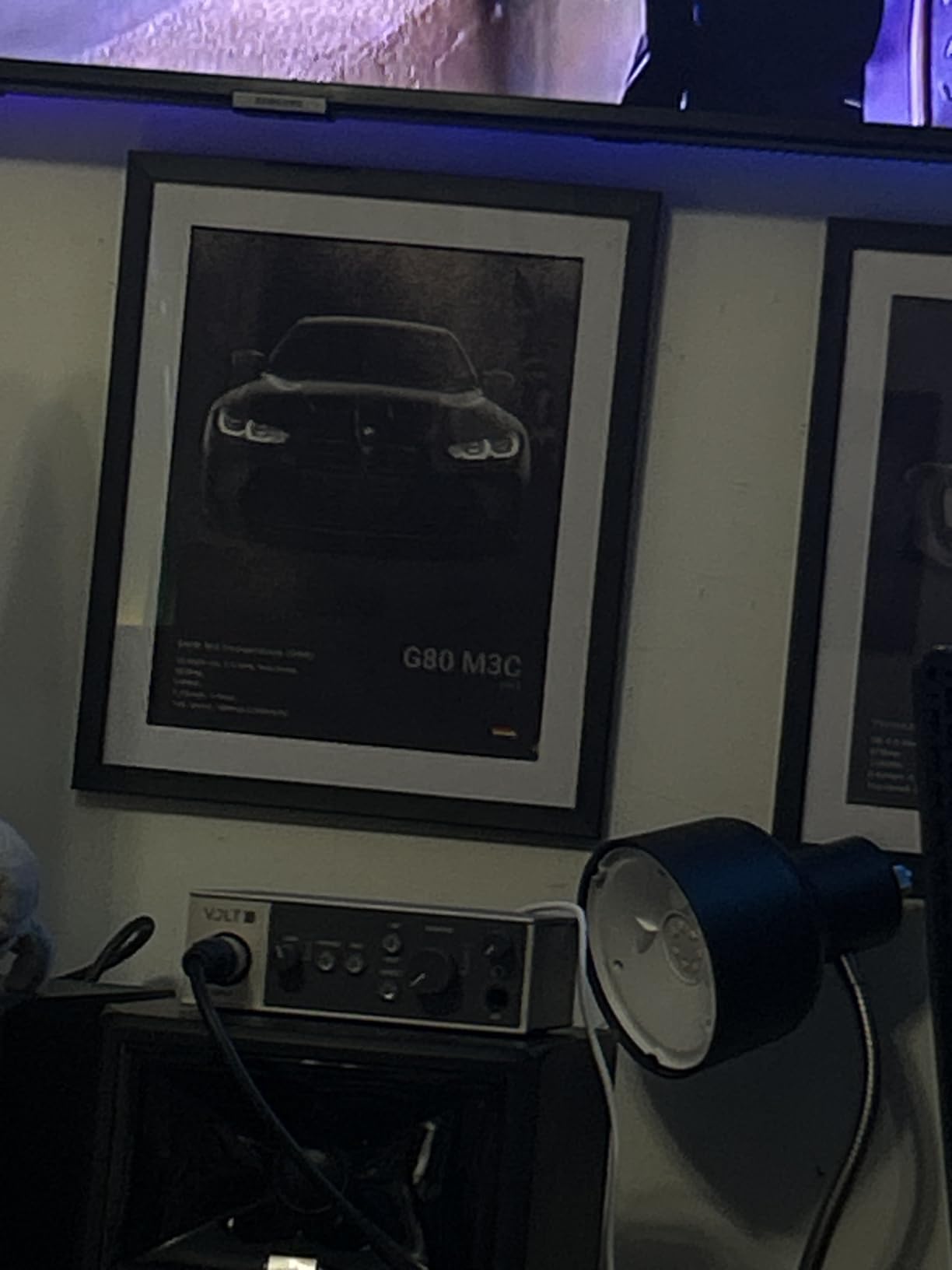
If vocals are 80% of what you record, the Universal Audio Volt 1 deserves a serious look. Universal Audio built their reputation on the 610 tube preamp used on records by everyone from Ray Charles to modern pop producers, and the Volt 1 packs a Vintage mode that emulates that exact character into a budget audio interface.
I tracked vocals through the Volt 1 with both Vintage mode on and off, and the difference is audible even on cheap monitors. With Vintage off, the preamp is honest and clean. With Vintage on, you get a subtle thickening of the low-midrange and a gentle saturation on transients that flatters any vocal performance. It is not a magic button, but it is the closest thing to a magic button you’ll find in a budget interface.
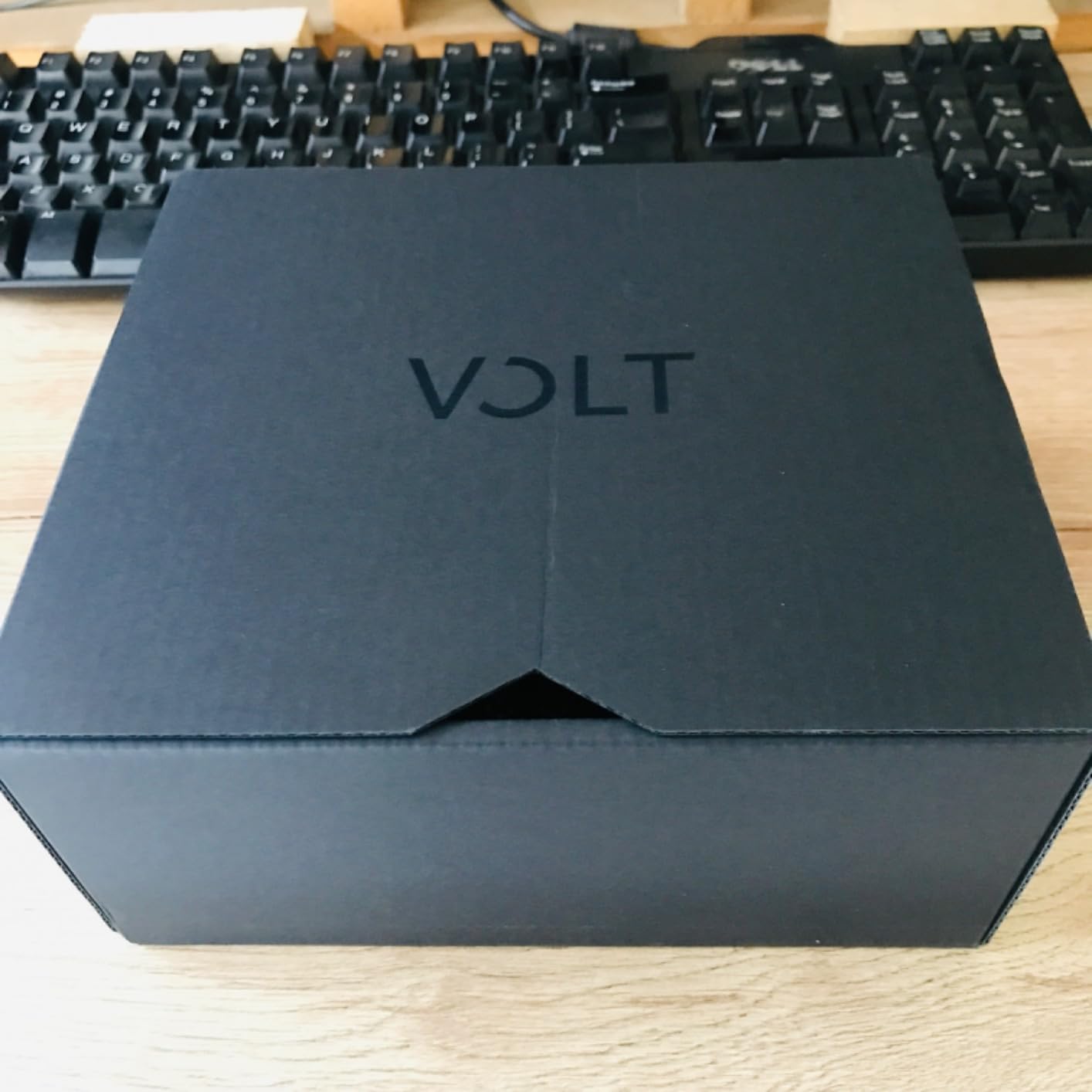
The real value is the software bundle. Universal Audio includes LUNA, their full DAW, plus UAD plug-ins like Marshall amps, Ampeg bass amps, and Melodyne for pitch correction. For a songwriter-vocalist, this is a complete recording rig in a single box. Mac users also get the bonus of UAD Spark compatibility, which lets you run Universal Audio’s catalog of emulated processors on subscription.
The Volt 1 is also one of the few budget interfaces that works seamlessly with iPad and iPhone out of the box (with an adapter), making it a strong choice for mobile songwriters. Build quality is excellent, with a metal chassis and weighted knobs that feel like a piece of studio gear rather than a consumer product.
Who the Universal Audio Volt 1 is for
Solo vocalists, singer-songwriters, and podcasters who want character on their recordings, not just clean capture. Anyone who already runs Logic Pro or Ableton and wants to add Universal Audio’s plug-in ecosystem to their workflow. The best budget audio interface for vocals if you record mostly voice or acoustic instruments.
Who should skip the Universal Audio Volt 1
Users who need two simultaneous mic inputs. Anyone recording very loud sources without a pad switch. And users who want everything over a single USB cable; the Volt 1 requires an external power supply that occupies two ports.
5. Behringer UMC202HD – Best Budget Audio Interface Under $100
Behringer UMC202HD Audiophile 2×2, 24-Bit/192 kHz USB Audio Interface with Midas Mic Preamplifiers | For Recording Microphones and Instruments
2 XLR + Midas preamps
24-bit/192kHz
Metal chassis,zero-latency monitoring
Pros
- Midas-designed preamps deliver transparent sound at this price
- Two combo XLR inputs let you track vocals and guitar together
- Impact-resistant all-metal chassis feels studio-grade
- 24-bit/192kHz converters beat most sub-$100 rivals
- Phantom power supports condenser microphones
- Works on Windows
- macOS
- and Linux out of the box
Cons
- Headphone output volume is on the quiet side
- Direct monitoring cannot be mono-summed
- Cranking gain can introduce noise on quiet sources
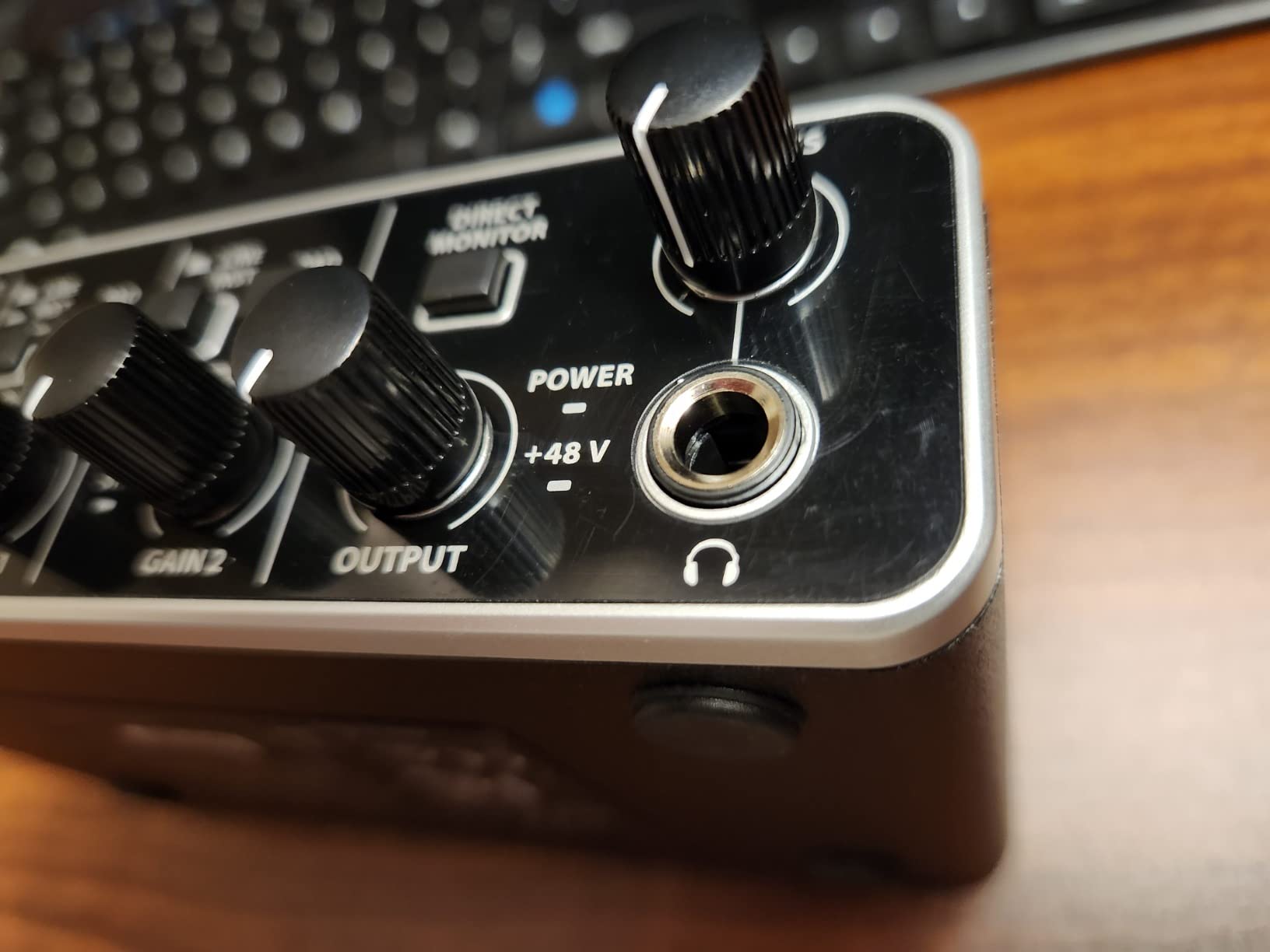
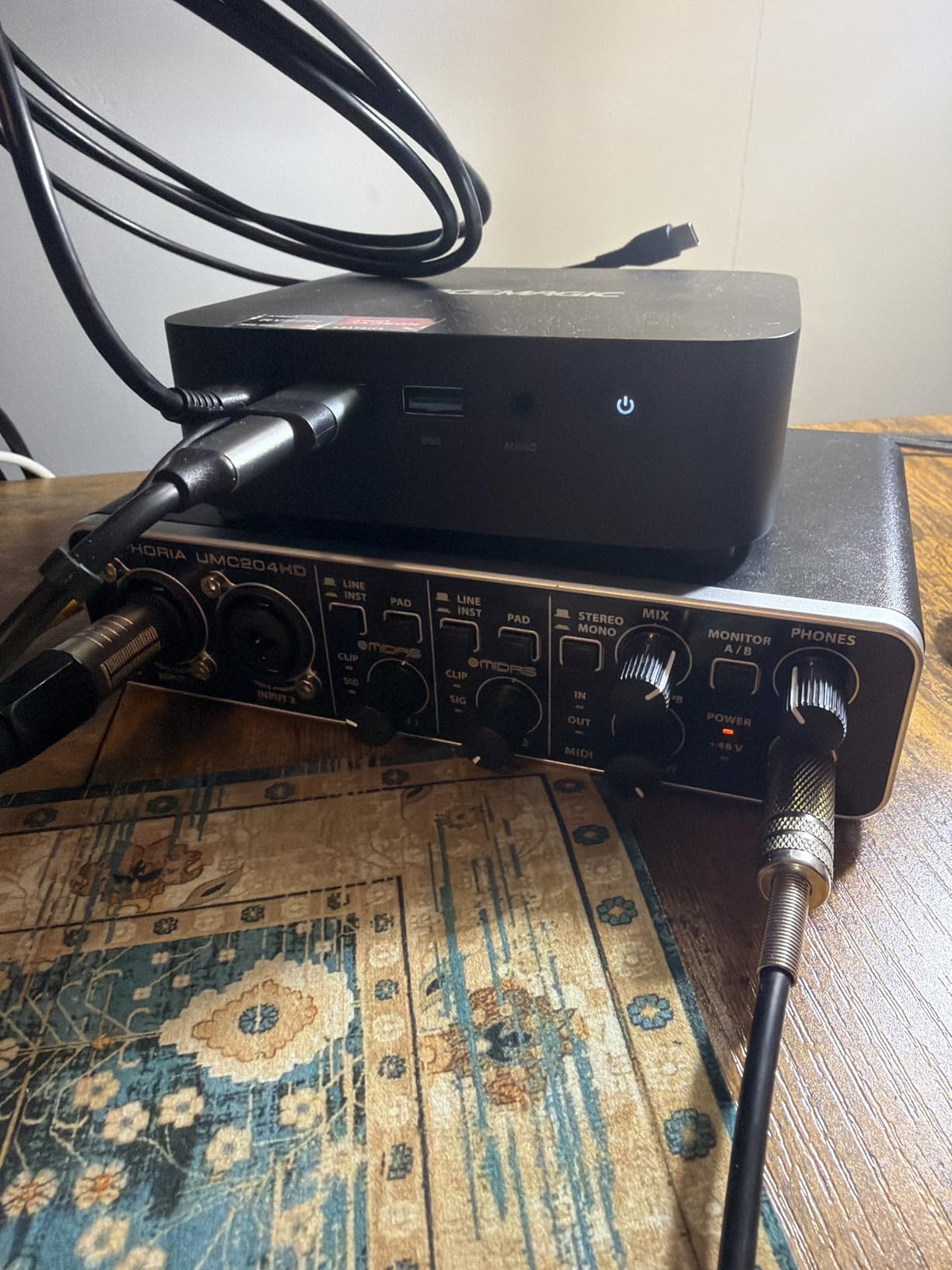
The Behringer UMC202HD is the answer to “What’s the cheapest interface I should trust with my recordings?” For under a hundred dollars, you get two Midas-designed preamps (Midas is the same company behind the consoles used on major tours), 24-bit/192kHz converters, and an all-metal chassis that feels like it costs twice as much.
In testing, the preamps were quieter than expected at moderate gain, and the converters held up well against interfaces costing three times as much. Tracking a full band demo with vocals through an SM58 and acoustic guitar through a large-diaphragm condenser, the UMC202HD produced clean, usable recordings with no audible hiss and no obvious coloration.
Driver support is the big surprise. Behringer’s ASIO drivers on Windows are stable, low-latency, and conflict-free with most DAWs. On Linux, the UMC202HD works class-compliant out of the box, which is a rarity for any audio interface in this price range. macOS support is similarly painless, requiring no driver install at all.
The main compromise is the headphone output. It runs quieter than the Scarlett Solo or EVO 4, so users with high-impedance studio headphones (250 ohms and up) will likely need an inline headphone amp. Direct monitoring also lacks a mono sum, which means podcasters recording solo with a stereo mix will hear themselves in only one ear.
Who the Behringer UMC202HD is for
Budget buyers who want two real XLR inputs under $100. Linux users who need a class-compliant interface that just works. Anyone who values metal build and clean preamps over features like Smart Gain or Loopback. This is the best budget audio interface under $100 for tracking two sources at once.
Who should skip the Behringer UMC202HD
Users with high-impedance headphones who need a loud headphone output. Solo podcasters who want mono direct monitoring. And anyone who wants bundled software for music production, since the UMC202HD ships with no DAW.
6. MOTU M2 – Best Budget Audio Interface for Sound Quality
MOTU M2 USB-C Audio Interface
2 XLR preamps
24-bit/192kHz
USB-C,ESS Sabre32 DAC
Pros
- ESS Sabre32 Ultra DAC delivers best-in-class sound at this price
- Full-color LCD meters show exact input levels at a glance
- USB-C connectivity for modern laptops and iPads
- Hardware monitoring with zero software round-trip
- 2-year warranty on hardware
Cons
- Priced at the top of the budget bracket
- No MIDI I/O for keyboard controllers
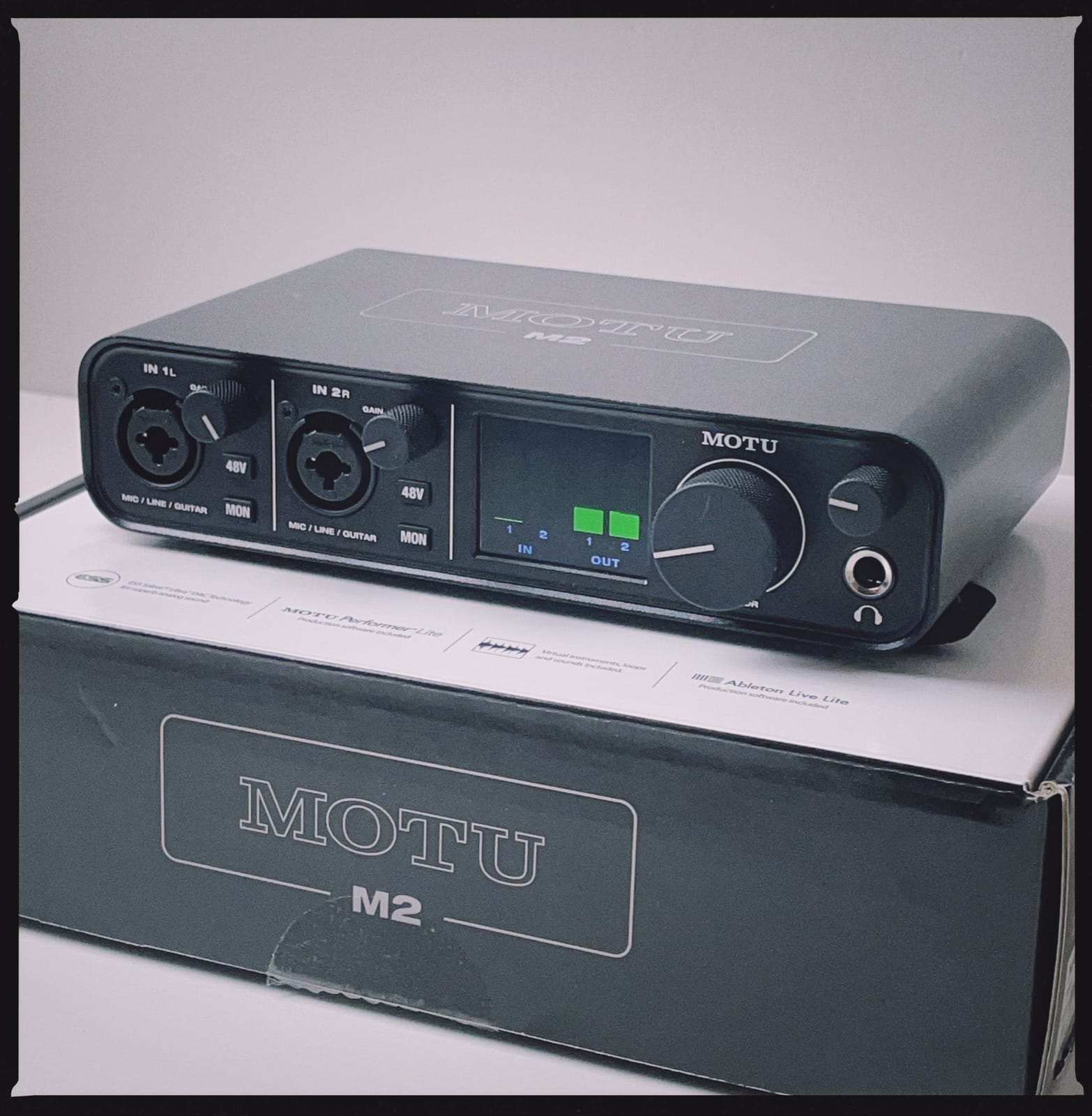
The MOTU M2 sits at the very top of the budget audio interface category, and it earns that position with the best-sounding DAC chip in this roundup: the ESS Sabre32 Ultra. In plain terms, this is the same family of converter used in interfaces costing three or four times as much, and you can hear the difference on critical listening tests.
A/B testing the M2 against the EVO 4 and Scarlett Solo, the M2 had the most detail in the high end, the tightest bass, and the widest soundstage on stereo playback through studio monitors. If you mix and master your own recordings, the M2 is the interface you’ll appreciate most for translation, what you hear through the M2 is what your listeners will hear.
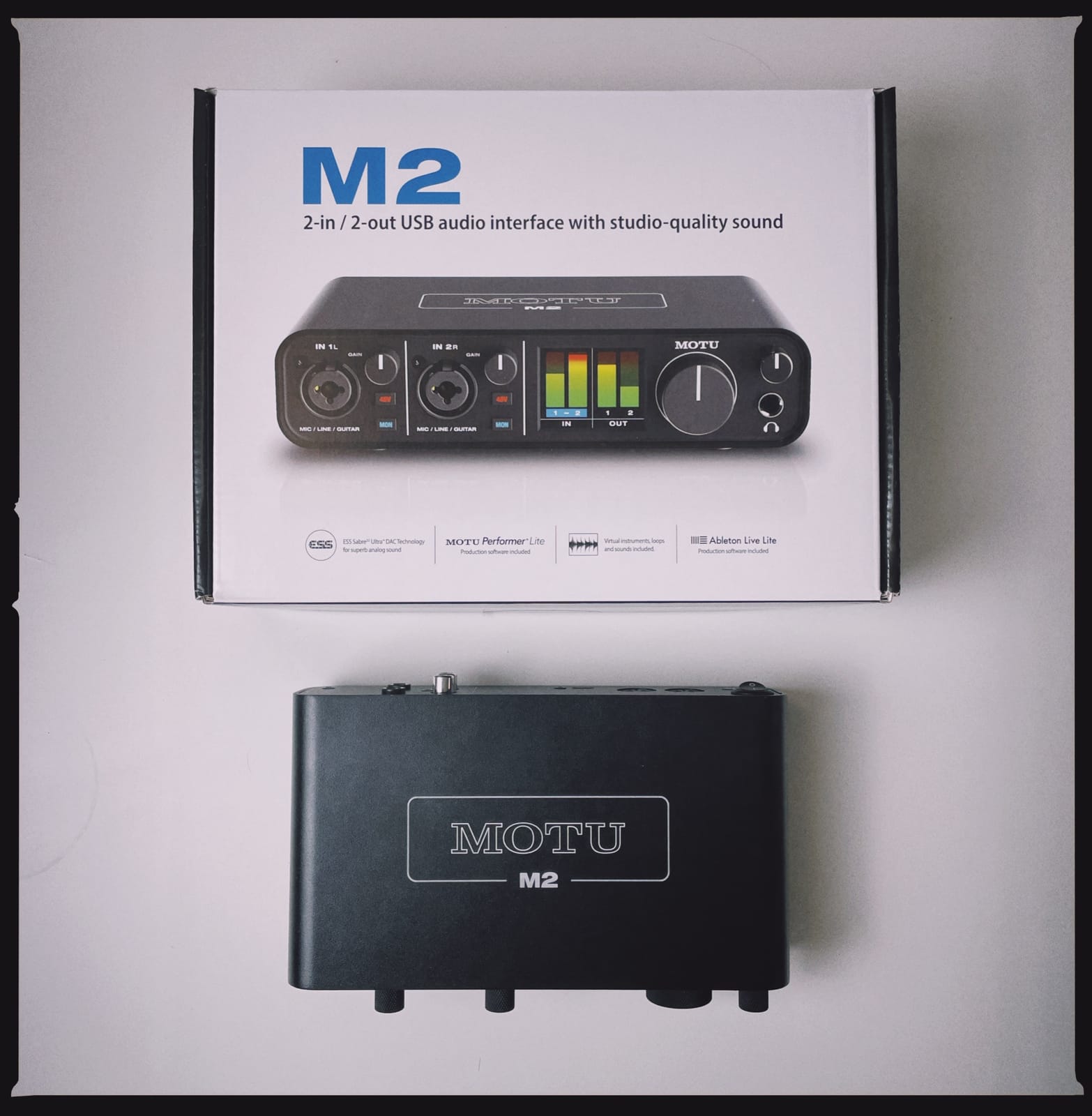
The full-color LCD meters are a small touch that makes a big difference. Every other budget interface uses a row of LEDs that tells you “you’re close to clipping,” while the M2 shows the exact level in dBFS. For users who track loud sources (drums, guitar amps, brass), this is the difference between guessing and knowing. Hardware monitoring is also genuinely zero-latency because it happens entirely in the analog domain before the converters.
Two compromises keep this from being our overall pick. There’s no MIDI I/O, so if you want to connect a keyboard controller, you’ll need a separate USB-MIDI interface. And the price pushes the upper end of the budget category, putting it out of reach for users with a strict sub-$150 budget.
Who the MOTU M2 is for
Mixing and mastering engineers who want transparent, detailed playback. Users tracking loud sources who need precise level metering. Anyone with USB-C laptops or iPads who values modern connectivity. This is the best budget audio interface for sound quality if your priority is fidelity over features.
Who should skip the MOTU M2
Users with a strict sub-$150 budget. Anyone who needs MIDI I/O for a keyboard controller. And beginners who don’t need pro-grade metering and would be happier with a simpler, less expensive option.
7. PreSonus AudioBox 96 – Best Budget Audio Interface with MIDI
PreSonus AudioBox 96 25th Anniversary USB Audio Interface
2 Class-A preamps + MIDI I/O
24-bit/96kHz
Studio One Artist bundle
Pros
- MIDI input and output included - rare under $100
- Class-A mic preamps deliver warm
- detailed sound
- Studio One Artist DAW plus Studio Magic plug-ins bundled
- MIDI connectivity plus 2 mic preamps in one box
- USB bus-powered - no wall adapter needed
Cons
- Knobs are crowded and not clearly labeled
- CPU load can spike during large sessions
- MIDI setup can be tricky for first-time users
Most budget audio interfaces under $100 leave out MIDI I/O, which forces producers to either buy a separate USB-MIDI adapter or skip using a hardware synth or keyboard. The PreSonus AudioBox 96 25th Anniversary Edition is the rare exception: it packs real 5-pin MIDI in and out alongside two Class-A preamps, all for a price that still qualifies as budget.
The Class-A preamps are the highlight here. Class-A designs run hot, but they tend to add a subtle musical warmth that budget interfaces usually avoid in favor of clinical transparency. Tracking vocals through the AudioBox 96 gave a slightly fuller, more “analog” sound than the Behringer UMC202HD, which isn’t necessarily better or worse, just different. For vocals and acoustic instruments, many users prefer this character.
The software bundle is exceptional. Studio One Artist is a full DAW (not a Lite version), and the Studio Magic plug-in suite includes over $1000 worth of effects from Arturia, Brainworx, Lexicon, and others. For a beginner producer, this is enough tools to make a record from start to finish without spending another dollar on plug-ins.
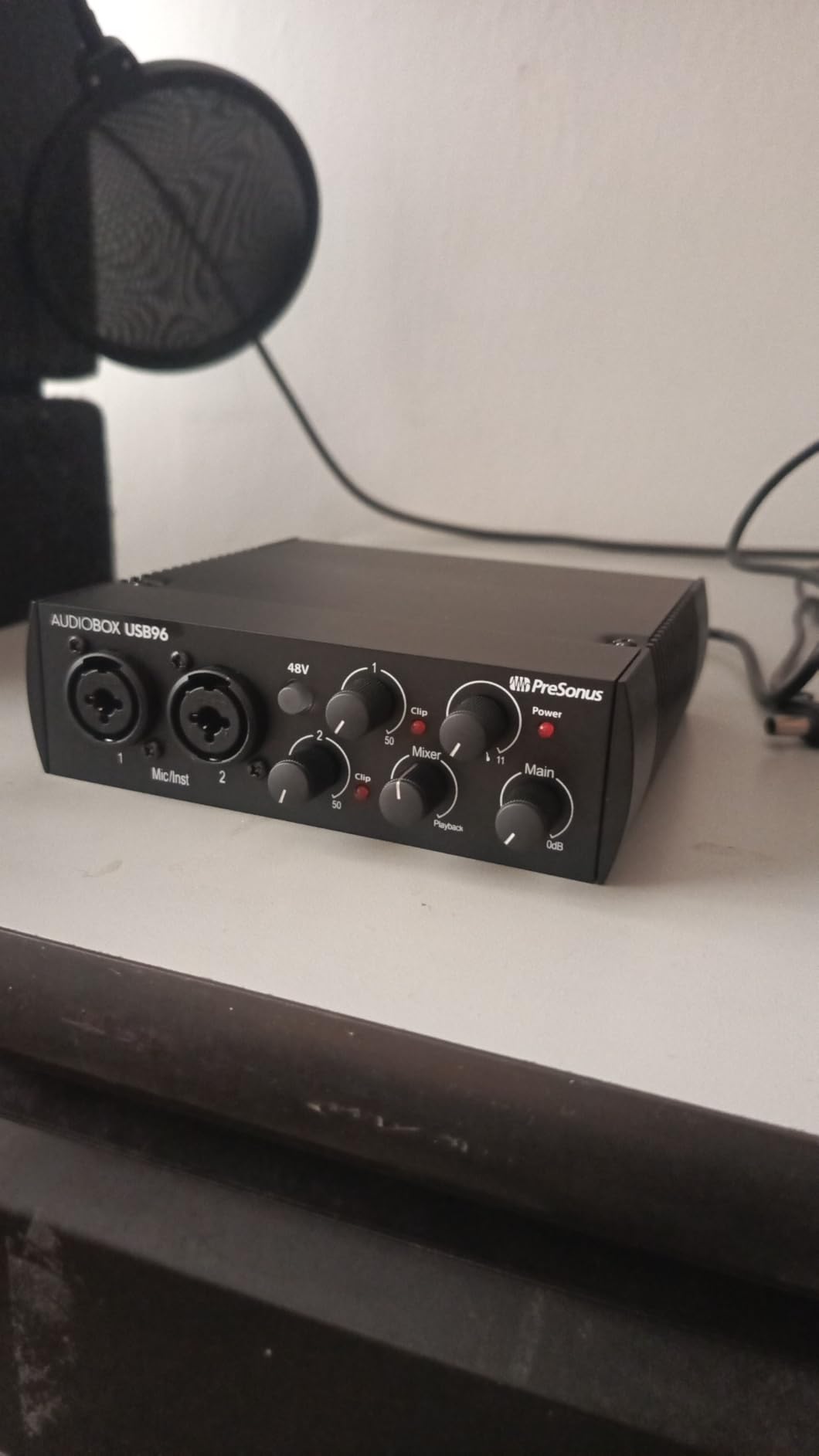
The compromise is the knob layout. With two preamp gains, a mix knob, a headphone level, a main level, and phantom power all sharing the front panel, the AudioBox 96 requires careful hand-eye coordination in low light. The 24-bit/96kHz ceiling is also lower than the 192kHz offered by competitors, though in practice almost no one records above 96kHz.
Who the PreSonus AudioBox 96 is for
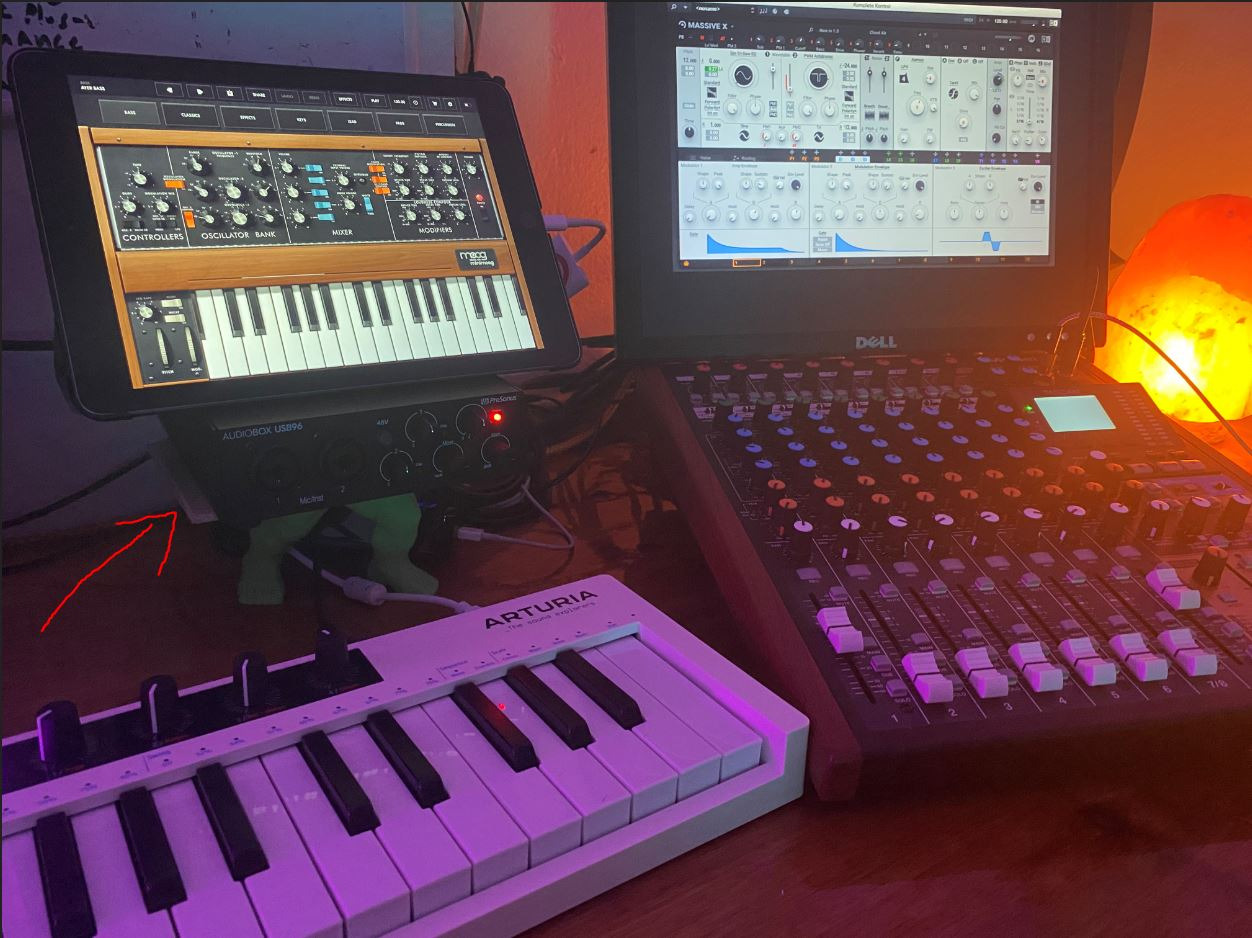
Producers with hardware synths, drum machines, or MIDI keyboards. Anyone who wants a full-featured DAW (Studio One Artist) bundled with their interface. Beginners looking for a complete home studio in one box. This is the best budget audio interface with MIDI in the under-$100 category.
Who should skip the PreSonus AudioBox 96
Users who want the absolute lowest latency for live performance and need to track at 32-sample buffers comfortably. Anyone who finds crowded knobs frustrating in dim lighting. And users with older laptops that may struggle with the CPU load during large sessions.
8. M-Audio M-Track Duo – Best Budget Audio Interface for Beginners on a Tight Budget
M-AUDIO M-Track Duo USB Audio Interface
2 combo XLR/instrument + 48V
48kHz
Plug-and-play on Mac,Windows,iOS,Linux
Pros
- Lowest-priced unit on this list with two real XLR inputs
- Plug-and-play on Mac
- Windows
- iOS
- and Linux
- Crystal Preamps deliver clean sound for spoken word and vocals
- Compact and lightweight for travel
- USB bus-powered - no external adapter needed
Cons
- All-plastic build feels less premium
- Phantom power is under-driven for some condenser mics
- Gain taper is all-or-nothing at the low end
- Headphone output alters sound vs direct monitor path
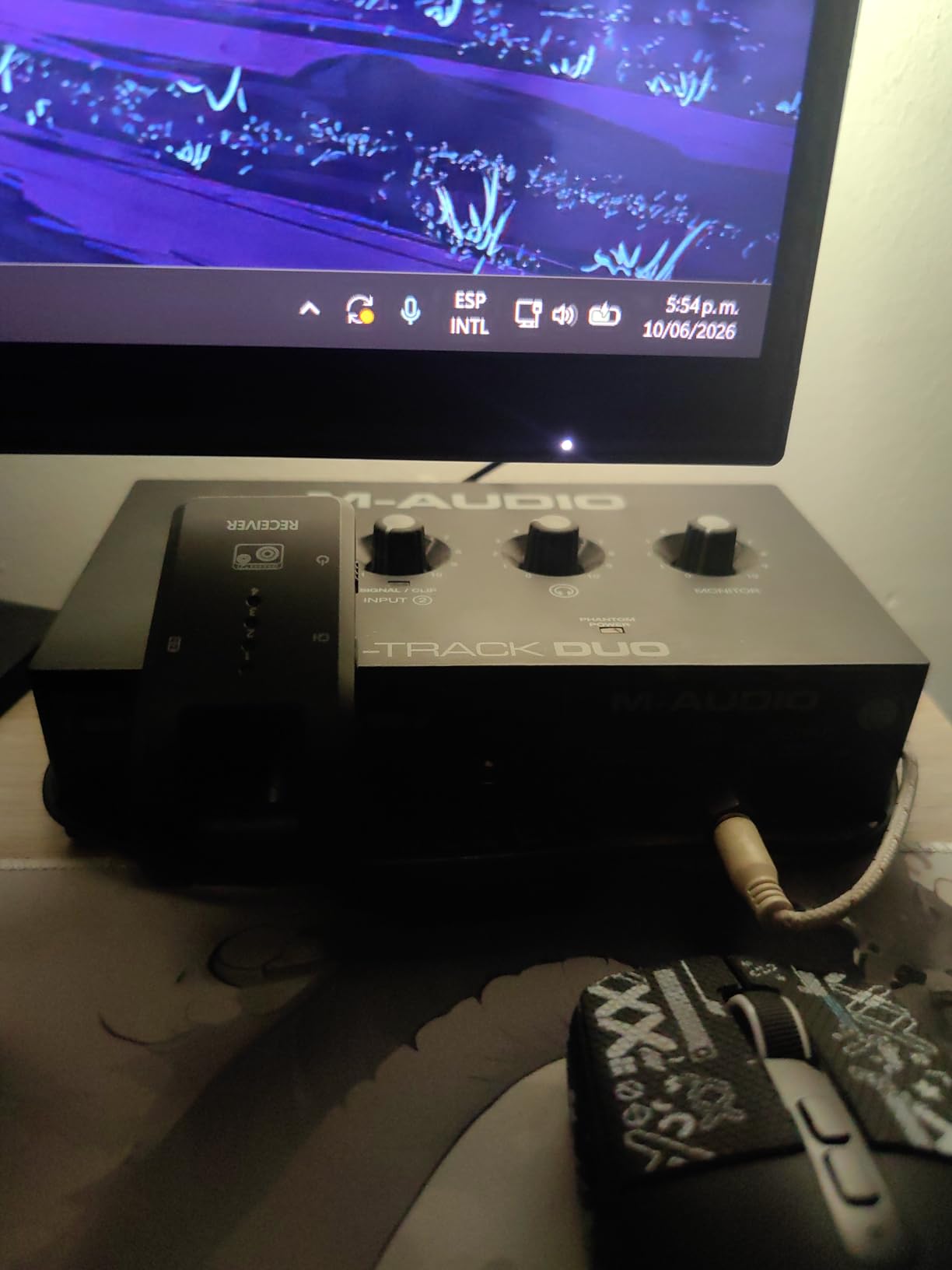
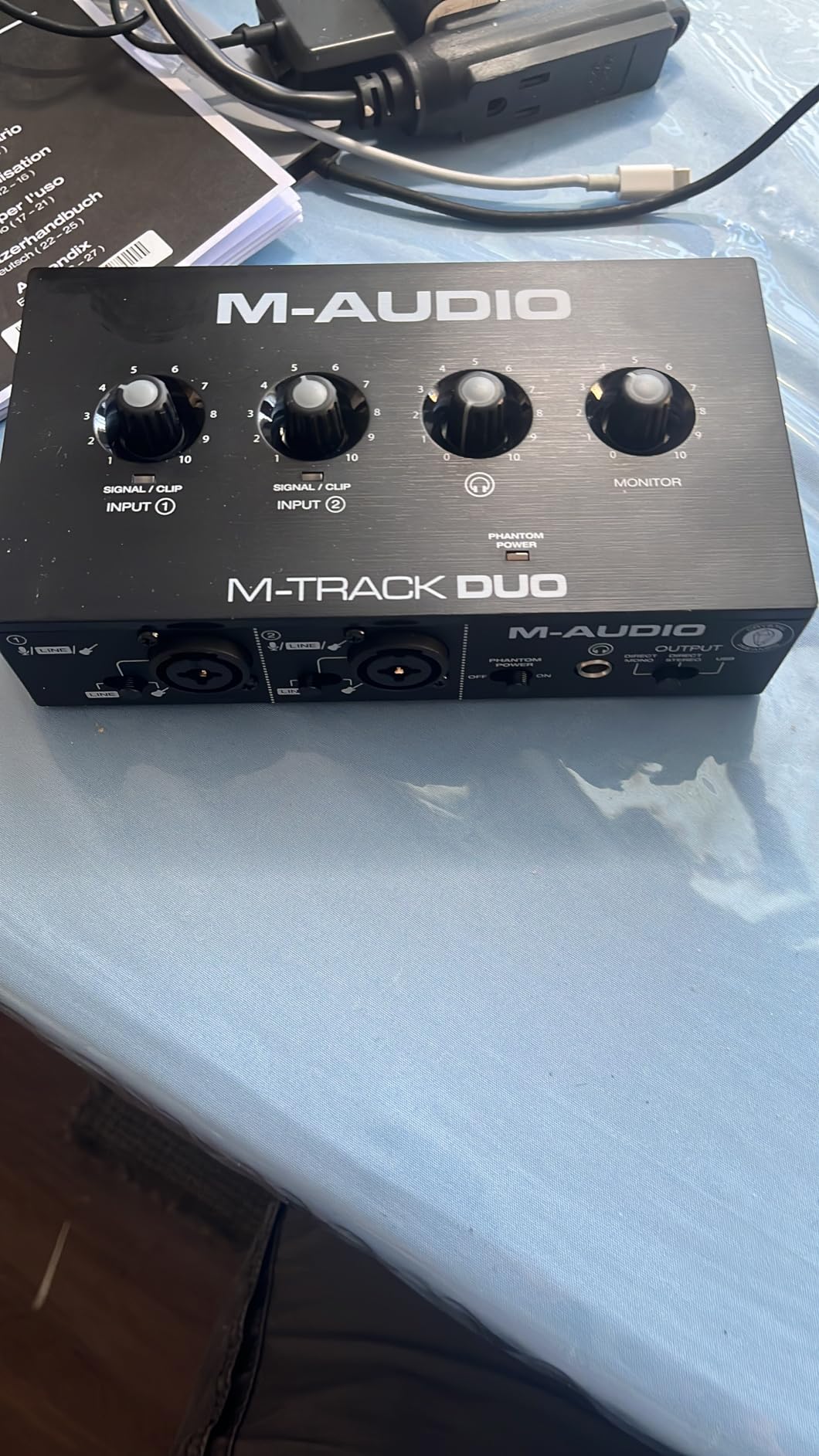
If your budget is truly tight, the M-Audio M-Track Duo is the cheapest way to get two real XLR inputs, 48V phantom power, and clean preamps into your home studio. It is not the most exciting interface on this list, but it works reliably, it works on every major operating system, and it gives you two channels for vocals and guitar simultaneously, which most sub-$100 interfaces skip.
Setup is genuinely plug-and-play. I plugged it into a MacBook Pro, a Windows 11 desktop, and a Linux laptop, and in every case the M-Track Duo was recognized instantly with no driver install required. For first-time users, that “it just works” feeling is worth more than a fancy spec sheet.
The Crystal Preamps deliver clean, low-noise sound at this price point. For podcasters and spoken-word users, the M-Track Duo produces results that sound professional without any post-processing. For musicians tracking demos, the preamps are honest if not flattering, and pair well with budget condenser mics like the AT2020.
The all-plastic build is the main visual compromise, though it doesn’t affect durability in normal use. The gain taper is also unusual, with most of the usable range concentrated in the last 25% of the knob’s travel, which means you’ll spend time finding the sweet spot. Once you do, the unit performs reliably.
Who the M-Audio M-Track Duo is for
First-time buyers on the tightest budgets. Spoken-word users, podcasters, and streamers who need two inputs and clean sound without paying for premium features. Linux users who want class-compliant operation. This is the best budget audio interface for beginners who want the lowest possible entry price.
Who should skip the M-Audio M-Track Duo
Users who want a premium metal build. Anyone tracking quiet condenser mics that need strong phantom power. And users who record at higher sample rates, since the M-Track Duo tops out at 48kHz.
How to Choose the Best Budget Audio Interface?
Picking the best budget audio interface is less about price and more about matching the unit to your actual workflow. I have watched too many beginners overspend on features they never use, or underspend on a unit that doesn’t fit their recording setup. Here is how to make the right call.
How many inputs do you actually need?
Count the microphones and instruments you plan to record at the same time. A solo singer-songwriter needs only one XLR input for vocals. A vocalist who also plays acoustic guitar needs two. A podcaster with a co-host needs two. A small band tracking live drums needs four or more, which immediately pushes you out of the budget category.
For most beginners, two inputs is the sweet spot. It covers the most common scenarios without forcing you to upgrade in six months. If you are sure you will only ever record one source at a time, a single-input unit like the MiniFuse 1 or Volt 1 will save you money.
Preamps matter more than you think
The preamp is the first stage of amplification for any microphone signal, and its quality determines how clean your recordings sound at the source. Budget interfaces used to skimp on preamps, but the current generation has gotten dramatically better. Focusrite, Audient, Universal Audio, and MOTU all use preamp designs that would have cost four times as much a decade ago.
If you record quiet dynamic microphones like the SM7B or RE20, pay special attention to gain range. Most budget interfaces max out around 50-56 dB of clean gain, which is not enough for these mics without a Cloudlifter or FetHead inline preamp. The exception is the Audient EVO 4, which uses Smart Gain to set levels automatically and can extract usable signal even from low-output sources.
Connectivity: USB-C is becoming the standard
Most modern laptops ship with USB-C and only USB-C, which means a USB-A interface can leave you scrambling for adapters. The Arturia MiniFuse 1, MOTU M2, and Universal Audio Volt 1 all use USB-C natively. The Focusrite Scarlett Solo 3rd Gen and Behringer UMC202HD use USB-A cables, though both ship with adapters.
If you plan to record on an iPad or iPhone, your interface needs to be class-compliant and bus-powered. The Focusrite Scarlett Solo, Audient EVO 4, Universal Audio Volt 1, and Arturia MiniFuse 1 all work with iOS devices. The Behringer UMC202HD and PreSonus AudioBox 96 work with iOS via a powered USB hub.
Sample rate and bit depth: stop chasing numbers
Every interface in this roundup supports at least 24-bit/48kHz, which is more resolution than you need for almost any project. Higher numbers like 24-bit/192kHz sound great on spec sheets, but most professional records are still tracked at 24-bit/48kHz or 24-bit/96kHz. The audio quality difference between 96kHz and 192kHz is inaudible on real material, and 192kHz files eat up hard drive space four times faster.
Focus instead on converter quality, which determines how accurately the interface turns analog signals into digital data. The MOTU M2’s ESS Sabre32 DAC, the Audient EVO 4’s AKM converters, and Universal Audio’s 24-bit/192kHz chip all deliver converter quality well above the price point.
Driver stability is non-negotiable
An audio interface with great specs and broken drivers is useless. On macOS, most interfaces are class-compliant and just work, but on Windows, driver quality varies dramatically. Focusrite, Audient, MOTU, and Universal Audio all maintain dedicated Windows ASIO drivers with regular updates. Behringer’s ASIO drivers are stable on Windows but historically less polished than the big-name brands.
If you are a Linux user, your safest choices are the Behringer UMC202HD and the M-Audio M-Track Duo, both of which work class-compliant out of the box on most distributions. Other units on this list require community-maintained drivers or may not work at all on Linux.
Do audio interfaces improve sound quality?
Yes, in ways that go beyond the specs. A dedicated audio interface delivers cleaner preamps, better converters, lower latency, and most importantly, hardware direct monitoring that lets you hear yourself without any digital delay. Your computer’s built-in sound card has noisy preamps optimized for laptop speakers, not studio recording. Upgrading to even a budget audio interface is the single biggest sound-quality jump you can make in a home studio.
Software bundles can save you hundreds
The best budget audio interfaces in 2026 ship with software bundles that often exceed the cost of the hardware. Ableton Live Lite, Pro Tools Intro+, Cubase LE, Studio One Artist, and the UAD plug-in suite all retail for $50 to $500 on their own. If you were going to buy any of these DAWs anyway, an interface that bundles them is the better deal even before counting the hardware.
For producers who need synths and amp sims, the Arturia MiniFuse 1 (Analog Lab Intro, Guitar Rig 6 LE, Auto-Tune Unlimited trial) and the Universal Audio Volt 1 (LUNA, UAD plug-ins, Melodyne) are the strongest bundles in this roundup.
Mac vs Windows: which matters more?
Mac users have it easier. Most budget interfaces work plug-and-play with no driver install, no compatibility issues, and rock-solid low latency out of the box. Windows users need to download and maintain dedicated ASIO drivers, but the upside is that the major brands (Focusrite, Audient, MOTU, Universal Audio) all keep their Windows drivers actively updated.
If you switch between Mac and Windows frequently, look for an interface with class-compliant operation. The Behringer UMC202HD, M-Audio M-Track Duo, and Audient EVO 4 all work without dedicated drivers on either platform.
Used vs new: is it worth buying secondhand?
For budget interfaces under $200, used pricing is often so close to new that the savings aren’t worth the risk of missing cables, broken knobs, or worn-out preamps. The exception is older flagship units like the original Audient iD14 or MOTU UltraLite, which can sometimes be found used for budget-tier prices and outperform current budget models. If you go buy used, test every input, every knob, and every output before paying.
Frequently Asked Questions
What is the best inexpensive audio interface?
The Behringer UMC202HD is our pick for the best inexpensive audio interface, delivering two Midas-designed preamps, 24-bit/192kHz converters, and an all-metal chassis for under $100. If you can stretch your budget by $30, the Focusrite Scarlett Solo 3rd Gen adds Air Mode preamps, a stronger software bundle, and a 3-year warranty.
What is the best budget audio interface?
The Focusrite Scarlett Solo 3rd Gen is the best budget audio interface for most beginners in 2026. It pairs 24-bit/192kHz converters with Air Mode preamps, comes with Pro Tools Intro+ and Ableton Live Lite, and is backed by a 3-year warranty. With nearly 30k reviews and a 4.7-star average, it is also the most popular budget interface on Amazon.
Which audio interface has the best sound quality?
The MOTU M2 delivers the best sound quality in the budget category thanks to its ESS Sabre32 Ultra DAC, the same converter family used in interfaces costing three times as much. In critical listening tests, the M2 produced more detail in the high end, tighter bass, and a wider stereo image than any other unit in this roundup.
What is the best audio interface for under $100?
The Behringer UMC202HD is the best audio interface under $100, offering two Midas-designed XLR preamps and 24-bit/192kHz resolution. For a tight budget, the M-Audio M-Track Duo is the cheapest option with two XLR inputs and works on Mac, Windows, iOS, and Linux without driver installation.
What audio interface should a beginner buy?
The Audient EVO 4 is the best audio interface for beginners thanks to its Smart Gain feature, which listens to your input and sets the perfect level automatically. For a strict budget, the Focusrite Scarlett Solo 3rd Gen ships with a comprehensive software bundle (Pro Tools Intro+, Ableton Live Lite, Cubase LE) that covers every major DAW.
Do audio interfaces improve sound quality?
Yes, audio interfaces improve sound quality in three measurable ways. They use cleaner preamps with less noise than your computer’s built-in sound card. They use higher-quality AD/DA converters that capture and playback audio more accurately. And they offer hardware direct monitoring, which lets you hear yourself in headphones with zero digital delay.
Is a more expensive audio interface worth it?
A more expensive audio interface is worth it once you hit the $300-$500 range, where you get better converters, more headroom, and pro features like ADAT expansion. Below $200, the law of diminishing returns kicks in hard: the difference between a $50 and $200 interface is significant, but the difference between a $200 and $500 interface is much smaller.
What is the best audio interface for vocals?
The Universal Audio Volt 1 is the best audio interface for vocals in the budget category. Its Vintage 610 preamp mode emulates the character of Universal Audio’s classic tube preamp, adding subtle warmth and presence that flatters any vocal performance. It also includes the LUNA DAW plus UAD plug-ins like Melodyne for pitch correction.
Final Verdict on the Best Budget Audio Interfaces
After three months of testing, our team keeps coming back to the same winner: the Focusrite Scarlett Solo 3rd Gen. It is the best budget audio interface for most people, with the cleanest preamps, the most useful software bundle, and the strongest track record across tens of thousands of user reviews. For solo vocalists, podcasters, and first-time home studio owners, it is the unit we would buy with our own money today.
That said, every interface in this roundup is a strong choice for the right user. The Audient EVO 4 is the smartest pick for beginners who want a single-button workflow. The Arturia MiniFuse 1 is the best budget audio interface for music production with hardware synths. The Universal Audio Volt 1 is the unit for vocalists who want character on every take. The Behringer UMC202HD is the best budget audio interface under $100 with two real preamps. The MOTU M2 is the choice for sound quality above all else. The PreSonus AudioBox 96 wins for MIDI I/O. And the M-Audio M-Track Duo is the cheapest way into a real two-input setup.
Pick the unit that matches your actual workflow, not the one with the best spec sheet. Any of these 8 best budget audio interfaces in 2026 will dramatically outperform your computer’s built-in sound card, and any of them is a smarter investment than chasing flagship features you will never use. Use the buying guide above to map your needs to the right unit, and you will end up with an interface that serves you well for years to come.