

The best audio interfaces for two guitarists are the Focusrite Scarlett 2i2 4th Gen, the PreSonus AudioBox 96 25th Anniversary, and the Arturia MiniFuse 2. Each gives you at least two Hi-Z instrument inputs, so two players can plug in and record at the same time instead of taking turns. The Audient iD14 MKII and MOTU M4 go further with two headphone outputs, which is the piece most two-guitarist sessions actually miss.
I spent several weeks moving between these eight interfaces with the same test setup: two electric guitars through passive DI boxes, an amp miked with a dynamic mic, and a laptop running the same DAW project. The point was not to chase specs on a spec sheet. It was to find out which boxes stay usable when two people are playing, listening and arguing about levels in the same room.
That last part matters more than it sounds. A single-input interface forces you to lay down one guitar part, then the other, which ends the jam. It also means nobody hears the other player’s take while playing, so timing drifts and you end up editing a performance that was never really a performance. Two independent Hi-Z inputs is the minimum that keeps a two-guitarist session musical.
There is a second, less obvious requirement. The most common question on the forums for this exact scenario is whether one box can take two instruments in and feed two separate headphone outputs at the same time, so two people can jam along without fighting over a single pair of cans. Only a handful of the interfaces here do that. Several of the strongest-sounding boxes have one headphone jack and nothing else, and that single jack quietly caps what your session can look like.
What follows is the full rundown: eight interfaces tested against the same two-guitar workflow, the channel-count math that tells you how many inputs you actually need, and a look at phantom power, latency and the mono-versus-double-tracking question that comes up the moment you have two guitar tracks on screen.
Table of Contents
Top 3 Picks for Two Guitarists (October 2026)

Focusrite Scarlett 2i2 4th Gen
- 2 Hi-Z inputs
- 2 mic preamps
- 120dB dynamic range
- 24-bit/192kHz
- Auto Gain and Clip Safe

PreSonus AudioBox 96
- 2 high-headroom instrument inputs
- zero-latency monitor mix
- 24-bit/96kHz
- USB bus power

These three cover the three ways most pairs start out. The Scarlett 2i2 4th Gen is the one I hand to a duo without hesitation, because Auto Gain and Clip Safe remove the most common reason a first take gets ruined. The AudioBox 96 is the cheapest way to get two instrument inputs on the desk, and the MiniFuse 2 gives you four inputs plus MIDI in a box barely bigger than a paperback.
Best Audio Interfaces for Two Guitarists in 2026: Spec Comparison
| Product | Specs | Action |
|---|---|---|
| Focusrite Scarlett 2i2 4th Gen |
|
Check Latest Price |
| PreSonus AudioBox 96 |
|
Check Latest Price |
| Arturia MiniFuse 2 |
|
Check Latest Price |
 MOTU M2 MOTU M2 |
|
Check Latest Price |
 Universal Audio Volt 2 Universal Audio Volt 2 |
|
Check Latest Price |
 Audient iD14 MKII Audient iD14 MKII |
|
Check Latest Price |
 MOTU M4 MOTU M4 |
|
Check Latest Price |
 Audient EVO 4 Audient EVO 4 |
|
Check Latest Price |
Headphone outputs are the column worth reading twice. Five of these eight give you one headphone jack, which is fine if you are tracking alone and limiting if a second player is in the room. Only the Audient iD14 MKII, the Audient EVO 4 and the MOTU M4 carry two.
Here is the channel budget we use when people ask how many inputs they need. Two guitars through DI boxes is two inputs. Two guitars where one player wants to mic an amp as well is three or four. Two guitars plus bass plus a drum overhead is six to eight, and that is where adding an ADAT-equipped box such as the iD14 MKII saves you from buying something much larger on day one.
1. Focusrite Scarlett 2i2 4th Gen: Best Overall for Two Guitarists
Focusrite Scarlett 2i2 4th Gen USB-C Audio Interface
2 mic preamps and 2 Hi-Z inputs
24-bit/192kHz, 120dB dynamic range
Auto Gain and Clip Safe
USB-C
Pros
- Two Hi-Z instrument inputs plus two mic preamps so two guitarists record at once
- Auto Gain and Clip Safe reduce take-ruining level errors
- 120dB dynamic range with 24-bit/192kHz converters
- Air mode adds presence and harmonic drive to guitar and vocals
- Bundles Pro Tools Intro+ and Ableton Live Lite
Cons
- Bundle relies on subscription-based software licences for full value
- Only one headphone output so two players cannot each have a private cue mix
Two guitars, two DI boxes, one click and both parts come back clean. That was the first test I ran on the Scarlett 2i2 4th Gen and it passed the way a tool should, without any setup ritual. The two Hi-Z instrument inputs sit alongside two mic preamps, so the same box handles two guitar DI tracks and still has mic channels available if one player decides to mic an amp instead.
The reason I keep coming back to it is Auto Gain and Clip Safe. In a two-player session you are usually wearing headphones, you cannot see the meters, and one of you is nervous. Auto Gain sets the level in a couple of seconds and Clip Safe catches the peaks that would otherwise ruin a take. Reviewers consistently call this the difference between a smooth first session and a room full of retakes.
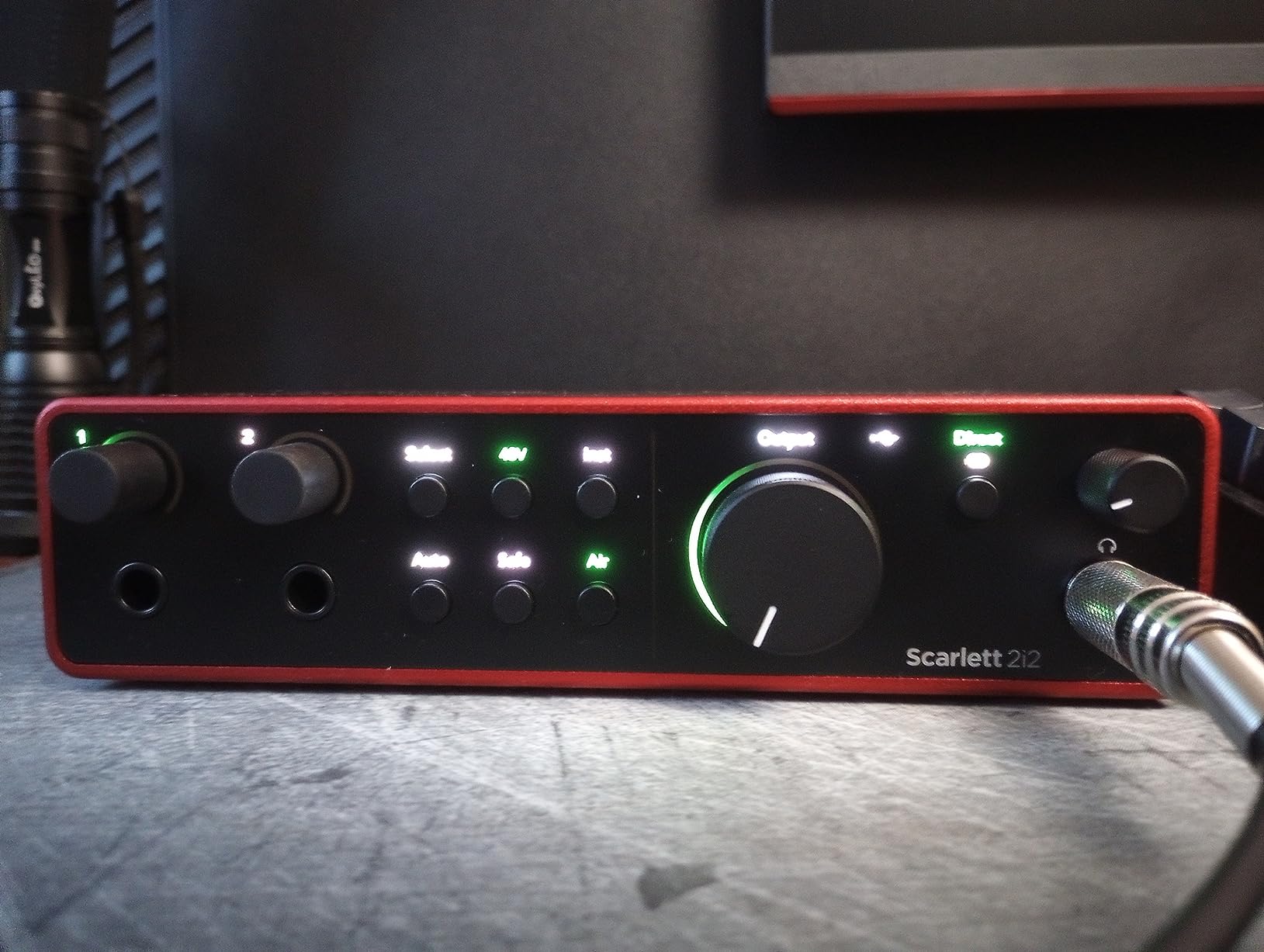
The converters are the other reason this one sits at the top. A stated 120dB of dynamic range at 24-bit/192kHz means a quiet DI from a single-coil pickup still has headroom left when you turn it up in the DAW, which is where hiss usually announces itself. Air mode adds presence and harmonic content to whichever channel you engage it on, and on a guitar DI it gives the take a bit of bite before amp sims even touch it.
Air mode and Auto Gain are both on the front panel rather than buried in software, which matters when you are playing rather than clicking. The build is compact enough to live between a laptop and a small monitor bar, and it runs on Mac, Windows and iOS, so the same box travels if one of you records away from home.
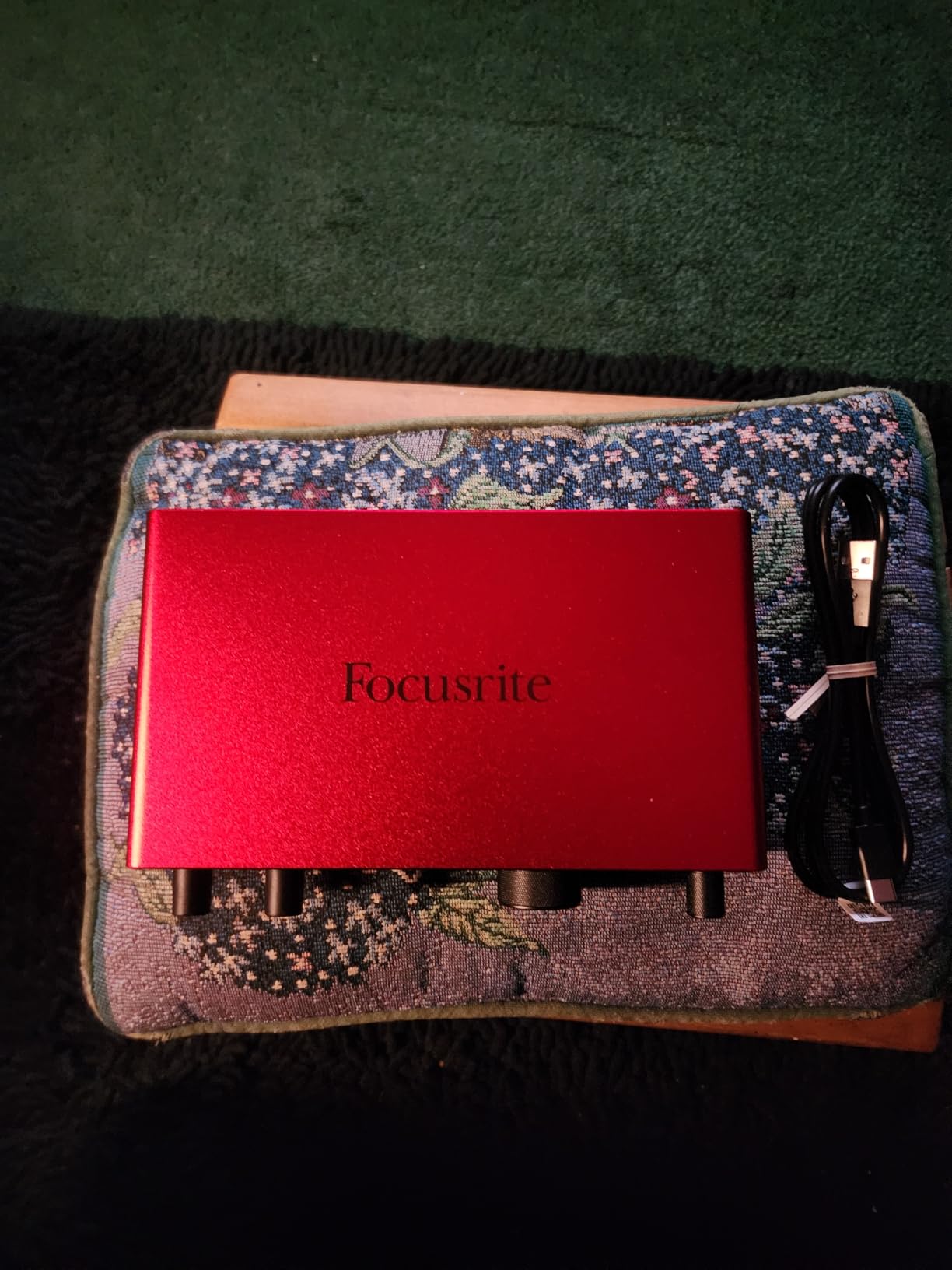
What two players get from Auto Gain and Clip Safe
Everything you need to capture two guitars at once is on the front panel: two instrument inputs, two mic preamps, and level handling that does not require you to watch a meter you cannot see. When a second player is new to recording, that removes the single most common cause of a wasted take.
The 192kHz ceiling and the 120dB dynamic range give you room to record quietly and gain later. If your project is two guitar DI tracks that will later meet amp modelling plugins, the headroom keeps noise out of the recorded file rather than pushing it in later.
Where the Scarlett 2i2 4th Gen falls short
There is one headphone output, so two players share a single cue mix. If you need one person hearing a click and the other hearing a count-in, or you want different amp sim settings per player, this box cannot give you that, and the Audient iD14 MKII can.
The bundled software is the usual Focusrite set of Pro Tools Intro+, Ableton Live Lite, Cubase LE and the Hitmaker Expansion. Reviewers note that parts of the bundle lean on subscription licences for full value, so budget for that if you plan to lean on the plugins rather than the hardware. Everything in the signal path itself is permanent hardware, not a trial.
2. PreSonus AudioBox 96 25th Anniversary: Best Budget Two-Guitarist Interface
PreSonus AudioBox 96 25th Anniversary USB Audio Interface
2 Class-A mic preamps
2 high-headroom instrument inputs plus MIDI I/O
24-bit/96kHz
Zero-latency monitor mix
Pros
- Two high-headroom instrument inputs let two guitarists track at once
- Mixer control enables a zero-latency blend between inputs and playback
- Bus-powered over USB 2.0 with no external supply needed
- Includes Studio One Artist and Ableton Live Lite plus Studio Magic plug-ins
- MIDI input and output on a two-channel unit
Cons
- USB 2.0 limits bandwidth and converter ceiling to 24-bit/96kHz
- Only one headphone output for two players
When the question is simply how do we both plug in without spending serious money, this is the honest answer. Two high-headroom instrument inputs mean two guitars go in at once, and the monitor mixer lets you blend direct signal against playback with no round-trip delay while you play.
That zero-latency monitor control was the feature I used most. With two guitar tracks running through amp sims, being able to set the direct-to-playback balance on the box means the guitarist is not waiting on the plugin chain to keep time, which is the usual complaint about tracking with modelling.
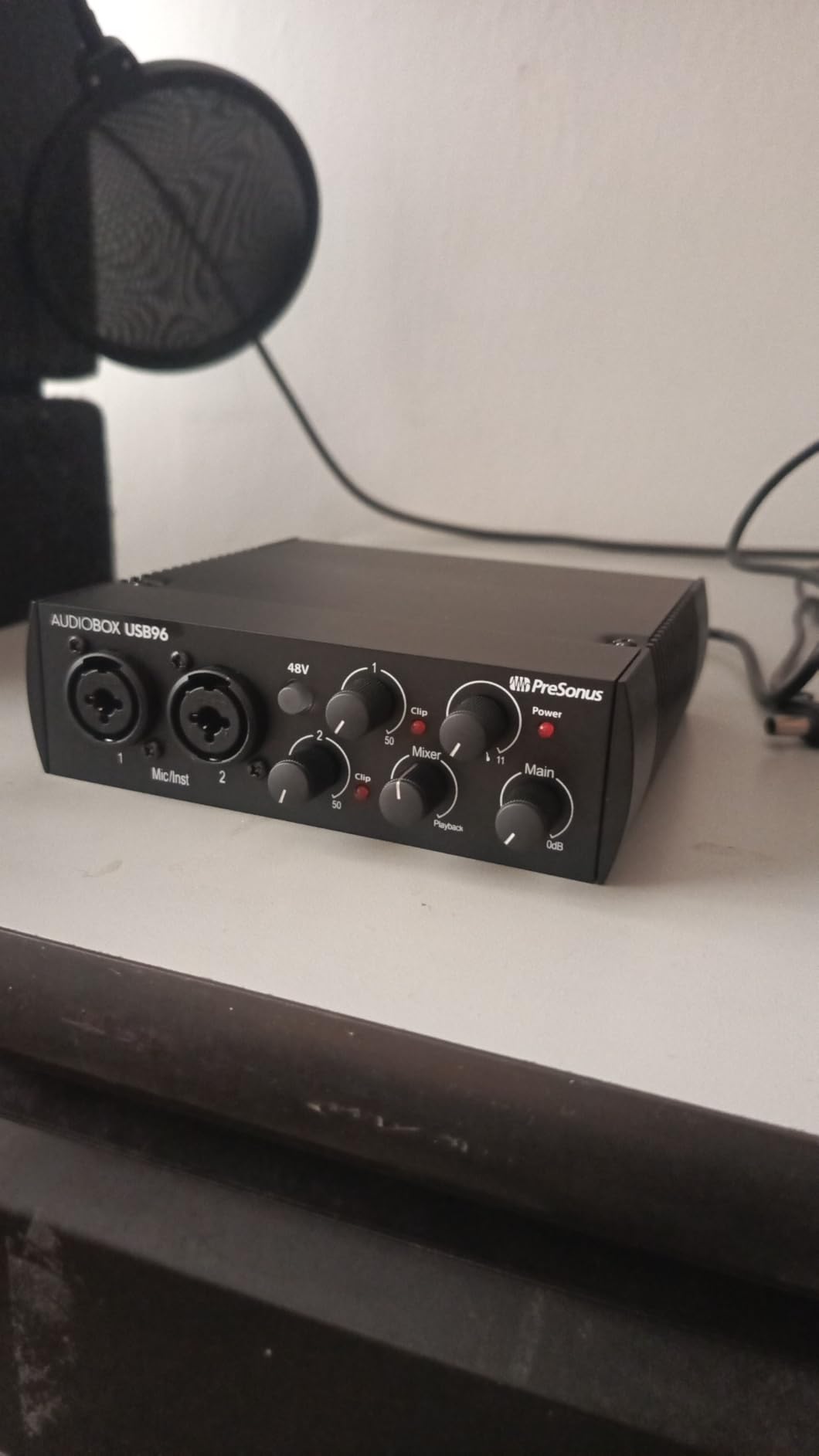
It is also bus-powered over USB 2.0, so there is no external supply to find or cable to trip over. For a rehearsal room or a small writing room where the interface lives in a bag, that simplicity is worth more than a feature list. MIDI input and output are included, which is unusual at this level and handy if either player has a pedalboard they want to clock.
This is also the most-reviewed interface in the set at more than three thousand ratings, so there is a large body of owner feedback on long-term reliability. Studio One Artist and Ableton Live Lite come in the box alongside the Studio Magic plug-in suite, which is more than many buyers at this level expect to get. The one-year manufacturer warranty is short for the money, so keep the receipt.
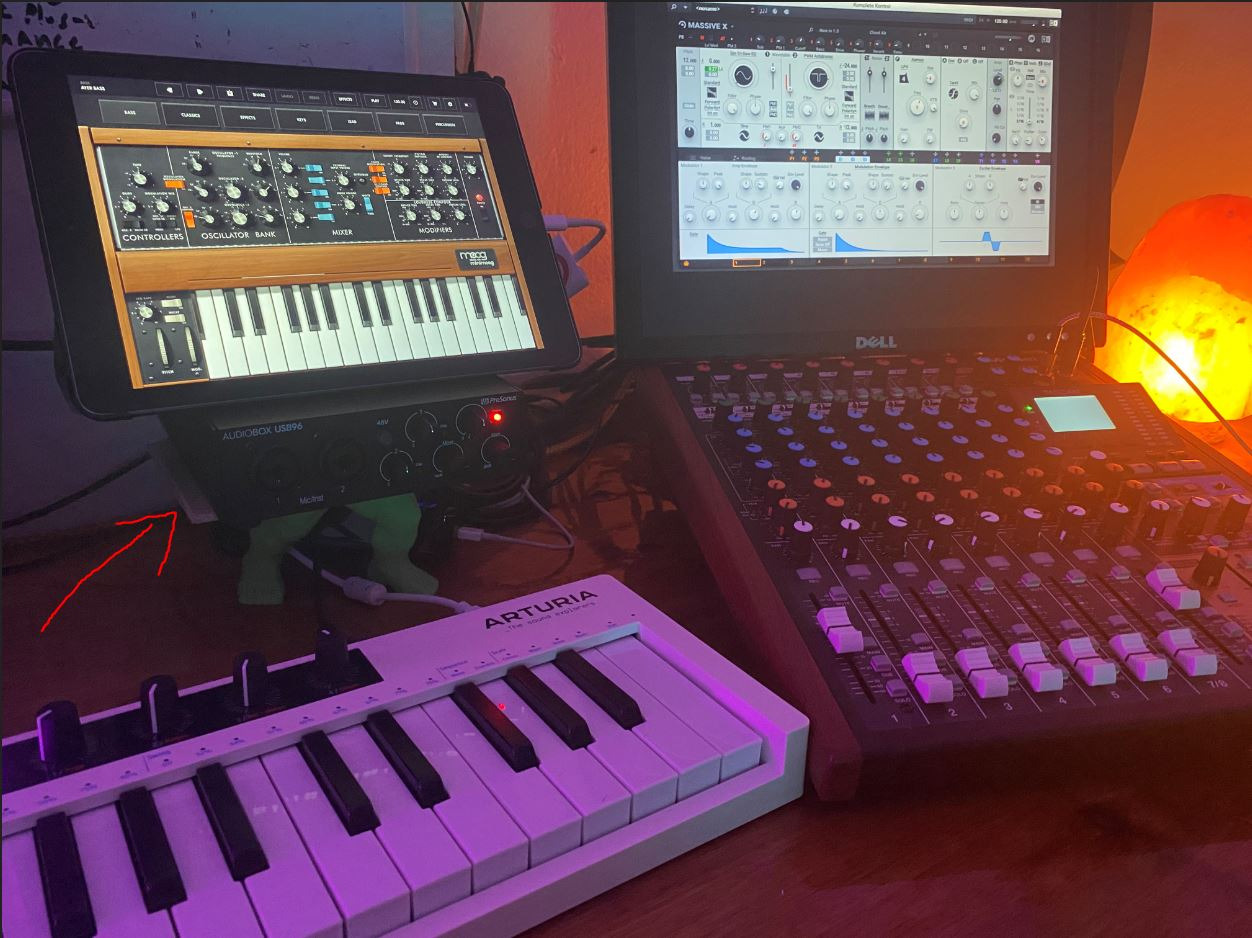
What you get for a two-guitarist session
Two instrument inputs, two Class-A mic preamps and a monitor mixer that runs outside the computer. For capturing two DI guitar parts and making them playable with amp sims while recording, that combination covers the whole job without any extra hardware.
Because it is bus-powered and small, it also works as a travelling capture setup. If one guitarist records at home and the other brings parts in later, the AudioBox moves between the two rooms without a separate power supply.
Where the AudioBox 96 falls short
USB 2.0 caps the converters at 24-bit/96kHz. That is plenty for guitar recording, since most sessions run at 44.1kHz or 48kHz, but it rules out the higher-rate workflows that some rivals support and it is the main thing enthusiasts criticise.
There is a single headphone output, so two players share one cue mix, and the monitoring control lives in software rather than on the front panel. The rating here is the lowest of the eight at 4.3, with reviewers citing the sample-rate ceiling and the single jack as the recurring themes.
3. Arturia MiniFuse 2: Best for Four Inputs in a Small Box
Arturia MiniFuse USB Audio & MIDI Interface, MiniFuse 2
2 combo XLR plus 2 TRS inputs
48V phantom power
Loopback and MIDI I/O
24-bit/192kHz
Pros
- Four physical inputs give two guitarists room to spare
- Highest average rating in the set with 85 percent five-star
- Loopback function captures voiceovers and in-app audio
- Five-year warranty
- Bundles Ableton Live Lite and NI Guitar Rig LE
Cons
- Single headphone output means both players share one cue mix
- Software bundle requires Arturia account registration
The MiniFuse 2 gives you four inputs where most of its class gives you two, and it holds the highest average rating in this group. Two combo XLR inputs accept instruments and mics with 48V phantom power, and two more quarter-inch instrument and line inputs sit alongside them, so two guitarists can each take a DI and still have two channels spare.
Those spare channels are what make it interesting for a pair. One player can record a DI, mic an amp with a condenser on a spare channel, and still have room for a third source when a harmony or a second guitar part shows up in the song.
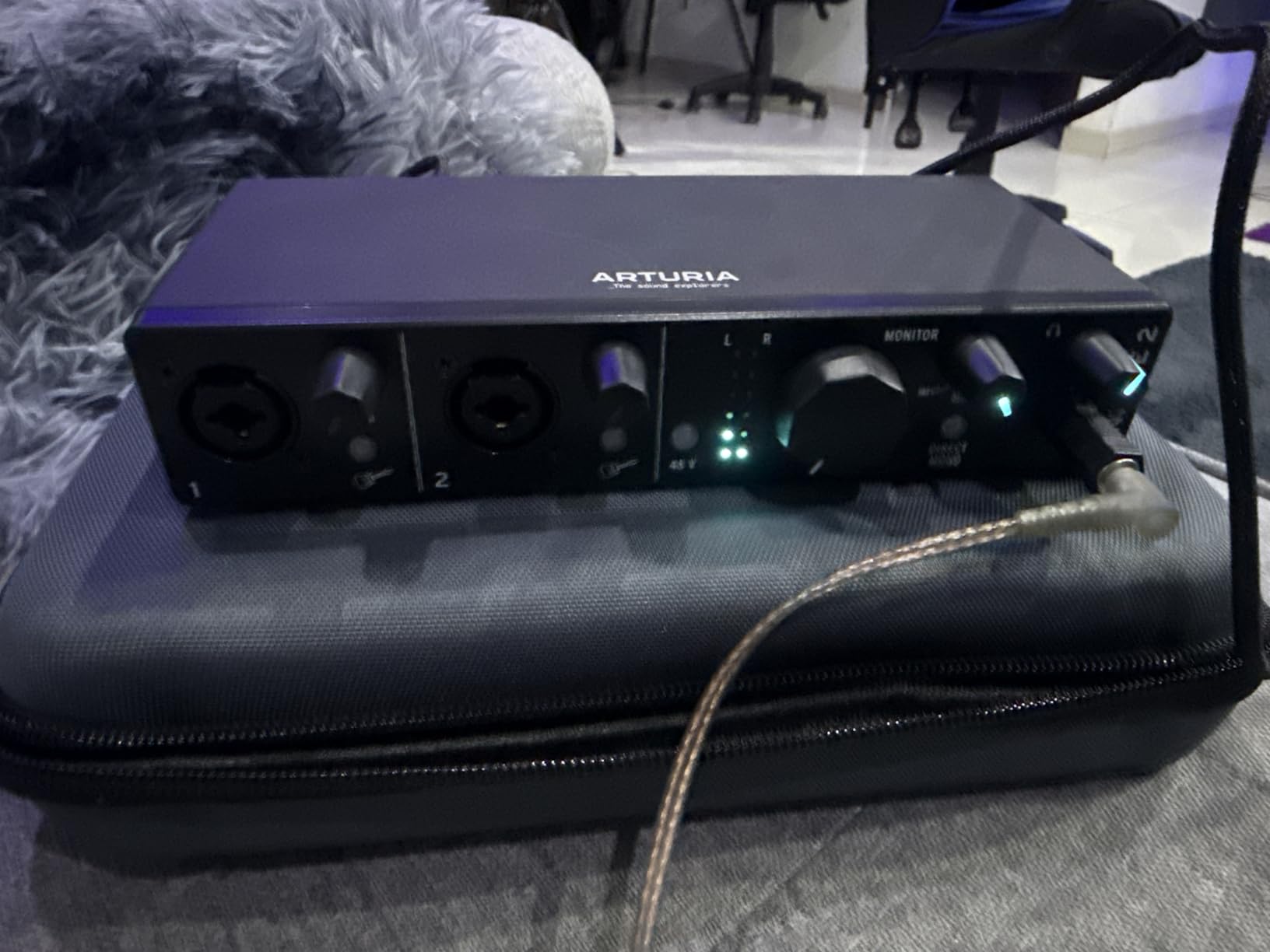
The loopback function records system audio alongside your inputs, which is useful when one player wants to capture a reference track or a video to play back while the other records. Five-pin MIDI in and out is present too, along with a 250mA USB hub for syncing external gear without a second port.
It converts up to 24-bit/192kHz and runs bus-powered, and the five-year warranty is longer than anything else in this roundup. Owners mention the solid build and the loopback routing most often as reasons they keep it in rotation.
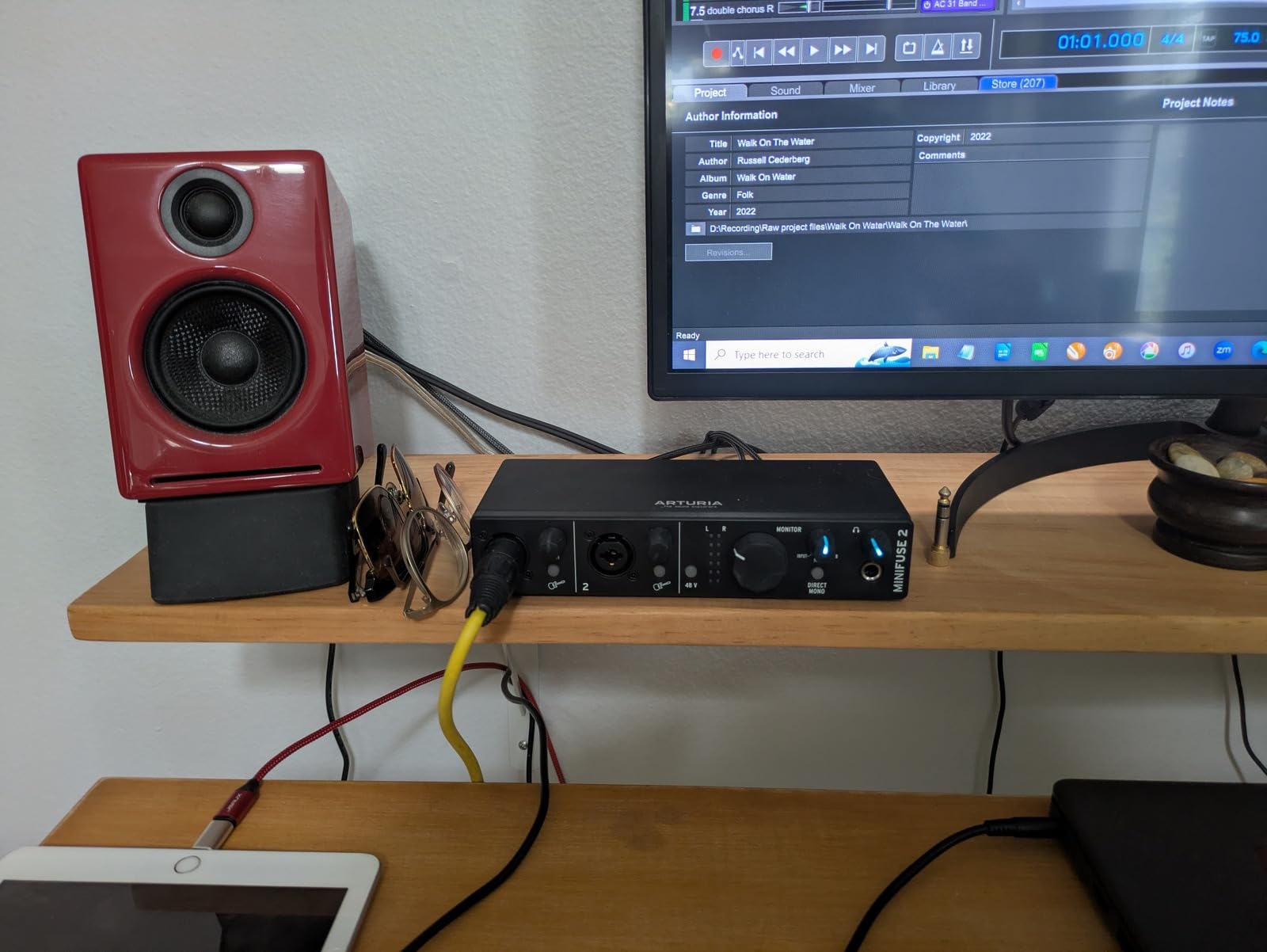
Why four inputs matters for two players
Two guitarists rarely stay at two sources. Somebody ends up layering a harmony, or decides to mic a cabinet instead of using a DI, or wants to sing while the other plays. Having two channels of headroom means none of that requires a second box or a swap.
The MIDI I/O is the quiet bonus. If either guitarist clocks from a pedalboard rather than a DAW click, the interface can pass that timing signal straight through, which cuts down on tracking fights.
Where the MiniFuse 2 falls short
There is one headphone output, so both players share a single mix. For solo tracking that is completely fine, and for two players who want to hear the same thing it also works, but it does not solve the independent cue mix problem.
The bundled software needs an Arturia account to register, which reviewers occasionally report as a fiddly first setup. Ableton Live Lite and the Guitar Rig LE bundle are useful extras rather than the reason to buy, so treat them as a bonus instead of a deciding factor.
4. MOTU M2: Best for Clean DI Recording in a Compact Metal Box
MOTU M2 USB-C Audio Interface
2 preamps, 2-in/2-out
Hardware direct monitoring
24-bit/192kHz
Metal housing
Pros
- Two instrument-capable preamps let each guitarist plug in and track at once
- Excellent converter quality with clean low-noise recording
- Hardware monitoring for low-latency playback
- 24-bit/192kHz operation
- Compact metal housing that fits a small project or a mobile rig
Cons
- Single headphone jack limits independent monitoring for two players
- No MIDI or digital I/O for expanding the setup
- Button-based controls are less intuitive than a gain knob
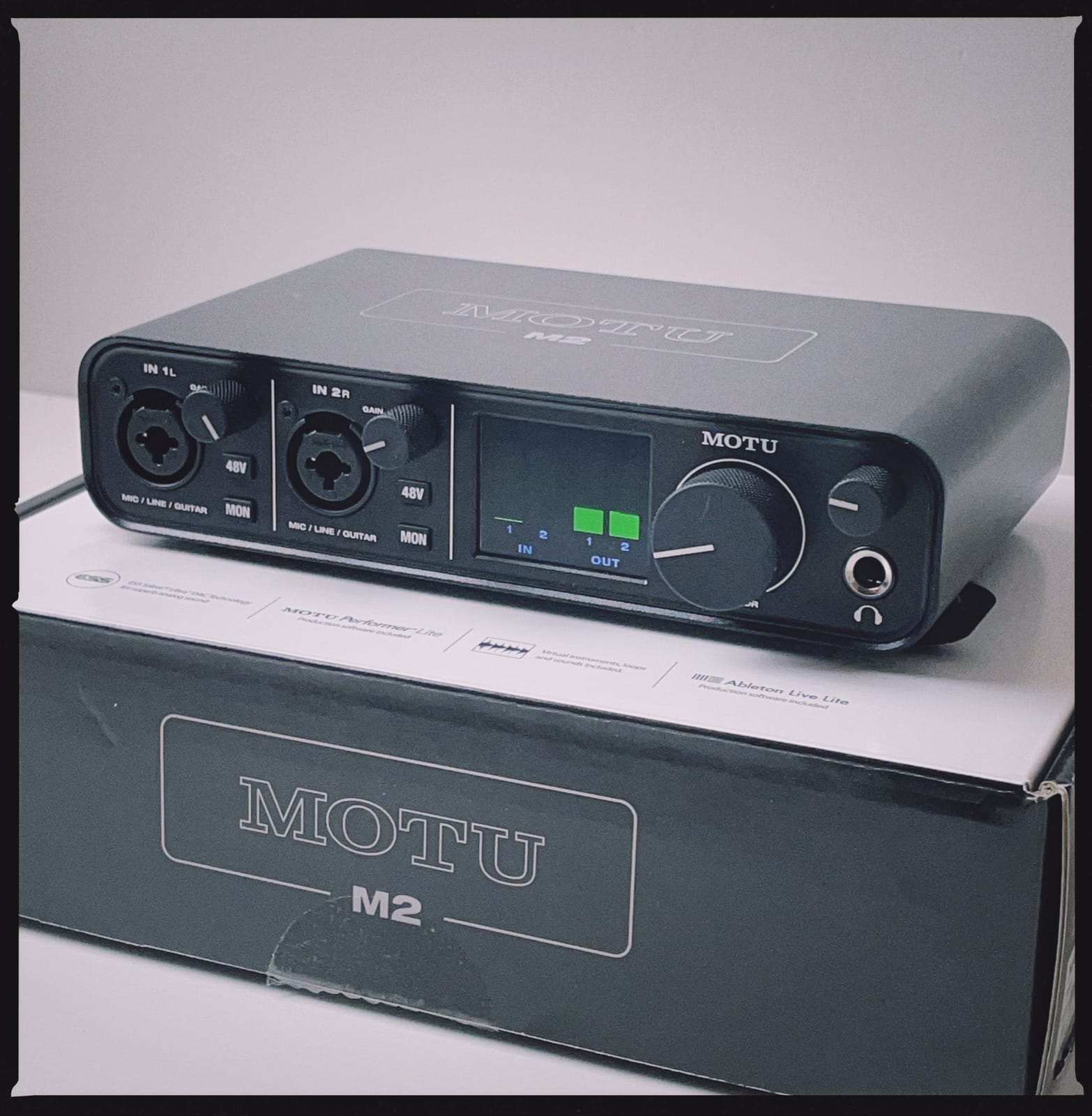
The MOTU M2 is the one I would grab first for a clean DI test. Two instrument-capable preamps, USB-C, and converter quality that reviewers consistently describe as low noise, which is exactly the complaint that shows up on cheaper units when a guitar signal is recorded quietly and turned up later.
Hardware monitoring gives you the direct signal ahead of the software path. For a duo tracking guitar parts through amp sims, that means the guitarist hears their own pick attack immediately rather than waiting on the plugin chain, and the two players stay together without one of them playing ahead.
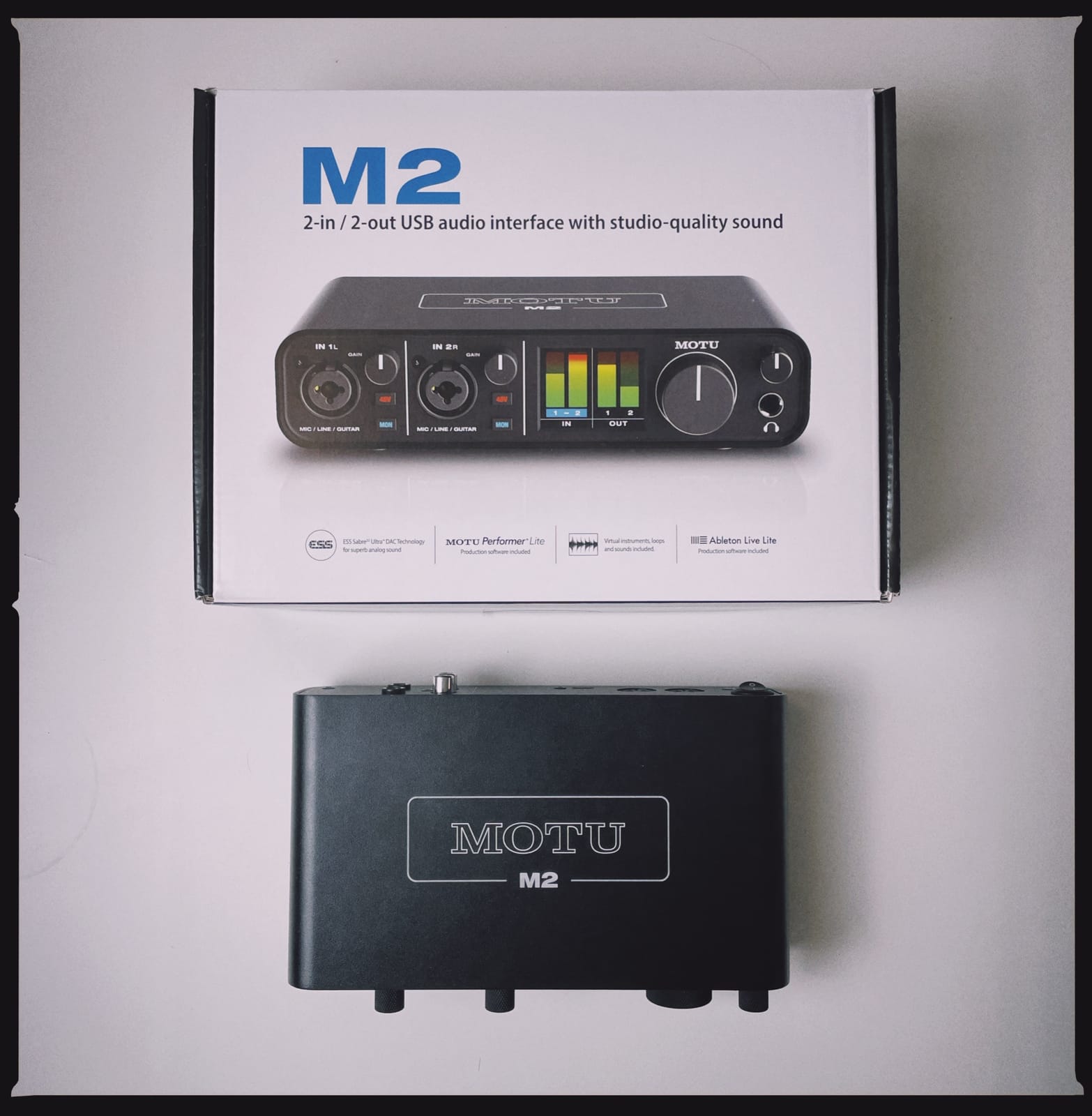
The metal housing is unusual at this level and it makes the box survive being moved between a rehearsal space and a desk. It runs up to 24-bit/192kHz, and more than six gigabytes of music software is included for Mac, Windows and iOS, which covers a DAW and a set of instruments without another purchase.
It is the plainest feature list in this roundup, and that is part of the appeal. Nothing here needs explaining, which makes it a good first interface for someone who has never recorded a guitar before and just wants two players connected.
What the MOTU M2 does for a two-guitarist session
It captures two guitars at once with preamps that stay quiet on quiet DI signals, and hardware monitoring keeps the timing tight when both players are working through amp modelling. That combination is the whole reason to consider a two-by-two over something busier.
The USB-C connection and metal case make it portable, so the same session can be captured in a rehearsal room and finished at home without a different interface changing the sound of the DI.
Where the MOTU M2 falls short
One headphone jack, so no independent cue mixes for two players. There is also no MIDI and no digital input, which means no ADAT expansion later, and no way to add channels when the songs grow.
The controls are button-driven rather than a proper gain knob, so setting levels precisely takes a little more attention than on a box with a rotary control. If you want room to grow past two inputs later, the MOTU M4 is the natural step up.
5. Universal Audio Volt 2: Best for Guitar Tone With Amp and Pedal Emulation
Universal Audio Volt 2 USB Audio Interface
2x2 USB-C with 610 tube emulation
MIDI input and output
24-bit/192kHz
Bus-powered
Pros
- Vintage mode gives a warm 610-style coloration that suits recorded guitar takes
- Two preamps support recording two guitars simultaneously
- Plug-and-play over USB-C with no driver install
- Excellent conversion quality with no audible interference
- Bundles LUNA and UAD plug-ins including amp and pedal emulations
Cons
- Only two input LEDs make gain staging hard to set precisely
- No hardware balance between direct monitoring and computer playback
- Single headphone output for two players
The Volt 2 is the pick here if the sound of the recorded DI matters more than the number of buttons. Its Vintage mode emulates Universal Audio’s classic 610 preamp circuit, and reviewers describe the result as warm and closer to a finished record, which means a plain guitar part needs less corrective EQ before plugins touch it.
Two preamps handle two guitars at once, so the same two-person workflow works as on the smaller boxes. What you gain is character on the recorded file, which is why it lands well on rhythm guitar parts that will sit underneath everything else.
The bundled software is the real headline. LUNA Digital Audio Workstation and a set of UAD plug-ins including guitar amp and pedal emulations come with it, so two players can go from raw DI to amp sim in one session without buying plugins. Setup is plug-and-play over USB-C, with no driver install and automatic device identification.
It works on Mac, Windows and iPad, is bus-powered, and converts up to 24-bit/192kHz. MIDI input and output are included as well, which is helpful if either player runs a pedalboard alongside the interface.
Why tone shaping matters when both players record
With two guitar tracks on screen, the quieter DI track often ends up pushed up to sit with the louder one. A preamp circuit that already adds harmonic content to that track keeps the boost from turning it thin and noisy, which is the failure mode we hear most often on plain interfaces.
The UAD amp and pedal emulations also mean the two players do not have to own matching plugin bundles to get comparable tones, which removes one common argument from a shared session.
Where the Volt 2 falls short
There are only two input LEDs, so setting gain precisely is harder than on a box with meters, and there is no hardware balance between direct monitoring and computer playback. That combination pushes the monitoring control into software, which can add friction when you are tracking rather than mixing.
There is a single headphone output, so two players cannot have separate mixes, and some owners report trouble registering the bundled app. The review count here is the smallest of the eight, so the owner base is younger than the alternatives.
6. Audient iD14 MKII: Best for Two Independent Headphone Outputs
Audient Audio Interface iD14 MKII, 2 Class-A Microphone Preamps (High Performance USB Audio Interface, USB-C Connector, Monitor Mix and Monitor Panning Function, 2 Headphone Outputs), Black
2 Class-A mic preamps
2 instrument inputs
2 headphone outputs
ADAT optical input
USB-C
Pros
- Two independent headphone outputs let each guitarist monitor separately
- Two Class-A console-derived preamps with two JFET instrument inputs
- ADAT optical input allows expansion beyond two inputs
- All-metal housing for durability
- Bundles Cubase LE and Cubasis LE 2
Cons
- Conversion ceiling of 24-bit/96kHz below 192kHz rivals
- Input 1 is mic-line only so an instrument needs input 2
- No MIDI I/O
This is the interface that answers the question at the top of the forum results for this keyword: can one box take two instruments in and give two musicians their own headphone output at the same time. The iD14 MKII has two headphone jacks, so yes, it can, and each player can set their own level.
The two preamps come from Audient console circuits and pair with two JFET instrument inputs, which reviewers describe as clear and detailed on guitar. For two DI tracks, that clarity means you hear pick noise, fret buzz and string noise as they actually were, which is usually what you want when the take will be processed later.
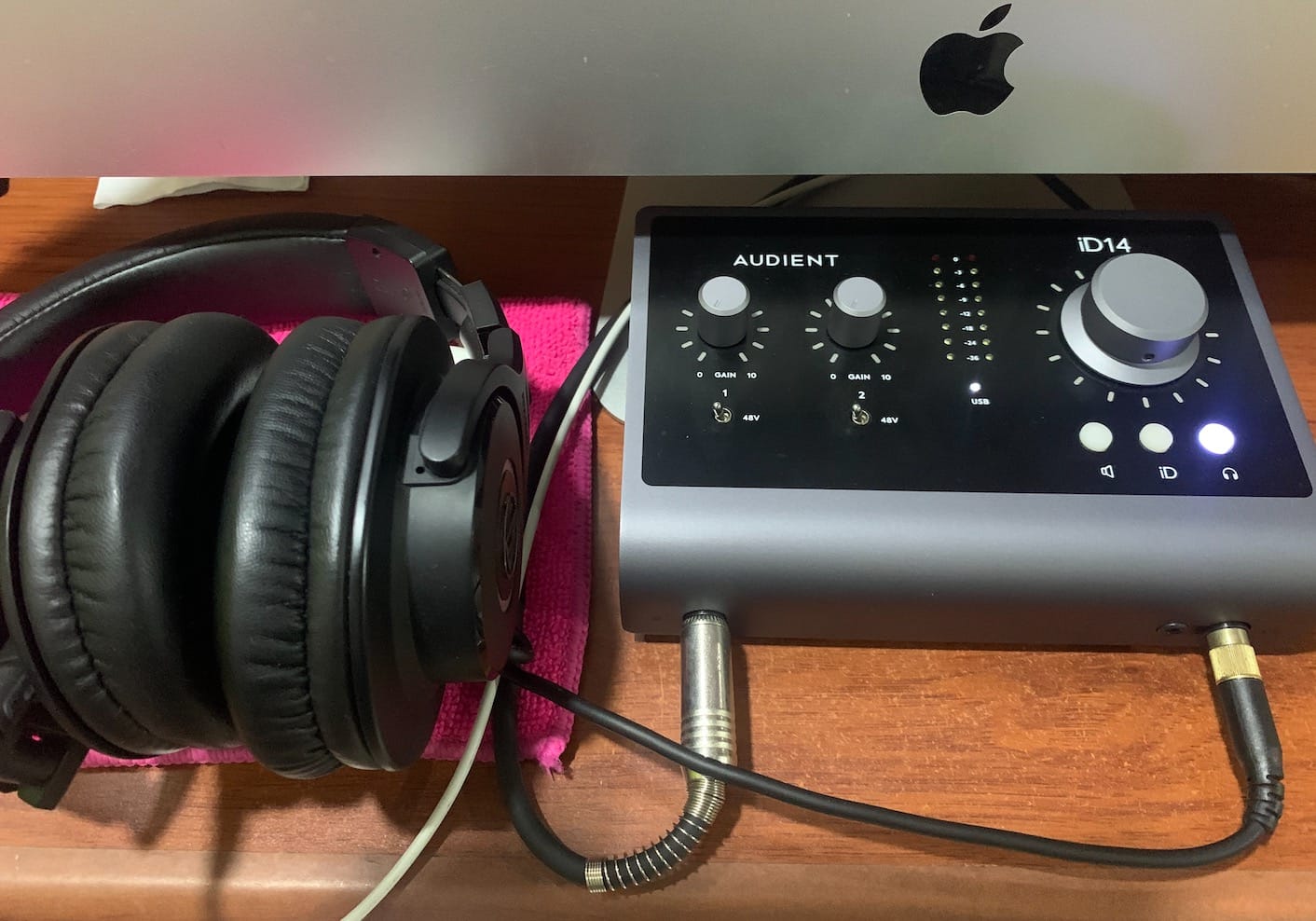
The ADAT optical input is the piece most people miss until they need it. When a two-guitarist project grows into a two-guitarist plus bass plus drums session, you can add an eight-channel ADAT converter later instead of replacing the interface, and the preamp quality you already paid for keeps doing the work.
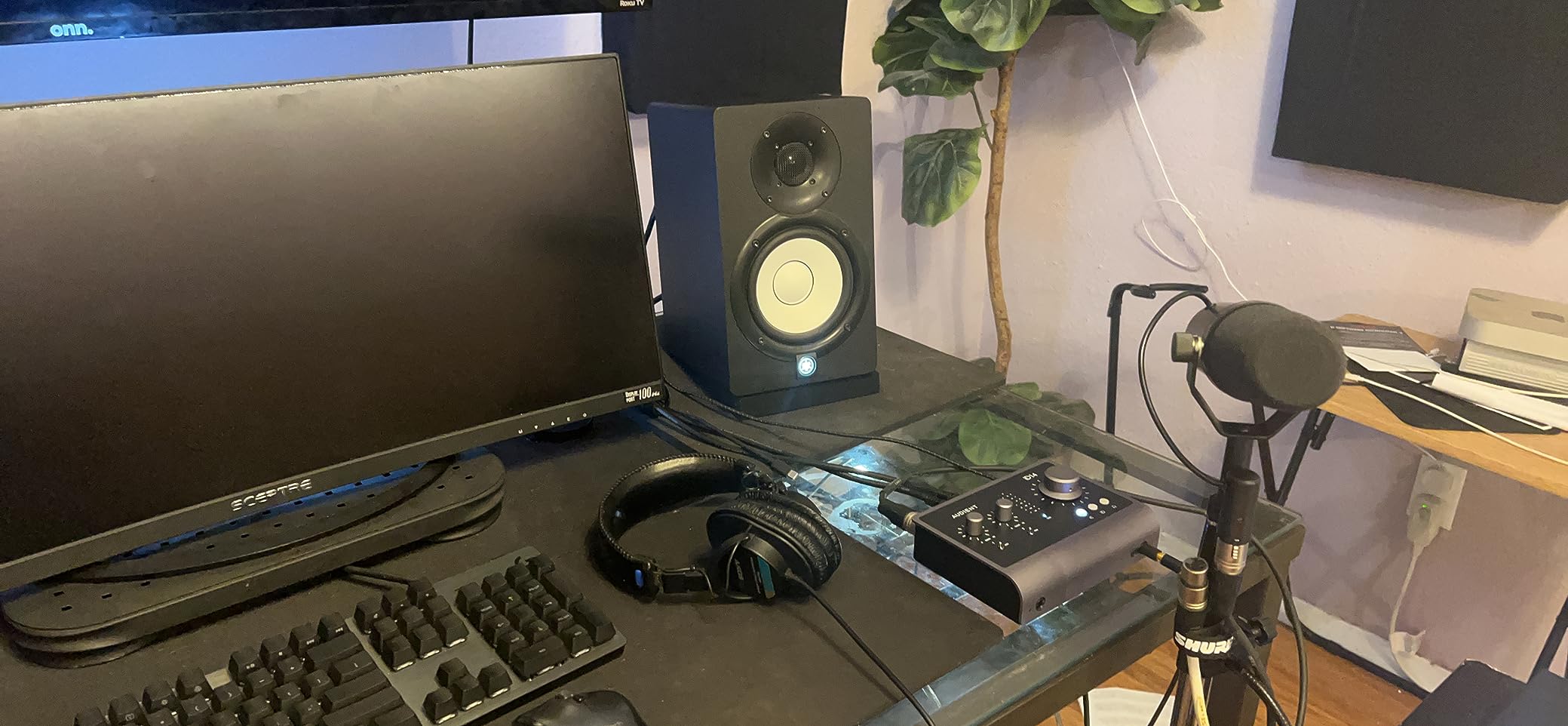
It is also the only box here with a monitor pan function that moves the direct signal across the stereo field, which is handy when layering two guitars and wanting to hear where they sit. The chassis is all metal and the warranty runs three years.
What two headphone outputs actually fix
With one jack, both players hear the same mix. That rules out giving one player a click track and the other a count-in, and it rules out different amp sim settings per player, because the monitor path is shared. Two outputs remove both problems for a session where two people are tracking at once.
It also helps when one guitarist is playing with in-ear monitors and the other is on backline, since each can run a level suited to what they are wearing. That is the difference between a comfortable hour of tracking and an hour of someone quietly turning one ear down.
Where the iD14 MKII falls short
The converters top out at 24-bit/96kHz. That is not a practical limit for guitar recording, but it is below the 192kHz rivals and it is the most common complaint in owner reviews.
Channel layout needs checking before the session rather than during it. Input 1 handles mic and line but not instruments, so on this unit both guitars share the two instrument-capable inputs. Patch both DIs in first, confirm which channels are live, and only then bring a mic in. There is also no MIDI I/O, so pedalboard clocking has to come from somewhere else.
7. MOTU M4: Best for Four Inputs with Hardware Metering
Motu M4 4×4 USB-C Audio Interface
4-in/4-out USB-C
Four instrument-capable inputs
MIDI I/O
LCD screen and Loopback
Pros
- Four instrument-capable inputs plus MIDI for larger two-guitarist sessions
- Low-latency hardware monitoring for amp-style playback
- LCD screen gives clear hardware metering of input levels
- Loopback function for streaming and podcast capture
- Bus-powered and works across Mac
- PC and iOS
Cons
- Two headphone outputs but no per-output independent cue mixing control
- Cables are not included for every connection
- Modest bundled software
The MOTU M4 is the practical middle of this list. Four-in/four-out with four instrument-capable inputs means two guitarists can each take a DI, and you still have room for a mic on a vocal or a cab, without moving up to a multi-channel interface you may not need yet.
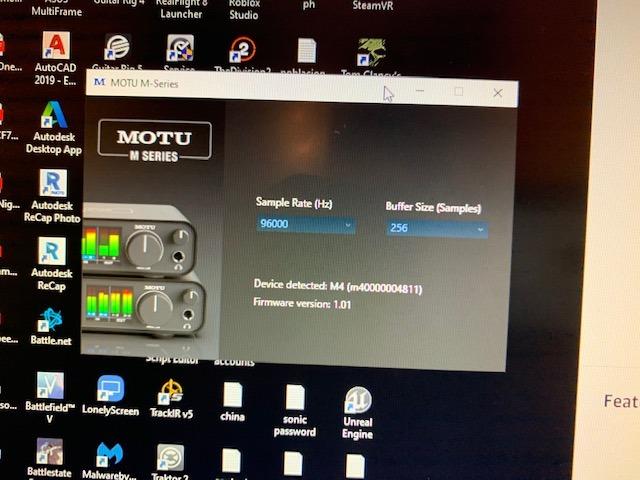
The LCD screen is the feature that changes a two-person session. Both players can glance at real input metering on the box itself rather than guessing, which removes the whole class of takes that are quiet on one side and clipping on the other. Hardware monitoring keeps amp-style playback low latency for both players.
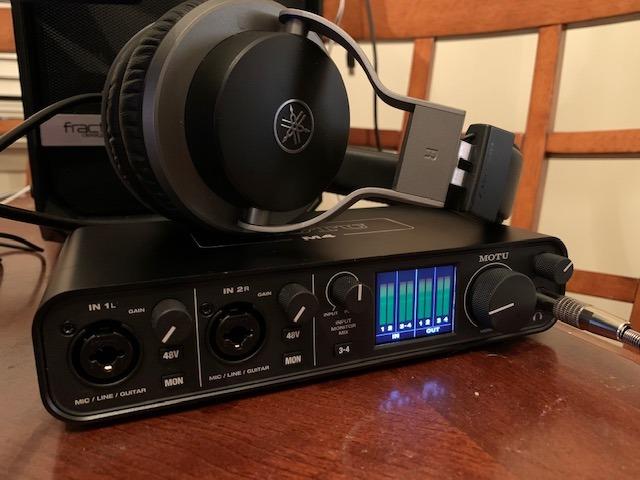
There are two headphone outputs, so two people can monitor at the same time, and MIDI I/O is included for pedalboard or synth clocking. It is bus-powered, converts up to 24-bit/192kHz, and the loopback function records system audio for streaming and podcast work.
Reviewers treat it as the upgrade step from a two-by-two: same general workflow, more channels when the songs need them. Performer Lite and Live Lite come bundled for basic production work.
When four inputs earns its place
Two guitars is two channels. Two guitars plus a bass DI is three. Two guitars, bass and a single drum overhead is four, which is exactly what this box handles. That covers most rehearsal-room and songwriting sessions without an expansion device.
On-screen metering matters more here than on smaller boxes because with more inputs, the odds of one player being unable to see the meters go up. Hardware levels on the LCD settle that argument without anyone opening the DAW.
Where the MOTU M4 falls short
Two headphone outputs share the same monitoring path, so you cannot give each player a fully independent cue mix the way a mixer-based interface would. It is a step up from one jack, not a full two-channel monitoring system.
Cables are not included for every connection, so plan to pick up a spare USB-C lead and any instrument cables your setup needs. The bundled software is entry-level, which is fine if you already have a DAW and frustrating if you do not.
8. Audient EVO 4: Best for Two Headphone Outputs Below the Mid Tier
Audient EVO 4 USB Audio Interface
2 mic preamps and 2 JFET instrument inputs
2 headphone outputs
Smart Gain and Smart touch point
24-bit/96kHz
Pros
- Two JFET instrument inputs cover two guitarists at a lower cost
- Two headphone outputs for separate player monitoring
- Smart Gain simplifies level setting without a gain knob
- Audient three-year warranty and bus-powered USB 2.0 operation
- Loopback plus a free software and plug-in bundle
Cons
- 24-bit/96kHz maximum sample rate is below class leaders
- No MIDI or digital I/O
- Touch-point controls are less tactile than physical knobs
The EVO 4 is the cheapest way we found to get two headphone outputs in one box, and for two guitarists sitting in the same room that single feature is worth more than a long spec list. Two JFET instrument inputs handle both guitars, and each player gets their own jack and level.
Smart Gain removes the physical gain knob and handles level setting from the front panel instead. For two players who are not going to read a manual first, that removes a step, and it means neither of you has to ask the other whether the input is clipping.
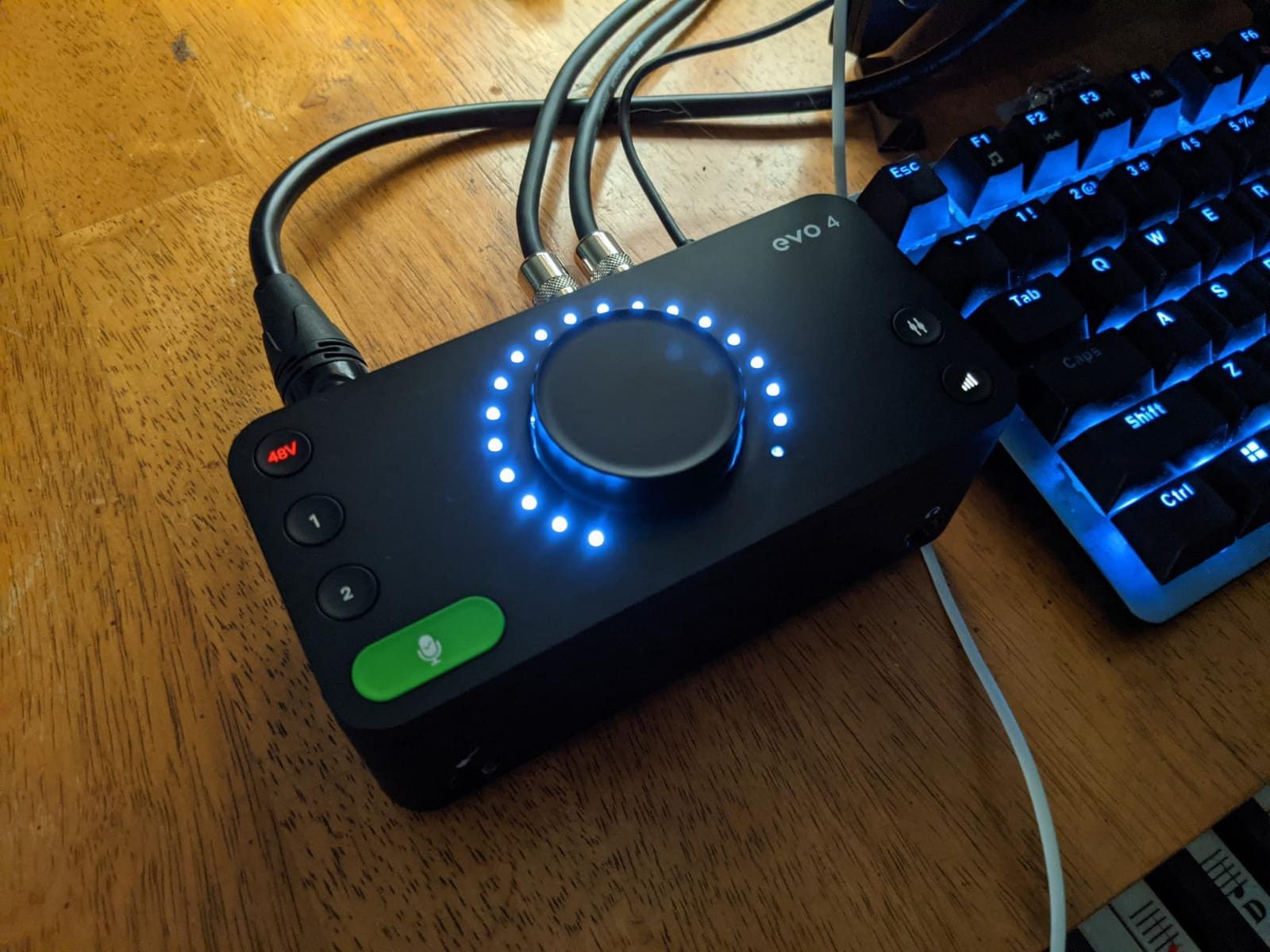
It is bus-powered over USB 2.0, includes 48V phantom power for a condenser on vocals or a cab, and carries a three-year Audient warranty. Loopback is included, along with a free software and plug-in package, which covers capture and basic mixing without further purchases.
The rating sits second-lowest in this group at 4.4, with owner feedback pointing at the sample-rate ceiling and the absence of MIDI as the two recurring gripes. Neither stops two guitars being recorded at once.
Why two headphone outputs matter here
On a single-output box, two players must agree on one mix. That is workable when both are playing the same part, but it breaks down the moment one of them records something different or needs a click without the other hearing it. Two jacks make both situations routine.
Because the box is bus-powered and compact, it also works as a portable two-person setup, so a rehearsal can be captured and finished elsewhere without moving a large desk unit.
Where the EVO 4 falls short
The converters stop at 24-bit/96kHz, the same limit as the iD14 MKII, and there is no MIDI or digital input, so ADAT expansion is not an option here. If you think you will outgrow two inputs, look at the iD14 MKII instead.
The Smart touch point controls are capacitive rather than physical knobs. They work, but they are less tactile for someone who wants to feel for a gain control in a dim room, and iOS use needs a powered USB hub.
Buying Guide: How Many Inputs Do Two Guitarists Actually Need?
Count your sources, not your songs
Work from the number of simultaneous sources and ignore everything else. Two guitars through DI boxes is two inputs. One guitar DI plus one amp mic plus a condenser on vocals is three. Two guitars plus a bass plus a single drum overhead is four to six. Two guitars, two amps, bass and a two-mic drum overhead pushes you to eight.
For most songwriter pairs, two Hi-Z inputs plus one spare mic channel covers an entire afternoon of work. That is the range where the Focusrite Scarlett 2i2 4th Gen and the MOTU M2 live, and it is where we would start.
Buy more only when you can name the extra source. Two guitarists who occasionally record a bass part are not the same buyer as a band tracking five sources at once, and the second buyer should look at four or more instrument inputs from day one.
Decide how many headphone outputs you need
One headphone jack means one shared mix for the whole room. Two outputs mean each player controls their own level. Of the eight interfaces here, only the Audient iD14 MKII, the Audient EVO 4 and the MOTU M4 provide two.
The iD14 MKII and EVO 4 give each player a genuinely separate level control. The MOTU M4 has two jacks that share the underlying monitoring path, so both players hear the same mix at different volumes, which solves level arguments but not different cue content.
If you plan to use amp sims with different settings per player, or if one of you sings while the other plays, treat two headphone outputs as a requirement rather than a nicety.
Phantom power and the DI conflict
Phantom power is 48V sent to a microphone input to power a condenser. A passive guitar DI box does not need it, and an active DI can even be damaged by it, so check whether your box is passive or active before switching phantom on.
The common beginner failure is plugging a passive DI into an input with phantom power engaged and hearing a nasty thump or a signal that drops out when the switch flips. Turn phantom off first, plug the DI, set the gain to zero, then bring the level up.
The same caution applies to gain staging generally. Never feed a speaker-level signal or a hot line-level output into a Hi-Z instrument input, because the input impedance is designed for pickups and will overload the preamp. Turn the volume down on the source before you connect anything.
Latency, buffer size and amp sims
Round-trip latency is the delay between playing a note and hearing it back. It comes from buffer size, and larger buffers mean more delay but lighter CPU load. Tracking guitar through amp sims is the situation where latency is most obvious, because the player is judging their timing against what they hear.
Most players settle on a moderate buffer size while recording and lower it during mixing. Hardware or direct monitoring bypasses the round trip entirely, which is why the MOTU M2 and MOTU M4 respond well when two people are tracking together.
Mono, stereo or double tracking once you have two tracks
Recording-guitar threads overwhelmingly recommend mono. Two guitars recorded mono, hard-panned to opposite sides of the stereo field, is the standard rock rhythm sound and it stays solid in the mix.
For width beyond panning, double tracking works: play the same part again and alternate takes across the two channels. It is worth the extra passes on a lead line and rarely worth it on rhythm parts, where the added time can bury the groove.
Save stereo moves for after capture. Re-amp and cabinet simulation, chorus, delay and pitch-shifted layers all create width later, and they are much easier to adjust than a re-record.
Key terms worth knowing
Hi-Z input. A high-impedance instrument input designed for guitar pickups, which output a weak signal that needs matching and amplification before conversion.
DI. Direct injection. A passive or active box that lets a guitar feed the interface directly instead of through a microphone and amplifier.
Phantom power. 48V supplied to a microphone input to power condenser microphones. Never required for a passive guitar DI.
Round-trip latency. Input-to-output delay through the converter and software chain. Reduced by smaller buffer sizes or bypassed with direct monitoring.
ADAT optical. A digital connection for adding eight channels from a second unit, used by the Audient iD14 MKII to expand inputs later.
Bus-powered. Drawing power from the USB port rather than an external adapter, which keeps setups portable.
Class-compliant. A device using built-in operating system drivers with no manufacturer driver install required.
Frequently Asked Questions
What is the best audio interface for guitarists?
For two guitarists recording together, the Focusrite Scarlett 2i2 4th Gen is the strongest all-round choice, with two Hi-Z instrument inputs, two mic preamps and Auto Gain with Clip Safe. If you need two independent headphone outputs, the Audient iD14 MKII or Audient EVO 4 fit the bill.
How many inputs do I need to record two guitars?
Two inputs is the minimum, one Hi-Z input per guitar. Add a third channel if either player wants to microphone an amplifier, and a fourth if you plan to record bass or vocals at the same time. Two guitars plus bass plus drums typically needs six to eight inputs.
Can I plug two guitars into one audio interface?
Yes, as long as the interface has two Hi-Z instrument inputs. Both guitars plug into separate instrument inputs, each gets its own track in the DAW, and both players can play at the same time instead of recording one part at a time.
Do I need phantom power for a guitar DI box?
A passive DI box does not need phantom power and an active DI can be damaged by it. Turn phantom power off before connecting a DI, set the input gain to zero, then raise the level. Phantom power is only needed if you also mic a condenser microphone on vocals or a speaker cabinet.
Should you record guitars in mono or stereo?
Record both guitars in mono and hard-pan them to opposite sides for the most controllable, reliable result. Add width later with amp simulation, chorus or delay sends rather than trying to capture a stereo pair. Double tracking is worth it on lead lines and rarely worth it on rhythm parts.
Do I need an audio interface with 2 headphone outputs to track with someone else?
You need two headphone outputs if both players must monitor independently, for example one player on a click track or different amp simulation settings per player. The Audient iD14 MKII and Audient EVO 4 give each player their own level, while the MOTU M4 has two jacks sharing one monitoring path.
Our Verdict for Two-Guitarist Recording in 2026
Two guitarists need two Hi-Z inputs, and the best audio interfaces for two guitarists in 2026 come down to how much monitoring independence you want after that. The Focusrite Scarlett 2i2 4th Gen is our pick because Auto Gain and Clip Safe keep a first session clean, and the MOTU M2 does the same job with fewer distractions. The PreSonus AudioBox 96 is the least expensive route to two inputs.
When a second player sits beside you in the room, move up to two headphone outputs. The Audient iD14 MKII gives you independent levels plus ADAT expansion for later, the Audient EVO 4 does the same job for less, and the MOTU M4 adds four instrument inputs when the songs get bigger. Whatever you pick, plug guitars into Hi-Z inputs, leave phantom power off for passive DIs, and record both parts at once so the performance survives.